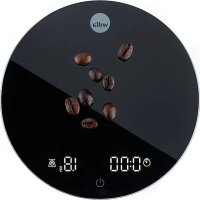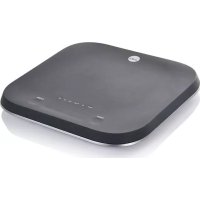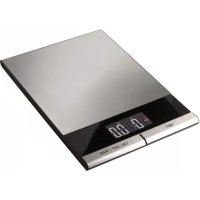
GRAM KW4 - Kitchen scales WILFA - Free user manual and instructions
Find the device manual for free GRAM KW4 WILFA in PDF.



| Brand | Wilfa |
| Model | GRAM KW4 |
| Product type | Kitchen scale |
| Approximate dimensions | 20 x 15 x 2 cm |
| Approximate weight | 300 g |
| Maximum capacity | 5 kg |
| Graduation | 1 g / 0.10 oz |
| Power supply | 2 lithium CR2032 batteries |
| Display | LED |
| Main functions | Weighing, taring, unit selection (g/oz), auto-off (60 s) |
| Care and cleaning | Soft damp cloth, do not use harsh chemicals |
| Storage | Flat, nothing on platform, remove batteries if unused for long |
| Safety | Do not immerse in water, do not open, avoid overloading |
| Spare parts and repairability | Replaceable batteries (CR2032); for other parts, contact Wilfa customer service |
| Warranty | 5 years from date of purchase (domestic use) |
| General information | Manual available in multiple languages at wilfa.com |
Frequently Asked Questions - GRAM KW4 WILFA
User questions about GRAM KW4 WILFA
0 question about this device. Answer the ones you know or ask your own.
Ask a new question about this device
Download the instructions for your Kitchen scales in PDF format for free! Find your manual GRAM KW4 - WILFA and take your electronic device back in hand. On this page are published all the documents necessary for the use of your device. GRAM KW4 by WILFA.
USER MANUAL GRAM KW4 WILFA
4 IMPORTANT SAFETY INSTRUCTIONS
5 CONTROLS
5 BATTERY
5 WEIGHING
5 MEASURING WITH TARE FUNCTION
6 SWITCHING OFF
6 CLEANING
6 STORAGE
7 TROUBLESHOOTING
8 GUARANTEE
9 PRODUCT SPECIFICATIONS
9 SUPPORT AND SPARE PARTS
9 RECYCLABILITY
EN
IMPORTANT SAFETY INSTRUCTIONS
- Read this instruction manual thoroughly before use and save it for future reference. It is also available at our website; wilfa.com.
- Ensure that there is nothing on the weighing plate when the scale is not being used.
- Do not allow water (or any other liquid) to come into the scale.
- When using the scale always place it on a solid level and flat surface.
CONTROLS
- ON - Press this button to switch on when the scale is turned off.
- OFF - Press this button for 3 seconds to switch off when "0" is visible on the display.
- TARE - Press this button to set back the display to "0".
- UNIT - Press this button to change the units displayed from grams (g) to ounces (oz) or ounces (oz) to grams (g).
BATTERY
- The scale work on 2 lithium cell battery (CR2032).
- Before use, remove the battery compartment cover on the underside of the scale, place the new batteries with positive (+) and negative (-) side correctly.
- Replace the battery as soon as " " is displayed and ensure that it is disposed of at an officially assigned place, for it may pollute the environment.
WEIGHING
- Press button "ON" to switch it on, and "0g" or "0.00 oz" is displayed.
- Place the ingredient(s) to be weighed directly on the weighing plate, you can read the weight right away.
- Graduation: d = 1g , d = 0.10oz
- Overloading display: "EEE" becomes visible on the display if the weighing plate has been overburdened.
MEASURING WITH TARE FUNCTION
Tare function allows you to weigh different items consecutively without removing the items from the scale.
- When the scale is off, press the ON button to enter the weighing mode. Start to weigh when "0" is shown on the display.
- Place the first item you wish to weigh onto the scale, the display will show the weight of the first item.
- Press the TARE button to reset the display to zero.
- Now add another item to weigh onto the scale. The display will show the weight of the newly added item.
- If you remove the item added to the scale, the display will return to "0". If you remove all the items from the scale, the display will show a negative value indicated by a minus sign.
EN
SWITCHING OFF
- Press button "OFF" for 3 seconds to switch off when "0" is in the display.
- Automatically power off when the scale has not been used for 60 seconds.
CLEANING
Clean the scale with a soft slightly damp cloth and if necessary, some detergent. Never use hot water or any harsh chemicals to clean the scale.
STORAGE
- Ensure that there is nothing on the weighing plate when the scale is not being used.
- The scale should not be stored standing on its side.
- Never attempt to open the scale and tamper with its mechanism or circuitry.
- Remove the battery if the scale is not going to be used for a long time.
TROUBLESHOOTING
| Problem Possible reasons Solutions | ||
| The LED display is dim or displays Lo | The power is not enough | Replace the 2 batteries (CR2032) |
| The device is not starting when the TARE button is pressed | The battery level is too low. | Replace the 2 batteries (CR2032) |
| The batteries are not inserted correctly | Please insert the batteries according to the instructions. | |
| The LED display shows "IEEE" | Overload Please remove the weight on the scale to protect the weight cells. The maximum amount is 5kg. | |
| The LED display shows the wrong measuring unit. | Press the UNIT button to your preferred unit is shown on the display. | |
EN

GUARANTEE
Wilfa issues a 5 year guarantee on this product from the day of purchase is done. The guarantee covers production failure or defects that arise during the guarantee period. Your purchase receipt works as proof towards retailer if claiming your guarantee.
The guarantee is valid only for products that are bought and used in private households. The guarantee is not valid if the product is used commercially. The guarantee is not valid if the product is misused, used by negligence, if not following instructions given by Wilfa, if modified or if unauthorized reparation is done. The guarantee is also not valid for normal wear of the product, misuse, lack of maintenance, use of wrong electrical voltage or:
Overloading of product
- Parts you can expect being replaced regularly (e.g. filter, battery etc.)
PRODUCT SPECIFICATIONS
2 × CR2032 (3 V)
SUPPORT AND SPARE PARTS
For support please visit us at wilfa.com, and see our customer service/support page. Here you will find frequently asked questions, spare parts, tips and tricks and all our contact information.
RECYCLABILITY
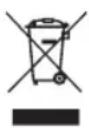
This marking indicates that this product should not be disposed with other household wastes throughout the EU. To prevent possible harm to the environment or human health from uncontrolled waste disposal, recycle it responsibly to promote the sustainable reuse of material resources. To return your used device, please use the return and on systems or contact the retailer where the product was purchased.
They can take this product for environmentally safe recycling free of charge.
NO
NO
INNHOLD
12 VIKTIGE SIKKERHETSINSTRUKSJONER
13 BETJENINGSKNAPPER
13 BATTERI
13 VEING
13 MÁLING MED TARE-FUNKSJONEN
14 SLÅ AV
14 RENGJØRING
14 OPPBEVARING
15 FEILSØKING
16 GARANTI
17 PRODUKTSPESIFIKASJONER
17 SUPPORT OG RESERVEDELER
17 GJENVINNING
VIKTIGE SIKKERHETSINSTRUKSJONER
NO
METEN MET TARRAFUNCTIE
CARACTERISTIQUES DU PRODUIT
2 × CR2032 (3 V)