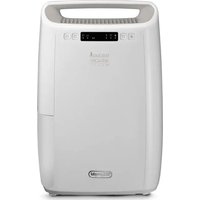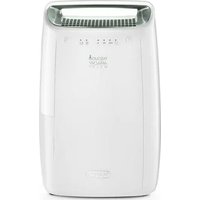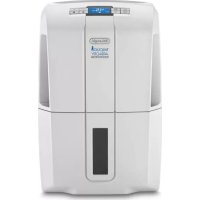
Tasciugo AriaDry Compact DDS 25 - Dehumidifier DELONGHI - Free user manual and instructions
Find the device manual for free Tasciugo AriaDry Compact DDS 25 DELONGHI in PDF.



| Product type | Dehumidifier |
| Brand | DeLonghi |
| Model | Tasciugo AriaDry Compact DDS 25 |
| Dimensions (approx) | 35 x 25 x 50 cm |
| Weight (approx) | 10 kg |
| Power supply | See rating plate (mains voltage and frequency) |
| Power consumption | See rating plate |
| Main functions | Dehumidification, Dry, Fan, Swing, Timer, Wi-Fi |
| Filters | Silver ion dust filter, HEPA filter (E12) |
| Drainage | Collection tank (6 L) or continuous drainage |
| Fan speeds | 3 (Low, Med, High) |
| Built-in hygrometer | Yes |
| Auto defrost | Yes |
| Operating temperature range | 2°C - 30°C |
| Humidity range | 30% - 90% RH |
| Maintenance | Regular cleaning of dust filter, replacement of HEPA filter |
| Safety | Auto shut-off when tank full, low temperature protection |
| Included accessories | Continuous drainage hose |
| Spare parts | Dust filter, HEPA filter (E12) |
| Mobile app | De'Longhi Comfort APP |
Frequently Asked Questions - Tasciugo AriaDry Compact DDS 25 DELONGHI
User questions about Tasciugo AriaDry Compact DDS 25 DELONGHI
0 question about this device. Answer the ones you know or ask your own.
Ask a new question about this device
Download the instructions for your Dehumidifier in PDF format for free! Find your manual Tasciugo AriaDry Compact DDS 25 - DELONGHI and take your electronic device back in hand. On this page are published all the documents necessary for the use of your device. Tasciugo AriaDry Compact DDS 25 by DELONGHI.
USER MANUAL Tasciugo AriaDry Compact DDS 25 DELONGHI
natural_image
Simple line drawing of two open book illustrations (no text or symbols)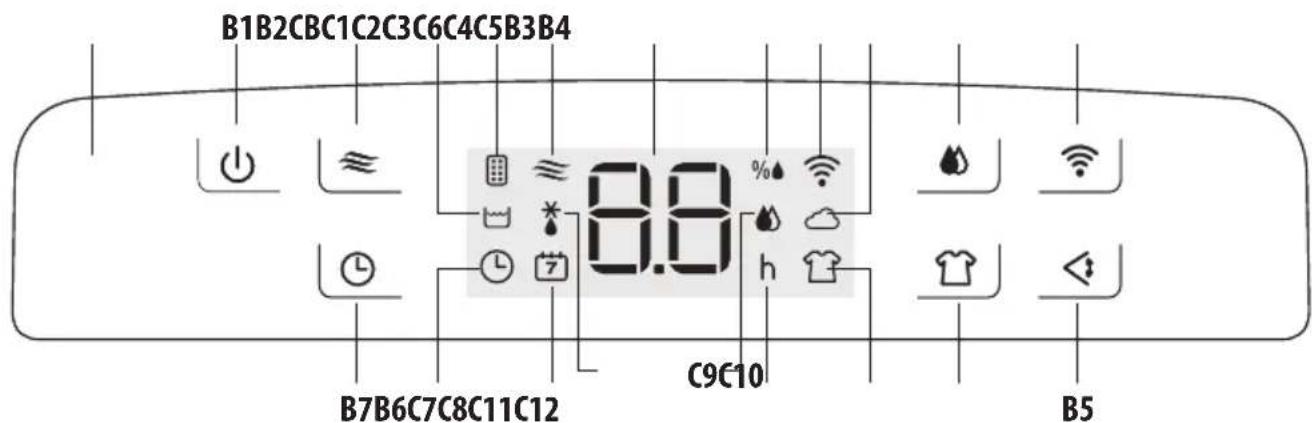
text_image
B1B2CBC1C2C3C6C4C5B3B4 8.0 B7B6C7C8C11C12 C9C10 B5
natural_image
Illustration of hands installing or adjusting a mechanical component inside a container (no text or symbols visible)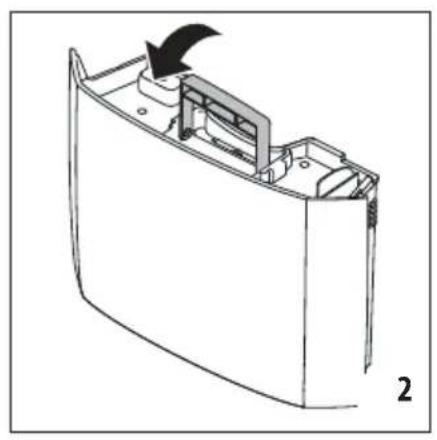
natural_image
Technical line drawing of a mechanical component with an arrow indicating direction (no text or symbols)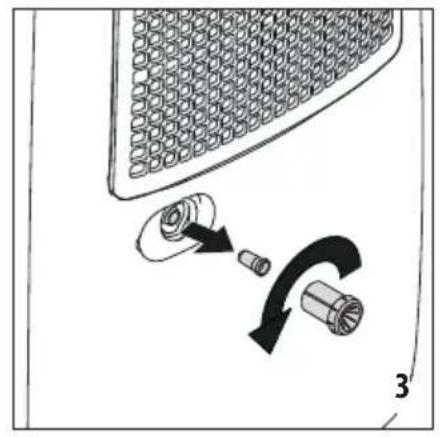
natural_image
Diagram showing a mechanical assembly with a gear and a curved arrow indicating rotation (no text or symbols)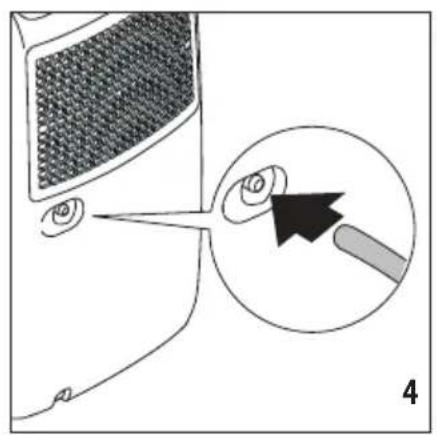
natural_image
Diagram showing a computer monitor with a magnified view of an eye and a pencil tip, labeled '4' (no text or symbols on the diagram itself)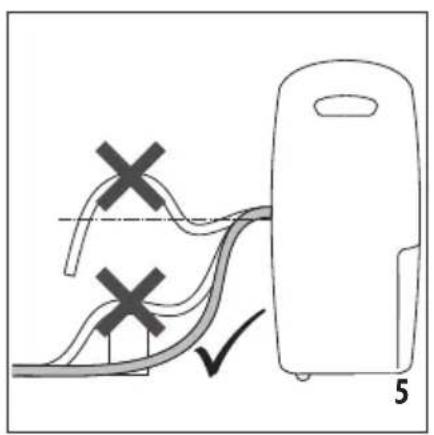
text_image
Diagram showing a device with two marked X marks and a checkmark, likely illustrating a procedure or safety scenario.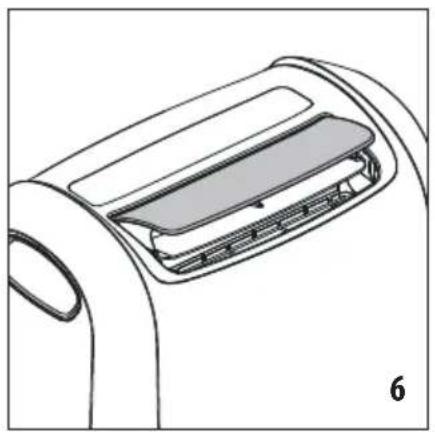
natural_image
Line drawing of a car air conditioner unit with a lid and ventilation slots (no text or symbols)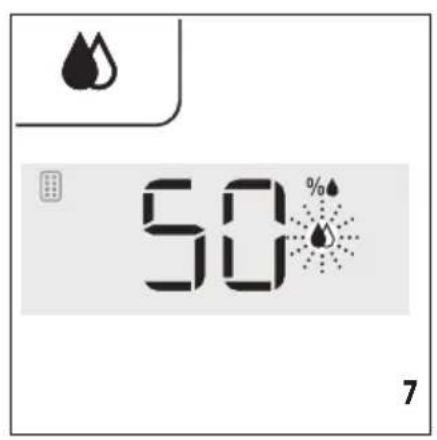
text_image
50%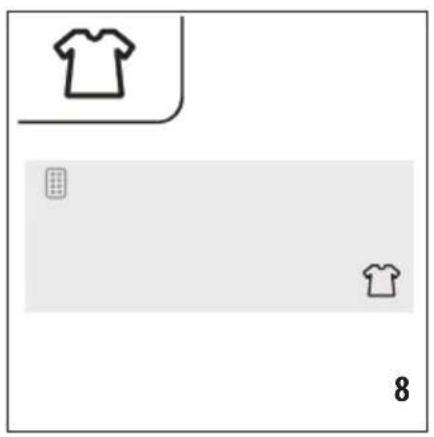
natural_image
Simple graphic layout with two T-shirt icons and a numeric label '8' (no text or symbols within the diagram itself)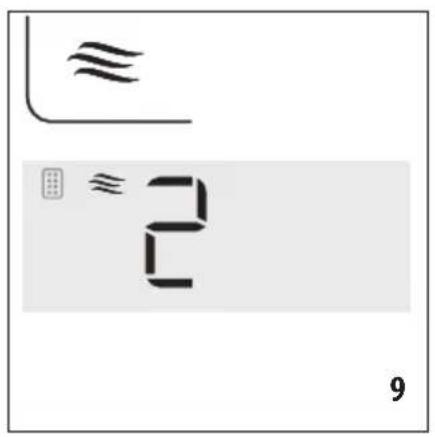
text_image
≈ ≈ 2 9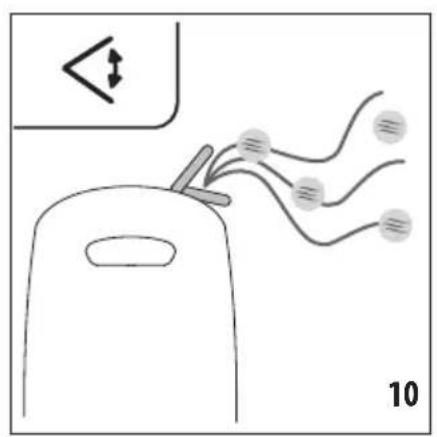
text_image
Diagram showing a device with wires and arrows indicating movement, labeled '10' at bottom right.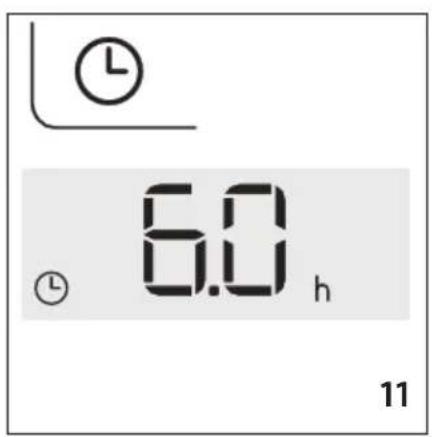
text_image
6.0 h 11
text_image
2 7 12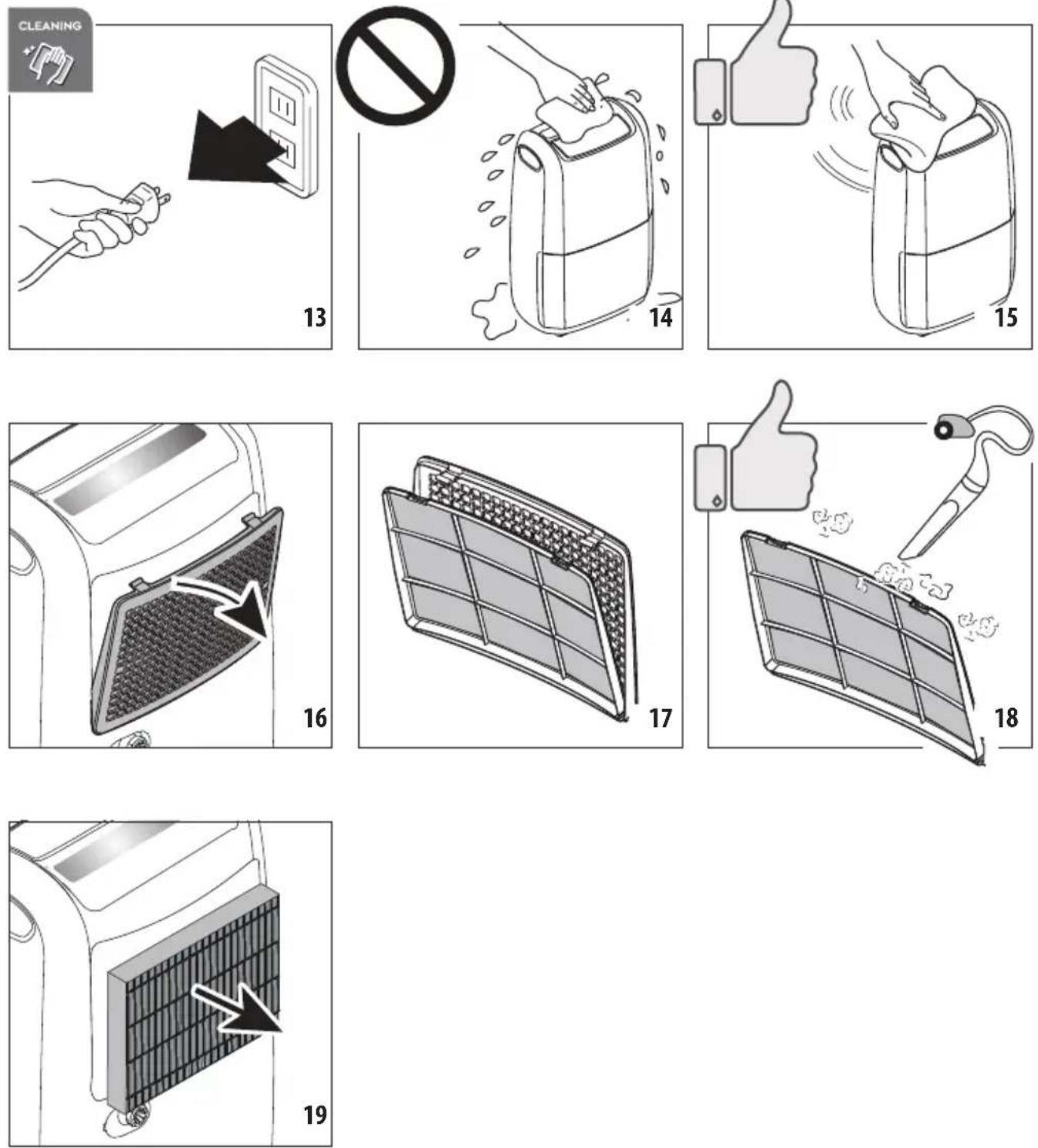
natural_image
Icon with snowflake and sunburst symbols on black background, labeled 'DE'LONGHI' below (no additional text or symbols)
text_image
Download on the App Store GET IT ON Google PlayICONA "CONTROLLO APP"
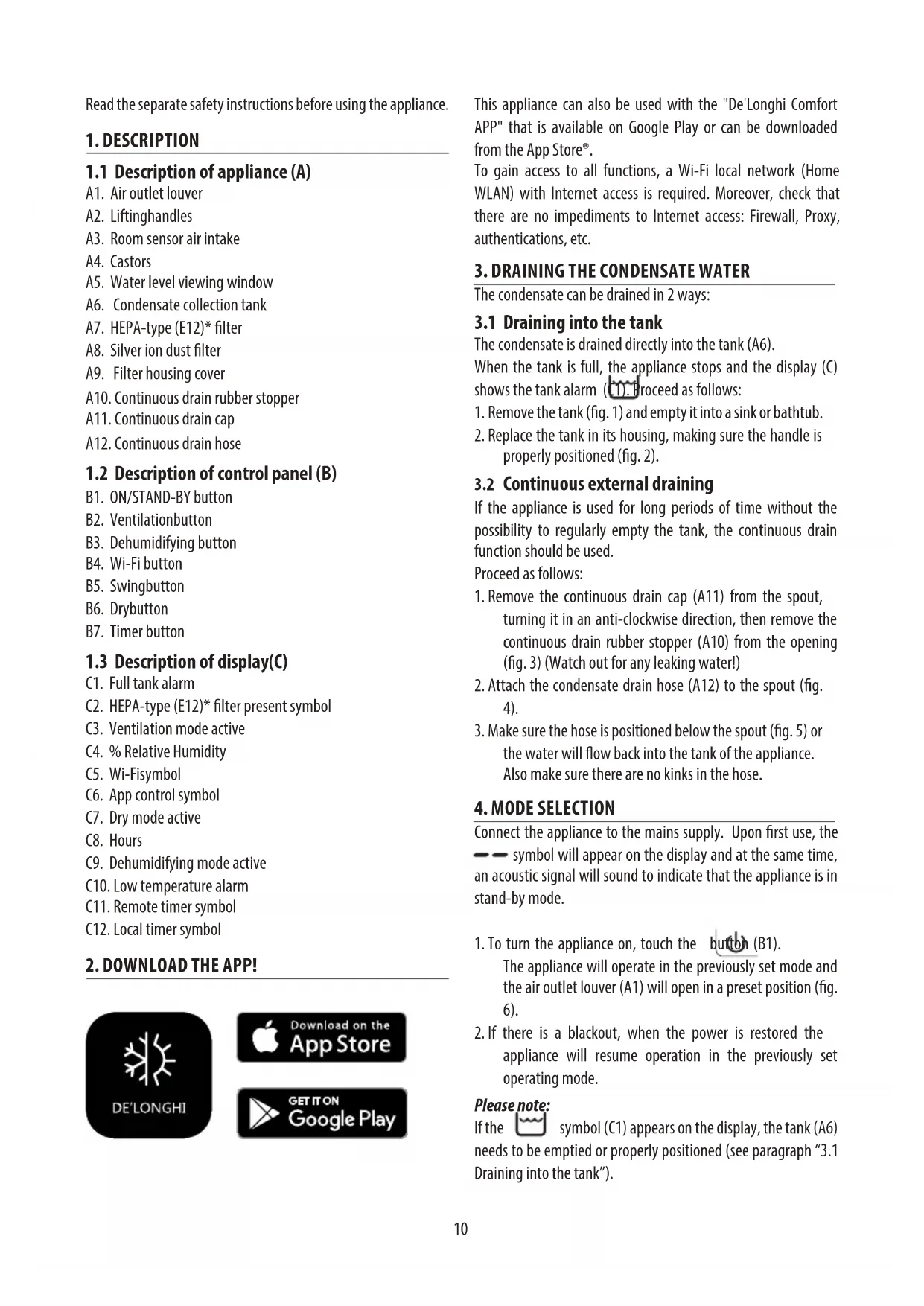
Read the separate safety instructions before using the appliance.
1. DESCRIPTION
1.1 Description of appliance (A)
A1. Air outlet louver
A2. Liftinghandles
A3. Room sensor air intake
A4. Castors
A5. Water level viewing window
A6. Condensate collection tank
A7. HEPA-type (E12)* filter
A8. Silver ion dust filter
A9. Filter housing cover
A10. Continuous drain rubber stopper
A11. Continuous drain cap
A12. Continuous drain hose
1.2 Description of control panel (B)
B1. ON/STAND-BY button
B2. Ventilationbutton
B3. Dehumidifying button
B4. Wi-Fi button
B5. Swingbutton
B6. Drybutton
B7. Timer button
1.3 Description of display(C)
C1. Full tank alarm
C2. HEPA-type (E12)* filter present symbol
C3. Ventilation mode active
C4. % Relative Humidity
C5. Wi-Fisymbol
C6. App control symbol
C7. Dry mode active
C8. Hours
C9. Dehumidifying mode active
C10. Low temperature alarm
C11. Remote timer symbol
C12. Local timer symbol
2. DOWNLOAD THE APP!
text_image
DE' LONGHI
text_image
Download on the App Store GET IT ON Google PlayThis appliance can also be used with the "De'Longhi Comfort APP" that is available on Google Play or can be downloaded from the App Store®.
To gain access to all functions, a Wi-Fi local network (Home WLAN) with Internet access is required. Moreover, check that there are no impediments to Internet access: Firewall, Proxy, authentications, etc.
3. DRAINING THE CONDENSATE WATER
The condensate can be drained in 2 ways:
3.1 Draining into the tank
The condensate is drained directly into the tank (A6).
When the tank is full, the appliance stops and the display (C) shows the tank alarm (C1). Proceed as follows:
-
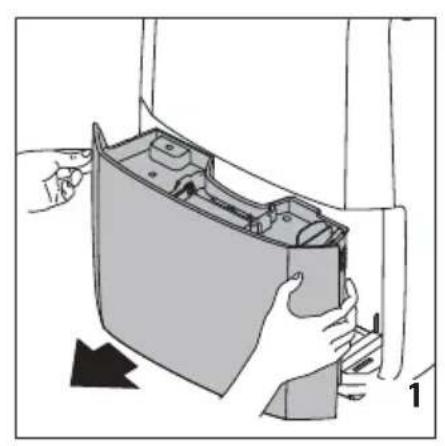
Remove the tank (fig. 1) and empty it into a sink or bathtub.
-
Replace the tank in its housing, making sure the handle is properly positioned (fig. 2).
3.2 Continuous external draining
If the appliance is used for long periods of time without the possibility to regularly empty the tank, the continuous drain function should be used.
Proceed as follows:
-
Remove the continuous drain cap (A11) from the spout, turning it in an anti-clockwise direction, then remove the continuous drain rubber stopper (A10) from the opening (fig. 3) (Watch out for any leaking water!)
-
Attach the condensate drain hose (A12) to the spout (fig. 4).
-
Make sure the hose is positioned below the spout (fig. 5) or the water will flow back into the tank of the appliance. Also make sure there are no kinks in the hose.
4. MODE SELECTION
Connect the appliance to the mains supply. Upon first use, the — symbol will appear on the display and at the same time, an acoustic signal will sound to indicate that the appliance is in stand-by mode.
- To turn the appliance on, touch the button (B1).
The appliance will operate in the previously set mode and the air outlet louver (A1) will open in a preset position (fig. 6).
- If there is a blackout, when the power is restored the appliance will resume operation in the previously set operating mode.
Please note:
If the symbol (C1) appears on the display, the tank (A6) needs to be emptied or properly positioned (see paragraph "3.1 Draining into the tank").
Air filtration
If the HEPA-type (E12)* (A7) is installed, in addition to operating in the preset mode, the appliance will also filter the air in the room. In this case, the symbol (C2) will appear on the display. The filter is designed to last up to 9 months, based on 8-hour daily usage at medium working load.
To maintain the efficiency of filtration, see paragraph "10.3 Replacing the HEPA-type (E12)* filter".
4.1 Dehumidifying mode
- Touch the button (B3). The symbol (9) will blink on the display (fig. 7).
- The display shows the previously set relative humidity value. When the 🔊 symbol blinks, the setting can be changed by repeatedly touching the 🔊 button. There are 9 different relative humidity settings ranging from 30% (dry environment) to 70% (humid environment). Depending on the environmental conditions, it may not be possible for the appliance to reach the minimum settable value. In these cases, it is recommended the heat the environment that needs to be dehumidified.
- When the symbol stops blinking, the display shows the percentage of relative humidity in the room. The appliance may take a few seconds to display the value of the relative humidity in the room.
- When the room reaches the preset relative humidity level, the appliance stops dehumidifying and operates at a very slow ventilation speed.
4.2 Dry mode
- Touch the button (B6). The display shows the symbol (C7) (fig. 8).

Please note:
The appliance automatically operates at the maximum dehumidifying capacity. Recommended for particularly humid environments or to dry laundry more quickly.
4.3 Ventilation mode
-
Touch the ≈ button (B2). The display shows the ≈ symbol (C3) and the selected speed (fig. 9).
-
When the symbol blinks, the ventilation speed can be adjusted by repeatedly pressing the button. the display shows the number corresponding to the selected speed (1 => LOW; 2 => MED; 3 => HIGH).
4.4 Swing function
-
Press the button (B5). The air outlet louver (A1) moves up and down, evenly distributing the air flow in the room (fig. 10).
-
To stop the louver in the desired position, touch the same button again.
4.5 Timer function
The timer can be used to delay appliance start-up and shutdown. This will avoid energy wastage, ensuring the appliance operates only when needed.
The timer function can be programmed from either the control panel or the app.
- If programmed from the control panel: the display shows the ⏻ symbol (C12) (fig. 11).
- If programmed from the app: the display shows the symbol (C11) (fig. 12). To programme the timer from the app, follow the instructions provided in the app.
How to programme delayed start-up
- With the appliance in stand-by (—), touch the button (B7): the display will show the symbol and the number relative to the selected hours (fig.11);
- Set the desired number of hours by repeatedly touching the button.1, 2, 4, 6, 8, 12 hours can be selected.
- After a few seconds, the appliance will return to stand-by mode and the symbol will remain lit on the display.
- After the programmed time, the appliance will turn on in the previously set operating mode.
How to programme delayed shut-down
- While the appliance is running, touch the button (B7): the display shows the symbol and the relative number of selected hours (fig. 11);
- Set the desired number of hours by repeatedly touching the button. 1, 2, 4, 6, 8, 12 hours can be selected.
- After a few seconds, the display returns to the current operating mode and the symbol remains lit.
- After the programmed time, the appliance will automatically turn off.
Please note:
- Once the timer has been programmed, to see the remaining time until start-up or shut-down, touch the button once.
- To deactivate the timer function, press the ⏻ button twice. The ⏱ symbol on the display will turn off.
4.6 Wi-Fi function
The appliance has a built-in Wi-Fi function. To activate or deactivate this function, hold the 📤 button (B4) pressed until the appliance emits two beeps. When the Wi-Fi function is active, the display will show the 📤 Wi-Fi symbol (C5) with the following operating modes:
FIXED this means the Wi-Fi functions are active and the "Home WLAN" has been found
- SLOW FLASHING this means the appliance is searching for the "Home WLAN"
- FAST FLASHING


this means the "Home WLAN" has not been found or has not been set.
"APP CONTROL" ICON
When the APP CONTROL icon appears this means the last command was received via Remote connection (e.g. APP).
If the saved "Home WLAN" setting needs to be changed, proceed as follows:
-
Hold the button pressed for about 20 seconds until a long beep is heard;
-
Use the app to set the new "Home WLAN" settings in the unit.
5. CLEANING AND MAINTENANCE
• Always disconnect the appliance from the mains before carrying out cleaning operations (fig. 13).
- Never submerge the appliance in water.
5.1 Cleaning the cabinet
- Never pour water directly over the appliance (fig. 14).
- Never use petrol, alcohol or solvents.
- Never spray insecticides or similar substances as these may deform the plastic.
- Clean the surfaces of the appliance using a soft cloth and do not use abrasive sponges as these may scratch the surfaces themselves (fig. 15).
5.2 Cleaning the dust or silver ion filter
The frequency of cleaning will depend on the frequency of use: if used daily, it is recommended to clean the filter every week.
- Remove the filter housing cover (A9) from the appliance (fig. 16).
• Extract the dust filter (fig. 17). - Remove any dust from the filter using a vacuum cleaner (fig. 18).
- If the dust filter is very dirty, rinse it well with warm water. The water temperature must not exceed 40^ C .
- Leave it to dry completely, then put it back into place.
5.3 Replacing the HEPA-type (E12)\* filter
The appliance will automatically remind you when the HEPA-type (E12)* filter (A7) needs to be replaced. After a preset number of operating hours, the display shows the blinking symbol (C2) to indicate that the filter needs to be replaced. Always use original De'Longhi filters.
- Remove the filter housing cover (A9) (fig. 16).
- Extract the used filter (fig. 19) and replace it with a new one.
- Close the filter housing cover (with the dust filter (A8) inserted).
- Reset the filter alarm by holding the button (B2) pressed for at least 10 seconds until you hear a long beep.
Please note:
the 📄 symbol is intended only as a guide and it may be necessary to replace the HEPA-type (E12)* filter more frequently, depending on the air quality.
For long periods of downtime
- Disconnect the appliance from the mains and empty the tank (A6).
- Clean the dust filter (A8) and re-insert it.
- Cover the appliance with a plastic bag to protect it from dust.
6. TECHNICAL SPECIFICATIONS
| Power supply voltage See rating plate | |
| Input power “ | |
| Maximum input power | “ |
| Defrost device | Yes |
| Hygrometer | Yes |
| Fan speed | 3 |
| Air filter | Yes |
| Frequency: | 2400/2483.5 MHz |
| Maximum transmission power | 10 mW |
| Operating limits: | |
| Temperature | 2°C - 30°C |
| Relative Humidity | 30 - 90% |
* Test by third party organisations of MPPS particles according to EN 1822: 2010. Efficiency for 2.5 μm particles at a rate of 80 m3/h - dehumidification and filtration active.
- ALARMS SHOWN ON DISPLAY
| ALARM CAUSE SOLUTION | ||
 | Tank (A6) missing or incorrectly positioned | Place the tank back in its correct position (see paragraph “3.1 Draining into the tank”) |
| Tank full Empty the tank (see paragraph “3.1 Draining into the tank”) | ||
 | Room temperature too low (see operating limits in chap. “6. Technical Specifications”) | Increase the room temperature if possible |
 | Humidity in room too low or too high for correct measuring (see operating limits in chap. “6. Technical Specifications”) | Move the appliance to another room with humidity and temperature levels within the operating limits: if the problem persists, call the Service Centre. |
| Faulty probe Call Service Centre | ||
 | Wi-Fi interface not working properly Turn | the appliance off and disconnect the plug from the power socket. Wait a few minutes, then re-insert the plug: if the problem persists, contact the Service Centre. |
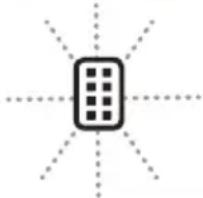 | After a preset number of operating hours, the symbol (C2) blinks on the display to indicate that the HEPA-type (E12)* filter (A7) needs to be replaced. | Replace the HEPA-type (E12)* filter (see para. “5.3 Replacing the HEPA-type (E12)* filter”). If the HEPA-type (E12)* filter has recently been replaced, reset the alarm (see para.“5.3 Replacing the HEPA-type (E12)* filter”) |
8. TROUBLESHOOTING
Below is a list of possible malfunctions.
If the problem cannot be resolved using the proposed solution, contact the Service Centre.
| PROBLEM CAUSE SOLUTION | ||
| The appliance is operating in dehumidifying mode, but the humidity does not decrease | The filter is clogged Clean the dust filter (para. “5.2 Cleaning the dust filter”) and check whether the HEPA-type (E12)* filter needs replacing (see paragrah. “5.3). | |
| Either the temperature or humidity in the room is too low | In certain conditions the appliance will not dehumidify: check the operating limits of the appliance (see chap. “6. Technical Specifications”). In certain cases, it is recommended to heat the room needing to be dehumidified. | |
| The set relative humidity level is too high | Set a lower humidity value (see paragraph “4.1 Dehumidifying mode”). | |
text_image
Download on the App Store GET IT ON Google Playtext_image
Download on the App Store GET IT ON Google Playnatural_image
Symbolic icon of a snowflake with the word 'DE'LONGHI below it, no additional text or symbols present.
text_image
Download on the App Store GET IT ON Google Play3. HET CONDENSWATER AFVOEREN
text_image
Download on the App Store GET IT ON Google Playnatural_image
Black square icon with white snowflake and sunburst symbol, labeled 'DE'LONGHI' below (no additional text or symbols)
text_image
Download on the App Store GET IT ON Google Playtext_image
Download on the App Store GET IT ON Google Playnatural_image
Symbolic icon of a snowflake with the word DE'LONGHI below it, no additional text or symbols present.
text_image
Download on the App Store GET IT ON Google Play- ALARMER SOM VISES I DISPLAY
natural_image
Symbolic icon of a snowflake with the text 'DE'LONGHI' below it, no additional text or symbols present.
text_image
Download on the App Store GET IT ON Google Playnatural_image
Symbolic icon of a snowflake with the word 'DE' and 'LONGHI' below it, no additional text or symbols present.
text_image
Download on the App Store GET IT ON Google Playnatural_image
Symbolic icon of snowflakes and a tree on black background, labeled 'DE'LONGHI' below (no additional text or symbols)
text_image
Download on the App Store GET IT ON Google Play3. KONDENSAATTIVEDEN TYHJENNYS
text_image
Download on the App Store GET IT ON Google Playnatural_image
Symbolic icon of a snowflake with the word 'DE'LONGHI below it, no additional text or symbols present.
text_image
Download on the App Store GET IT ON Google Playnatural_image
Black square icon with white snowflake and sunburst symbol, labeled 'DE'LONGHI' below (no additional text or symbols)
text_image
Download on the App Store GET IT ON Google Playnatural_image
Black square icon with white snowflake and sunburst symbol, labeled 'DE'LONGHI' below (no additional text or symbols)
text_image
Download on the App Store GET IT ON Google Playnatural_image
Black square icon with white snowflake and sunburst symbol, labeled 'DE'LONGHI' below (no additional text or symbols)
text_image
Download on the App Store GET IT ON Google Playnatural_image
Black square icon with white snowflake and sunburst symbol, labeled 'DE'LONGHI' below (no additional text or symbols)
text_image
Download on the App Store GET IT ON Google Playnatural_image
Symbolic icon of a snowflake with the text 'DE'LONGHI' below it, no additional text or symbols present.
text_image
Download on the App Store GET IT ON Google Playtext_image
Download on the App Store GET IT ON Google Playtext_image
Register Now www.delonghi.com/register
text_image
Warning symbol and open book icon with flame and letter 'i' symbolsDe'Longhi Appliances via Seitz, 47 31100 Treviso Italia www.delonghi.com