
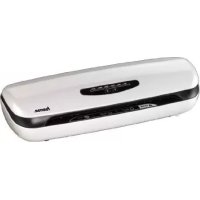
L39 - Laminating machine HAMA - Free user manual and instructions
Find the device manual for free L39 HAMA in PDF.

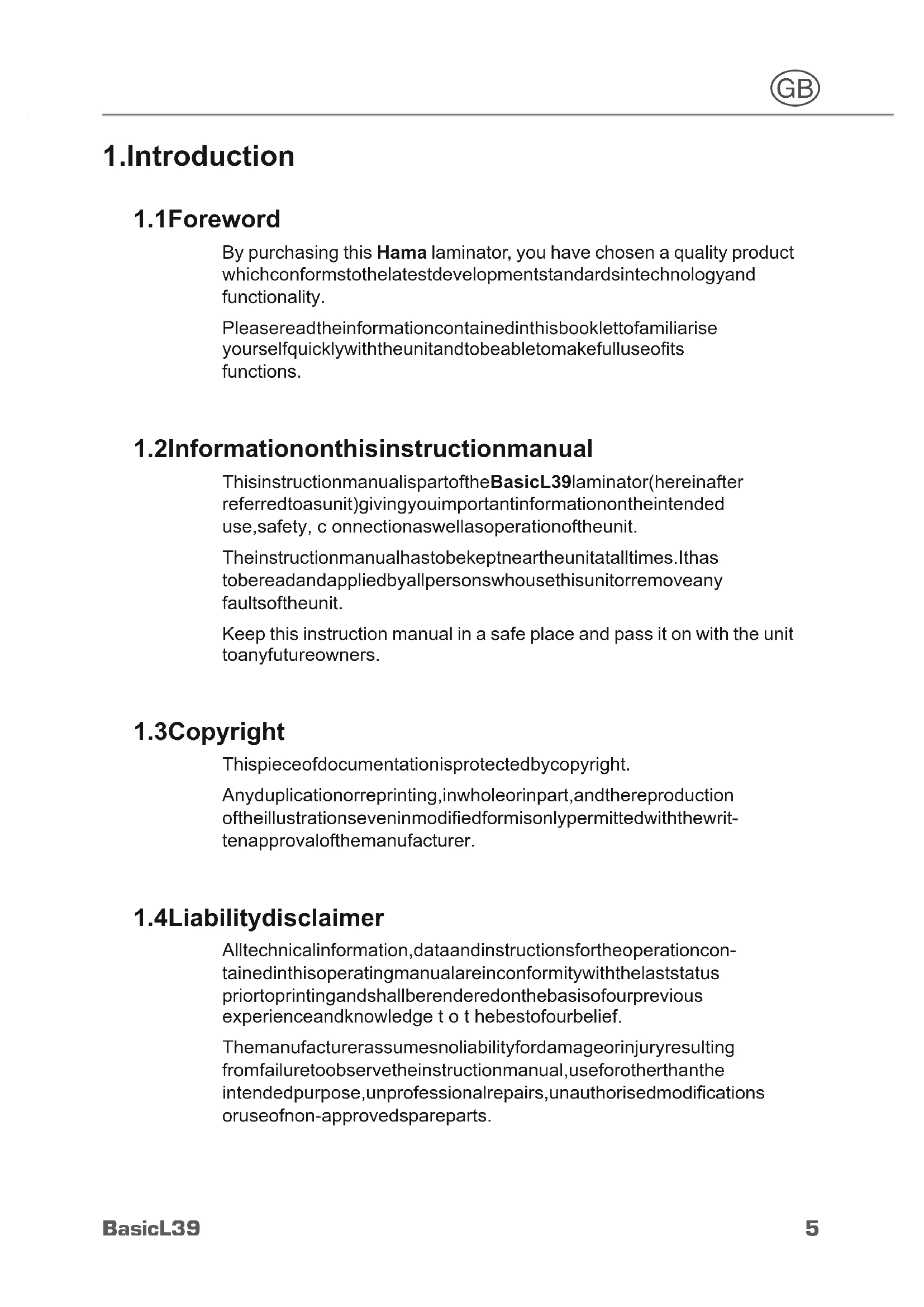


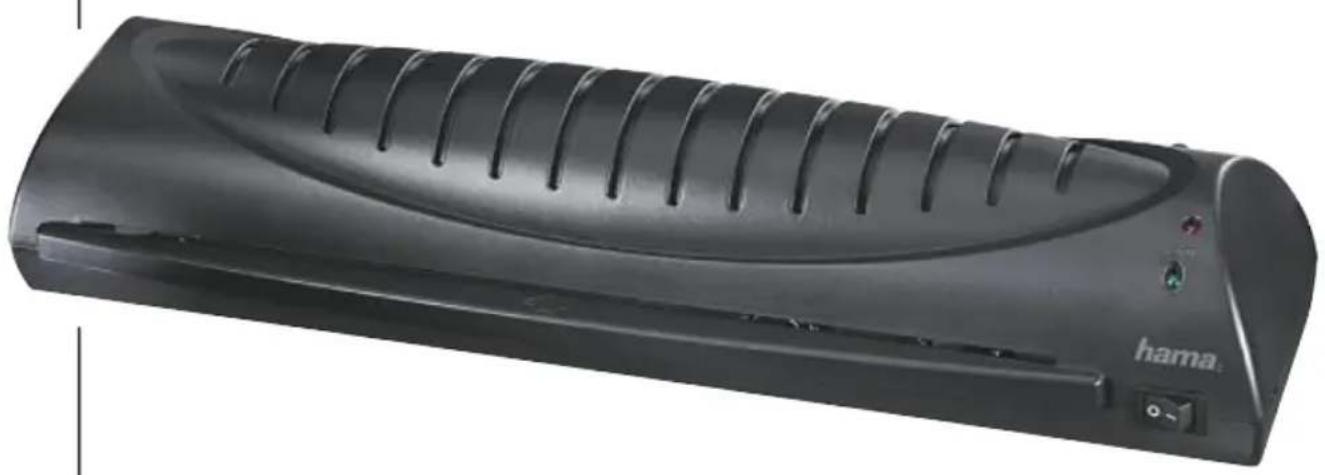
| Product type | Laminating machine |
| Brand | Hama |
| Model | L39 |
| Dimensions (L x W x H) | 11.8 x 8.8 x 42.4 cm |
| Net weight | 1.40 kg |
| Gross weight | 1.65 kg |
| Input voltage | 220-240 V ~ |
| Frequency | 50 Hz |
| Maximum power | 250 W |
| Maximum laminating width | 330 mm |
| Maximum laminating thickness | 0.6 mm |
| Maximum pouch thickness | 125 µ |
| Maximum warm-up time | 6 minutes |
| Maximum speed | 250 mm/min |
| Number of heating rollers | 2 |
| Indicators | Power (red), Ready (green) |
| Roller release | Yes, via button at the back |
| Removable tray | Yes |
| On/Off switch | Yes |
| Recommended use | 15-second pause between laminations, max 2 continuous hours |
| Cleaning | With cleaning paper and dry cloth |
| Safety | Unplug before cleaning; do not touch hot housing |
| After-sales service | Hama, phone +49 9091 502-115 |
Frequently Asked Questions - L39 HAMA
User questions about L39 HAMA
0 question about this device. Answer the ones you know or ask your own.
Ask a new question about this device
Download the instructions for your Laminating machine in PDF format for free! Find your manual L39 - HAMA and take your electronic device back in hand. On this page are published all the documents necessary for the use of your device. L39 by HAMA.
USER MANUAL L39 HAMA
Operating Instructions
Bedienungsanleitung
Moded'emploi
PykoBOOCTBOONKcnyatau
Istruzioniperl'uso
Gebruiksaanwijzing
Hasznalatiutmutato
Návodk p oužití
Návodnapoužitie
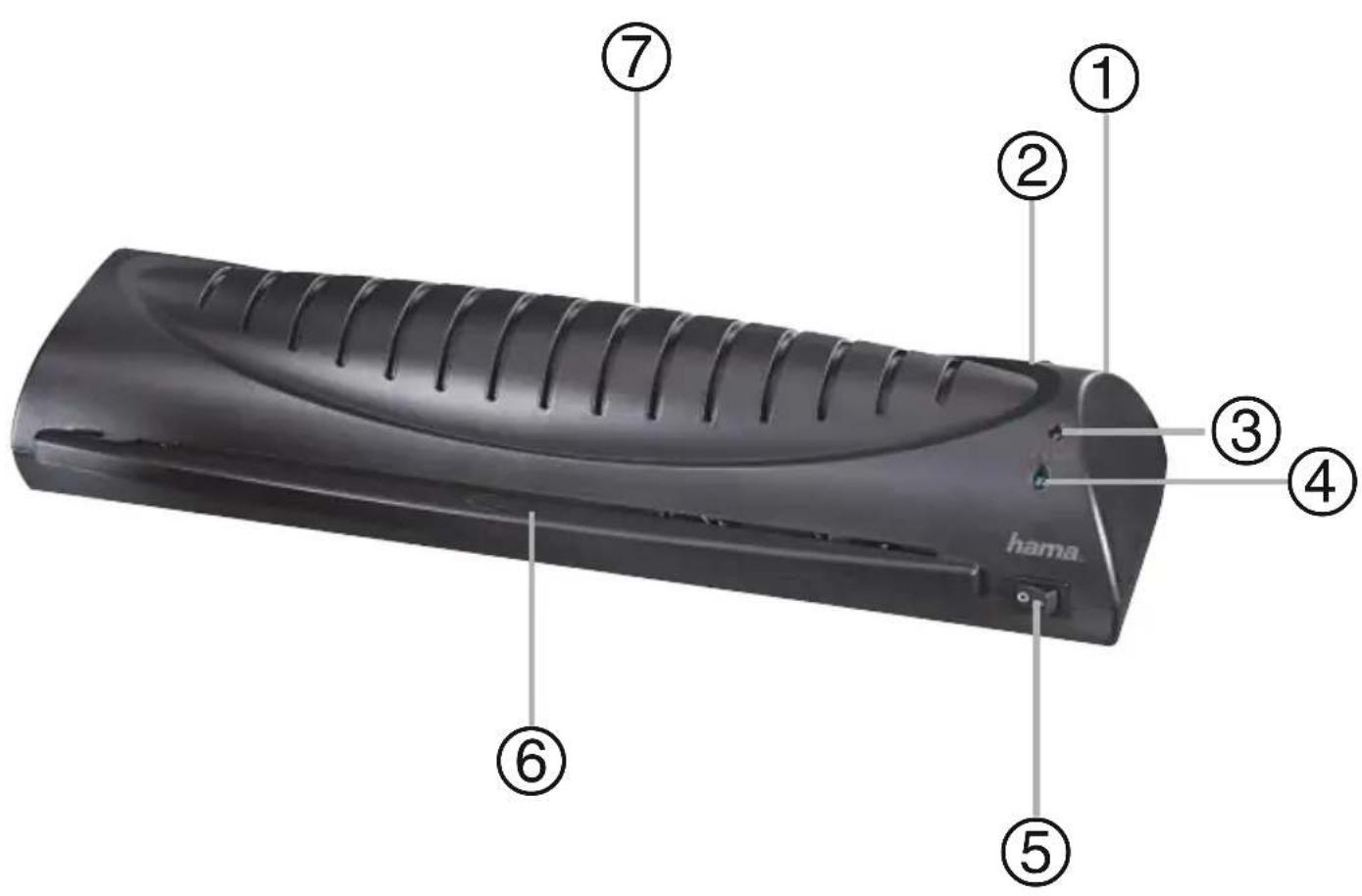
Parts
①Pull-outbin
②Powerlamp
③Rollerrelease
④Readylamp
⑤On/off switch
⑥Paperfeed
⑦Laminationoutput(rear)
1.Introduction
1.1Foreword
By purchasing this Hama laminator, you have chosen a quality product which conformstothelatestdevelopmentstandardsintechnology and functionality.
Please read the information contained in this booklet to familiarise yourself quickly with the unit and to be able to make full use of its functions.
1.2Informationonthisinstructionmanual
ThisinstructionmanualispartoftheBasicL39laminator(hereinafter referredtoasunit)givingyouimportantinformationontheintended use,safety,c onNECTIONASWELLASOPERATIONOFtheunit.
Theinstructionmanualhastobekeptneartheunitataltimes.lthas tobereadandappliedbyallpersonswhousethisunitorremoveany faultsoftheunit.
Keep this instruction manual in a safe place and pass it on with the unit toanyfutureowners.
1.3Copyright
Thispieceofdocumentationisprotectedbycopyright.
Anyduplicationorreprinting,inwholeorinpart,andthereproduction oftheillustrationseveninmodifiedformisonlypermittedwiththewrittenapprovalofthemanufacurer.
1.4Liabilitydisclaimer
Alltechnicalinformation,dataandinstructionsfortheoperationcontainedinthisoperatingmanualareinconformitywiththelaststatus priortoprintingandshallberenderedonthebasisofourprevious experienceandknowledge to t hebestofourbelief.
Themanufacturerassumesnoliabilityfordamageorjuryresulting fromfailuretoobservetheinstructionmanual,useforotherthan the intendedpurpose,unprofessionalrepairs,unauthorisedmodifications oruseofnon-approvedspareparts.
2.Fundamentalsafetyprecautions
Inspecttheunitforvisiblesignsofdamagebeforeuse.Donotuse a d amagedunit.
■ Personswhoduetothearphysical,mentalormotorresponseabilitiesareunabletooperatetheunitmayonlyusetheunitundersupervisionorinstructionbyrresponsibleperson.
Permitrepairsoftheunittobecarriedoutonlybyanexpert.lnexpertrepairsshallcausetheguaranteetoexpire.
Defectivepartsmayonlybereplacedwithoriginalspareparts. Onlythesepartsguaranteethatthesafetyrequirementsaresatisfied.
- Protecttheunitagainsthumidityandpenetrationofliquidsand/or objects. Incaseofcontactwithliquidsdisconnecttheunitfrom the powersupplyimmediately.
Electricshockhazard
DANGER
Electricshockhazard!
Contactwithliveleadsorcomponentsposesa riskofserious injuryorevendeath!
Observethefollowingsafetyprecautionstoavoidanyelectricshockhazard:
Donotusetheunitifthemainsleadormainsplugaredamaged.
- Onnoaccountshouldthehousingoftheunitbeopened. Electric shockhazardifliveconnectionsaretouchedand/ortheelecrical andmechanicalconfigurationischanged.
- Neverimmersetheunitorthemainspluginwaterorother liquids.
Riskofinjury
WARNING
Riskofburnsonthehousing!
Observethefollowingsafetyprecautionstoavoidany injuries:
Donottouchthehousing.
3.InstallationandAssembly
- Remove all packaging materials from the device.
- Do not place the device in a hot, wet or very humid environment.
- Place the device on a level, horizontal surface so that it is stable.
The socket must be easily accessible so that the power supply can be disconnected quickly incaseofanemergency.
■ Beforeyouconnectthedevic,comparetheconnectiondatafor thedevice(voltageandfrequency)onthetypeplatewiththatof yourmainspowersupply. T hisdatamustmatchtoavoiddamage tothedevic. - Keeptheconnectioncableawayfromhotsurfacesandsharp edges.
Lay all cables so that they do not pose a tripping hazard.
■Donotbendorcrushthecable.
4. Handling and Operation
4.1 Instructions for use
Always wait for a lamination process to finish before starting the next.
- Do not run the device for more than two hours at a time and allow approx.15secondsbetweentwolaminations.
4.2Switchingonthedevice
Press the on/off switch ⑤ to switch on the device. The power light ③ then continuously lightsupinred.
The device automatically heats to the correct temperature for laminating films with a thickness of. The ready lamp ④ turns green assoonasthedevicise is ready.
4.3Lamination
- Placethedocumenttobelaminatedintheappropriatepouch(see figure).
Insert the film pouch into the front opening of the device ⑥ .Make surehatthesealedendisinsertedfirst.
NOTE
▶ Film pouches of falls should be inserted at the centre of the front openings so that they pass through the sensor.
Thedocumentisreturnedattherear⑦.
Ifanitemhasnotbeenfullylaminated,repeatthefirststeps.
Press the roller release button ② on the back of the device to run the itemthroughagain(ifitwaspulledatanangle,etc.).
CAUTION!
Laminated items coming out of the device may betoohotto touch.
NOTE
The laminated sheet is hot and can be bent easily. Place the itemonaflatsurfaceandleavevetocoolsothatitdoesnot curlattheedges.
4.4Switchingoffthedevice
Press the on/off switch ⑤ to switch off the device. The power light ③ and readylight ④ will goout.
5.CleaningandCare

DANGER
Dangerofdeathduetoelectricalcurrent
- Removethemainsplugfromtheelectricalsocketbefore cleaningthedevic.

WARNING
Riskofburnsonthehousing!
Observethefollowingsafetyprecautionstoavoidanyinjuries:
Donottouchthehousing.
CAUTION!
Moisturecandamagethedevic!
To prevent irreparable damage, make sure that no moisture gets into the device when you clean it.
Therollersinthelaminatingdeviceeneedtobecleanedregularlyto remove dirt and any adhesive residue. To do so, proceed as follows:
Switchonthedeviceaspreviouslydescribed.
- When the ready light ④ remains illuminated, insert a piece of paper into the device.
If a lot of dirt sticks to the paper, turn over the paper and repeat theprocess.
Clean the outside of the device with a dry cloth. You can lightly dampen theclothifthedevicewisverydirty.
6.Troubleshooting
| FaultPossiblecause | UseSolution | |
| Thereadylight ④willnotcontinuouslylightup ingreen. | Theon/off s w i t c h ⑤wasnotpressed correctly. | Presstheon/off s witch⑤ toswitchonthedevic. |
| Thepowercable ①isnotconnected correctly. | Ensurethattheplugis connectedtotheelectri-casocket. | |
| Nomainspower. | Checkyourfusebox. | |
| Deviceisfaulty. | Informourcustomer servicedepartment. | |
| Pouchesare notlaminated properly. | Therequiredtemperaturehasnot yet beenreached. | Waitforthereadylight④ tobecomesolidgreen. |
NOTE
Contactourcustomerservicedepartmentiftheproblemremainsafteryouhavetakenthestepsdetailedabove.
7. Technicaldata
| Inputvoltage220-240V~ | |
| Mainsfrequency50Hz | |
| Max.powerconsumption250W | |
| Dimensions (W x H x D) | 11,8 x 8,8 x 42,4 cm |
| Weight(net)1,40kg | |
| Weight(gross)1,65kg | |
| Maximumlaminatingwidth330mm | |
| Maximumlaminatingthickness0,6mm | |
| Maximumpouch thickness125μ | |
| Maximumwarm-uptime6 minutes | |
| Maximumspeed | 250mm/minute |
| Numberofheatingrollers | 2 |
8.Supportandcontactinformation
Please contact Hama Product Consulting if you have any questions about this product.
Hotline:+499091502-115(German/English)
Furthersupportinformationcanbefoundhere:
www.hama.com
Maschinenaufbau
3.Installation/structure
1.4 OrpaHnueHne OTBeTCTBeHHOCTN
Bce codepaunecb 3tOM pyKOBoDCTBe NO 3KcNlyaTcuHn Texnueckne CBeDeHna, DaHHbIe N yKa3aHnI NO o6CnyXnBaHIO COOTBeTCTBYOT NocLeHEmy COCTOHNIO Ha DeHb CdaHn B neuMb I npVeDeHbI N O LyUWeM y pa3ymEnIO C yYeToM Hauero npdebldysofo OnblTa N 3HaHn.
Ipon3BOJntJIb He HecET OTBeTCTBHeHOctn 3a DepeKtbl, BO3HNKUne B pe3yIbTaTe HecO6JIHOdeHnpyKOBoDcTba, npIMHeHnRA He nO Ha3NaueHnIO, HeKBaJIINΦuNpOBaHHOro peMOHTa, HeCaHKUHOHpOBaHHbIX N3MeHn IIn npIMHeHn HeDoNcyTmBix 3anachbIXDeTaJIeN.
2. OchOBhble yka3aHnno 6e3oNaChOCTn
Ipeed npimHeHem npOBepTe np6op Ha hAnuYe BHeUHX BnIMbIX NOBpexdHm. He 3KcPnyatpyuTe nobpexdeHbI np6op.
■Пицam,КOTOpbIe BBNy CBOINXФИ3NueCKNX,NCHXUeCKNX NIN DBNiratJIbHbIX CNOCO6HocTei He B COCTOAHN 6e3OnaCHO OBCJyKINBaT DaHHbI np6op,pa3peuAeTcI NOB3OBaTbcr np6opom TOnbKO NOI npICMOTpOM IINI NO yKa3aHnM OTBETCTBeHHoro NIca.
Iopyuaite BbInonHeHne peMOHTa npnbopa TOnbko cneuaNtcy. Pn HnHaJnxaUem peMOHTe rapaHTnHoe 683atbCTBO TepaET cnny.
- DeΦeKTHbIe DeTaIIIMoXHO 3aMeHHTb Ha OpINHaJIbHbIe 3aNaChbIe YactN. TOnbKO npi NcNoJb3OBaHH TaNX DeTaN E B03MOxHa rapaHTnBaBIOJIHHeHH Tpe6OBAHn NO 6e3ONaCHocTn.
3aunuaiTe npnbop OT BO3deICTBnBnI nnonadHnaJxNkOcTe nnPipeDMetOB. Pn KOHTaKTe C XnIDKOCTbIO Heo6XODIMO cpa3y Je OTKJIIOHTb OT NCTOCHNka NIITAHNIA.
Onachoctb ydapa 3JIeKtpnuecknM TOKOM
ONACHO!
Onachnoдя ки3н! Onachoctb nopaxeHЯ элкtpnueckm TOKOM!
PnK OHTaKe C npoBdkoN IndeTaIaMn,Hax OJaUIMMCaNO D HapJxKeHHeM, cyuecByeT onaCHOctb dJa Jx3H!
Длгпpeдтврашени опасноTN nopakжени злкtrpueckm TOKOM co6nIoDAaTe cneDyUOuNe yka3aHnno 6e3OnaCHOCTN:
He nCnoJb3yIe np6op B cnyuae noBpeKdEHHa coeHNHTeHOro npOBoDa nn CeTeBOrO wTeKepa.
HnB Koem cnyae He oKpbIbaiTe Kopnyc npnbopa. Ppr KOnTaKe C HaxOJaUIMNcR NOd HnPaJxHeHEm NODKIIuOeHnA Mn I npn 13MeHnN 3JIeKTPnuecko N MExaHnuecko KOHCTpyKcNn npnbopa CyIecTByET ONaCHOCb IopaxeHnY TOKOM.
HnkOrda He norpykaTe np6op nIu ITeKeB B Ody nIu dpyrne XndKoCTn.
Onachoctb noIyueHnTpaBM
I P E D U N P E X K I E H N E
Onachoctboxora
He npnkaacaiTecsb K Kopnycy.
BHHMAHNE!
Beperey yctpoiCTBO OT BlaI!
He noBepraTe yCtpoNCTBO Bo3DeiCtBNIO Bnarnn XnKoCTeN.
Heo6xoJIMO peryIaHNo npOn3BOAnTb OUnIaTb BaIIKn OT nbIIN npInnnx OTxOIOB. IopAOK BbINOJIHeHn IpnBOAnTCa HIXe.
BkJIIOUHTe yCTPOIcTBO.
Korda lamna roTOBHOCTN K pa6ote ④ HauHET ropeTb NOCTOARHHO, BCTaBBTe B npHmbl JNOTOK NICT 6ymarH.
CobpaB rpy3b Ha oDHy cTOpOHy 6yMaRn, nepeBepHnte ee nIOBTopHTe npoceDpy.
3NaHTeIbHbIe 3aRpa3HeHn ydaIaTe CneRka BnaXHoJ caIpeTko.
6.Поньнецправносту
8. Support and contact information
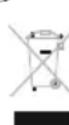
After the implementation of the European Directive 2002/96/EU and 2006/66/EU in the national legal system, the following applies: Electric and electronic devices as well as batteries must not be disposed of with household waste. Consumers are obliged by law to return electrical and electronic devices as well as batteries at the end of their service lives to the public collecting points set up for this purpose or point of sale. Details to this are defined by the national law of the respective country.
This symbol on the product, the instruction manual or the package indicates that a product is subject to these regulations. By recycling, reusing the materials or other forms of utilising old devices/Batteries, you are making an important contribution to protecting our environment.
FRemarquesconcernantlaprotectiondel'environnement:




- Parts
- 1.Introduction
- 1.1Foreword
- 1.2Informationonthisinstructionmanual
- 1.3Copyright
- 1.4Liabilitydisclaimer
- 2.Fundamentalsafetyprecautions
- Electricshockhazard
- DANGER
- Electricshockhazard!
- Contactwithliveleadsorcomponentsposesa riskofserious injuryorevendeath!
- Riskofinjury
- WARNING
- Riskofburnsonthehousing!
- 3.InstallationandAssembly
- Handling and Operation
- Instructions for use
- 4.2Switchingonthedevice
- 4.3Lamination
- NOTE
- CAUTION!
- 4.4Switchingoffthedevice
- 5.CleaningandCare
- Dangerofdeathduetoelectricalcurrent
- Moisturecandamagethedevic!
- 6.Troubleshooting
- Technicaldata
- 8.Supportandcontactinformation
- Maschinenaufbau
- 3.Installation/structure
- OrpaHnueHne OTBeTCTBeHHOCTN
- OchOBhble yka3aHnno 6e3oNaChOCTn
- Onachoctb ydapa 3JIeKtpnuecknM TOKOM
- ONACHO!
- Onachoctb noIyueHnTpaBM
- I P E D U N P E X K I E H N E
- BHHMAHNE!
- Beperey yctpoiCTBO OT BlaI!
- 6.Поньнецправносту
- Support and contact information
- FRemarquesconcernantlaprotectiondel'environnement:
Brand : HAMA
Model : L39
Category : Laminating machine