
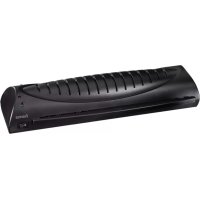
Basic L47A - Laminating machine HAMA - Free user manual and instructions
Find the device manual for free Basic L47A HAMA in PDF.


| Product Type | Laminating Machine |
| Brand | Hama |
| Model | Basic L47A |
| Dimensions | Approximately 380 x 120 x 90 mm |
| Weight | Approximately 1.0 kg |
| Power Supply | Mains 220-240 V, 50 Hz |
| Laminating Temperature | 120°C - 150°C |
| Preheating Time | Approximately 3 to 5 minutes |
| Laminating Speed | Approximately 300 mm/min |
| Maximum Document Thickness | Up to 0.5 mm |
| Maximum Laminate Pouch | A4 (max 230 x 300 mm) |
| Automatic Shut-off Function | Yes |
| Laminating Type | Hot lamination with pouches |
| Maintenance | Clean with a soft cloth, do not use solvents |
| Safety | Overheating protection, automatic shutdown in case of jamming |
| Spare Parts | Available from the manufacturer |
| Repairability | Repair possible by authorized center |
Frequently Asked Questions - Basic L47A HAMA
User questions about Basic L47A HAMA
0 question about this device. Answer the ones you know or ask your own.
Ask a new question about this device
Download the instructions for your Laminating machine in PDF format for free! Find your manual Basic L47A - HAMA and take your electronic device back in hand. On this page are published all the documents necessary for the use of your device. Basic L47A by HAMA.
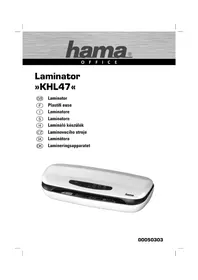
USER MANUAL Basic L47A HAMA
OperatingInstructions
Bedienungsanleitung
Moded'emploi
natural_image
Vertical column of eight black squares with no text or symbols
natural_image
Diagram showing a folded paper with an arrow and a square, both without any text or symbolsParts
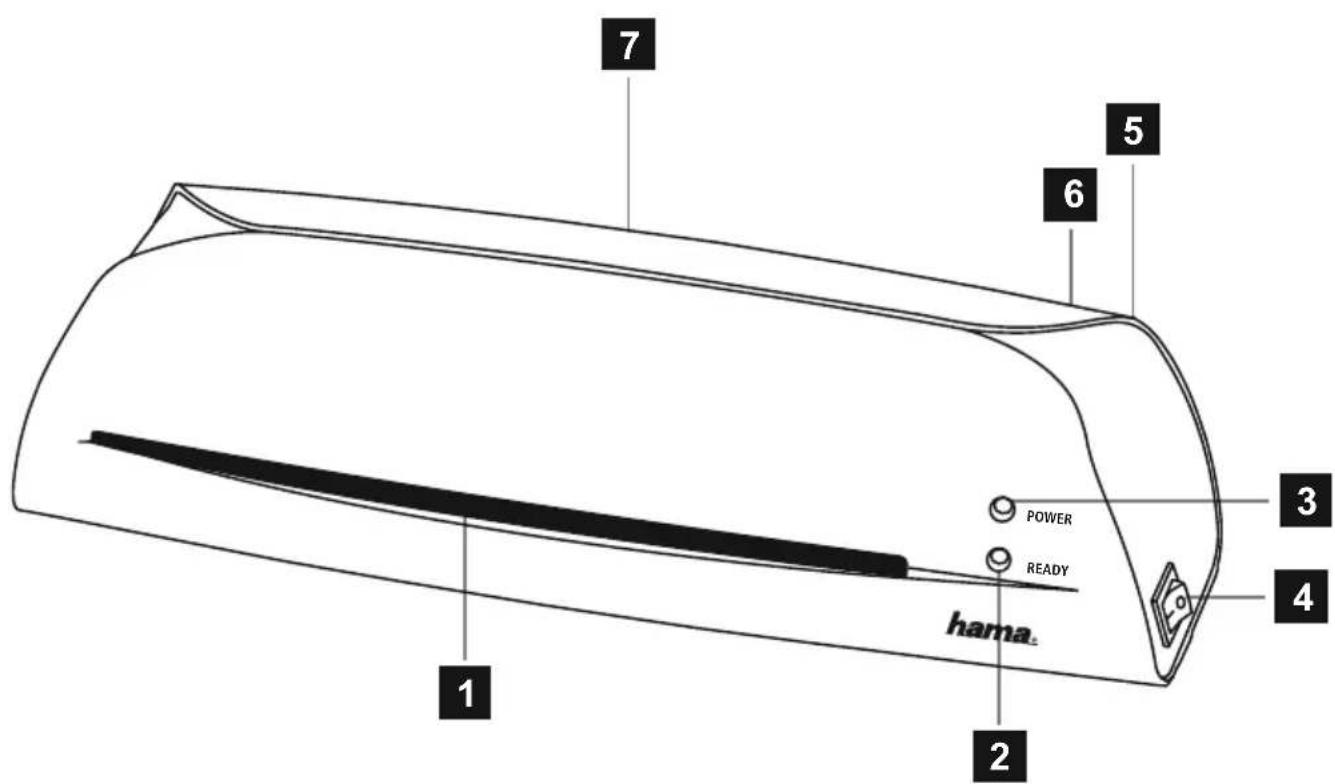
- Laminationinput
2.Readylamp
3.Powerlamp - On/Off switch(side)
5.Connectionline - Rollerrelease(rear)
- Lamination output ( rear)
1. Introduction
1.1 Foreword
By purchasing this Hama laminator, you have chosen a quality product which conformstothelatestdevelopmentstandardsintechnology and functionality.
Pleasereadtheinformationcontainedinthisbooklettofamiliarise yourselfquicklywiththeunitandtobeabletomakefulluseofits functions.
1.2 Information on this instruction manual
ThisinstructionmanualispartoftheBasicL47Alaminator(hereinafterreferredtoasunit)givingyouimportantinformationontheintended use,safety, c onnectionaswellasoperationoftheunit.
Theinstructionmanualhastobekeptneartheunitatalltimes.lthas tobereadandappliedbyallpersonswhousethisunitorremoveany faultsoftheunit.
Keep this instruction manual in a safe place and pass it on with the unit toanyfutureowners.
1.3 Copyright
Thispieceofdocumentationisprotectedbycopyright.
Anyduplicationorreprinting,inwholeorinpart,andthereproduction oftheillustrationseveninmodifiedformisonlypermittedwiththewrittenapprovalofthemanufacturer.
1.4 Liability disclaimer
Alltechnicalinformation, data and instructions for the operation contained in this operating manual are inconformity with the last status prior to printing and shall be rendered on the basis of four previous experience and knowledge to the best of four belief.
Themanufacturerassumesnoliabilityfordamageorinjuryresulting fromfailuretoobservetheinstructionmanual,useforotherthanthe intendedpurpose,unprofessionalrepairs,unauthorisedmodifications oruseofnon-approvedspareparts.
2.Safety
Observethefollowingsafetyinstructionstoensuresafehandlingof theunit:
■Inspecttheunitforvisiblesignsofdamagebeforeuse.Donotuse a d amagedunit.
■Personswhoduetotheirphysical,mentalormotorresponseabilitiesareunabletooperatetheunitmayonlyusetheunitunder supervisionorinstructionbya r responsibleperson.
■Faultycomponentsmaybereplacedwithoriginalsparepartsonly. Onlyoriginalsparepartscanguaranteethatapplicablesafetyrequirementsareadhered to.
■Defectivepartsmayonlybereplacedwithoriginalspareparts.Only thesepartsguaranteethatthesafetyrequirementsaresatisfied. Protecttheunitagainsthumidityandpenetrationofliquidsand/or objects.Incaseofcontactwithliquidsdisconnecttheunitfromthe powersupplyimmediately.

DANGER
Electricshockhazard!
Contactwithliveleadsorcomponentsposesa r iskofserious injuryorevendeath!
Observethefollowingsafetyprecautionstoavoidany electric shockhazard:
▶ Donotusetheunitifthemainsleadormainsplugaredamaged.
Onnoaccountshouldthehousingoftheunitbeopened. Electric shockhazardifliveconnectionsaretouchedand/ortheelectrical andmechanicalconfigurationischanged.
▶ Neverimmersetheunitorthemainspluginwaterorother liquids.

WARNING
Riskofburnsonthehousing!
Observethefollowingsafetyprecautionstoavoidanyinjuries:
▶ Donottouchthehousing.
3. Installation and Assembly
■ Remove all packaging materials from the device.
■ Do not place the device in a hot, wet or very humid environment.
- Place the device on a level, horizontal surface so that it is stable.
■ The socket must be easily accessible so that the power supply can be disconnected quickly in case of an emergency.
■Beforeyouconnectthedevice,comparetheconnectiondatafor thedevice(voltageandfrequency)onthetypeplatewiththatof yourmainspowersupply. Thisdatamustmatchtoavoiddamage tothedevice.
- Keep the connection cable away from hot surfaces and sharp edges.
■ Lay all cables so that they do not pose a tripping hazard.
■Donotbendorcrushthecable.
4. Handling and Operation
4.1 Instructions for use
■ Always wait for a lamination process to finish before starting the next.
- Do not run the device for more than two hours at a time and allow approx.15secondsbetweenwolaminations.
4.2 Switchingonthedevice
◆ Move the On/Off switch (4) on the right-hand side of the device toposition1. Thepowerlamp(3)thencontinuouslylightsupin red.
◆ The device automatically heatstothecorrecttemperatureforlaminating films. The ready lamp (2) continuously lights up in green when therequired temperature has been reached.
4.3Lamination
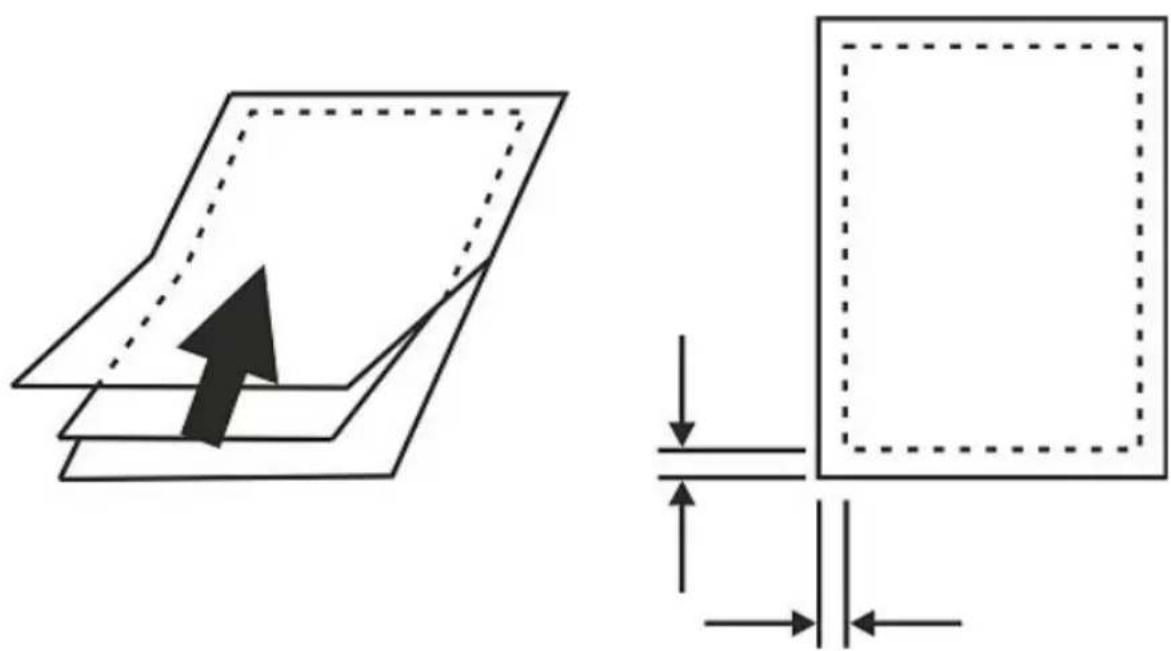
■Placethedocumenttobelaminatedintheappropriatepouch(see figure).
- Insert the film pouch into the front opening of the device (1). Make surethatthesealedendisinsertedfirst.
NOTE
▶ Filmpouchesofallsizesshouldbeinsertedatthecentreof thefrontopeningsothattheypassthroughthesensor.
◆ Thedocumentisreturnedattherear(7).
◆ Ifanitemhasnotbeenfullylaminated,repeatthefirststeps.
◆Presstherollerreleasebutton(6)onthebackofthedeviceto runtheitemthroughagain(ifitwaspulledinatanangle,etc.).
CAUTION!
▶ Laminateditemscomingoutofthedevicemaybetoohotto touch.
NOTE
The laminated sheet is hot and can be bent easily. Place the itemonaflatsurfaceandleavetocoolsothatitdoesnot curlattheedges.
4.4 Switchingoffthedevice
◆ Move the On/Off switch (4) on the right-hand side of the device toposition0. Thepowerlamp(3)andreadylamp(2)willgoout.
5.CleaningandCare

DANGER
Dangerofdeathduetoelectricalcurrent
▶ Removethemainsplugfromtheelectricalsocketbefore cleaningthedevice.

WARNING
Riskofburnsonthehousing!
Observethefollowingsafetyprecautionstoavoidanyinjuries:
▶ Donottouchthehousing.
CAUTION!
Moisturecandamagethedevice!
▶ To prevent irreparable damage, make sure that no moisture gets into the device when you clean it.
Therollersinthelaminatingdeviceneedtobecleanedregularlyto remove dirt and any adhesive residue. To do so, proceed as follows:
■Switchonthedeviceaspreviouslydescribed.
■ When the ready light (2) remains illuminated, insert a piece of paperintothedevice.
■ If a lot of dirt sticks to the paper, turn over the paper and repeat theprocess.
Clean the outside of the device with a dry cloth. You can lightly dampen theclothifthedeviceisverydirty.
6.Troubleshooting
FaultPossiblecauseSolution
| Thereadylight(2)willnotcontinuouslylightupingreen. | On/Off s witch(4)ontheright-handsideofthedeviceisonposition0. | SwitchtheOn/Off s w i t c h(4)topositionl. |
| Thepowercable(5)isnotconnectedcorrectly. | Ensurethattheplugisconnectedtotheelectri-calsocket. | |
| Nomainspower. | C heckyourfusebox. | |
| Deviceisfaulty. | Informourcustomerservicedepartment. | |
| Pouchesarenotlaminatedproperly. | Therequiredtem-peraturehasnot y e tbeenreached. | Waitforthereadylight(2)tobecomesolidgreen. |
NOTE
▶ Contactourcustomerservicedepartmentiftheproblemremainsafteryouhavetakenthestepsdetailedabove.
7.Technicaldata
| Inputvoltage220-240V~ | |
| Mainsfrequency50Hz | |
| Max.powerconsumption220W | |
| Dimensions (W x H x D) | 33,4 x 8,8 x 10,5 cm |
| Weight(net)1,075kg | |
| Weight(gross)1,250kg | |
| Maximumlaminatingwidth236mm | |
| Maximumlaminatingthickness0,4mm | |
| Maximumpouchthickness100μ | |
| Maximumwarm-uptime6 m i n u t e s | |
| Maximumspeed250mm/minute | |
| Numberofheatingrollers | 2 |
8. Support and contact information
Please contact Hama Product Consulting if you have any questions about this product.
Hotline:+499091502-115(German/English)
Furthersupportinformationcanbefoundhere:
www.hama.com
Maschinenaufbau
3. Installation/structure
After the implementation of the European Directive 2002/96/EU and 2006/66/EU in the national legal system, the following applies: Electric and electronic devices as well as batteries must not be disposed of with household waste. Consumers are obliged by law to return electrical and electronic devices as well as batteries at the end of their service lives to the public collecting points set up for this purpose or point of sale. Details to this are defined by the national law of the respective country. This symbol on the product, the instruction manual or the package indicates that a product is subject to these regulations. By recycling, reusing the materials or other forms of utilising old devices/Batteries, you are making an important contribution to protecting our environment.
⑤Remarquesconcernantlaprotectiondel'environnement:
All listed brands are trademarks of the corresponding companies. Errors and omissions excepted, and subject to technical changes. Our general terms of delivery and payment are applied.

- Parts
- Introduction
- Foreword
- Information on this instruction manual
- Copyright
- Liability disclaimer
- 2.Safety
- DANGER
- Electricshockhazard!
- Contactwithliveleadsorcomponentsposesa r iskofserious injuryorevendeath!
- WARNING
- Riskofburnsonthehousing!
- Installation and Assembly
- Handling and Operation
- Instructions for use
- Switchingonthedevice
- 4.3Lamination
- NOTE
- CAUTION!
- Switchingoffthedevice
- 5.CleaningandCare
- Dangerofdeathduetoelectricalcurrent
- Moisturecandamagethedevice!
- 6.Troubleshooting
- 7.Technicaldata
- Support and contact information
- Maschinenaufbau
- Installation/structure
- ⑤Remarquesconcernantlaprotectiondel'environnement:
Brand : HAMA
Model : Basic L47A
Category : Laminating machine