
HF390 - Scale PHILIPS - Free user manual and instructions
Find the device manual for free HF390 PHILIPS in PDF.


| Product type | Body fat scale |
| Brand | Philips |
| Model | HF390 |
| Maximum capacity | 150 kg |
| Display precision | 100 g |
| Display | Digital screen |
| Functions | Simple weighing, weighing with body fat percentage (free or memory mode) |
| Number of personal memories | 4 |
| User height range | 100 - 220 cm |
| User age range | 7 - 99 years |
| Power supply | 2 CR2032 lithium batteries |
| Auto off | After 20 seconds |
| Weight range | 5 - 150 kg |
| Body fat level indicator | Bar graph (1-10 graduations): low, normal, high, very high |
| Cleaning | Soft damp cloth, mild detergent |
| Recommended use | Stable and smooth floor, at the same time, without clothes |
| Precautions | Do not use the body fat indicator during pregnancy, for children < 7 years, and high-level athletes (possible inaccuracy) |
| Customer service | Website: www.philips.com ; Consult international warranty leaflet for phone number |
Frequently Asked Questions - HF390 PHILIPS
User questions about HF390 PHILIPS
0 question about this device. Answer the ones you know or ask your own.
Ask a new question about this device
Download the instructions for your Scale in PDF format for free! Find your manual HF390 - PHILIPS and take your electronic device back in hand. On this page are published all the documents necessary for the use of your device. HF390 by PHILIPS.
USER MANUAL HF390 PHILIPS
body balance control
HF390

ENGLISH 4
DEUTSCH 11
FRANCAIS 18
NEDERLANDS 25
ESPANOL 32
ITALIANO 39
PORTUGUES 46
NORSK 53
SVENSKA 60
SUOMI 67
DANSK 74
EAAHNIKA 81
TÜRKÇE 88
Important
- Read these directions for use carefully in order to obtain accurate measuring results.
These scales are suitable for weights up to 150kg
This product is not a medical device. It is intended for home use. It is not intended for professional use in hospitals or other medical institutions.
If you are pregnant, we advise you to only measure your weight and not to use the body fat indicator, as this will give a distorted picture.
The body fat indicator is not suitable for children under the age of 7. - The scales may give wrong fat percentage readings with (semi-)professional sportsmen/sportswomen. Their proportion of muscle to fat tissue may deviate too much from that of average people.
In case of doubt, consult a doctor.
Before first use
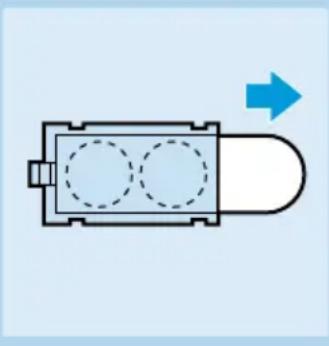
- Remove the red protection strip from the batteries on the back of the scales.
Preparing the appliance for use
Place the scales on a solid and level floor.
- Use the scales on a smooth floor. If the scales are used on a deep-pile carpet, this may cause a slight deviation in the values measured.
Always weigh at the same time and under the same conditions. For example, weigh before breakfast in the morning without any clothes on.
- Stand on the scales with both feet and do not move so as to ensure an even weight distribution.
Do not lean on anything while you are standing on the scales, as this will result in an incorrect reading.
Usage options
The scales can be used in various ways, depending on the user and the kind of feedback that is needed.
Weighing without body fat percentage.
Weighing with body fat percentage in the free mode.
- Weighing with body fat percentage using personal values from the memory.
The next sections contain information on how to use the various options.
Using the appliance
Weighing without body fat indication
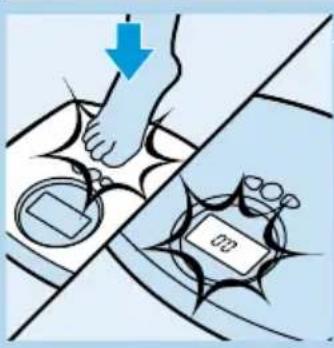
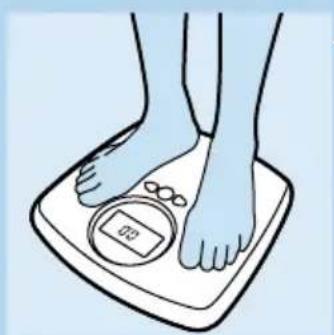
1 Tap the scales with your foot to activate them.
Do not step onto the scales right away but look at the display and wait.
2 As soon as the indication 0.0kg stops blinking, you can step onto the scales.
The weight indicated on the display mounts until the final value is reached. This final weight blinks two times and is then displayed continuously.
3 The scales will switch off automatically.
Weighing with body fat percentage in the free mode
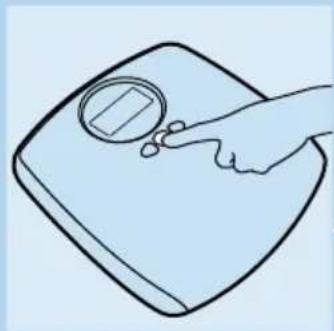
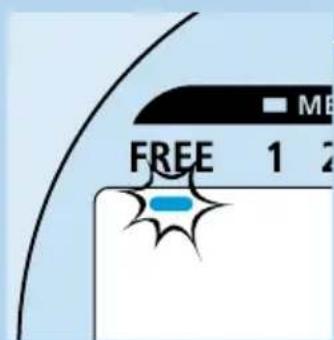
Anyone can use the free mode, indicated by 'free' on the display. The data that are input will not be stored.
If you want to measure your fat percentage regularly, it is more convenient to store your personal data in one of the four memories. (See section 'Using the memory function').
1 Push the 'set' button to activate the body fat indicator function. The display will go on and a blinking cursor appears below the setting 'free'.
2 Push the 'set' button once again to activate the 'free mode'. (If you do not push the set button, the display will automatically switch after 5 seconds to the menu in which you have to input your height).
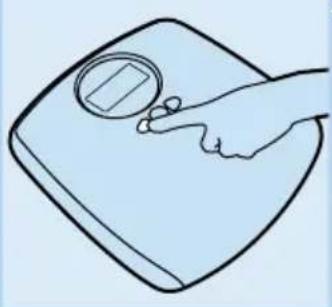
Push [+] or [-] to input your height. Confirm the data by pushing the 'set' button.
Push [+] or [-] to input your age. Confirm the data by pushing the 'set' button.
Push [+] or [-] to select your sex. Confirm this choice by pushing the 'set' button.
If you do not confirm the data by pushing the 'set' button, the scales will show the next menu 5 seconds after you have input the last data.
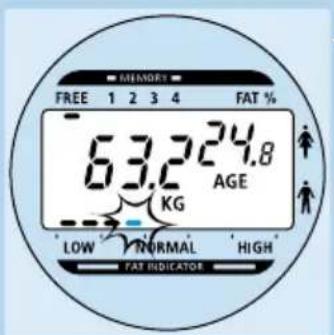
6 All data you have input will appear on the display.
7As soon as the indication 0.0kg stops blinking, you can step onto the scales.
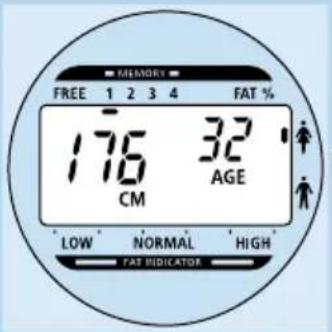
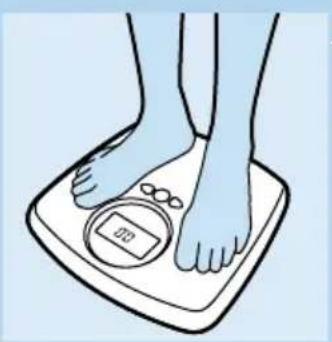
8 The scales first show your weight and then your fat percentage. Next the fat indicator appears showing your fat percentage in relation to the recommended percentage.
9 The scales will switch off automatically.
Using the memory function
If you want to measure your fat percentage regularly, it is more convenient to store your data (height, age and sex) in one of the four memories. In this way you avoid having to input your data again each time you want to measure you fat percentage.
1 Push the 'set' button to activate the body fat indicator function. The display will go on and a cursor appears below the setting 'free'.
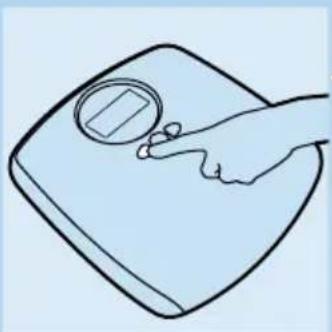
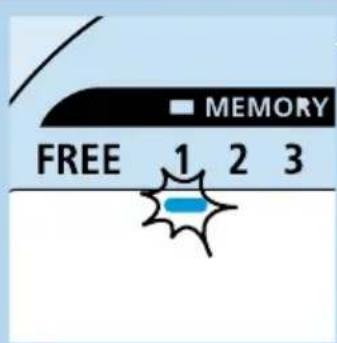
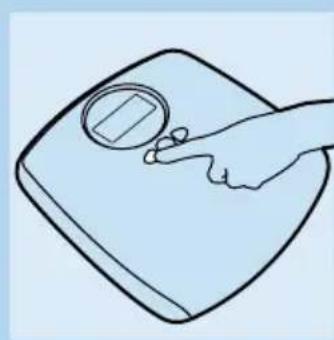
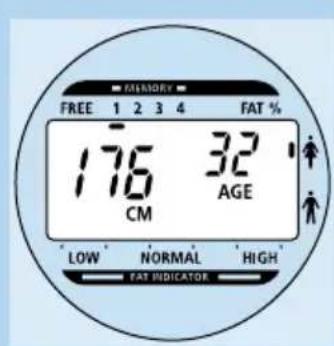
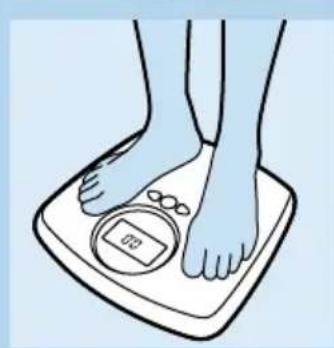
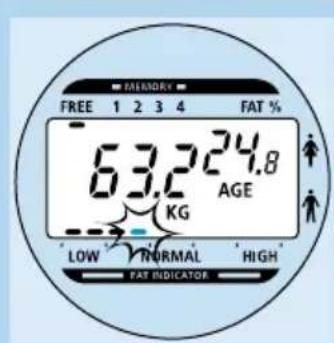
2 Use the [+] or [-] button to switch to one of the memories indicated by 1 up to 4 at the top of the display within 5 seconds.
If you do not switch to one of the memories within 5 seconds, the height input menu of the free mode function will appear on the screen.
3 Push the 'set' button within 3 seconds to input or change your personal data.
If you do not make any changes in the data stored in the memory selected, the scales will automatically switch to the measuring function after 3 seconds.
Push [+] or [-] to input or change your height. Confirm the data by pushing the 'set' button.
5 Push [+] or [-] to input or change your age. Confirm the data by pushing the 'set' button.
Push [+] or [-] to select your sex. Confirm this choice by pushing the 'set' button.
- If you do not confirm the data by pushing the 'set' button, the scales will show the next menu 5 seconds after you have input or changed the last data.
7 All data you have input or changed will appear on the display.
As soon as the indication 0.0kg stops blinking, you can step onto the scales.
9 The scales first show your weight and then your fat percentage. Next the fat indicator will appear showing your fat percentage in relation to the recommended percentage.
10 The scales will switch off automatically.
- You can clear all memories by pressing [+] , [-] and the set button at the same time. The message 'CLR' will appear on the screen.
Weighing with body fat percentage using personal data from the memory
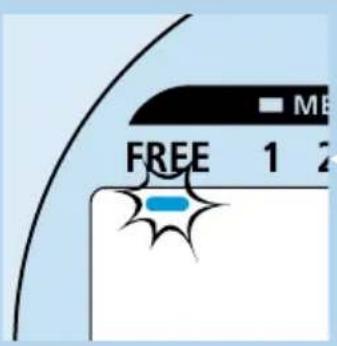
You can use this function if your personal data have already been stored in one of the four memories.
1 Push the 'set' button to activate the body fat indicator function. The display will go on and a blinking cursor appears below the setting 'free'.
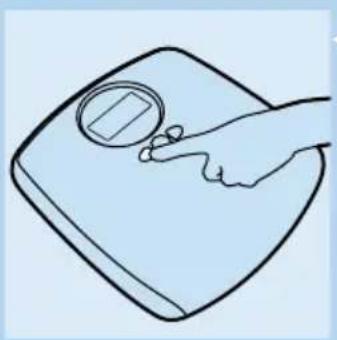
2 Use the [+] or [-] button to switch to one of the memories indicated by 1 up to 4 at the top of the display within 5 seconds.
The screen will show the data stored (height, age and sex). After 3 seconds the indication 0.0kg on the display will start blinking.
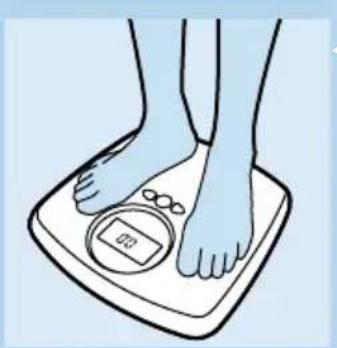
3 As soon as the indication 0.0kg stops blinking, you can step onto the scales.
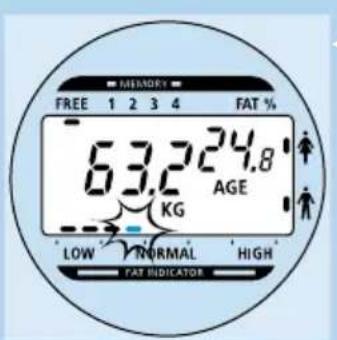
4 The scales first show your weight and then your fat percentage. Next the fat indicator will appear showing your fat percentage in relation to the recommended percentage.
5 The scales will switch off automatically.
Interpretation of body fat percentages
The body fat percentage is calculated by means of a bio-algorithm, based on scientific research comprising over 40 clinical studies.
The fat indicator bar below the display gives you an indication of your body fat. It shows whether your body fat percentage is:
- low: 1-2 dashes.
- normal: 3-6 dashes.
- (very) high: 7-10 dashes.
The graphs below show in detail how the body fat percentages of males and females in different age groups should be interpreted.
| Low | Normal | High | Very high | |
| MALE<39 | <8 | 8-20 | 20-25 | >25 |
| Age40-59 | <11 | 11-22 | 22-28 | >28 |
| >60 | <13 | 13-25 | 25-30 >30 |
| Low | Normal | High | Very high | |
| FEMALE<39 | <21 | 21-33 | 33-39 | >39 |
| Age40-59 | <23 | 23-34 34-40 | >40 | |
| >60 | <24 | 24-36 | 36-42 | >42 |
To gain an insight into your body fat percentage, we suggest that you keep track of your body fat percentage over a period of time. Weighing should take place under identical conditions to ensure valid comparisons. The ideal time to weigh is before breakfast in the morning and you should not wear any clothes while weighing. Slight variations in weight are normal, for instance due to drinking fluids.
Cleaning and maintenance
- Only clean the appliance with a soft, moist cloth and some washing-up liquid. Do not use aggressive or abrasive cleaning agents.
- Remove the batteries from the appliance if you are not going to use the scales for quite some time.
Disposal of batteries
Do not throw the batteries away with the normal household waste.
Hand them in at an official collection point.
Technical data
- Measuring range: 5 - 150 kilograms.
- Height range: 100 - 220 centimetres.
Age range: 7 - 99 years. - Weight display: weight is displayed in steps of 100 grams.
- Batteries: 2 lithium batteries CR2032.
Automatic shut-off: after 20 seconds.
Information and service
If you need information or if you have a problem, please visit the Philips Web site at www.philips.com or contact the Philips Customer Care Centre in your country (you will find its phone number in the worldwide guarantee leaflet). If there is no Customer Care Centre in your country, turn to your local Philips dealer or contact the Service Department of Philips Domestic Appliances and Personal Care BV.
| Problem | Cause | Solution |
| ---- | This message is displayed when the scales are not being used correctly. | If you want to perform a measurement, wait until the 0.0 kg indication on the display stops blinking before stepping onto the scales. |
| The values displayed are too low. | The scales had no time to calibrate correctly and therefore display an incorrect value. | If you want to perform a measurement, wait until the 0.0 kg indication on the display stops blinking before stepping onto the scales. |
| After weighing, the display shows 0.0 kg. | These scales are not suitable for weighing less than 5 kilograms. | If you want to weigh a baby, we advise you to weigh yourself first and then weigh yourself again while holding the baby. |
| Lo | This message appears when the batteries are low. | Replace the batteries with 2 new lithium CR2032 batteries. |
| Err | The scales are out off range. The scales have a measuring range of 5 kg to 150 kg. | |
| ErrE | A software malfunction has occurred. | The scales switch off after 6 seconds. If this message keeps appearing, take the appliance to your dealer or the nearest Philips service centre. |
| Clr | You have pressed the [+], [−] and set buttons at the same time. | You will have to store your personal data again. |
Wichtig
- Remove the red protection strip from the batteries on the back of the scales.
The display will go on and a cursor appears below the setting 'free'.


- Important
- Before first use
- Preparing the appliance for use
- Usage options
- Using the appliance
- Weighing without body fat indication
- Weighing with body fat percentage in the free mode
- Using the memory function
- Weighing with body fat percentage using personal data from the memory
- Interpretation of body fat percentages
- Cleaning and maintenance
- Disposal of batteries
- Technical data
- Information and service
- Wichtig
Brand : PHILIPS
Model : HF390
Category : Scale