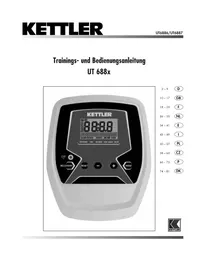
Sinto M - Exercise bike KETTLER - Free user manual and instructions
Find the device manual for free Sinto M KETTLER in PDF.



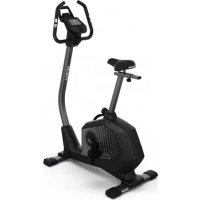
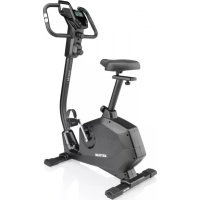
| Product type | Exercise bike |
| Brand | Kettler |
| Model | Sinto M |
| Power supply | Batteries (type not specified) |
| Display | Time, distance, speed, pedaling frequency (RPM), pulse, energy consumption (kJ/kcal), total kilometers (ODO) |
| Preselection functions | Time, distance, energy (kJ/kcal), pulse monitoring |
| Pulse measurement | By handlebar sensors, ear clip (optional), chest strap with receiver (optional) |
| Recovery function | Recovery pulse measurement with fitness rating (F1 to F6) |
| Audible signals | When starting up, when preselections are reached, when maximum pulse is exceeded |
| Maintenance | Check fastenings before first use and then every 6 days; regularly check proper operation; replace defective parts immediately |
| Safety | Consult a doctor before any training; stop if dizzy; do not use in humid environment or if device is damaged |
| Spare parts | Use only original Kettler parts |
| Manual available | 84 pages, free download in PDF format, multiple languages available |
Frequently Asked Questions - Sinto M KETTLER
User questions about Sinto M KETTLER
0 question about this device. Answer the ones you know or ask your own.
Ask a new question about this device
Download the instructions for your Exercise bike in PDF format for free! Find your manual Sinto M - KETTLER and take your electronic device back in hand. On this page are published all the documents necessary for the use of your device. Sinto M by KETTLER.
USER MANUAL Sinto M KETTLER
Safety instructions 10
Service 10
- Your safety 10
Functions 11
Area of Operation 11-13
Area of Operation / buttons 11
- Display area / Display 12-13
Training 14
Without Defaults 14
With Defaults 14
Time
- Distance
Energy (Kjoule/Kcal) 14
Pulse monitoring 14
- Interruptionto Training 15
- Standby mode 15
- Resuming Training 15
- Recovery (Pulse measurement) 15
General instructions 16
- System signals 16
Recovery 16
Calculation of average value 16 - Instructions for pulse measurement 16
with ear clip 16
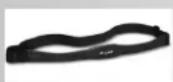
with breast belt 16
with hand pulse 16
Computer errors 16
- Changing the batteries 16
Training instructions
Stamina training 17
- Load intensity 17
- Extent of load 17
Performance record 82
Safety instructions
Please observe the following instructions for your own safety:
The training device must be set up on an appropriate and firm surface.
- Inspect the connections for firm fitting before initial operation and additionally after approximately six operation days.
- In order to prevent injuries caused by wrong stress or over-stress, the training device may only be used in accordance with the instructions.
- It is not recommended to permanently set up the device in humid rooms due to the resulting corrosion development.
Assure yourself regularly that the training device functions properly and that it is in duly condition.
The operator is responsible for the safety controls, which have to be carried out on a regular and proper basis.
Defective or damaged parts must be exchanged immediately. Only use original KETTLER spare parts.
The device may not be used until after repairs are completed.
- The safety level of the device can only be maintained provided that it is regularly inspected for damage and wear and tear.
For Your Safety:
- Before starting the training, check with your GP that you are fit for training with this device. The doctor's findings should form the basis for the setup of your training programme. Incorrect or excessive training may damage your health.
- Systems to monitor your heart rate can be imprecise. Excessive training may result in serious damage to your health or death. Should you feel dizzy or weak, stop the training immediately.
Functions
The electronics features the following functions:
- Total kilometres are saved
- Default setting of training data
- Pulse display with pulse monitoring
Fitness note following one minute of pulse recovery (RECOVERY)
Conversion from Kjoule to Kcal
Area of Operation
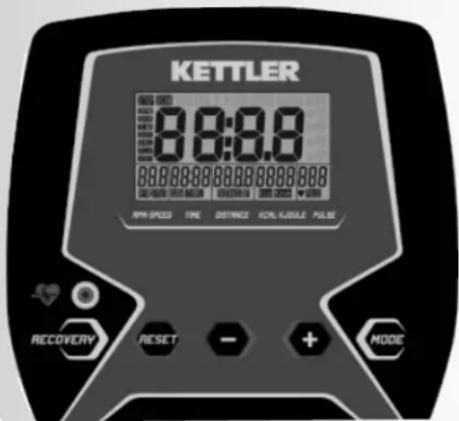
The 5 buttons are briefly explained below.
MODE (press briefly) before the training
- Change to the next default area. Settings or values are adopted.
MODE (press briefly) during the training
- Switch automatic display change on or off
- Change to the next display area.
MODE (press for longer) RESET
- Clear the display for a restart.
MODE and RESET
at the same time
- Change between Kjoule and Kcal display in conjunction with clearing of the display.
Minus-/Plus+
With these function buttons, values are changed in the different input areas before the training
- Press for longer > faster value throughput
RESET
(press briefly) before the training
- Clearing of the displayed default value
RESET
(press for longer)
- Clear the display for a restart.
RECOVERY (recovery pulse with fitness note)
With this function button, the recovery pulse function is started and a fitness note determined.
Pulse Measurement
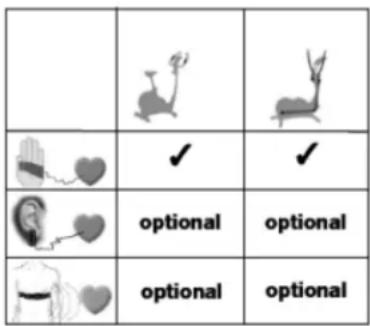
Your pulse can be measured using 3 sources:
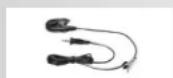
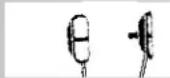
- Ear clip(optional)
- Hand pulse sensors
- Chest strap with plug-in receiver (optional)
STOP

STOP
STOP

Training and Operating Instructions
Display area /
Display
The display informs about the different functions.
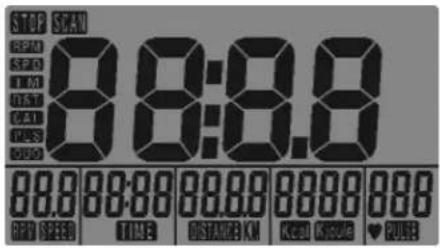
Total kilometres (ODO)
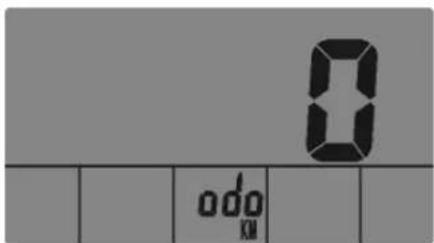
Display of 0-9999
Training time (Time)
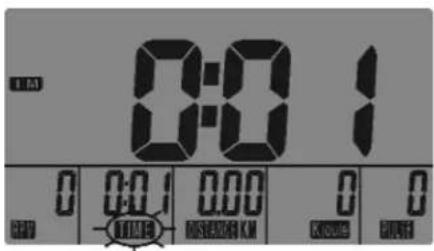
Display of 0:00 > 99:59 99:00 > 0:00
Cadence (RPM)
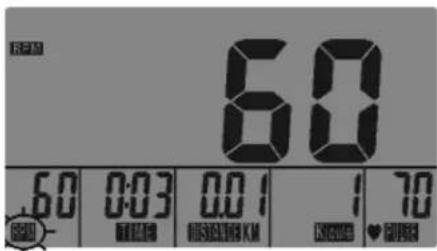
Display of 14-199
Speed (km/h)
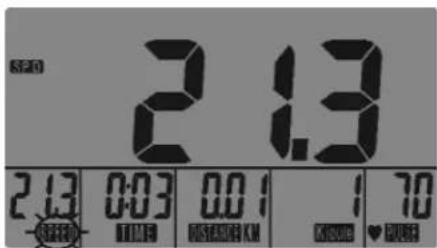
Display of n 5,0-99,9 km/h
Distance (DISTANCE)
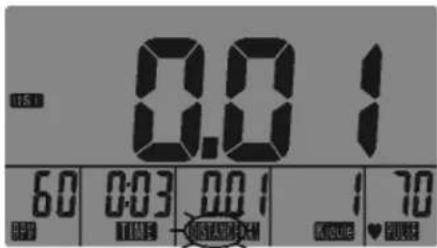
Display of 0,00 > 999,9 999,5 > 0,00
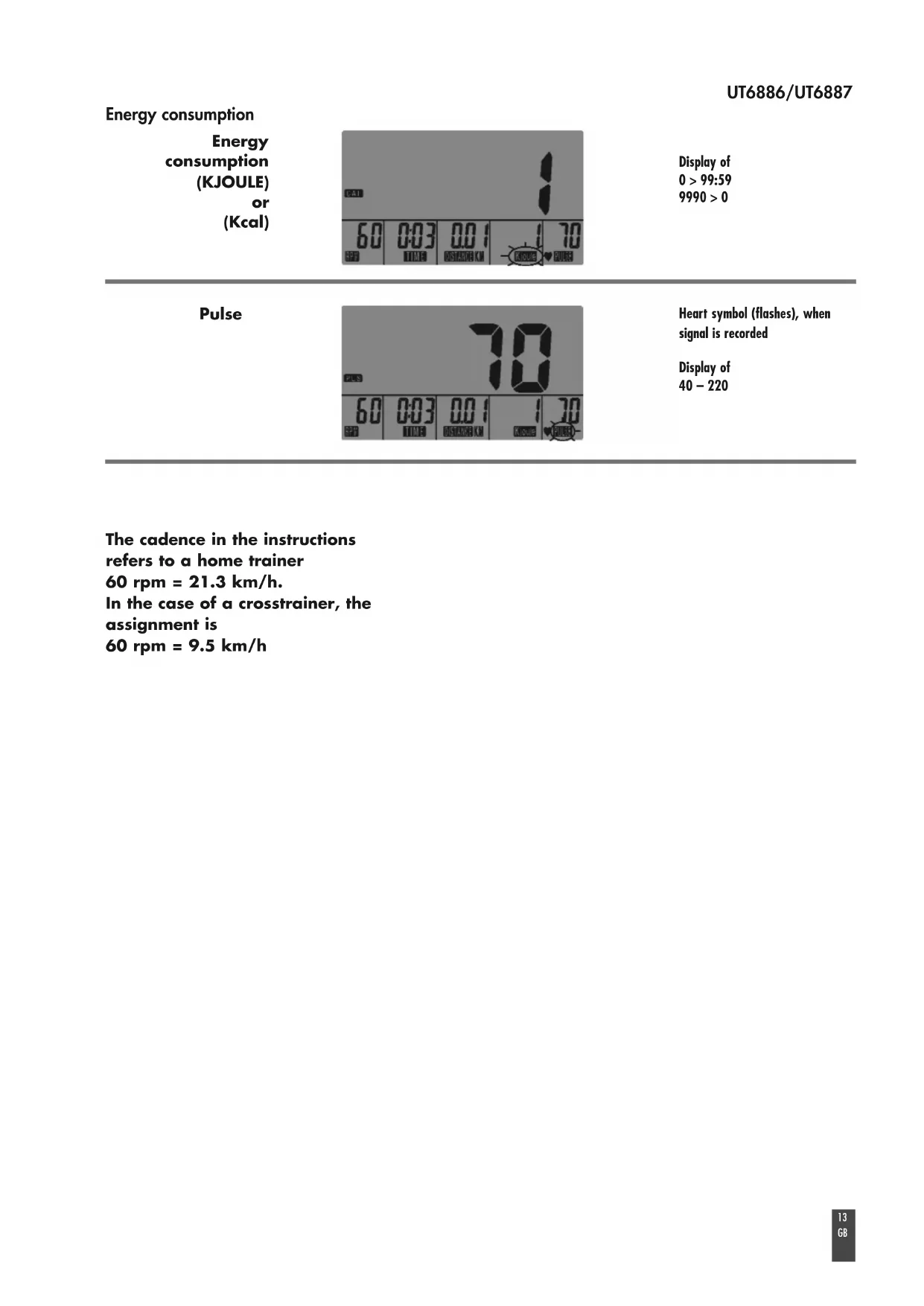
Energy consumption
Energy consumption (KJOULE) or (Kcal)
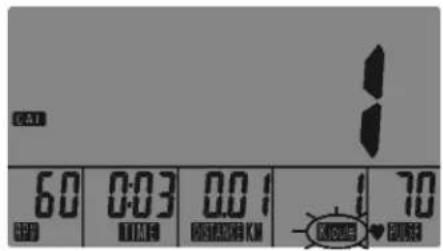
Display of 0 > 99:59 9990 > 0
Pulse
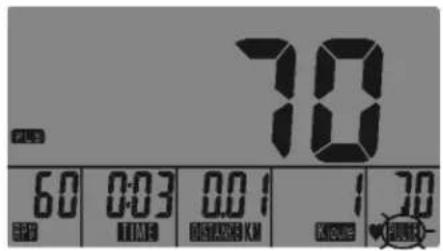
Heart symbol (flashes), when signal is recorded
Display of 40-220
The cadence in the instructions refers to a home trainer
60 rpm = 21.3 km/h.
In the case of a crosstrainer, the assignment is
60 rpm = 9.5 km/h
Training and Operating Instructions
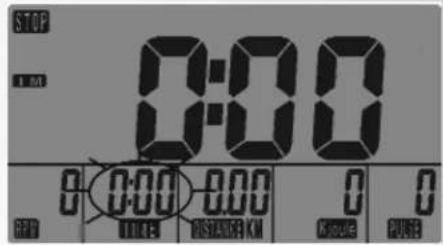

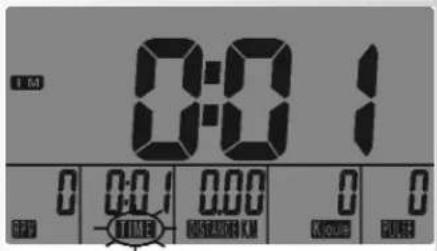
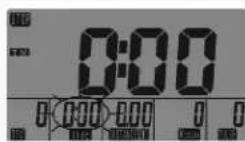

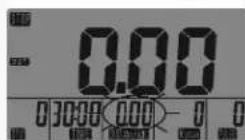




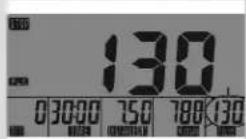
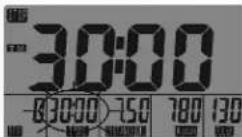

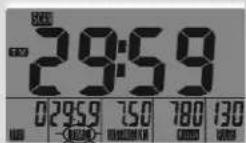
Training
1. Training Without Defaults
- Press one button
STOP is displayed and TIME flashes for the input of a training time and a pulse value is displayed when the pulse signal is detected via the ear clip, hand pulse or plug-in receiver.
and/or
Pedalling
The training time and following displays are shown as counting upwards.
The display change is active and is shown using SCAN.
The display areas change every 6 seconds.
2. Training With Defaults
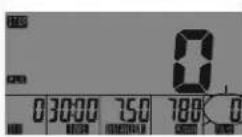
Default values can be input under time, distance and energy. These values count downwards at the start of training. If zero is reached, the display flashes and a signal tone is output.
Upward counting is then started again with the default value.
Under pulse, a value can be input, which flashes when it is exceeded.
- Press one button
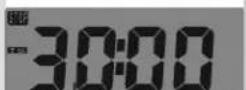
Display: "TIME" default
Time default (TIME)
-
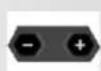
Input values with "Plus" or "Minus" (e.g. 30:00)
-
Confirm with "MODE".
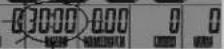
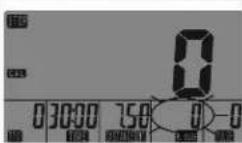
Display: Next default, "DISTANCE"
Distance default (DISTANCE)
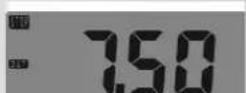
-
Input values with "Plus" or "Minus" (e.g. 7.50)
-
Confirm with "MODE".
Display: Next default, "Kjoule or Kcal"
Energy consumption (Kjoule or Kcal)
-
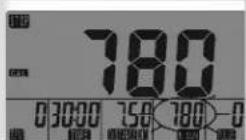
Input values with "Plus" or "Minus" (e.g. 780)
-
Confirm with "MODE".
Display: Next default, "Age Input"
Pulse monitoring (the area flashes if the value is exceeded)
-
Input value with "Plus" or "Minus" (e.g. 130)
-
Confirm with "MODE" (default mode completed)
Display: Readiness for training with time default
- Pedalling starts the training
Default values are displayed as counting downwards.
SCAN display change is active
Comment:
- Pressing "MODE" stops and starts the display change.
- When defaults are reached for time, distance and Kjoule/Kcal
(0-values), brief signal tones are output and the bottom display areas flash. From now, the values count upwards again.
- If the input pulse value is exceeded, the bottom pulse display flashes as a warning.
Interruption or End to Training
If there are fewer than 15 cadences/min, the electronics detects that training has been interrupted. STOP SCAN is shown in the display and the training data is displayed in rotation.
RPM or SPEED TIME DISTANCE Kjoule/Kcal PULSE ODO etc.
- Pressing "MODE" stops and starts the display change.
The training data is displayed for 4 minutes. If you do not press any buttons or train in this time, the electronics switches to standby mode and displays the time.
An interruption to training is detected with a delay of a few seconds.
Resuming Training
If you continue the training within 4 minutes, the last values continue counting or count downwards.
RECOVERY Recovery pulse stage
The RECOVERY function can be used after each exercise program.
The RECOVERY button is used to initiate recovery pulse measurement at the end of exercising. Initial and final pulse during one minute are used to calculate deviation and a fitness score. In case of equal exercising, improvement of such score is a measurement for increase of fitness.
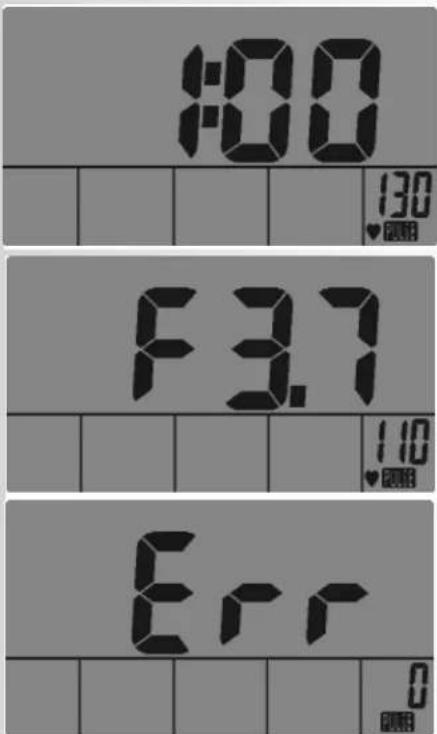
When reaching the target values, end exercising and press the RECOVERY button; then, leave your hands at the hand pulse sensors. In case of previous pulse measurement, the display shows 00:60 for time, and the PULSE display shows the current pulse value (flashing). The countdown starts at 00:60. Leave your hands at the hand pulse sensors until the countdown reaches >0< . The display will show on its right a value between F1 and F6. F1 is the best status; F6 is the worst status. The function can be ended by pressing again RECOVERY.
If no pulse is measured in the beginning or at the end of the reverse counting, the error message "Err" is displayed.

Training and Operating Instructions
General instructions
System signals
Activation of the device
If you activate the device, a signal is emitted during the segment test.
Preseting
A short signal is emitted, if you reach a presetting like time, distance and KJoule/kcal.
Exceeding of maximum pulse
If the set maximum pulse is exceeded by one pulse beat, two short signals are emitted for the time of exceedance.
Recovery
Calculation of the fitness mark (F):
$$ \operatorname {m a r k} (\mathbf {F}) = 6. 0 - \left(\frac {1 0 \times (\mathrm {P} 1 - \mathrm {P} 2)}{\mathrm {P} 1}\right) ^ {2} $$
P1 stress pulse P2 = recovery pulse
F1.0 = very good F6.0 = insufficient
Calculation of average value
The calculations of the average values refer to training units in the past until a reset or the sleep mode.
Instructions for pulse measurement
The pulse measurement starts as soon as the heart in the display blinks in time with your pulse beat.
With ear clip
The pulse sensor works with infrared light and measures the variations in translucence in your skin, which are produced by your pulse beat. Rub your ear ten times strongly to activate the blood circulation before attaching the pulse sensor to your earlobe.
Avoid disturbing pulses.
- Attach the ear clip properly to your earlobe and look for the best point for the measurement (heart symbol blinks without interruption).
- Do not train directly under strong incidence of light, e.g. neon light, halogen light, spotlight, sun light.
- Completely eliminate any shocks or bounces of the ear sensor and the cable. Always attach the cable with a clip at your clothing or, even better, at your headband.
With breast clip
Please observe the corresponding instructions.
With hand pulse
An extra-low voltage caused by the contractions of your heart is registered by the hand sensors and evaluated by the electronics assembly of the device.
Always grab the contact faces with both hands.
- Avoid jerky grasping.
- Hold your hands calmly and avoid contractions and rubbing on the contact faces.
Comment:
Only one way of pulse measurement is possible: either with ear clip or with hand pulse or with breast belt. If no ear clip or plug recipient is located in the pulse plug, hand pulse measurement is activated. If you insert an ear clip or a plug recipient in the pulse plug, hand pulse measurement is automatically deactivated. It is not necessary to disconnect the plug of the hand pulse measurement.
Failures with the training computer
Press the "SET" key for a longer period of time (reset).
Change of batteries
If the display is only slightly illuminated, the batteries must be changed. The values and default settings of the previous training session will get lost. The time setting must be entered again.
Training Instructions
Sports medicine and training science use cycle ergometry, among other things, for the examination of the functional capability of heart, circulation and respiratory system.
You can find out whether or not you have achieved the desired effect from your training after several weeks using the following method:
- You manage a particular endurance performance with less heart / circulation performance than previously
- You sustain a particular endurance performance with the same heart / circulation performance over a longer period.
- You recover more quickly than previously after a particular heart / circulation performance.
Guide values for the endurance training
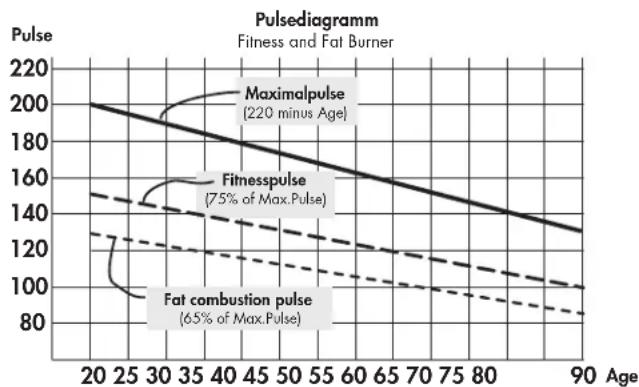
Maximum pulse: maximum strain means the reaching of the individual maximum pulse. The maximum achievable heart rate is dependant on age.
Here, the following empirical formula applies: the maximum heart rate per minute corresponds to 220 heart beats minus age in years.
Example: age 50 years 220 - 50 = 170 pulse / min.
Load Intensity
Load pulse: the optimum intensity of load is reached at 65 - 75% (see also diagram) of the maximum pulse. This value changes depending on age.
Extent Of Load
Duration of a training unit and its frequency per week:
The optimum extent of load is attained, if 65 - 75% of the individual heart / circulation performance is achieved over a longer period.
Empirical Formula:
Training frequency Duration of training
daily 10 minutes
2-3 times a week 20-30 minutes
1-2 times a week 30-60 minutes
Beginners should not begin with training units of 30-60 minutes. The beginner's training can be planned as follows in the first 4 weeks:
Training frequency Extent of training session
1st week
3 times a week 2 minutes of training
Break of 1 minute for physical exercises
2 minutes of training
Break of 1 minute for physical exercises
2 minutes of training
2nd week
3 times a week 3 minutes of training
Break of 1 minute for physical exercises
3 minutes of training
Break of 1 minute for physical exercises
2 minutes of training
3rd week
3 times a week 4 minutes of training
Break of 1 minute for physical exercises
4 minutes of training
Break of 1 minute for physical exercises
3 minutes of training
4th week
3 times a week 5 minutes of training
Break of 1 minute for physical exercises
4 minutes of training
Break of 1 minute for physical exercises
4 minutes of training
It is recommended that you perform approx. 5 minutes of exercises before and after every training unit, in order to warm up and cool down. There should be a training-free day between each two consecutive training units, if you prefer training sessions of 20-30 minutes 3 times a week later on in your training. Otherwise, there is no reason why you should not train daily.

Table des matieres
Druk de set-toets longer in (reset)
Batterijen verwisselen
3 × per week 3 minutes trainen
Beregning of fitnesskarakter (F):
$$ \text {K a r a k t e r} (\mathbf {F}) = 6. 0 - \left(\frac {1 0 \times (\mathrm {P} 1 - \mathrm {P} 2)}{\mathrm {P} 1}\right) ^ {2} $$

- Safety instructions 10
- Functions 11
- Area of Operation 11-13
- Training 14
- General instructions 16
- Training instructions
- Performance record 82
- Safety instructions
- Please observe the following instructions for your own safety:
- For Your Safety:
- Functions
- Area of Operation
- MODE and RESET
- RESET
- Pulse Measurement
- Training and Operating Instructions
- Display area /
- Display
- Training
- Training Without Defaults
- Training With Defaults
- Distance default (DISTANCE)
- Comment:
- Interruption or End to Training
- Resuming Training
- RECOVERY Recovery pulse stage
- General instructions
- System signals
- Activation of the device
- Preseting
- Recovery
- Calculation of average value
- Instructions for pulse measurement
- With ear clip
- With breast clip
- With hand pulse
- Failures with the training computer
- Change of batteries
- Guide values for the endurance training
- Load Intensity
- Extent Of Load
- Training frequency Duration of training
- Training frequency Extent of training session
- 1st week
- 2nd week
- 3rd week
- 4th week
- Table des matieres
- Batterijen verwisselen
Brand : KETTLER
Model : Sinto M
Category : Exercise bike