SIKP 2000 C1 - Pan SILVERCREST - Free user manual and instructions
Find the device manual for free SIKP 2000 C1 SILVERCREST in PDF.



| Product type | Induction hob |
| Brand | SilverCrest |
| Model | SIKP 2000 C1 |
| Number of cooking zones | 1 |
| Diameter of cooking zone | 9.5 cm |
| Maximum power | 2000 W |
| Supply voltage | 220-240 V ~ 50/60 Hz |
| Protection class | II |
| Power range | 200 to 2000 W (in 200 W steps) |
| Temperature range | 60 to 240 °C (in 20 °C steps) |
| Timer | Adjustable delayed shutdown (up to 120 minutes) |
| Child safety | Yes, key lock |
| Control type | Touch (touch symbols) |
| Display | Digital display for power, temperature and timer |
| Surface material | Vitroceramic |
| Cooling fan | Yes, built-in |
| Maximum container weight | 10 kg (contents included) |
| Required pan type | Ferromagnetic (steel, cast iron) – smooth bottom, diameter 12 to 26 cm |
| Cleaning | Wipe with a damp cloth; scraper for burnt residues |
| Warranty | 3 years (conditions according to manual) |
Frequently Asked Questions - SIKP 2000 C1 SILVERCREST
User questions about SIKP 2000 C1 SILVERCREST
0 question about this device. Answer the ones you know or ask your own.
Ask a new question about this device
Download the instructions for your Pan in PDF format for free! Find your manual SIKP 2000 C1 - SILVERCREST and take your electronic device back in hand. On this page are published all the documents necessary for the use of your device. SIKP 2000 C1 by SILVERCREST.
USER MANUAL SIKP 2000 C1 SILVERCREST
natural_image
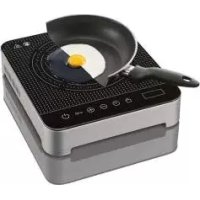
Exterior view of a modern electric stove with a glass pan containing meat and a pan of bread, no visible text or symbols.INDUCTION HOB SIKP 2000 C1
GB IE
INDUCTION HOB
Operating instructions
SE
INDUKTIONSKOKPLATTA
Bruksanvisning
FR BE
PLAQUE À INDUCTION
Mode d'emploi
DE AT CH
INDUKTIONSKOCHPLATTE
Bedienungsanleitung
FI
INDUKTIOKEITTOLEVY
Käyttöohje
DK
INDUKTIONSKOGEPLADE
-
Overview 3
-
Information about the induction plate .... 3
-
Intended purpose 4
-
Safety information .... 4
-
Items supplied 7
-
Cooking with induction 7
-
Suitable cookware .... 7
-
How to use .... 7
-
Operation 8
9.1 Switching on 8
9.2 Recommended settings 8
9.3 Switching off 9
9.4 Switching off with a timer.... 9
9.5 Child safety lock 9
- Cleaning 10
- Storage 10
- Disposal 10
- Technical specifications .... 10
- Trouble-shooting 11
- Warranty of the HOYER Handel GmbH 11
2
GB




1. Overview
1 Power cable with mains plug
2 Cooking zone
3 Control light child safety lock
4 Control light on/off
5 Switch on/ off the device
6 Child safety lock on/ off
7 Increase power/ temperature
8 Decrease power/ temperature
9 Set switch-off time
10 Alternate between power/temperature
11 Display
12 Control light power/ temperature
13 Control light for switch-off time
2. Information about the induction plate
| Symbol Value Unit | |||
| Model identification SIKP 2000 C1 | |||
| Type of hob | 000 | 1 | |
| Number of electric cooking zones | 000 | 1 | |
| Heating method: induction | 000 | 1 | |
| Usable surface area diameter | 19.5 cm | ||
| Energy consumption per cooking zone per kg | EC_electric cooking | 186.6 W | h/ kg |
| Energy consumption per hob per kg | EC_electric hob | 186.6 W | h/ kg |
Information on reducing environmental consequences:
Use the induction hot plate exclusively with cooking utensils that are appropriate for induction. Never use "induction adapter plates". These adapter plates significantly reduce the energy efficiency of an induction hot plate (available temperature in the cooking pot relative to energy consumed), and negate all the advantages of such a hot plate. The reason for this is the heat transfer
from the adapter plate to the base of the pot. This makes the process take longer, and energy is wasted.
GB
3


Thank you for your trust!
Congratulations on your new induction hot plate.
For a safe handling of the device and in order to get to know the entire scope of features:
- Thoroughly read these operating instructions prior to initial commissioning.
- Above all, observe the safety instructions!
- The device should only be used as described in these operating instructions.
- Keep these operating instructions for reference.
• If you pass the device on to someone else, please include these operating instructions.
We hope you enjoy your new induction hot plate!
Symbols on your appliance

Hot surfaces!
This symbol warns you about hot surfaces.

Do not touch!
This symbol warns you not to touch the surface of the cooking zone 2.
3. Intended purpose
The induction hot plate is intended for heating up and keeping food warm in metal pots and pans.
The device is designed for use in private households. The device must only be used indoors.
This device must not be used for commercial purposes.
Foreseeable misuse

DANGER! Risk of injury through burning!
Metal objects such as knives, forks, spoons and lids should not be left on the cooking zone, as they could become hot.
4. Safety information
Warnings
If necessary, the following warnings will be used in these operating instructions:

DANGER! High risk: failure to observe this warning may result in injury to life and limb.
WARNING! Moderate risk: failure to observe this warning may result in injury or serious material damage.
CAUTION: low risk: failure to observe this warning may result in minor injury or material damage.
NOTE: circumstances and specifics that must be observed when handling the device.
Instructions for safe operation
- This device can be used by children from the age of 8 and people with restricted physical, sensory or intellectual abilities or people without adequate experience and/ or understanding, if they are supervised or instructed on how to use this device safely and if they are aware of the resulting risks. Children should not be allowed to play with the device. Cleaning and user maintenance must not be performed by children unless they are older than 8 years and supervised.
Children under the age of 8 must be kept away from the device and the power cable.
Metal objects such as knives, forks, spoons and lids should not be left on the cooking zone, as they could become hot.
Do not touch the surface of an induction hot plate, on which a cooking vessel has been used beforehand. The temperature of the surface can still be very high after a cooking vessel has been removed. - This device is not intended to be operated using an external timer clock or a separate remote control system.
If the surface of the appliance is cracked, the appliance must be switched off to avoid electric shock.

DANGER for children
- Packing materials are not children's toys. Children should not be allowed to play with the plastic bags. There is a risk of suffocation.
- Please ensure that children are not able to pull the device down from the work surface with the power cable.
- Keep the device out of the reach of children.

DANGER to and from pets and livestock
Electrical devices can represent a hazard to pets and livestock. In addition, animals can also cause damage to the device. For this reason you should keep
animals away from electrical devices at all times.

DANGER! Risk of electric shock due to moisture
The induction hot plate, the power cable and the mains plug must not be immersed in water or any other liquids.
- If liquid gets into the device, remove the mains plug immediately. Have the device checked before reusing.

DANGER! Risk of electric shock
- Only connect the mains plug to a properly installed and easily accessible wall socket whose voltage corresponds to the specifications on the rating plate.
The wall socket must continue to be eas-
GB
5




ily accessible after the device is plugged in.
- Ensure that the power cable cannot be damaged by sharp edges or hot points. Do not wrap the power cable around the device.
The device is not fully disconnected from the power supply, even after it is switched off. In order to fully disconnect it, pull out the mains plug.
- When using the device, ensure that the power cable cannot be trapped or crushed.
- When removing the mains plug, always pull the plug and never the cable.
- Disconnect the mains plug from the wall socket...
... if there is a fault, ... when you are not using the device, ... before you clean the device, and ... during thunderstorms.
- Do not use the device if there is visible damage to the device or the power cable.
- If the power cable of this device should become damaged, it must be replaced by the manufacturer, the manufacturer's customer service department or a similarly qualified specialist, in order to avoid any hazards.

DANGER! Risk of fire
- Heat oil and fat carefully. Overheated oil and fat is flammable. Do not leave hot oil or fat unattended.
- DANGER OF EXPLOSION! Never extinguish burning oil or fat with water. Smother the flames by closing the cooking vessel with a suitable lid or plate. Pull out the mains plug.
- Do not place the appliance underneath flammable objects, e.g. curtains or drapes.
- Do not operate the appliance on a metallic surface. This surface may become very hot and cause a fire.
The appliance is equipped with a cooling fan on the underside and needs free air supply.
- Ensure that the openings on the underside are not covered and keep a free space of at least 10 cm right around and at least 60 cm towards the top.
- Do not place the appliance on a textile surface, e.g. a tablecloth.

DANGER! Risk of injury through burning
Do not heat empty cooking vessels. These overheat very quickly. This can also damage the cookware and the appliance.

DANGER from electromagnetic fields
- Please pay attention to the instructions for use of medical devices (e.g. hearing aids, pacemakers) with respect to electromagnetic fields. Keep the safety distance as recommended by the manufacturer of the appliances.
WARNING! Risk of material damage
Operate the appliance at a minimum distance of 1 m from appliances which are affected by electromagnetic fields, e.g. electronic devices, magnetic storage media, watches etc.
- The cooking vessel with contents may not weigh more than 10 kg.
- Prevent sugar-based foods from boiling over. Hot sugar can destroy the cooking zone.
- Do not use any astringent or abrasive cleaning agents.
The device is fitted with non-slip plastic feet. As furniture is coated with a wide array of varnishes and synthetics, and is
also treated with different care products, it cannot be fully ruled out that some of these materials contain ingredients that could attack and soften the non-slip plastic feet. If necessary, place a non-slip mat under the device.
5. Items supplied
1 Induction hot plate
1 Set of operating instructions
6. Cooking with induction
NOTE: familiarise yourself with induction cooking. Cooking on induction plates is different to cooking on normal plates:
- On high temperature settings, the contents of the cooking vessels are heated up a lot quicker.
- When the temperature/ power is reduced, the contents of the cooking vessel react very quickly to the reduction in temperature (similar to cooking with gas).
When cooking with induction, heat is generated directly in the base of the cookware by an electromagnetic field and not in the cooking zone. This saves time and energy when cooking and frying. You need suitable ferromagnetic cookware to enable the energy field to develop heat.
7. Suitable cookware
NOTE: the appliance switches itself off (Error message E 1 on the display), if the cookware ...
... consists of an unsuitable material, ... is not placed in the middle of the cooking zone 2 and ... is not in the appropriate size.
- Only use ferromagnetic cookware, which is suitable for induction cooking zones.
- Cookware with a base made of steel or cast iron is suitable. You can recognise this either by a label (000) or if a magnet clings to the cookware.
- All metals on which a magnet does not cling to, are unsuitable, e.g. normal stainless steel, aluminium and copper. Also non-metallic containers, such as those made of ceramics, porcelain, glass, plastic etc.
• The diameter of the cookware ...
... may not be larger than 26 cm, so that the base of the cookware does not extend over the plate and ... may not be smaller than 12 cm, so the induction field can function.
- The base of the cookware must be level and flat on the cooking zone 2.
8. How to use

DANGER! Risk of fire!
The appliance is equipped with a cooling fan on the underside and needs free air supply.
- Ensure that the openings on the underside are not covered and keep a free space of at least 10 cm right around and at least 60 cm towards the top.
-
Do not place the appliance on a textile surface, e.g. a tablecloth.
-
Remove all packing material.
- Check to ensure that all parts are present and undamaged.
- Place the device on a dry, level, non-slip surface.
GB
7




9. Operation

DANGER! Risk of fire!
- Heat oil and fat carefully. Overheated oil and fat is flammable. Do not leave hot oil or fat unattended.
- DANGER OF EXPLOSION! Never extinguish burning oil or fat with water. Smother the flames by closing the cooking vessel with a suitable lid or plate. Pull out the mains plug.

DANGER! Risk of injury through burning!
Do not touch the surface of an induction hot plate, on which a cooking vessel has been used beforehand. The temperature of the surface can still be very high after a cooking vessel has been removed.
9.1 Switching on
- Place the cooking vessel in the middle of the cooking zone 2.
- Insert the mains plug 1 into a wall socket corresponding to the specifications of the rating plate. An acoustic signal sounds. At the same time, the display and control lights are activated shortly so they can be checked for proper functioning.
The display shows...
... - L -, if the temperature of the cooking zone is less than 60 °C and ... - H -, if the temperature of the cooking zone is more than 60 °C.
- Switch on the appliance by touching the symbol on/off ⚫5.
The control light on/off 4 lights up. W (watt) lights up over the display, and on the display you can see the chosen power setting (preset when switching on: 0 watt).
NOTE: if you do not initiate any changes within approx. 30 seconds by touching the symbols ⊕ 7/ ⊖ 8, the appliance switches off automatically.
-
Change the heat output in steps of 200 watts by touching the symbol
-
⊕ 7 from 200 - 2000 watts or the symbol
- ⊖ 8 from 2000 to 200 watt.
The heating phase begins immediately after you have touched one of the two symbols. The higher the chosen power, the quicker the base of the cooking vessel is heated up. You can also hold down buttons 7/ 8 ; the watt output will then change faster.
- By touching the symbols ☐ 10, the display image changes from W (watt) to °C. You can now choose the desired setting also as a temperature specification in steps of 20 °C from 60 - 240 °C (presetting: 120 °C). After the temperature has been achieved, it is kept at the specified value.
You can change specified settings at any time during operation.
You can also touch the symbols uninterruptedly to change the settings.
9.2 Recommended settings
NOTE: if you fry with too high an output (number of watts), the device may overheat. The error message E7 appears. Switch off the device and let it cool down. Then continue to fry using a maximum of 1000 watts.
Cooking: 200 - 2000 watt
Frying: 200 - 1000 watt
9.3 Switching off
- Touch the symbol on/off ⏻ 5, to switch off the appliance. An acoustic signal sounds. The symbol -H- is shown in the display, as the temperature of the cooking zone is more than 60 °C. The cooling fan carries on cooling the appliance after it has been switched off.
- The appliance automatically stops the heat output if the cooking vessel is removed from the cooking zone 2 during the heating phase. The error message E1 is shown in the display and an acoustic signal sounds. If you do not place the cooking vessel on the hot place within approx. 10 seconds, the appliance switches off. The cooling fan carries on cooling the appliance after it has been switched off.
• After 120 minutes without a change in setting, the appliance switches off automatically. The cooling fan carries on cooling the appliance after it has been switched off.
9.4 Switching off with a timer
- Touch the symbol Ⓧ 9 during operation. The control light 13 lights up, min appears above the display and on the display the chosen switch-off time appears in minutes (presetting: 0 minutes, the device remains on).
- Change the switch-off time by touching the symbol ⊕ 8 in one-minute steps and by touching the symbol ⊕ 7 in 10-minute steps. If you have set the chosen time and touch no further symbols, the timer starts automatically and the display switches over to W or °C again. At short intervals, the remaining time is displayed together with min.
NOTE: first the button ⊕ 7 must be pressed once before the switch-off time can be reduced in one minute steps by pressing the button ⊖ 8.
- After the preset time has elapsed, the appliance switches off. An acoustic signal sounds. The symbol -H is shown in the display, as the temperature of the cooking zone is more than 60 °C. The cooling fan carries on cooling the appliance after it has been switched off.
9.5 Child safety lock
To prevent unwanted alteration of the settings, the appliance is equipped with a child safety lock.
NOTE: if the child safety lock is activated while in operation, the symbols child safety lock → 6 and on/off ⏻ 5 are not blocked and you can switch the device off. You will only be able to switch the device on, once the child safety lock has been deactivated.
- Touch the symbol child safety lock -6. The control light for the child safety lock 3 lights up and an acoustic signal sounds. All symbols except the child safety lock -6 are now blocked.
- Touch the symbol child safety lock — 6 for at least 4 seconds to override the child safety lock. An acoustic signal sounds and the control light for the child safety lock 3 goes out. The symbols are no longer blocked.
10. Cleaning

DANGER! Risk of electric shock!
- Pull the mains plug 1 out of the wall socket before you clean the device.
The induction hot plate, the power cable 1 and the mains plug 1 must not be immersed in water or any other liquids.

DANGER! Risk of injury through burning!
- Allow the device to cool down before cleaning.
WARNING! Risk of material damage!
- Do not use any astringent or abrasive cleaning agents.
- Clean the cooking zone 2 after every use. In this way, you can prevent any adhering food residues from burning on.
- Clean all surfaces and the power cable 1 with a slightly moistened cloth.
- Baked-on residues on the cooking zone 2 can be removed with a ceramic hob scraper, which may be purchased at a department store.
11. Storage

DANGER for children!
- Keep the device out of the reach of children.
- Select a location where neither high temperatures nor moisture can affect the device.
12. Disposal
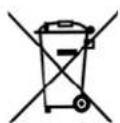
The symbol showing a wheelie bin crossed through indicates that the product requires separate refuse collection in the European Union. This applies to the product and all accessories marked with this symbol. Products identified with this symbol may not be discarded with normal household waste, but must be taken to a collection point for recycling electric and electronic appliances. Recycling helps to reduce the consumption of raw materials and protect the environment.
Packaging
When disposing of the packaging, make sure you comply with the environmental regulations applicable in your country.
13. Technical specifications
| Model: SIKP 2000 C1 |
| Mains voltage: 220-240 V ~ 50/60 Hz |
| Protection class: II ☐ |
| Power rating: Max. 2000 W |
Subject to technical modification.
CE
14. Trouble-shooting
If your device fails to function as required, please try this checklist first. Perhaps there is only a minor problem, and you can solve it yourself.

DANGER! Risk of electric shock!
- Do not attempt to repair the device yourself under any circumstances.
| Fault | Possible causes/Action |
| No function | Has the device been connected to the power supply?Check the connection. |
| The cooking zone is not heating up | No cooking vessel on the cooking zone 2?Is the cooking vessel suitable for induction cooking zones? |
| Error message E 1 on the display | No cooking vessel on the cooking zone 2?Unsuitable cookware on the cooking zone?Cooking vessel not placed centrally on the cooking zone? |
| Error message E 7 | The device is overheated. Switch it off and let it cool down. |
| Error messages E 2 to E 6 | Contact the Service Centre (see chapter Warranty) |
15. Warranty of the HOYER Handel GmbH
Dear Customer,
your device is provided with a 3 year warranty starting with the purchase date. In the event of product defects, you are entitled to statutory rights against the vendor. These statutory rights are not restricted by our warranty presented in the following.
Warranty conditions
The warranty period starts with the purchase date. Please keep the original purchase receipt in a safe place. This document is required to verify the purchase.
If within three years from the purchase date of this product a material or factory defect occurs, the product will be repaired or replaced by us – at our discretion – free of charge to you. This warranty implies that within the period of three years the defective device and the purchase receipt are presented, including a brief written description of the defect and the time it occurred.
If the defect is covered by our warranty, the repaired or a new product will be returned to you. No new warranty period starts with a repair or replacement of the product.
Warranty period and statutory claims for defects
The warranty period is not extended when the warranty has been claimed. This also applies to replaced and repaired parts. Any damages and defects already existing at the time of purchase must be reported immediately upon unpacking. Repairs arising after the expiration of the warranty period are subject to a charge.
Warranty coverage
The device was produced carefully according to strict quality guidelines and tested diligently prior to delivery.

The warranty applies to material or factory defects. This warranty does not include product parts that are subject to standard wear and therefore can be considered wear parts; the same applies to damages at fragile parts, e.g. switches, rechargeable batteries or parts made of glass.
This warranty expires if the product is damaged, not used as intended or not serviced. For the proper operation of the product, all instructions listed in the operating instructions must be observed carefully. Any form of use and handling that is advised against in the operating instructions or warned against must always be avoided.
The product is only intended for private and not for commercial use. In the case of incorrect and improper treatment, use of force and interventions not performed by our authorised Service Centre, the warranty shall cease.
Handling in case of a warranty claim
In order to ensure prompt processing of your matter, please observe the following notes:
- Please keep the article number
IAN: 113371 and the purchase receipt as a purchase verification for all inquiries. - If faulty operation or other defects occur, first contact the Service Centre listed in the following by telephone or email.
- Then, you are able to send a product reported as defective free of charge to the service address specified to you, including the purchase receipt and the information on the defect and when it occurred.

Please visit www.lidl-service.com to download this and many other manuals, product videos and software.

Service Centre
GB Service Great Britain
Tel.: 0871 5000 720 (£ 0.10/ Min.)
E-Mail: hoyer@lidl.co.uk
IE Service Ireland
Tel.: 1890 930 034
(0,08 EUR/ Min., (peak))
(0,06 EUR/ Min., (off peak))
E-Mail: hoyer@lidl.ie
IAN:113371

Supplier
Please note that the following address is no service address. First contact the aforementioned Service Centre.
HOYER Handel GmbH
Kühnehöfe 5
22761 Hamburg
Germany