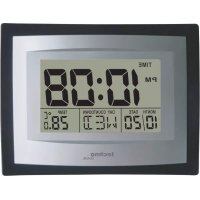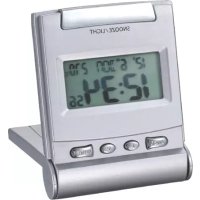
WQ170 - Clock TECHNOLINE - Free user manual and instructions
Find the device manual for free WQ170 TECHNOLINE in PDF.



User questions about WQ170 TECHNOLINE
0 question about this device. Answer the ones you know or ask your own.
Ask a new question about this device
Download the instructions for your Clock in PDF format for free! Find your manual WQ170 - TECHNOLINE and take your electronic device back in hand. On this page are published all the documents necessary for the use of your device. WQ170 by TECHNOLINE.
USER MANUAL WQ170 TECHNOLINE
- This main unit is intended to be used only indoors.
- Do not subject the unit to excessive force or shock.
- Do not expose the unit to extreme temperatures, direct sunlight, dust or humidity.
- Do not immerse in water.
- Avoid contact with any corrosive materials.
- Do not dispose this unit in a fire as it may explode.
- Do not open the inner back case or tamper with any components of this unit.
Batteries safety warnings
- Use only alkaline batteries, not rechargeable batteries.
Install batteries correctly by matching the polarities (+ / - )
Always replace a complete set of batteries. - Never mix used and new batteries.
- Remove exhausted batteries immediately.
- Remove batteries when not in use.
- Do not recharge and do not dispose of batteries in fire as the batteries may explode.
- Ensure batteries are stored away from metal objects as contact may cause a short circuit.
- Avoid exposing batteries to extreme temperature or humidity or direct sunlight.
- Keep all batteries out of reach from children. They are a choking hazard.
Use the product only for its intended purpose!
Consideration of duty according to the battery law

points!
Old batteries do not belong to domestic waste because they could cause damages of health and environment. You can return used batteries free of charge to your dealer and collection points. As end-user you are committed by law to bring back needed batteries to distributors and other collecting
Consideration of duty according to the law of electrical devices
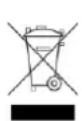
This symbol means that you must dispose of electrical devices separated from the General household waste when it reaches the end of its useful life. Take your unit to your local waste collection point or recycling centre. This applies to all countries of the European Union, and to other European countries with a separate waste collection system.
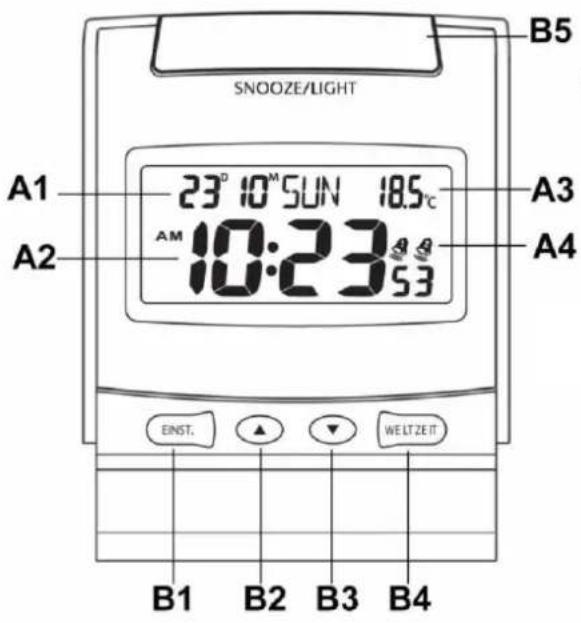
Front view
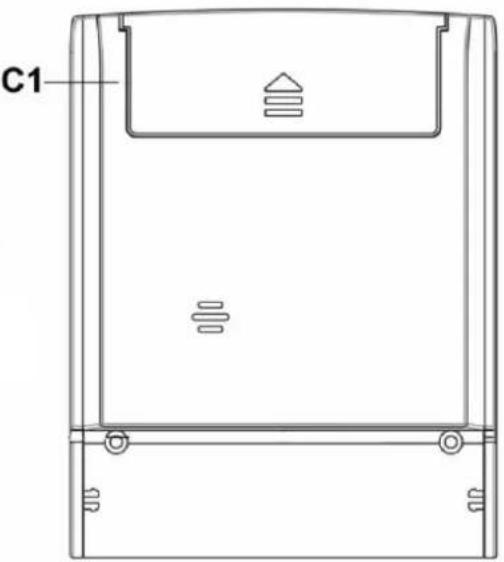
Back view
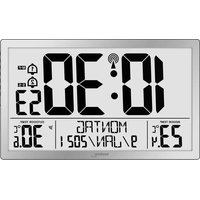
A LCD-Display
A1: Date & weekday A3: Temperature
A2: Time
A4: Alarm icon
B Tasten
B1: MODE button
B4:W-TIME button
B2:▲ button
B5: SNOOZE/LIGHT button
B3: button
C1 Batteriefach
Time display for
32 world cities:
Local and world time display
in duo mode
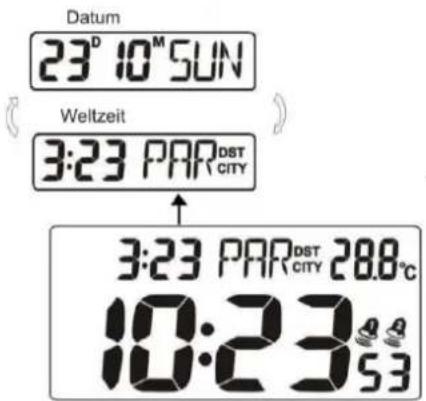
Quick setup:
Insert 1 x AAA batteries into the battery compartment.
Time setting:
1) Press and hold the MODE button (B1) for 3 seconds, the hour digits flash.
2) Press the (B2) or the (B3) buttons to adjust time and date. The settings have the following
sequence: Year, Month, Date, Language for week, Hour, Minute, Second and Local time (DST on/off).
Press each time the MODE button (B1) to switch to the next setting.
The weekday display can be selected in 7 languages: German, French, Spanish, Italian, Dutch, Danish and English. The languages and their selected abbreviations for each weekday are shown in the following table:
| GER | FRA | ESP | ITA | NET | DAN | ENG | |
| Monday | MO | LU | LU | LU | MA | MA | MO |
| Tuesday | DI | MA | MA | MA | DI | TI | TU |
| Wednesday | MI | ME | MI | ME | WO | ON | WE |
| Thursday | DO | JE | JU | GI | DO | TO | TH |
| Friday | FR | VE | VI | VE | VR | FR | FR |
| Saturday | SA | SA | SA | SA | ZA | LO | SA |
| Sunday | SO | DI | DO | DO | ZO | SO | SU |
3) Press the MODE button (B1) to confirm the settings.
Note: Seconds can only be adjusted to zero.
12/24h time display:
Press the button (B3) to change between the 12 (AM/PM) or 24 hour time display.
Time display for 32 world cities:
1) Press and hold W-TIME button (B4) for 3 seconds to enter world time mode.
2) Press the (B2) or (B3) buttons to select a city.
| Stadt | Kürzel |
| 1. Amsterdam | AMS |
| 2. Barcelona | BCN |
| 3. Kopenhagen | CPH |
| 4. Frankfurt | FRA |
| 5. Paris | PAR |
| 6. Amman | AMM |
| 7. Athen | ATH |
| 8. Cape Town | CPT |
| 9. Cairo | CAI |
| 10. Istanbul | IST |
| 11. Jerusalem | JRS |
| Stadt | Kürzel |
| 12. Moskow | MOW |
| 13. Dubai | DBX |
| 14. Bangkok | BKK |
| 15. Beijing | PEK |
| 16. Hong Kong | HKG |
| 17. Singapur | SIN |
| 18. Tokyo | TYO |
| 19. Sydney | SYD |
| 20. Wellington | WLG |
| 21. Dublin | DUB |
| 22. London | LON |
| Stadt | Kürzel |
| 23. Rio de Janeiro | RIO |
| 24. Falkland Lsd's | FAL |
| 25. Havana | HAV |
| 26. New York | NYC |
| 27. Washington DC | WAS |
| 28. Ottawa | YOW |
| 29. Chicago | CHI |
| 30. Mexico City | MEX |
| 31. Los Angeles | LAX |
| 32. Alaska | ALA |
3) Press the W-TIME button (B4) to turn on or off the DST mode for the selected city.
4) Press and hold W-TIME button (B4) for 3 seconds to return to date display.
Setting of 2 alarms:
1) Press the MODE button (B1) to select alarm 1 . Press the MODE button (B1) again to select alarm 2
The icon for alarm 1 or alarm 2 flashes.
MODE button (B1) again to select alarm 2

2) During the selected alarm, press the button (B2) to turn on or off this alarm.
3) During the selected alarm, press and hold the MODE button (B1) for 3 seconds, the hour digits flash.
Press the (B2) or the (B3) buttons to adjust the alarm time. Press the MODE button (B1) to switch
from hour to minute setting. Press the MODE button (B1) to confirm the settings.
4) Press the MODE button (B1) again to return to normal time display.
Snoopze function:
Press the SNOOZE/LIGHT button (B5) during the alarm. The alarm is temporarily interrupted and will sound again after 4 minutes.
Press any other button to stop the snooze alarm.
Backlight:
Press the SNOOZE/LIGHT button (B5) to turn on the backlight for 3 seconds.
ATTENTION!
- Never use the clock in rooms with high humidity (e.g. bathroom).
The operating temperature is between 0^ and 50^ - All settings will be lost after battery replacement.
Consideration of duty according to the battery law
Old batteries do not belong to domestic waste because they could cause damages of health and environment. End-users are committed by law to bring back needed batteries to distributors and other collecting points!