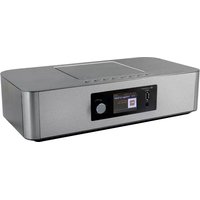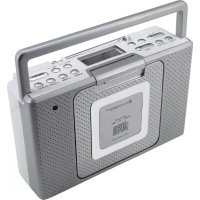
Soundmaster BCD480 - Hi-fi system

BCD480 - Hi-fi system Soundmaster - Free user manual and instructions

Find the device manual for free BCD480 Soundmaster in PDF.

📄 66 pages English EN 💬 AI Question
Notice Soundmaster BCD480 - page 12

Questions des utilisateurs sur BCD480 Soundmaster

0 question sur cet appareil. Repondez a celles que vous connaissez ou posez la votre.

Poser une nouvelle question sur cet appareil

L'email reste privé : il sert seulement à vous prévenir si quelqu'un répond à votre question.

Aucune question pour l'instant. Soyez le premier à en poser une.

Download the instructions for your Hi-fi system in PDF format for free! Find your manual BCD480 - Soundmaster and take your electronic device back in hand. On this page are published all the documents necessary for the use of your device. BCD480 by Soundmaster.
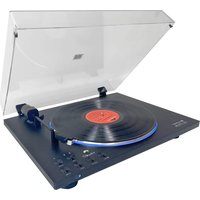
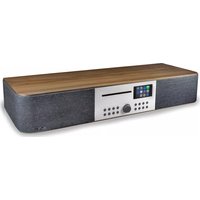
USER MANUAL BCD480 Soundmaster

natural_image Exterior view of a silver portable electronic device with perforated cover and front handle (no visible text or symbols on body)

DEUTSCH

NEDERLANDS ESPANOL

FRANCAIS PORTUGUES

ITALANIO SVENSK

ENGLISH

Hersteller

text_image Technical diagram of a device casing with numbered components for identification

Soundmaster BCD480 - 1

text_image 22 20

Soundmaster BCD480 - 2

text_image 17 18 19

Do not dispose of this product with the normal household waste at the end of its life cycle. Return it to a collection point for the recycling of electrical and electronic devices. This is indicated by the symbol on the product, user manual or packaging.

The materials are reusable according to their markings. By reusing, recycling or other forms of utilization of old devices you make an important contribution to the protection of our environment.

Please contact your local authorities for details about collection points.

Soundmaster BCD480 - 3

text_image CLASS 1 LASER PRODUCT KLASS 1 LASER APPARAT LUOKEN 1 LAISERLAITE KLASSE 1 LASER PRODUKT

CAUTION - INVISIBLE LASER RADIATION WHEN OPENING THE COVER OR PRESSING THE SAFETY INTERLOCK. AVOID EXPOSURE TO THE LASER BEAM.

Soundmaster BCD480 - CAUTION - INVISIBLE LASER RADIATION WHEN OPENING THE COVER OR PRESSING THE SAFETY INTERLOCK. AVOID EXPOSURE TO THE LASER BEAM. - 1

Caution: To reduce the risk of electric shock, do not remove the cover (or back). There are no user serviceable parts inside. Refer servicing to qualified service personnel.

WARNING

Risk of electric shock Do not open!

Soundmaster BCD480 - WARNING - 1

Soundmaster BCD480 - WARNING - 2

This symbol indicates the presence of dangerous voltage inside the enclosure, sufficient enough to cause electric shock.

Soundmaster BCD480 - WARNING - 3

This symbol indicates the presence of important operating and maintenance instructions for the device.

Safety, Environmental and Setup Instructions

  • Use the device in dry indoor environments only.
  • Protect the device from humidity.
    • Do not open the device. RISK OF ELECTRIC SHOCK! Refer opening and servicing to qualified personnel.
  • Connect this device to a properly installed and earthed wall outlet only. Make sure the mains voltage corresponds with the specifications on the rating plate.
    • Make sure the mains cable stays dry during operation. Do not pinch or damage the mains cable in any way.
  • Disconnect device warning: Main plug is used as the connection, so it should always remain ready operate.
    • The mains plug is used as the disconnect device, the disconnect device shall remain readily operable.
    • A damaged mains cable or plug must immediately be replaced by an authorized service center.
  • In case of lightning, immediately disconnect the device from the mains supply.
    • Children should be supervised by parents when using the device.
  • Clean the device with a dry cloth only.

Do NOT use CLEANING AGENTS or ABRASIVE CLOTHS!

  • Do not expose the device to direct sunlight or other heat sources.
    • Install the device at a location with sufficient ventilation in order to prevent heat accumulation.
  • Do not cover the ventilation openings!
    • The ventilation should not be impeded by covering the ventilation openings with items, such as newspaper, table-cloths, curtains, etc.
  • It shall be not be exposed to dripping or splashing and that no objects filled with liquids, such as vases, shall be placed on the apparatus.
    • The unit should not be exposed to direct sunlight, very high or low temperature, moisture, vibrations or placed in dusty environment.
    • Never attempt to insert wires, pins or other such objects into the vents or opening of the unit.
    • Install the device at a safe and vibration-free location.
  • No naked flame sources, such as lighted candles, should be placed on the apparatus.
    • Install the device as far away as possible from computers and microwave units; otherwise radio reception may be disturbed.
  • Do not open or repair the enclosure. It is not safe to do so and will void your warranty. Repairs only by authorized service/ customer center.
  • The device is equipped with a "Class 1 Laser". Avoid exposure to the laser beam as this could cause eye injuries.
  • Only use mercury and cadmium-free batteries.
  • Batteries shall not be exposed to excessive heat such as sunshine, fire or the like.
  • Used batteries are hazardous waste and NOT to be disposed of with the household waste!!! Return the batteries to your dealer or to collection points in your community.
  • Keep batteries away from children. Children might swallow batteries. Contact a physician immediately if a battery was swallowed.
  • Check your batteries regularly to avoid battery leakage.

Soundmaster BCD480 - Safety, Environmental and Setup Instructions - 1

Used batteries are hazardous waste and NOT to be disposed of with the household waste! As a consumer you are legally obligated to return all batteries for environmentally responsible recycling – no matter whether or not the batteries contain harmful substances ^* .

Return batteries free of charge to public collection points in your community or to shops selling batteries of the respective kind.

Only return fully discharged batteries.

*) marked Cd = cadmium, Hg = mercury, Pb = lead

CONTROL KEYS

Soundmaster BCD480 - CONTROL KEYS - 1

text_image ① ② ③ ④ ⑨ ⑩ ⑪ ⑫ - VOLUME + POWER FUNCTION NAME ⑤ ⑥ ⑦ ⑧ WIDE/AVI/AND VIL/FIX ALUM ALUM2 TOLER/MINER+ 13 14 15 16

Soundmaster BCD480 - CONTROL KEYS - 2

text_image Technical diagram of a device casing with numbered components for identification

Soundmaster BCD480 - CONTROL KEYS - 3

text_image 22 20

Soundmaster BCD480 - CONTROL KEYS - 4

text_image 17 18 19
  1. VOLUME-
  2. VOLUME +
  3. PLAY/PAUSE
  4. STOP
  5. POWER
  6. FUNCTION
  7. TUNE-
  8. TUNE +
  9. LCD DISPLAY
  10. MODE/RPT/RND
  11. TIME/SET
  12. SNOOZE/SLEEP
  13. ALARM 1

  14. ALARM 2

  15. FOLDER/MEMORY -
  16. FOLDER/MEMORY +
  17. DC JACK
  18. HEADPHONE JACK
  19. AUX IN SOCKET
  20. CD COMPARTMENT
  21. LID OF BATTERY COMPARTMENT
  22. CD DOOR LOCK
  23. TELESCOPIC ANTENNA
  24. BATTERY COMPARTMENT LOCK
  25. HANDLE

POWER SOURCES

POWER SUPPLY

  • Connect the DC external adaptor supplied (see battery compartment if necessary) to a properly installed 230 V/50 Hz safety power socket and the DC JACK (17) of the machine.
    • Ensure that the voltage is the same as that indicated on the model identification plate.
    • Make sure that the external adaptor inlet is fully inserted into the appliance.

Note: During CD/MP3 playback operation

The device features an automatic switch-off function in order to keep the energy consumption low. 10 minutes after entering stop mode, e.g. when CD playback has been stopped, the device will turn off. In order to switch the device back on again, press the POWER button (15).

INSERTING THE BATTERIES (not supplied)

  • Release the battery compartment lock (24)
  • Open the lid of the battery compartment (21) on the bottom.
  • Insert batteries of type 6 x 1.5 V "C" size/UM-2/R14 batteries. Please ensure that the polarity is correct to avoid damage to the appliance (see the floor of the battery compartment)!
    • If the device is not used for a long period of item, remove the batteries to avoid the spilling of battery acid.
  • Then close the battery lid.

Notes:

• Use batteries of the same type. Never use different types of batteries together.
- When DC external adaptor is connected the batteries are automatically switched off.

HEADPHONE JACK

For headphone operation, use a headphone set with a 3.5 mm stereo jack plug plugged into the headphone jack. The speakers are switched off.

TIME SETTING (IN STANDBY MODE)

• In POWER OFF mode, press and hold TIME/SET (11), then the HOUR of clock display will blink.
• Press TUNE- (7) or TUNE+ (8) to set the hour.
• After set the hour, then press TIME/SET (11) to confirm the hour setting, the MINUTE of clock display will blink.
• Press TUNE- (7) or TUNE+ (8) to set the minute.
- Press TIME/SET (11) again when finished the setting.
• LCD display won't blink and the time clock is set.

Note: The preset stations will be lost if the power is interrupted.

Scanning Stations

  • Press POWER (1) to turn on the unit.
  • Press FUNCTION (2) to select "RAD" in radio mode.
    • Press TUNE- (7) or TUNE+ (8) to tune the radio frequency,
    • The radio frequency shows on the LCD display.
  • Press and hold TUNE- (7) or TUNE+ (8) for 2 seconds. If you keep the pressing TUNE+/TUNE- button, then the device will search to the next, or previous radio station. The display will show the respective frequency.
    • For better reception, reorient the TELESCOPIC ANTENNA (23) direction.
    • The volume of radio is default in level 15.

  • Press VOLUME- (1) to decrease the volume, the minimum level of volume is level 0.

  • Press VOLUME+ (2) to increase the volume, the maximum level of volume is level 30.

Presetting radio stations

The device can preset up to 20 radio stations. To preset a station, follow the steps below:

  1. Search for a station as described in "Scanning stations".
  2. Press MODE/RPT/RND (10) enter into preset mode, the LCD DISPLAY (9) with the wordings "PROG" will flash, and the preset number P01 will show on the LCD display.
  3. Press FOLDER/MEMORY - (15) or FOLDER/MEMORY+ (16) to select your desired memory number P01 to P20.
  4. Press MODE/RPT/RND (10) again to confirm your memory setting, PROG will stop flash and the radio frequency of your preset station will display.
  5. Repeat the above steps, you can store your desired stations.

Recalling preset radio stations

  1. Select the preset location with the FOLDER/MEMORY + (16) or FOLDER/MEMORY - (15) buttons.

Automatic stations scan

  1. Search for a station as described in "Scanning stations".
  2. Press MODE/RPT/RND (10) enter into preset mode, the LCD DISPLAY (9) with the wordings "PROG" will flash, and the preset number P01 will show on the LCD display.
  3. Press PLAY/PAUSE (3) once, it will automatically scan all radio stations and store 20 preset stations.

Note:

• The scan will only stop after all 20 preset locations have been filled.
• The order cannot be changed once set.

PLAYING CD/MP3

  • Press POWER (1) to turn on the unit.
  • Press FUNCTION (2) to select mode in "CD" to play CD disc.
  • Release CD DOOR LOCK (22), open the CD COMPARTMENT (20) and place a CD/MP3 disc with the label face to you in the CD compartment.
  • Close the CD door and compress the CD door lock.
    • After a few seconds the total number of songs/tracks is shown in the display.

Note: In the case of CD in MP3 format the number of folders is briefly displayed at first.

• The CD will play from the first title. The current track and the CD or MP3 message are shown on the display.

Note: With CD in MP3 format the current track and folder are shown alternately in the display.

  • The volume of radio is default in level 15.
  • LCD display shows "CD" and the CD track when playing CD disc.
  • During CD playback, press PLAY/PAUSE (3) to pause CD playing and press PLAY/PAUSE (3) again to resume playback.
  • Press TUNE+ (8) once to the next track or press and hold TUNE+ (8) when playing until you find your desired track.
  • Press TUNE- (7) once to back to previous track or press and hold TUNE- (7) when playing until you find your desired track.
  • Press STOP (4) to stop CD playback.
  • Press VOLUME- (1) to decrease the volume, the minimum level of volume is level 0. Press VOLUME+ (2) to increase the volume, the maximum level of volume is level 30.

Always keep the CD deck closed.

Note:

  • If no disc is inserted, the message "NO" appears on the display.
  • If a disc inserted incorrectly, the message "Err" appears on the display.
  • Playback of CDs produced by the user cannot be guarantee due to large variety of software ad CD media available.

When an audio CD, or a CD in MP3 format is playing:

Press MODE/RPT/RND (10) once

= REPEAT ONE will show on the LCD display. The current track is repeated continuously. "REPEAT" will keep blinks in the LCD display.

Press MODE/RPT/RND (10) twice

= REPEAT ALL will show on the LCD display. The whole CD disc is played continuously. "REPEAT" will keep show in the LCD display.

Press MODE/RPT/RND (10) three times

= RAND will show on the LCD display. The songs on CD disc will play randomly. "RAND" will keep show in the LCD display.

Press MODE/RPT/RND (10) four times

= All functions are cancelled. The normal play mode is resumed.

Only for CDs in MP3 format or files which are playing:

Press MODE/RPT/RND (10) once

= REPEAT ONE will show on the LCD display. The current track is repeated continuously. "REPEAT" will keep blinks in the LCD display.

Press MODE/RPT/RND (10) twice

= REPEAT FOLDER will show on the LCD display. The selected folder of the MP3 CD is repeated continuously. "REPEAT FOLDER" will keep show in the LCD display.

Press MODE/RPT/RND (10) three times

= REPEAT ALL will show on the LCD display. The whole CD is played continuously. "REPEAT" will keep show in the LCD display.

Press MODE/RPT/RND (10) four times

= RAND will show on the LCD display. The songs on CD disc will play randomly. "RAND" will keep show in the LCD display.

Press MODE/RPT/RND (10) five times

= All functions are cancelled. The normal play mode is resumed.

PROGRAMMED PLAY

This can be used to program any desired sequence of tracks.

  • Press STOP (4) for 2 seconds to stop playback.
  • Press MODE/RPT/RND (10). P01 appears on the display and PROG flashes on the display. Use the TUNE- or TUNE+ to select the desired track then press the MODE/RPT/RND (10) again. The display changes to memory slot P02.
  • Select the next track with TUNE+/TUNE- buttons and press MODE/RPT/RND button again. Repeat the procedure until all desired tracks selected.
  • Press PLAY/PAUSE button (3). The playback starts. The first selected track number is shown on the display, the message CD or MP3 and PROG is shown on the display.
  • Press STOP (4) button will stop playback but not delete the memory.
    • To play the programme back again, press PLAY/PAUSE button.
    • In order to delete the memory, press 2x STOP button. The PROG icon will disappear.

The device stops automatically once the entire sequence of programmed tracks is completed. The programmed sequence is kept in memory until you switch to a different mode or until the CD is removed or the unit is switched off.

PLAYING BACK MUSIC IN MP3 FORMAT

With this device it is possible to play back pieces of music in MP3 format. The device also supports all standard CD types: CD, CD-RW, CD-R.

This machine is able to play MP3 CDs. Up to 200 tracks can be compressed and stored these CDs. This CD player detects an MP3 CD automatically (the total number of tracks and MP3s appears the display). If you would like to play one of These CDs, proceed as described under "Playing CDs/MP3". Tracks can be programmed as described under "Playing Back Programmed Tracks".

Please note:

There are a number of different recording and compression methods, as well as quality differences between CDs and self-recorded CDs.

Furthermore, the music industry does not adhere to fixed standards (copy protection).

For these reasons it is possible that in rare cases there are problems with the playback of CDs and MP3 CDs. This is not a malfunction of the device.

SETTING THE ALARM TIME

You can set up to 2 alarms. As follows:

  1. In clock display mode, press the ALARM 1 button (13), 0:00 ALM 1 icon appears on the display. If you press the ALARM 2 (14), 0:00 ALM 2 icon will appear in the display.
  2. Press TUNE- (7) or TUNE+ (8) to set the desired alarm hour, then press ALARM 1 (13) to confirm the hour of the alarm time and the minute of alarm clock will flash.
  3. Press TUNE- (7) or TUNE+ (8) to set the desired alarm minute, then press ALARM 1 (13) to confirm the minute of the alarm time.
  4. After you have decided on an alarm time, select the alarm signal with TUNE+/TUNE- button.

- With regard to the alarm, you can choose between buzzer "BUZ", radio "RAD" and CD "CD" by pressing TUNE+/TUNE- button.

Soundmaster BCD480 - SETTING THE ALARM TIME - 1

= Upon reaching the alarm time, a buzzer will sound.

Soundmaster BCD480 - SETTING THE ALARM TIME - 2

= When the alarm time has been reached, the selected radio station will play.

CD

= When the alarm has been reached, the track 01 of CD/MP3 disc will play.

  1. If you have selected RAD as the alarm signal, choose desired radio station location with TUNE+/TUNE- to set your desired radio preset stations, selecting from P01 to P20.

Notes:

  • When the device in BUZ as the alarm signal and turn on, if no button being pressed, the BUZ alarm will automatically off after 1 minute.
  • When the device in RAD or CD as the alarm signal and turn on, if no button being pressed, the RAD/CD alarm will automatically off after 1 hour.

Snooze function

The automatic alarm can be switched off using the SNOOZE/SLEEP button (12) for approx. 9 minutes. The ALARM icon will flash on the display.

Snooze function will be stopped after 3 times Snooze.

Disabling the alarm

  1. Press the ALARM 1/ALARM 2 until the alarm time that you want to deactivate is shown.
  2. Select the display with TUNE+/TUNE- button. The alarm time has been deactivated.

Sleep function

• If you want to listen the radio while fall asleep. You can press SLEEP (12) to set the sleep time.
• With the radio on, press SNOOZE/SLEEP (12) to enter into sleep mode.
- Number "90" shows on the LCD display (9), it states 90 minutes of sleep time and to be set in sequence 90/80/70/60/50/40/30/20/10/OFF.
- Press SNOOZE/SLEEP (12) to choose your desired sleep time, the sleep timer will change by 10 minutes each time you press the SLEEP button (4). SLEEP icon will display on the LCD display.
• The unit will stop playing when the timer countdowns from preset sleep time to the end and then switch off by itself.
• This function can be cancelled with the POWER button (5).

AUX IN SOCKET

  1. Connect the external device with a 3.5 mm stereo jack plug to the AUX-IN socket (19).
  2. Press POWER (1) to turn on the unit.
  3. Press FUNCTION (2) to select mode in "AUX".
  4. Through the speakers, you can hear the playback of the sound from external device; with the VOLUME +/VOLUME-you can change the volume. The volume of radio is default in level 15. The minimum level of volume is level 0 and the maximum level of volume is level 30.

Note:

  • Adjust the volume of the external device to a conformable level.
    • After ca. 10 minutes without signal, the device will automatically switch standby.

TECHNICAL FEATURES

FREQUENCY RANGE: FM 87.5-108 MHz

POWER SOURCE: AC 230 V \~ 50 Hz 5 W

BATTERY POWER: DC 9 V, 6 x SIZE C (BATTERIES NOT INCLUDED)

Specifications are subject to change without further notice.

text_image Technical diagram of a device casing with numbered components for identification

Soundmaster BCD480 - TECHNICAL FEATURES - 1

text_image 22 20

Soundmaster BCD480 - TECHNICAL FEATURES - 2

text_image 17 18 19
  1. VOLUMEN -
  2. VOLUMEN +
  3. REPRODUCIR/PAUSAR
  4. PARAR
  5. ENCENDIDO
  6. FUNCIÓN
  7. SINTONIZAR -
  8. SINTONIZAR +
  9. PANTALLA LCD
  10. MODO/RPT/RND
  11. HORA/AJUSTAR
  12. RETARDO ALARMA/APAG. AUTO
  13. ALARMA 1

  14. ALARMA 2

  15. CARPETA/MEMORIA -
  16. CARPETA/MEMORIA +
  17. CONECTOR ALIMENTACIÓN CC
  18. CONECTOR AURICULARES
  19. ENTRADA AUX
  20. COMPARTIMIENTO DEL CD
  21. TAPA DEL COMPARTIMIENTO DE LAS PILAS
  22. CIERRE DEL CD
  23. ANTENA TELESCÓPICA
  24. CIERRE DEL COMPARTIMIENTO DE LAS PILAS
  25. ASA
text_image Technical diagram of a device casing with numbered components for identification

Soundmaster BCD480 - TECHNICAL FEATURES - 3

text_image 22 20

Soundmaster BCD480 - TECHNICAL FEATURES - 4

text_image 17 18 19
  1. VOLUME-
  2. VOLUME +
  3. LECTURE/PAUSE
  4. STOP
  5. MARCHE/ARRÊT
  6. FONCTION
  7. RÉGLAGE -
  8. RÉGLAGE +
  9. ÉCRAN LCD
  10. MODE/RÉPÉTITION/ALÉATOIRE
  11. HEURE/RÉGLAGE
  12. ARRÊT MOMENTANÉ/SOMMEIL
  13. ALARME 1

  14. ALARME 2

  15. DOSSIER/MÉMOIRE -
  16. DOSSIER/MÉMOIRE +
  17. PRISE JACK CC
  18. PRISE JACK CASQUE
  19. PRISE ENTRÉE AUXILIAIRE (AUX IN)
  20. COMPARTIMENT CD
  21. COUVERCLE DU COMPARTIMENT À PILES
  22. LOQUET DU COMPARTIMENT CD
  23. ANTENNE TÉLESCOPIQUE
  24. LOQUET DU COMPARTIMENT À PILES
  25. POIGNÉE

SOURCES D'ALIMENTATION

ALIMENTATION

INSERTION DES PILES (non fournies)

natural_image Silhouette of a person using a ladder to lift a flag, enclosed in a circular frame (no text or symbols)
text_image Technical diagram of a device casing with numbered components for identification

Soundmaster BCD480 - INSERTION DES PILES (non fournies) - 1

text_image 22 20

Soundmaster BCD480 - INSERTION DES PILES (non fournies) - 2

text_image 17 18 19
  1. VOLUME -
  2. VOLUME +
  3. RIPRODUZIONE/PAUSA
  4. STOP
  5. ALIMENTAZIONE
  6. FUNZIONE
  7. SINTONIA -
  8. SINTONIA +
  9. DISPLAY LCD
  10. MODALITÀ/RIPETI/RIPR. CASUALE
  11. ORA/IMPOSTAZIONE
  12. DISATTIVAZIONE TEMPORANEA DELLA SVEGLIA (SNOOZE)/SLEEP
  13. SVEGLIA 1

  14. SVEGLIA 2

  15. CARTELLA/MEMORIA -
  16. CARTELLA/MEMORIA +
  17. PRESA CC
  18. PRESA CUFFIE
  19. INGRESSO AUX IN
  20. VANO CD
  21. COPERCHIO VANO BATTERIE
  22. BLOCCO SPORTELLO CD
  23. ANTENNA TELESCOPICA
  24. BLOCCO VANO BATTERIE
  25. MANIGLIA
text_image Technical diagram of a device casing with numbered components for identification

Soundmaster BCD480 - INSERTION DES PILES (non fournies) - 3

text_image 22 20

Soundmaster BCD480 - INSERTION DES PILES (non fournies) - 4

text_image 17 18 19
  1. VOLUME -
  2. VOLUME +
  3. AFSPELEN/PAUZE
  4. STOP
  5. AAN/UIT
  6. FUNCTIE
  7. AFSTEMMEN -
  8. AFSTEMMEN +
  9. LCD-SCHERM
  10. MODUS/HRH/WLK
  11. TIJD/INSTELLEN
  12. SLUIMER/SLAAP
  13. ALARM 1

  14. ALARM 2

  15. MAP/GEHEUGEN -
  16. MAP/GEHEUGEN +
  17. GELIJKSPANNINGSAANSLUITING
  18. HOOFDTELEFOONAANSLUITING
  19. AUX-INGANG
  20. CD-VAK
  21. DEKSEL VAN HET BATTERIJVAK
  22. VERGRENDELING VOOR HET KLEPJE VAN HET CD-VAK
  23. TELESCOPISCHE ANTENNE
  24. VERGRENDELING BATTERIJVAK
  25. HANDGREEP

VOEDINGSBRONNEN

STROOMVOORZIENING

text_image CLASS 1 LASER PRODUCT KLASS 1 LASER APPARAT LUOKEN 1 LAISERLAITE KLASSE 1 LASER PRODUKT

CUIDADO – RADIAÇÃO LASER INVISÍVEL QUANDO ABRIR A TAMPA OU PREMIR O FECHO DE SEGURANÇA. EVITE EXPOSIÇÃO AO FEIXE LASER.

Soundmaster BCD480 - CUIDADO – RADIAÇÃO LASER INVISÍVEL QUANDO ABRIR A TAMPA OU PREMIR O FECHO DE SEGURANÇA. EVITE EXPOSIÇÃO AO FEIXE LASER. - 1

AVISO

text_image Technical diagram of a device casing with numbered components for identification

Soundmaster BCD480 - AVISO - 1

text_image 22 20

Soundmaster BCD480 - AVISO - 2

text_image 17 18 19
  1. VOLUME-
  2. VOLUME +
  3. REPRODUZIR/PAUSA
  4. PARAR
  5. LIGAR
  6. FUNÇÃO
  7. SINTONIZAR-
  8. SINTONIZAR +
  9. VISOR LCD
  10. MODO/RPT/RND
  11. HORA/DEF
  12. VIBRAR/SILÊNCIO
  13. ALARME 1

  14. ALARME 2

  15. PASTA/MEMÓRIA -
  16. PASTA/MEMÓRIA +
  17. TOMADA DC
  18. TOMADA DE AUSCULTADORES
  19. TOMADA AUX IN
  20. COMPARTIMENTO CD
  21. TAMPA DO COMPARTIMENTO DAS PILHAS
  22. FECHO DA PORTA DO CD
  23. ANTENA TELESCÓPICA
  24. FECHO DO COMPARTIMENTO DAS PILHAS
  25. PEGA
text_image CLASS 1 LASER PRODUCT KLASS 1 LASER APPARAT LUOKEN 1 LAISERLAITE KLASSE 1 LASER PRODUKT

VARNING - OSYNLIG LASERSTRÅLNING NÄR DU ÖPPNAR LOCKET ELLER TRYCKER PÅ SÄKERHETSSPÄRREN. UNDVIK EXPONERING FÖR LASERSTRÅLEN.

Soundmaster BCD480 - VARNING - OSYNLIG LASERSTRÅLNING NÄR DU ÖPPNAR LOCKET ELLER TRYCKER PÅ SÄKERHETSSPÄRREN. UNDVIK EXPONERING FÖR LASERSTRÅLEN. - 1

WARNING

*) markerade Cd = kadmium, Hg = kvicksilver, Pb = bly

KONTROLLKNAPPAR

Soundmaster BCD480 - KONTROLLKNAPPAR - 1

text_image ① ② ③ ④ ⑨ ⑩ ⑪ ⑫ - VOLUME + POWER FUNCTION NAME ⑤ ⑥ ⑦ ⑧ WIDE/AVI/AND VIL/FIX ALUM ALUM2 TOLER/MINER+ 13 14 15 16

Soundmaster BCD480 - KONTROLLKNAPPAR - 2

text_image Technical diagram of a device casing with numbered components for identification

Soundmaster BCD480 - KONTROLLKNAPPAR - 3

text_image 22 20

Soundmaster BCD480 - KONTROLLKNAPPAR - 4

text_image 17 18 19
  1. VOLYM -
  2. VOLYM +
  3. SPELA/PAUS
  4. STOPP
  5. STRÖMTILLFÖRSEL
  6. FUNKTION
  7. INSTÄLLNING -
  8. INSTÄLLNING +
  9. LCD-DISPLAY
  10. SÄTT/RPT/RND
  11. TID/SET
  12. SNOOZE/SOV
  13. ALARM 1

  14. ALARM 2

  15. MAPP/MINNE -
  16. MAPP/MINNE +
  17. DC-UTTAG
  18. HÖRLURSUTTAG
  19. AUX IN -UTTAG
  20. CD-FACK
  21. LOCK TILL BATTERIFACK
  22. LÀS TILL CD-LUCKA
  23. TELESKOPISK ANTENN
  24. LÅS TILL BATTERIFACK
  25. HANDTAG

STRÖMKÄLLOR

STRÖMFÖRSÖRJNING

FREKVENSOMRÅDE: FM 87,5-108 MHz

STRÖMKÄLLA: AC 230 V \~ 50 Hz 5 W

BATTERIDRIFT: DC 9 V, 6 x STORLEK C (BATTERIER MEDFÖLJER EJ)

Manual assistant
Powered by ChatGPT
Waiting for your message
Product information

Brand : Soundmaster

Model : BCD480

Category : Hi-fi system