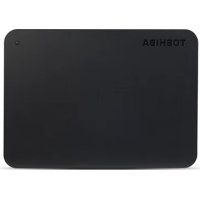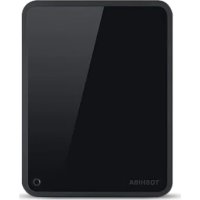
StorE Steel - External hard drive TOSHIBA - Free user manual and instructions
Find the device manual for free StorE Steel TOSHIBA in PDF.


User questions about StorE Steel TOSHIBA
0 question about this device. Answer the ones you know or ask your own.
Ask a new question about this device
Download the instructions for your External hard drive in PDF format for free! Find your manual StorE Steel - TOSHIBA and take your electronic device back in hand. On this page are published all the documents necessary for the use of your device. StorE Steel by TOSHIBA.
USER MANUAL StorE Steel TOSHIBA
Check the Components. 4
Safety Instructions 5
System Requirements 7
Installing the drive 8
Connecting the drive to your computer .9
Dismount and disconnect the drive .... 10
Further Advise. 11
Frequently Asked Questions 12
Troubleshooting 14
TOSHIBA Support 16
Regulatory Information 16
Notices 20
Thank you for choosing our TOSHIBA STORE steel USB Hard Disk Drive.
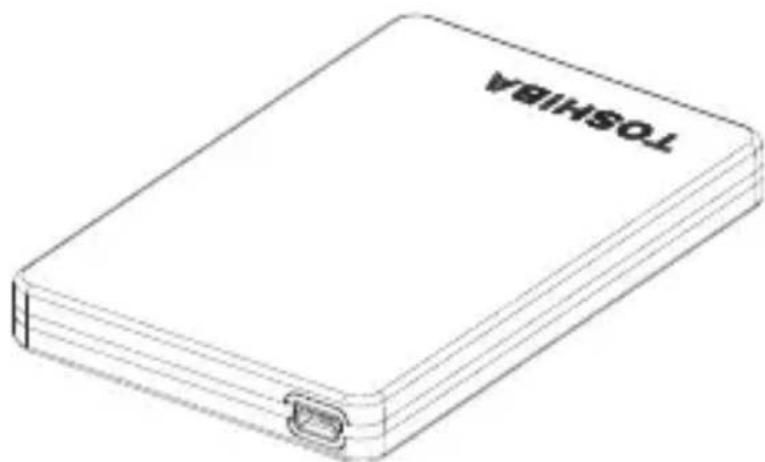
This product has been designed and manufactured in accordance with Toshiba's high quality product standards, by incorporating the latest technology and user-interface, whilst ensuring best-in-class performance, quality, workmanship and environmental friendly protection.
Please read this User's Manual carefully, as it contains all relevant information for installation, usage and maintenance of the drive, as well as security and safety advice.
In case it does not behave as expected, please refer to the "Frequently Asked Questions" section at the end of this manual.
- Check The Component
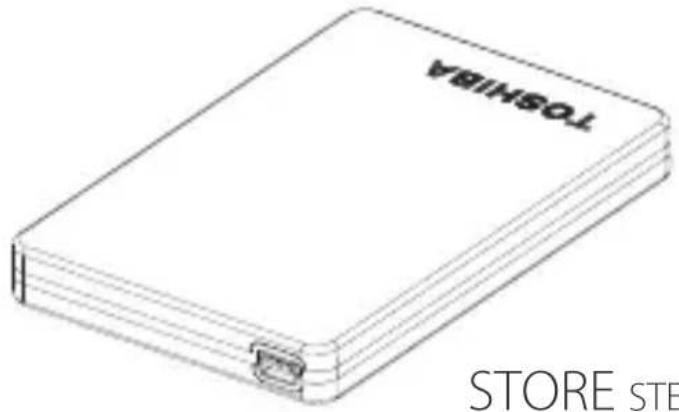
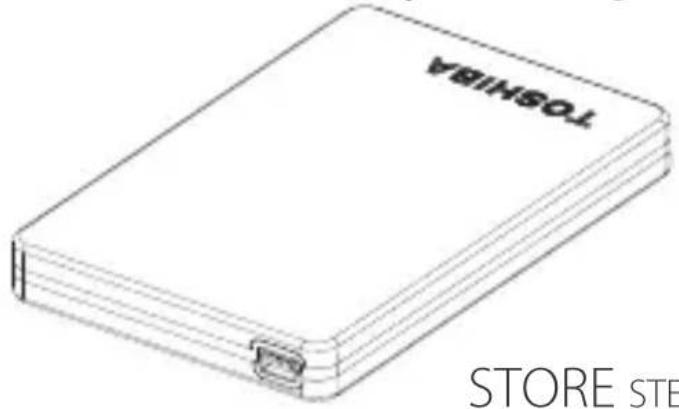
STORE STEEL 1.8''*
*Note:
Under certain lighting conditions like neon lighting, some color effects may be visible on the surface of the casing. This is not due to a defective product but due to the material used and the UV coating to protect the product from scratches.
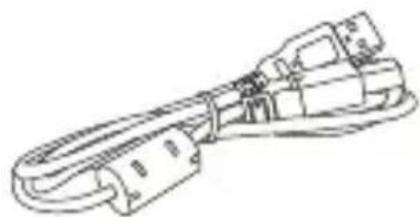
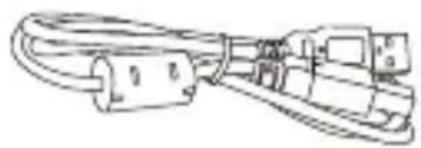
USB CABLE
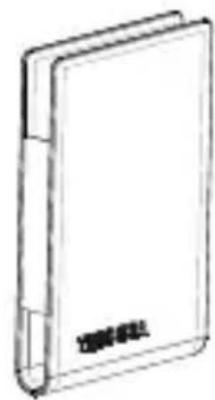
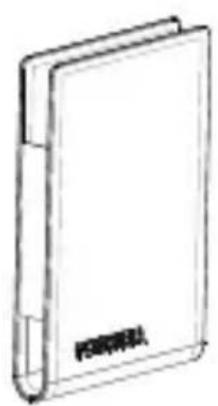
POUCH
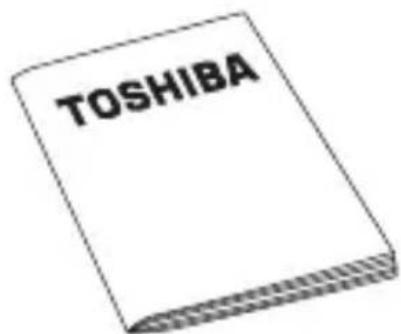
QUICK START GUIDE
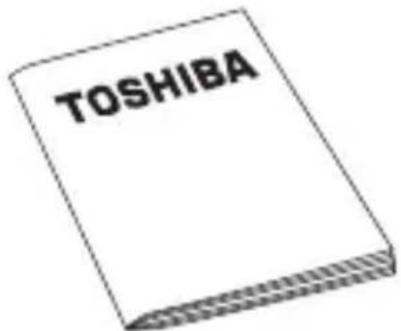
WARRANTY LEAFLET
This User's Manual is uploaded on the drive itself. We recommend to backup the User's Manual onto a CD or your local hard disk drive, directly after the drive being installed.
In order to avoid malfunction or damage of the drive, please carefully follow the precautions listed below.
- Make sure that you backup all your data on the drive, as Toshiba is not responsible for data corruption or data loss. Toshiba will not cover any data recovery cost.
- Do not
- open the enclosure or drive
disassemble the drive or parts of it - place liquids near or on the drive, as it may damage the drive, cause personal injury or may result in an electrical shock or fire
- bump, drop or jar the drive
- move the drive while operating, as data damage may happen
- use other connectors than USB 2.0 bus powered types
- disconnect cables while operating. Please dismount the drive first!
- expose the drive to temperatures outside the range of 5^ - 40^ C while operating, and temperatures of -20^ - 60^ C while switched off
- expose the drive to wet or damp conditions
- cover the drive during operation, as it may become overheated
-
place the drive close to hot appliances
-
Immediately disconnect the drive if
-
smoke or an unusual smell is coming from the drive enclosure
water has entered the drive enclosure or if it becomes wet - an object has entered the drive enclosure
- the cable has been damaged (in such case replace the cable with a new one)
If the drive behaves not as expected or you have doubts about the electrical safety, please contact immediately the TOSHIBA hotline or an authorised reseller!
- SySTEM rEqUIrEMENTS
- Windows XP / VISTA
CPU with 750 MHz or faster - 10 MB system hard disk space
256 MB system memory - USB port
INSTALLING ThE drlvE
Some information about bus-powered operation and the supplied USB cable:
- Your drive is bus-powered. Therefore, there is no need to connect an external power supply as all needed current will be supplied by the connected USB port.
Passive USB hubs or USB connectors like keyboards, mice or similar products cannot be used or connected to the drive. - Make sure that the connectors will be inserted correctly.
- Never use pressure for connecting the cables. Check the polarity before connecting!
- CONNECTING The drive to your Computer
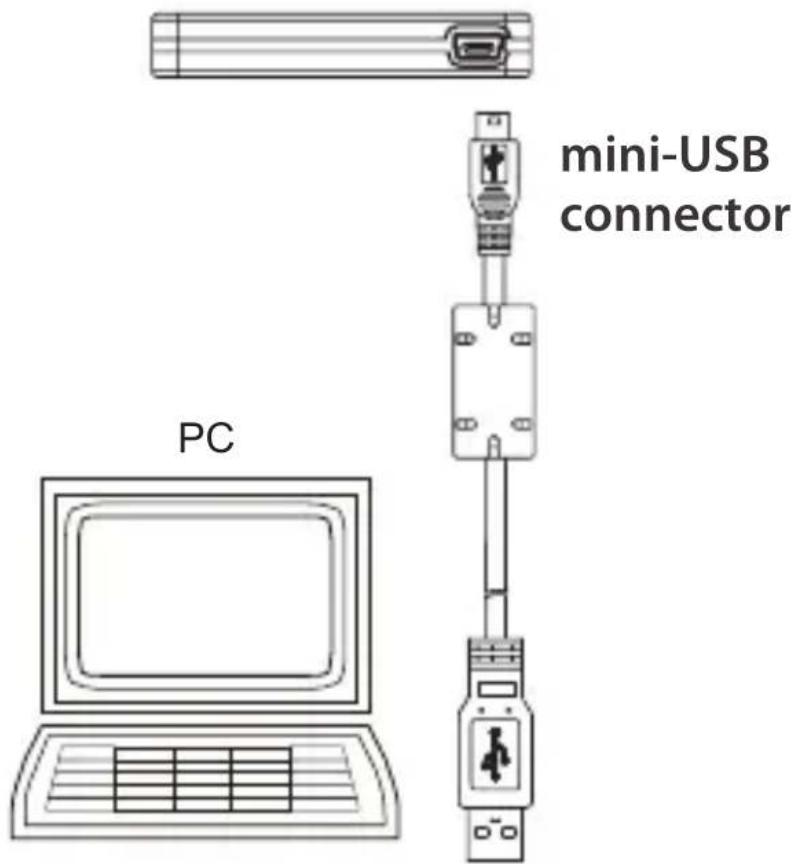
USB type A connector
(plug into your computer)
- With your computer powered on and fully booted up, plug the primary USB type A connector into a USB port of your host system, or an active USB HUB.
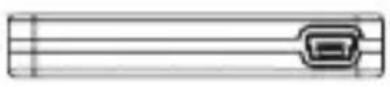
- Now, plug in the mini-USB connector into the corresponding port of the drive itself.
Immediately,
- the Power/Data indicator light will illuminate
the drive will power up - the drive should mount and a new drive icon should appear in "My Computer"
DISMOUNT AND DISCONNECT The drive
It is strongly recommended not to unplug the drive by just unplugging the cable connection as it may be that data is written to the drive at that time.
Such data will be lost and the drive may be damaged physically!
Please follow the steps below for a safe dismount of the drive:
- Click the "Safely Remove - icon"
A pop-up message box will appear listing the external devices connected to your computer. - Select the TOSHIBA drive.
After a few seconds, you will get the notification that it is now safe to remove the device. - Click "OK" and you can unplug the drive now.
Cleaning the drive case / enclosure
Before cleaning the drive, make sure that it's physically disconnected from the computer. We suggest to use standard products for cleaning it and to make sure that possible remaining liquid on the surface will be wiped off.
FUrThEr AdvISE
For any further action of normal operation such as renaming the drive, backup data, or file management, we suggest to read your operation system user's manual.
Also for maintenance tasks such as defragmenting and optimisation we suggest to refer to the operating system user's manual.
We also strongly suggest having anti-virus software installed to protect your data against intended damage caused by virus or Trojan programs.
FrEquENTly ASkEd qQUESTIONS
Q: Do I need to format my drive after installation?
A: No, as the drive is already formatted during the manufacturing process
Q: Do I need USB drivers for Windows Vista, XP?
A: No, they are already available with your operating system.
Q: Can I boot my system from the drive?
A: No, because Windows does not support booting from external hard disk drives.
Q: Why doesn't the drive need a fan?
A: The drives are designed to have optimal heat dissipation, and therefore no fan is required. This results in a near silent operation.
Q: Why is the capacity of my drive (as shown in Windows) lower than the drives actual stated capacity?
A: This difference can be explained because of the different methods of calculating the capacity. Hard drive manufacturers calculate on the decimal system, while the operating system calculates in the binary system.
Example decimal:
1GB = 1.000MB = 1.000.000KB = 1.000.000.000 bytes
Example binary:
1GB = 1.024MB = 1.048.576KB = 1.073.741.824 bytes.
As a result, a 120GB (decimal) hard disk appears in Windows to have just 112GB (binary)
Q: Can I use my drive to copy an operating system from one computer to another?
A: No, you must follow the operating system supplier instructions for installation. A simple copy does not work.
Q: Does Toshiba offer a data recovery services?
A: No, Toshiba does not provide such data recovery services.
Q: My Drive does not power up even though the cables are connected properly.
A: Try another USB port at your host system or Please check if a so called "Y-cable" solves the problem, as some USB ports may not supply sufficient power. Cables can be purchased at electronic parts shops.
- TrOUBLESHOOTING
My computer does not recognize the disk drive at all.
Make sure all of your connections are secure.
If your drive is connected via a USB hub, make sure that it has its own power supply.
- If using an add-on card, make sure it is working properly and update the software/firmware. If using Windows XP make sure you have Service Pack 1 or later.
Is it dangerous if the drive feels warm whilst in operation?
A: This is normal, and therefore not dangerous.
The drive gives me a "Device cannot start.
A: Two possible reasons. It is either a power problem and you should check the connections, or the drive has a malfunction and requires service.
I cannot see my drive in "My Computer", but it does appear in the Device Manager.
A: Follow these instructions:
- Right click on "My Computer".
- Select "Manage" in the pop-up menu.
-
Select "Disk Management". You should see a list of available storage devices.
-
Check, whether your drive is listed.
-
Right click on the right hand box and select "Delete Partition" in the pop-up menu.
-
Right click on the box and select "Create New Partition" in the pop-up menu.
-
Then select "Primary Partition" in the partition wizard window. Click next.
-
A drive letter will be displayed, which you can change. Click next.
-
Confirm to format the drive.
As I try to format the drive, I receive the message "Could not complete format".
A: This can be caused by formatting the drive with FAT file system.
Try "NTFS" file system. This should solve the problem.
The drive seems to be operating slower than 480 Mbps (USB 2.0 specification).
A: Make sure that you are using a USB 2.0 port, and not the old V1.1 standard.
There are some possibilities, like available CPU resources, other connected USB devices at the same time which may cause some slower operation than the ideal 480Mbps/s.
TOSHIBASUppOrT
Need help?
For the latest driver updates, user manuals & FAQs please have a look at the
TOSHIBA options & services support page: computers.toshiba.eu/options-support
Please see computers.toshiba.eu/options-warranty for the TOSHIBA hotline numbers.
rEgULATOry INFOrMATION
CE compliance
C
This product is CE marked in accordance with the requirements of the applicable EU Directives. Responsible for CE marking is Toshiba Europe GmbH, Hammfelddamm 8, 41460 Neuss, Germany. A copy of the official Declaration of Conformity can be obtained from following website: http://epps.toshiba-teg.com.
Working Environment
The Electromagnetic Compliance (EMC) of this product has been verified typically for this product category for a so called Residential, Commercial & Light Industry Environment. Any other working environment has not been verified by Toshiba and
the use of this product in these working environments is maybe restricted or cannot be recommended.
Possible consequences of the use of this product in non verified working environments can be:
Disturbances of other products or of this product in the nearby surrounding area with temporarily malfunction or data loss/corruption as result.
Example of non verified working environments and related advices:
Industrial environment (e.g. where a mains voltage of 380V three-phase is being used mainly): Danger of disturbances of this product due to possible strong electromagnetic fields especially near to big machinery or power units.
Medical environment: The compliance to the Medical Product Directive has not been verified by Toshiba; therefore this product cannot be used as a medical product without further verification. The use in usual office environments e.g. in hospitals should be no problem if there is no restriction by the responsible administration.
Automotive environment: Please search the owner instructions of the related vehicle for advices regarding the use of this product (category).
Aviation environment: Please follow the instructions of the flight personnel regarding restrictions of use.
Additional environments not related to EMC
Outdoor use: As a typical home/office equipment this product has no special resistance against ingress of moisture and is not strong shock proofed.
Explosive atmosphere: The use of this product in such special working environment (Ex) is not allowed.
Following information is only valid for EU-member States:
REACH — Compliance Statement
The new European Union (EU) chemical regulation, REACH (Registration, Evaluation, Authorization and Restriction of Chemicals), entered into force on 1 June 2007.
Toshiba will meet all REACH requirements and is committed to provide our customers with information about the chemical substances in our products according to REACH regulation.
Please consult the following website www.toshiba-europe.com/computers/info/reach for information about the presence in our articles of substances included on the candidate list according to article 59(1) of Regulation (EC) No 1907/2006 ("REACH") in a concentration above 0.1% weight by weight.
Disposal of products
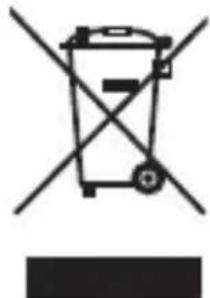
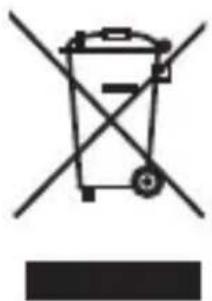
The crossed out wheeled dust bin symbol indicates that products must be collected and disposed of separately from household waste.
The black bar indicates that the product was placed on the market after August 13, 2005.
By participating in separate collection of products, you will help to assure the proper disposal of products and thus help to prevent potential negative consequences for the environment and human health.
For more detailed information about the collection and recycling programmes available in your country, please visit our website (http://eu.computers.toshiba-europe.com) or contact your local city office or the shop where you purchased the product.
NOTICES
© 2009 TOSHIBA Europe GmbH. All rights reserved.
TOSHIBA reserves the right to make technical changes. TOSHIBA assumes no liability for damages incurred directly or indirectly from errors, omissions or discrepancies between this product and the documentation.
The Toshiba name and its logos are registered trademarks of Toshiba. Other trademarks mentioned or appearing in this document are the property of their respective owners. Errors and omissions excepted.
StoreSteel1.8-UM-V2/0409
p
STORE
steel
USB 1.8" プーヒス
PT GR AR
RU HR CZ
RS HU DE
SE IT DK
SK NL ES
SL NO FI
TR PL FR
#
54
52 ...Lg<all
50 ...L
V
A
59 1
.
1
45 .
15
1
1
…
STORE steel USB
Lg 158 Lg gag aagaaal lgs 120 g. pss slll aggag aagaaal Lg gag aagaaal Lg
Jc y 8: aaiy iipn wll Jd j 1000
"
LgKJn
STORE STEEL 1.8"
a 10
USB
Jaa
J
J 1 J 1 J 1 J 1 J 1 J 1 J 1 J 1 J 1 J 1 J 1 J 1 J 1 J 1 J 1 J 1 J 1 J 1 J 1 J 1 J 1 J 1 J 1 J 1 J 1 J 1 J 1 J 1 J 1 J 1 J 1 J 1 J 1 J 1 J
J 1
Jg.
.
i 1
40 1
Jg 1
olggl a-85 aod
4glaaw! gI cuiJU J
JLi pss s ggs
USB 2.0
18gI IJI JI JI JI JI JI
sLijg 2-0 JrJrJrJrJrJrJrJrJrJrJrJr
Lihogagagcog 01-0f--aJg Ljog pss
aBglgAALLgJgJLJIJI JIJI
i
aLwJgJgJgJgJgJgJgJgJgJgJgJgJgJgJgJgJgJgJgJgJgJgJgJgJgJgJgJgJgJgJgJgJgJgJgJgJgJgJgJgJgJgJg
J 1
AALLgI LJIILJLgLJg
LgJg
()
Lg Lg g g Ls
Lg h c Jg JLa 1 y jy: a g s Jd A L
1
p
Windows XP/VISTA
Eg jy JyV0. 4c y
L 1
pIaJbS1bP
USB
USB 5gLJ J
:
JL JI JI JI JI JI JI JI JI JI JI JI JI JI JI JI JI JI JI JI JI JI JI JI JI JI JI JI JI JI JI JI JI JI JI JI JI JI JI JI JI JI JI JI JI JI JI JI JI JI JI J1
Jgolal Jgolal
.
Jg q 11 Jk
J
USB
PC

A g USB
()
USB JgogJg:aljg jJlqsl 1
JgJg USB A gJg wLw
.USB
1 111111111111111111111111111111111111111
Jg
J 8 JLLI LILLIOI ILOI IIOI IIOI IIOI IIOI IIOI
AaHJ 1111111111111111111111
1Lg 1
J 1
Safely Remove
aaii i 1
L
TOSHIBA drive
jIgJJI JIgJIOJIOJIOJIOJIOJIOJIOJIO
.
J 1 J 1 J 1 J 1 J 1 J 1 J 1 J 1 J 1 J 1 J 1 J 1 J 1 J 1 J 1 J 1 J 1 J 1 J 1 J 1 J 1 J 1 J 1 J 1 J 1 J 1 J 1 J 1 J 1
2h wll 1c 8

Lolal a J 1000
J 1
J.
J 1
J 1
a aaa aaa aaa aa aaa aaa aaa aaa aaa aaa aaa aaa aaa aaa aaa aaa aaa aaa aaa aaa aaa aaa aaa aaa aaa aaa aaa aaa aaa aaa aaa aaa aaa aaa aaa aaa aaa aaa aaa aaa aaa aaa aaa aaa aaa aaa aaa aaa aaa aaa aaa aaa aaa aaa aaaa
.
$$ \therefore \text {i} \text {i} \text {i} \text {i} \text {i} \text {i} \text {i} \text {i} \text {i} \text {i} \text {i} \text {i} \text {i} \text {i} \text {i} \text {i} \text {i} \text {i} \text {i} \text {i} \text {i}, $$
$$ \left. \right.\left. \right.\left. \right.\left. \right.\left. \right.\left. \right.\left. \right.\left. \right.\left. \right.\left. \right.\left. \right.\left. \right.\left. \right.\left. \right.\left. \right.\left. \right.\left. \right.\left. \right.\left. \right.\left. \right.\left. \right.\left.\left.\left.\left.\left.\left.\left.\left.\left.\left.\left.\left.\left. \text {一} ^ {\prime} = 1 ^ {\prime} + 1 ^ {\prime} + 1 ^ {\prime} + 1 ^ {\prime} + 1 ^ {\prime} + 1 ^ {\prime} + 1 ^ {\prime} + 1 ^ {\prime} + 1 ^ {\prime} + 1 ^ {\prime} + 1 ^ {\prime} + 1 ^ {\prime} + 1 ^ {\prime} + 1 ^ {\prime} + 1 ^ {\prime} + 0 ^ {\prime} + 1 ^ {\prime} + 1 ^ {\prime} + 1 ^ {\prime} + 1 ^ {\prime} + 1 ^ {\prime} + 1 ^ {\prime} + 1 ^ {\prime} + 1 ^ {\prime} + 1 ^ {\prime} + 1 ^ {\prime} + 1 ^ {\prime} + 1 ^ {\prime} + 1 ^ {\prime} + 1 ^ {2} \right|\right|\right|\right|\right|\right|\right|\right|\right|\right|\right|\right|\right| $$
$$ \text {s X P} \text {g j W i n d o w s V i s t a} \text {m g U S B} \text {d e l t a} \text {b r a n g} \text {c h i} \text {a l l} \text {a l l} \text {a l l}: \omega $$
$$ \therefore J _ {1} = \frac {1}{2} \sin \theta_ {1} \rho L _ {1} \sin \theta_ {1} \cos \theta_ {1} \cos \theta_ {1} \cos \theta_ {1} \cos \theta_ {1} $$
$$ ? \dot {1} \dot {1} \dot {2} \dot {3} \dot {4} \dot {5} \dot {7} \dot {8} \dot {9} \dot {1} \dot {2} \dot {3} \dot {4} \dot {5} \dot {6} \dot {7} \dot {8} \dot {9} \dot {1} \dot {2} \dot {3} \dot {4} \dot {5} \dot {6} \dot {7} \dot {8} \dot {9} \dot {1} \dot {2} \dot {3} \dot {4} $$
$$ \text {a d i a t e} \quad \text {i n} \quad \text {i n} \quad \text {i n} \quad \text {i n} \quad \text {i n} \quad \text {i n} \quad \text {i n} \quad \text {i n} \quad \text {i n} \quad \text {i n} \quad \text {i n} \quad \text {i n} \quad \text {i n} \quad $$
$$ . \dot {A} _ {\mathrm {一}} = J \dot {L} $$
$$ \therefore \text {d} \text {g} \text {g} \text {g} \text {g} \text {g} \text {g} \text {g} \text {g} \text {g} \text {g} \text {g} \text {g} \text {g} \text {g} \text {g} \text {g} \text {g} \text {g} \text {g} \text {g} \text {f l} \text {f l} \text {f l} \text {f l} \text {f l} \text {f l} \text {f l} \text {f l} \text {f l} \text {f l} \text {f l} \text {f l} \text {f l} \text {f l} \text {f l} \text {f l} \text {f l} $$
$$ \therefore \dot {a} _ {i j k l} \dot {a} _ {j i k l} \dot {a} _ {k j l} \dot {a} _ {l i j k} \dot {a} _ {l j k l} \dot {a} _ {k l i j} \dot {a} _ {l i j k} \dot {a} _ {k l j} $$
$$ \rho_ {i} \rho_ {j} \rho_ {k} \rho_ {l} \rho_ {m} \rho_ {n} \rho_ {o} \rho_ {p} \rho_ {q} \rho_ {r} \rho_ {s} \rho_ {t} \rho_ {u} \rho_ {v} \rho_ {w} $$
$$ \dots \Delta L _ {0} \Delta_ {1} \dots $$
$$ \left( \right.W i n d o w s \quad \text {t} \text {d} \text {s} \text {g} \text {f} \text {e} \quad L a c) \text {t} \text {d} \text {s} \text {f} \text {a} \text {c} \text {s} \text {f} \text {a} \text {c} \text {s} \text {f} \text {a} \text {c} \text {s} \text {f} \text {a} \text {c} \text {s} \text {f} \text {a} \text {c} \text {s} \text {f} \text {a} \text {s} \text {f} \text {a} \text {s} \text {f} \text {a} \text {s} \text {f} \text {a} \text {s} \text {f} \text {a} \text {s} \text {f} \text {a} \text {s} \text {f} \text {a} \text {s} \text {s} \text {f} \text {a} \text {s} \text {s} \text {f} \text {a} \text {s} \text {s} \text {f} \text {a} \text {s} \text {s} \text {f} \text {a} \text {s} \text {s} \text {f} \text {a} \text {S S S S S S S S S S S S S S S S S S S S S S S S S S S S S S S S S S S S S S S S S S S S S S S S S S S S S S S S S S S S S S S S S S S S S S S S S S S S S S S S S S S S S S S S S S S S S S S S S S S S S} $$
$$ \therefore \text {L} _ {\text {L}} \text {L} _ {\text {L}} \text {L} _ {\text {L}} \text {L} _ {\text {L}} \text {L} _ {\text {L}} \text {L} _ {\text {L}} \text {L} _ {\text {L}} \text {L} _ {\text {L}} \text {L} _ {\text {L}} \text {L} _ {\text {L}} $$
$$ \dot {g} \dot {a} \dot {a} \dot {a} \dot {a} \dot {a} \dot {a} \dot {a} \dot {a} \dot {a} \dot {a} \dot {a} \dot {a} \dot {a} \dot {a} \dot {a} \dot {a} \dot {a} \dot {a} \dot {a} \dot {a} \dot {b} \dot {b} \dot {b} \dot {b} \dot {b} \dot {b} \dot {b} \dot {b} \dot {b} \dot {b} \dot {b} \dot {b} \dot {b} \dot {b} \dot {b} \dot {b} \dot {b} \dot {b} \dot {b} \dot {b} \dot {a} \dot {a} \dot {a} \dot {a} \dot {a} \dot {a} \dot {a} \dot {a} \dot {a} \dot {a} \dot {a} \dot {a} \dot {a} $$
$$ \rho_ {l l l l l l l l l l l l l l} $$
$$ \cdot \mathrm {l i} \cdot \mathrm {l i} \cdot \mathrm {l i} \cdot \mathrm {l i} \cdot \mathrm {l i} \cdot \mathrm {l i} \cdot \mathrm {l i} \cdot \mathrm {l i} \cdot \mathrm {l i} \cdot \mathrm {l i} \cdot \mathrm {l i} \cdot \mathrm {l i} \cdot \mathrm {l i} \cdot \mathrm {\Delta l o l} $$
$$ \therefore s _ {j} = \dot {s} c j \dot {s} o $$
$$ = \dots \left\lfloor \lg \left\lfloor \frac {1}{2} \right\rfloor \right\rfloor , \dots , \dots = \dots \left\lfloor \lg \left\lfloor \frac {1}{2} \right\rfloor \right\rfloor , \dots = \dots \left\lfloor \lg \left\lfloor \frac {1}{2} \right\rfloor \right\rfloor $$
$$ \left. \dots \right\rvert 1, \dots , \dots , \dots $$
[Device cannot start.]
.1·j0j1j0
g 1111111111111111111111111111
.
y
My Computer Device Manager
:
My Computer
.aa:al aolal Manage .
.Disk Management
a
.2
1gJnJyI JcJnJyJyJyJyJyJyJyJyJyJyJyJyJy
Delete Partition
Create New
.aaaii aaii 1"du jL" Partition
Primary Partition .v
Next
.
Next
= 75^
LwJg: 10000000000000000000000000000000000000000000
(i,j^c,jL0s_j^c,z_j) Could not complete format
.FAT 1
.
()/pA·JJ
.USB 2.0
V1.1 LJLJLJLJLJLJLJLJL
AIO Gglll I gEMC Wblgoggllgag
Lgio gaa Jc sJAC aBbI yBSS. Aaclllg
Lgios 10000000000000000000000000000000000000000000000000000000000000000000000000000000000000
9 AuthorizationEvaluation 9 Registration
) Restriction of Chemicals
.1V 1
REACHLb
Liljg jy gogagll aiaaiee 1gaglln C Logloay LiljLac
. REACHL
www.toshiba-europe.com/computers/info/reach
aiee aiaaaal gaoai jgogj Jc Loglo Jg
()09LALg
. 1 J L j 1 1 1 1 1 1 1 1 1 1 1 1 1 1 1 1 1 1 1 1
Jx 10000000000000000000000000000000000000000000000
- SySTEMANFORDErUNgEN
AFBryd FOrBINdELSEN TIL hArddISkEN, Og FjErN hArddISkEN
1 Gt = 1000 Mt = 1000000 kt =
1 000 000 000 tessua
1 Go = 1000 Mo = 1000000 Ko =
1 000 000 000 octets.
A MEghAjTo TELEpiTeSE
USB type A connector
AvINSTALLLERE Og kOBLE FrAhArddISkEN
PykoBoDCTBO NOIb3OBaTeJa
STORE
steel
1,8-ДюйMOьИжecTKIДnCK USB
AR GR PT
CZ HR RU
DE HU RS
DK IT SE
ES NL SK
FI NO SL
FR PL TR
COДЕРЖAHNE
Bveidenie 337
Bonpocbn OTBeTbI 346
YcTpaHHe HeNoJaOK 348
Подержka TOSHIBA 350
HOpMaunO COOTBETCTBn
CTaHdapTaM 351
Ppimechnia 355
KPATKOE PYKOBOIDCTBO
TAPAHNTINHbI TAOH
CoOTBcTbIe Tpe6OBaHnIcM CE
C
Данhoe устюпбо Имeel OTMeTky CEВ COOTBeTCTBnC Tpe6OBaHЯМN COOTBeTCTByUOuXДиpeKtNB EC.OTBeTCTBENHOn 3a МаркINPOBky «CE»ЯВЯETcKOMпаня TOSHIBA Europe GmbH, Hammfelddamm 8,41460 Neuss, Germany. Konno oФициально3aЯВ lienny O COOTBeTCTBnN CE можно пolyuHTb Ha cIeNyUoIeM Be6-y3ne: http://epps.toshiba-teg.com.
Pabochay cpea
INNEhÄLLSForTECKNING
Introduktion 379
- "Güvenle Kaldır" simgesini tıklatin Bilgisayariniza®,®,®,®,®,®,®,®,®,®,®,®,®,®,®,®,®,®,®,®,®,®,®,®,®,®,®,®,®,®,®,®,®,®,®,®,®,®,®,®,®,®,®,®,®,®,®,®,®,®,®,®,®,®,®,®,®,®,®,®,®,®,®,®,®,®,®,®,®,®,®,®,®,®,®,®,®,®,®,®,®,®,®,®,®,®,®,®,®,®,®,®,®,®,®,®,®,®,®,®,®. Bilgisisayariniza®®®®®®®®®®®®®®®®®®®®®®®®®®®®®®®®®®®®®®®®®®®®®®®®®®®®®®®®®®®®®®®®®®®®®®®®®®®®®®®®®®®®®®®®
- TOSHIBAursorsusunu;. Birkacbakika sonra,aygiti kaldirmanin artik gvenli oldugunu belirten bir bildirim alacaksiniz.
- "Tamam" i tiklatin ve artik sürçüyü Çikarabilirsiniz.