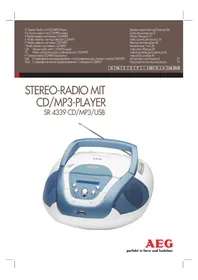
SR 4339 USB - Radio AEG - Free user manual and instructions
Find the device manual for free SR 4339 USB AEG in PDF.



| Product type | Stereo radio with CD/MP3 player and USB port |
| Brand | AEG |
| Model | SR 4339 USB |
| Net weight | 1.34 kg |
| Mains power supply | 220-240 V~50 Hz, 12 W |
| Battery power | 6 x 1.5 V, type UM2/R14 |
| Radio frequency bands | FM 88-108 MHz, AM (medium wave) |
| CD playback formats | Audio CD, CD-R, CD-RW, MP3 |
| USB port | Yes, for playing MP3 files |
| Speakers | 2 built-in stereo speakers |
| Antenna | Telescopic antenna for FM, built-in antenna for AM |
| Playback functions | Repeat, random play, programming, intro, forward/backward search |
| Display | LCD screen with track, folder, and time information |
| Output power | 12 W (consumption) |
| Care and cleaning | Wipe with a slightly damp cloth, disconnect before cleaning |
| Laser safety | Class 1 laser, built-in safety buttons |
| Protection class | Protection class II (double insulation) |
| Supplied accessories | Power cable, instruction manual |
Frequently Asked Questions - SR 4339 USB AEG
User questions about SR 4339 USB AEG
0 question about this device. Answer the ones you know or ask your own.
Ask a new question about this device
Download the instructions for your Radio in PDF format for free! Find your manual SR 4339 USB - AEG and take your electronic device back in hand. On this page are published all the documents necessary for the use of your device. SR 4339 USB by AEG.
USER MANUAL SR 4339 USB AEG
GB Stereo radio with CD/MP3 player
Overview of the Components.. 3
Instruction Manual.. Page 35
Technical Data Page 39
Disposal . Page 39
Język polski
Spis tresci
If ID-3 Tag information has been stored this appears in the display in the form of an LED ticker display. Press the button once more in order to switch the function off again.
ALBUM (12)
Thank you for choosing our product. We hope you enjoy using the device.
General Safety Instructions
Read the operating instructions carefully before putting the appliance into operation and keep the instructions including the warranty, the receipt and, if possible, the box with the internal packing. If you give this device to other people, please also pass on the operating instructions.
- To avoid the risk of fire or an electric shock, you should not expose the device to rain or moisture. Consequently, do not use the device in the immediate vicinity of water - for example near a bath tub, a swimming pool or in a damp cellar.
- The appliance is designed exclusively for private use and for the envisaged purpose. This appliance is not fit for commercial use.
- Only connect the device at a properly installed plug socket. Pay attention that the specified voltage corresponds to the voltage of the plug socket.
- When using external mains supply, pay attention to the correct polarity and voltage. Always place the batteries in the correct direction.
- Assemble the device in such a way that the available ventilation openings are not covered.
- Never open the housing of the device. Incorrect repairs can constitute a considerable risk for the user. Should the device become damaged, in particular the mains supply cable, do not operate the device any longer, but rather have it repaired by an expert. Check the mains supply cable regularly for damage.
- For safety reasons a broken or damaged mains lead may only be replaced by an equivalent lead from the manufacturer, our customer service department or a similary qualified person.
- If the device is not used for a longer period, remove the plug connector from the plug socket or take out the batteries.
These symbols may be found on the machine and are intended to indicate the following:
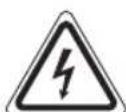
The lightning symbol should advise the user of parts in the inside of the device which carry dangerously high voltage levels.

The symbol with an exclamation mark should advise the user of important operation or maintenance instructions in the accompanying documentation.
English
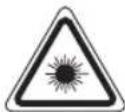
Devices bearing this symbol work with a "class 1 laser" for tracing the CD. The built-in safety switches should prevent the user being exposed to dangerous laser light, which is invisible to the human eye, when the CD compartment is opened.
Under no circumstances should these safety switches be bypassed or manipulated, as this could result in a danger of exposure to the laser light.
Symbols in these Instructions for Use
Important information for your safety is specially marked. It is essential to comply with these instructions in order to avoid accidents and prevent damage to the machine:

WARNING:
This warns you of dangers to your health and indicates possible injury risks.

CAUTION:
This refers to possible hazards to the machine or other objects.

OTE:
This highlights tips and information.
Children and Frail Individuals
- In order to ensure your children's safety, please keep all packaging (plastic bags, boxes, polystyrene etc.) out of their reach.

WARNING!
Caution! Do not allow small children to play with the foil as there is a danger of suffocation!
- This device is not intended to be used by individuals (including children) who have restricted physical, sensory or mental abilities and/or insufficient knowledge and/or experience, unless they are supervised by an individual who is responsible for their safety or have received instructions on how to use the device.
Children should be supervised at all times in order to ensure that they do not play with the device.
Special safety information
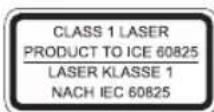
This device works with a class 1 laser.
36 English
Overview of the Components
1 Telescopic antenna
2 Handle
3 CD compartment
4 TUNING control
5 Radio scale
6 Band selection switch (FM.ST / FM / AM)
7 Loudspeaker
8 OPEN/CLOSE (open/close) CD compartment
9 FM ST. control lamp
10 SKIP+ button (forward search)
11 STOP button
12 ALBUM button (album upwards)
13 USB port
14 PLAY/PAUSE/USB button (Play/Pause)
15 INFO button
16 MODE button (Repeat/random playback/memory)
17 SKIP- button (reverse search)
18 POWER control lamp
19 LCD display
20 Function selector switch (OFF / RADIO / CD/MP3/USB)
21 VOLUME MAX/MIN (volume control)
22 AC Mains connection
23 Battery compartment
Intended Use
This device is used for:
The reception of radio programmes
- Playing back audio/MP3 CDs/files.
It is intended exclusively for this purpose and may only be used as such.
It may only be used in the manner described in these instructions for use. The device must not be used for commercial purposes.
Any other use of this device is considered to be contrary to the intended use and may result in damage to materials or even personal injury.
The firm ETV-Elektro-Technische Vertriebsgesellschaft mbH does not accept any liability for damage caused as a result of the use of this device contrary to its intended use.
Start-up of the device/introduction
- Please read the operating instructions carefully before using the device for the first time!
- Select a suitable location for the device, such as a dry, flat, non-slip surface on which it is easy to operate the machine.
- Ensure that the device is sufficiently ventilated!
- Remove the protective film from the display if it is still present.
Power Supply
- Connect the power cable supplied (see battery compartment if necessary (23)) to a properly installed 230V/50Hz safety power socket and the mains connector AC (22) on the back of the machine.
- Ensure that the voltage is the same as that indicated on the model identification plate.
Inserting the Batteries (not supplied)
- Open the lid of the battery compartment (23) on the bottom.
- Insert 6 batteries of type UM2/R14 1,5 V. Please ensure that the polarity is correct (see the floor of the battery compartment)!
- If the device is not used for a long period of time, remove the batteries to avoid the spilling of battery acid.
- Then close the battery lid.
NOTE:
When a mains cable is connected the batteries are automatically switched off.
CAUTION:
- Different battery types or new and used batteries must not be used together.
- Batteries are not to be disposed of together with domestic wastes. Disposse of the used batteries at the relevant collection bin or at your dealer's.
WARNING:
Do not expose the batteries to high temperatures or direct sunlight. Never throw batteries into the fire. There is a danger of explosion!
Transport Safety Device, CD Compartment
- Use the OPEN/CLOSE button (8) to open the CD compartment (3).
- Before operating the machine for the first time, re-move the transport safety device from the CD player if it is still in place.
Volume
The desired volume can be sent using the VOLUME / regulator (21).
Switch-off
The machine is switched off when the function selector switch (20) is turned to the OFF position. The POWER (18) control lamp goes off. Unplug the device.
USB port (13)
This device has been developed in line with the latest technical advances in the USB field. The wide range of different USB storage devices of all types which are currently on the
market, unfortunately do not allow us to guarantee full compatibility with all USB storage devices. For this reason, in rare cases there may be problems in playing back files from USB storage devices. This is not a malfunction of the device.
- Set the function selector (20) to CD/MP3/USB.
- Connect a USB storage device. USB appears on the display. After a few seconds, the total number of folders and titles appears briefly. Playback then begins. The elapsed playing time is shown on the display and the current track and folder are displayed alternately.
For operation, please refer to the section "Playing CDs/MP3".
NOTE:
If there is a CD in the CD compartment at the same time, keep the PLAY/PAUSE/USB button (14) pressed to select the USB mode.
CAUTION:
Before removing the USB storage device, switch the function selector (20) to RADIO.
Listening to the Radio
- Turn the function selector switch (20) to the RADIO position.
- Use the band selector switch (6) to select the desired frequency band.
$$ \begin{array}{c} \text {V H F (S t r e s e o) = F M S T , V H F = F M ,} \ \text {M e d i u m w a v e = A M (M o n o)} \end{array} $$
- Tune in the desired station with the station adjust-ment knob TUNING (4).
- The FM ST control lamp (9) only lights up when you have selected FM stereo and the station is being received in stereo quality. If reception is too weak and there is noise on the station being received, this lamp will flicker. Where reception is bad we recommend switching to FM.
- For VHF/FM mode pull out the telescopic antenna (1) and turn it to improve reception.
- An aerial is integrated into the device for the reception of AM stations. The machine can be aligned to the station by turning it. In this frequency band programs are transmitted in "mono" only.
Playing CDs/MP3
This is how you play a CD
- Turn the function selector switch (20) to the "CD/MP3/USB" position.
- Use the OPEN/CLOSE button (8) to open the CD compartment (3).
-
Insert an audio CD with the printed side facing upwards on to the central cone so that the CD clicks into place and then close the lid of the CD compartment.
-
After a few seconds the total number of songs/tracks is shown in the display.
NOTE:
In the case of CDs in MP3 format the number of folders is briefly displayed at first. MP3 also appears on the display.
- The CD will play from the first title. The current track and the playing time that has elapsed are shown in the display.
NOTE:
With CDs in MP3 format the current track and folder are shown alternately in the display.
- In order to remove a CD, please press the STOP key (11), open the CD compartment and lift the CD out carefully.
Always keep the CD deck closed.
NOTE:
- In the case of CDs in MP3 format that contain folders, when the device changes to a different folder 001 appears for the first track of the new folder.
- If a disc is incorrectly inserted - or no disc has been inserted - the symbol "CD READ" and the word "NO DISC" appear in the display.
- Playback of CDs produced by the user cannot be guaranteed due to the large variety of software and CD media available.
Description of the CD buttons
PLAY/PAUSE (14)
Press briefly:
You can briefly interrupt and resume playback using this button. The playing time that has elapsed flashes in the display. Pressing again continues playback.
Keep pressed:
Select the USB port.
SKIP + / SKIP - (10 / 17)
When an audio CD, or a CD in MP3 format or file is playing: With SKIP ^+ you can jump to the next or previous track etc.
- If the button is kept pressed down, the machine starts to search through the tracks.
The SKIP - button can be used as follows:
Press once = This starts the current track again from the beginning.
Press twice = This jumps back to the previous track.
Press three times = This plays the song before etc. If the button is kept pressed down, the machine starts to search through the tracks.
38
English

NOTE:
In the case of CDs in MP3 format that contain folders, when the device changes to a different folder 001 appears for the first track of the new folder.
STOP (11)
The CD stops.
MODE (16)
In stop mode for programming any order of tracks (see the section on "Programmed Play").
When an audio CD, or a CD in MP3 format or file is playing.
Press once = (the emits a fixed light) the current track is repeated continuously.
Press twice = (the ALL emits a fixed light) the whole CD is played continuously.
Press three times = the display contains the word RAND and the track number that is to be played first. All tracks are played back in random order.
Press four times = (INTRO appears in the display) Each track on the CD is played for 10 seconds.
Press five times = all functions are cancelled. The normal play mode is resumed.
Only for CDs in MP3 format or files which are playing:
Press once = the current track is repeated continuously (appears in the display).
Press twice = the selected folder of the MP3 CD is repeated continuously (FOLDER appears in the display). Use the ALBUM button (12) to select individual folders.
Press three times = the whole CD is played continuously ALL appears in the display).
Press four times = the display contains the word RAND, MP3 and the track number that is to be played first. All tracks are played back in random order.
Press five times = (INTRO appears in the display) Each track on the CD is played for 10 seconds.
Press six times = the function is deactivated and the CD is played in the normal mode.
INFO (15)
If ID-3 Tag information has been stored this appears in the display in the form of an LED ticker display. Press the button once more in order to switch the function off again.
ALBUM (12)
Press this button during playback to change to a higher folder. The display, e.g. FOLDER F02, flashes briefly. Then the CD begins to play back automatically. If the button is pressed in stop mode the display also flashes. Then start playback with the PLAY/PAUSE/USB button.
Programmed Play
This can be used to program any desired sequence of tracks.
- Press the STOP key (11).
- Press the MODE key (16). The number "P01" (storage location) and the symbol MEMORY flash in the display. Use the SKIP+/SKIP- buttons (10/17) to select the desired track and then press the MODE button again. The display changes to memory slot P02.
NOTE:
- In the case of CDs in MP3 format, press the ALBUM button (12) in order to change the folder.
-
In the case of CDs in MP3 format that contain folders, when the device changes to a different folder 001 appears for the first track of the new folder.
-
Select the next track with the SKIP + / SKIP - key and press the MODE key again. Repeat the procedure until all the desired tracks are selected.
NOTE:
Once the storage capacity of the tracks to be programmed has been reached, "FULL" flashes in the display.
- Press the PLAY/PAUSE/USB key (14). The playback starts. The first track number selected is shown in the display together with the playing time that has elapsed and the word MEMORY.
- Press once the STOP key to stop the playback while retaining the program.
- To play the programme back again, press the PLAY/ PAUSE/USB button.
- To delete the program, press the STOP key twice. The MEMORY control lamp goes out.
The device stops automatically once the entire sequence of programmed tracks is completed. The abbreviation MEMO-RY goes off and the programmed order of tracks is deleted from the memory.
It is also possible to combine the programmed tracks with the REPEAT function. After you have programmed and started the device, please press the MODE button (16) up to three times and then you can use the functions as described under MODE".
Playing back Music in MP3 Format
With this device it is possible to play back pieces of music in MP3 format. The device also supports all standard CD types: CD, CD-RW, CD-R.
This machine of is able to play MP3 CDs. Up to 200 tracks can be compressed and stored on these CDs. Your machine detects an MP3 CD automatically (the total number of tracks and MP3s appears in the display). If you would like to play one of these CDs, proceed as described under "Playing CDs/MP3". Tracks can be programmed as described under "Playing Back Programmed Tracks".
Please note:
There are a number of different recording and compression methods, as well as quality differences between CDs and self-recorded CDs.
Furthermore, the music industry does not adhere to fixed standards (copy protection).
For these reasons it is possible that in rare cases there are problems with the playback of CDs and MP3 CDs. This is not a malfunction of the device.
Cleaning and Maintenance
- Always remove the mains plug before cleaning the machine.
- Any marks on the surface can be wiped off with a slightly damp cloth without any additives.
Troubleshooting
| Symptoms Course | Se Solution | |
| CD can not be played back. | CD is not inserted or inserted incorrectly. | Ensure that the disc is inserted with the label facing upwards. |
| Batteries too weak. | Insert new batteries or operate the device with the mains lead. | |
| CD jumps dur ing playback. | Check the disc for fingerprints, dirt or scratches. | Check the disc for fingerprints, dirt or scratches. |
| Device cannot be operated. | Device crashes and "hangs". | Disconnect the power supply for 5 sec. Then switch the device on again. |
Technical Data
Model: SR 4339 CD/MP3/USB
Power supply: 220-240 V~, 50 Hz
Battery operation: .6 x 1.5V, Type UM2/R 14
Power consumption: 12 W
Protection class:
Net weight: 1.34 kg
Radio section:
Frequency ranges: VHF/FM 88 ~ 108.0 MHz
MW/AM 540 ~ 1600 KHz
Subject to technical changes without prior notice!
This device has been tested according to all relevant cur-rent CE guidelines, such as electromagnetic compatibility and low voltage directives, and has been constructed in accordance with the latest safety regulations.
Disposal
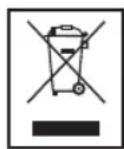
Meaning of the "Dustbin" Symbol
Protect our environment: do not dispose of electrical equipment in the domestic waste.
Please return any electrical equipment that you will no longer use to the collection points provided for their disposal.
This helps avoid the potential effects of incorrect disposal on the environment and human health.
This will contribute to the recycling and other forms of reutilisation of electrical and electronic equipment.
Information concerning where the equipment can be disposed of can be obtained from your local authority.
(BaTapei He BxOaTb Do o6cIy NoCTaBkn)
BiiKpIte BiDinok Ira 6aTapei (23) Ha 3aDiHi cToPOHi npuIaNy.
- NocTaBTe Ha MiccE 6 baTapeNOK TnIy UM 2/R14 1,5 V. 3BepHt b yBarry Ha npabunbHy nolpHicThb 6aTapei (DnBncb HnKnO CTOpOHy BiiinKy dIra 6aTapei)!
A KsO Bn He BkOpncToBye Te npuad TpBaJin Yac, BuJaniTb 6aTaapei3 BiDjInky, uo6 yHnKHyTN "BntiKaHH" KNCLOTN.
3akpiTeBidjInokdIgBaTapei.
IPIIMITKA.
Kuio Bn iikjouhnte kaebnb do eaneKtpomepexi, To XNBHeHHBicBaTapeinnpinnHbC aBTOMaTHUHO.
VBAFA.
- BaTapei pi3Horo TUNy a60 HObi i Bxke 3actocobahi 6aTapei He MoKHa BnKOpNCToByBaTu pa3OM.
- Batapei He MoXHa BnKnDaTn B DoMaUHe CmTTa. IpoCnMo BiDnATn NcyTi Batapei Ha CneuJalbHi NyHKTN 36OpPy Hebe3neuHnx BiXdoJB a6o NobepHyTn MaRa3nH, De Bu KynuI npuaIad.
NONEPEIXEHNA
3abopohaeTcpiDnBaTu 6aTaapeBnNBy BnCokoi Temepatypn abo npamix coHnHex npomih. Ctporo 3abopohaeTcKnDaTu 6aTaapeB nOlym' IChye He6e3neka Bn6yxy!
Pnpctpiin 3axncty nporpaBauy KOMnakT-dnckib CD nptnpahcnopTybaHHi
- Lio6 BiikpnTn Biinok Ia KOMNaKT-DnCKIB (3), KopncTyIeCR KONKOIO OPEN/CLOSE (8).
- PpeT Tm Jk BKJIOHTn npuaI, BuaJIiTb npncTpiJ 3axnty CD-nporpaBau npn TpaHcnoptyBaHHi.
Cun3Byky
KhoNkoVOLUME/peryIaTOpOMcIy3ByKy(21)BmMoKeTe o6paTu rHyHicTb,IOBaMnOdoaebTcra.
BukIOueHHA
PpuaBMMKHyTo, kkuo KlaBiu nepeKIOueHHa yHKU (20) haoiNbCB B noLoXeHHi OFF. KoHTpoNbHa lamNoyka POWER (18) norache. Picna cIbero BVITB BnIKy 3 po3- etKN eNEKTPOXINBHeHHA.
Iopr USB (13)
Ppnilad po3po6neho y BiDnoBIOHOCtIO octAHHIM TexHHMM DOcRHeHHM y cfepi BnKOpNCtAHNHA USB-ppniladib. CboorDiHa pINHKy HABHNI npOKNI dianao3OH pi3Hx TnIB USB-pniladIB DnRA 36epirAHNDAHNX, LIO, HaxaJIb, He dae 3MOry rapaHTyBaTN NobHy cymicicTb 3 ycima USB-ppnilaamn 36epirAHNDAHNX. 3 Liei npuHHN Y BnHTKOHX BnAqkax MoKyTB 6Ty NpO6Lemn 3 BiITBopeHHM paJIniB 3 USB-pnilady 36epirAHNDAHNX, LIO HE e NOMIKOY y po6oti npilady.
- BctaHOBITb nepemukau yHKui (20) y noIOxehn CD/ MP3/USB.
2.Пд'EDнTe USB-npuaad 36epiraHnHa dAnx.Ha ekpani 3'ABnTbca Hanuc "USB".Yepe3 KInbka cekyHd Ha KopoTkn npomixok yacy 3'ABnTbca 3araJbHa KInbKiCTb nanok i Ha3Bn. Notim noHTbcra BiDtBopeHHa. Ha ekpani BIDobpaXaTMMyTbca Yac BiDtBopeHHa, IIO MmHyB, INo- ceproBO nOToHHn 3aNc i naKa.
BiDomocti npo poobTy habeHeni y po3diJIi "BiTbopeHHa KOMnakT-dncKIB i MP3-paNib".
IIPMMITKA.
RkIoo y BiDIIJIKy IJIK KOMNakT-DnCKy E DnCK, YrPmMyTe HaTnChyToHO KhoNky PLAY/PAUSE/USB (14), 06Bn6paTn peXIM USB.
YBAGA.
IpeEiBic'EDHaHHM USB-npnilaNy 36epiraHnHaHIN, nepeBeiTb nepemKau yhkuu (20) y noLoXKeHHRAIO.
Cnyxanhpaio
- IocTabTe nepemukau dyHKui (20) B noJoxeHHRAUDIO.
- 3a donomoro npemekay diaanaohib (6) oepitb noptiBnH Bam diaanaoh padioxbnb.
UKW (Stereo) = FM.ST, UKW = FM, Cepenhi xBni = AM (Mono)
- PerjTOpom TUNING (4) BCTaHObitpaIOCTaHJIO, IIO Bu xOte cIyXaTI.
-
KoHTpoJIbHa JAMnOuKa FM ST (9) CBITITbC TIIbKn B TOMy BInaIky, Akuo Bu o6paIi dIana3oh UKW Stereo i paIOCTaHcI BeJe nepeaHi B cTepeofoHCHOMy pexMI. RaKIo npNOM HeCTaBbHm I 3Byk nepeaHi paIOCTaHcIi Mae nepeWKoDn, JAMnoUka MIRae. Ppi nOraHOi AKocTI npNIMy peKOMeHNyETbcra nepeKlIOHTn PrpNaIb B dia- na3OH FM.
-
Pnp npniomi padionepedaB diana3oHi UKW/FM BITaHHTb TeneckoniuHy aHTehy (1) i oebpHt b II HABKOIO OCI dekiIbka pa3IB nOkpaueHHn pniomy.
6.ДпгпиOMу paioctaHcB dianaoHi AM B npuaJI iHTerpoBaHa anTeHa.Bn moKeTe o6ePaTu npuaJ haBkpyr Oci i TaKIM YHOM uYkaTn ONTUMaJIbHm npiHOM paioxBnIb.B cIbOMy dianaoHi nepeaHi BeDyTbcN TIlbKn B pexKMI MOHO 3ByKy.
- 66 BnDnNTKOMNKT DC i3 BiDnky, cnHaTnCHyTN KnaBIuST STOP (11), BiKnPTN KpnUk Ky BiDnKy CDi oBepexHo BNTRHyTN DnCK.
KpuiuKy BiDinky dny komnakT nuckIB CD cnid trmuatn 3aBxnn 3akpuTOIO.
IPIIMITKA.
- RaKuo Bn nporpaete dNcB fOpMaTi MP3 3 deKinbKomama fainamn,To nepexid no HacTyHoro fainnyMapkyetbcraHa dncnnei uphi0o 001 dna nepwioro TBOPY HOBOrO faia.
- 阿卡多尼克6byno noklaedeHo He HaJIeXHIM YINHOM a60
- DICK BIDCYTHI, TO Ha DiCnPei MiRa e NOBIDOMJeHHA
- "CD READ", i "NO DISC".
B38'3ky 3 BeIkoIO KInbKicTIO fOpMaTIB KOMnakT DnCKiB i IInuX npOrpamHnx npOdykTIB npOrpaBaHHa Ycix fOpMaTIB He Moke 6yTu rapaHTOBaHM.
54 YkpaIHcbka
Onnc kJIaIiB CD
PLAY/PAUSE (14)
Kopotko Hatvchitb.
BIMoKTe npINHHTBIDTBOPIOBAHHa KOpOTKm qac i NOTIM NOHOBTN Ioro.Ha dinCnIeI nyIbCy e INDkaJia HAcy nporpaBaHH TBOPIB, 10 npoiuob. LJe OneHaTNCkyBaHH KJIABIIa npOIOBXyE BiITBOPIOBAHH3 TOrO Micu, Ha kOMy BOHO6yNo 3yInHeHO.
YTPUMyIte HAITUCHYTOIO:
Bn6epitb npT USB.
OuHHe iTexHicHe 6cnyroByBaHH
- Ppeed OunueneHnmpnlaNy BntaHITb BNky 3 po3eKne enektpnuhoMepexi.
-Плами на NOверхиnpипду можны BИДАЛNTN 3лERKa BOLOROIO TkaHINHO,6e3doJaTKOBIX MInOuHx 3acO6iB.
YcyHeHHa HeoJIikB
MoeB: SR 4339 CD/MP3/USB
ПоданьжИВлЕнь: 220-240B\~,50Tc
XINBHeHH BID 6aTaTpeek: .6x1,5B,TnU M2/R 14
Tpyna enektpo6e3neuHocti: 12 Bt
CnoxuBaHHn noTyXHocTi:
Bara HeTTo: 1,34 Kr
Padiobok:
ДиаэоничacToT: YKX/ΦM 88~108,0 MΓC CX/AM 540~1600 KΓ
3aJIiUaEMO 3a co6oIO npaBO Ha TeXhiHi 3MiH!
YkpaIHcbka
Lcienpinaedyno nepebipeho 3riHNO BCix BiinobiHnx,akTyalbHnX DnpeKTHB CE,HanpiKaIaIzIO eNEKTPomarHITHO cyMICHOCTa HN3bKOBoJbTHOINPeKTHBN,Ta 36yD0BaHO 3 a HOBITIM NPOJOKeHHaMm TEXhIKN 6e3NeKn.
PykoBoDcTBO no 3KcnIyatauIN
Cnacnbo 3a BbIbOp HaWero npOyKta. Haneemc, OH Bam noHpabNTca.
06uye yka3aHnno TeXnke 6e3onacHOCTN
Ipeed Hauanom 3KcNpyataun npnbopa BHMaTeJbHo npouHTaTne npnaIraeMyIO INCTpyKUIO NO 3KcNpyataun I coxpaHnTE ee B HAdexKHOM MeCTe, BMeCTe C rapaHTnHbIM TaHOHOM, KaccOBbIM YekOM N, NO BO3MOXHOCTN, KAPTOHOKop6kOc yYakOBoHbIM MaTePnAnOM. Ecn Daete KOMyJIbO nonoB3OBaTbc npnbOpM, O8r3aTeJIbHO daITe BIPnDaHy DaHHy IOhCTpyKUIO NO 3KcNpyataun.
Дяустраени рпса BOЗгорани ИИУдара 3лжТрпескIM TOKOM He NOДвергайte yCTpoICTBO BO3dIe-CTBIOdoxЯи BJIaIGN. COOTBETCTBEHNO, He ПпимеютЕ yCTpoICTBO B HENOCpeIcTBEHHO 6ЛN3OCTN OT BOДы (нарпимер,В BaHHоKOMHaTe,бассeHHe,МokpOM nD-BaIe).
-ПользуITEcB npиборOMToIbKOaCTHbIMO6pa3OMnnoHa3haueHIO.Pn6OpHe npeHa3HaueHdЯKOMMepeCKORUICNoJIb3OBAHIA.
- PoiKJIIOUaHNe YcTPOIcTB OToIbKO K npaBnIbHO yCTaHOBHeHHo po3eTke. Obpatne BHNMaHne Ha coIaCOBaHHocThy kA3aHHOr HAnpJxKeHHu HAnpJxKeHHaB 3JIeKTPueckO pO3eTke.
- PnncnoJb3OBAHN BHeUHrero CeTeBOro 3JeKtpOnnTa HnOBpaTne BHIMaHHe NaPpABuNbHOCTb HnPaXKeHn nNoJIrpHOCTb. PpaBUNbHO BCTaBnIte 3JeKtpueeCKne 6aTapeKn.
He donyckaTe nepeKpbTne BEHTnJIaHOHHbIX OTBepCTNI yCTpOJCTBa nocJe c6OpKn.
He otKpbIbaiTe KOpTyc yCTpoiCTBa. HenpabInbHbI peMOHT co3daet cepbe3Hb pNCK noJIb3OBaTeJIIO. Ipn NOBpeXJDeHn YCTPOICTBa, B qACTHOCTn Ipn NOBpeXJDeHn UHypa 3JeKTponITAHn, INPEKpaTIte NcNOb3OBAHne yCTPOICTBa n IpeDAIte erO dna peMOHT KaJIHnΦUIpOBaHHOMy CNEuMAINCTy. PeryIapHO npOBepaIte Ha NOBpeXJDeHn UHyp 3JeKTponITAHn.
IIO npHnHAM 6eOanachOCTN CJOMaHHb IIN NOBpeK DeHHbI UHyp ceTeBOrO 3JIeKTPoNTAHm MOKeT 6bITb 3AmHeH TOJbKO aHaJIOTuHbIM UHypOM OT N3ROTOBt TeI B HauWem OTJeIe O6CnyXuBaHnR KJIeHTOB IIN aHaJIOTuHbIM KBaINΦUPOBaHHbIM JINQOM.
- EcIN yCTpOInCTBO He 6yIDeT NcIIOb3OBaTbCA JINITeJIbHbIN cPOK, IN3BNeKInTE BUNKY 3NEKTPoNITaHNA IN3 CETeBOI PO3ETKN IN3BNeKInTE 6aTapeiKn.
JaHHbIe CIMBOJIbI MOYr 6bITb YKa3aHbI Ha yCTpoIcTBe IINr O6O3HaHeHnR CNeDyIOUe:
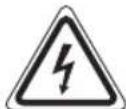
CIMBOI MOJHINI pEdupeKjaet noB3OBATeJI O aCTAX BHyTPN YCTPOINCTBa COnaChbIM BbICOKM HAnpAKeHNEM.

CMBON BCKNlcaTeIbHOrO 3HaKa INHOpMpyET NOIb3OBaTeJIr O BaXbIX INCTpyKUJxNO 3KcNlyaTaUIM NIN TEXHnueckOM 6cNyXINBaHN B DOkymeHTaUIM I3 KOMnEKeTAtIOCTaBKN.
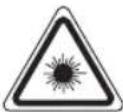
YCTpoCTBa,OTMeueHHBie DaHHBIM CMMBOIOM,paboTcC“Jia3epomKnacca1”dIaCHTbIBAHINDnCKOBCD.BCTpoEHHbI 3aunTHbI nepeKIOHateJIpeoTbpaauet npOtKpblmOTcKa CD deiCTBne Ha noJIb3oBaTeJIOnACHORO JIA3epHOIyua,KOTOpBIHEBNIM YeIOBEeCKMΓla3OM.
Hn np KaKnx 06ctoTbCTbax He donyckaetcA 0xod nn n3MeHe Hne 3TuX 3aUHTbIX IpeKeJIouaTeIe, NocKoIbKy BO3MOxHO ONaCHOE BO3DeIcTBNe Ja3epHOrO Jyua.
CIMBOJI pIpIMeHReMbIe B DaHHOM pyKOBoDCTBe NOJIb-3OBaTeJIa
BaxhIbe peKOMeHdaaun IJnOBecneueHnBaUe 6e3oNaHocTn 0bO3HaYeHb IIOOCoBeHHOMy.ObraTeJIbHO CNeIyTe 3TNIM peKOMeHdaaum, YTObI ppeOTBpaNTb HeCactHbI cIyau nnIPOLOMKy I3JeNIA:

PENEYNPPEXDEHNE:
PpeDynpexKaet o6 onaChocn dIIN 3IOPOBbN BO3MOK-HOM PNCKe NOLYHeHr TpaBMbl.

BHIMAHINE:
Yka3bIbaeT Ha BO3MOxHHyO ONaCHOCTb IIN3JeNIA INDpyNX OKpyXaIOUnx PpeMeTOB.

PIMMEYAHN:
JaetcoBebtiuHdopMaIIO.
EtN Iuca HxkdauoueeB npncmOTpe
-13 coo6paKeHn 6e30NaChOCTn IINr DeTe HcOctaBnIte JExKaTb yNakOBky (PiactNKOBbie MeuK, KapTOH, neHONlact n T.D.) 6e3 npCMOTpa.

PNEyIPEKDEHNEI
He no3B0JNAIeTeJeTAM INrpaTb C NOIN3TNNEHOBOI nIEHKO. OnachocTB ydyub!
3TOT np6op He npedHa3haeH nIaONb3OBAHn IIMu (BKIOUaI DeTe) C ORpaHnueHHbIMn Fm3NueCKIMN, CEHCOPHBIM NIN YMCTBEHHbIMCnOCOHOCTHMN ININ JIcAMN, He IMeIOUMN ObITa WJIN HEoBXoIMMbIX 3HAHNI. NCKIOUHe Me COCTABIAOT CUYaH, KOrDa OHN HAXODATC NOI pncmOTpOM JILUa, OTBETCTBEHHORO 3a INX Be3ONaCHOCTb, INI KOJa OT ATORO JILUa NOyHeHbI Yka3AHN No NlB3OBAHn IO np6opom.
Heo6xoDIMO npncMaTpNbTa 3a DeTbMn, YTO6bi y6eDNTbCBA TOM, YTO OH He IrpaIOT c np6opom.
CneuaJIbHaN HΦOpMauIaO 6e3oNaHOCHTN
CLASS 1 LASER PRODUCT TO ICE 60825
LASER KLASSE 1
NACH IEC 60825
Данhoe yctpoiCtBO pa6OtaeT c la3epom Klacca 1.
063op detalei np6opa
1 TeLeckOnuYecka aHTeHa
2 PyuKa
3OTcEK CD
4 TUNING opran ynpabneHn
5UkaIpaanopnemHnka
6 IpeeknoateIb BbIbopa danaana0Ha (FM.ST/FM/AM)
7ДИНAMVIK
8 OPEN/CLOSE (oTkpblb/3akpbIb) oTceK mcka CD
9 FM ST. KOHTPOJIbHaI JAMMIOUka
10 SKIP+ KhoNka (nonck Bnepe)
11 STOP KhoNka
12 ALBUM KhoJa (BBepx KaIb6Omy)
13 NopT USB
14 PLAY/PAUSE/USB KhoJa (Bocnpoun3BeDeHne/nay3a)
15 INFO Khojka
16 MODE KhoNka (noBTOp/cnyaHoe Bocnpou3BeJeHne/ nAMrTb)
17SKIP-KHONka(O6paTHbI NOnck)
18 POWER KOHTpOJIbHaJaAMIOUka
19 XXK-dincnnei
20 CeIeKTop-HepeKIOuHaTeJIb fYHKUIN (OFF/RADIO/ CD/MP3/USB)
21 VOLUME MAX/MIN oprah ynpableny ypoBhem rpmKoCTn
22 PoiKJIouHeIe CeTeBOrO 3JIeKTpOnITaHIN IpeMeHHOro Toka (AC)
23 OTeCk 6aTaapeek
PpeInonaraemoe nCnoJb3ObaHne
PpeJnoJaemoe nCNoJIb3OBAHne
- Pnemapadnopepa
Bocnpon3BeEHHaayn0/MP3-paHIOB/dmckOB CD.
OHO npEJaHa3HaYeHO NCKJIOUHTeBHO DnA YKa3aHHo UeJI N DOJIHXO INCNOB30BaTbCa TOJIbKO DnA 3TOrO.
Pa3peIeHOp nPIMHeHMe TOIbKO cNOCoBOM,ycTaHOBJIeH HbIM B DaHHbIX INCTpyKUINx NO 3KcNlYaTAtuM. YCTpoICTBO He PpEHa3HaueHo DnA KOMMepeCKO rPIMHeHn.
IIO6oe npyroe npimHeHne yctpoiCTBa CHTaETCA npOTIBOpeaUMnpednonaraEMOMYNCNOLb3OBAHIO NMOKETBb3BaTb NOBpexKeDeHne MaTePnAIOB ININ daKe TpaBMyNOJIb3OBaTeJIa.
KomnaHn ETV-Elektro-Technische Vertriebsgesellschaft mbH-HeceT HnKaKoI OTBeTCTBENHOCTN 3a NOBpeXKeHn, Bb3BaHHbIe npIMeHnEM DaHORO yCTPOIcTBA, pOTIBOppeaUM PpeINoIarAemomy IcNOJIb3OBAHIO.
3anyck yctpoicTba/BBeHne
IoxaIyICTa, BHMaTeIbHo IPOHTnTE IHCTpyKlIM NIO 3KcIIyTaIIMpeE,IepBOHaJIbHbIM INCNoJIb3OBAHNEM yCTpoIcTBA!
Bb6epnteIyctpoiCTBaIIOxOJIueMeCTo,Haipn-Mep cyxoE,poBHoe,CHECKOJIb3AJIeIIOBepXHOCTbIO,HaKOTopoJLeKo pa6OtaTcIpi6Opom.
- Y6eIntecB DIOCTaTOHOBEHTUNLAUMyCTPOIcTBa!
CHIMITEc3kpaHa 3aUHTHyIO NHeHKy,ecnOHa IMeET-
Iopaa 3neKtponTuHa
CoeHInTe Ka6eIem 3neKtpOniTahnI IN3 KOMNJIeKta nocTakn (cm. BOTcKe 6batapeek, ecIn Heo6xOdmo (23) npabInbHO yCTaHOBNeHHyIO b630NaChyIO po3ETky 3neKtpOniTahnI 230 B/50 Tc coeHNITeM ceTeBO- ro 3neKtpOniTahnIA AC (22) Ha 3aJHei CTOpOHe npin6opa.
- PpOBepbTe,HTO HAnpRjKeHHe COBnJaTaC yKa3aHHbIM Ha HeHTnФkALuONHOH Ta6nHKe daHHoMoeJI.
BCTaBA 6aTapeek (HE BXOJAT B KOMPJIeKT NocTaBKN)
- OTkpoIe KpbIuKy oTceKa 6aTaapeek (23) B HnXHei Yactn.
BCTaBbTe 6 bTaapeek Tuna UM2/R14 1,5 B. IoxkaIyIcTa, npOBepbTe npabunbHocTb noIpaHocTn (CM. Ha dHe otceka 6batapeek)!
EcInyctpoiCTBO He 6yIeT DIOIro NcIIOb3ObaTbcN, INBNEKITe 6aTaapeKn, YTO6bl IpeIOTbpaTntb BbITEKaHHe KNCJOTbN 36aTaapeek.
3aTeM 3akpoIte KpbIuKy 6aTaapeek.
I I P I M E Y A H N A:
Korda noDKIIOHEn IHHyp ceTeBOTo nITaHnI, 6aTapeKn ABTOMATUHECKN OTKJIIOHaIOTcR.
BHIMAHHE:
He nCnoJIb3yIte coBMEcTHo 6aTapeiKn pa3HbIX TnIOB, IIn6O CTapBle HOBbie 6aTapeiKn.
He bIbpaCbIbAaTe 6aTapeKIN BMeCTe C 6bITOBbIMN OTxOdAMn. IoxaIyIcTa,OTHEcIte NcNoJIb30BaHHbIe 6aTapeKIN B COOTBeTCTBlyIOUm KOHTeHep C6opa NII M o6paTHo PO3HHyHOMy PPODaBcy.
IPEUYIPKDEHNE:
He noDBepraTe 6bataeKu HHTeHcBHomy HarpBy nnn BO3dienCTBnIO npAMoro COJIHeHOro CBeta. He 6pocai Te 6bataeKn B OROh. Onacnoctb B3pbIba!
3aunTHoe TpaHcnpTHoe npncnoc6JeHne, oTceK dKOB CD
- NcnoIb3yIte KhoNky OPEN/CLOSE (8), TTo6bl OTkpbItb otcek ducka CD (3).
- PpeepnepbohaaHbHm nCnOlb3OBaHMe mnp6opa ydaIte 3aUHTHO TpaHCnOpTHoe pncnoc6JeHne n3 nleepa CD,ecn Taokoe npncnoc6JeHne IMeETCA.
PomKoctb
HeoXoDnMbIypoBeHbIpOMKoCTMMOxHO yCTaHOBnTb peryIaTOpom VOLUME (21).
BbIKIOUeHne
Пибор Вьклioуаetс, Когд сеелкторпереклioуател bФУнкци (20) NOBepHyT B NOLOXeHne OFF. KoHTpoЛьнаг lamnoчka POWER (18) Вьклioуаetс. OTKIIOHte yCTpoI-CTBO OT CEtN.
Nopr USB (13)
JaHHoe yCTpoIcTBo pa3pa6OtaHO C noDJIepKko NocJeHINx TexHHuecknx IOCTnKHeH B Oblactu USB. Ha COBpeMeHHOM pbIHKe IpiCyTCTBye UInpOKn CNEKtp pa3JIuHbIX yCTpoIcTB xpaEHnC INHTepFeyncom USB, HO, K COXaJIeHNIO, 3TO He PO3BOJAEr HAM rapaHTIpOBaTb NOJIHy COBMecTImOCt b CO BCEMN yCTpoIcTBaMn XpaEHnRA USB. No 3ToI npUHne B OTdJIbHbIX peKnX ClyuaX MOyT BO3HnKaTb IpO6JIeMbI C BOCPON3BeDEHnEM paJIOB HA yCTpoIcTBax XpaEHnRA USB. 3TO He ABJIeTCA npi3HaKOM HeNPaBnHbOH pa60tBaYCTpoIcTa.
- YcTaHOBnTe ceJIeKTop fYHKUm (20) B noIoxKeHne CD/ MP3/USB.
2.ПОДКЛЮЧITE yctpoиCTBO xpaHENHA USB.HaДИСПЛEE NOIIBITcR USB.CnYCTH HeCKOJIbKO cekyHKn KpaTKOBpeMEnHO 6yIeT NOKa3AnO Obluee YncIIO napanK n 3anicE. 3aTeM NaHHTcB BOCPON3BeHne.IPOuSeIWee BpEMBA BOCPON3BeHnO OTObpaXaeTcH Na DnCPIe,JIb60 6yIeT NOKa3aHa TeKUaJra 3aIINCb n PAnKa.
O pa6oTe cm. B pa3dene "Bocnpoun3BeJeHne duCKOB CD/ MP3".
IIPIMMEYAHNA:
EcInB3TO BpEmraBOTcKe CD haoDnTcAnck CD,ydepXnBaIte HaxaToi KhoNky PLAY/PAUSE/USB(14),Yto6blBb6paTbpeKIM USB.
BHIMAHNE:
Ipepei3BJIeueHEm yCTpoiCTBa xpaHeHHA USB nepeKIOUHTe ceJIeKTOp fYHKm (20) B noJIoKeHne RADIO.
PpocnyuBaanpepaonepa
I P N I M E Y A H N A:
B cnyae nckob CD fopMaT a MP3 chaHa kpaTkOBpeMeHHO OTo6pakaetc h o6ue YnCNo nAnok. TaKxe Ha dncnlee BbBOJNTcMP3.
5.ДИСКCD6yETBOCpOIN3BOINITbCScNEPB0N3aINcN.Ha DnCnIeOTo6paXaeTcReKyuIaI3aINCbI npOuEJIWe BpEMBocPOn3BeDeHnI.
I INPIMEYAHNIA:
- Ecn ydepkmbb KhoNky HkaToi, np6op HaHET noNCK NO 3aIncm.
Khonnka SKIP - nnonb3yetc TaK:
OdHOKpaTHoe HaxaTne = CHOBA 3aIyckaeT C HauHaTeKyLluyo 3aIINcb.
Двоиhoeнжатne = nepexoJHa3aJK npeIbIyIuJ 3aIncn.
Haxatne Tpu p3a = Bocnpo3BedeHnne npedbIyuee 3anncn nT.D.Ecnn JKe KhoNka ydepXkBaETcna Haxato, np6op HauHaeT nonck no 3anscm.

ПРИМЕЧАЦА:
B clyae nuckoB CD fopmata MP3 cnpankamn, npn nepeXoJe yctpoiCTBa K npyro nnke dny nepBo 3anncn BHOBO nnke oTo6paxaetc001.
STOP (11)
OctaHabJInBaetDnck CD.
MODE (16)
B pexime octaHOBKn Cnyknt IJnI nporpammpoBaHnI Bocpnoun3BeDHeN 3aInceB JIObOM npaKe (CM. pa3Je «PporpammpoBaHHoe BOCpnoun3BeDHeN)
Bo BpemBocnpou3BeJeHnA DnckA Audio CD, ncka CD fopmata MP3 nn faia:
OHHOKpaTHoe HaxKaTne = (noCToRHHo rOpNT)HeNpepbIBHO BOCPON3BOJNTcRA TEKUaA 3aPiNCb.
ДВОИhoe HaxaTne = (nocToHNO ropA T ALU Hepe- pblBO BOCPON3BOIDTCB BECb DnCK CD.
Haxatne trpa3a = Ha dncnlee BbBeDeHO CNoBO RAND n Homep 3aIncn, Bocnpo-n3BoDmO npB0N. Bce 3aIncn BOCPOn3BOJATCn B CnyHOM nopAKe.
Haxatne yeTbipe p3a = Ha nCnIeBbVeDcHo INTRO. Bce 3aIncn C dNcKa CD BoCnpo- n3BOdA TcNo 10 cekyHd.
Haxatne nTb pa3 = BCE cyHKm OTMeHnOTc.Bo3- 06HOBJIaHTcO6bUHbIpeKIM BOCIPON3BeDeHn.
TolbKO BO BpemBAocpon3BeHnA DnCKOB CDB opMaTe MP3 uHn paHNoB:
OHHOKpaTHoe HaxaTne = HenpepbIBHO BOCpOn3BODITcH TekyuJ4 3aIncb (Ha DnCnnee noka3aHo
Двоиhoe haxaTne = HenpepbibHOBOCnpOn3BOOHTcBbIbpaHHa npanKaHa DnCKeMP3 CD (Ha nCpJIee noka3aHO FOLDER).McnoJb3yIteKhoNkY ALBUM(12)ДЯ BbIbopaOTdJIbHbIXnanOK.
HaxaTne Tpu p3a = HnpepbIBHO BOCPON3BOJNTcB BeCb Dnck CD (Ha DnCnIe e noKa3aHoALL).
Haxatne yetbipe pa3a = Ha dncnlee BbIbeJeHO cNoBO RAND, MP3 n Homep 3aIncn, KoTopar Bocnpo3BODITcR nepBOB. BCE 3aIncn Bocnpo3BODITcR BCnyaHOM npAKe.
Haxatne nTb pa3 = Ha dincnnee BbIbeJeHO INTRO. KaJdA 3aIncB c dNcKa CD BocnpoIN3BOJrTa 10 cekyHn.
Haxatne 1eCTb pa3 = fynKUIN DeakTNBUPyETcN INCK CD BocnpoIN3BOIDNTcB O6bHOM peXIMe.
INFO (15)
Ecn coxpaneha nHopmaun o Tere ID-3,To 3TO Otpaxka-etcna Hnncnnee B Bnde MmraHn CBetOnoHa. Haxmnte KhoKny eue pa3, YTO6bl CHOBa BbIKIOHTb cyHKUIO.
ALBUM (12)
HaxmTe 3Ty KhoNky BO BpeM RAocnpn3BeDeHn, YTO6bI nepeTIN B nanky 6Olee BBicOKoYO yPOBn. Ha dinCnIeK pAtKOBpeMeHHo Mrraet HAnPiScb, HappImep FOLDER F02.
3aTEM ABTOMATNueCKn HauHnaeTCB OBCPOn3BeDeHne DnCKa CD.EcIn KhoIka HaxKaTa B pexKIM OCTaHOBKn, DnCnJIeN TAKKe Mnraet. 3aTEM HauHnTe BOCPOn3BeDeHne KhoIkoI PLAY/PAUSE/USB.
Порраммювhoe Bocnpo3VeDEHne
MoXHO npOrpamMnPoBaTb IIO6yIO HxKHyIO NocJeOBaTeIb-HoCTb 3aNcEi.
- Haxmnte KlaBnuy STOP (11).
- Haxmte KnaBnuy MODE (16).Ha nncnee 6ydt Mngatb Homep "P01" (MeTo xpaHEnia) n CIMBOI MEMORY. IcnoJb3ynte KhoNk SNIP+/SKIP- (10/17) nBb6opa HxKHO 3aInCn, 3aTeM CHOBa Haxmte KhoNky MODE. Ha nncnnee u3MeHnTc MeCTo B namrTaHa P02.
IINPIMEYAHNIA:
B clyae dnckOB CD fopMaTa MP3 haxmTe KhoNky ALBUM (12), 406bI n3MeHnTb naKy.
Bcnyae nucOB CD opMaTa MP3cnKamn, npn nepexoJe yctpoiCTBa KdpyroinapKe dI npEbo 3aHncn B HOBOnanke OTo6paKaetca 001.
- Bb6epnte cneIyIOuIyO 3aIncb KnaBnuei SKIP+/SKIP-n CHOba haxmnte KnaBnUy MODE.IOBToprTe 3Tu npo- ueIpy Do Bb6opBa BCex Heo6xOdMbx 3aInciei.
IINPIMEYAHNA:
Iocne 3aONHeHn nporpamMpyEmbIM 3aNcMM MeCTa xpaHHeHn Ha DnCJIeE 6yET MIRaTb HAdnncB "FULL".
- HaxmTe KnaBnUy PLAY/PAUSE/USB (14). HaHHeTcB BocPon3BeDeHne. Ha DicnIee OTo6paxKaETcHomeR nepBoB BbI6paHHo 3aNcN BMeCTe C pOuEiIMB BpeMeHem BocPon3BeDeHnI n cNoBOM MEMORY.
- Odn pa3 haxmte knaBnuy STOP, 0to6bIOCTaHOBTb Bocnpoun3BeDeHHe, He npepbBaI nporpaMMy.
- Дя подожень Воснроньдану Заюгамповьанню полесдогателбноctи Нжмпту Кноку PLAY/PAUSE/USB.
7.Ду удалени nporpamMbI DBaЖынхмte KlaBnUy STOP.KoHTpoJIbHaJ lamNoCuKa MEMORY BblKlIOHITCA
YcTPOIcTBO ABtOMaTnueCKN OCTaHOBITC NocJe 3aBepWeHINBAeN PocLeDObaTeJIbHOCTN 3aPpOrpAMMnPoBaHHbIX3aInCe. CNoBO MEMORY npOnaTe, a 3aPpOrpAMMnPoBaHNbI NpOraDK 3aInCe 6yDet ydaHe H3 nAmrTn.
Takke Moxho nporpaMMPOBaT 3aNcC C NcNoIb3OBAHHeM
fYHKU IN REPEAT. Pocne nporpaMMPOBaHn 3aNycka
yCTpOInCTBa, NOKAnyInCTa, HAKMTe Tpu pa3a KOnKy MODE
(16), 3aTeM MoxHO NcNoIb3OBA Tb fYHKUIN, KaK yKa3aHO B
pa3dene o pexIMax.
Bocnpon3BeJeHne My3bIKN B φopMaTe MP3
JaHHoe yCTpOInCTBO oBecnEINBaET BOCPOnI3BeJeHne My3bKnBΦopMaTe MP3.YCTpOInCTBO TaKKe NOpIePxxNBAeT BceCTaHApTHe TINbI DnCKOB CD:CD-RW,CD-R.
JaHHbI npH6Op MOKeT BOCpOn3BOJNTb DnCKn MP3 CD.
D0 200 3aINCeM OMyT 6bITcKaTbI N COxpaHeHb Ha TaKnx
dNCKax CD.YCTPOiCTBO ABTomATuYeCKn OnpEJIHT MP3
CD (Ha dncPiee 6yET bblBeDEHO oBcJe uCNo 3aInCe I
dNCKOB MP3).O BOCpOn3BeDEHn OJHOrO n3 3THX DnCKOB
CD cm.B pa3DeNe "BocpnOn3BeDEHne DnCKOB CD/MP3".3a-
PnICn MoXHo pOrpamMIpOBAtB, KaK paccmOTpeHO B rIabe "PporpamMIpOBAHne BOCpOn3BeDEHna".
PoxkanyIcTa yTuTe:
CyueCTByIOT HeCKoJIbKO pa3HbIX MeTOIOB 3aIINCU IN CxKaTIN, a TaKKe OTJInuB KaueCTBe O6blHbIX DnCKOB CD IN DnCKOB CD, 3aIINCAHHbIX CAMOCTOrTeNbHO.
Bonee toro, my3bikalhna Hndyctpna He npnepknaBaetc eHnhbxCTaHdapTOB (3aUHTa OT KOnnpobAHNA).
No 3TMM npuHnAm B KpaHne peKnx CUYaX BO3MOXhBi npo6JIembl pRn BOCpOn3BeDeHN DnCKOB CD n MP3 CD.
3TO HE HBAHETCA pnp3HaKOM HENpabINbHOJ pa6Otby YCTpoi-CTBa.
OuInCTka n TexHnueckoe obcIyXnBaHne
- PpeD OCHTko np6opa Bcerda n3BlekaTe BnIKy 3neKTPoNTAHN.
- JIO6bIe OTMeTkn Ha NOBepxHOCTM MOXHO CTepeTb CnErKa BIAJXHO TKAHbIO 63 KaIX-XIINO Do6aBOK.
Диагнoctикa
MoeJIb: SR 4339 CD/MP3/USB
3JIeKToPiTaHme: 220-240B\~,50Tc
Pa6oTa Ha 6aTapeiKaX: .6x1,5B,TmUUM2/R 14
IopTe6JIaEma MoUHocTb: 12BT
Klacc 3aUNTbl:
Bec HETTO: 1,34 Kr
BbI6op paIIOOCTaHcIM:
YachToTHbIe dnaHApa3OhbI: VHF/FM 88 ~ 108,0 M
MWW/AM540\~1600KΓ
Mbl octabnem 3a co6oI npaBO Ha TexHnueckne n3MeHeHHNIA!
3To n3dJIeHHe npOJIO BCE Heo6xOIMMbIe n aKTyAJIbHbIe npOBepKn, npEtnncAHhbIe dIpeKtNBoi CE, K npim. Ha 3JIeKTPO-MaHHTHyO COBmecTnMOCTb I COOTBcTCTBne Tpe6oBAHNM K Hn3KOBJTHOH TEXHKe, OHO bJIo TAkXe CKOHCTpyINpOBAHO N IOCTpoEHO C yYeTOM NocJeDnIX Tpe6oBaHNI NO TEXHKe 6e30NaCHOCTn.








-
1
GARANTIE-KARTE




- Język polski
- Spis tresci
- ALBUM (12)
- General Safety Instructions
- English
- Symbols in these Instructions for Use
- WARNING:
- CAUTION:
- OTE:
- Children and Frail Individuals
- WARNING!
- Special safety information
- English
- Overview of the Components
- Intended Use
- Start-up of the device/introduction
- Power Supply
- Inserting the Batteries (not supplied)
- NOTE:
- Transport Safety Device, CD Compartment
- Volume
- Switch-off
- USB port (13)
- Listening to the Radio
- Playing CDs/MP3
- This is how you play a CD
- Description of the CD buttons
- PLAY/PAUSE (14)
- SKIP + / SKIP - (10 / 17)
- 38
- STOP (11)
- MODE (16)
- INFO (15)
- Programmed Play
- Playing back Music in MP3 Format
- Please note:
- Cleaning and Maintenance
- Technical Data
- Disposal
- Meaning of the "Dustbin" Symbol
- IPIIMITKA.
- VBAFA.
- NONEPEIXEHNA
- Pnpctpiin 3axncty nporpaBauy KOMnakT-dnckib CD nptnpahcnopTybaHHi
- Cun3Byky
- BukIOueHHA
- Iopr USB (13)
- IIPMMITKA.
- YBAGA.
- Cnyxanhpaio
- YkpaIHcbka
- Onnc kJIaIiB CD
- OuHHe iTexHicHe 6cnyroByBaHH
- YkpaIHcbka
- PykoBoDcTBO no 3KcnIyatauIN
- 06uye yka3aHnno TeXnke 6e3onacHOCTN
- CIMBOJI pIpIMeHReMbIe B DaHHOM pyKOBoDCTBe NOJIb-3OBaTeJIa
- PENEYNPPEXDEHNE:
- BHIMAHINE:
- PIMMEYAHN:
- EtN Iuca HxkdauoueeB npncmOTpe
- PNEyIPEKDEHNEI
- CneuaJIbHaN HΦOpMauIaO 6e3oNaHOCHTN
- 063op detalei np6opa
- PpeInonaraemoe nCnoJb3ObaHne
- 3anyck yctpoicTba/BBeHne
- Iopaa 3neKtponTuHa
- BCTaBA 6aTapeek (HE BXOJAT B KOMPJIeKT NocTaBKN)
- I I P I M E Y A H N A:
- BHIMAHHE:
- IPEUYIPKDEHNE:
- 3aunTHoe TpaHcnpTHoe npncnoc6JeHne, oTceK dKOB CD
- PomKoctb
- BbIKIOUeHne
- Nopr USB (13)
- IIPIMMEYAHNA:
- BHIMAHNE:
- PpocnyuBaanpepaonepa
- I P N I M E Y A H N A:
- I INPIMEYAHNIA:
- ПРИМЕЧАЦА:
- Порраммювhoe Bocnpo3VeDEHne
- IINPIMEYAHNIA:
- IINPIMEYAHNA:
- Bocnpon3BeJeHne My3bIKN B φopMaTe MP3
- PoxkanyIcTa yTuTe:
- OuInCTka n TexHnueckoe obcIyXnBaHne
- GARANTIE-KARTE
Brand : AEG
Model : SR 4339 USB
Category : Radio