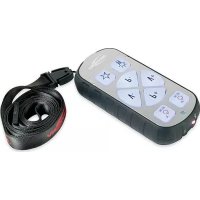
5870062 - Remote control ANSMANN - Free user manual and instructions
Find the device manual for free 5870062 ANSMANN in PDF.



| Product type | Universal remote control |
| Brand | Ansmann |
| Model | 5870062 / Easy Control |
| Dimensions (approx.) | 15 x 5 x 2.5 cm |
| Weight (approx.) | 120 g (with batteries) |
| Power supply | 2 AAA batteries (1.5 V) |
| Number of controllable devices | 2 (TV and receiver) |
| Housing | Robust with rubber protection |
| Keypad | Easy to use, backlit, protected against moisture and dust |
| Main functions | Turn TV and receiver on/off, volume, channels, favorite button (customizable), flashlight |
| Learning | Key memorization via infrared (distance 3-5 mm) |
| Infrared range | 5 to 7 meters |
| Included accessories | Strap |
| Warranty | 3 years |
| Care and cleaning | Clean with a dry cloth; protect from moisture, liquids, and high temperatures |
| Safety instructions | Do not open; keep out of reach of children; recycle used batteries; do not mix new and used batteries |
| Rechargeable batteries | Use only under adult supervision; remove after charging |
Frequently Asked Questions - 5870062 ANSMANN
User questions about 5870062 ANSMANN
0 question about this device. Answer the ones you know or ask your own.
Ask a new question about this device
Download the instructions for your Remote control in PDF format for free! Find your manual 5870062 - ANSMANN and take your electronic device back in hand. On this page are published all the documents necessary for the use of your device. 5870062 by ANSMANN.
USER MANUAL 5870062 ANSMANN
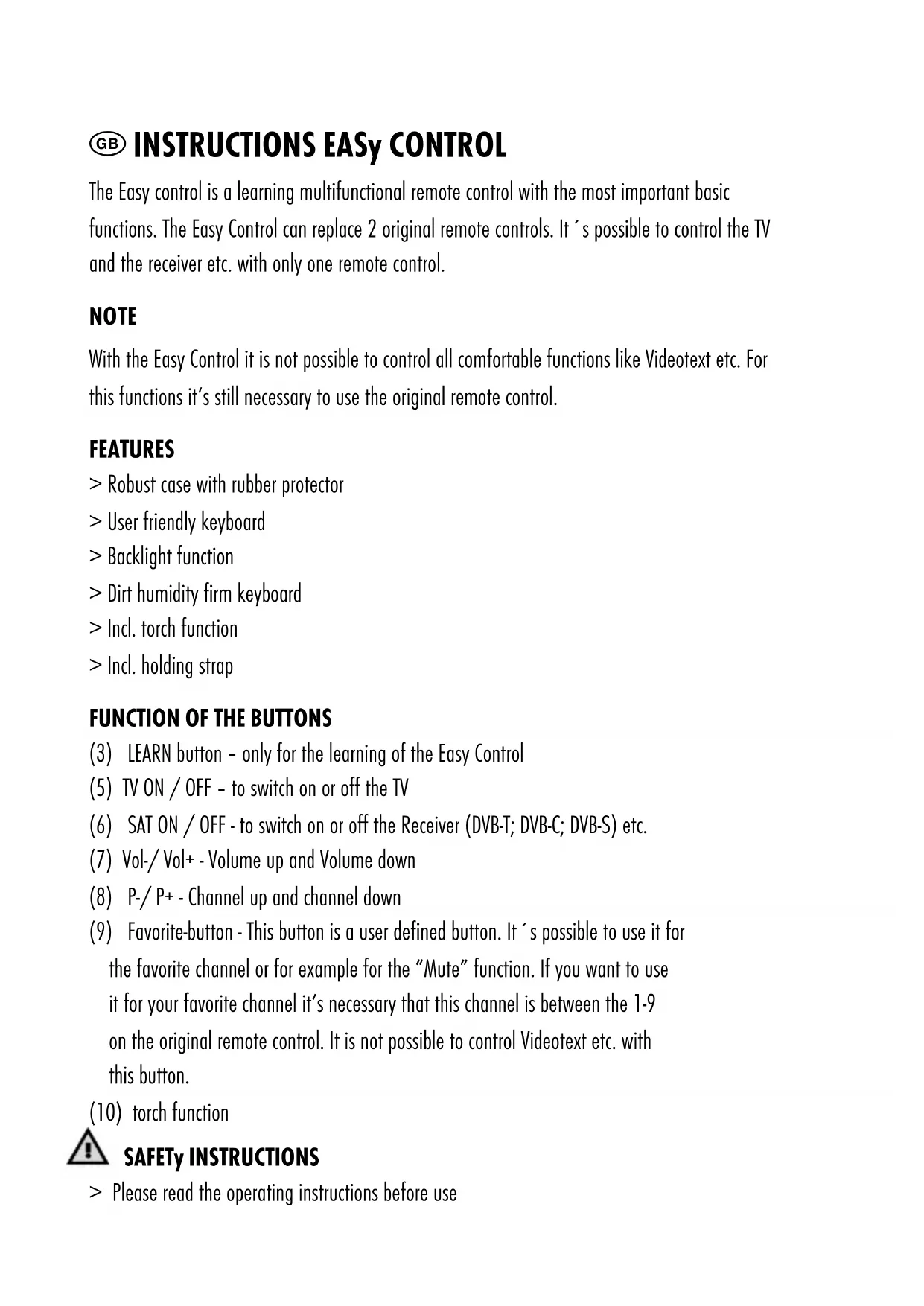
The Easy control is a learning multifunctional remote control with the most important basic functions. The Easy Control can replace 2 original remote controls. It's possible to control the TV and the receiver etc. with only one remote control.
NOTE
With the Easy Control it is not possible to control all comfortable functions like Videotext etc. For this functions it's still necessary to use the original remote control.
FEATURES
Robust case with rubber protector
User friendly keyboard
Backlight function
Dirt humidity firm keyboard
Incl. torch function
Incl. holding strap
FUNCTION OF THE BUTTONS
(3) LEARN button - only for the learning of the Easy Control
(5) TV ON / OFF - to switch on or off the TV
(6) SAT ON / OFF - to switch on or off the Receiver (DVB-T; DVB-C; DVB-S) etc.
(7) Vol-/Vol+ -Volume up and Volume down
(8) P - / P + - Channel up and channel down
(9) Favorite-button - This button is a user defined button. It's possible to use it for the favorite channel or for example for the "Mute" function. If you want to use it for your favorite channel it's necessary that this channel is between the 1-9 on the original remote control. It is not possible to control Videotext etc. with this button.
(10) torch function

SAFETY INSTRUCTIONS
Please read the operating instructions before use
Never try to open the device
The device must be protected against high temperature and against high humidity or liquids
Please use a dry cloth only to clean the device
Keep out of reach of small children
If the safety instructions are not followed, this may cause damage to the device or injury to the user
OPERATION
Open the battery cover (1) on the backside and insert the batteries according to the right polarity (see marking inside the battery compartment). Close the battery cover.
LEARNING METHOD OF THE EASY CONTROL
a. Place the Easy control as well as the original remote controls on the table.
b. Open the cover (2) of the Easy Control.
c. Press and hold the red "LEARN" button (3) until the function LED (4) flashes fast. The Easy Control is in the learning mode now.
d. Push the button of the Easy Control which you want to learn. The function LED (4) is permanent shining.
e. Place the original remote control in a distance of max. 3-5 mm to the Easy Control. It is important that the infrared sensors of Easy Control and of the original remote control face each other to guarantee a fault-free learning. The infrared sensor (12) of the Easy Control is next to the torch light (11). It's important to place the remote controls like you can see in the picture II to guarantee an successful transmission.
f. Press and hold the button of the original remote control which should learned to the button of the Easy Control. Hold the button until the function LED (4) flashes quickly (during the transmission of the datas the function LED (4) is flashing slowly).
g. When the function LED (4) is flashing quickly it 's possible to learn the next button of the Easy Control.
h. Repeat the steps from c. to f. for all buttons which you want to learn, until all buttons are learned.
i. Please push the "LEARN" button (3) to finish and to store the learning of the Easy Control. The function LED (4) is off now and shows that the learning is finished.
i. Check all functions of the Easy Control to see if the learning was successful for all buttons. If the functions of different buttons are still not ok it 's possible to repeat the learning method for this buttons. In this case please repeat the steps a. - h. till all buttons are working.

IMPORTANT
If during the learning process no button is pressed for approx. 30 seconds, the process will stop automatically and must be started again!
It's possible that some buttons must be learned 2 or 3 times till the function is ok -This is not a malfunction or even a defect of the device !!
After a successful learning of the individual function buttons the remote control is ready for use.
It's necessary to change the batteries if the function of the Easy Control is not ok and if the backlight is lighting weak. Open the battery cover (1) on the backside and renew the batteries (2 x Micro AAA). It's no need to learn the Easy Control again after changing the batteries.
TROUBLE SHOOTING
TV or Receiver does not react to the Easy Control
Batteries of Easy Control must be replaced
Learning was not successful for the corresponding function button. In this case, please repeat the learning for this button until the function is ok
Distance between TV or Receiver to the Easy Control is to big (max. distance 5-7 m)
The Easy Control is not in line with the TV or receiver. Please hold the Easy Control into the direction of the TV or Receiver.
The function LED (4) does not start flashing (see point e. during the programming process)
Batteries of the original remote control are too weak
Function key of the original remote control does not work
The distance and the direction of Infrared sensors of Easy Control and original remote control are not ok!
GUARANTEE
We hereby issue a warranty for a period of 3 years subject to the terms and conditions listed below! If you have questions on the operation or function of the device, you are welcome to contact our service department under www.ansmann.de
No warranty claim will be accepted for the following cases:
Operating error
Unauthorised interference
Mechanical damages
Humidity damage due to mishandling
No proof of purchase receipt to validate claim
Low power or faulty batteries
DISPOSAL OF THE BATTERIES
Don't throw away the used batteries with domestic rubbish! Surrender used batteries to your dealer or to the battery collecting point!

CAUTION
Supply terminals are not to be short-circuited
Rechargeable batteries are only to be charged under adult supervision
Rechargeable batteries are to be removed from the unit before being charged
Non-rechargeable batteries are not to be recharged
Exhausted batteries are to be removed from the unit
Different types of batteries or new and used batteries are not to be mixed
Packing and manual must be retained since it contains important information
E INSTRUCCIONES DE USO DEL EASY CONTROL
La television o el receptor no responds al Easy Control
kAUkOSaàTIMEN TOIMINNOT
Place the Easy control as well as the original remote controls on the table.
TepeBn3Op nnn npneMHNK He pearnpyIOT Ha Easy Control
3amehnte 6atapen B Easy Control
06yuHHe IJIra COOTBETCTBYUOeI KHOKN/ΦyHKcIIIN 6blIO npOBeIeHO HeycneuHO. B 3tOM cIyue, NOBTOPHTe IPOUeCC 06yuHnI IJIra COOTBETCTBYUOeI KHOKN, NOKa DaHHaI ΦyHKcIIa/KHONKa He 3apa6oTaet HopMaIbHo.
CnHsKOM 60nbwoe paocToHne ot Easy Control do TebeB3opa nn peCBepa (MaKcHmAbHoE paocToHne 5-7M)
Easy Control He Hanpablen Ha TeleBn3op mnn pecnBep. YdepXnBaIte, noxanyuIcTa, Easy Control B Hanpablenm TeneBn3opa mnn pecnBepa.
CBeToIIOI (4) He Mmraet (cM. nyHKT e. BO BpeMa npouecca yctaHOBKn nporpammbi)
baapeiKn o6bHoro dntaHcnoHHoro nyIbTa ynpabneHn HcpepnaH 3ap
Функионаньога KHONka обчHoro nctaHOnHOrO nybTa ynpabNeHn He pa6otaetHebephoe pacctoHne nnn HnnpabHeHne cHnHa a HnphiPakpachbIX datuKOB Easy Control n o6bUHorO dNCTAHNoHHoro nyIbTa
TapantMnHbIEcnoBNa
ANSMANN npedocabniet 3 roda rapahtnn Ha 3to yctpoictBO. rapaHTn He paacnpocpaHaretc HIOBpeXdEHH, BO3HKnwe BCneCTBne HENpABnIbHOrO npIMHeHn.
ANSMANN He Hecet OTBETCTBEHHO npMble, KOCBeHHbIe, CnyuAHbIe DeΦeKtbl, BO3HNKUHe B pe3yIbTate IcnoJIb3OBaHnY cTPOJCTBa INhIM O6pa3OM, OTNHybIM OT ONHCaHHOrO B INHCTpyKcnn N0 3KcIIyatauH.
TexHueckne Detann MOyT 6bItb N3MeHeBb63 npedBaPteIbHO rBeOmHeHn. Ipn3BoIteNb He Hecet OTBETCTBEHOct 3a OeATKn n TnOrpaΦCKne Own6Kn. 11/2010
yTnN3aun aKKymnyTopoB
He BbI6paCbBAaTe nCNoJIb3OBaHHbIe 6BaTapeKn BMeCTe CxO3rJCTBeHHbIM MycOpOM! CdaIte nCNoJIb3OBaHHbIe 6BaTapeKn B NyHkTbI c6opa!

MEpbl npEdoctopoXnocTm:
He3akopauBaIe aKKyMnyTOpbl
AkkyjnoptbmoyT 3apxotbcra TOnbko noi npncmotpom B3pocnbix
AkkyjTOpbl 0JXHbI 6blb N3bTbI 3 yctpoCTBa nepei npoeccM 3apra
He3apxaaTe He nepe3apxxaemble aKKymyIaTOpbl
Otpa6oTaHHbIe aKKyMnyIaTOpbI dONXHbI 6bITb ydaJIeHbI n3 yCTPOJCTBO
He nCnoJIb3yIte cTApBle n HOBbie aKKyMnyIaTOpbl BMeCTe, a TAKXe aKKyMnyIaTOpbl pa3NHybIX XmMnueCKNX CnCTeM, pa3HbIX npON3BOJnteNei, pa3NnuHOJ eMKoCTn i CTeNEH 3apra.
Ynakobka n Hnctpykun ydoJxHbI 6bItb coXpaHeHbI, nockonbky OHH coepKHT BaxHyIO HHOpMaunio
EASY CONTROL - NÁVOD NA POUžÍVANIE
UCYHEHHH HECPABHOCTE
Tenebi3op a6o npnmau He pearyotb Ha cnrrann Easy Control
Cnpo6yIte 3amHHTn akymyIaTOpHi 6atapeKu
Bn norgaHO 03HaHOMmNcB 3 fYHKciA M N KHOJOK. B taKOMy pa3i, nobTopitb 03HaHOMneHHra 3 daHOIO KhoNkoIO, POKI He 3HmKHe HecnpabHicTb.
3aHaoTo BeNka BiDcTaHb mix TeIeBi3Opom a6o npHMaayem Ta yHIBepcaIbHM nyIbTom Easy Control (MAKc. BiDcTaHb 5-7 M)
Easy Control HanpaBHeH B dpyromy HanpMky BiD Telebi3opa a6o npiMaaya. ByIb IaCKa HanpaBTe Easy Control B OndHomy HanpMky Do Telebi3opa qn npiMaaya.
He cnpauboye yHKuiy LED (4) (nB.nyHKT e. niaac npoeccy nporpamybaHHa
He notyxhi 6atapei opirihnbo npnbTa DY.
He npaioe cyHKioHaIbHa KnaBia B opriHaIbHomy nyblti DY
He HopMaIbHa BIDCTaHb i HApPmOK iHΦpauepeBoHnx DaTunKIB Easy Control ta opirihalbHoro nyIbTa IY.
Tapantla
Bnpo6nK hanae 3 pOK n rapaHTiHa daHn npncpti3 a yMOB dOtpMaHHn npabn 3a3hauehnx HxKue! RaKo y BAC e nTahnHa oDo ynpabnIHn a6o fynkioHyBaHHn npncptpO, Bn moXe 3B'raTncb 3 HaaM Bidinom o6cnyroByBaHH KOpncTyBaiv Ha caTI www.ansmann.de.
Tapantia He HadaetbcB HactynnX BnadkoX:
Пошкоджehн,ВИКлИКаHI Heo6epeXHm BИKOpNCTaHHaM
HecahKioHOBOHe BtpyuaHHa
MexaHicHi noKoJxehnHa
Пошкогхенг,внлканi BOIoroIO B pezylbtaH I HnрabNlbHOrO NOBOKxehn
BiDcyTHicTB YeKa npo npuD6aHnHa npncTpoHO
Hn3bka notyXhictb qH HecnpabHictb aKymyIaTOpB
yTnI3aul6atapEn XNBnEHn
He BnKnJaTe BnKOpNCTaHI 6atapei pa3OM 3 no6yToBmN BiIxDAMM!3aIte BnKOpNCTaHI 6atapei do BaWoRo DInpepa a6o do cneiaJIbHOrO nyHKt yTHNI3aui!

3actEpEKeHHa:
KneMn XMBJIeHH He NOBHHI 6yTu 3aMKHyTI
AkymyIaTOpN MoXytb 3apJxatncb tiIbKn niI HarnJaOM dopocnX
AkymyIaTOpHi 6aTapeH Tpe6a BnHn3 ynaKOBKn nepei noatkom npoecy 3apRkn
He akymyjatophi 6aatapei 3apxatncb He 6ydyt b
BnKOpNCTaHI aKymyIaTOpHi 6aTaapei MaHToB 6yTu BnDJIeHi 3 npNcTpoHO
He BnKOpncroBnyTe pi3Hi Tnna aKymyIaTOpiB
36epiraTe ynakOBky ta iHctpyKciIO, BOHN MiCTaBaxJINBy iHΦopMaizio
SERVICEKARTE


- NOTE
- FEATURES
- FUNCTION OF THE BUTTONS
- SAFETY INSTRUCTIONS
- OPERATION
- LEARNING METHOD OF THE EASY CONTROL
- IMPORTANT
- TROUBLE SHOOTING
- TV OR RECEIVER DOES NOT REACT TO THE EASY CONTROL
- THE FUNCTION LED (4) DOES NOT START FLASHING (SEE POINT E. DURING THE PROGRAMMING PROCESS)
- GUARANTEE
- DISPOSAL OF THE BATTERIES
- CAUTION
- E INSTRUCCIONES DE USO DEL EASY CONTROL
- LA TELEVISION O EL RECEPTOR NO RESPONDS AL EASY CONTROL
- KAUKOSAÀTIMEN TOIMINNOT
- TEPEBN3OP NNN NPNEMHNK HE PEARNPYIOT HA EASY CONTROL
- CBETOIIOI (4) HE MMRAET (CM. NYHKT E. BO BPEMA NPOUECCA YCTAHOBKN NPORPAMMBI)
- TAPANTMNHBIECNOBNA
- YTNN3AUN AKKYMNYTOPOB
- MEPBL NPEDOCTOPOXNOCTM
- EASY CONTROL - NÁVOD NA POUŽÍVANIE
- UCYHEHHH HECPABHOCTE
- TENEBI3OP A6O NPNMAU HE PEARYOTB HA CNRRANN EASY CONTROL
- HE CNPAUBOYE YHKUIY LED (4) (NB.NYHKT E. NIAAC NPOECCY NPORPAMYBAHHA
- TAPANTLA
- YTNI3AUL6ATAPEN XNBNEHN
- 3ACTEPEKEHHA
- SERVICEKARTE
Brand : ANSMANN
Model : 5870062
Category : Remote control