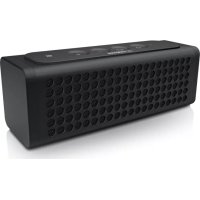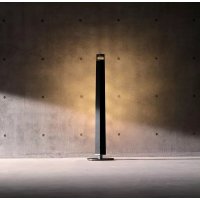
LSX700 - Docking station YAMAHA - Free user manual and instructions
Find the device manual for free LSX700 YAMAHA in PDF.



| Product Type | Docking Station |
| Brand | Yamaha |
| Model | LSX700 |
| Dimensions (W x H x D) | 94 x 241 x 94 mm |
| Weight | 950 g |
| Power Supply | 230 V AC, 50 Hz; AC adapter 12 V DC / 1.5 A (MU18-D120150-C5) |
| Built-in Battery | Lithium-ion, 2900 mAh / 3.6 V |
| Playback Time | Approximately 8 hours (at 200 mW) |
| Charging Time | Approximately 4 hours (power off); approximately 7 hours (power on) |
| Bluetooth Connection | Version 2.1+EDR; profiles A2DP; codecs SBC, AAC, aptX; maximum range 10 m |
| AUX Input | 3.5 mm stereo mini-jack |
| LED Lighting | Adjustable (5 levels); estimated lifespan 36,000 hours |
| Special Features | SMART TIMER (alarm/sleep timer), auto standby, DTA CONTROLLER app |
| Power Consumption | 10 W (power on, music + lighting); 0.2 W (power off); 0.5 W (SMART TIMER standby) |
| Supplied Accessories | AC adapter |
| Compatibility | iPhone, iPad, iPod (Made for iPod/iPhone/iPad) |
| Care and Cleaning | Unplug the device before cleaning; use a soft, dry cloth |
| Safety | Read the safety leaflet before use; do not expose to water or extreme temperatures |
| Spare Parts and Repairability | Contact an authorized Yamaha service center; battery not user-replaceable |
| General Information | Specifications subject to change without notice |
Frequently Asked Questions - LSX700 YAMAHA
User questions about LSX700 YAMAHA
0 question about this device. Answer the ones you know or ask your own.
Ask a new question about this device
Download the instructions for your Docking station in PDF format for free! Find your manual LSX700 - YAMAHA and take your electronic device back in hand. On this page are published all the documents necessary for the use of your device. LSX700 by YAMAHA.
USER MANUAL LSX700 YAMAHA
Supplied accessories......4
About this manual.....4
Recharging this unit......4
Part names......5
Preparations
Installing "DTA CONTROLLER"......6
Turning on the lighting/power......6
Listening to music via Bluetooth connection
Pairing a device with the unit......7
Performing pairing and playing back music......8
Connecting a paired Bluetooth device and playing back music....9
★ Terminating the Bluetooth connection......9
Listening to external sources
Connecting an external device.....10
Playing back......10
Using the SMART TIMER
Setting the SMART TIMER......11
Troubleshooting.....12
Specifications....14
Introduction
Confirm the package contents and thoroughly read this manual.
Supplied accessories
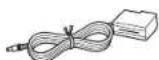
AC adaptor
(DC 12 V/1.5 A
Model No.: MU18-D120150-C5)
About this manual
-Operations
"iPhone" described in this manual may also refer to "iPod touch" or "iPad."
•Illustrations
Illustrations may differ from actual item depicted.
Symbols

Indicates precautions for use of the unit and feature limitations.

Indicates supplementary explanations for better use.

Indicates the corresponding reference page(s).
Recharging this unit
When using this unit for the first time, connect the supplied AC adaptor to the unit and charge it from a wall outlet.
- If charging the unit with both the power and light turned off, the indicator blinks slowly in orange. Once charging is complete, the indicator turns off.
- If the remaining battery level of this unit becomes low, the indicator will blink rapidly in orange.
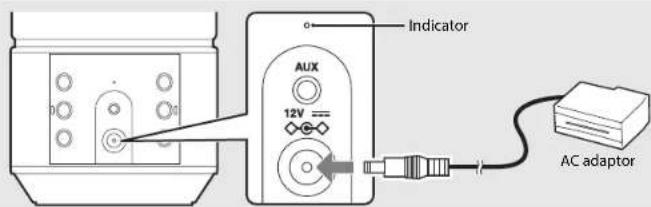

- The charging time for the battery is approximately 4 hours when the unit is off and approximately 7 hours when the unit is on.
- Check the remaining battery level of the unit from "DTA CONTROLLER" (P.6).

- In the place where temperature is very high or low, the unit may be recharged earlier than usual or fail to be recharged.
• In order to maintain the function, the unit should be recharged every six months. - The rechargeable battery has a limited lifespan. Its capacity decreases gradually with the frequency of use and the passage of time.
- The lifespan of the rechargeable battery varies according to how it is stored, usage conditions and usage environment.
- In order to achieve the maximum duration from the battery, there may be a difference in sound volume and quality when using the unit with the battery and when using the unit connected with the AC adaptor.
- The power may turn off depending on the volume and light status regardless of the remaining battery level.
Part names
Familiarize yourself with all parts and these functions.
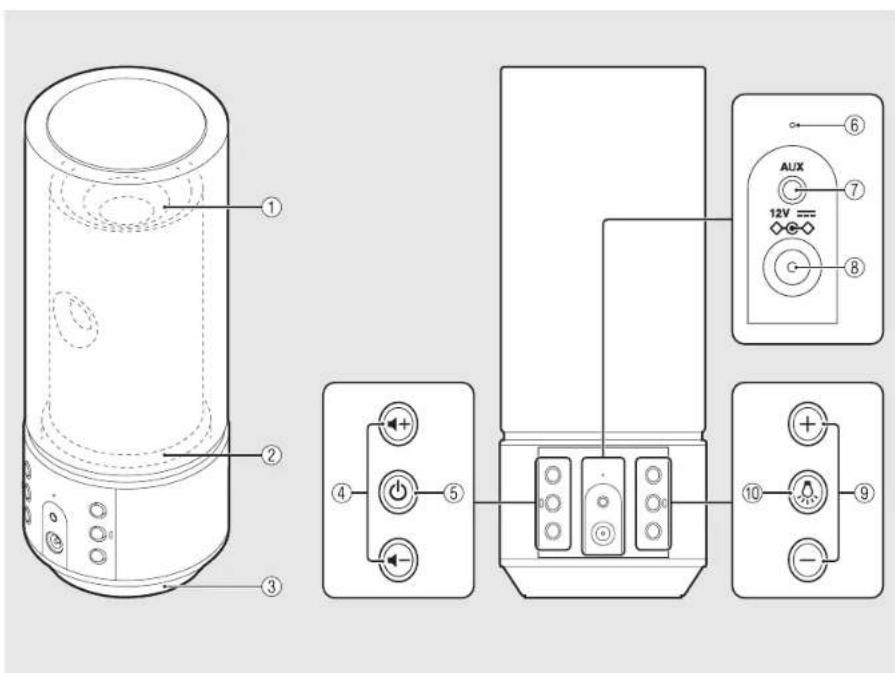
* The light effects represent the sound expansion.
①Light/speaker
②Light
③Speaker
④/VOLUME)
Controls the volume.
⑤ ⏻ (Power) (P.6)
Press: Tums the unit on/off.
Press and hold: Disconnects a Bluetooth device.
The unit plays a startup tone when turned on and a shutdown tone when turned off.
⑥Indicator
Lights up when turning on the unit. Blinks when the status of the Bluetooth connection and the status of the rechargeable battery change.
⑦ AUX (P.10)
Connects to an external device via a commercially available 3.5 mm stereo mini-plug cable.
⑧ DC IN (P.4)
Connects the supplied AC adaptor.
⑨ Lighting +/- (P.6)
Press to adjust the lighting brightness.
⑩ (Lighting) (P.6)
Press to turn on or off the light.
Preparations
Install Yamaha's application "DTA CONTROLLER" and turn the unit on.
Installing "DTA CONTROLLER"
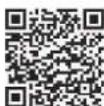
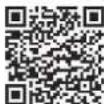
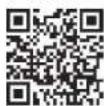
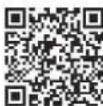
Installing DTA CONTROLLER application on a mobile device, such as a smartphone or tablet computer, allows you to use a variety of additional convenient features of Yamaha desktop audio systems.
Features
•Turning on/off of the unit, adjusting volume
- Turning on/off the lighting, adjusting the brightness of the lighting
- Setting of the SMART TIMER (P.11)
- Playing back songs stored in a smart phone or tablet

The mobile device needs to be connected with the unit via Bluetooth connection (P.7).

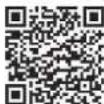
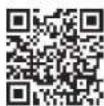
http://itunes.com/app/dtacontroller
(For users in the U.S.A.)
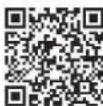
https://itunes.apple.com/us/app/dta-controller us/id5493332937mt=8
Google Play™
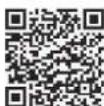
https://play.google.com/store/apps/details/id=com.yamaha.av.dtacontroller
* If access to any of these fails, search for "DTA CONTROLLER" on the App Store or Google Play.
Turning on the lighting/power
1 Connect the AC adaptor to the unit and plug the power plug into a wall outlet.
2. Press to turn on the light.
-Lighting can be turned on/off even when the power of the unit is off.
- To adjust the brightness, press the Lighting +/- button (5 steps).
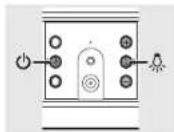
- Press ⏻ to turn on the unit.
- The unit plays a startup tone and turns on. You can then play music.
Auto standby function
•The auto standby function will be activated as follows (default setting).
- The unit turns off automatically if no operation has been performed for more than 20 minutes with no device connected to AUX or via Bluetooth connection.
- The unit turns off automatically if no operation has been performed for more than 8 hours.
Activating/deactivating the auto standby function
1 Press to turn on the light.
2 Press and hold for at least 10 seconds.
• The auto standby function switches and the lighting (P.5) blinks.
- Auto standby is activated: The lighting blinks three times.
- Auto standby is deactivated: The lighting blinks once.
Turning the notification-tone function on/off
- If you want to turn the notification tones (startup tone/shutdown tone, Bluetooth connection tone, maximum/minimum volume notification tone) on or off, when the unit is off, press while pressing a-turn on the unit.
- If turning on the notification tones: The unit plays the startup tone.
- If turning off the notification tones: The unit does not play the startup tone.
Listening to music via Bluetooth connection
You can listen to sound wirelessly from a Bluetooth compatible device.
Pairing a device with the unit
When connecting a Bluetooth device to the unit for the first time, the device is required to be registered to the unit. This process is called "pairing." Once pairing is completed, subsequent connection can be made with a couple of easy steps.
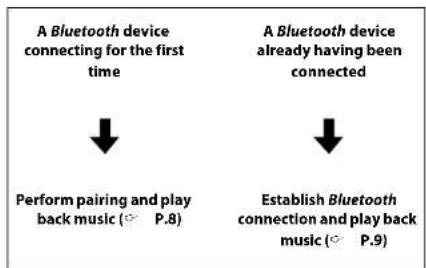
flowchart
graph TD
    A["A Bluetooth device connecting for the first time"] --> B["Perform pairing and play back music (P.8)"]
    C["A Bluetooth device already having been connected"] --> D["Establish Bluetooth connection and play back music (P.9)"]
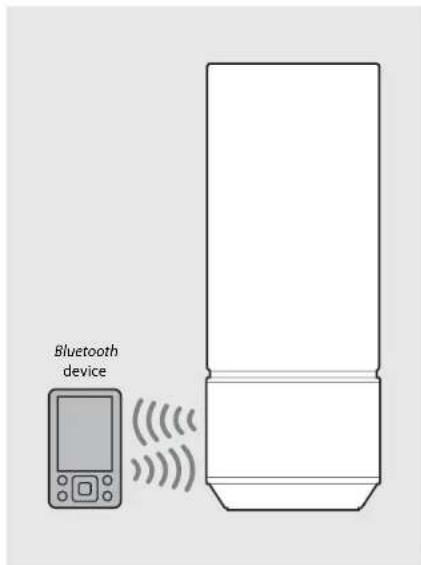

- If pairing information for a device is deleted, you will need to perform pairing of that device again in order to connect it again.
Performing pairing and playing back music
iPhone
1 Press ⏻ to turn on the unit (→ P.6).
•The indicator lights in orange.
2 Tap "Settings" and "Bluetooth" on your iPhone to turn on its Bluetooth function.
3 On the connecting list in the "Device" field, tap "LSX-70 Yamaha."
- After pairing is complete, the indicator (P.S) blinks in blue and the unit plays a Bluetooth connection tone when a Bluetooth connection is established.
4 Play back music on your iPhone.
Other than iPhone
1 Press ⏻ to turn on the unit (♡ P.6).
•The indicator lights in orange.
2 Turn on the Bluetooth function on your device.
3 In the Bluetooth setting of the device, select "LSX-70 Yamaha."
• After pairing is complete, the indicator (P.5) blinks in blue and the unit plays a Bluetooth connection tone when a Bluetooth connection is established.
- If the device does not connect to the unit automatically after the pairing is completed, select "LSX-70 Yamaha" again in the Bluetooth setting on your device.
• For details, see the owner's manual of your device.
4 Play back music on your device.
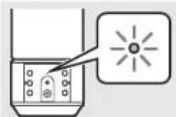
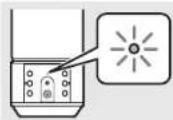

- If another device is already connected to the unit, terminate that Bluetooth connection by pressing and holding ⏻, then perform pairing with the new device.
•The pairing operation may differ depending on your iPhone or version of device OS.

- If another device is already connected to the unit, terminate that Bluetooth connection by pressing and holding ⏻, then perform pairing with the new device.
- If a passkey is required during the pairing operation, enter the number "0000."
Connecting a paired Bluetooth device and playing back music
If the unit is connected to another device via Bluetooth connection, terminate that connection (see "Terminating the Bluetooth connection" on the right) before connecting to the target device.
1 Press ⏻ to turn on the unit.
2 Perform Bluetooth connection.
- Turn on the Bluetooth function on the device and select "LSX-70 Yamaha."
•The indicator blinks in blue and the unit plays a Bluetooth connection tone when a connection is established. - If the device is latest recently connected one via Bluetooth connection, this unit and the connecting device are connected automatically via Bluetooth connection when you turn on the power of this unit.
3 Play back music on the connected device.
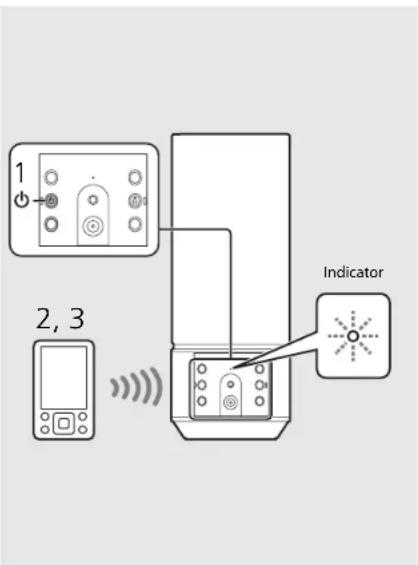
- Decrease the volume of the unit before playback. Otherwise, playback volume may be too loud.
Terminating the Bluetooth connection
- Bluetooth connection can be terminated by either one of the following.
- Turn off the Bluetooth function of the connected device.
-Press and hold ⏻ on the unit.
- Turn off both the power and light of the unit.
•The indicator blinks in blue and the unit plays a Bluetooth disconnection tone when the connection is terminated.
Music enhancer
This function enhances the sound of compressed digital sound by regenerating musical elements that are lost through compression via Bluetooth connection.
Listening to external sources
This unit allows playback of external devices connected to the AUX terminal. A commercially available 3.5 mm stereo mini-plug cable is required for this connection. Be sure to turn off the unit by pressing ⏻ before connecting the external device.
Connecting an external device
1 Plug the cable into the AUX terminal of the unit.
2 Connect the other end of the cable to the external device.
Playing back
1 Press ⏻ to turn on the unit.
2 Play back the external device.
- For details on playback, see the owner's manual supplied with the external device.
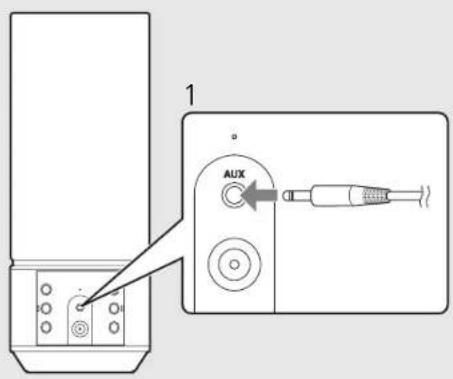
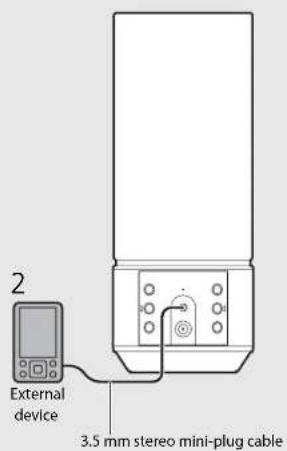

- Decrease the volume of the unit and the external device before connection.

- If both a Bluetooth device and external device are played back, sound from both devices will be heard.
Using the SMART TIMER
The SMART TIMER allows you to turn on the lighting at the brightness you set and play back your favorite music as a wake-up timer every morning. You can also turn off the lighting and stop music playback automatically while you are in bed listening to music.
SMART TIMER can be used only when the unit is connected to a power source.
What the SMART TIMER can do
| On-timer Off-timerTurn on the lighting at a specified time.Specify the brightness of the lighting.Play back the music of a connected device at a specified time.Specify a song.Preset the volume level. | Turn off the lighting at a specified time.Turn off the power at a specified time. |
Setting the SMART TIMER
SMART TIMER settings can be performed with a smart phone or tablet that has the DTA CONTROLLER application (P.6) installed.
1 Connect a device via Bluetooth connection ( P.8, 9).
2 Start DTA CONTROLLER on the device and make the SMART TIMER settings.
3 Synchronize the SMART TIMER with the unit by DTA CONTROLLER.
- Be sure to synchronize the SMART TIMER with the unit every time you perform the SMART TIMER setting.
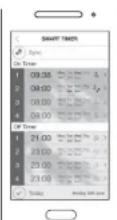
Due to product improvements, specifications and appearance are subject to change without notice.

- To play back a song via Bluetooth connection at a set time, it is required that the Bluetooth function of your smart phone or tablet is turned on. Additionally, in the case of an iPhone, do not quit DTA CONTROLLER while multitasking.
- If another Bluetooth device is connected to the unit at the time you set, the song you set as the on-timer will not be played back. Disconnect any other device before the time you set.

- The on-timer and off-timer of the SMART TIMER can be activated/deactivated by DTA CONTROLLER only.
Inner clock of the unit
- The unit copies the time to the unit's inner clock from DTA CONTROLLER when a device connects to the unit via Bluetooth connection. The SMART TIMER follows the unit's inner clock.
- If you disconnect the AC adaptor and the remaining battery level completely runs out, the clock setting will reset and SMART TIMER will turn off.
Troubleshooting
Refer to the table below if the unit does not function properly. If your solution is not listed below or if the instruction below does not help, turn off the unit, disconnect the AC adaptor, and contact your nearest authorized Yamaha dealer or service center.
General
| Problem Cause Solution | ||
| The unit turns off soon after the power is turned on.The unit does not operate properly. | The AC adaptor is not properly connected. Connect the AC adaptor firmly. | |
| The battery in this unit is weak. | Recharge the battery (P.P4). | |
| This unit has been exposed to a strong external electric shock such as lightning or strong static electricity. | Hold down ☑ on the front panel for more than 10 seconds to initialize and reboot the unit. | |
| The speakers make no sound. | The volume is minimum. Turn up the volume. | |
| The power is off. Turn on the unit and play the music again. | ||
| The auto standby function is activated. | Turn on the unit (P.P6). | |
| The unit and/or lighting turn off suddenly. | The auto standby function is activated. | Turn on the unit and/or lighting (P.P6). |
| The off-timer of the SMART TIMER is set. Check the setting of the off-timer from DTA CONTROLLER. | ||
| The battery in this unit is weak. | Recharge the battery (P.P4). | |
| The unit and lighting turn on suddenly. | The on-timer of the SMART TIMER is set. | Check the setting of the on-timer from DTA CONTROLLER. |
| The indicator blinks rapidly in orange. | The battery in this unit is weak. | Recharge the battery (P.P4). |
| SMART TIMER does not operate. SMART TIMER is not set from DTA CONTROLLER. | Set the SMART TIMER from DTA CONTROLLER and synchronize it to the unit (P.P11). | |
| There is noise interference from digital or high-frequency equipment. | This unit is too close to the digital or high-frequency equipment. Place this unit farther away from such equipment. | |
| This unit does not work at all. | The battery in this unit is weak. | Recharge the battery (P.P4). |
Bluetooth
Problem Cause Solution
| Cannot make the unit pair with a Bluetooth device. | The unit is turned off. | Turn the unit on and perform the pairing (P.P.8). |
| Another Bluetooth device is connected. | Terminate current Bluetooth connection, and perform pairing with the new device. | |
| This unit and the device are too far apart. Pair the unit and device within a distance of 10 m (33 ft). | ||
| There is a device (microwave oven, wireless LAN, etc.) that outputs signals in the 2.4 GHz frequency band nearby. | Move this unit away from the device that is emitting radio-frequency signals. | |
| A Bluetooth adaptor, etc., that you want to pair with this unit has a passkey other than "0000." | Use a Bluetooth adaptor, etc., whose passkey is "0000." | |
| The Bluetooth device does not support A2DP. | Perform pairing with a device which supports A2DP. | |
| Cannot make a Bluetooth connection. | The unit is turned off. Turn the unit on. | |
| Another Bluetooth device is connected. | Terminate current Bluetooth connection, then establish a Bluetooth connection with that device again. | |
| The Bluetooth function of the device is turned off. | Turn on the Bluetooth function of the device. | |
| The pairing information has been deleted. | Perform pairing again (P.P.8). This unit can be paired with eight devices. If pairing with a ninth device is performed, the pairing information with the earliest connection date will be deleted. | |
| This unit is not registered on the device's Bluetooth connection list. | Perform pairing again (P.P.8). | |
| No sound is produced, or the sound is interrupted during playback. | The volume of the connecting device is set too low. Turn up the volume of the connecting device. | |
| The connecting device is not set to send Bluetooth audio signals to the unit. | Switch the output of Bluetooth audio signals of the connecting device to the unit. | |
| The Bluetooth connection of the unit with the device has terminated. | Perform Bluetooth connection operations again (P.P.9). | |
| There is a device (microwave oven, wireless LAN, etc.) that outputs signals in the 2.4 GHz frequency band nearby. | Move this unit away from the device that is emitting radio-frequency signals. | |
| This unit and the connecting device are too far apart. Move the connecting device to within 10 m (33 ft) of the unit. | ||
Specifications
Bluetooth section
| Bluetooth version Ver. 2.1+EDR | |
| Supported profile A2DP (Advanced Audio Distribution Profile) | |
| Compatible codecs SBC, AAC, antiX® | |
| Wireless output Bluetooth Class 2 | |
| Maximum communication range 10 m [33 ft] (without obstructions) | |
AUX section
| Input connector 3.5 mm stereo min jack |
| Lighting section (LED*) |
| Lifetime (Luminous flux under 70%) About 36,000 hours |
| Power consumption (When only the lighting is on) 8 W |
Rechargeable battery
| Built-in battery Lithium-ion battery | |
| Capacity/Voltage 2900 mAh/3.6 V | |
| Playable time | Under the fully recharged condition, about 8 hours (output: 200 mW) |
| Recharge time | Power-on condition: About 7 hours |
| Power-off condition: About 4 hours |
General
| Power supply AC 230 V, 50 Hz | |
| Power consumption | Power-on condition (music is played back and the lighting is on): 10 W |
| Power-off condition (lighting and SMART TIMER are off and no Bluetooth connection); 0.2 WStandby condition (SMART TIMER is on); 0.5 W | |
| AC adaptor MU18 D120150-C5 (DC) | 12 V/1.5 A) |
| Dimensions (W × H × D) 94 × 241 × 94 mm (3-3/4 × 9-1/2 × 3-3/4 in) | |
| Weights | 950 g (2.09 lbs.) |
As of August 2014. Specifications are subject to change without notice.
* The estimated lifetime of LED lighting is about 36,000 hours
This figure is based on the shorter of either the duration until the lighting is worn out, or the duration before luminous flux drops to below 70% of the original. Note, however, that the estimated 36,000 hour duration is not guaranteed.
Made for
iPod iPhone iPad
"Made for iPod," "Made for iPhone," and "Made for iPad" mean that an electronic accessory has been designed to connect specifically to iPod, iPhone, or iPad, respectively, and has been certified by the
developer to meet Apple performance standards.
Apple is not responsible for the operation of this device or its compliance with safety and regulatory standards.
Please note that the use of this accessory with iPod, iPhone, or iPad may affect wireless performance.
iPad, iPhone, iPod and iPod touch are trademarks of Apple Inc., registered in the U.S. and other countries.
Bluetooth
- Bluetooth is a technology for wireless communication between devices within an area of about 10 meters (33 ft) employing the 2.4 GHz frequency band, a band which can be used without a license.
- Bluetooth is a registered trademark of the Bluetooth SIG and is used by Yamaha in accordance with a license agreement.
Handling Bluetooth communications
- The 2.4 GHz band used by Bluetooth compatible devices is a radio band shared by many types of equipment. While Bluetooth compatible devices use a technology minimizing the influence of other components using the same radio band, such influence may reduce the speed or distance of communications and in some cases interrupt communications.
- The speed of signal transfer and the distance at which communication is possible differs according to the distance between the communicating devices, the presence of obstacles, radio wave conditions and the type of equipment.
- Yamaha does not guarantee all wireless connections between this unit and devices compatible with Bluetooth function.
© 2013 CSR plc and its group companies.
The aptX® mark and the aptX logo are trade marks of CSR plc or one of its group companies and may be registered in one or more jurisdictions.
Android™
Android and Google Play are trademarks of Google, Inc.
Table des matières
Introduction
Accessoires fournis......4
⑤ ⏻ (Alimentation) (P.6)
Available on the App Store
http://tunes.com/app/dtacontroller
https://itunes.apple.com/us/app/dta-controller-us/ids49333293?mt=8
Google Play™
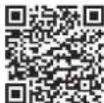
https://play.google.com/store/apps/details?id=com.yamaha.av.dtacontroller
Anomalies Causes possibles Solution
Batterie rechargeable
Miniklinkenkabel her.
⑧ DC IN (○ S.4)
Available on the App Store
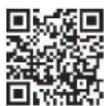
http://tunes.com/app/dtacontroller
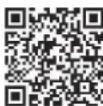
https://itunes.apple.com/us/app/dta-controller-us/id549333293?mt=8
Google Play™
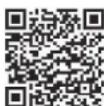
https://play.google.com/store/apps/details?id=com.yamaha.av.dtacontroller
https://tunes.apple.com/us/app/dta-controller-us/id549333293?mt=8
Google Play™
https://play.google.com/store/apps/details?id=com.yamaha.av.dtacontroller

natural_image
Black-and-white photo of a beverage setup with a glass of water, wine glasses, and a plate of fruit on a checkered tablecloth (no visible text or symbols)Introduzione
Available on the App Store
http://tunes.com/app/dtacontroller
https://tunes.apple.com/us/app/dta-controller-us/id549333293?mt=8
Google Play™
https://play.google.com/store/apps/details?id=com.yamaha.av.dtacontroller
https://tunes.apple.com/us/app/dta-controller-us/id549333293?mt=8
Google Play™
https://play.google.com/store/apps/details?id=com.yamaha.av.dtacontroller
https://tunes.apple.com/us/app/dta-controller-us/id549333293?mt=8
Google Play™
https://play.google.com/store/apps/details?id=com.yamaha.av.dtacontroller
natural_image
Black-and-white photo of a beverage setup with a glass, wine glasses, and a textured tablecloth (no visible text or symbols)Введение
Available on the App Store
http://tunes.com/app/dtacontroller
https://tunes.apple.com/us/app/dta-controller-us/id549333293?mt=8
Google Play™
https://play.google.com/store/apps/details?id=com.yamaha.av.dtacontroller