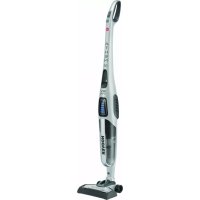
ATN 18 LI - Vacuum Cleaner HOOVER - Free user manual and instructions
Find the device manual for free ATN 18 LI HOOVER in PDF.



User questions about ATN 18 LI HOOVER
0 question about this device. Answer the ones you know or ask your own.
Ask a new question about this device
Download the instructions for your Vacuum Cleaner in PDF format for free! Find your manual ATN 18 LI - HOOVER and take your electronic device back in hand. On this page are published all the documents necessary for the use of your device. ATN 18 LI by HOOVER.
USER MANUAL ATN 18 LI HOOVER
natural_image
Exterior view of a modern vacuum cleaner (no visible text or symbols)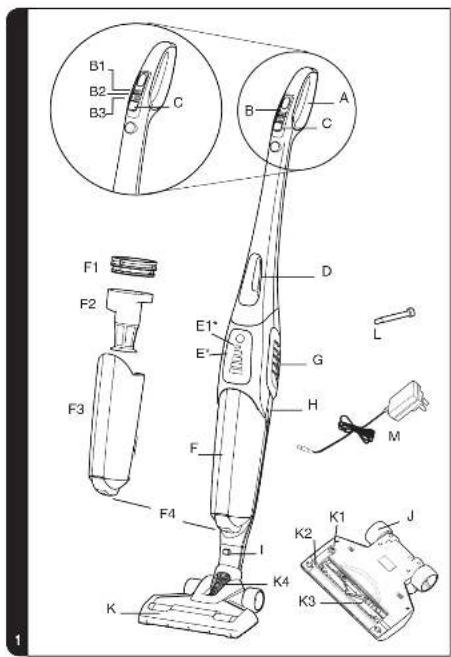
text_image
B1 B2 B3 C A B C F1 F2 E1* E' G H L M F3 F4 I K2 K1 J K4 K3 K* Certain models only





GENERATION FUTURE

GENERATION FUTURE
PRINTED IN P.R.C.
48006271/3


natural_image
Vertical color scale bar with grayscale dots and a small circular icon at the bottom (no text or symbols)GB
IMPORTANT INFORMATION
This cleaner should only be used for normal domestic cleaning, as described in this user guide. Please ensure that this guide is fully understood before operating the appliance. Use only attachments recommended or supplied by Hoover.
Electrical Requirements
This Hoover appliance is supplied with a double insulated battery charger which is only suitable for insertion in a 230V (UK 240V) socket outlet. Ensure that the charger rating label matches your voltage supply.
SAFETY REMINDERS
• DO NOT let children play with the cleaner or its controls.
• DO NOT use your cleaner outdoors, on wet surfaces or for wet pickup.
• DO NOT pick up hard or sharp objects, matches, hot ashes, cigarette ends or other similar items.
- DO NOT spray with, or pick up flammable liquids such as cleaning fluids, petrol, etc, or their vapours, as they may cause an explosion or fire.
• DO NOT replace the NiMh batteries with non rechargeable batteries.
• DO NOT place the cleaner near a heat source.(e.g. oven, heating appliance or radiator)
• DO NOT expose the batteries to a room temperature above 40^ C.
• DO frequently clean the dust cup and filter assembly.
- DO plug in the charger after use to recharge the batteries. Occasionally fully discharge the batteries to obtain the maximum battery life. Do not use any other charger with this cleaner.
• DO NOT unplug the charger by pulling on the cable.
This appliance can be used by children aged from 8 years and above and persons with reduced physical, sensory or mental capabilities or lack of experience and knowledge if they have been given supervision or instruction concerning use of the appliance in a safe way and understand the hazards involved. Children shall not play with the appliance. Cleaning and user maintenance shall not be made by children without supervision.
The cleaner has been designed for normal domestic use only. If any commercial use, inappropriate use or failure to comply with the instructions, the manufacturer accepts no responsibility and the guarantee will not apply.
HOOVER SERVICE: To ensure the continued safe and efficient operation of this appliance we recommend that any servicing or repairs are only carried out by an authorised Hoover service engineer.
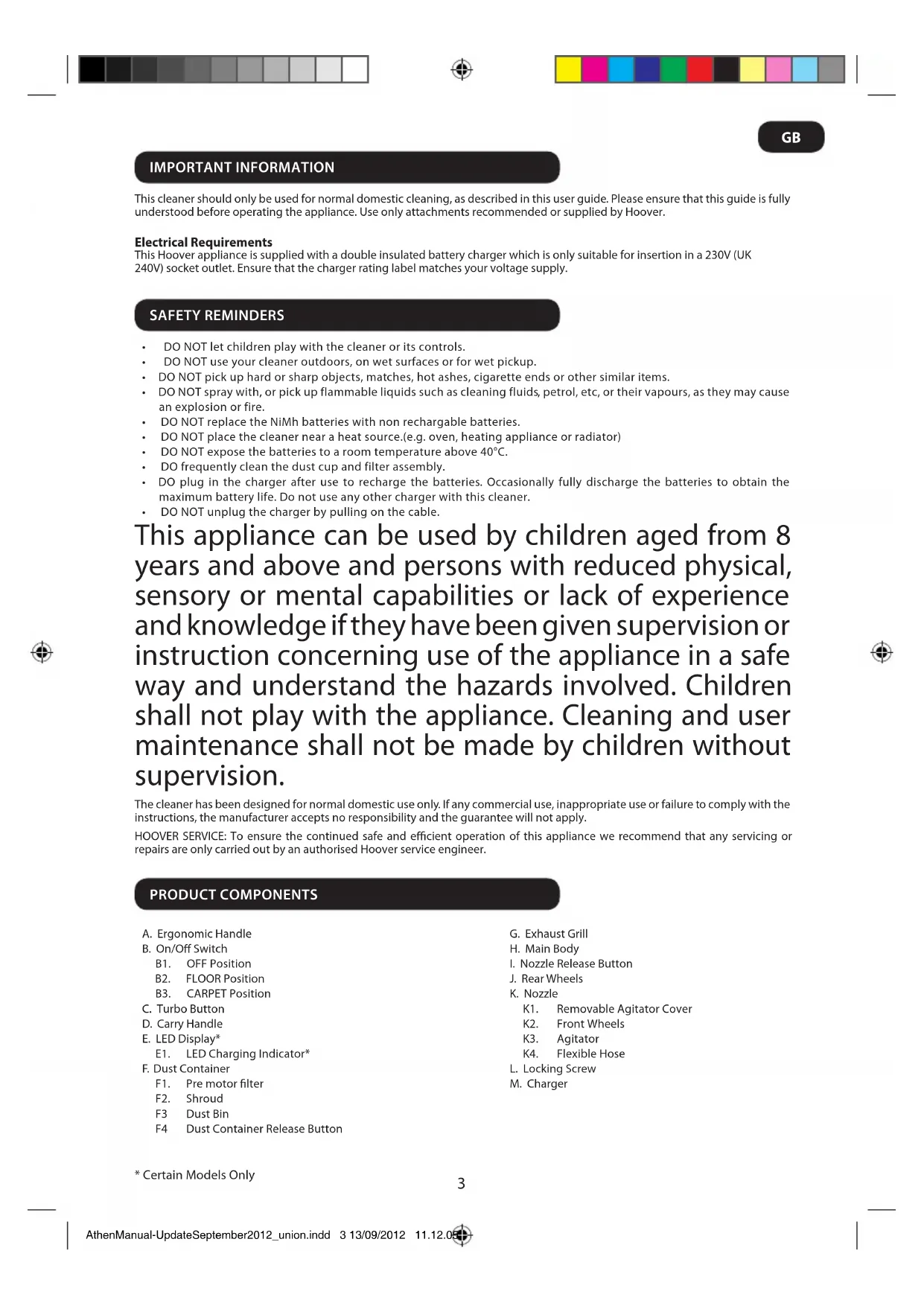
PRODUCT COMPONENTS
A. Ergonomic Handle
B. On/Off Switch
B1. OFF Position
B2. FLOOR Position
B3. CARPET Position
C. Turbo Button
D. Carry Handle
E. LED Display*
E1. LED Charging Indicator*
F. Dust Container
F1. Pre motor filter
F2. Shroud
F3 Dust Bin
F4 Dust Container Release Button
G. Exhaust Grill
H. Main Body
I. Nozzle Release Button
J. Rear Wheels
K. Nozzle
K1. Removable Agitator Cover
K2. Front Wheels
K3. Agitator
K4. Flexible Hose
L. Locking Screw
M. Charger
* Certain Models Only
GB
PREPARING YOUR CLEANER
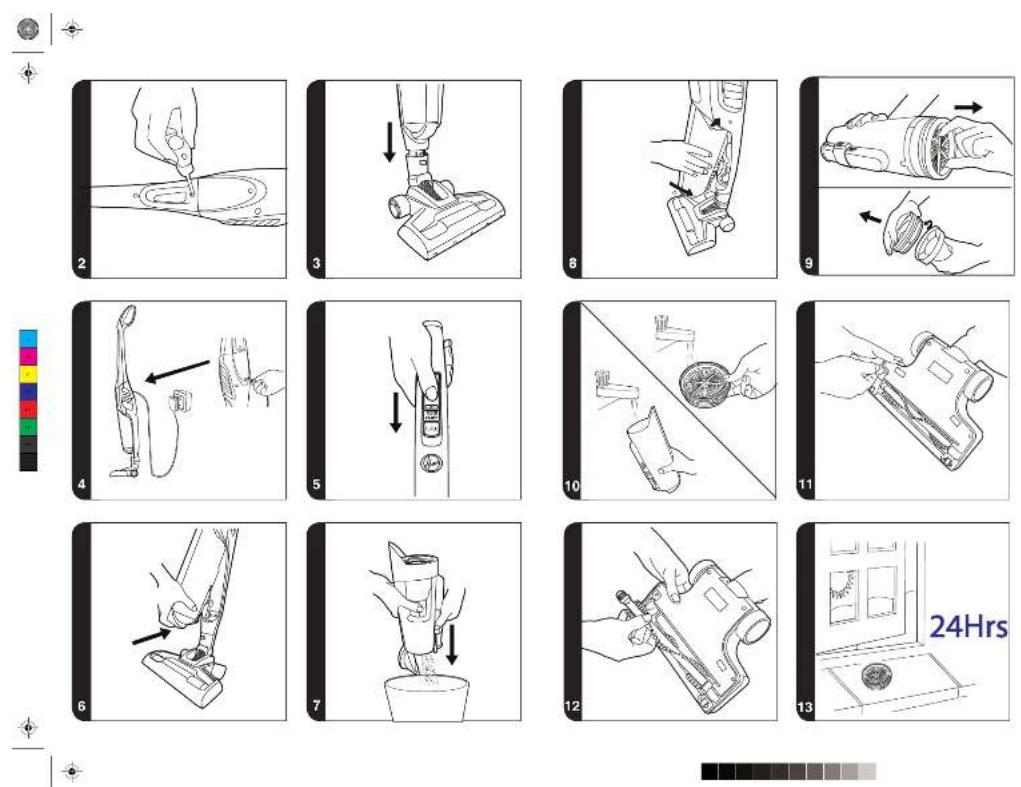
- Line up the ergonomic handle to the main body of the cleaner and fix in position with the supplied locking screw. [2]
- Line up the nozzle with the main body and firmly push into the neck until it locks into place. [3]
- Plug charger into the DC socket. For first use, charge your cleaner for 24 hours. [4]
- The charge indicator will flash when charging.
Note: To remove the nozzle press the nozzle release button and pull away from the main body.
Note: Use only the charger supplied with your cleaner to recharge.
Important: When charging the cleaner the On/Off switch must be in the OFF position.
It is normal for the charger to become warm to the touch when charging.
If the operating times reduces after repeated use let the cleaner run until it stops then recharge for 24 hours, repeat this monthly for best results.
Unplug the charger in the event of prolonged absence (holidays, etc.). Recharge product again before us as batteries may self discharge over increased periods of storage.
USING YOUR CLEANER
Turn the cleaner on by sliding the ON/OFF switch forwards to one of the following settings: [5]
• FLOOR : ideal for hard floor surfaces. Normal power without power brush rotation. [B2]
• CARPET: ideal for carpets and rugs. Normal power with agitator. [B3]
• TURBO: press Turbo button for full power on either floor or carpet mode. The Agitator will rotate at maximum speed. [C]
DISPLAY LED\*
This cleaner is equipped with a LED display. When the product is on, the display will report the following information:
BATTERY LEVEL INDICATOR\*:
• 4 bars = 100% charge
• 3 bars = 75% charge
• 2 bars = 50% charge
• 1 bar = 25% charge
When the batteries are empty the last battery level indicator will flash for 20 seconds before the product switches off automatically.
TURBO: when the Turbo mode is activated on the ergonomic handle, the Turbo icon will light in blue.
CHARGE INDICATOR: When the product is charging, the battery icon will flash every 2 seconds. When fully charged, the icon will stop flashing and remain lit while the charger is plugged in. The icon will switch off when the cleaner is in use.
CLEANER MAINTENANCE
Emptying the Dust Container
- Press the dust container release button and pull the dustbin forwards to remove it from the main body of the cleaner. [6]
- Hold the unit over a bin and push the bin empty slider to empty the dust container. [7]
- Return the dust container to the cleaner main body. [8].
Cleaning the Filters
- Press the dust container release button and pull the dust bin forwards to remove it from the main body of the cleaner. [6]
- Pull the filter and shroud assembly from the dust bin using the grips on the filter frame. [9]
- Twist the filter anticlockwise to remove it from the shroud. [9]
- Wash the filter in lukewarm water and leave to dry for 24 hours. Once thoroughly dry reassemble to the shroud and dustbin. [10]
- If required, wash the dustbin in lukewarm water. Ensure it is fully dry before returning to the main body of the cleaner. [13]
- Return the dust container to the cleaner main body. [8].
Note: Do not use hot water or detergents when cleaning the filters. In the unlikely event of the filters becoming damaged, fit a genuine Hoover replacement. Do not try and use the product without a filter fitted.
Important: For optimum performance, always keep your filter clean. We recommend that the filter should be washed once a month.
* Certain Models Only
GB
Changing the Agitator
IMPORTANT: Always switch off the cleaner before changing the agitator.
- Using a coin, turn the lock to the open position. [11]
- Remove the Agitator cover
- Remove the old Agitator.
- Replace with the new Agitator. This can only fit in one direction. [12]
- Replace the Agitator cover and lock with a coin.
Battery Replacement
For reasons of safety the NiMh batteries in this cleaner are only replaceable by a Hoover Service engineer. When the batteries fail to maintain charge, please contact the Hoover Customer Service Centre to arrange a replacement.
End of Product Life Battery Disposal
If the cleaner is to be disposed of the batteries should be removed. Used batteries should be taken to a recycling station and not disposed of with household waste. To remove the batteries, please contact the Hoover Customer Centre or proceed according to the following instructions:
IMPORTANT: Always fully discharge the batteries before removal and ensure the charger is unplugged.
- Run the cleaner until the batteries are completely empty.
- Remove the ergonomic handle and the screws, in the main body to open the cleaner.
- Remove the motor battery housing and disconnect the cables.
- Remove the batteries from the housing.
Note: Should you experience any difficulties in dismantling the unit or for more detailed information about treatment, recovery and recycling of this product, please contact your local city office or your household waste disposal service.


TROUBLE SHOOTING
Should you have any problem with your cleaner, follow this simple check list before calling the Hoover Customer Service Centre:
A. Cleaner does not switch on.
Check if the cleaner is charged.
B. Loss of suction or no suction
Empty the dust container and wash the filter. Remove nozzle and check for any blockages in the ducts and hose. Check that the dust container has been correctly fitted.
C. Fast Flashing indicator (2xper second)
Incorrect charger connected to product. Use only charger provided with your cleaner.
D. Batteries cannot be charged.
This may be a result of very long storage periods (over half year). Contact Hoover customer service to arrange battery replacement.
If the problem persists contact the Hoover customer service centre.
GB
HOOVER SPARES AND CONSUMABLES
Always replace parts with genuine Hoover spares. These are available from your local Hoover dealer or direct from Hoover. When ordering parts always quote your model number.
IMPORTANT: The battery in this cleaner is guaranteed for 6 months from purchase. After 6 months the customer is liable for the cost of a new battery which will be fitted free of charge by an authorised Hoover engineer.
Consumables
• Pre motor HEPA Filter: S117 – 35601338
Spares
• Agitator: Y29-35601339
• Battery Pack 30V: 48006266 Charger: 48006269
• Battery Pack 26.4V: 48006265 Charger: 48006268
• Battery Pack 20.4V: 48006264 Charger: 48006267
• Battery Pack 18V: 48006138 Charger: 48006258
The Environment:
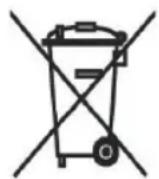
This appliance is marked according to the European directive 2002/96/EC on Waste Electrical and Electronic Equipment (WEEE). By ensuring this product is disposed of correctly, you will help prevent potential negative consequences for the environment and human health, which could otherwise be caused by inappropriate waste handling of this product. The symbol on the product indicates that this product may not be treated as household waste. Instead it shall be handed over to the applicable collection point for the recycling of electrical and electronic equipment.
Disposal must be carried out in accordance with local environmental regulations for waste disposal. For more detailed information about treatment, recovery and recycling of this product, please contact your local city office, your household waste disposal service or the shop where you purchased the product.


YOUR GUARANTEE
The guarantee conditions for this appliance are as defined by our representative in the country in which it is sold. Details regarding these conditions can be obtained from the dealer from whom the appliance was purchased. The bill of sale or receipt must be produced when making any claim under the terms of this guarantee.
Subject to change without notice.
FR
INFORMATION IMPORTANTE
natural_image
Symbol of a waste bin with crossed lines indicating no waste, and a solid black rectangle below (no text or labels)GARANTIEERKLÄRUNG
natural_image
Symbol of a waste bin with crossed lines indicating no waste, and a solid black rectangle below (no text or labels)UW GARANTIE
natural_image
Symbol of a waste bin with crossed lines indicating no waste, and a solid black rectangle below (no text or labels)SU GARANTÍA
SIKKERHETSPÄMINNELSER
VEDLIKEHOLD AV ST∅VSUGEREN
• 4 staplar = 100% laddad
• 3 staplar = 75% laddad
• 2 staplar = 50% laddad
• 1 stapel = 25% laddad
OBS! Should you experience any difficulties in dismantling the unit or for more detailed information about treatment, recovery and recycling of this product, please contact your locality office or your household waste disposal service.