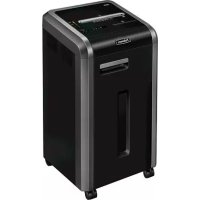
Powershred 225i - Shredder FELLOWES - Free user manual and instructions
Find the device manual for free Powershred 225i FELLOWES in PDF.



| Brand | Fellowes |
| Model | Powershred 225i |
| Type | Cross-cut document shredder |
| Cut format | 4 mm x 38 mm (particles) |
| Cutting capacity (80 g/m² paper) | 22 sheets per cycle |
| Cutting capacity (70 g/m² paper) | 24 sheets per cycle |
| CD/credit card destruction | 1 per cycle |
| Feed opening width | 240 mm |
| Power supply | 220-240 V, 50/60 Hz, 4 A |
| SafeSense technology | Immediate stop upon hand contact |
| Anti-jam system | 100% Jam Proof |
| Energy saving system | Energy Savings System (standby after 2 min of inactivity) |
| Max daily usage cycle | 8000 sheets, 300 cards, 30 CDs |
| Operating temperature | 10-26 °C |
| Relative humidity | 40-80% |
| Lubrication | Vegetable oil (Fellowes 35250 type) at each bin emptying |
| Sensor cleaning | Cotton swab and rubbing alcohol |
| Warranty | 2 years parts, 20 years cutting blades |
| Usage | Indoor only |
Frequently Asked Questions - Powershred 225i FELLOWES
User questions about Powershred 225i FELLOWES
0 question about this device. Answer the ones you know or ask your own.
Ask a new question about this device
Download the instructions for your Shredder in PDF format for free! Find your manual Powershred 225i - FELLOWES and take your electronic device back in hand. On this page are published all the documents necessary for the use of your device. Powershred 225i by FELLOWES.
USER MANUAL Powershred 225i FELLOWES
Please read these instructions before use. Do not discard: keep for future reference.
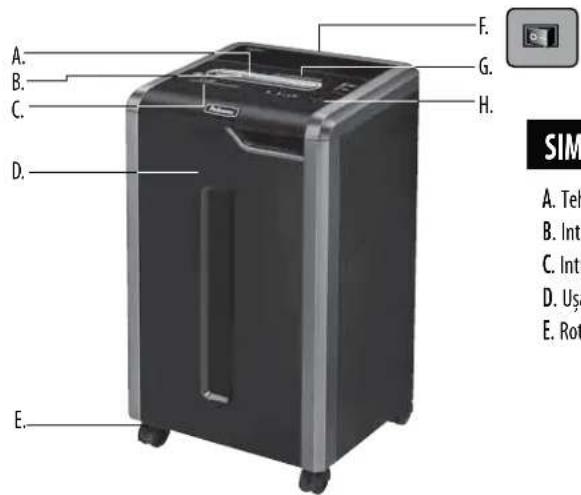
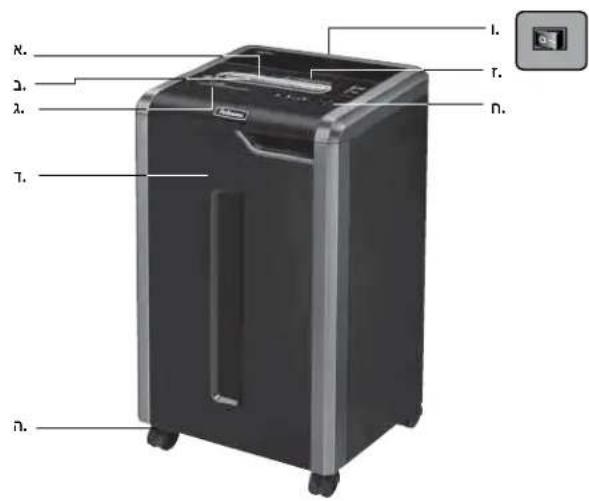
B. Paper entry
C. CD entry
D. Door
E. Casters
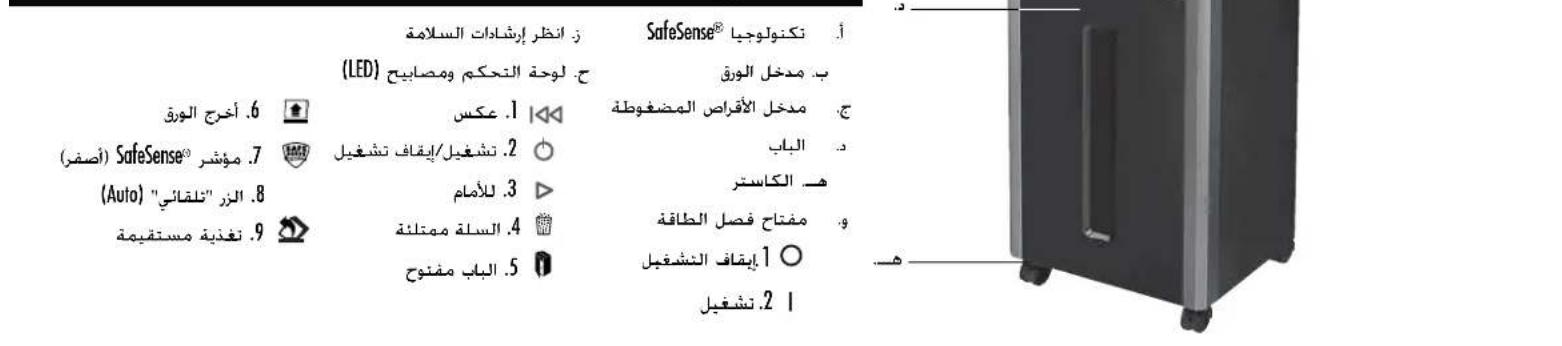
F. Disconnect power switch
OFF
2. ON
G. See safety instructions
H. Control Panel and LEDs
A
1. Reverse
2.
ON/OFF
3
Forward
4. Bin full
5. Dor open
i. Remove paper
A
SafeSense indicator (yellow)
m = 311
3.Auto button
- Straight feed
CAPABILITIES
Will shred: Paper, plastic credit cards, CD/DVD, staples, small paper clips and junk mail
Will not shred: Adhesive labels, continuous form paper, transparencies, newspaper, cardboard, large paper clips, folders, X-rays or plastic other than noted above
Paper shred size:
Cross-Cut (325Ci) 4mm x 38mm
Strip Cut (325i) 5.8mm
Maximum:
Sheets per pass, 80g paper (Cross-cut) 22*
Sheets per pass, 70g paper (Cross-cut) 24*
Sheets per pass, 80g paper (Strip-cut) 24*
Sheets per pass, 70g paper (Strip-cut) 26
CDs/Cards per pass 1*
Paper entry width 240mm
- A4 (70g), paper at 220-240V, 50/60 Hz, 4Amps; heavier paper, humidity or other than rated voltage may reduce capacity. Maximum recommended daily usage rates: 8,000 sheets; 300 cards; 30 CDs.
Fellows SafeSense shredders are designed to be operated in office environments ranging between 50-80 degrees Fahrenheit (10-26 degrees Celsius) and 40-80% relative humidity.
WARNING: IMPORTANT SAFETY INSTRUCTIONS - Read Before Using!


Operation, maintenance, and service requirements are covered in the instruction manual. Read the entire instruction manual before operating shredders.
- Keep away from children and pets. Keep hands away from paper entry. Always set to off or unplug when not in use.
- Keep foreign objects—gloves, jewelry, clothing, hair, etc.—away from shredder openings. If object enters top opening, switch to Reverse (1) to back out object.
DO NOT use aerosol products, petroleum based or aerosol lubricants on or near shredder. DO NOT USE "CANNED AIR" OR "AIR DUSTERS" ON SHREDDER. Vapors from propellants and petroleum based lubricants may combust causing serious injury.
- Do not use if damaged or defective. Do not disassemble shredder.
- Do not place near or over heat source or water.
- This shredder has a Disconnect Power Switch (F) that must be in the ON (I) position to operate shredder. In case of emergency, move switch to OFF (O) position. This action will stop shredder immediately.
- Avoid touching exposed cutting blades under shredder head.
Use only designated entry for CDs/cards. Keep fingers away from CD entry.
Do not put foreign objects in paper entry. - Shredder must be plugged into a properly grounded well outlet or socket of the voltage and amperage designated on the label. The grounded outlet or socket must be installed near the equipment and easily accessible. Energy converters, transformers, or extension cords should not be used with this product.
- FIRE HAZARD - Do NOT shred greeting cards with sound chips or batteries.
For indoor use only.
Unplug shredder before cleaning or servicing.
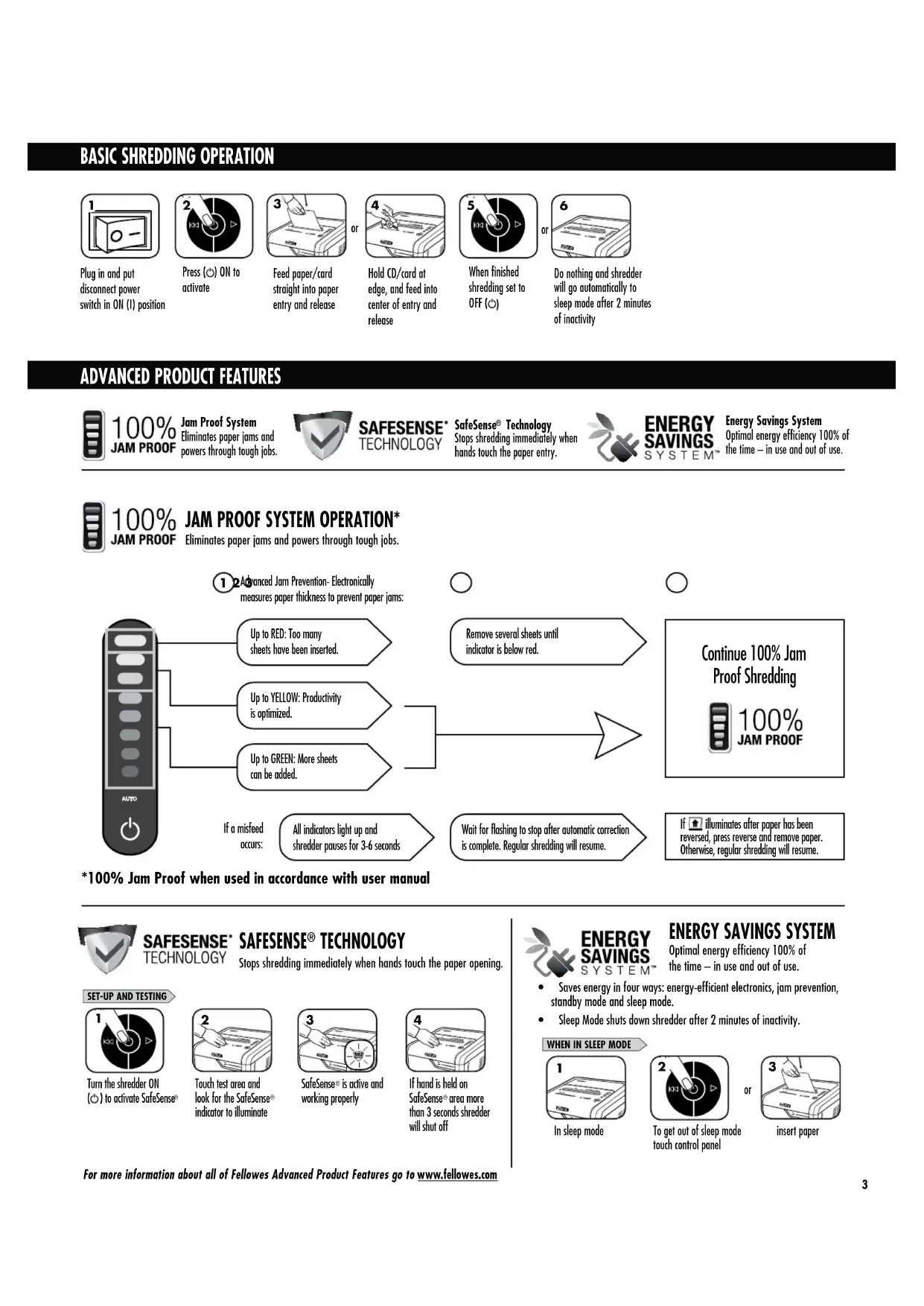
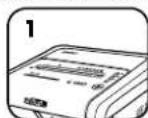
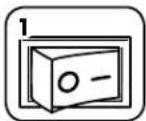
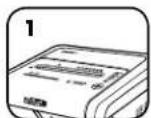
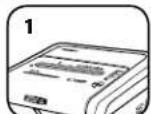
Plug in and put disconnect power switch in ON (1) position
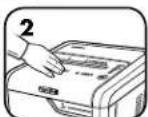
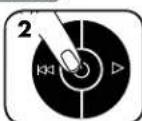
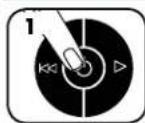
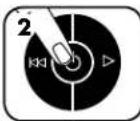
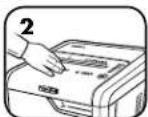
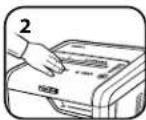
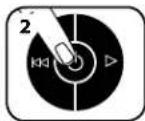
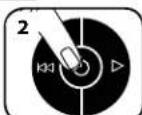
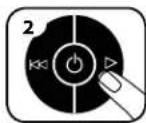
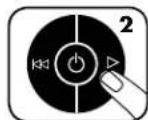
Press ON to activate
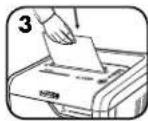
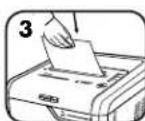
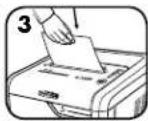
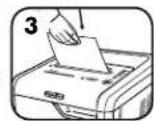
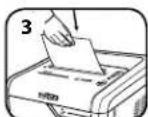
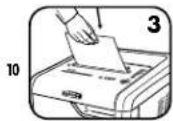
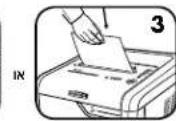
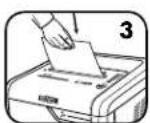
Feed paper/card straight into paper entry and release
01
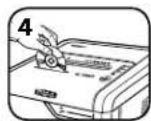
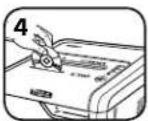
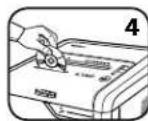
Hold CD/card at edge, and feed into center of entry and release
When finished shredding set to OFF ()
or

Do nothing and shredder will go automatically to sleep mode after 2 minutes of inactivity
ADVANCED PRODUCT FEATURES

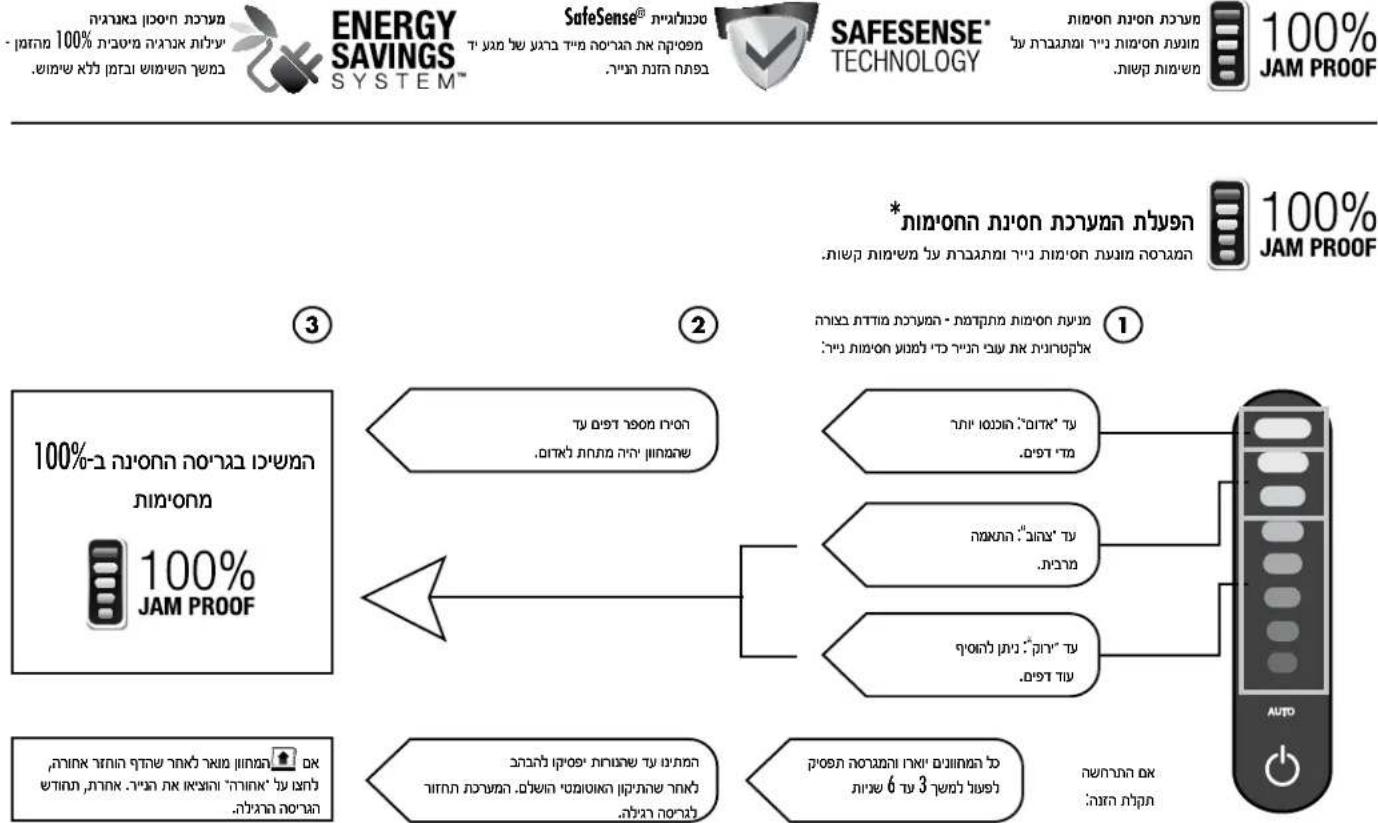
100% JAM PROOF
Jam Proof System Eliminates paper jams and powers through tough jobs.

SAFESENSE TECHNOLOGY
SafeSense Technology Stops shredding immediately when hands touch the paper entry.

ENERGY SAVINGS SYSTEM
Energy Savings System Optimal energy efficiency 100% of the time-in use and out of use.

100%
Eliminates paper jams and powers through tough jobs.
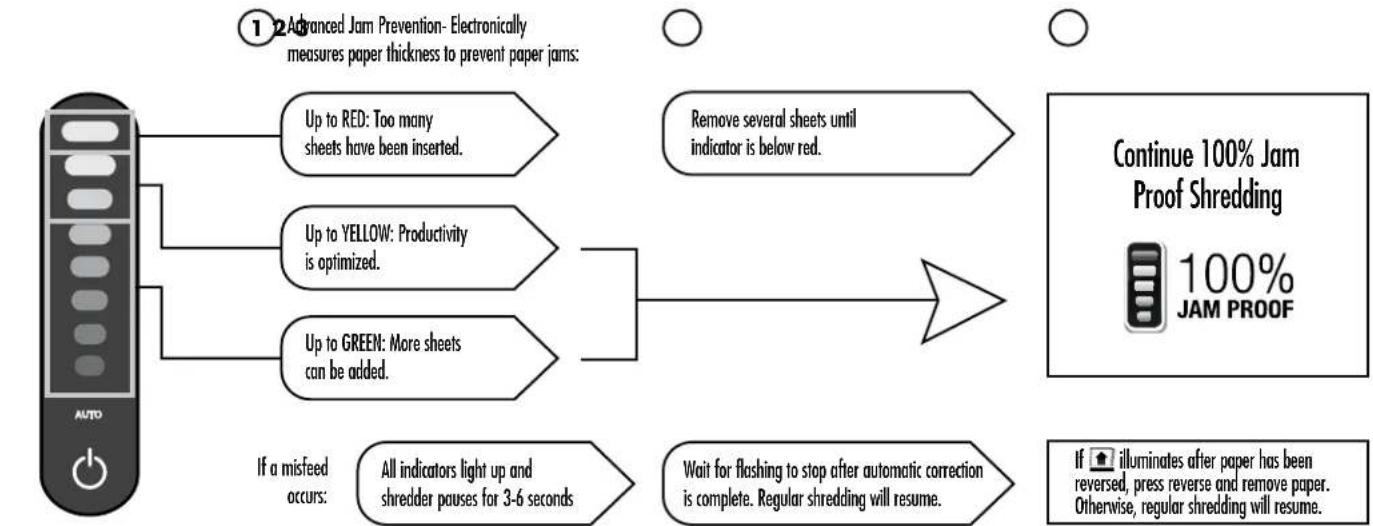
*100% Jam Proof when used in accordance with user manual
SAFESENSE
TECHNOLOGY
SAFESENSE TECHNOLOGY
Stops shredding immediately when hands touch the paper opening.
SET-UP AND TESTING
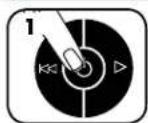
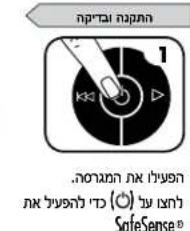
Turn the shredder ON to activate SafeSense
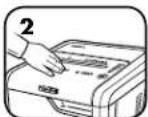
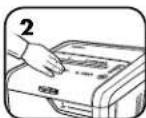
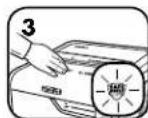
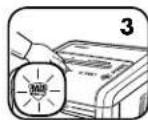
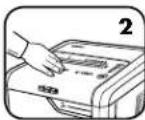
Touch test area and look for the SafeSense indicator to illuminate
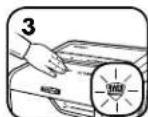
SafeSense is active and working properly
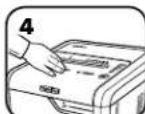
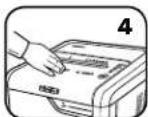
If hand is held on SafeSense area more than 3 seconds shredder will shut off

ENERGY SAVINGS SYSTEM
ENERGY SAVINGS SYSTEM
Optimal energy efficiency 100% of the time - in use and out of use.
- Saves energy in four ways: energy-efficient electronics, jam prevention, standby mode and sleep mode.
- Sleep Mode shuts down shredder after 2 minutes of inactivity.
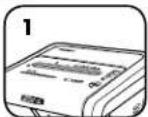
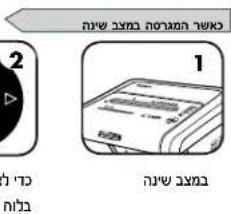
WHEN IN SLEEP MODE
In sleep mode
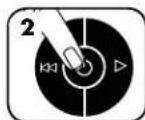
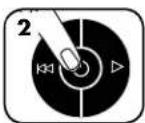
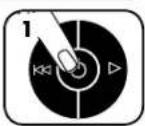
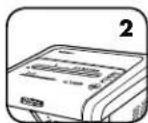
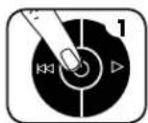
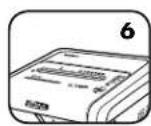
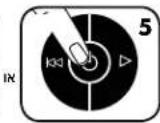
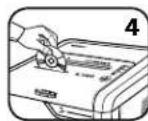
To get out of sleep mode touch control panel
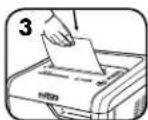
insert paper
PRODUCT MAINTENANCE
CLEANING AUTO-START INFRARED SENSORS
Paper detection sensors are designed for maintenance free operation. However, on rare occasions the sensors may become blocked by paper dust causing the motor to run even if there is no paper present.
Note: two paper detection sensors are located in the center of the paper entry).
TO CLEAN THE SENSORS
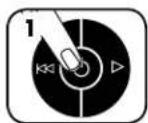
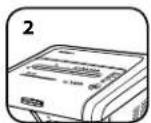
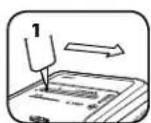
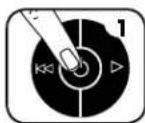
Turn off and unplug shredder
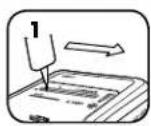
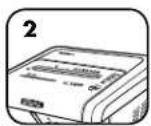
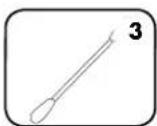
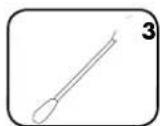
Locate Auto-start infrared sensor
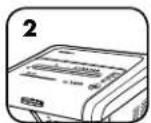
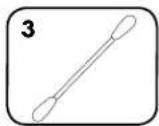
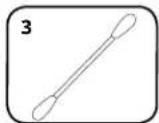
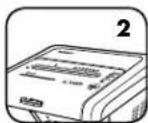
Dip cotton swab in rubbing alcohol
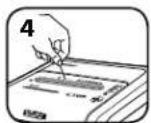
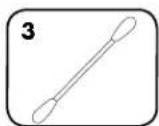
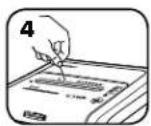
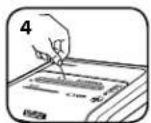
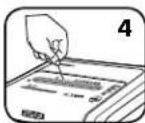
Using cotton swab, wipe away any contamination from the paper sensors
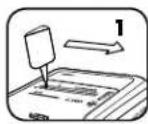
OILING SHREDDER

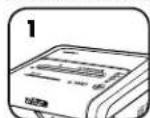
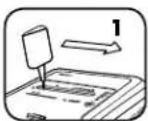
All cross-cut shredders require oil for peak performance. If not oiled, a machine may experience diminished sheet capacity, intrusive noise when shredding and could ultimately stop running. To avoid these problems, we recommend you oil your shredder each time you empty your waste bin.
FOLLOW OILING PROCEDURE BELOW AND REPEAT TWICE
*Apply oil across entry
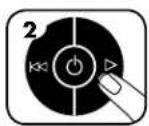
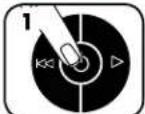
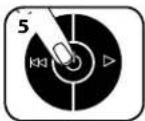
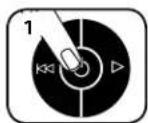
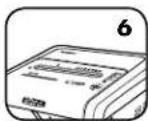
Press and hold forward () 2-3 seconds

*Only use a non-aerosol vegetable oil in long nozzle container such as Fellowes 35250

TROUBLESHOOTING

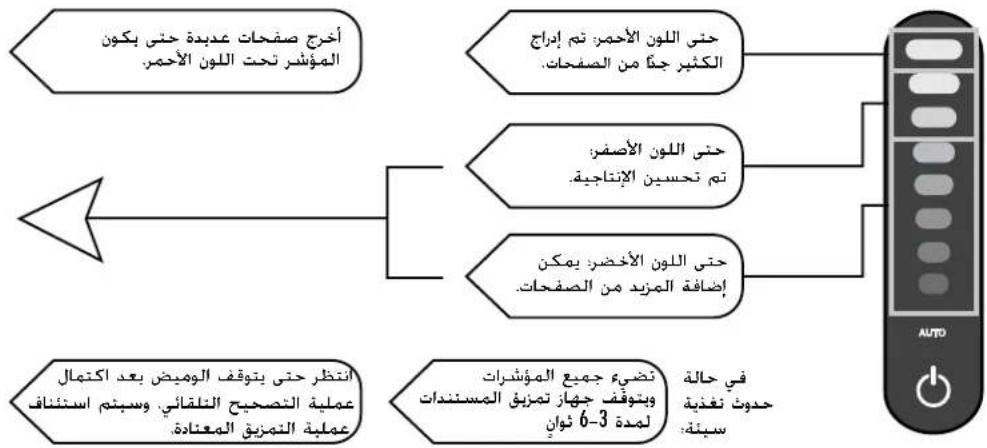
Bin Full Indicator: When illuminated, the shredder waste bin is full and needs to be emptied. Use Fellowes waste bag 36056.

SafeSense Indicator: If hands are too close to the paper entry, the SafeSense indicator will illuminate and the shredder will stop shredding. If SafeSense is active for 3 seconds, the shredder will automatically turn off and the user must press the power button on the control panel to resume shredding.

Remove Paper Indicator: When illuminated, press reverse (▶) and remove paper. Reduce paper quantity to an acceptable amount and refeed into paper entry.

Door Open Indicator: The shredder will not run if the cabinet door is open. When illuminated, close the door to resume shredding.

Straight Feed Indicator: When illuminated, remove paper and feed straight into paper entry.
LIMITED PRODUCT WARRANTY
Limited Warranty: Fellowes, Inc. ("Fellowes") warrants the parts of the machine to be free of defects in material and workmanship and provides service and support for 2 years from the date of purchase by the original consumer. Fellowes warrants the cutting blades of the machine to be free from defects in material and workmanship for 20 years from the date of purchase by the original consumer. If any part is found to be defective during the warranty period, your sole and exclusive remedy will be repair or replacement, at Fellowes' option and expense, of the defective part. This warranty does not apply in cases of abuse, mishandling, failure to comply with product usage standards, shredder operation using an improper power supply (other than listed on the label), or unauthorized repair. Fellowes reserves the right to charge the consumers for any
additional costs incurred by Fellowes to provide parts or services outside of the country where the shredder is initially sold by an authorized reseller. ANY IMPLIED WARRANTY, INCLUDING THAT OF MERCHANTABILITY OR FITNESS FOR A PARTICULAR PURPOSE, IS HEREBY LIMITED IN DURATION TO THE APPROPRIATE WARRANTY PERIOD SET FORTH ABOVE. In no event shall Fellowes be liable for any consequential or incidental damages attributable to this product. This warranty gives you specific legal rights. The duration, terms, and conditions of this warranty are valid worldwide, except where different limitations, restrictions, or conditions may be required by local law. For more details or to obtain service under this warranty, please contact us or your dealer.
Australia Residents Only:
Our goods come with guarantees that cannot be excluded under the Australian Consumer Law. You are entitled to a replacement or refund for a major failure and for compensation for any other reasonably foreseeable loss or damage. You are also entitled to have the goods repaired or replaced if the goods fail to be of acceptable quality and the failure does not amount to a major failure. The benefits under Fellowes' Warranty are in addition to other rights and remedies under a law in relation to the shredder.
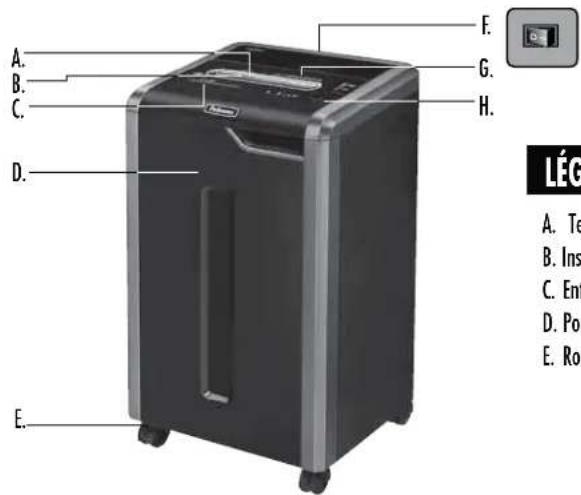
LEGENDE
A. Technologie SafeSens®
B. Insertion du document
C. Entree CD
D. Porte
E.Roulettes
F. Interrupteur
d'alimentation
DARRET
1 2. MARCHE
SAFESENSE TECHNOLOGY
SAFESENSE TECHNOLOGY
TECHNOLOGIE SAFESENSE
GARANTIE LIMITÉE DU PRODUIT
SAFESENSE TECHNOLOGY
BESCHRANKTE PRODUKTGARANTIE
SAFESENSE TECHNOLOGY
SAFESENSE TECNOLOGIA SAFESENSE
IN MODALITA SOSPENSIONE
SAFESENSE TECHNOLOGY
BEPERKTE PRODUCTGARANTIE
SAFESENSE TECHNOLOGY
SAFESENSE® TEKNOLOGI
Standser automatisk og omgaende mukuleringen, nar hander bererer papirabningen.
OPSETNING OG AFPROVNING
Taend for makuleeringsmuskinen (ON, taend) (心) for at aktivere SafeSense
NAR MASKINEN ER I SLEEP MODE
I sleep mode
eller
sæt papir i
VEDLIGEHOLDELSFPRODUKTET
RENGORING AF AUTOSTART INFRARDE SENSOR
LAITTEEN LISÄTOIMINNOT

100% JAM PROOF
SAFESENSE TECHNOLOGY
SAFESENSE TECHNOLOGY

Patentert SafeSense*-teknologi stopper makuleringsmaskinen eyeblinkelig nir hender bererer papirinnferingen
ENERGY SAVINGS SYSTEM"
SAFESENSE TECHNOLOGY
SAFESENSE®-TEKNOLOGI
Stopper makuleringsmaskinen oyeblikelig nahr hender bererer papirinnferingen.
OPPSETT OG TESTING
Ski makulatoren P
(>) or a aktivere SafeSense
Berer testfeltog sjkek om SafeSenseindikatoren lyser
SafeSense er aktiver og fungerer som den skal
UKLAD ENERGOOSZCEDNY
He n3mnbcaer: KneKnke 3NTKekn, 6eckOHeHbIe oOpmyraIpy, dnaNo3HTNbI, r3a3bI, kapToH, 6oBwne KaHcEnerPCKne cKePNk, naKN dJa 6yMaR, peHTReHOBCKe CHMKN Hn He yKa3AHHbIe Bblse BnDII pIaTnKa
Pa3MepΦpaPmEToB 6ymaH:
Pe3Ka Ha KOHΦeTTi (325Ci) 4 MM x 38 MM Pe3Ka Ha IIOOcbi (325i) .5,8 MM
Maxchnym:
JIcTOB3aOIN npoxo,6ymara nnoTHocTBIO 80rpe3KaHa KOHoeTTN) 22*
HCTOB3a0Dnnpoxo,6yMara nnoTHocbTO 70rpe3Ka HA KOHΦeTTN) 24*
NCTOB3a0DnH npoxo,6ymara nnoTHocb1O 80r (Pe3Ka Ha nonocbl) 24*
NCTOB3aOmn npoxo,6ymara nnoTHOCTbIO 70r (Pe3ka Ha nooocbl) .26*
KOMnAKT-DmCKOB/Kapr 3a npoxoI .1*
Umpina 3aepy0uHOro npoeMa dny 6ymn 240 MM
*Bymara A4 (70 r) npu 220-240 B,50/60 T4; 6oJIeBbCOKaNNIOTHOCTb 6ymarN, NOBBHHeHH BnAaKHOCTb NIN OTKIOHEnHE HAnpRKeHn NITAHmOT HOMHaJIbHOrO 3HAeHnMORyT CHN3NTb POnBbOHTeBbHOCTb. PeKoMeHdYemAR MaKcMaJIbHaJ DHeBHAr Harpzka:8000nnTOB; 30 KpeDnTHbIX KapT; 30 KomnKT-dncOB.
I P E D Y N P E X X D E H N E: B A X H b I E I P A B U I A T E X H M K V B E 3 O N A C H O C T N — p o q T I T e n p e d n c n o l b 3 0 b a h n e m!

Tpe6oBaanNo 3KcNpyataun,TexnueckomyO6cnymbaHNO pmoHTy n3noKeHb B pykoBOCTBe NO 3KcNpyataun. NpeE 3Knpyatauwei n3MeNbHTeNe Heo6xOJMo NOIHOCTbIO npOecb pykoBOCTBO No 3KcNpyataun.


He noDnyckaiTe DetEn HJKBOTbHix K3MEnbHTenIHO.He noDHocTe pyKn 6n3Ko K3arpy3OHyOM npOeMy dna 6yMaRn. Ecn n3MeJIbHTenB He nCnONb3yeTc, OTKIOaHTe erO cTeN mN YCTaHbIMBaTe BkIOuATenB NOLOXKeHne BkN.


HeDonyckaiTe CnyaHOro nonadAHnNoctopoHHx npEmToB - nepaTOK, 10BeNpHbIX N3dEniO, OeKdbI, BOnCnT. D-B 3arpyOHTbIe npoeMbI U3MeNBHTeJI. PnnonadAHm npEmTa B BepXHm npoempeKIOHTe yCTPOCTBO B pekm PeBepc (14),YTO6bI H3BNEb npEeMTe.

3AIPUEHOHNOBtBaTbApO30JI,CM3KHa OHOBe HeFTPOyKTOB HIN B BnE CnpE OKIO NMMelbHTEN.3APLEAEETCA PACBILITb CKATBI B03DXY HA M3MEbHTENb. McapenHrOT TOnNIMBa Hm CMa3KN Ha OHOBe HEFTPOyKTOB MOYBTOCnMnHENTBCn INPbEBcN K cepEhBM TpaBMAM.

He NcNoIb3yIte N3MeNbUHTenB,ecn OH NOBpeXeH HmHcnpaBeH. He pa36bpaiTe N3MeNbUHTenB.He yCTAHABINBAITE N3MeNbUHTenB B6n3n HCTOHHKOB TENNA BnAIn, a TaKke HaH HMM.
N3MEnbUHTEN OCHAeH BbIKIOATEMe NITAHNA (F).TTO6bMoKHO 6bINO NOB30BaTBcN3MEnbUHTENEM,3OTBbIKIOATeNBdoJXeH HAXOJDTCB N NOJOKeHN BKI.(I)BKTpeHHOM CNYae NepeBeDnTE BIKIOATeNB BNOJOKeHN BbIKL.(O).3To npHeBeT KHEMeNDHHO OCTAHOBKE N3MEnbHTENIA
He kacaiTecb 0TKpbItbX HOKe, paONoKHeHHbX noD peKyUIM 6NoKOM.
IyHHTOKeHHaKOMNt-IMCKOB/KAPrIOHb3yTeTOLKBcneHaHBn 3arpy3OHb npoem.He noHOCHTE naHbki K npoeMy dA rpy3KN KOMNt-IMCKOB.
He donyckai Te nonadHnnoctopOHnx npedmetOB 3aRpy3ouhni npoem nn6ymn.
I3MEnbHTeBdoJHKeB 6bIb NOckHoue K HADnEkaaUMO6paOM 3a3EmHeHOH HACTEHHO CTeBOH PO3ETKE, HANpKaHeH N cHa TOKA B KOTOPo COOTBETCYKOT YkAaHHbIM Ha MapKnOBke.3a3MeHHaCteBaH po3EtKa DOnKHa 6bITb YcTAHOHeN B IERKO DOCTyHOM MecTe PAOM C yTPOCTBM.3AnpeTaer ONDKNoHAt DaHoe yCTpoHCTBO K cTeu Pne06paObaTeEN 3HEprHn, TpaHcΦopMToPbI HYN yDmNHTEtEN.
- ONACHOCTb BO3FOPAHNA — 3ANPEUAETCRA M3MEnbHuTb N03pAbNTbHbIe OTKpbTKn CO 3BkyOBbbIM MHKPOCeMaMM HnN BatapeKaMa.
WcnoB30BaTToBkoB NOMEueHm.
-OTKHOHTe WpeepeppeHcTkoHnO6CJyKbAHmE.
OCHOBHbIE OTEPAuM, BblIOJIHHaEMbIe I3MEJIbUHTeJIEM
BkIOHHTe yCTPOHCTBO B cETb N UCTAHOBHTe BbIKIOUaTeIb NITAHIN B NOIOXKeHn BKI.(I).
HaxMMTe (BKN, YTObbl BKNIOHTb yCTPOKCTBO
BctabBe 6ymary/kapTy npMa B3arpy30HbIn npoem nOTnCTMe
HNN
YnepKbBa KOMNaT
Nk/Kapr3a KpaR,
BCTabBe erO/eB
ueHtp 3arpy30HOrHO
IPOMeA N OTyCTHe
Iocne 3aBepuHnH NmEnbueHHBepHHe BblKnIOaTeB B noJooHe HBeKJI.
HNN
He cobeipaihe HnKaHnX
JIeCTBm, Npe3
2 MnHybIb6e3dEeCTBn
NMeMbHTEnb
ABOTMTHeCKn NepeiDet
B PEXHM OKnDaHn
DIOJONHHTEJIbHbIe BO3MOXHOCTN YCTPOICTBA

100% JAM PROOF
ChTeMa 3auntbIOT 3aCtpeBaHnA
UCTPAHET3AePBAHNE6yMaHn N03BONETCpABNAbTcC 6oJIbHHM HAPyKAMN.
SAFESENSE TECHNOLOGY
3anaTeHToBaHHaTexHONorna SafeSense MroBOeHHO OCTAHABnBaET
N3MeBueHMe NpO CONPkoCHOBEHH pyK COTBePcHMe MN 6yMaMn.

ENERGY SAVINGS SYSTEM
CnTeMa3Heprocbepexhen 100%ΦΦeKTHBHOCTb NIOJIb3OBAHMA3HepRNI-B BO BpMa paBOI HnocJe.

100%
JAM PROOF
PABOTA CNTEMbl 3AUHTbI OT 3ACTPEBAHNA
UcTpaHnE3aCteBaHHe 6yMaHn HnO3BOnAe CnpabNtBcC 60bLmmHArpy3KaMn.
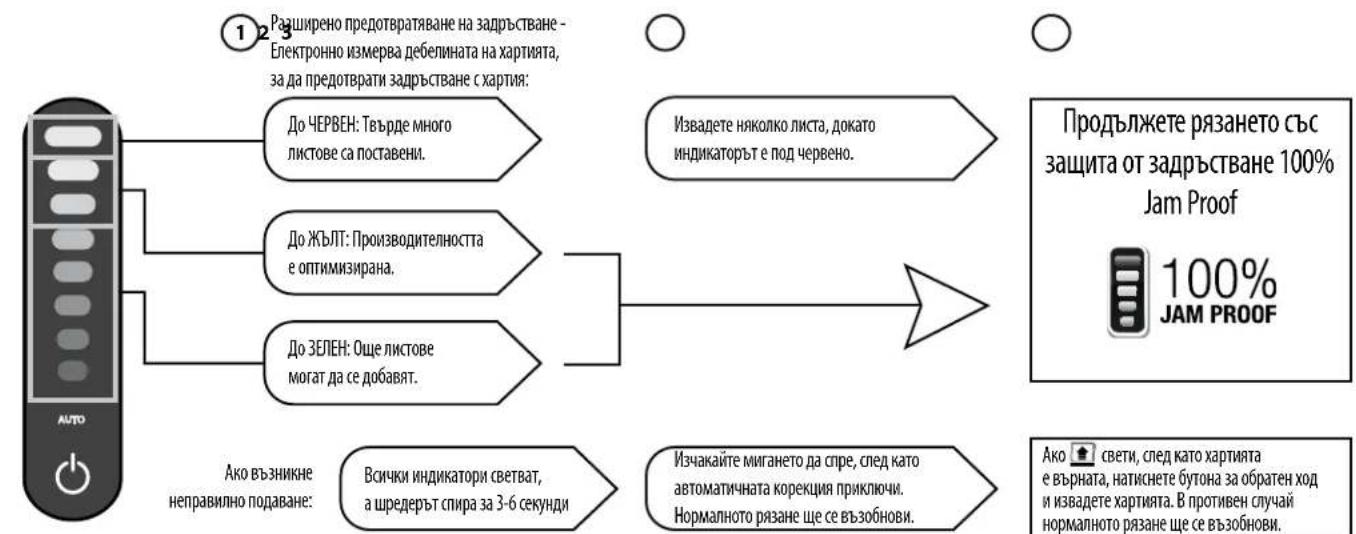
YcoBepueHCTBOBaHHa CNCTema 3aunHbO T 3aCTpeBaHn C nmoUbKneKTPOHOro yctpoiCTBa HImepaTeTOnuMHy6ymnIpnpeoTbpauHnEe 3aCTpeBaHn:
3ATOPAETCA KPACHBIMDINKATOP:6bno 3aPyrjKeoCIMUKOMMHOrO6yMaH.
3AIGOPAECTC XEITbI INHINKATOP:ONTMMaJIbHaN npOH3B0DHTeJIbHoCTb.
3AFOPAETCBAIEHbIM HDMKATOP:MOKHOoabnB 60bnue6yMaM.
B Cnyae HnepaBmBnHn 3aRpy3k ByMaH:
BceMHnKataOpby3a0rpoTcH,IM3MeNbHTeINbOCTaHOBTcHa3-6cekyH.

YbepTe HEckOnbKO NHTOB, NOKA He nepeTaHET ropeTb KpaChBn HNdkaTOp.

PnOe 3aBepuHHeA BtOMaTuecko
KoppekTHPOBKN PNOOJNTe, NOKa HNDKaTOpBb
He PepeCTAHY MMTaB. N3MeNb-yeHMe
IpoDIOHNTCB O6bHUMP eKHMe.

* 100-npoeHTHaa 3aunTa O T 3acTeBaHn npn EKcnlyaTauu B COOTBeCTBn C pyKOBOCTBOM Nolb3OBaTeIa

SAFESENSE TECHNOLOGY
TEXHOJIOΓM SAFESENSE
MnHOBENHO octaHabNbaeT h3MeIbYeHne npn coPHKOCBOHENy pyK cOTBepCTHM dya MyaH.
YCTAHOBKAI TECTMPOBAHNE
BKnOHTe H3MEnbHTnTbc nnooHbKHOHNK BKN. (C),TObblkAkhBNpOBaTB yHKUmo SafeSense
CNUCTEMA3HEPFOCEPEXEHNA
100% ΕΦeKTHBHOCTb MCIOJIb3OBAHnA 3HePrrn - BO BpEMrpa60Tb NocIe.
YetbipexcyneHuaTnCtema3Heprocbepexehn:3Heprocbeperaooua 3eKtpoHka, npdoTbaueHne3aTopa bymn, pexmOxndn H n Cnaupekm.
CnraHmpeKHMOTKHOaETYHHHTOKMHTENbNoCte2-XMHHTNPOCTO.
B PEXKIME OXINDAHNA
Bpexnme0xndanm
Yro6blBttnH3peKmHaOxNDAHNO,KOCHNTcBnaHEYNyPabNEH
HNN
BCTaBBTe 6MyMaTy
TEXHNUECKOE OBCUYXMBAHNE YCTPOICTBA
UHCTKA WHOPAKPACHbIX DATYHKOB ABTO3ANYCKA
Kohctpykma DaTmKOB 6bHApyKeHb 6ymaHn03BONETMNCNtBcBb 6OpyD0BaHne 6e3 Heo6xOIMOCHTnx TExnHexeCKTO 6cbNyKBAHn. OHaHO B peKHX CUYAA
DaTHKMOYr 6bokpoBaBC 6ymaxHoPiBIO, B p3yntate eero DbratEnb PpOOnKaet paOToTb, daxe ctn B yCtoCTBe Hbymar. (PmmeHHe. 06a DaTMKA 6bHApyKeHb 6ymaHn paccnoKeHb CEHTpe 34pyOCHoro npoeMa dhyMa).
NCTKA DATHIKOB
BbKIOHHTe M3MeJIbWHTeN bOTKHOHTe WHyP NMTAHJOT CEM
Onpeennte
MeCToIOnIOxKeHMe
MHpKaPaChOrO
DaTtWAaABTO3aNyCa
OnyCTHe BaTHbI TaMnOH CnIPT Dn OYMCTK
Cnmooubo batHoro TAMNHO YAanKe 3aP3HeHHc DaTtKOB 0bHaPyEHHa6yMaH
CMA3KA N3MEJIbYUITEJI

IaHb60e KaueCTBHeHH pa60bI NIO6Oro IMMEnbHTenC nOnepeHNO pe3Ko He6xOIMMA CMA3ka.EcmMaIO B CnCTeMe OTCYCTByet, pno3BOInTeJIbHOCT bYcPOHCTBa naAET, OHO IN3dAe pe3Km Wym npn pa6ote I B KOHc KeOHOB MoKet npKePAITb pa6oTa.Bo H36eKaHne TaXn np6JEM mblpeKOMeHdyem Bam Cma3bIBaTb YcPoHCTBO KaKdbIpa3, KOrDa Bbl onyctOwae Te KHTHeP dnnOTXoOB.
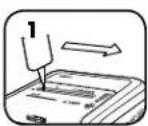
BbIIOHHTCIEUYOUINIEPOUEDYbCMA3KNIOBOTPMEIXDBAXDbI
* HanecuTre cnoi macna
no BCemy 3arpy3oHMy
npoemy
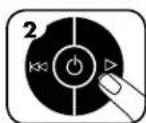
HaxMMte uyepeXMBaTe KHOKNy BnepnD (一)2 - 3 ckyHbI

*HcnoB3yUme moBko Hea3po3oJbHoe pacmumelbHoe MaCnO B MacNeHKe CduHHbM Hocukom, Hanpumep Fellowes 35250.

NOMCK N YCTPAHEHVE HEMCIPABHOCTEI

Hnukatop npenonHnna KOHTeHepa.CBeueHne daHORo HNDKATopa CnHnH3npyet O TOM, TTO KOHTeHep dna Mycopa N3MeNbHTeTn npenonHe, n ero Heo6xOIMO onopoknhtb. NcnoB3yme Meouk nnn 0rTOxOOB Fellowes 36056.

HnDkatopeSene. Pn Haxokdennpycknnkom 6n3ko K npoeMy dny 6ymarh 3a0pntcH nHikatop SafeSense, m3mEnbHTeB octahOBITc. Ecm yHKuHn SafeSense" DeiCTByET B TeueHne 3 cekynd, n3MeIbHTeB abToMaTHueeCKn OTKIOHTc, n Dny npdoJxkeHn erO pa6tby Heo6xoIMMo 6ytet HaKaTb KHONky NITAHNHa naHeHn ynpaBNeHH.

Hnukatop 8yanahtb 6mary). Ecn3 3aropaeTc daHnb HndkaTOp, haxmtte KhoNky «PeBepc (14) n ydaIne 6ymary. YMehbnte kOnueCTBO 6ymarn do dOnyctMIMO r CHOBA 3aqrpy3te ee B 3aqrpy30nh npoem.

Hnukatop otkpyto DBepy. H3meBntenb He 6ydt pa6oTaB, eCNI DBepa yctpoCTBa oKpIta. Ecn 3aropaetc daHHb Hnukatop, 3akpoite Dbepu, TTO6bl npOJNtB pa60Ty.

HnHKaTOp npamO npao. Ecm 3aRopaeTcAanHHm HnHKaTOp, nBbNeKite bmy n BCTabBe ee HeNocpeCTbeHHo B 3aRpy3ouHb npoem.
OTPAHmUeHHaTAPAHnHa U3dJIme
OrpaHueHHa rapaHTnHa. KomnaHnFellows, Inc. ("Fellows") rapaHTnpuyet OTCYCTBne deEeKTOB MATEpnaIOB IN pON3BODCTBEHNbIX deEeKTOB Detaney yCTPOIcTBa n npEOCTabNRe 0cbNyXHBnHe IM texmueckyo NOdepekky Ha npOTaeHHn 2 net CO hraero npOboPepHHn nepBOaHbHIM NOKynatEnem. KomnaHnFellows, Inc. ("Fellows") rapaHTnpuyet OTCYCTBne deEeKTOB MATEpnaIOB IN pON3BODCTBEHNbIX deEeKTOB PEXyUHX HOKe IycPTOBtBA HA npOTaeHHn 20 net CO hraero npOboPepHHn nepBOaHbHIM NOKynatEnem. Ecln B TeueHne rapaHTmHoro cpoKa 6dyet O6hApHyKe H eEeK T KAKoIHO TANBIL BbI MHeMeTe npABo TObnKO INCKNOHTeBHO HA pEMONT MN 3aMehy DeEeKTHOH Detanl No YCMOTpHNO 3a Cuet KOMNAH Fellowes. DAnHra R aHnHr He paCnPoCTpaHReTc HA clyuAhn HennpaBnHbOH 3KcNpyataun, HennpaBnHoro 06paueHHa, HecobNoDEHHa 3KcNpyaTaunOHbHx HopM, 3KcNpyataun IN3MeNbHTenp IN HeaNDekKaUHX napameTPax 3eKTPoINITAHn (OTNNHbX OT kAsAHbIX Ha 3TNKETke), a TAKKe HecAHKnOHNpOBaHHo PEmOHTa. KomnaHnFellows OCTABJIET 3a Coob npABo B3bICKNBaTc NOKynATene NIOble DoONIHNTbHbIpe XcOdbI,
noheCHeHbE EIO B CBA3n C npdeOCTBHeHMe 3aNaCTeIN INN yCy7a 3npeDeIaM nCTpaHbI nepBOHaaybHO npOdaXn H3MeBbWTeN A bTOpH3oBaHHbIM dInepoM KOMnAHn. HACTOUI NDOKYMHT OPAHNAHBAET DEICTBE NIO50NIOPA3YMEBAEMO I TAPAHTM, B TOM YUCIE TAPAHTM TOBAPHO COCTOBHIN INN PIPNOJIOHCTN INI MCIIOJIb3OBAHNI B ONPEDEEHbIX LEXN, YKA3AHbIM BblIE COOTBETCBYUOMM TAPAHTHbHM CPOKOM. KomnAHnFellowes Hn npn KaKnx 6cToTBeNTBax He Hecet OTbETcBeHNoCTm Hn 3a KaKoI KOceHHbIN INN cyaAHHbYuePb, CBzAHHbC daHbIM n3dEme. DAnhA raptAHn Daet Bam onpeDeneHN BOpNDyueCKne npaba. IpOdoXmTeBbHOCTb NycOBnDAHHo raptAHn DeiCTBtNEHbN NO BCMy MPy, KpOME Tex CTpaH, fge MeCthoe 3aKOHOaTeBcTBo MoKeT Hanaratb INhle OPAHueHNe INN ycNOBn. INn nonyueHHa Boone NDpOboHn INfOpMaUN INN o6cNyKBaHn NO daHHo raptAHn ObaTteCb K Ham INN K ObcIyKbAioMey Bac DNnepy.
YNAKOBKA COJEPXNT
1xHmTuKHTenb DOKyMeHToB Fellowes
1xPykoBOOCTBONoIb3oBaTeJIa
1x06pa3eucMaCnIgCMa3KnHOKeYHUYTOXHTeNdOKyMeHToB(TolbKOJIMMOeJIcNPepeKpeCTHOpe3Koi)
1yn.x 06pa3eMewkoB dIraOTxoIOB
NAHKTPO
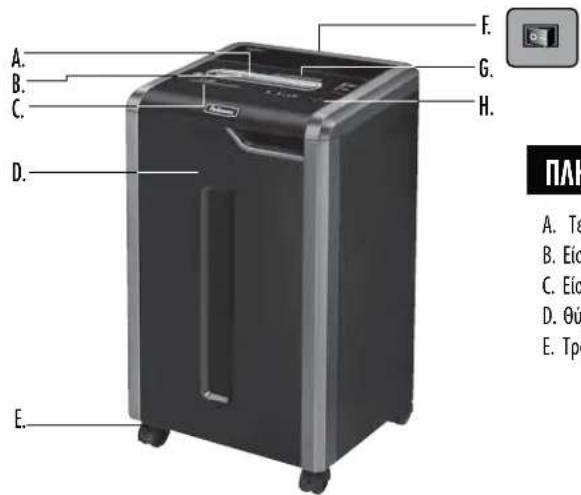
A. Tetvoλoγia SafeSense°F.
Dakonncs
H. Panaheb ynpablenm
B. Eiioooc xapriou
anooovdeoicpeuatoC
CBetoDIOBbl
C. Eiiooδoc CD
0.1OFF(Kaειτο)
Avoatpnpj
D. Θupa
1 2.ON(AvoKtO)
- ON/OFF
E. Tpoxoi
G. Deite tuc obnyiec aoeaaleiac
-
Napoc ta eumpoc
-
Δεeio yεjdtro
5.Apiktio
6.ApaipéTeTo xapiT
-
EvdoSaFeSene (kittpwo)
-
Koumi autoanticn leioupyiac (Auto)
9.EuBcia tropoosooia
AYNATOTHTES
Kataotpei: Xapri, nlaotikc mtowtikc kape, CD / DVD, ouppantipcemukooc ouvsetnpes xapriou kai diapnntoka pfaladia
kataoppei: Autokoantec EIKETEC, Ovexecxapti, diapaveiec, eepneipdec, xaptovia, meyaooc ouvodetnpes Evtonw, pakeooc yypapwv, aktivoypapie n naotka ektoc ao auta nou avapepvotai napanaw
Meye0c xapriou npoc kataotpoqn:
Eykapoaia konn (325Ci) .4mm x 38 mm Konn oe wpiidesc (325i) .5,8 mm
Meynt duvatoteta:
Xapri ov a npaa, xapri 80g (Eykapota konj) 22*
Xapri ava npaaqa, xapri 70g (Eykapaia kon) 24*
Xapri ava nepaqa, yapri 80g (Komj oε λωριδεc) 24*
Xapri ava nepaqa, xapri 70g (Koim oε λωρiδεc) 26*
CD/kaptec ava nepaqa. 1*
PAtoc 1008ou xapriou 240 mm
*A4 (70g) xapri oe taon 220-240V, 50/60 Hz, 4 Amps. Baputepeo xapri, uypaia n taon diaqopetik an tov kaoptipieevn uopov va ewoov tic duvatotntc konnc. Meviotouviotweevn kaheepivxpn:8.000 pala, 301iotwikc kappa, 30 CD.
01 kataotpopeic Fellowes SafeSense eivai oxebiaouevo vaieitoupyov oe nepibaov ypaepiou me 8epokpaaia ano 10 ec 26 ba9oic KEAoiu kai axetikupyaia 40 -80%.

NPOEIOHOH: ZHMANTIKEOADHIEA0A0AEIAZ - 1aβactnio xon

O1 anaiitnoieic leitoupyiac, ouvtipnnckai EMIOKeuv KAunTovTai OTO EYxepidio obnyu. Aiaabe To Eyexepidio odyu npiv To xepiuo Tou kataotpopea.


- DiatnpieTe Tov KATAOTPOEA JAKPia Ano Naidia KAI KATOKIDIA Wc. DiatnpieTe Ta Xepia OAC JAKPia Ano Tny EIOOO XApTou. Na AnepeyonoIEe naVtavot KATAOTPOEA n v To VAnOouvEETe Ano Tny npica Otav Ev To VxpoaOnoeite.

AatnpieEevaavkeiEv-aVtia,koonmuata,pouxa,maia,kn-
maki aio ooiabhneote oviyata tou kataotpopea eypapow. Eav kaioo avtkieve ome 0to naW aoivya,baTe to diakomtn otin theon avaatopnpic (1) yia va byeI to avtkieveo.

MHXPnOIOIEAepo, npoiovtaeBaoTnepteAoHunavtka
me aepoc0sotov kataopoea n Kovta oautov.MHN XPHIMONOEITE
"YMNIEMENOPAE"H"NIPEI NIIEMENOY AEPAA STON KATAZTOPOEA.
Atpoi anpnpowntkakai naivatkaeBaoTnepteAo mopei va
avaaplexoynpokawvTacooapouctpauanuouc.

Mn xnpaonoiieite tov kataotpopea av exei nae Cnua n av evai ealattatikoc. Mny anoovapuoloyeite tov kataotpopea. Mny tonoBeteite tov kataotpopea kovta n aow ao myn cepmuota n vepou.
Autoc o kataotpopec diaBetei diakontn aoovdeon peuapoc (F), o onoioc npenei va eivai anv theon ON (1) via va aeitoupyei o kataotpopec. nepintwn avayknc, yupiteo tov diakontn anv theon KAEI2TO (O). Me autnv nvy evepyia diakontetai quawc n aleitoupyia tou kataotpoea.
AnopeuyeteynaepnEticKTeBteievecAenieCkato ano my Kepaan Tou kataopoea.
Xpojnooieite mvo tvn kaopioevn eioo yia CD/kapte.C. dattpeite ta daKtuOaacakpi any tny eiooo tou xaptou.
MnyBaTeaAaavtikeevaOnyEiooYo aaptiou.
O kataoppeac npenei va ouvseetai oe iia katalna yeiowvn npka Tou toixou n e uonooyn onpexeytna vaoen kai evtaon peuajatoc nauk aodipocovt annvivakaida Hyeiwyn pnpca n onoyn npnei va eivai eykateotnuev Kovto tov eon Eonlaio kai va eivai ekola npoaanin. Dev npenei va xpnoiomooovtai metatpoteic nektpknc evpyeic, metaoxnniatoc n kawdian enktaaon me auto to npoiov.
KINADYNOZΦOTIAZ-MHN KATAOTPETE EUXETIPIEC KAPTEC ME NAEKTPOVIKA KUKWUATAJxou nunatapieC.
Tia xipno mvo OE eovtepuocxwpouc.
Anouv6eote ano tnypiataov kataotpoepa npiv tov kaBapno n ouvtipnon.
BAZIKH AEITOYPTIA KATAZTPOOHZ
SUVBDETO KAOWIO peuatoKai yupiote Tov diakonnn anouvdeancpeuatooc ony eoON (I)
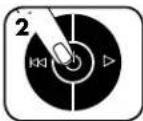
PiEOTe (D)OVA evyoKToIyoi.
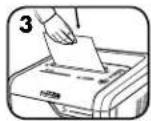
Tpoopotot to xapi r kapra iia otyn eioo doxipoukai apote ta
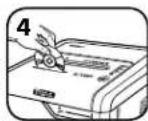
KpatotetocD/tny
kaptano ntyakpn,
TPOPOOTNE ta 0TO
KeVToNc EIOOOU
Kai apnote ta
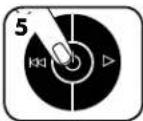
OTAV TELEWOETE TNY KATAOTPOPHI, BAITE TO DAKOINTI OTNY KLEIOH THEON KAEISTO (C)

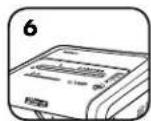
Mny kavete tinota kal o kataatpoace Ba jnei autoujatae katatoan avovnic (sleep mode) meta ano 2 e nta abpaveiaac
IPOHΓMENE Σ ΔYNATOTHTTE Σ TOY IPIOIONTO

100% JAM PROOF
Soutnpa npoataoc ano eJALOKEC EaekeiTe Tc eJMLokEc Tou XapTou kai auGavei Tny IOXU ae BAPIEcEpyaoieC.
SAFESENSE TECHNOLOGY
Texvoia SafeSense Katoxupuivn e EupoeTcvi 2aata aouc tov kataotpoepa otav ta xepia ayilouv to avonya eo0ou tou xapniou

ENERGY SAVINGS SYSTEM
UoTma Eaokovounoc EvpeyiaC Beaotn Eokovounon Evpeyac Tou xpovouaetoupiaKata 100% tooo kata n xpionoo kai meta t xpion.

100% JAM PROOF
AEIOTYPTIA YZTHMATOE IPOZTAIAZ AIO EMIIANOKE*
Eaieipie Tc Emuokc Tou xapou kai auvei tv loe aepic epyaic.

Nnyuyn anotponn eunokov -Metpa nektovika to
naxocTOUXPaTIOVy aTN anotponn eunokovXPaTIOV:

Apaipate apketaa xaptou ecotou n evdein va eivai katw ano to kKKivo xpma.

Gecis basina CD/Kart sayisi 1*
Kagir giri geni.. 240 mm
H. Ridici panel a indikatory LED
-
Zmehit smer
-
ZAPNUTO/VYPNUTO
- Dopredu
4.Piπnádoba
5.0.0vrendvirka
SAFESENSE TECHNOLOGY
SAFESENSE TECHNOLOGY
Szabadalmaztatott SafeSense®
technología
Automatikusan megallitza az apritast, amikar a kez hozaer a papiradagolnyilashoz.

ENERGY SAVINGS SYSTEM
SAFESENSE TECHNOLOGY
SAFESENSE TECNOLOGIA SAFESENSE
TECHNOLOGY
SAFESENSE TECHNOLOGY
SafeSense*technologija Zaustavla unistavanje cim ruke dodirnu ulaz a yapir.

ENERGY SAVINGS SYSTEM
m = 311
m = 311
1
m = 311
*100 % optorno na zaglavljivanje kad se koristi u skladu s prisuCnikom za uporabu
A
0
ZAS
vjie
ti
nak
on:
sto.
je p
api
rol
ren
SAFESENSE
TECHNOLOGY
SAFESENSE TEHNOLOGIJA
Rezanje prestaje cim ruke dodirnu otvor za papir.
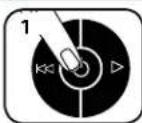
POSTAVLJANE IISPITIVANJE
UKLJUCITE unistavac
() da bista aktivirla
SafeSense
KoHTponHaTb6nA nLEDdoe
- yHa3aJ
1KQ. YKJBW3.Yhanpei
- KaHTa je myHa
-
OTBopeHa BpTa
-
yknohnte nanip
- SafeSense®ндмкатор (Жут)
8.ДутmaуТOMATKIN - ymetHTe paBHO


KAPAKTEPHIKE
YHmUTaba: PAnmp, pnaCTnue KpeDnTne Kaptnue, CD/DVD, myHmjuy 3a xeftanmue, Mane cnajanaune 3a nannp HneKeBey nowTy
Hyntaba: Ienbme etke, nannp HenpeknHor o6nka, fonne, HOBHe, Kapton, Bnke cnajaniue 3a nannp, faucuKne, peHdREHCKe CHMKe HnPiNtKky KoJa HnJe HabeHa N3Ha
Bemnna yHmteHor nnpa:
PonpeHcceHe (325ci). 4mmx38mm y3dyKHo ceHebe (325i) .5,8mm
MakcunmaHo:
JInctoBa no npona3y, naHnp od 80 g (nonpeHno cehebe)22*
Iinctobna no npona3y, nahp od 70 g (nonpeHNo ceehebe. 24*
JIncroBa no npno3y, nannp od 80 g (y3dyxHo ceyehe) 24*
JInCToBa no npona3y, naHnp od 70 g (y3dyxHo ceyehe) .26*
CD-a/kaptna no npona.. 1*
UupnHa yna3a 3a npnp 240 mm
^A4 nnp (70 g) npn 220-240 V, 50/60 Hz, 4 amnpa; TeKn npnnp, Bna rnn npyraun HANOH OJ HOMHANHO Mory Da CMAhe kanaHTet. Makmmanno npenopyene DHeBHe CTone KopuheBa:8.000 JInCToBa;30 KAPTu;30 CD-OBA.
Fellowes SafeSenseyHunmbaun cy konctpycaHm 3a pa y kaHuenapjckm Okpykemma y oncerty od 10^ do 26^ (oD 50 Fdo 80 F) n40-80% penatmbhe bnaXhoCTN.

UPOZORENJE: VAŽNA BEZBEDNASNA UPUTSTVA - Pročitati pre upotrebe!

3aXTeBn 3a pad, OpJbAbaBe N cepBmncpaBe oNcaH cy yyntCTby 3a ynoTpe6y. IpOuHTajre ceno ynyTCTBO 3a ynoTpe6y npe ynoTpe6e yHIMTmba4a.


-ДрхиTe dAbe OJ Deue N KyHnX bYb6Maua.ДрхиTe pyKe dJaBe OJyN3a 3a nannp.KaJa c npOn3B0d He KopuCTn,Obabe3HO rNcklbuyte Hnn 3BByuNTe yTnKaay 3YtUnHnue.


-Дрхипсстапpeдmete (pyakBnue,нakHT,оeHy,кocу nTД.)дыб odOTbopa yHnWtuba.АкопрдMetу hyу rOрьи OTbop,прнiteHa peKIM YHa3aD (1) Da 6nCTe BpAtni npdMet.
HEMOJTE da KOpCTTNE aeocOInHe npOn3Boe, Ma3MaHa ha 6a3n HafoTe nn aeocONa HA YHmHTNBauHy mIn 6n3y bera. HEMOTJE DA KOPCTNTWE KOMPIMOBAHN BA3DyX YINMEHUN"Mn, CPECTBA 3A YMHTHEbe BA3DyXOM NOD PPNTCKOM"HA YHmHTNBauY nCapapeBa n3 Ma3MaBa HA 6a3n NoroHcknx RopnBa n HafTe mory da ce 3anae n 3a3oby Teuke nobpege.
Hemojte da kopnctne npo3bdo akoe oouthehen mnn Hmncpabah. Hemojte da pactabate ymmuha. Hemojte da noctabate 6m3y mnn npeko 3bopa tonnote mboe.
Obaj yHnHTBau HA npkeDa 3a KcBbYuBaBe HanaJaBa (F) KoJm Mopa da 6bye y nooKajy YKByEHO (I) da 6nCTe MoTn da KopncTe yHmTnBa. y cnuyaj HyKe, npebaute npkeauy nooKaj NCKbUeHO (O). To he oJmax 3ayCTaBtINyHnTmbaq.
- 36eBAjTe DoiPnBaHBe pe3Hnx ceuBa HcNoI rnaBe yHmTuBaHa.
3a CD-0be/kapTnue KOpNTte cAmO yna3 Koju je 3a To HamehEn. ApKnte npcte daBe oD yna3a 3a CD-0Be.
HemoeJTe da ctabbaTe ctpaHe npEmeTe y yna3 ana nnp.
- yHmTbau Mopa da 6yde npKbUey H npabInHo y3eMbEHy 3MHy TwHnuy Koja o6e36bEyje HanoH JauHy CTpye Koju cy HabeEnHa eTNkETn. Y3eMbEa yTHNua Mopa da 6yde nao doctyn Ha nocTabbeHa y 6bnHH onpeme. Ehepretcn npetBapau, TaHcOpomatn npoJyKn Kaobno He Cmejya ce kopncr ca OBIM npOnB3BOOM.
- ONACHOCT OJ IIOXAPA - HEMOJE Da yHnITabaTe YecHTKe ca 3BvHMm YINOBMa Nn batepmaJa.
- Camo 3a yinTope6y y 3aTBopeHOM.
- Ppe uunheba un cepbnncipaba yuunthubau n3byuueytuukn 3yTuunne.
OSNOVNA OPERACIJA UNISTAVANJA
Ykbyynte ytnkauy TYNHIMUu NocabtaBte npkea4a 3naKbbymbaBe hanaJaBa y noNoxaj YKbByEHO (I)
SAFESENSE TECHNOLOGY
SafeSense texhONorHa 3ayctabba yHmUtaBahe YHM c peyKoDipHne yna3 a nnHp.

100%
PAДСИСТEMAJAMPROOF*
JAM PROOF Einnnne 3a nnnnnae na nnpa n o6eheyje chary 3a 3axtebne noocobe.

2HapnOcnpeyabae3aIaNbNbHaBa-cNTEm
eNEKTPoNcKMeMepnDe6bHyNaHpaDa6nCpneH
3aIaNbNbaHe NaHpa:




LUPBEHA 30oha: ymethyto je npebme IINCTOBA.
XYSTA 30ha: IpojdykTNBHOCT je OITMMM3OBaHa.
3EIEHA ZHOa: Moryhe je DoJadabHe jeu NtCTOba.
Ako dohe do norpseuHor ybnaueha:
CINHIMDKATOPHNoNETn
DAOBETNEYHMHTBNAH
hepanpaBNyNay3
03do6cKYN4
KJIOHHTE HOKJIINKO IVCTOBCA CBE DOK VIMKATOP He 6yde NTOIUPBEHe 30HE.
Caukejte da npctane Tnpenehe HakoH 3abpweKa aytomatKe Kopekunje. Hactaunie ce yoWuJaeHoYnUtaBaHe.
Hactaute ca 100% Jam Proof yHnItabaBem

100% JAM PROOF
Ako CEBTINH HAKOH NOMEPaHa nAnHa yHa3a, npMnCHHTe yJMyE yHa3a H NkHOHTe nannp. cyPToTHOM, HactBaHHe ce yOuHajHo yHmUtaBaHe.
*100% otnpno Ha 3aIaNbNbBaBe KaJa ce KopncTn y cKnaIy caynyTCTBOM 3a ynOtpe6y
SAFESENSE
TECHNOLOGY
SAFESENSE* TEXHOJIOVJA
3ayctabya yHmTaBaHe cM ce pykomdoHnpe 0Tbop 3a nnp.
IOCTABJbAbe I TECTIPAhe
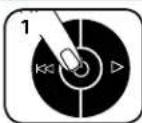
Kyubnyute yHmUHTBnAH (da b6tce kAHTBnAPINi SafeSense
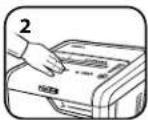
IodnHnre obnact 3a TcTnpahe N CauekajTe Da INnKAtop SafeSene"Noue Da CBETNI
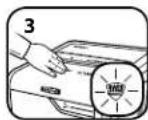
SafeSense*jeakTbAHn npaipnpabinH
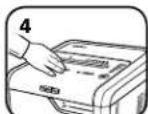
Ako ce pyka dpkny SafeSense"0oactn Bmhe od 3 cekynhe ynnhntbay he ce kkybnytn

ENERGY SAVINGS SYSTEM
CNCTEM 3A YUITEY EHEPNIJE
OTNHMAH CHEPRTCKeFHKACOHCT yCBAKOM TpEHNYTK -TOKOM yNtOPTBeH nPnINKOM MMPOBAHa.
IHTeHnEhePryHa HcTnHn HauHn: EHePretckn eHKnacnaeneKtpnHnK,cnpeaBaHe 3aIaBbHbHa,CTaePiNPaBHOCTN pEKMM cIaBaHa.
Pekmcnabha hckbyyje yhMUTBauHAKOH 2 MHHa HeaKTbBHOCTN.
I P E D Y N I P E X K D E H N E: B A X H N M H C T P Y K U N 3A B E 30 N A T H O C T - I p o c e t e I p e d y u n o r p e 6 a!


ИЗИСКВАНТа 3a pa6To, NOДПьЖкAи 06CNYKBAHe ca OUNCANBpykoBOCTBOTo 3a ynoTpe6.ПpoYe TAnOTo pykoBOCTBO 3aynoTpe6, npdI da pa60tne c WppeDpHte.
Ja ce na3n daaney OTO DCbHa Daeua H DoMaun HIO6MHU. JpBxTe pueTe cn daaney OT BXOa 3a XAPTN.BHARN NOCTABAAte B N3KNOEHO NOLOXJEHNE INIIN3BaKaJTe UENcena OKTAKTA, KORATO He H3NON3BATE MaHHATA.
- DpBxTe BbHnH npeMeT - pKaBmH, 6MxyTa, npExn, Kocn Tn. - daNeY OTBOPHe Ha upeepa. Ako HkaKaBnpeMet nonaHe B TropnA OTBOP, BKIOueHe Ha opeAteXoD (1), 3a Da n3BaJnte npeMet.
HEH3IOJI3BAIte aepo30HIN IPOJyKTH, CMA3KN Ha HefTeHa OCHOBa HnAeO30HN CMA3KN Bbpxy Hn6N3O Do Uppeepa. HE H3IOJI3BAIHTE, OIAKOHIN CbC CTBCTEH Bb3DyX" IN, CIPNEIOBE CbC CTBCTEH Bb3DyX 3A IOYNCTBAHE" BbPxy UPEDEPA. M3napenHraTa OTROPBA 3a DmIgATEIN CMA3KN Ha HefTeHa OCHOBa MoT Da Ce CaMO3anaIAT N da PnPHHAT cepNO3HO HapaHbaHe.
He 3nON3BaIte npn NOBPea nn DepeKT. He pa3rno6BaIte Wpeepepa. He ro nOCTaBtE B6N30CTnn HAD NTOTUHKn HA TOnnHa NIN BOda.
To3n WpeepnMa KIOu 3a npKcBaHe Ha 3axpaHbAteo (F), KOIO Tp86BaJa 6bIe BbB BkIOueHO NOIOXeHne (ON) (I), 3a Da paBoTH WpeepbT. B CNYaHa ABAPIN PmEpTeTe KIOUa B N3KIOueHO NOIOXeHne (OFF) (O).TOBA DeiCTBme 1e N3KIOUH Wpeepa He3abABHO.
- 3684baTe KOHTAKC OTKPTITE peKeuH HOKOBE NOI rnaBaTa Ha Wpeepa.
- ⅢnON3BaIte cAmO onpeJeHHe BxOa 3a KOMnAaTnCKObe (CD)/KapTN. IpbXTe npCTne DaaneOT BXoDa 3a KOMnAaTnCKObe (CD).
He noctabTae BbHUNPipeMeTM BbB BxoJa 3a XapTMA.
- WpeepbT Tpa6Ba Da e BkUoye B nPabMnHO 3aEmeH cTeEH KOHTAKm Hn THe3o C HanpeJcHHe N TOK, OTBopAun HA OToEJIa3Ha HeEtHKeta. 3aEmeHnT CTHeH KOHTAK m Hn THe3o Tpa6Ba Da bDat MoHTpAHn B 6IIM30CT Do oObyBaHETo DA ca IecHO DOCTbHN. C To3n IpOyKT He Tpa6Ba Da CE M3nON3Bat PpeOpa3OBaTeHN Ha EhePrr, TpaHcOpMaTOpMn YdbNkntenH Kabei.
- ONACHOCT OT IIOXAP - HE pexeTe No3dpaBHTeHH KAPTNUK C cHNOBE 3a My3nKa HnC 6aTePHN.
- 3a yontope6a caMoHa 3aKpHTo.
- 3BaxdaiTe 3axpaHbuaNa Ka6eHa upeepa OKTakTa npeMn nouchTbaHe nnO6cnykBaHe.
OCHOBHA PABOTA 3A YHMIQUXABAHE UPE3 PRA3AHE
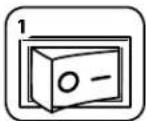
BkIoUeIe IeKcEBA KOnKTaHa NocstabeT KInOyA 3a IIpeKbCBAHe Ha 3axpHaBaHTo BbB BkIOHeH NoIooKeHHE (ON) (1)
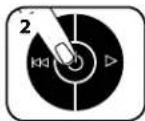
HaTcHete 6yToHa 3a BkInuBaHe (ON) () 3a Da aKTHBnPaTe Wpepe
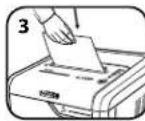
IpaTae XapTnra/ KarpTa HapPabo Bbb BXoJa 3a XapTnna Iy nChete
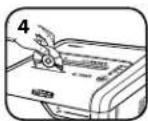
ДьгхTe KOMnakTДИСКА (CD)/kapTa 3a pp6a, nOaIte rO B YeHbpa HxOJa IyChete
Cnep3abbpwbaHe na p3aHero, nKKnIOyTe (OFF) ()
He npabete Hmio m WpeepbT 1e pmeHne ABToMaTHuHO B PexMM Ha 3acnBaHe Cne2 MHyTH HeaKTHBHOCT
PA3WIMPEH N OYHKUHN HA IPOOyKTA

100% JAM PROOF
Cncrema cpeuy 3a4bpCTbAe Hane Jam Proof ENHmHnHa 3a4bpCTBaHeTo CxaPTBnCe CnpBaB CTpyHn 3a4dN.

SAFESENSE TECHNOLOGY
TexhonorHra SafeSense Cnpa p3aHTo BeHara, Korato pbcTe DOKOCHAT OTbopa 3a XapTna.

ENERGY SAVINGS SYSTEM
CnTeMa 3a eheprocteBaHa OITIMAMHHepePmHa oekTMBHOCT 100% OT Bpemeto Bynotpe6nBbN yntpe6a.

100% JAM PROOF
PABOTA HA CNTTEMATA CPEU 3AIDbCTBAHE JAM PROOF*
Einnmnpa3aepbctBaHETcXaptnnHcCpPABnCtpydn3a4aun.
\*3aunita ot 3aDpbcTbahe 100% Jam Proof, koraTo ce n3No3Ba B cBoTBcETBnC pKOBoDCbTO 3a ynotpe6a
SAFESENSE TECHNOLOGY
TEXHOJIOITNA SAFESENSE
Cnnpa p3aHeto BeHara, KOrato PbueTe DOKOCHAT OTBopa 3a XAPTWA.
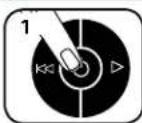
HACTPOMBAHE IN TECTBAHE
Bkmouehe wpeedepa (ON) ()3a da akTIVBnpat SafeSense
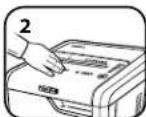
Дokochete oblacta
3a TECT IMKTE
Ддпн WндытогртБ
SafeSenseCBETN
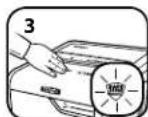
SafeSense® e aktmbHna npabtoH HopmaHIO
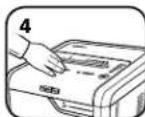
Ako3a#bpxnTe pbkata CnBpyo 06naCTa HSAfeSense"3a noboe ot 3cekyu, wpeepbteTue CEKTHOUY

ENERGY SAVINGS SYSTEM
CNCEMA3A EHEPTOCTIECTBAHAE
OTMMaHa eHepTHeHa eEeKTHBHOCT 100% OT BpeMeTo-ByNOTpe6a H3BbH yNtOpe6a.
CnctBa ehePn no YeTpMa HauHa: eHeProeEeKTHBna eEnkTPOHnKa, npTeoTbPaTBAHe Ha 3aDpBcTBaHe, pEKHM HA TOTOBHOt M pEKHM Ha 3acmBaHe.
Pexmbt Ha 3aCnBaHe W3KIOUba Wpeepa Cne2 MmHTn HeaKTMBHOCT.
KOTATO E B PEXKUM HA 3ACITINBAHE
BpejmmHa 3aCnmbaHe
HNN
nxheX
PIOIINPbXKA HA IPOIyKTA
NOCYCTBAHE HA ABTOMATUHO CTAPTUPAUNTE CE NHOPAUEPBENH CEH3OPN
Ceh3OpTe 3a OTKPBAHe Ha xapTn Ca pAsp6oTeHn 3a pa6oTa 6e3 noDpykKa. B peKm Cnyuam oBaue ceH3OpTe MoKe Da 6bDat 6IokpaHn OT XapTne H npax, KoTo da do p6oTa Ha Motopa, Dopn npi nnncata Ha xapTu.
(3a6eneKKKa;Ba CEHOPa 3a OTKPbBAHe HaXapTnCe HAMnPAT BcpedaHa BxOda 3a XapTnA).
3A DA NOVHCTNTE CEH3OPHTE
M3KIOUeTe Wpepepa H3BaDte 3axpaHbuaa Ka6en OT KOHTAKTa
OTKPMTe aBToMaTHUHO CTAPMaPuaIe CE HpaepBeHcEH3Op
HanoTe naMyuCh TAMIOH B CINHP
M3HCTeC namyHnTaAMIOH BcKaKBO3aMbpcBaHe OT cEH3OpNTaXAPTM
CMA3BAHE HA IUPEDEPA

3a BcNkM Wpeepn 3a HapraBaHe Na npaeHc e Heo6xOmo Macno 3a Hau-rolma pnon3BODntenHocT. Ako He ce CMA3Ba, MaunHaT a MoKeJa pa60n c HamaJIe N KanaIHT 3a IINCTObE, C DocaHn Wym pnp P3aHe n HakpA MoKe Da cnp de pa60n. 3a da Ce n36erHt Te3n np6bEmn, Hne BN npopnbVbAME da CMA3BaTe BaWn Wpeep BceKn NT, KORATO INPpBaTe KOteHepa 3a OTNaDbu.
CNEBAHTIPOUEDYPHTE3CAEMA3BAHEIO-DOJNYIIOBOTOPETIDBAITN
*HaHeceTe MaCnO Hb BxoJa
HaTHcHETe H3aIpbXTe 6yToHa 3a HnpeD (B INpOdbJIxKeHHe Ha 2-3 cekyHd

*Hnon3aumcma Ho Haeop03nHO paummernHo Maon 6 KOHMuehep c dbna d03a, kmo Fellowes 35250

OTCTPAHRABE HA HEM3IPABHOCTN

HnDnKATop 3a nBne HKnTHeHep: Korato CBeTm, KOHTHeHepb 3a oTnAdbuHa WpeDepa e bnEe H TpAba Da ce HnPa3H. HnO1N3BaIte Top6ata 3a oTnAdbu Fellowes 36053.

Hnikatop SafeSense*: Ako pueTe bna cTa TbpeDe 6bn3o do BxOda 3a XapTMA, Hnikatopb5r SafeSene 9e CBeTHe N WpeepbI tse Cnp P3aHETo. Ako SafeSense e aKTMBA B npDbljHne Ha 3 cekyHm, wpeepbT abOTmatuHNO 9e ce u3KnIOuN nortpe6ntenT TpRbBa da HATNCHE 6byToHa 3a xpaHbAHTo H KOHTPOHNA nahen, 3a Da B306HOB PR3aHETo.

HINKATOP 3a H3BaXdHa Ha xapTn: Korato CBETn, HATNCHEte 6yToHa 3a 06pateH XoD (1) M3BaTe xe xapTnra. HAmaneTe KOINueCTBTO xapTndo npHemmbO KONueCTBO MOTHO BO NOaIe TB BxOda 3a XAPTnA.

HnDkaTOp 3a OTbPeHa BpTa: lpeepbT hma da paobtn, ako BpaTata Ha kkae a e OTbPeHa. Korato cBeTn, 3aTBpTe BpTaTata, 3a Da Bb3o6HOBnTe p3aHTo.

HnIHKaTOp 3a npaBO nOdaBaHe: Korato CBETM, H3BaTe XapTnA Tn NOaIe HapPBO BbB BXoJa 3a XapTnA.
OTPAHnueHa TAPAHn3A IPOdykTA
OrpaHnueHa rapaunna: Fellowes, Inc. (Fellows) rapaHTnpa, ye cactnte Ha Maunnata ca 6e3 dekeTN Ha Matepnnn n3paBOTKa, n mO cnpyBa o6cnyKbae n noDpkbka 2 a 2 roHHn ot datata Ha 3akynbAne OT npBeHTen. Fellowes rapaTnpa, ye peKeuNTe HOXOB He Maunnata Ca 6e3 dekeTN Ha Matepnnn n3paBOTKa, Kato Daba rapaunna 20 roHHn ot datata Ha 3akynbAne OT npBPOhauANnno Notpebnten. Ako KOto n da cacte ocakne dekeTHa pNe3 rapaHIOHNnne NpEoN, BaJeTo eINCTbeHo n3kOuHTENHO 063teTeHne 6bDe pEmoHT Hm 3amHa Ha DekeTHa TAcT no 360p 3a CmETKa HA Fellowes. Hactoarata rapaHua He Baxn 3a Cnyan Ha 3noynTOpe6, HepaBnHNO 60pABHe, HecbOTBEcTBNE Cbc CTAndAPTIne 3a yNtpe6a H npOyKa, paOto Ha WpepeC henoXoJIO eneKTPuecko 3axPAHBAe (pa3mnuO tO ToB,aNocOHe Ho etTKeta) Hn HeToPn3npan PeMOHT. Fellowes CN 3ana3Ba npAboto Da HauNCnBa Ha NoTpeBnTeHnne
BCaKbN DnBnHnTeHn pa3XoHn, HnapBaHn ot Fellowes 3a OcnHypaBaHe Ha cactm nIn yClyr m3BbN dPbKabata, B KOrTo WpeepBeE t npOaIe HpBpOHaunHo OT optn3panh TbproBeu. BCKa KOCBEHA TAPAHUNB, BKIOHTENHO TAs 3A PNOJABAEMOCT NIN PNPOTHOCT 3A KOHKPATHE UEN, IIO CNATA HA HACTOUI NDOYMEHT E OPAHUHEBA PAMKITE HA CbOTBETHNA TAPAHUHOEH INPOHN, YKA3AN HO NO-TOPE. B HmKAbB Cnyau Fowelles He Hocn OTROBOPHOCT 3a KaBNTo N da e NoceIeBaua Hnn CnyauHn UeTn, DnKaaunCe Ha To3n npOyKT. Hactoata rapaunHn B daBa onpeJeHn ZakoOBn npBa. PnpDbnKHTENHOCTTa HycOBnTA Ha Hactoata rapaunHn Ca BaHnBn B CEINBn CBT, C nKIOueHne Ha MeCTATA, KbDETO MecTHOTO zakoHOATENCTBO MOKe Da NIMCKBa pAnHHMOrPAHNUHHe, peCtPNKUMm nn yCNOBn. 3a Nobee noDpo6HOCT nnn 3a nonyabaHa o6cnykBaHe no Hactoata rapaunHn MoJI, CbPjKeTe Ce c Hac nIN C BAUnn TbproBeu.
SIMBOLURI
SAFESENSE TECHNOLOGY
TEHNOLOGIE SAFESENSE
c^ 1,2
LIL
| *22 | (###) ### (###) ### 80 ### ## ## ## ## ## ## ## ## ## ## ## ## ## ## ## ## ## ## ## ## ## ## ## ## ## ## ## ## ## ## ## ## ## ## ## ## ## ## ## ## ## ## ## ## ## ## ## ## ## ## ## ## ## ## ## ## ## ## ## ## ## ## ## ## ## ## ## ## ## ## ## ## ## ## ## ## ## ## ## ## ## ## ## ## ## ## ## ## ## ## ## ## ## ## ## ## ## ## ## ## # # # # # # # # # # # # # # # # # # # # # # # # # # # # # # # # # # # # # # # # # # # # # # # # # # # # # # # # # # # # # # # # # # # # # # # # # # # # # # # # # # # # # # # # # # # # # # # # # # # # # *24 | |
| *24 | (###) ### (###) ### 70 ### ## ## ## ## ## ## ## ## ## ## ## ## ## ## ## ## ## ## ## ## ## ## ## ## ## ## ## ## ## ## ## ## ## ## ## ## ## ## ## ## ## ## ## ## ## ## ## ## ## ## ## ## ## ## ## ## ## ## ## ## ## ## ## ## ## ## ## ## ## ## ## ## ## ## ## ## ## ## ## ## ## ## ## ## ## ## ## ## ## ## ## ## ## ## ## ## ## # # # *24 | |
| *26 | (###) ### (###) ### 70 ### ## ## ## ## ## ## ## ## ## ## ## ## ## ## ## ## ## ## ## ## ## ## ## ## ## ## # # # *1 | |
| #do 240 | ||
| #do 38 | ||
| #do 5.8 | ||
| #do 35i | ||
| #do 325i | ||
| #do 30 | ||
| #do 26 | ||
| #do 25 | ||
| #do 24 |
1
g g 9) aalll Jaae jae Jaaa Jaaa Jaaa Jaaa Jaaa Jaaa Jaaa Jaaa Jaaa Jaaa Jaaa Jaaa Jaaa Jaaa Jaaa Jaaa Jaaa Jaaa Jaaa Jaaa Jaaa Jaaa Jaaa Jaaa Jaaa Jaaa
jai jy juyi yu bgyagagagagagagagagagagagagagagagagagagagagagagagagagagagagagagagagagagagagagagagagagagagagagagagagagagagagagagagagagagagagagagagagagagagagagagagagagagagagagagagagag
g jao g jai jai aaiall g jai jai jai jai jai jai jai jai jai jai jai jai jai jai jai jai jai jai jai jai jai jai jai jai jai jai jai jai jai jai jai jai jai jai jai jai jai jai jai jai jai jai jai jai jai jai jai jai jai jai jali yjagjgljagjgljagjgljagjgljagjgljagjgljagjgljagjgljagjgljagjgljagjgljagjgljagjgljagjgljagjgljagjgljagjgljagjgljagjgljagjgljagjgljagjgljagjgljagjgljagjgljagj
y 1
aaii aaii jai aiinaij gao jia jia bao
L 10000000000000000000000000000000000000000000000000000000000000
100 100
aagglg aagaaagaaagaaagaaagaaagaaagaaagaaagaaagaaagaaagaaagaaagaaagaaagaaagaaagaaagaaagaaagaaagaaagaaagaaagaaagaaagaaagaaagaaagaaagaaagaaagaaagaaagaaagaaagaaagaaagaaagaaagaaagaaagaaagaaagaaagaaagaaagaaagaaagaaagaaa
jglslai 2 aygoggl alal ggl pssn 2


jaiy
sIgI gai pae aie jgi 1g+ Jgai gai iiaaill
glglil 10
jll cluai
o aill /log aill
lgl: i: aog. aal
Lswi eao
13g 124000000000000000000000000000000000000000000
(0) 1c b#ol
12345678901234567890
1 1
aai
aLJIy
100 aIIO aIIO aIIO plssw21 2c - caggl 20 plssw21 pccg

ENERGY SAVINGS
SYSTEM
SafeSense
21

SAFESENSE TECHNOLOGY
Jam Proof
y 1

100% JAM PROOF
JAM PROOF
aJgJLgJLgJLgJLgJLgJLgJLgJLgJLgJLgJLgJLgJLgJLgJLgJLgJLgJLgJLgJLgJLgJLgJLgJLgJLgJLgJLgJLgJLgJLgJLgJLgJLgJL

100% JAM PROOF
3
2
aai -gjgl J 10 aaoiaag 10
1

www.fellowes.com 8g118,12,20.Fellowes a5joo oaoafoofoofofofofofofofofofofofofofofofofofofofofofofofofofofofofofofofofofofofofofofofofofofofofofofofo
jai jai ai ci jai ci jai wai jai gai
Lao ygll jie alwgljleaiy 8y1 aaii aai iiaa
jiaali aaii plaiuui li jao 1gai gai wai jai iai niui ayai
a aae 1
jg jss 222
cuii iuiuui uuiuuiui
jueiuuiuiuiui
Jusu Jusu Jusu

aaiiiaai jj
g aew no jglj gile 15 gai jss pcc all 15 gil Jgai Ic Jgai Ii gai iiai aill ai wll gai jay oai hii iaii wall gai jag cuiy gi yni ciuall oai wail gai kai alk uai gai jai niie oai bao gai gai ai nai sioe oai slaiggs daisio
j 1
1 3-2
aIe 1

Fellowes 35250 Jia aigag aegi gag Jgag jai jai jai paa

Lgolg cLs
36056 JjFowles oagao aiaa paaai gaiy jaii iiaaaiilgai jai ogao alu jgiigaiiaaicaiill sial
aIg aIg all Ic alil mll gai jagagagagagagagagagagagagagagagagagagagagagagagagagagagagagagagagagagagagagagagagagagagagagagagagagagagagagagagagagagagagagagagagagagagagagagagagagagagagag


j011 1

jaiil aaciluiu yll jiei lueo yloic aiicilll ayiaaiaal jao jao Jao 1:cgiao w


gall aie gaoiwo 150000000000000000000000000000000000000000000000000000
Fellows 45,1 LgLgAag Aas g Aas Ss slll Jnns
a aalw y aalw waaal l gge g aag aal alal c Ie
aee g aalall g gswill ll 13 g Lgwaiaa gl aag
aafewes 45,120,120,120,120,120,120,120,120,120,120,120,120,120,120,120,120,120,120,120,120,120,120,120,120,120,12
fll (Fellowes) 100000000000000000000000000000000000000000000000000000000000000000000000000000000000000000000
| LED n#n#n#n#n#n#n#n#n#n#n#n#n#n#n#n#n#n#n#n#n#n#n#n#n#n#n#n#n#n#n#n#n#n#n#n#n#n#n#n#n#n#n#n#n#n#n#n#n#n#n# | SafeSense# n##h##o#n#n#n#n#n#n#n#n#n#n#n#n#n#n#n#n#n#n#n#n#n#n#n#n#n#n#n#n#n#n#n#n#n#n#n#n#n#n#n#n#n#n#n#n#n#n#n#n#n# | ||
| SafeSense# ###.7 | m#n#.1 | ###.1 | ###.1 |
| ###/n#n#n#.2 | ###.2 | ###.2 | |
| ### | ###.#.3 | ###/n#n#n#.4 | (CD) ### |
| "###" n#n#.8 | ###/n#n#n#.5 | ###.7 | |
nndna
| 22* | |
| 24* | |
| 24* | |
| 26* | |
| 1* | |
| 240 | |
| 20% |
nynnn nynn -nwn ninnn nn nnnn nn
(1) 2000 F
nannnnnne nnnnne nnne nnnnne nnnnne nnnnne nnnnne nnnnne nnnnne nnnnne nnnnne nnnnne nnnnne nnnnne nnnnne nnnnne nnnnne nnnnne nnnnne nnnnne nnnnne nnnnne nnnnne nnnnne nnnnne nnnnne nnnnne nnnnne nnnnee
n nnnn nn nnnn nnnn nnnn nnnn nnnn nnnn nnnn nnnn nnnn nnnn nnnn nnnn nnnn nnnn nnnn nnnn nnnn nnnn nnnn nnnn nnnn nnnn nnnn nnnn nnnn nnnn nnnn nnnn nnnn nnnn nnnn nnnn nnnn nnnn nnne
.
nnnnnnnnnnnnnnnnnnnnnnnnnnnnnnnnnnn
nnnnnnnnnnnnnnnnnnnnnnnnnnnnnnnnnnnnnnnnnnnnnnnnnnnnnnnnnnnnnnnnnnnnnnnnnnnnnnnnnnnnnnnnnnnnnnnnnnnnnnnnnnnnn
nnn nn nnnn nn nnnn nn nnnn nn nnnn nn nnnn nn nnnn nn nnnn nn nnnn nn nnnn nn nnnn nn nnnn nn nnnn nn nnnn nn nnnn nn nnnn nn nnnn nn nnnn nn nnnn nn nnnn nn nnnn nn nnnn nn nnnn nn nnnn nn nnnn nn nnnn nn
nna (nna nna, nna, nna, nna) nna nna nna nna nna nna nna nna nna nna nna nna nna nna nna nna nna nna nna nna nna nna nna nna nna nna nna nna nna nna nna nna nna nna nna nna nna nna nna nna nna nna nna nna nna nna nna nna nna
nnp nnp n np n np n np n np n np n np n np n np n np n np n np n np n np n np n np n np n np n np n np n np n np n np n np n np n np n np n np n np n np n np n np n np n np n np n np n np n np n np n np n np n np n np n np
Nn nnnn nn nnnn nn nnnn nn nnnn nn nnnn





2 2
100
ynnn nnnn nn nnnnnnnnnnnnnnnnnnnnnnnnnnnnnnnnnnnnnnnnnnnnnnnnnnnnnnnnnnnnnnnnnnnnnnnnnnnnnnnnnnnnnnnnnnnnnnnnnnnnnnnnn
y
pnn ()y
aannnnn nn nnnn (1)
nntnnn nnn
noonn 100%nnnnnnnnnnnnn
n nn nnn
100%
nnnnnnnnnnnnnnnnnnnnnnnnnnnnnnnnnnnnnnnnnnnnnnnnnnnnnnnnnnnnnnnnnnnnnnnnnnnnnnnnnnnnnnnnnnnnnnnnnnnnnnnnnnn
m
1n

ENERGY SAVINGS SYSTEM
120
.
SAFESENSE®
nnn nn no n
SAFESENSE
TECHNOLOGY
3- 3- 3- 3- 3- 3- 3- 3- 3- 3- 3- 3- 3- 3- 3- 3- 3- 3- 3- 3- 3- 3- 3- 3- 3-
SafeSense
Pn Pnnnnnne nnnnne nnne
yinnipinn
n nn nnn nn nn nn nn
mnnn nnnnnnnnnnnnnnnnnnnnnnnnnnnnnnnnnnnnnnnnnnnnnnnnnnnnnnnnnnnnnnnnnnnnnnnnnnnnnnnnnnnnnnnnnnnnnnnnnnnnnnnnn
nnnnnnnnnnnnnnnnnnnnnnnnnnnnnnnnnnnnnnnnnnnnnnnnnnnnnnnnnnnnnnnnnnnnnnnnnnnnnnnnnnn
Tnnnnnnn
Hnnnnae
y
nnn nip
nnnnnnnnnnnnnnnnnnnnnnnnnnnnnnnnnnnnnnnnnnnnnnnnnnnnnnnnnnnnnnnnnnnnnnnnnnnnnnnnnnnnnnnnnnnnnnnnnnnnnnnnnnnnnnnnn

noan noo n
n nn nnnnnnnnnnnnnnnnnnnnnnnnnnnnnnnnnnnnnnnnnnnnnnnnnnnnnnnnnnnnnnnnnnnnnnnnnnnnnnnnnnnnnnnnnnnnnnnnnnnnnnnnnnnnnnnnnnnnnnnnnnnnnnnnnnnnnnnnn
mnnn nnnn nnne
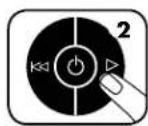
pnn npnnn 2-3 ()
nnnnnnnnnn

Fellows 35250 jao, no nnnn nnr nn (non-aerosol) nn nnnn nn nn nn nn nn
112 119
Fellowes 36056
SafeSense SafeSense
"nnn nnnn nn nnnn nnnn nnnn nnnn nnnn nnnn nnnn nnnn nnnn nnnn nnnn nnnn nnnn nnnn nnnn nnnn nnnn nnnn nnnn nnnn nnnn nnnn nnnn nnnn nnnn nnnn nnnn nnnn nnnn nnnn nnnn nnnn nnnn nnnn
nno nnnn nn nnnn nn nnnn nn nnnn nn nnnn nn nnnn
nnnnnnnnnnnnnnnnnnnnnnnnnnnnnnnnnnnnnnnnnnnnnnnnnnnnnnnnnnnnnnnnnnnnnnnnnnnnnnnnnnn


Pn nnnn nn nnnn nn nnnn nn nnnn nn nnnn nn nnnn nn nnnn nn nnnn nn nnnn nn nnnn nn nnnn nn nnnn nn nnnn nn nnnn nn nnnn nn nnnn nn nnnn nn nnnn nn nnnn nn nnnn nn nnnn nn nnnn nn nnnn nn nnnn nn nnnn nn nnnn nee
This product is classified as Electrical and Electronic Equipment. Should the time come for you to dispose of this product please ensure that it is not mixed with general household waste. For proper treatment, recovery and recycling, please take this product to a designated collection point. Please contact your local authority for further details of your nearest designated collection point.
French
a aal y aal g aalg aal g aal g aal g aal g aal g aal g aal g aal g aal g aal g aal g aal g aal g aal g aal g aal g aal g aal g aal g aal g aal g aal g aal g aal g aal g aal g aal g aal g aal g aal g aal g aal g aal g aal g
Hebrew
N 10000000000000000000000000000000000000000000
1.1K 1n np 1nn nnn nn nnn nnn nnn

CUSTOMER SERVICE & SUPPORT
www.fellowes.com
Europe Freephone: 00800-1810-1810
Benelux: +31-(0)-13-458-0580
Declaration of Conformity
Fellowes, Inc.
Unit 2 Ontario Drive, New Rossington, Doncaster, DN11 0BF, England declares that the product models 325Ci/325i conform with the requirements of the Restriction of Hazardous Substances Directive (2011/65/EU + 2015/863/EU), the Low Voltage Directive (2014/35/EU), the Electromagnetic Compatibility Directive (2014/30/EU), the WEEE directive (2012/19/EU), and below harmonized European EN Standards.
Safety: EN 62368-1
EMC Standard: EEN55014-1: 2017
EN55014-2:2015
EN 61000-3-2:2014
EN 61000-3-3:2013
Year Affixed: 19
Itasca, Illinois, USA
January 1, 2020

John Fellowes
President & CEO

- CAPABILITIES
- WARNING: IMPORTANT SAFETY INSTRUCTIONS - Read Before Using!
- ADVANCED PRODUCT FEATURES
- PRODUCT MAINTENANCE
- CLEANING AUTO-START INFRARED SENSORS
- TO CLEAN THE SENSORS
- OILING SHREDDER
- FOLLOW OILING PROCEDURE BELOW AND REPEAT TWICE
- TROUBLESHOOTING
- LIMITED PRODUCT WARRANTY
- Australia Residents Only:
- LEGENDE
- TECHNOLOGIE SAFESENSE
- GARANTIE LIMITÉE DU PRODUIT
- BESCHRANKTE PRODUKTGARANTIE
- SAFESENSE TECNOLOGIA SAFESENSE
- IN MODALITA SOSPENSIONE
- BEPERKTE PRODUCTGARANTIE
- SAFESENSE TECHNOLOGY
- OPSETNING OG AFPROVNING
- NAR MASKINEN ER I SLEEP MODE
- VEDLIGEHOLDELSFPRODUKTET
- RENGORING AF AUTOSTART INFRARDE SENSOR
- LAITTEEN LISÄTOIMINNOT
- SAFESENSE®-TEKNOLOGI
- UKLAD ENERGOOSZCEDNY
- Pa3MepΦpaPmEToB 6ymaH:
- Maxchnym:
- I P E D Y N P E X X D E H N E: B A X H b I E I P A B U I A T E X H M K V B E 3 O N A C H O C T N — p o q T I T e n p e d n c n o l b 3 0 b a h n e m!
- OCHOBHbIE OTEPAuM, BblIOJIHHaEMbIe I3MEJIbUHTeJIEM
- DIOJONHHTEJIbHbIe BO3MOXHOCTN YCTPOICTBA
- * 100-npoeHTHaa 3aunTa O T 3acTeBaHn npn EKcnlyaTauu B COOTBeCTBn C pyKOBOCTBOM Nolb3OBaTeIa
- TEXHNUECKOE OBCUYXMBAHNE YCTPOICTBA
- UHCTKA WHOPAKPACHbIX DATYHKOB ABTO3ANYCKA
- CMA3KA N3MEJIbYUITEJI
- NOMCK N YCTPAHEHVE HEMCIPABHOCTEI
- OTPAHmUeHHaTAPAHnHa U3dJIme
- YNAKOBKA COJEPXNT
- NAHKTPO
- AYNATOTHTES
- Meye0c xapriou npoc kataotpoqn:
- Meynt duvatoteta:
- NPOEIOHOH: ZHMANTIKEOADHIEA0A0AEIAZ - 1aβactnio xon
- BAZIKH AEITOYPTIA KATAZTPOOHZ
- IPOHΓMENE Σ ΔYNATOTHTTE Σ TOY IPIOIONTO
- AEIOTYPTIA YZTHMATOE IPOZTAIAZ AIO EMIIANOKE*
- *100 % optorno na zaglavljivanje kad se koristi u skladu s prisuCnikom za uporabu
- SAFESENSE TEHNOLOGIJA
- KAPAKTEPHIKE
- MakcunmaHo:
- UPOZORENJE: VAŽNA BEZBEDNASNA UPUTSTVA - Pročitati pre upotrebe!
- OSNOVNA OPERACIJA UNISTAVANJA
- I P E D Y N I P E X K D E H N E: B A X H N M H C T P Y K U N 3A B E 30 N A T H O C T - I p o c e t e I p e d y u n o r p e 6 a!
- OCHOBHA PABOTA 3A YHMIQUXABAHE UPE3 PRA3AHE
- PA3WIMPEH N OYHKUHN HA IPOOyKTA
- PABOTA HA CNTTEMATA CPEU 3AIDbCTBAHE JAM PROOF*
- \*3aunita ot 3aDpbcTbahe 100% Jam Proof, koraTo ce n3No3Ba B cBoTBcETBnC pKOBoDCbTO 3a ynotpe6a
- TEXHOJIOITNA SAFESENSE
- CNCEMA3A EHEPTOCTIECTBAHAE
- PIOIINPbXKA HA IPOIyKTA
- NOCYCTBAHE HA ABTOMATUHO CTAPTUPAUNTE CE NHOPAUEPBENH CEH3OPN
- 3A DA NOVHCTNTE CEH3OPHTE
- CMA3BAHE HA IUPEDEPA
- CNEBAHTIPOUEDYPHTE3CAEMA3BAHEIO-DOJNYIIOBOTOPETIDBAITN
- OTCTPAHRABE HA HEM3IPABHOCTN
- OTPAHnueHa TAPAHn3A IPOdykTA
- SIMBOLURI
- TEHNOLOGIE SAFESENSE
- c^ 1,2
- LIL
- 1
- jaiy
- aai
- jai jai ai ci jai ci jai wai jai gai
- aaiiiaai jj
- Lgolg cLs
- nndna
- nynnn nynn -nwn ninnn nn nnnn nn
- nntnnn nnn
- ENERGY SAVINGS SYSTEM
- SAFESENSE®
- SAFESENSE
- TECHNOLOGY
- n nn nnn nn nn nn nn
- French
- CUSTOMER SERVICE & SUPPORT
- Declaration of Conformity
Brand : FELLOWES
Model : Powershred 225i
Category : Shredder