
RGET 7535 - Brush cutter EINHELL - Free user manual and instructions
Find the device manual for free RGET 7535 EINHELL in PDF.
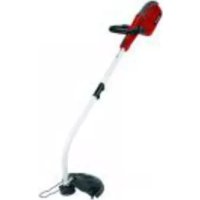



| Brand | Einhell |
| Model | RGET 7535 |
| Product type | Electric corded brush cutter |
| Power supply | 230 V ~ 50 Hz |
| Power | 750 W |
| Cutting diameter | 35 cm |
| Idle speed | 7000 rpm |
| Cutting line diameter | 1.4 mm |
| Line type | Nylon with auto-feed |
| Sound pressure level (LpA) | 76 dB(A) |
| Sound power level (LwA) | 96 dB(A) |
| Vibration upper handle | 4.5 m/s² |
| Vibration auxiliary handle | 4.3 m/s² |
| Weight | 3.0 kg |
| Edging mode | Yes, by rotating the handle 180° |
| Height adjustment | 3 positions |
| Protection guard | Included with cutting blade |
| Lock-off switch | Yes |
| Spare line spool | Ref. 34.050.60 |
| Cleaning | Damp cloth, no harsh chemicals |
| Warranty | 2 years |
Frequently Asked Questions - RGET 7535 EINHELL
User questions about RGET 7535 EINHELL
0 question about this device. Answer the ones you know or ask your own.
Ask a new question about this device
Download the instructions for your Brush cutter in PDF format for free! Find your manual RGET 7535 - EINHELL and take your electronic device back in hand. On this page are published all the documents necessary for the use of your device. RGET 7535 by EINHELL.
USER MANUAL RGET 7535 EINHELL
- Safety regulations
- Layout
- Intended use
- Technical data
- Before starting the equipment
- Operation
- Replacing the power cable
- Cleaning, maintenance and ordering of spare parts
- Disposal and recycling
- Troubleshooting
Important!
When using equipment, a few safety precautions must be observed to avoid injuries and damage. Please read the complete operating manual with due care. Keep this manual in a safe place, so that the information is available at all times. If you give the equipment to any other person, give them these operating instructions as well.
We accept no liability for damage or accidents which arise due to non-observance of these instructions and the safety information.
1. Safety information
Please refer to the booklet included in delivery for the safety instructions.
CAUTION!
Read all safety regulations and instructions.
Any errors made in following the safety regulations and instructions may result in an electric shock, fire and/or serious injury.
Keep all safety regulations and instructions in a safe place for future use.
Explanation of the warning signs on the machine (see Fig. 12)
A Read the instruction manual before starting! B Protect from moisture! C Pull out the mains plug before checking a damaged power cable! D Keep other people out of the danger area! E Wear safety goggles. F Wear ear-muffs.
2. Layout (Fig. 1, 2)
- Power cable
- Upper handle
- ON/OFF switch
- Additional handle
- Lock for additional handle
- Lock for handlebar height adjustment
- Top handlebar
- Bottom handlebar
- Handlebar connection
- Edge guide
- Line spool
- Guard hood
- Cable strain-relief clamp
- Screw for mounting the guard hood
- Allen key
3. Proper use
The equipment is designed for cutting lawns and small areas of grass in private and hobby gardens. Equipment designed for use in private and hobby gardens is regarded as unsuitable for use in public facilities, parks and sports centers, along roadways, or in agriculture and forestry. The operating instructions as supplied by the manufacturer must be kept and referred to in order to ensure that the equipment is properly used and maintained.
Important. This equipment must not be used for composting purposes (shredding) as this could result in injury or damage to property.
The machine is to be used only for its prescribed purpose. Any other use is deemed to be a case of misuse. The user / operator and not the manufacturer will be liable for any damage or injuries of any kind caused as a result of this.
Please note that our equipment has not been designed for use in commercial, trade or industrial applications. Our warranty will be voided if the machine is used in commercial, trade or industrial businesses or for equivalent purposes.
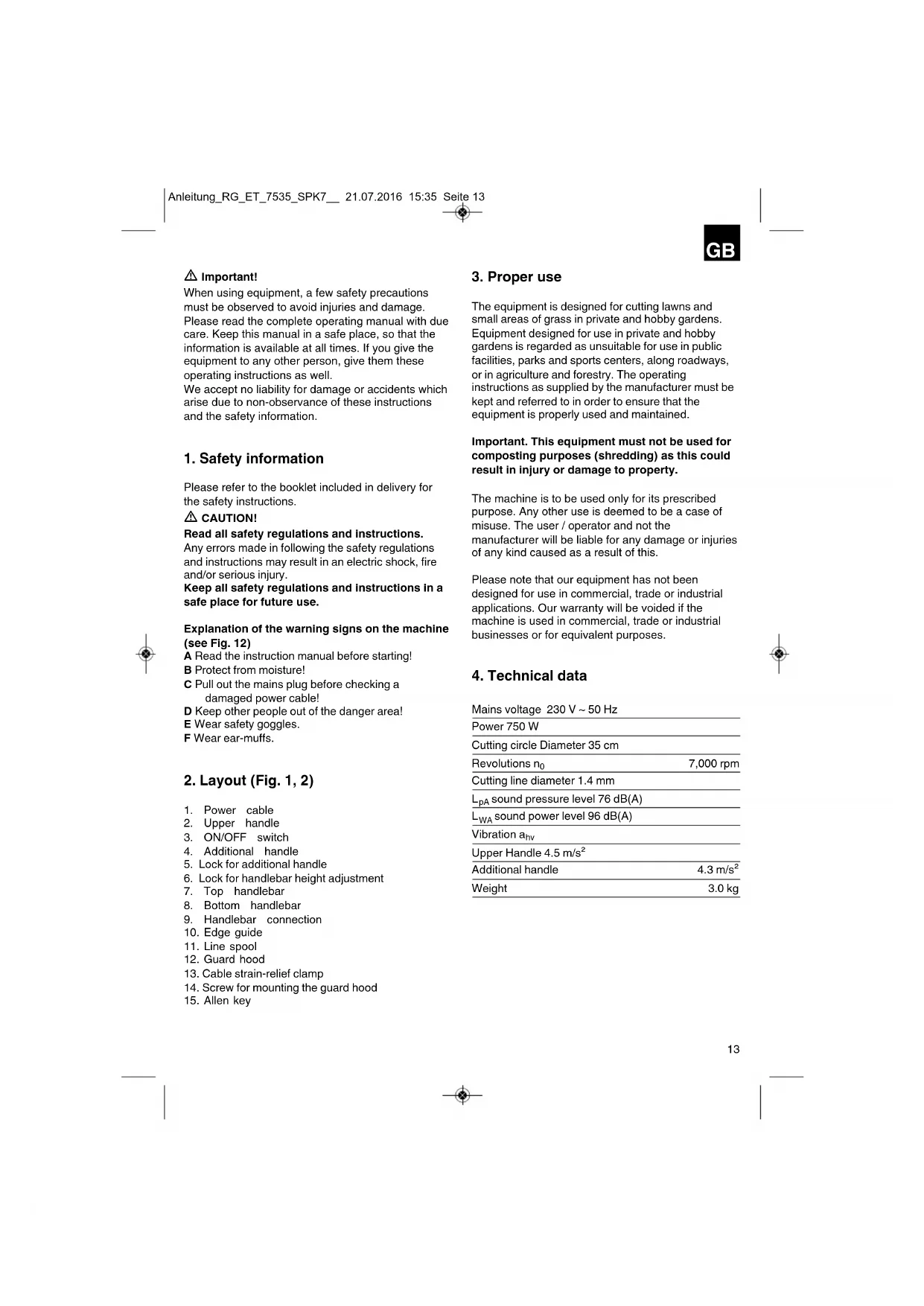
4. Technical data
Mains voltage 230V 50Hz
Power 750 W
Cutting circle diameter 35 cm
7,000 rpm
Cutting line diameter 1.4 mm
LpA sound pressure level 76 dB(A)
5. Before starting the equipment
5.1. Assembling the grass trimmer (Figures 3a-4b)
Plug together the top and bottom handlebar (Fig. 3a). Make sure that the spring-loaded ball (Fig. 3a/Item A) engages correctly. Screw together the handlebar connection (Fig. 3b). Fit the guard hood (12) onto the motor head (Fig. 4a). Fasten the guard hood (12) with a screw (14) (Fig. 4b).
5.2. Height adjustment (Fig. 5)
You can set your optimal working position by adjusting the height.
Press the lock for the handlebar adjustment (6) and keep it pressed. Move the handlebar to one of the three locking positions and release the lock (6). Move the handlebar back and forth to ensure that the lock is correctly engaged.
5.3. Adjusting the additional handle:
Place the grass trimmer on a firm surface. Undo the lock of the additional handle (Fig. 5/Item 5) and move the additional handle to its optimal position. Lock the handle in place by retightening the lock.
6. Operation
The grass trimmer has a fully automatic line extension system. If the line of the grass trimmer is reduced to a diameter of approx. 280 mm due to certain works, the line is automatically extended to maximum cutting width (approx. 350 mm). This ensures that you can cut your lawn with the perfect cutting width at all times.
Note: If the line is too long when you use the equipment for the first time, the surplus end of it will be cut by the blade on the guard hood.
If the line is too short when you start the machine for the first time, press the knob on the line spool and pull the line hard. When you start the equipment again, the line will be cut to the perfect length automatically.
Your grass trimmer will work at its best if you observe the following instructions:
Never use the grass trimmer without its safety devices.
Do not cut grass when it is wet. The best results are had on dry grass.
Connect the power cable to an extension cable and hook the extension cable on the handle (Figure 9).
To switch on your grass trimmer, press the safety lock-off (Figure 1, Item 4) and then press the ON/OFF switch (Figure 1, Item 3).
To deactivate the grass trimmer, let go of the On/Off switch (Figure 1, Item 3).
Do not move the grass trimmer against the grass until the switch is pressed, i.e., wait until the trimmer is running.
For the correct cutting action, swing the grass trimmer to the side as you walk forward, holding it at an angle of approximately 30 degrees as you do so (see Figure 10 and Figure 11).
Make several passes to cut long grass shorter step by step from the top (see Figure 12).
Make full use of the edge guide and the guide hood in order to avoid unnecessary line wear (see Figure 13 and Figure 14).
Keep the grass trimmer away from hard objects in order to avoid unnecessary line wear.
Using the grass trimmer as an edge trimmer (Fig. 10)
To cut the edges of lawns and flower beds, the grass trimmer can be converted as follows:
Press the lock for the handlebar adjustment (6) and keep it pressed. - Turn the handlebar through 180 degrees to the left and release the lock (6). - Move the handlebar back and forth to ensure that the lock is correctly engaged. The height adjustment works here too as described in section 5.2. Now you have converted the grass trimmer to an edge trimmer for cutting the lawn vertically (Fig. 10).
7. Replacing the power cable
If the power cable for this equipment is damaged, it must be replaced by the manufacturer or its after-sales service or similarly trained personnel to avoid danger.
8. Cleaning, maintenance and ordering of spare parts
Always pull out the mains power plug before starting any cleaning work.
8.1 Cleaning
- Keep all safety devices, air vents and the motor housing free of dirt and dust as far as possible. Wipe the equipment with a clean cloth or blow it with compressed air at low pressure. We recommend that you clean the device immediately each time you have finished using it. Clean the equipment regularly with a moist cloth and some soft soap. Do not use cleaning agents or solvents; these could attack the plastic parts of the equipment. Ensure that no water can seep into the device. Use a brush to remove deposits from the safety guard.
8.2 Replacing the line spool
Important. Make sure that you pull out the power plug before replacing the line spool!
- Press the sides of the spool cover as shown and remove the cover (Figure 11 a).
- Remove the empty line spool.
- Thread the ends of the line on the new line spool through the eyelets in the spool cover (Fig. 11b) and allow approx. 10 cm of line to project. Fit the spool cover and spool back into the spool mounting.
- When you start the equipment again the line will be cut to the perfect length automatically. Important. Bits of the nylon line could cause injury when being flung out.
8.3 Maintenance
There are no parts inside the equipment which require additional maintenance.
8.4 Ordering replacement parts
Please quote the following data when ordering replacement parts:
Type of machine, article number of the machine, identification number of the machine, and replacement part number of the part required. For our latest prices and information, please go to www.isc-gmbh.info
Spare line spool Art. no.: 34.050.60
9. Disposal and recycling
The unit is supplied in packaging to prevent damage in transit. This packaging is raw material and can therefore be reused or returned to the raw material system.
The unit and its accessories are made of various types of material, such as metal and plastic.
Defective components must be disposed of as special waste. Ask your dealer or your local council.
10. Troubleshooting
The machine will not work:
Check that the power cable is connected properly and check the mains fuses.
If the machine will not work despite the voltage supply being OK, send it to the specified after-sales service address.

By adjusting the height, you can select the optimal working position.
Press the lock (6) for adjusting the handle and hold it pressed. Move the handle to one of the possible positions and release the lock (6). Achieve correct locking by turning the handle from side to side.
5.3. Adjusting the auxiliary handle: Place the trimmer on the ground. Press the lock for the auxiliary handle (Fig. 5/pos. 5) and select the optimal position for the auxiliary handle. The handle is locked in place by releasing the lock.
6. Operation
The trimmer automatically adjusts the line length during operation. If the line is shortened to about 280 mm during work, it is automatically extended to the maximum cutting length (approx. 350 mm). This means you can always work optimally when trimming.
Note: If the device is being used for the first time, and the inserted line is not long enough, it will be automatically extended to the protective cover.
If the line is too short at first start-up, press the button on the spool and pull the line out manually. At first start-up, the line is automatically adjusted to the optimal length.
To make the trimmer work more effectively, follow the instructions below:
Do not use the trimmer without the protective guard. It is recommended to trim dry grass. You will get the best results when trimming dry grass. Connect the power cord and hang it over your shoulder (fig. 6). To turn on the trimmer, press the switch (fig. 5/pos. 3). To turn off the trimmer, release the switch button (fig. 5/pos. 3). Guide the trimmer to the grass only when the switch is activated, i.e., the trimmer is running. For proper cutting, tilt the device to the side and move forward. Keep the trimmer at an angle of approximately 30° (see fig. 7 and fig. 8). Cut tall grass gradually, lowering the cutting height (see fig. 9).
RUS
To prevent premature wear of the line, use the cutting blade on the protective guard. To prevent premature wear of the line, keep the trimmer away from hard objects.
Using the trimmer for edging (Figure 10)
For edging lawns and flower beds, the trimmer can be converted as follows:
Press the locking button for the cutting head (6) and hold it pressed. Turn 180° to the left and release the locking button (6). Make sure the head is correctly locked by turning it from side to side. The height adjustment works the same as described in section 5.2. Thus, the trimmer is converted into an edger, which can be used for vertical edging of lawns (fig. 10).
7. Replacing the power cord or extension cord
If the power cord or extension cord of this device is damaged, it must be replaced by the manufacturer, its service department, or a similarly qualified person to avoid hazards.
8. Cleaning, maintenance, and ordering spare parts
Before cleaning, pull the plug out of the socket.
8.1 Cleaning
Clean the protective devices and ventilation openings of the motor housing as thoroughly as possible from dust and dirt. Blow through with dry compressed air at low pressure. We recommend cleaning the saw after each use.
Clean the device regularly with a damp cloth and a small amount of liquid soap. Do not use aggressive agents or solvents; they can attack the plastic parts of the device. Make sure that water does not get inside the device. Remove any deposits with a soft brush.
8.2 Replacing the saw blade
Warning! Before replacing the saw blade, unplug the device from the power outlet!
Press the locking areas on the side of the blade cover and remove it (Fig. 11a). Remove the saw blade from the device. Guide the end of the new saw blade through the opening in the blade cover (Fig. 11b) and insert it about 10 cm. Put the cover back on with the blade and turn it. On first start, the saw blade automatically adjusts to the optimal length.
Warning! Disposed parts may cause injury.
8.3 Technical maintenance
Apart from this, there are no parts that require technical maintenance.
8.4 Ordering spare parts:
When ordering spare parts, the following information must be provided:
Device model, device article number, device serial number, spare part number required for replacement.
Current information can be found at www.isc-gmbh.info
Replacing the saw blade with blade 92:34.050.60
9. Recycling of raw materials
The device is packaged to prevent damage during transport. This packaging is raw material and can be reused or recycled for secondary raw material processing.
The device and its accessories consist of different materials, such as metal and plastic. Dispose of defective parts at collection points for special waste. You can obtain information about this from your specialized dealer or local authorities.
10. Troubleshooting
The device does not work:
Check the correct connection of the power cable and the circuit breakers. If the device does not work despite the presence of voltage, send it to the service address provided.
GB explains the following conformity according to EU directives and norms for the following product
Subject to change without notice
Archive-File/Record: NAPR005474
Documents registrar: Alexander Scheil
Wiesenweg 22, D-94405 Landau/Isar
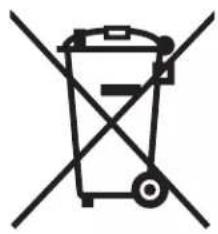

For EU countries only
Never place any electric tools in your household refuse.
To comply with European Directive 2002/96/EC concerning old electric and electronic equipment and its implementation in national laws, old electric tools have to be separated from other waste and disposed of in an environment-friendly fashion, e.g. by taking to a recycling depot.
Recycling alternative to the demand to return electrical devices: As an alternative to returning the electrical device, the owner is obliged to cooperate in ensuring that the device is properly recycled if ownership is relinquished. This can also be done by handing over the used device to a returns center, which will dispose of it in accordance with national commercial and industrial waste management legislation. This does not apply to the accessories and auxiliary equipment without any electrical components which are included with the used device.
The reprinting or reproduction by any other means, in whole or in part, of documentation and papers accompanying products is permitted only with the express consent of ISC GmbH.
All of our products undergo strict quality checks to ensure that they reach you in perfect condition. In the unlikely event that your device develops a fault, please contact our service department at the address shown on this guarantee card. Of course, if you would prefer to call us then we are also happy to offer our assistance under the service number printed below. Please note the following terms under which guarantee claims can be made:
- These guarantee terms cover additional guarantee rights and do not affect your statutory warranty rights. We do not charge you for this guarantee.
- Our guarantee only covers problems caused by material or manufacturing defects, and it is restricted to the rectification of these defects or replacement of the device. Please note that our devices have not been designed for use in commercial, trade or industrial applications. Consequently, the guarantee is invalidated if the equipment is used in commercial, trade or industrial applications or for other equivalent activities. The following are also excluded from our guarantee: compensation for transport damage, damage caused by failure to comply with the installation/assembly instructions or damage caused by unprofessional installation, failure to comply with the operating instructions (e.g. connection to the wrong mains voltage or current type), misuse or inappropriate use (such as overloading of the device or use of non-approved tools or accessories), failure to comply with the maintenance and safety regulations, ingress of foreign bodies into the device (e.g. sand, stones or dust), effects of force or external influences (e.g. damage caused by the device being dropped) and normal wear resulting from proper operation of the device. This applies in particular to rechargeable batteries for which we nevertheless issue a guarantee period of 12 months.
The guarantee is rendered null and void if any attempt is made to tamper with the device.
- The guarantee is valid for a period of 2 years starting from the purchase date of the device. Guarantee claims should be submitted before the end of the guarantee period within two weeks of the defect being noticed. No guarantee claims will be accepted after the end of the guarantee period. The original guarantee period remains applicable to the device even if repairs are carried out or parts are replaced. In such cases, the work performed or parts fitted will not result in an extension of the guarantee period, and no new guarantee will become active for the work performed or parts fitted. This also applies when an on-site service is used.
- In order to assert your guarantee claim, please send your defective device postage-free to the address shown below. Please enclose either the original or a copy of your sales receipt or another dated proof of purchase. Please keep your sales receipt in a safe place, as it is your proof of purchase. It would help us if you could describe the nature of the problem in as much detail as possible. If the defect is covered by our guarantee then your device will either be repaired immediately and returned to you, or we will send you a new device.
Of course, we are also happy to offer a chargeable repair service for any defects which are not covered by the scope of this guarantee or for units which are no longer covered. To take advantage of this service, please send the device to our service address.
Dear Customer,
Of course, we can also repair defects that are not covered by the guarantee or that occur after the guarantee period has expired, at your expense. For this purpose, please send the device to the service address provided.
Dear Customer,
Our products are subject to rigorous quality control. If, however, this device ever fails to function flawlessly, we are very sorry and ask you to contact the central service indicated at the end of this guarantee certificate. Of course, we are also happy to assist you by phone at the service numbers listed below. For warranty claims, the following must be observed:

- IMPORTANT
- SAFETY INFORMATION
- CAUTION
- EXPLANATION OF THE WARNING SIGNS ON THE MACHINE (SEE FIG. 12)
- LAYOUT (FIG. 1, 2)
- PROPER USE
- TECHNICAL DATA
- BEFORE STARTING THE EQUIPMENT
- ASSEMBLING THE GRASS TRIMMER (FIGURES 3A-4B)
- HEIGHT ADJUSTMENT (FIG. 5)
- ADJUSTING THE ADDITIONAL HANDLE
- OPERATION
- USING THE GRASS TRIMMER AS AN EDGE TRIMMER (FIG. 10)
- REPLACING THE POWER CABLE
- CLEANING, MAINTENANCE AND ORDERING OF SPARE PARTS
- CLEANING
- REPLACING THE LINE SPOOL
- MAINTENANCE
- ORDERING REPLACEMENT PARTS
- DISPOSAL AND RECYCLING
- TROUBLESHOOTING
- THE MACHINE WILL NOT WORK
- RUS
- USING THE TRIMMER FOR EDGING (FIGURE 10)
- REPLACING THE POWER CORD OR EXTENSION CORD
- CLEANING, MAINTENANCE, AND ORDERING SPARE PARTS
- REPLACING THE SAW BLADE
- WARNING! BEFORE REPLACING THE SAW BLADE, UNPLUG THE DEVICE FROM THE POWER OUTLET
- WARNING! DISPOSED PARTS MAY CAUSE INJURY
- TECHNICAL MAINTENANCE
- ORDERING SPARE PARTS
- RECYCLING OF RAW MATERIALS
- THE DEVICE DOES NOT WORK
Brand : EINHELL
Model : RGET 7535
Category : Brush cutter