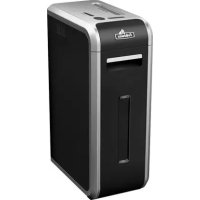
Intellishred SB125i - Shredder FELLOWES - Free user manual and instructions
Find the device manual for free Intellishred SB125i FELLOWES in PDF.



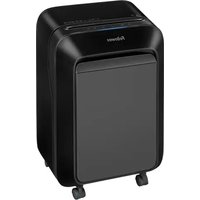
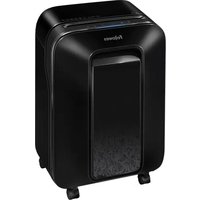
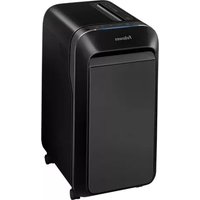
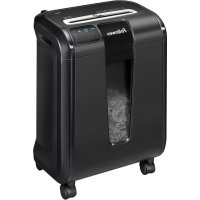
| Product type | Document shredder |
| Brand | Fellowes |
| Model | Intellishred SB125i |
| Cut type | Straight cut, 5.8 mm |
| Sheet capacity | 18 sheets per pass (A4, 70 g) |
| CD/card capacity | 1 per pass |
| Feed opening width | 230 mm |
| Power supply | 220-240 V, 50 Hz, 3.5 A |
| Continuous run time | 45 minutes max, then 45 minutes cool down |
| Recommended daily usage rate | 3000 sheets, 100 cards, 10 CDs |
| Safety technology | SafeSense® (auto stop when hands touch) |
| Anti-jam system | Yes, with load indicator and auto correction |
| Sleep mode | Automatic after 2 minutes of inactivity |
| Materials destroyed | Paper, credit cards, CD/DVD, staples, small paper clips |
| Materials not destroyed | Self-adhesive labels, continuous paper, transparencies, newspapers, cardboard, large paper clips, file folders, X-rays, plastics not listed |
| Maintenance | Oil at each bin emptying (Fellowes 35250 vegetable oil); clean IR sensors with alcohol |
| Light indicators | Overheat, door open, bin full, remove paper, SafeSense®, load indicator (green/yellow/red) |
| Warranty | 2 years parts, 20 years cutters |
| Operating temperature | 10 to 26 °C |
| Operating humidity | 40 to 80% RH |
| Included accessories | Bins (paper and CD), casters, safety flap for CDs/cards |
| Weight | Approx. 12 kg |
Frequently Asked Questions - Intellishred SB125i FELLOWES
User questions about Intellishred SB125i FELLOWES
0 question about this device. Answer the ones you know or ask your own.
Ask a new question about this device
Download the instructions for your Shredder in PDF format for free! Find your manual Intellishred SB125i - FELLOWES and take your electronic device back in hand. On this page are published all the documents necessary for the use of your device. Intellishred SB125i by FELLOWES.
USER MANUAL Intellishred SB125i FELLOWES
natural_image
Exterior view of a gray Folkewas air purifier device (no visible text or symbols on body)Please read these instructions before use. Do not discard: keep for future reference.
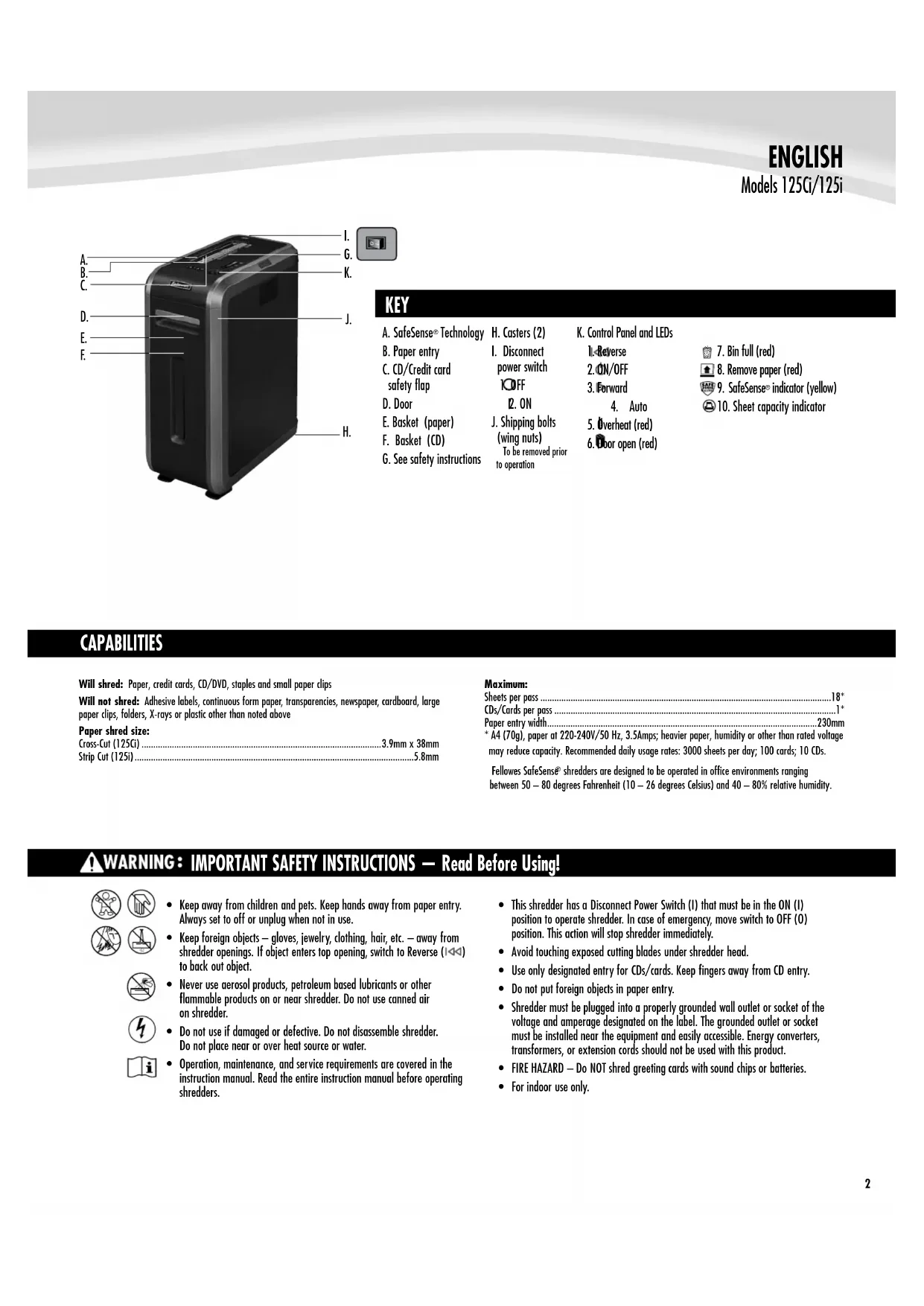
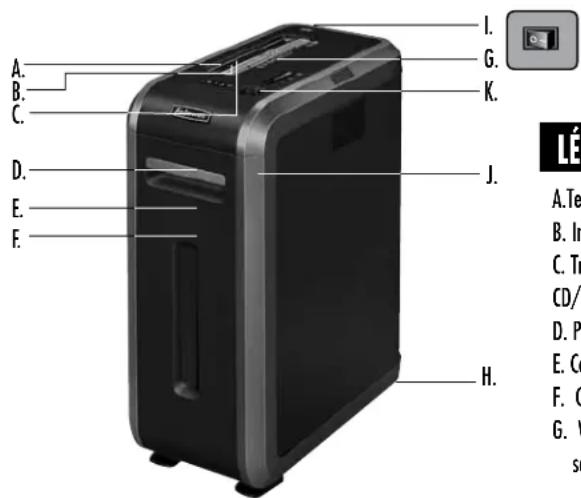
KEY
A. SafeSense® Technology
B. Paper entry
C. CD/Credit card safety flap
D. Door
E. Basket (paper)
F. Basket (CD)
G. See safety instructions
H. Casters (2)
I. Disconnect
power switch
100FF
- ON
J. Shipping bolts
(wing nuts)
To be removed prior to operation
K. Control Panel and LEDs
-
Reverse
-
ON/OFF
-
Forward
-
Auto
-
Overheat (red)
-
Door open (red)
-
Bin full (red)
-
Remove paper (red)
-
SafeSense® indicator (yellow)
-
Sheet capacity indicator
CAPABILITIES
Will shred: Paper, credit cards, CD/DVD, staples and small paper clips
Will not shred: Adhesive labels, continuous form paper, transparencies, newspaper, cardboard, large paper clips, folders, X-rays or plastic other than noted above
Paper shred size:
Cross-Cut (125Ci) 3.9mm x 38mm
Strip Cut (125i) 5.8mm
Maximum:
Sheets per pass 18*
CDs/Cards per pass ....1*
Paper entry width....230mm
* A4 (70g), paper at 220-240V/50 Hz, 3.5Amps; heavier paper, humidity or other than rated voltage may reduce capacity. Recommended daily usage rates: 3000 sheets per day; 100 cards; 10 CDs.
Fellowes SafeSense® shredders are designed to be operated in office environments ranging between 50 – 80 degrees Fahrenheit (10 – 26 degrees Celsius) and 40 – 80% relative humidity.
WARNING: IMPORTANT SAFETY INSTRUCTIONS — Read Before Using!


- Keep away from children and pets. Keep hands away from paper entry. Always set to off or unplug when not in use.
- Keep foreign objects – gloves, jewelry, clothing, hair, etc. – away from shredder openings. If object enters top opening, switch to Reverse (1<1) to back out object.
- Never use aerosol products, petroleum based lubricants or other flammable products on or near shredder. Do not use canned air on shredder.
- Do not use if damaged or defective. Do not disassemble shredder. Do not place near or over heat source or water.
-
Operation, maintenance, and service requirements are covered in the instruction manual. Read the entire instruction manual before operating shredders.
-
This shredder has a Disconnect Power Switch (I) that must be in the ON (I) position to operate shredder. In case of emergency, move switch to OFF (O) position. This action will stop shredder immediately.
- Avoid touching exposed cutting blades under shredder head.
- Use only designated entry for CDs/cards. Keep fingers away from CD entry.
- Do not put foreign objects in paper entry.
- Shredder must be plugged into a properly grounded wall outlet or socket of the voltage and amperage designated on the label. The grounded outlet or socket must be installed near the equipment and easily accessible. Energy converters, transformers, or extension cords should not be used with this product.
- FIRE HAZARD — Do NOT shred greeting cards with sound chips or batteries.
- For indoor use only.
Continuous operation:
45 minutes maximum
NOTE: Continuous operation
beyond 45 minutes will trigger
45 minute cool down period.
Plug in and put disconnect
power switch in ON
(I) position
Press (○) ON to activate
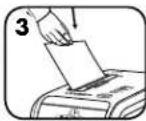
Feed paper/card straight
into paper entry and
release
To shred CDs or credit
card, rotate safety flap
into place

Hold CD/card at edge,
and feed into center of
entry and release
When finished
shredding set to
OFF (○)
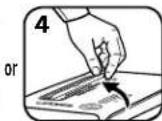
or
Do nothing and
shredder will go
automatically to sleep
made after 2 minutes
of inactivity
www.fellowes.com features an extensive on-line support section with a number of self-service options
ADVANCED PRODUCT FEATURES

Jam Proof System
Eliminates paper jams and powers
through tough jobs

Patented SafeSense® Technology
Stops shredding immediately when hands
touch the paper entry

Sleep Mode
Energy saving feature shuts down automatically
after 2 minutes of no shredding activity

Eliminates paper jams and powers through tough jobs.

2 Advanced Jam Prevention- Electronically
measures paper thickness to prevent paper jams:

natural_image
Front view of a black remote control with indicator lights and a 'AUTO' button (no text or symbols on the device itself)Up to RED: Too many
sheets have been inserted.
Up to YELLOW: Productivity
is optimized.
Up to GREEN: More sheets
can be added.
If a misfeed
occurs:
All indicators light up and
shredder pauses for 3-6 seconds

Remove several sheets until
indicator is below red.

natural_image
Simple black arrow pointing right with a vertical line on the left (no text or symbols)Wait for flashing to stop after automatic correction
is complete. Regular shredding will resume.

Continue 100% Jam
Proof Shredding


illuminates after paper has been
reversed, press reverse and remove paper.
Otherwise, regular shredding will resume.
*100% Jam Proof when used in accordance with user manual

SAFESENSE® TECHNOLOGY OPERATION
Stops shredding immediately when hands touch the paper opening.
SET-UP AND TESTING
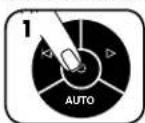
Turn the shredder ON
(○) to activate SafeSense
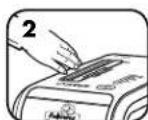
Touch test area and
look for the SafeSense
indicator to illuminate
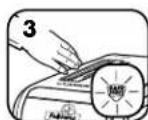
SafeSense® is active and
working properly
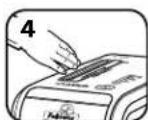
If hand is held on SafeSense®
area more than 2 seconds
shredder will shut off

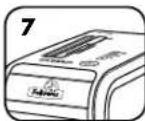
Energy saving feature shuts down the shredder after
2 minutes of inactivity
WHEN IN SLEEP MODE
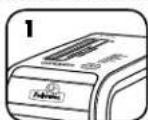
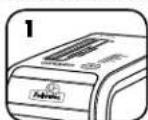
In sleep mode
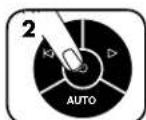
To get out of sleep mode
touch control panel
0
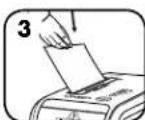
insert paper
PRODUCT MAINTENANCE
CLEANING AUTO-START INFRARED SENSORS
Paper detection sensors are designed for maintenance free operation. However, on rare occasions the sensors may become blocked by paper dust causing the motor to run even if there is no paper present
(Note: two paper detection sensors are located in the center of the paper entry).
TO CLEAN THE SENSORS
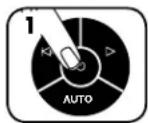
Turn off and unplug shredder
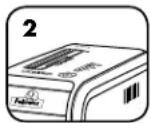
Locate Auto-start infrared sensor
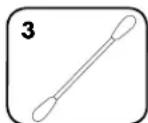
Dip cotton swab in rubbing alcohol
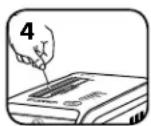
Using cotton swab, wipe away any contamination from the paper sensors
OILING SHREDDER

All cross-cut shredders require oil for peak performance. If not oiled, a machine may experience diminished sheet capacity, intrusive noise when shredding and could ultimately stop running. To avoid these problems, we recommend you oil your shredder each time you empty your waste bin.
FOLLOW OILING PROCEDURE BELOW AND REPEAT TWICE
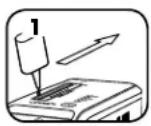
*Apply oil across entry
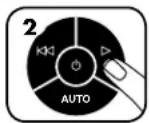
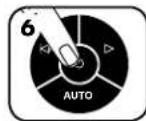
Press and hold forward (▷) 2-3 seconds

*Only use a non-aerosol vegetable oil in long nozzle container such as Fellowes 35250

TROUBLESHOOTING


ABCDE
A. Overheat Indicator: When the Overheat Indicator is illuminated, the shredder has exceeded its maximum operating temperature and needs to cool down. This indicator will remain illuminated and the shredder will not operate for the duration of the recovery time. See Basic Shredding Operation for more information about the continuous operation and recovery time for this shredder.
B. Door Open Indicator: The shredder will not run if the cabinet door is open. When illuminated, close the door to resume shredding.
C. Bin Full Indicator: When illuminated, the shredder waste bin is full and needs to be emptied. Use Fellowes waste bag 36054.
D. Remove Paper Indicator: When illuminated, press reverse (i◀◀) and remove paper. Reduce paper quantity to an acceptable amount and refeed into paper entry.
E. SafeSense® Indicator: If hands are too close to the paper entry, the SafeSense® indicator will illuminate and the shredder will stop shredding. If SafeSense® is active for 3 seconds, the shredder will automatically turn off and the user must press the power button on the control panel to resume shredding.
Self Cleaning Cycle: Shredder periodically cycles in forward and reverse lasting 3-6 seconds (125Ci only).
Go to Support Section at www.fellowes.com or see back page of manual for useful telephone numbers.
LIMITED PRODUCT WARRANTY
Limited Warranty: Fellowes, Inc. ("Fellowes") warrants the parts of the machine to be free of defects in material and workmanship and provides service and support for 2 years from the date of purchase by the original consumer. Fellowes warrants the cutting blades of the machine to be free from defects in material and workmanship for 20 years from the date of purchase by the original consumer. If any part is found to be defective during the warranty period, your sole and exclusive remedy will be repair or replacement, at Fellowes' option and expense, of the defective part. This warranty does not apply in cases of abuse, mishandling, failure to comply with product usage standards, shredder operation using an improper power supply (other than listed on the label), or unauthorized repair. Fellowes reserves the right to charge the consumers for any additional costs incurred by Fellowes to provide parts or services outside of the country where the shredder is initially sold by an authorized reseller. ANY IMPLIED WARRANTY, INCLUDING THAT OF MERCHANTABILITY OR FITNESS FOR A PARTICULAR PURPOSE, IS HEREBY LIMITED IN DURATION TO THE APPROPRIATE WARRANTY PERIOD SET FORTH ABOVE. In no event shall Fellowes be liable for any consequential or incidental damages attributable to this product. This warranty gives you specific legal rights. The duration, terms, and conditions of this warranty are valid worldwide, except where different limitations, restrictions, or conditions may be required by local law. For more details or to obtain service under this warranty, please contact us or your dealer.
LÉGENDE
A. TechnologieSafeSense
B. Insertion du document
GARANTIE LIMITÉE DU PRODUIT
LEGENDE
A. SafeSense ^® -Technologie
B. Papiereinzug
C.CD/Kreditkarten-
Sicherheitsklappe
D. Tür
E. Papierkorb
natural_image
Black remote control with indicator lights and power button (no text or symbols)BESCHRÄNKTE PRODUKTGARANTIE
LEGENDA
natural_image
Black remote control with indicator lights and power button (no text or symbols)IN MODALITÀ SOSPENSIONE
ABCD
E
LEGENDE
A. SafeSense ^® technologie
B. Papierinvoer
C.Cd/creditcard-veiligheidsklep
D. Deur
E. Opvangbak (papier)
F. Opvangbak (cd)
G. Zie
ABCDE
BEPERKTE PRODUCTGARANTIE
TANGENT
A. SafeSense®-teknologi
B. Inmatning
natural_image
Front view of a remote control with indicator lights and a power button (no text or symbols on the device itself)OvERSIGT
A. SafeSense ^® Teknologi
B. Papirindførsel
C.CD/kreditkort
sikkerhedsklap
D. Dør
E. Papirkurv
F. Papirkurv (CD)
natural_image
Front view of a black remote control with indicator lights and a power button (no text or symbols on the device itself)Når MASKINEN ER I SLEEP MODE
I sleep mode
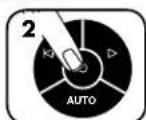
eller
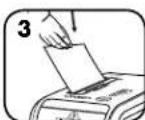
sæt papir i
VEDLIGEHOLDELSE AF PRODUKTET
RENG∅RING AF AUTOSTART INFRAR∅DE SENSORER
SELITYKSET
HUOMIO: Jos silppuria
LAITTEEN LISÄTOIMINNOT

natural_image
Front view of a black remote control with indicator lights and a power button (no text or symbols on the device itself)FORKLARING
A. SafeSense®-teknologi
B. Papirinngang
C.Sikkerhetsklafffor CD/kort
D. Dør
E. Papirkurv
F. Kurv (CD)
G. Se sikkerhetsanvisningene
H. Hjul (2)
I.Bryterfor
frakobling av
strømmen
10Av
- PÀ
J. Transportbolter
ELEMENTY URZĄDZENIA
natural_image
Black remote control with indicator lights and power button (no text or symbols)ЗАГОРАЕТСЯ КРАСНЫЙ
ПАНКТРО
ANAHTAR
natural_image
Front view of a remote control with indicator lights and power button (no text or symbols)TLAČÍTKO
ABCD
E
LEGENDA
ABCD
E
TECLA
natural_image
Black remote control with white buttons and power button (no text or symbols)ABCD
E
This product is classified as Electrical and Electronic Equipment. Should the time come for you to dispose of this product please ensure that you do so in accordance with the European Waste of Electrical and Electronic Equipment (WEEE) Directive and in compliance with local laws relating to this directive.
For more information on the WEEE Directive please visit www.fellowesinternational.com/WEEE
French
Declaration of Conformity
Fellowes Manufacturing Company
Yorkshire Way, West Moor Park, Doncaster, South Yorkshire, DN3 3FB, England declares that the product Models 125Ci and 125i conform with the requirements of the Restriction of Hazardous Substances Directive (2002/95/EC), the Low Voltage Directive (2006/95/EC) and the Electromagnetic Compatibility Directive (2004/108/EC) and the following harmonized European Names (EN Standards) and IEC Standards.
Safety: EN60950-1:2006+A11:2009 EN13857:2008
EMC Standard: EN55014-1:2006+A1:2009
EN55014-2:1997+A1:2001+A2:2008
EN61000-3-2:2006+A1:2009+A2:2009
EN61000-3-3:2008
Itasca, Illinois, USA
March 1, 2011

Customer Service and Support
www.fellowes.com
| Help Line | Europe | 00-800-1810-1810 | |
| Australia | +1-800-33-11-77 | Mexico | +1-800-234-1185 |
| Canada | +1-800-665-4339 | United States +1-800-955-0959 | |
| Fellowes | |||
| Australia | +61-3-8336-9700 | Japan | +81-(0)-3-5496-2401 |
| Benelux | +31-(0)-76-523-2090 | Korea | +82-(0)-2-3462-2884 |
| Canada | +1-905-475-6320 | Malaysia | +60-(0)-35122-1231 |
| Deutschland | +49-(0)-5131-49770 | Polska | +48-22-205-21-10 |
| Espana/Portugal | +34-902-33-55-69 | Singapore | +65-6221-3811 |
| France | +33-(0)-1-78-64-91-00 | United Kingdom +44-(0)-1302-836836 | |
| Italia | +39-071-730041 | United States +1-630-893-1600 | |

- KEY
- CAPABILITIES
- WARNING: IMPORTANT SAFETY INSTRUCTIONS — Read Before Using!
- ADVANCED PRODUCT FEATURES
- SAFESENSE® TECHNOLOGY OPERATION
- PRODUCT MAINTENANCE
- CLEANING AUTO-START INFRARED SENSORS
- TO CLEAN THE SENSORS
- OILING SHREDDER
- FOLLOW OILING PROCEDURE BELOW AND REPEAT TWICE
- TROUBLESHOOTING
- ABCDE
- LIMITED PRODUCT WARRANTY
- LÉGENDE
- GARANTIE LIMITÉE DU PRODUIT
- LEGENDE
- BESCHRÄNKTE PRODUKTGARANTIE
- LEGENDA
- IN MODALITÀ SOSPENSIONE
- BEPERKTE PRODUCTGARANTIE
- TANGENT
- OvERSIGT
- Når MASKINEN ER I SLEEP MODE
- VEDLIGEHOLDELSE AF PRODUKTET
- RENG∅RING AF AUTOSTART INFRAR∅DE SENSORER
- SELITYKSET
- LAITTEEN LISÄTOIMINNOT
- FORKLARING
- ELEMENTY URZĄDZENIA
- ПАНКТРО
- ANAHTAR
- TLAČÍTKO
- TECLA
- French
- Declaration of Conformity
- Fellowes Manufacturing Company
Brand : FELLOWES
Model : Intellishred SB125i
Category : Shredder