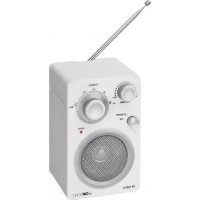
TR 824 - Radio CLATRONIC - Free user manual and instructions
Find the device manual for free TR 824 CLATRONIC in PDF.



| Product type | FM Radio |
| Brand | Clatronic |
| Model | TR 824 |
| Mains power supply | 230 V, 50 Hz |
| Battery power supply | 6 AA 1.5 V batteries (not included) |
| Power consumption | 4 W |
| Net weight | 0.59 kg |
| Protection class | II |
| Frequency range | FM 88 - 108 MHz |
| Antenna | Telescopic antenna |
| Connections | AUX IN socket (3.5 mm jack), PHONES headphone socket (3.5 mm jack) |
| Speaker | Built-in |
| Functions | Volume, Tuning, FM/STANDBY selector |
| Indicator light | POWER (on when operating) |
| Cleaning | Soft dry cloth; do not use abrasive detergents |
| Safety | Do not open the device; protect from moisture; private use only |
Frequently Asked Questions - TR 824 CLATRONIC
User questions about TR 824 CLATRONIC
0 question about this device. Answer the ones you know or ask your own.
Ask a new question about this device
Download the instructions for your Radio in PDF format for free! Find your manual TR 824 - CLATRONIC and take your electronic device back in hand. On this page are published all the documents necessary for the use of your device. TR 824 by CLATRONIC.
USER MANUAL TR 824 CLATRONIC
natural_image
Two CMTRONC radio models with adjustable knobs and power probes, no visible text or symbols on the devices themselves.DEUTSCH
ITALIANO
Inhalt
Overview of the Components ...... Page 3
Instruction Manual...... Page 19
Technical Data.... Page 20
FRANÇAIS
JEZYK POLSKI
Sommaire
D-47906 Kempen/Germany
General Safety Instructions
Read the operating instructions carefully before putting the appliance into operation and keep the instructions including the warranty, the receipt and, if possible, the box with the internal packing. If you give this device to other people, please also pass on the operating instructions.
- To avoid the risk of fire or an electric shock, you should not expose the device to rain or moisture. Consequently, do not use the device in the immediate vicinity of water - for example near a bath tub, a swimming pool or in a damp cellar.
- The appliance is designed exclusively for private use and for the envisaged purpose. This appliance is not fit for commercial use.
- Only connect the device at a properly installed plug socket. Pay attention that the specified voltage corresponds to the voltage of the plug socket.
- When using external mains supply, pay attention to the correct polarity and voltage. Always place the batteries in the correct direction.
- Assemble the device in such a way that the available ventilation openings are not covered.
- Never open the housing of the device. Incorrect repairs can constitute a considerable risk for the user. Should the device become damaged, in particular the mains supply cable, do not operate the device any longer, but rather have it repaired by an expert. Check the mains supply cable regularly for damage.
- For safety reasons a broken or damaged mains lead may only be replaced by an equivalent lead from the manufacturer, our customer service department or a similar qualified person.
- If the device is not used for a longer period, remove the plug connector from the plug socket or take out the batteries.
These symbols may be found on the machine and are intended to indicate the following:
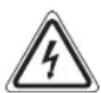
The lightning symbol should advise the user of parts in the inside of the device which carry dangerously high voltage levels.

The symbol with an exclamation mark should advise the user of important operation or maintenance instructions in the accompanying documentation.
Children and Frail Individuals
- In order to ensure your children's safety, please keep all packaging (plastic bags, boxes, polystyrene etc.) out of their reach.
WARNING!
Caution! Do not allow small children to play with the foil as there is a danger of suffocation!
- This device is not intended to be used by individuals (including children) who have restricted physical, sensory or mental abilities and/or insufficient knowledge and/or experience, unless they are supervised by an individual who is responsible for their safety or have received instructions on how to use the device.
- Children should be supervised at all times in order to ensure that they do not play with the device.
Symbols in these Instructions for Use
Important information for your safety is specially marked. It is essential to comply with these instructions in order to avoid accidents and prevent damage to the machine:
WARNING:
This warns you of dangers to your health and indicates possible injury risks.
CAUTION:
This refers to possible hazards to the machine or other objects.
i NOTE: This highlights tips and information.
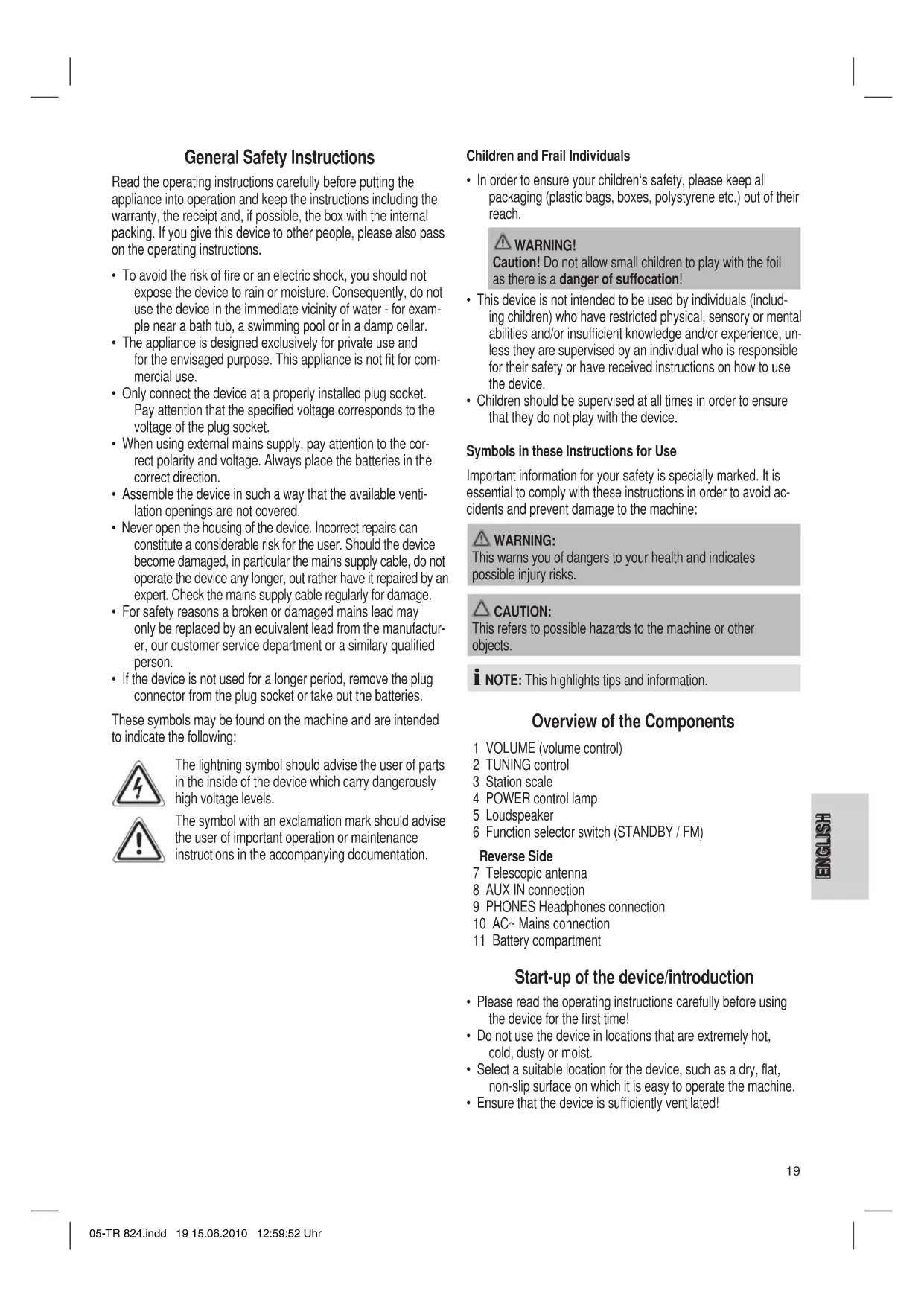
Overview of the Components
1 VOLUME (volume control)
2 TUNING control
3 Station scale
4 POWER control lamp
5 Loudspeaker
6 Function selector switch (STANDBY / FM)
7 Telescopic antenna
8 AUX IN connection
9 PHONES Headphones connection
10 AC\~ Mains connection
11 Battery compartment
Reverse Side
Start-up of the device/introduction
- Please read the operating instructions carefully before using the device for the first time!
- Do not use the device in locations that are extremely hot, cold, dusty or moist.
- Select a suitable location for the device, such as a dry, flat, non-slip surface on which it is easy to operate the machine.
- Ensure that the device is sufficiently ventilated!
Power Supply
- Connect the power cable supplied (see battery compartment if necessary (11)) to a properly installed 230 V / 50 Hz safety power socket and the mains connector AC\~ (10) on the back of the machine.
- Ensure that the voltage is the same as that indicated on the model identification plate.
Inserting the Batteries (not supplied)
- Open the lid of the battery compartment (11) on the bottom.
- Insert 6 batteries of type AA/R6 1,5V. Please ensure that the polarity is correct (see the floor of the battery compartment)!
- If the device is not used for a long period of time, remove the batteries to avoid the spilling of battery acid.
- Then close the battery lid.
i NOTE:
When a mains cable is connected the batteries are automatically switched off.
CAUTION:
- Different battery types or new and used batteries must not be used together.
- Batteries are not to be disposed of together with domestic wastes. Dispose of the used batteries at the relevant collection bin or at your dealer's.
WARNING:
Do not expose the batteries to high temperatures or direct sunlight. Never throw batteries into the fire. There is a danger of explosion!
Headphone Socket
Please use headphones with a 3.5 mm stereo jack plug; these should be inserted into the PHONES socket. The loudspeaker is switched off.
Volume
The desired volume can be sent using the VOLUME / regulator (1).
Switching On/Off
- Turn the device on by moving the function selector switch (6) to the FM position. The POWER indicator light goes on.
- The machine is switched off when the function selector switch (6) is turned to the STANDBY position. The POWER indicator light turns off. Unplug the device.
Listening to the Radio
- Turn the function selector switch (6) to the FM position.
- Tune in the desired station with the station adjustment knob TUNING (2).
- For VHF/FM mode pull out the telescopic antenna (7) and turn it to improve reception.
AUX IN socket
To connect analogue replay devices. Through this socket you can also listen to the sound of other playback devices such as MP3 players, CD players etc. through the loudspeaker.
- Turn the function selector switch (6) to FM. The device switches automatically to AUX IN operation.
- Please connect the external device with a 3.5 mm stereo jack plug to the AUX IN socket (8). The radio sound is switched off.
- Through the loudspeaker you will hear the sound being played back from the external device. With the VOLUME control (1) you can change the volume.
- For the remaining procedure please see the operating instructions of the external sound source.
i NOTE:
Adjust the volume of the external device to a comfortable level.
Cleaning and Maintenance
CAUTION:
- Do not use abrasive detergents! These can damage the casing!
- Make sure that no humidity or water penetrates in the device!
• Always remove the mains plug before cleaning the machine. - Clean the device only with a soft, dry cloth.
- Any marks on the surface can be wiped off with a slightly damp cloth without any additives.
• Dry well with a dry, soft cloth!
Technical Data
Model: TR 824
Power supply:
Mains operation: 230 V, 50 Hz
Battery operation: 6 x 1,5 V AA/R6
Power consumption: 4 W
Protection class:....II
Net weight: 0,59 kg
Radio section:
Frequency ranges: FM 88 \~ 108 MHz
This device has been tested according to all relevant current CE guidelines, such as electromagnetic compatibility and low voltage directives, and has been constructed in accordance with the latest safety regulations.
Subject to technical changes without prior notice!
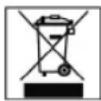
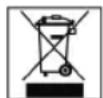
Meaning of the "Dustbin" Symbol
Protect our environment: do not dispose of electrical equipment in the domestic waste.
Please return any electrical equipment that you will no longer use to the collection points provided for their disposal.
This helps avoid the potential effects of incorrect disposal on the environment and human health.
This will contribute to the recycling and other forms of reutilisation of electrical and electronic equipment.
Information concerning where the equipment can be disposed of can be obtained from your local authority.

- DEUTSCH
- ITALIANO
- Inhalt
- FRANÇAIS
- JEZYK POLSKI
- Sommaire
- General Safety Instructions
- Children and Frail Individuals
- WARNING!
- Symbols in these Instructions for Use
- WARNING:
- CAUTION:
- Overview of the Components
- Reverse Side
- Start-up of the device/introduction
- Power Supply
- Inserting the Batteries (not supplied)
- i NOTE:
- Headphone Socket
- Volume
- Switching On/Off
- Listening to the Radio
- AUX IN socket
- Cleaning and Maintenance
- Technical Data
- Meaning of the "Dustbin" Symbol
Brand : CLATRONIC
Model : TR 824
Category : Radio