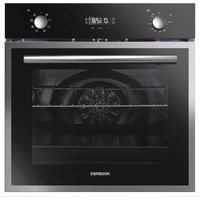
USER MANUAL RO6 T3T1CTB1 NOIR ROSIERES
English
German
French
Italian
Spanish
Greek
Dutch
Portuguese
Slovak
Slovenian
Serbian
Polish
Czech
Danish
Finnish
Norwegian
Swedish
Kazakh
Russian
Ukrainian
Bulgarian
Croatian
Romanian
Turkish
Arabic
Chinese
Hungarian
Hebrew
Lithuanian
Estonian
WELCOME
Thank you for choosing our product. To ensure your safety and get the best results, please read this manual carefully, including the safety instructions, and keep it for future reference.
Before installing the oven, note the serial number, which you might need for repairs. Check for any damage during transportation and consult a technician if you're unsure before using it. Keep packaging materials away from children.
NOTE: Please note that the oven's features and accessories may vary depending on the model you purchased.
SUMMARY
2. PRODUCT INTRODUCTION
2.1. Overview of the product 2.2. Accessories 2.3. Control panel
3. BEFORE STARTING
3.1. Information to start 3.2. First usage 3.3. Preliminary cleaning
4. OPERATION OF PRODUCT
4.1. How the product works 4.2. Cooking functions 4.2.1. Standard functions
5. COOKING GUIDELINES
5.1. General Cooking tables
6. CARE & CLEANING
6.1. General recommendations
6.2. Cleaning the oven
6.2.1. Inside the oven: cleaning functions
6.2.2. Outside the oven: removal and cleaning the glass door
6.3. Cleaning of accessories
6.4. Maintenance
7. TROUBLESHOOTING
8. ENVIRONMENTAL PROTECTION & DISPOSAL
9. INSTALLATION
GENERAL WARNINGS
- Do not use a steam cleaner for cleaning operations.
- During use the appliance becomes hot. Care should be taken to avoid touching heating elements inside the oven.
Use in accordance with intended use
- Only use the oven for its intended purpose, that is only for the cooking of foods: any other use, for example as a heat source, is considered improper and therefore dangerous. The manufacturer cannot be held responsible for any damage resulting from improper, incorrect or unreasonable usage.
Use limitations
- The appliance can be used by children aged from 8 years and above and persons with reduced physical, sensory or mental capabilities or lack of experience and knowledge if they have been given supervision or instruction concerning use of the appliance in a safe way and understand the hazards involved. Children shall not play with the appliance. Cleaning and maintenance shall not be made by children without supervision.
- This appliance is not intended to be used by persons (including children) with reduced physical, sensory or mental capabilities, or lack of experience and knowledge, unless they have been given supervision or instruction concerning use of the appliance by a person responsible for their safety.
Children should be supervised to ensure that they do not play with the appliance.
- ⚠ WARNING: the appliance and its accessible parts become hot during use. Care should be taken to avoid touching heating elements. Children less than 8 years of age shall be kept at away unless continuously supervised.
- ⚠ WARNING: Accessible parts may become hot during use. Young children should be kept away.
INSTALLATION WARNINGS
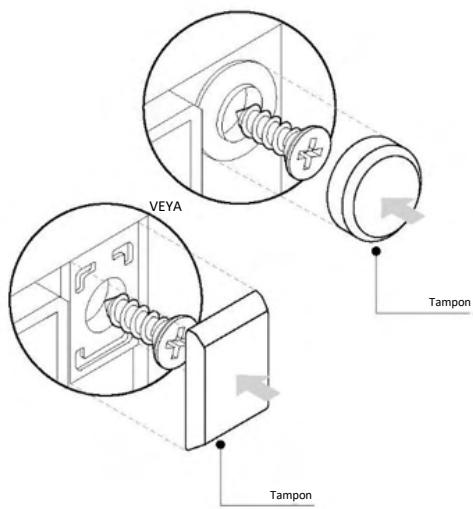
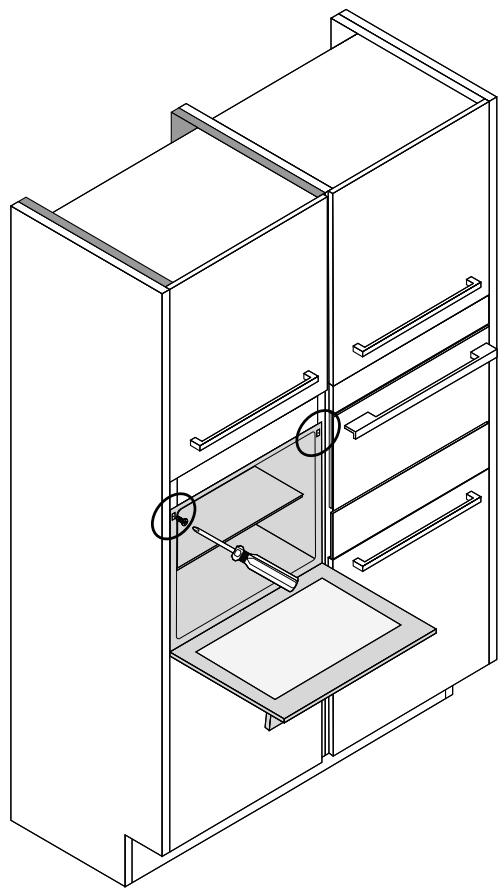
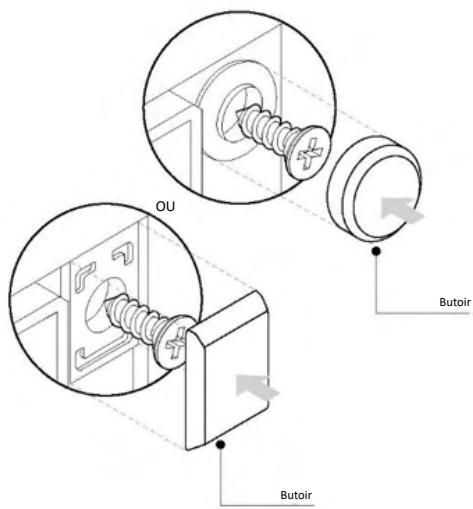
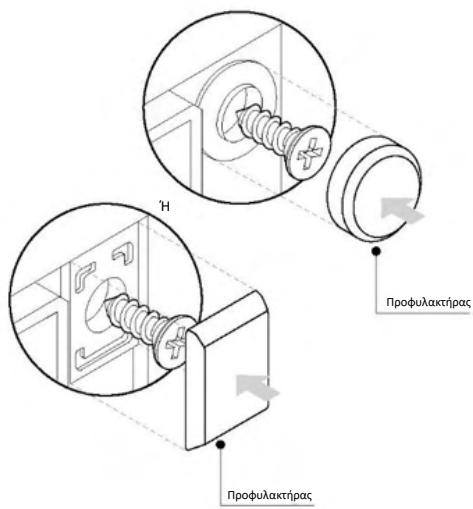
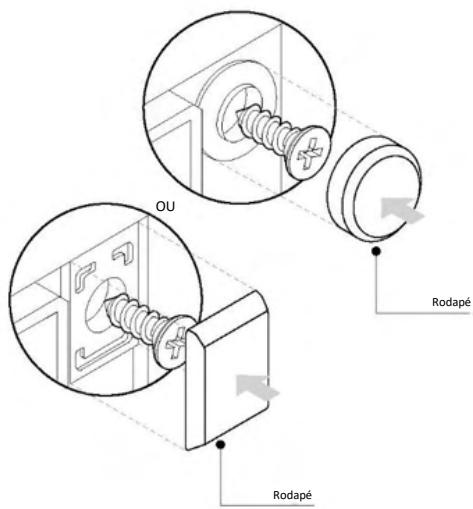
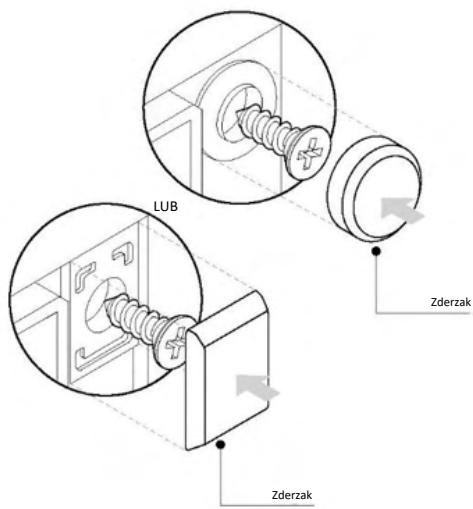
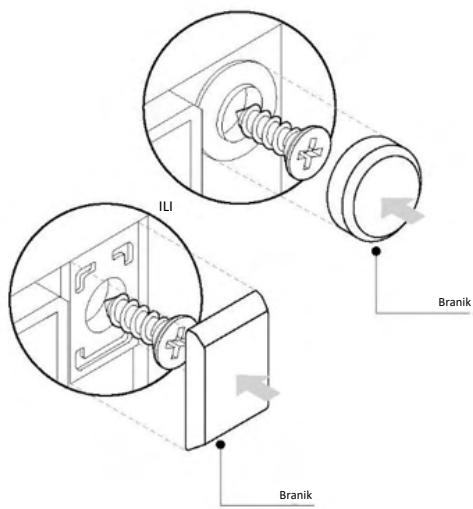
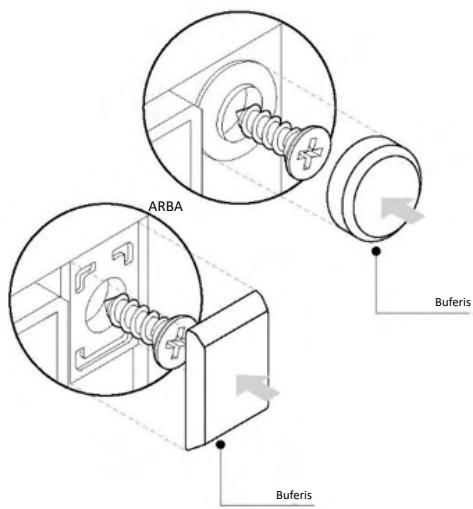
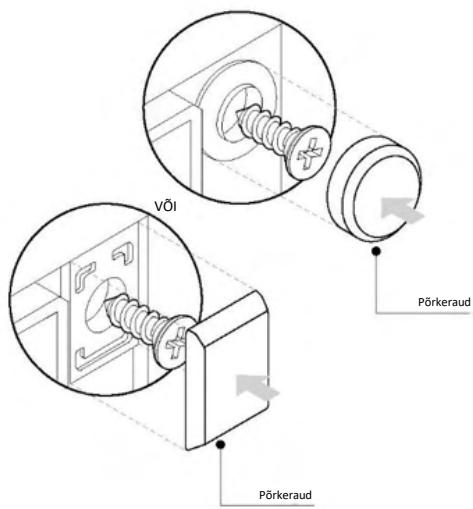
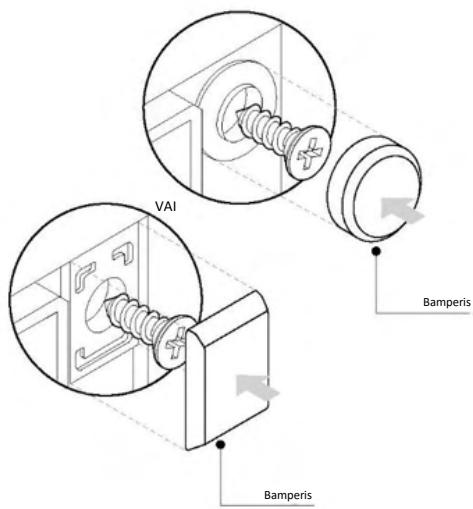
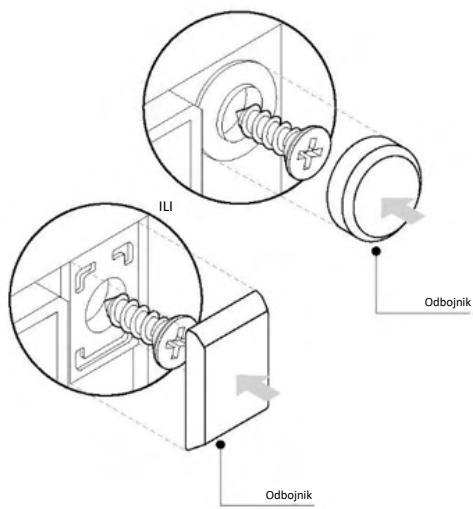
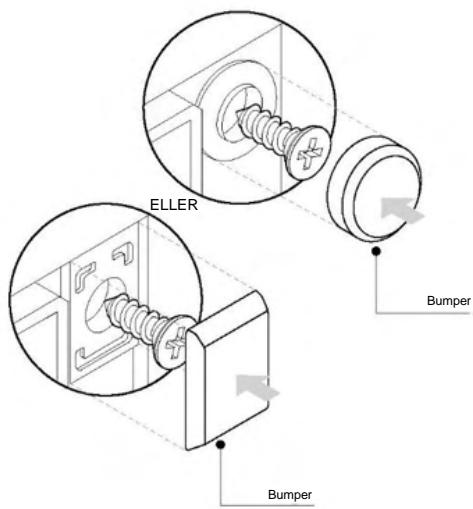
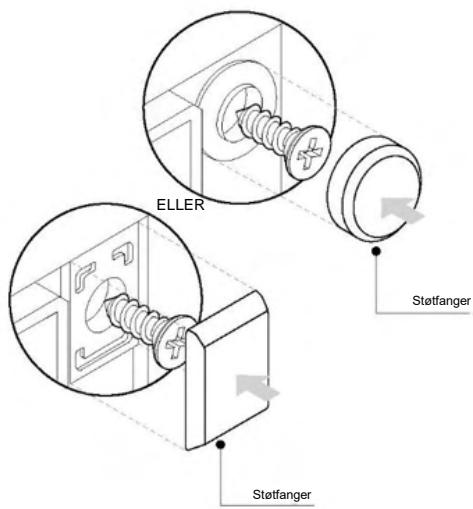
- The oven can be located high in a column or under a worktop. Before fixing, you must ensure good ventilation in the oven space to allow proper circulation of the fresh air required for cooling and protecting the internal parts. Make the openings specified on the illustrations according to the type of fitting. Always fix the oven to the furniture with screws provided with the appliance.
- No additional operation/setting is required in order to operate the appliance at the rated frequencies.
- The appliance must not be installed behind a decorative door in order to avoid overheating.
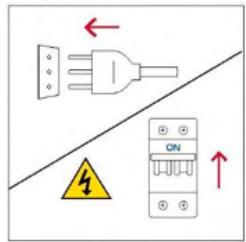
- During installation the oven should be disconnected from the mains electricity supply.
- If the assistance of the manufacturer is required to rectify faults arising from incorrect installation, this assistance is not covered by the guarantee. The installation instructions for professionally qualified personnel must be followed.
- Incorrect installation may cause harm or injury to people, animals or belongings. The manufacturer cannot be held responsible for such harm or injury.
- Installation must be carried on by a qualified technician who must know and respect the laws in force in the country of installation and the manufacturer's instruction.
- After unboxing the appliance, always check it is not damaged, in case of issue contact the customer service before installing and do not connect to the power supply.
- Remove the packaging material before operating the appliance.
- During installation do not use the oven door's handle to lift and move the oven.
- The installation furniture and the adjacent ones must withstand temperatures of 95°C.
- It is recommended to wear protective gloves during installation to avoid cut injuries.
- Do not install the product in open environments exposed to atmospheric agents.
- This appliance is designed to be used at altitude lower than 2000m.
- To remove protective films and advertisement stickers on front surface of the oven before first usage.
ELECTRICAL WARNINGS
- The socket must be suitable for the load indicated on the tag and must have ground contact connected and in operation. The earth conductor is yellow-green in colour. This operation should be carried out by a suitably qualified professional.
Connection to the power source can be made by plug or by fixed wiring placing an omnipolar breaker, with contact separation compliant to the requirements for overvoltage category III, between the appliance and the power source that can bear the maximum connected load and that is in line with current legislation.
In case of incompatibility between the socket and the appliance plug, ask a qualified electrician to substitute the socket with another suitable type. The plug and the socket must be conformed to the current norms of the installation country.
The yellow-green earth cable should not be interrupted by the breaker. The socket or omnipolar breaker used for the connection should be easily accessible when the appliance is installed.
- If the supply cord is damaged, it must be replaced by the manufacturer, its service agent or similarly qualified persons in order to avoid a hazard.
- For any repairs, refer only to the Customer Care Department and request the use of original spare parts.
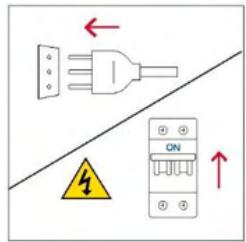
- Disconnect the appliance from the mains electricity supply before carrying out any work or maintenance on it.
- ⚠ WARNING: ensure that the appliance is switched off before replacing the bulb, to avoid the possibility of electric shocks.
- The oven must be switched off before removing the removable parts. After cleaning, reassemble them according the instructions.
- The use of any electrical appliance implies the observance of some fundamental rules:
- do not pull on the power cable to disconnect the appliance from the power source;
- do not touch the appliance with wet or damp hands or feet;
- in general the use of adaptors, multiple sockets and extension cables is not recommended;
- in case of malfunction and /or poor operation, switch off the
appliance and do not tamper with it.
- NOTE: as the oven could require maintenance work, it is advisable to keep another wall socket available so that the oven can be connected to this if it is removed from the space in which it is installed.
- Any repair, installation and maintenance not carried out correctly can seriously endanger the user.
- The manufacturing company hereby states that it does not assume any responsibility for direct or indirect damages caused by incorrect installation, maintenance, or repair work. Furthermore, it is not liable for damages caused by the absence or interruption of the grounding system (e.g., electric shock).
- CAUTION: in order to avoid a hazard due to inadvertent resetting of the thermal cut-out, this appliance must not be supplier through an external switching device, such as a timer, or connected to a circuit that is regularly switched on and off by the utility.
- The appliance is not designed to be activated by an external timer or separate remote control system.
USE & MAINTENANCE
- The dripping pan collects the residues that drip during cooking.
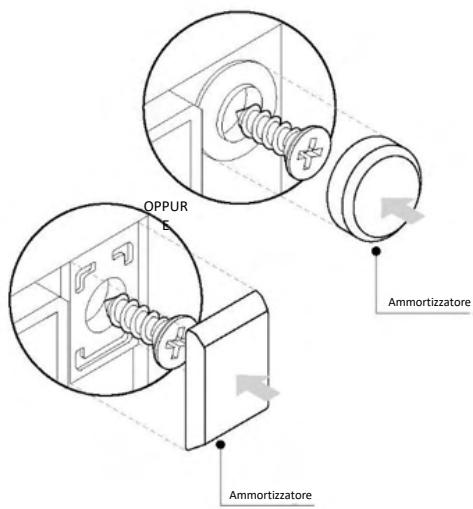
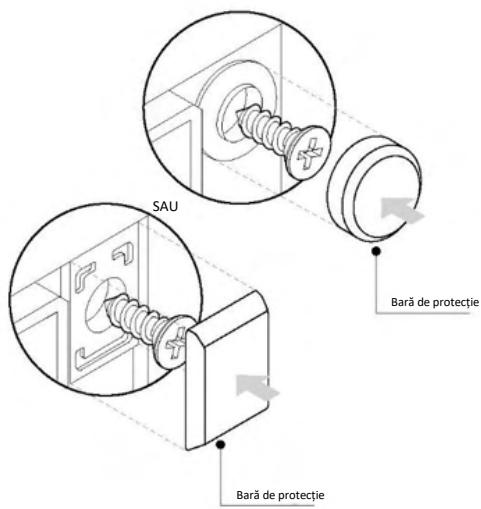
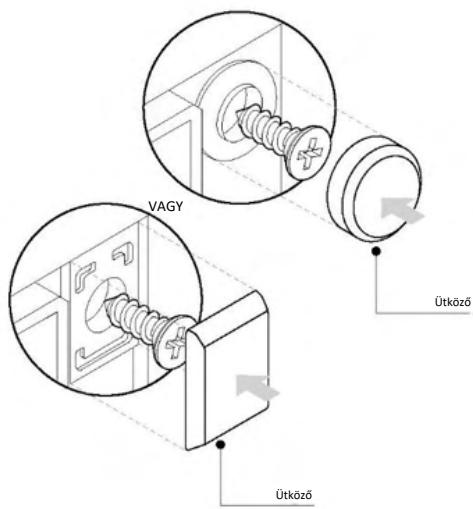
- When you place the Airfry tray or the grid on the side racks, make sure that the shorter section of the side (between the stop and the extremity) is directed towards the interior of the oven. If the grid has a decorative metal bar, pay attention to position it on the exterior of the oven so that the brand logo can be visible and readable. For the correct positioning refer also to the image in the Accessories section of this user manual.
- Do not use harsh abrasive cleaners or sharp metal scrapers to clean the oven door glasses, since they can scratch the surface, which may result in shattering of the glass.
- Only use the temperature probe recommended for this oven.
- During cooking, moisture may condense inside the oven cavity or on the glass of the door. This is a normal condition. To reduce this effect, wait 10-15 minutes after turning on the power before putting food inside the oven. In any case, the condensation disappears when the
oven reaches the cooking temperature.
- Cook the vegetables in a container with a lid instead of an open tray.
- Avoid leaving food inside the oven after cooking for more than 15/20 minutes.
- A long power supply failure during an occurring cooking phase may cause a malfunction of the monitor. In this case contact customer service.
- ⚠ WARNING: Do not line the oven walls with aluminium foil or single-use protection available from stores. Aluminium foil or any other protection, in direct contact with the hot enamel, risk melting and deteriorating the enamel of the insides.
- WARNING: Never remove the oven door seal.
- CAUTION: Do not refill the cavity bottom with water during cooking or when the oven is hot.
- For a correct use of the oven it is advisable not to put the food in direct contact with the racks and trays, but to use oven papers and/or special containers.
- Wash all accessories before first use with a solution of hot water and washing up liquid.
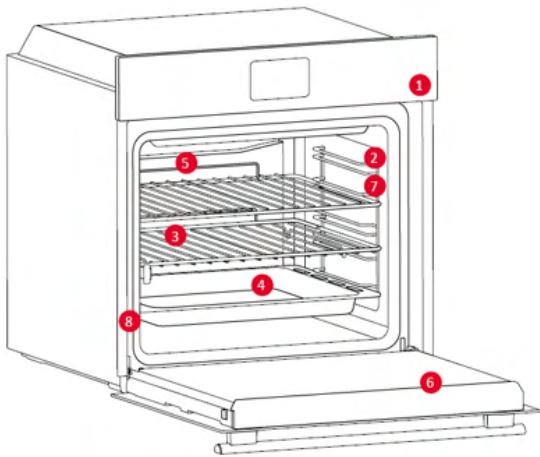
2.1. OVERVIEW OF THE PRODUCT
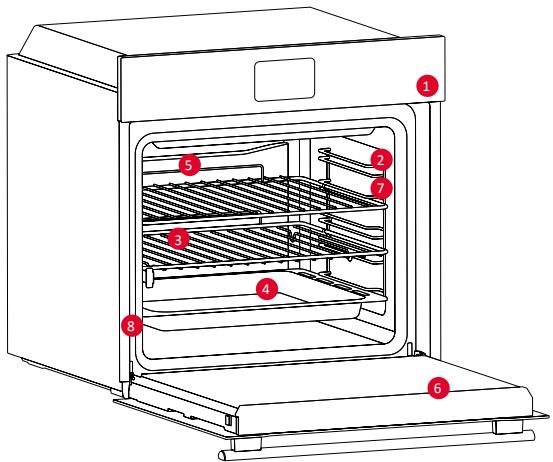
- Control panel
- Shelf positions (lateral wire grid if included)
- Metal grids
- Tray
- Fan cover
- Oven door
- Lateral wire grids (if present: only for flat cavity)
- Serial number & QR Code
Write here your serial number for future reference.
2.2. ACCESSORIES
Lateral Wire Grids (only if present*)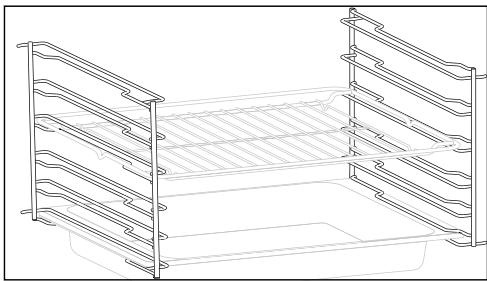
Located on both sides of the oven cavity, the side racks are designed for placing baking trays and grids during cooking.
Baking Tray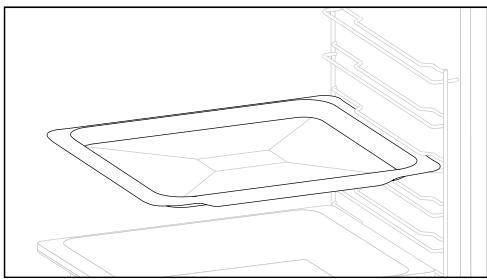
A baking tray is ideal for achieving even bottom browning, making it perfect for cookies and pastries due to its shallow, flat design. Additionally, placing it under a cooking grid can help collect drips and prevent messes in the oven.
Metal Grid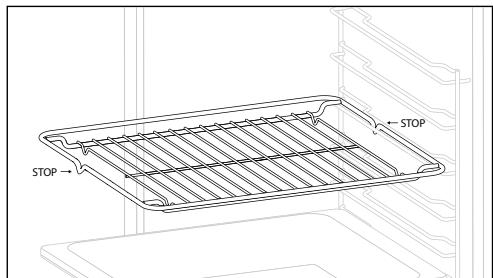
A metal grid in an oven is a removable, adjustable shelf that supports cookware, ensuring even cooking, and makes cleaning easy. It can be used to hold plates and pans at different heights for various cooking needs.
Deeper tray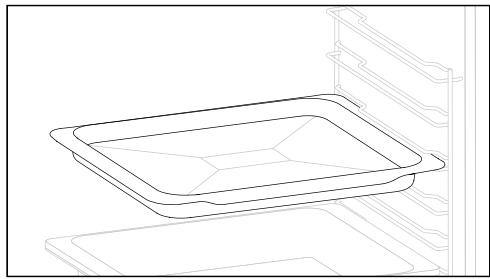
The deeper tray is ideal for recipes with added liquids or layers, such as casseroles or roasts. Its depth is specifically designed to ensure the desired consistency of the food prepared in it.
Telescopic Guides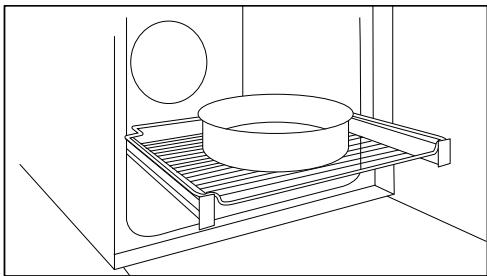
Telescopic oven rails are shelves that can be extended, making it easier to place or remove items, without the need to reach deep inside a hot oven. They improve safety, stability, and can be adjusted at different level positions.
Dual Tray - STEAM Mode (only if present*)
The concave shape allows a correct circulation of humidity generated in cooking, keeping the food humidity rate high. According to the quantity of water inserted in the tray, a drier or more “wet” cooking will be obtained.
Airfry Tray (only if present*)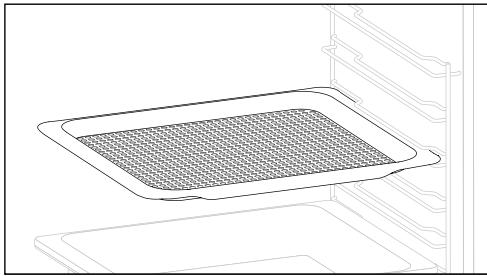
The airfry tray ensures that hot air reaches the food evenly and tridimensionally, resulting in a crispier exterior while maintaining tenderness inside. A baking tray can be optionally placed at L1 to collect juices or breadings.
Softclose/Softopen Hinges (only if present*)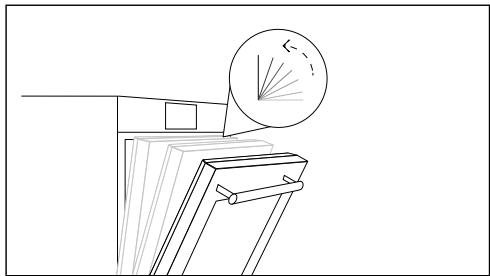
Soft close and open hinges control the door's motion, ensuring smooth movement and preventing slamming.
Dual Tray - BBQ Mode (only if present*)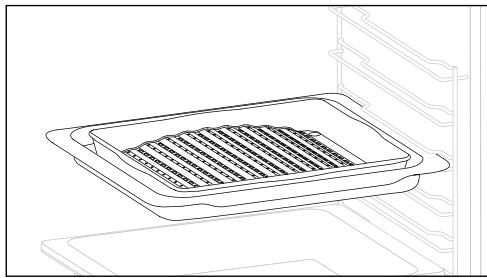
The convex shape is suitable for grilling in the oven at high temperature (220°) allowing a BBQ result even at home with little smoke thanks to the drainage action of the fats on the bottom of the tray.
2.3. CONTROL PANEL
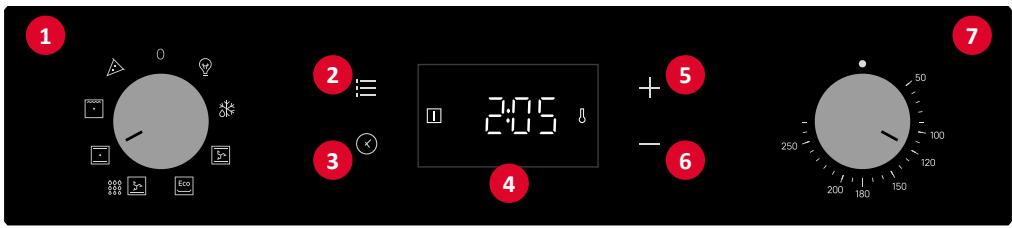
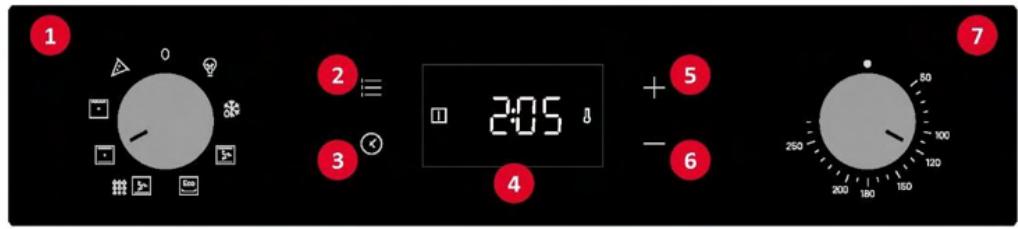
Functions and function ranking can be changed depending on the model.
- Function selector knob
- Main menu
- Timer
- LED display
- Plus button (+)
- Minus button (-)
- Temperature selector knob
MAIN FUNCTIONS
The display has 3 main functions:
| Symbol | Function | Description |
 | Main menu | Press once to activate Child Lock, twice to access to Time of the day, three times for alarm volume, and four times for brightness adjustment mode. |
 | Timer menu | Press once for cooking duration, twice for the minute minder |
| [4500] | +/- | Press these buttons to increase/decrease the values or to activate/deactivate a function in the adjustment modes.Hold + for 5 sec to activate the Time of the day in the display. |
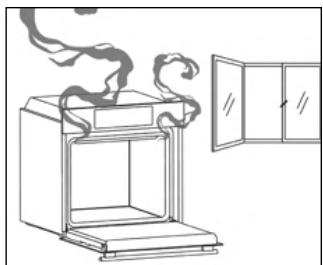
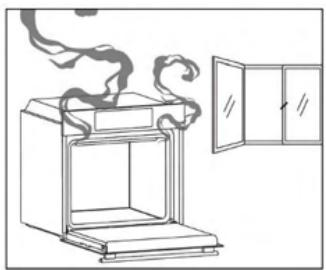
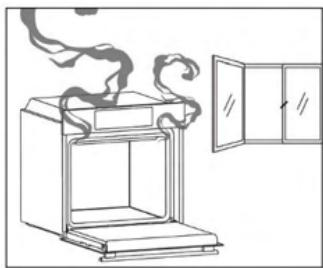
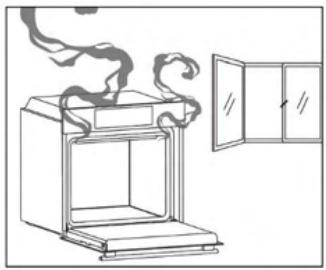
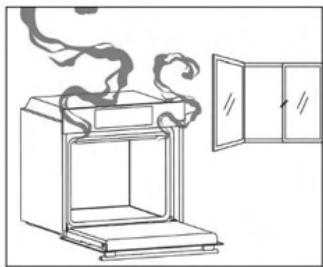
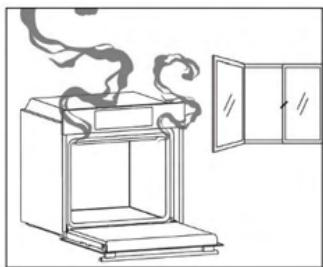
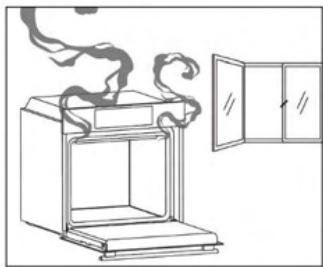
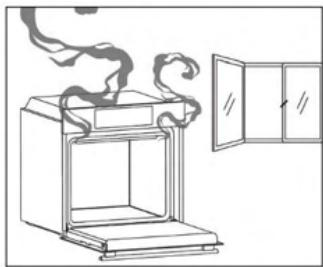
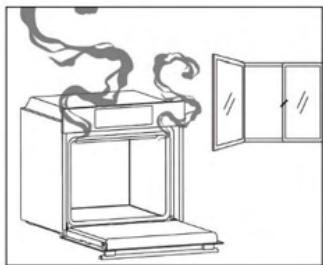
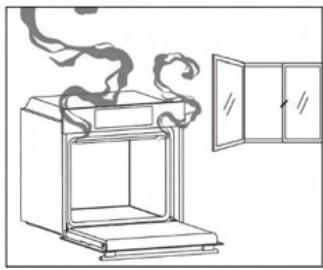
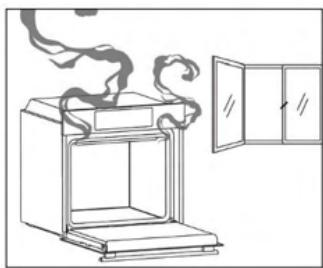
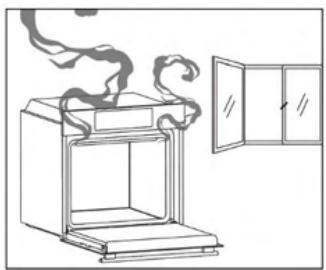
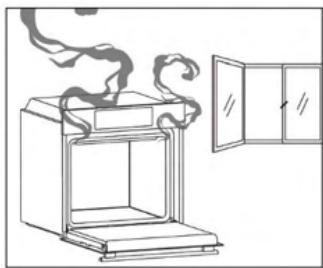
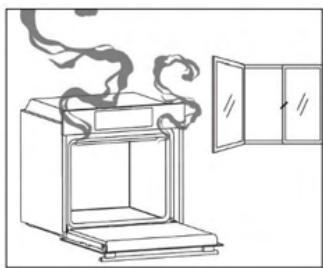
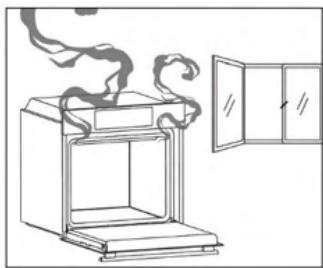
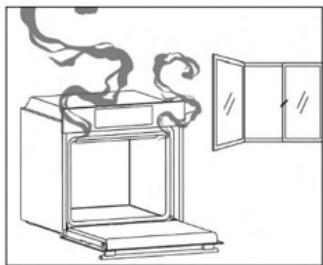
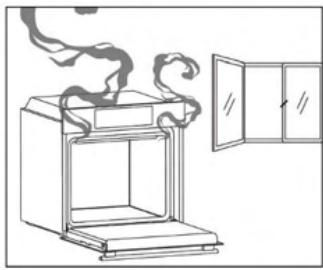
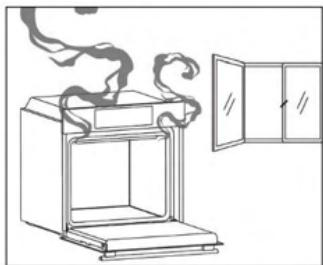
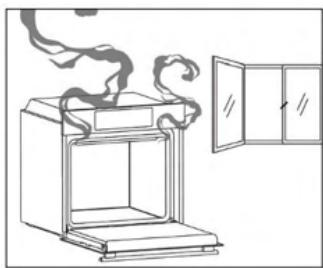
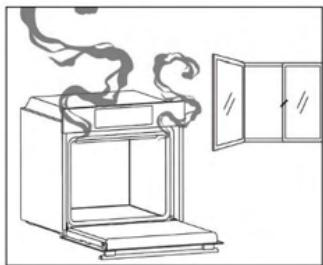
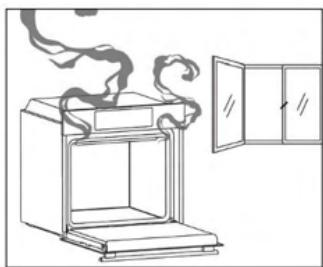
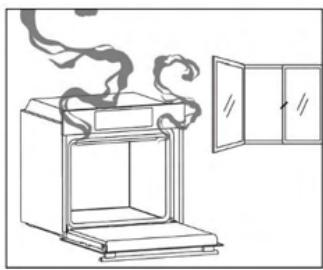
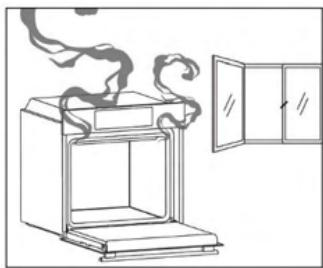
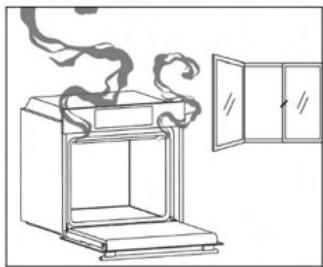
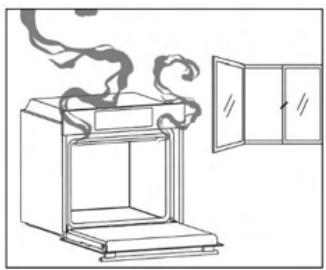
When you first turn on the oven, you might notice some smoke. Don't worry, just wait for the smoke to clear before using the oven.
How illumination works
The oven cavity is illuminated by one or more light bulbs, typically activated each time a cooking function begins.
How cooling fan works
The cooling fan is responsible for dissipating the heat, keeping the oven and its surroundings from getting too hot, as well as protecting kitchen appliances from the effects of high temperatures. It operates during and after cooking cycle in relation to the internal temperature of the oven.
When the cooling fan is operational, it usually generates a gentle humming or whirring noise. You may also notice a warm airflow emanating from the gap between the oven door and the control panel.
3.2. FIRST USAGE
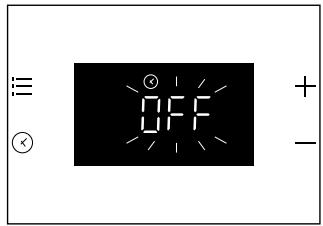
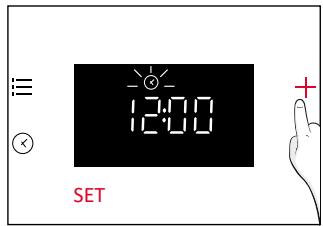
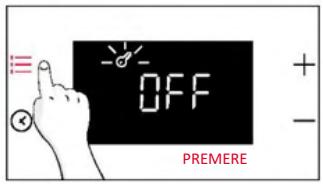
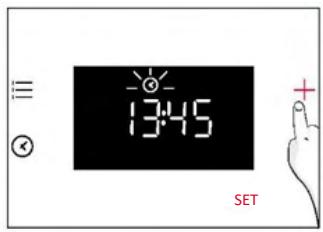
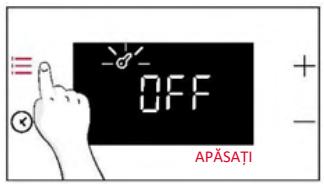
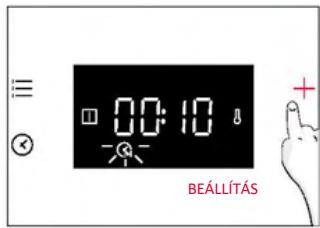
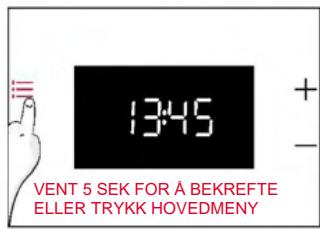
When the appliance is switched On for the first time, the initial step is to set time of day.
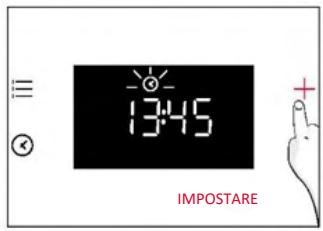
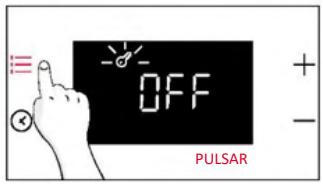
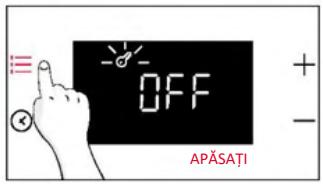
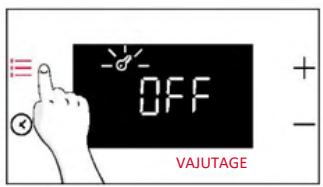
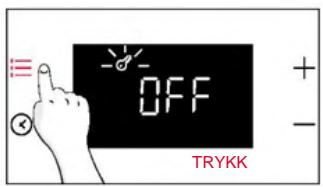
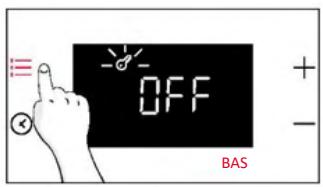
SET THE TIME: The display will show "OFF". Press "+" to adjust the current hour. Wait 5 secs for confirmation.

3.3. PRELIMINARY CLEANING
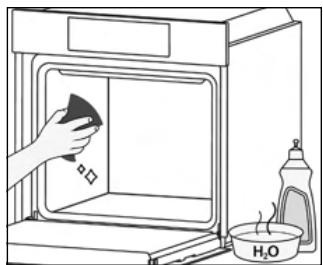
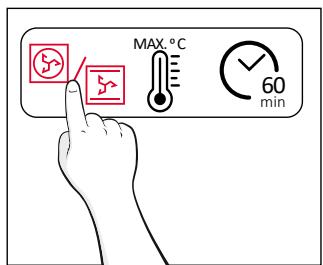
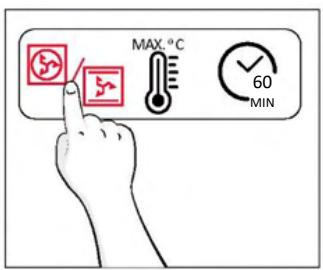
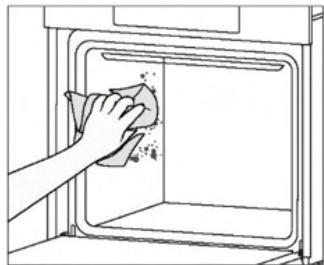
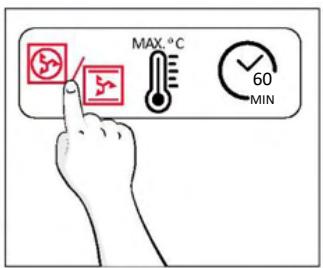
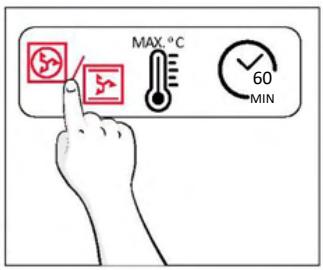
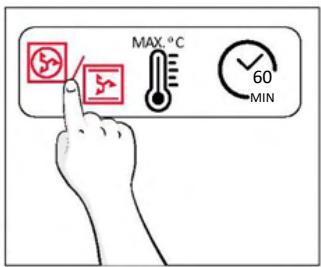
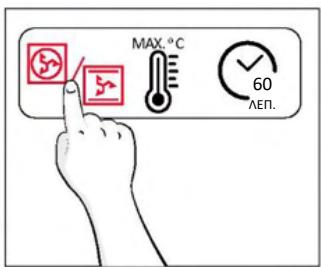
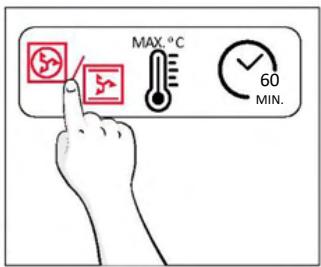
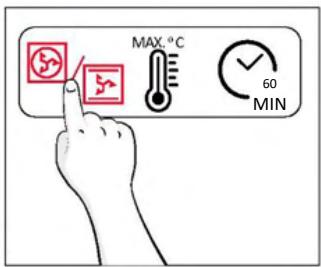
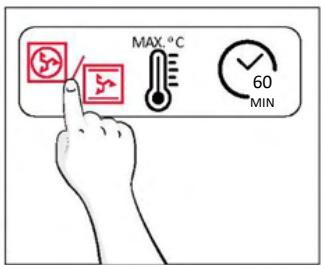
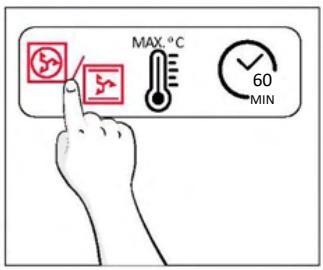
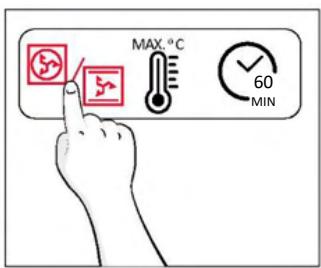
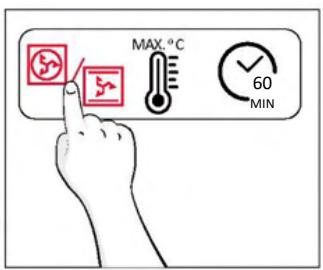
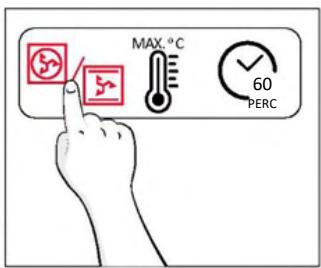
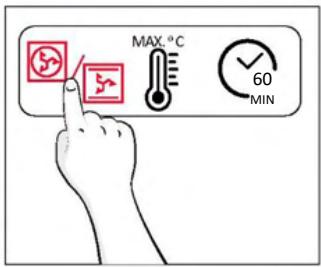
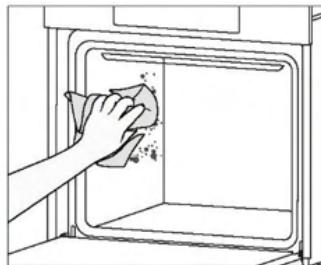
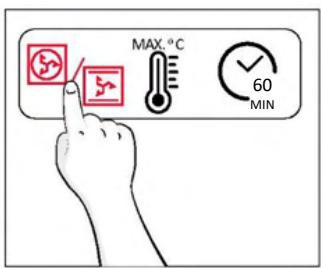
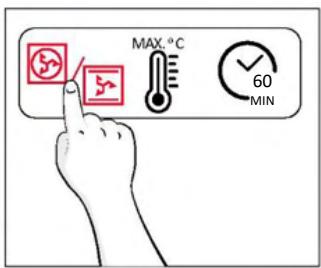
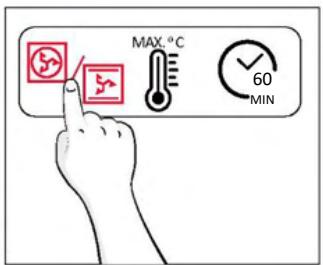
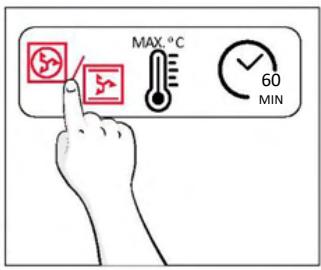
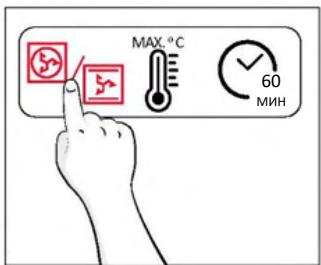
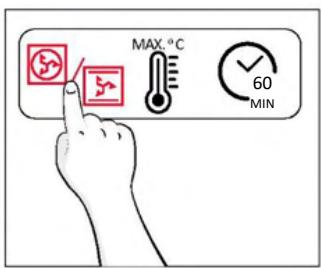
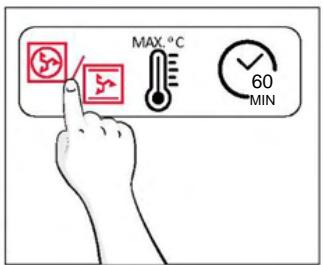
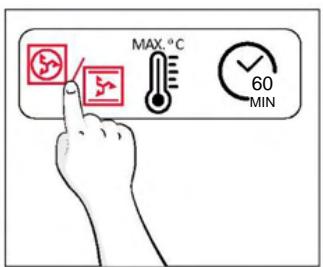
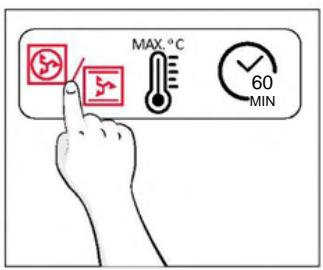
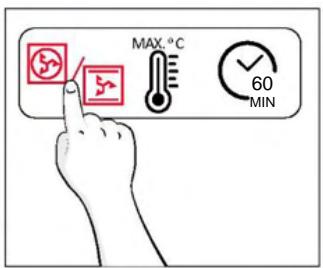
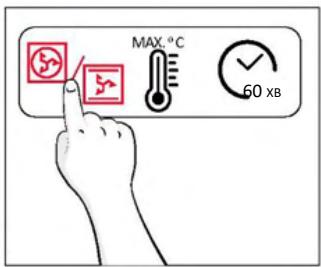
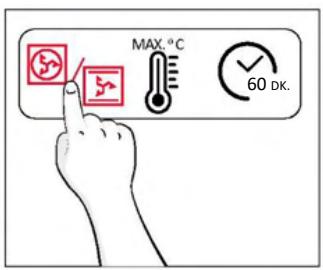
Clean the oven before using for the first time. Wipe over external surfaces with a damp soft cloth. Wash all accessories and wipe inside the oven with a solution of hot water and washing up liquid. Set the empty oven to the maximum temperature and leave on for about 1 hour, this will remove any lingering smells of newness.
4.1. HOW THE PRODUCT WORKS
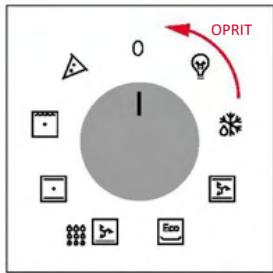
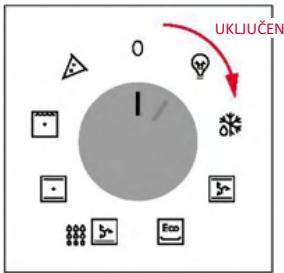
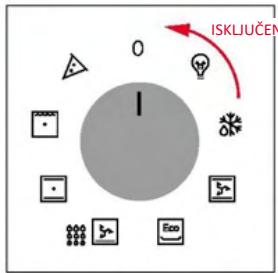
SWITCHING ON/OFF THE OVEN
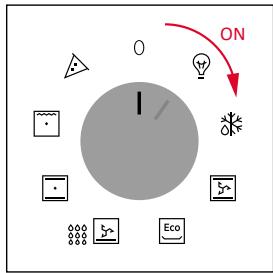
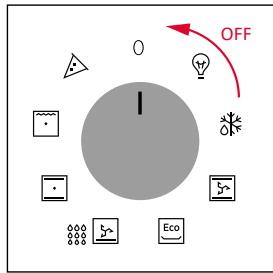
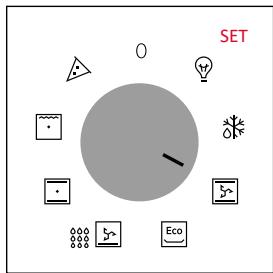
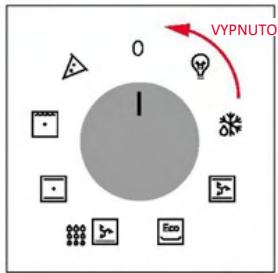
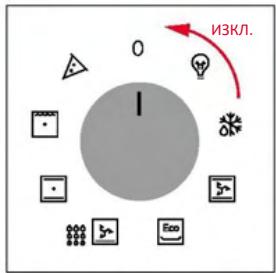
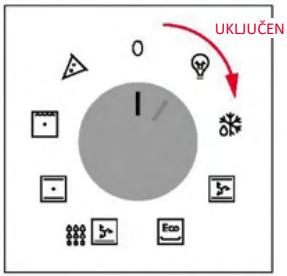
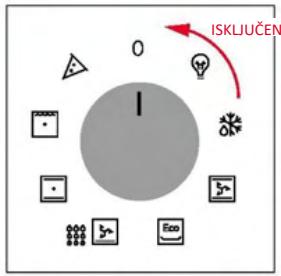
To turn ON the oven rotate the function knob (clockwise/counterclockwise) and select a program. To turn it OFF, set the function knob to the '0' position.
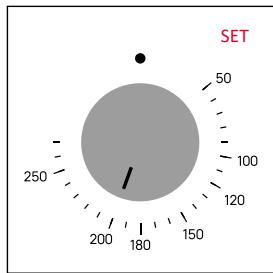
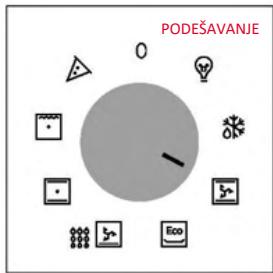
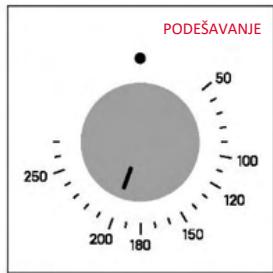
SET COOKING PROGRAM
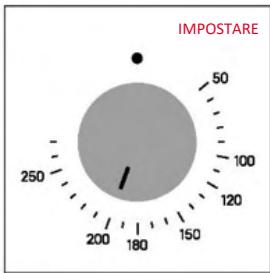
Turn the function knob to select the desired program and turn the temperature selector knob to set the temperature.
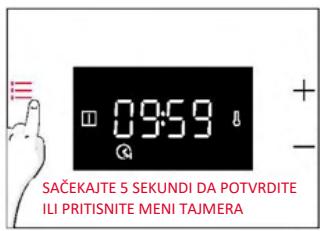
MAIN MENU
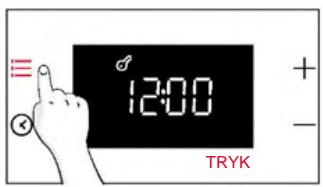
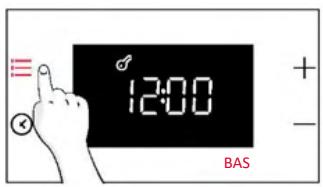
Access the Main menu by pressing :≡ . To navigate into tap :≡ as many times as is needed to enter in the following settings:

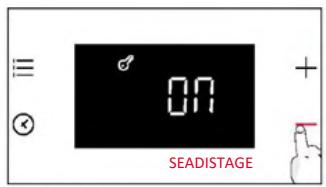
CHILD LOCK
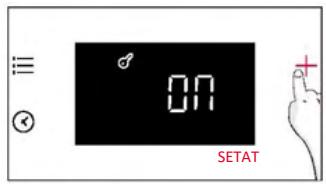
This function allows you to lock the screen to prevent any unwanted use by minors.
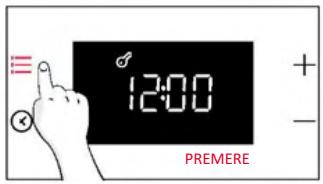
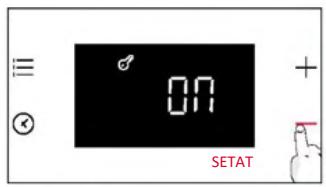
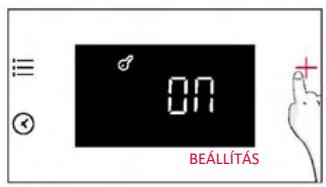
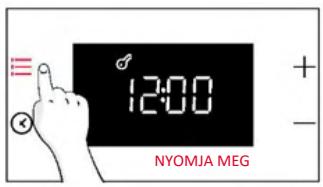
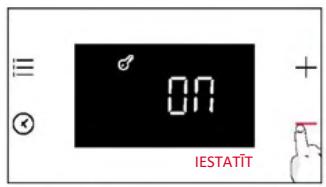
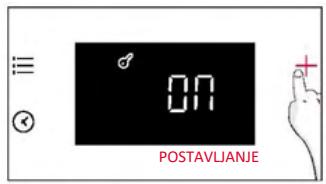
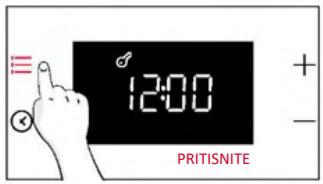
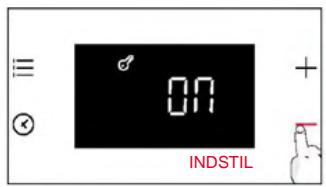
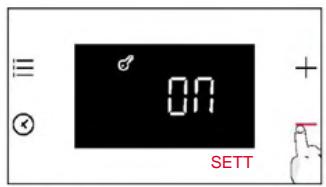
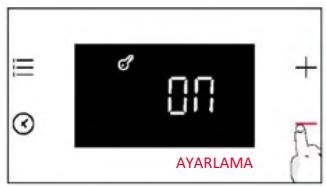
To activate the screen lock, press "Main menu" once, then press "+" to confirm the function.
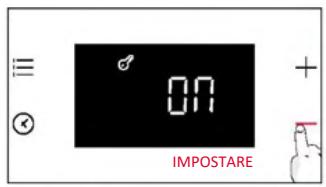
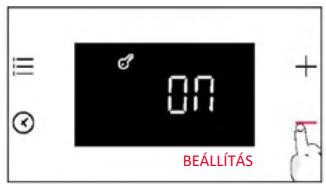
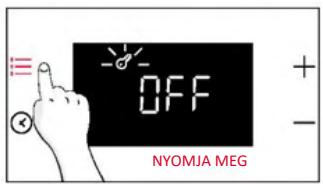
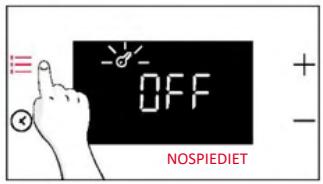
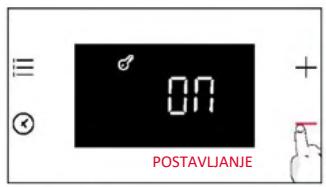
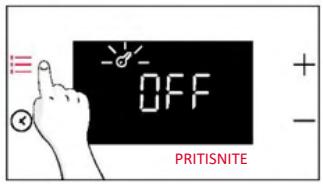
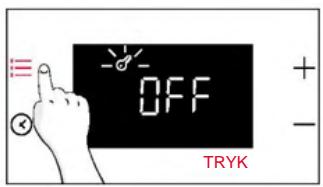
To deactivate the lock, press "Main menu", then press "-".
Activate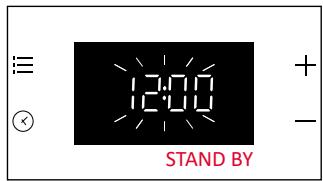
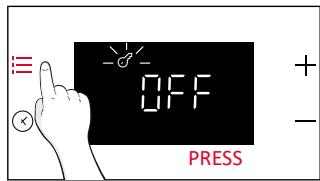
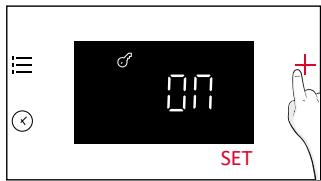
Deactivate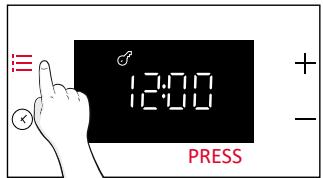
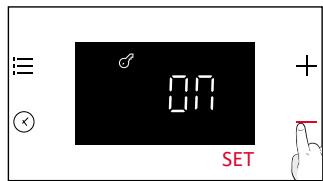
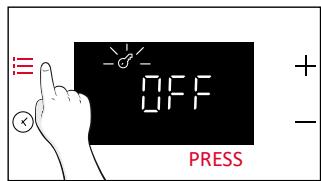

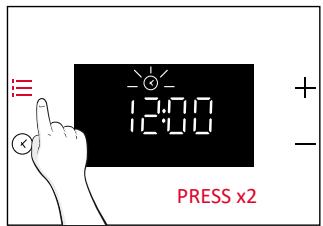
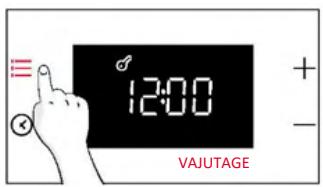
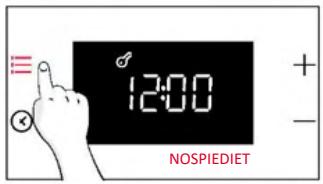
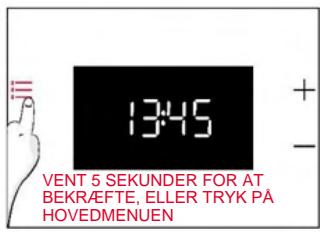
CLOCK SET
Allows to change the time of the day.
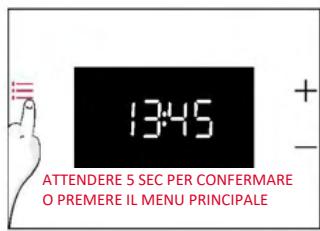
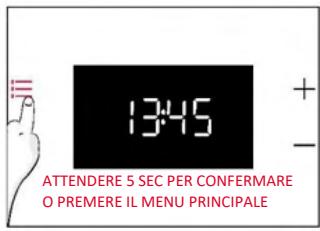
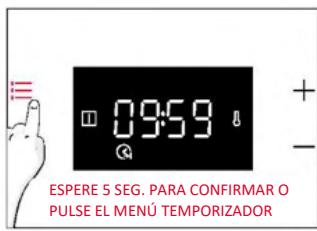
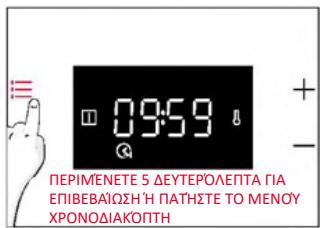
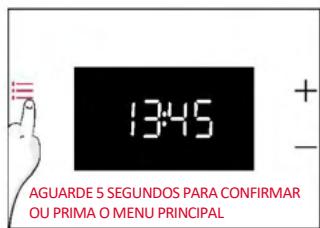
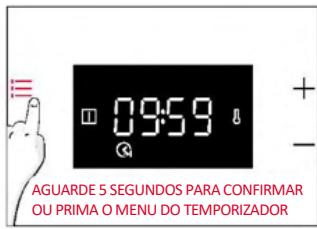
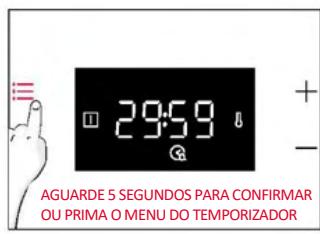
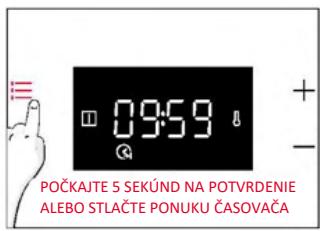
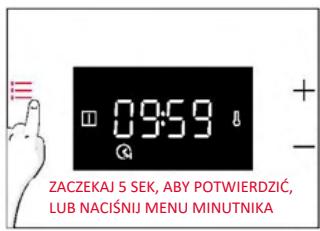
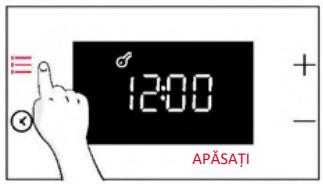
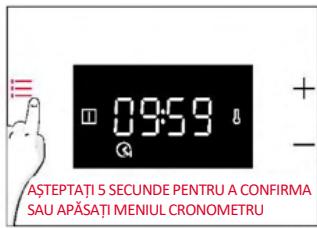
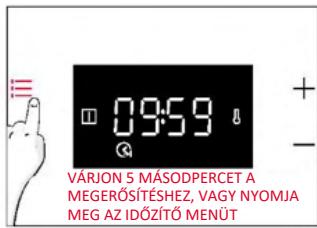
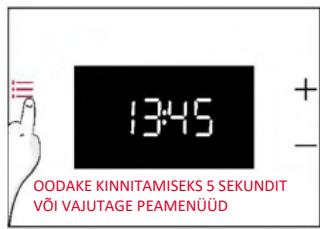
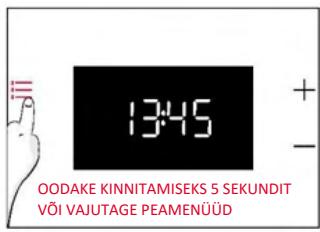
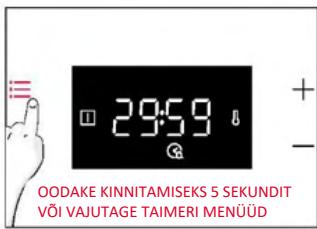
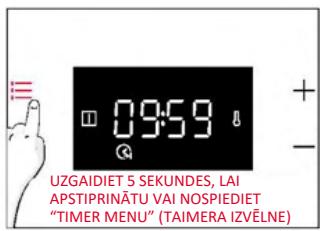
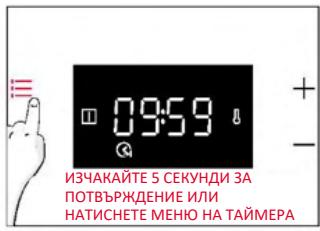
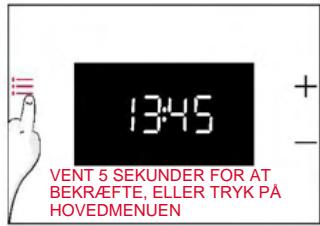
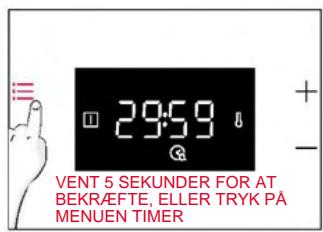
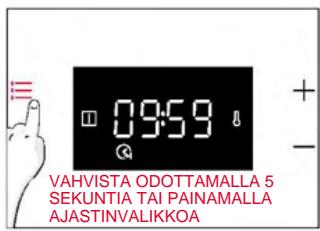
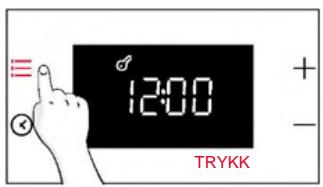
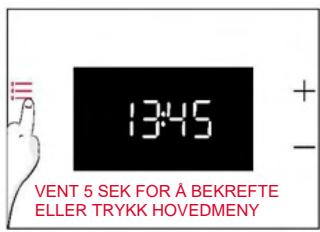
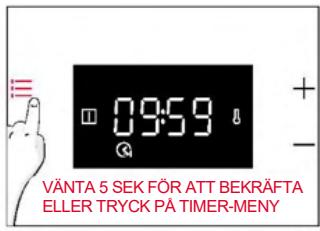
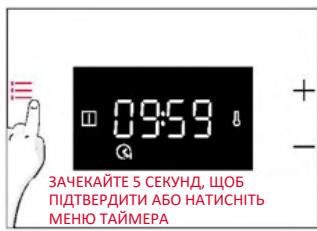
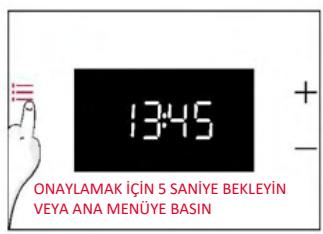
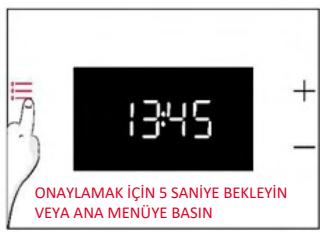
Press :≡ to enter the Main menu. Tap :≡ as many times (x2) as needed to select "Time of day". Then use "+/-" to adjust the value. To confirm, wait 5 seconds or press Main menu :≡ once.
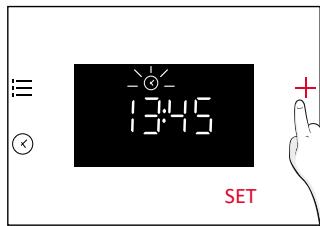
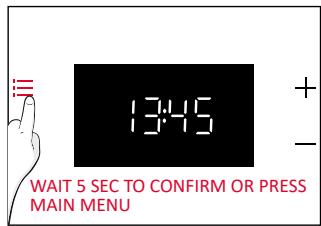

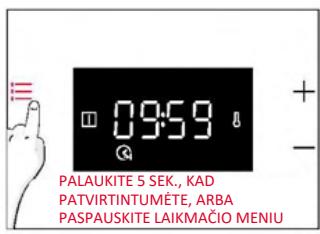
NOTE: the oven is set to "24h" mode by default. To switch to "12h" mode, hold "+" for 5 seconds. Do the same to switch back to "24h" mode.
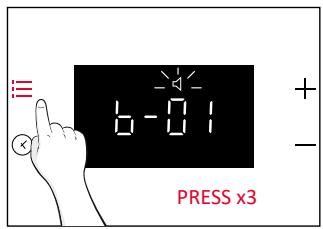
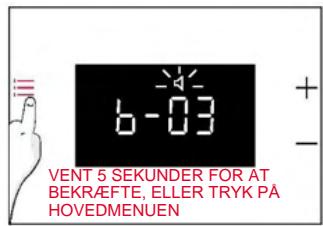
ALARM VOLUME
Allows to change the volume of the warning tone.
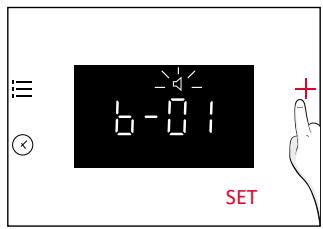
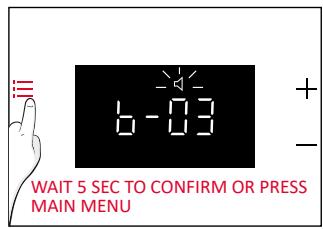
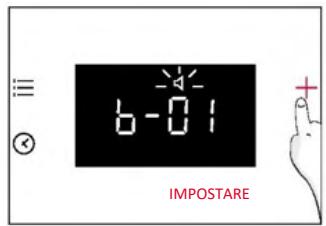
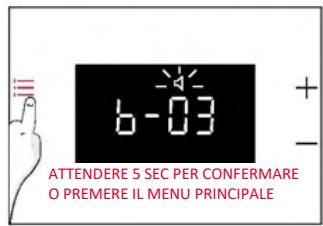
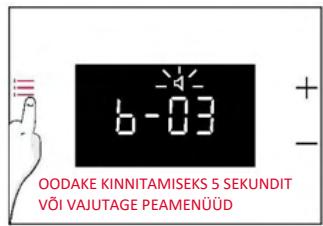
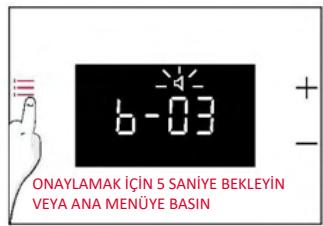
Press :≡ to enter the Main menu. Tap as many times (x3) as needed to select "Alarm volume". The display will show "b-01". The numbers represent the level of sound intensity, adjustable with "+/-". To confirm, wait 5 seconds or press menu :≡ once.
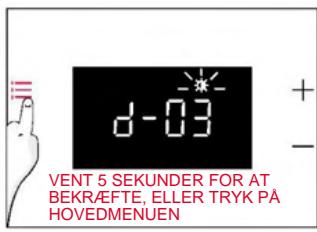
DISPLAY BRIGHTNESS
Allows to change the brightness of the oven display.
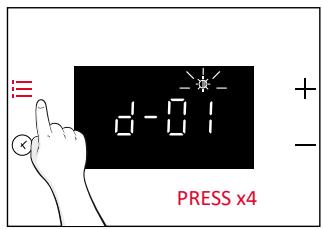
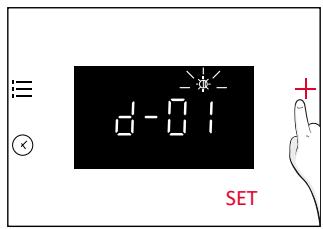
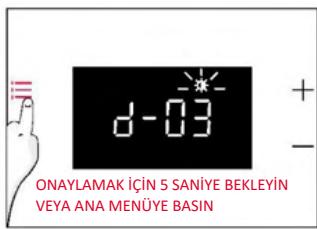
Press :≡ to enter the Main menu. Tap as many times (x4) as needed to select "Display brightness". The display will show "d-01". The numbers represent the level of brightness intensity, adjustable with "+/-". To confirm, wait 5 seconds or press menu :≡ once.
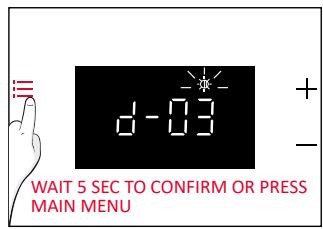
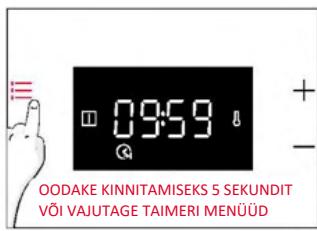
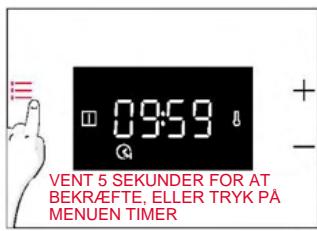
Access the Timer menu by pressing ✕. To navigate, tap ✕ as many times as needed to enter the following settings:

COOKING DURATION
Allows to preset the cooking time required for the chosen recipe.
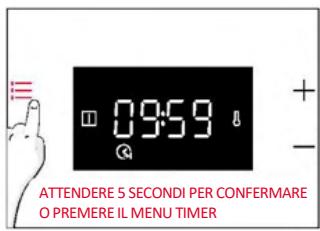
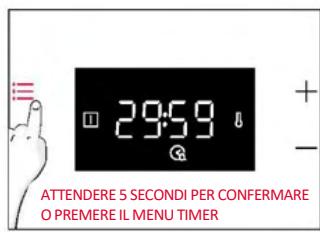
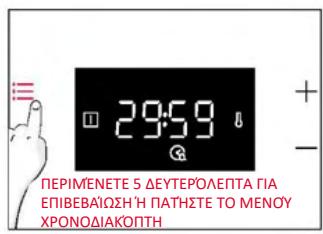
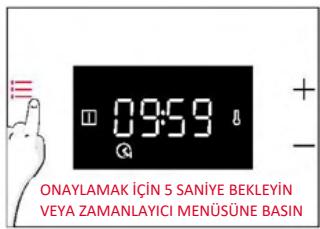
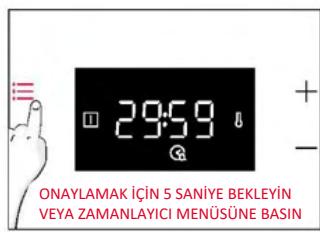
ACTIVATION: press ⏻ to enter the Timer menu. Then use "+/-" to adjust the value. To confirm, wait 5 seconds or press "Timer menu".
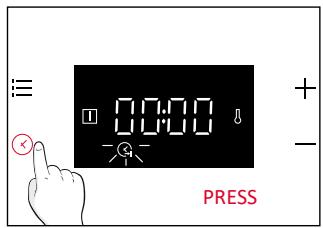
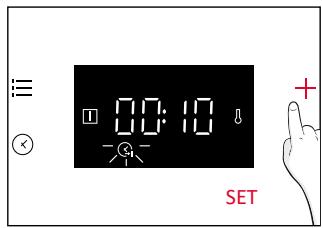
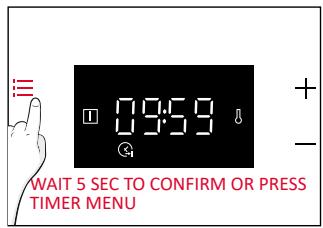
The countdown starts when the timer is set. During the cooking phase, it is possible to change the duration value by entering "Cooking duration" mode and using "+/-". When the duration has elapsed, the display will show "End".
To stop the Cooking Duration, hold the Timer ⏻ button for 3 seconds or reset the timer value using “-”.
When Cooking is Finished:
- "End" appears on the display, and a warning tone will be produced for 30 seconds if not cancelled.
- Press the "Timer" button to cancel the warning tone. "End" will disappear from the display, and the current time of day will be shown instead.
WARNING: The oven is now in manual mode. The oven function and thermostat commutator should be turned off as well; if not, the oven will continue heating. NOTE: The warning tone will be muted by any button press other than the Timer ⏻ button, with "End" remaining on the display and the oven remaining inoperative.

MINUTE MINDER
Allows you to use the oven as an alarm clock.
ACTIVATION: Press Ⓧ to enter the Timer menu. Tap Ⓧ as many times (x2) as needed to select "Minute minder". Then use "+/-" to adjust the value. To confirm, wait 5 seconds or press "Timer menu".
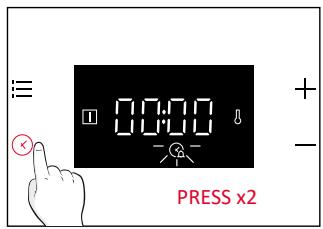
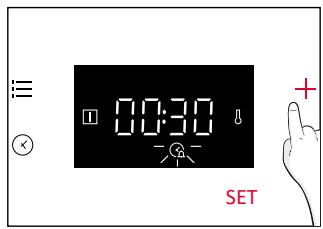
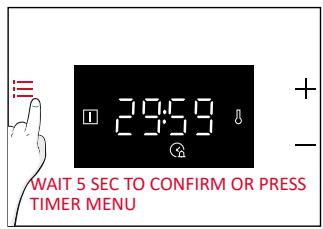
When the countdown is completed:
- The Alarm Ⓧ icon flashes on the display, and a buzzer tone is produced lasting for 30 seconds if not cancelled.
- Press any key to cancel the alarm tone. The current time of day will be shown on the display. The oven will continue operating until the left knob is turned to the 0 position.
To stop the Minute Minder, hold the Timer button Ⓧ for 3 seconds or reset the value using “-”.
OVEN COMMUTATOR STATUS INDICATION
Cooking Function Selector:
When the cooking function selector of the oven is turned to any of the "ON" positions, the ☐ (Cooking Function ON) icon appears on the display.
Temperature Selector:
Whenever the oven temperature is lower than the set temperature, the ⏻ (Thermostat ON) icon appears on the display.
4.2. COOKING FUNCTIONS
4.2.1. STANDARD FUNCTIONS
NOTE: for functions that require preheating, ensure all accessories are removed during this phase. Follow the instructions in the table below regarding preheating.
"YES" means that preheating is required; "NO" means that preheat is not suggested and foods must be inserted with a cold oven.
| Symbol | Function | Suggested Shelf Position | Preheat | Suggestions |
| [DSXY] | Defrost | | NO | The fan circulates room temperature air around the frozen food, allowing it to defrost slowly without changing the protein content of the food. |
 | ***Multi-Level | L3/L4 for single level L2+L5 for double level L2+L4+L6 for triple level | YES | IDEAL FOR: cakes, biscuits and pizzas on one or more levels. Ideal to cook different foods. |
 | ***Fan Assisted | L2/L3/L4 | YES | IDEAL FOR: whole chicken, chicken pieces, vegetables, and pastries on one level using the combination of the fan with upper and lower heating elements. |
 | *ECO | L3/L4 | NO | IDEAL FOR: cooking chicken pieces, whole pieces of meat, fish or gratin. Slide the drip tray under the shelf to collect juices. Turn food over halfway through cooking if needed. This function allows to save energy during cooking keeping the food moist and tender. NOTE: Once desired temperature set, temperature adjustment shouldn't be decreased in this function until pre-heat completed. |
 | Bottom+Fan | L3/L4 | NO | IDEAL FOR: tarts, quiches and thin pizzas using fan and lower heating. it helps cook the top part with indirectly radiated heat. |
 | *Conventional | L2/L3 | YES | IDEAL FOR: cakes, breads, biscuits, quiches on one level using both upper and lower heating. |
 | **Supergrill | L6 for thin foods L4 for thicker foods | NO | IDEAL FOR: big quantities of sausages, steaks and toast bread. The entire area below the grill element becomes hot. Use with the door closed. Turn food two thirds of the way through cooking (If necessary). |
 | Pizza | L2/L3 | YES | IDEAL FOR: all kind of pizzas with or without preheating the oven. |
5.1. GENERAL COOKING TABLE
| Category | Recipe | N° of levels | Cooking program | T°C | Preheat | Cooking accessory | Shelf position | Cooking time after preheating *(min) |
| Sweet bakery | Small cakes / Muffins | 1 | Conventional Multilevel Fan assisted | 170°C 155°C 140°C | Y | Deeper tray | L3 L4 L4 | 20-30 30-40 25-35 |
| 2 | Multilevel | 150°C | Deeper + baking trays | L2+L5 | 35-45 |
| 3 | Multilevel | 145°C | Deeper + baking + baking trays | L2+L4+L6 | 40-50 |
| Sponge cakes (26 cm ∅) | 1 | Conventional Multilevel Fan assisted | 160°C 160°C 150°C | Y | Metal grid + Cake tin | L2 L3 L2 | 30-40 30-40 20-30 |
| 2 | Multilevel | 150°C | Metal grids + Cake tin | L1+L4 | 40-50 |
| Biscuits/ Shortbreads | 1 | Conventional Multilevel Fan assisted | 150°C 150°C 130°C | Y | Deeper tray | L3 L3 L4 | 30-40 25-35 15-25 |
| 2 | Multilevel | 140°C | Deeper + baking trays | L2+L5 | 50-60 |
| Choquettes | 1 | Conventional | 190°C | Y | Deeper tray | L3 | 25-35 |
| 2 | Multilevel | 170°C | Deeper tray | L2+L5 | 35-45 |
| Yorkshire pudding | 1 | Conventional | 200°C | Y | Deeper tray | L3 | 20-30 |
| Meringues | 1 | Multilevel | 90°C | Y | Deeper tray | L4 | 80-100 |
| Macaron | 1 | Conventional | 150°C | Y | Deeper tray | L3 | 15-20 |
| Apple pie | 1 | Conventional | 170°C | Y | Metal grid + Cake tin | L2 | 70-80 |
| 1 | Fan assisted | 150°C | Y | Metal grid + Cake tin | L2 | 50-70 |
| Tarte tatin | 1 | Conventional | 170°C | Y | Metal grid + Cake tin | L4 | 60-70 |
| Tarts | 2 | Bottom+fan | 180°C | N | Metal grid + Cake tin | L3 | 30-40 |
| Chocolate souffle | 1 | Conventional | 200°C | Y | Deeper tray + molds | L3 | 10-15 |
| Cheesecake | 1 | Conventional | 150°C | Y | Metal grid + Cake tin | L2 | 50-65 |
| Frozen croissants | 1 | Conventional | 180°C | Y | Deeper tray | L3 | 20-25 |
| 2 | Multilevel | 180°C | Deeper tray | L2+L5 | 25-35 |
| 3 | Multilevel | 160°C | Deeper tray | L2+L4+L6 | 30-40 |
| Strudel, frozen | 1 | Conventional | 200°C | Y | Deeper tray | L3 | 30-45 |
| Breads and Flatbread | Toast bread | 1 | Supergrill | max | N | Metal grid | L6 | 8-10 |
| Focaccia | 1 | Conventional | 200°C | Y | Deeper tray | L3 | 25-35 |
| Bread, whole | 1 | Conventional | 200°C | Y | Deeper tray | L3 | 30-50 |
| Savory pies and casseroles | Salty cakes / Quiches (26 cm ∅) | 1 | Conventional | 200°C | Y | Metal grid + Quiche tin | L1 or L2 | 30-50 |
| 2 | Multilevel | 180°C | Metal grid + Quiche tin | L1+L4 | 50-70 |
| Cheese souffle | 1 | Conventional | 200°C | Y | Deeper tray | L3 | 20-30 |
| Lasagna, fresh | 1 | Conventional | 200°C | Y | Metal grid + ovenproof dish | L3 | 30-45 |
| Lasagna, frozen | 1 | Conventional | 180°C | Y | Metal grid + ovenproof dish | L3 | 35-50 |
| Cannelloni, fresh | 1 | Conventional | 200°C | Y | Metal grid + ovenproof dish | L3 | 35-50 |
| Baked pasta | 1 | ECO | 200°C | N | Metal grid + ovenproof dish | L4 | 25-35 |
| Pizza | Pizza, fresh (Tray) | 1 | Conventional | 230°C | Y | Deeper tray | L2 or L3 | 15-25 |
| Pizza, fresh (Tray) | 1 | Pizza | 230°C | N | Deeper tray | L2 or L3 | 25-35 |
| 2 | Multilevel | 180°C | Y | Deeper + Baking trays | L2+L5 | 30-40 |
| Pizza, fresh (Round) | 1 | Conventional | max | Y | Baking tray | L2 or L3 | 8-15 |
| Pizza, fresh (Round) | 1 | Pizza | max | N | Baking tray | L2 or L3 | 10-25 |
| 2 | Multilevel | 180°C | Y | Deeper + Baking trays | L2+L5 | 30-40 |
| Pizza, frozen (thin crust) | 1 | Pizza | 220°C | Y | Metal grid | L3 | 10-15 |
| 2 | Multilevel | 200°C | Y | Metal grids | L2+L5 | 15-20 |
| 3 | Multilevel | 180°C | Metal grids | L2+L4+L6 | 15-25 |
| Meat & Poultry | Roasted whole chicken** (1-1.5kg) | 1 | ECO | 220°C | N | Metal grid Place deeper tray at L1 | L3 | 50-70 |
| 1 | Fan assisted | 200°C | Y | Deeper tray | L2 | 45-60 |
| Chicken thighs | 1 | ECO | 220°C | N | Metal grid Place deeper tray at L1 | L4 | 30-50 |
| 1 | Fan assisted | 190°C | Y | Deeper tray | L3 | 30-50 |
| Roasted Duck** | 1 | ECO | 220°C | N | Metal grid Place deeper tray at L1 | L3 | 50-70 |
| Meat & Poultry | Roasted Turkey** | 1 | ECO | 220°C | N | Metal grid + Ovenproof dish | L3 | 50-70 |
| 1 | Fan assisted | 200°C | Y | Deeper tray | L2 | 45-60 |
| Pork ribs (1000-1200g) | 1 | Conventional | 200°C | Y | Metal grid + Ovenproof dish | L3 | 80-100 |
| Sausages** | 1 | Supergrill | 230°C | N | Metal grid Place deeper tray at L1 | L4 | 30-40 |
| Roast beef (500g) | 1 | Conventional | 220°C | Y | Baking tray | L3 | 20-40 |
| Meatloaf (1000-1500g) | 1 | Conventional | 180°C | Y | Baking tray | L3 | 40-50 |
| Roasted chicken with potatoes | 1 | ECO | 220°C | N | Deeper tray | L4 | 55-75 |
| 1 | Fan assisted | 200°C | Y | Deeper tray | L2 or L3 | 50-60 |
| Fish and Seafood | Grilled seafood | 1 | Supergrill | 220°C | N | Metal grid | L4 | 15-30 |
| Frozen fish sticks | 1 | Conventional | 200°C | Y | Deeper tray | L3 | 20-25 |
| Fish fillet | 1 | Conventional | 170°C | Y | Deeper tray | L3 | 10-25 |
| Baked fish | 1 | ECO | 200°C | N | Metal grid Place baking tray at L1 | L4 | 20-30 |
| Vegetables | Vegetable gratin | 1 | ECO | 200°C | N | Metal grid + Ovenproof dish | L4 | 25-35 |
| Frozen French Fries (300-500g) | 1 | Multilevel | 200°C | Y | Deeper tray | L4 | 25-35 |
| Potato gratin | 1 | ECO | 200°C | N | Metal grid + Ovenproof dish | L4 | 25-35 |
| Roasted potatoes | 1 | Conventional | 200°C | Y | Deeper tray | L4 | 50-60 |
| 1 | Fan assisted | 180°C | Y | Deeper tray | L4 | 20-30 |
| Complete menu | Chicken pieces + apple pie + baked pasta | 3 | Multilevel | 180°C | N | Deeper tray+ (Metal grid + Cake tin) + (Metal grid + ovenproof dish) | L1+L3+L5 | 50-60 45-55 35-45 |
Cooking times may vary according to the consumer's recipe and ingredients.
*if preheating required
** Turn food over halfway through cooking if needed.
*** it depends on oven model
NOTE: For cooking cakes, quiches, and other recipes that require a mold or a container on 2 levels, place them staggered: the upper tray on the left side and the lower tray on the right side.
6.1. GENERAL RECOMMENDATIONS
Regular cleaning can extend the lifecycle of your appliance. Wait for the oven to cool before carrying out manual cleaning.
• After each use of the oven, a minimum of cleaning will help keep the oven perfectly clean. - Do not line the oven walls with aluminum foil or single-use protection available from stores. Aluminum foil or any other protection, in direct contact with the hot enamel, risks melting and deteriorating the enamel of the insides. - In order to prevent excessive dirt in your oven and the resulting strong smoky smells, we recommend not using the oven at very high temperatures. It is better to extend the cooking time and lower the temperature a little. - In addition to the accessories supplied with the oven, we advise you only use dishes and baking molds resistant to very high temperatures.
6.2. CLEANING THE OVEN
6.2.1. INSIDE THE OVEN: cleaning functions

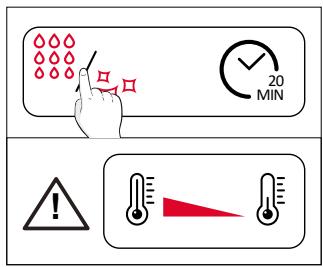
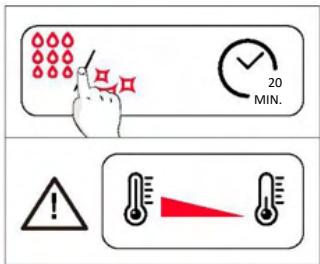
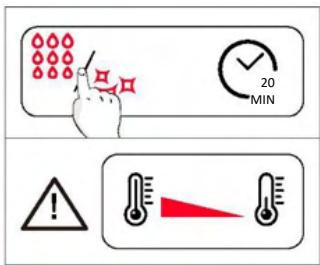
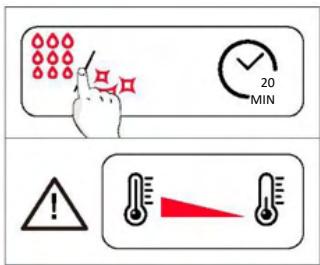
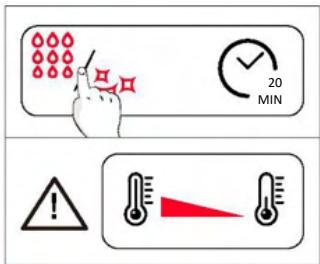
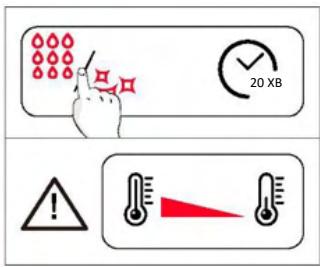
Hydroeasy
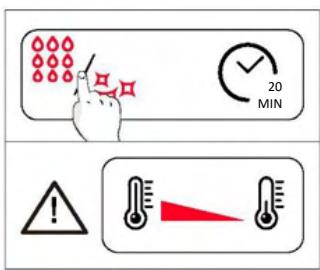
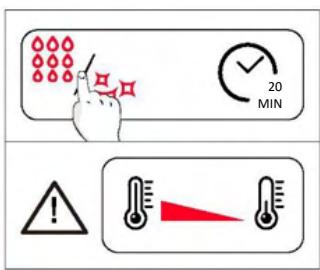
The Hydroeasy function is designed to effortlessly tackle light dirt and provide a quick and eco-friendly solution for cleaning your oven cavity using the power of steam.
How does it work:
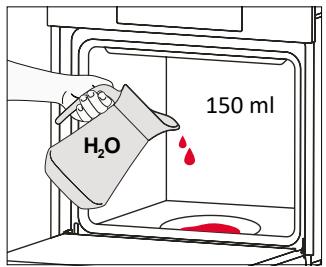
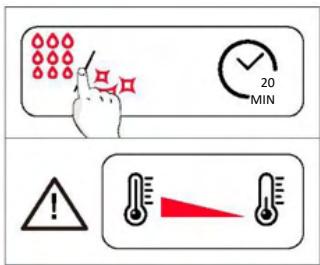
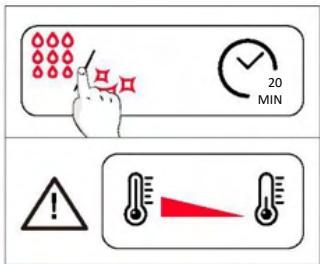
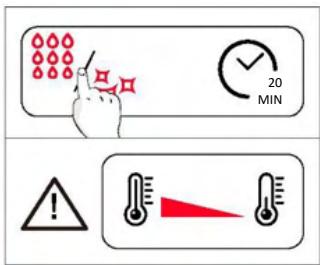
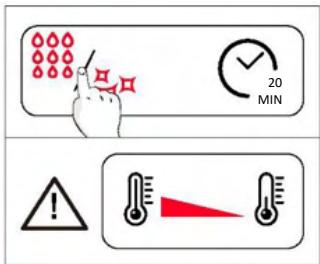
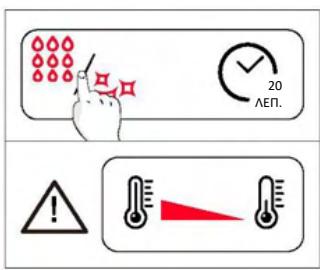
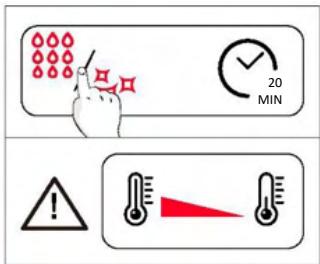
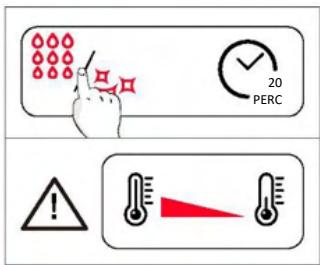
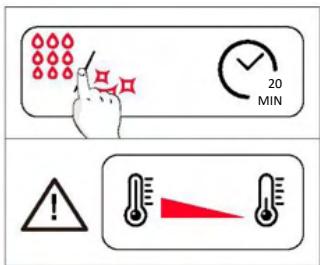
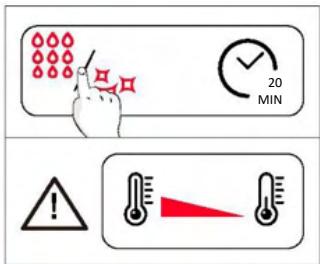
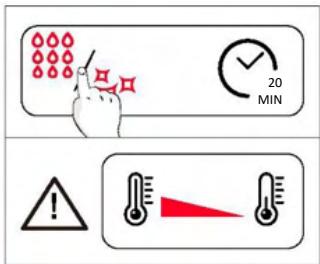
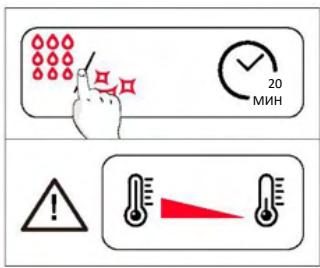
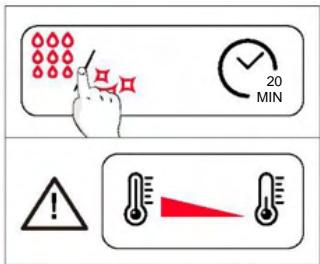
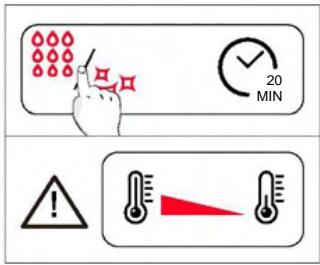
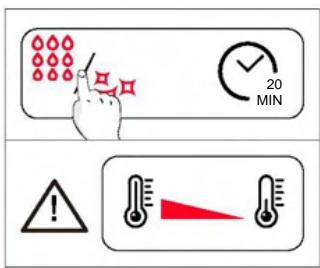
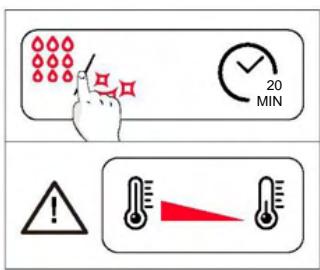
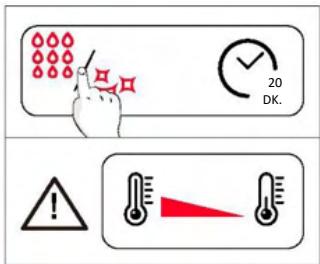
- Pour 150 ml of water with a drop of washing-up liquid into the bottom embossment of the oven.
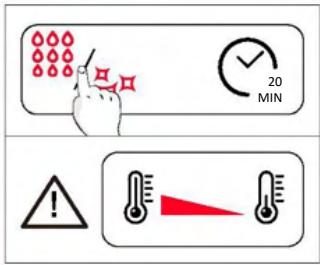
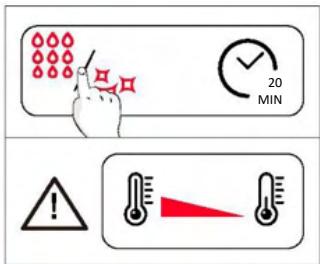
- Turn the function knob to the Hydroeasy setting and the temperature knob to “100 °C”. Allow the function to operate for 20 minutes.
- At the end of the cleaning process, allow the oven to cool down.
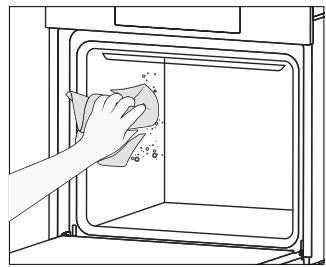
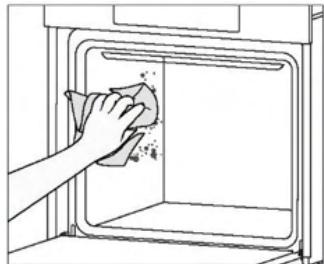
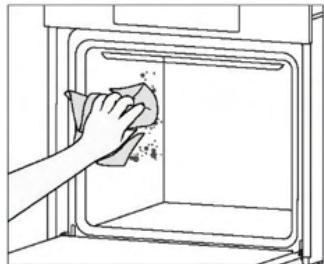
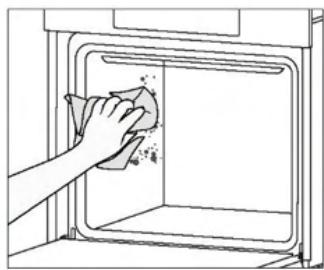
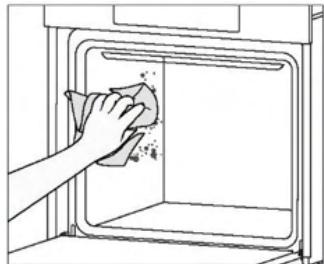
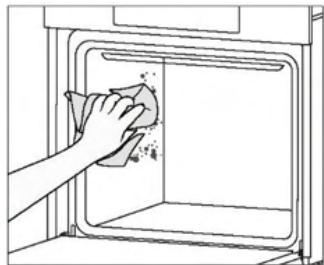
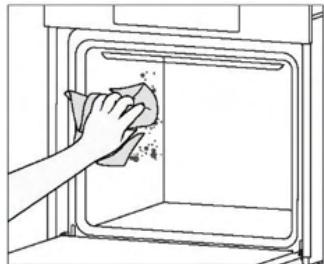
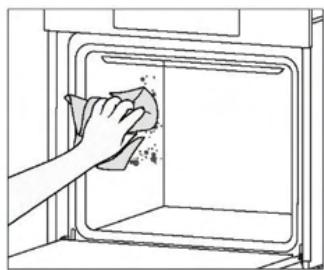
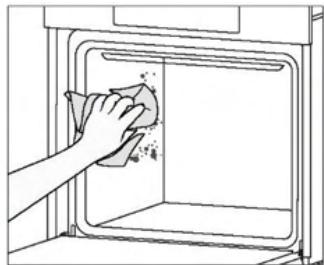
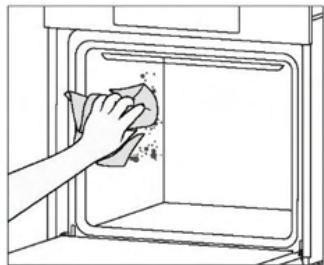
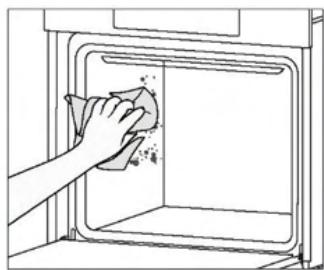
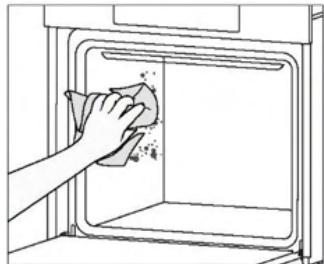
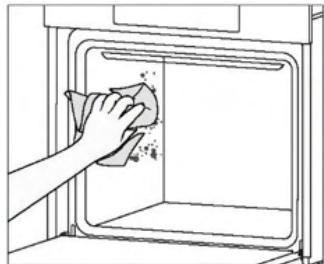
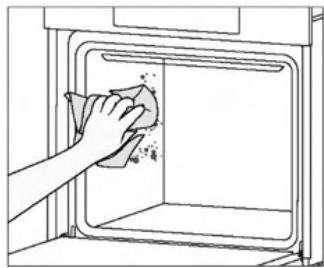
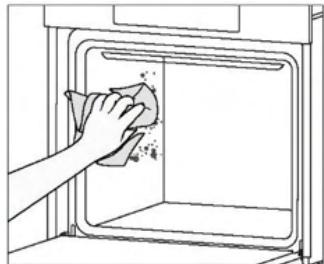
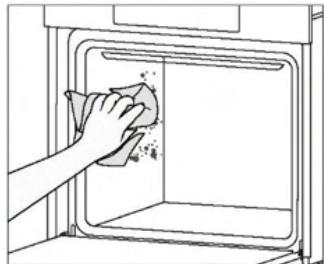
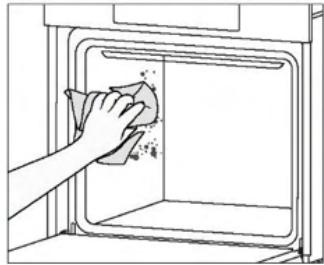
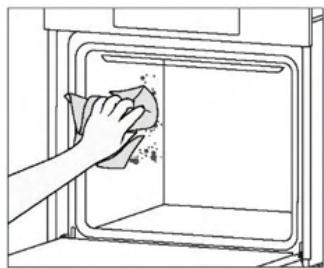
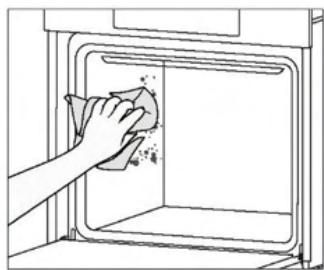
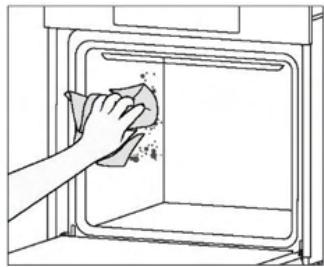
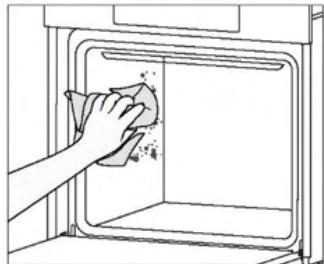
- When the appliance is cool, clean the inner surfaces of the oven with a cloth.
WARNING: Make sure that the appliance is cool before you touch it. Care must be taken with all hot surfaces as there is a risk of burns. Use distilled or drinkable water. Wipe the cooking compartment and allow it to dry completely to avoid possible corrosion.
Catalytic cleaning
The catalytic panels line the oven cavity and grant you the luxury of never having to contend with a dirty oven.
The panels are coated with a specialized enamel that boasts a microporous structure, adept at absorbing grease from splashes.
Through a catalytic chemical reaction, they efficiently convert the absorbed grease into gaseous elements when exposed to high temperatures.
Recommendation: Consider replacing the catalytic panels after approximately three years of use, especially if you use your oven for two to three cooking cycles per week. This ensures optimal performance and cleanliness.
6.2.2. OUTSIDE THE OVEN: removal and cleaning the glass door
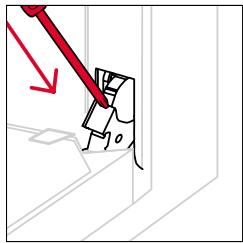
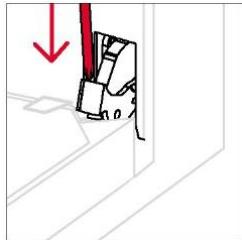
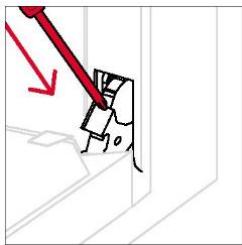
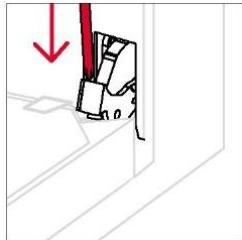
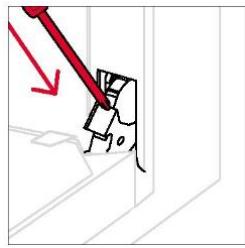
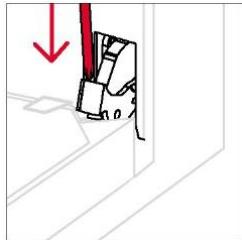
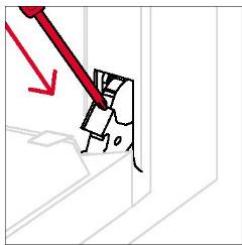
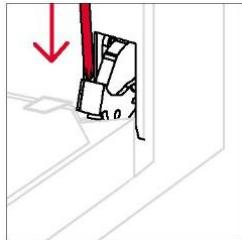
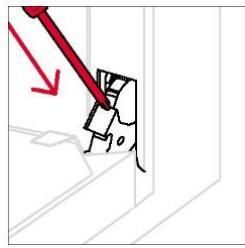
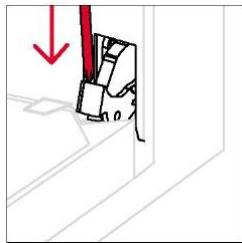
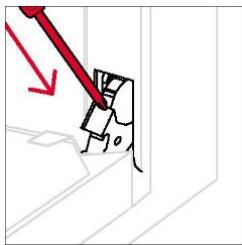
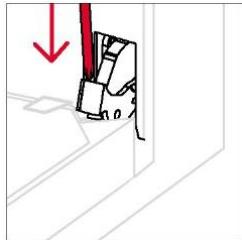
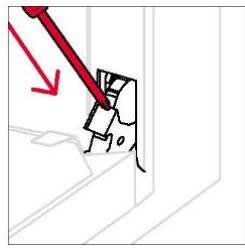
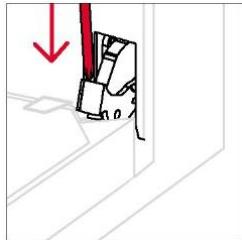
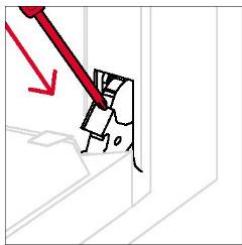
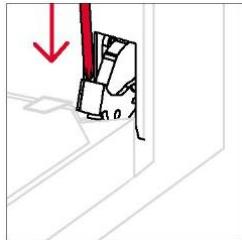
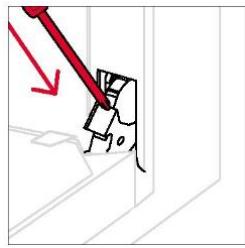
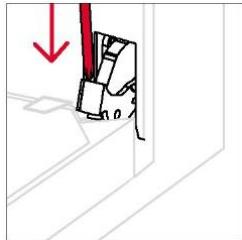
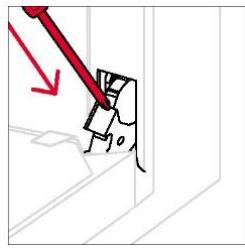
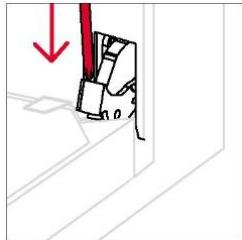
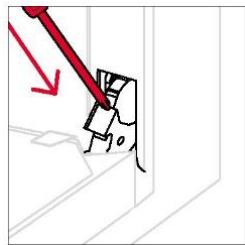
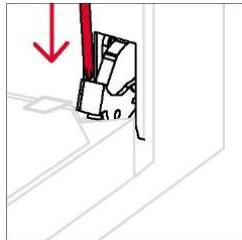
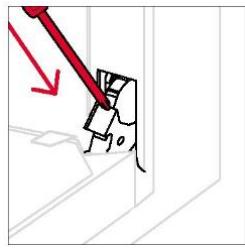
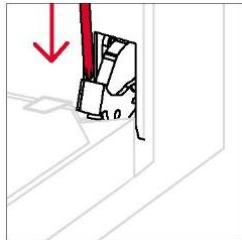
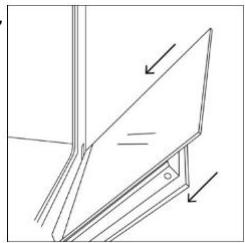
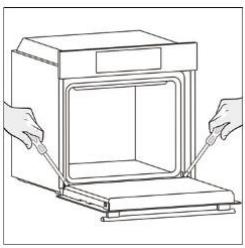
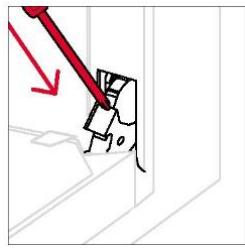
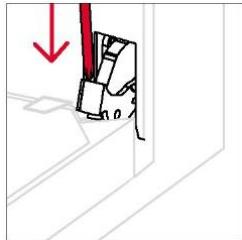
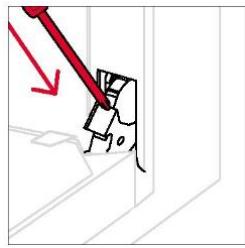
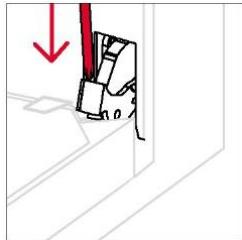
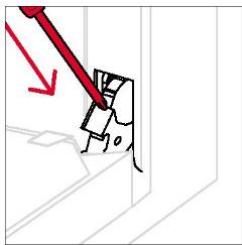
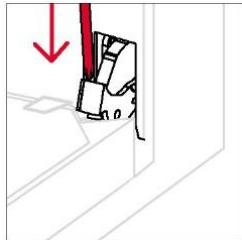
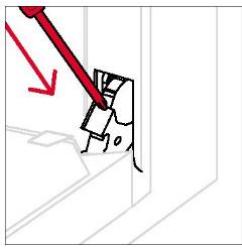
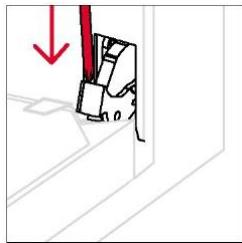
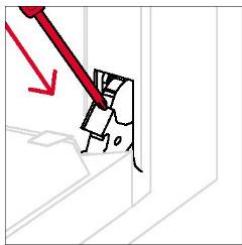
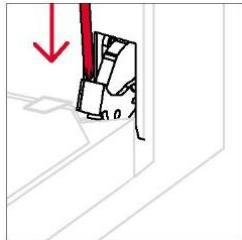
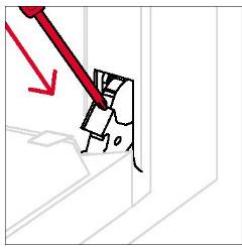
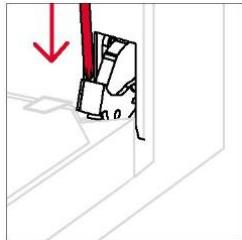
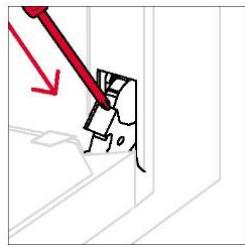
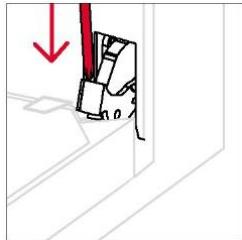
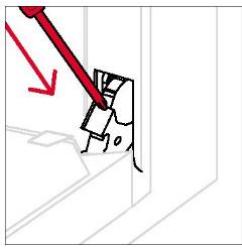
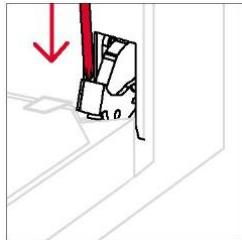
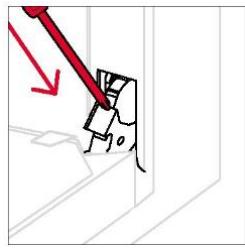
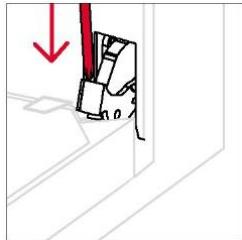
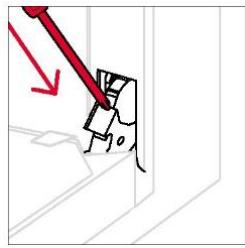
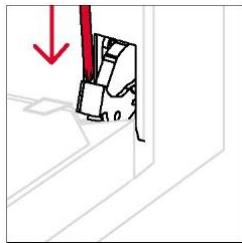
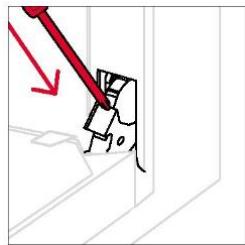
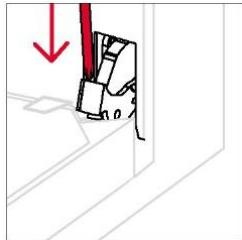
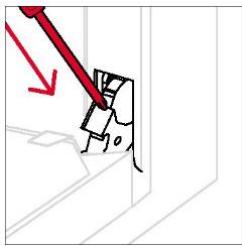
- Open the door at 90°, rotate the hinge locking tabs outward from the oven.
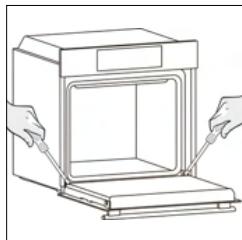
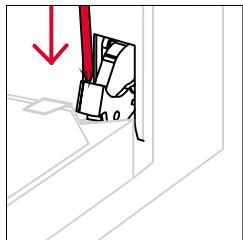
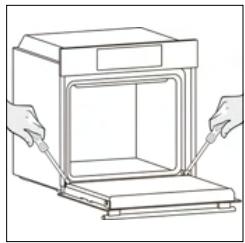
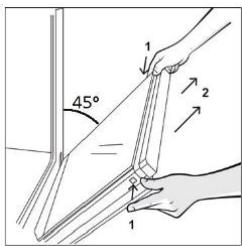
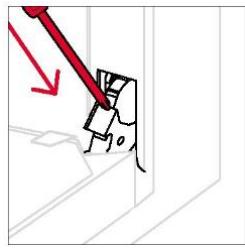
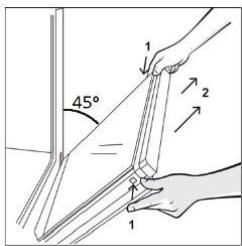
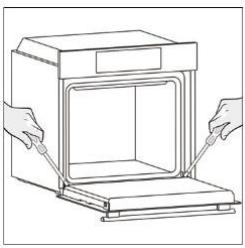
- Position the door at 45°. Simultaneously press the two buttons on both sides of the door's lateral shoulders and pull towards yourself to remove the upper glasses' door cover.
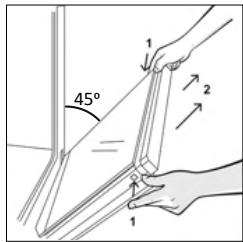
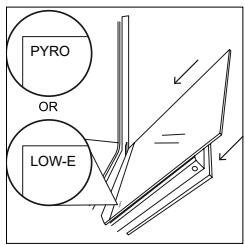
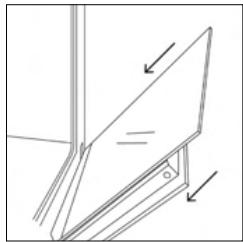
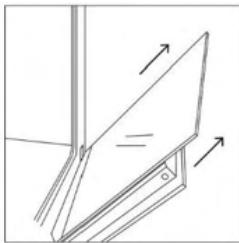
- Very carefully remove the oven glass, starting with the inner one. During the procedure, firmly hold the glass with both hands and place them on a cushioned flat surface (e.g., on a fabric).
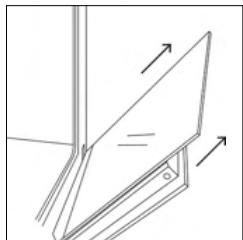
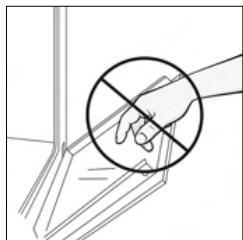
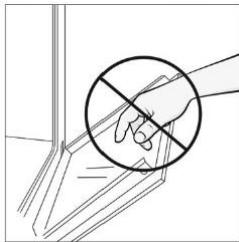
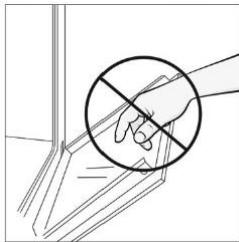
- ⚠️ WARNING: The outer glass is not removable.
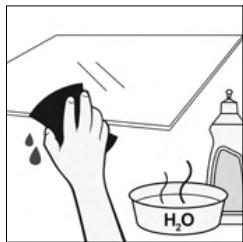
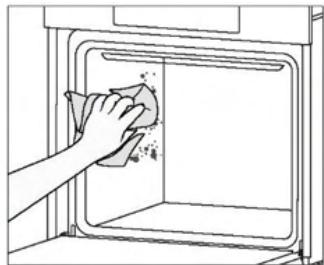
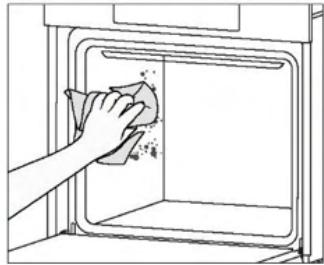
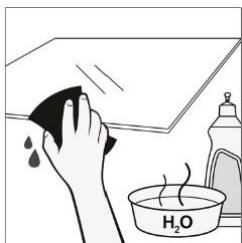
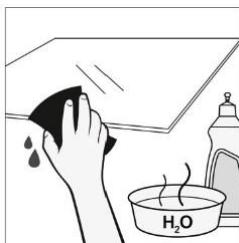
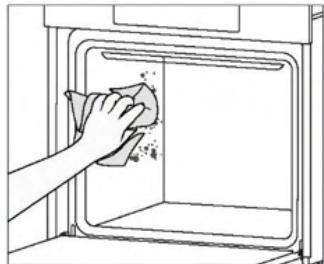
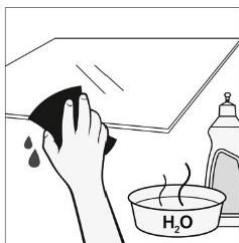
- Clean the glass using a soft cloth and suitable cleaning products.
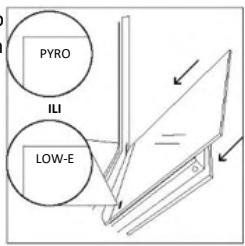
- Insert the glass panels, making sure that the "LOW-E/PYRO" label is correctly readable and positioned on the lower left side of the door, near the left-side hinge. This way, the printed label on the first glass will remain on the inside of the door.
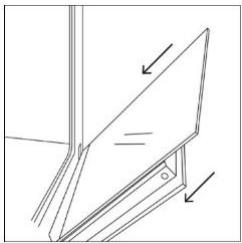
- Reattach the upper glasses' door cover by pushing it inwards until you hear a click from the two side buttons.
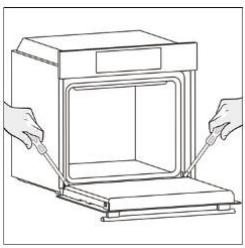
- Then, bring the door back to 90° and rotate the hinge locking tabs inward towards the inside of the oven.
6.3. CLEANING OF ACCESSORIES
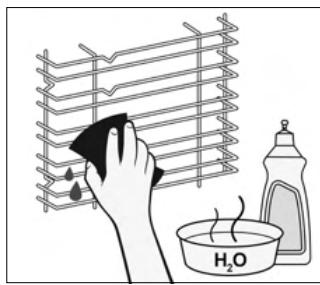
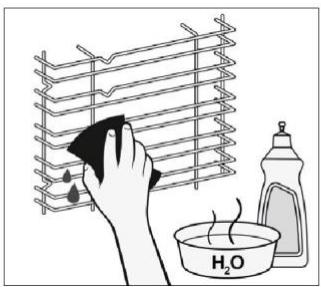
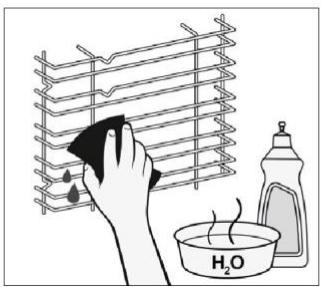
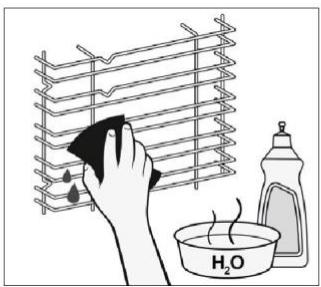
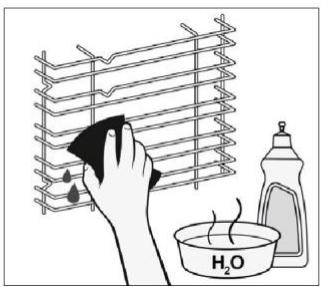
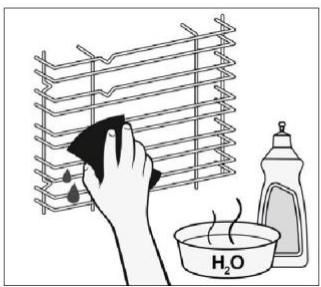
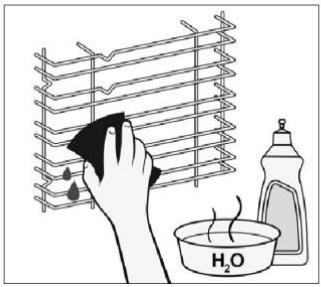
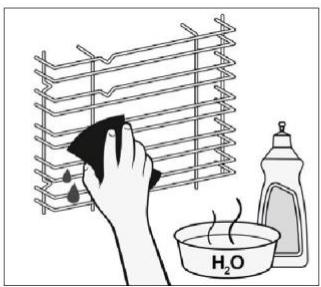
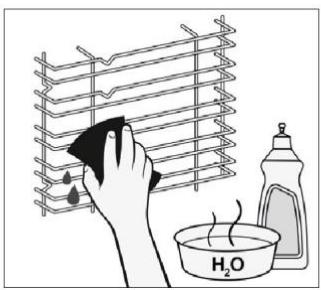
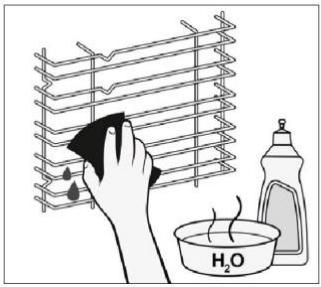
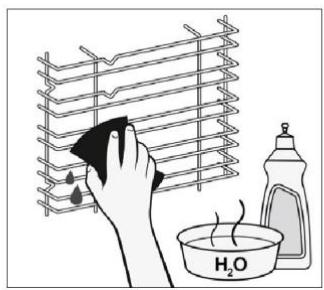
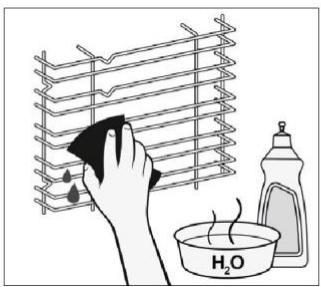
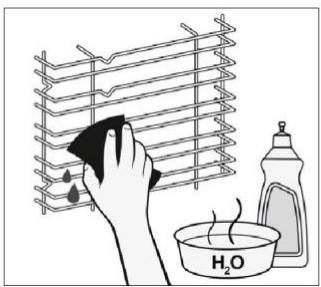
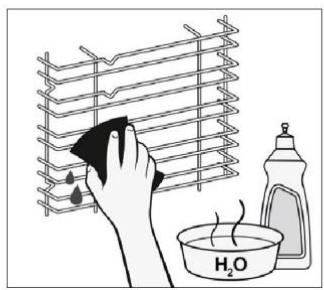
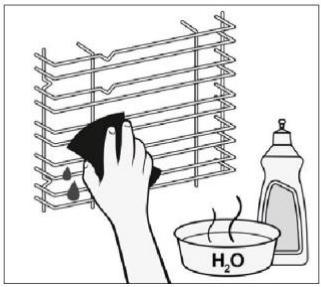
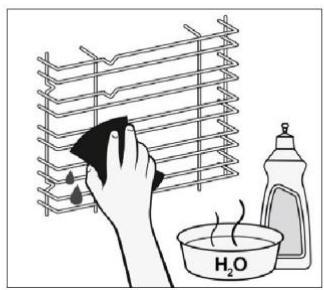
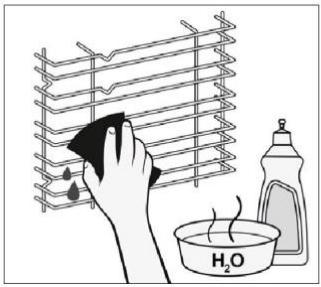
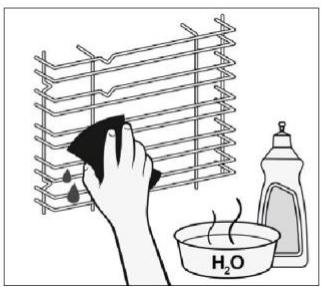
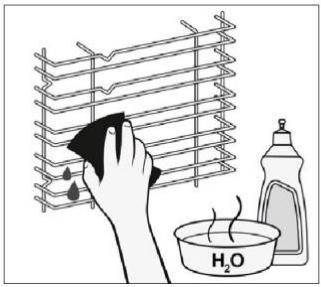
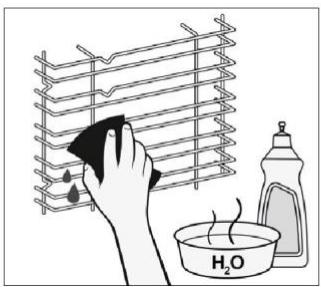
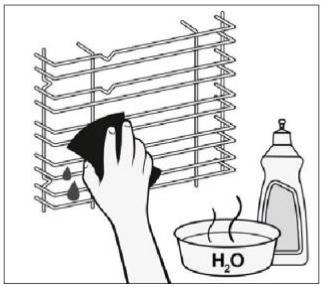
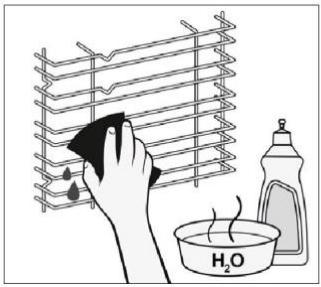
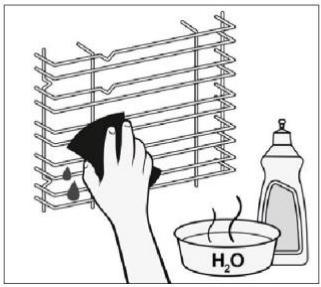
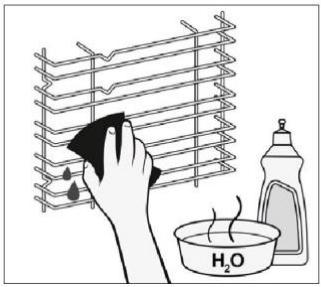
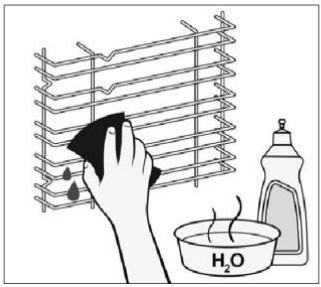
Ensure that you clean the accessories thoroughly after every use and dry them using a towel. For persistent residues, consider soaking the accessories in a mixture of water and soap for approximately 30 minutes before giving them a second wash.
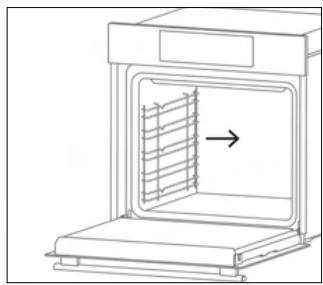
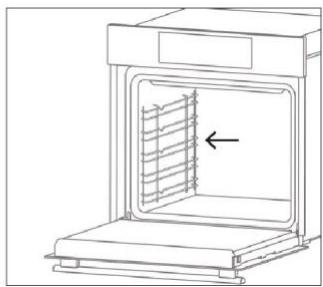
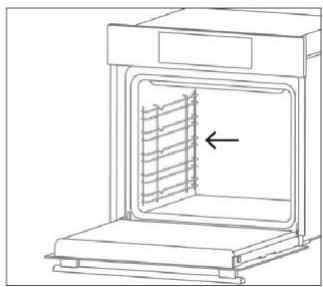
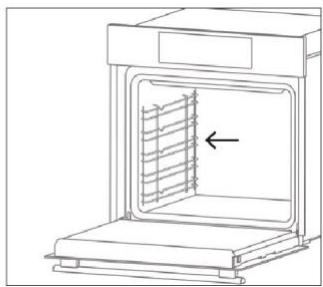
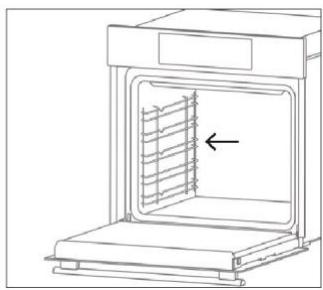
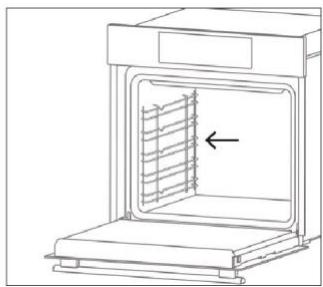
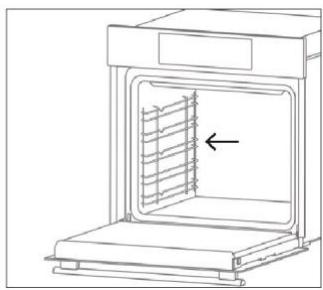
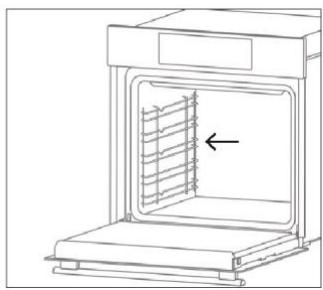
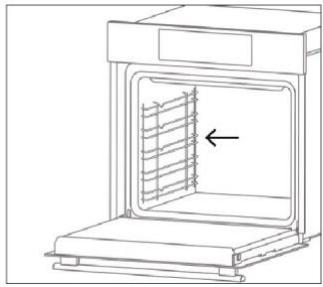
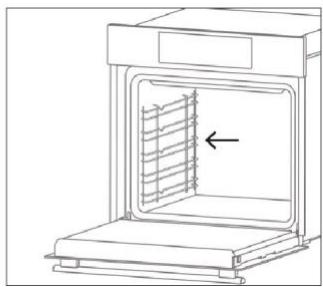
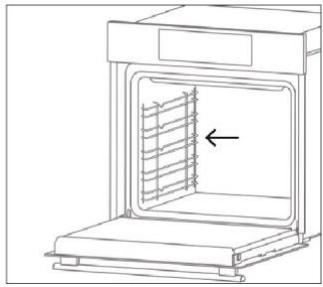
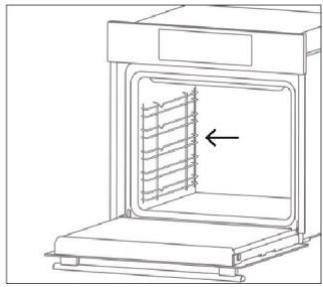
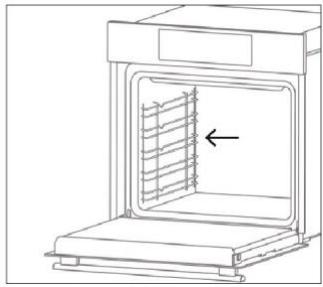
CLEANING OF SIDE RACKS:
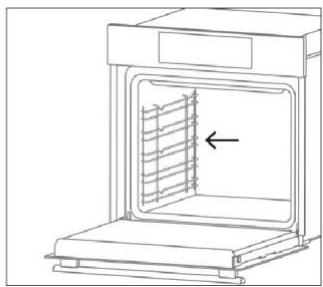
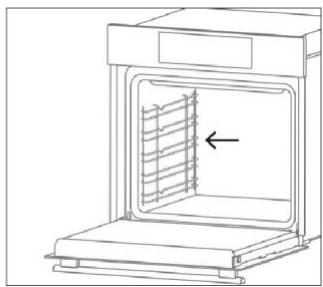
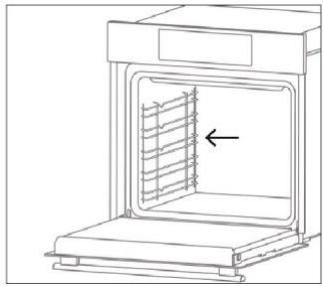
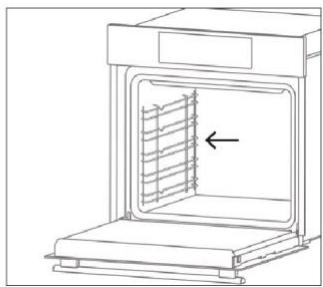
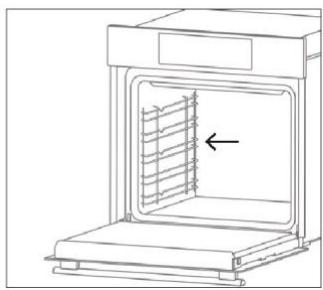
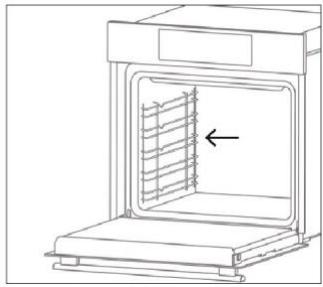
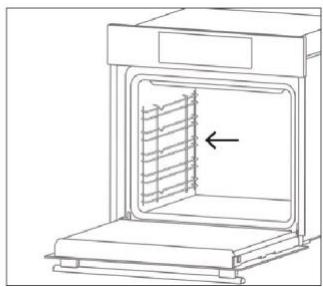
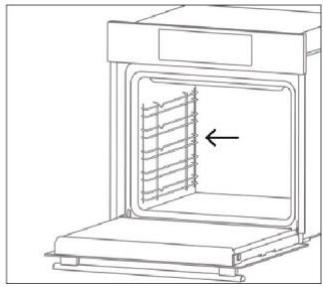
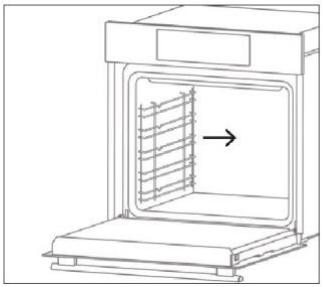
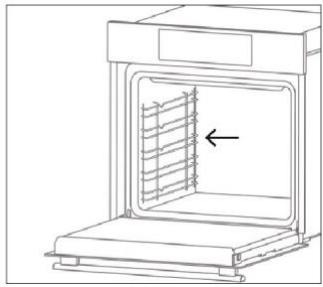
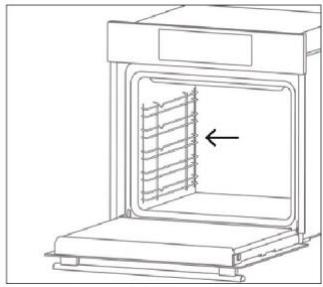
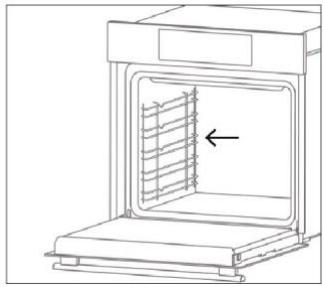
- 6 levels model
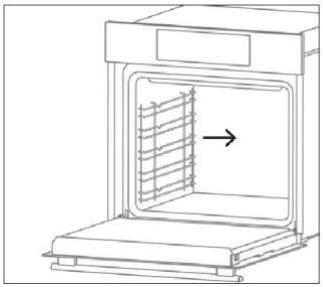
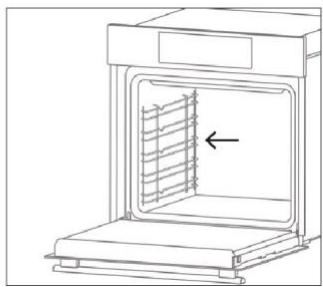
- Remove the side racks by pulling them in the direction of the arrows.
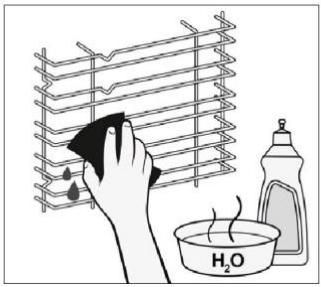
- To clean the side racks either put them in the dishwasher or use a wet sponge, ensuring that they are dried afterwards.
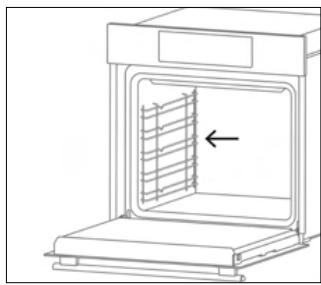
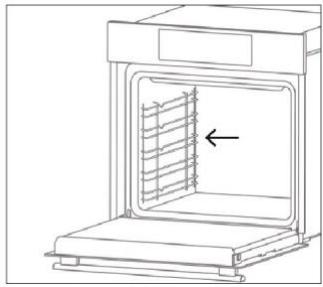
- After the cleaning process install the side racks in reverse order.
6.4. MAINTENANCE
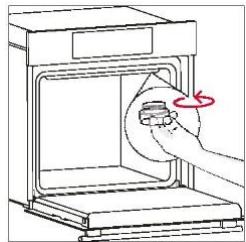
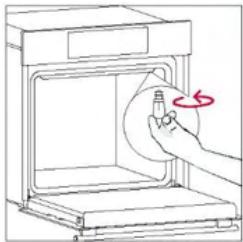
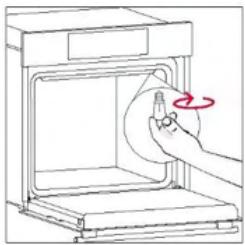
COMPONENTS REPLACEMENT
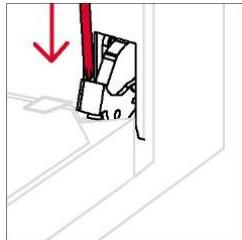
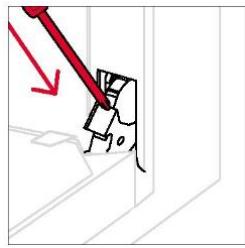
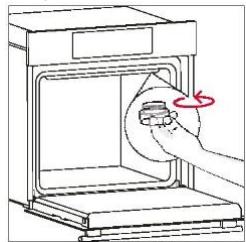
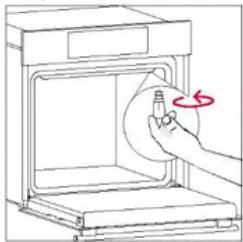
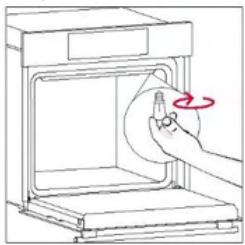
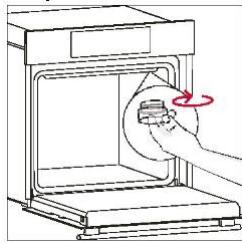
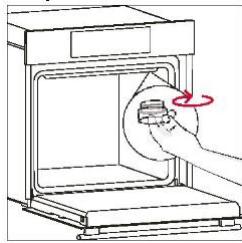
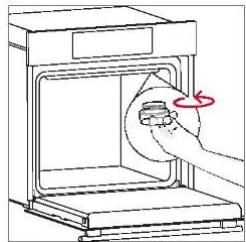
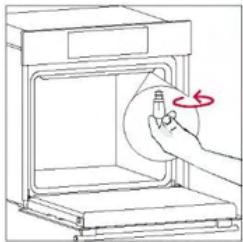
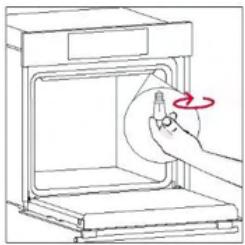
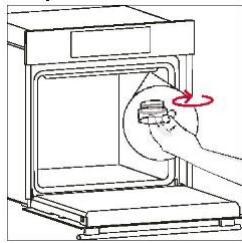
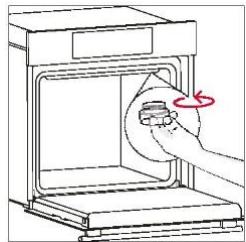
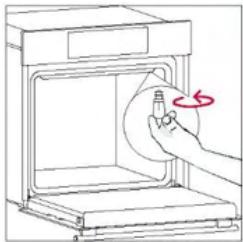
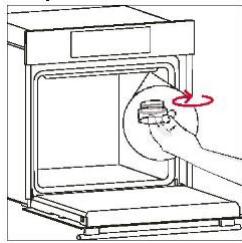
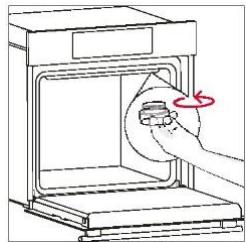
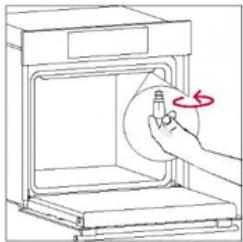
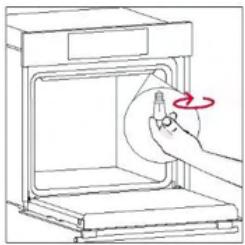
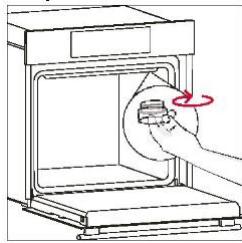
Changing the bulb on top:
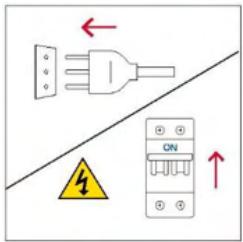
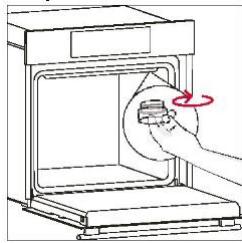
- Disconnect the oven from mains supply.
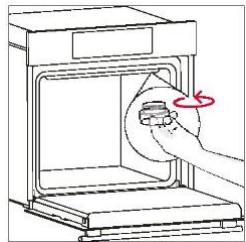
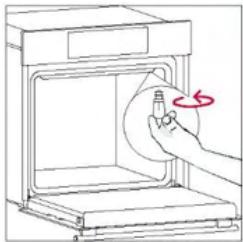
- Undo the glass cover, disassemble the bulb and replace it with a new bulb of the same type.
- Once the defective bulb is replaced, replace the glass cover.
Step 1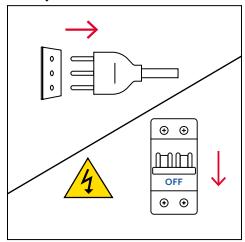
Step 2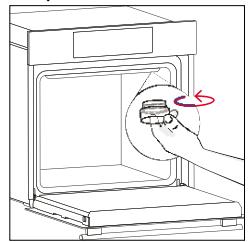
Step 3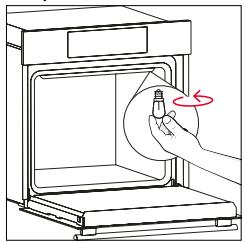
Step 4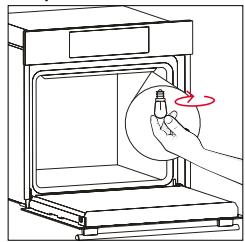
Step 5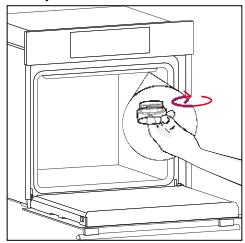
Step 6
This product contains one or more light sources of energy efficiency class G (Lamp)
7. TROUBLESHOOTING
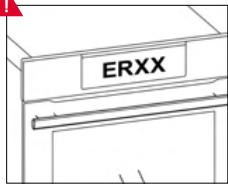
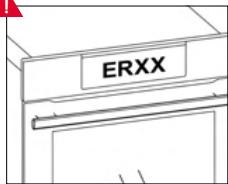
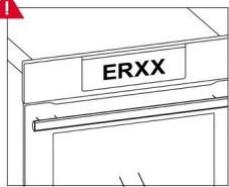
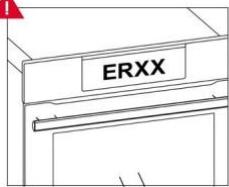
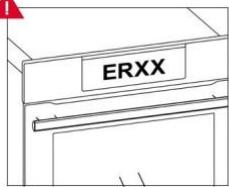
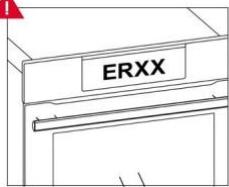
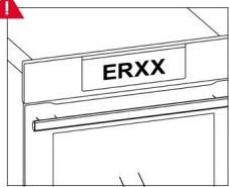
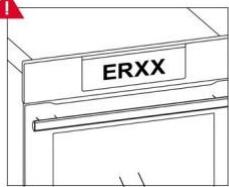
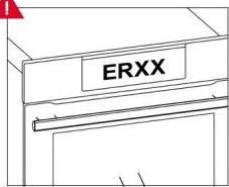
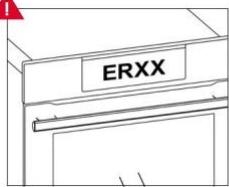
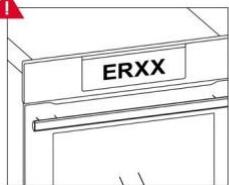
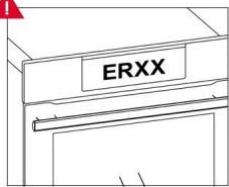
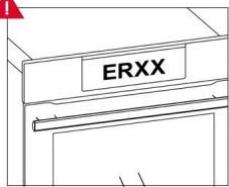
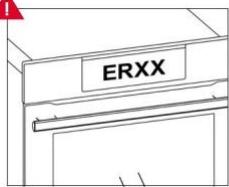
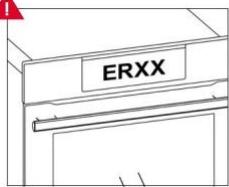
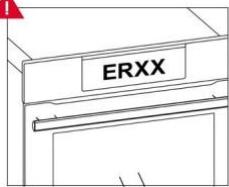
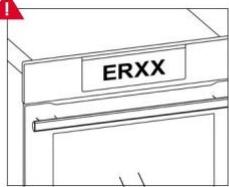
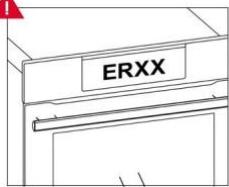
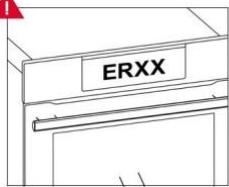
If, during oven use, an error occurs, the display will show the code "ER" followed by two digits, which will identify the error.
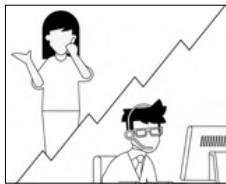
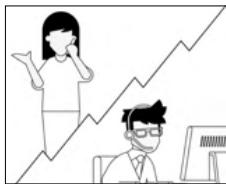
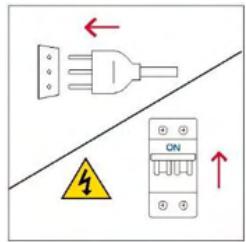
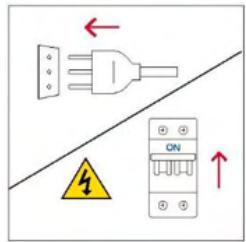
Proceed by turning off the oven and unplugging it, wait for a few minutes, and then reconnect it.
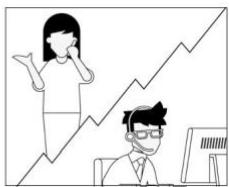
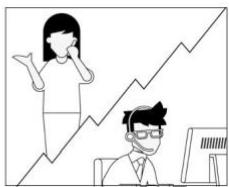
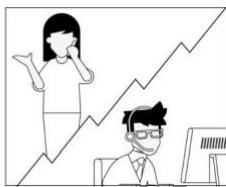
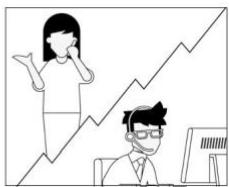
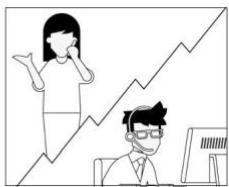
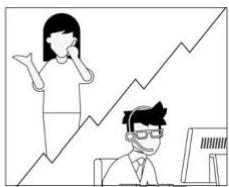
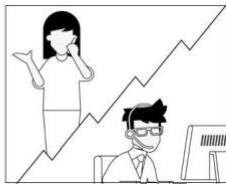
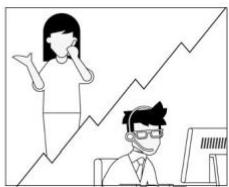
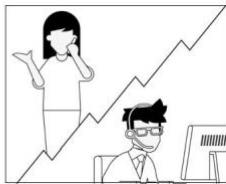
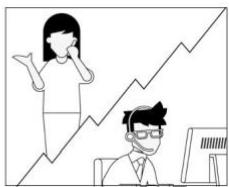
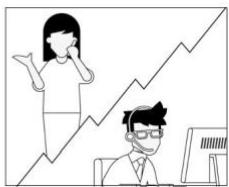
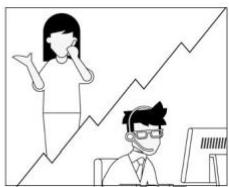
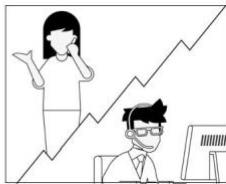
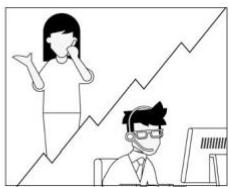
If the error disappears, you can resume using the oven. If it doesn't, call customer service and communicate the code (ERXX) you see on the display.
Error
!
Smoke
!
8. ENVIRONMENTAL PROTECTION & DISPOSAL
8.1. APPLIANCE DISPOSAL
This appliance is labelled in accordance with European Directive 2012/19/EU regarding electric and electronic appliances (WEEE). The WEEE contain both polluting substances (that can have a negative
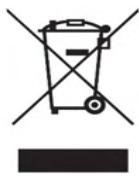
effect on the environment) and base elements (that can be reused). It is important that the WEEE undergo specific treatments to correctly remove and dispose of the pollutants and recover all the materials.
Individuals can play an important role in ensuring that the WEEE do not become an environmental problem; it is essential to follow a few basic rules:
- the WEEE should not be treated as domestic waste;
- the WEEE should be taken to dedicated collection areas managed by the town council or a registered company.
In many countries, domestic collections may be available for large WEEEs. When you buy a new appliance, the old one can be returned to the vendor who must
accept it free of charge as a one-off, as long as the appliance is of an equivalent type and has the same functions as the purchased appliance.
8.2. SAVING AND RESPECTING THE ENVIRONMENT
Where possible, avoid pre-heating the oven and always try to fill it.
Open the oven door as infrequently as possible, because heat from the cavity disperses every time it is opened. For a significant energy saving, switch off the oven between 5 and 10 minutes before the planned end of the cooking time, and use the residual heat that the oven continues to generate.
Keep the seals clean and in order, to avoid any heat dispersal outside of the cavity. If you have an electric contract with an hourly tariff, the "delayed cooking" programme makes energy saving simpler, moving the cooking process to start at the reduced tariff time slot.
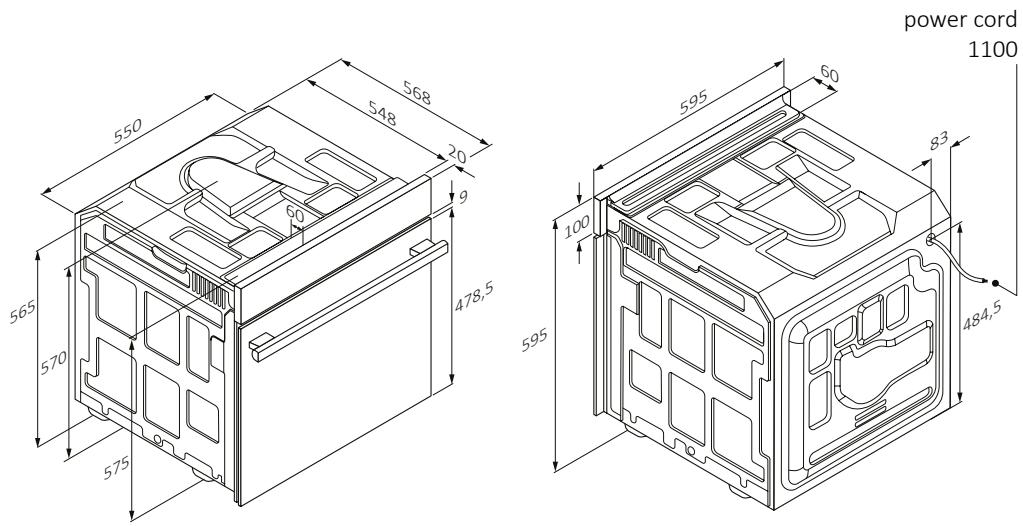
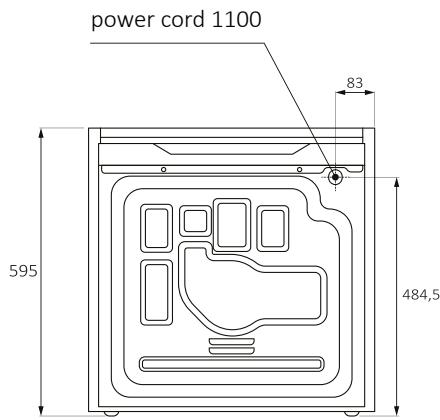
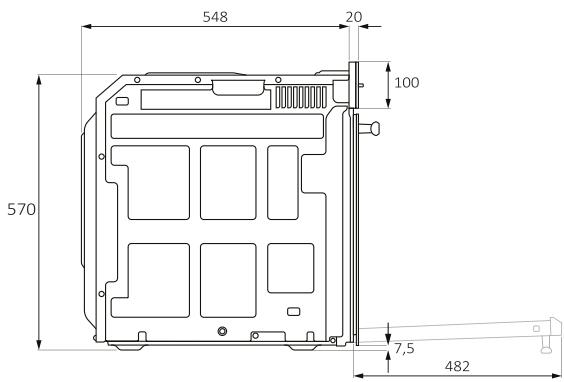
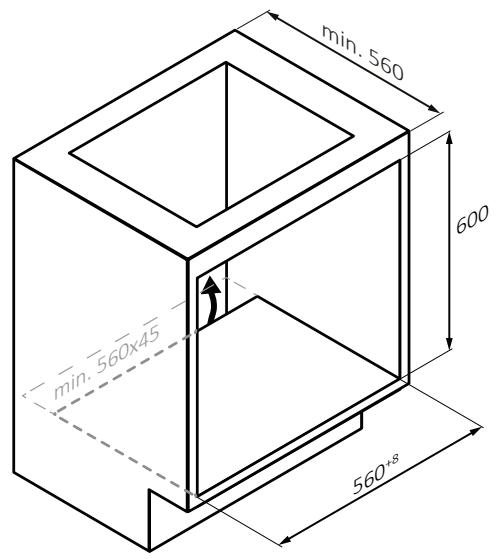
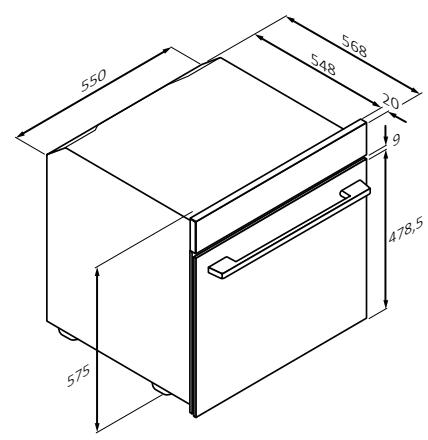

If the furniture is covered with a bottom at the back part, provide an opening for the power supply cable.
WELCOME
4. PRODUCT OPERATION
4.1. PRODUCT OPERATION
OVEN SWITCH ON/OFF
6.3. CLEANING THE ACCESSORIES
6.4. MAINTENANCE
REPLACEMENT OF COMPONENTS
Step 2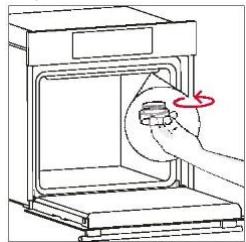
Step 3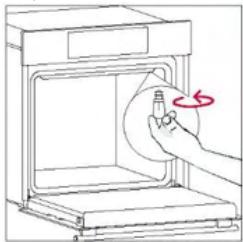
Step 4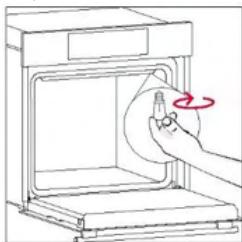
Step 5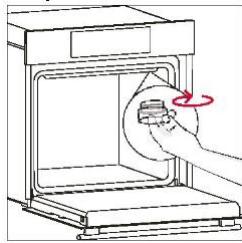
Step 6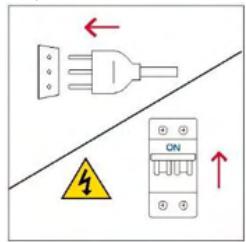
Smoke
!
8. ENVIRONMENTAL PROTECTION AND DISPOSAL
8.1. DISPOSAL OF THE APPLIANCE
WELCOME
3.3. PRELIMINARY CLEANING
Deactivate

DISPLAY BRIGHTNESS
Catalytic cleaning
6.3. CLEANING OF ACCESSORIES
6.4. MAINTENANCE
Step 2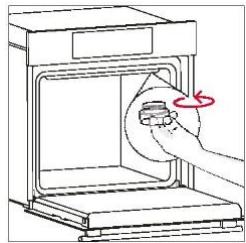
Step 3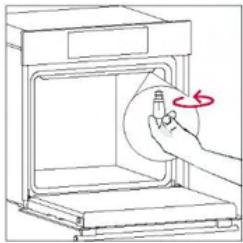
Step 4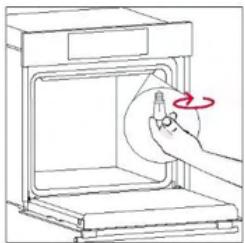
Step 5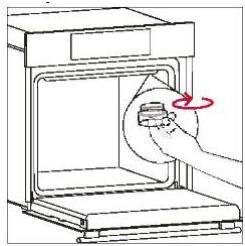
Step 6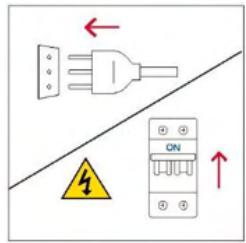
Smoke
!
4.1. HOW THE PRODUCT WORKS
6.4. MAINTENANCE
REPLACEMENT OF COMPONENTS
Step 2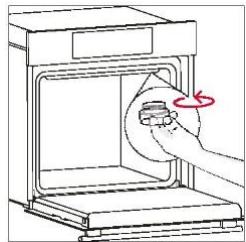
Step 3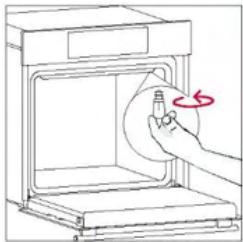
Step 4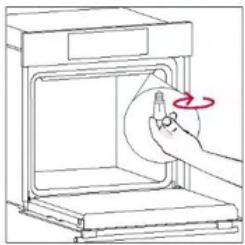
Step 5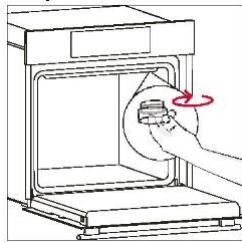
Step 6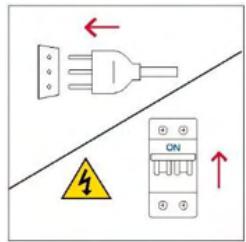
Smoke
!

Catalytic cleaning
6.3. CLEANING OF ACCESSORIES
6.4. MAINTENANCE
Step 2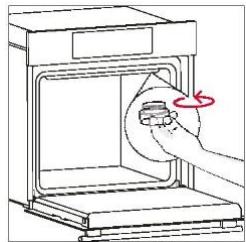
Step 3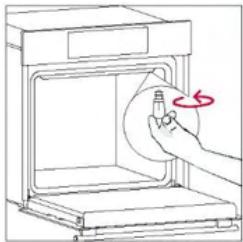
Step 4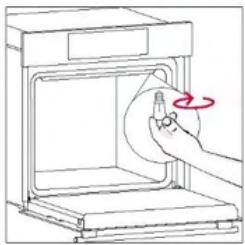
Step 5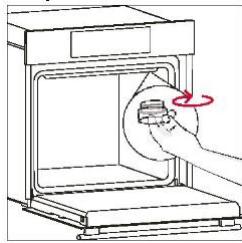
Step 6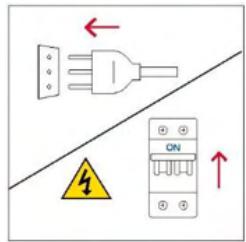
Smoke
!
WELCOME
6.3. CLEANING OF ACCESSORIES
6.4. MAINTENANCE
Step 2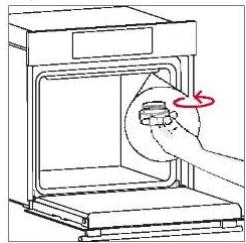
Step 3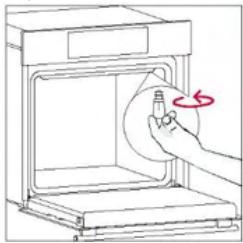
Step 4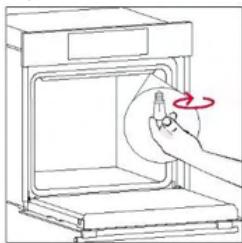
Step 5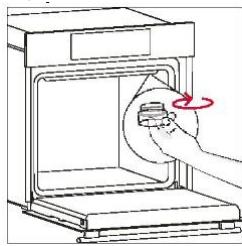
Step 6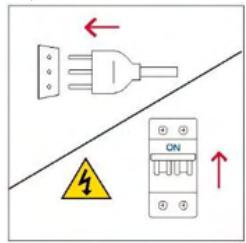
Smoke
!
WELCOME
2. PRODUCT INTRODUCTION
4. OPERATION OF THE PRODUCT
GENERAL WARNINGS
INSTALLATION WARNINGS
4. OPERATION OF THE PRODUCT
4.1. HOW THE PRODUCT WORKS
TURNING THE OVEN ON/OFF
Catalytic cleaning
6.3. CLEANING ACCESSORIES
6.4. MAINTENANCE
REPLACEMENT OF PARTS
Step 2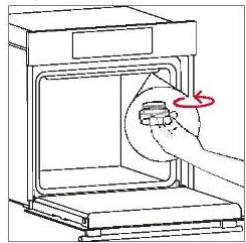
Step 3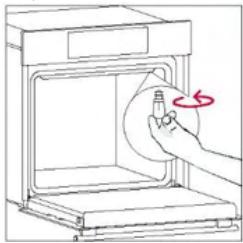
Step 4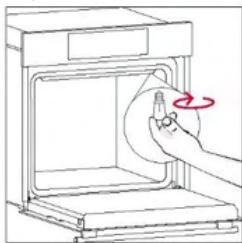
Step 5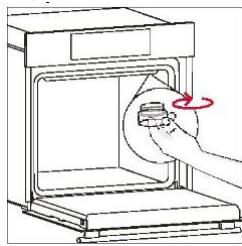
Step 6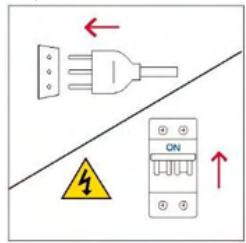
Smoke
!
3.3. PRELIMINARY CLEANING

PROGRAMMED TIMER
Allows you to change the time of day.

Catalytic cleaning
6.3. CLEANING THE ACCESSORIES
6.4. MAINTENANCE
Step 2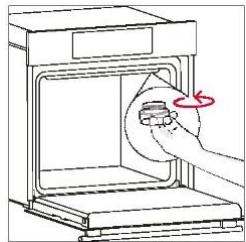
Step 3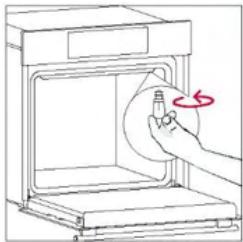
Step 4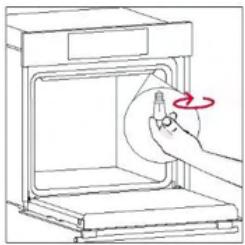
Step 5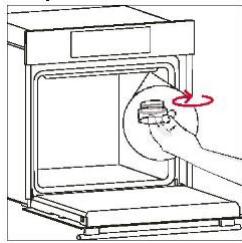
Step 6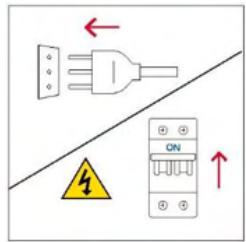
Smoke
!
WELCOME
4. USER OPERATION
4.1. OPERATION OF THE APPLIANCE
SWITCHING THE OVEN ON/OFF
- WARNING: The outer glass cannot be removed.
6.3. CLEANING THE ACCESSORIES
6.4. MAINTENANCE
COMPONENT REPLACEMENT
Step 2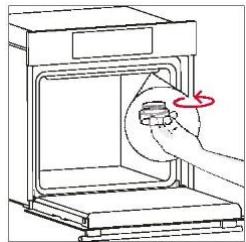
Step 3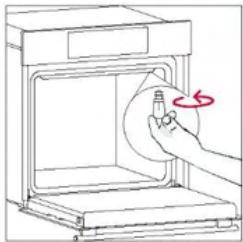
Step 4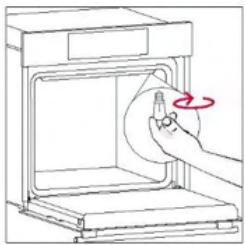
Step 5
Step 6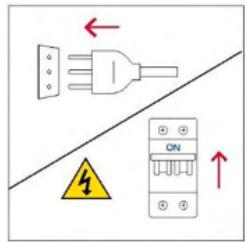
Smoke
!
8. ENVIRONMENTAL PROTECTION AND APPLIANCE DISPOSAL
8.1. APPLIANCE DISPOSAL
WELCOME
4.1. HOW THE PRODUCT WORKS
TURNING THE OVEN ON/OFF
6.3. CLEANING ACCESSORIES
6.4. MAINTENANCE
REPLACEMENT OF COMPONENTS
Step 2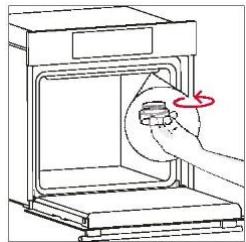
Step 3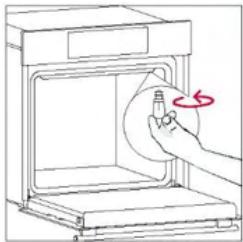
Step 4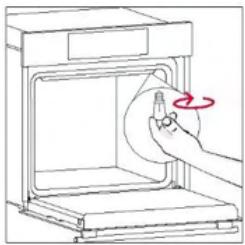
Step 5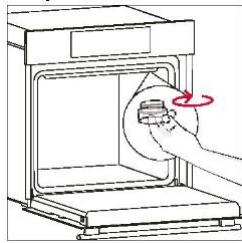
Step 6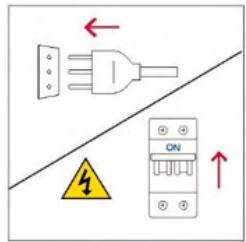
Smoke
!

8. ENVIRONMENTAL PROTECTION AND WASTE DISPOSAL
8.1. DISPOSAL OF THE DEVICE
WELCOME
4.1. HOW THIS PRODUCT WORKS
SETTING THE FOOD PREPARATION PROGRAM
Catalytic cleaning
6.4. MAINTENANCE
REPLACEMENT OF PARTS
Step 2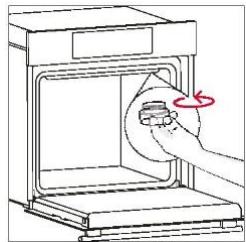
Step 3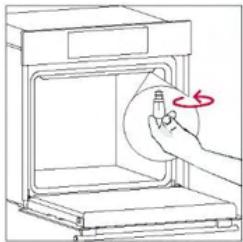
Step 4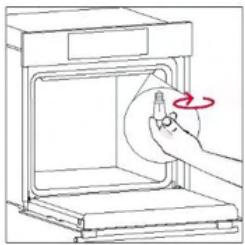
Step 5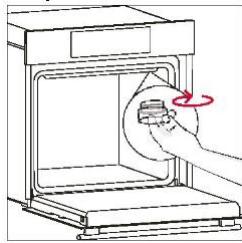
Step 6
Smoke
!
8. ENVIRONMENTAL PROTECTION AND DISPOSAL
8.1. DISPOSAL OF THE APPLIANCE
4. USING THE PRODUCT
4.1. HOW THE PRODUCT WORKS
TURNING THE OVEN ON/OFF
SETTING THE COOKING PROGRAM
Deactivate

SET CLOCK
Catalytic cleaning
6.3. CLEANING THE ACCESSORIES
6.4. MAINTENANCE
REPLACING COMPONENTS
Step 2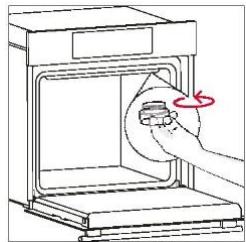
Step 3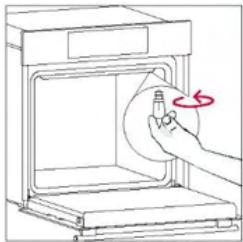
Step 4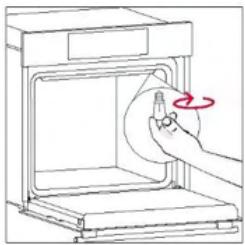
Step 5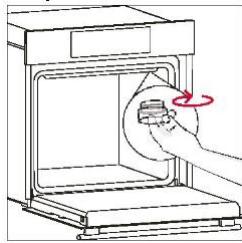
Step 6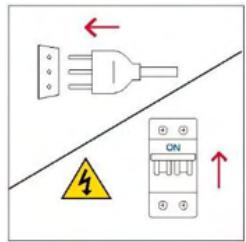
Smoke
!
8. ENVIRONMENTAL PROTECTION AND PRODUCT DISPOSAL
8.1. DISPOSAL OF THE APPLIANCE
4. PRODUCT OPERATION
4.1. PRODUCT OPERATION
TURNING THE OVEN ON AND OFF
Deactivation

CLOCK SETTING
6.4. MAINTENANCE
REPLACING PARTS
- step
- step
- step
- step
- step

Catalytic cleaning
- Position the door at a 45° angle. Simultaneously press both buttons on both sides of the door side arms and pull them towards you to remove the cover of the upper door glasses.
- Clean the glass with a soft cloth and a suitable cleaning agent.
- Reattach the top glass cover of the door by pushing it inward until you hear both side buttons click.
- Then return the door to the 90° position and turn the hinge locking tabs inward toward the inside of the oven.
6.3. CLEANING ACCESSORIES
6.4. MAINTENANCE
REPLACING PARTS
- step
- step
- step
- step
- step
WELCOME
- Control panel
- Shelf positions
(side wire rack, if part of equipment)
- Metal racks
- Baking tray
- Ventilator cover
- Oven door
- Side wire racks (if part of equipment: only for flat cavity)
- Serial number and QR code
Located on both sides of the oven interior, the side racks are designed for placing baking trays and grids during cooking.
Baking tray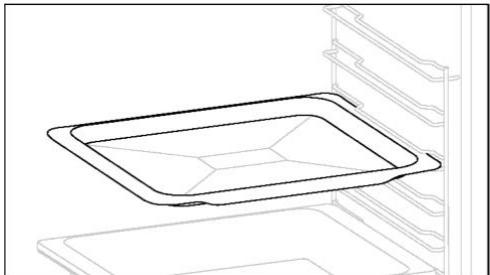
The baking tray is ideal for achieving even browning on the underside, making it perfect for cakes and pastries due to its shallow, flat design. Additionally, if placed under the cooking grid, it can help collect drips and prevent soiling the oven.
Metal grid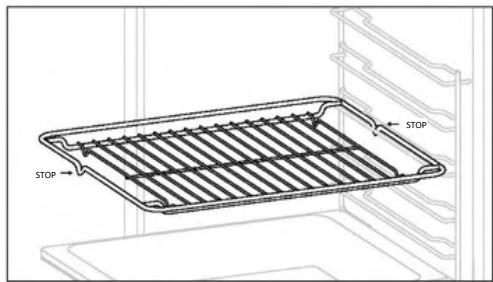
The deeper tray is ideal for recipes where liquids or layers are added, such as stews or roasts. Its depth is specifically designed to ensure the desired evenness of food prepared in it.
Telescopic guides
The convex shape is suitable for grilling in the oven at high temperature (220°), allowing grilling results even at home with little smoke thanks to the effect of fat draining to the bottom of the pan.
2.3. CONTROL PANEL
4.1. HOW THE PRODUCT WORKS
TURNING THE OVEN ON/OFF
To turn on the oven, turn the function knob (clockwise/counterclockwise) and select a program. To turn it OFF, set the function knob to the "0" position.
SETTING THE COOKING PROGRAM
Turn the function knob to select the desired program and turn the temperature selection knob to set the temperature.
MAIN MENU
Catalytic cleaning
Catalytic panels line the inside of the oven and give you the luxury of never having to struggle with a dirty oven. The panels are coated with a specialized enamel that boasts a microporous structure that absorbs splattered grease well.
Through a catalytic chemical reaction, they effectively convert absorbed grease into gaseous elements when exposed to high temperatures.

- Set the door at 45°. Simultaneously press the two buttons on both sides of the door sides and pull towards you to remove the cover of the upper glasses.
- Very carefully remove the oven glass, starting from the inner one. During the process, firmly hold the glass with both hands and place it on a soft flat surface (e.g., on a cloth).
- Clean the glass with a soft cloth and suitable cleaning agents.
- Insert the glass panels, making sure that the "LOW-E/PYRO" label is correctly readable and positioned on the lower left side of the door, near the left hinge. In this way, the printed label on the first glass will remain on the inner side of the door.
- Reattach the door cover of the upper glass by pushing it inward until you hear a click from the two side buttons.
- Then return the door to 90° and turn the hinge locking tabs towards the inside of the oven.
6.3. CLEANING THE ACCESSORIES
Be sure to thoroughly clean the accessories after each use and dry them with a towel. For stubborn deposits, soak the accessories in a mixture of water and soap for about 30 minutes before washing them again.
CLEANING THE SIDE RACKS:
- Model with 6 levels
- Remove the side supports by pulling in the direction of the arrows.
- To clean the wire supports, place them in the dishwasher or use a damp sponge and be sure to dry them afterwards.
- After the cleaning process, place the wire supports back in reverse order.
6.4. MAINTENANCE
REPLACEMENT OF COMPONENTS
- step
- step
- step
- step
- step
Smoke
!
8. ENVIRONMENTAL PROTECTION AND DISPOSAL
8.1. DISPOSAL OF THE APPLIANCE
HELLO
4.1. HOW THE PRODUCT WORKS
TURNING THE OVEN ON / OFF
6.3. CLEANING THE ACCESSORIES
6.4. MAINTENANCE
REPLACING COMPONENTS
Step 2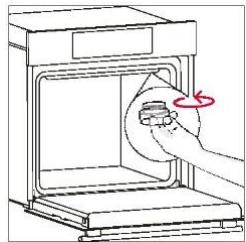
Step 3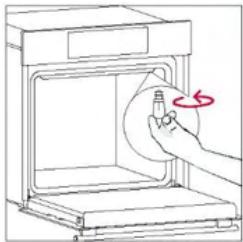
Step 4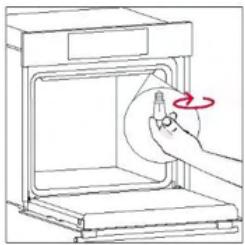
Step 5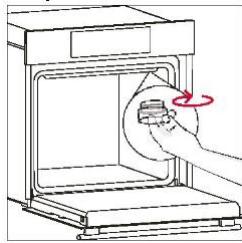
Step 6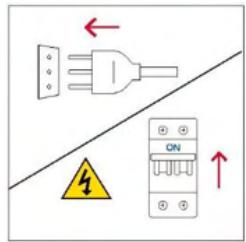
Smoke
!
8. ENVIRONMENTAL PROTECTION AND WASTE DISPOSAL
8.1. DISPOSAL OF THE APPLIANCE
DANGER!
3.3. PRE-CLEANING
4.1. HOW THE PRODUCT WORKS
TURNING THE OVEN ON/OFF
Deactivate

SETTING THE CLOCK
SCREEN BRIGHTNESS
6.3. CLEANING ACCESSORIES
6.4. MAINTENANCE
REPLACING COMPONENTS
Replacing the light bulb:
- step
- step
- step

- step
2.1. PRODUCT OVERVIEW
4. PRODUCT OPERATION
4.1. HOW THE PRODUCT WORKS
TURNING THE OVEN ON/OFF
Deactivate

SETTING THE CLOCK
6.3. CLEANING ACCESSORIES
6.4. MAINTENANCE
REPLACING COMPONENTS
- operation
- operation
- operation
- operation
- action
7. TROUBLESHOOTING
Smoke
!
8. ENVIRONMENTAL PROTECTION AND DISPOSAL
8.1. DEVICE DISPOSAL
WELCOME
SETTING A COOKING PROGRAM
6.3. CLEANING THE ACCESSORIES
6.4. MAINTENANCE
REPLACING COMPONENTS
Step 2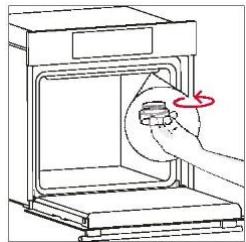
Step 3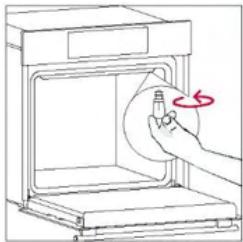
Step 4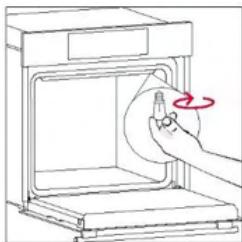
Step 5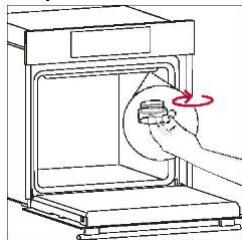
Step 6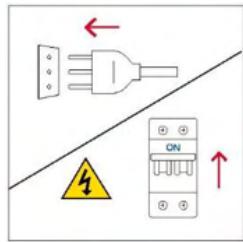
Smoke!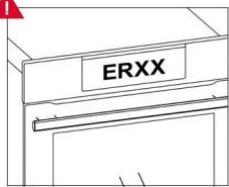
8. ENVIRONMENTAL PROTECTION AND DISPOSAL
8.1. DISPOSAL OF THE APPLIANCE
- Control panel
- Shelf positions
(side wire rack if supplied)
- Metal racks
- Drip tray
- Fan cover
- Oven door
- Side wire racks (if present: only for flat baking area)
- Serial number and QR code
The metal rack in the oven is a removable, adjustable shelf that serves as a support for cookware and allows for even food preparation and easier cleaning. It can be used to hold and support plates and dishes at different heights for various cooking needs.
Deep tray
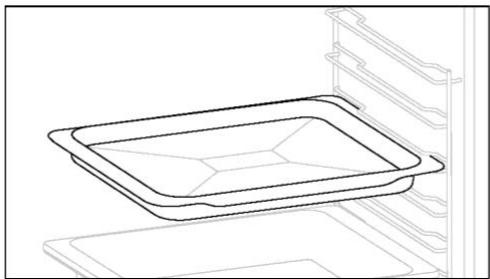
The deep tray is ideal for recipes with added liquids or layers, such as casseroles or roasts. Its depth is specially designed so that the food prepared in it has the desired consistency.
Telescopic guides
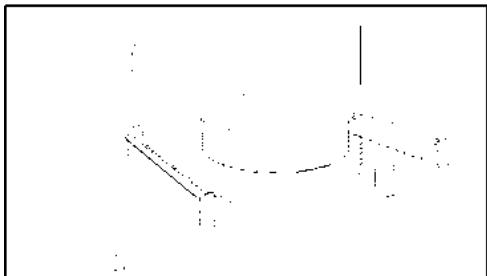
Telescopic guides in the oven are shelves that can be extended, making it easier to place and remove items without having to reach deep into a hot oven. They improve safety, stability, and can be set at different levels.
Hinges for gradual closing and opening manage the movement of the door, which closes smoothly without slamming.
The convex shape is suitable for baking and grilling in the oven at high temperature (220°), allowing results like a grill even at home, with little smoke thanks to the draining effect of fat at the bottom of the tray.
2.3. CONTROL PANEL
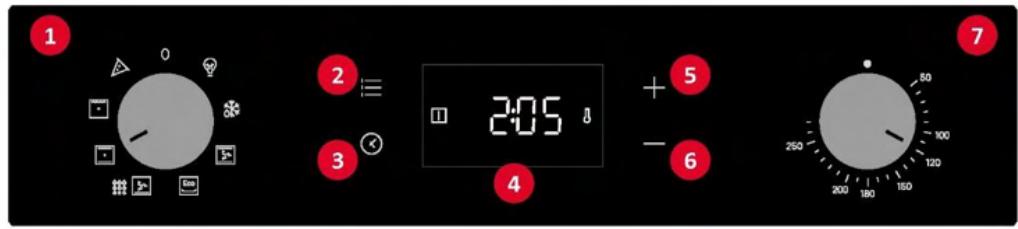
Functions and ranking of functions depend on the model.
- Function menu knob
- Main menu
- Time programmer
- LED display
- Plus (+) button
- Minus (-) button
- Temperature selection button
MAIN FUNCTIONS
4.1. PRODUCT OPERATING MODE
OVEN ON/OFF
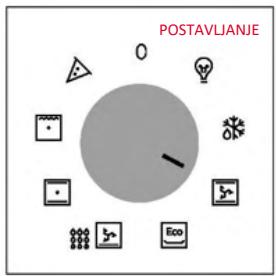
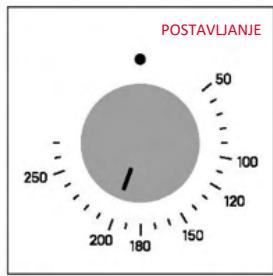
To turn the oven on, turn the function selector (right/left) and select a program. To turn it off, set the function selector to position "0".
SETTING COOKING PROGRAMS
Turn the function selector to choose the desired program and turn the temperature regulator to set the temperature.
MAIN MENU
Access the main menu by pressing : . To navigate, touch : as many times as needed to enter the following settings:

CHILD SAFETY LOCK
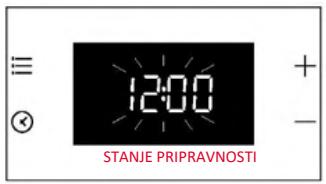
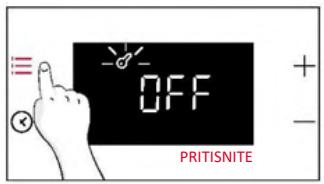
This function allows you to lock the screen to prevent minors from unwanted use of the appliance. To activate the screen lock, press "Main menu" once, then press "+" to confirm the function.
To deactivate the lock, press "Main menu", then press "-".
Activation
Deactivation

SETTING THE CLOCK
Temperature regulator:
When the oven temperature is lower than the set value, the icon ⚠ (thermostat on) is displayed on the screen.
4.2. COOKING FUNCTIONS
4.2.1. STANDARD FUNCTIONS
Catalytic cleaning
Catalytic panels coat the oven and give you the luxury of not having to struggle with a dirty oven.
The panels are coated with a specialized enamel that boasts a microporous structure, skilled at absorbing greasy splatter residue.
Through a catalytic chemical reaction, they effectively convert absorbed grease into gaseous elements when exposed to high temperatures.
- WARNING: The outer glass cannot be removed.
- Clean the glass with a soft cloth and suitable cleaning agents.
- Then return the door to 90° and turn the hinge locking tabs so they face the inside of the oven.
6.3. CLEANING ACCESSORIES
After each use, thoroughly clean the accessories and dry them with a towel. Stubborn residues on the accessories may be best soaked in a mixture of water and soap for about 30 minutes before washing again.
CLEANING THE SIDE GRILLS:
- Model with 6 levels
- Remove the side grills by pulling in the direction of the arrows.
- Place the wire grills in the dishwasher during cleaning or use a wet sponge, then be sure to dry them.
- After cleaning, reposition the side racks in reverse order.
6.4. MAINTENANCE
REPLACEMENT OF PARTS
- step
- step
- step

- step
- step
Smoke!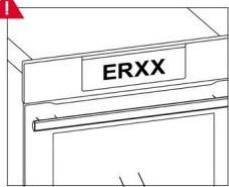
8. ENVIRONMENTAL PROTECTION AND DISPOSAL
8.1. DISPOSAL OF THE DEVICE
It is important to treat waste electrical and electronic equipment separately in order to properly remove and dispose of pollutants and recover all materials.
Individuals can play an important role in achieving the goal that waste electrical and electronic equipment does not become an environmental problem. A few basic rules should be followed:
WELCOME
Write your serial number here for future reference.
2.2. ACCESSORIES
3.3. INITIAL CLEANING
4.1. HOW THE PRODUCT WORKS
TURN THE OVEN ON/OFF
Deactivate

SET THE CLOCK
DISPLAY BRIGHTNESS
Catalytic cleaning
6.3. CLEANING THE ACCESSORIES
CLEANING THE SIDE RAILS:
- Model with 6 levels
6.4. MAINTENANCE
REPLACING COMPONENTS
Step 2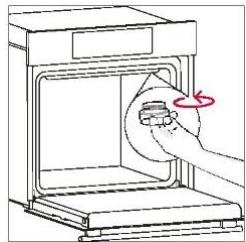
Step 3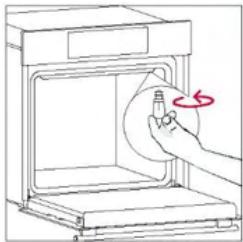
Step 4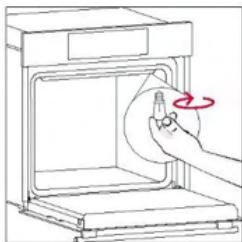
Step 5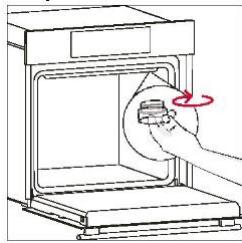
Step 6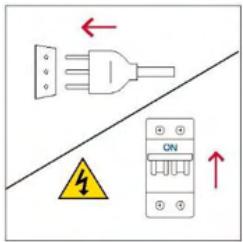
WELCOME
4.1. HOW THE PRODUCT WORKS
TURNING THE OVEN ON/OFF
4.2. COOKING FUNCTIONS
4.2.1. STANDARD FUNCTIONS
6.3. CLEANING ACCESSORIES
6.4. MAINTENANCE
REPLACING COMPONENTS
Step 2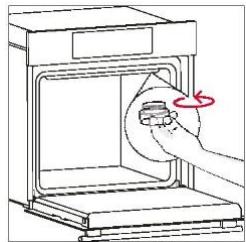
Step 3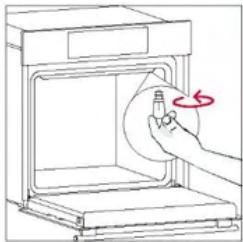
Step 4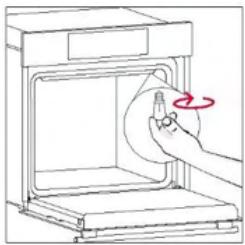
Step 5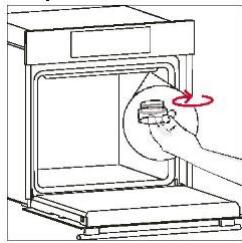
Step 6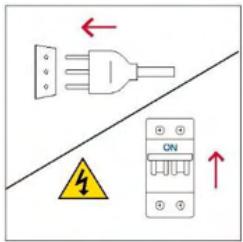
Smoke
!
8. ENVIRONMENTAL PROTECTION AND DISPOSAL
8.1. DISPOSAL OF THE APPLIANCE
WELCOME
- Control panel
- Placement of shelves (end grid if included)
- Metal grid
- Tray
- Fan cover
- Oven door
- Lateral wire grid
(if present: only for flat chamber)
- Serial number and QR code
Write the serial number here for future reference.
2.2. ACCESSORIES
3.3. PRELIMINARY CLEANING
4.1. HOW THE PRODUCT WORKS
TURNING THE OVEN ON/OFF
Disable

CLOCK SETTING
DISPLAY BRIGHTNESS
6.3. CLEANING ACCESSORIES
6.4. MAINTENANCE
REPLACEMENT OF COMPONENTS
Step 2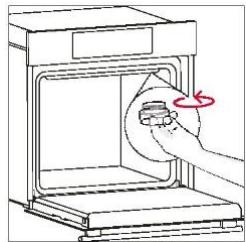
Step 3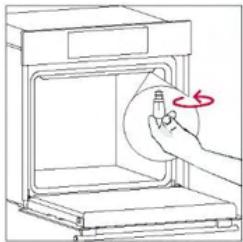
Step 4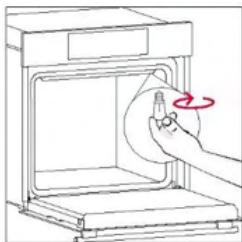
Step 5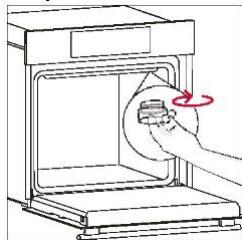
Step 6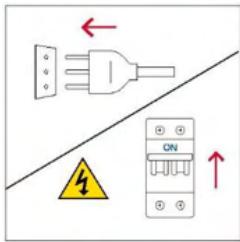
This product contains one or more light sources of energy efficiency class G (lamp)
7. TROUBLESHOOTING
WELCOME
6.3. CLEANING ACCESSORIES
6.4. MAINTENANCE
REPLACING PARTS
Step 2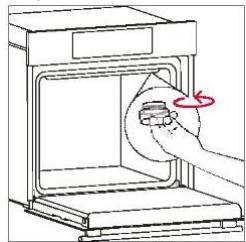
Step 3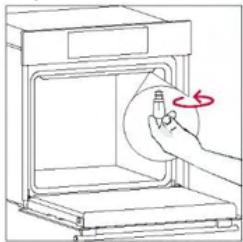
Step 4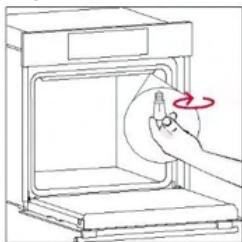
Step 5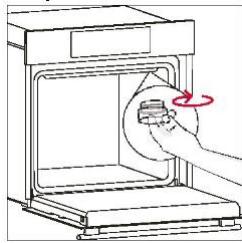
Step 6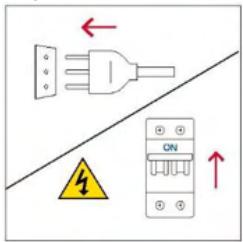
Smoke
!
8. ENVIRONMENTAL PROTECTION AND DISPOSAL
8.1. DISPOSAL OF APPLIANCES
WELCOME
Step 2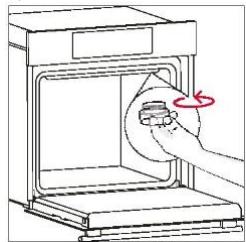
Step 3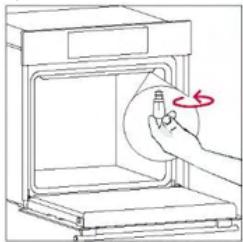
Step 4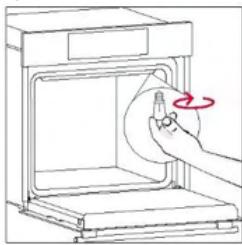
Step 5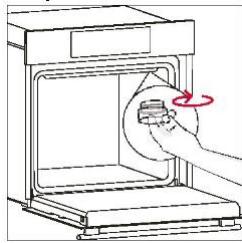
Step 6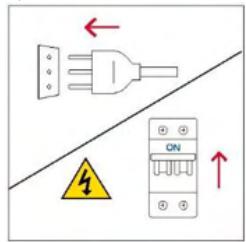
Smoke!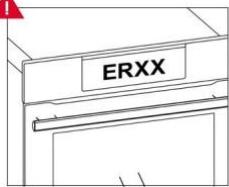
WELCOME
3.3. PRE-CLEANING
4. OPERATING THE PRODUCT
4.1. HOW DOES THE PRODUCT WORK?
TURNING THE OVEN ON/OFF
Disable

CLOCK SETTING
SCREEN BRIGHTNESS
TIMER MENU
Catalytic cleaning
6.3. ACCESSORY CLEANING
6.4. MAINTENANCE
Step 2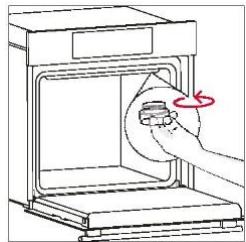
Step 3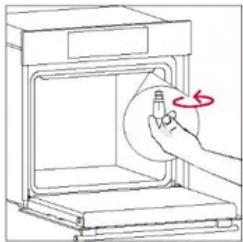
Step 4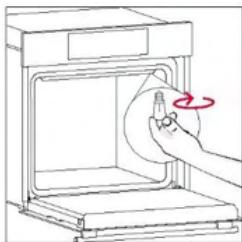
Step 5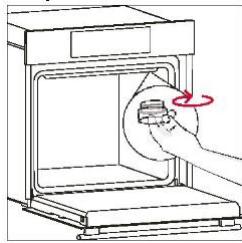
Step 6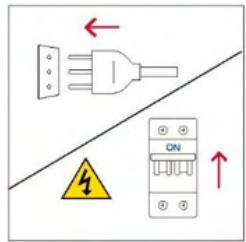
Smoke
!
8. ENVIRONMENTAL PROTECTION AND DISPOSAL
8.1. DISPOSAL OF THE APPLIANCE