
310266-01 - Humidifier DYSON - Free user manual and instructions
Find the device manual for free 310266-01 DYSON in PDF.



| Brand | Dyson |
| Model | 310266-01 |
| Product Type | Humidifier with heating and cooling functions |
| Power Supply | 230 V, 50 Hz (EU compatible) |
| Power | Not specified, but heats up to 37°C |
| Dimensions (height x width x depth) | Approx. 100 cm x 20 cm x 20 cm (estimate) |
| Weight | Approx. 3.5 kg (estimate) |
| Water Tank Capacity | Not specified |
| Airflow | Adjustable across 10 speeds |
| Main Functions | Humidification, air purification, heating, cooling, oscillation, timer, magnetic remote control |
| Operating Modes | Ambient mode (diffuse) and targeted mode (personal), heating, cooling |
| Filter | Non-washable filter unit, replacement recommended every 12 months (12h/day) |
| Remote Control Type | Magnetic, attaches to top of the device, CR2032 battery |
| Display | Digital LED, dimmable after 10 seconds |
| Auto Shut-off | If tipped over, overheating, or after 9 hours continuous operation in heating mode |
| Tilt | Manually adjustable forward or backward |
| Oscillation | Yes, controlled by remote |
| Safety | Automatic cut-off, protected hot surfaces, magnets in device (precautions for pacemakers) |
| Maintenance and Cleaning | Unplug and allow to cool for 1-2 hours before maintenance. Clean with a soft dry or damp cloth without detergent. Check for obstructions in air inlets. |
| Spare Parts and Repairability | Replaceable filter (purchasable at www.dyson.com/filter), remote control battery (CR2032), repairs by Dyson or authorized agent. |
| Warranty | 2 years parts and labor (excluding filter), from date of purchase |
| General Information | Household use only, do not use outdoors or in a bathroom. Do not spray perfume on the filter. |
Frequently Asked Questions - 310266-01 DYSON
User questions about 310266-01 DYSON
0 question about this device. Answer the ones you know or ask your own.
Ask a new question about this device
Download the instructions for your Humidifier in PDF format for free! Find your manual 310266-01 - DYSON and take your electronic device back in hand. On this page are published all the documents necessary for the use of your device. 310266-01 by DYSON.
USER MANUAL 310266-01 DYSON
This product is only suitable for well
insulated spaces or occasional use.
THANK YOU FOR CHOOSING TO BUY A DYSON APPLIANCE.
After registering your free 2 year guarantee, your Dyson appliance will be covered for parts and labour (excluding filters) for 2 years from the date of purchase, subject to the terms of the guarantee. If you have any questions about your Dyson appliance, call the Dyson Helpline with your serial number and details of where/when you bought the appliance. Most questions can be solved over the phone by one of our trained Dyson Helpline staff.
Your serial number can be found on your rating plate which is on the base of the appliance.
SERVICE CONSOMMATEURSDYSON
MERCI D'AVOIR CHOISI UN APPAREIL DYSON.
BJIAGOДAPIM3A BbIBOPYCTPOHCTBA DYSON.
Bahe yctpoicbTO Dyson haoiHcHa rapaHTnHOM o6cyjxnbAHn B TeueHne 2 let C MOMeHTa NOKyIKN (3a NCKIIOUeHNEM fNtBPOB), B COOTBeTCTBnC yCNOBIAIM N NCKIIOUeHNIAIM, YK3aAHNbIM B DAHHo IHCTpykIIN NO EKCNIYATAuIN. EcIn y Bac BO3NHKHY KAcHe-Jin60 BONPCbI, No3BOHNTe B CyJX6y IOnDEpKKn KJNeHTOB Dyson, YKaJXte cepHnHbI Homep BaWero yCTpoiCTBa n Ige n KOrJa Bbl erO kynnn. BoJIbShnCTBO BONPCOB MOnKHO yJaINTb NO TeneΦOHy C ODNHM n3 KBaIIHfNcPiPoBAHbIX cOTpydNikOB CyJX6bI POnDEpKKn KJNeHTOB Dyson.
CepinHbI HOMep n3dJIy HaxoJITbcra Ha o6opOTHOI cTOpOHe OCHOBAHn.
DYSONOVA POMOC UPORABNIKOM
HVALA, KER STE SE ODLOCILI ZA NAKUP NASEGA IZDELKA.
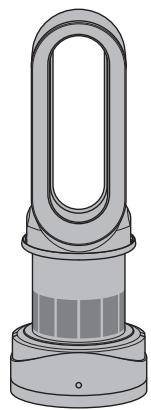
This illustration is for example purposes only.
Note your serial number for future reference.
IMPORTANT SAFETY INSTRUCTIONS
BEFORE USING THIS APPLIANCE READ ALL INSTRUCTIONS AND CAUTIONARY MARKINGS IN THIS MANUAL AND ON THE APPLIANCE
When using an electrical appliance, basic precautions should always be followed, including the following:
WARNING
THE APPLIANCE AND THE REMOTE CONTROL BOTH CONTAIN MAGNETS.
- Pacemakers and defibrillators may be affected by strong magnetic fields. If you or someone in your household has a pacemaker or defibrillator, avoid placing the remote control in a pocket or near to the device.
- Credit cards and electronic storage media may also be affected by magnets and should be kept away from the remote control and the top of the appliance.
WARNING
These warnings apply to the appliance, and also where applicable, to all tools, accessories, chargers or mains adaptors. TO REDUCE THE RISK OF FIRE, ELECTRIC SHOCK, OR INJURY:
- When used in heating mode the appliance is hot when in use and for a short period after use. To avoid burns, do not let bare skin touch hot surfaces. When moving the appliance hold it by the base, not the air loop amplifier.
- Keep combustible materials, such as furniture, pillows, bedding, papers, clothes and curtains, at least 0.9m (3 feet) from the front of the appliance and keep them away from the sides and rear when the appliance is plugged in.
- Use only as described in this Dyson Operating Manual. Do not carry out any maintenance other than that shown in this manual, or advised by the Dyson Helpline. Any other use not recommended by the manufacturer may cause fire, electric shock, or injury to persons.
- Ensure appliance is fully assembled in line with the instructions before use. Do not dismantle the appliance or use without the loop amplifier fitted.
- Do not allow to be used as a toy.
Close attention is necessary when used by or near children. Children of less than 3 years should be kept away unless continuously supervised. Children should be supervised to ensure that they do not play with the appliance and remote control.
- Children aged from 3 years and less than 8 years shall only switch on/off the appliance provided that it has been placed or installed in its intended normal operating position and they have been given supervision or instruction concerning use of the appliance in a safe way and understand the hazards involved. Children aged from 3 years and less than 8 years shall not plug in, regulate and clean the appliance or perform user maintenance. CAUTION - Some parts of this product can become very hot and cause burns. Particular attention has to be given where children and vulnerable people are present.
- This Dyson appliance can be used by children aged from 8 years and above and persons with reduced physical, sensory or reasoning capabilities, or lack of experience and knowledge, only if they have been given supervision or instruction by a responsible person concerning use of the appliance in a safe way and understand the hazards involved. Cleaning and user maintenance should not be performed by children without supervision.
- Suitable for dry locations ONLY. Do not use outdoors or on wet surfaces. Do not use in bathrooms, laundry areas or similar indoor locations. Never locate the appliance where it may fall into a bath or other water container. Do not use or store where it may get wet or in the immediate surroundings of a bath, a shower, or a swimming pool.
- This appliance has hot parts inside. Do not use it in areas where petrol, paint, or flammable liquids are used or stored or where their vapours are present. Do not use in conjunction with or directly next to an air freshener or similar products.
- Do not locate directly below a mains electricity supply socket.
- Always plug directly into a wall socket. Never use with an extension cable as overloading may result in the cable overheating and catching fire.
-
Do not handle any part of the plug or appliance with wet hands.
-
Do not use with a damaged cable or plug. If the supply cable is damaged it must be replaced by Dyson, its service agent or similarly qualified person in order to avoid a hazard.
- Do not unplug by pulling on the cable. To unplug, grasp the plug, not the cable.
- Do not stretch the cable or place the cable under strain. Keep cable away from heated surfaces.
- Do not route the cable under furniture or appliances. Do not cover cable with throw rugs, runners or similar coverings. Arrange cable away from traffic area and where it will not be tripped over.
- To prevent a possible fire, do not use with any opening or exhaust blocked, and keep free of dust, lint, hair, and anything that may reduce airflow. Do not put any object into the inlet grill or the exhaust opening as this may cause an electric shock or fire, or damage the appliance.
- Do not use on soft surfaces, such as a bed, where openings may become blocked.
- In order to avoid overheating and fire hazard, do not cover the appliance.
- Turn off all controls before unplugging.
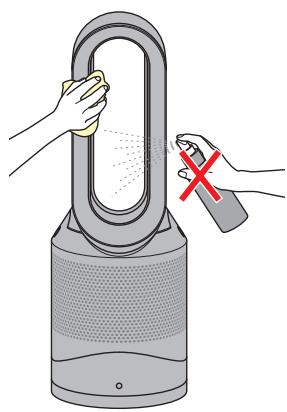
- Do not use any cleaning agents or lubricants on this appliance. Unplug before cleaning or carrying out any maintenance.
- If there is a loose fit between the plug and the socket or the plug becomes very hot, the socket may need to be replaced. Check with a qualified electrician to replace the socket.
- WARNING: Chemical Burn and Choking Hazard. Keep batteries away from children. This product contains a lithium button/coin cell battery. If a new or used lithium button/coin cell battery is swallowed or enters the body, it can cause severe internal burns and can lead to death in as little as 2 hours. Always completely secure the battery compartment. If the battery compartment does not close securely, stop using the product, remove the batteries, and keep it away from children. If you think batteries might have been swallowed or placed inside any part of the body, seek immediate medical attention.
-
If the appliance is not working as it should, has received a sharp blow, has been dropped, damaged, left outdoors, or dropped into water, do not use and contact the Dyson Helpline.
-
Contact the Dyson Helpline when service or repair is required. Do not disassemble the appliance as incorrect reassembly may result in an electric shock or fire.
- Do not put any object into openings or the inlet grille. Do not use with any opening blocked; keep free of dust, lint, hair, and anything that may reduce airflow.
- Always carry the appliance by the base, do not carry it by the loop amplifier.
- To avoid a tripping hazard wind the cable when not in use.
- Do not use near furnaces, fireplaces, stoves or other high temperature heat sources.
- Do not use in conjunction with or directly next to an air freshener or similar products. Do not spray or apply perfumes directly on or near the filter. Keep essential oils and chemicals away from the appliance.
- The appliance should not be forcefully turned or oscillated, under any circumstances. This will cause damage to the oscillation mechanism.
- When removing or replacing the filter, take care to keep your fingers clear.
IMPORTANT SAFETY FEATURES
For your safety this appliance is fitted with automatic cut-out switches that operate if it tips over or overheats. If the switches operate, unplug the appliance and allow it to cool. Before restarting, check and clear any blockages and ensure the appliance is on a solid level surface.
READ AND SAVE THESE INSTRUCTIONS
This Dyson appliance is intended for household use only.
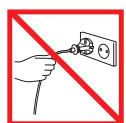
Do not pull on the cable.
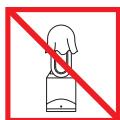
In order to avoid overheating and fire hazard, do not cover the appliance.
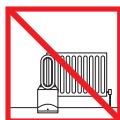
Do not store near heat sources.
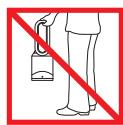
Do not carry by the air loop amplifier. The air loop amplifier is not a handle.
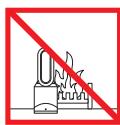
Do not use near naked flames.
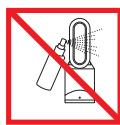
Do not spray scented products such as air freshener or perfume near the filter or the appliance.
FR/BE/CH
CONSIGNES DE SECURITE IMPORTANTES
AVANT D'UTILISER CET APPAREIL, LISEZ ATTENTIVEMENT LES INSTRUCTIONS ET LES MISES EN GARDE FIGURANT DANS CE MANUEL ET SUR L'APPAREIL
TYTO POKNY SI PRECTÉT A USCHOVEJTE
BEHTINJIATOPI NYIbT INCTAHUHOHNO YNPABJIENIA COIDEPKAT MAFHNTbl.
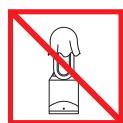
Bo n36eXaHne nepepeBa n Bo3rOpAnHa He hakpbBaTe yctpoIcTbO.
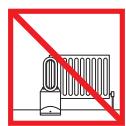
He xpaHnte He BKJIOUaJIte yCTPOIcTB0 B6N3n ITOuTHKOB TENNA.
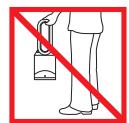
He nepenochte
yctpoiTeBO,epxga
ero 3a ycnntnTeB03dyuHoro kOHTpya.
YcnntnTeB03dyuHoro
kOHTpya He yBnErcTa
pyKo nI pyneHocHa.
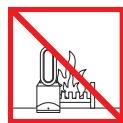
He nnonb3yIe yctpoCTBcO B6n3nOTKpbTOrOrH.
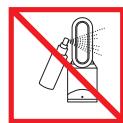
He paçnbijnayTe apomatnueckne a3p030nn, TAKHe KAc OCbEjntEn NBO3Dyxa nnnpapfOmepeRn, Hnocep6dETBHoN pAOnC mФInbTpOM nHyn YCTPOHCTOBm.
SE
VIKTIGA SÄKERHETS-FÖRESKRIFTER
INNAN DU ANVÄNDER VERKTYGET LÄS SAMTLIGA ANVISNINGAR OCH VARNINGSTEXTER I BRUKSANVISNINGEN OCH PÅ VERKTYGET
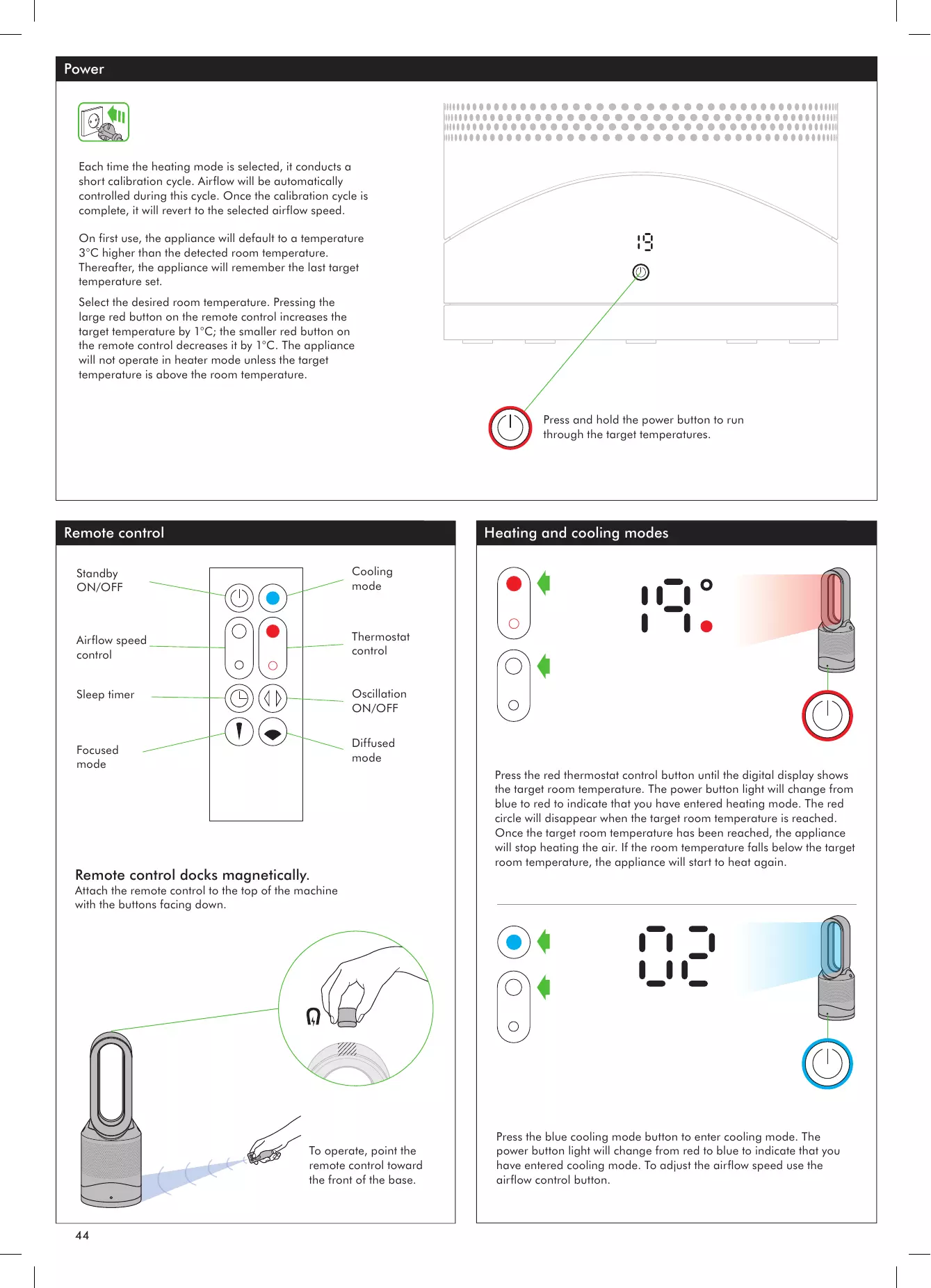
Each time the heating mode is selected, it conducts a short calibration cycle. Airflow will be automatically controlled during this cycle. Once the calibration cycle is complete, it will revert to the selected airflow speed.
On first use, the appliance will default to a temperature 3^ higher than the detected room temperature. Thereafter, the appliance will remember the last target temperature set.
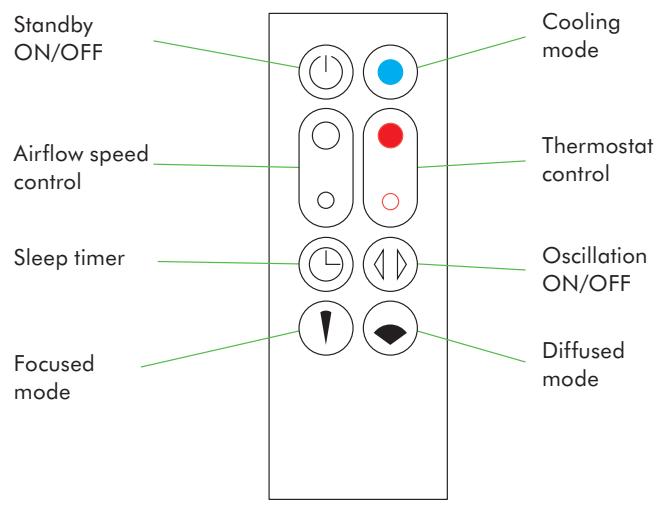
Select the desired room temperature. Pressing the large red button on the remote control increases the target temperature by 1^ ; the smaller red button on the remote control decreases it by 1^ . The appliance will not operate in heater mode unless the target temperature is above the room temperature.
Remote control
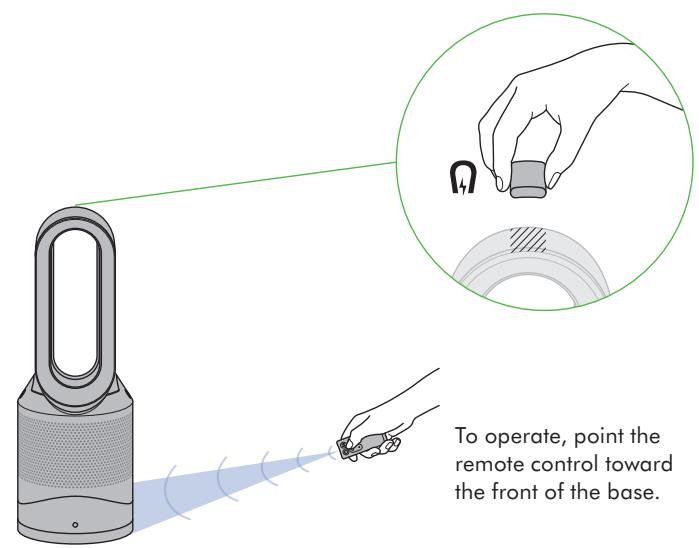
Remote control docks magnetically.
Attach the remote control to the top of the machine with the buttons facing down.
Heating and cooling modes
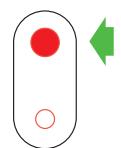
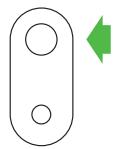

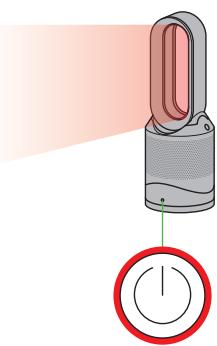
Press the red thermostat control button until the digital display shows the target room temperature. The power button light will change from blue to red to indicate that you have entered heating mode. The red circle will disappear when the target room temperature is reached. Once the target room temperature has been reached, the appliance will stop heating the air. If the room temperature falls below the target room temperature, the appliance will start to heat again.

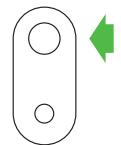
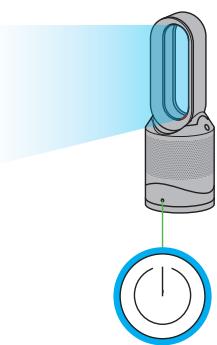
Press the blue cooling mode button to enter cooling mode. The power button light will change from red to blue to indicate that you have entered cooling mode. To adjust the airflow speed use the airflow control button.
Sleep timer
Tilt function


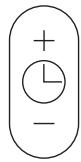


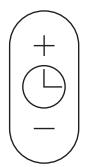


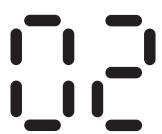
To set the sleep timer, press and hold the timer button to select the desired time. When time reaches zero, the appliance will go into standby mode. To cancel, increase the time until two dashes appear.
When using the sleep timer, the LED display will turn off after 10 seconds of inactivity.
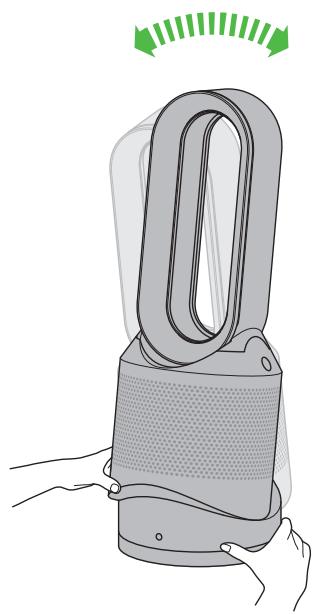
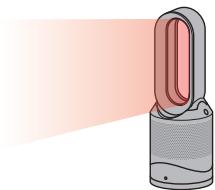
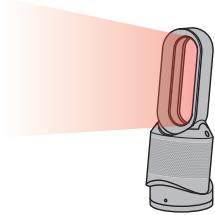
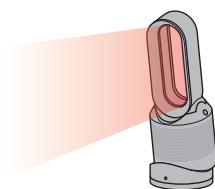
Carefully hold the base and the main body. Tilt the amplifier forward or backward for the required airflow angle.
Diffused and focused modes



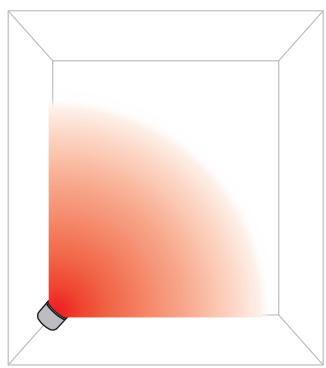
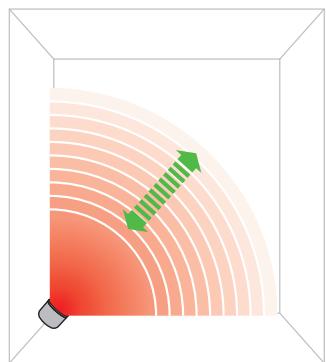
Diffused mode
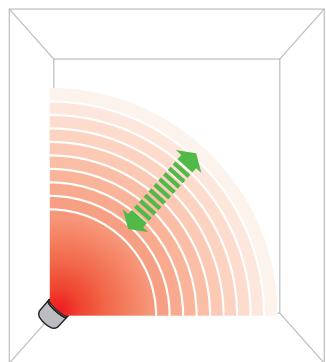
Press the wide angle button to change from a personal directed airflow to wider projection of air flow.
Heating and cooling modes work in this mode.


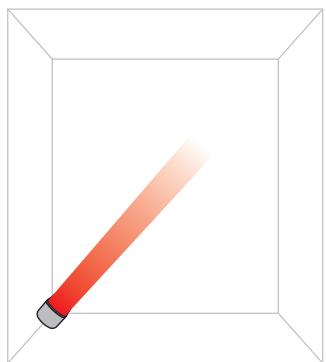
Focused mode
Press the narrow angle button to change from a wider projection of airflow to a personal directed airflow.
Heating and cooling modes work in this mode.
Oscillation and airflow speed control


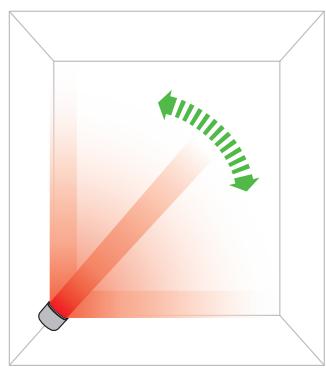
Oscillation control
To start the appliance oscillating, press the oscillation control button. To stop the appliance oscillating, press it again. The appliance will not oscillate when the control buttons are pressed.

Airflow speed control
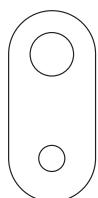
To change the airflow speed press the airflow control button. The digital display will show the new fan speed. If in heater mode after 2.5 seconds it will change back to displaying the target temperature.
Clearing blockages
Cleaning

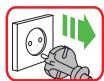
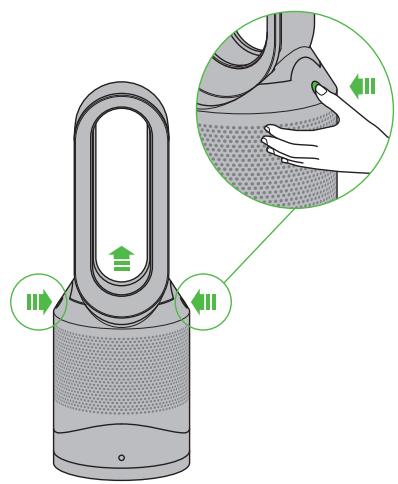
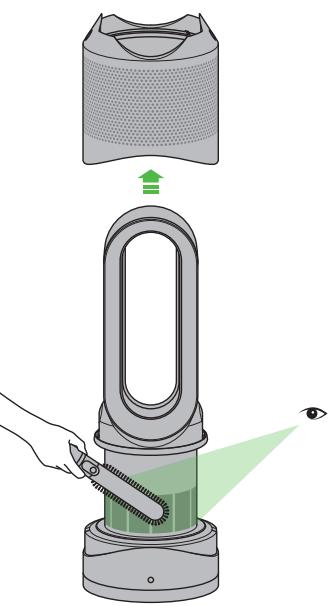
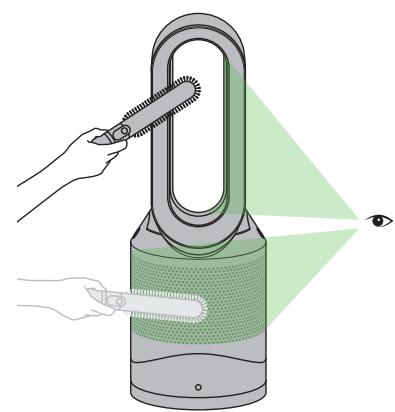
Ensure the appliance is unplugged. If the appliance has been in use, leave for 1 to 2 hours in order to allow the appliance to cool down completely. Look for blockages in the air inlet holes and in the small aperture inside the air loop amplifier. Use a soft brush to remove debris.
Unplug from the mains electricity supply. If the appliance has been in use, leave for 1 to 2 hours before cleaning to allow the appliance to cool completely. Dust may accumulate on the surface of the machine. Wipe dust from the loop, filter unit and other parts with a dry or damp cloth when dust accumulates. Do not use detergents or polishes.
Caution: hot when in use

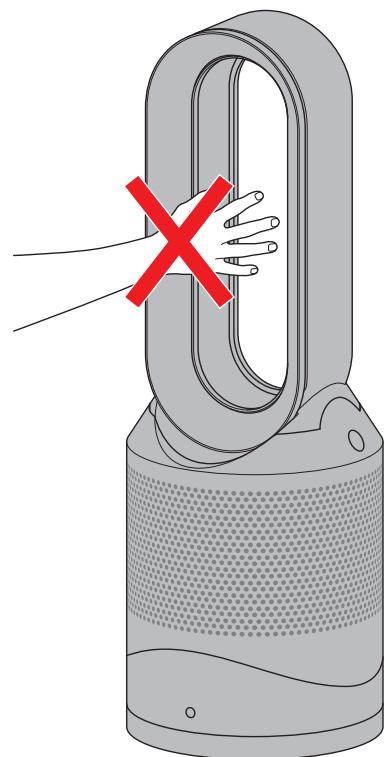
This appliance is hot when in use and for a short period after use. Do not let bare skin touch hot surfaces. If children are present, consider positioning the appliance out of their reach.
Battery replacement
Battery type CR 2032.
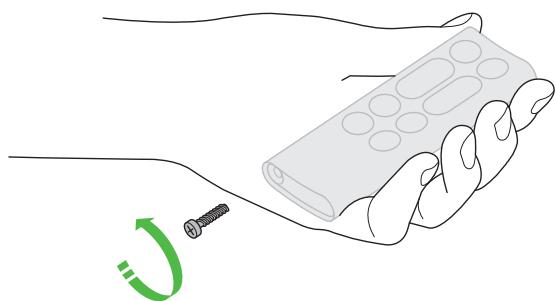
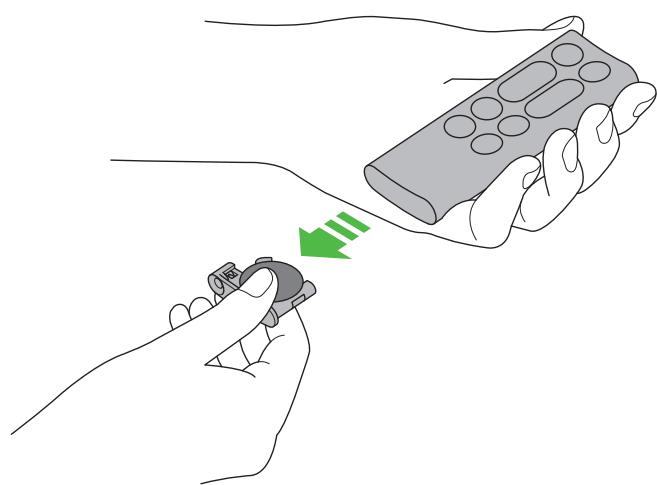
Unscrew the battery compartment on the remote control. Loosen the base and pull to remove the battery.
Replacing the filter unit

1
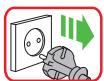
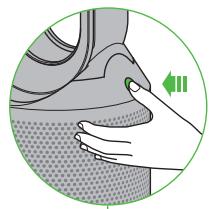
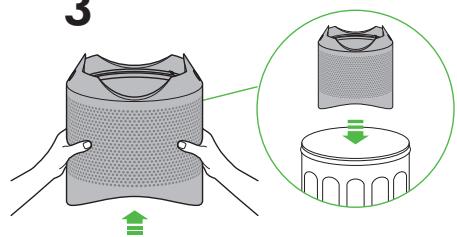
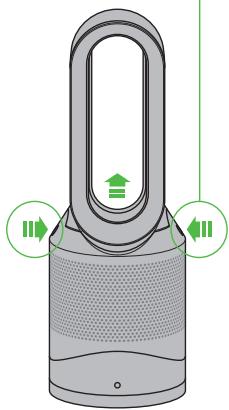
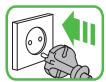
When your non-washable filter unit needs replacing the appliance will display the pattern shown. To replace the non-washable filter unit, follow these steps. Ensure the appliance is unplugged, if the appliance has been in use, leave for 1 to 2 hours before replacing the filter unit to allow the appliance to cool down completely. Your Dyson appliance is programmed to remind you to replace the filter unit after 12 months based on 12 hours usage a day. Please note your indicator will activate sooner with more use. The indicator is only a guide and you may need to replace the filter unit more regularly.

2
3
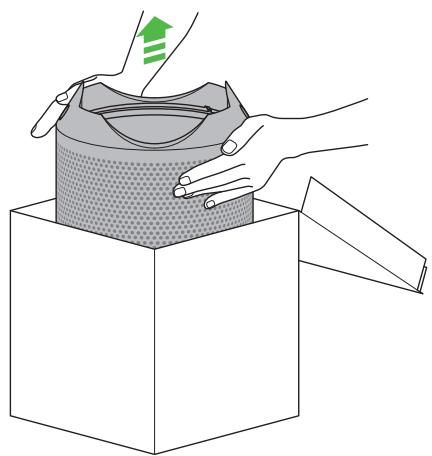
4
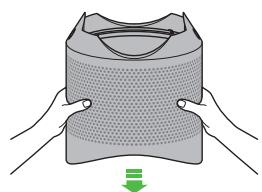
5
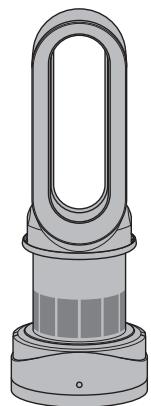
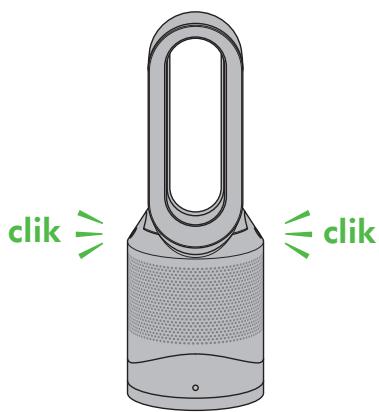
6
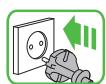
7
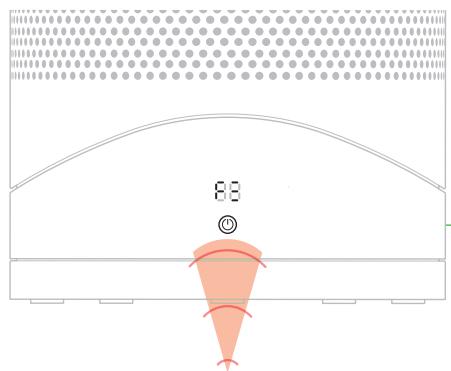
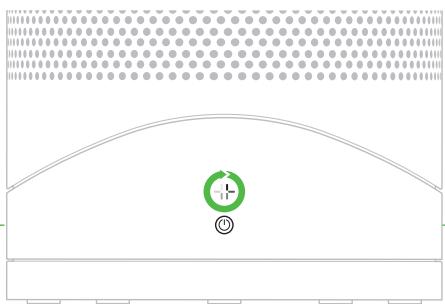
A clockwise-rotating loading pattern will be shown on the LED display.
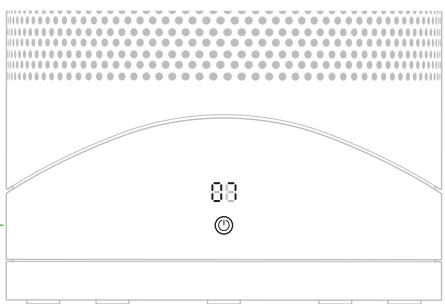
Once the loading pattern is complete, the appliance will return to its normal usage.
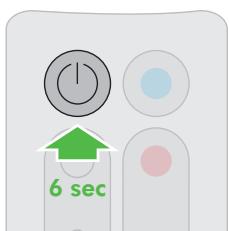
When you have re-assembled your appliance, press and hold the 'Standby ON/OFF' button for 6 seconds on the remote control to reset the filter indicator.
Mode de puissance
YTo6bIyCTaHOBHTaTmEp Cha, HaxMnte N
yndeKnBaTe KhONky TaMepa Tny Bb6opa HyxHoro
UcTPOCTBAHKMNTe KONKynpaBHeNbPAeHnEM.
YTo6blOCTaHOBnTB BpaueHne
yCTpO'CTBa, HAXMnte KHONKy
eue pa3. Pn HaxkATN KHOK
ynpabneHn yctpoiCTBO He
6ydtBpaatabca.


YnpabneHcckopoctbio
BO3dUwHOro NOTOKa
YTO6bI N3MeHHTb CKOPOCTb
BO3yUHoro NOTOKa, HaxMnte
KHONKY npabneHHBOZdyHbIM
notokom.Haunphiobom
DinCnIee OTo6pa3ntc HOBoe
3haueHne cKOpocTH;Yepe3
3cekyHdbHa 3KpaHe BHOb
USING YOUR DYSON APPLIANCE
PLEASE READ THE 'IMPORTANT SAFETY INSTRUCTIONS' IN THIS DYSON OPERATING MANUAL BEFORE PROCEEDING.
LOOKING AFTER YOUR DYSON APPLIANCE
- Do not carry out any maintenance or repair work other than that shown in this Dyson Operating Manual, or advised by the Dyson Helpline.
Always disconnect the plug from the mains before inspecting for problems. If the appliance will not operate, first check the mains socket has an electricity supply and that the plug is properly inserted into the socket.
OPERATION
- Ensure appliance is fully assembled in line with the instructions before use. Do not dismantle the appliance or use without the loop amplifier fitted.
The appliance will not operate in heating mode unless the target temperature is above the room temperature.
Each time the heating mode is selected, it conducts a short calibration cycle. Airflow will be automatically controlled during this cycle. Once the calibration cycle is complete, it will revert to the selected airflow speed. - The appliance will not oscillate when the control buttons are pressed.
- Do not lubricate any part of this appliance.
CONTROL WITHOUT THE REMOTE
- Press the power button on the appliance to turn ON/OFF.
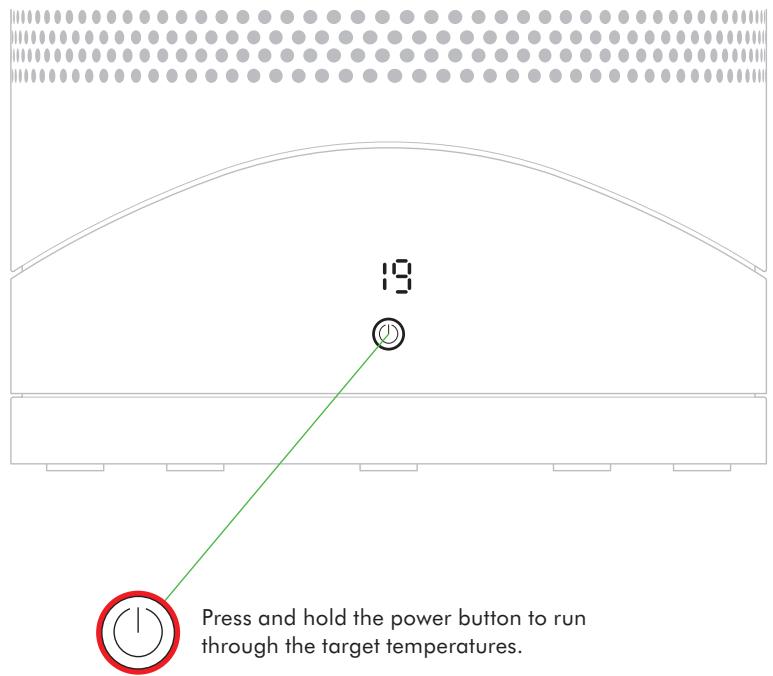
- Press and hold the standby button on the appliance to adjust the target temperature. The target temperature will increase to a maximum before decreasing. If the target temperature is set at 0^ it will switch from heating to cool mode.
- The airflow, diffused and focused modes, oscillation function and sleep timer controls cannot be operated without the remote control.
LED DISPLAY
The LED Display will dim after 10 seconds of use (the power button does not dim).
- Press any button, other than the standby ON/OFF, to reactivate.
- Do not press standby ON/Off as this will turn the appliance off.
SLEEP TIMER
To set the sleep timer, press and hold the timer button to select the desired time. When time reaches zero, the appliance will go into standby mode. To cancel, increase the time until two dashes appear.
The LED display will turn off after 10 seconds of inactivity - this is a power saving feature and avoids light interference at night time.
- Press any button, other than the standby ON/OFF, to reactivate.
- When sleep timer is ON, do not press the standby ON/OFF as this will turn the appliance off and turn sleep timer off too.
TILT FUNCTION
- Carefully hold the base and the main body. Tilt the amplifier forward or backward for the required airflow angle.
AUTOMATIC CUT-OUT
- For your safety this appliance is fitted with automatic cut-out switches that operate if the appliance tips over or overheats. If the switches operate, unplug the appliance and allow it to cool. Before restarting the appliance check and clear any blockages and ensure the appliance is on a solid level surface.
- In heating mode the appliance will automatically switch 'OFF' after 9 hours of continuous use and will return to standby mode. To restart the machine, press the power button on either the remote control or the base.
TROUBLESHOOTING
- Fault codes F4, F5, F6: If one of these appears on the display, unplug the appliance, wait for 30 to 60 seconds and/or plug the appliance into a different socket. If you continue to receive the fault code, please contact the Dyson Helpline.
- Fault codes F2, F3, F7: If one of these appears on the display, please contact the Dyson Helpline.
REPLACEABLE PARTS
BATTERY REPLACEMENT

CAUTION
Unscrew the battery compartment on the remote control. Loosen the base and pull to remove the battery.
- Do not install backwards or short circuit the batteries.
Do not attempt to dismantle or charge the batteries. Keep away from fire.
Always replace the screws in the remote control. - Follow battery manufacturers' instructions when installing new batteries (battery type CR 2032).
- Limited functionality is available without the remote control (see 'Control without the remote').
NON-WASHABLE FILTER UNIT
- Your filter unit is non-washable and non-recyclable.
To replace your filter unit follow the steps as shown. - Failure to replace the filter when prompted may result in changes to product performance and appearance.
A new filter unit can be purchased at www.dyson.com/filter.
DISPOSAL INFORMATION
- Dyson products are made from high grade recyclable materials. Recycle where possible.
- Dispose of or recycle the battery in accordance with local ordinances or regulations.
This marking indicates that this product should not be disposed with other household wastes throughout the EU. To prevent possible harm to the environment or human health from uncontrolled waste disposal, recycle it responsibly to promote the sustainable reuse of material resources. To return your used device, please use the return and collection systems or contact the retailer where the product was purchased. They can take this product for environmentally safe recycling.
- Keep the used batteries away from children as these can still harm children if swallowed.
- Your filter unit is non-washable and non-recyclable.
- Dispose of the exhausted filter in accordance with local ordinances or regulations.
The battery should be removed from the product before disposal.
GUARANTEE TERMS AND CONDITIONS
DYSON CUSTOMER CARE
THANK YOU FOR CHOOSING TO BUY A DYSON APPLIANCE.
After registering your free 2 year guarantee, your Dyson appliance will be covered for parts and labour for 2 years from the date of purchase, subject to the terms of the guarantee. If you have any questions about your Dyson appliance, call the Dyson Helpline with your serial number and details of where/when you bought the appliance. Most questions can be solved over the phone by one of our trained Dyson Helpline staff.
Alternatively, visit www.dyson.com for online help, general tips and useful information about Dyson.
Your serial number can be found on your rating plate which is on the base of the appliance.
If your Dyson appliance needs a service, call the Dyson Helpline so we can discuss the available options. If your Dyson appliance is under guarantee, and the repair is covered, it will be repaired at no cost.
PLEASE REGISTER AS A DYSON APPLIANCE OWNER
To help us ensure you receive prompt and efficient service, please register as a Dyson appliance owner. There are three ways to do this:
Online at www.dyson.com/register.
Telephone the Dyson Helpline on 0800 298 0298.
Complete the enclosed form and post it to us.
This will confirm ownership of your Dyson appliance in the event of an insurance loss, and enable us to contact you if necessary.
LIMITED 2 YEAR GUARANTEE
TERMS AND CONDITIONS OF THE DYSON 2 YEAR LIMITED GUARANTEE
WHAT IS COVERED
The repair or replacement of your Dyson appliance (at Dyson's discretion) if it is found to be defective due to faulty materials, workmanship or function within 2 years of purchase or delivery (if any part is no longer available or out of manufacture Dyson will replace it with a functional replacement part).
Where this appliance is sold outside of the EU, this guarantee will only be valid if the appliance is used in the country in which it was sold.
- Where this appliance is sold within the EU, this guarantee will only be valid (i) if the appliance is used in the country in which it was sold or (ii) if the appliance is used in Austria, Belgium, France, Germany, Ireland, Italy, Netherlands, Spain or the United Kingdom and the same model as this appliance is sold at the same voltage rating in the relevant country.
WHAT IS NOT COVERED
- Replacement filters. The appliance's filter is not covered by the guarantee. Dyson does not guarantee the repair or replacement of a product where a defect is the result of:
- Damage caused by not carrying out the recommended appliance maintenance.
- Accidental damage, faults caused by negligent use or care, misuse, neglect, careless operation or handling of the appliance which is not in accordance with the Dyson Operating Manual.
Use of the appliance for anything other than normal domestic household purposes.
Use of parts not assembled or installed in accordance with the instructions of Dyson.
Use of parts and accessories which are not genuine Dyson components. - Faulty installation (except where installed by Dyson)
- Repairs or alterations carried out by parties other than Dyson or its authorised agents.
- Blockages - please refer to the illustrations and the section 'Clearing blockages' in this Dyson Operating Manual for details of how to look for and clear blockages.
Normal wear and tear (e.g. fuse etc.). - Reduction in battery discharge time due to battery age or use (where applicable).
If you are in any doubt as to what is covered by your guarantee, please contact the Dyson Helpline.
SUMMARY OF COVER
The guarantee becomes effective at the date of purchase (or the date of delivery if this is later).
- You must provide proof of (both the original and any subsequent) delivery/purchase before any work can be carried out on your Dyson appliance. Without this proof, any work carried out will be chargeable. Keep your receipt or delivery note.
All work will be carried out by Dyson or its authorised agents.
Any parts which are replaced by Dyson will become the property of Dyson.
The repair or replacement of your Dyson appliance under guarantee will not extend the period of guarantee.
The guarantee provides benefits which are additional to and do not affect your statutory rights as a consumer.
IMPORTANT DATA PROTECTION INFORMATION
When registering your Dyson product:
- You will need to provide us with basic contact information to register your product and enable us to support your guarantee.
- When you register, you will have the opportunity to choose whether you would like to receive communications from us. If you opt-in to communications from Dyson, we will send you details of special offers and news of our latest innovations. We never sell your information to third parties and only use information that you share with us as defined by our privacy policies which are available on our website: privacy.dyson.com
FR/BE/CH
UTILISATION DE VOTRE APPAREIL DYSON
VEUILLEZ LIRE ATTENTIVEMENT LES CONSIGNES DE SECURITE IMPORTANTES DE CE MANUEL DYSON AVANT DE CONTINUER.
ENTRETIEN DE VOTRE APPAREIL DYSON
INFORMATIONS DE MISE AU REBUT
UW DYSON APPARAAT ONDERHOUDEN
MANUTENZIONE DELL'APPARECCHIO DYSON
DYSON-ASIAKASPALVELU
KIITOS, ETTÄ VALITSIT DYSON-LAITTEEN.
SLIK VEDLIKEHOLDER DU DYSON-PRODUKTET
GWARANCJA NIE OBEJMUJE:
3APEHCTPNPYTE CBOE N3DEJNE
SAMMANFATTNING AV GARANTIN
UPORABA VASENAPRAVE DYSON
PROSIMO VAS, DA PRED NADALJEVANJEM PREBERETE "POMEMBNA VARNOSTNA NAVODILA" V TEM DYSONOVEM PRIROCNIKU ZA UPORABO.
NEGA VASE NAPRAVE DYSON
| Model Identifier: HP00 | ||||||
| Item | Symbol | Value | Unit | Item | Unit | |
| Heat output | Type of heat input, for electric storage local space heaters only | |||||
| Nominal heat output | Pnom | 2.1 | kW | manual heat charge control, with integrated thermostat | No | |
| Minimum heat output (indicative) | Pmin | 2.1 | kW | manual heat charge control with room and/or outdoor temperature feedback | No | |
| Maximum continuous heat output | Pmax,c | 2.1 | kW | electronic heat charge control with room and/or outdoor temperature feedback | No | |
| Auxiliary electricity consumption | fan assisted heat output | Yes | ||||
| At nominal heat output | eI max | 2.1 | kW | Type of heat output/room temperature control | ||
| At minimum heat output | eI min | 2.1 | kW | single stage heat output and no room temperature control | No | |
| In standby mode | els8 | <0.5 | W | Two or more manual stages, no room temperature control | No | |
| with mechanic thermostat room temperature control | No | |||||
| with electronic room temperature control | Yes | |||||
| electronic room temperature control plus day timer | No | |||||
| electronic room temperature control plus week timer | No | |||||
| Other control options (multiple selections possible) | ||||||
| room temperature control, with presence detection | No | |||||
| room temperature control, with open window detection | No | |||||
| with distance control option | No | |||||
| with adaptive start control | No | |||||
| with working time limitation | Yes | |||||
| with black bulb sensor | No | |||||
| Contact details | Dyson Technology Limited Tetbury Hill, Malmesbury, SN16 0RP, United Kingdom Tel +44 1666 827200 | |||||
UK
Dyson Customer Care
askdyson@dyson.co.uk
0800 298 0298
Dyson Technology Limited, Tetbury Hill, Malmesbury,
Wiltshire, SN16 ORP
ROI
Dyson Customer Care
askdyson@dyson.co.uk
014757109
Dyson Ireland Limited, Office 2, Central Park,
Leopardstown, Dublin 18, Ireland
AT
Dyson Kundendienst
help@dyson.at
0800 88 66 73 42
Aradhippou Industrial Estate, Larnaka 7100, Cyprus
PO Box 41070
CZ
Burotek sarl (Member of Antaki Group)
info@antaki.com.lb
01-252474
Moutran Bldg., Sin El Fil Boulevard, P.O.Box: 90-720
Beirut
LT
Dyson servitas
remontas@bcsc.lt
870055595
Baltic Continent, UAB Luksio g. 23, Vilnius, Lietuva
MA
IDEAPLUS SARL
info@idea-group.ma
0801 001 424
18 Rue Sidi Bennour, Quartier Ain Borja, Casablanca,
Maroc
NL
Dyson Helpdesk
help@dyson.nl
0800 020 6203
Dyson BV, Fred. Roeskestraat 109, 1076 EE Amsterdam,
Nederland/The Netherlands
NO
Dyson Kundeservice
help@dyson.no
080069196
CPM International Telebusiness SL, Edificio Ono,
Carrer de Lepant 350, Planta 1a, 08025 Barcelona, Spain
PL
Tudortech, 4th floor Park On Long, 66 Long Street
Cape Town, 8001, South Africa
- SERVICE CONSOMMATEURSDYSON
- DYSONOVA POMOC UPORABNIKOM
- This illustration is for example purposes only.
- Note your serial number for future reference.
- IMPORTANT SAFETY INSTRUCTIONS
- WARNING
- IMPORTANT SAFETY FEATURES
- READ AND SAVE THESE INSTRUCTIONS
- CONSIGNES DE SECURITE IMPORTANTES
- TYTO POKNY SI PRECTÉT A USCHOVEJTE
- SE
- VIKTIGA SÄKERHETS-FÖRESKRIFTER
- INNAN DU ANVÄNDER VERKTYGET LÄS SAMTLIGA ANVISNINGAR OCH VARNINGSTEXTER I BRUKSANVISNINGEN OCH PÅ VERKTYGET
- Remote control
- Remote control docks magnetically.
- Heating and cooling modes
- Sleep timer
- Tilt function
- Diffused and focused modes
- Diffused mode
- Focused mode
- Oscillation and airflow speed control
- Oscillation control
- Airflow speed control
- Clearing blockages
- Cleaning
- Caution: hot when in use
- Battery replacement
- Replacing the filter unit
- Mode de puissance
- YnpabneHcckopoctbio
- BO3dUwHOro NOTOKa
- USING YOUR DYSON APPLIANCE
- LOOKING AFTER YOUR DYSON APPLIANCE
- OPERATION
- CONTROL WITHOUT THE REMOTE
- LED DISPLAY
- AUTOMATIC CUT-OUT
- TROUBLESHOOTING
- REPLACEABLE PARTS
- CAUTION
- NON-WASHABLE FILTER UNIT
- DISPOSAL INFORMATION
- GUARANTEE TERMS AND CONDITIONS
- DYSON CUSTOMER CARE
- THANK YOU FOR CHOOSING TO BUY A DYSON APPLIANCE.
- PLEASE REGISTER AS A DYSON APPLIANCE OWNER
- LIMITED 2 YEAR GUARANTEE
- WHAT IS COVERED
- WHAT IS NOT COVERED
- SUMMARY OF COVER
- IMPORTANT DATA PROTECTION INFORMATION
- FR/BE/CH
- UTILISATION DE VOTRE APPAREIL DYSON
- ENTRETIEN DE VOTRE APPAREIL DYSON
- INFORMATIONS DE MISE AU REBUT
- UW DYSON APPARAAT ONDERHOUDEN
- MANUTENZIONE DELL'APPARECCHIO DYSON
- DYSON-ASIAKASPALVELU
- KIITOS, ETTÄ VALITSIT DYSON-LAITTEEN.
- SLIK VEDLIKEHOLDER DU DYSON-PRODUKTET
- GWARANCJA NIE OBEJMUJE:
- 3APEHCTPNPYTE CBOE N3DEJNE
- SAMMANFATTNING AV GARANTIN
- UPORABA VASENAPRAVE DYSON
- NEGA VASE NAPRAVE DYSON
- UK
- ROI
- AT
- CZ
- LT
- MA
- NL
- NO
- PL
Brand : DYSON
Model : 310266-01
Category : Humidifier