
BCS82G31 - BCS82G31 - Vacuum Cleaner BOSCH - Free user manual and instructions
Find the device manual for free BCS82G31 - BCS82G31 BOSCH in PDF.



| Type of product | Cordless vacuum cleaner |
| Brand | BOSCH |
| Model | BCS82G31 |
| Power supply | Lithium-ion battery 18 V (Power for ALL), capacities 3.0 Ah / 4.0 Ah / 5.0 Ah |
| Power modes | Eco (standby), Auto, Turbo |
| Maximum runtime | Up to 65 min (battery 4.0 Ah, standby mode) |
| Charging time (80%) | Approximately 4 to 5 hours depending on battery |
| Filter type | Lint filter + lamella filter |
| Dust container capacity | Approximately 0.5 L (estimate) |
| Included accessories | 2-in-1 furniture brush, mini electric brush, mattress nozzle, XXL upholstery nozzle, electric brush for hard floors, flexible extension, keyboard nozzle, long crevice tool, short crevice tool |
| Base station | Yes, for charging and storage |
| Weight | Approximately 2.5 kg (estimate) |
| Safety | Overheat protection, child monitoring, minimum distance 10 cm for electronic implants |
| Maintenance | Regular filter and dust container cleaning; cleanable brushes |
| Warranty | According to distributor conditions, proof of purchase required |
Frequently Asked Questions - BCS82G31 - BCS82G31 BOSCH
User questions about BCS82G31 - BCS82G31 BOSCH
0 question about this device. Answer the ones you know or ask your own.
Ask a new question about this device
Download the instructions for your Vacuum Cleaner in PDF format for free! Find your manual BCS82G31 - BCS82G31 - BOSCH and take your electronic device back in hand. On this page are published all the documents necessary for the use of your device. BCS82G31 - BCS82G31 by BOSCH.
USER MANUAL BCS82G31 - BCS82G31 BOSCH
Register your new device on MyBosch now and get free benefits: bosch-home.com/ welcome

Cordless handstick vacuum cleaner
BBS82
BCS82
BSS82
BLS82
BKS82
bosch-infoteam@bshg.com
- Read this instruction manual carefully.
- Keep the instruction manual and the product information safe for future reference or for the next owner.
- Do not connect the appliance if it has been damaged in transit.
Only use this appliance:
- With genuine parts and accessories. Damage caused by using third-party products is not covered under the warranty.
- In private households and in enclosed spaces in a domestic environment at room temperature.
Up to an altitude of max. 2000 m above sea level.
This appliance may be used by children aged 8 or over and by people who have reduced physical, sensory or mental abilities or inadequate experience and/or knowledge, provided that they are supervised or have been instructed on how to use the appliance safely and have understood the resulting dangers.
Children must not play with the appliance.
Cleaning and user maintenance must not be performed by children unless they are being supervised.
- Repairs to the appliance should only be carried out by trained specialist staff.
- Only use genuine spare parts when repairing the appliance.
Never operate a damaged appliance. - Never operate an appliance with a cracked or fractured surface.
Call customer services. - Only use the appliance in enclosed spaces.
Never expose the appliance to intense heat or humidity. - Do not use steam- or high-pressure cleaners to clean the appliance.
- Never let the power cord come into contact with hot appliance parts or heat sources.
- Never let the power cord come into contact with sharp points or edges.
-
Never kink, crush or modify the power cord.
-
Connect and operate the charging cable1 and the quick charger1 only in accordance with the specifications on the rating plate.
- Connect the charging cable1 and the quick charger1 to a power supply with alternating current only via a properly installed socket with earthing.
- When cleaning the appliance, do not use flammable substances or substances that contain alcohol.
- Keep clothing, hair, fingers and other body parts away from the openings on the appliance and the moving parts.
- Never point the pipe or the nozzles towards eyes, hair, ears or mouths.
- Ensure that children do not play with the appliance, even when it is in the base station1.
- Persons with electronic implants must stand at least 10cm away from the appliance.
- Keep packaging material away from children.
Do not let children play with packaging material.
Protect the battery against fire, heat and constant sunlight.
Protect the battery against water and penetrating moisture. - Never open the battery.
- When not in use, keep the battery away from metal objects, e.g. paper clips, coins, keys, nails or screws.
Supply fresh air.
If there are any problems, seek medical advice from a doctor. - If these come into contact with the skin, wash immediately with cold water.
If these come into contact with the eyes, seek medical help.
Preventing material damage
To prevent material damage to your appliance, accessories or any other objects, follow these instructions.
Check and clean any wet objects.
Replace damaged objects.
Regularly check the outsides of the nozzles for wear.
Replace the worn nozzle.
- Never use the nozzle without the brush roller in place.
- Never operate the appliance without the filter unit.
Included with the appliance
After unpacking all parts, check for any damage in transit and completeness of the delivery.
Note: The appliance comes with additional accessories depending on its features.
→ Fig. 1
| A | Base station1 |
| B | 2-in-1 furniture brush with upholstery nozzle1 |
| C | Mini electro-nozzle1 |
| D | Replacement brush for mini electro-nozzle1 |
| E | Replacement brush for power brush1 |
| F | Mattress nozzle1 |
| G | XXL upholstery nozzle1 |
| H | Variable accessory holder1 |
| I | Power brush for hard floors1 |
| J | Flexible extension hose1 |
| K | Keyboard and drawer nozzle1 |
| L | Long, flexible crevice nozzle1 |
| M | Short crevice nozzle1 |
| N | Battery1 |
| O | Quick charger1 |
| P | Charging cable1 |
1 Depending on the appliance specifications
Appliance
You can find an overview of the parts of your appliance here.
→ Fig. 2
| 1 | Dust container |
| 2 | Fluff filter |
| 3 | Cartridge filter |
Battery charging times
You can find an overview of the battery charging times here.
Notes
- The specified charging times may vary depending on the battery charging status, the battery temperature and the age of the battery.
| 4 | Regulating the operating statuses |
| 5 | On/off switch |
| 6 | Status display |
| 7 | Dust container release button |
| 8 | Suction pipe |
| 9 | Power brush |
Controls
You can find an overview of the controls for your appliance here.
① Switch on the appliance.
- Switch off the appliance.
Status display
The status display indicates the different operating statuses.
| Operating status | Status display |
| Normal mode | Auto lights up. |
| Turbo mode | Turbo lights up. |
| Energy-saving mode | Eco lights up. |
| Battery charge below 20% | flashes quickly. |
| Battery empty | Display goes out. |
| Charging process | flashes and shows the already charged status. |
| Battery is fully charged | lights up and goes out after approx. two minutes. |
| Error display | lights up red and goes out after approx. 10 seconds. → "Troubleshooting", Page 21 |
- You can find out which battery charging times are achieved with the quick charger in the instructions of for the quick charger.
Tip: If the quick charger displays a battery charging status of approx. 80% , you can remove and use the battery.
| Battery charging status of | 18 V 3,0 Ah | 18 V 4,0 Ah | 18 V 5,0 Ah |
| 80% in hrs | 4 | 4 | 5 |
| 97%-100% in hrs | 5 | 4½ | 5½ |
Battery runtimes
You can find an overview of the battery runtimes, depending on the battery that is used, here.
Note
The following modes affect the battery runtime:
Mode 1: Energy-saving mode with non-electrical accessory
Mode 2: Energy-saving mode with electrical floor nozzle
Mode 3: Auto mode with electrical floor nozzle
Mode 4: Turbo mode with electrical floor nozzle
| Runtime | 18 V 3,0 Ah | 18 V 4,0 Ah | 18 V 5,0 Ah |
| Mode 1 up to min. | 45 | 65 | 45 |
| Mode 2 up to min. | 35 | 50 | 35 |
| Mode 3 up to min. | 15 | 20 | 28 |
| Mode 4 up to min. | 10 | 10 | 12 |
Notes
- Like every Li-ion battery, the batteries from the Power for ALL 18 V series wear out over time, meaning that the battery capacity and the runtime decrease. This is a natural aging process and not the result of a material error, manufacturing error or material defect.
-
You can delay the natural wear by using the following measures:
-
Only charge the battery in the temperature range between 0°C and 45°C .
- Only store the battery in the temperature range between -20 °C and 50 °C.
- Do not store the battery for an extended period of time if it is fully charged or fully discharged.
Installing the base station
-
Check whether any household wiring could be damaged in the installation area.
-
Do not install the base station horizontally or vertically above, below or next to a socket.
→ Fig. 3 - 6
Inserting and charging the battery
→ Fig. 7 - 8
Charging
Only charge the battery in chargers that are recommended by the manufacturer.
- Only use the battery in connection with the Bosch appliance.
- Charge the battery using the original charging cable 1 or the original quick charger 1 .
- Only use batteries from the Power for ALL 18 V series.
Note: The power supply unit on the charging cable 1 and the appliance heat up while charging. This is normal and harmless.
Charging using the charging cable
→ Fig. 9 - 1 0
Charging in the base station
- Ensure that children do not play with the appliance, even when it is in the base station1.
→ Fig. 1 1 - 1 2
Charging using the quick charger
- Press the release button and remove the battery to the rear.
→ Fig . 1 3
- Observe the enclosed instructions.
Installing the appliance
→ Fig . 1 4 - 1 5
Switching on the appliance
Press ①.
→ Fig . 1 6
Setting the power
→ Fig. 1 7 - 1 8
Vacuuming with accessories
→ Fig . 1 9 - 2 0
Storing accessories
→ Fig. 2 1 - 2 2
Using the flexible extension hose
→ Fig . 2 3 - 2 4
Malfunctions
| Fault | Cause | Troubleshooting |
| The appliance is not working. | The battery has not been inserted correctly. | ► Insert the battery correctly. |
| The battery status display does not show any status. | The battery has not been charged. | ► Charge the battery. |
| The red fault indicator lights up for 10 seconds. | The battery has overheated or overcooled. | 1. Switch off the appliance and disconnect the appliance from the power supply. |
Cleaning the appliance
Requirement: The appliance is switched off.
- Disconnect the appliance from the charging cable1.
- Clean the appliance and the accessory with a soft cloth and a commercially available plastic cleaner.
Emptying the dust container
→ Fig . 2 5 - 2 8
Cleaning the filter unit
- Never allow the filters to come into contact with liquids.
→ Fig . 2 9 - 3 5
Cleaning the power brush
→ Fig . 3 6 - 3 8
Cleaning the power brush for hard floors
→ Fig . 3 9 - 4 1
Troubleshooting
You can rectify minor faults on your appliance yourself. Read the troubleshooting information before contacting after-sales service. This will avoid unnecessary costs.
Repairs to the appliance should only be carried out by trained specialist staff.
- Only use genuine spare parts when repairing the appliance.
| Fault | Cause | Troubleshooting |
| The appliance is not working. The battery status display does not show any status. The red fault indicator lights up for 10 seconds. | 2 Wait until battery has reached room temperature. | |
| The appliance has overheated or overcooled. | 1. Switch off the appliance and disconnect the appliance from the power supply.2. Wait until the appliance has reached room temperature. | |
| No charging function. | Incorrect charger was used. | Only use the charger that is included. |
| The dust container cannot be inserted. | The filter unit is not complete. | Check whether the filter unit is complete. |
| The filter unit or dust container is not positioned correctly. | Check whether the filter unit and dust container are inserted correctly. | |
| Suction is reduced. | The filter is blocked. | 1. Switch off the appliance and disconnect the appliance from the power supply.2. Clean the filter unit. |
| The nozzle is blocked. | 1. Switch off the appliance and disconnect the appliance from the power supply.2. Check whether the air channel from the nozzle to the appliance is blocked.3. Empty the dust container.4. Clean the filter unit.5. Once the appliance has cooled down, switch the appliance back on. |
Disposing of old appliance
Valuable raw materials can be reused by recycling.
- Dispose of the appliance in an environmentally friendly manner.
Information about current disposal methods are available from your specialist dealer or local authority.
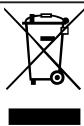
This appliance is labelled in accordance with European Directive 2012/19/EU concerning used electrical and electronic appliances (waste electrical and electronic equipment - WEEE). The guideline determines the framework for the return and recycling of used appliances as applicable throughout the EU.
Disposing of batteries
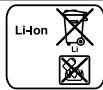
Batteries should be recycled in an environmentally friendly manner. Do not dispose of the batteries in the household rubbish.
- Dispose of batteries in an environmentally friendly manner.
Only for EU countries:
According to the European Guideline 2006/66/EC, defective or used battery packs/batteries, must be collected separately and disposed of in an environmentally correct manner.
Warranty conditions
You can make warranty claims for your appliance under the following conditions. The guarantee conditions for this appliance are as defined by our representative in the country in which it is sold. Details regarding these conditions can be obtained from the dealer from whom the appliance was purchased. The bill of sale or receipt must be produced when making any claim under the terms of this guarantee.

Sécurité
1 Allt after apparatens utrusting
1 Allt after apparatusens utrusting
Enhet
Eliminar as bacterias/pilhas
1 Avaoya mTov EOnAIO TO nO uOKeUNC
| Akū Şarj durumu | 18 V 3,0 Ah | 18 V 4,0 Ah | 18 V 5,0 Ah |
| %80,.satormal | 4 | 4 | 5 |
| %97-%100,.satormal | 5 | 4½ | 5½ |
www.bosch-home.com/tr
www.bosch-yetkilliservisi.com
Pn npaaan B rna3a o6paTntecb K Bpaay.
Bo n36eJxHne MaTePnaIbHoro yUepe6a
UTo6bI n36eKaTb NOBpeKJdeHn np6opa, npHaJdneJHKoCTe N dpyrnx PpeJMeTOB, co6JIoudaIte npNBeDeHHbIe 3dEc bYka3aHnA.
- Поберайтей очшиайтей влajхныепраздмétbl.
3aMeHnTe NOBpeXdEHHbIe PpeDMeTbl. - Perylnpno npoBepnTe ypoBeHb n3Ho ca pa6oOxN NOBepxHocTe HacaKn.
3aMeHraTe H3HOWeHHbIe HacaIKN.
Hnkorga He nCnoB3yIte HacaKky 6e3 UToCHOro BaJIka.
HnkorgaHe nCnOJb3yIte npBop 6e3 HnIbTPOBaJIbHOro 6Ioka.
KomnJIeKT NOCTABKN
Iocne pacnakOBKn npOBepbTe Bce DeTaHn Ha OTCyTCTBnE TpaHCnOpTHbIX NOBpeKDeHn I KOMPJIeKTHOcTB NocTaBKn.
3aMeKa:B 3aBnCmOCTN OcHaSeHn np6Op NocTaBnEeTcB KOMPKeTe C DoNoJI HnteMbIMn PpNaDLeXHoCTAmN.
→Pnc.1
HnDnKaTOp COCTOaHHN OTo6paKaaeT pa3IuHbIe peKIMbl pa60TbI.
Pa6ouH pe- Hndnkaunn JHM
PekomeHdaun: EcnHa yctpoicTbe 6blcTPO3apAaKNOTO6paKaetcaYpOBeHb3aPraIa pIM.80%,MOJHO OTCoeDInHb aK-KymyIaTOP INCNoB3oBaTb erO.
PergunpoBka MoUHOCTH
→Pnc.17-18
y60pkac HcnoJb3ObaHneMdo- noJIHHTeJIbHbIX npHaIJeXHoCTeI
→Pnc.19-20
XpaHHeHne npHaIeJxHocTei
→Pc.21-22
HcnoIb3OBAHne rI6KOro ydInnHaToUe OJlaHra
→Pc.23-24
OuncTkα npHóopa
Tpe6oBaHne: Pnp6op BbIKIOueH.
- OToeHNHte npHbOp ot Ka6eJIa 3apJHo- ro yCTpoiCTBa 1.
2.ПрOTРNTe np6Op n npHaJNeJxHocTm MЯrkOу TpIaIKoC OobIyHbIM CpeIcTBOM DЯ OuNCTKn PJIaCTMaCCbl.
OnopokHeHne KOHTeHepa IJIc6opa IIIIN
→Pnc.25-28
OuHcTkaΦHbTpOBaJIbHOro 6Ioka
He donyckaai Te KOHTaKta fNJIbTpac XnIDKOCTMNI.
→Pnc.29-35
OuHCTka 3JIeKTPoUcTeKN
→Pnc.36-38
OuHCTka 3JIeKtpoUeTKn IJNA TBePdOro HAnOpNbHOro NOKpbITNRA
→Pnc.39-41
YcTpaHHe HeHcPpABHOCTe
Bbl moKeTe camocToTbHo yctpaHntb He 3NaHTeNbHbIe HncnPaBHOCTn BaUero np60pa. BocnoJIb3yInTecb HΦOpMaunE n3 rnaBbl «YcTaPHeHne HncnPaBHOCTeN" nepeD o6paUeHNem B cepBnCHyIO cnJxOy. 3TO no3BOInr n36eKaTb DOnoJIHNTbHbIX paCXoIDOB.
- PemohTnpoBaTb npi6op pa3peuaeTcra TOnbKO KBaHnΦnCnPoBaHHbIM CneuaJIInCTaM.
Kpyrnocytohieneneoohcnyx6bnoepkkn
8 (800) 200-29-61
OΦHnHaBnBbI caHT aHHTepHete:
www.bosch-home.ru
Aepa3 CnKpHbMHNBcBcHbHcHbNtHPOB, a TIKKNE BCA HkHΦopHbHcN NO CEPbHCHOMY oCcyTNBA K a OeHdHMbHOM calme A MHTpHemw.ww.bocah.nu.ru.
F
Opertanbne axccaccpnn no yayd gen Brotobn Tsehnnn Bosch Bm moeepnnoepn n hannn ppehennoe Htepeen mae aee bnnr rnae Cysaane aaaa, cemtnn npocnns Bm moe e ancaonmncn ka caire. Taekn agneranbne axccaccy ne yagn no yayg bn meoene apoeepnne a antopaaenennn ene qamax.
-
Huaemei
-
Mo108%
Pee 1-2 Janaeotnns tuea e copae, c0e 3h penee he coppeonr 6 gocmertn o noepnke aggnet (kccoots wte hivt
- DAIHAN HENDOPAAMPAACPACCPAAATR KAMMABUUTBAMBA NPHOPOM TAPAPHORI JAKA OCHKODEPK,KOPEEMAHNA,KOPEMAKAR,ARCL, KOYOHJHUM KCMADHIM, MEXICO, BUBA, TOTCEP, YNOK, PEPAMM NTRAL ABOCOC, ZKPOKPOKRRK, CCKQKOBKMKR, HMOHARSH, TETTIP, TETTIP, TETTIP, TETTIP, TETTIP, TETTIP, TETTIP, TETTIP, TETTIP, TETTIP, TETTIP, TETTIP, TETTIP, TETTIP, TETTIP, TETTIP, TETTIP, TETTIP, TETTIP, TETTIP, TETT1
E 8. Ykakaiyale jmu a o Cogda, CoCg DAM, VIO Ooepaepaepeepoe COOTBETTMAA Hauu npnnpnnpnnpnnpnnpnnpnnpnnpnnpnnpnnpnnpnnpnnpnnpnnpnnpnnpnnpnnpnnpnnpnnpnnpnnpnnpnnpnppnppnppnppnppnppnppnppnppnppnppnppnppnppnppnppnppnppnppnppnppnppnppnppnppnppnppnppnppnppnppnppnppnppnppnppnppnppnppnppnppnppnppnpp
Haagspagges spaegegeria 306 sporehoper paegees 6C1 Xycrepei FuEtt, agpc urabaspiapre: 81.729 Moes, Kape-Bega Uparace 34, Faguswasser (RSH Hausergine GmbH, Car-Wen-Str. 34, 81.729 Munchen, Germany).
Ipe npneepoeae,nppepeae paoepye aipnenee nepnenee neepnene eepnenee neepnenee neepnenee neepnenee neepnenee neepnenee neepnenee neepnenee neepnenee neepnenee neepnenee neepnenee neepnenee neepnenee neepnenee neepnenee neepnenee neepnenee neepnenee neepnenee neepnenee
JAPANSECTOR 10240687PPOOQIOO CYIIECTBHHHMM HIXKHOHOMM HAYYOKM. XOTPOE MOYIT PNOBCTN I NOPEKDAHO HOPOJAM WTHH HAPYLOOO 88 YIKK
Heoogaaaennnnonanen ha yaney npayep aapnyeepck
Teepnepesacocat uan ppeepaedr hdo xepreetie eaei aecnpye npnpnepnne npeeepnne neeepnepnne neeepnepnne
Pp#nnpn nppeaepnne Hnnnncnne n nee 10C n cnoenrnnn noanoe, he npaaeauo 93% Tepae hane ane eannnne paoe peae aene haoane aeae aee aee aee aee aee aee aee aee aee
| Nivel de incârcare a accumulatorului de | 18 V 3,0 Ah | 18 V 4,0 Ah | 18 V 5,0 Ah |
| 80%Inset h | 4 | 4 | 5 |
| 97%-100%Inset h | 5 | 4½ | 5½ |
∴ 220 < S < 520
iiS SjlyoBjssy jy
iiS yai 1 oai jgi gao
iiS oiaiul gluol su labe j I bai oluiy
j 1
ii j1i jS 4 o0 jg Sji aiuusjcbw as 1 jaii j
y
iiS oiaiul glu slua j bai oaiui jil
ii j 1j j j j j j j j j j j j j j j j j j j j j j j j j j j j j j j j j j
i 1
J 1 J 1 J 1 J 1 J 1 J 1 J 1 J 1 J 1
J 1
iiS i jS i w s ii S a 1
g Juaia cuiuaia 5y g yraa ola ly jia jia jia jia jia
iiS oaii
J 1
- iS 1.
ii j 10i i 10i 10i 10i 10i 10i
oJiS Jzio Ie bI g Iegil 1j r jn siaa yu yuiy i Igsu
∴ 1 = 3
and electronic equipment - WEEE
1
j j j j j j j j j j j j j j j j j j j j j j j j j j j j j j j j j j j
iiS auii iAiS S 0000
y
bua ly jiljul gdd jbj jj jgl dai jj pl a
.2s0 saiw0jg
J 1
0g j 1 g 2g 3g 4g
2s (s) 100000000000000000000000000000000000000
∴ SΔACD = SΔCOD + SΔDAB
/66/2006
JUULIJIUII 1
()
jg j
1
y
∴ SΔOBC = SΔCOD + SΔBOC
Baaiaa
0000000000000000000000000000000000000000000000
a 1
14 20
jai jai gai gai gai
Cilia 13
j j
al jllj jy jgil alali ciiaa jol aaii
安全性
Central Service Contacts
AM AM Armenia, Rujuuunuwu
ZIG ZAG LLC
Charenci str.25
Yerevan 375025
Tel.:010556010
mailto:service@zigzag.am
www.zigzag.am
Gate 1, 1555 Centre Road
Clayton, Victoria 3168
Tel.: 1300369744
mailto:customersupport.au@bshg.com
www.bosch-home.com.au
*Mon-Fri 24 hours
BE Belgique, Belgie, Belgium
BSH Home Appliances S.A.-N.V.
Rue Picard 7, box 400, Picardstraat 7, box 400
1000 Bruxelles-Brussel
Tel.:024757001
mailto:bru-repairs@bshg.com
www.bosch-home.be
BY Belarus, Benaapycb
000"5CXbIbTbAraTexnka
ten.: 4957372961
mailto:mok-kdhl@bshg.com
19F, Jinling Asia Pacific Tower, No.2 Han
zhong Road, Gulou District
210005 Nanjing, Jiangsu Province
Service Tel.: 4008855888*
mailto:careline.china@bshg.com
www.bosch-home.cn
*phone rate depends on the network used
CY Cyprus, Kūnpoc
BSH Ikiakes Syskeves-Service
39, Arh. Makaariou III Str.
2407 Egomi/Nikosia (Lefkosia)
Tel.:77778007
mailto:EGO-CYCustomerSer
vice@bshg.com
CYN
Turkish Rep. Of North Cyprus
Argas Limited Company
37 Osman Pasa Cad. K Çiltlik
Lefkosa
Tel.: 02284070
mailto:argas.tenik@yar-group.com
Turkish Rep. Of North Cyprus
Semson Ticaret Sti. Ltd.
Bedrettin Demirel Cad.no 17
Girne
Tel.: 08160494
mailto:m.defterali@ercantangroup.com
CZ Ceská republika, Czech Republic
Vice informaci (napr. zaručni podminky,
Grand Union House, Old Wolverton Road,
Wolverton
Milton Keynes MK12 5PT
To arrange an engineer visit, to order spare parts and accessories or for product advice please visit www.bosch-home.co.uk Or call Tel.: 0344 892 8979*
*Calls are charged at the basic rate, please check with your telephone service provider for exact charges.
GR Greece, EAA
BSH Ikiakes Siskeves A.B.E.
Central Branch Service
17 km E.O. Athinon-Lamias & Potamou 20
14564 Kifisia
Thank you for buying a Bosch Home Appliance!
Register your new device on MyBosch now and profit directly from:
- Expert tips & tricks for your appliance
- Warranty extension options
- Discounts for accessories & spare-parts
- Digital manual and all appliance data at hand
- Easy access to Bosch Home Appliances Service
Free and easy registration – also on mobile phones: www.bosch-home.com/welcome
BOSCH HOME APPLIANCES SERVICE
Looking for help? You'll find it here.
Expert advice for your Bosch home appliances, help with problems or a repair from Bosch experts.
Find out everything about the many ways Bosch can support you: www.bosch-home.com/service
Contact data of all countries are listed in the attached service directory.
- CORDLESS HANDSTICK VACUUM CLEANER
- BBS
- BCS
- BSS
- BLS
- BKS
- PREVENTING MATERIAL DAMAGE
- INCLUDED WITH THE APPLIANCE
- APPLIANCE
- BATTERY CHARGING TIMES
- NOTES
- CONTROLS
- STATUS DISPLAY
- BATTERY RUNTIMES
- NOTE
- INSTALLING THE BASE STATION
- INSERTING AND CHARGING THE BATTERY
- CHARGING
- CHARGING USING THE CHARGING CABLE
- CHARGING IN THE BASE STATION
- CHARGING USING THE QUICK CHARGER
- INSTALLING THE APPLIANCE
- SWITCHING ON THE APPLIANCE
- SETTING THE POWER
- VACUUMING WITH ACCESSORIES
- STORING ACCESSORIES
- USING THE FLEXIBLE EXTENSION HOSE
- CLEANING THE APPLIANCE
- EMPTYING THE DUST CONTAINER
- CLEANING THE FILTER UNIT
- CLEANING THE POWER BRUSH
- CLEANING THE POWER BRUSH FOR HARD FLOORS
- TROUBLESHOOTING
- DISPOSING OF OLD APPLIANCE
- DISPOSING OF BATTERIES
- WARRANTY CONDITIONS
- SÉCURITÉ
- ENHET
- ELIMINAR AS BACTERIAS/PILHAS
- BO N36EJXHNE MATEPNAIBHORO YUEPE6A
- KOMNJIEKT NOCTABKN
- PERGUNPOBKA MOUHOCTH
- Y60PKAC HCNOJB3OBAHNEMDO- NOJIHHTEJIBHBIX NPHAIJEXHOCTEI
- XPAHHEHNE NPHAIEJXHOCTEI
- HCNOIB3OBAHNE RI6KORO YDINNHATOUE OJLAHRA
- OUNCTKΑ NPHÓOPA
- ONOPOKHEHNE KOHTEHEPA IJIC6OPA IIIIN
- OUHCTKAΦHBTPOBAJIBHORO 6IOKA
- OUHCTKA 3JIEKTPOUCTEKN
- OUHCTKA 3JIEKTPOUETKN IJNA TBEPDORO HANOPNBHORO NOKPBITNRA
- YCTPAHHE HEHCPPABHOCTE
- 安全性
- CENTRAL SERVICE CONTACTS
- THANK YOU FOR BUYING A BOSCH HOME APPLIANCE
- LOOKING FOR HELP? YOU'LL FIND IT HERE
Brand : BOSCH
Model : BCS82G31 - BCS82G31
Category : Vacuum Cleaner