
22873 - Video camera BAZOO - Free user manual and instructions
Find the device manual for free 22873 BAZOO in PDF.



| Product type | VGA webcam |
| Brand | BAZOO |
| Model | 22873 (Snake) |
| Power supply | Via USB port |
| Connectivity | USB 2.0 (or lower) |
| Maximum resolution | 1280 x 1024 pixels |
| Available resolutions | 640x480, 800x600, 1024x768, 1280x1024 |
| Compatible operating systems | Windows 2000 / XP / Vista |
| Minimum configuration | IBM compatible PC, free USB port, 586/133 MHz processor, 32 MB RAM |
| Included software | ArcSoft WebCam Companion |
| Driver required | Yes (install before USB connection) |
| Frame rate | Not specified |
| Sensor | CMOS VGA |
| Built-in microphone | Not specified |
| USB cable length | Approximately 1.5 m (estimate) |
| Maintenance and cleaning | Clean the lens with a soft, dry cloth. Avoid moisture and chemicals. |
| Safety | Do not expose to water or extreme temperatures. Disconnect in case of problem. |
| Spare parts and repairability | No known detachable parts. Contact the retailer in case of malfunction. |
Frequently Asked Questions - 22873 BAZOO
User questions about 22873 BAZOO
0 question about this device. Answer the ones you know or ask your own.
Ask a new question about this device
Download the instructions for your Video camera in PDF format for free! Find your manual 22873 - BAZOO and take your electronic device back in hand. On this page are published all the documents necessary for the use of your device. 22873 by BAZOO.
USER MANUAL 22873 BAZOO
Thank you for purchasing the bazoo webcam "SNAKE". You have made an excellent choice by deciding in favor of an innovative technology which provides you with unique benefits. Take a few minutes to read this instruction manual carefully. It will help you to understand the product.
System Requirements
- IBM-Compatible PC
Free USB 2.0 port
Windows 2000 / XP / Vista
CPU: 500MHz or faster and 128MB RAM or more.
Package Contents
One bazoo "SNAKE" webcam
One CD Disk
One user manual
Note: If any part is missing, please contact your dealer immediately for a replacement.
Driver Software Installation
Figure1: USB Controller Card Layout
Attention:
Make sure to install driver and software BEFORE plugging the camera into USB port.
- Insert the software CD into the CD-ROM drive of your computer.
- The installation program will run automatically. If the installation does not auto play, please run "autorun.exe" from the CD-ROM's root directory to install.
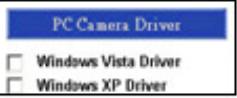
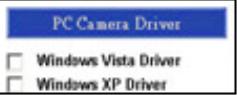
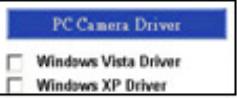
- Click the "PC Camera Driver" icon and select your operation system to install device driver.
| Select "PC Camera Driver" to install the device driver software that allows you to move your videos and pictures from the camera to your PC. | PC Camera Driver |
| Windows Vista Driver | |
| Windows XP Driver |
- Click "DirectX-Update" to install DirectX (9.0C) if you use old version or never installed before.
| Please install the DirectX (9.0C) if you use old version or never installed before. It can avoid some system problem and then run the WebCam more smoothly. | DirectX - Update |
- Select "User Guide" to know more about detail setting.
| Select "User Guide" to view the User Guide for detail setting and notice | User Guide |
bazoo VGA CAM "SNAKE"
- After driver installation, please click separately "ArcSoft WebCam Companion" icon, and then follow the on-screen instruction to install the application software.
Select ArcSoft WebCam Companion to install software for viewing, organizing, and editing your videos and pictures. ArcSet WebCam Companion
- The wizard will install ArcSoft suite.
- After first time installation, the system will restart; there will be a new icon on the desktop.

- Connect your WebCam to an available USB port on your computer. Windows should now detect your new device.
Hardware Installation
- Plug the enclosed USB cable into camera and USB port on the PC separately, and then follow the on screen instructions to install the Hardware. To avoid low voltage, we recommend user to plug the cable connector to USB port on PC directly.
- Please select AMCAP and enable “preview function” to view the video after first-time installation. If there is no video shown, please remove and connect again to make sure of well USB connection.
Notice:
Please download the latest update of "Service Pack" (from Start Windows Update) to keep the camera running smoothly.
Attention:
If you have more than one image device in your system, please select the Web Camera as the PC Camera device. In this way, you can use this camera to capture images.
Power Source Adjustment
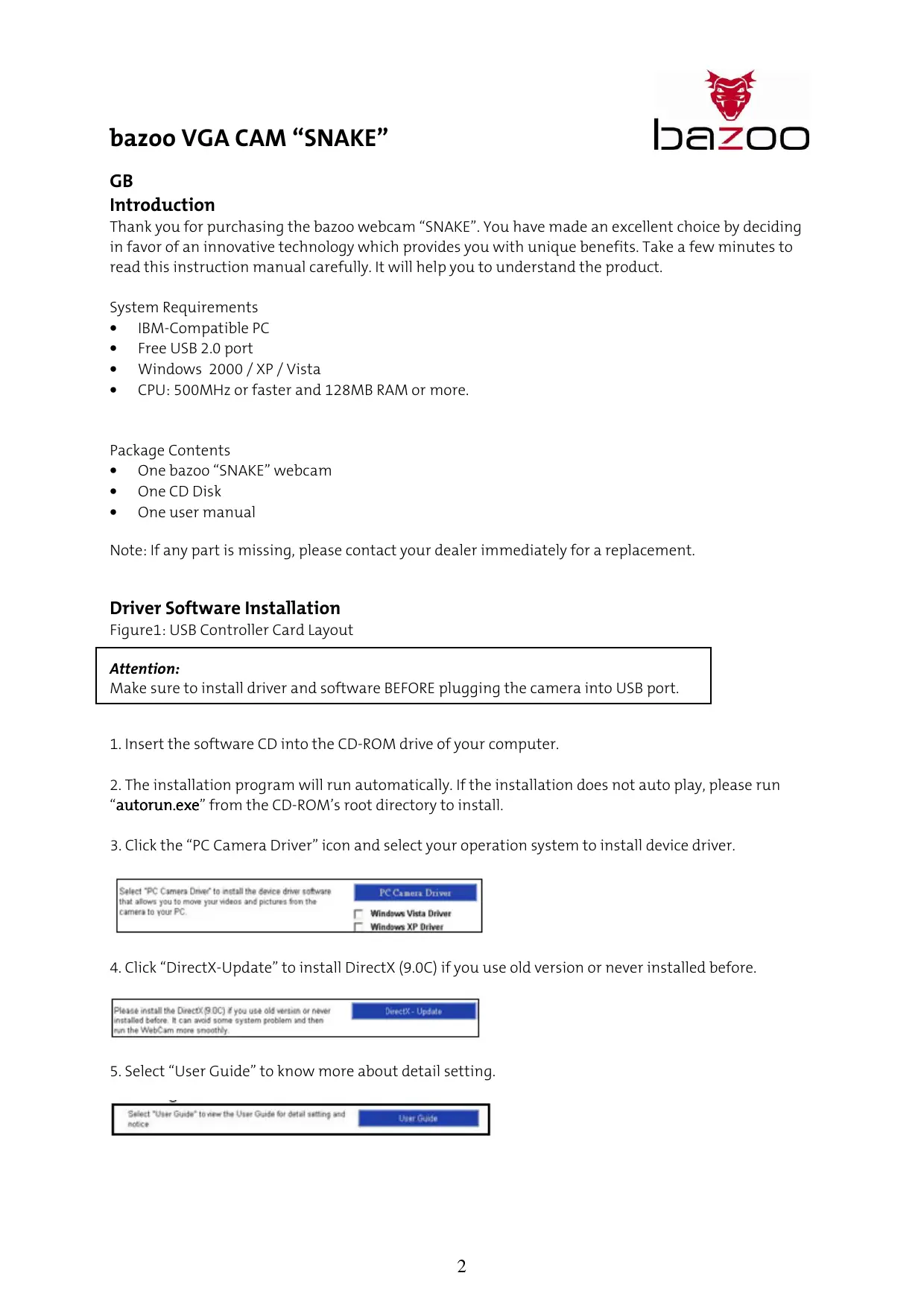
Choose the mode of "50Hz" or "60Hz" according to your power source environment or video output signal system to avoid the blurry image.
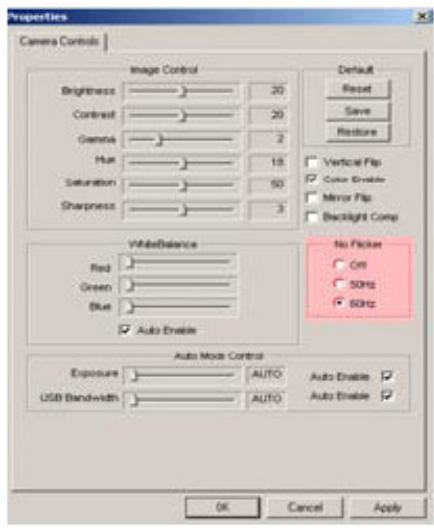
Amcap Option Video Capture Filter OK
Snap Size Adjustment
- Start AMC-P Software dialogue box. Please select "Option" and then click "Video Source..." or Video Capture Filter" to continue.
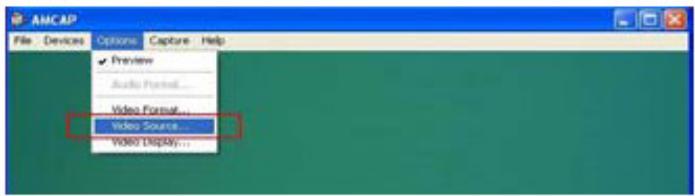
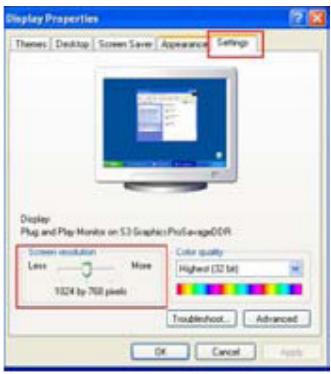
- When the "Properties" dialogue box pops up, please select "VGA SnapSize" and click mouse button to choose the VGA snap size as you need. There are four selections as below: 640 × 480 , 800 × 600 , 1024 × 768 , 1280 × 1024
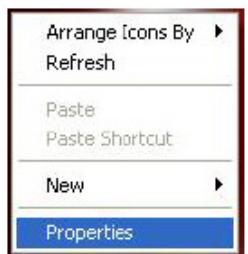
- Move the mouse cursor to any empty space on screen. Right click the mouse button and select "Properties" to pop up the "Display Properties" dialogue box.
- Please select "Settings" and then adjust the screen resolution to match the "VGA SnapSize" you selected before.
Driver Uninstallation
Run the "Uninstall" from "Start" "Programs" ("Cammaestro" icon to uninstall device driver. Please follow the on screen instructions to uninstall the driver.
1
ArcSoft Uninstallation
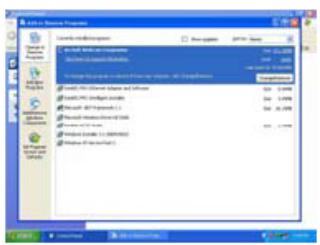
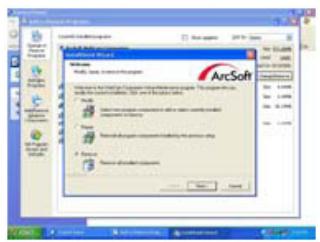
Select ( Control Panel ( Add or Remove Programs. Choose "ArcSoft WebCam Companion" to remove. Please follow the on screen instruction to uninstall the software program.
D
Einleitung
Select ArcSoft WebCam Companion to install software for viewing, organizing, and editing your videos and pictures. ArcSet WebCam Companion
Hardware Installation
ArcSoft Deinstallation
Select "PC Camera Driver" to install the device driver software that allows you to move your videos and pictures from the camera to your PC.
Select ArcSoft WebCam Companion to install software for viewing, organizing, and editing your videos and pictures. ArcSet WebCam Companion
Select PC Camera Driver to install the device driver software that allows you to move your videos and pictures from the camera to your PC.
Please install the DirectX9.0C if you use old version or never installed before. It can avoid some system problem and then run the WebCam more smoothly.
DirectX-Update
Select "User Guide" to view the User Guide for detail setting and notice
User Guide
bazoo VGA CAM "SNAKE"
Select ArcSoft WebCam Companion to install software for viewing, organizing, and editing your videos and pictures. ArcSet WebCam Companion
Select "PC Camera Driver" to install the device driver software that allows you to move your videos and pictures from the camera to your PC.
Select ArcSoft WebCam Companion to install software for viewing, organizing, and editing your videos and pictures.
ArcSat WebCam Companion
Select "PC Camera Driver" to install the device driver software that allows you to move your videos and pictures from the camera to your PC.
PC Camera Driver Windows Vista Driver Windows XP Driver
Please install the DirectX (9.0C) if you use old version or newer installed before. It can avoid some system problem and then run the WebCam more smoothly.
DirectX - Update
Select "User Guide" to view the User Guide for detail setting and notice
Select ArcSoft WebCam Companion to install software for viewing, organizing, and editing your videos and pictures. ArcSet WebCam Companion
Select "PC Camera Driver" to install the device driver software that allows you to move your videos and pictures from the camera to your PC.
PCCameraDriver Windows Vista Driver Windows XP Driver
Please install the DirectX (9.0C) if you use old version or never installed before. It can avoid some system problem and then run the WebCam more smoothly.
Select "User Guide" to view the User Guide for detail setting and notice
bazoo VGA CAM "SNAKE"
Select ArcSoft WebCam Companion to install software for viewing, organizing, and editing your videos and pictures. ArcSet WebCam Companion
Select PC Camera Driver to install the device driver software that allows you to move your videos and pictures from the camera to your PC.

Windows Vista Driver Windows XP Driver
Please install the DirectX (9.0C) if you use old version or never installed before. It can avoid some system problem and then run the WebCam more smoothly. DirectX - Update
Select "User Guide" to view the User Guide for detail setting and notice
bazoo VGA CAM "SNAKE"
Select ArcSoft WebCam Companion to install software for viewing, organizing, and editing your videos and pictures.
ArcSet WebCam Companion
Select ArcSoft WebCam Companion to install software for viewing, organizing, and editing your videos and pictures. ArcSet WebCam Companion
Hardwareinstallation
Ainstallation af driver
Kφr “Afinsteller” fra “Start” → “Programmer” → ikonet “Cammaestro” for at afinstellerene enhancesdriveren.
Select PC Camera Driver to install the device driver software that allows you to move your videos and pictures from the camera to your PC.
PC Camera Driver
Windows Vista Driver Windows XP Driver
Please install the DirectX (9.0C) if you use old version or never installed before. It can avoid some system problem and then run the WebCam more smoothly.
DirecX-Update
Select "User Guide" to view the User Guide for detail setting and notice
User Guide
bazoo VGA CAM "SNAKE"
Select ArcSoft WebCam Companion to install software for viewing, organizing, and editing your videos and pictures. ArcSot WebCam Companion
Information in this document is subject to change without notice. The manufacturer does not make any representations or warranties (implied or otherwise) regarding the accuracy and completeness of this document and shall in no event be liable for any loss of profit or any commercial damages, including but not limited to special, incidental, consequential, or other damages. No part of this document may be reproduced or transmitted in any form, electronic or mechanical, by any means, including photocopying, recording or information recording and retrieval systems without the expressed written permission of the manufacturer. All brand names and product names mentioned in this document are trademarks, or registered trademarks of their respective holders.