Pizzaco 500 Max - Washing machine CECOTEC - Free user manual and instructions
Find the device manual for free Pizzaco 500 Max CECOTEC in PDF.


User questions about Pizzaco 500 Max CECOTEC
0 question about this device. Answer the ones you know or ask your own.
Ask a new question about this device
Download the instructions for your Washing machine in PDF format for free! Find your manual Pizzaco 500 Max - CECOTEC and take your electronic device back in hand. On this page are published all the documents necessary for the use of your device. Pizzaco 500 Max by CECOTEC.
USER MANUAL Pizzaco 500 Max CECOTEC
Safety instructions 7
-
Parts and components 43
-
Before use 43
-
Operation 44
-
Cleaning and maintenance 47
-
Troubleshooting 48
-
Technical specifications 48
-
Disposal of old electrical and electronic appliances 49
-
Technical support and warranty 49
-
Copyright 49
-
Simplified EU Declaration of Conformity 49
SOMMAIRE
EU01_109092 Pizza&Co 500 Max
EN · The coding in this manual is generic and applies to all code variants of the appliance.
Read these instructions thoroughly before using the appliance. Keep this instruction manual for future reference or new users.
- Incorrect or improper use can damage the appliance and be dangerous for the user. Use the appliance only for the purposes described in this manual.
- This appliance can be used by children aged 8 years old and above and people with reduced physical, sensory, or mental capabilities or lack of experience and knowledge if they have been given supervision or instruction concerning the use of the appliance in a safe way and understand the hazards involved. Children must not play with the appliance. Cleaning and user maintenance should not be carried out by children unless they are over 8 years old and are under supervision.
- Children should be supervised to prevent them from playing with the product.
- Keep this appliance and its power cable out of reach of children under the age of 8.
- This appliance is designed for domestic use only and is not intended for bars, restaurants, farmhouses, hotels, motels, and offices.
-
Check the power cable regularly for visible damage. If the power cable is damaged, it must be replaced by the official Cecotec Technical Support Service or similar qualified personnel to avoid risks.
-
The appliance is not intended to be operated by means of an external timer or a separate remote-control system.
- Metal objects such as knives, forks, spoons and covers must not be placed on the hob as they may become hot.
- This symbol means: CAUTION: hot surface.

- Surfaces are likely to heat up during use.
- Use extreme caution when opening the lid of the appliance, as hot steam may escape. Use heat-resistant gloves or mitts to open the lid.
- Do not immerse the cable, plug, or any other part of the appliance in water or any other liquid. Do not expose the electrical connections to water. Make sure your hands are dry before handling the plug or switching on the appliance.
- Make sure that the appliance is disconnected from the mains before cleaning and when it is not in use.
- When cooking or there is food inside, if possible, avoid moving the appliance or do so with great care. Do not touch hot surfaces. Use the handle. Use protective gloves if necessary.
- Do not operate the appliance if it has a defective cord or plug, or if it is not working properly. In case of malfunction or breakdown, please contact official Cecotec Technical Support Service.
- Do not allow the cord to hang over the edge of the countertop or surface on which you are using it. Use the appliance on a heat-resistant surface.
- Do not place the following items inside the appliance during operation, such as paper, cards, plastic, cloth, and flammable items.
- Do not place anything over the appliance or cover the upper operating fan. Do not cover or obstruct the appliance's heat dissipation slot during operation.
- Do not use the appliance for frying.
INSTRUCTIONS DE SÉCURITÉ
- Enamelled steel baking tray
- 13-inch pizza stone
- Pizza peel with wooden handle
- Pizza cutter
NOTE:
The graphics in this manual are schematic representations and may not exactly match the product.
2. BEFORE USE
- This appliance is packaged in a way as to protect it during transport. Take the appliance out of its box and remove all packaging materials. You can keep the original box and other packaging elements in a safe place to prevent damage to the appliance if you need to transport it in the future. If you wish to dispose of the original packaging, make sure all packaging materials are recycled accordingly.
- Make sure all parts and components are included and in good conditions. If there is any piece missing or in bad conditions, contact the official Cecotec Technical Support Service immediately.
ENGLISH
- Do not remove the serial number of the appliance in order to keep a correct traceability of it in case of assistance.
- Remove all packaging material, stickers and tape from the appliance.
- Remove all accessories from the packaging box and read this manual carefully. Please pay special attention to the operating instructions, warnings and important safeguards to avoid any injury or property damage.
- Wash the accessories in warm soapy water, then rinse and dry thoroughly. The enamelled steel baking tray is dishwasher safe. Never clean the main unit in the dishwasher.
Box content
- Electric oven
- Pizza stone
- Enamelled steel baking tray
- Pizza peel
- Pizza cutter
- Instruction manual
3. OPERATION
The control panel display shows the time in HH:MM format on the left side and displays the temperature in °C or °F on the right side.
Note: Press and hold the Temp. + and - icon at the same time in standby mode to change the temperature from °C to °F on the right display.
Control panel
Fig. 3
The following oven functions can be selected by touching the □OVEN □icon:
- Grill 📋: Provides a grilled flavour, creating even grill marks.
- Dehydrate ☉: Dehydrate meats, fruits and vegetables for healthy homemade snacks.
- Roast 📋: Tenderises meats, roasts vegetables and much more.
- Bake 🎨: Use it to bake cakes, pastries, desserts and much more.
- Keep warm >>>: To keep food warm to the desired temperature, preserving its good taste.
- Defrost 📄: Suitable for defrosting all types of meat.
The following pizza functions can be selected by touching the PIZZA icon:
- Thin & Crispy THIN: Classic pizzeria-style thin, crispy base.
- Neapolitan NEAPOLITAN: Soft, airy dough with crispy bubbles. Traditional artisanal style.
- Pan Pizza PAN: Bake in a tin or tray for thick, delicious base. Sicilian or Chicago Deep Dish style.
-
Custom CUSTOM: Adjust time and temperature to create your perfect pizza.
-
New York Style NY: Large, hand-stretched pizza with light golden, flexible and flavourful base.
- Frozen FROZEN: Transform your favourite frozen pizza into a masterpiece in minutes.
Operating icons
1. Power icon ⏻
Once plugged in, press the power icon to turn on the oven. It will enter standby mode, the power icon indicator will light up and the display will turn on. Then select preset function from the panel. When the appliance has finished operating, press it again to turn it off.
When the cooking process is finished, the appliance will beep 5 times, and the display will show "END" and enter standby mode. The appliance will automatically switch off after 10 minutes of inactivity. Press the power icon to stop operation early.
2. Temperature icons - ∫ +
Use these icons to set the cooking temperature for any function. Select the desired programme, adjust the cooking temperature if needed, then press the ▶icon to start cooking.
The temperature can be adjusted by 10\ °F/5\ °C by pressing ‘+’ or ‘-’. Press and hold one of these icons for more than 2 seconds to adjust the temperature by 30\ °F/10\ °C rapidly.
3. Time icons - Ⓥ +
Use these icons to set the cooking time for any function. Select the desired programme, adjust the cooking time if needed, then press the ▶◆◆ icon to start cooking.
The time can be adjusted by 1 minute by pressing '+' or '-' . Press and hold one of these icons for more than 2 seconds to adjust the time by 5 minutes rapidly.
Note: To adjust the temperature or time during the cooking process, press the "+" or "-" icons as appropriate, so the appliance will resume those settings. All settings for time before preheating, refer to the cooking process, not to the preheating process.
4. Start/Stop icon
After selecting the preset programme or adjusting the temperature and time settings, press the Start/Stop icon to start cooking. During the preheating process, press the Start/Stop icon once to pause operation. Press it again to resume operation. During the cooking process, press the Start/Stop icon once to pause operation. The display will show the remaining time when paused. Press the icon again to resume cooking.
If you need to re-select the function during the preheating or cooking process, press the Start/Stop icon and choose a new function.
5. Pizza master mode
After selecting the preset pizza programme, press this icon to enter the Pizza master mode for 30-minute continuous operation. This mode is perfect for parties. In the Pizza master mode,
ENGLISH
the time and temperature cannot be adjusted. This mode is only suitable for pizza functions.
Note: In this mode, if you want to skip the preheating process, press and hold the Pizza icon for more than 3 seconds. For the Neapolitan function, the working temperature will change to 450°C in Pizza master mode to protect the appliance without affecting cooking results.
6. Smoking icon

The smoking function adds a natural woodsmoke flavour to your pizzas.
To use it, you can follow two methods according to your preferences:
- Place 15-20 g of wood chips in the enamelled steel baking tray (preferably on the edge of the tray to avoid grease contact and affect the smoking effect during cooking) or use foil for easier cleaning.
Note: Place the ingredients on the tray, making sure that they do not cover the wood chips for proper smoke circulation.
- Place the ingredients on an oven-safe rack (not included) and place it on the tray inside the pizza oven.
Finally, press the Smoking icon and wait for the food to acquire the natural wood aroma.
Tip: Partially cook ingredients before using the smoking function to maintain flavour without overcooking.
7. Standby mode:
The appliance will turn off if there is no interaction with the control panel after 1 minute. The selected function will also be stopped or cancelled if there is no interaction with the control panel after 5 minutes.
TIPS:
- Preheating: After selecting the preset programme, press the Start/Stop icon to start cooking, then the appliance will enter the preheating process, and the display will show "PRE". If you want to skip the preheating process, press and hold the Oven or Pizza icon for seconds. The display will stop showing "PRE" and show the cooking time countdown and the temperature of the selected programme.
Note: The preheating time required depends on the preset temperature. When the cooking temperature reaches the preset temperature, the preheating process will stop and prompt to add food.
- Add food: Once the preheating process is completed, the appliance will beep 10 times, and the display will show "ADD FOOD". Open the door and place the ingredients, then press the Start/Stop icon to start the cooking process. During the cooking process, time and temperature can be adjusted by pressing the "+" or "-" icons. After adjusting the time and temperature, the display will flash 5 times before implementing the new settings.
Note: The “ADD FOOD” warning will be shown on the display for 10 minutes. If food is not added and the Start/Stop icon is not pressed, the appliance will turn off automatically.
- Oven icon: In standby mode, press the Oven icon to select the following functions: Grill, Dehydrate, Roast, Bake, Keep warm, Defrost.
- Pizza icon: In standby mode, press the Pizza icon to select the following functions: Thin & Crispy, Neapolitan, Pan Pizza, New York Style, Frozen Pizza and Custom. The function will operate according to the time and temperature settings.
- Light icon :Press this icon to turn the inner light on/off for better visibility.
Cooking functions
| Function | Default temperature (°C/°F) | Adjustable temperature (°C/°F) | Default time | Adjustable time | Preheating |
| Thin | 310/590 | 180-750 | 4 min | 1-10 min | Yes |
| Neapolitan | 500/930 | 180-750 | 3 min | 1-5 min | Yes |
| Pan | 200/390 | 180-400 | 14 min | 1-20 min | Yes |
| Custom | 200/390 | 180-700 | 10 min | 1-30 min | Yes |
| NY | 285/550 | 180-700 | 6 min | 1-15 min | Yes |
| Frozen | 270/520 | 180-400 | 10 min | 1-20 min | Yes |
| Grill | 300/570 | 180-600 | 2 min | 1-15 min | Yes |
| Dehydrate | 70/150 | 60-90 | 6 h | 1-12 h | No |
| Roast | 350/700 | 80-350 | 8 min | 1-20 min | Yes |
| Bake | 175/350 | 200-500 | 20 min | 1-120 min | Yes |
| Keep warm | 60/150 | 60-100 | 30 min | 1-120 min | No |
| Defrost | 200/500 | 200-300 | 10 min | 5-20 min | No |
| Smoking | 280/530 | / | 10 min | 1-15 min | No |
4. CLEANING AND MAINTENANCE
- Unplug the appliance and allow it to cool down completely before cleaning.
- The accessories can be cleaned with a soft cloth or sponge with mild detergent and water.
ENGLISH
- Do not use hard brushes or cleaning items to avoid damaging the inner surface and coating of the accessories.
- Do not use toxic or corrosive cleaning agents, such as gasoline, solvents or polishes.
- Dry cleaned parts thoroughly before plugging in the appliance again.
- Do not clean the heating element.
- Do not immerse the appliance in water or any other liquid.
- Some accessories can be removed and cleaned separately. Use a soft cloth or sponge with mild detergent to clean the accessories after each use.
- Wash food-contact parts with warm soapy water and then dry them thoroughly. Clean the appliance's housing with a damp cloth. Do not use steel wool or scouring pads. Then use another cloth to dry it.
- Do not use abrasive cleaning agents, metal brushes and sponges, organic solvents or harsh liquids.
Warning: Allow the pizza stone and enamelled steel tray to cool down completely before washing in warm water to prevent cracking.
5. TROUBLESHOOTING
| Error code | Problem |
| E1 | Upper temperature sensor open circuit |
| E2 | Lower temperature sensor open circuit |
6. TECHNICAL SPECIFICATIONS
Product reference: EU01_109092
Product: Pizza&Co 500 Max
Voltage: 220-240 V\~
Frequency: 50-60 Hz
Power: 1800 - 2200 W
The power consumption in standby mode is 0.20 W using the guidelines of EN 50564:2011 and the European regulations 1275/2008/EC and 801/2013/EC. For this purpose, the device is connected to the mains without performing any function, waiting for the standby mode to be activated.
Technical specifications may change without prior notification to improve product quality.
Made in China | Designed in Spain
7. DISPOSAL OF OLD ELECTRICAL AND ELECTRONIC APPLIANCES

This symbol indicates that, according to the applicable regulations, the product and/or batteries must be disposed of separately from household waste. When this product reaches the end of its shelf life, you should dispose of the cells/batteries/accumulators and take them to a collection point designated by the local authorities.
For detailed information on how to properly dispose of electrical and electronic appliances and/or batteries, consumers should contact their local authorities.
Compliance with the above guidelines will help protecting the environment.
8. TECHNICAL SUPPORT AND WARRANTY
Cecotec shall be liable to the end user or consumer for any lack of conformity that exists at the time of delivery of the product under the terms, conditions and deadlines established by the applicable regulations.
Repairs should be carried out by qualified personnel.
If at any moment you detect any problem with your product or have any doubt, do not hesitate to contact the official Cecotec Technical Support Service at +34 963 210 728.
9. COPYRIGHT
The intellectual property rights over the texts in this manual belong to CECOTEC INNOVACIONES, S.L. All rights reserved. The contents of this publication may not, in whole or in part, be reproduced, stored in a retrieval system, transmitted, or distributed by any means (electronic, mechanical, photocopying, recording or similar) without the prior authorization of CECOTEC INNOVACIONES, S.L.
10. SIMPLIFIED EU DECLARATION OF CONFORMITY

Cecotec Innovaciones hereby declares that this appliance complies with the essential requirements and other relevant provisions of the regulations applicable in the European Union. This appliance has been designed, manufactured and tested to meet the required safety and quality standards.
The full text of the EU Declaration of Conformity can be found on the following website: https://cecotec.es/es/information/declaration-of-conformity
FRANÇAIS
1. PIÈCES ET COMPOSANTS
Image 1
5. Pizza expert modus
5. PROBLEEMOPLOSSING
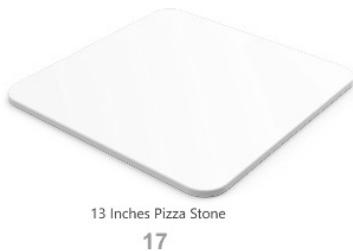


Fig./Img./Abb./Afb./Rys.2

Fig./Img./Abb./Afb./Rys. 3
www.cecotec.es
- SOMMAIRE
- INSTRUCTIONS DE SÉCURITÉ
- NOTE
- BEFORE USE
- ENGLISH
- BOX CONTENT
- OPERATION
- CONTROL PANEL
- OPERATING ICONS
- POWER ICON ⏻
- TEMPERATURE ICONS - ∫
- TIME ICONS - Ⓥ
- START/STOP ICON
- PIZZA MASTER MODE
- SMOKING ICON
- STANDBY MODE
- TIPS
- CLEANING AND MAINTENANCE
- TROUBLESHOOTING
- TECHNICAL SPECIFICATIONS
- DISPOSAL OF OLD ELECTRICAL AND ELECTRONIC APPLIANCES
- TECHNICAL SUPPORT AND WARRANTY
- COPYRIGHT
- SIMPLIFIED EU DECLARATION OF CONFORMITY
- FRANÇAIS
- PIÈCES ET COMPOSANTS
- IMAGE 1
- PIZZA EXPERT MODUS
- PROBLEEMOPLOSSING
Brand : CECOTEC
Model : Pizzaco 500 Max
Category : Washing machine