
SKM7491NF - Baby monitor PHILIPS - Free user manual and instructions
Find the device manual for free SKM7491NF PHILIPS in PDF.



| Product Type | Baby monitor |
| Brand | PHILIPS |
| Model | SKM7491NF |
| Camera unit power supply | Mains 7.5 V DC or 4 AA 1.5 V batteries (not included) |
| Parent unit power supply | Mains 8 V DC or 5 rechargeable AA 1.2 V batteries (included) |
| Parent unit battery life | Approximately 3.5 hours |
| Outdoor range | Up to 100 meters |
| Indoor range | Up to 30 meters |
| Screen | 1.5 inch color LCD, 490 x 240 pixels |
| Frequency | 2.4 GHz |
| Channels | 3 selectable |
| Modes | AV (audio+video), Audio only, Auto (sound-activated) |
| Night vision | Yes, infrared (black and white image) |
| Night light | Yes, built into camera unit |
| Image flip | Yes (180°) |
| AV output | Yes, via SCART or RCA for TV connection |
| Sound level indicator | Yes, LED on parent unit |
| Out of range alert | Yes, audible beep |
| Operating temperature | 0 to 50 °C |
| Maintenance and cleaning | Clean with a damp cloth |
| Safety | Camera unit at least 1 meter from baby; do not cover; use only supplied adapters |
| Warranty | PHILIPS manufacturer warranty |
Frequently Asked Questions - SKM7491NF PHILIPS
User questions about SKM7491NF PHILIPS
0 question about this device. Answer the ones you know or ask your own.
Ask a new question about this device
Download the instructions for your Baby monitor in PDF format for free! Find your manual SKM7491NF - PHILIPS and take your electronic device back in hand. On this page are published all the documents necessary for the use of your device. SKM7491NF by PHILIPS.
USER MANUAL SKM7491NF PHILIPS
natural_image
Two Philips mobile phone devices, one with a screen displaying a photo of a sleeping baby, the other a simple robot with a camera and antenna (no visible text or symbols on device body)PHILIPS

natural_image
Black-and-white photo of a woman holding a baby, both looking at each other (no text or symbols visible)A. Camera unit
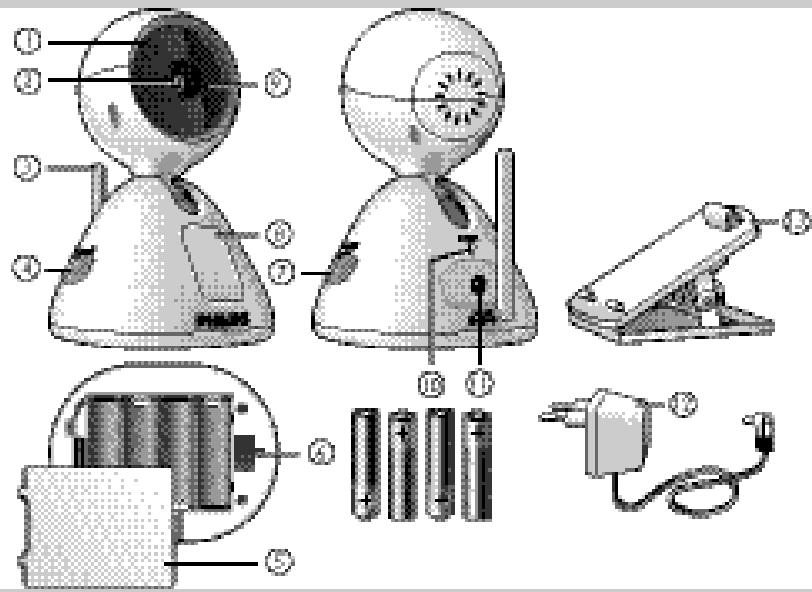
B. Monitor unit
A. Camera unit
A-I IR LEDs
A-2 Camera lens/focus ring
A-3 Antenna
A-4 OFF/ON/ switch
A-5 Battery compartment cover
A-6 Wall mount recess
A-7 CHANNEL selection switch
A-8 Nightlight
A-9 Microphone
A-10 POWER light
A-11 DC 7.5V ⊙-⊕ power supply jack
A-12 AC power adapter
A-13 Mounting clip
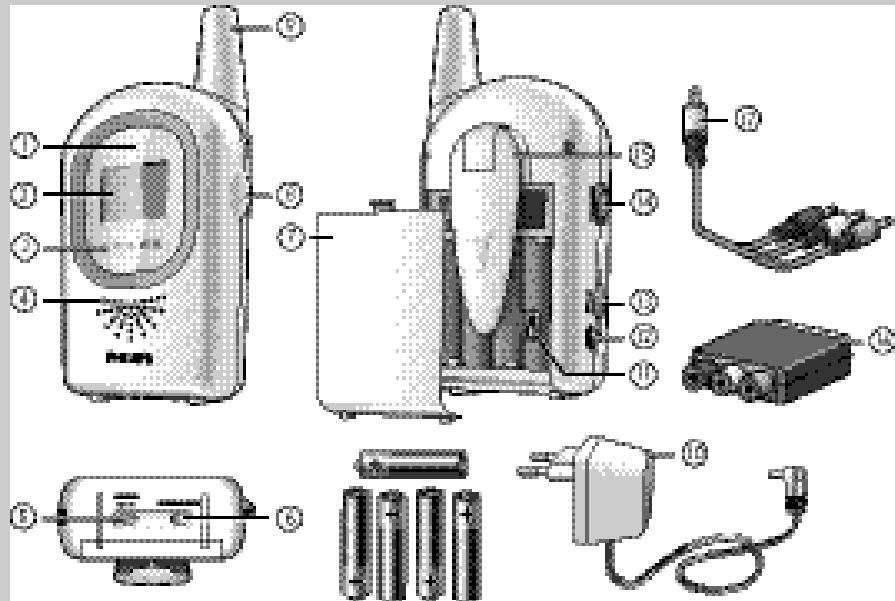
B. Monitor unit
B-I POWER light
B-2 Display
B-3 Sound level lights
B-4 Loudspeaker
B-5 CHANNEL selection switch
B-6 Mode selection switch (AV AUDIO AUTO)
B-7 Battery compartment cover
B-8 ON/OFF switch/VOLUME control
B-9 Antenna
B-10 AC power adapter
B-11 Rotate image switch
B-12 DC 8.0V ⊙-⊕ power supply jack
B-13 AV OUT jack
B-14 ◀ BRIGHTNESS ▶ control
B-15 Belt clip/support
B-16 SCART/RCA adapter
B-17 Audio/Video cable
C. What else you'll need
- 4 x 1.5 V AA batteries for baby unit. Not supplied.
- 5 x 1.2 V AA rechargeable batteries for monitor unit. Supplied.
Contents
EN
3 Illustrations
4 Legend of functions
4 Camera unit (baby unit)
4 Monitor unit (parent unit)
4 What else you need
5 Contents
6 Welcome
6 Safety information
7 Getting your baby monitor ready
7 Camera unit (baby unit)
9 Monitor unit (parent unit)
10 Channel selection
II Using your baby monitor
II Switching on the units
II Mode selection (monitor unit)
12 Adjusting the image
12 General remarks
13 Other features
13 Connecting the monitor to your TV
13 Switching the night-light on and off
14 Rotating the displayed image
14 Monitoring your baby silently
15 Troubleshooting
17 Technical specifications
18 Important information
18 Transmission range
19 Environmental information
19 Maintenance
19 Guarantee & service
Philips is dedicated to produce caring, reliable products to give parents the reassurance they need. Your baby cam consists of a monitor unit (parent unit) and a camera unit (baby unit). With the units properly connected the baby cam provides round-the-clock support by ensuring you can always see and hear your baby clearly. When the baby cam is used as a regular baby monitor, it enables you to hear your baby anywhere in the house at all times.
Philips Baby Care, taking care together
Safety information
Please read this user manual carefully before using your baby cam and keep it for future reference. This baby cam is intended as an aid. It is not a substitute for responsible and proper adult supervision and should not be used as such.
natural_image
Diagram showing sunlight passing through a cross-shaped barrier with a cloud and a vertical bar, no text or symbols present.- Read and observe all warnings on the product and in this user manual.
- Make sure the camera unit and adapter cable are always out of reach of the baby (at least 1 meter/3 feet away).
- Never cover the baby cam (with a towel, blanket, etc.).
- Never use the baby cam in moist places or close to water.
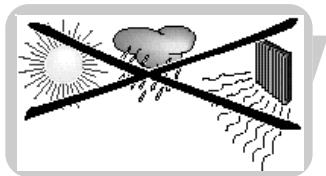
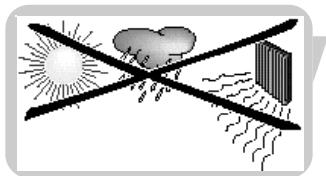
- Do not expose the baby cam to extreme cold, heat or light (e.g. direct sunlight).
- Check to ensure that the voltage indicated on the type plate of the adapters (A-12, B-10) corresponds to the local power voltage before connecting to the AC power supply.
- To prevent electric shock, do not open the inside of the camera unit and monitor unit (except for the battery compartments)
- The monitor unit antenna (B-9) is fixed; do not try to extend or bend it.
- The camera unit antenna (A-3) can only be bent down (and up again). It cannot be extended.
- Always unplug the AC adapters when not using the baby cam for long periods of time.
- The adapters and battery compartment covers may be slightly warm during operation. This is normal.
- Position the AC adapter cords so that they are not walked on or pinched by items placed upon or against them, paying particular attention to cords at AC adapter plugs, wall plugs, and the point at which the cords attach to the system.
- Use only the AC adapters provided. Use of any other adapters may damage the system. Plug the AC adapters into standard household current only! To prevent entanglement and overheating, do not use extension cords.
- Keep in mind that you are using public airwaves when you use the baby cam. Sound and video may be broadcast to other receiving devices. Conversations, even from rooms near the camera unit, may be broadcast as well.
- To protect your privacy, always switch off the camera unit when not in use.
- Danger of explosion if batteries are incorrectly replaced. Replace only with the same or an equivalent type.
- Do not mix battery types (alkaline batteries with other batteries).
- Remove batteries when the baby cam will not be used for a long period of time.
- Do not mix old and new batteries.
- Do not recharge non-rechargeable batteries. This may cause a fire.
- If the batteries are left in the units when they are powered from the mains, check them for leakage every six months.


Getting your baby cam ready
Camera unit (baby unit)
Tips for positioning the camera unit
- Never place the camera unit inside the baby's bed or playpen.
- Position the unit at least 1 meter (3 feet) away from your baby.
- The unit can be mounted on a wall, or placed on a stable, flat surface, such as a dresser or table top.
IMPORTANT!
Once you have selected a location for mounting the unit, test reception before mounting the unit to the wall. If interference or other problems occur, refer to chapter 'Troubleshooting'.
- To prevent entanglement, mount the unit only at locations where its AC adapter cord is out of children's reach!
- To prevent entanglement and overheating, mount the unit only in locations where the AC adapter cord can reach a standard wall outlet.
- Mount the unit at a location where the camera lens is not obstructed. Use the horizontal and vertical angle adjustment options to aim the camera properly.


natural_image
Diagram showing sunlight illuminating a cloud and a vertical bar, with no text or symbols present.- Allow adequate ventilation of the unit when mounted on the wall. Do not mount it directly above heating vents, other heat-generating sources or in direct sunlight.
Mounting the camera unit
Before mounting, first select the best possible location for the unit. See 'Tips for positioning the camera unit'.
If you wish to operate the unit on battery power, first insert the batteries into the unit. See 'Setting up for battery-operated use'.
natural_image
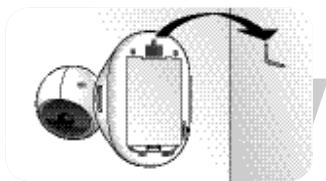
Diagram of a device with a curved arrow indicating direction (no text or symbols present)Mounting to a wall
- Attach the unit wall mount recess (A-6) to a screw or hook.
natural_image
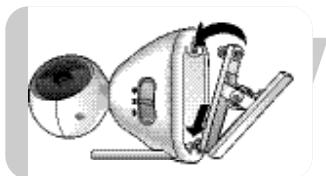
Illustration of a mechanical device with a spherical component and lever mechanism (no text or symbols)Using the mounting clip
- Insert the mounting clip feet into the recess at the bottom of the unit.
Gently push the two front feet forward until they click into position. Then gently push down the rear foot until it clicks into position.
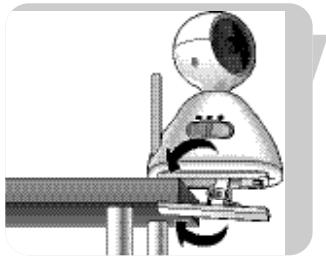
natural_image
Mechanical device with rotating arm and base mount (no visible text or symbols)- Clip the mounting clip (A-13) to the edge of a table or cupboard.
natural_image
Illustration of a person using a power tool to switch a plug into an electrical outlet (no text or symbols visible)Setting up for mains-operated use
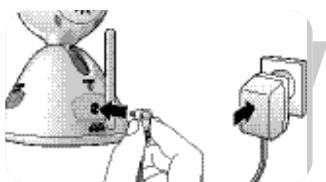
Connect the power adapter cord to the unit power supply jack (DC 7.5V ⊖-⊕-⊕ - A-11).
2 Connect the AC power adapter (A-12) to a wall outlet. Unwrap and fully extend the AC adapter cord.
< The camera unit is now ready for mains-operated use.
Setting up for battery-operated use
When batteries are installed, you have an automatic back-up in case of mains failure.
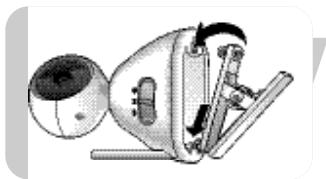
I Remove the battery compartment cover (A-5).
2 Insert four 1.5V AA batteries, noting the + and - configuration inside the battery compartment. Batteries are not supplied, we recommend Philips alkaline batteries.
3 Close the battery compartment cover (A-5).
< The camera unit is now ready for battery-operated use.
Monitor unit (parent unit)
The monitor unit can be mains- or battery-operated. When batteries are installed, you have an automatic back-up in case of mains failure.
Setting up for mains-operated use
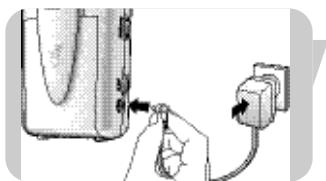
Connect the power adapter cord to the unit power supply jack (DC 8.0V ⊙-⊕-⊕ - B-12).
2 Connect the AC power adapter (B-10) to a wall outlet. Unwrap and fully extend the AC adapter cord.
< The camera unit is now ready for mains-operated use.
Setting up for battery-operated use
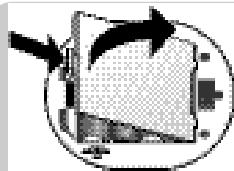
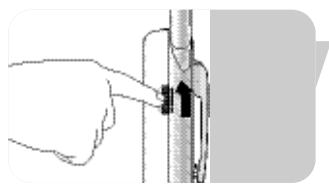
I Slide down the belt clip/support (B-15) and lift it up.
2 Remove the battery compartment cover (B-7) by sliding it downwards.
3 Insert the five 1.2V AA rechargeable batteries supplied, noting the + and - configuration inside the battery compartment.
natural_image
Diagram of a mechanical or electronic component with directional arrows, no visible text or symbols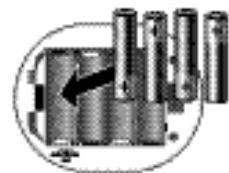
natural_image
Pure mechanical component diagram without any text, numbers, or symbols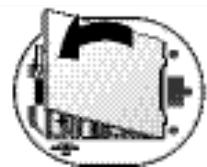
natural_image
Abstract geometric diagram with overlapping shapes and a central arrow (no text or symbols)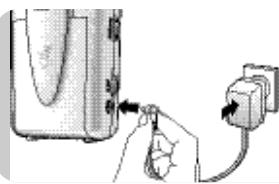
natural_image
Illustration of a hand inserting a plug into a device (no text or symbols visible)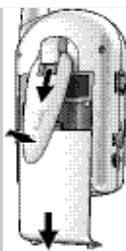
natural_image
Diagram of a hand holding a device with directional arrows indicating movement (no text or symbols)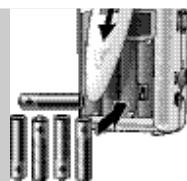
natural_image
Close-up of a battery pack with an arrow indicating direction, next to four batteries (no text or symbols visible)Getting your baby cam ready
natural_image
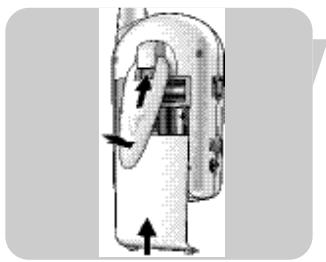
Diagram of a mechanical device with directional arrows indicating movement or force (no text or symbols)4 Slide the battery compartment cover (B-7) back in place. Push gently until it clicks into position.
5 Pull down the belt clip/support (B-15) slide it upwards until it clicks into position.
natural_image
Illustration of a hand inserting a plug into a device (no text or symbols visible)6 Connect the power adapter cord to the unit power supply jack (DC 8.0V ⊙-⊕-⊕ - B-12).
7 Connect the AC power adapter (B-10) to a wall outlet. Unwrap and fully extend the AC adapter cord.
8 Leave the monitor unit connected to the mains supply until the batteries are fully charged (at least 10 hours).
During recharging the POWER light (B-I) blinks red.
When batteries are fully charged the POWER light (B-I) lights continuously green. The monitor unit can now be used cordlessly for at least 3.5 hours.
< The monitor unit is now ready for battery-operated use.
natural_image
Illustration of a flip phone with a screen and antenna (no text or symbols visible)Positioning the monitor unit
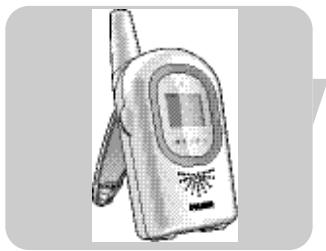
- The unit can be placed on a stable, flat surface such as a table top.
- The belt clip can be used to support the unit in an inclined position. For this, slide down the belt clip (B-15) and lift it up.
natural_image
Illustration of a hand pressing down on an hourglass-shaped object with a directional arrow (no text or symbols)Channel selection
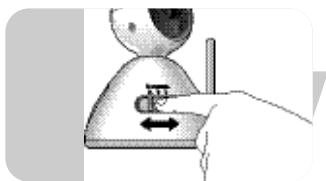
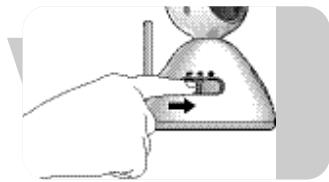
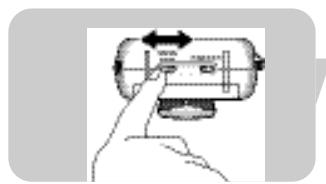
I Use the CHANNEL selection switch (A-7) on the camera unit to select the desired channel (1, 2 or 3).
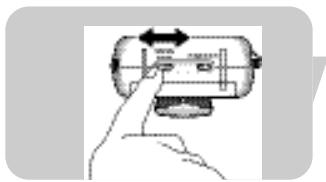
2 Set the CHANNEL selection switch (B-5) on the monitor unit to the corresponding channel.
- Make sure that both units are always set to the same channel.
Switching on the units
I Set the camera unit OFF/ON/ ⚙ switch (A-4) to the ON position.
The POWER light (A-10) lights up green.
The IR LEDs (A-I) are automatically activated so the camera can also be used in low light conditions. Images are then displayed in black and white.
2 Set the monitor unit ON/OFF switch (B-8) to the ON position.
The POWER light (B-I) lights up green.
You will now hear sound from the loudspeaker (B-4) and see picture on the display (B-2).
The sound level lights (B-3) light up when sound is picked up by the camera unit. The more sound is picked up, the more lights light up.
- Adjust the volume with the VOLUME control (B-8)
- If there is interference or if sound reception is poor, try repositioning the units (camera unit first) or set both units to another channel. See ‘Channel selection’.
Make sure that both units are always set to the same channel.
Mode selection (Monitor unit)
The various modes are selected with the mode selection switch (B-6) at the bottom of the monitor unit.
AV (Audio Video) mode
Sound and picture are transmitted together continuously.
Audio mode
Only sound is transmitted. No picture is shown on the display (B-2). The baby cam is now used as a regular baby monitor. This saves battery power.
Auto mode
Only when sound is detected by the camera unit, sound and picture are transmitted together and picture is shown on the display (B-2).
When no sound is detected, no picture is shown. This saves battery power.
natural_image
Illustration of a hand pressing a button on a device (no text or symbols visible)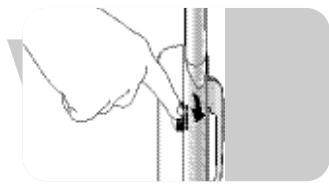
natural_image
Hand holding a cylindrical object with a black arrow pointing to it, next to a vertical line (no text or symbols visible)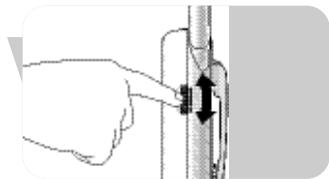
natural_image
Illustration of a hand adjusting a vertical pipe fitting with arrows indicating direction (no text or symbols)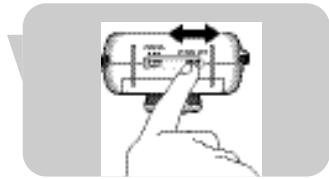
natural_image
Hand pressing a button on a cylindrical device with arrows indicating motion (no text or symbols)Adjusting the image
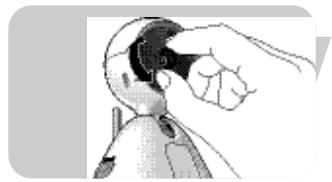
Adjusting the focus of the image (camera unit)
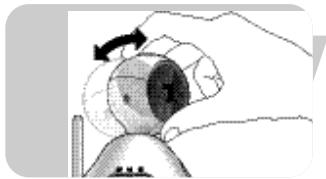
- Use the focus ring (A-2) to adjust the focus of the image.
natural_image
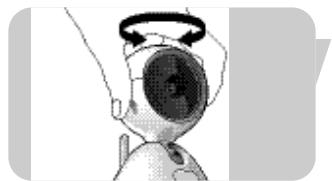
Illustration of a hand holding a small object, possibly a tool or device, with no visible text or symbols.Adjusting the horizontal and vertical angle of the image (camera unit)
natural_image
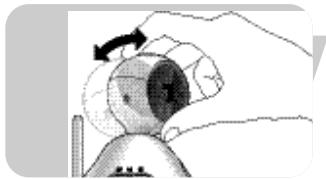
Illustration of a robot head with a circular head and rotation arrow (no text or symbols)- Turn the camera head left or right to adjust the horizontal angle of the image.
natural_image
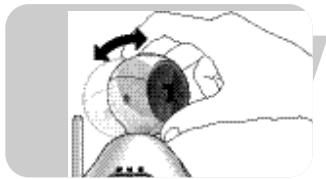
Illustration of a hand holding a small object with a circular arrow indicating rotation (no text or symbols)- Slide the camera head up or down the slot to adjust the vertical angle of the image.
natural_image
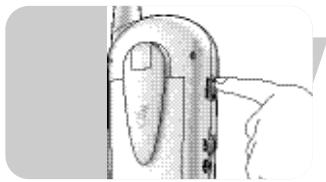
Close-up of a finger pressing a button on a device (no visible text or symbols)Adjusting the brightness of the display (monitor unit)
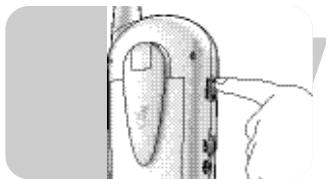
- Use the ◀ BRIGHTNESS ▶ control (B-14) to adjust the brightness of the display (B-2).
General remarks
Low power indication
- When the camera unit POWER light (A-10) goes out, battery power is low. Switch over to mains power or replace batteries.
- When the monitor unit POWER light (B-I) starts blinking green (when in use) or lights up red (after switching on), battery power is low. Switch over to mains power or recharge batteries. The batteries should recharge for 10 hours. When the unit is in use, recharging time will increase. During recharging the POWER light (B-I) blinks red. When batteries are fully charged the POWER light (B-I) lights continuously green.
When batteries do not fully recharge or not at all, battery life is at an end. Replace batteries.
Out-of-range alert
When there is no connection between the units (e.g. one of the units is switched off, units are set to different channels or batteries are low), the out-of-range alert is activated and a beeping sound is heard.
Infrared LEDs
When the camera unit is switched on, the infrared LEDs (A-I) are automatically activated so the camera can also be used in low light conditions. Images are displayed in black and white.
Other features
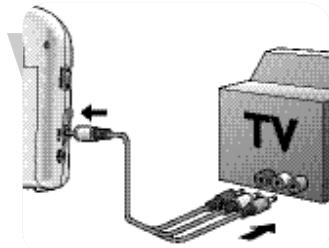
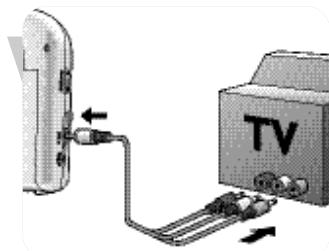
Connecting the monitor unit to your TV
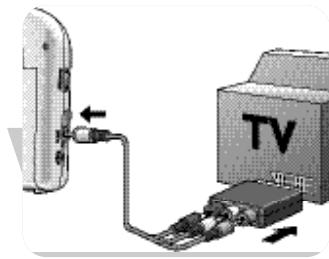
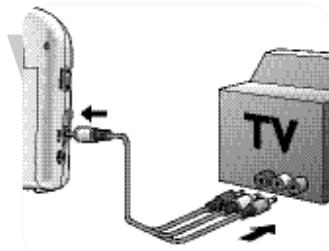
SCART connection
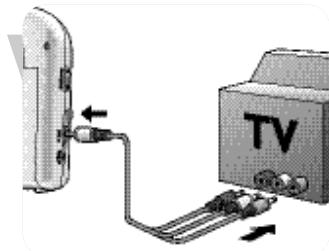
Plug the Audio/Video connection cable supplied (B-17) into both the AV OUT jack (B-13) of the monitor unit and the SCART/RCA adapter(B-13) supplied.
2 Connect the adapter to the SCART connector of the TV.
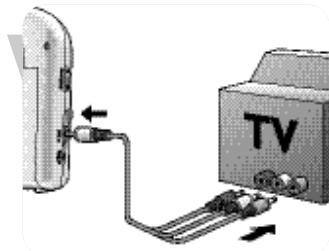
RCA connection
Connect the single end of the Audio/Video RCA connection cable supplied (B-17) to the AV OUT jack (B-13) of the monitor.
2 Connect the audio/video plugs at the other end of the cable to the appropriate audio/video inputs on your TV. Make sure you insert the yellow plug into the Video input and the white and red audio plugs into the L(eft) and R(ight) Audio inputs.
Note: If your TV is equipped with PIP (Picture In Picture) or Full Dual Screen, you can continuously watch your baby while watching TV.
natural_image
Diagram showing cable connection between TV and a device (no text or symbols present)Switching the night-light on and off
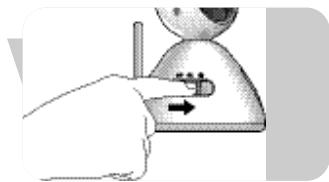
- Set the camera unit OFF/ON/ ⚙ switch (A-4) to the ⚙ position to switch on the nightlight.
- Set the camera unit OFF/ON/ ⚙ switch (A-4) to the OFF or ON position to switch off the nightlight.
natural_image
Illustration of a hand pressing down on a small object with a directional arrow (no text or symbols)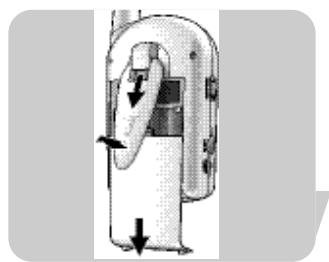
natural_image
Diagram of a mechanical device with directional arrows indicating movement or force (no text or symbols present)Rotating the displayed image
The Rotate image feature enables you to rotate the image 180^ for use of the camera in various positions e.g. when clipped to the edge of a table or cupboard.
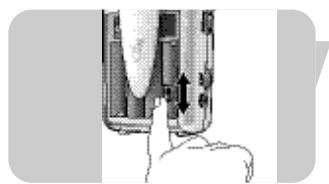
The Rotate image switch is located inside the monitor unit battery compartment.
I Slide down the belt clip/support (B-15) and lift it up.
2 Remove the battery compartment cover (B-7) by sliding it downwards.
natural_image
Close-up of a hand pressing a button on a device component (no visible text or symbols)3 Set the Rotate image switch (B-11) to ON.
The image is now vertically rotated (180°) on the display.
- Set the Rotate image switch (B-11) back to return the image back to its original setting.
Note: When the camera unit is connected to the TV, rotating the image is not possible.
natural_image
Illustration of a hand pressing a button on a vertical pipe (no text or symbols visible)Monitoring your baby silently
- Use the ON/OFF switch/VOLUME control (B-8) on the monitor unit to set the volume to the lowest level.
Do not switch off the monitor unit completely!
The sound level lights (B-3) on the monitor unit visually alert you to your baby's sounds. The more sounds your baby makes, the more lights you will see.
When no sound is detected all sound level lights (B-3) will be off.
Troubleshooting
| Problem | Possible cause | Solution |
| Camera unit's POWER light does not light up. | Unit not switched on. | Set OFF/ON/ switch (A-4) to ON (day) or (night). |
| Batteries are empty. | Replace batteries. | |
| AC power adapter (A-12) not plugged in. | Connect AC power adapter (A-12) to camera unit. Connect AC power adapter (A-12) to wall outlet. | |
| Monitor unit's POWER light does not light up. | Unit not switched on. | Set ON/OFF switch (B-8) to ON. |
| Batteries are low. | Recharge batteries. | |
| Battery life is at an end. | Replace batteries. | |
| AC power adapter (B-10) not plugged in. | Connect power adapter (B-10) to monitor unit. Connect power adapter (B-10) to wall outlet. | |
| Monitor unit's display does not light up. | Unit not switched on. | Set ON/OFF switch (B-8) to ON. |
| AUDIO mode selected. | Select AV or AUTO mode (B-6). | |
| No sound/no picture. | Units set to different channels. | Set both units to the same channel (A-7, B-5). |
| Camera unit not switched on. | Set OFF/ON/ switch (A-4) to ON (day) or (night). | |
| Interference from e.g. household appliances, cordless or cellular telephones. | Set both units to another (same) channel (A-7, B-5). | |
| Dark picture at night. | Batteries are low. | Replace/recharge batteries. |
| Brightness set too low. | Adjust brightness level (B-14). |
Troubleshooting
| Problem | Possible cause | Solution |
| Sound but no picture. | One or both units close to metal objects. | Move unit(s) to different location(s). |
| Brightness set too low. | Adjust brightness level (B-14). | |
| Units set to different channels. | Set both units to the same channel (A-7, B-5). | |
| Interference from e.g. household appliances, cordless or cellular telephones. | Set both units to another (same) channel (A-7, B-5). | |
| Picture but no sound. | Volume level set too low. | Increase volume level (B-8). |
| Flickering picture. | Object too close to camera unit. | Remove object from camera unit or relocate camera unit. |
| One or both units close to metal objects. | Move unit(s) to different location(s). | |
| Interference from e.g. household appliances, cordless or cellular telephones. | Set both units to another (same) channel (A-7, B-5). | |
| Audio feedback (squealing). | Units too close to each other. | Increase distance between units. |
| Volume set too high. | Decrease volume (B-8). | |
| Image is displayed upside down on TV screen and cannot be rotated. | Rotating the image is not possible when the camera unit is connected to the TV. | Place camera unit straight up or disconnect monitor unit from TV. |
Monitor Unit
Hand held operation voltage:......DC8V 700mA or 1.2 V AA rechargeable batteries (5x)
Low-voltage indication: 5.6 V
Temperature range: 0^ C \~ 50^ C
Power consumption: 5.0 W
Operation frequency: 2.4GHz \~ 2.465 GHz
Max range (clear line of sight):......up to 100 meters in open air/up to 30 meters indoors
Video system: PAL
Resolution: 490 x 240 pixels
Display: 1.5" Color LCD
Camera Unit
Operation voltage:......DC 7.5V 300mA or 1.5 V AA alkaline batteries (4x)
Power output: ≤ 10 dBm
Temperature range: 0 °C \~ 50 °C
Power consumption: 2.2W
Operation frequency: 2.4GHz \~ 2.465 GHz
Sub-carrier frequency: 6.5 MHz
Microphone sensitivity:....1 to 2 meters
Important information
- Picture and sound quality is influenced by the use of microwave ovens. Other wireless systems (Bluetooth, wireless LANs, etc.) can also adversely influence the quality of picture and sound, and vice versa.
- The baby cam is a Radio Frequency (RF) based product. As such its performance can suffer the same kinds of interference as GSMs, portable radios and other RF-based products.
- The baby cam is not limited to just one room. You can use it anywhere in the house. Consequently, anybody in the vicinity of your house (up to the maximum operating range) who also owns a baby cam set to the same channel can watch and hear your baby.
- Radio wave safety: when switched on, the baby cam transmits and receives radio waves. The baby cam complies with the standards that are defined for it.
- The baby cam has an operating range of up to 100 meters, approximately in open air. Walls, ceilings and other large objects may limit the useable operating range to about 30 meters in the house, depending on what material the walls are made off.
Transmission range
What is the transmission range of a baby monitor in connection with the environment?
The range specified is the open field range of a specific monitor.
This range may be reduced, depending on the surroundings and other interference factors.
| Dry materials | Material thickness | Permeability |
| Wood, plaster, plasterboard, glass (without metal or wires, no lead) | < 30 cm | 90 - 100% |
| Brick, plywood | < 30 cm | 65 - 95% |
| Reinforced concrete | < 30 cm | 5 - 40% |
| Metal grids, bars | < 1 cm | 0 - 10% |
| Metal, aluminium sheets | < 1 cm | 0% |
For wet and moist materials reduction can be up to 100%.
Environmental information
Disposal of your old product
Your product is designed and manufactured with high quality materials and components, which can be recycled and reused.
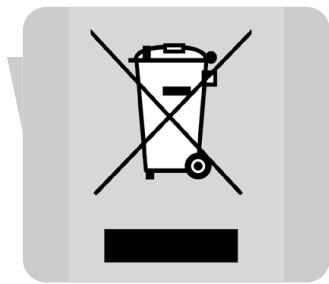
When this crossed-out wheeled bin symbol is attached to a product it means the product is covered by the European Directive 2002/96/EC.
Please inform yourself about the local separate collection system for electrical and electronic products.
Please act according to your local rules and do not dispose of your old products with your normal household waste. The correct disposal of your old product will help prevent potential negative consequences for the environment and human health.
Maintenance
- Clean the baby cam with a damp cloth.
- Dispose of used batteries in an environmentally friendly manner.
Guarantee & Service
If you need information or if you have a problem, please visit the Philips Web site at www.philips.com or contact the Philips Customer Care Center in your country (you will find its phone number in the worldwide guarantee leaflet). If there is no Customer Care Center in your country, turn to your local Philips dealer or contact the Service Department of Philips Domestic Appliances and Personal Care BV.
A. Unité caméra
natural_image
Diagram showing sunlight, cloud, and water waves crossing a black X-axis (no text or symbols)natural_image
Diagram showing sunlight illuminating a cloud and a vertical bar, with no text or symbols present.natural_image
Diagram of a camera module with lens and screen, no text or symbols presentFixation au mur
natural_image
Illustration of a mechanical device with a spherical component and lever mechanism (no text or symbols)natural_image
Illustration of a robotic device with rotating arm and base, no visible text or symbolsnatural_image
Illustration of a person using a tool to install an electrical plug into a wall (no text or symbols visible)natural_image
Diagram of a mechanical component with arrows indicating motion or force direction (no text or symbols)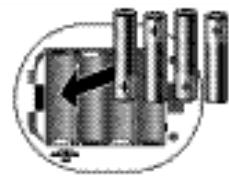
natural_image
Diagram of a mechanical component with cylindrical parts and an arrow indicating direction (no text or symbols)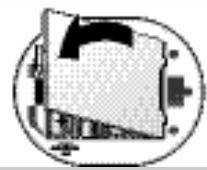
natural_image
Abstract geometric design with overlapping shapes and a central arrow (no text or symbols)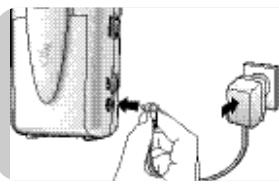
natural_image
Illustration of a hand inserting a plug into a device (no text or symbols visible)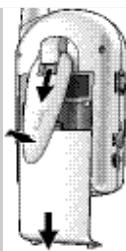
natural_image
Diagram of a hand holding a device with directional arrows indicating movement (no text or symbols)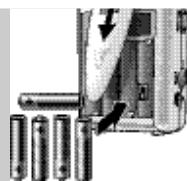
natural_image
Close-up of a battery holder with an arrow indicating the component (no visible text or symbols)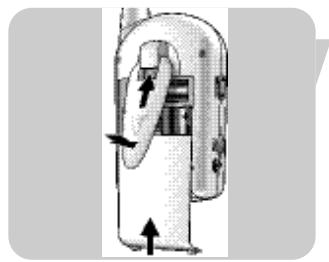
natural_image
Diagram of a mechanical device with directional arrows indicating movement or force (no text or symbols)natural_image
Illustration of a hand inserting a plug into a device (no text or symbols visible)natural_image
Illustration of a flip phone with a screen and antenna (no text or symbols visible)natural_image
Illustration of a hand pressing a button on an hourglass-shaped object with a directional arrow (no text or symbols)natural_image
Hand pointing at a cylindrical device with directional arrows indicating movement (no text or symbols)natural_image
Illustration of a hand pressing a button on a device (no text or symbols visible)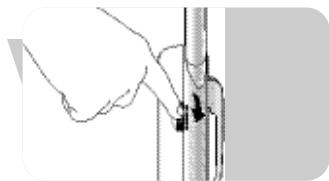
natural_image
Illustration of a hand holding a vertical pipe with a black arrow indicating force or movement (no text or symbols)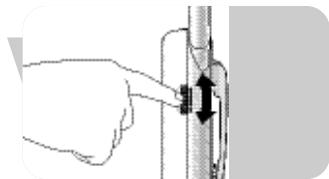
natural_image
Illustration of a hand adjusting a vertical pipe fitting with arrows indicating movement (no text or symbols)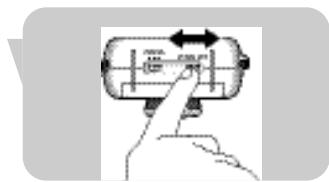
natural_image
Hand holding a cylindrical device with arrows indicating left and right motion (no text or symbols)Réglage de l'image
natural_image
Illustration of a hand holding a small object, possibly a tool or device, with no visible text or symbols.natural_image
Illustration of a robot head with a circular head and rotation arrow (no text or symbols)natural_image
Illustration of a hand holding a small object with a curved arrow indicating rotation (no text or symbols)natural_image
Close-up of a finger pressing a button on a device (no visible text or symbols)Remarques générales
natural_image
Diagram showing cable connection between a TV and a switch (no text or symbols present)natural_image
Illustration of a hand pressing down on a small object with a directional arrow (no text or symbols)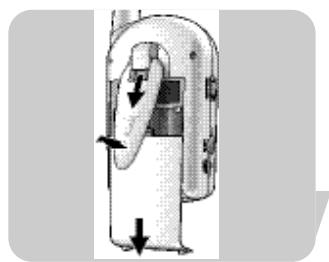
natural_image
Diagram of a mechanical device with directional arrows indicating movement or force (no text or symbols)natural_image
Close-up of a hand pressing down on a cylindrical device component (no visible text or symbols)natural_image
Illustration of a hand inserting a plug into a cylindrical device (no text or symbols visible)natural_image
Symbol of a trash bin crossed out by two diagonal lines (no text or numbers present)Garantie et service
natural_image
Diagram showing sunlight illuminating a cloud and a vertical bar, with no text or symbols present.natural_image
Diagram showing sunlight illuminating a cloud and a vertical bar, with no text or symbols present.natural_image
Diagram of a device with a curved arrow indicating direction (no text or symbols)Montaje en pared.
natural_image
Illustration of a mechanical device with a spherical component and lever mechanism (no text or symbols)natural_image
Illustration of a robotic device with rotating arm and base, no visible text or symbolsnatural_image
Illustration of a person using a tool to adjust or install an electrical plug (no text or symbols visible)natural_image
Diagram showing a mechanical component with arrows indicating motion or force direction (no text or symbols)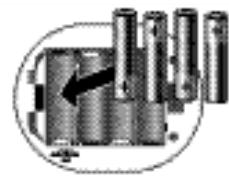
natural_image
Diagram of a mechanical component with cylindrical parts and an arrow indicating direction (no text or symbols)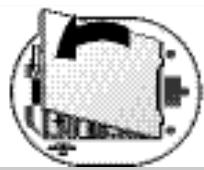
natural_image
Abstract geometric diagram with overlapping shapes and lines, no text or symbols present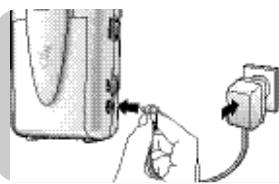
natural_image
Illustration of a hand inserting a plug into a device (no text or symbols visible)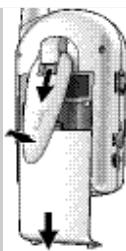
natural_image
Diagram of a hand pressing down on a device with arrows indicating motion (no text or symbols)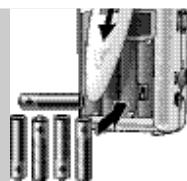
natural_image
Close-up of a battery pack with an arrow indicating direction, next to four batteries (no text or symbols visible)natural_image
Diagram of a mechanical device with directional arrows indicating movement or force (no text or symbols)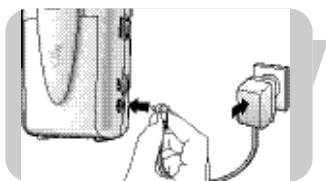
natural_image
Illustration of a hand inserting a plug into a device (no text or symbols visible)natural_image
Illustration of a flip phone with a screen and antenna (no text or symbols visible)natural_image
Illustration of a hand pressing a button on an hourglass-shaped object with a double-headed arrow (no text or symbols)natural_image
Illustration of a hand pressing a button on a device (no text or symbols visible)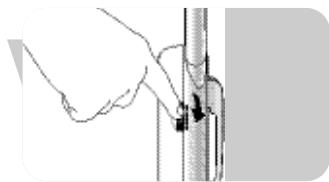
natural_image
Illustration of a hand holding a cylindrical object with a small arrow pointing to it (no text or symbols present)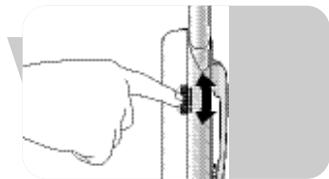
natural_image
Illustration of a hand adjusting a vertical pipe fitting with arrows indicating direction (no text or symbols)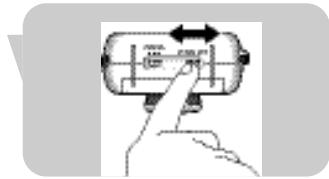
natural_image
Hand pressing a button on a cylindrical device with arrows indicating motion (no text or symbols)Ajuste de la imagen
natural_image
Illustration of a hand holding a small object, possibly a tool or device, with no visible text or symbols.natural_image
Illustration of a robot head with a circular head and rotation arrow (no text or symbols)natural_image
Illustration of a hand holding a small object with a circular arrow indicating rotation (no text or symbols)natural_image
Close-up of a finger pressing a button on a device (no visible text or symbols)natural_image
Illustration of a cable being inserted into a TV (no text or symbols present)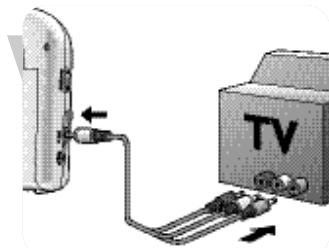
natural_image
Diagram showing cable connection between TV and a device (no text or symbols present)natural_image
Illustration of a hand holding a small object with a directional arrow, no text or symbols present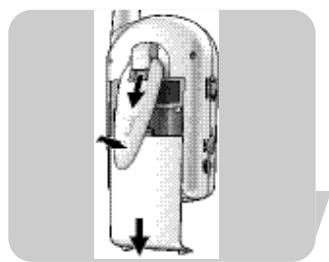
natural_image
Diagram of a mechanical device with directional arrows indicating movement or force (no text or symbols)natural_image
Close-up of a mechanical component with a hand pressing a button (no visible text or symbols)natural_image
Illustration of a hand pressing a button on a vertical pipe (no text or symbols visible)Garantía y servicio
Philips Baby Care, taking care together
natural_image
Diagram showing sunlight, cloud, and water waves crossing a diagonal line (no text or symbols)natural_image
Diagram showing sunlight illuminating a cloud and a vertical bar, with no text or symbols present.natural_image
Diagram of a device with a curved arrow indicating direction (no text or symbols)natural_image
Mechanical device with rotating arm and lever mechanism (no visible text or symbols)natural_image
Mechanical device with rotating arm and cylindrical head (no text or symbols visible)natural_image
Illustration of a person using a power tool to install an electrical plug (no text or symbols visible)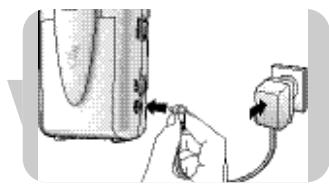
natural_image
Illustration of a hand inserting a plug into a device with an outlet cable (no text or symbols)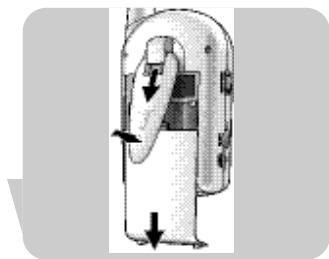
natural_image
Diagram of a device with directional arrows indicating movement or force (no text or symbols present)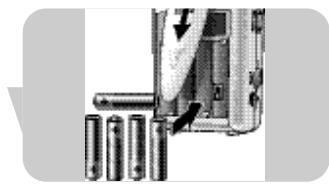
natural_image
Close-up of a mechanical component with cylindrical parts and an arrow indicating a cut or assembly (no visible text or symbols)natural_image
Diagram of a mechanical device with directional arrows indicating movement or force (no text or symbols)natural_image
Illustration of a hand inserting a plug into a device with a power outlet (no text or symbols visible)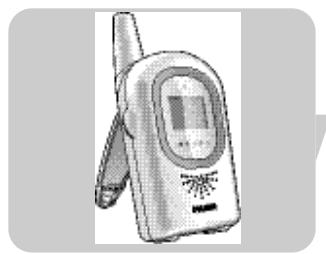
natural_image
Illustration of a flip phone with a screen and antenna (no text or symbols visible)natural_image
Illustration of a hand pressing down on an hourglass-shaped object with a directional arrow (no text or symbols)Kanalwahl
natural_image
Illustration of a hand pressing a button on a device (no text or symbols visible)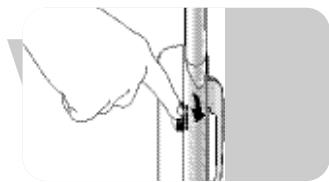
natural_image
Illustration of a hand holding a cylindrical object with a small arrow pointing to it (no text or symbols present)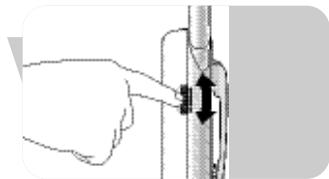
natural_image
Illustration of a hand adjusting a vertical pipe fitting with arrows indicating direction (no text or symbols)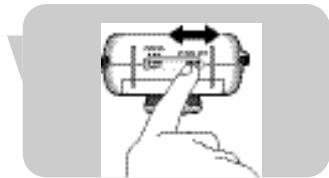
natural_image
Hand holding a cylindrical device with arrows indicating rotation (no text or symbols)Bildeinstellung
natural_image
Illustration of a hand holding a small object, possibly a tool or device, with no visible text or symbols.natural_image
Illustration of a robot head with a circular head and rotation arrow (no text or symbols)natural_image
Illustration of a hand holding a small object with a curved arrow indicating rotation (no text or symbols)natural_image
Close-up of a finger pressing a button on a device (no visible text or symbols)Allgemeine Hinweise
'Low Power'-Anzeige

natural_image
Diagram showing cable connection between TV and a device (no text or symbols present)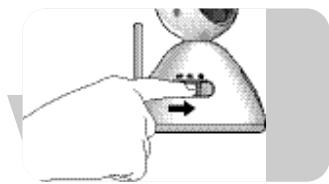
natural_image
Illustration of a hand pressing down on a small object with a directional arrow (no text or symbols)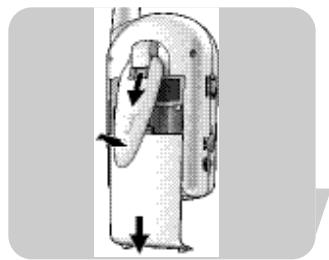
natural_image
Diagram of a handheld device with directional arrows indicating movement or force (no text or symbols present)natural_image
Close-up of a mechanical component with a hand pressing a button (no visible text or symbols)natural_image
Illustration of a hand pressing a button on a vertical pipe (no text or symbols visible)Pflege
Philips Baby Care, taking care together
natural_image
Simple diagram showing sun, cloud, and building with no text or symbolsnatural_image
Diagram showing sunlight illuminating a cloud and a vertical bar, with no text or symbols present.natural_image
Diagram of a device with a curved arrow indicating direction (no text or symbols)natural_image
Illustration of a mechanical device with a spherical component and lever mechanism (no text or symbols)natural_image
Illustration of a robotic arm with rotating motion arrows (no text or symbols)natural_image
Illustration of a person using a power tool to switch an electrical outlet (no text or symbols visible)natural_image
Diagram of a computer monitor with an arrow indicating rotation or sound effect (no text or symbols present)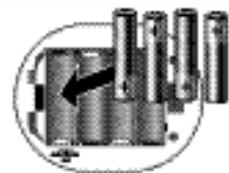
natural_image
Pure mechanical component diagram without any text, numbers, or symbols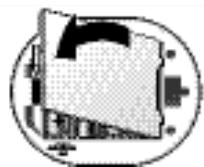
natural_image
Abstract geometric diagram with overlapping shapes and lines, no text or symbols present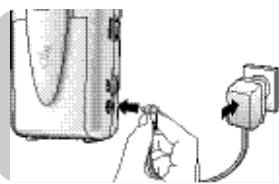
natural_image
Illustration of a hand inserting a plug into a device (no text or symbols visible)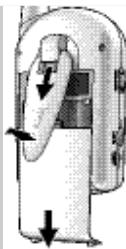
natural_image
Diagram of a mechanical device with directional arrows indicating movement or force (no text or symbols)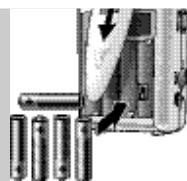
natural_image
Close-up of a battery pack with an arrow indicating direction, next to four batteries (no text or symbols visible)natural_image
Diagram of a mechanical device with directional arrows indicating movement or force (no text or symbols)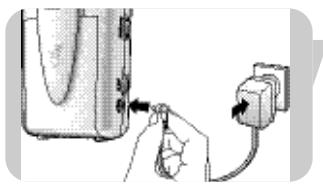
natural_image
Illustration of a hand inserting a plug into a device (no text or symbols visible)natural_image
Illustration of a flip phone with a screen and antenna (no text or symbols visible)natural_image
Illustration of a hand pressing a button on an hourglass-shaped object with an arrow indicating left motion (no text or symbols)natural_image
Hand pointing at a cylindrical device with directional arrows (no text or symbols)natural_image
Illustration of a hand pressing a button on a device (no text or symbols visible)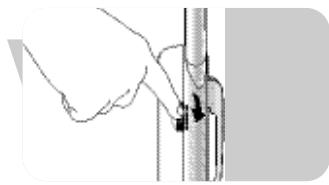
natural_image
Hand holding a cylindrical object with a black arrow pointing to it, next to a vertical line (no text or symbols visible)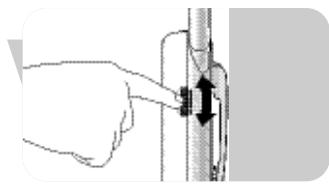
natural_image
Hand holding a mechanical component with a black arrow indicating direction (no text or symbols)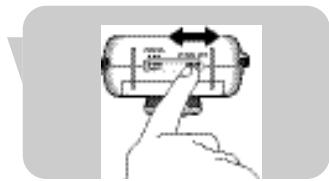
natural_image
Hand holding a cylindrical device with arrows indicating rotation (no text or symbols)natural_image
Illustration of a hand holding a small object, possibly a tool or device, with no visible text or symbols.natural_image
Illustration of a robot head with a circular head and rotation arrow (no text or symbols)natural_image
Illustration of a hand holding a small object with a curved arrow indicating rotation (no text or symbols)natural_image
Close-up of a finger pressing a button (no text or symbols visible)natural_image
Diagram showing cable connection between a TV and a device (no text or symbols present)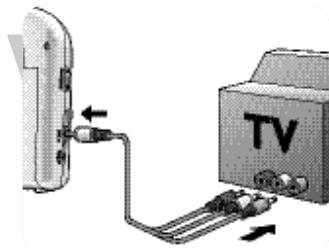
natural_image
Diagram showing cable connection between TV and a device (no text or symbols present)natural_image
Illustration of a hand pressing down on a small object with a directional arrow (no text or symbols)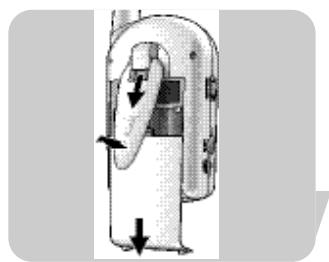
natural_image
Diagram of a mechanical device with directional arrows indicating movement or force (no text or symbols)natural_image
Close-up of a device's internal structure with a hand pointing to a component (no visible text or symbols)natural_image
Illustration of a hand pressing a button on a vertical pipe (no text or symbols visible)Garantie & service
natural_image
Diagram showing sunlight illuminating a cloud and a vertical bar, with no text or symbols present.natural_image
Diagram showing sunlight illuminating a cloud and a vertical barrier with raindrops, no text or symbols presentnatural_image
Diagram of a device with a curved arrow indicating direction (no text or symbols present)Montaggio su parete
natural_image
Mechanical device with rotating arm and base mount (no visible text or symbols)natural_image
Mechanical device with rotating arm and base mount (no visible text or symbols)natural_image
Illustration of a person using a tool to install an electrical plug into a wall socket (no text or symbols visible)natural_image
Diagram of a mechanical component with arrows indicating motion, enclosed in a circular frame (no text or symbols)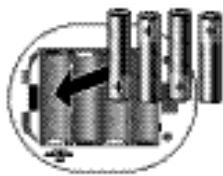
natural_image
Close-up of a mechanical component with cylindrical pins and a black arrow pointing to a section (no visible text or symbols)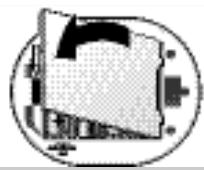
natural_image
Abstract geometric diagram with overlapping shapes and a central arrow (no text or symbols)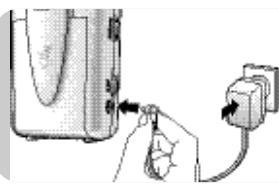
natural_image
Illustration of a hand inserting a plug into a device (no text or symbols visible)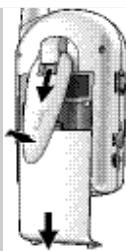
natural_image
Diagram of a hand holding a device with directional arrows indicating movement (no text or symbols)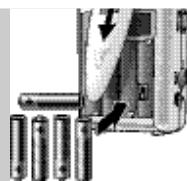
natural_image
Close-up of a battery pack with an arrow indicating direction, next to four batteries (no text or symbols visible)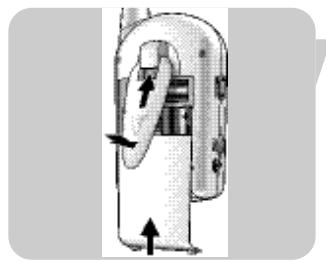
natural_image
Diagram of a mechanical device with directional arrows indicating movement or force (no text or symbols)natural_image
Illustration of a hand inserting a plug into a device component (no text or symbols visible)natural_image
Illustration of a flip phone with a screen and antenna (no text or symbols visible)natural_image
Illustration of a hand pressing a button on an hourglass-shaped object with a double-headed arrow (no text or symbols)Selezione canale
natural_image
Illustration of a hand pressing a button on a device (no text or symbols visible)natural_image
Illustration of a hand holding a cylindrical object with a small arrow pointing to it (no text or symbols present)natural_image
Illustration of a hand adjusting a vertical pipe fitting with arrows indicating direction (no text or symbols)natural_image
Hand pressing a button on a cylindrical device with arrows indicating motion (no text or symbols)Modo auto
natural_image
Illustration of a hand holding a small object, possibly a tool or device, with no visible text or symbols.natural_image
Illustration of a robot head with a circular head and rotation arrow (no text or symbols)natural_image
Illustration of a hand holding a small object with a circular arrow indicating rotation (no text or symbols)natural_image
Close-up of a finger pressing a button on a device (no visible text or symbols)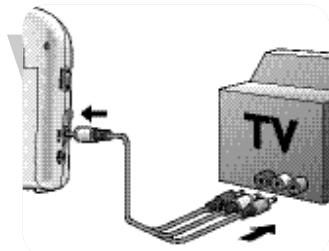
natural_image
Diagram showing cable connection between a TV and a device (no text or symbols present)natural_image
Illustration of a hand pressing down on a small object with an arrow indicating motion (no text or symbols)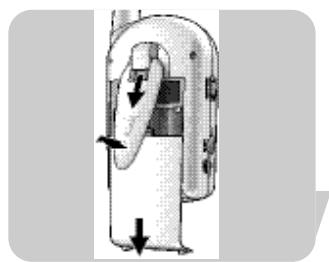
natural_image
Diagram of a mechanical device with directional arrows indicating movement or force (no text or symbols present)natural_image
Close-up of a mechanical component with a hand pressing a button (no visible text or symbols)natural_image
Hand inserting a black arrow into a vertical cylindrical component (no text or symbols visible)natural_image
Symbol of a trash bin crossed with no visible text or numbers, indicating no waste or disposal.Manutenzione
natural_image
Diagram showing sunlight passing through a cross-shaped barrier with cloud, water, and building blocks (no text or symbols)natural_image
Diagram showing sunlight illuminating a cloud and a vertical barrier with raindrops, no text or symbols presentnatural_image
Diagram of a camera module with an attached cable, showing no text or symbolsnatural_image
Illustration of a mechanical device with a spherical component and lever mechanism (no text or symbols)natural_image
Mechanical device with rotating arm and base mount (no visible text or symbols)natural_image
Illustration of a hand inserting a plug into a device, next to an electrical outlet (no text or symbols visible)natural_image
Diagram of a mechanical device with arrows indicating motion or force direction (no text or symbols)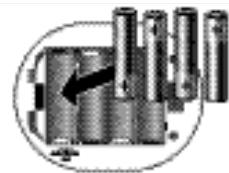
natural_image
Mechanical assembly diagram showing cylindrical components with an arrow indicating a specific part (no text or labels present)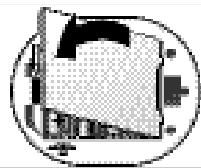
natural_image
Abstract geometric pattern with concentric circles and shaded regions (no text or symbols)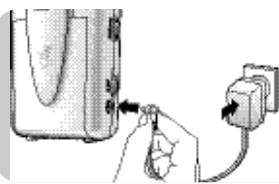
natural_image
Illustration of a hand inserting a plug into a device (no text or symbols visible)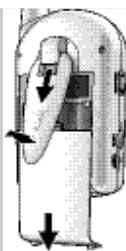
natural_image
Diagram of a mechanical device with directional arrows indicating movement or force (no text or symbols)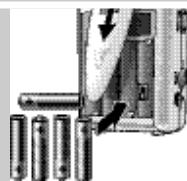
natural_image
Close-up of a battery holder with arrows indicating internal components (no text or symbols visible)natural_image
Diagram of a mechanical device with directional arrows indicating movement or force (no text or symbols)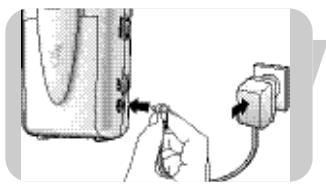
natural_image
Illustration of a hand inserting a plug into a device (no text or symbols visible)natural_image
Illustration of a flip phone with a screen and antenna (no text or symbols visible)natural_image
Illustration of a hand pressing a button on an hourglass-shaped object with a directional arrow (no text or symbols)Seleção de canal
natural_image
Illustration of a hand pressing a button on a device (no text or symbols visible)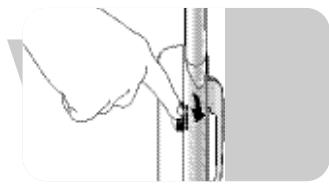
natural_image
Hand holding a cylindrical object with a black arrow pointing to it, next to a vertical line (no text or symbols visible)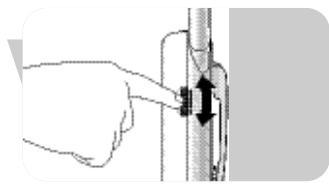
natural_image
Illustration of a hand pressing down on a vertical pipe with arrows indicating force direction (no text or symbols)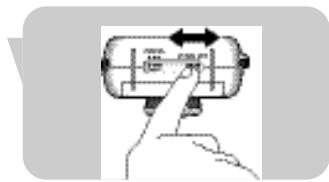
natural_image
Hand holding a cylindrical device with arrows indicating left and right motion (no text or symbols)Ajuste da imagem
natural_image
Illustration of a hand holding a small object, possibly a tool or device, with no visible text or symbols.natural_image
Illustration of a robot head with a circular head and rotation arrow (no text or symbols)natural_image
Illustration of a hand holding a small object with a curved arrow indicating rotation (no text or symbols)natural_image
Close-up of a finger pressing a button on a device (no visible text or symbols)Lembretes gerais
natural_image
Diagram showing cable connection between TV and a device (no text or symbols present)Ligar e desligar a luz nocturna
natural_image
Illustration of a hand pressing down on a small object with a directional arrow (no text or symbols)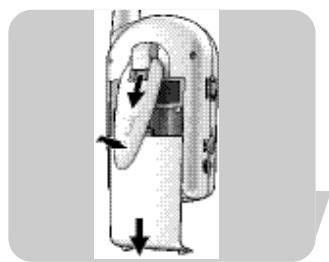
natural_image
Diagram of a mechanical device with directional arrows indicating movement or force (no text or symbols present)natural_image
Close-up of a hand pressing a button on a device component (no visible text or symbols)natural_image
Illustration of a hand inserting a plug into a cylindrical device (no text or symbols visible)Consumo de energia: 5,0 W
natural_image
Symbol of a trash bin crossed out by two crossed lines (no text or numbers present)
natural_image
Simple diagram showing a sun crossing a horizontal line with clouds and waves, no text or symbols present.natural_image
Diagram showing sunlight illuminating a cloud and a vertical bar, with no text or symbols present.natural_image
Diagram of a surveillance camera with lens and screen, showing no text or symbolsΤοποθέτηση σε τοίχο
natural_image
Illustration of a robotic arm with articulated joints and a spherical head (no text or symbols)natural_image
Illustration of a robotic device with a circular head and rotating arm (no text or symbols)natural_image
Illustration of a hand inserting a plug into a wall socket (no text or symbols present)natural_image
Illustration of a hand inserting a plug into a device with an outlet (no text or symbols visible)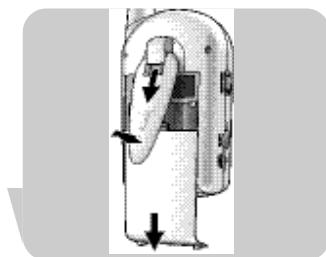
natural_image
Diagram of a mechanical device with directional arrows indicating movement or force (no text or symbols)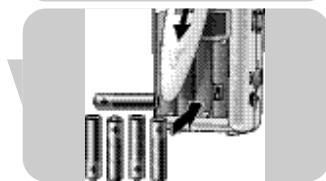
natural_image
Mechanical assembly diagram showing a tool interacting with cylindrical components (no text or symbols visible)natural_image
Diagram of a device with directional arrows indicating movement or force (no text or symbols present)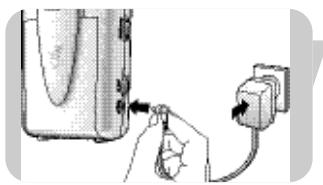
natural_image
Illustration of a hand inserting a plug into a device with a power outlet (no text or symbols)natural_image
Illustration of a flip phone with a screen and antenna (no text or symbols visible)natural_image
Illustration of a hand pressing a button on an hourglass-shaped object (no text or symbols)Επιλογή καναλιού
natural_image
Illustration of a hand pressing a button on a device (no text or symbols visible)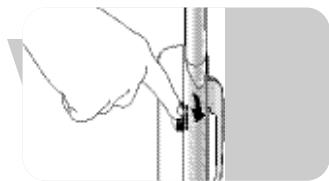
natural_image
Illustration of a hand holding a vertical pipe with a black arrow indicating force or movement (no text or symbols)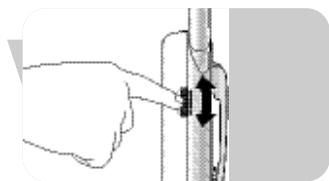
natural_image
Illustration of a hand holding a vertical pipe with a black arrow indicating force direction (no text or symbols)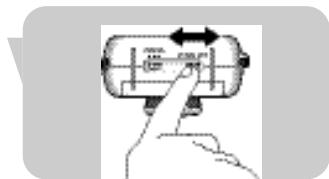
natural_image
Hand holding a cylindrical device with arrows indicating left and right motion (no text or symbols)Ρύθμιση της εικόνας
natural_image
Illustration of a hand holding a small object, possibly a tool or device, with no visible text or symbols.natural_image
Illustration of a robotic hand holding a circular device with a rotating arrow (no text or symbols)natural_image
Illustration of a hand holding a small object with an arrow indicating rotation (no text or symbols)natural_image
Close-up of a finger pressing a button on a device (no visible text or symbols)natural_image
Diagram showing cable connection between a TV and a device (no text or symbols present)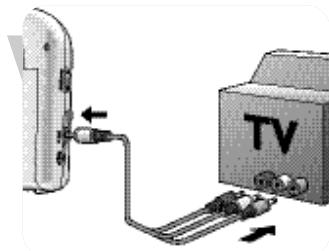
natural_image
Diagram showing TV connection with cable and cable connector (no text or symbols)natural_image
Illustration of a hand pressing down on a small object with a directional arrow (no text or symbols)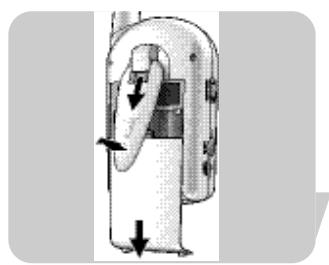
natural_image
Diagram of a handheld device with directional arrows indicating movement or force (no text or symbols)natural_image
Close-up of a hand pressing down on a device component (no visible text or symbols)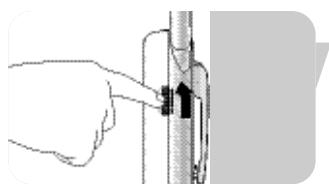
natural_image
Illustration of a hand pressing a button on a vertical cylindrical object (no text or symbols visible)Εγγύηση και σέρβις
Philips Baby Care, taking care together
Säkerhetsinformation
natural_image
Diagram showing sunlight illuminating a cloud and a vertical bar, with no text or symbols present.natural_image
Diagram showing sunlight illuminating a cloud and a vertical bar, with no text or symbols present.natural_image
Diagram of a surveillance camera with lens and screen, showing no text or symbolsMontera på en vägg
natural_image
Illustration of a mechanical device with a spherical component and lever mechanism (no text or symbols)natural_image
Illustration of a robotic device with rotating arm and base, no visible text or symbols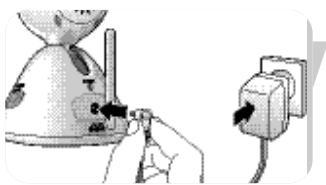
natural_image
Illustration of a person using a tool to install an electrical plug into a wall (no text or symbols visible)natural_image
Diagram of a computer monitor with an arrow indicating rotation or sound effect (no text or symbols present)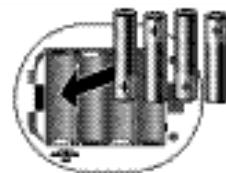
natural_image
Mechanical component diagram showing a cylindrical assembly with an arrow pointing to it (no text or symbols present)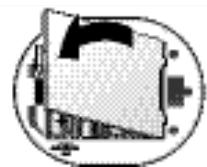
natural_image
Abstract geometric diagram with overlapping shapes and a central arrow (no text or symbols)natural_image
Illustration of a hand inserting a plug into a device (no text or symbols visible)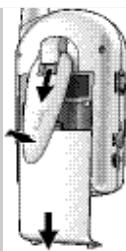
natural_image
Diagram of a hand holding a device with directional arrows indicating movement (no text or symbols)natural_image
Close-up of a battery pack with an arrow indicating direction, next to four batteries (no text or symbols visible)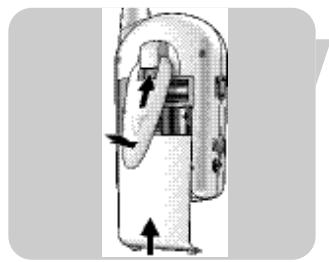
natural_image
Diagram of a mechanical device with directional arrows indicating movement or force (no text or symbols)natural_image
Illustration of a hand inserting a plug into a device (no text or symbols visible)natural_image
Illustration of a flip phone with a screen and antenna (no text or symbols visible)Placera monitorenheten
natural_image
Illustration of a hand pressing down on an hourglass-shaped object with a directional arrow (no text or symbols)natural_image
Illustration of a hand pressing a button on a device (no text or symbols visible)2 Ställ monitorenhetens ON/OFF-knapp (B-8) på ON.
natural_image
Hand holding a cylindrical object with a black arrow pointing to it, next to a vertical line (no text or symbols visible)natural_image
Illustration of a hand adjusting a vertical pipe fitting with arrows indicating direction (no text or symbols)natural_image
Hand pressing a button on a cylindrical device with arrows indicating motion (no text or symbols)Audioläge
natural_image
Illustration of a hand holding a small object, possibly a tool or device, with no visible text or symbols.natural_image
Illustration of a robot head with a circular head and rotation arrow (no text or symbols)natural_image
Illustration of a hand holding a small object with a curved arrow indicating rotation (no text or symbols)natural_image
Close-up of a finger pressing a button on a device (no visible text or symbols)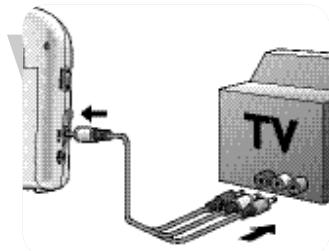
natural_image
Diagram showing cable connection between TV and a device (no text or symbols present)natural_image
Illustration of a hand pressing down on a small object with a directional arrow (no text or symbols)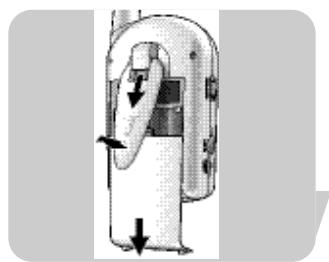
natural_image
Diagram of a mechanical device with directional arrows indicating movement or force (no text or symbols)natural_image
Cross-sectional diagram of a device with internal components and a hand pointing to a feature (no text or symbols visible)natural_image
Hand holding a mechanical component with a black arrow indicating force or direction (no text or symbols)natural_image
Symbol of a trash bin crossed out by two diagonal lines (no text or numbers present)Garanti och service
B-10 Vekselstrømsadapter
B-11 Billedrotationskontakt
B-12 DC 8,0V ⊙-⊕ strømforsyningsstikdåse
B-13 AV OUT stikdåse
natural_image
Diagram showing sunlight illuminating a cloud and a vertical bar, with no text or symbols present.natural_image
Diagram showing sunlight illuminating a cloud and a vertical bar, with no text or symbols present.natural_image
Diagram of a device with a curved arrow indicating direction (no text or symbols)natural_image
Illustration of a mechanical device with a spherical component and lever mechanism (no text or symbols)natural_image
Illustration of a robotic arm with rotating motion arrows (no text or symbols)natural_image
Illustration of a person using a power tool to switch a plug into an electrical outlet (no text or symbols visible)natural_image
Diagram of a computer monitor with an arrow indicating rotation or sound effect (no text or symbols present)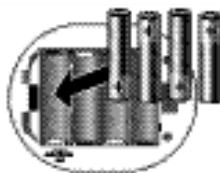
natural_image
Pure electrical circuit lines without any symbols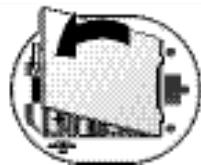
natural_image
Abstract geometric design with overlapping shapes and a central arrow (no text or symbols)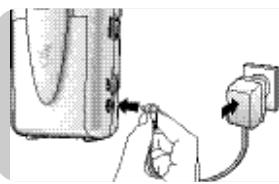
natural_image
Illustration of a hand inserting a plug into a device (no text or symbols visible)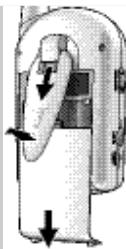
natural_image
Diagram of a mechanical device with directional arrows indicating movement or force (no text or symbols)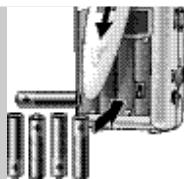
natural_image
Diagram of a battery holder assembly with arrows indicating internal components (no text or symbols)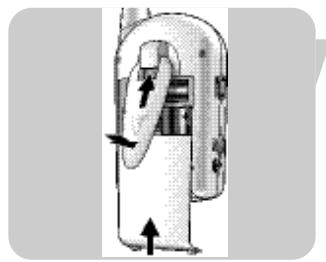
natural_image
Diagram of a mechanical device with directional arrows indicating movement or force (no text or symbols)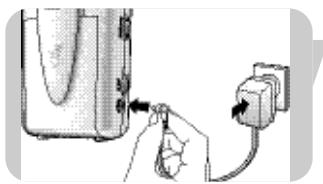
natural_image
Illustration of a hand inserting a plug into a device (no text or symbols visible)natural_image
Illustration of a flip phone with a screen and antenna (no text or symbols visible)natural_image
Illustration of a hand pressing down on an hourglass-shaped object with a directional arrow (no text or symbols)Valg af kanal
natural_image
Illustration of a hand pressing a button on a device (no text or symbols visible)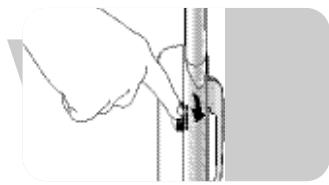
natural_image
Hand holding a cylindrical object with a black arrow pointing to it, next to a vertical line (no text or symbols visible)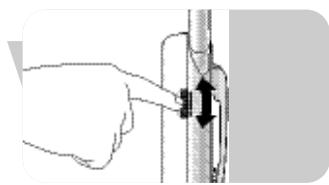
natural_image
Illustration of a hand adjusting a vertical pipe fitting with arrows indicating direction (no text or symbols)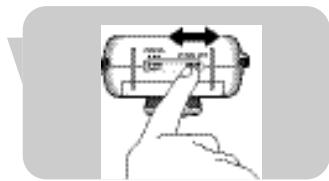
natural_image
Hand pressing a button on a cylindrical device with arrows indicating motion (no text or symbols)natural_image
Illustration of a hand holding a small object, possibly a tool or device, with no visible text or symbols.natural_image
Illustration of a robot head with a circular head and rotation arrow (no text or symbols)- Lad kamerahovedet glide op eller ned i rillen for at justere billedets lodrette vinkel.
natural_image
Illustration of a hand holding a small object with a circular arrow indicating rotation (no text or symbols)Regulering af displayets lysstyrke (monitorenhed)
- Brug ◀ BRIGHTNESS ▶ reguleringen (B-14) for at justere displayets (B-2) lysstyrke.
natural_image
Close-up of a finger pressing a button on a device (no visible text or symbols)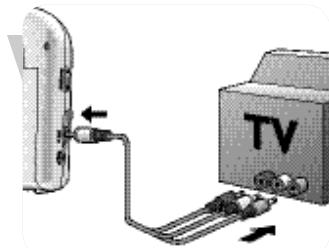
natural_image
Diagram showing cable routing from a TV switch to a mounted device (no text or symbols present)natural_image
Illustration of a hand pressing down on a small object with a directional arrow (no text or symbols)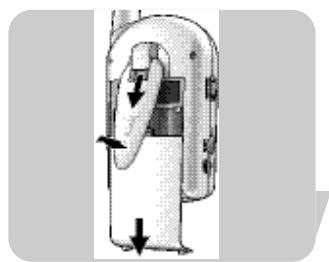
natural_image
Diagram of a mechanical device with directional arrows indicating movement or force (no text or symbols present)natural_image
Close-up of a hand pressing a button on a device component (no visible text or symbols)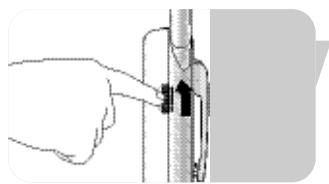
natural_image
Illustration of a hand pressing a button on a vertical pipe (no text or symbols visible)Reklamationsret og service
natural_image
Simple line drawing of a sun and cloud crossing a diagonal line with a building, no text or symbols present.natural_image
Diagram showing sunlight illuminating a cloud and a vertical barrier with raindrops, no text or symbols presentnatural_image
Diagram of a camera module with lens and screen, no text or symbols presentMontering på vegg
- Bruk utsparingen for veggmontering (A-6) og heng den på en skrue eller krok.
natural_image
Illustration of a mechanical device with a spherical component and lever mechanism (no text or symbols)natural_image
Illustration of a robotic device with rotating arm and base, no visible text or symbolsnatural_image
Illustration of a person using a tool to install an electrical plug into a wall (no text or symbols visible)natural_image
Diagram of a mechanical component with arrows indicating motion, enclosed in a circular frame (no text or symbols)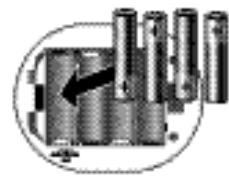
natural_image
Diagram of a mechanical component with multiple cylindrical parts and an arrow indicating direction (no text or symbols)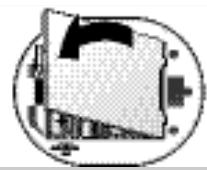
natural_image
Abstract geometric design with overlapping shapes and a central arrow (no text or symbols)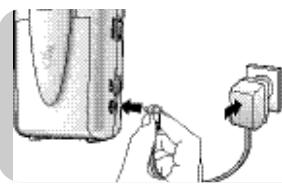
natural_image
Illustration of a hand inserting a plug into a device with a power outlet (no text or symbols)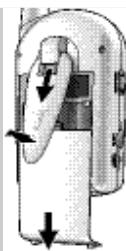
natural_image
Diagram of a hand pressing down on a device with arrows indicating motion (no text or symbols)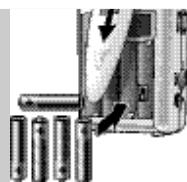
natural_image
Close-up of a battery holder with arrows indicating internal components (no text or symbols visible)natural_image
Diagram of a mechanical device with directional arrows indicating movement or force (no text or symbols)natural_image
Illustration of a hand inserting a plug into a device with an outlet (no text or symbols visible)natural_image
Illustration of a flip phone with a screen and antenna (no text or symbols visible)Velge kanal
natural_image
Illustration of a hand pressing a button on an hourglass-shaped object with directional arrows (no text or symbols)2 Still CHANNEL-velgeren (B-5) på monitorenheten inn på den korresponderende kanalen.
natural_image
Illustration of a hand pressing a button on a device (no text or symbols visible)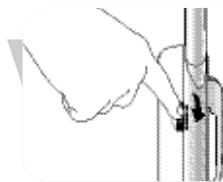
natural_image
Hand holding a vertical pole with a black arrow pointing to the pole (no text or symbols visible)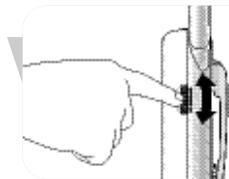
natural_image
Hand holding a vertical pipe or tube with arrows indicating force direction (no text or symbols)Velge modus (monitorenhet)
Justere bildet
natural_image
Illustration of a hand holding a small object, possibly a tool or device, with no visible text or symbols.natural_image
Illustration of a robot head with a circular head and rotation arrow (no text or symbols)- Skyv kamerahodet opp eller ned slissen for å justere den loddrette vinkelen på bildet
natural_image
Illustration of a hand holding a small object with a circular arrow indicating rotation (no text or symbols)natural_image
Close-up of a finger pressing down on a mechanical component (no visible text or symbols)Generelle bemerkninger
natural_image
Diagram showing cable connection between TV and a device (no text or symbols present)natural_image
Illustration of a hand pressing down on a small object with a directional arrow (no text or symbols)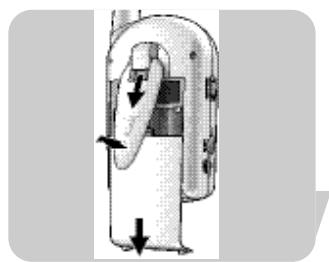
natural_image
Diagram of a mechanical device with directional arrows indicating movement or force (no text or symbols)Snur det viste bildet
natural_image
Close-up of a mechanical component with a finger inserted, showing internal structure and mounting holes (no text or symbols visible)natural_image
Hand inserting a black arrow into a cylindrical object (no text or symbols visible)Garanti og service
Philips Baby Care, taking care together
natural_image
Simple diagram showing sun, cloud, and building with no text or symbolsnatural_image
Diagram showing sunlight illuminating a cloud and a vertical barrier with raindrops, no text or symbols presentnatural_image
Diagram of a device with a curved arrow indicating direction (no text or symbols)Kiinnitys seinään
natural_image
Illustration of a mechanical device with a spherical component and lever mechanism (no text or symbols)natural_image
Mechanical device with rotating arm and base mount (no visible text or symbols)natural_image
Illustration of a person using a power tool to switch a plug into an electrical outlet (no text or symbols visible)natural_image
Diagram of a mechanical component with arrows indicating motion, enclosed in a circular frame (no text or symbols)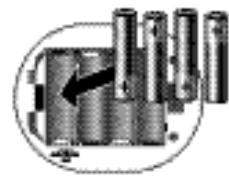
natural_image
Diagram of a mechanical component with cylindrical parts and an arrow indicating direction (no text or symbols)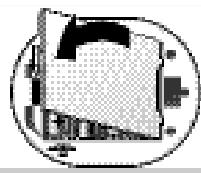
natural_image
Abstract geometric pattern with pixelated shapes inside a circular frame (no text or symbols)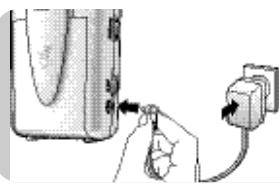
natural_image
Illustration of a hand inserting a plug into a device (no text or symbols visible)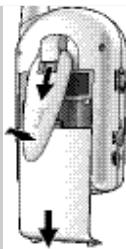
natural_image
Diagram of a mechanical device with directional arrows indicating movement or force (no text or symbols)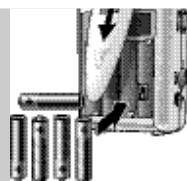
natural_image
Close-up of a battery pack with an arrow indicating direction, next to four batteries (no text or symbols visible)natural_image
Diagram of a mechanical device with directional arrows indicating movement or force (no text or symbols)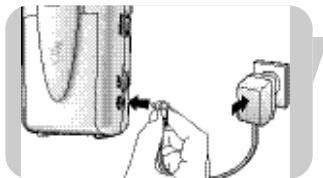
natural_image
Illustration of a hand inserting a plug into a device (no text or symbols visible)natural_image
Illustration of a flip phone with a screen and antenna (no text or symbols visible)natural_image
Illustration of a hand pressing a button on an hourglass-shaped object (no text or symbols visible)Kanavan valinta
natural_image
Hand pointing at a cylindrical device with directional arrows (no text or symbols)natural_image
Illustration of a hand pressing a button on a device (no text or symbols visible)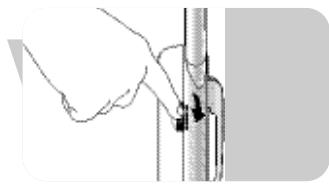
natural_image
Hand holding a cylindrical object with a black arrow pointing to it, next to a vertical line (no text or symbols visible)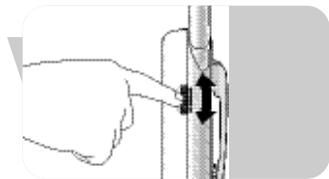
natural_image
Illustration of a hand adjusting a vertical pipe fitting with arrows indicating direction (no text or symbols)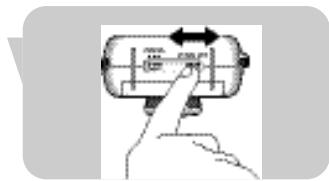
natural_image
Hand pressing a button on a cylindrical device with arrows indicating motion (no text or symbols)Kuvan säätö
natural_image
Illustration of a hand holding a small object, possibly a tool or device, with no visible text or symbols.natural_image
Illustration of a robotic hand holding a circular device with a rotating arrow (no text or symbols)natural_image
Illustration of a hand holding a small object with a curved arrow indicating rotation (no text or symbols)natural_image
Close-up of a finger pressing a button on a device (no visible text or symbols)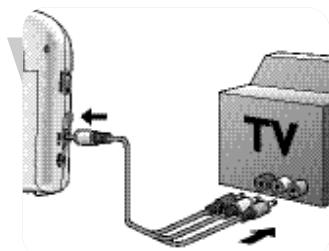
natural_image
Diagram showing cable routing from a TV switch to a device (no text or symbols present)natural_image
Illustration of a hand pressing down on a small object with a directional arrow (no text or symbols)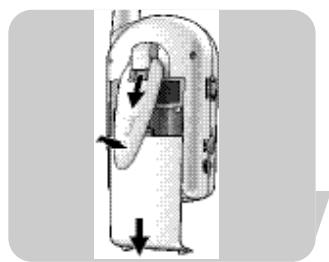
natural_image
Diagram of a handheld device with directional arrows indicating movement or force (no text or symbols)natural_image
Cross-sectional diagram of a device with internal components and a hand pointing to a feature (no text or symbols visible)natural_image
Illustration of a hand pressing down on a vertical pipe with an arrow indicating force (no text or symbols)Takuu & huolto
natural_image
Diagram showing sunlight, cloud, and water waves crossing a diagonal line (no text or symbols)natural_image
Diagram showing sunlight illuminating a cloud and a vertical bar, with no text or symbols present.natural_image
Diagram of a device with a curved arrow indicating direction (no text or symbols)natural_image
Illustration of a mechanical device with a spherical component and lever mechanism (no text or symbols)natural_image
Mechanical device with rotating arm and base mount (no visible text or symbols)natural_image
Illustration of a person using a tool to install an electrical plug into a wall (no text or symbols visible)natural_image
Diagram of a mechanical component with arrows indicating motion, enclosed in a circular frame (no text or symbols)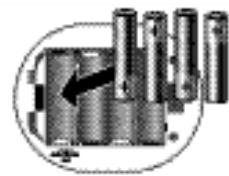
natural_image
Diagram of a mechanical component with multiple cylindrical parts and an arrow indicating direction (no text or symbols)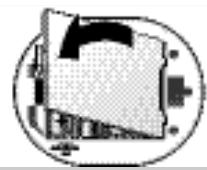
natural_image
Abstract geometric design with overlapping shapes and a central arrow (no text or symbols)natural_image
Illustration of a hand inserting a plug into a device (no text or symbols visible)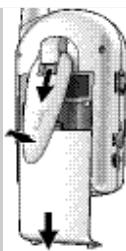
natural_image
Diagram of a hand pressing down on a device with arrows indicating motion (no text or symbols)natural_image
Close-up of a battery pack with an arrow indicating direction, next to four batteries (no text or symbols visible)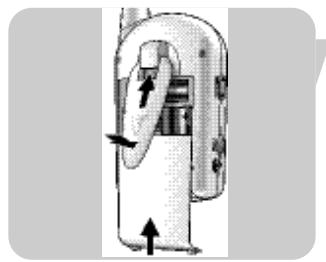
natural_image
Diagram of a mechanical device with directional arrows indicating movement or force (no text or symbols)natural_image
Illustration of a hand inserting a plug into a device with an outlet (no text or symbols visible)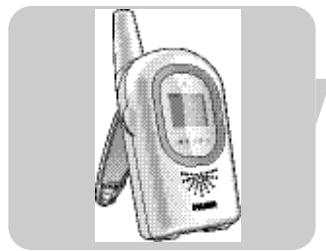
natural_image
Illustration of a flip phone with a screen and antenna (no text or symbols visible)natural_image
Illustration of a hand pressing a button on an hourglass-shaped object with directional arrows (no text or symbols)Kanal seçimi
natural_image
Hand pointing at a cylindrical device with bidirectional arrow indicating left motion (no text or symbols)natural_image
Illustration of a hand pressing a button on a device (no text or symbols visible)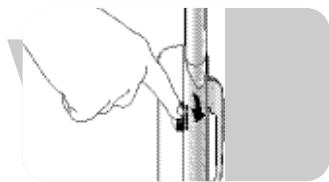
natural_image
Illustration of a hand holding a cylindrical object with a small arrow pointing to it (no text or symbols present)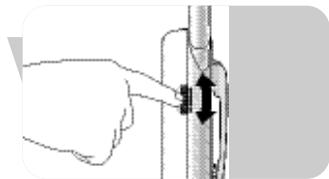
natural_image
Illustration of a hand adjusting a vertical pipe fitting with arrows indicating direction (no text or symbols)natural_image
Hand pressing a button on a cylindrical device with arrows indicating motion (no text or symbols)natural_image
Illustration of a hand holding a small object, possibly a tool or device, with no visible text or symbols.natural_image
Illustration of a robot head with a circular head and rotation arrow (no text or symbols)natural_image
Illustration of a hand holding a small object with a curved arrow indicating rotation (no text or symbols)natural_image
Close-up of a finger pressing a button on a device (no visible text or symbols)Genel notlar
natural_image
Diagram showing cable connection between TV and a device (no text or symbols present)natural_image
Illustration of a hand pressing down on a small object with a directional arrow (no text or symbols)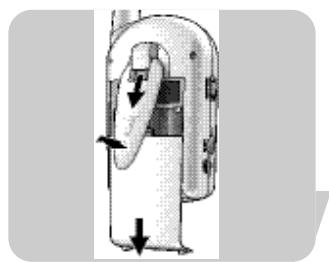
natural_image
Diagram of a mechanical device with directional arrows indicating movement or force (no text or symbols present)natural_image
Close-up of a mechanical component with a finger inserted, showing internal structure and mounting holes (no text or symbols visible)natural_image
Illustration of a hand pressing a button on a vertical pipe (no text or symbols visible)natural_image
Symbol of a trash bin crossed with no visible text or labelsBakım
Specifications are subject to change without notice.
Trademarks are the property of Koninklijke Philips Electronics N.V. or their respective owners.
2005 © Koninklijke Philips Electronics N.V. All rights reserved.
www.philips.com

- Camera unit
- Monitor unit
- What else you'll need
- Contents
- Illustrations
- Legend of functions
- Contents
- Welcome
- Getting your baby monitor ready
- II Using your baby monitor
- Other features
- Troubleshooting
- Technical specifications
- Important information
- Guarantee & service
- Philips Baby Care, taking care together
- Safety information
- Getting your baby cam ready
- Camera unit (baby unit)
- Tips for positioning the camera unit
- IMPORTANT!
- Mounting the camera unit
- Mounting to a wall
- Using the mounting clip
- Setting up for mains-operated use
- Setting up for battery-operated use
- Monitor unit (parent unit)
- Positioning the monitor unit
- Channel selection
- Switching on the units
- Mode selection (Monitor unit)
- Adjusting the image
- General remarks
- Low power indication
- Out-of-range alert
- Infrared LEDs
- Other features
- Connecting the monitor unit to your TV
- SCART connection
- RCA connection
- Switching the night-light on and off
- Rotating the displayed image
- Monitoring your baby silently
- Monitor Unit
- Camera Unit
- Important information
- Transmission range
- Environmental information
- Maintenance
- Guarantee & Service
- Unité caméra
- Fixation au mur
- Réglage de l'image
- Remarques générales
- Garantie et service
- Montaje en pared.
- Ajuste de la imagen
- Garantía y servicio
- Kanalwahl
- Bildeinstellung
- Allgemeine Hinweise
- 'Low Power'-Anzeige
- Pflege
- Garantie & service
- Montaggio su parete
- Selezione canale
- Manutenzione
- Seleção de canal
- Ajuste da imagem
- Lembretes gerais
- Ligar e desligar a luz nocturna
- Τοποθέτηση σε τοίχο
- Επιλογή καναλιού
- Ρύθμιση της εικόνας
- Εγγύηση και σέρβις
- Säkerhetsinformation
- Placera monitorenheten
- Garanti och service
- Valg af kanal
- Regulering af displayets lysstyrke (monitorenhed)
- Reklamationsret og service
- Montering på vegg
- Velge kanal
- Velge modus (monitorenhet)
- Justere bildet
- Generelle bemerkninger
- Snur det viste bildet
- Garanti og service
- Kiinnitys seinään
- Kanavan valinta
- Kuvan säätö
- Takuu & huolto
- Kanal seçimi
- Genel notlar
- Bakım
Brand : PHILIPS
Model : SKM7491NF
Category : Baby monitor