
Series 5000 S5080 - Razor PHILIPS - Free user manual and instructions
Find the device manual for free Series 5000 S5080 PHILIPS in PDF.


| Product Type | Electric Rotary Shaver |
| Brand | Philips |
| Model | Series 5000 S5080 |
| Power Supply | 100-240 V AC adapter (HQ8505) |
| Battery Type | Rechargeable (built-in) |
| Charging Time | Approx. 1 hour |
| Usage Mode | Cordless only |
| Water Resistance | Waterproof (suitable for bath/shower) |
| Shaving System | 3 rotary shaving heads (SH50) |
| Attachments Included | Trimmer, beard styler, cleansing brush (depending on variant) |
| SmartClean Compatible | Yes (separate system) |
| Display Features | Battery charge indicator, replacement reminder, cleaning reminder, travel lock |
| Turbo Mode | Yes (on specific variants) |
| Noise Level | 69 dB(A) |
| Shaving Head Lifespan | 2 years (replace with SH50) |
| Cleaning Method | Rinse under tap or use SmartClean system |
| Safety Features | Travel lock, auto switch-off, unplug reminder |
| Adapter Model | HQ8505 (output <24V) |
| Guarantee | International (shaving heads excluded) |
| Weight | Approx. 250 g (estimated) |
Frequently Asked Questions - Series 5000 S5080 PHILIPS
User questions about Series 5000 S5080 PHILIPS
0 question about this device. Answer the ones you know or ask your own.
Ask a new question about this device
Download the instructions for your Razor in PDF format for free! Find your manual Series 5000 S5080 - PHILIPS and take your electronic device back in hand. On this page are published all the documents necessary for the use of your device. Series 5000 S5080 by PHILIPS.
USER MANUAL Series 5000 S5080 PHILIPS
Always here to help you
Register your product and get support at www.philips.com/welcome
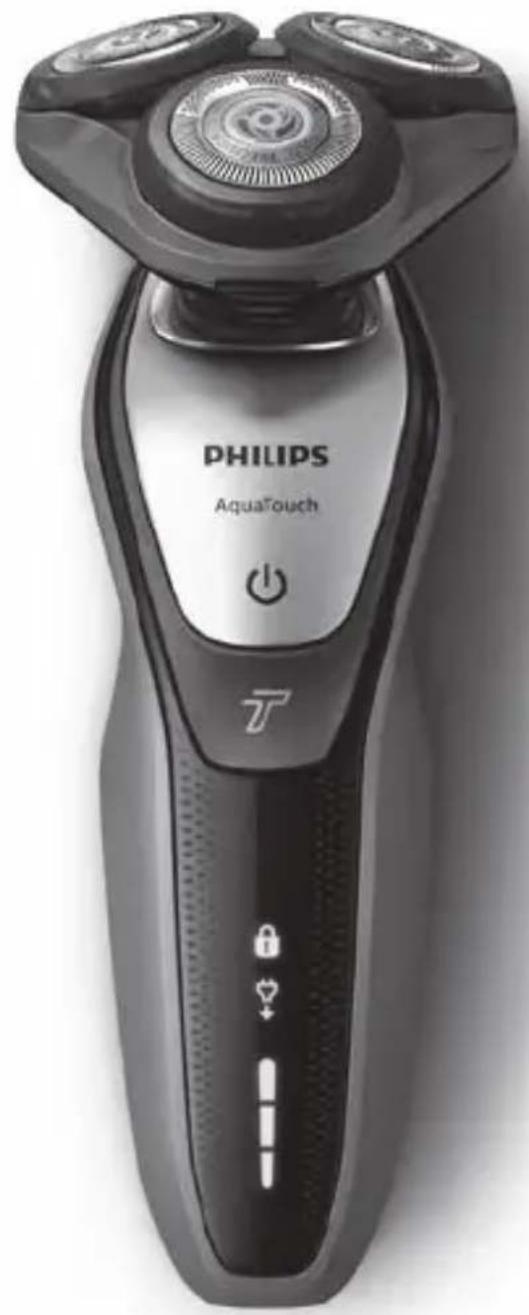
series S5000

natural_image
Black Philips Aquatouch electric shaver with three rotary buttons and power button (no visible text beyond brand name)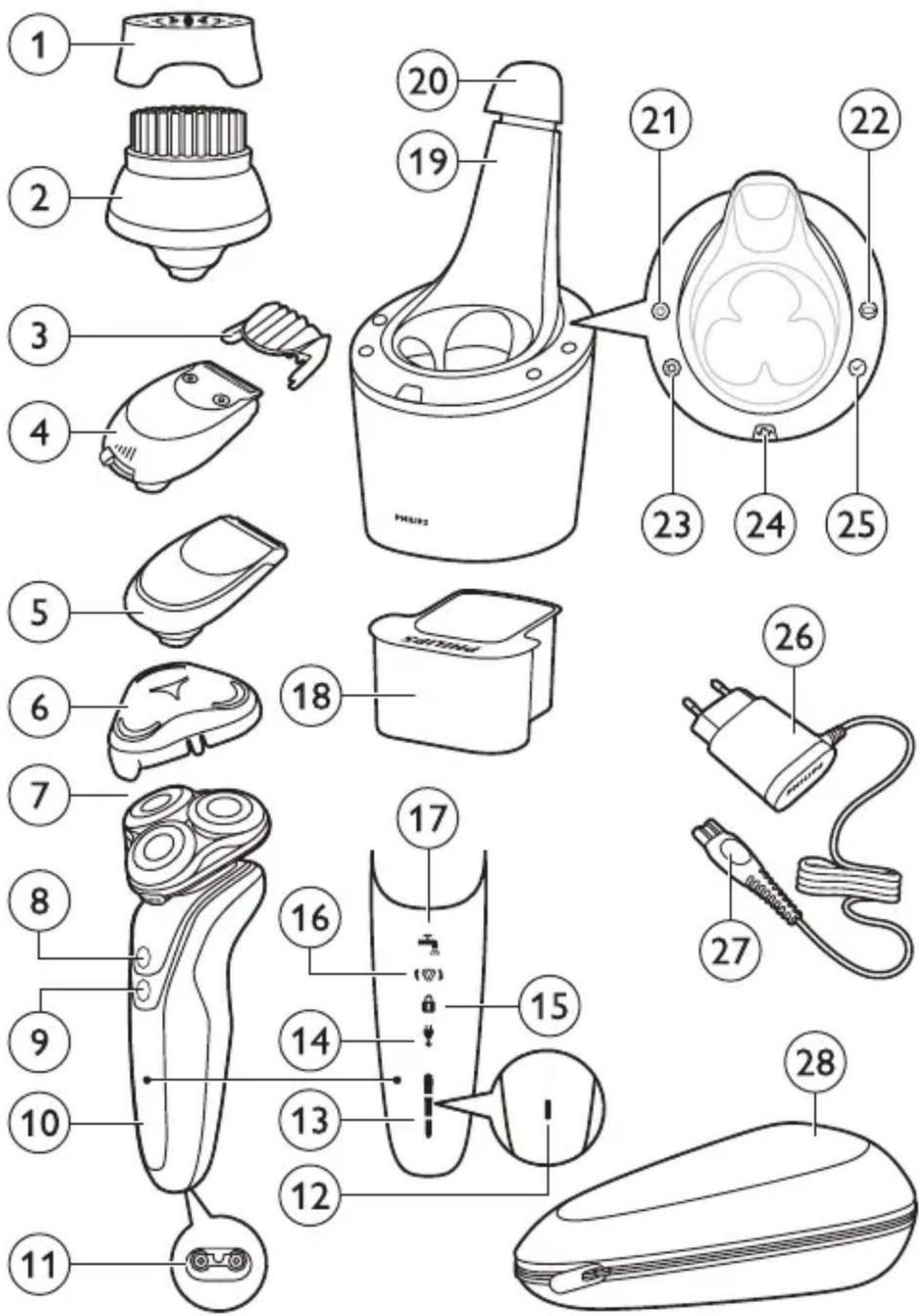
ENGLISH 4
БЪЛГАРСКИ 39
ČEŠTINA 78
EESTI 113
HRVATSKI 147
MAGYAR 183
КАЗАКША 218
LIETUVIŠKAI 255
LATVIEŠU 291
МАКЕДОНСКИ 326
POLSKI 365
ROMÂNĂ 402
РУССКИЙ 437
SLOVENSKY 475
SLOVENŠČINA 511
SHQIP 545
SRPSKI 581
УКРАЇНСЬКА 616
Introduction
Congratulations on your purchase and welcome to Philips! To fully benefit from the support that Philips offers, register your product at
www.philips.com/welcome.
General description (Fig. 1)
1 Protection cap for cleansing brush attachment (specific types only)
2 Click-on cleansing brush attachment (specific types only)
3 Comb for beard styler attachment (specific types only)
4 Click-on beard styler attachment (specific types only)
5 Click-on trimmer attachment (specific types only)
6 Protection cap for shaving unit (specific types only)
7 Click-on shaving unit
8 On/off button
9 Turbo button (specific types only)
10 Handle
11 Socket for small plug
12 Battery charge indicator with 1 light
13 Battery charge indicator with 3 lights
14 Unplug for use symbol
15 Travel lock symbol
16 Replacement reminder
17 Cleaning reminder
18 Cleaning cartridge for SmartClean system
19 SmartClean system (specific types only)
20 Cap of SmartClean system
21 On/off button
22 Battery symbol
23 Cleaning symbol
24 Replacement symbol
25 Ready symbol
26 Adapter
27 Small plug
28 Pouch (specific types only)
Note: The accessories supplied may vary for different products. The box shows the accessories that have been supplied with your appliance.
Important safety information
Read this important information carefully before you use the appliance and its accessories and save it for future reference. The accessories supplied may vary for different products.
Danger
- Keep the adapter dry.
Warning
- The adapter contains a transformer. Do not cut off the adapter to replace it with another plug, as this causes a hazardous situation. - This appliance can be used by children aged from 8 years and above and persons with reduced physical, sensory or mental capabilities or lack of experience and knowledge if they have been given supervision or instruction concerning use of the appliance in a safe way and understand the hazards involved. Children shall not play with the appliance. Cleaning and user maintenance shall not be made by children without supervision.
- Always unplug the shaver before you clean it under the tap.
- Always check the appliance before you use it. Do not use the appliance if it is damaged, as this may cause injury. Always replace a damaged part with one of the original type.
natural_image
No sign depicting a faucet without any text or symbols
natural_image
No smoking sign with faucet symbol (no text or numbers)Caution
- Never immerse the cleaning system or the charging stand in water and do not rinse it under the tap.
- Never use water hotter than 80^ C to rinse the shaver.
- Only use this appliance for its intended purpose as shown in the user manual.
- For hygienic reasons, the appliance should only be used by one person.
- Do not use the adapter in or near wall sockets that contain or have contained an electric air freshener to prevent irreparable damage to the adapter.
- Never use compressed air, scouring pads, abrasive cleaning agents or aggressive liquids such as petrol or acetone to clean the appliance.
- If your shaver comes with a cleaning system, always use the original Philips cleaning fluid (cartridge or bottle, depending on the type of cleaning system).
- Always place the cleaning system on a stable, level and horizontal surface to prevent leakage.
- If your cleaning system uses a cleaning cartridge, always make sure that the cartridge compartment is closed before you use the cleaning system to clean or charge the shaver.
- When the cleaning system is ready for use, do not move it to prevent leakage of cleaning fluid.
- Water may drip from the socket at the bottom of the shaver when you rinse it. This is normal and not dangerous because all electronics are enclosed in a sealed power unit inside the shaver.
natural_image
Simple line drawing of a showerhead spraying over a water-filled container (no text or symbols)Electromagnetic fields (EMF)
- This Philips appliance complies with all applicable standards and regulations regarding exposure to electromagnetic fields.
General
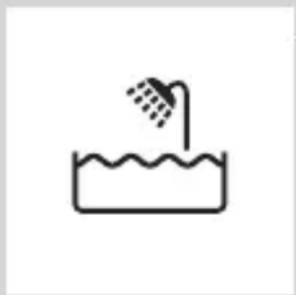
- This shaver is waterproof. It is suitable for use in the bath or shower and for cleaning under the tap. For safety reasons, the shaver can therefore only be used without cord.
- The appliance is suitable for mains voltages ranging from 100 to 240 volts.
- The adapter transforms 100-240 volts to a safe low voltage of less than 24 volts.
- Maximum noise level: Lc = 69dB(A)
The display
Charging
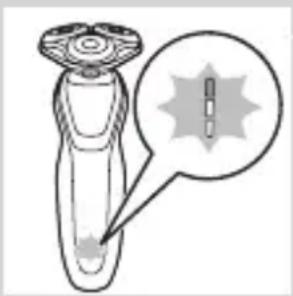
Battery charge indicator with 3 lights
- Charging takes approx. 1 hour
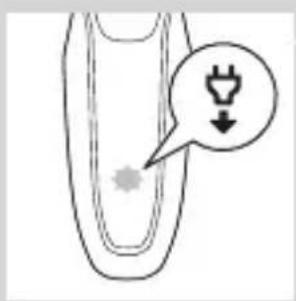
- Quick charge: When the appliance is connected to the mains, the lights of the battery charge indicator light up one after the other continuously. When the appliance contains enough energy for one shave, the bottom light of the battery charge indicator flashes slowly.
- If you leave the appliance connected to the mains, the charging process continues. To indicate that the appliance is charging, first the bottom light flashes and then lights up continuously. Then the second light flashes and then lights up continuously, and so on until the appliance is fully charged.
natural_image
Diagram of a device with a star-shaped symbol and a magnified inset showing internal structure (no text or labels)ENGLISH8
natural_image
Illustration of a laboratory test tube with a magnified inset showing a labeled spike (no text or symbols present)Battery charge indicator with 1 light
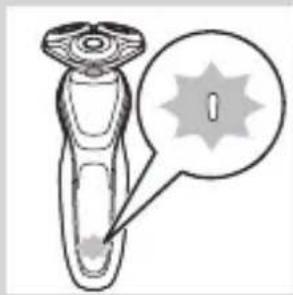
- Charging takes approx. 1 hour.
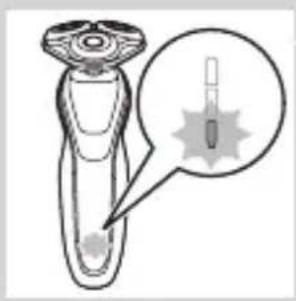
- Quick charge: When the appliance does not contain enough energy for one shave, the battery charge indicator flashes quickly. When the battery charge indicator starts flashing slowly, the appliance contains enough energy for one shave.
- If you leave the appliance connected to the mains, the charging process continues. To indicate that the appliance is charging, the battery charge indicator flashes slowly.
Battery fully charged
natural_image
Diagram of a laboratory test tube with a capillary top and a magnified inset showing internal structures (no text or labels)Note: This appliance can only be used without cord.
Note: When the battery is full, the display switches off automatically after 30 minutes. If you press the on/off button during charging, the ‘unplug for use’ symbol flashes white to remind you that you have to disconnect the appliance from the mains.
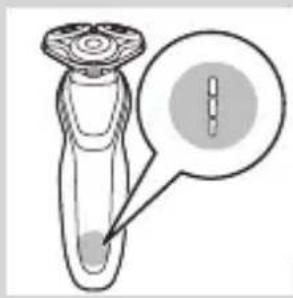
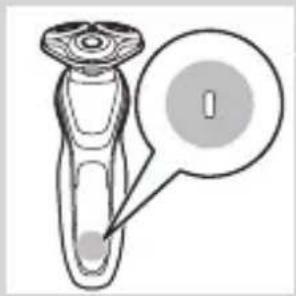
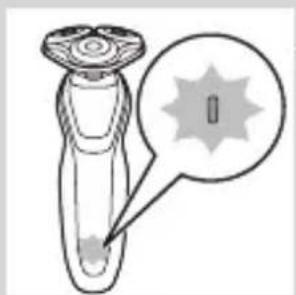
When the battery is fully charged, all lights of the battery charge indicator light up continuously.
- Battery charge indicator with 3 lights
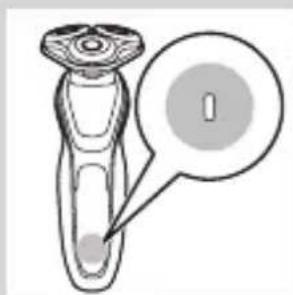
natural_image
Diagram of a medical or laboratory device with a labeled circular area containing a 'I' (no text or symbols present)- Battery charge indicator with 1 light
Battery low
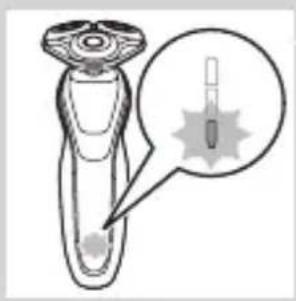
natural_image
Illustration of a hairdryer with a magnified inset showing internal structure (no text or symbols)When the battery is almost empty, the battery charge indicator flashes orange.
- Battery charge indicator with 3 lights
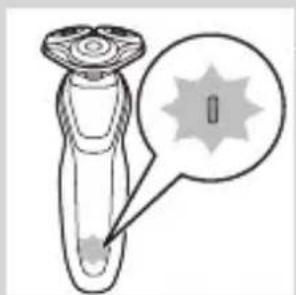
natural_image
Diagram of a device with a starburst pattern and a magnified view of its internal structure (no text or symbols)- Battery charge indicator with 1 light
Remaining battery capacity
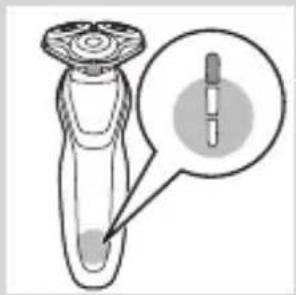
natural_image
Diagram of a dropper with a magnified inset showing the dropper tip (no text or labels)Battery charge indicator with 3 lights
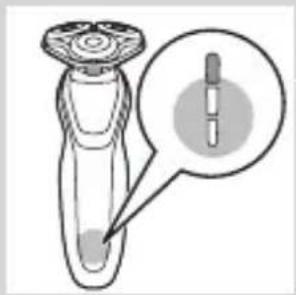
- The remaining battery capacity is indicated by the lights of the battery charge indicator that light up continuously.
'Unplug for use' reminder
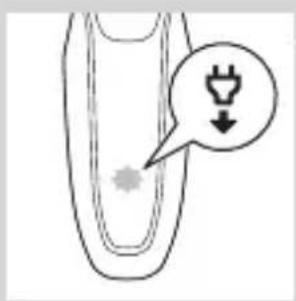
- The appliance is equipped with an ‘unplug for use’ reminder. The ‘unplug for use’ symbol starts to flash to remind you that you have to disconnect the appliance from the adapter before you can switch it on.
Cleaning reminder
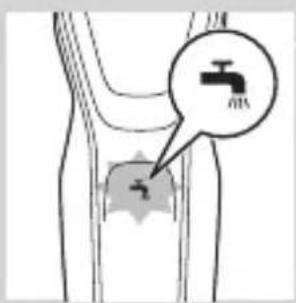
For optimal shaving performance, we advise you to clean the shaver after every use.
- When you switch off the shaver, the cleaning reminder flashes to remind you to clean the shaver.
Travel lock
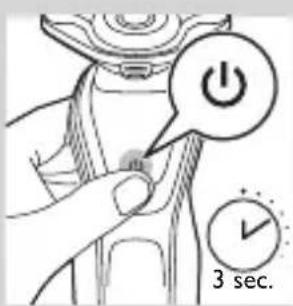
You can lock the shaver when you are going to travel. The travel lock prevents the shaver from being switched on by accident.
Activating the travel lock
1 Press the on/off button for 3 seconds to enter the travel lock mode.
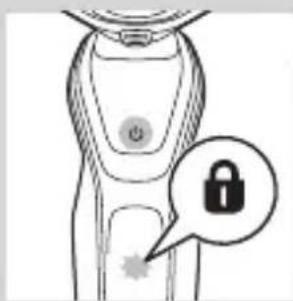
- While you activate the travel lock, the travel lock symbol lights up continuously. When the travel lock is activated, the travel lock symbol flashes.
Deactivating the travel lock
1 Press the on/off button for 3 seconds.
- The travel lock symbol flashes and then lights up continuously. The shaver is now ready for use again.
natural_image
Illustration of a smart device with a lock icon and starburst symbol (no text or labels)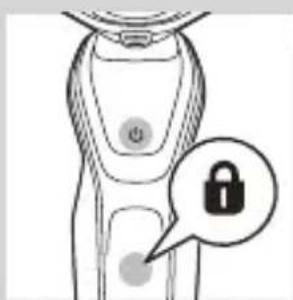
natural_image
Line drawing of a smart device with a lock icon and a button, no text or symbols presentReplacing shaving heads
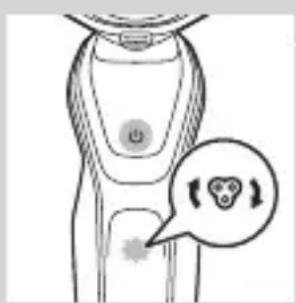
For maximum shaving performance, we advise you to replace the shaving heads every two years.
- The appliance is equipped with a replacement reminder which reminds you to replace the shaving heads. The replacement reminder lights up continuously.
Note: After replacing the shaving heads, you need to reset the replacement reminder by pressing the on/off button for 7 seconds.
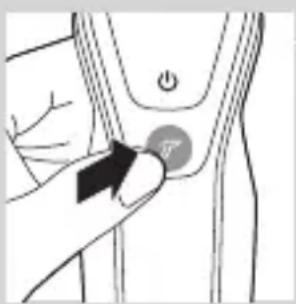
Turbo setting (specific types only)
The appliance is equipped with a Turbo or Turbo+ setting. This setting is intended for quicker and more intense shaving and makes hard-to-reach areas easier to shave.
natural_image
Illustration of a hand pressing a button on a human leg (no text or symbols visible)Activating the Turbo setting
1 To activate the Turbo setting, press the Turbo button once.
Deactivating the Turbo setting
1 To deactivate the Turbo setting, simply press the Turbo button once again.
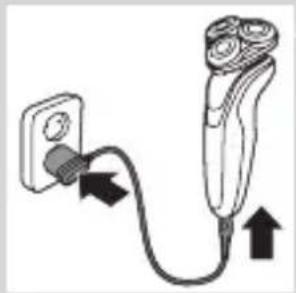
Charging
Charging takes approx. 1 hour.
Note: This appliance can only be used without cord.
Charge the shaver before you use it for the first time and when the display indicates that the battery is almost empty.
Charging with the adapter
natural_image
Diagram of a plug and cable with directional arrows indicating connection (no text or symbols)1 Insert the small plug into the appliance and put the adapter in the wall socket.
Charging in the SmartClean system (specific types only)
1 Put the small plug in the SmartClean system.
2 Put the adapter in the wall socket.
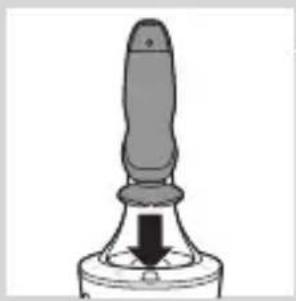
3 Press down the top cap to be able to place the shaver in the holder ('click').
4 Hold the shaver upside down above the holder. Make sure the front of the shaver points towards the SmartClean system.
natural_image
Simple line drawing of a mechanical component with a downward arrow indicating force or direction (no text or symbols)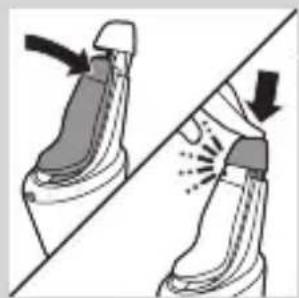
natural_image
Illustration of a pair of boots with arrows indicating motion or change, no text or symbols present5 Place the shaver in the holder, tilt the shaver backwards and press down the top cap to connect the shaver ('click').
- The battery symbol flashes slowly to indicate the shaver is charging.
Using the shaver
Switching the appliance on and off
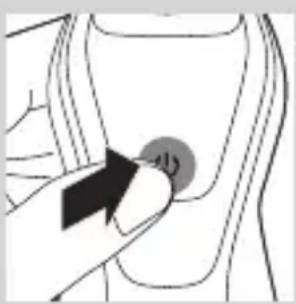
1 To switch on the appliance, press the on/off button once.
2 To switch off the appliance, press the on/off button once.
- Battery charge indicator with 3 lights: The display lights up for a few seconds to show the remaining battery status.
Shaving
Skin adaptation period
Your first shaves may not bring you the result you expect and your skin may even become slightly irritated. This is normal. Your skin and beard need time to adapt to any new shaving system. We advise you to shave regularly (at least 3 times a week) with this shaver for a period of 3 weeks to allow your skin to adapt to the new shaver.
Note: This appliance can only be used without a cord.
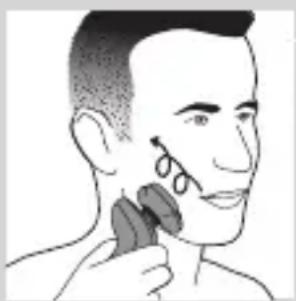
natural_image
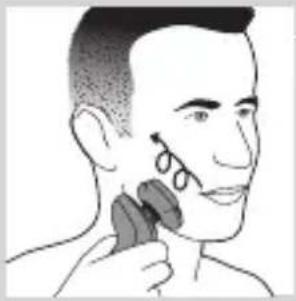
Illustration of a person applying facial hair to their ear (no text or symbols present)1 Switch on the appliance.
2 Move the shaving heads over your skin in circular movements.
Note: Do not make straight movements.
3 Clean the shaver after use (see chapter ‘Cleaning and maintenance’).
Wet shaving
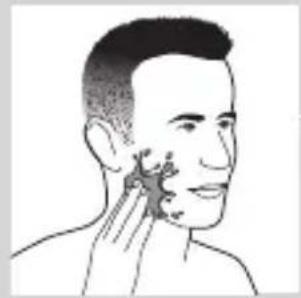
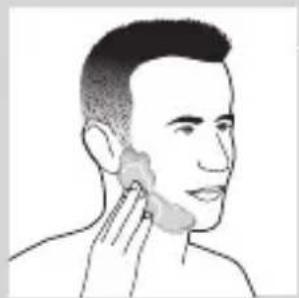
You can also use this shaver in the shower or on a wet face with shaving foam or shaving gel.
ENGLISH14
natural_image
Line drawing of a person's head and neck with a hand pointing to the ear area (no text or symbols)To shave with shaving foam or shaving gel, follow the steps below:
1 Apply some water to your skin.
natural_image
Line drawing of a person applying a product to their ear (no text or symbols)2 Apply shaving foam or shaving gel to your skin.
natural_image
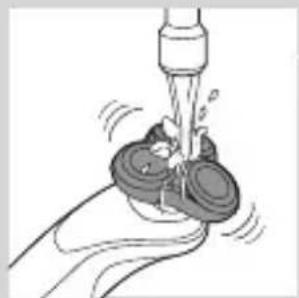
Illustration of a faucet spraying water onto a surface with two circular objects (no text or symbols)3 Rinse the shaving unit under the tap to ensure that the shaving unit glides smoothly over your skin.
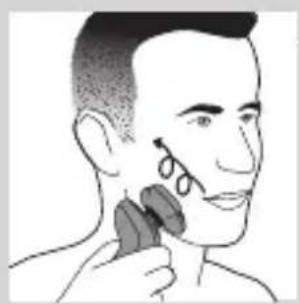
4 Switch on the shaver.
natural_image
Illustration of a person applying makeup to their face with a circular tool (no text or symbols)5 Move the shaving heads over your skin in circular movements.
Note: Rinse the shaver under the tap regularly to ensure that it continues to glide smoothly over your skin.
6 Dry your face and thoroughly clean the shaver after use (see chapter ‘Cleaning and maintenance’).
Note: Make sure you rinse all foam or shaving gel off the shaver.
Turbo setting (specific types only)
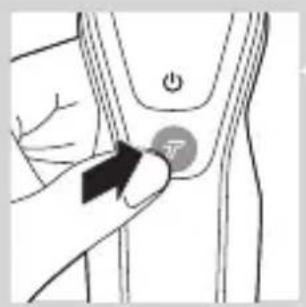
The appliance is equipped with a Turbo or Turbo+ setting for easy shaving of hard-to reach areas.
natural_image
Illustration of a hand holding a button labeled 'Y' on a curved surface, with no visible text or symbols beyond the label.1 Switch on the shaver.
2 Press the Turbo button once to switch on the Turbo setting if you want to shave hard-to-reach areas more quickly.

natural_image
Illustration of a person applying a toothbrush to their face, with a circular logo containing the letter 'T' (no text or symbols on the diagram itself)3 Move the shaving heads over your skin in circular movements.
Note: Do not make straight movements.
4 To deactivate the Turbo setting simply press the Turbo button once.
Using the click-on attachments
Note: The accessories supplied may vary for different products. The box shows the accessories that have been supplied with your appliance.
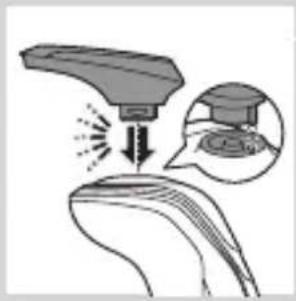
Removing or attaching the click-on attachments
natural_image
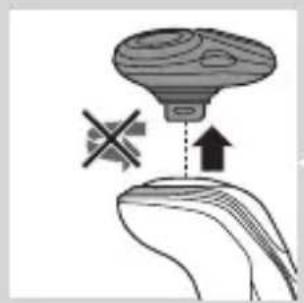
Illustration of a hand holding a mushroom-shaped object with a cross symbol and an upward arrow, no text or labels present.1 Make sure the appliance is switched off.
2 Pull the attachment straight off the appliance.
Note: Do not twist the attachment while you pull it off the appliance.
natural_image
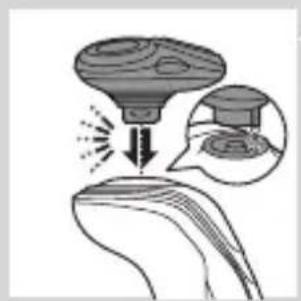
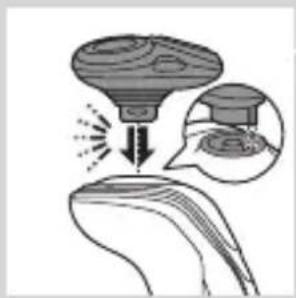
Diagram showing a droplet on a surface with an arrow indicating light or motion, and a magnified inset showing a graduation cap (no text or symbols)3 Insert the lug of the attachment into the slot in the top of the appliance. Then press down the attachment to attach it to the appliance ('click').
natural_image
Illustration of a medical procedure showing a surgical instrument interacting with a patient's ear (no text or symbols present)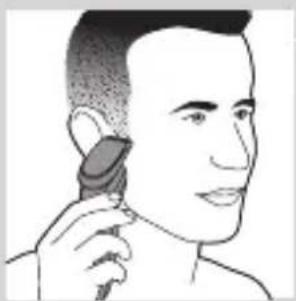
natural_image
Line drawing of a person applying a hair accessory to their ear (no text or symbols)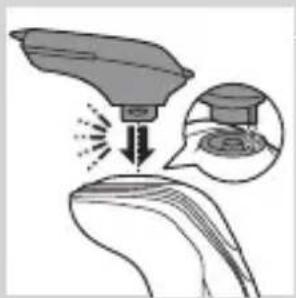
natural_image
Illustration of a medical or laboratory procedure showing a device interacting with a patient's ear, with an inset magnified view of the procedure (no text or symbols present)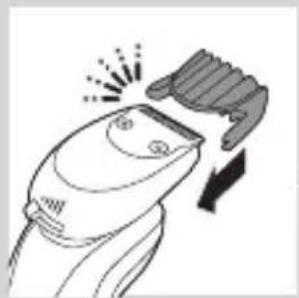
natural_image
Line drawing of a hairbrush cutting down a button with a downward arrow (no text or symbols)Using the trimmer attachment
You can use the trimmer attachment to groom your sideburns and moustache.
1 Make sure the appliance is switched off.
2 Insert the lug of the attachment into the slot in the top of the shaver. Then press down the trimmer attachment to attach it to the appliance ('click').
3 Switch on the appliance.
4 You can now start trimming.
5 Clean the attachment after use (see chapter 'Cleaning and maintenance').
Using the beard styler attachment
1 Make sure the appliance is switched off.
2 Insert the lug of the attachment into the slot in the top of the appliance. Then press down the attachment to attach it to the appliance ('click').
Using the beard styler attachment with comb
You can use the beard stylisty attachment with the comb attached to style your beard at one fixed setting, but also at different length settings. You can use it also to pre-trim any long hairs before shaving to have a more comfortable shave.
The hair length settings on the beard styler attachment correspond to the remaining hair length after cutting and range from 1 to 5mm.
1 Slide the comb straight into the guiding grooves on both sides of the attachment ('click').
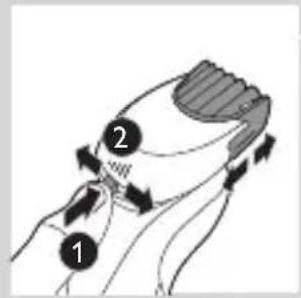
2 Press the length selector and then push it to the left or right to select the desired hair length setting.
3 Switch on the appliance.
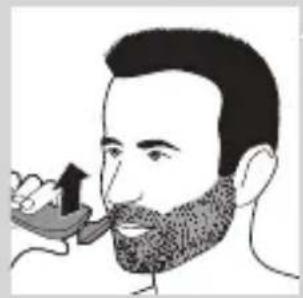
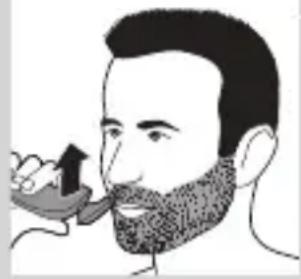
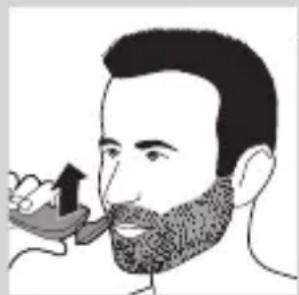
4 You can now start styling your beard by moving the attachment upwards with gentle pressure making sure the front of the comb is in full contact with the skin.
5 Clean the attachment after use (see chapter 'Cleaning and maintenance').
Using the beard styler attachment without comb
You can use the beard styler attachment without the comb to contour your beard, moustache, sideburns or neckline to a length of 0.5mm.
natural_image
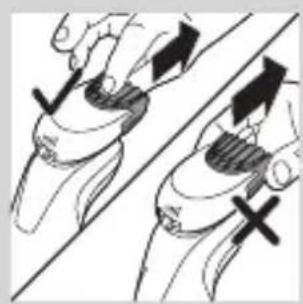
Illustration of a man with a beard and a pipe, showing hand motion (no text or symbols)1 Pull the comb off the attachment.
Note: Grab the comb in the centre to pull it off the attachment. Do not pull at the sides of the comb.
natural_image
Illustration of two hands holding a device with directional arrows indicating movement (no text or symbols)2 Switch on the appliance.
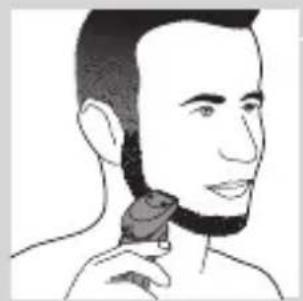
3 You can now start contouring your beard, moustache, sideburns or neckline by moving the styler downwards with gentle pressure while holding it perpendicular to the skin.
4 Clean the attachment after use (see chapter 'Cleaning and maintenance').
natural_image
Line drawing of a person's head and neck with a hairpin (no text or symbols)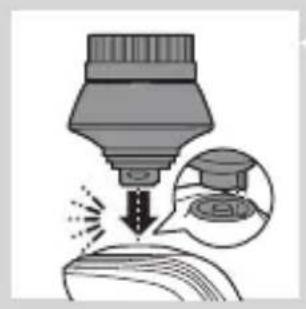
natural_image
Illustration of a dropper tip dispensing liquid into a container, with an inset showing the same dropper (no text or symbols present)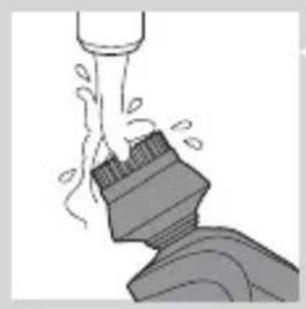
natural_image
Illustration of a mechanical component with fluid flow, no text or symbols present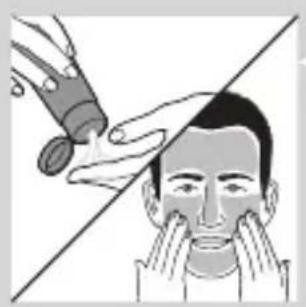
natural_image
Illustration of a person applying makeup to their face with a tool, no text or symbols present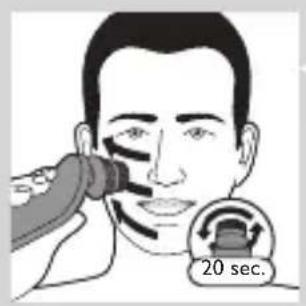
Using the cleansing brush attachment
Use the rotating cleansing brush attachment with your daily cleansing cream. The cleansing brush attachment removes oil and dirt, contributing to a healthy and oil-free skin.
1 Insert the lug of the attachment into the slot in the top of the appliance. Then press down the attachment to attach it to the appliance ('click').
2 Moisten the attachment with water. Do not use the appliance with a dry brush head, as this can irritate the skin.
Tip: Use the attachment before shaving for easier shaving and a more hygienic shaving result.
3 Moisten your face with water and apply a cleanser to your face.
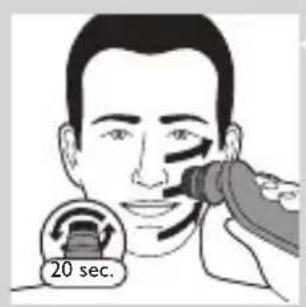
4 Place the attachment on your right cheek.
5 Switch on the appliance.
6 Gently move the attachment across your skin from the nose towards the ear. Do not push the attachment too hard onto the skin to make sure the treatment remains comfortable.
7 After approx. 20 seconds you can move the attachment to your left cheek and start cleansing this part of your face.
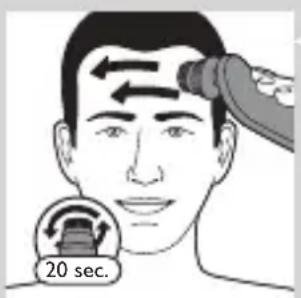
Caution: Do not clean the sensitive area around your eyes.
8 After approx. 20 seconds you can move the attachment to your forehead and start cleansing this part of your face. Gently move the attachment from left to right.
Note: We advise you to not overdo the cleansing and to not cleanse any zone longer than 20 seconds.
natural_image
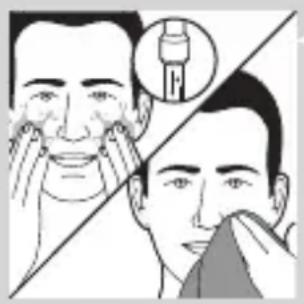
Illustration showing two facial expressions with a magnified inset of a dental implant (no text or symbols)9 After the treatment, rinse and dry your face. Your face is now ready for the next step of your daily skincare routine.
10 Clean the attachment after use (see chapter ‘Cleaning and maintenance’).
Cleaning and maintenance
Note: The accessories supplied may vary for different products. The box shows the accessories that have been supplied with your appliance.
Cleaning the shaver in the SmartClean system (specific types only)
natural_image
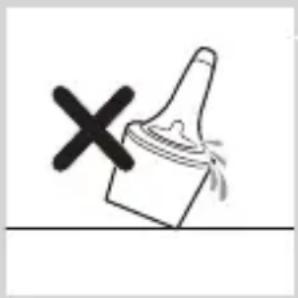
Simple line drawing of a paintbrush with a cross mark and spray effect (no text or symbols)Do not tilt the SmartClean system to prevent leakage.
Note: Hold the SmartClean system while you prepare it for use.
Note: If you clean the shaver in the SmartClean system once a week, the SmartClean cartridge will last approximately three months.
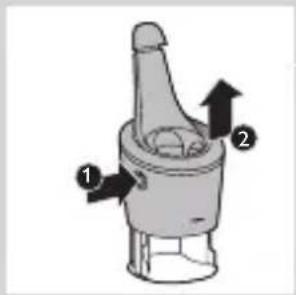
Preparing the SmartClean system for use
1 Put the small plug in the back of the SmartClean system.
2 Put the adapter in the wall socket.
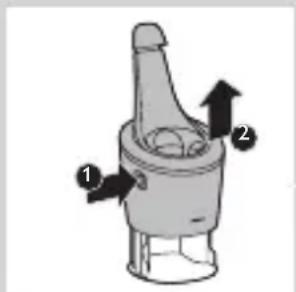
3 Press the button on the side of the SmartClean system and lift the top part of the SmartClean system.
natural_image
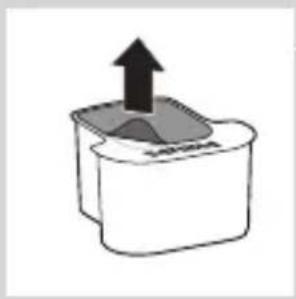
Simple line drawing of a container with an upward arrow and a shaded interior (no text or symbols)4 Pull the seal off the cleaning cartridge.
natural_image
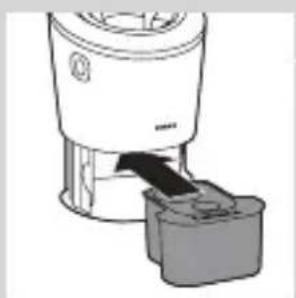
Diagram of a blender with a black arrow indicating the process (no text or symbols present)5 Place the cleaning cartridge in the SmartClean system.
natural_image
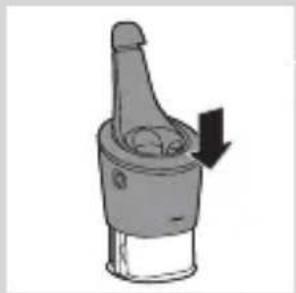
Mechanical component diagram showing a lever with a downward arrow indicating motion (no text or symbols)6 Push the top part of the SmartClean system back down ('click').
Using the SmartClean system
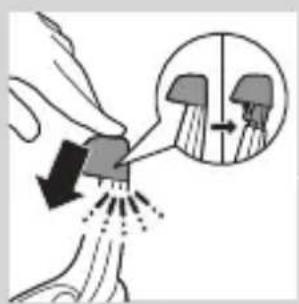
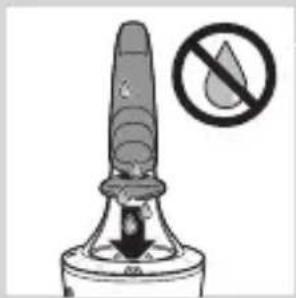
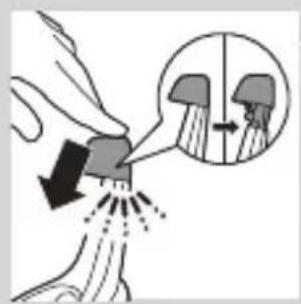
Always make sure to shake excess water off the shaver before you place it in the SmartClean system.
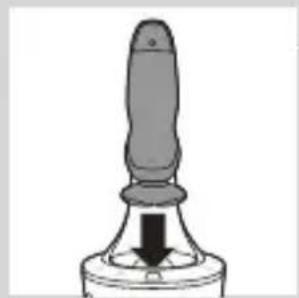
1 Press down the top cap to be able to place the shaver in the holder ('click').
natural_image
Close-up of a mechanical component with a black arrow pointing downward (no text or symbols visible)2 Hold the shaver upside down above the holder. Make sure the front of the shaver points towards the SmartClean system.
natural_image
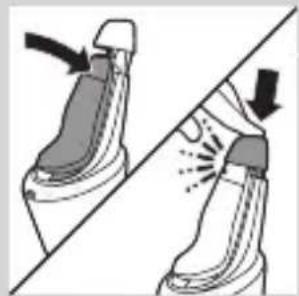
Illustration of a pair of boots with arrows indicating motion or change, no text or symbols present3 Place the shaver in the holder, tilt the shaver backwards and press down the top cap to connect the shaver ('click').
- The battery symbol flashes slowly to indicate that the shaver is charging.
natural_image
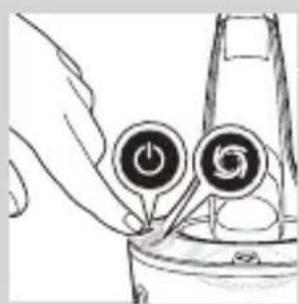
Hand holding two circular buttons with a power symbol, next to a device component (no text or labels visible)4 Press the on/off button on the SmartClean system to start the cleaning program.
- During the cleaning program (which takes approx. 10 minutes), the cleaning symbol flashes.
natural_image
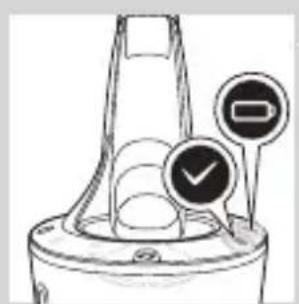
Diagram of a mechanical component with two circular indicators (one checked, one not checked) and no visible text or symbols.- When the cleaning program has been completed, the ready symbol lights up continuously. - The battery symbol lights up continuously to indicate that the shaver is fully charged. This takes approx. 1 hour.
Note: If you press the on/off button of the SmartClean system during the cleaning program, the program aborts. In this case, the cleaning symbol stops flashing.
Note: If you remove the adapter from the wall socket during the cleaning program, the program aborts.
Note: 30 minutes after the charging phase has been completed, the SmartClean system switches off automatically.
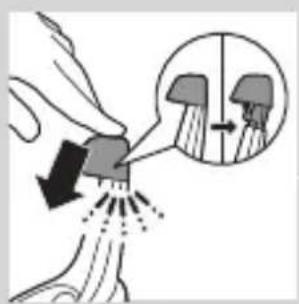
5 To let the shaver dry, you can leave it in the SmartClean system until your next shave. You can also remove the shaver from the SmartClean system, shake off excess water, open the shaving unit and let the shaver air dry.
Replacing the cartridge of the SmartClean System
If you clean the shaver in the SmartClean system once a week, the SmartClean cartridge will last approximately three months.
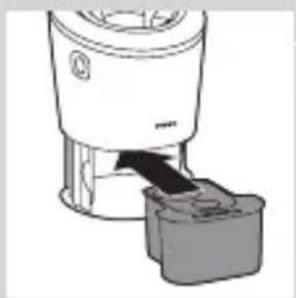
Replace the cleaning cartridge when the replacement symbol flashes orange or when you are no longer satisfied with the cleaning result. If used once a week, the SmartClean cartridge will last for approximately three months
1 Press the button on the side of the SmartClean system and lift the top part of the SmartClean system.
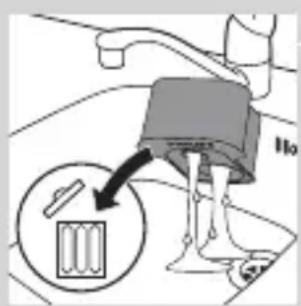
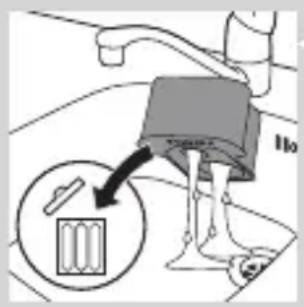
2 Take the empty cleaning cartridge from the SmartClean system and pour any remaining cleaning fluid out of the cleaning cartridge.
You can simply pour the cleaning fluid down the sink.
3 Throw away the empty cleaning cartridge.
4 Unpack the new cleaning cartridge and pull the seal off the cartridge.
natural_image
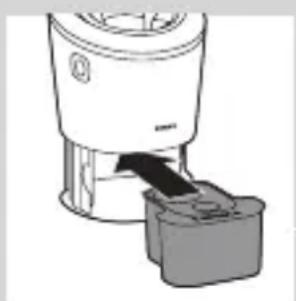
Diagram of a blender with a black arrow pointing to its interior component (no text or symbols present)5 Place the new cleaning cartridge in the SmartClean system.
natural_image
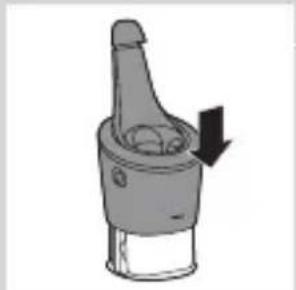
Mechanical component diagram showing a lever mechanism with a downward arrow indicating motion (no text or symbols)6 Push the top part of the SmartClean system back down ('click').
Cleaning the shaver under the tap
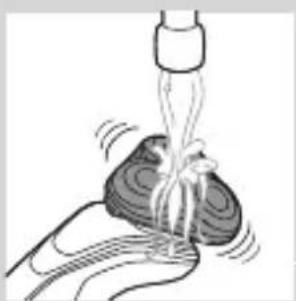
Clean the shaver after every shave for optimal shaving performance.
Be careful with hot water. Always check if the water is not too hot, to prevent your hands from getting burnt.
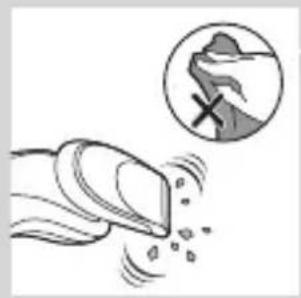
Never dry the shaving unit with a towel or tissue, as this may damage the shaving heads.
natural_image
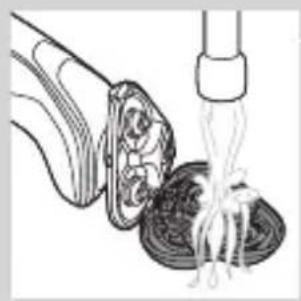
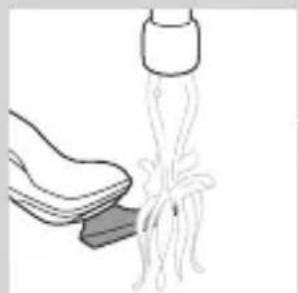
Illustration of a hand holding a small object with motion lines indicating movement or force (no text or symbols)1 Rinse the shaving unit under a warm tap for some time.
natural_image
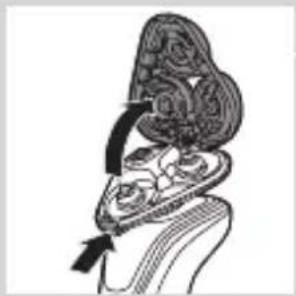
Anatomical illustration of a human head and neck region with internal organs, showing no text or labels.2 Press the release button and open the shaving unit.
natural_image
Illustration of a food item being lifted by a pipette, showing a bowl with noodles and a fork (no text or symbols)3 Rinse the shaving head holder under a warm tap for 30 seconds.
4 Carefully shake off excess water and let the shaving head holder dry.
5 Close the shaving head holder ('click').
Thorough cleaning method
natural_image
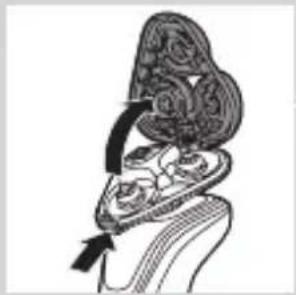
Illustration of a hand holding a decorative object with swirling patterns and an arrow indicating motion (no text or symbols)Make sure the appliance is switched off.
1 Press the release button and open the shaving unit.
natural_image
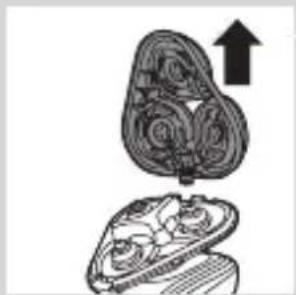
Illustration of a mushroom-shaped object with an upward arrow, no text or symbols present2 Pull the shaving head holder off the bottom part of the shaving unit.
flowchart
graph TD
    A["Step 1"] --> B["Step 2"]
    B --> C["Step 3"]
    C --> A
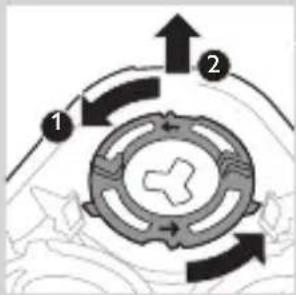
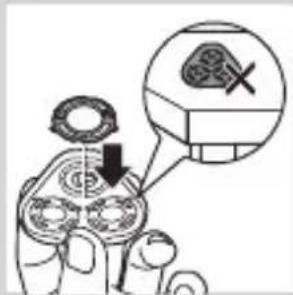
3 Turn the retaining rings anticlockwise and remove them.
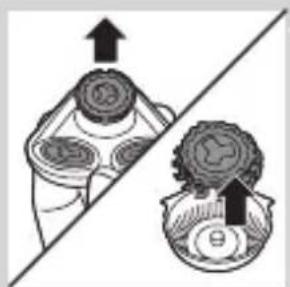
natural_image
Diagram showing two mechanical components with directional arrows, no text or symbols present4 Remove the shaving heads from the shaving head holder. Each shaving head consists of a cutter and guard.
Note: Do not clean more than one cutter and guard at a time, since they are all matching sets. If you accidentally put a cutter in the wrong shaving guard, it may take several weeks before optimal shaving performance is restored.
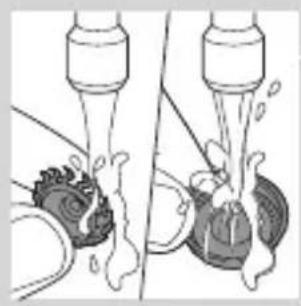
natural_image
Diagram showing two mechanical components with fluid flow, no text or symbols present5 Clean the cutter and guard under the tap.
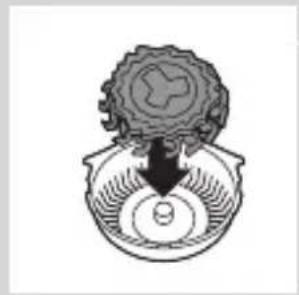
natural_image
Diagram of a mechanical component with a central base and top view, no text or symbols present6 After cleaning, place the cutter back into the guard.
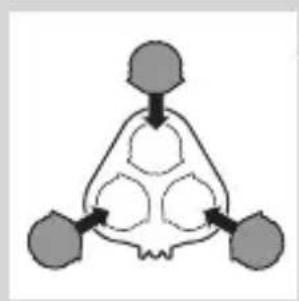
flowchart
graph TD
    A["Input Node 1"] --> C["Processing Node"]
    B["Input Node 2"] --> C
    D["Input Node 3"] --> C
    C --> E["Output Node 1"]
    C --> F["Output Node 2"]
    C --> G["Output Node 3"]
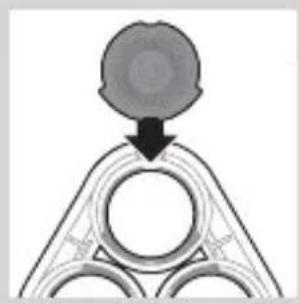
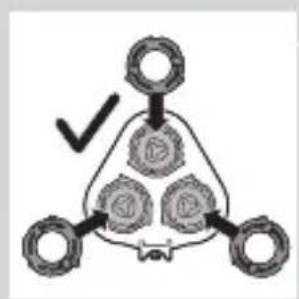
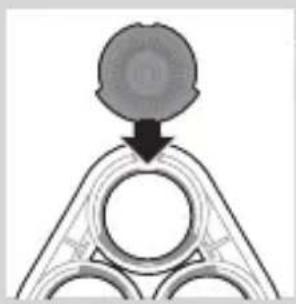
7 Put the shaving heads back into the shaving head holder.
natural_image
Pure diagram of a mechanical or structural component with no visible text, numbers, or symbolsNote: Make sure the projections of the shaving heads fit exactly into the recesses of the shaving-head holder.
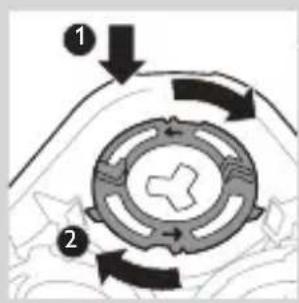
8 Place the retaining rings back onto the shaving head holder and turn them clockwise.
flowchart
graph TD
    A[" "] --> B[" "]
    B --> C[" "]
    C --> D[" "]
    D --> E[" "]
    style A fill:#f9f,stroke:#333
    style B fill:#ccf,stroke:#333
    style C fill:#cfc,stroke:#333
    style D fill:#fcc,stroke:#333
    style E fill:#ffc,stroke:#333
- Each retaining ring has two recesses and two projections that fit exactly in the projections and recesses of the shaving head holder.
ENGLISH26
natural_image
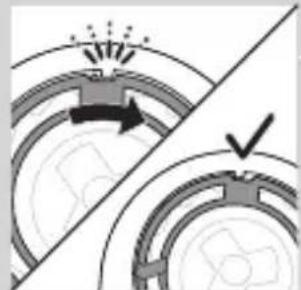
Diagram showing mechanical components with arrows and a checkmark, no readable text or symbols present- Turn the ring clockwise until your hear 'click' and the ring is fixed.
Note: Hold the shaving head holder in your hand when you reinsert the shaving heads and reattach the retaining rings. Do not place the shaving head holder on a surface when you do this, as this may cause damage.
natural_image
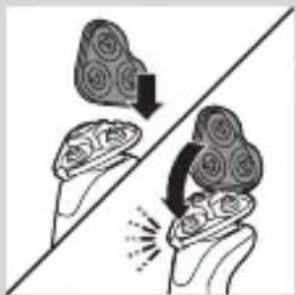
Illustration of two hands holding a heart-shaped object with a downward arrow and a spark effect, no text or symbols present.9 Reinsert the hinge of the shaving head holder into the slot of the shaving unit. Close the shaving head holder ('click').
Cleaning the click-on attachments
Never dry the trimmer or beard styler attachments with a towel or tissue, as this may damage the trimming teeth.
Cleaning the trimmer attachment
Clean the trimmer attachment every time you have used it.
natural_image
Illustration of a hand cleaning a shoe with a cloth (no text or symbols)1 Switch on the appliance with the trimmer attachment attached.
2 Rinse the trimmer attachment under a hot tap for some time.
3 After cleaning, switch off the appliance.
natural_image
Illustration of a hand crushing a rock with a magnified circular section showing a pile of rocks (no text or symbols)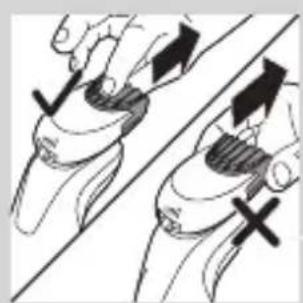
natural_image
Illustration of two hands holding a tool, with arrows indicating movement or force direction (no text or symbols)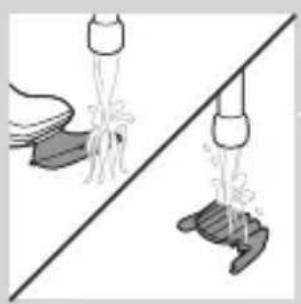
natural_image
Illustration of two hands pouring liquid from a bottle onto a surface, separated by a diagonal line (no text or symbols)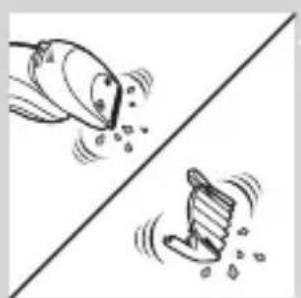
natural_image
Two cartoon fish jumping over a diagonal line, one falling and the other wading (no text or symbols)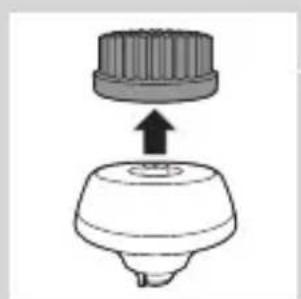
natural_image
Diagram of a mechanical component with a top cylindrical part and a base, showing an upward arrow (no text or symbols)4 Carefully shake off excess water and let the trimmer attachment dry.
Tip: For optimal trimmer performance, lubricate the trimmer teeth with a drop of sewing machine oil every six months.
Cleaning the beard styler attachment
Clean the beard styler attachment every time you have used it.
1 Pull the comb off the beard stylist attachment.
Note: Grab the comb in the centre to pull it off the attachment. Do not pull at the sides of the comb.
2 Switch on the appliance.
3 Rinse the beard styler attachment and the comb separately under a hot tap for some time.
4 After cleaning, switch off the appliance.
5 Carefully shake off excess water and let the beard styler attachment and comb dry.
Tip: For optimal trimmer performance, lubricate the trimmer teeth with a drop of sewing machine oil every six months.
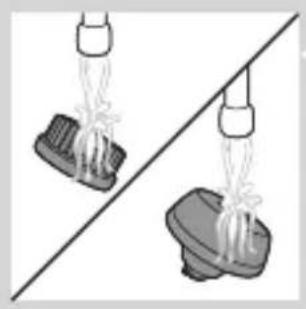
Cleaning the cleansing brush attachment
Clean the cleansing brush attachment every time you have used it.
1 Make sure the appliance is switched off.
2 Detach the brush head from the brush base.
natural_image
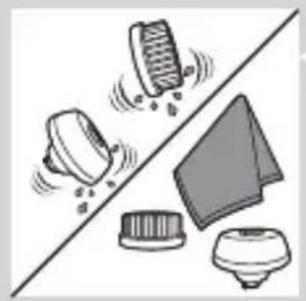
Two identical diagrams showing a spray gun above a base, with no text or symbols present.3 Clean both parts thoroughly with warm water and mild soap.
natural_image
Illustration of mechanical components and a triangular component (no text or symbols)4 Dry the cleansing brush attachment with a towel.
Storage
natural_image
Diagram of a mechanical component with a downward arrow indicating motion or force (no text or symbols)Note: The accessories supplied may vary for different products. The box shows the accessories that have been supplied with your appliance.
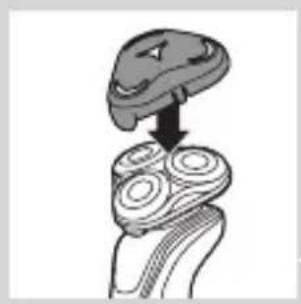
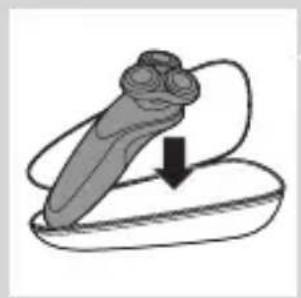
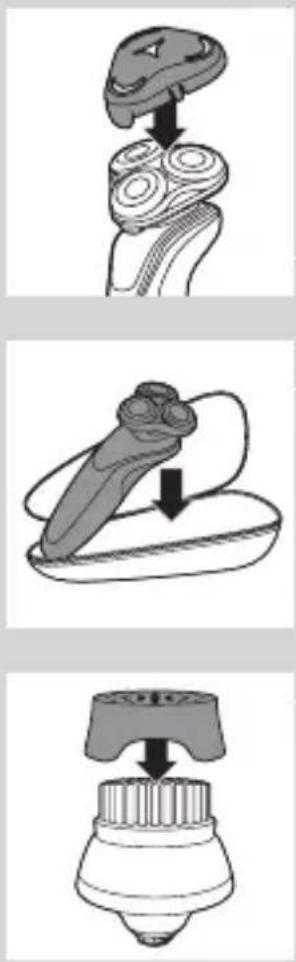
Note: We advise you to let the appliance and its attachments dry before you put the protection caps on the attachments and store the shaver in the pouch.
- Put the protection cap on the shaving unit to protect it from dirt accumulation.
- Store the shaver in the pouch supplied.
- Put the protection cap on the cleansing brush attachment to protect it from dirt accumulation.
natural_image
Illustration of a stylized object with a downward arrow, possibly indicating a motion or change (no text or symbols present)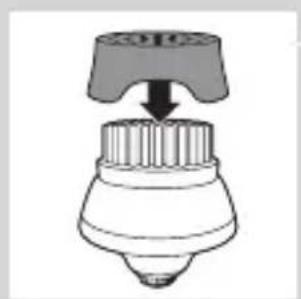
natural_image
Diagram of a mechanical component with a downward arrow indicating force or direction (no text or symbols)Replacement
Replacing the cleansing brush head
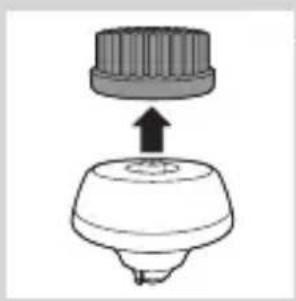
natural_image
Simple line drawing of a mechanical component with a top and base, no text or symbols present.- The cleansing brush head attachment should be replaced every 3 months or earlier if the filaments are deformed or damaged.
Replacing the shaving heads
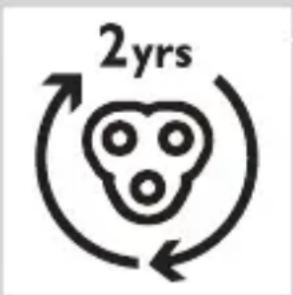
For maximum shaving performance, we advise you to replace the shaving heads every two years.
Replacement reminder
The shaving unit symbol will light up to indicate that the shaving heads need to be replaced. Replace damaged shaving heads immediately. Only replace the shaving heads with original Philips shaving heads as specified in chapter 'Ordering accessories'.
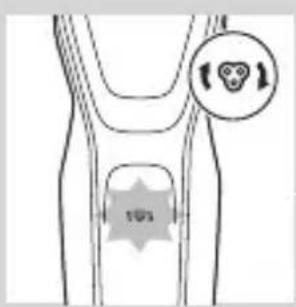
1 The shaving unit symbol lights up continuously when you switch off the shaver to indicate that the shaving heads need to be replaced.
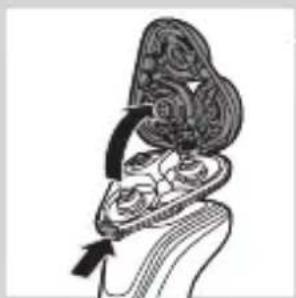
natural_image
Anatomical illustration of a human head and neck with internal organs, showing a highlighted region (no text or labels)2 Press the release button and open the shaving unit.
natural_image
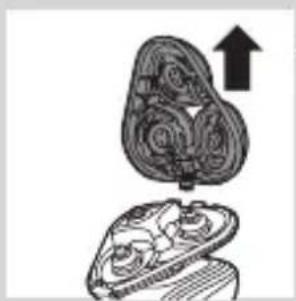
Diagram of a mechanical component with an upward arrow indicating motion or force (no text or symbols present)3 Pull the shaving head holder off the bottom part of the shaving unit.
flowchart
graph TD
    A["1"] --> B["2"]
    B --> C["3"]
    C --> A
    style A fill:#f9f,stroke:#333
    style B fill:#ccf,stroke:#333
    style C fill:#cfc,stroke:#333
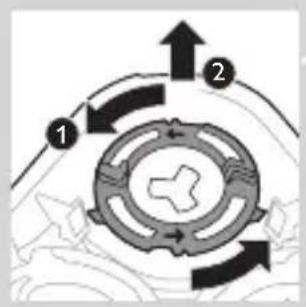
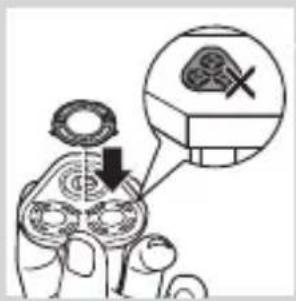
4 Turn the retaining rings anticlockwise and remove them.
natural_image
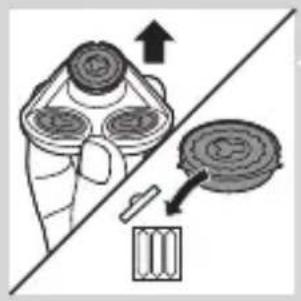
Diagram showing a hand operating a device with a circular component and an arrow indicating direction (no text or symbols)5 Remove the shavings heads from the shaving head holder and throw them away.
natural_image
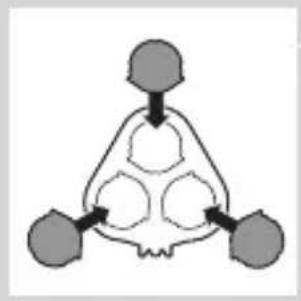
Abstract diagram with three symmetrical shapes and arrows pointing inward (no text or symbols)6 Place new shaving heads in the holder.
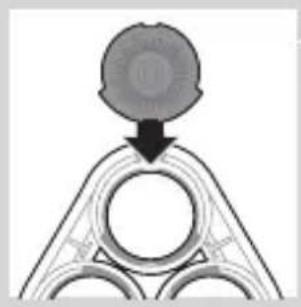
natural_image
Pure diagram of a mechanical or structural component with no visible text, numbers, or symbolsNote: Make sure the projections of the shaving heads fit exactly into the recesses of the shaving head holder.
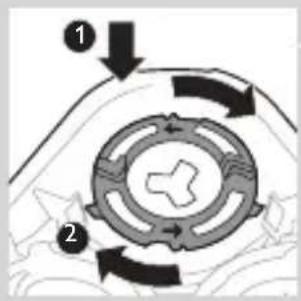
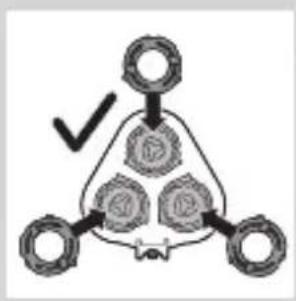
7 Place the retaining rings back onto the shaving heads and turn them clockwise.
flowchart
graph TD
    A["Top Node"] --> B["Bottom Left Node"]
    A --> C["Bottom Right Node"]
    B --> D["Checkmark"]
    C --> D
    style A fill:#f9f,stroke:#333
    style B fill:#ccf,stroke:#333
    style C fill:#cfc,stroke:#333
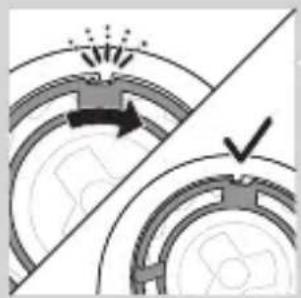
- Each retaining ring has two recesses and two projections that fit exactly in the projections and recesses of the shaving head holder.
natural_image
Diagram showing a mechanical component with an arrow indicating motion, intersected by a diagonal line (no text or symbols)- Turn the ring clockwise until your hear 'click' and the ring is fixed.
Note: Hold te shaving head holder in your hand when you reinsert the shaving heads and reattach the retaining rings. Do not place the shaving head holder on a surface when you do this, as this may cause damage.
natural_image
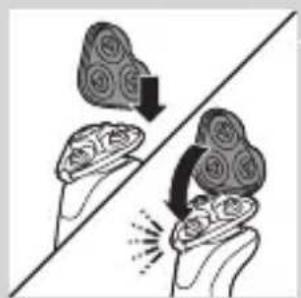
Illustration of two hands holding a cloud-shaped object with arrows indicating rotation or movement (no text or symbols)8 Reinsert the hinge of the shaving head holder into the slot of the shaving unit. Close the shaving head holder ('click').
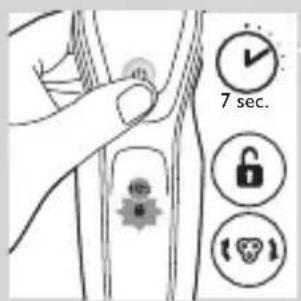
9 To reset the replacement reminder, press and hold the on/off button for approx. 7 seconds.
Ordering accessories
To buy accessories or spare parts, visit
www.shop.philips.com/service or go
to your Philips dealer. You can also contact the Philips Consumer Care Centre in your country (see the worldwide guarantee leaflet for contact details).
The following parts are available:
- HQ8505 adapter
- SH50 Philips shaving heads
- HQ110 Philips Shaving Head Cleaning Spray
- RQ111 Philips beard styler attachment
- RQ585 Philips cleansing brush attachment
- RQ560, RQ563 Philips cleansing brush heads
- JC301, JC302, JC303, JC304, JC305 cleaning cartridge
Note: Availability of the accessories may differ per country.
Shaving heads
- We advise you to replace your shaving heads every two years. Always replace the shaving heads with original SH50 Philips shaving heads.
Recycling
natural_image
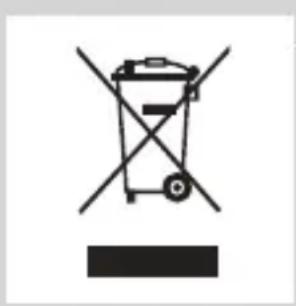
Symbol of a trash bin crossed with a diagonal line and a horizontal bar below (no text or numbers present)- This symbol means that this product shall not be disposed of with normal household waste (2012/19/EU).
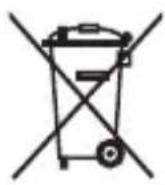
- This symbol means that this product contains a built-in rechargeable battery which shall not be disposed of with normal household waste (2006/66/EC). We strongly advise you to take your product to an official collection point or a Philips service centre to have a professional remove the rechargeable battery.
- Follow your country's rules for the separate collection of electrical and electronic products and rechargeable batteries. Correct disposal helps prevent negative consequences for the environment and human health.
Removing the rechargeable shaver battery
Only remove the rechargeable battery when you discard the shaver. Make sure the battery is completely empty when you remove it.
Be careful, the battery strips are sharp.
natural_image
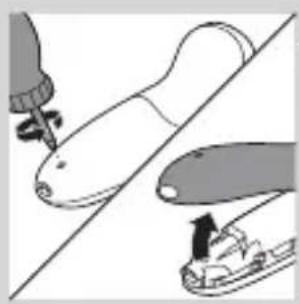
Illustration of a hand tool interacting with a device, showing tip and base components (no text or symbols)1 Remove the screw in the back panel with a screwdriver. Then remove the back panel.
natural_image
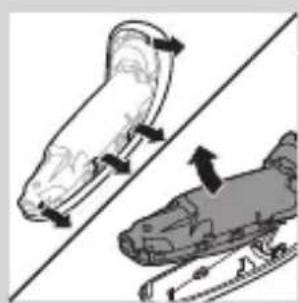
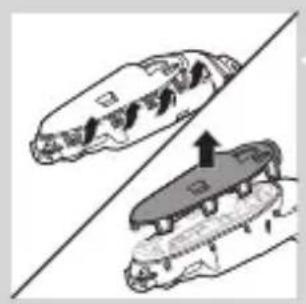
Illustration of two skis under a diagonal line, showing motion and movement directions (no text or symbols)2 Bend the hooks aside and remove the power unit.
natural_image
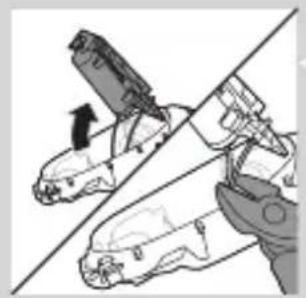
Two car seats with arrows indicating movement or change, no visible text or symbols3 Break the snap hooks and remove the front panel of the power unit.
natural_image
Illustration of a hand holding a tool with a black arrow indicating motion (no text or symbols)4 Take out the battery holder and cut the battery tags with a pair of cutting pliers.
Guarantee and support
If you need information or support, please visit www.philips.com/support or read the separate worldwide guarantee leaflet.
Guarantee restrictions
The shaving heads (cutters and guards) are not covered by the terms of the international guarantee because they are subject to wear.
Troubleshooting
This chapter summarises the most common problems you could encounter with the appliance. If you are unable to solve the problem with the information below, visit www.philips.com/support for a list of frequently asked questions or contact the Consumer Care Centre in your country.
Problem Possible cause Solution
| The shaver does not shave as well as it used to. | The shaving heads are damaged or worn. | Replace the shaving heads (see chapter ‘Replacement’). |
| Hairs or dirt obstruct the shaving heads. | Clean the shaving heads by following the steps of the thorough cleaning method (see chapter ‘Cleaning and maintenance’). | |
| The shaver does not work when I press the on/off button. | The shaver is still attached to the mains. For safety reasons, the shaver can only be used without cord. | Disconnect the shaver from the mains and press the on/off button to switch on the shaver (see section ‘Unplug for use reminder’). |
| The rechargeable battery is empty. | Recharge the battery (see chapter ‘Charging’). | |
| The travel lock is activated. | Press the on/off button for 3 seconds to deactivate the travel lock. | |
| The shaving unit is soiled or damaged to such an extent that the motor cannot run. | Clean the shaving heads or replace them (see chapters ‘Cleaning and maintenance’ and ‘Replacement’). |
Problem Possible cause Solution
| The shaver is not entirely clean after I clean it in the SmartClean system. | You have not placed the shaver in the SmartClean system properly, so there is no electrical connection between the SmartClean system and the shaver. | Press down the top cap ('click') to ensure a proper connection between the shaver and the SmartClean system. |
| The cleaning cartridge is empty. The replacement symbol flashes to indicate you have to replace the cleaning cartridge. | Place a new cleaning cartridge in the SmartClean system (see chapter 'Cleaning and maintenance'). | |
| You have used another cleaning fluid than the original Philips cleaning cartridge. | Only use the original Philips cleaning cartridges. | |
| Water is leaking from the bottom of the shaver. | During cleaning, water may collect between the inner body and the outer shell of the shaver. | This is normal and not dangerous because all electronics are enclosed in a sealed power unit inside the shaver. |
Problem Possible cause Solution
| The SmartClean system does not work when I press the on/off button. | The SmartClean system is not connected to the mains. | Put the small plug in SmartClean system and put the adapter in the wall socket. |
| The shaver is not fully charged after I charge it in the SmartClean system. | You have not placed the shaver in the SmartClean system properly. | Make sure you press the shaver in the SmartClean system until it locks into place and press down the top cap. |
| I replaced the shaving heads, but the replacement reminder symbol is still showing. | You have not reset the shaver. | Reset the shaver by pressing the on/off button for approx. 7 seconds (see chapter ‘Replacement’). |
| A shaving head symbol had suddenly appeared on the display. | This symbol is a replacement reminder. | Replace the shaving heads (see chapter ‘Replacement’). |
| The nose trimmer attachment pulls at the hairs. | You move the appliance too fast. | Do not move the appliance too fast. |
Problem Possible cause Solution
The nose trimmer attachment does not work.
The cutting element of the attachment is very dirty, for instance because some nasal mucus has dried inside the cutting element.
Clean the cutting element by rinsing it under the tap with hot water. Switch on the appliance and rinse the cutting element once more to remove any remaining hairs.
If rinsing the nose trimmer under the tap does not unblock the cutting element, then immerse it in a glass with warm water for a few minutes. Then switch on the appliance and rinse it under the tap.
Въведение
natural_image
Prohibition sign showing a faucet crossed out by a diagonal line, indicating no use or prohibition (no text present)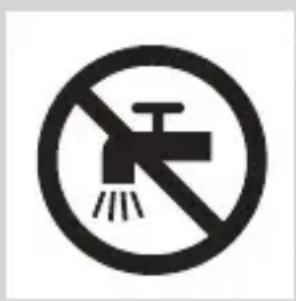
natural_image
No smoking sign with faucet symbol (no text or numbers)natural_image
Simple line drawing of a showerhead spraying over a water-filled basin (no text or symbols)на Philips (касета или бутилка, в зависимост от типа система за почистване).
natural_image
Diagram of a hairdryer with a magnified inset showing internal structure (no text or symbols)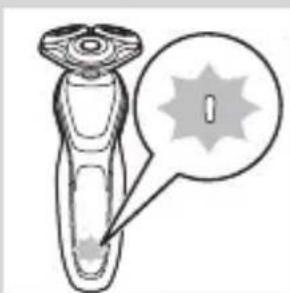
natural_image
Diagram of a test tube with a cap and a starburst symbol, no text or labels presentnatural_image
Illustration of a hand holding a small object with a circular inset showing a vertical line (no text or symbols)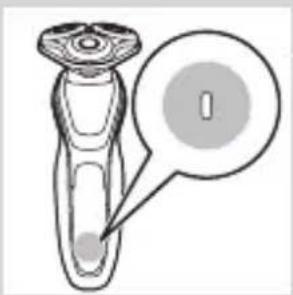
natural_image
Diagram of a laboratory test tube with a labeled stopper and a magnified inset showing the stopper (no text or symbols present)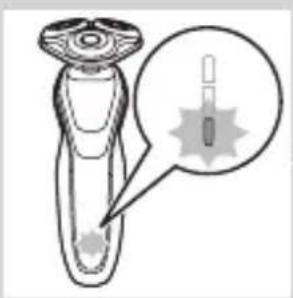
natural_image
Diagram of a hairbrush with a magnified inset showing internal structure (no text or symbols)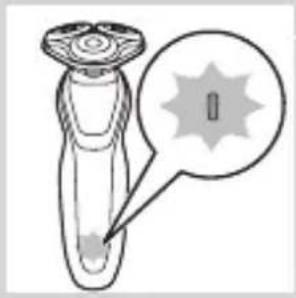
natural_image
Diagram of a laboratory test tube with a magnified inset showing internal structures (no text or labels)natural_image
Diagram of a dropper with a magnified inset showing internal structure (no text or labels)natural_image
Simple line drawing of a device with a plug icon and a star-shaped mark, no text or symbols present.natural_image
Illustration of a robotic device with a lock icon and speech bubble (no text or symbols)natural_image
Illustration of a hand pressing a button on a human leg, with no visible text or symbolsnatural_image
Diagram of a hairbrush plug connecting a power outlet with an attached cable, showing two arrows indicating direction (no text or symbols present)natural_image
Simple line drawing of a mechanical component with a downward arrow indicating force or direction (no text or symbols)natural_image
Illustration of a pair of boots with arrows indicating motion or change, no text or symbols presentnatural_image
Illustration of a person applying facial hair to their ear with a cotton swab (no text or symbols)natural_image
Line drawing of a person's face with a hand near the ear, showing a stylized eye or mask (no text or symbols)Мокро бръснене
natural_image
Line drawing of a person applying a product to their ear (no text or symbols)natural_image
Illustration of a hand holding a small object with motion lines indicating movement (no text or symbols)natural_image
Illustration of a person applying a hair accessory to their face (no text or symbols present)natural_image
Illustration of a hand pressing a button on a patient's knee joint (no text or symbols)
natural_image
Illustration of a person's head with a T-shaped logo overlay (no text or symbols on the figure itself)natural_image
Diagram showing a funnel with an upward arrow and a cross symbol, no text or labels presentБЪЛГАРСКИ52
natural_image
Diagram showing a funnel pouring liquid into a curved surface, with an inset magnified view of the process (no text or symbols)natural_image
Illustration of a medical or laboratory procedure showing a device interacting with tissue, with an inset magnified view of a graduation cap (no text or symbols present)natural_image
Illustration of a person applying a hair accessory to their ear (no text or symbols present)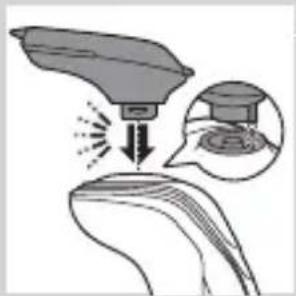
natural_image
Illustration of a hairdryer with a magnified inset showing the tip and hair (no text or symbols)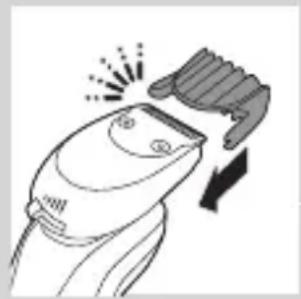
natural_image
Line drawing of a hairbrush cutting into a toothbrush with motion lines (no text or symbols)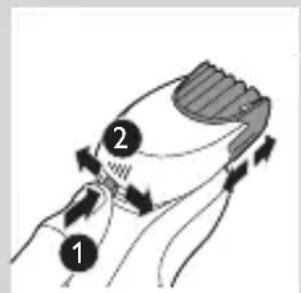
natural_image
Illustration of a man eating with a spoon (no text or symbols)natural_image
Illustration of two hands holding a tool, with arrows indicating movement or force direction (no text or symbols)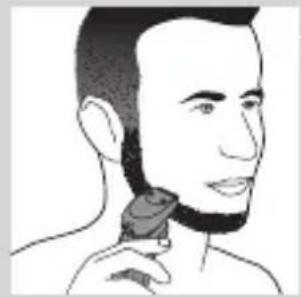
natural_image
Line drawing of a person applying a hair product to their neck (no text or symbols)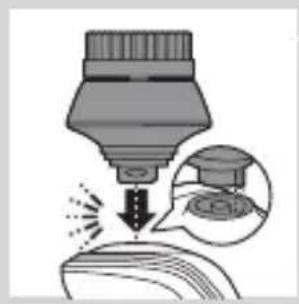
natural_image
Illustration of a dropper tip dispensing liquid into a container, with an inset showing a dropper tip and a speech bubble (no text or symbols)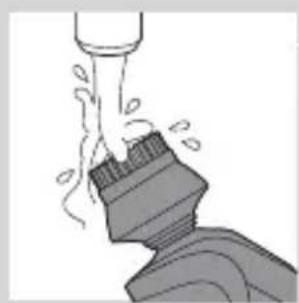
natural_image
Illustration of a mechanical component with motion lines indicating movement (no text or symbols)natural_image
Illustration of a person applying facial care to their face, with no visible text or symbolsnatural_image
Illustration showing a person applying facial care to another person's face, with no visible text or symbols.natural_image
Simple line drawing of a paintbrush with a cross mark and spray effect (no text or symbols)natural_image
Simple line drawing of a container with an upward arrow, no text or symbols present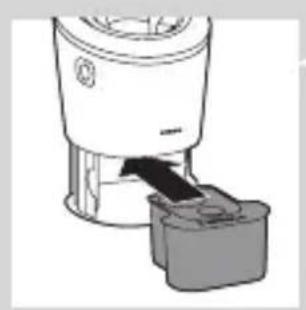
natural_image
Diagram of a blender with a black arrow indicating the process (no text or symbols present)natural_image
Mechanical component diagram showing a lever with a downward arrow indicating motion (no text or symbols)natural_image
Close-up of a mechanical component with a downward arrow and a prohibition symbol (no text or labels)natural_image
Diagram showing a hand pressing down on a surface with arrows indicating force direction, and an inset magnified view of a mechanical component (no text or symbols)natural_image
Close-up of a mechanical component with a downward arrow indicating force or motion (no text or symbols)natural_image
Illustration of a pair of boots with arrows indicating motion or change, no text or symbols present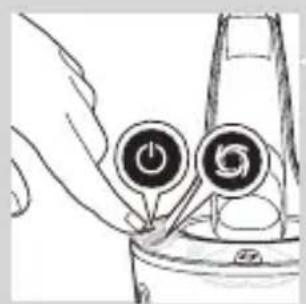
natural_image
Hand holding two circular buttons with power and spiral symbols, next to a device (no text or labels visible)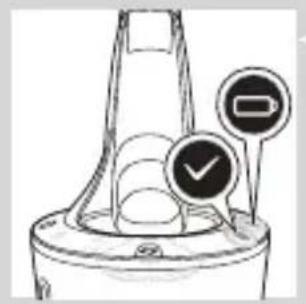
natural_image
Diagram of a blender with a black arrow pointing to its lid (no text or symbols present)natural_image
Mechanical component diagram showing a lever with a downward arrow indicating motion (no text or symbols)natural_image
Illustration of a hand holding a small object with motion lines indicating movement or force (no text or symbols)natural_image
Anatomical illustration of a human head with a decorative, heart-shaped structure and an arrow indicating a specific region (no text or labels present)natural_image
Illustration of a food item being lifted from a pipette into a bowl (no text or symbols)natural_image
Illustration of a biological structure with swirling patterns and directional arrows (no text or symbols)natural_image
Illustration of a biological structure with an upward arrow, no text or symbols presentnatural_image
Diagram showing two mechanical components with upward arrows, one divided by a diagonal line (no text or symbols)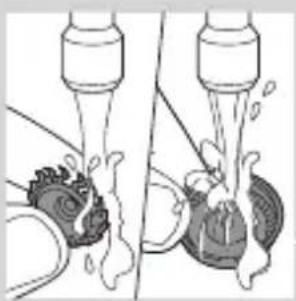
natural_image
Illustration of a kitchen sink with water spray and a bowl, showing fluid flow (no text or symbols)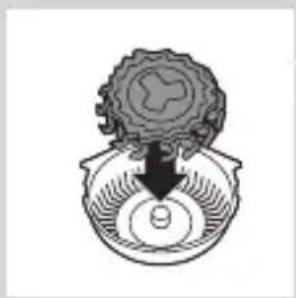
natural_image
Diagram of a mechanical component with a circular base and a central arrow, no text or symbols present.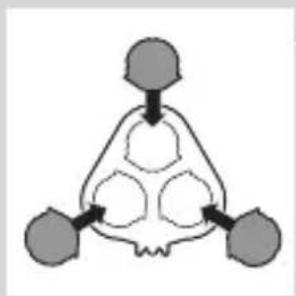
flowchart
graph TD
    A["Input Node 1"] --> C["Processing Node"]
    B["Input Node 2"] --> C
    D["Input Node 3"] --> C
    C --> E["Output Node 1"]
    C --> F["Output Node 2"]
    C --> G["Output Node 3"]
natural_image
Pure diagram of a mechanical or structural component with no visible text, numbers, or symbolsnatural_image
Diagram showing mechanical components with arrows indicating motion or force direction (no text or symbols)natural_image
Illustration of two hands holding a tray with a cloud-like object above, showing a transformation or interaction (no text or symbols)natural_image
Line drawing of a shoe being lifted by a bag (no text or symbols)natural_image
Illustration of a funnel-shaped object emitting smoke or dust, with an inset showing a hand holding a rock (no text or symbols present)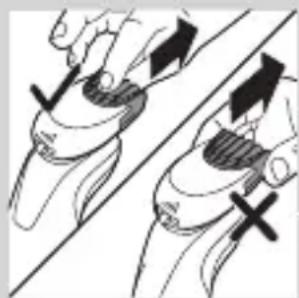
natural_image
Illustration of two hands holding a tool with arrows indicating movement or force direction (no text or symbols)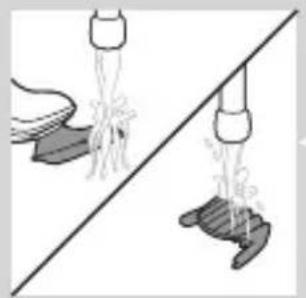
natural_image
Illustration of two hands using pipette to lift a shoe, showing different motion patterns (no text or symbols)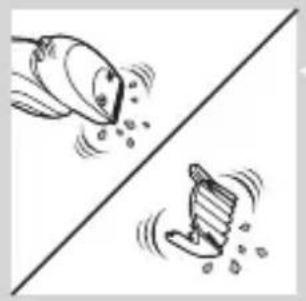
natural_image
Two cartoon-style illustrations of a diverging water drop with falling rocks, no text or symbols present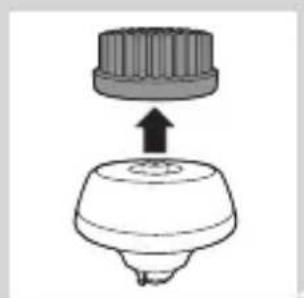
natural_image
Diagram of a mechanical component with a top cylindrical part and an upward arrow, no text or symbols present.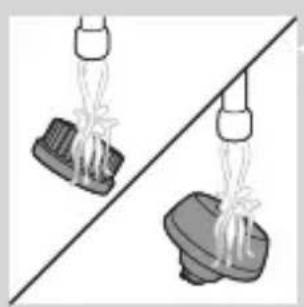
natural_image
Two identical mechanical components hanging from a diagonal line, no text or symbols visible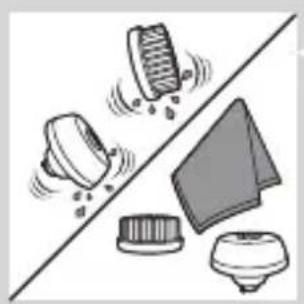
natural_image
Illustration of cleaning tools including a brush, cloth, and cloth cover (no text or symbols)natural_image
Diagram of a mechanical component with a top cylindrical part and an upward arrow indicating motion (no text or symbols)natural_image
Anatomical illustration of a human head and neck with internal organs, no text or labels present.natural_image
Diagram of a mechanical component with an upward arrow indicating motion or force (no text or symbols present)natural_image
Diagram showing a hand holding three circular objects with an upward arrow, alongside a battery and a separate cylindrical component (no text or symbols)natural_image
Pure diagram of a mechanical or structural component with no visible text, numbers, or symbolsnatural_image
Illustration of two hands holding a cloud-like object with arrows indicating motion or transformation (no text or symbols)natural_image
Symbol of a trash bin crossed with a diagonal line, no text or numbers presentnatural_image
Illustration showing a hand holding a pen and a foot, with no visible text or symbolsnatural_image
Illustration of two skis with directional arrows indicating movement or force (no text or symbols)natural_image
Two mechanical components with a diagonal line and an upward arrow, no visible text or symbolsnatural_image
Illustration of two hands using a tool to adjust or install a mechanical component, with no visible text or symbols.natural_image
No sign depicting a faucet with a showerhead, enclosed in a circle (no text or symbols)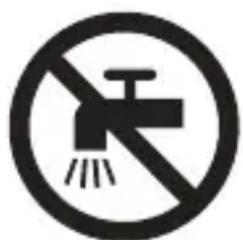
natural_image
Prohibition sign showing a faucet without raindrops, enclosed in a circle (no text)Upozornění
natural_image
Simple line drawing of a showerhead spraying over water in a container (no text or symbols)natural_image
Diagram of a laboratory test tube with a magnified inset showing internal structures (no text or labels)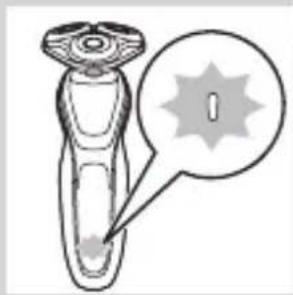
natural_image
Illustration of a laboratory test tube with a magnified inset showing a labeled spike (no text or symbols present)natural_image
Diagram of a test tube with a magnified inset showing internal structure (no text or symbols)- Indikátor nabití baterie s 1 kontrolkou
natural_image
Diagram of a mechanical component with a labeled circular feature and arrow pointing to it (no text or symbols present)Vybitá baterie
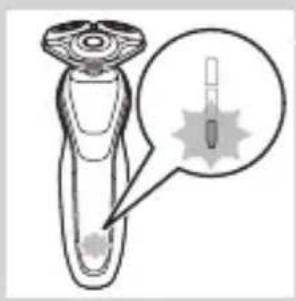
natural_image
Illustration of a hairdryer with a magnified inset showing internal structure (no text or symbols)natural_image
Diagram of a device with a starburst pattern and a magnified view of its internal structure (no text or symbols)- Indikátor nabití baterie s 1 kontrolkou
natural_image
Diagram of a dropper with a magnified inset showing internal structure (no text or labels)Indikátor nabití baterie se 3 kontrolkami
Cestovní zámek
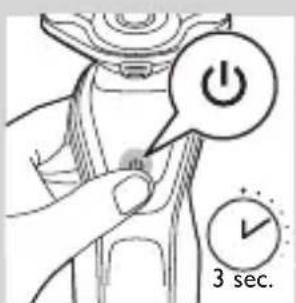
natural_image
Illustration of a hand pressing a button on a patient's knee joint (no text or symbols)natural_image
Diagram of a plug and cable with directional arrows indicating connection (no text or symbols)1 Zasuňte malou zástrčku do systému SmartClean.
natural_image
Simple line drawing of a mechanical component with a downward arrow indicating force or direction (no text or symbols)natural_image
Illustration of a pair of boots with arrows indicating motion or change, no text or symbols presentnatural_image
Illustration of a hand holding a circular object with an arrow pointing to it, no text or symbols present.natural_image
Illustration of a person applying facial hair to their ear with a brush (no text or symbols)natural_image
Illustration of a person's face with hand near ear area, showing facial features (no text or symbols)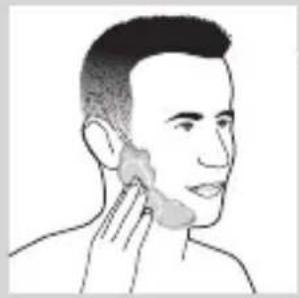
natural_image
Line drawing of a person applying a product to their neck area (no text or symbols)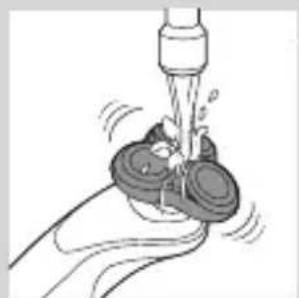
natural_image
Illustration of a hand washing a small object with a water dispenser (no text or symbols)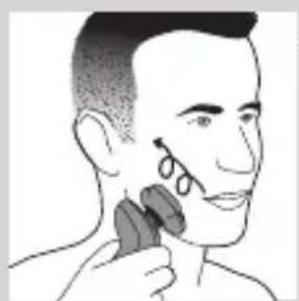
natural_image
Illustration of a person applying makeup to their face with a brush (no text or symbols)Mokré holení
natural_image
Illustration of a hand holding a button labeled 'Y' on a curved surface, with no visible text or symbols beyond the icon.natural_image
Illustration of a person applying a hair product to their ear, with a circular logo containing the letter 'T' (no text or symbols on the diagram itself)natural_image
Illustration of a mushroom-shaped object with a cross symbol and an upward arrow, placed on a curved surface (no text or symbols)natural_image
Diagram showing a droplet on a surface with an arrow indicating light emission, and a magnified inset showing the droplet's tip (no text or symbols)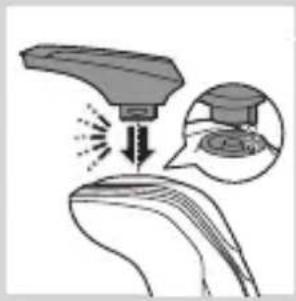
natural_image
Illustration of a medical procedure showing a surgical instrument interacting with a patient's ear (no text or symbols present)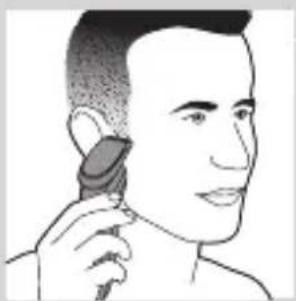
natural_image
Illustration of a person applying a hair accessory to their ear (no text or symbols present)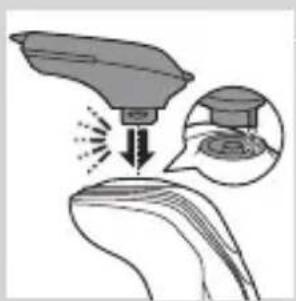
natural_image
Illustration of a hairdryer with a magnified inset showing the tip and hair (no text or symbols)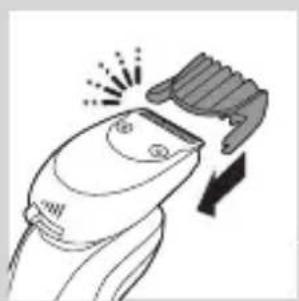
natural_image
Line drawing of a hairbrush cutting into a pair of scissors (no text or symbols)natural_image
Illustration of a man with a beard and a pipe, showing a hand holding a small object (no text or symbols present)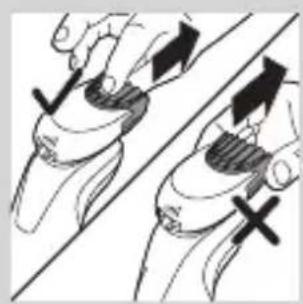
natural_image
Illustration of two hands holding a device with directional arrows indicating movement or force (no text or symbols present)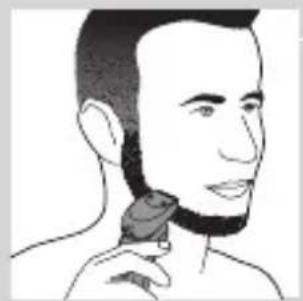
natural_image
Line drawing of a person's head and neck with a hairpin (no text or symbols)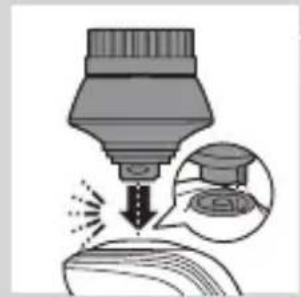
natural_image
Illustration of a dropper tip dispensing liquid into a container with a magnified inset showing the dropper's tip (no text or symbols present)natural_image
Illustration of a mechanical component with motion lines indicating movement (no text or symbols)natural_image
Illustration of a person applying facial care to their face, with no visible text or symbolsnatural_image
Simple line drawing of a paintbrush with a cross mark and paint drop, no text or symbols presentnatural_image
Simple line drawing of a container with an upward arrow and a shaded interior (no text or symbols)5 Vložte čisticí kazetu do systému SmartClean.
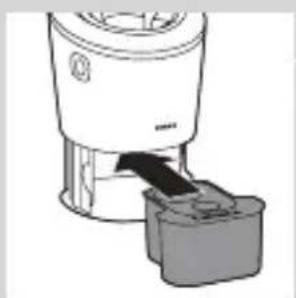
natural_image
Diagram of a blender with a black arrow indicating the process (no text or symbols present)natural_image
Mechanical component diagram showing a lever with a downward arrow indicating motion (no text or symbols)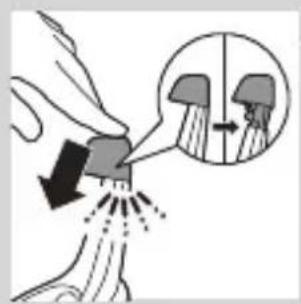
natural_image
Close-up of a mechanical component with a black arrow pointing downward (no text or symbols visible)natural_image
Illustration of a pair of boots with arrows indicating motion or change, no text or symbols presentnatural_image
Hand holding a device with two circular buttons labeled 'Power' and 'Spiral', no text or symbols presentnatural_image
Diagram of a mechanical component with two circular indicators (one checked, one not checked) and a checkmark symbol, no readable text or labels present.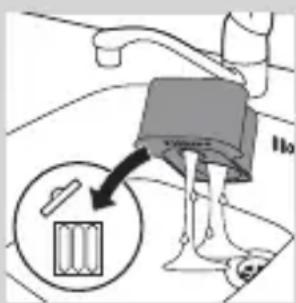
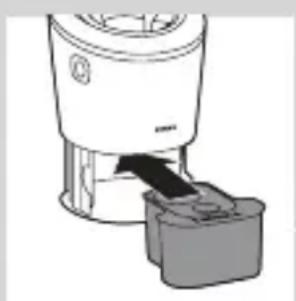
natural_image
Diagram of a blender with a black arrow pointing to its base, showing no text or symbols.natural_image
Diagram of a mechanical component with a downward arrow indicating motion (no text or symbols)natural_image
Illustration of a hand holding a small object with motion lines indicating movement or force (no text or symbols)natural_image
Anatomical illustration of a human ear with a decorative headpiece and arrow indicating rotation (no text or labels)natural_image
Illustration of a noodle being lifted by a pipette above a bowl of noodles (no text or symbols)natural_image
Anatomical illustration of a human digestive system with an arrow indicating a specific structure (no text or labels present)natural_image
Illustration of a mechanical component with an upward arrow, no text or symbols presentnatural_image
Diagram showing two mechanical components with upward arrows, no text or symbols presentnatural_image
Illustration of a kitchen sink with water spray and a mouthpiece, showing fluid flow (no text or symbols)natural_image
Diagram of a mechanical or electrical component with a central shaft and surrounding gear (no text or symbols)natural_image
Diagram showing a circular object with a downward arrow pointing to a triangular structure (no text or symbols)natural_image
Illustration of a shoe being lifted by a bag (no text or symbols)natural_image
Illustration of a hand crushing a rock with a magnified circular section showing a pile of rocks (no text or symbols)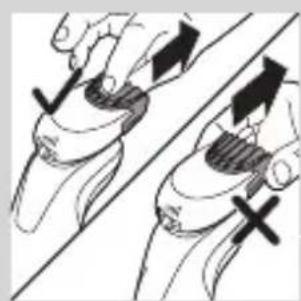
natural_image
Illustration of two hands holding a curved object with directional arrows indicating movement (no text or symbols)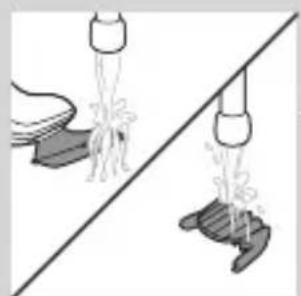
natural_image
Diagram showing two mechanical components with arrows indicating motion, no text or symbols present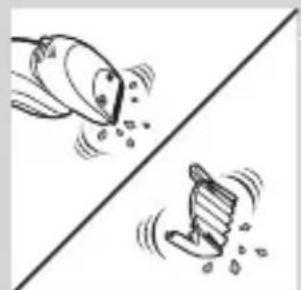
natural_image
Illustration of two cartoon fish separated by a diagonal line, one falling and the other wading (no text or symbols)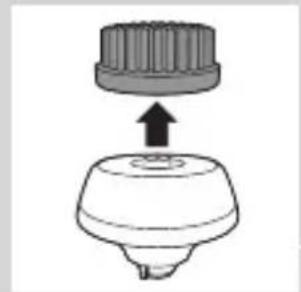
natural_image
Diagram of a mechanical component with a top cylindrical part and a base, showing an upward arrow (no text or symbols)natural_image
Two identical diagrams showing a container being inverted on a diagonal line, with no text or symbols present.natural_image
Illustration of a mechanical component with motion indicators and a triangular base (no text or symbols)natural_image
Diagram of a hairbrush with a downward arrow indicating compression or disassembly (no text or symbols)natural_image
Simple line drawing of a mechanical component with an arrow indicating downward motion (no text or symbols)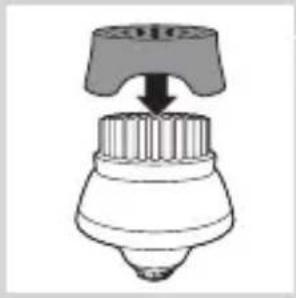
natural_image
Diagram of a mechanical component with a downward arrow indicating force or direction (no text or symbols)natural_image
Diagram of a mechanical component with a top cylindrical part and an upward arrow indicating motion (no text or symbols)natural_image
Anatomical illustration of internal organs with arrows indicating movement or force (no text or labels)natural_image
Illustration of a mechanical component with an upward arrow indicating motion (no text or symbols)natural_image
Diagram showing a hand holding a circular object with arrows indicating motion or force (no text or symbols present)natural_image
Pure diagram of a mechanical component with a circular top and triangular base, no text or symbols present.natural_image
Diagram showing two mechanical components with a checkmark indicating a specific section (no text or symbols present)natural_image
Illustration of two hands exchanging a heart-shaped object, one with a downward arrow and the other with an arrow, against a diagonal line (no text or symbols)natural_image
Symbol of a trash bin crossed with a diagonal line and a horizontal bar below (no text or numbers present)natural_image
Simple line drawing of a trash bin with crossed lines indicating no waste or discharge (no text or symbols)natural_image
Illustration showing a hand holding a pen and a foot, with no visible text or symbolsnatural_image
Illustration of two skis with directional arrows indicating motion (no text or symbols)natural_image
Diagram showing two mechanical components with arrows indicating motion or assembly (no text or symbols)natural_image
Illustration of a robotic arm gripping a tool, with no visible text or symbolsnatural_image
No sign depicting a faucet with a diagonal line and a diagonal line, crossed out by a diagonal line (no text or symbols)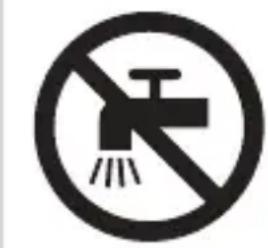
natural_image
Prohibition sign showing a faucet crossed out by a diagonal line, indicating no leakage or disinfection (no text present)Ettevaatust
natural_image
Simple line drawing of a showerhead spraying over a water-filled container (no text or symbols)Üldteave
natural_image
Illustration of a laboratory test tube with a magnified inset showing internal structures (no text or symbols)natural_image
Illustration of a test tube with a cap and a star-shaped label (no text or symbols on the tube itself)natural_image
Diagram of a test tube with a cap and a magnified inset showing internal structure (no text or labels)natural_image
Diagram of a laboratory pipette with a labeled inset showing a test tube (no text or symbols present)natural_image
Diagram of a laboratory test tube with a magnified inset showing internal components (no text or labels)natural_image
Diagram of a test tube with a cap and a magnified inset showing internal structure (no text or symbols)natural_image
Diagram of a test tube with a cap and magnified inset showing internal components (no text or labels)natural_image
Illustration of a smart device with a lock icon and a speech bubble (no text or symbols)natural_image
Illustration of a smart device with a lock icon and a speech bubble (no text or symbols)natural_image
Illustration of a human robot with a speech bubble containing a heart symbol (no text or labels present)natural_image
Illustration of a hand pressing a button on a curved surface with a power symbol (no text or labels)natural_image
Diagram of a hairbrush plug connecting a power outlet with an attached cable, showing two arrows indicating direction (no text or symbols present)natural_image
Illustration of a hand holding a small object with arrows indicating motion or force, alongside a magnified inset showing a mechanical component (no text or symbols)natural_image
Close-up of a mechanical component with a downward arrow indicating force or direction (no text or symbols)natural_image
Illustration of a pair of boots with arrows indicating motion or force, no text or symbols presentnatural_image
Illustration of a person applying makeup to their face with a brush (no text or symbols)natural_image
Line drawing of a person's face with hand near ear area, no text or symbols presentnatural_image
Line drawing of a person applying a product to their ear (no text or symbols)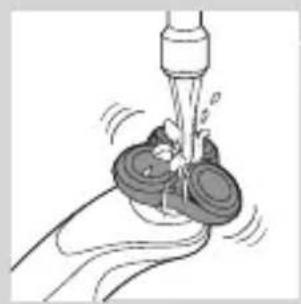
natural_image
Illustration of a hand washing a cup with a water dispenser (no text or symbols)3 Loputage pardlipead kraani all, et kindlustada pardlipea sujuv libisemine nahal.
4 Lülitage pardel sisse.
natural_image
Illustration of a person applying facial contour or mask to the ear (no text or symbols present)natural_image
Illustration of a hand pressing a button on a human leg, with no visible text or symbolsnatural_image
Illustration of a person's beard and ear with a T-shaped logo overlay (no text or symbols on the main subject)natural_image
Illustration of a hand holding a device with a bulb and a cross symbol, no text or labels presentnatural_image
Illustration of a medical procedure showing a device emitting powder into a patient's ear (no text or symbols present)natural_image
Illustration of a robotic arm with motion arrows and a magnified inset showing the head area (no text or symbols)natural_image
Line drawing of a person using a hairpin to apply product (no text or symbols)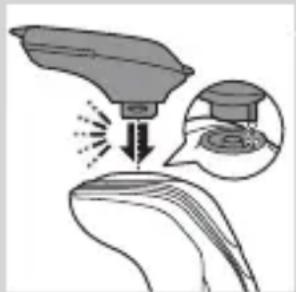
natural_image
Illustration of a spray gun dispensing liquid onto a surface, with an inset showing the same spray (no text or symbols present)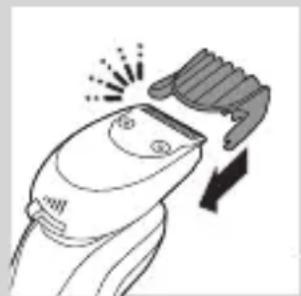
natural_image
Line drawing of a hairbrush cutting into a circular cutter (no text or symbols)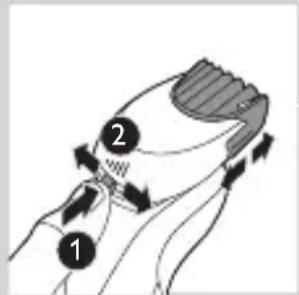
natural_image
Illustration of a man with a beard eating a pipe (no text or symbols)natural_image
Illustration of two hands holding a device with directional arrows indicating movement (no text or symbols)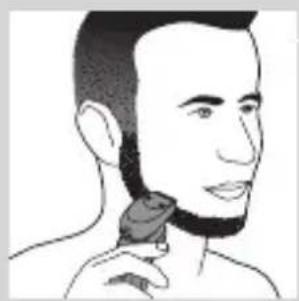
natural_image
Line drawing of a person applying a hair accessory to their neck (no text or symbols)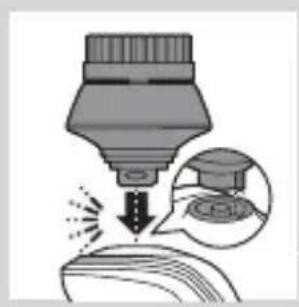
natural_image
Illustration of a dropper tip dispensing liquid into a container, with an inset showing a dropper tip and its magnified view (no text or symbols)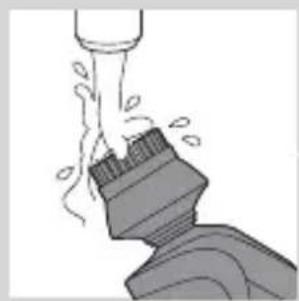
natural_image
Illustration of a mechanical component with fluid flow, no text or symbols present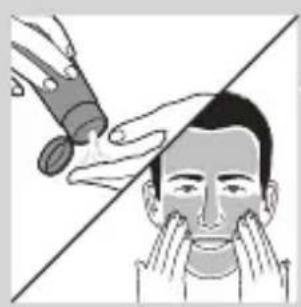
natural_image
Illustration of a person applying facial care to their face, with no text or symbols present.natural_image
Simple line drawing of a paintbrush with a cross mark and spray effect (no text or symbols)natural_image
Simple line drawing of a container with an upward arrow and label 'POTATO' (no text or symbols on the diagram itself)natural_image
Diagram of a blender with a handle and base, showing mechanical components without any text or symbols.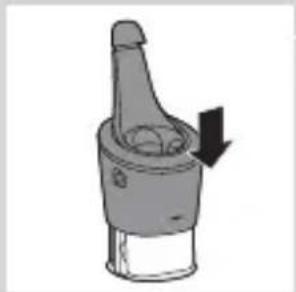
natural_image
Diagram of a mechanical component with a downward arrow indicating rotation (no text or symbols)natural_image
Close-up of a mechanical component with a downward arrow and a prohibition symbol (no text or labels)natural_image
Illustration of a hand holding a tool with arrows indicating motion or force, and a magnified inset showing internal structures (no text or symbols)natural_image
Close-up of a mechanical component with a black arrow pointing downward (no text or symbols visible)natural_image
Illustration of a pair of boots with arrows indicating motion or change, no text or symbols presentnatural_image
Hand holding two circular buttons with 'Power' and 'Spiral' symbols, connected to a device (no text or labels visible)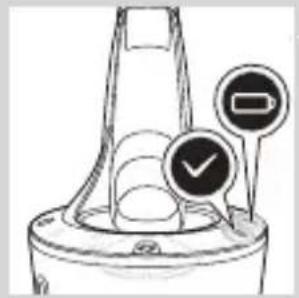
natural_image
Diagram of a funnel-shaped container with two circular indicators showing check and rejection symbols (no text or labels)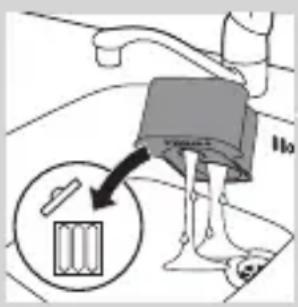
natural_image
Diagram of a blender with a handle and base, showing mechanical components (no text or symbols)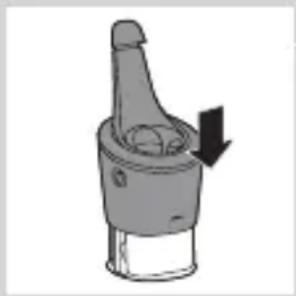
natural_image
Diagram of a mechanical component with a downward arrow indicating motion (no text or symbols)natural_image
Illustration of a hand holding a small object with motion lines indicating movement or force (no text or symbols)natural_image
Illustration of a biological structure with a curved top and internal patterns, possibly a skull or organ (no text or symbols)natural_image
Illustration of a food item being lifted from a tube into a bowl (no text or symbols)natural_image
Illustration of a biological structure with ornamental patterns and directional arrows (no text or symbols)natural_image
Illustration of a mushroom-shaped object with internal patterns and an upward arrow, no text or symbols presentnatural_image
Diagram showing two mechanical components with directional arrows, no text or symbols presentnatural_image
Diagram showing two mechanical components with fluid flow, no text or symbols presentnatural_image
Diagram of a mechanical component with a central gear and base, showing no text or symbols.natural_image
Pure diagram of a mechanical component with a circular top and triangular base, no text or symbols present.flowchart
graph TD
    A["①"] --> B["Directional Arrow ②"]
    B --> C["Central Shaft"]
    C --> D["Arrow Up"]
    C --> E["Arrow Down"]
natural_image
Diagram showing two mechanical components with a checkmark indicating alignment or inspection (no text or symbols present)natural_image
Illustration of two hands exchanging a circular object with arrows indicating motion (no text or symbols)natural_image
Illustration of a hand pouring liquid into a container (no text or symbols)natural_image
Illustration of two hands holding a tool with directional arrows indicating movement or force (no text or symbols)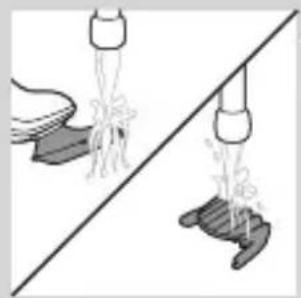
natural_image
Illustration of a hand holding a tool above a pair of hands, showing different actions (no text or symbols present)natural_image
Two cartoon fish jumping over a diagonal line, one falling and the other wading (no text or symbols)natural_image
Diagram of a mechanical component with a top cylindrical part and an upward arrow, no text or symbols present.natural_image
Two identical mechanical components hanging from a diagonal line, no text or symbols visible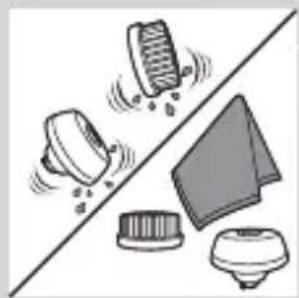
natural_image
Illustration of mechanical components and a gear mechanism (no text or symbols)Hoiundamine
natural_image
Diagram of a mechanical component with a top cylindrical part and an upward arrow, no text or symbols present.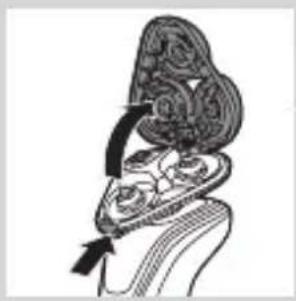
natural_image
Illustration of a biological structure with ornate topography and directional arrows (no text or symbols)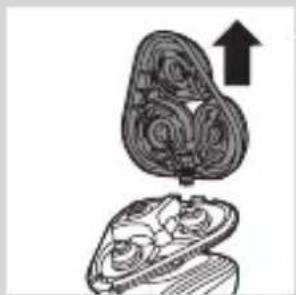
natural_image
Illustration of a mushroom-shaped container with internal swirling patterns and an upward arrow, no text or symbols present.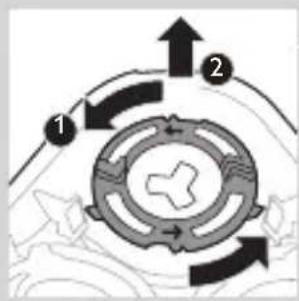
flowchart
graph TD
    A["1"] --> B["2"]
    B --> C["3"]
    C --> A
    style A fill:#f9f,stroke:#333
    style B fill:#ccf,stroke:#333
    style C fill:#cfc,stroke:#333
natural_image
Diagram showing a hand holding a device with a circular component and an arrow indicating direction (no text or symbols)natural_image
Pure diagram of a mechanical or architectural component with no text, numbers, or symbolsnatural_image
Diagram showing two circular components with arrows indicating direction, one crossed over the other by a diagonal line (no text or symbols)natural_image
Symbol of a trash bin crossed with a diagonal line and a horizontal bar below (no text or numbers present)natural_image
Simple line drawing of a trash bin with two crossed arms (no text or symbols)natural_image
Illustration of a hand holding a small object with a tool, alongside another hand holding a small object (no text or symbols present)natural_image
Two grayscale illustrations of a skis with directional arrows indicating motion or movement (no text or symbols)1 Eemaldage tagapaneelil olev kruvi kruvikeeraja abil. Seejärel eemaldage tagapaneel.
natural_image
Two mechanical components with arrows indicating motion or assembly (no text or symbols)natural_image
Diagram showing two hands operating a tool with an arrow indicating direction (no text or symbols present)natural_image
No sign depicting a faucet with a showerhead, enclosed in a circle (no text or symbols)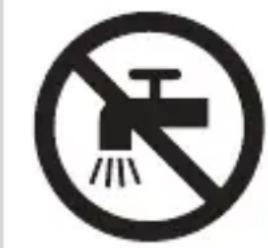
natural_image
Prohibition sign showing a faucet crossed out by a diagonal line, indicating no leakage or disinfection (no text present)Pažnja
natural_image
Simple line drawing of a showerhead spraying over a water-filled container (no text or symbols)Elektromagnetska polja (EMF)
natural_image
Illustration of a laboratory test tube with a magnified inset showing a test tube tip (no text or symbols present)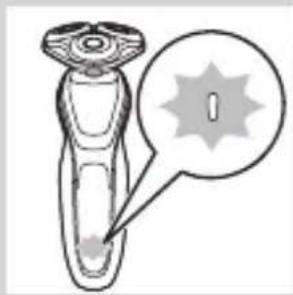
natural_image
Illustration of a laboratory test tube with a magnified inset showing a labeled spike (no text or symbols present)Indikator napunjenosti baterije s 1 diodom
- Punjenje traje približno 1 sat.
natural_image
Diagram of a laboratory test tube with a capillary top and a magnified inset showing internal structures (no text or labels)natural_image
Diagram of a medical or laboratory device with a labeled circular area containing a 'I' (no text or symbols present)- Indikator napunjenosti baterije s 1 diodom
Baterija je gotovo prazna
natural_image
Illustration of a hairdryer with a magnified inset showing internal structure (no text or symbols)Kada je baterija gotovo prazna, indikator napunjenosti baterije bljeska narančasto.
- Indikator napunjenosti baterije s 3 diode
natural_image
Diagram of a device with a starburst pattern and a magnified view of its internal structure (no text or symbols)- Indikator napunjenosti baterije s 1 diodom
Preostali kapacitet baterija
natural_image
Diagram of a dropper with a magnified inset showing internal structure (no text or labels)Indikator napunjenosti baterije s 3 diode
- Preostali kapacitet baterije naznačen je indikatorima napunjenosti baterije koji kontinuirano svijetle.
Podsjetnik za iskopčavanje kabela
Za učinkovitije brijanje aparat očistite nakon svake uporabe.
natural_image
Line drawing of a smart device with a lock icon and starburst symbol (no text or labels)natural_image
Line drawing of a smart device with a lock icon and a button, no text or symbols presentDeaktiviranje putnog zaključavanja
Zamjena glava za brijanje
natural_image
Illustration of a hand pressing a button on a human knee joint (no text or symbols)Aktivacija postavke Turbo
1 Kako biste aktivirali postavku Turbo, jednom pritisnite gumb Turbo.
Deaktivacija postavke Turbo
1 Kako biste deaktivirali postavku Turbo, jednostavno ponovo pritisnite gumb Turbo.
Punjenje
Punjenje traje približno 1 sat.
natural_image
Diagram of a hairbrush plug connecting a power outlet with an attached cable, showing two arrows indicating direction (no text or symbols present)1 Umetnite mali utikač u aparat, a adapter u zidnu utičnicu.
Punjenje u sustavu SmartClean (samo neki modeli)
1 Mali utikač ukopčajte u sustav SmartClean.
natural_image
Close-up of a mechanical component with a handle and base, showing a downward arrow (no text or symbols)4 Držite aparat za brijanje naopako iznad držača. Pazite da prednji dio aparata za brijanje bude okrenut prema sustavu SmartClean.
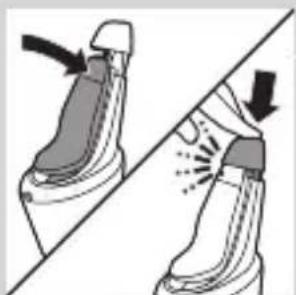
natural_image
Illustration of two boots with arrows indicating motion or change, no text or symbols present5 Stavite aparat za brijanje u držač, nagnite aparat za brijanje natrag i pritišćite gornji poklopac kako biste priključili aparat za brijanje ("klik").
- Simbol baterije sporo bljeska naznačujući da se aparat za brijanje puni.
Uporaba aparata za brijanje
natural_image
Illustration of a hand holding a circular object with an arrow pointing to it, no text or symbols present.natural_image
Illustration of a person applying a hair product to their ear (no text or symbols)1 Uključite aparat.
2 Pomičite glave za brijanje po koži kružnim pokretima.
Napomena: Nemojte oblikovati pravocrtne pokrete.
3 Aparat za brijanje očistite nakon uporabe (pogledajte poglavlje “Čišćenje i održavanje”).
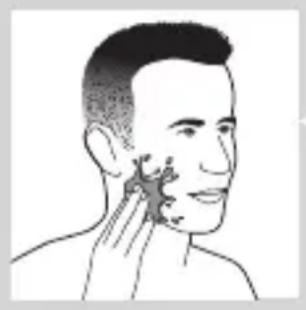
natural_image
Illustration of a person's head with hand near ear area, showing facial contour or skin pattern (no text or symbols)Mokro brijanje
Ovaj aparat za brijanje možete koristiti i pod tušem ili na mokrom licu uz pjenu ili gel za brijanje. Za brijanje s pjenom ili gelom za brijanje slijedite korake u nastavku:
1 Nanesite malo vode na kožu.
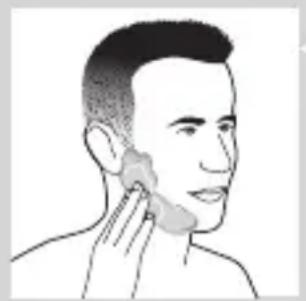
natural_image
Line drawing of a person applying a product to their ear (no text or symbols)2 Nanesite pjenu ili gel za brijanje na kožu.
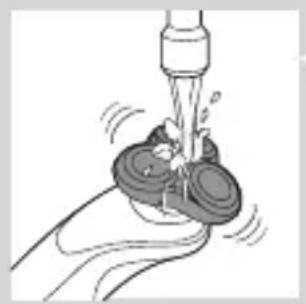
natural_image
Illustration of a hand washing a small object with motion lines indicating movement (no text or symbols)3 Jedinicu za brijanje isperite pod mlazom vode kako bi mogla glatko kliziti po koži.
natural_image
Illustration of a person applying facial hair to their cheek, showing the application of a curler (no text or symbols present)5 Pomičite glave za brijanje po koži kružnim pokretima.
Napomena: Aparat za brijanje redovito ispirite pod mlazom vode kako bi i dalje glatko klizio po koži.
6 Osušite lice i temeljito očistite aparat za brijanje nakon uporabe (pogledajte poglavlje “Čišćenje i održavanje”).
Napomena: Pazite da s aparata za brijanje odstranite svu pjenu ili gel za brijanje.
Postavka Turbo (samo neki modeli)
Aparat ima postavku Turbo ili Turbo+ za lako brijanje teško dostupnih područja.
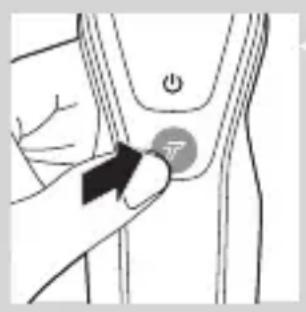
natural_image
Illustration of a person's beard with a toothbrush, accompanied by a circular logo with the letter 'T' (no text or symbols on the figure itself)3 Pomičite glave za brijanje po koži kružnim pokretima.
Napomena: Nemojte oblikovati pravocrtne pokrete.
4 Kako biste deaktivirali postavku Turbo, jednostavno jednom pritisnite gumb Turbo.
natural_image
Diagram showing a funnel with an upward arrow and a cross symbol, no text or labels presentnatural_image
Diagram showing a funnel pouring liquid into a curved surface, with an inset magnified view of the process (no text or symbols)natural_image
Illustration of a hairdryer with an inset showing the tip and base (no text or symbols)natural_image
Line drawing of a person using a hairdryer (no text or symbols present)3 Uključite aparat.
4 Sada možete početi s podrezivanjem.
5 Nastavak očistite nakon uporabe (pogledajte poglavlje “Čišćenje i održavanje”).
Uporaba nastavka za oblikovanje brade
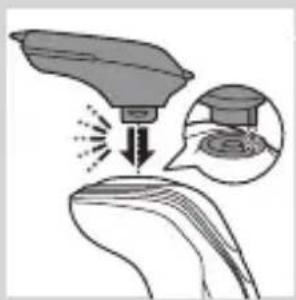
natural_image
Illustration of a medical procedure showing a surgical tool impacting a patient's ear with an inset image of the procedure (no text or symbols present)natural_image
Illustration of a hairdryer emitting powder from a showerhead (no text or symbols)1 Češalj gurnite izravno u vodilice s obje strane nastavka (“klik”).
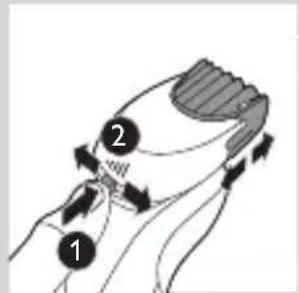
natural_image
Illustration of a man eating with a spoon (no text or symbols)4 Sada možete započeti oblikovanje brade pomicanjem nastavka prema gore uz blagi pritisak, pazeći da prednji dio češlja potpuno dodiruje kožu.
5 Nastavak očistite nakon uporabe (pogledajte poglavlje “Čišćenje i održavanje”).
Uporaba nastavka za oblikovanje brade bez češlja
Nastavak za oblikovanje brade možete koristiti bez češlja kako biste oblikovali bradu, brkove, zaliske ili liniju uz vrat na duljinu od 0,5 mm.
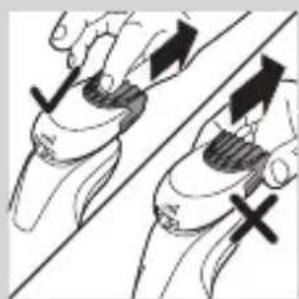
natural_image
Illustration of two hands holding a tool with arrows indicating movement or force direction (no text or symbols)1 Povucite češalj s nastavka.
natural_image
Line drawing of a person applying a hair accessory to their neck (no text or symbols)3 Sada možete započeti oblikovanje brade, brkova, zalizaka ili linije uz vrat tako da pomičete nastavak za oblikovanje prema dolje uz blagi pritisak i držeći ga pod pravim kutom u odnosu na kožu.
4 Nastavak očistite nakon uporabe (pogledajte poglavlje “Čišćenje i održavanje”).
Uporaba nastavka s četkom za čišćenje
Koristite nastavak s rotirajućom četkom za čišćenje s dnevnom kremom za čišćenje. Nastavak s četkom za čišćenje uklanja masnoću i prljavštinu, što pomaže u održavanju kože zdravom i bez masnoće.
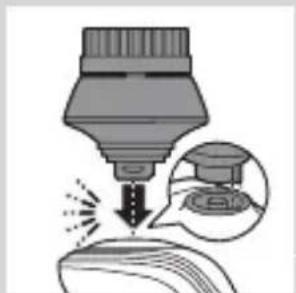
natural_image
Illustration of a dropper tip dispensing liquid into a container with an inset showing a dropper (no text or symbols)natural_image
Illustration showing a hand washing a product bottle and a close-up of a person's face with hands near the eye (no text or symbols)2 Navlažite nastavak vodom. Aparat nemojte koristiti sa suhom glavom četke jer time biste mogli nadražiti kožu.
natural_image
Illustration showing facial massage technique with a magnified inset of the eye area (no text or symbols)natural_image
Simple line drawing of a paintbrush with a cross mark and a warning symbol (no text or labels)Kako biste spriječili curenje tekućine, nemojte naginjati sustav SmartClean.
Napomena: Držite sustav SmartClean dok ga pripremate za uporabu.
Priprema sustava SmartClean za uporabu
1 Mali utikač umetnite u stražnju stranu sustava SmartClean.
2 Adapter priključite u zidnu utičnicu.
3 Pritisnite gumb na bočnoj strani sustava SmartClean i podignite gornji dio sustava SmartClean.
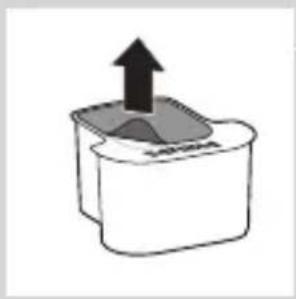
natural_image
Simple line drawing of a container with an upward arrow and a shaded interior (no text or symbols)4 Povucite brtvu sa spremnika za čišćenje.
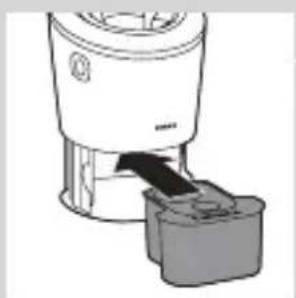
natural_image
Diagram of a blender with a black arrow indicating the process (no text or symbols present)5 Stavite spremnik čišćenje u sustav SmartClean.
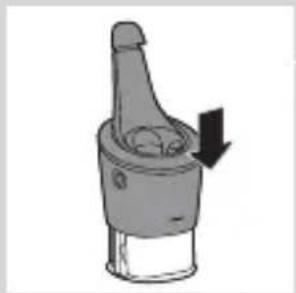
natural_image
Mechanical component diagram showing a lever with a downward arrow indicating motion (no text or symbols)6 Gornji dio sustava SmartClean gurnite natrag prema dolje (“klik”).
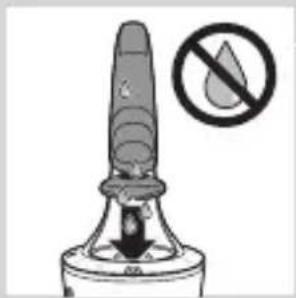
Uporaba sustava SmartClean
Prije nego što ga stavite u sustav SmartClean s aparata za brijanje obavezno otresite višak vode.
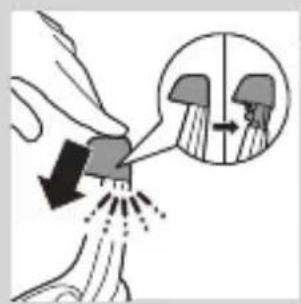
natural_image
Illustration of a hand spraying water with a magnified inset showing a mushroom structure (no text or symbols)natural_image
Close-up of a mechanical component with a black arrow pointing downward (no text or symbols visible)2 Držite aparat za brijanje naopako iznad držača. Pazite da prednji dio aparata za brijanje bude okrenut prema sustavu SmartClean.
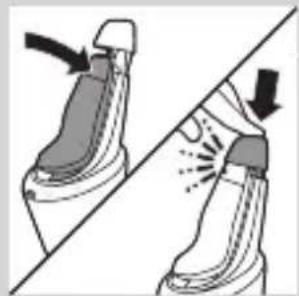
natural_image
Illustration of a pair of boots with arrows indicating motion or change, no text or symbols present3 Stavite aparat za brijanje u držač, nagnite aparat za brijanje natrag i pritišćite gornji poklopac kako biste priključili aparat za brijanje (“klik”).
- Simbol baterije sporo bljeska naznačujući da se aparat za brijanje puni.
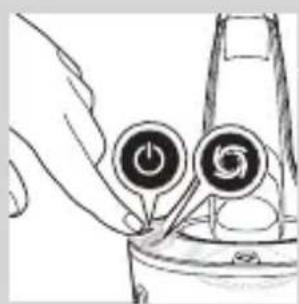
natural_image
Hand holding a device with two circular buttons labeled 'Power' and 'Spiral', no visible text or symbolsnatural_image
Diagram of a mechanical component with two circular indicators (one checked, one not checked) and a checkmark symbol, no readable text or labels present.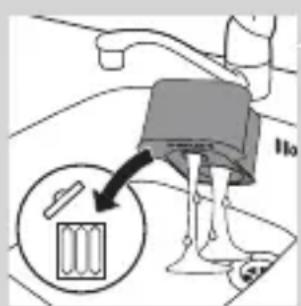
1 Pritisnite gumb na bočnoj strani sustava SmartClean i podignite gornji dio sustava SmartClean.
2 Izvadite prazan spremnik za čišćenje iz sustava SmartClean i iz spremnika za čišćenje izlijte preostalu tekućinu.
Tekućinu za čišćenje možete jednostavno izliti u odvod.
3 Prazan spremnik za čišćenje bacite.
4 Raspakirajte novi spremnik za čišćenje i povucite brtvu sa spremnika.
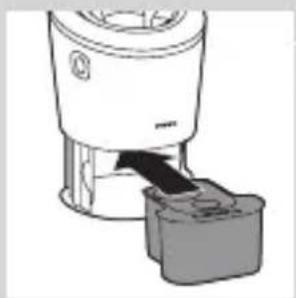
natural_image
Diagram of a blender with a black arrow pointing to its internal component (no text or symbols present)5 Novi spremnik za čišćenje postavite u sustav SmartClean.
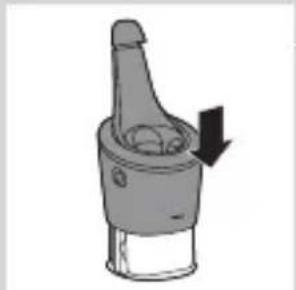
natural_image
Diagram of a mechanical component with a downward arrow indicating rotation (no text or symbols)6 Gornji dio sustava SmartClean gurnite natrag prema dolje (“klik”).
Čišćenje aparata za brijanje pod mlazom vode
Za najbolje rezultate brijanja aparat očistite nakon svakog brijanja.
natural_image
Illustration of a hand holding a small object with motion lines indicating movement or force (no text or symbols)1 Jedinicu za brijanje neko vrijeme ispirite pod mlazom tople vode.
2 Pritisnite gumb za otpuštanje i otvorite jedinicu za brijanje.
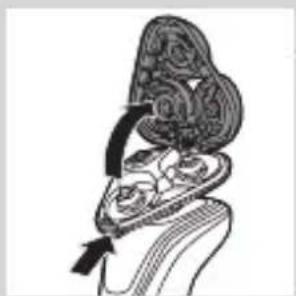
natural_image
Anatomical illustration of a human upper body with internal organs, showing no text or labels.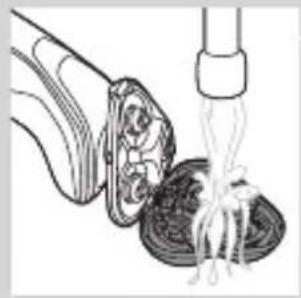
natural_image
Illustration of a food item being lifted by a pipette, showing a bowl and fork (no text or symbols)3 Ispirite držač glave za brijanje pod mlazom tople vode 30 sekundi.
4 Pažljivo otresite višak vode i ostavite držač glave za brijanje da se osuši.
5 Zatvorite držač glave za brijanje ("klik").
Temeljito čišćenje
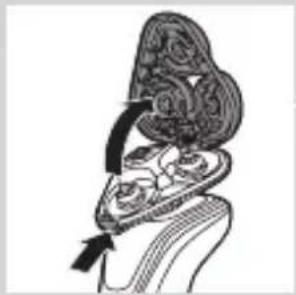
natural_image
Illustration of a hand holding an ornate, heart-shaped object with a curved arrow indicating motion (no text or symbols)natural_image
Illustration of a biological structure with an upward arrow, no text or symbols presentnatural_image
Diagram showing two mechanical components with arrows indicating direction, no text or symbols present4 Odvojite glave za brijanje iz držača glave za brijanje. Svaka glava za brijanje sastoji se od rezača i štitnika.
Napomena: Nemojte istovremeno čistiti više od jednog rezača i štitnika jer su međusobno usklađeni. Ako rezač slučajno stavite u pogrešan štitnik, možda će trebati nekoliko tjedana da se ponovno uspostavi optimalan rad aparata.
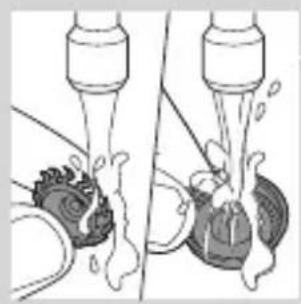
natural_image
Diagram showing two mechanical components with fluid flow, no text or symbols present5 Očistite rezač i štitnik pod mlazom vode.
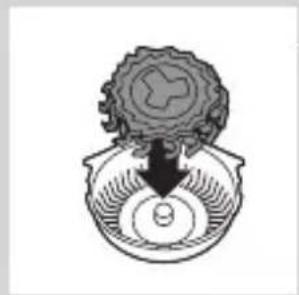
natural_image
Diagram of a mechanical or biological structure with a central circular component and a downward arrow, no visible text or symbols.natural_image
Abstract diagram with three connected nodes and a central triangular structure (no text or symbols)7 Glave za brijanje vratite u držač glave za brijanje.
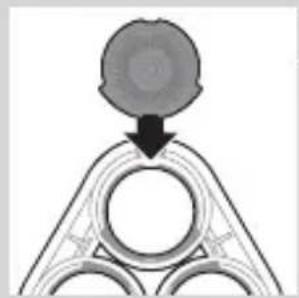
natural_image
Diagram showing a circular object with a downward arrow pointing to a triangular structure (no text or symbols)natural_image
Diagram showing two circular components with arrows and a checkmark, no readable text or symbols presentNapomena: Držite držač glave za brijanje u ruci prilikom ponovnog umetanja glava za brijanje i vraćanja prstena za pričvršćivanje. Nemojte stavljati držač glave za brijanje na površinu dok to činite, jer to može uzrokovati oštećenja.
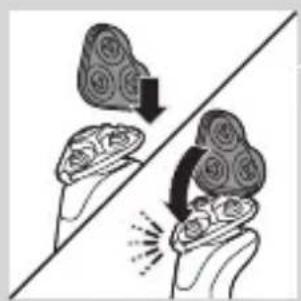
natural_image
Illustration of two hands holding a cloud-like object with arrows indicating motion or transformation (no text or symbols)9 Vratite šarku držača glava za brijanje u utor jedinice za brijanje. Zatvorite držač glava za brijanje ("klik").
natural_image
Line drawing of a shoe being lifted by a tool, showing the blade and handle (no text or symbols)natural_image
Illustration of a hand blowing bubbles with motion lines, accompanied by a magnified circular icon showing a hand holding a rock (no text or symbols)natural_image
Illustration of two hands holding a curved object with directional arrows indicating movement or force (no text or symbols)1 Češalj povucite s nastavka za oblikovanje brade.
natural_image
Illustration of a hand pouring liquid into a container and a foot, separated by a diagonal line (no text or symbols)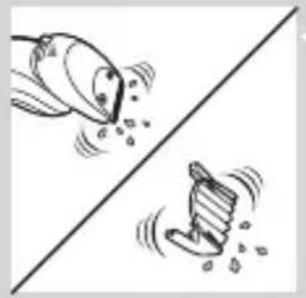
natural_image
Illustration of two fish splashing out of a diagonal line, no text or symbols present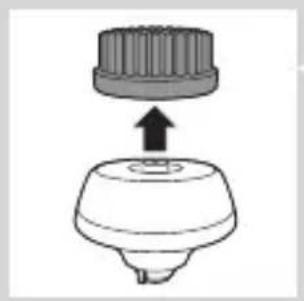
natural_image
Diagram of a mechanical component with a cylindrical top and a flanged base, showing an upward arrow (no text or symbols)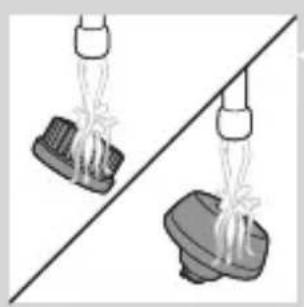
natural_image
Two identical diagrams showing a spray gun above a base, separated by a diagonal line (no text or symbols)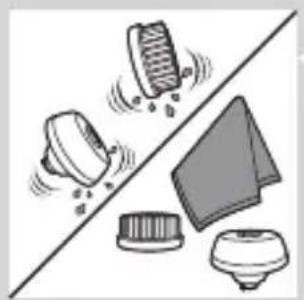
natural_image
Illustration of cleaning tools including a brush, cloth, and cloth cover (no text or symbols)2 Uključite aparat.
3 Nastavak za oblikovanje brade i češalj neko vrijeme zasebno ispirite pod mlazom vruće vode.
4 Nakon čišćenja isključite aparat.
5 Pažljivo otresite višak vode i ostavite nastavak za oblikovanje brade i češalj da se osuše.
Napomena: Priloženi dodatni pribor može se razlikovati ovisno o proizvodu. Na kutiji su prikazani proizvodi isporučeni s aparatom.
Napomena: Savjetujemo da aparat i njegove nastavke ostavite da se osuše prije nego što na nastavke stavite zaštitne kapice i spremite aparat za brijanje u torbicu.
natural_image
Diagram of a mechanical component with a top component and an arrow indicating upward motion (no text or symbols)1 Simbol jedinice za brijanje počet će kontinuirano svijetliti kada isključite aparat za brijanje naznačujući da treba zamijeniti glave za brijanje.
2 Pritisnite gumb za otpuštanje i otvorite jedinicu za brijanje.
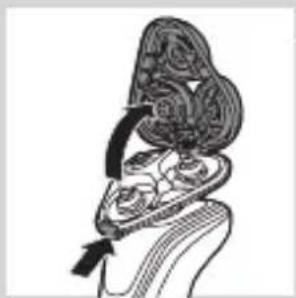
natural_image
Anatomical illustration of a human head and neck with internal organs, showing a highlighted region (no text or labels)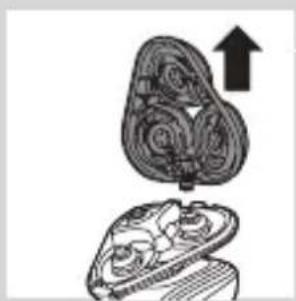
natural_image
Illustration of a mechanical component with an upward arrow, no text or symbols presentnatural_image
Diagram showing a hand holding a device with a circular component and an upward arrow, alongside a battery drop (no text or symbols)5 Izvadite glave za brijanje iz držača glave za brijanje i bacite ih.
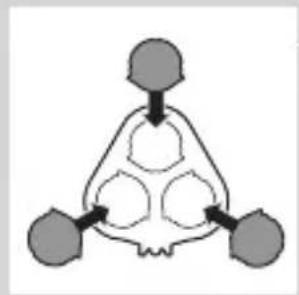
flowchart
graph TD
    A["Top Node"] --> B["Central Process Node"]
    B --> C["Output 1"]
    B --> D["Output 2"]
    B --> E["Output 3"]
6 Stavite nove glave za brijanje u držač.
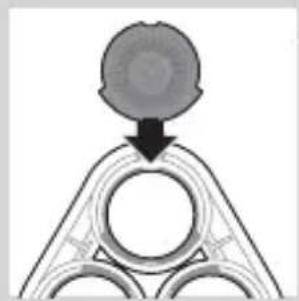
natural_image
Pure diagram of a mechanical or structural component with no visible text, numbers, or symbolsnatural_image
Diagram showing two mechanical components with arrows indicating motion, no text or symbols presentNapomena: Držite držač glave za brijanje u ruci prilikom ponovnog umetanja glava za brijanje i vraćanja prstena za pričvršćivanje. Nemojte stavljati držač glava za brijanje na površinu dok to činite jer to može uzrokovati oštećenja.
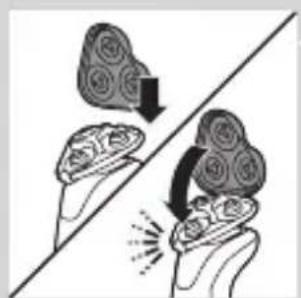
natural_image
Illustration of two hands holding a cloud-shaped object with a downward arrow, separated by a diagonal line (no text or symbols)8 Vratite šarku držača glava za brijanje u utor jedinice za brijanje. Zatvorite držač glava za brijanje (“klik”).
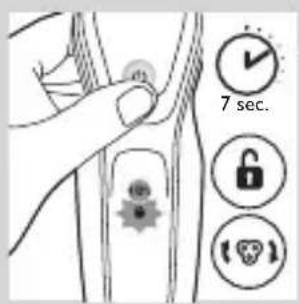
natural_image
Symbol of a trash bin crossed with no text or symbols, representing waste sorting or disposal (no text present)- Ovaj simbol naznačuje da se proizvod ne smije odlagati s uobičajenim otpadom iz kućanstva (2012/19/EU).
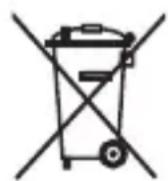
natural_image
Illustration showing a hand holding a pen and a foot, with no visible text or symbols1 Izvadite vijak iz stražnje ploče pomoću odvijača. Zatim odvojite stražnju ploču.
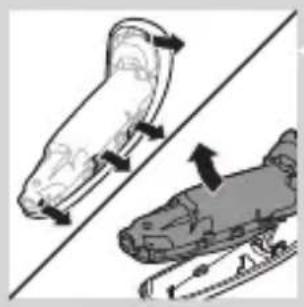
natural_image
Illustration of two skis with directional arrows indicating motion (no text or symbols)2 Savijte kuke u stranu i izvadite jedinicu za napajanje.
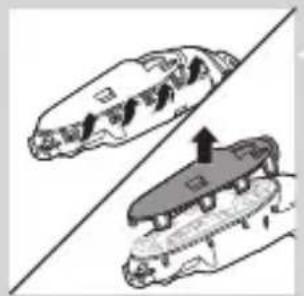
natural_image
Diagram showing two mechanical components with arrows indicating motion or assembly (no text or symbols)3 Slomite kukice i odvojite prednju ploču jedinice za napajanje.
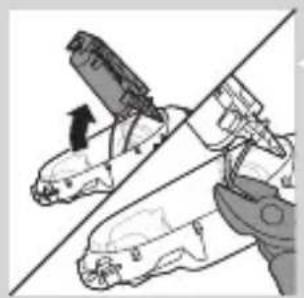
natural_image
Illustration of a robotic arm gripping a tool, with no visible text or symbolsnatural_image
No sign depicting a faucet with a showerhead, enclosed in a circle (no text or symbols)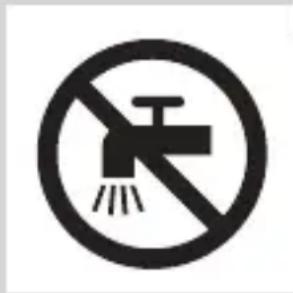
natural_image
Simple line drawing of a showerhead spraying over water in a container (no text or symbols)natural_image
Illustration of a syringe with a magnified inset showing internal structure (no text or symbols)natural_image
Illustration of a test tube with a star-shaped label and arrow pointing to its tip (no text or symbols present)natural_image
Diagram of a laboratory test tube with a magnified inset showing internal structure (no text or labels)natural_image
Diagram of a mechanical component with a circular annotation and arrow pointing to a section (no text or symbols present)natural_image
Illustration of a hand holding a small object with a magnified inset showing internal components (no text or symbols)natural_image
Diagram of a device with a starburst pattern and a magnified view of its internal structure (no text or symbols)natural_image
Diagram of a laboratory test tube with a magnified inset showing internal components (no text or labels)natural_image
Illustration of a robotic device with a lock icon and speech bubble (no text or symbols)natural_image
Illustration of a robotic device with a lock icon and speech bubble (no text or symbols)natural_image
Illustration of a hand holding a button with a circular symbol, pointing to a finger (no text or labels present)natural_image
Diagram of a hairbrush connecting a plug to a cable with an arrow indicating direction (no text or symbols)natural_image
Close-up of a mechanical component with a downward arrow indicating force or direction (no text or symbols visible)natural_image
Illustration of a pair of boots with arrows indicating motion or force, no text or symbols presentnatural_image
Illustration of a person applying facial hair to their ear with a cotton swab (no text or symbols)natural_image
Illustration of a person's face with hand near ear area, no text or symbols presentnatural_image
Line drawing of a person applying a product to their ear (no text or symbols)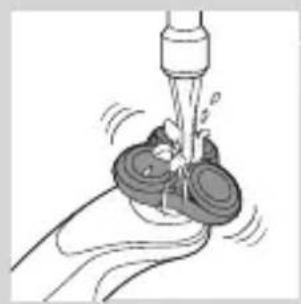
natural_image
Illustration of a hand washing a cup with a water dispenser (no text or symbols)natural_image
Illustration of a hand pressing a button on a human leg, with no visible text or symbolsnatural_image
Illustration of a person applying a toothbrush to their lower face, with a circular logo containing the letter 'T' (no text or symbols on the diagram itself)natural_image
Illustration of a hand holding a device with a bulb and a cross symbol, no text or labels presentnatural_image
Illustration of a funnel pouring liquid into a curved surface, with an inset showing a droplet on the surface (no text or symbols)natural_image
Illustration of a robotic arm with motion arrows and a magnified inset showing a robot head (no text or symbols)natural_image
Line drawing of a person applying makeup to their ear (no text or symbols)natural_image
Illustration of a spray gun on a curved surface with an inset showing a magnified view of the spray (no text or symbols)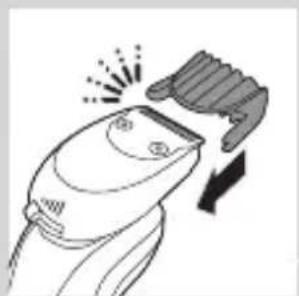
natural_image
Line drawing of a hairbrush cutting into a toothbrush with a magnifying glass (no text or symbols)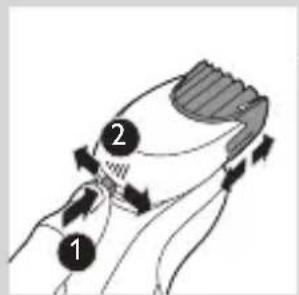
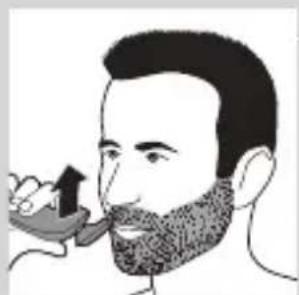
natural_image
Illustration of a man with a beard eating a spoon (no text or symbols)natural_image
Illustration of two hands holding a device with directional arrows indicating movement (no text or symbols)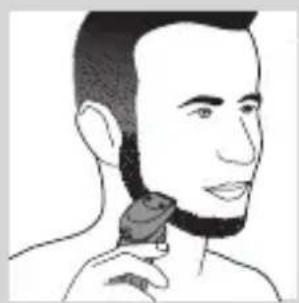
natural_image
Line drawing of a person applying a hair accessory to their neck (no text or symbols)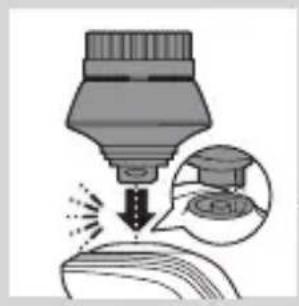
natural_image
Illustration of a dropper tip dispensing liquid into a container, with an inset showing a dropper tip (no text or symbols present)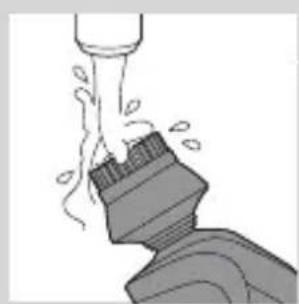
natural_image
Illustration of a mechanical component with motion lines indicating movement (no text or symbols)natural_image
Illustration of a person applying facial care to their face, with no visible text or symbolsnatural_image
Illustration showing two men applying facial care to their face, one with a magnified inset of the first eye (no text or symbols present)natural_image
Simple line drawing of a paintbrush with a cross mark and spray effect (no text or symbols)natural_image
Simple line drawing of a container with an upward arrow and label 'SWE' (no text or symbols on the diagram itself)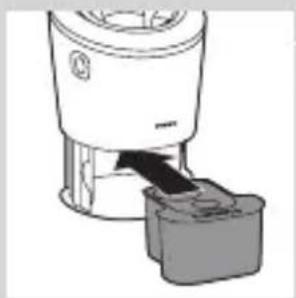
natural_image
Diagram of a blender with a black arrow indicating a process, showing no text or symbols.natural_image
Diagram of a mechanical component with a downward arrow indicating rotation (no text or symbols)natural_image
Illustration of a dropper tip with a stopper and a prohibition symbol (no text or labels)natural_image
Illustration of a hand holding a small object with arrows indicating motion or force, and an inset showing a magnified view of a mechanical component (no text or symbols)natural_image
Close-up of a mechanical component with a downward arrow indicating force or direction (no text or symbols)natural_image
Illustration of a pair of boots with arrows indicating motion or change, no text or symbols present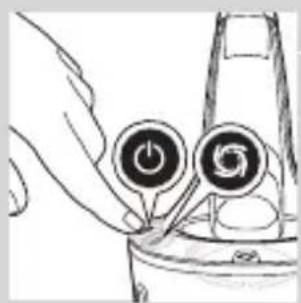
natural_image
Hand holding two circular buttons with a power symbol, connected to a device (no text or labels visible)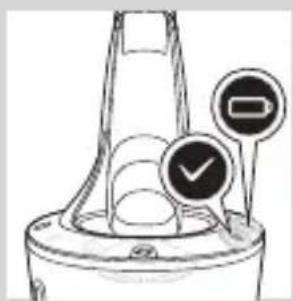
natural_image
Technical line drawing of a mechanical component with two circular indicators (no text or symbols)natural_image
Illustration of a hand holding a small object with motion lines indicating movement or force (no text or symbols)natural_image
Illustration of a biological structure with ornamental patterns and directional arrows (no text or symbols)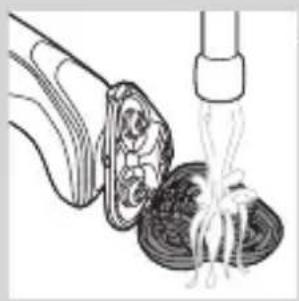
natural_image
Illustration of a food item being lifted by a pipette over a bowl (no text or symbols)natural_image
Anatomical illustration of a human digestive system with an arrow indicating a process (no text or labels present)natural_image
Illustration of a mechanical component with an upward arrow indicating motion (no text or symbols)natural_image
Diagram showing two mechanical components with directional arrows, no text or symbols presentnatural_image
Illustration of two mechanical devices with water spray and a gear-like component, no text or symbols presentnatural_image
Diagram of a mechanical component with a central gear and base, showing no text or symbols.natural_image
Pure diagram of a mechanical component with a circular top and triangular base, no text or symbols present.natural_image
Diagram showing two mechanical components with arrows indicating motion or force, no text or symbols presentnatural_image
Illustration of two hands holding a cloud-like object with arrows indicating motion or transformation (no text or symbols)natural_image
Line drawing of a shoe being lifted by a bag (no text or symbols)natural_image
Illustration of a hand blowing bubbles with a magnified circular inset showing a hand holding a rock (no text or symbols)natural_image
Illustration of two hands holding a tool with directional arrows indicating movement or force (no text or symbols present)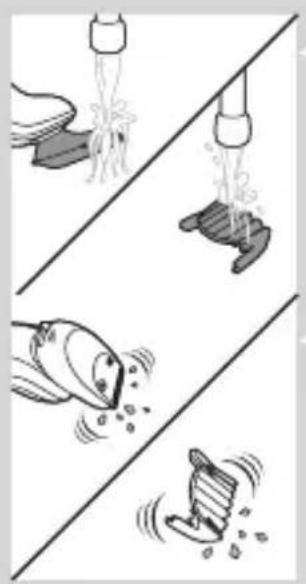
natural_image
Illustration of four different water droplets in different positions (no text or symbols)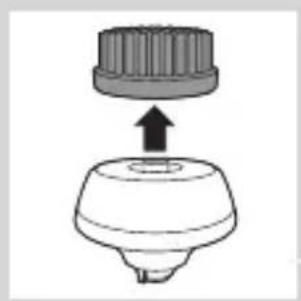
natural_image
Diagram of a mechanical component with a top cylindrical part and an upward arrow, no text or symbols present.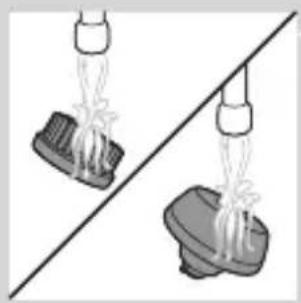
natural_image
Two identical mechanical components with levers hanging from a diagonal line, no text or symbols present.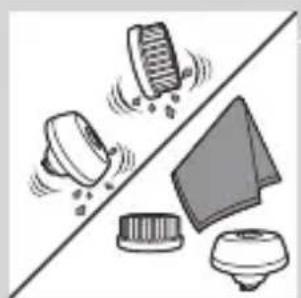
natural_image
Illustration of mechanical components including a drum, drum screw, and base mount (no text or symbols)natural_image
Diagram of a mechanical component with a downward arrow indicating force or direction (no text or symbols)natural_image
Simple line drawing of a mechanical component with an upward arrow, no text or symbols present.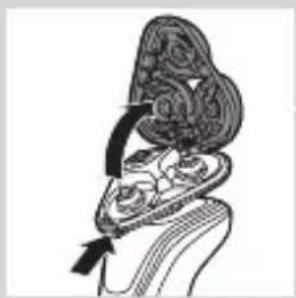
natural_image
Illustration of a biological structure with ornate topography and internal patterns, no visible text or symbols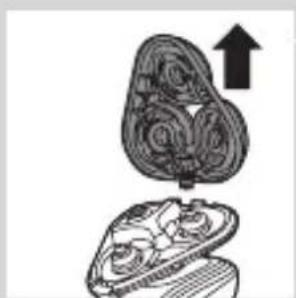
natural_image
Illustration of a mushroom-shaped object with internal spiral patterns and an upward arrow, no text or symbols present.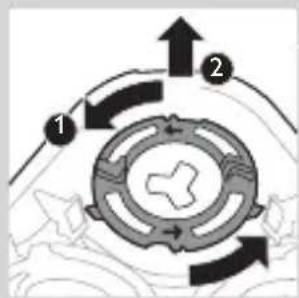
flowchart
graph TD
    A["Component 1"] --> B["Component 2"]
    B --> C["Return Path"]
    style A fill:#f9f,stroke:#333
    style B fill:#bbf,stroke:#333
natural_image
Diagram showing a hand holding a device with a magnified view of its internal components (no text or symbols present)natural_image
Pure diagram of a mechanical or architectural component with no text, numbers, or symbolsnatural_image
Diagram showing two circular components with arrows indicating direction, one crossed over the other by a diagonal line (no text or symbols)natural_image
Illustration of two hands holding a cloud-like object with a downward arrow and a light burst, no text or symbols present.natural_image
Symbol of a trash bin crossed with a diagonal line and a horizontal bar below (no text or numbers present)natural_image
Simple line drawing of a trash bin with crossed x-bracing (no text or symbols)natural_image
Illustration of a tool interacting with a device, showing a tip and base (no text or symbols)natural_image
Two illustrations of a scooter with directional arrows indicating motion, no text or symbols presentnatural_image
Two views of a shoe cover with a diagonal line and an arrow indicating fold (no text or symbols)natural_image
Diagram of mechanical components with a diagonal line and an arrow indicating movement (no text or symbols)natural_image
No sign depicting a faucet with a showerhead, enclosed in a circle (no text or symbols)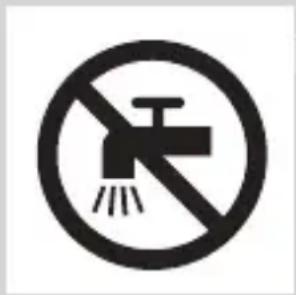
natural_image
Simple line drawing of a showerhead spraying over a water-filled container (no text or symbols)natural_image
Illustration of a hairdryer with a magnified inset showing internal structure (no text or symbols)natural_image
Illustration of a test tube with a star-shaped label and a speech bubble (no text or symbols on the tube itself)natural_image
Diagram of a laboratory test tube with a magnified inset showing internal structure (no text or labels)natural_image
Diagram of a test tube with a labeled component (no text or symbols present)natural_image
Diagram of a hairbrush with a magnified inset showing internal structure (no text or symbols)natural_image
Diagram of a device with a starburst pattern and a magnified view of its internal structure (no text or symbols)natural_image
Diagram of a hairdryer with a magnified inset showing internal structure (no text or labels)natural_image
Simple line drawing of a plug plug inside a container with a star-shaped mark and a speech bubble (no text or symbols)natural_image
Illustration of a robotic device with a lock icon and a star-shaped base (no text or symbols)natural_image
Diagram of a robotic arm with a lock icon and a speech bubble (no text or symbols)natural_image
Illustration of a human torso with a speech bubble containing a heart symbol (no text or labels)natural_image
Illustration of a hand pressing a button on a patient's knee joint (no text or symbols)natural_image
Diagram of a hairpin plug connecting a socket to a cable with an arrow indicating direction (no text or symbols)natural_image
Close-up of a mechanical component with a black arrow pointing downward (no text or symbols visible)natural_image
Illustration of a pair of boots with arrows indicating motion or force (no text or symbols)natural_image
Illustration of a hand inserting a circular button into a rounded rectangular object (no text or symbols)natural_image
Illustration of a person applying makeup to their face with a brush (no text or symbols)natural_image
Line drawing of a person's face with hand near ear area, no text or symbols presentnatural_image
Line drawing of a person applying a product to their ear (no text or symbols)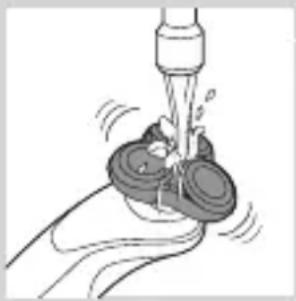
natural_image
Illustration of a hand using a tool to lift a small object, no text or symbols presentnatural_image
Illustration of a person applying makeup to the ear with a curling tool (no text or symbols)natural_image
Illustration of a hand pressing a button on a human leg, with no visible text or symbolsnatural_image
Illustration of a person's head with a T-shaped logo overlay (no text or symbols on the diagram itself)natural_image
Diagram showing a funnel with a cross symbol and an upward arrow, no text or labels presentnatural_image
Diagram showing a droplet on a surface with an arrow indicating light emission, and a magnified inset showing a droplet inside (no text or symbols)natural_image
Illustration of a medical or laboratory procedure showing a device emitting particles from a surface, with an inset magnified view of a graduation cap (no text or symbols present)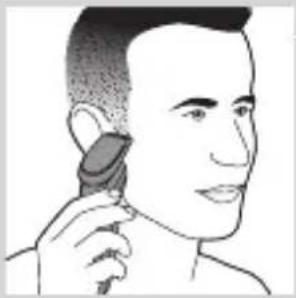
natural_image
Line drawing of a person applying makeup to their ear (no text or symbols)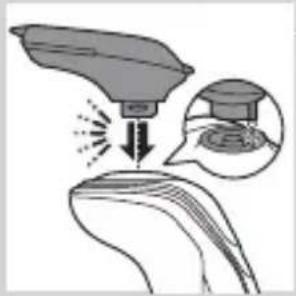
natural_image
Illustration of a medical procedure showing a surgical tool impacting tissue with an inset image of a graduation cap (no text or symbols present)natural_image
Illustration of a hairbrush cutting down with a downward arrow indicating compression (no text or symbols)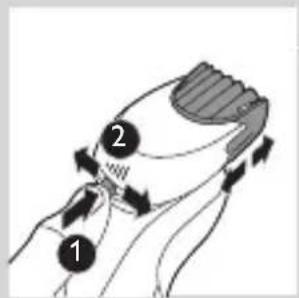
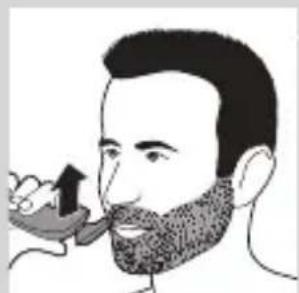
natural_image
Illustration of a man eating with a spoon (no text or symbols)natural_image
Illustration of two hands holding a curved object with directional arrows indicating movement or force (no text or symbols)natural_image
Line drawing of a person applying a hair accessory to their neck (no text or symbols)natural_image
Illustration of a dropper tip dispensing liquid into a container with an inset showing a dropper tip (no text or symbols)natural_image
Illustration of a mechanical component with fluid flow, no text or symbols presentnatural_image
Illustration of a person applying facial care to their face, with no visible text or symbolsnatural_image
Illustration showing two facial expressions with a magnified inset of the first face (no text or symbols)natural_image
Simple line drawing of a paintbrush with a cross mark and spray effect (no text or symbols)natural_image
Simple line drawing of a container with an upward arrow and label 'SARMA' (no text or symbols on the diagram itself)natural_image
Diagram of a blender with a plug inserted into a container (no text or symbols)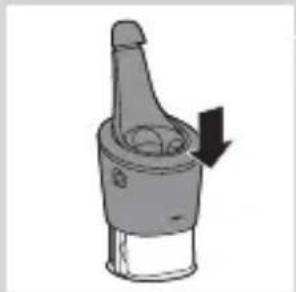
natural_image
Diagram of a mechanical component with a downward arrow indicating rotation (no text or symbols)natural_image
Illustration of a dropper tip with a stopper and a prohibition symbol (no text or labels)natural_image
Close-up of a mechanical component with a black arrow pointing downward (no text or symbols visible)natural_image
Illustration of a pair of boots with arrows indicating motion or change, no text or symbols presentnatural_image
Hand holding two circular buttons with 'Power' and 'Spiral' symbols, connected to a device (no text or labels visible)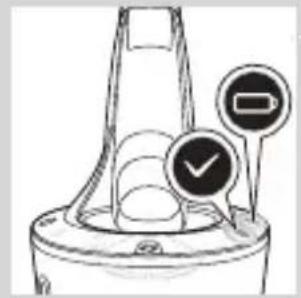
natural_image
Diagram of a funnel-shaped container with two circular indicators (one checked, one not checked) and no visible text or symbols.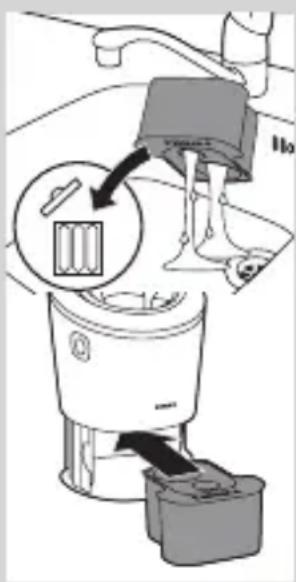
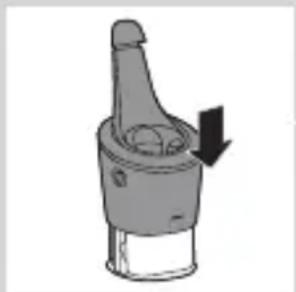
natural_image
Diagram of a mechanical component with a downward arrow indicating motion (no text or symbols)natural_image
Illustration of a hand holding a small object with motion lines, possibly a tool or device, emitting a droplet or filament (no text or symbols present)natural_image
Illustration of a stylized human head with ornate patterns and a black arrow indicating direction (no text or symbols)natural_image
Illustration of a food item being lifted by a pipette (no text or symbols)natural_image
Anatomical illustration of a human head and neck with internal organs, showing a highlighted region with arrows (no text or labels)natural_image
Illustration of a mushroom-shaped container with internal swirling patterns and an upward arrow, no text or symbols present.natural_image
Diagram showing two mechanical components with directional arrows, no text or symbols presentnatural_image
Illustration of two mechanical devices with water spray and a gear-like component, no text or symbols presentnatural_image
Cross-sectional diagram of a mechanical component with a central gear and base (no text or labels)natural_image
Pure diagram of a mechanical or structural component with no visible text, numbers, or symbolsnatural_image
Diagram showing two circular components with arrows indicating motion or flow, separated by a diagonal line (no text or symbols)natural_image
Illustration of two hands holding a cloud-like object with arrows indicating motion, no text or symbols presentnatural_image
Line drawing of a foot stepping on a wooden block with a rope tied to a bottle (no text or symbols)natural_image
Illustration of two hands holding a tool with directional arrows indicating movement or force (no text or symbols present)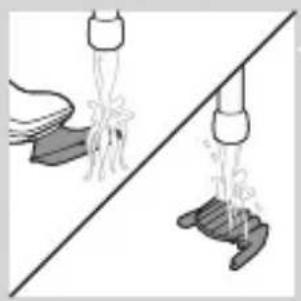
natural_image
Illustration of two hands pouring liquid from a container onto a surface, separated by a diagonal line (no text or symbols)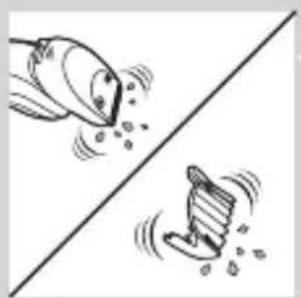
natural_image
Two cartoon-style icons showing a bird and a boot on a diagonal line, with no text or symbols present.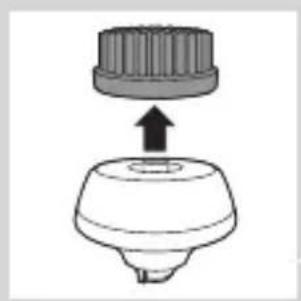
natural_image
Diagram of a mechanical component with a top cylindrical part and an upward arrow indicating motion (no text or symbols)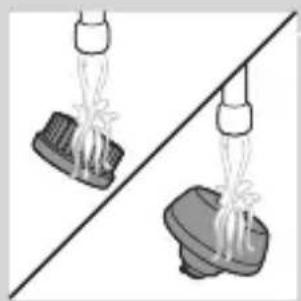
natural_image
Two identical diagrams showing a spray gun above a base, with no text or symbols present.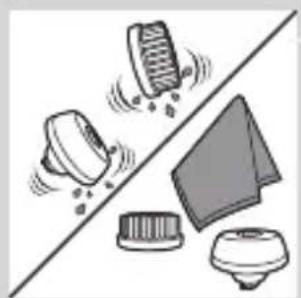
natural_image
Illustration of kitchen utensils and a showerhead on a diagonal line (no text or symbols)natural_image
Diagram of a mechanical component with a top cylindrical part and an upward arrow, no text or symbols present.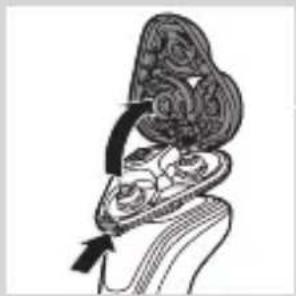
natural_image
Diagram of a biological structure with a spiral-like top layer and internal components, no visible text or symbols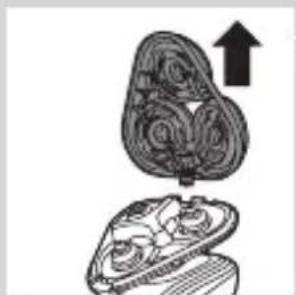
natural_image
Illustration of a mushroom-shaped container with internal swirling patterns and an upward arrow, no text or symbols present.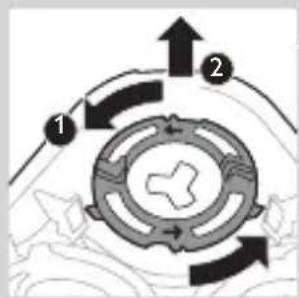
flowchart
graph TD
    A["Component 1"] --> B["Component 2"]
    B --> C["Return Path"]
    style A fill:#f9f,stroke:#333
    style B fill:#bbf,stroke:#333
natural_image
Diagram showing a hand holding a device with a circular component and an arrow indicating direction (no text or symbols)natural_image
Pure diagram of a mechanical or architectural component with no text, numbers, or symbolsnatural_image
Diagram showing mechanical components with arrows indicating motion or force direction (no text or symbols)natural_image
Illustration of two hands holding a cloud-like object with a downward arrow and a light burst, no text or symbols present.natural_image
Symbol of a waste bin with crossed lines and a blank rectangular base (no text or numbers)natural_image
Simple line drawing of a trash bin with crossed x-axes (no text or symbols)natural_image
Illustration of a tool interacting with a device, showing a brush and a separate mechanical component (no text or symbols)natural_image
Illustration of two skis with directional arrows indicating motion (no text or symbols)natural_image
Two mechanical components with a diagonal line and an arrow indicating motion or assembly (no text or symbols)natural_image
Diagram of a robotic arm gripping a tool, with an arrow indicating the movement (no text or symbols present)natural_image
No sign depicting a faucet with a showerhead, enclosed in a circle (no text or symbols)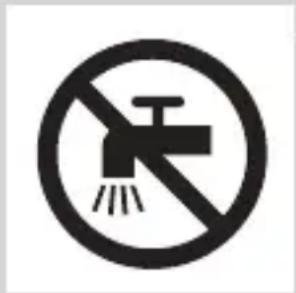
natural_image
Simple line drawing of a showerhead spraying over a water-filled container (no text or symbols)natural_image
Illustration of a laboratory test tube with a magnified inset showing internal structures (no text or symbols)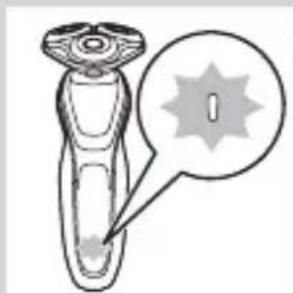
natural_image
Illustration of a hairbrush with a starburst graphic and a speech bubble (no text or symbols)natural_image
Diagram of a test tube with a magnified inset showing internal structure (no text or symbols)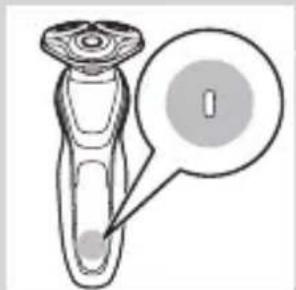
natural_image
Diagram of a hairbrush with a circular indicator showing the number 1, no text or symbols present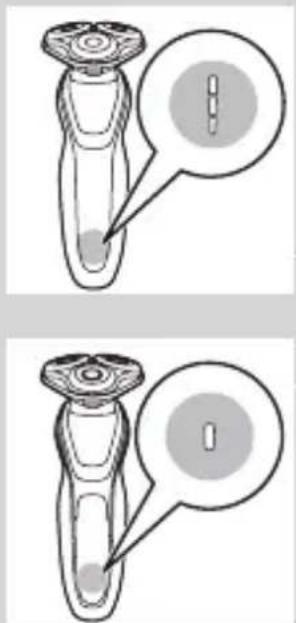
Akumuliatorius senka
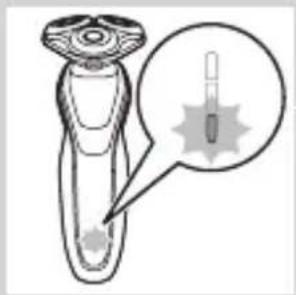
natural_image
Illustration of a hairdryer with a magnified inset showing the tip and base (no text or symbols)natural_image
Diagram of a mechanical component with a starburst pattern and a magnified inset (no text or symbols)natural_image
Diagram of a test tube with a cap and magnified inset showing internal components (no text or labels)Baterijos ikrovos indikatorius su 3 lemputémis
natural_image
Line drawing of a human figure with a lock icon and a speech bubble (no text or symbols)natural_image
Line drawing of a handheld device with a lock icon and a speech bubble (no text or symbols)natural_image
Illustration of a hand pressing a button on a patient's knee joint (no text or symbols)natural_image
Diagram of a hairbrush plug connecting a power outlet with an attached cable, showing two arrows indicating direction (no text or symbols present)natural_image
Simple line drawing of a mechanical component with a downward arrow indicating force or direction (no text or symbols)natural_image
Illustration of a pair of boots with arrows indicating motion or damage, no text or symbols presentnatural_image
Illustration of a person applying facial hair to their ear (no text or symbols present)natural_image
Line drawing of a person's face with hand near ear area, no text or symbols presentnatural_image
Line drawing of a person applying a product to their ear (no text or symbols)natural_image
Illustration of a hand using a water tap to lift a small object (no text or symbols visible)natural_image
Illustration of a person applying a hairpin to their face (no text or symbols present)natural_image
Illustration of a hand pressing a button on a patient's knee joint (no text or symbols)natural_image
Diagram showing a mushroom-shaped object above a curved surface with a cross symbol and an upward arrow, no text or labels present.natural_image
Diagram showing a droplet on a surface with an arrow indicating light emission, and an inset magnified view of a droplet inside (no text or symbols)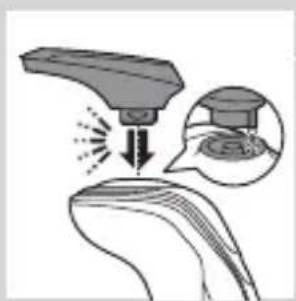
natural_image
Illustration of a robotic arm interacting with a surface, showing motion and magnified detail (no text or symbols)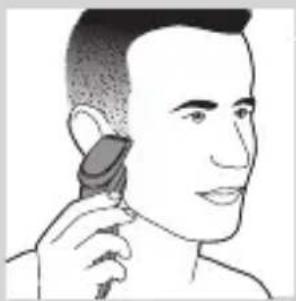
natural_image
Line drawing of a person applying makeup to their ear (no text or symbols)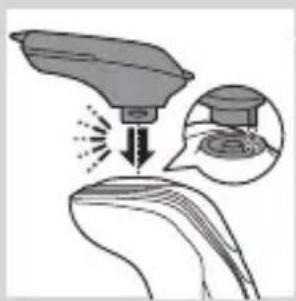
natural_image
Diagram showing a device interacting with a surface, with an inset magnified view of the device's internal structure (no text or symbols present)natural_image
Illustration of a hairbrush cutting into a pair of scissors with a downward arrow (no text or symbols)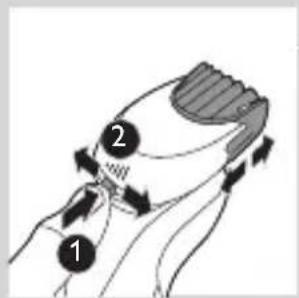
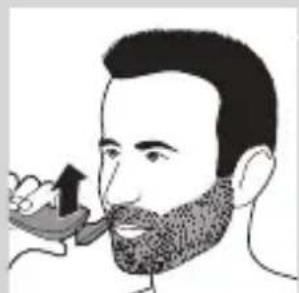
natural_image
Illustration of a man eating with a spoon (no text or symbols)natural_image
Illustration of two hands holding a curved object with directional arrows indicating movement (no text or symbols)natural_image
Line drawing of a person applying a hair accessory to their neck (no text or symbols)natural_image
Illustration of a dropper tip dispensing liquid into a container, with an inset showing a dropper tip (no text or symbols present)natural_image
Illustration of a mechanical component with fluid flowing from a pipe (no text or symbols)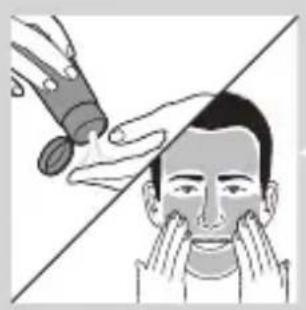
natural_image
Illustration of a person applying makeup to their face with a tool, no text or symbols presentnatural_image
Illustration showing two men applying facial care to their face, one with a magnified inset of the first eye (no text or symbols present)natural_image
Simple line drawing of a paintbrush with a cross mark and spray, no text or symbols presentnatural_image
Close-up of a mechanical component with a black arrow pointing downward (no text or symbols visible)natural_image
Illustration of a pair of boots with arrows indicating motion or change, no text or symbols presentnatural_image
Hand holding a device with two circular buttons labeled 'Power' and 'Spiral', no visible text or symbolsnatural_image
Diagram of a mechanical component with two circular indicators (one checked, one not checked) and a checkmark symbol, no readable text or labels present.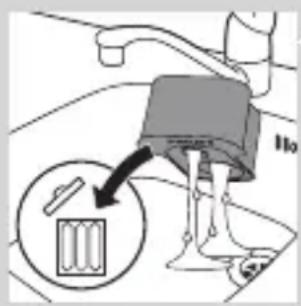
natural_image
Diagram of a blender with a black arrow pointing to its interior portion, showing no text or symbols.natural_image
Diagram of a mechanical component with a downward arrow indicating rotation (no text or symbols)natural_image
Illustration of a hand holding a small object with motion lines indicating movement or force (no text or symbols)natural_image
Anatomical illustration of a human upper body with internal organs and a directional arrow indicating movement (no text or labels)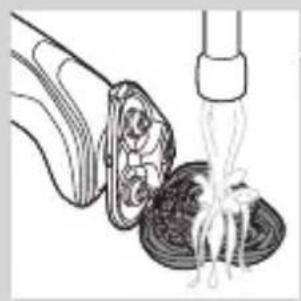
natural_image
Illustration of a food item being lifted by a pipette, showing a bowl and fork (no text or symbols)natural_image
Anatomical illustration of a human digestive system with arrows indicating movement or force (no text or labels)natural_image
Illustration of a cross-section of an open shell with internal gear-like structures, showing an upward arrow (no text or symbols)natural_image
Diagram showing two mechanical components with arrows indicating motion or assembly (no text or symbols)natural_image
Diagram showing two mechanical components with fluid flow, no text or symbols presentnatural_image
Simple line drawing of a mechanical component with a central arrow and circular base (no text or symbols)natural_image
Diagram showing a circular object being lifted by a black arrow, with no visible text or symbols.natural_image
Diagram showing mechanical components with arrows and a checkmark, no readable text or symbols presentnatural_image
Illustration of two hands holding a cloud-like object with arrows indicating motion or transformation (no text or symbols)natural_image
Illustration of a shoe being lifted by a funnel, showing the blade and handle (no text or symbols)natural_image
Illustration of a hand holding a small object with motion lines, accompanied by a magnified circular inset showing a mountain-like shape with a cross symbol (no text or labels)natural_image
Illustration of two hands holding a curved object with directional arrows indicating movement or force (no text or symbols)natural_image
Illustration of a pair of hanging objects, one with a cloth and the other with a shoe, against a diagonal line (no text or symbols)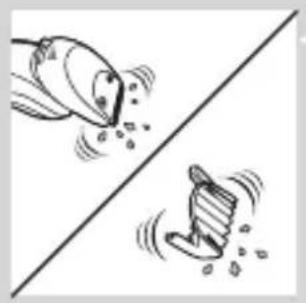
natural_image
Illustration of two fish jumping over a diagonal line, one falling and the other wading (no text or symbols)natural_image
Diagram of a mechanical component with a top cylindrical part and an upward arrow, no text or symbols present.natural_image
Two identical mechanical components hanging from a diagonal line, no text or symbols visiblenatural_image
Illustration of mechanical components including a drum, cloth, and base (no text or symbols)Laikymas
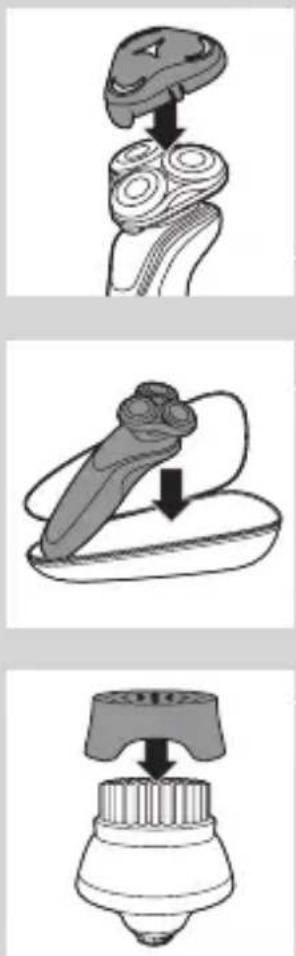
natural_image
Diagram of a mechanical component with a top component and an arrow indicating upward motion (no text or symbols)natural_image
Illustration of a decorative hat with swirling patterns and a tassel, no text or symbols presentnatural_image
Diagram of a mechanical component with an upward arrow indicating motion or force (no text or symbols present)natural_image
Diagram showing a hand holding a device with a circular component and an arrow indicating direction (no text or symbols)natural_image
Diagram showing a circular object with a downward arrow pointing to a triangular structure (no text or symbols)natural_image
Diagram showing two mechanical components with a checkmark indicating a specific section (no text or symbols present)natural_image
Illustration of two hands exchanging a cloud-shaped object, one with a downward arrow and the other with a curved arrow (no text or symbols)natural_image
Symbol of a trash bin with no text or labels, crossed by two diagonal lines and a solid black rectangle below (no text or symbols present)natural_image
Illustration of a hand holding a pen and a tool, with no visible text or symbolsnatural_image
Illustration of two skis in action poses, one with arrows indicating motion direction (no text or symbols)natural_image
Two mechanical components with a diagonal line and an upward arrow, no visible text or symbolsnatural_image
Illustration of a robotic arm gripping a tool, with a hand holding the blade (no text or symbols)natural_image
No sign depicting a faucet with a showerhead, enclosed in a circle (no text or symbols)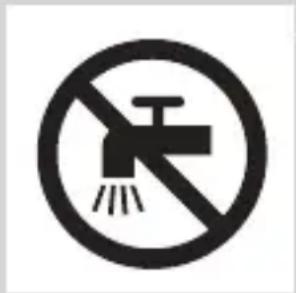
natural_image
Simple line drawing of a showerhead spraying over water (no text or symbols)natural_image
Illustration of a test tube with a magnified inset showing internal structure (no text or symbols)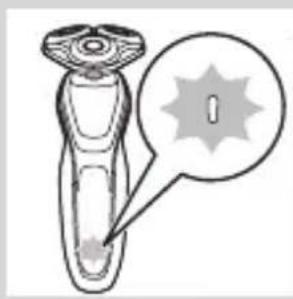
natural_image
Illustration of a hairbrush with a circular annotation highlighting a specific area (no text or symbols present)natural_image
Diagram of a laboratory test tube with a cap and a magnified inset showing internal structure (no text or labels)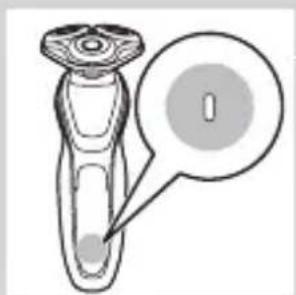
natural_image
Diagram of a laboratory test tube with a magnified inset showing internal structure (no text or labels)Tukša baterija
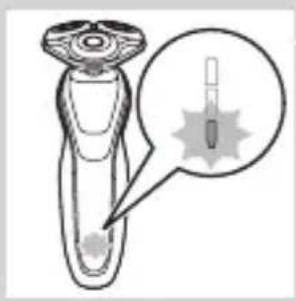
natural_image
Illustration of a hairdryer with a magnified inset showing internal structure (no text or symbols)natural_image
Diagram of a hairdryer with a magnified view showing internal structure (no text or symbols)natural_image
Diagram of a dropper with a magnified inset showing internal structure (no text or labels)Bateriju uzlādes indikators ar 3 lampiņām
natural_image
Line drawing of a medical or robotic device with a padlock icon and a star-shaped mark (no text or symbols)natural_image
Line drawing of a smart device with a lock icon and a button, no text or symbols presentnatural_image
Illustration of a hand pressing a button on a human leg (no text or symbols visible)natural_image
Diagram of a hairbrush plug connecting a power outlet with an attached cable, showing two arrows indicating direction (no text or symbols present)1 lespraudiet mazo kontaktdakšu ierīcē un adapteri sienas kontaktligzdā.
natural_image
Close-up of a mechanical component with a handle and base, showing a downward arrow (no text or symbols)natural_image
Illustration of a pair of boots with arrows indicating motion or change, no text or symbols presentSkuvekla lietošana
natural_image
Illustration of a person applying facial hair to their ear (no text or symbols present)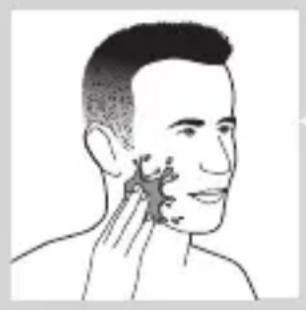
natural_image
Illustration of a person's head with hand near ear area, showing facial contour or skin pattern (no text or symbols)natural_image
Line drawing of a person applying a product to their ear (no text or symbols)natural_image
Illustration of a hand using a tool to lift a small object, no text or symbols presentnatural_image
Illustration of a person applying facial hair to their cheek, showing the application of a curler (no text or symbols present)natural_image
Illustration of a hand pressing a button on a curved mechanical component (no text or symbols visible)natural_image
Illustration of a person applying a toothbrush to their beaded area, with a circular logo containing the letter 'T' (no text or symbols on the diagram itself)natural_image
Illustration of a hand holding a mushroom-shaped object with an upward arrow and a cross symbol (no text or labels)natural_image
Diagram showing a device emitting light onto a surface, with an inset magnified view of the device's internal structure (no text or symbols present)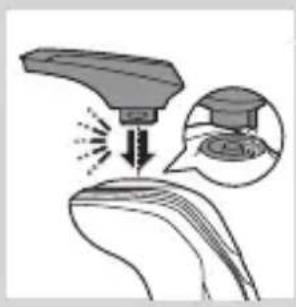
natural_image
Illustration of a medical or laboratory procedure showing a device emitting particles into a surface, with an inset magnified view of the process (no text or symbols present)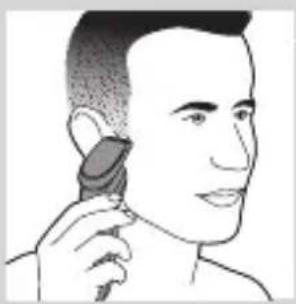
natural_image
Illustration of a person using a hairdryer (no text or symbols present)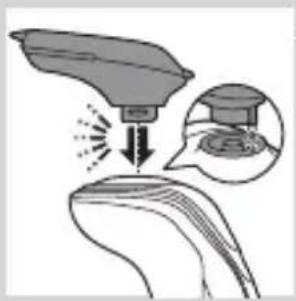
natural_image
Illustration of a medical procedure with an incision and magnified view of a graduation cap (no text or symbols present)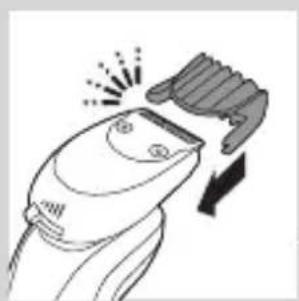
natural_image
Line drawing of a hairbrush cutting into a pair of scissors (no text or symbols)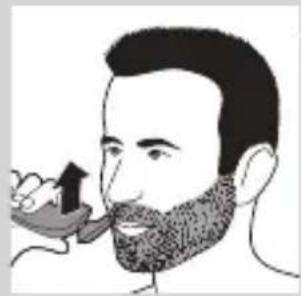
natural_image
Illustration of a man with a beard and a pipe, holding an object (no text or symbols)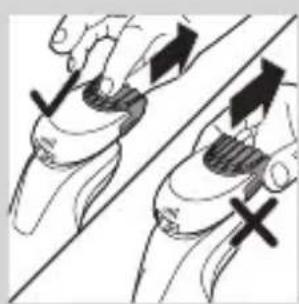
natural_image
Illustration of two hands holding a tool, one with arrows indicating movement and the other with an X mark (no text or symbols)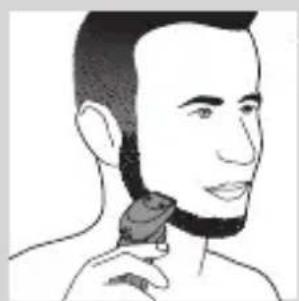
natural_image
Line drawing of a person applying a hair product to their neck (no text or symbols)natural_image
Illustration of a dropper tip dispensing liquid into a container with an inset showing a dropper tip (no text or symbols present)natural_image
Illustration of a mechanical component with fluid flow, no text or symbols presentnatural_image
Illustration of a person applying facial care to their face, with no text or symbols present.natural_image
Illustration showing two people applying facial care to their face, with a magnified inset of the first person's eye (no text or symbols present)natural_image
Simple line drawing of a paintbrush with a cross mark and spray effect (no text or symbols)natural_image
Simple line drawing of a container with an upward arrow and label 'SARMA' (no text or symbols on the diagram itself)natural_image
Diagram of a blender with a black arrow indicating the process (no text or symbols present)natural_image
Diagram of a mechanical component with a downward arrow indicating direction (no text or symbols)natural_image
Close-up of a mechanical component with a downward arrow and a prohibition symbol (no text or labels)natural_image
Close-up of a mechanical component with a black arrow pointing downward (no text or symbols visible)natural_image
Illustration of a pair of boots with arrows indicating motion or change, no text or symbols presentnatural_image
Hand holding two circular buttons with 'Power' and 'Spiral' symbols, connected to a device (no text or labels visible)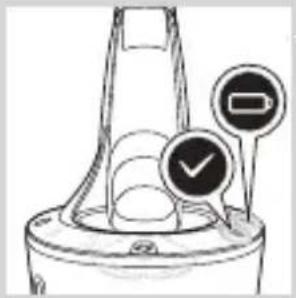
natural_image
Diagram of a device with two circular indicators: one marked with a checkmark and the other with a minus sign, no readable text or symbols present.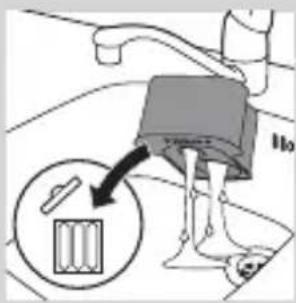
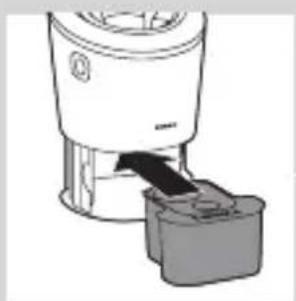
natural_image
Diagram of a blender with a plastic applicator inserted into a container (no text or symbols)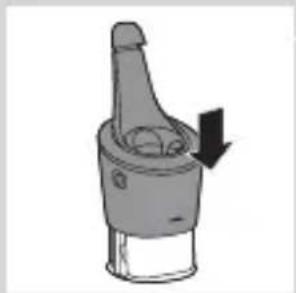
natural_image
Mechanical component diagram showing a lever mechanism with a downward arrow (no text or symbols)natural_image
Illustration of a hand holding a small object with motion lines indicating movement (no text or symbols)natural_image
Anatomical illustration of a human head with internal organs and a curved arrow indicating a specific structure (no text or labels present)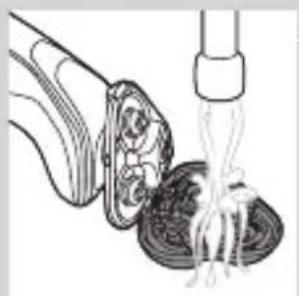
natural_image
Illustration of a food item being lifted from a pipette into a bowl (no text or symbols)natural_image
Anatomical illustration of a human digestive system with an arrow indicating a specific structure (no text or labels present)natural_image
Illustration of a mechanical component with an upward arrow indicating motion (no text or symbols)natural_image
Diagram showing two mechanical components with arrows indicating direction, no text or symbols presentnatural_image
Illustration of two mechanical devices with water spray and a gear-like component, no text or symbols presentnatural_image
Diagram of a mechanical or electrical component with a central shaft and surrounding gear (no text or symbols)natural_image
Diagram showing a circular object being lifted by a black arrow into a triangular structure (no text or symbols)natural_image
Diagram showing two circular components with arrows indicating motion or flow, separated by a diagonal line (no text or symbols)natural_image
Illustration of two hands holding a cloud-like object with arrows indicating motion (no text or symbols)natural_image
Simple line drawing of a shoe being lifted by a fork (no text or symbols)natural_image
Illustration of a hand holding a small object with motion lines, emitting particles, and a circular inset showing a mountain-like shape with an 'X' symbol (no text or labels)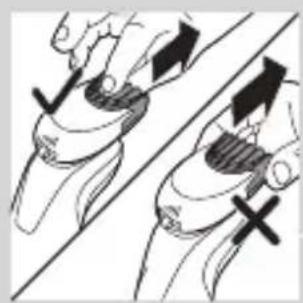
natural_image
Illustration of two hands holding a tool with directional arrows indicating movement or force (no text or symbols)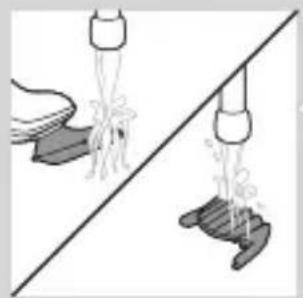
natural_image
Illustration of two mechanical components with ropes and springs, connected by a diagonal line (no text or symbols)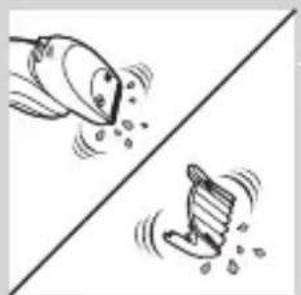
natural_image
Two cartoon fish jumping over a diagonal line, one falling and the other wading (no text or symbols)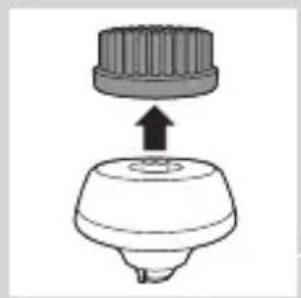
natural_image
Diagram of a mechanical component with a top cylindrical part and an upward arrow, no text or symbols present.4 Uzmanīgi nokratiet lieko ūdeni un Įaujiet trimmera uzgalim nožūt.
natural_image
Two identical diagrams showing a spray gun on a surface, one with a bulb and the other with a base, separated by a diagonal line (no text or symbols)natural_image
Illustration of kitchen utensils and a blender on a diagonal line (no text or symbols)natural_image
Diagram of a hairpin with a curved handle and three circular base elements, no text or symbols presentnatural_image
Illustration of a mechanical component with an arrow indicating downward motion (no text or symbols)natural_image
Diagram of a spray bottle with a handle and spout, showing internal structure (no text or symbols)Nomaina,
natural_image
Simple line drawing of a mechanical component with an upward arrow, no text or symbols present.natural_image
Anatomical illustration of a human head and neck with internal organs, showing a highlighted region (no text or labels)natural_image
Illustration of a mechanical component with an upward arrow, no text or symbols presentLATVIEŠU318
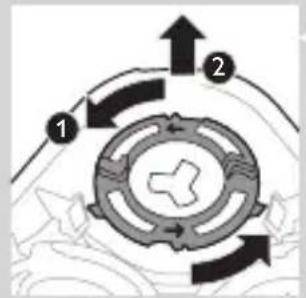
flowchart
graph TD
    A["Step 1"] --> B["Step 2"]
    B --> C["Step 3"]
    C --> D["End"]
natural_image
Diagram showing a hand holding a circular object with arrows indicating motion or force (no text or symbols present)natural_image
Abstract diagram with three connected nodes and a central triangular structure (no text or symbols)natural_image
Diagram showing a circular object falling into a triangular structure with internal circular elements (no text or symbols)natural_image
Diagram showing a mechanical or electrical component with arrows indicating motion, no text or symbols presentnatural_image
Illustration of two hands holding a cloud-like object with arrows indicating motion or transformation (no text or symbols)natural_image
Symbol of a trash bin crossed with no text or numbers, representing waste sorting or disposal (no text present)natural_image
Illustration of a hand holding a pen and a small object, with no visible text or symbolsnatural_image
Two mechanical components with directional arrows indicating motion, no visible text or symbolsnatural_image
Two views of a shoe cover and back, showing different designs (no text or symbols)natural_image
Illustration of two hands using pliers to adjust a mechanical component (no text or symbols visible)natural_image
No sign depicting a faucet with a diagonal line and a diagonal line, crossed out by a diagonal line (no text or symbols)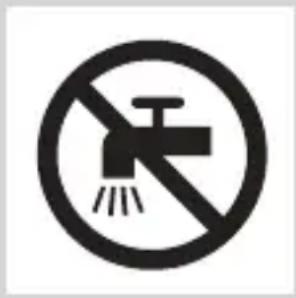
natural_image
Simple line drawing of a showerhead spraying over water (no text or symbols)natural_image
Diagram of a dropper with a magnified inset showing internal structure (no text or symbols)natural_image
Illustration of a laboratory test tube with a magnified inset showing a test tube tip (no text or symbols present)natural_image
Diagram of a hairdryer with a magnified inset showing internal structure (no text or symbols)natural_image
Diagram of a hairbrush with a circular indicator showing a single digit (no text or symbols present)natural_image
Diagram of a laboratory test tube with a magnified inset showing internal components (no text or labels)natural_image
Illustration of a hairdryer with a magnified inset showing the tip and tail (no text or symbols)natural_image
Diagram of a laboratory test tube with a magnified inset showing internal components (no text or labels)natural_image
Illustration of a robotic device with a lock icon and speech bubble (no text or symbols)natural_image
Illustration of a smart device with a lock icon and speech bubble (no text or symbols)natural_image
Illustration of a hand pressing a button on a human leg, with no visible text or symbolsnatural_image
Diagram of a hairbrush connecting a plug to a cable with an arrow indicating direction (no text or symbols)natural_image
Illustration of a hand holding a circular object with an arrow pointing to it, no text or symbols presentnatural_image
Illustration of a person applying makeup to their face with a circular tool (no text or symbols)natural_image
Line drawing of a person's face with hand near ear area, no text or symbols presentnatural_image
Line drawing of a person applying a product to their ear (no text or symbols)natural_image
Illustration of a hand using a tool to lift a cup (no text or symbols visible)natural_image
Illustration of a person applying a hair product to their face (no text or symbols)natural_image
Illustration of a hand pressing a button on a patient's knee joint (no text or symbols)natural_image
Diagram showing a mushroom-shaped object above a curved surface with a crossed-out symbol and an upward arrow (no text or labels)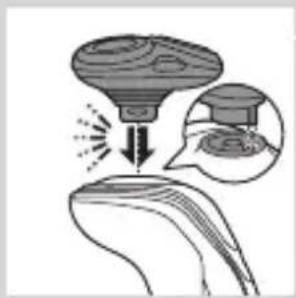
natural_image
Illustration of a funnel pouring liquid into a leaf, with an inset showing a graduation cap (no text or symbols)natural_image
Illustration of a hairdryer with an inset showing the tip and base (no text or symbols)natural_image
Illustration of a person applying a hair accessory to their ear (no text or symbols present)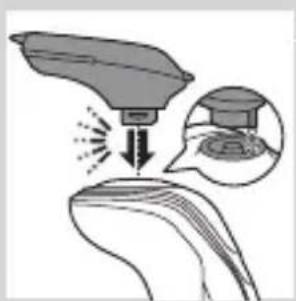
natural_image
Diagram showing a device interacting with a surface, with an inset magnified view of the device's internal structure (no text or symbols present)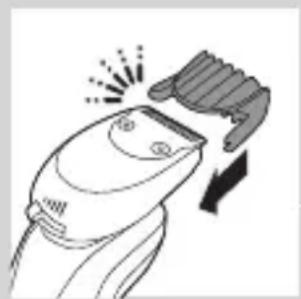
natural_image
Illustration of a hairbrush cutting down a button with a downward arrow (no text or symbols)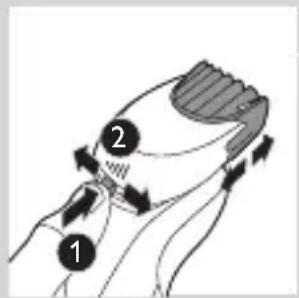
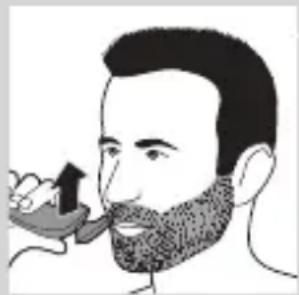
natural_image
Illustration of a man with a beard and a pipe, no text or symbols presentnatural_image
Illustration of two hands holding a tool with directional arrows indicating movement or force (no text or symbols present)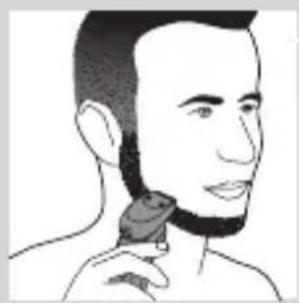
natural_image
Line drawing of a person applying a hair product to their neck (no text or symbols)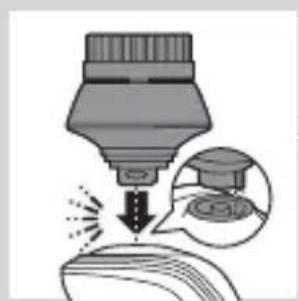
natural_image
Illustration of a dropper tip emitting powder into a container, with an inset showing a dropper tip and its magnified view (no text or symbols)natural_image
Illustration of a mechanical component with fluid flow, no text or symbols present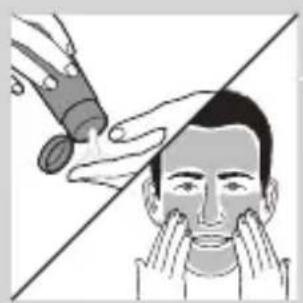
natural_image
Illustration of a person applying facial care to their face, with no visible text or symbols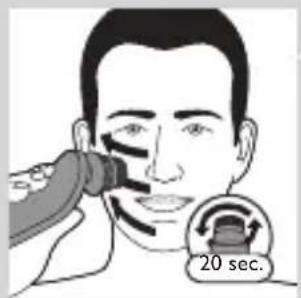
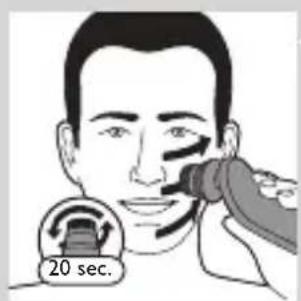
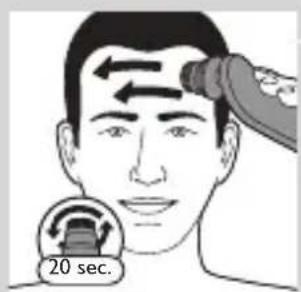
natural_image
Illustration showing two men applying facial care to their face, one with a magnified inset of the first eye (no text or symbols present)natural_image
Simple line drawing of a paintbrush with a cross mark and spray effect (no text or symbols)natural_image
Simple line drawing of a container with an upward arrow, no text or symbols presentnatural_image
Diagram of a blender with a black arrow indicating the process (no text or symbols present)natural_image
Mechanical component diagram showing a lever mechanism with a downward arrow indicating motion (no text or symbols)natural_image
Illustration of a hand spraying water with a magnified inset showing a mushroom structure (no text or symbols)natural_image
Close-up of a mechanical component with a downward arrow indicating force or direction (no text or symbols)natural_image
Illustration of a pair of boots with arrows indicating motion or force (no text or symbols)natural_image
Hand holding a device with two circular buttons labeled 'Power' and 'Spiral', no visible text or symbols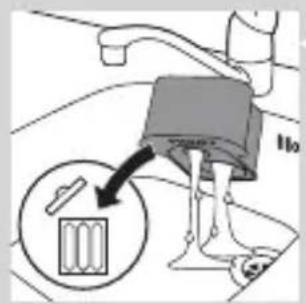
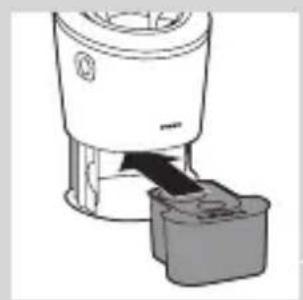
natural_image
Illustration of a blender with a plug inserted into a container (no text or symbols)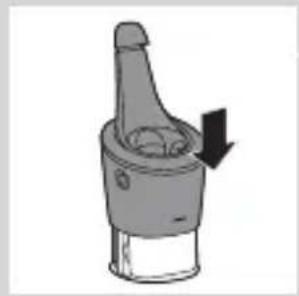
natural_image
Diagram of a mechanical component with a downward arrow indicating rotation (no text or symbols)natural_image
Illustration of a hand holding a small object with motion lines indicating movement or force (no text or symbols)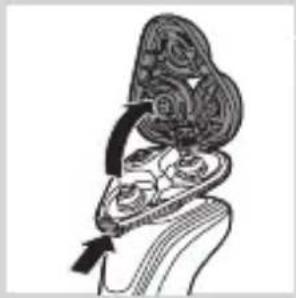
natural_image
Anatomical illustration of internal organs with a black arrow indicating a specific structure (no text or labels present)natural_image
Illustration of a food item being lifted from a pipette into a bowl (no text or symbols)natural_image
Illustration of a decorative, ornamental object with swirling patterns and a central arrow (no text or symbols)natural_image
Illustration of a biological structure with an upward arrow, no text or symbols presentnatural_image
Diagram showing two mechanical components with directional arrows, no text or symbols presentnatural_image
Illustration of two mechanical devices with hoses and a central gear (no text or symbols)natural_image
Diagram of a mechanical component with a central gear-like structure and a downward arrow, no text or symbols present.natural_image
Pure diagram of a mechanical component with a circular top and triangular base, no text or symbols present.natural_image
Diagram showing two circular components with arrows indicating motion or flow, separated by a diagonal line (no text or symbols)natural_image
Illustration of two hands holding a cloud-like object with arrows indicating motion or transformation (no text or symbols)natural_image
Simple line drawing of a shoe being lifted by a bag (no text or symbols)natural_image
Illustration of a funnel-shaped object emitting particles, with an inset showing a hand holding a rock and a cross symbol (no text or labels)natural_image
Illustration of two hands holding a tool with directional arrows indicating movement or force (no text or symbols present)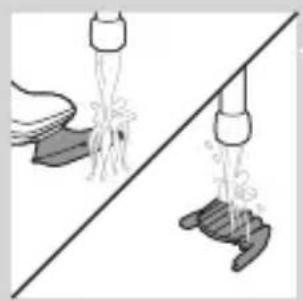
natural_image
Illustration of two hands pouring liquid from a bottle onto a surface, separated by a diagonal line (no text or symbols)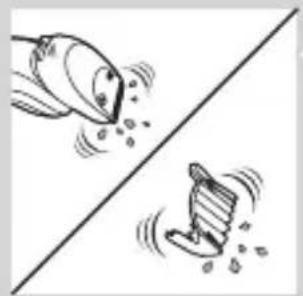
natural_image
Two cartoon fish jumping over a diagonal line, one falling and the other wading (no text or symbols)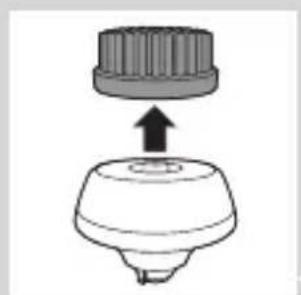
natural_image
Simple line drawing of a mechanical component with an upward arrow, no text or symbols present.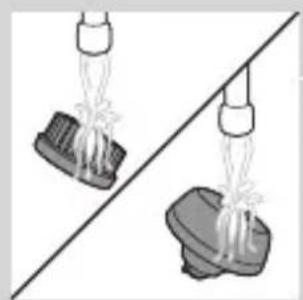
natural_image
Two identical diagrams showing a hand holding a small object above and a larger object below, separated by a diagonal line (no text or symbols)natural_image
Illustration of mechanical components including a drum, bell, and base (no text or symbols)natural_image
Diagram of a mechanical component with a downward arrow indicating motion or force (no text or symbols)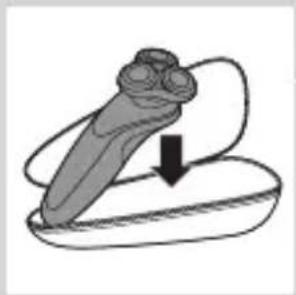
natural_image
Illustration of a mechanical component with a downward arrow indicating motion (no text or symbols)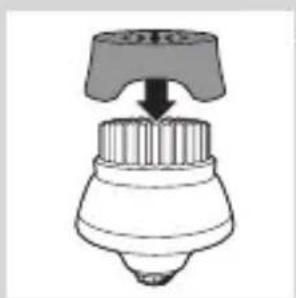
natural_image
Simple line drawing of a mechanical component with a top handle and a base, no text or symbols present.natural_image
Diagram of a mechanical component with a top cylindrical part and an upward arrow, no text or symbols present.natural_image
Anatomical illustration of a human head with internal organs and a curved arrow indicating a specific structure (no text or labels present)natural_image
Illustration of a mechanical component with an upward arrow, no text or symbols presentnatural_image
Diagram showing a hand holding a circular object with arrows indicating motion or force (no text or symbols present)natural_image
Diagram of a mechanical or structural component with a circular top and triangular base, no visible text or symbols.natural_image
Diagram showing two mechanical components with arrows indicating motion, separated by a diagonal line (no text or symbols)natural_image
Diagram showing two hands holding a cloud-like object with arrows indicating motion or transformation (no text or symbols)natural_image
Symbol of a trash bin crossed with a diagonal line, no text or numbers presentnatural_image
Simple line drawing of a trash bin with crossed lines indicating no waste or discharge (no text or symbols)natural_image
Illustration of a shoe being cut off into a pair of shoes (no text or symbols)natural_image
Illustration of two skis with directional arrows indicating motion (no text or symbols)natural_image
Diagram showing two car body components with arrows indicating movement or force, separated by a diagonal line (no text or symbols)natural_image
Illustration of a hand using a tool to lift a car, showing mechanical components and motion (no text or symbols)natural_image
No sign depicting a faucet with a diagonal line and raindrops, enclosed in a circle (no text)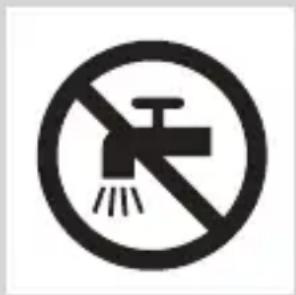
natural_image
Simple line drawing of a showerhead spraying over a water-filled container (no text or symbols)natural_image
Illustration of a laboratory test tube with a magnified inset showing internal structures (no text or symbols)natural_image
Illustration of a test tube with a cap and a speech bubble containing an 'I' symbol (no text or labels present)natural_image
Diagram of a laboratory test tube with a magnified inset showing internal structure (no text or labels)natural_image
Diagram of a mechanical component with a circular annotation and pointer, no readable text or symbols present.natural_image
Illustration of a hairdryer with a magnified inset showing internal structure (no text or symbols)natural_image
Diagram of a dropper with a spoolie and a magnified inset showing a star-shaped pattern (no text or symbols)natural_image
Diagram of a laboratory test tube with a magnified inset showing internal components (no text or labels)natural_image
Illustration of a robotic device with a lock icon and speech bubble (no text or symbols)natural_image
Illustration of a smart device with a lock icon and speech bubble (no text or symbols)natural_image
Diagram of a hairpin plug connecting a socket to a cable with an arrow indicating direction (no text or symbols)natural_image
Illustration of a hand holding a small object with arrows indicating motion or force, and a magnified inset showing a cross-section of a mechanical component (no text or symbols)natural_image
Simple line drawing of a chess piece with a downward arrow indicating downward motion (no text or symbols)natural_image
Illustration of a pair of boots with arrows indicating motion or damage, no text or symbols presentnatural_image
Illustration of a hand holding a circular object with an arrow pointing to it, against a stylized background (no text or symbols)natural_image
Illustration of a person applying makeup to their face with a brush (no text or symbols)natural_image
Line drawing of a person's face with hand near ear area, no text or symbols present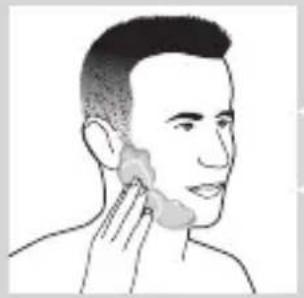
natural_image
Line drawing of a person applying a product to their ear (no text or symbols)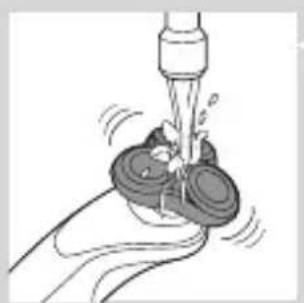
natural_image
Illustration of a hand using a tool to lift a small object, no text or symbols present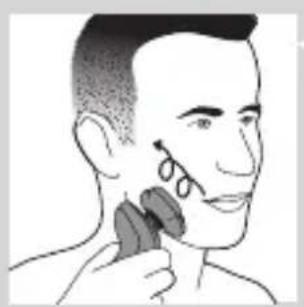
natural_image
Illustration of a person applying makeup to their face with a brush (no text or symbols)natural_image
Illustration of a hand pressing a button on a patient's knee joint (no text or symbols)
natural_image
Illustration of a person applying a toothbrush to their beaded beard, with a circular logo containing a stylized 'T' symbol (no text or symbols present)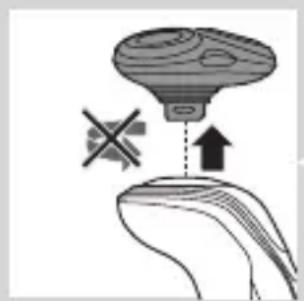
natural_image
Diagram showing a hand holding a device with a cross symbol and an upward arrow, no text or labels present.natural_image
Diagram showing a funnel pouring liquid into a curved surface, with an inset magnified view of the process (no text or symbols)natural_image
Illustration of a robotic arm interacting with a curved surface, with an inset showing a graduation cap (no text or symbols present)natural_image
Line drawing of a person using a hairdryer (no text or symbols present)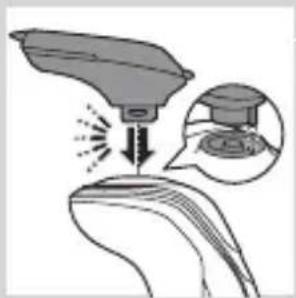
natural_image
Illustration of a spray gun on a surface with an inset showing a magnified view of the spray (no text or symbols)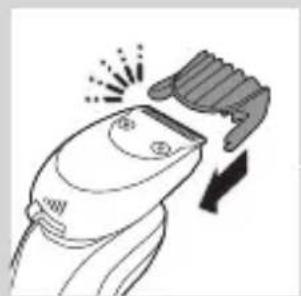
natural_image
Line drawing of a hairbrush cutting into a circular cutter (no text or symbols)natural_image
Illustration of a man with beard and mustache eating a spoon (no text or symbols)natural_image
Illustration of two hands holding a curved object with directional arrows indicating movement or force (no text or symbols)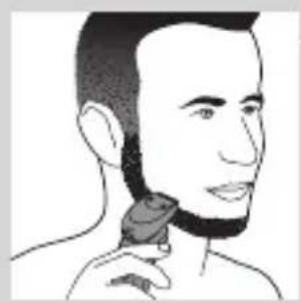
natural_image
Line drawing of a person applying a hair product to their neck (no text or symbols)natural_image
Illustration of a dropper tip dispensing liquid into a container, with an inset showing a graduation cap and speech bubble (no text or symbols)natural_image
Illustration of a mechanical component with fluid flow, no text or symbols presentnatural_image
Illustration of a person applying facial care to their face, with no visible text or symbolsnatural_image
Illustration showing two facial expressions with a magnified inset of the first face (no text or symbols)natural_image
Simple line drawing of a paintbrush with a cross mark and spray effect (no text or symbols)natural_image
Simple line drawing of a container with an upward arrow and label 'POTATO' (no text or symbols on the diagram itself)natural_image
Diagram of a blender with a black arrow pointing to its interior (no text or symbols present)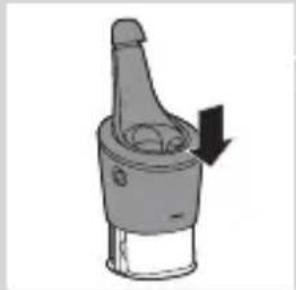
natural_image
Diagram of a mechanical component with a downward arrow indicating motion (no text or symbols)natural_image
Close-up of a dropper tip with a stopper and a prohibition symbol (no text or labels)natural_image
Illustration of a hand holding a small object with arrows indicating motion or force, and a magnified inset showing a close-up of a mechanical component (no text or symbols)natural_image
Close-up of a mechanical component with a downward arrow indicating force or direction (no text or symbols)natural_image
Illustration of a pair of boots with arrows indicating motion or change, no text or symbols presentnatural_image
Hand holding two circular buttons with 'Power' and 'Spiral' symbols, connected to a device (no text or labels visible)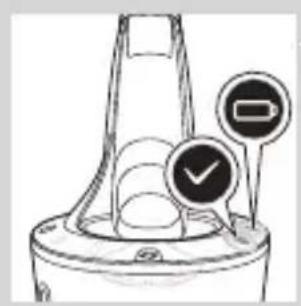
natural_image
Illustration of a mechanical component with two circular indicators (one checked, one not checked) and no visible text or symbols.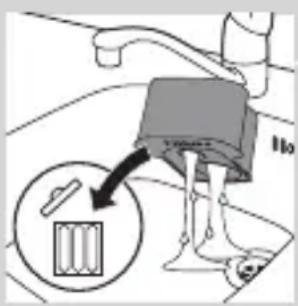
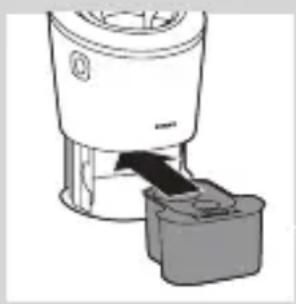
natural_image
Diagram of a blender with a handle and base, showing mechanical components without any text or symbols.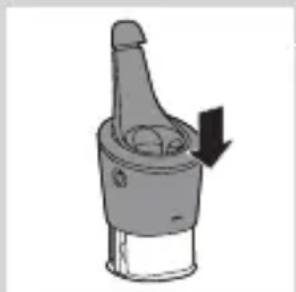
natural_image
Diagram of a mechanical component with a downward arrow indicating motion or force (no text or symbols)natural_image
Illustration of a hand holding a small object with motion lines indicating movement or force (no text or symbols)natural_image
Anatomical illustration of a human head with internal organs and a directional arrow indicating movement (no text or labels)natural_image
Illustration of a pasta being lifted with chopsticks, showing noodles and a fork (no text or symbols)natural_image
Illustration of a decorative hat with floral patterns and an arrow indicating rotation (no text or symbols)natural_image
Illustration of a mushroom-shaped container with internal swirling patterns and an upward arrow, no text or symbols present.natural_image
Diagram showing two mechanical components with directional arrows, no text or symbols presentnatural_image
Illustration of two mechanical devices with water spray and a gear-like component, no text or symbols presentnatural_image
Pure mechanical component diagram without any text, numbers, or symbolsnatural_image
Pure diagram of a mechanical component with a circular top and triangular base, no text or symbols present.natural_image
Diagram showing two circular components with arrows indicating motion or flow, separated by a diagonal line (no text or symbols)natural_image
Illustration of two hands holding a cloud-like object with arrows indicating motion or transformation (no text or symbols)natural_image
Line drawing of a foot and ankle joint with a bottle inserted into the air (no text or symbols)natural_image
Illustration of a hand blowing bubbles with a magnified circular inset showing a rock face (no text or symbols)natural_image
Illustration of two hands holding a tool with directional arrows indicating movement or force (no text or symbols)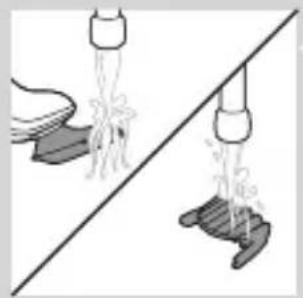
natural_image
Illustration of two hands spraying water onto a surface, one with a bowl and the other with boots (no text or symbols)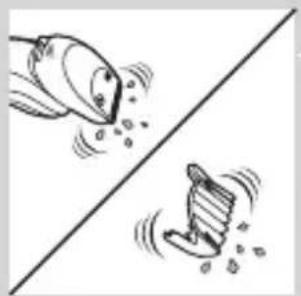
natural_image
Illustration of two cartoon fish separated by a diagonal line, one falling and the other wading (no text or symbols)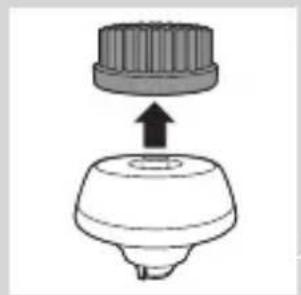
natural_image
Diagram of a mechanical component with a top cylindrical part and an upward arrow indicating motion (no text or symbols)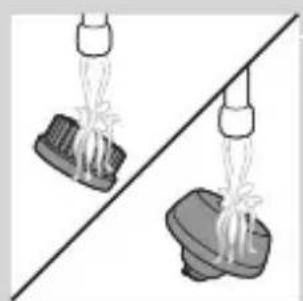
natural_image
Two identical mechanical components hanging from a diagonal line, no text or symbols visiblenatural_image
Illustration of mechanical components including a drum, roller, and base (no text or symbols)natural_image
Diagram of a mechanical component with a downward arrow indicating motion or force (no text or symbols)natural_image
Simple line drawing of a mechanical component with an arrow indicating motion (no text or symbols)natural_image
Diagram of a mechanical component with a downward arrow indicating force or direction (no text or symbols)natural_image
Simple line drawing of a mechanical component with an upward arrow, no text or symbols present.natural_image
Anatomical illustration of a human upper body with internal organs and a directional arrow indicating movement (no text or labels)natural_image
Diagram of a mechanical assembly with an upward arrow indicating motion or force (no text or symbols present)natural_image
Diagram showing a hand holding a circular object with arrows indicating direction, alongside a battery pack (no text or symbols)natural_image
Diagram showing a circular object with a downward arrow pointing to a ring structure (no text or symbols)natural_image
Diagram showing two circular components with arrows and a checkmark, no readable text or symbols presentnatural_image
Illustration of two hands holding a cloud-like object with arrows indicating motion or transformation (no text or symbols)natural_image
Illustration of a hand holding a small object with arrows indicating motion or force (no text or symbols)natural_image
Illustration of two mechanical components with directional arrows indicating motion (no text or symbols)natural_image
Two views of a car body component with an arrow indicating direction (no text or symbols)natural_image
Diagram showing two hands operating a tool with an arrow indicating direction (no text or symbols present)natural_image
No sign depicting a faucet without any text or symbols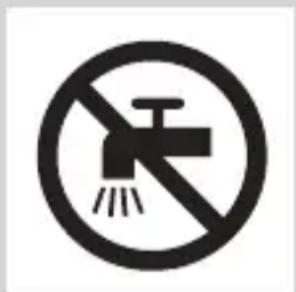
natural_image
Simple line drawing of a showerhead spraying over a water-filled container (no text or symbols)natural_image
Illustration of a syringe with a magnified inset showing internal structure (no text or symbols)natural_image
Illustration of a laboratory test tube with a magnified inset showing a star-shaped object (no text or symbols)natural_image
Diagram of a hairdryer with a magnified inset showing internal structure (no text or labels)natural_image
Diagram of a hairbrush with a circular indicator (no text or symbols)natural_image
Illustration of a hairdryer with a magnified inset showing internal structure (no text or symbols)natural_image
Diagram of a test tube with a cap and a star-shaped label (no text or symbols present)natural_image
Diagram of a hairdryer with a magnified inset showing the tip and body area (no text or symbols)natural_image
Simple line drawing of a plug plug inside a container with a star-shaped mark (no text or symbols)natural_image
Illustration of a robotic arm with a lock icon and a speech bubble (no text or symbols)natural_image
Illustration of a smart device with a lock icon and speech bubble (no text or symbols)natural_image
Illustration of a medical device with a speech bubble containing three icons (heart, heart, and eye) on its body, no text or symbols present.natural_image
Diagram of a hairbrush connecting its socket to a power outlet, with arrows indicating cable direction (no text or symbols)natural_image
Illustration of a hand holding a small object with arrows indicating motion or force, and a magnified inset showing a close-up of a mechanical component (no text or symbols)natural_image
Simple line drawing of a mechanical component with a downward arrow, no text or symbols presentnatural_image
Illustration of a pair of boots with arrows indicating motion or change, no text or symbols presentnatural_image
Illustration of a hand holding a circular object with an arrow pointing to it, no text or symbols presentnatural_image
Illustration of a person applying facial contour or hair to the lower face (no text or symbols)natural_image
Illustration of a person's face with a hand touching the cheek area (no text or symbols)natural_image
Line drawing of a person applying a product to their ear (no text or symbols)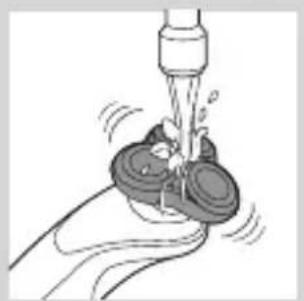
natural_image
Illustration of a hand using a tool to lift a small object, no text or symbols present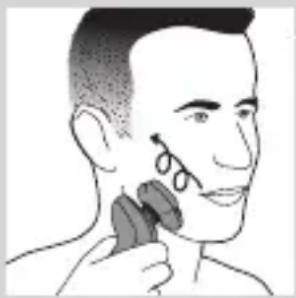
natural_image
Illustration of a person applying a hair accessory to their face (no text or symbols present)natural_image
Illustration of a hand pressing a button on a human leg, with no visible text or symbolsnatural_image
Illustration of a person's beard and ear with a T-shaped logo overlay (no text or symbols on the main subject)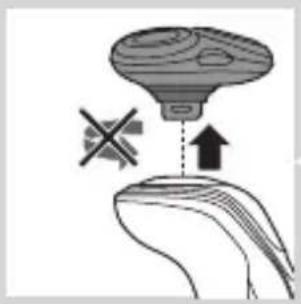
natural_image
Diagram showing a device with a cross symbol and an upward arrow, no text or labels present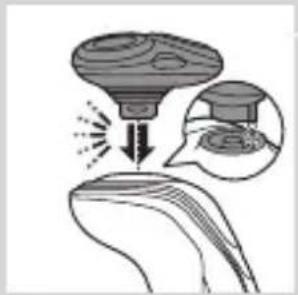
natural_image
Diagram showing a funnel pouring liquid into a curved surface, with an inset magnified view of the process (no text or symbols)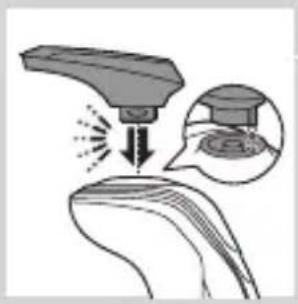
natural_image
Diagram showing a device interacting with a surface, with an inset magnified view of the surface detail (no text or symbols present)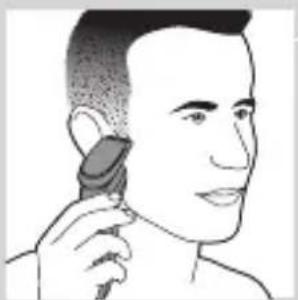
natural_image
Line drawing of a person applying a hair product to their ear (no text or symbols)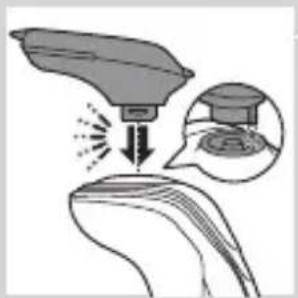
natural_image
Illustration of a medical or laboratory procedure showing a device emitting particles onto a surface, with an inset image of a graduation cap and a circular diagram (no text or symbols)natural_image
Illustration of a hand holding a device with directional arrows indicating movement (no text or symbols)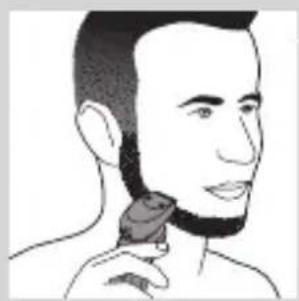
natural_image
Line drawing of a person applying a hair accessory to their neck (no text or symbols)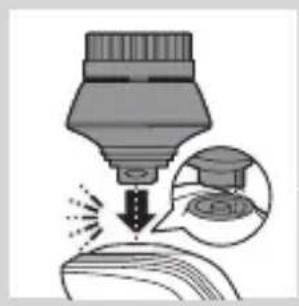
natural_image
Illustration of a dropper tip dispensing liquid into a container, with an inset showing a dropper tip (no text or symbols present)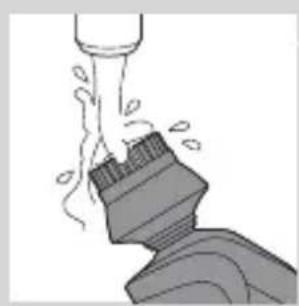
natural_image
Illustration of a mechanical component with motion lines indicating movement (no text or symbols)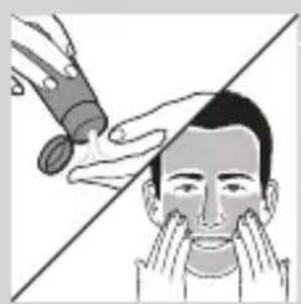
natural_image
Illustration of a person applying facial care to their face, with no text or symbols present.natural_image
Illustration showing two facial expressions with a magnified inset of the first face (no text or symbols)natural_image
Simple line drawing of a paintbrush with a cross mark and motion lines (no text or symbols)natural_image
Simple line drawing of a container with an upward arrow and a shaded interior (no text or symbols)natural_image
Diagram of a blender with a plug inserted into a container (no text or symbols visible)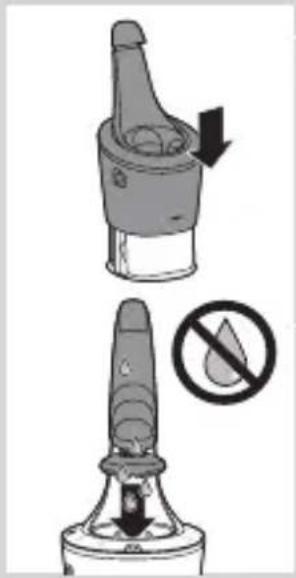
natural_image
Two-step diagram showing a device with a handle and an arrow indicating rotation, plus a prohibition symbol (no text or labels)natural_image
Illustration of a hand spraying water with arrows indicating flow direction, showing a magnified inset of a device (no text or symbols)natural_image
Close-up of a mechanical component with a downward arrow indicating force or direction (no text or symbols)natural_image
Illustration of a pair of boots with arrows indicating motion or force, no text or symbols presentnatural_image
Hand holding two circular buttons with 'Power' and 'Spiral' symbols, next to a device (no text or labels visible)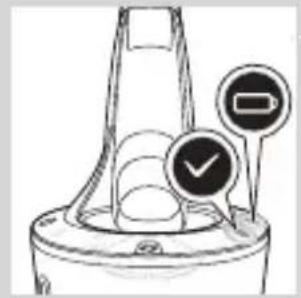
natural_image
Diagram of a funnel-shaped container with two circular indicators (one checked, one not checked) and no visible text or symbols.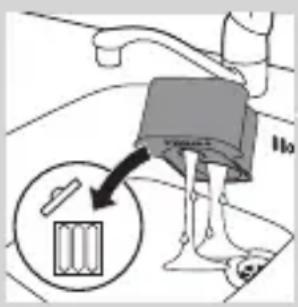
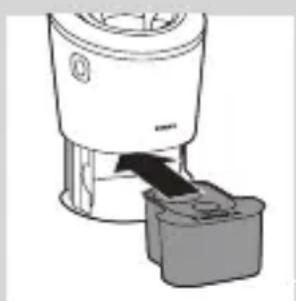
natural_image
Diagram of a blender with a handle and base, showing mechanical components (no text or symbols)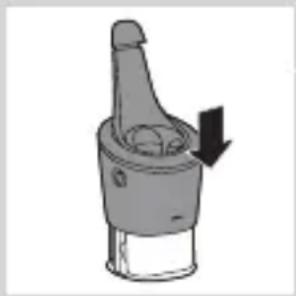
natural_image
Diagram of a mechanical component with a downward arrow indicating motion (no text or symbols)natural_image
Illustration of a hand holding a small object with motion lines indicating movement or force (no text or symbols)natural_image
Anatomical illustration of a human digestive system with an arrow indicating a specific structure (no text or labels present)natural_image
Illustration of a food item being lifted from a tube into a bowl (no text or symbols)natural_image
Anatomical illustration of a human head and neck with internal organs, showing a highlighted region with arrows (no text or labels)natural_image
Illustration of a mechanical component with an upward arrow, showing internal gear-like structure (no text or symbols)natural_image
Diagram showing two mechanical components with directional arrows, no text or symbols presentnatural_image
Illustration of two mechanical components with fluid flow, no text or symbols presentnatural_image
Diagram of a mechanical component with a central gear and base, showing internal structure (no text or symbols)natural_image
Pure diagram of a mechanical or structural component with no visible text, numbers, or symbolsnatural_image
Diagram showing two mechanical components with a checkmark indicating a specific section (no text or symbols present)natural_image
Illustration of two hands exchanging a circular object with arrows indicating motion (no text or symbols)natural_image
Line drawing of a shoe being lifted by a bag (no text or symbols)natural_image
Illustration of a hand crushing debris with a magnified circular inset showing a pile of waste (no text or symbols)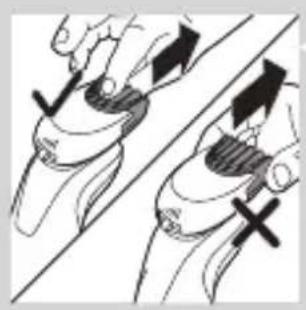
natural_image
Illustration of two hands holding a tool, with arrows indicating movement or force direction (no text or symbols)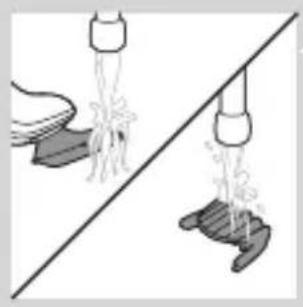
natural_image
Illustration of a hand pouring liquid into a bowl and a shoe, separated by a diagonal line (no text or symbols)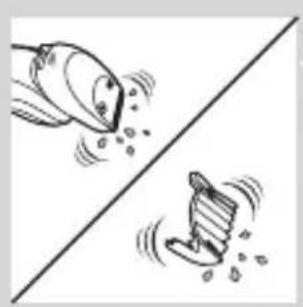
natural_image
Illustration of two cartoon fish on a diagonal line, one falling and the other rising (no text or symbols)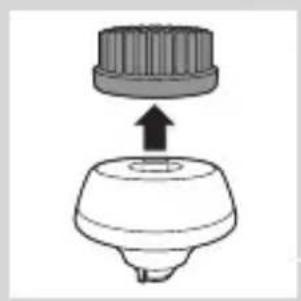
natural_image
Diagram of a mechanical component with a top cylindrical part and an upward arrow indicating motion (no text or symbols)natural_image
Two identical mechanical components hanging from a diagonal line, no text or symbols visiblenatural_image
Illustration of mechanical components and a diagonal line, no text or symbols presentnatural_image
Diagram of a hand holding a small object with a curved arrow pointing downward (no text or symbols)natural_image
Illustration of a mechanical component with an arrow indicating downward motion (no text or symbols)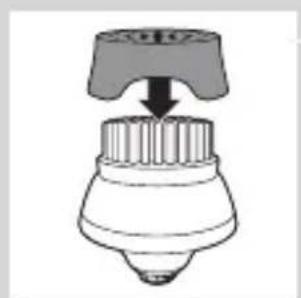
natural_image
Diagram of a hairdryer with a handle and spout, showing no text or symbolsÎnlocuirea
natural_image
Diagram of a mechanical component with a top cylindrical part and an upward arrow, no text or symbols present.natural_image
Anatomical illustration of a human head and neck with internal organs, showing a directional arrow (no text or labels)natural_image
Illustration of a mushroom-shaped object with an upward arrow, no text or symbols present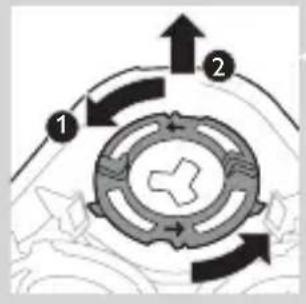
flowchart
graph TD
    A["Top Circular Component"] --> B["Flow 1"]
    B --> C["Flow 2"]
    C --> D["Bottom Circular Component"]
    D --> E["Flow 3"]
    E --> F["Flow 4"]
    F --> G["Flow 5"]
    G --> H["Flow 6"]
    H --> I["Flow 7"]
    I --> J["Flow 8"]
    J --> K["Flow 9"]
    K --> L["Flow 10"]
    L --> M["Flow 11"]
    M --> N["Flow 12"]
    N --> O["Flow 13"]
    O --> P["Flow 14"]
    P --> Q["Flow 15"]
    Q --> R["Flow 16"]
    R --> S["Flow 17"]
    S --> T["Flow 18"]
    T --> U["Flow 19"]
    U --> V["Flow 20"]
natural_image
Diagram showing a hand holding a circular object with arrows indicating direction, alongside a battery and a separate device (no text or symbols present)natural_image
Diagram of a mechanical or structural component with a circular top and triangular base, no visible text or symbols.natural_image
Diagram showing two circular components with arrows and a checkmark, no readable text or symbols presentnatural_image
Illustration of two hands holding a cloud-like object with a downward arrow and a radiating glow, against a diagonal line (no text or symbols)natural_image
Symbol of a trash bin crossed with no text or labelsnatural_image
Illustration of a hand holding a screwdriver and a small boat, with no visible text or symbolsnatural_image
Illustration of two skis with directional arrows indicating motion (no text or symbols)natural_image
Two mechanical components with arrows indicating movement or assembly (no text or symbols)natural_image
Illustration of a hand using a tool to lift a car body, showing mechanical components and motion (no text or symbols)natural_image
No sign depicting a faucet without any text or symbols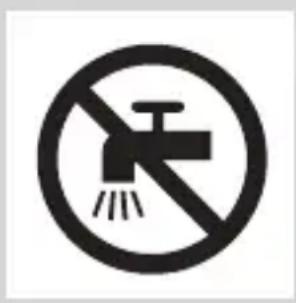
natural_image
No smoking sign with faucet symbol (no text or numbers)natural_image
Simple line drawing of a showerhead spraying over a water-filled basin (no text or symbols)natural_image
Illustration of a dropper with a magnified inset showing internal structure (no text or symbols)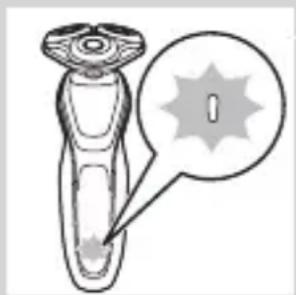
natural_image
Illustration of a handheld device with a starburst symbol and speech bubble (no text or labels)natural_image
Illustration of a hand holding a small object with a circular inset showing a vertical line (no text or symbols)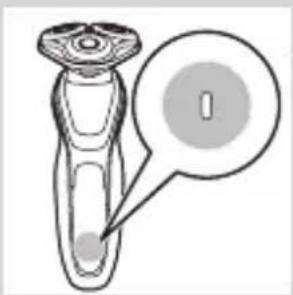
natural_image
Diagram of a laboratory test tube with a labeled stopper and a magnified inset showing the stopper (no text or symbols present)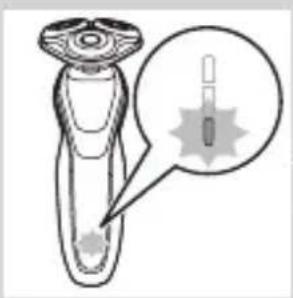
natural_image
Diagram of a hairbrush with a magnified inset showing internal structure (no text or symbols)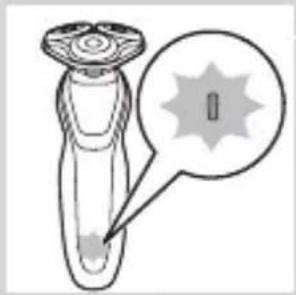
natural_image
Diagram of a laboratory test tube with a capillary top and a magnified inset showing a labeled region (no text or symbols present)natural_image
Diagram of a test tube with a cap and a magnified inset showing internal components (no text or labels)natural_image
Illustration of a person's torso with a lock icon and speech bubble (no text or symbols)natural_image
Illustration of a smart device with a lock icon and a speech bubble (no text or symbols)natural_image
Illustration of a hand pressing a button on a human leg, with no visible text or symbolsnatural_image
Diagram of a hairbrush connecting its socket to a plug, with arrows indicating cable direction (no text or symbols)natural_image
Close-up of a mechanical component with a downward arrow indicating compression or disassembly (no text or symbols visible)natural_image
Illustration of a pair of boots with arrows indicating motion or force, no text or symbols presentnatural_image
Illustration of a hand holding a circular object with an arrow pointing to it, no text or symbols presentnatural_image
Illustration of a person applying a hair accessory to their face (no text or symbols present)natural_image
Line drawing of a person's face with hand near ear area (no text or symbols)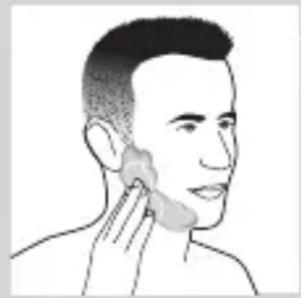
natural_image
Line drawing of a person applying a product to their ear (no text or symbols)natural_image
Illustration of a hand washing a cup with water spray (no text or symbols)natural_image
Illustration of a person applying makeup to their face with a circular tool (no text or symbols)natural_image
Illustration of a person's beard and hair being brushed with a toothbrush, with a circular logo containing the letter 'T' (no text or symbols on the image itself)natural_image
Illustration of a hand holding a mushroom-shaped object with an upward arrow and a cross symbol, no text or labels present.natural_image
Illustration of a medical procedure showing a device emitting powder onto a surface with an inset magnified view (no text or symbols)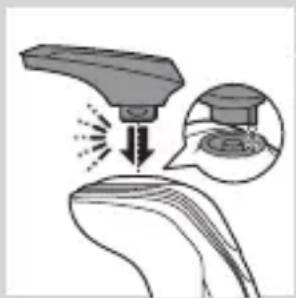
natural_image
Illustration of a robotic arm interacting with a curved surface, showing motion and magnified detail (no text or symbols)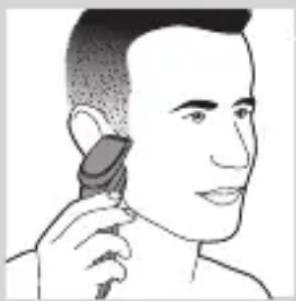
natural_image
Illustration of a person using a hairdryer (no text or symbols present)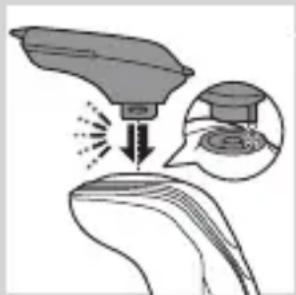
natural_image
Illustration of a hairdryer with an inset showing the tip and mouth area (no text or symbols)natural_image
Illustration of a hairbrush cutting down with a downward arrow indicating compression (no text or symbols)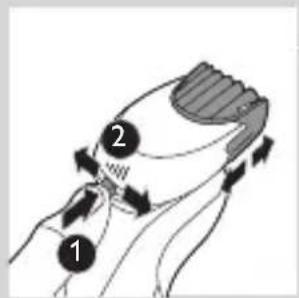
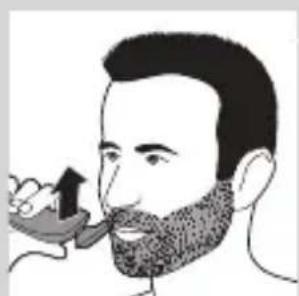
natural_image
Illustration of a man eating with a spoon (no text or symbols)natural_image
Illustration of two hands holding a device with directional arrows indicating movement or force (no text or symbols)РУССКИЙ452
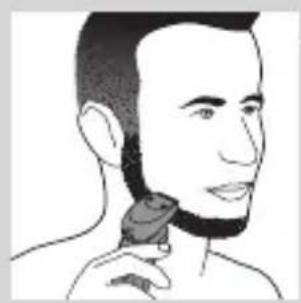
natural_image
Line drawing of a person applying a hair product to their neck (no text or symbols)natural_image
Illustration of a dropper tip dispensing liquid into a container, with an inset showing a dropper tip (no text or symbols present)natural_image
Illustration of a mechanical component with motion lines indicating movement (no text or symbols)natural_image
Illustration of a person applying facial care to their face, with no visible text or symbolsnatural_image
Illustration showing two facial expressions with a magnified inset of the first face (no text or symbols)natural_image
Simple line drawing of a paintbrush with a cross mark and spray effect (no text or symbols)natural_image
Simple line drawing of a container with an upward arrow and label 'POTATO' (no text or symbols on the diagram itself)natural_image
Diagram of a blender with a black arrow pointing to its base, no text or symbols present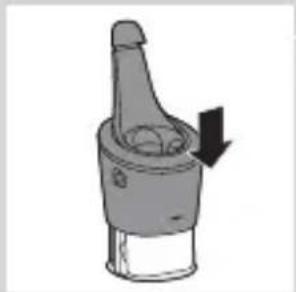
natural_image
Diagram of a mechanical component with a downward arrow indicating rotation (no text or symbols)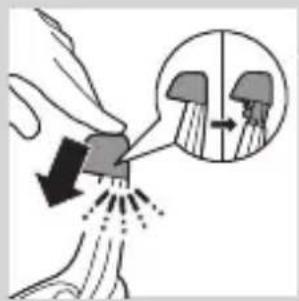
natural_image
Close-up of a mechanical component with a black arrow pointing downward (no text or symbols visible)natural_image
Illustration of a pair of boots with arrows indicating motion or change, no text or symbols presentnatural_image
Hand holding two circular buttons with 'Power' and 'Spiral' symbols, next to a device (no text or labels visible)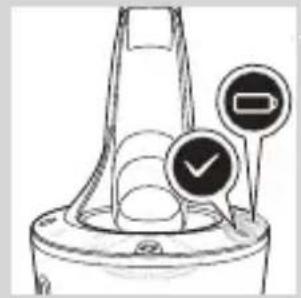
natural_image
Diagram of a funnel-shaped container with two circular indicators (one checked, one not checked) and no visible text or symbols.natural_image
Illustration of a hand holding a small object with motion lines indicating movement or force (no text or symbols)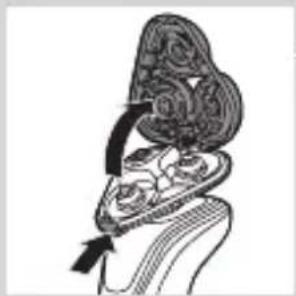
natural_image
Illustration of a decorative cloud-like object with swirling patterns, possibly a stylized face or top (no text or symbols)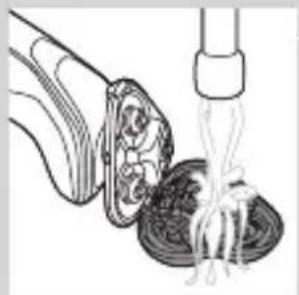
natural_image
Illustration of a food item being lifted from a pipette into a bowl (no text or symbols)natural_image
Anatomical illustration of a human head with internal organs and a directional arrow indicating movement (no text or labels)natural_image
Illustration of a mechanical component with an upward arrow, no text or symbols presentnatural_image
Diagram showing two mechanical components with arrows indicating direction, no text or symbols presentnatural_image
Illustration of a mechanical device with fluid flow and a gear-like component (no text or symbols)natural_image
Diagram of a mechanical or biological component with a central arrow pointing downward, no visible text or symbolsnatural_image
Diagram showing a circular object with a downward arrow pointing to a triangular structure (no text or symbols)natural_image
Diagram showing a mechanical or electrical component with arrows indicating motion, no text or symbols presentnatural_image
Illustration of two hands holding a cloud-like object with a downward arrow and a light burst, no text or symbols present.natural_image
Illustration of a hand pouring noodles into a container (no text or symbols)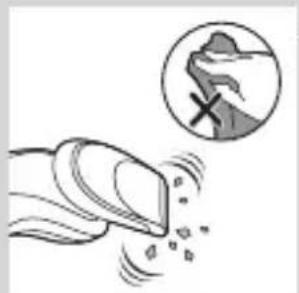
natural_image
Illustration of a hand holding a device emitting particles, with a magnified circular inset showing a mountain silhouette (no text or symbols)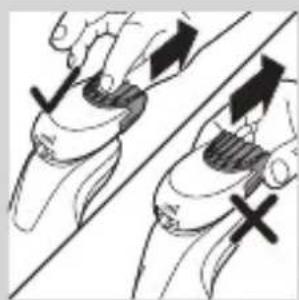
natural_image
Illustration of two hands holding a curved object with directional arrows indicating movement or force (no text or symbols)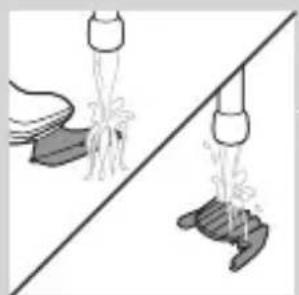
natural_image
Illustration of two hanging objects with ropes and a diagonal line, no text or symbols present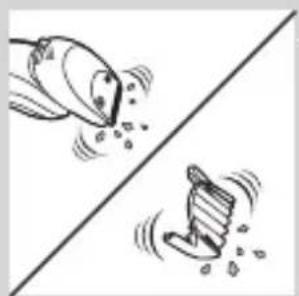
natural_image
Two cartoon fish jumping over a diagonal line, one falling and the other wading (no text or symbols)natural_image
Simple line drawing of a mechanical component with an upward arrow, no text or symbols present.natural_image
Two identical objects hanging from a diagonal line, one emitting water droplets (no text or symbols)natural_image
Illustration of various household appliances and fixtures (no text or symbols)Хранение
natural_image
Diagram of a mechanical component with a downward arrow indicating motion or force (no text or symbols)natural_image
Illustration of a dental implant or dental implant with a downward arrow indicating force or insertion (no text or symbols present)natural_image
Simple line drawing of a spray bottle with a handle and spout (no text or symbols)natural_image
Simple line drawing of a mechanical component with an upward arrow, no text or symbols present.natural_image
Illustration of a biological structure with ornate topography and internal components, no visible text or symbols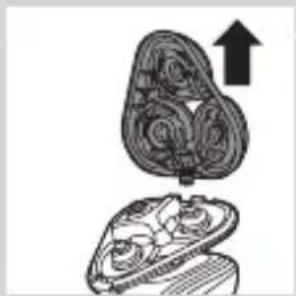
natural_image
Illustration of a mushroom-shaped container with internal spiral patterns and an upward arrow, no text or symbols present.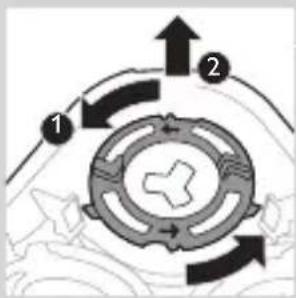
flowchart
graph TD
    A["1"] --> B["2"]
    B --> C["3"]
    C --> A
    style A fill:#f9f,stroke:#333
    style B fill:#ccf,stroke:#333
    style C fill:#cfc,stroke:#333
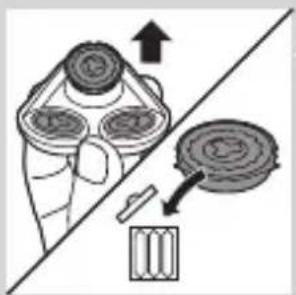
natural_image
Diagram of a hand holding a circular component with an arrow indicating direction (no text or symbols present)natural_image
Abstract diagram with three symmetrical shapes and a central arrow, no text or symbols presentnatural_image
Pure diagram of a mechanical or architectural component with no text, numbers, or symbolsnatural_image
Diagram showing two circular components with arrows indicating motion or interaction, separated by a diagonal line (no text or symbols)natural_image
Illustration of two hands holding a cloud-like object with arrows indicating motion (no text or symbols)natural_image
Symbol of a trash bin crossed with no text or numbers, representing waste sorting or disposal (no text present)natural_image
Simple line drawing of a trash bin with no text or symbolsnatural_image
Illustration of a sewing machine tool interacting with a sewing machine (no text or symbols present)natural_image
Illustration of two skis with directional arrows indicating motion (no text or symbols)natural_image
Two mechanical components with arrows indicating movement or force, no visible text or symbolsnatural_image
Illustration of hands using pliers to adjust a mechanical component (no text or symbols visible)natural_image
No sign depicting a faucet with a showerhead, enclosed in a circle (no text or symbols)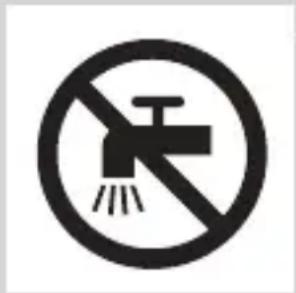
natural_image
Simple line drawing of a showerhead spraying over a water-filled container (no text or symbols)natural_image
Illustration of a syringe with a magnified inset showing internal structure (no text or symbols)natural_image
Illustration of a test tube with a star-shaped label and arrow pointing to its tip (no text or symbols present)Indikátor nabitia batérie s 1 kontrolkou
- Nabíjanie trvá približne 1 hodinu.
- Rýchle nabíjanie: Ked' zariadenie nemá dostatok energie na jedno oholenie, indikátor nabitia batérie rýchlo bliká. Ked' indikátor nabitia batérie začne pomaly blikat', zariadenie má dostatok energie na jedno oholenie.
- Ak necháte zariadenie pripojené k elektrickej sieti, proces nabíjania bude pokračovat'. Nabíjanie zariadenia indikuje pomalé blikanie indikátora nabitia batérie.
natural_image
Diagram of a laboratory test tube with a magnified inset showing internal structure (no text or labels)- Indikátor nabitia batérie s 3 kontrolkami
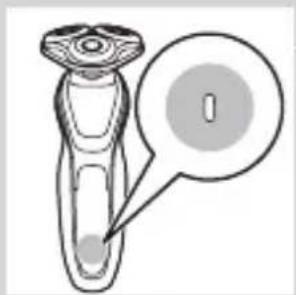
natural_image
Diagram of a laboratory test tube with a labeled component (no text or symbols present)- Indikátor nabitia batérie s 1 kontrolkou
natural_image
Diagram of a hairdryer with a magnified inset showing internal structure (no text or labels)Ked'je batéria takmer vybitá, indikátor nabitia batérie bliká naoranžovo.
- Indikátor nabitia batérie s 3 kontrolkami
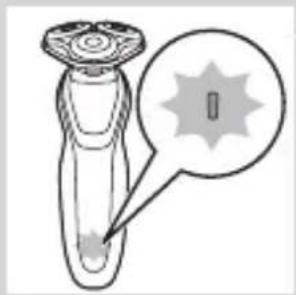
natural_image
Diagram of a device with a starburst pattern and a magnified view of its tip (no text or symbols)- Indikátor nabitia batérie s 1 kontrolkou
natural_image
Diagram of a hairdryer with a magnified inset showing the tip and body area (no text or symbols)Indikátor nabitia batérie s 3 kontrolkami
natural_image
Simple line drawing of a plug plug inside a container with a small star-shaped mark and a speech bubble containing an electrical plug symbol (no text or labels)natural_image
Illustration of a robotic arm with a lock icon and speech bubble (no text or symbols)natural_image
Illustration of a robotic device with a lock icon and speech bubble (no text or symbols)Zapnutie nastavenia Turbo
natural_image
Diagram of a hairbrush connecting its socket to a plug, with arrows indicating cable direction (no text or symbols)1 Malú koncovku pripojte k zariadeniu a adaptér zapojte do elektrickej zásuvky.
natural_image
Illustration of a hand holding a small object with arrows indicating motion or force, and an inset showing a cross-section of a mechanical component (no text or symbols)1 Malú koncovku zasuňte do systému SmartClean.
2 Adaptér pripojte do siet'ovej zásuvky.
natural_image
Close-up of a mechanical component with a downward arrow indicating force or direction (no text or symbols)natural_image
Illustration of two boots with arrows indicating motion or damage, no text or symbols present5 Holiaci strojček vložte do držiaka, nakloňte ho dozadu a zatlačením horného krytu smerom nadol holiaci strojček pripojte („cvaknutie“).
- Symbol batérie pomaly bliká, čo označuje, že sa holiaci strojček nabíja.
natural_image
Illustration of a hand holding a circular object with an arrow pointing to it, no text or symbols present1 Ak chcete zariadenie zapnút', jedenkrát stlačte vypínač.
2 Ak chcete zariadenie vypnút', opätovne stlačte vypínač.
natural_image
Illustration of a person applying makeup to their ear with a brush (no text or symbols)natural_image
Line drawing of a person's face with a hand touching the ear area (no text or symbols)1 Navlhčite si tvár.
2 Na pokožku naneste holiacu penu alebo gél.
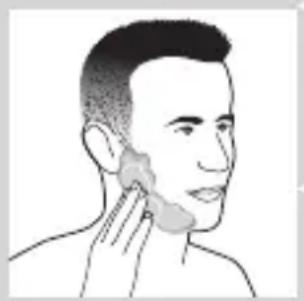
natural_image
Line drawing of a person applying a product to their ear (no text or symbols)3 Opláchnite holiacu jednotku tečúcou vodou, aby sa l'ahko kízala po pokožke.
4 Zapnite holiaci strojček.
natural_image
Illustration of a person applying a hair product to their face (no text or symbols)Upozornenie: Pravidelne oplachujte holiaci strojček tečúcou vodou, aby sa neustále hladko kízal po Vašej pokožke.
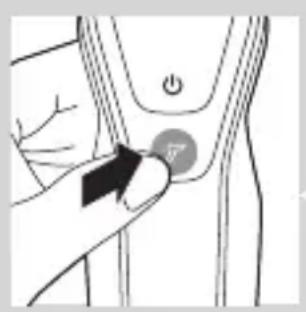
natural_image
Illustration of a hand pressing a button on a curved mechanical component (no text or symbols)
natural_image
Illustration of a person brushing teeth with a T-shaped logo (no text or symbols)natural_image
Illustration of a mushroom-shaped object with a cross symbol and an upward arrow, no text or symbols presentnatural_image
Diagram showing a funnel pouring liquid into a curved surface, with an inset magnified view of the process (no text or symbols)natural_image
Diagram showing a spray gun interacting with a surface, with an inset magnified view of the spray (no text or symbols present)natural_image
Line drawing of a person using a hairdryer (no text or symbols present)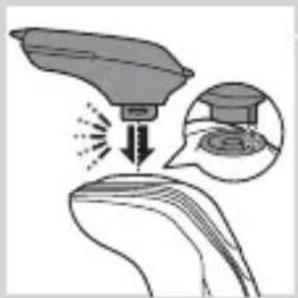
natural_image
Illustration of a medical or laboratory procedure showing a device emitting particles onto a surface, with an inset showing a graduation cap and a circular diagram (no text or symbols)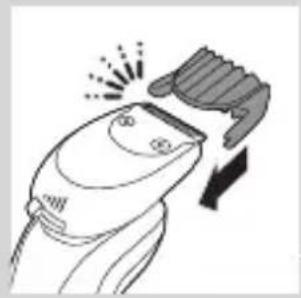
natural_image
Illustration of a hairdryer cutting down with a downward arrow indicating compression (no text or symbols)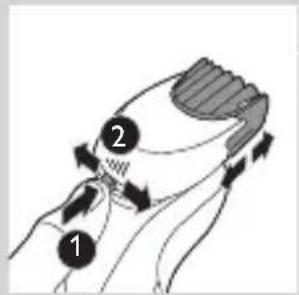
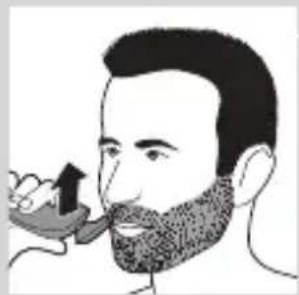
natural_image
Illustration of a man with a beard eating a pipe (no text or symbols)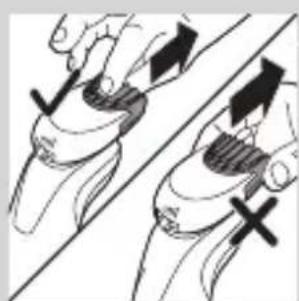
natural_image
Illustration of two hands holding a tool with directional arrows indicating movement or force (no text or symbols)natural_image
Line drawing of a person applying a hair accessory to their ear (no text or symbols)natural_image
Illustration of a dropper tip dispensing liquid into a container with an inset showing a dropper tip (no text or symbols present)natural_image
Illustration of a mechanical component with motion lines indicating movement (no text or symbols)natural_image
Illustration of a person applying facial care to their face, with no text or symbols present.natural_image
Illustration showing two men applying facial care to their face, one with a magnified inset of the first eye (no text or symbols present)natural_image
Simple line drawing of a paintbrush with a cross mark and a warning symbol (no text or labels)natural_image
Close-up of a mechanical component with a black arrow pointing downward to a circular base (no text or symbols visible)natural_image
Illustration of a pair of boots with arrows indicating motion or change, no text or symbols present3 Holiaci strojček vložte do držiaka, nakloňte ho dozadu a zatlačením horného krytu smerom nadol holiaci strojček pripojte („cvaknutie“).
- Symbol batérie pomaly bliká, čo označuje, že sa holiaci strojček nabíja.
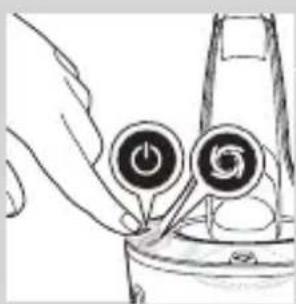
natural_image
Hand holding two circular buttons with a power symbol, next to a device component (no text or labels visible)natural_image
Technical line drawing of a mechanical component with two circular indicators (no text or symbols)- Ked' sa čistiaci program dokončí, rozsvieti sa symbol pripravenosti na použitie.
- Ked'je holiaci strojček úplne nabitý, symbol batérie začne nepretržite svietit'. Nabitie trvá približne 1 hodinu.
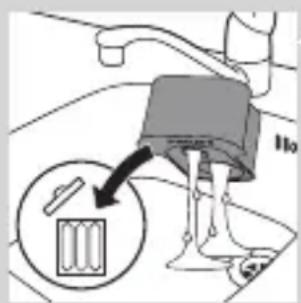
natural_image
Diagram of a blender with a black arrow pointing to its internal component (no text or symbols present)5 Novú čistiacu kazetu vložte do systému SmartClean.
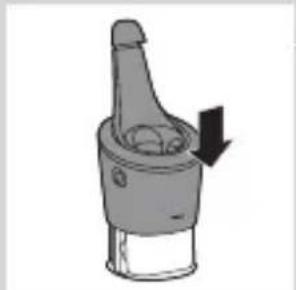
natural_image
Diagram of a mechanical component with a downward arrow indicating rotation (no text or symbols)natural_image
Illustration of a hand holding a small object with motion lines indicating movement or force (no text or symbols)natural_image
Anatomical illustration of a human upper body with internal organs, showing a highlighted region (no text or labels present)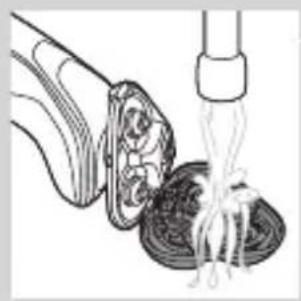
natural_image
Illustration of a spoon lifting a bowl of noodles with chopsticks (no text or symbols)3 Nosič holiacej hlavy opláchnite pod teplou tečúcou vodou po dobu 30 sekúnd.
4 Opatrne otraste prebytočnú vodu a nechajte nosič holiacej hlavy vyschnút'.
5 Zatvorte nosič holiacej hlavy („cvaknutie“).
natural_image
Diagram of a biological structure with arrows indicating movement or force (no text or labels)natural_image
Illustration of a biological structure with an upward arrow, showing layered components (no text or symbols)natural_image
Diagram showing two mechanical components with arrows indicating direction, no text or symbols presentnatural_image
Diagram showing two identical mechanical components with fluid flow, no text or symbols present5 Strihaciu jednotku a kryt umyte pod tečúcou vodou.
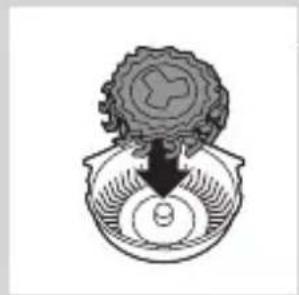
natural_image
Diagram of a mechanical or biological component with a central arrow pointing downward, no visible text or symbolsnatural_image
Abstract diagram of a symmetrical geometric structure with three connected nodes (no text or symbols)7 Holiace hlavy vložte spät' do nosiča holiacich hláv.
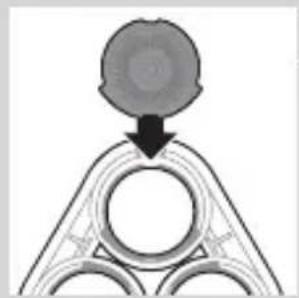
natural_image
Diagram showing a circular object falling into a triangular structure with concentric rings (no text or symbols)natural_image
Diagram showing two circular components with arrows indicating motion or flow, separated by a diagonal line (no text or symbols)natural_image
Illustration of two hands holding a cloud-like object with arrows indicating motion (no text or symbols)9 Opätovne zasuňte klb nosiča holiacej hlavy do otvoru holiacej jednotky. Zatvorte nosič holiacej hlavy („cvaknutie“).
natural_image
Illustration of a shoe being dispensed from a bottle onto a surface (no text or symbols)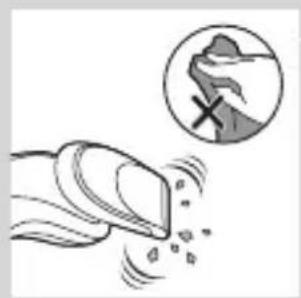
natural_image
Illustration of a hand crushing a snow with a magnified inset showing a snow-covered mountain (no text or symbols)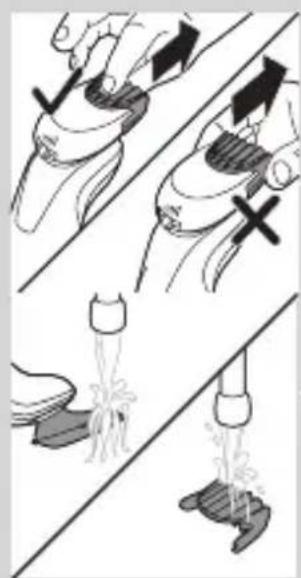
natural_image
Illustration showing hand positioning and three different positions of a tool or device, with no visible text or symbols.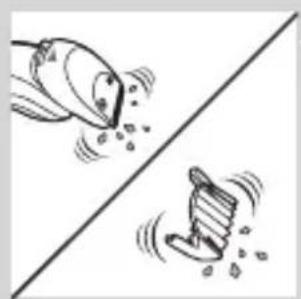
natural_image
Two cartoon fish jumping over a diagonal line, one falling and the other wading (no text or symbols)natural_image
Diagram of a mechanical component with a top cylindrical part and an arrow indicating upward motion (no text or symbols)natural_image
Two identical diagrams showing a hand holding a tool above a base, with no text or symbols present.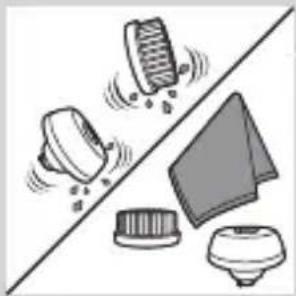
natural_image
Illustration of a mechanical component with motion indicators and a triangular base (no text or symbols)Odkladanie
natural_image
Diagram of a mechanical component with a downward arrow indicating motion or force (no text or symbols)SLOVENSKY500
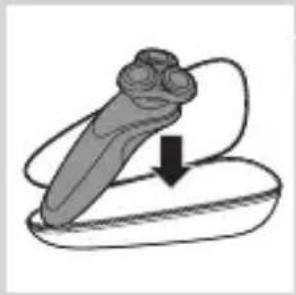
natural_image
Illustration of a dental implant or implant with a downward arrow indicating force or insertion (no text or symbols present)- Holiaci strojček odložte do dodaného puzdra.
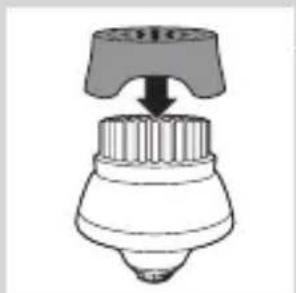
natural_image
Diagram of a hairdryer with a handle and spout, showing no text or symbolsnatural_image
Simple line drawing of a mechanical component with an upward arrow, no text or symbols present.natural_image
Illustration of a stylized, ornate object resembling a helmet or decorative head with swirling patterns and a black arrow pointing to it (no text or symbols present)2 Stlačte uvolňovacie tlačidlo a otvorte holiacu jednotku.
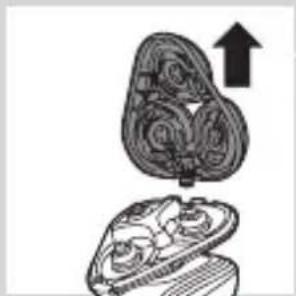
natural_image
Illustration of a mechanical component with an upward arrow, no text or symbols presentnatural_image
Diagram showing a hand holding a circular object with arrows indicating direction, alongside a battery and a separate device (no text or symbols present)natural_image
Abstract diagram with three connected circular nodes and a central arrow, no text or symbols present6 Do nosiča vložte nové holiace hlavy.
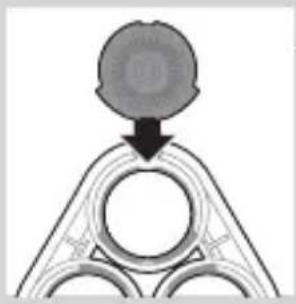
natural_image
Pure diagram of a mechanical or architectural component with a circular top and triangular base, no text or symbols present.natural_image
Diagram showing two circular components with arrows indicating motion or interaction, separated by a diagonal line (no text or symbols)natural_image
Illustration of two hands holding a cloud-like object with arrows indicating motion (no text or symbols)8 Opätovne zasuňte kíb nosiča holiacej hlavy do otvoru holiacej jednotky. Zatvorte nosič holiacej hlavy („cvaknutie“).
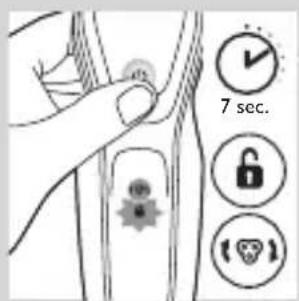
natural_image
Symbol of a trash bin crossed with a diagonal line, representing waste sorting or disposal (no text or numbers present)natural_image
Symbol of a trash bin crossed with no text or labelsnatural_image
Illustration of a hand using a screwdriver to cut a tool, with no visible text or symbolsnatural_image
Illustration of two skis with directional arrows indicating motion (no text or symbols)natural_image
Two mechanical components with arrows indicating motion or assembly, no visible text or symbolsnatural_image
Illustration of a robotic arm gripping a tool, with no visible text or symbols4 Vyberte držiak batérie a plombovacími kliešt'ami prestrihnite svorky batérie.
Záruka a podpora
natural_image
No sign depicting a faucet without any text or symbols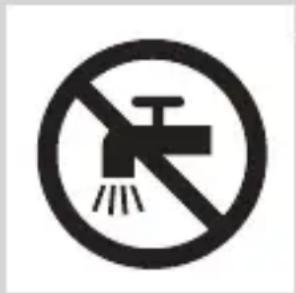
natural_image
Simple line drawing of a showerhead spraying over water in a container (no text or symbols)Elektromagnetna polja (EMF)
natural_image
Diagram of a laboratory test tube with a magnified inset showing internal structures (no text or labels)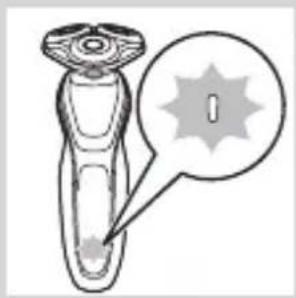
natural_image
Illustration of a dropper with a magnified inset showing a spike (no text or symbols)natural_image
Diagram of a test tube with a cap and a magnified inset showing a vertical line (no text or symbols)- Indikator napolnjenosti baterije z 1 lučjo
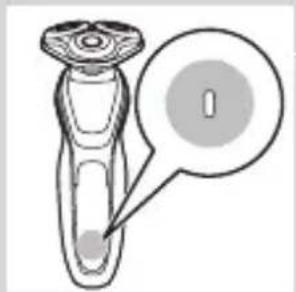
natural_image
Diagram of a mechanical component with a labeled circular feature (no text or symbols present)Prazna baterija
Ko je baterija skoraj prazna, indikator polnjenja utripa oranžno.
- Indikator napolnjenosti baterije s 3 lučmi
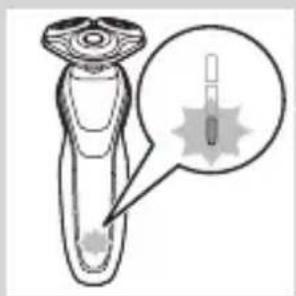
natural_image
Illustration of a hairbrush with a magnified inset showing internal structure (no text or symbols)SLOVENŠČINA516
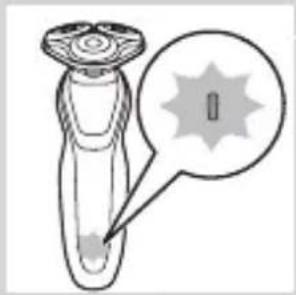
natural_image
Diagram of a laboratory test tube with a capillary top and a magnified inset showing a labeled region (no text or symbols present)- Indikator napolnjenosti baterije z 1 lučjo
Preostala zmogljivost baterije
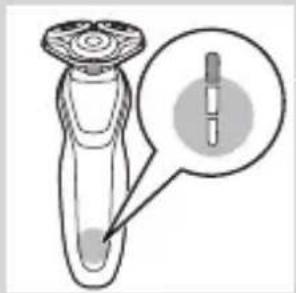
natural_image
Diagram of a test tube with a cap and a magnified inset showing internal components (no text or labels)Indikator napolnjenosti baterije s 3 lučmi
natural_image
Illustration of a smart device with a lock icon and a speech bubble (no text or symbols)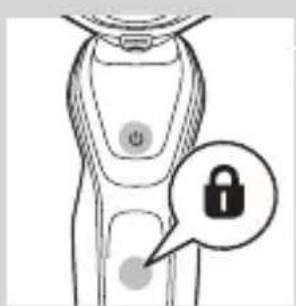
natural_image
Illustration of a smart device with a lock icon and a button, no text or symbols presentnatural_image
Illustration of a robotic device with a speech bubble containing a skull symbol (no text or labels present)natural_image
Illustration of a hand pressing a button on a human leg, with no visible text or symbols1 Nastavitev Turbo vklopite tako, da pritisnete gumb Turbo.
Izklop nastavitve Turbo
1 Nastavitev Turbo izklopite tako, da ponovno pritisnete gumb Turbo.
Polnjenje
Polnjenje traja približno eno uro.
natural_image
Diagram of a hairpin plug connecting a power outlet with an attached cable, showing directional arrows (no text or symbols)natural_image
Close-up of a mechanical component with a downward arrow indicating force or direction (no text or symbols)natural_image
Illustration of a pair of boots with arrows indicating motion or change, no text or symbols present5 Brivnik postavite v nosilec, nagnite nazaj in pritisnite na zgornji pokrovček, da brivnik priključite (“klik”).
natural_image
Illustration of a hand pressing down on a circular object with an arrow (no text or symbols)1 Aparat vklopite tako, da pritisnete gumb za vklop/izklop.
2 Aparat izklopite tako, da pritisnete gumb za vklop/izklop.
natural_image
Illustration of a person applying facial hair to their ear with a cotton swab (no text or symbols)natural_image
Illustration of a person's face with a hand near the ear, showing facial features (no text or symbols)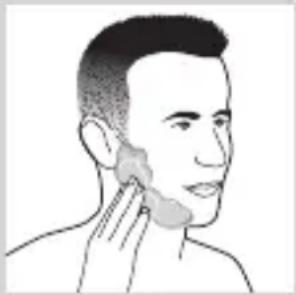
natural_image
Line drawing of a person applying a cotton or cotton product to their ear (no text or symbols)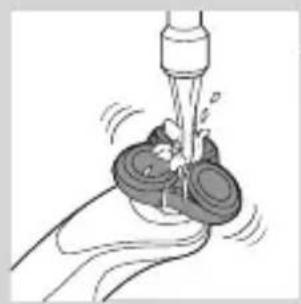
natural_image
Illustration of a hand washing a cup with a water tap (no text or symbols)natural_image
Illustration of a person applying makeup to their face with a brush (no text or symbols)natural_image
Illustration of a hand holding a circular button with a black arrow, pointing to a device (no text or symbols present)natural_image
Illustration of a person applying a toothbrush to their ear, with a circular logo containing the letter 'T' (no text or symbols on the diagram itself)Uporaba pritrdljivih nastavkov
natural_image
Illustration of a person's hand holding a large object with an upward arrow and a cross symbol, no text or labels present.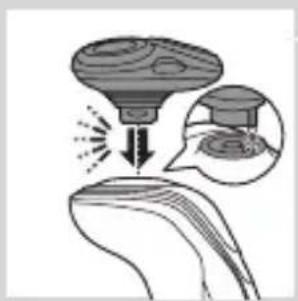
natural_image
Diagram showing a device emitting light into a surface, with an inset magnified view of the device's tip (no text or symbols present)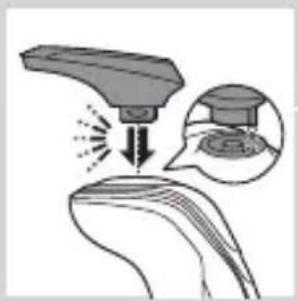
natural_image
Diagram showing a device interacting with a surface, with an inset illustrating the process (no text or symbols present)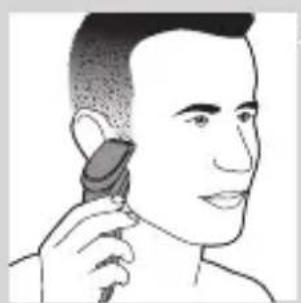
natural_image
Illustration of a person using a hairdryer (no text or symbols present)3 Zatič nastavka vstavite v režo na zgornjem delu aparata. Nato nastavek pritisnite navzdol, da ga pritrdite na aparat (“klik”).
natural_image
Illustration of a spray gun interacting with a surface, showing light emission and magnified detail (no text or symbols)Uporaba nastavka za oblikovanje brade
1 Aparat mora biti izklopljen.
2 Zatič nastavka vstavite v režo na zgornjem delu aparata. Nato nastavek pritisnite navzdol, da ga pritrdite na aparat (“klik”).
Uporaba nastavka za oblikovanje brade z glavnikom
natural_image
Illustration of a hairbrush cutting into a pair of scissors (no text or symbols)1 Glavnik potisnite naravnost v vodila na obeh straneh nastavka (“klik”).
2 Pritisnite drsnik za dolžino in ga potisnite levo ali desno, da izberete želeno dolžino dlak.
3 Vklopite aparat.
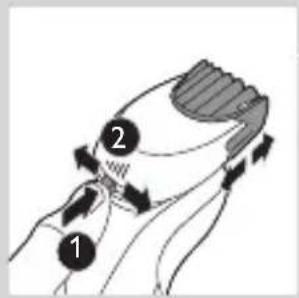
natural_image
Illustration of a man with a beard eating a spoon (no text or symbols)natural_image
Illustration of two hands holding a tool with directional arrows indicating movement or force (no text or symbols present)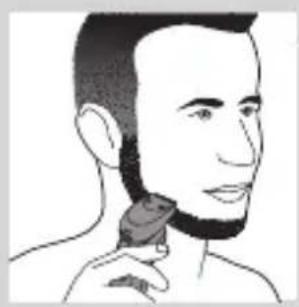
natural_image
Line drawing of a person applying a hairpin to their neck (no text or symbols)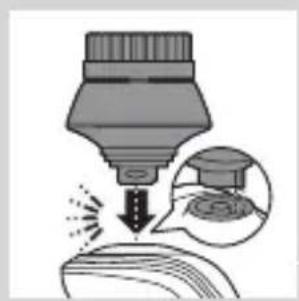
natural_image
Illustration of a dropper tip emitting powder into a container, with an inset showing a graduation cap and a magnified view of the liquid (no text or symbols)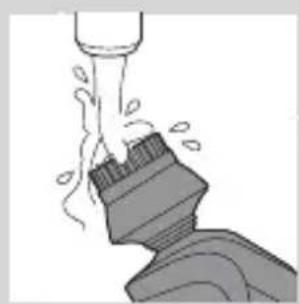
natural_image
Illustration of a mechanical component with fluid flow, no text or symbols present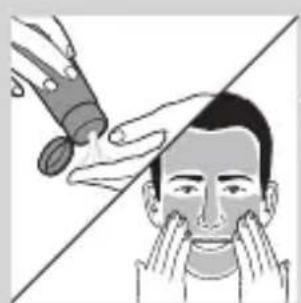
natural_image
Illustration of a person applying makeup to their face with a tool, no text or symbols presentUporaba nastavka za oblikovanje brade brez glavnika
natural_image
Simple line drawing of a paintbrush with a cross mark and spray effect (no text or symbols)natural_image
Simple line drawing of a container with an upward arrow, no text or symbols present5 Čistilni vložek vstavite v sistem SmartClean.
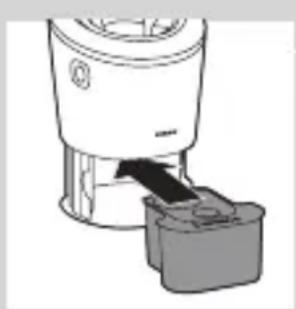
natural_image
Diagram of a blender with a black arrow pointing to its interior component (no text or symbols present)6 Zgornji del sistema SmartClean potisnite nazaj navzdol (“klik”).
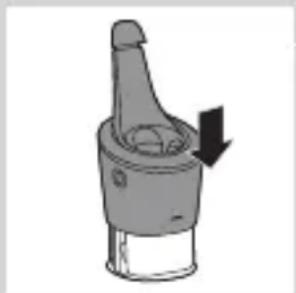
natural_image
Mechanical component diagram showing a piston-like structure with a downward arrow indicating force or direction (no text or symbols present)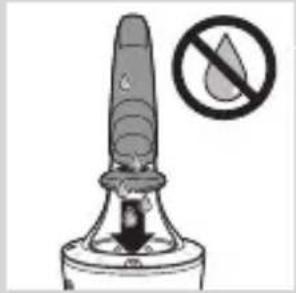
natural_image
Illustration of a dropper tip with a downward arrow and a prohibition symbol (no text or labels)Uporaba sistema SmartClean
natural_image
Close-up of a mechanical component with a downward arrow indicating force or direction (no text or symbols)natural_image
Illustration of a pair of boots with arrows indicating motion or change, no text or symbols present3 Brivnik postavite v nosilec, nagnite nazaj in pritisnite na zgornji pokrovček, da brivnik priključite (“klik”).
natural_image
Hand holding a device with two circular buttons and a power button (no text or symbols visible)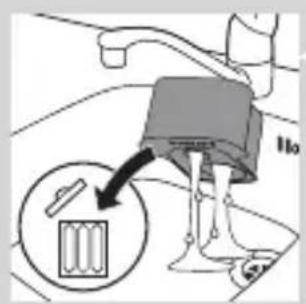
natural_image
Diagram of a blender with a black arrow pointing to its interior component (no text or symbols present)natural_image
Diagram of a mechanical component with a downward arrow indicating rotation (no text or symbols)natural_image
Illustration of a hand holding a small object with motion lines indicating movement or force (no text or symbols)SLOVENŠČINA530
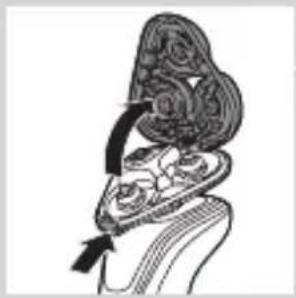
natural_image
Anatomical illustration of a human ear with internal organs and a curved arrow indicating motion (no text or labels)natural_image
Illustration of a vegetable being cut with a fork (no text or symbols)3 Nosilec brivne glave 30 sekund spirajte pod toplo tekočo vodo.
4 Previdno otresite vso odvečno vodo in pustite, da se nosilec brivnih glav posuši.
5 Zaprite nosilec brivnih glav ("klik").
Temeljito čiščenje
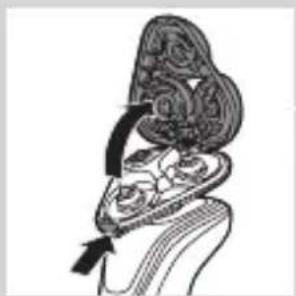
natural_image
Anatomical illustration of a human ear with decorative patterns and a tassel, no text or labels present.natural_image
Illustration of a cross-section of an open oyster with internal cavity and upward arrow (no text or symbols)8 Pritrdilne obročke namestite nazaj na nosilec brivne glave in obrnite v desno.
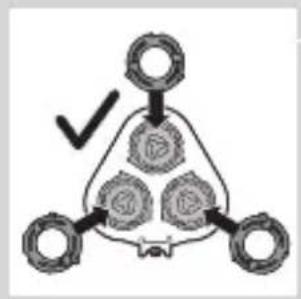
flowchart
graph TD
    A[" "] --> B[" "]
    B --> C[" "]
    C --> D[" "]
    D --> E[" "]
    style A fill:#f9f,stroke:#333
    style B fill:#ccf,stroke:#333
    style C fill:#cfc,stroke:#333
    style D fill:#fcc,stroke:#333
    style E fill:#ffc,stroke:#333
natural_image
Diagram showing mechanical components with arrows and a checkmark, no readable text or symbols presentnatural_image
Illustration of two hands holding cloud-like objects with arrows indicating motion (no text or symbols)9 Zgib nosilca brivne glave ponovno vstavite v režo brivne enote. Zaprite nosilec brivne glave (“klik”).
natural_image
Line drawing of a shoe being lifted by a string, showing the foot and ankle (no text or symbols)1 Vklopite aparat z nameščenim nastavkom za oblikovanje.
natural_image
Illustration of a hand holding a small object with motion lines, accompanied by a magnified circular inset showing a landslide (no text or symbols)natural_image
Illustration of two hands holding a tool, with arrows indicating movement or force direction (no text or symbols)natural_image
Illustration of two hands pouring liquid from a bottle onto a surface, separated by a diagonal line (no text or symbols)2 Vklopite aparat.
natural_image
Two cartoon fish splashing out of a diagonal line, one falling and the other wading (no text or symbols)natural_image
Diagram of a mechanical component with a top component and an arrow indicating upward motion (no text or symbols)natural_image
Two hanging objects with ropes tied on a diagonal line, no text or symbols visible3 Oba dela temeljito očistite s toplo blago milnico.
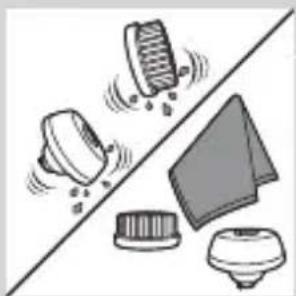
natural_image
Illustration of mechanical components and a gear mechanism (no text or symbols)natural_image
Diagram of a hairbrush with a curved blade and three circular features, showing a downward arrow (no text or symbols)natural_image
Two-step diagram showing a hairpin being inserted into a socket, with no text or symbols present.- Brivnik hranite v priloženi torbici.
natural_image
Diagram of a mechanical component with a top cylindrical part and an upward arrow, no text or symbols present.natural_image
Anatomical illustration of internal organs with arrows indicating movement or force (no text or labels)natural_image
Diagram of a mechanical device with internal gears and an upward arrow, no text or symbols presentnatural_image
Diagram showing a hand holding a circular object with arrows indicating motion or force (no text or symbols present)5 Brivne glave odstranite z nosilca brivne glave in zavrzite.
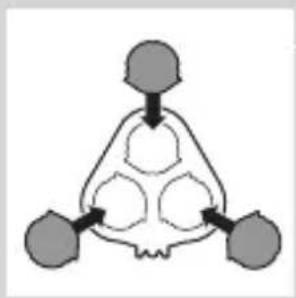
flowchart
graph TD
    A["Top Node"] --> B["Bottom Left Node"]
    B --> C["Bottom Right Node"]
    C --> D["Bottom Left Node"]
6 V nosilec namestite nove brivne glave.
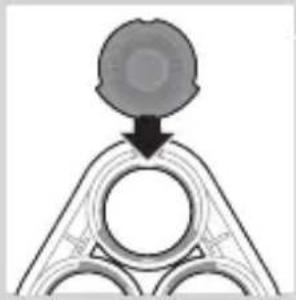
natural_image
Pure diagram of a mechanical or structural component with no visible text, numbers, or symbolsnatural_image
Diagram showing two mechanical components with arrows indicating motion or force, no text or symbols presentnatural_image
Illustration of two hands holding a cloud-like object with arrows indicating motion, no text or symbols present8 Zgib nosilca brivne glave ponovno vstavite v režo brivne enote. Zaprite nosilec brivne glave ("klik").
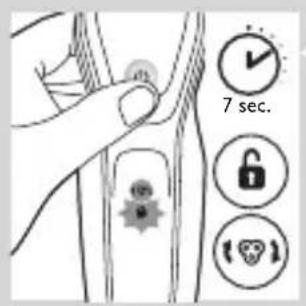
9 Če želite ponastaviti opomnik za zamenjavo, za približno 7 sekund pritisnite gumb za vklop/izklop.
natural_image
Symbol of a trash bin crossed with no text or numbers, representing waste sorting or disposal (no text present)- Ta simbol pomeni, da izdelka ne smete odlagati skupaj z običajnimi gospodinjskimi odpadki (2012/19/EU).
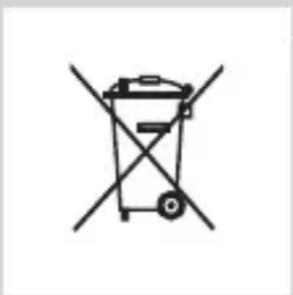
natural_image
Simple line drawing of a trash bin with two crossed x-axes (no text or symbols)natural_image
Illustration of a sewing machine tool interacting with a shoe (no text or symbols present)natural_image
Illustration of two skis with directional arrows indicating motion or movement (no text or symbols)2 Upognite kaveljčke in odstranite napajalno enoto.
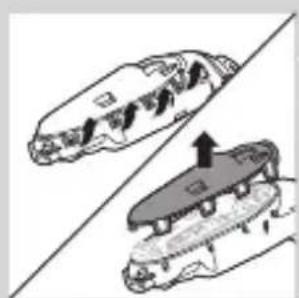
natural_image
Two mechanical components with arrows indicating motion or assembly, no visible text or symbolsnatural_image
Diagram showing two hands operating a tool with an arrow indicating movement (no text or symbols present)4 Odstranite nosilec baterije in s kleščami prerežite trakove baterije.
Garancija in podpora
natural_image
Prohibition sign showing a faucet without spraying water, enclosed in a circle (no text)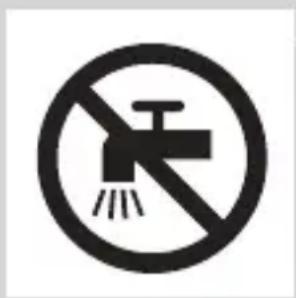
natural_image
No smoking sign with faucet symbol (no text or numbers)natural_image
Simple line drawing of a showerhead spraying over a water-filled container (no text or symbols)natural_image
Illustration of a syringe with a magnified inset showing internal structure (no text or symbols)natural_image
Illustration of a test tube with a cap and a magnified inset showing a test tube tip (no text or symbols)natural_image
Illustration of a test tube with a cap and a magnified inset showing internal structure (no text or symbols)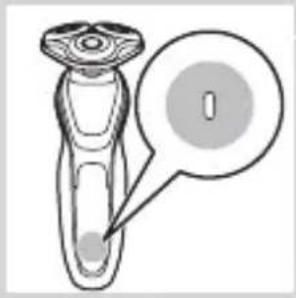
natural_image
Diagram of a medical or laboratory device with a labeled circular area and arrow pointing to it (no text or symbols present)natural_image
Illustration of a hairdryer with a magnified inset showing internal structure (no text or symbols)natural_image
Diagram of a laboratory test tube with a capillary top and a magnified inset showing a test tube (no text or labels)natural_image
Diagram of a dropper with a magnified inset showing internal structure (no text or labels)natural_image
Illustration of a robot's leg with a lock icon and a speech bubble (no text or symbols)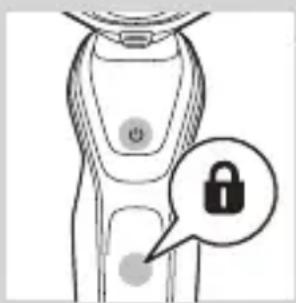
natural_image
Illustration of a smart device with a lock icon and speech bubble (no text or symbols)natural_image
Illustration of a hand pressing a button on a patient's knee joint (no text or symbols)natural_image
Diagram of a hairpin plug connecting a power outlet with a cable, showing two arrows indicating direction (no text or symbols present)natural_image
Illustration of a hand holding a small object with arrows indicating motion or force, and a magnified inset showing a close-up of a mechanical component (no text or symbols)natural_image
Simple line drawing of a mechanical component with a downward arrow indicating force or direction (no text or symbols)natural_image
Illustration of a pair of boots with arrows indicating motion or force, no text or symbols presentnatural_image
Illustration of a hand holding a circular object with an arrow pointing to it, against a stylized background (no text or symbols)natural_image
Illustration of a person applying facial massage to their ear (no text or symbols)natural_image
Line drawing of a person's face with hand near ear area, no text or symbols presentRroja në të njomë
natural_image
Line drawing of a person applying a product to their ear (no text or symbols)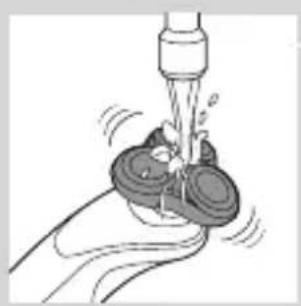
natural_image
Illustration of a hand holding a small object with motion lines indicating movement or vibration (no text or symbols)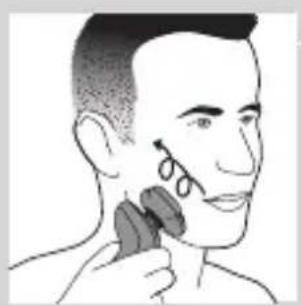
natural_image
Illustration of a person applying a hair accessory to their ear (no text or symbols present)natural_image
Illustration of a hand pressing a button on a medical device (no text or symbols visible)natural_image
Illustration of a man applying a toothbrush to the ear with a circular logo containing a stylized 'T' symbol (no text or symbols present)natural_image
Illustration of a medical device with a cross symbol and an upward arrow, no text or labels present.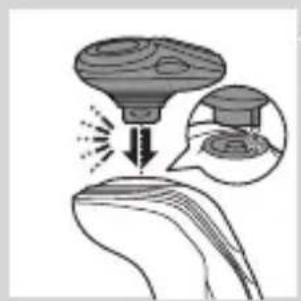
natural_image
Diagram showing a droplet on a surface with an arrow indicating light emission, and a magnified inset showing a graduation cap (no text or symbols)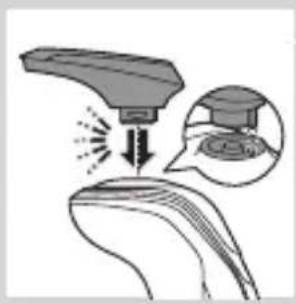
natural_image
Illustration of a hairdryer with an inset showing the tip and base (no text or symbols)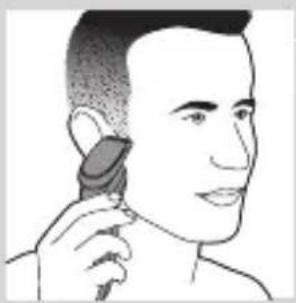
natural_image
Illustration of a person applying a hair accessory to their ear (no text or symbols present)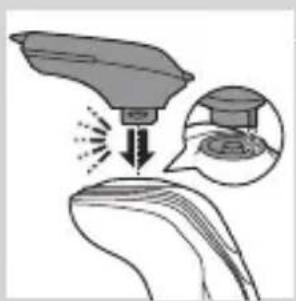
natural_image
Illustration of a medical procedure showing a device impacting a patient's ear with an inset image of a graduation cap (no text or symbols present)natural_image
Line drawing of a hairbrush cutting into a pair of scissors (no text or symbols)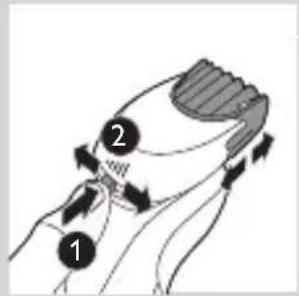
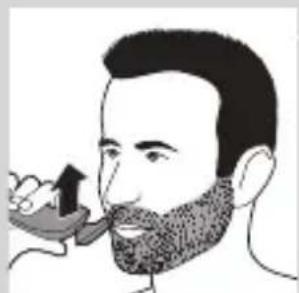
natural_image
Illustration of a man with a beard eating a spoon (no text or symbols)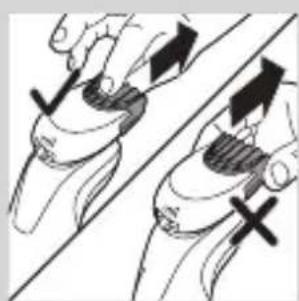
natural_image
Illustration of two hands holding a tool with directional arrows indicating movement (no text or symbols)natural_image
Line drawing of a person applying a hair product to their neck (no text or symbols)natural_image
Illustration of a dropper tip dispensing liquid into a container, with an inset showing a close-up of the dropper (no text or symbols present)natural_image
Illustration of a mechanical component with fluid flow, no text or symbols presentnatural_image
Illustration of a person applying facial care to their face, with no visible text or symbolsnatural_image
Illustration showing two men applying facial care to their face, one with a magnified inset of the first eye (no text or symbols present)natural_image
Simple line drawing of a paintbrush with a cross mark and spray effect (no text or symbols)natural_image
Illustration of a hand spraying water with a magnified inset showing a mushroom structure (no text or symbols)natural_image
Close-up of a mechanical component with a black arrow pointing downward (no text or symbols visible)natural_image
Illustration of a pair of boots with arrows indicating motion or change, no text or symbols presentnatural_image
Hand holding a device with two circular buttons labeled 'Power' and 'Spiral', no text or symbols presentnatural_image
Diagram of a mechanical component with two circular indicators (one checked, one not checked) and a checkmark symbol, no readable text or labels present.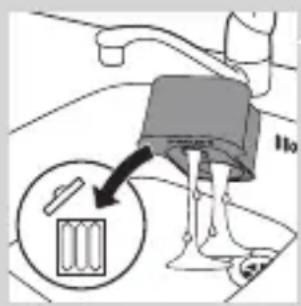
natural_image
Diagram of a blender with a black arrow pointing to its internal component (no text or symbols present)natural_image
Diagram of a mechanical component with a downward arrow indicating rotation (no text or symbols)natural_image
Illustration of a hand holding a small object with motion lines indicating movement or force (no text or symbols)natural_image
Anatomical illustration of a human upper body with internal organs, showing a highlighted region (no text or labels present)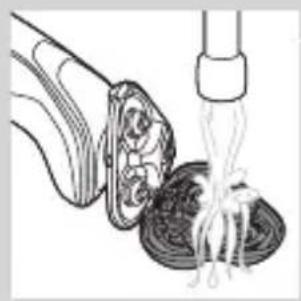
natural_image
Illustration of a food item being lifted by a pipette, showing a bowl and fork (no text or symbols)natural_image
Illustration of a biological structure with swirling patterns and directional arrows (no text or symbols)natural_image
Illustration of a mushroom-shaped container with internal swirling patterns and an upward arrow, no text or symbols present.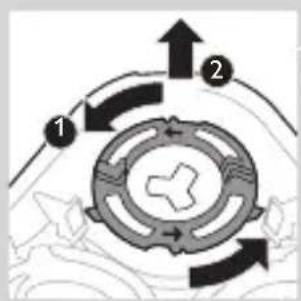
flowchart
graph TD
    A["1"] --> B["2"]
    B --> C["Central Component"]
    C --> D["Arrow 1"]
    C --> E["Arrow 2"]
natural_image
Diagram showing two mechanical components with arrows indicating direction, no text or symbols presentnatural_image
Diagram showing two mechanical components with fluid flow, no text or symbols presentnatural_image
Diagram of a mechanical or biological structure with a central circular component and a curved top surface (no text or symbols)natural_image
Diagram of a mechanical or structural component with a circular top and triangular base, no visible text or symbols.natural_image
Diagram showing two circular components with arrows and a checkmark, no readable text or symbols presentnatural_image
Illustration of two hands holding a cloud-like object with arrows indicating motion or transformation (no text or symbols)natural_image
Line drawing of a shoe being lifted by a tool, showing the blade and handle (no text or symbols)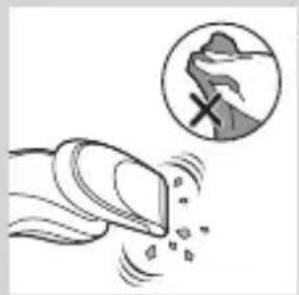
natural_image
Illustration of a hand blowing bubbles with a magnified circular section showing a hand holding a rock, no text or symbols present.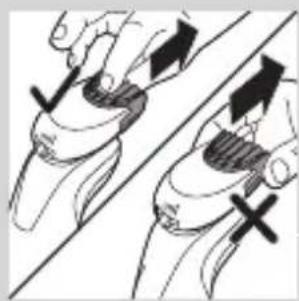
natural_image
Illustration of two hands holding a tool with directional arrows indicating movement or force (no text or symbols present)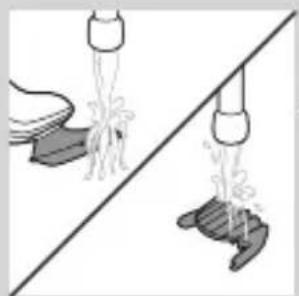
natural_image
Illustration of two hands pouring liquid from a bottle onto a surface, separated by a diagonal line (no text or symbols)natural_image
Two cartoon fish jumping over a diagonal line, one falling and the other wading (no text or symbols)natural_image
Diagram of a mechanical component with a top cylindrical part and an upward arrow, no text or symbols present.natural_image
Two identical diagrams showing a spray gun above a base, separated by a diagonal line (no text or symbols)natural_image
Illustration of mechanical components and a device, no text or symbols presentVendruajtja
natural_image
Diagram of a mechanical component with a downward arrow indicating motion or force (no text or symbols)natural_image
Simple line drawing of a mechanical component with an arrow indicating motion (no text or symbols)natural_image
Diagram of a spray gun with a handle and spray nozzle (no text or symbols)natural_image
Diagram of a mechanical component with a top component and an arrow indicating upward motion (no text or symbols)natural_image
Anatomical illustration of a human head and neck with internal organs, showing no text or labels.natural_image
Illustration of a mechanical component with an upward arrow indicating motion (no text or symbols)natural_image
Diagram showing a hand holding a circular object with an arrow indicating direction, alongside a gear-like device (no text or symbols present)natural_image
Pure diagram of a mechanical or structural component with no visible text, numbers, or symbolsnatural_image
Mechanical gear assembly diagram showing two components with arrows indicating motion (no text or labels)natural_image
Illustration of two hands holding a cloud-shaped object with a downward arrow, no text or symbols presentnatural_image
Symbol of a trash bin crossed with no text or labels, accompanied by a solid black rectangle below (no readable text or symbols)natural_image
Illustration showing a hand using a tool to cut a small object on a diagonal line, with another hand partially visible below (no text or symbols)natural_image
Illustration of two skis with directional arrows indicating motion (no text or symbols)natural_image
Two mechanical components with a diagonal line and an upward arrow, no visible text or symbolsnatural_image
Illustration of two hands using a tool to lift a mechanical component, showing a force or motion (no text or symbols present)natural_image
No sign depicting a faucet with a showerhead, enclosed in a circle (no text or symbols)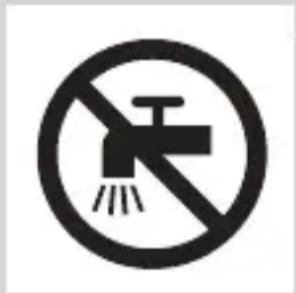
- Uvek proverite aparat pre upotrebe. Nemojte da koristite aparat ako je oštećen jer to može izazvati povrede. Ako je neki deo oštećen, obavezno ga zamenite originalnim.
Opomena
natural_image
Simple line drawing of a showerhead spraying over water in a container (no text or symbols)natural_image
Illustration of a syringe with a magnified inset showing internal structure (no text or symbols)- Ako aparat ostavite povezan na električnu mrežu, proces punjenja se nastavlja. Kako bi ukazala na to da se aparat puni, donja dioda prvo počinje da treperi, a zatim da stalno svetli. Ta procedura se ponavlja sa drugom diodom i nastavlja se dok se aparat potpuno ne napuni.
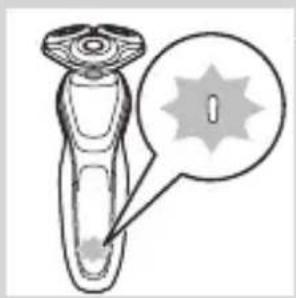
natural_image
Diagram of a test tube with a spiky tip and a magnified inset showing a star-shaped object (no text or symbols)Indikator napunjenosti baterije sa 1 diodom
- Punjenje traje oko 1 sat.
natural_image
Diagram of a laboratory test tube with a magnified inset showing internal structure (no text or labels)- Indikator napunjenosti baterije sa 3 diode
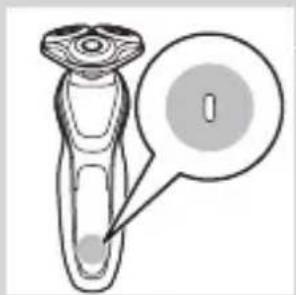
natural_image
Diagram of a test tube with a labeled component and a speech bubble (no text or symbols present)- Indikator napunjenosti baterije sa 1 diodom
Skoro prazna baterija
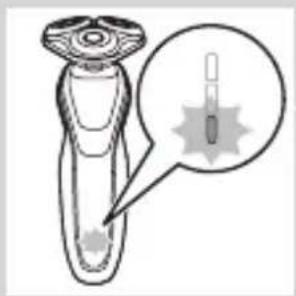
natural_image
Diagram of a hand holding a small object with a magnified inset showing internal structure (no text or symbols)Kada je baterija skoro ispražnjena, indikator napunjenosti baterije treperi narandžasto.
- Indikator napunjenosti baterije sa 3 diode
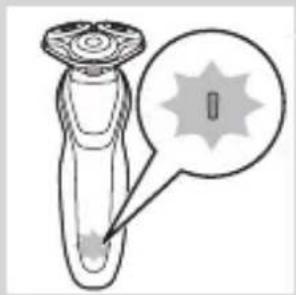
natural_image
Diagram of a device with a starburst pattern and a magnified view of its tip (no text or symbols)- Indikator napunjenosti baterije sa 1 diodom
Preostali kapacitet baterije
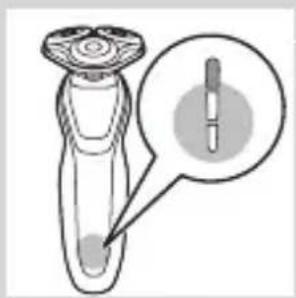
natural_image
Diagram of a hairdryer with a magnified inset showing the tip and body area (no text or symbols)Indikator napunjenosti baterije sa 3 diode
- Preostali kapacitet baterije označavaju lampice indikatora napunjenosti baterije koje neprekidno svetle.
natural_image
Illustration of a robotic device with a lock icon and a star-shaped base (no text or symbols)- Dok aktivirate zaključavanje za vreme putovanja, simbol te funkcije stalno svetlo. Kada je zaključavanje za vreme putovanja aktivno, simbol te funkcije treperi.
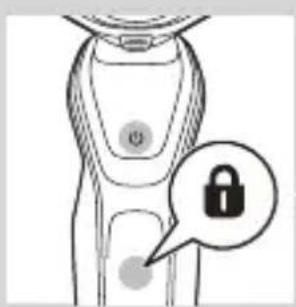
natural_image
Diagram of a robotic arm with a lock icon and a speech bubble (no text or symbols)natural_image
Illustration of a human torso with a speech bubble containing a heart symbol (no text or labels)Aktiviranje postavke Turbo
1 Da biste aktivirali postavku Turbo, jedanput pritisnite dugme Turbo.
Deaktiviranje postavke Turbo
1 Da biste deaktivirali postavku Turbo, samo još jednom pritisnite dugme Turbo.
Punjenje
Punjenje traje oko 1 sat.
natural_image
Diagram of a hairbrush connecting its socket to a plug, with arrows indicating cable direction (no text or symbols)natural_image
Illustration of a hand holding a small object with arrows indicating motion or force, and a magnified inset showing a cross-section of a mechanical component (no text or symbols)1 Priključite mali utikač u sistem SmartClean.
2 Uključite adapter u utičnicu.
3 Pritisnite gornji poklopac da biste mogli da postavite aparat za brijanje u držač („klik“).
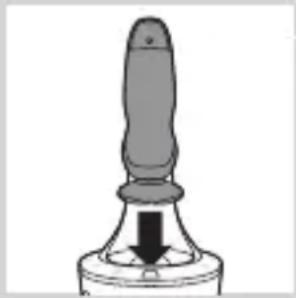
natural_image
Close-up of a mechanical component with a downward arrow indicating force or direction (no text or symbols)4 Držite aparat za brijanje naopako iznad držača. Vodite računa da prednja strana aparata za brijanje bude usmerena ka sistemu SmartClean.
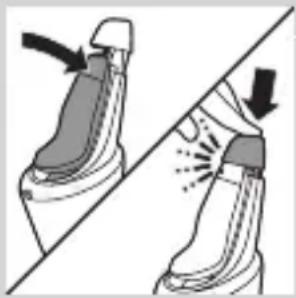
natural_image
Illustration of a pair of boots with arrows indicating motion or change, no text or symbols present5 Postavite aparat za brijanje u držač, nagnite aparat za brijanje unazad i pritisnite gornji poklopac nadole da biste priključili aparat za brijanje („klik“).
natural_image
Illustration of a hand holding a circular object with an arrow pointing to it, against a stylized background (no text or symbols)1 Da biste uključili aparat, jedanput pritisnite dugme za uključivanje/isključivanje.
2 Da biste isključili aparat, jedanput pritisnite dugme za uključivanje/isključivanje.
- Indikator napunjenosti baterije sa 3 diode: Displej se uključuje na nekoliko sekundi kako bi ukazao na status napunjenosti baterije.
Brijanje
Period prilagođavanja kože
natural_image
Line drawing of a person applying makeup to their ear with a brush (no text or symbols)natural_image
Line drawing of a person's face with hand near ear area, no text or symbols presentnatural_image
Line drawing of a person applying a product to their ear (no text or symbols)Napomena: Redovno ispirajte aparat za brijanje pod mlazom vode kako biste osigurali neprekidno glatko pomeranje preko kože.
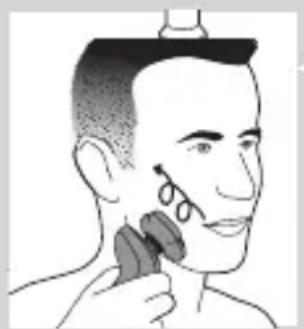
natural_image
Illustration of a person applying facial hair to their neck, no text or symbols present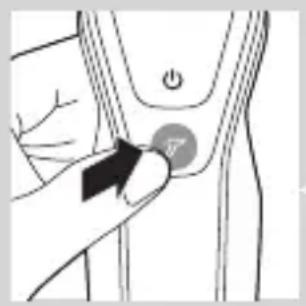
natural_image
Illustration of a hand pressing a button on a patient's knee joint (no text or symbols)
natural_image
Illustration of a person's beard and ear with a T-shaped logo overlay (no text or symbols on the main subject)6 Nakon upotrebe osušite lice i temeljno očistite aparat za brijanje (pogledajte poglavlje „Čišćenje i održavanje“).
Napomena: Obavezno isperite svu penu/gel za brijanje sa aparata za brijanje.
Postavka Turbo (samo određeni modeli)
natural_image
Illustration of a mushroom-shaped object with a cross symbol and an upward arrow, no text or symbols present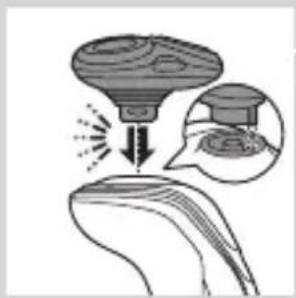
natural_image
Diagram showing a funnel pouring liquid into a curved surface, with an inset magnified view of the process (no text or symbols)3 Ubacite ušicu dodatka u prorez sa gornje strane aparata. Zatim pritisnite dodatak ka dole da biste ga pričvrstili za aparat („klik“).
Upotreba trimera
Trimer možete da koristite za podrezivanje zulufa i brkova.
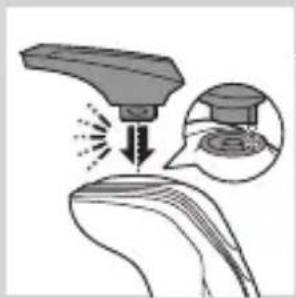
natural_image
Illustration of a medical or laboratory procedure showing a device interacting with a surface, with an inset magnified view of the process (no text or symbols present)1 Proverite da li ste isključili aparat.
2 Ubacite ušicu dodatka u prorez sa gornje strane aparata za brijanje. Zatim pritisnite dodatak za podrezivanje ka dole da biste ga pričvrstili za aparat („klik“).
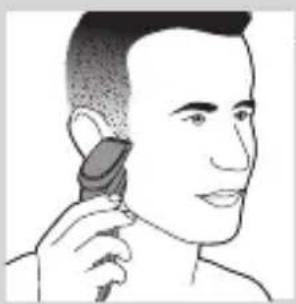
natural_image
Illustration of a person using a hairdryer (no text or symbols present)3 Uključite aparat.
4 Sada možete početi sa podrezivanjem.
5 Očistite dodatak nakon upotrebe (pogledajte poglavlje „Čišćenje i održavanje“).
Čišćenje dodatka za oblikovanje brade
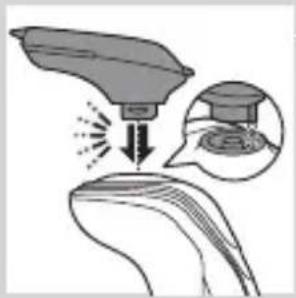
natural_image
Illustration of a hairdryer with a magnified inset showing the tip and hair (no text or symbols)1 Proverite da li ste isključili aparat.
2 Ubacite ušicu dodatka u prorez sa gornje strane aparata. Zatim pritisnite dodatak ka dole da biste ga pričvrstili za aparat („klik“).
Upotreba dodatka za oblikovanje brade sa češljem
Dodatak za oblikovanje brade sa montiranim češljem možete da koristite za oblikovanje brade uz jednu fiksnu postavku, ali i uz različite postavke dužine. Takođe možete da ga koristite za skraćivanje dugačkih dlačica pre brijanja kako biste dobili ugodniji osećaj brijanja.
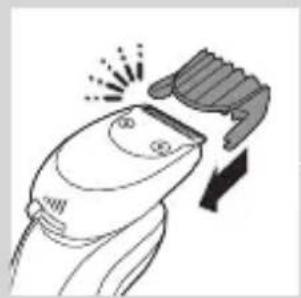
natural_image
Illustration of a hairbrush cutting into a pair of scissors with a downward arrow (no text or symbols)Postavke dužine na dodatku za oblikovanje brade odgovaraju preostaloj dužini dlačica nakon podrezivanja i idu od 1 do 5 mm.
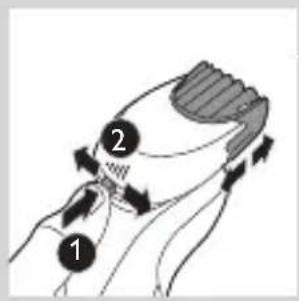
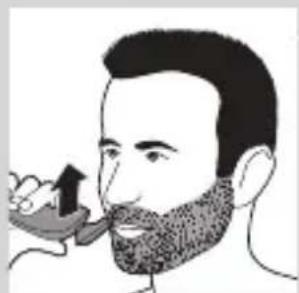
natural_image
Illustration of a man eating with a toothbrush (no text or symbols)1 Gurnite češalj ravno u useke za vođenje sa obe strane dodatka („klik“).
2 Pritisnite selektor dužine, a zatim ga gurnite ulevo ili udesno da biste izabrali željenu postavku dužine dlačica.
3 Uključite aparat.
4 Možete da počnete sa oblikovanjem brade pomeranjem dodatka nagore uz primenu blagog pritiska i obraćanje pažnje na to da češalj bude potpuno u kontaktu sa kožom.
5 Očistite dodatak nakon upotrebe (pogledajte poglavlje „Čišćenje i održavanje“).
Upotreba dodatka za oblikovanje brade bez češlja
Dodatak za oblikovanje brade bez češlja možete da koristite za oblikovanje brade, brkova, zulufa ili linije kose na dužinu od 0,5 mm.
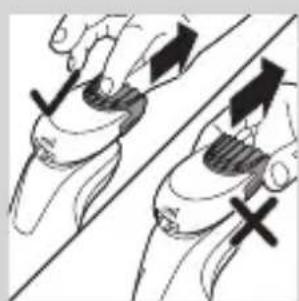
natural_image
Illustration of two hands holding a curved object with directional arrows and cross marks (no text or symbols)1 Skinite češalj sa dodatka.
Napomena: Uhvatite češalj za sredinu i povucite ga sa dodatka. Nemojte da vučete češalj za bočne strane.
2 Uključite aparat.
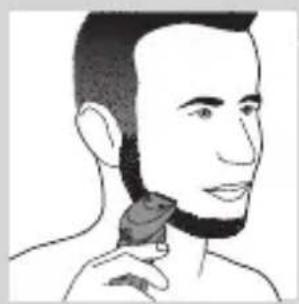
natural_image
Line drawing of a person applying a hair product to their neck (no text or symbols)3 Možete da počnete sa oblikovanjem brade, brkova, zulufa ili linije kose pomeranjem dodatka za oblikovanje nadole uz primenu blagog pritiska, držeći ga pod pravim uglom u odnosu na kožu.
4 Očistite dodatak nakon upotrebe (pogledajte poglavlje „Čišćenje i održavanje“).
natural_image
Illustration of a dropper tip dispensing liquid into a container with an inset showing a graduation cap (no text or symbols)1 Ubacite ušicu dodatka u prorez sa gornje strane aparata. Zatim pritisnite dodatak ka dole da biste ga pričvrstili za aparat („klik“).
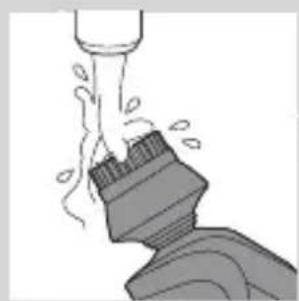
natural_image
Illustration of a mechanical component with fluid flow, no text or symbols presentnatural_image
Illustration of a person applying facial care to their face with a tool, no text or symbols present9 Nakon tretmana isperite i osušite lice. Vaše lice je spremno za sledeći korak svakodnevne rutine nege kože.
10 Očistite dodatak nakon upotrebe (pogledajte poglavlje „Čišćenje i održavanje“).
natural_image
Simple line drawing of a paintbrush with a cross mark and motion lines, no text or symbols present.Nemojte da naginjete sistem SmartClean da ne bi došlo do prosipanja.
Napomena: Držite sistem SmartClean dok ga pripremate za upotrebu.
1 Priključite mali utikač u zadnju stranu sistema SmartClean.
natural_image
Simple line drawing of a container with an upward arrow and label 'SPIN' at the bottom (no text or symbols on the diagram itself)5 Stavite patronu za čišćenje u sistem SmartClean.
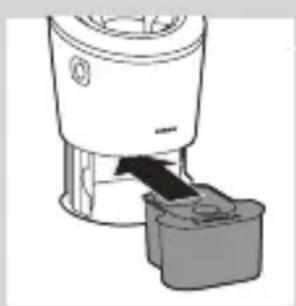
natural_image
Diagram of a blender with a handle and base, showing mechanical components without any text or symbols.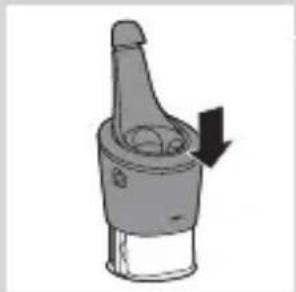
natural_image
Diagram of a mechanical component with a downward arrow indicating rotation (no text or symbols)6 Gurnite gornji deo sistema SmartClean nadole (,,klik“).
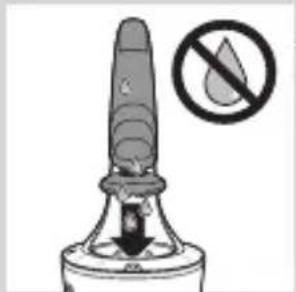
natural_image
Close-up of a mechanical component with a downward arrow and a prohibition symbol (no text or labels)Upotreba sistema SmartClean
Obavezno otresite višak vode sa aparata za brijanje pre nego što ga stavite u sistem SmartClean.
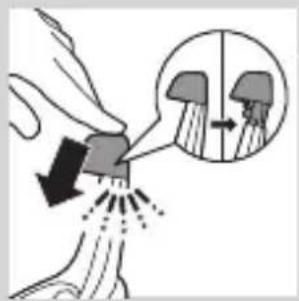
1 Pritisnite gornji poklopac da biste mogli da postavite aparat za brijanje u držač („klik“).
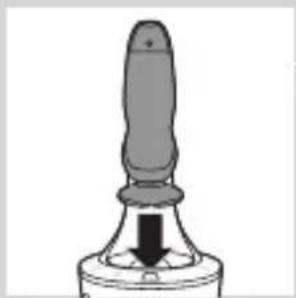
natural_image
Close-up of a mechanical component with a black arrow pointing downward (no text or symbols visible)2 Držite aparat za brijanje naopako iznad držača. Vodite računa da prednja strana aparata za brijanje bude usmerena ka sistemu SmartClean.
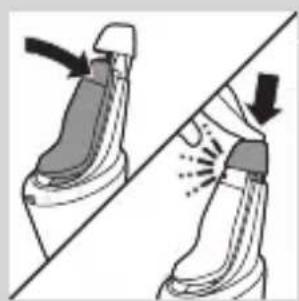
natural_image
Illustration of a pair of boots with arrows indicating motion or change, no text or symbols present3 Postavite aparat za brijanje u držač, nagnite aparat za brijanje unazad i pritisnite gornji poklopac nadole da biste priključili aparat za brijanje („klik“).
- Simbol baterije sporo treperi, što ukazuje na to da se aparat za brijanje puni.
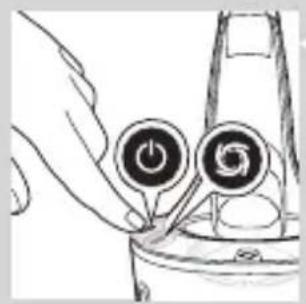
natural_image
Hand holding two circular buttons with 'Power' and 'Spiral' symbols, next to a device (no text or labels visible)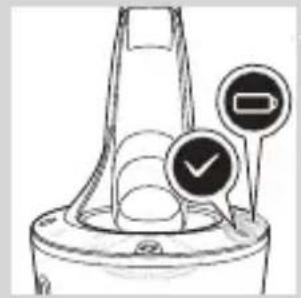
natural_image
Diagram of a funnel-shaped container with two circular indicators (one checked, one not checked) and no visible text or symbols.4 Pritisnite dugme za uključivanje/isključivanje na sistemu SmartClean da biste pokrenuli program za čišćenje.
- Tokom programa za čišćenje (koji traje približno 10 minuta) treperi simbol za čišćenje.
- Po završetku programa za čišćenje simbol za spremnost će početi neprekidno da svetli.
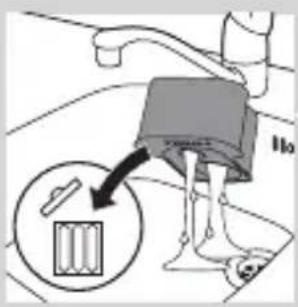
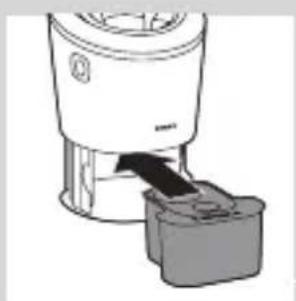
natural_image
Illustration of a blender with a black arrow pointing to its interior (no text or symbols)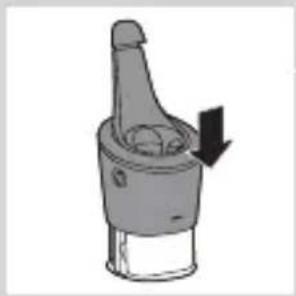
natural_image
Diagram of a mechanical component with a downward arrow indicating motion (no text or symbols)natural_image
Illustration of a hand holding a small object with motion lines indicating movement or force (no text or symbols)natural_image
Anatomical illustration of a human head with internal organs and a directional arrow indicating movement (no text or labels)2 Pritisnite taster za oslobađanje i otvorite jedinicu za brijanje.
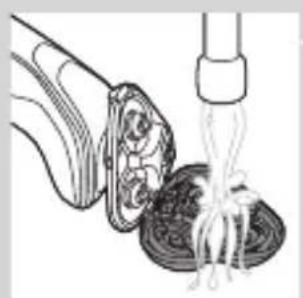
natural_image
Illustration of a fork lifting noodles into a bowl (no text or symbols)3 Ispirajte držač glave za brijanje pod mlazom tople vode 30 sekundi.
4 Pažljivo otresite višak vode i ostavite držač glave za brijanje da se osuši.
5 Zatvorite držač glave za brijanje („klik“).
Temeljno čišćenje
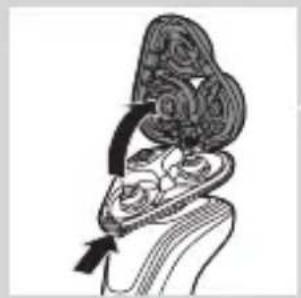
natural_image
Diagram of a biological structure with arrows indicating movement or force (no text or labels)Proverite da li ste isključili aparat.
1 Pritisnite taster za oslobađanje i otvorite jedinicu za brijanje.
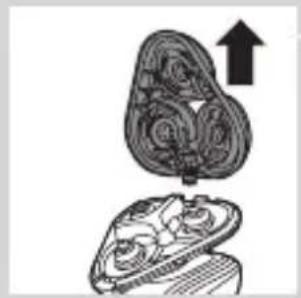
natural_image
Illustration of a mechanical component with an upward arrow, showing internal gear-like structure (no text or symbols)2 Skinite držač glave za brijanje sa donjeg dela jedinice za brijanje.
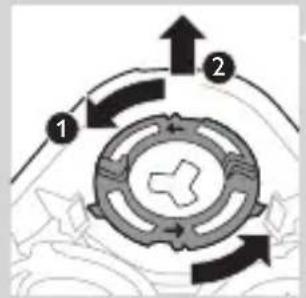
flowchart
graph TD
    A["Step 1"] --> B["Step 2"]
    B --> C["Step 3"]
    C --> A
3 Okrenite zaustavne prstenove suprotno od smera kazaljke na satu i uklonite ih.
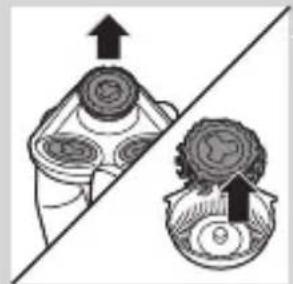
natural_image
Diagram showing two mechanical components with directional arrows, no text or symbols present4 Skinite glave za brijanje sa držača glava za brijanje. Svaka glava za brijanje sastoji se od rezača i štitnika.
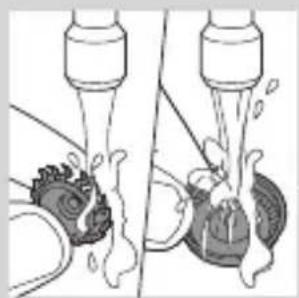
natural_image
Illustration of two mechanical devices with water spray and a gear-like component, no text or symbols presentnatural_image
Diagram of a mechanical component with a central gear and base, showing no text or symbols.natural_image
Pure diagram of a mechanical or structural component with no visible text, numbers, or symbolsNapomena: Proverite da li su istureni delovi na glavama za brijanje potpuno uklopljeni u useke na držaču glave za brijanje.
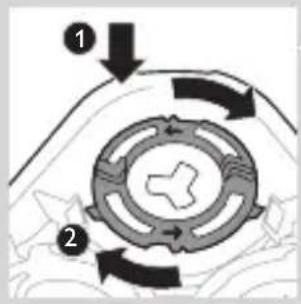
8 Vratite zaustavne prstenove na držač glave za brijanje i okrenite ih u smeru kazaljke na satu.
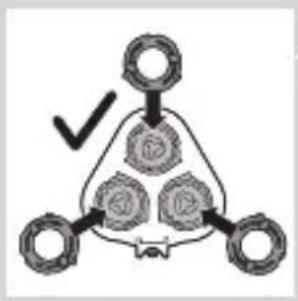
flowchart
graph TD
    A[" "] --> B[" "]
    B --> C[" "]
    C --> D[" "]
    D --> E[" "]
    E --> F[" "]
    F --> G[" "]
    G --> H[" "]
    H --> I[" "]
    I --> J[" "]
    J --> K[" "]
    K --> L[" "]
    L --> M[" "]
    M --> N[" "]
    N --> O[" "]
    O --> P[" "]
    P --> Q[" "]
    Q --> R[" "]
    R --> S[" "]
    S --> T[" "]
    T --> U[" "]
    U --> V[" "]
    V --> W[" "]
    W --> X[" "]
    X --> Y[" "]
    Y --> Z[" "]
- Svaki zaustavni prsten ima dva useka i dva isturena dela koji se potpuno uklapaju sa isturenim delovima i usecima na držaču glave za brijanje.
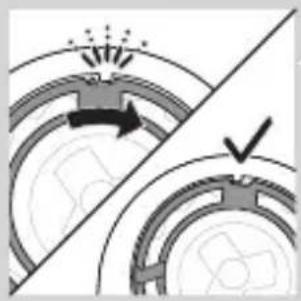
natural_image
Diagram showing two circular components with arrows and a checkmark, no readable text or symbols present- Okrenite prsten u smeru kazaljke na satu dok ne budete čuli „klik“ i dok se prsten ne fiksira.
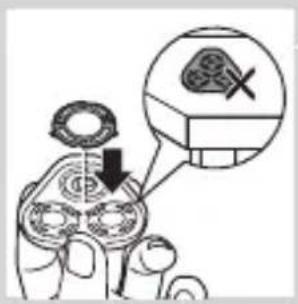
Napomena: Držač glave za brijanje držite u ruci prilikom ponovnog ubacivanja glava za brijanje i montiranja zaustavnih prstenova. Nemojte da stavljate držač glave za brijanje na površinu dok ovo radite pošto može da dođe do oštećenja.
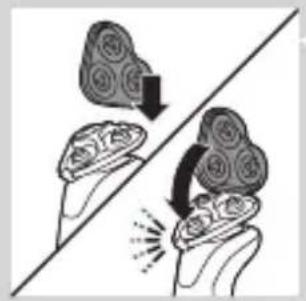
natural_image
Illustration of two hands holding a cloud-like object with arrows indicating motion or transformation (no text or symbols)9 Vratite šarku držača glave za brijanje u prorez na jedinici za brijanje. Zatvorite držač glave za brijanje („klik“).
Upotreba dodataka koji se skidaju
natural_image
Line drawing of a foot and ankle joint with a tool, no text or symbols presentnatural_image
Illustration of two hands holding a tool with directional arrows indicating movement or force (no text or symbols present)Napomena: Uhvatite češalj za sredinu i povucite ga sa dodatka. Nemojte da vučete češalj za bočne strane.
2 Uključite aparat.
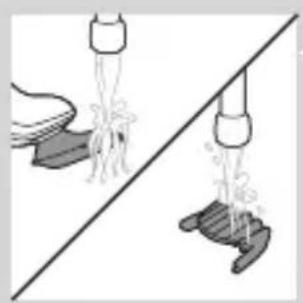
natural_image
Illustration of two hands pouring liquid from a bottle onto a surface, separated by a diagonal line (no text or symbols)natural_image
Two cartoon fish jumping over a diagonal line, one falling and the other wading (no text or symbols)natural_image
Diagram of a mechanical component with a top cylindrical part and an upward arrow, no text or symbols present.natural_image
Two hanging objects with ropes tied on a diagonal line, no text or symbols visible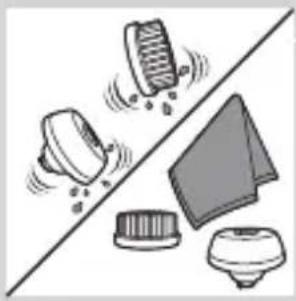
natural_image
Illustration of mechanical components including a drum, bell, and base (no text or symbols)natural_image
Diagram of a hairpin with a downward arrow indicating compression or disassembly (no text or symbols present)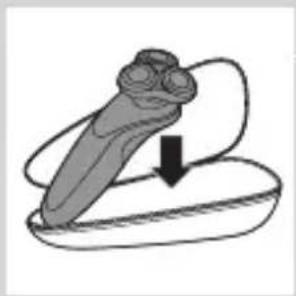
natural_image
Simple line drawing of a mechanical component with a downward arrow indicating motion (no text or symbols)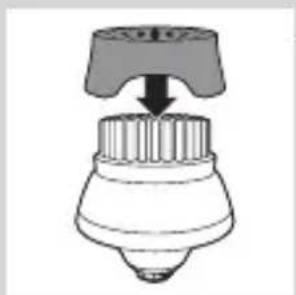
natural_image
Simple line drawing of a mechanical component with a top handle and internal structure (no text or symbols)natural_image
Simple line drawing of a mechanical component with a top and base, no text or symbols present.- Glavu sa četkicom za čišćenje trebalo bi zameniti na svaka 3 meseca ili ranije ako su vlakna deformisana ili oštećena.
Zamena glava za brijanje
natural_image
Anatomical illustration of a human organ with internal structures and arrows indicating movement (no text or labels)3 Skinite držač glave za brijanje sa donjeg dela jedinice za brijanje.
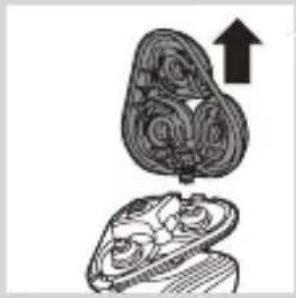
natural_image
Illustration of a biological structure with an upward arrow, showing internal organs or tissue (no text or symbols)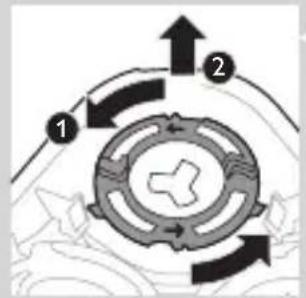
flowchart
graph TD
    A["Step 1"] --> B["Step 2"]
    B --> C["Step 3"]
    C --> D["End"]
4 Okrenite zaustavne prstenove suprotno od smera kazaljke na satu i uklonite ih.
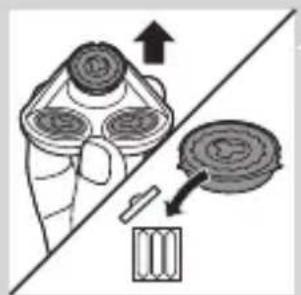
natural_image
Diagram showing a hand holding a circular object with arrows indicating motion or force (no text or symbols present)5 Skinite glave za brijanje sa držača glava za brijanje i bacite ih.
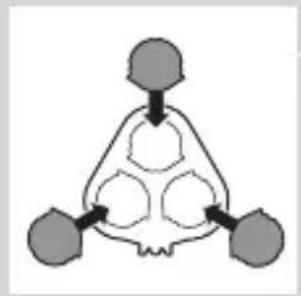
natural_image
Abstract diagram of a symmetrical geometric structure with three connected nodes (no text or symbols)6 Stavite nove glave za brijanje u držač.
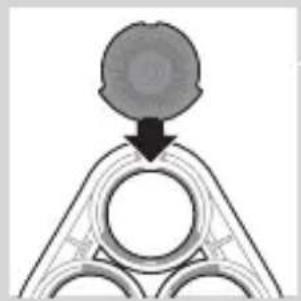
natural_image
Diagram showing a circular object falling into a triangular structure with internal circles (no text or symbols)Napomena: Proverite da li su istureni delovi na glavama za brijanje potpuno uklopljeni u useke na držaču glave za brijanje.
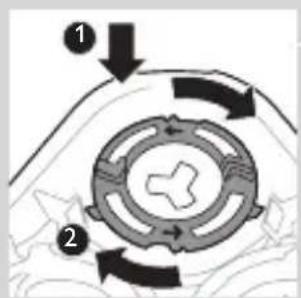
7 Vratite zaustavne prstenove na glave za brijanje i okrenite ih u smeru kazaljke na satu.
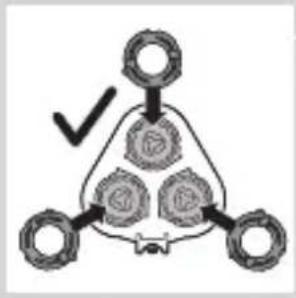
flowchart
graph TD
    A[" "] --> B[" "]
    B --> C[" "]
    C --> D[" "]
    D --> E[" "]
    style A fill:#f9f,stroke:#333
    style B fill:#ccf,stroke:#333
    style C fill:#cfc,stroke:#333
    style D fill:#fcc,stroke:#333
    style E fill:#ffc,stroke:#333
- Svaki zaustavni prsten ima dva useka i dva isturena dela koji se potpuno uklapaju sa isturenim delovima i usecima na držaču glave za brijanje.
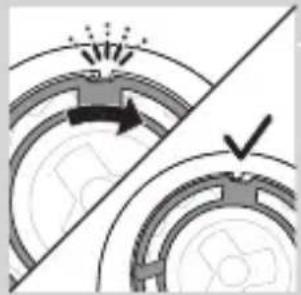
natural_image
Diagram showing two circular components with arrows and a checkmark, no readable text or symbols present- Okrenite prsten u smeru kazaljke na satu dok ne budete čuli „klik“ i dok se prsten ne fiksira.
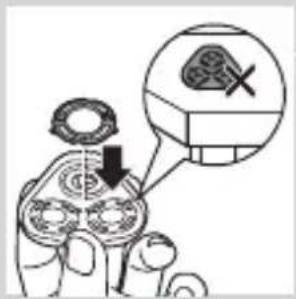
Napomena: Držač glave za brijanje držite u ruci prilikom ponovnog ubacivanja glava za brijanje i montiranja zaustavnih prstenova. Nemojte da stavljate držač glave za brijanje na površinu dok ovo radite pošto može da dođe do oštećenja.
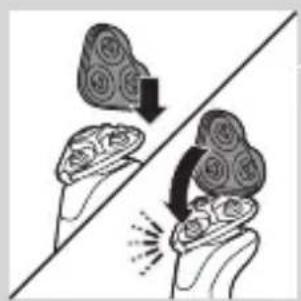
natural_image
Illustration of two hands holding a cloud-like object with arrows indicating motion or transformation (no text or symbols)8 Vratite šarku držača glave za brijanje u prorez na jedinici za brijanje. Zatvorite držač glave za brijanje („klik“).
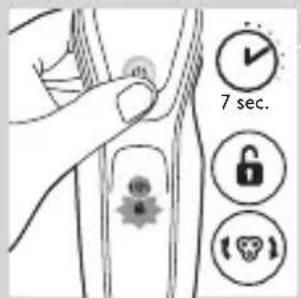
9 Da biste resetovali podsetnik za zamenu, pritisnite dugme za uključivanje/isključivanje i zadržite ga približno 7 sekundi.
natural_image
Illustration of a tool interacting with a device, showing a brush and a separate mechanical component (no text or symbols)natural_image
Illustration of two skis with directional arrows indicating motion (no text or symbols)natural_image
Two mechanical components with arrows indicating movement or assembly (no text or symbols)3 Polomite žabice i uklonite prednju ploču jedinice za napajanje.
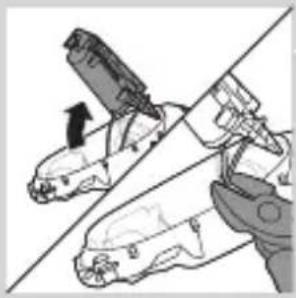
natural_image
Diagram showing two mechanical components with a diagonal line, one being cut and the other holding a tool (no text or symbols present)4 Izvadite držač baterije i presecite jezičke baterije pomoću sečica.
Garancija i podrška
natural_image
No sign depicting a faucet without a shower, enclosed in a circle (no text or symbols)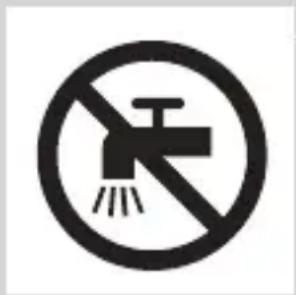
natural_image
Simple line drawing of a showerhead spraying over a water-filled basin (no text or symbols)natural_image
Illustration of a hairdryer with a magnified inset showing internal structure (no text or symbols)natural_image
Illustration of a laboratory test tube with a magnified inset showing a test tube tip (no text or symbols present)natural_image
Diagram of a hairdryer with a magnified inset showing internal structure (no text or symbols)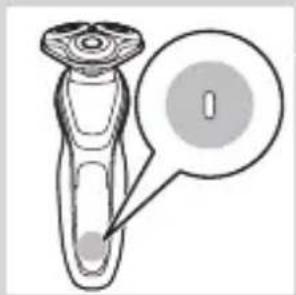
natural_image
Diagram of a mechanical component with a circular annotation and pointer (no text or symbols)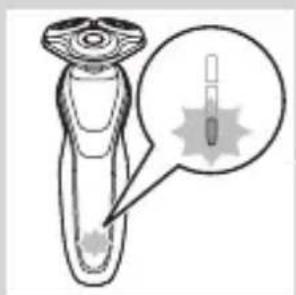
natural_image
Diagram of a medical or laboratory device with a magnified inset showing internal components (no text or symbols)УКРАЇНСЬКА622
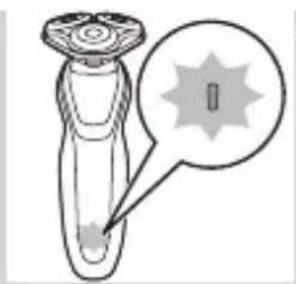
natural_image
Diagram of a dropper with a star-shaped tip and arrow pointing to its tip (no text or symbols present)natural_image
Diagram of a laboratory test tube with a magnified inset showing internal components (no text or labels)natural_image
Simple line drawing of a plug plug inside a container with a star-shaped mark and a speech bubble (no text or symbols)natural_image
Illustration of a robotic arm with a padlock icon and a small star on the chest (no text or symbols)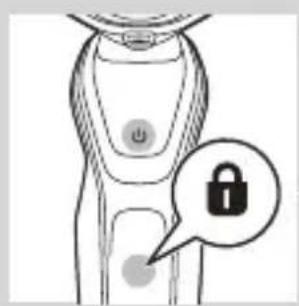
natural_image
Illustration of a smart device with a lock icon and speech bubble (no text or symbols)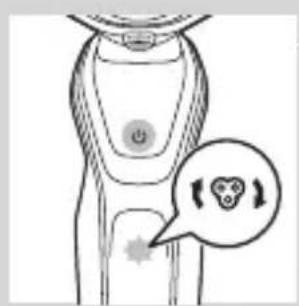
natural_image
Illustration of a human torso with a speech bubble containing a heart symbol (no text or labels)natural_image
Illustration of a hand pressing a button on a human leg, with no visible text or symbolsnatural_image
Diagram of a hairpin with two leads connected to a power outlet (no text or symbols)natural_image
Close-up of a mechanical component with a downward arrow indicating force or direction (no text or symbols)natural_image
Illustration of a pair of boots with arrows indicating motion or change, no text or symbols presentВикористання бритви
natural_image
Illustration of a hand holding a circular object with an arrow pointing to it, against a stylized background (no text or symbols)natural_image
Illustration of a person applying a hair product to their face (no text or symbols)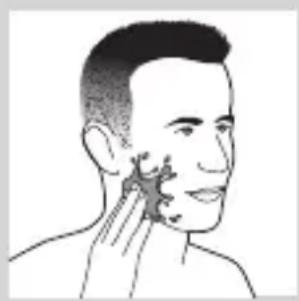
natural_image
Illustration of a person's face with hand near ear area, no text or symbols present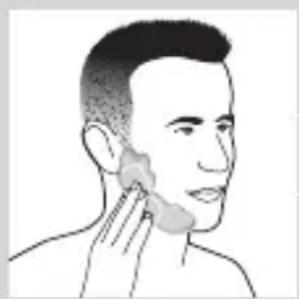
natural_image
Line drawing of a person applying a product to their ear (no text or symbols)natural_image
Illustration of a hand washing a cup with a water dispenser (no text or symbols)natural_image
Illustration of a hand pressing a button on a human leg, with no visible text or symbolsnatural_image
Illustration of a person's beard and toothbrush with a circular logo containing the letter 'T' (no text or symbols on the main subject)natural_image
Illustration of a hand holding a small object with a downward arrow and a cross symbol, no text or labels present.natural_image
Diagram showing a device emitting heat or emission from a surface, with an inset image of a graduation cap (no text or symbols present)natural_image
Illustration of a robotic arm interacting with a surface, showing motion and spray effects (no text or symbols)natural_image
Illustration of a spray gun on a surface with an inset showing a graduation cap and a hand holding a small object (no text or symbols present)natural_image
Line drawing of a hairbrush cutting into a toothbrush with a downward arrow (no text or symbols)natural_image
Illustration of a man with a beard eating a spoon (no text or symbols)natural_image
Illustration of two hands holding a tool with directional arrows indicating movement or force (no text or symbols present)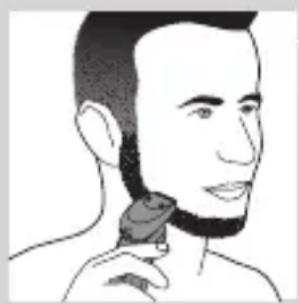
natural_image
Line drawing of a person applying a hair product to their neck (no text or symbols)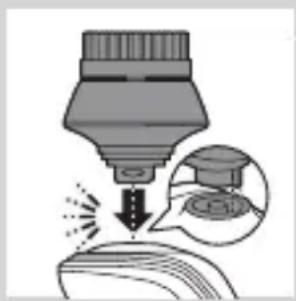
natural_image
Illustration of a dropper tip dispensing liquid into a container, with an inset showing a graduation cap and a speech bubble (no text or symbols)natural_image
Illustration of a mechanical component with fluid flow, no text or symbols present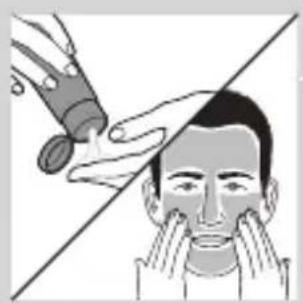
natural_image
Illustration of a person applying facial care to their face, with no visible text or symbols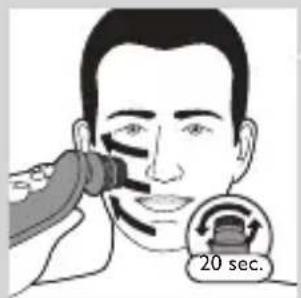
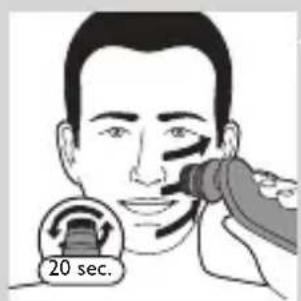
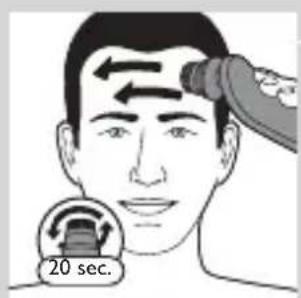
natural_image
Simple line drawing of a container with an upward arrow, no text or symbols presentnatural_image
Diagram of a blender with a black arrow indicating a process or insertion, showing no text or symbols.natural_image
Mechanical component diagram showing a lever mechanism with a downward arrow indicating motion (no text or symbols)natural_image
Illustration of a spray bottle with a stopper and a prohibition symbol (no text or labels)natural_image
Illustration of a hand spraying water with a magnified inset showing a droplet on a surface (no text or symbols)natural_image
Close-up of a mechanical component with a black arrow pointing downward to a circular base (no text or symbols visible)natural_image
Illustration of a pair of boots with arrows indicating motion or change, no text or symbols presentnatural_image
Hand holding a device with two circular buttons labeled 'Power' and 'Spiral', no text or symbols presentnatural_image
Technical line drawing of a mechanical component with two circular indicators (no text or symbols)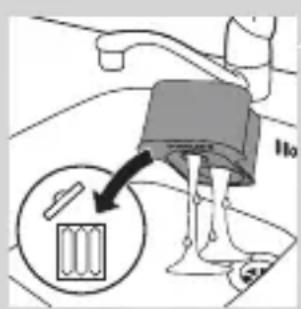
natural_image
Diagram of a blender with a black arrow pointing to its internal component (no text or symbols present)natural_image
Diagram of a mechanical component with a downward arrow indicating rotation (no text or symbols)natural_image
Illustration of a hand holding a small object with motion lines indicating movement or force (no text or symbols)natural_image
Anatomical illustration of a human upper body with internal organs, showing no text or labels.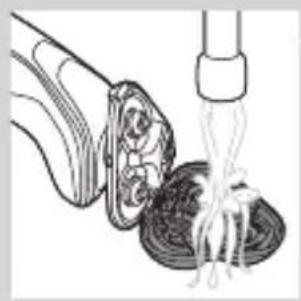
natural_image
Illustration of a fork being inserted into a bowl of noodles (no text or symbols)natural_image
Illustration of a biological structure with ornamental patterns and arrows indicating movement (no text or symbols)natural_image
Illustration of a mushroom-shaped object with an upward arrow, no text or symbols presentnatural_image
Diagram showing two mechanical components with arrows indicating motion or assembly (no text or symbols)natural_image
Diagram showing two mechanical components with fluid flow, no text or symbols presentnatural_image
Diagram of a mechanical or biological structure with a central circular component and a curved top surface (no text or symbols)natural_image
Diagram showing a circular object with a downward arrow pointing to a triangular structure (no text or symbols)natural_image
Diagram showing two circular components with arrows indicating motion or flow, separated by a diagonal line (no text or symbols)natural_image
Illustration of two hands holding a cloud-like object with arrows indicating motion or transformation (no text or symbols)natural_image
Illustration of a hand pouring noodles into a container (no text or symbols)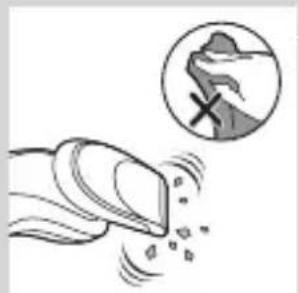
natural_image
Illustration of a hand holding a device emitting particles, with a magnified circular inset showing a mountain silhouette (no text or symbols)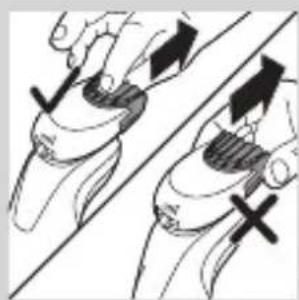
natural_image
Illustration of two hands holding a curved object with directional arrows indicating movement or force (no text or symbols)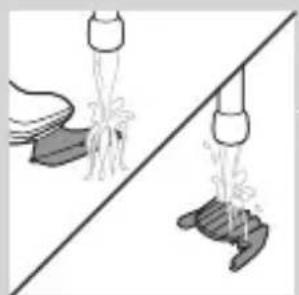
natural_image
Illustration of two hanging objects with ropes and chains, separated by a diagonal line (no text or symbols)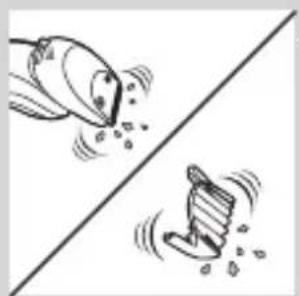
natural_image
Two cartoon fish jumping over a diagonal line, one falling and the other wading (no text or symbols)natural_image
Diagram of a mechanical component with a top cylindrical part and an upward arrow, no text or symbols present.natural_image
Two identical objects hanging from a diagonal line, one emitting water droplets (no text or symbols)natural_image
Illustration of various household appliances and fixtures (no text or symbols)Зберігання
natural_image
Diagram of a mechanical component with a downward arrow indicating motion or force (no text or symbols)natural_image
Illustration of a dental implant or dental implant with a downward arrow indicating force or insertion (no text or symbols present)natural_image
Simple line drawing of a spray bottle with a handle and spout (no text or symbols)natural_image
Simple line drawing of a mechanical component with an upward arrow, no text or symbols present.natural_image
Illustration of a biological structure with ornate topography and internal components, no visible text or symbols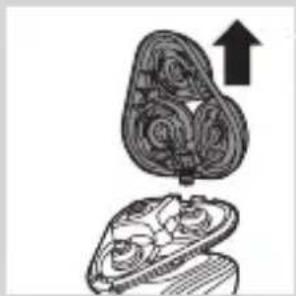
natural_image
Illustration of a mushroom-shaped container with internal spiral patterns and an upward arrow, no text or symbols present.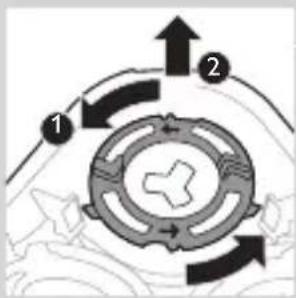
flowchart
graph TD
    A["1"] --> B["2"]
    B --> C["3"]
    C --> A
    style A fill:#f9f,stroke:#333
    style B fill:#ccf,stroke:#333
    style C fill:#cfc,stroke:#333
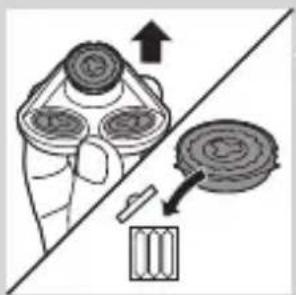
natural_image
Diagram of a hand holding a circular component with arrows indicating motion or assembly (no text or symbols)natural_image
Abstract diagram with three symmetrical shapes and a central arrow, no text or symbols presentnatural_image
Pure diagram of a mechanical or architectural component with a circular top and triangular base, no text or symbols present.natural_image
Diagram showing two circular components with arrows indicating motion or force, separated by a diagonal line (no text or symbols)natural_image
Illustration of two hands holding a cloud-like object with arrows indicating motion (no text or symbols)natural_image
Symbol of a trash bin crossed with no text or numbers, representing waste sorting or restriction (no text present)natural_image
Simple line drawing of a trash bin with no text or symbolsnatural_image
Illustration of a hand tool interacting with a small object, showing mechanical components and motion (no text or symbols)natural_image
Two skis shown side by side, one with directional arrows indicating motion (no text or symbols)natural_image
Two car seats with arrows indicating seat movement (no text or symbols)natural_image
Diagram showing two robotic arms with a tool, one open and one clamped, against a diagonal line (no text or symbols)- Always here to help you
- Introduction
- General description (Fig. 1)
- Important safety information
- Danger
- Warning
- Caution
- Electromagnetic fields (EMF)
- General
- The display
- Charging
- Battery charge indicator with 3 lights
- ENGLISH8
- Battery charge indicator with 1 light
- Battery fully charged
- Battery low
- Remaining battery capacity
- 'Unplug for use' reminder
- Cleaning reminder
- Travel lock
- Activating the travel lock
- Deactivating the travel lock
- Replacing shaving heads
- Turbo setting (specific types only)
- Activating the Turbo setting
- Deactivating the Turbo setting
- Charging with the adapter
- Charging in the SmartClean system (specific types only)
- Using the shaver
- Switching the appliance on and off
- Shaving
- Skin adaptation period
- Wet shaving
- ENGLISH14
- Using the click-on attachments
- Removing or attaching the click-on attachments
- Using the trimmer attachment
- Using the beard styler attachment
- Using the beard styler attachment with comb
- Using the beard styler attachment without comb
- Using the cleansing brush attachment
- Cleaning and maintenance
- Cleaning the shaver in the SmartClean system (specific types only)
- Preparing the SmartClean system for use
- Using the SmartClean system
- Replacing the cartridge of the SmartClean System
- Cleaning the shaver under the tap
- Thorough cleaning method
- ENGLISH26
- Cleaning the click-on attachments
- Cleaning the trimmer attachment
- Cleaning the beard styler attachment
- Cleaning the cleansing brush attachment
- Storage
- Replacement
- Replacing the cleansing brush head
- Replacing the shaving heads
- Replacement reminder
- Ordering accessories
- Shaving heads
- Recycling
- Removing the rechargeable shaver battery
- Guarantee and support
- Guarantee restrictions
- Troubleshooting
- Problem Possible cause Solution
- Въведение
- Мокро бръснене
- БЪЛГАРСКИ52
- Upozornění
- Vybitá baterie
- Indikátor nabití baterie se 3 kontrolkami
- Cestovní zámek
- Mokré holení
- Ettevaatust
- Üldteave
- Hoiundamine
- Pažnja
- Elektromagnetska polja (EMF)
- Indikator napunjenosti baterije s 1 diodom
- Baterija je gotovo prazna
- Preostali kapacitet baterija
- Indikator napunjenosti baterije s 3 diode
- Podsjetnik za iskopčavanje kabela
- Deaktiviranje putnog zaključavanja
- Zamjena glava za brijanje
- Aktivacija postavke Turbo
- Deaktivacija postavke Turbo
- Punjenje
- Punjenje u sustavu SmartClean (samo neki modeli)
- Uporaba aparata za brijanje
- Mokro brijanje
- Postavka Turbo (samo neki modeli)
- Uporaba nastavka za oblikovanje brade
- Uporaba nastavka za oblikovanje brade bez češlja
- Uporaba nastavka s četkom za čišćenje
- Priprema sustava SmartClean za uporabu
- Uporaba sustava SmartClean
- Čišćenje aparata za brijanje pod mlazom vode
- Temeljito čišćenje
- Akumuliatorius senka
- Baterijos ikrovos indikatorius su 3 lemputémis
- Laikymas
- Tukša baterija
- Bateriju uzlādes indikators ar 3 lampiņām
- Skuvekla lietošana
- Nomaina,
- LATVIEŠU318
- Înlocuirea
- РУССКИЙ452
- Хранение
- Indikátor nabitia batérie s 1 kontrolkou
- Indikátor nabitia batérie s 3 kontrolkami
- Zapnutie nastavenia Turbo
- Odkladanie
- SLOVENSKY500
- Záruka a podpora
- Elektromagnetna polja (EMF)
- Prazna baterija
- SLOVENŠČINA516
- Preostala zmogljivost baterije
- Indikator napolnjenosti baterije s 3 lučmi
- Izklop nastavitve Turbo
- Polnjenje
- Uporaba pritrdljivih nastavkov
- Uporaba nastavka za oblikovanje brade z glavnikom
- Uporaba nastavka za oblikovanje brade brez glavnika
- Uporaba sistema SmartClean
- SLOVENŠČINA530
- Temeljito čiščenje
- Garancija in podpora
- Rroja në të njomë
- Vendruajtja
- Opomena
- Indikator napunjenosti baterije sa 1 diodom
- Skoro prazna baterija
- Preostali kapacitet baterije
- Indikator napunjenosti baterije sa 3 diode
- Aktiviranje postavke Turbo
- Deaktiviranje postavke Turbo
- Brijanje
- Period prilagođavanja kože
- Postavka Turbo (samo određeni modeli)
- Upotreba trimera
- Čišćenje dodatka za oblikovanje brade
- Upotreba dodatka za oblikovanje brade sa češljem
- Upotreba dodatka za oblikovanje brade bez češlja
- Upotreba sistema SmartClean
- Temeljno čišćenje
- Upotreba dodataka koji se skidaju
- Zamena glava za brijanje
- Garancija i podrška
- УКРАЇНСЬКА622
- Використання бритви
- Зберігання
Brand : PHILIPS
Model : Series 5000 S5080
Category : Razor