
LR 2 Professional - Receiver BOSCH - Free user manual and instructions
Find the device manual for free LR 2 Professional BOSCH in PDF.

 FR
FR
 BG
BG
 CS
CS
 DA
DA
 DE
DE
 EL
EL
 EN
EN
 ES
ES
 ET
ET
 FI
FI
 HU
HU
 ID
ID
 IT
IT
 JA
JA
 KK
KK
 KO
KO
 LT
LT
 LV
LV
 MK
MK
 NL
NL
 PL
PL
 PT
PT
 RO
RO
 RU
RU
 SK
SK
 SL
SL
 SV
SV
 TH
TH
 TR
TR
 UK
UK
 VI
VI
 ZH
ZH
| Product type | Laser receiver |
| Brand | Bosch |
| Model | LR 2 Professional |
| Dimensions (L x W x H) | 73 × 28 × 137 mm |
| Weight | 0.15 kg |
| Power supply | 2 batteries 1.5 V LR6 (AA) |
| Battery life | Approx. 30 h |
| Maximum range | 5-X m (depending on laser used) |
| Reception angle | 90° |
| Reception accuracy | Fine: ±1 mm, coarse: ±3 mm |
| Operating temperature | -10 °C to +50 °C |
| Storage temperature | -20 °C to +70 °C |
| Protection class | IP54 |
| Display | Screen with backlight, directional LEDs |
| Acoustic signal | Yes, adjustable (loud/medium/off) |
| Magnetic mount | Yes, via integrated magnets |
| Mounting bracket included | Yes (ref. 1 608 M00 C1L) |
| Cleaning and maintenance | Soft damp cloth, no solvent |
| Safety | Loud acoustic signal, avoid close proximity to ears; magnet: caution implants |
| Spare parts and repairability | Bosch after-sales service, original parts |
| General information | Indoor/outdoor use, compatible with Bosch lasers |
Frequently Asked Questions - LR 2 Professional BOSCH
User questions about LR 2 Professional BOSCH
0 question about this device. Answer the ones you know or ask your own.
Ask a new question about this device
Download the instructions for your Receiver in PDF format for free! Find your manual LR 2 Professional - BOSCH and take your electronic device back in hand. On this page are published all the documents necessary for the use of your device. LR 2 Professional by BOSCH.
USER MANUAL LR 2 Professional BOSCH
Bosch Power Tools 1 609 92A 7LX | (02.05.2022)
Deutsch
Sicherheitshinweise

www.bosch-pt.com/serviceaddresses
Entsorgung
All instructions must be read and observed. The safeguards integrated into the measuring tool may be compromised if the measuring tool is not used in accordance with these instructions. STORE THESE INSTRUCTIONS IN A SAFE PLACE.
▶ Have the measuring tool serviced only by a qualified specialist using only original replacement parts. This will ensure that the safety of the measuring tool is maintained.
▶ Do not use the measuring tool in explosive atmospheres which contain flammable liquids, gases or dust. Sparks may be produced inside the measuring tool, which can ignite dust or fumes.
When operating the measuring tool, loud signal tones may sound under certain circumstances. For this reason, keep the measuring tool away from your ears and from other persons. The loud sound can damage hearing.
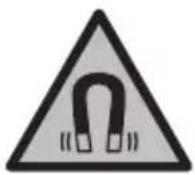
Keep the magnet away from implants and other medical devices, e.g. pacemakers or insulin pumps. The magnet generates a field that can impair the function of implants and medical devices.
- Keep the measuring tool away from magnetic storage media and magnetically-sensitive devices. The effect of the magnets can lead to irreversible data loss.
Product Description and Specifications
Please observe the illustrations at the beginning of this operating manual.
Intended Use
The laser receiver is intended to quickly find pulsating laser beams.
Please refer to the operating instructions for the line laser/point and line laser to see which Bosch line laser or Bosch point and line laser is compatible with the laser receiver. The laser receiver is suitable for indoor and outdoor use.
Product Features
The numbering of the product features refers to the illustration of the laser receiver on the graphics page.
(1) Speaker
(2) Button for adjusting the reception accuracy
(3) On/off button
(4) Audio signal button
(5) Laser beam reception area
(6) Display
(7) Magnets
(8) Guide groove for holder
(9) "Laser beam below centre line" LED direction indicator
(10) Centre mark
(11) "Laser beam above centre line" LED direction indicator
16 | English
(12) Serial number
(13) Battery compartment cover
(14) Battery compartment cover locking mechanism
(15) LED for centre line (rear)
(16) Holder ^a) (1 608 M00 C1L)
(17) Rotary knob of holder ^a)
(18) Guide rail ^a)
(19) Holder locking mechanism ^a)
(20) Pushbutton to release the locking mechanism ^a)
a) Accessories shown or described are not included with the product as standard. You can find the complete selection of accessories in our accessories range.
Display Elements
(a) Battery warning
(b) "Laser beam below centre line" direction indicator
(c) Centre line indicator
(d) "Laser beam above centre line" direction indicator
(e) Indicator for reception accuracy "coarse"
(f) Indicator for reception accuracy "fine"
(g) Audio signal indicator
Technical Data
| Laser receiver LR 7 | |
| Article number | 3 601 K69 J.. |
| Working rangeA) | 5-X mB) |
| Reception angle 90° | |
| Reception accuracyC) | |
| - "Fine" ±1 mm | |
| - "Coarse" ±3 mm | |
| Operating temperature -10 °C to +50 °C | |
| Storage temperature -20 °C to +70 °C | |
| Max. altitude 2000 m | |
1 609 92A 7LX | (02.05.2022) Bosch Power Tools
English | 17
Laser receiver LR 7
| Relative air humidity max. 90 % | |
| Pollution degree according to IEC 61010-1 3 | D) |
| Batteries 2 × 1.5 V LR6 (AA) | |
| Approx. operating time 30 h | |
| Weight according to EPTA-Procedure 01:2014 0.15 kg | |
| Dimensions (length × width × height) 73 × 28 × 137 mm | |
| Protection rating IP54 (dust and splash-proof) | |
A) The working range may be reduced by unfavourable environmental conditions (e.g. direct sunlight).
B) X: Maximum working range for operation with laser receiver according to the operating instructions for the Bosch line laser or Bosch point and line laser that is used
C) Dependent on the distance between the laser receiver and the line laser/point and line laser
D) Occurrence of conductive deposits or dry, non-conductive deposits which become conductive when an expected level of condensation occurs. Under such conditions, the product is usually protected from direct sunlight, precipitation and high wind pressure but neither temperature nor air humidity are being monitored.
For clear identification of your laser receiver, see the serial number (12) on the type plate.
Noise Information

Typically the A-weighted sound pressure level of the audio signal is 80 dB(A) at 1 m away.
Do not hold the laser receiver close to your ear.
Assembly
Inserting/Changing the Batteries
Alkali-manganese batteries are recommended for the laser receiver.
Pull the locking mechanism (14) of the battery compartment cover outwards and lift up the battery compartment cover (13). Insert the batteries.
When inserting the batteries, ensure that the polarity is correct according to the illustration on the inside of the battery compartment.
When the battery warning (a) first appears on the display (6), the laser receiver can still be operated for approx. 2 hours.
Always replace all the batteries at the same time. Only use batteries from the same manufacturer and which have the same capacity.
Bosch Power Tools 1 609 92A 7LX | (02.05.2022)
18 | English
▶ Take the batteries out of the laser receiver when you are not using it for a prolonged period of time. The batteries can corrode and self-discharge during prolonged storage in the laser receiver.
Operation
Starting operation
▶ Protect the laser receiver against moisture and direct sunlight.
▶ Do not subject the laser receiver to extreme temperatures or variations in temperature. As an example, do not leave it in vehicles for longer periods. In case of large variations in temperature, allow the laser receiver to adjust to the ambient temperature before putting it into operation. In case of extreme temperatures or variations in temperature, the accuracy of the laser receiver can be impaired.
Setting up the Laser Receiver (see figure A)
Place the laser receiver at least 5 m away from the line laser or point and line laser. Ensure that receiver mode is active on the line laser or point and line laser. Select an operating mode in which either only a horizontal or only a vertical laser beam is generated.
Note: Do not select an operating mode which generates both horizontal and vertical laser beams at the same time (cross-line operation) because this might impair the height readings of the laser beam.
Position the laser receiver so that the laser beam can reach the reception area (5). Align it so that the laser beam runs straight through the reception area (as shown in the figure).
Switching On/Off
▶ A loud audio signal sounds when switching on the laser receiver. Therefore, keep the laser receiver away from your ear or other persons when switching it on. The loud sound can damage hearing.
To switch on the laser receiver, press the on/off button (3). All display indicators and all LEDs light up briefly and an audio signal sounds.
After the laser receiver is switched on, the volume is always set to medium and the reception accuracy set to "fine".
To switch off the laser receiver, press the on/off button (3) again. All LEDs and all display indicators light up briefly before the tool switches off, and an audio signal sounds.
If no button on the laser receiver is pressed for approx. 20 min and no laser beam reaches the reception area (5) for 20 min, then the laser receiver will automatically
switch itself off to preserve battery life. The switching off is indicated by all LEDs and all display indicators lighting up briefly, and an audio signal sounds.
Selecting the Setting of the Centre Line Indicator
You can use the button adjusting the reception accuracy (2) to specify the accuracy with which the position of the laser beam is indicated as "centred" on the reception area:
- Reception accuracy "fine" (indicator (f) on the display),
- Reception accuracy "coarse" (indicator (e) on the display).
Direction Indicators
The position of the laser beam in the reception area (5) is indicated as follows:
- By the direction "Laser beam below centre line" (b), "Laser beam above centre line" (d) or centre line indicator (c) on the display (6) on the front of the laser receiver,
- By the direction LEDs "Laser beam below centre line" (9), "Laser beam above centre line" (11) or centre line indicator (15) on the back of the laser receiver,
- By an audio signal (optional) (see "Laser Beam Indicator Audio Signal", page 19).
Laser receiver too low: If the laser beam runs through the upper half of the reception area (5), then the direction indicator "Laser beam above centre line" (d) on the display and the corresponding LED "Laser beam above centre line" (11) will light up.
If the audio signal is switched on, a signal sounds at a high frequency. Move the laser receiver upwards in the direction of the arrow.
Laser receiver too high: If the laser beam runs through the lower half of the reception area (5), then the direction indicator "Laser beam below centre line" (b) on the display and the corresponding LED "Laser beam below centre line" (9) will light up.
If the audio signal is switched on, a signal sounds at a low frequency. Move the laser receiver downwards in the direction of the arrow.
Laser receiver centred: If the laser beam runs through the reception area (5) at the height of the centre mark (10), then the centre line indicator (c) on the display and the corresponding centre line LED (15) will light up.
If the audio signal is switched on, a continuous tone sounds.
Laser Beam Indicator Audio Signal
The position of the laser beam on the reception area (5) can also be indicated by an audio signal.
The volume level can be changed or the audio signal switched off.
To change the volume level or switch off the audio signal, push the audio signal button (4) until the required volume level is indicated on the display. At a low volume, the audio
20 | English
signal indicator (g) appears on the display with one bar; at a high volume, the indicator appears with three bars. When the audio signal is switched off, the indicator goes out.
Independent of the audio signal setting, a short beep sounds at low volume level each time a button is pressed on the laser receiver.
Backlighting
The backlighting of the display is switched on at full strength when the laser receiver is switched on. If no laser beam is detected and no button on the laser receiver is pressed for 2 min, the backlighting is reduced by 50%.
You can switch the backlighting off. To do so, press and hold the button for adjusting the reception accuracy (2) and the audio signal button (4) at the same time for at least 2 s.
Working Advice
Marking
You can mark the position of the laser beam at the centre mark (10) on the left and right of the laser receiver when the beam hits the centre of the reception area (5).
When marking, take care to align the laser receiver so that it is exactly vertical (with a horizontal laser beam) or horizontal (with a vertical laser beam), as otherwise the marks are offset with respect to the laser beam.
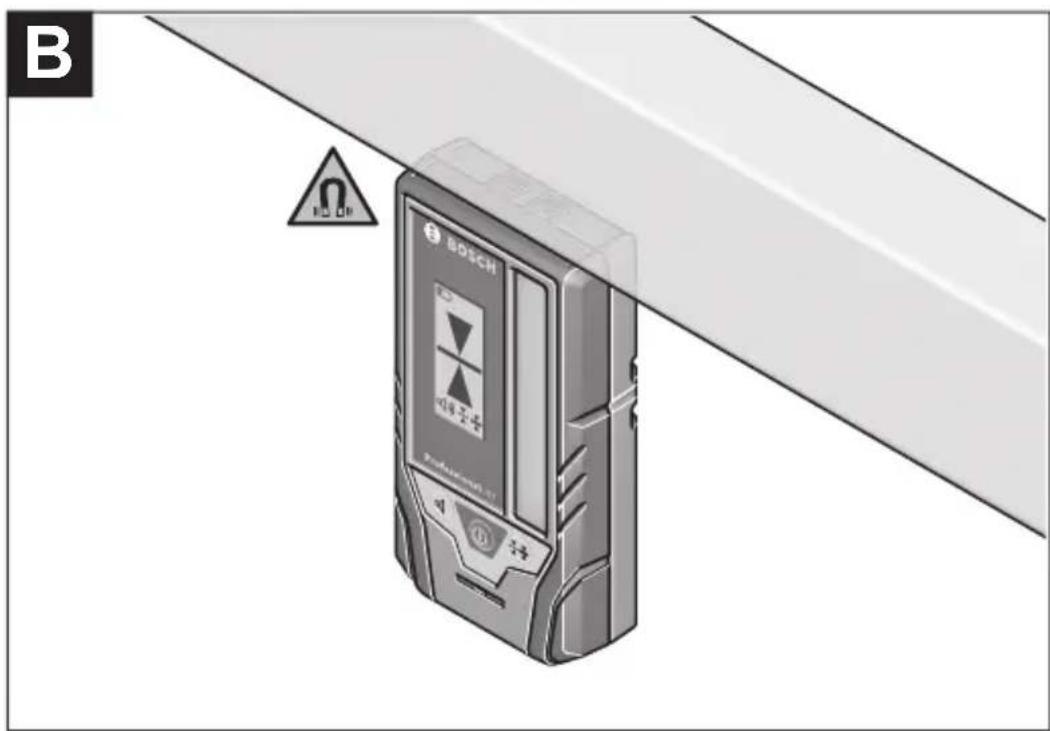
Attaching using a magnet (see figure B)
If an attachment is not required to be especially secure, the laser receiver can be attached to steel parts using the magnets (7).
Maintenance and Service
Maintenance and Cleaning
Always keep the laser receiver clean.
Do not immerse the laser receiver in water or other liquids.
Wipe off any dirt using a damp, soft cloth. Do not use any detergents or solvents.
After-Sales Service and Application Service
Our after-sales service responds to your questions concerning maintenance and repair of your product as well as spare parts. You can find explosion drawings and information on spare parts at: www.bosch-pt.com
The Bosch product use advice team will be happy to help you with any questions about our products and their accessories.
In all correspondence and spare parts orders, please always include the 10-digit article number given on the nameplate of the product.
Malaysia
Robert Bosch Sdn. Bhd.(220975-V) PT/SMY
No. 8A, Jalan 13/6
46200 Petaling Jaya
Selangor
Tel.: (03) 79663194
Toll-Free: 1800 880188
Fax: (03) 79583838
E-Mail: kiathoe.chong@my.bosch.com
www.bosch-pt.com.my
Great Britain
Robert Bosch Ltd. (B.S.C.)
P.O. Box 98
Broadwater Park
North Orbital Road
Denham Uxbridge
UB 9 5HJ
At www.bosch-pt.co.uk you can order spare parts or arrange the collection of a product in need of servicing or repair.
Tel. Service: (0344) 7360109
E-Mail: boschservicecentre@bosch.com
You can find further service addresses at:
www.bosch-pt.com/serviceaddresses
Disposal
The laser receiver, accessories and packaging should be recycled in an environmentally friendly manner.
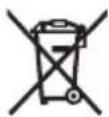
Do not dispose of laser receivers or batteries with household waste.
Only for EU countries:
According to the Directive 2012/19/EU on waste electrical and electronic equipment and its transposition into national law, laser receivers that are no longer usable, and, according to the Directive 2006/66/EC, defective or drained batteries must be collected separately and disposed of in an environmentally correct manner.
22 | Français
If disposed incorrectly, waste electrical and electronic equipment may have harmful effects on the environment and human health, due to the potential presence of hazardous substances.
Only for United Kingdom:
According to Waste Electrical and Electronic Equipment Regulations 2013 (2013/3113) and the Waste Batteries and Accumulators Regulations 2009 (2009/890), electrical and electronic equipment that is no longer usable must be collected separately and disposed of in an environmentally friendly manner.
Français
Robert Bosch Morocco SARL
53, Rue Lieutenant Mahroud Mohamed
20300 Casablanca
Tel.: +212 5 29 31 43 27
E-Mail : sav.outillage@ma.bosch.com
France
Robert Bosch (France) S.A.S.
www.bosch-pt.com/serviceaddresses
30 | Español
Calle Robert Bosch No. 405
www.bosch-pt.com/serviceaddresses
Eliminación
www.bosch-pt.com/serviceaddresses
46 | Italiano
Eliminação
www.bosch-pt.com/serviceaddresses
Smaltimento
www.bosch-pt.com/serviceaddresses
Afvalverwijdering
Bosch Service Center
Telegrafvej 3
2750 Ballerup
På www.bosch-pt.dk kan der online bestilles reservedele eller oprettes en reparations ordre.
Tlf. Service Center: 44898855
Fax: 44898755
E-Mail: vaerktoej@dk.bosch.com
www.bosch-pt.com/serviceaddresses
Bortskaffelse
Bosch Service Center
Telegrafvej 3
2750 Ballerup
Danmark
Tel.: (08) 7501820 (inom Sverige)
Fax: (011) 187691
www.bosch-pt.com/serviceaddresses
Avfallshantering
www.bosch-pt.com/serviceaddresses
Kassering
www.bosch-pt.com/serviceaddresses
Hävitys
www.bosch-pt.com/serviceaddresses
Απόσυροη
www.bosch-pt.com/serviceaddresses
Tasfiye
Robert Bosch Sp. z o.o.
www.bosch-pt.com/serviceaddresses
Utylizacja odpadów
Bosch Service Center PT
K Vápence 1621/16
692 01 Mikulov
www.bosch-pt.com/serviceaddresses
Likvidace
www.bosch-pt.com/serviceaddresses
Likvidácia
www.bosch-pt.com/serviceaddresses
Hulladékkezelés
www.bosch-pt.com/serviceaddresses
Утилизация
www.bosch-pt.com/serviceaddresses
156 | Казак
Утилізація
www.bosch-pt.com/serviceaddresses
Кәдеге жарату
Service scule electrice
Strada Horia Măcelariu Nr. 30–34, sector 1
013937 Bucureşti
www.bosch-pt.com/serviceaddresses
Eliminarea
Service scule electrice
Strada Horia Măcelariu Nr. 30–34, sector 1
013937 Bucureşti, România
www.bosch-pt.com/bg/bg/
www.bosch-pt.com/serviceaddresses
Бракуване
www.bosch-pt.com/serviceaddresses
Отстранување
www.bosch-pt.com/serviceaddresses
Uklanjanje dubreta
Laserske prijemnike, pribor i ambalažu treba reciklirati na ekološki prihvatljiv način.
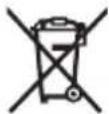
Laserske prijemnike i baterije nemojte bacati u kućni otpad!
Samo za EU-zemlje:
Prema evropskoj direktivi 2012/19/EU o starim električnim i elektronskim uređajima i njenoj primeni u nacionalnom pravu, laserski prijemnici koji se više ne mogu koristiti, a prema evropskoj direktivi 2006/66/EC akumulatori/baterije koje su u kvaru ili istrošene moraju se odvojeno sakupljati i uključiti u reciklažu koja ispunjava ekološke uslove.
www.bosch-pt.com/serviceaddresses
Odlaganje
www.bosch-pt.com/serviceaddresses
Zbrinjavanje
Laserske prijamnike, pribor i ambalažu treba dovesti na ekološki prihvatljivo recikliranje.
212 | Eesti
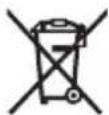
Laserske prijamnike i baterije ne bacajte u kućni otpad!
Samo za zemlje EU:
U skladu s europskom Direktivom 2012/19/EU o električnim i elektroničkim starim uređajima i njihovom provedbom u nacionalno pravo neupotrebljivi laserski prijamnici i u skladu s europskom Direktivom 2006/66/EZ neispravne ili istrošene aku-baterije/baterije moraju se odvojeno sakupljati i dovesti na ekološki prihvatljivo recikliranje.
www.bosch-pt.com/serviceaddresses
Jäätmekäitlus
www.bosch-pt.com/serviceaddresses
www.bosch-pt.com/serviceaddresses
Šalinimas
www.bosch-pt.com/serviceaddresses
廃棄
www.bosch-pt.com/serviceaddresses
废弃处理
www.bosch-pt.com/serviceaddresses
廢棄物處理
www.bosch-pt.com/serviceaddresses
처리
Ce can be a way to get the way to get
www.bosch-pt.com/serviceaddresses
การกำจัดขยะ
Palma Tower 10th Floor
Jalan RA Kartini II-S Kaveling 6
Pondok Pinang, Kebayoran Lama
www.bosch-pt.com/serviceaddresses
Cara membuang
www.bosch-pt.com/serviceaddresses
Sụ' thải bổ
Robert Bosch Morocco SARL
www.bosch-pt.com/serviceaddresses
www.bosch-pt.com/serviceaddresses
Copyright © 2012-2019 STMicroelectronics
All rights reserved.
Redistribution and use in source and binary forms, with or without modification, are permitted provided that the following conditions are met:
- Redistributions of source code must retain the above copyright notice, this list of conditions and the following disclaimer.
- Redistributions in binary form must reproduce the above copyright notice, this list of conditions and the following disclaimer in the documentation and/or other materials provided with the distribution.
- Neither the name of STMicroelectronics nor the names of its contributors may be used to endorse or promote products derived from this software without specific prior written permission.
THIS SOFTWARE IS PROVIDED BY THE COPYRIGHT HOLDERS AND CONTRIBUTORS "AS IS" AND ANY EXPRESS OR IMPLIED WARRANTIES, INCLUDING, BUT NOT LIMITED TO, THE IMPLIED WARRANTIES OF MERCHANTABILITY AND FITNESS FOR A PARTICULAR PURPOSE ARE DISCLAIMED. IN NO EVENT SHALL THE COPYRIGHT OWNER OR CONTRIBUTORS BE LIABLE FOR ANY DIRECT, INDIRECT, INCIDENTAL, SPECIAL, EXEMPLARY, OR CONSEQUENTIAL DAMAGES (INCLUDING, BUT NOT LIMITED TO, PROCUREMENT OF SUBSTITUTE GOODS OR SERVICES; LOSS OF USE, DATA, OR PROFITS; OR BUSINESS INTERRUPTION) HOWEVER CAUSED AND ON ANY THEORY OF LIABILITY, WHETHER IN CONTRACT, STRICT LIABILITY, OR TORT (INCLUDING NEGLIGENCE OR OTHERWISE) ARISING IN ANY WAY OUT OF THE USE OF THIS SOFTWARE, EVEN IF ADVISED OF THE POSSIBILITY OF SUCH DAMAGE.
- Deutsch
- Sicherheitshinweise
- Entsorgung
- Product Description and Specifications
- Intended Use
- Product Features
- | English
- Display Elements
- Technical Data
- Noise Information
- Assembly
- Inserting/Changing the Batteries
- | English
- Operation
- Starting operation
- Setting up the Laser Receiver (see figure A)
- Switching On/Off
- Selecting the Setting of the Centre Line Indicator
- Direction Indicators
- Laser Beam Indicator Audio Signal
- | English
- Backlighting
- Working Advice
- Marking
- Attaching using a magnet (see figure B)
- Maintenance and Service
- Maintenance and Cleaning
- After-Sales Service and Application Service
- Malaysia
- Great Britain
- You can find further service addresses at:
- Disposal
- Only for EU countries:
- | Français
- Only for United Kingdom:
- Français
- France
- | Español
- Eliminación
- | Italiano
- Eliminação
- Smaltimento
- Afvalverwijdering
- Bortskaffelse
- Avfallshantering
- Kassering
- Hävitys
- Απόσυροη
- Tasfiye
- Utylizacja odpadów
- Likvidace
- Likvidácia
- Hulladékkezelés
- Утилизация
- Утилізація
- Кәдеге жарату
- Eliminarea
- Бракуване
- Отстранување
- Uklanjanje dubreta
- Samo za EU-zemlje:
- Odlaganje
- Zbrinjavanje
- | Eesti
- Samo za zemlje EU:
- Jäätmekäitlus
- Šalinimas
- 廃棄
- 废弃处理
- 廢棄物處理
- 처리
- การกำจัดขยะ
- Cara membuang
- Sụ' thải bổ
- Copyright © 2012-2019 STMicroelectronics
Brand : BOSCH
Model : LR 2 Professional
Category : Receiver