
PMP 20 - Mp3 player ECG - Free user manual and instructions
Find the device manual for free PMP 20 ECG in PDF.


| Product Type | MP3 Player |
| Brand | ECG |
| Model | PMP 20 |
| Dimensions | Approximately 90 x 40 x 10 mm |
| Weight | Approximately 30 g |
| Power Source | Built-in rechargeable lithium battery |
| Battery Capacity | 300 mAh |
| Playback Time | Up to 10 hours |
| Storage Capacity | 8 GB internal (expandable via microSD) |
| Supported Audio Formats | MP3, WMA, WAV, APE, FLAC |
| Display | 1.8-inch TFT color screen |
| Connectivity | USB 2.0, 3.5mm headphone jack |
| Playback Functions | Music playback, video playback, FM radio, voice recording, e-book reader |
| Operating System Compatibility | Windows, macOS, Linux (mass storage) |
| Accessories Included | USB cable, earphones, user manual |
| Care and Cleaning | Wipe with a soft dry cloth. Do not use liquids or solvents. |
| Safety Warnings | Do not disassemble, expose to water, or high temperatures. Use only provided charger. |
| Spare Parts Availability | Replacement batteries and earphones available from manufacturer. |
| Repairability | Limited; contact authorized service center for repairs. |
Frequently Asked Questions - PMP 20 ECG
User questions about PMP 20 ECG
0 question about this device. Answer the ones you know or ask your own.
Ask a new question about this device
Download the instructions for your Mp3 player in PDF format for free! Find your manual PMP 20 - ECG and take your electronic device back in hand. On this page are published all the documents necessary for the use of your device. PMP 20 by ECG.
USER MANUAL PMP 20 ECG
MP3 PLEJER UPUTSTVO ZA UPOTREBU

MP3-MÄNGIJA KASUTUSJUHEND
MP3 GROTUVAS INSTRUKCIJŲ VADOVAS

MP3 ATSKAÑOTĀJS ROKASGRĀMATA
BEZPEČNOSTNÍ POKYNY
WMA, WMV: 32–384 kbit/s
natural_image
Symbol of a trash bin with crossed lines indicating no waste or discharge (no text or labels)08/05
- Tlačidlo REC (nahrávanie)
- Tlačidlo Mode (režim)
- Hlasitost' +
- Hlasitost' –
- Posun vpred
-
Posun vzad
-
Prehrávanie/Pauza / Zapnutie/Vypnutie (držat)
- Konektor USB
- Slot SD karty
- Displej
- Konektor slúchadiel
Displej
WMA, WMV: 32 – 320 kbit/s
natural_image
Symbol of a trash bin crossed with two crossed lines, representing no waste or discharge (no text or labels)
08/05
Local folder Delete file
WMA, WMV: 32–384 kbit/s
natural_image
Symbol of a trash bin crossed with no text or numbers, representing waste sorting or disposal (no text present)
08/05

WMA, WMV: 32–384 kbit/s
Frekvenciatartomány 20 Hz – 20 kHz
natural_image
Symbol of a trash bin crossed with a diagonal line and a horizontal line, no text or numbers present.08/05
HU
WMA, WMV: 32–384 kbit/s
natural_image
Symbol of a trash bin crossed with no text or numbers, representing waste sorting or restriction (no text present)
08/05
DE
Please read carefully and keep for future reference.
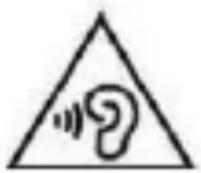
To prevent possible hearing damage, avoid prolonged listening at high volume.
Read carefully and keep for future use!
- Make sure you read this manual thoroughly and follow the instructions provided here before you turn the device on and start using it. Keep this manual for future reference.
- Observe all warnings in the documentation supplied with the device.
- Turn off the device before cleaning and disconnect it from the power supply. Do not use liquid cleaners or spray cleaners for cleaning. Use wet cloth for cleaning.
- Use only accessories recommended by the manufacturer. Otherwise there is a risk of injury or damage to the device.
- Do not use the device close to water and in humid locations, e.g. close to a pool, bathtub, kitchen sink. Do not expose the appliance to dripping or splashing water, do not place containers filled with liquids near the appliance.
- The appliance must only be supplied with power from the power supply indicated in the manual. For battery power, follow the instructions in the operating instructions.
- Protect the appliance from the ingress of liquids and foreign objects and do not place objects in the openings in the appliance.
-
Do not open the device cover. There are no elements inside that can be configured by the user. Have a qualified service technician perform repairs on the device.
-
Do not expose batteries to excessive temperatures, e.g. direct sunlight, fire etc.
- Do not expose the device to heat sources such as radiators, heating or other heat-producing appliances such as amplifiers.
• Changes or modifications not expressly approved and given in the instructions may result in loss of authorization to use the device. - Excessive sound pressure from earphones can cause hearing damage.
DESCRIPTION
GB
Player
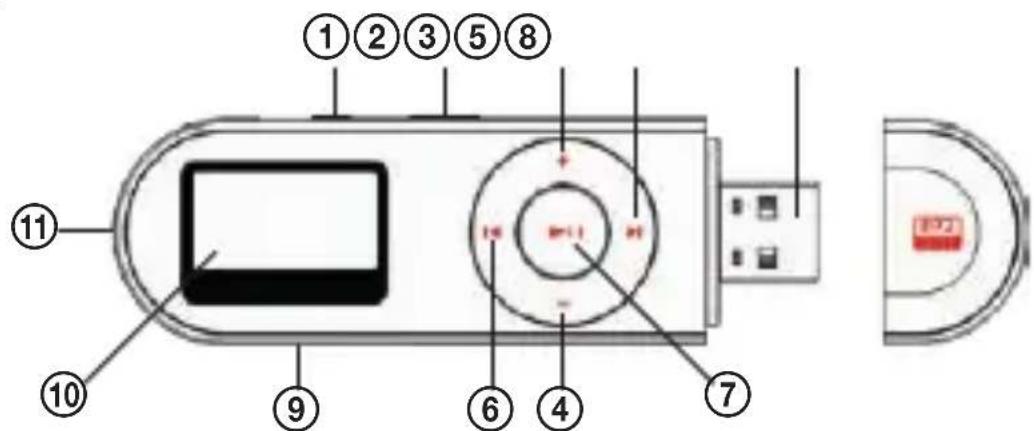
- REC button (recording)
- Mode button
- Volume +
- Volume -
- Forward
- Reverse
- Play/Pause/On/Off (hold)
- USB connector
- SD card slot
- Display
- Headphones jack
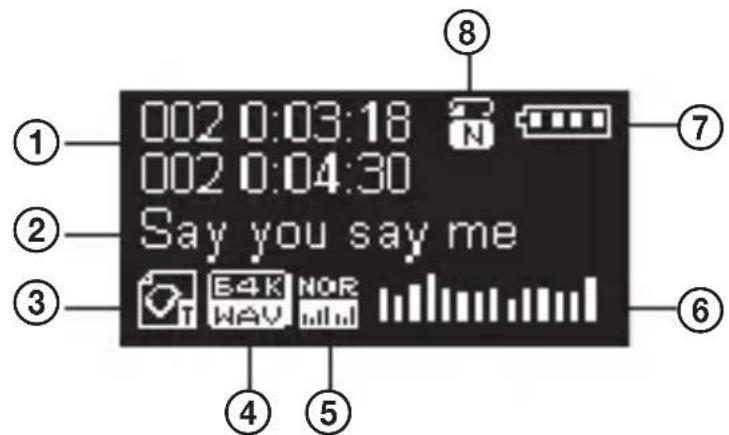
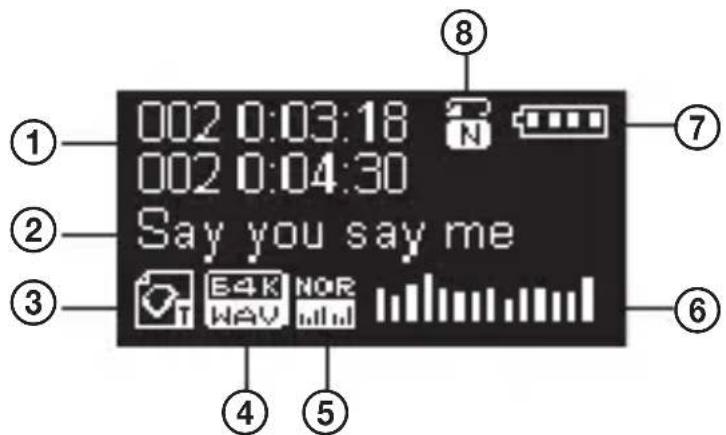
Display
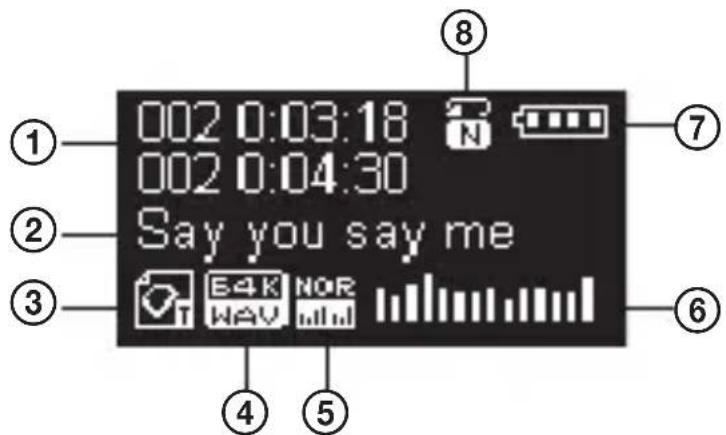
- Playback time
- Name of the song/Artist
- Mode icon
-
File format
-
Equalizer
- Playback status
- Battery status
- Repeat playback mode
PACKAGE CONTENTS
- Player
-
Headphones
-
Operating manual
USING THE SYSTEM
Basic operations
Battery charge level
Built-in lithium battery allows you to use the device for up to 11 hours on a single charge.
The battery is fully charged at 4.2 V. During playback, the remaining battery capacity gradually changes.
☐ Empty indicator signals nearly empty battery, charge it.
The device offers two charging options:
- Charging using USB connector.
- Charging using USB AC/DC adapter: 5 V, 500 mA (not included).
Note: The charging time should not exceed 2 hours. We recommend to turn off the device before charging.
Browsing menu items and tracks
You can browse tracks and menu items using the buttons ◀/▶. During playback, the buttons are used for fast move to the previous /next track.
Enter the menu/List of menu items
Menu items are used to control individual player functions. Open the main menu using long press of the button Mode.
Main menu
• Music mode (music playback)
- Recorder mode (recording)
• Voice mode (playback of saved sound recordings)
• E-book mode (text file reader)
- Setting mode (setting)
• USB mode (for connection to PC)
Volume control
Use the +/- buttons to increase or decrease the playback volume.
Turn on/off the player
Long press ▶II (at least 1.2 seconds) to turn on the device.
Long press again ▶II to turn off the device.
Play
Start playback in the Music mode (music playback) using the button ▶II. Press again this button to stop the playback. End Music mode (music playback) by long pressing the button ▶II.
Recording
End recording in the Recorder mode by pressing the button ▶II.
Music Playing
- Plug the headphones into the connector of the player.
- Long press ▶II (at least 1.2 seconds) to turn on the player, select Music mode (music playback) and press ▶II to start playback.
- Using the buttons ◀/▶I you can go to previous/next track. Using volume buttons +/- set volume.
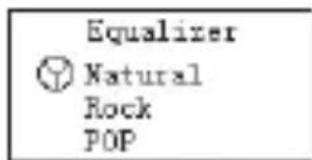
Equalizer
- Press the button Mode during playback, using the button ▶I select Equalizer.
- Press the button Mode to confirm the submenu Equalizer.
- Press the button ▶I to select the required setting of the equalizer from these options: Natural, Rock, Pop, Classical, Soft, Jazz and DBB.
- Press the button Mode to confirm the selection.
Display lyrics (Lyric)
The player supports the display of song lyrics from *.LRC files. The file with the lyrics must have the same name as the appropriate MP3 file (e.g. My heart will go on.mp3 and the appropriate Lyric file:
My heart will go on.Irc). If the name matches, the playback icon changes to .

- If the file name matches, start with long press Mode the Lyric mode.
- The text of the song appears on the display.
- Press again the button Mode to end the Lyric mode.
Recording
Make sure the battery has sufficient capacity before recording. Up to 99 recorded files can be stored in each folder.
Recording in the Record mode
- Open the main menu and using the button ▶I select the item Record.
- Press the button Mode to confirm the Record mode (recording).
- Press the button ▶II to start recording.
Note: Only the button ▶II and the function A-B are active during recording.
Data stream of the recording
- You can open the submenus when the record mode stops by pressing the button Mode.
- Use the button ▶I to select the item "Record type" and press Mode to confirm it. The available options are: 32 kbit/s, 64 kbit, 128 kbit, 192 kbit/s and 384 kbit/s.
- Press ▶II to start recording.
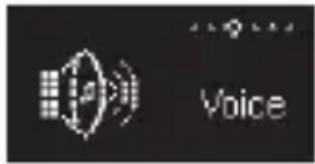
Playback of recordings
- Open the main menu and use the button ▶I to select the item Voice.
-
Press the button Mode to confirm the playback mode.
-
Press the button ▶II to start the playback.
-
Using the buttons ◀/▶I you can go to previous/next track.
Setting
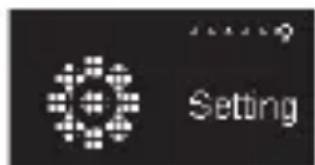
You can change setting of various functions of the player in this item. Individual options may vary slightly from the firmware version guide.
-
Open the main menu and use the button ▶I to select the item Setting.
-
Press the button Mode to confirm the setting mode.
Items in the Setting menu
| System time Clock setting | |
| Backlight Screen saver setting | |
| Language Setting menu language | |
| Power off Energy saving settings, Sleep mode | |
| Memory info Information about free space and memory use | |
| Firmware Version Information about firmware | |
| Exit End settings |
Note: When you press the button ▶II you can exit quickly any menu.
Reading text files
- Open the main menu and use the button ▶I to select the item E-Book (reading text files).
- Press the button Mode to confirm the reading mode.
- Use the button Mode to select the folder containing the text files. Use the button ▶II to select a file.
- Use the button ▶I to select the item Text and confirm by pressing Mode. Use the buttons I◀/▶I to browse the text.
Using the player as USB drive
The player can be used as a standard USB flash drive, supported are Windows 98 (driver installation is required), Windows 2000 and later (drivers do not need to be installed), Mac OS 10.3, Red Hat Linux 8.0 and later.
The player supports using USB as power supply when connected to a computer and can be used without a battery. The player supports sleep mode.
When the player is connected and is in the wait for data transfer mode, press the button Mode to switch to main menu.
After connecting to a computer, the player can be in 3 modes: data transfer waiting mode, data saving mode in the player, and download mode from the player.
Other settings and functions
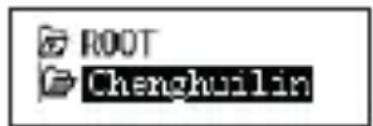
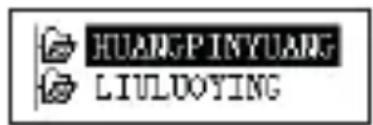
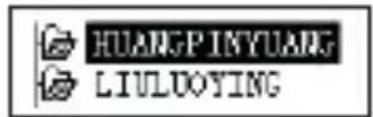
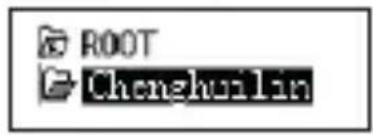
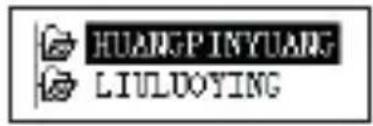
Change of folder
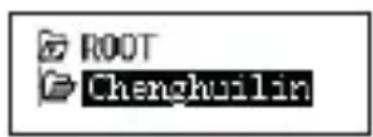
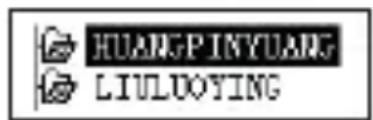
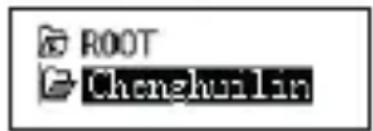
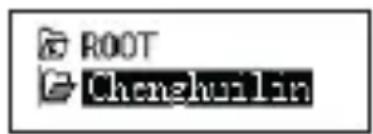
You can save files and songs to different folders. You have to create folders using a PC. You can create up to 9 folders in the player in the main folder ROOT.
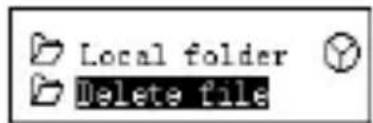
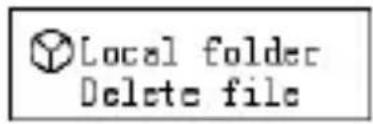
- When you stop the playback, press the button Mode to open the submenu of the item Stop.
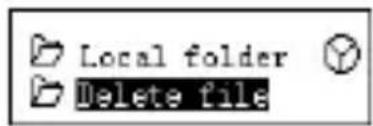
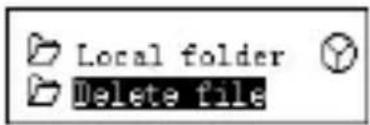
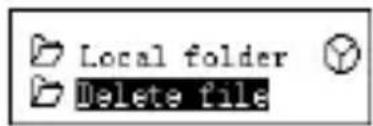
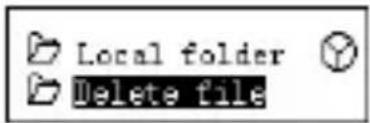
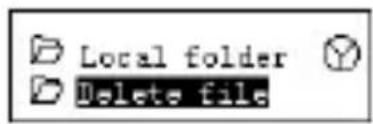
- Press the button Mode to select Local folder (local folder).
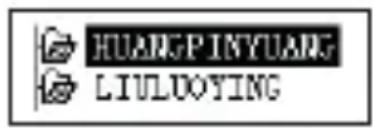
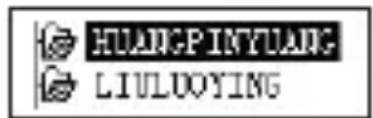
- Use the buttons ◀◀/▶I to select the required folder.
- Press the button Mode to confirm the change of folder.
Note: You can change the folders in any music playback / recording / recording playback modes.
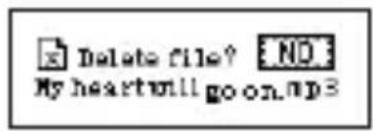
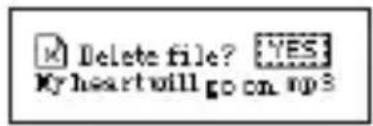
Delete files
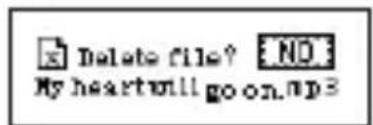
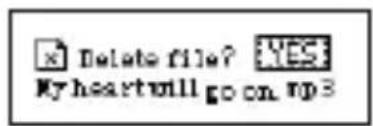
You can delete played file in music/recording playback modes.
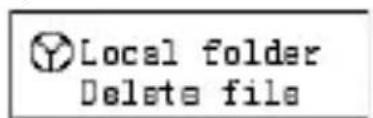
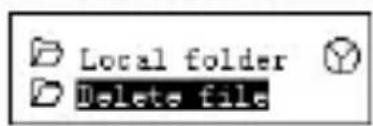
- Stop the playback and press Mode to open the submenus of the item Stop.
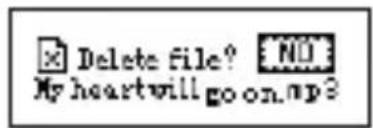
- Use the buttons ◀◀/▶I to select Delete file (delete file) or Delete all (delete all files).
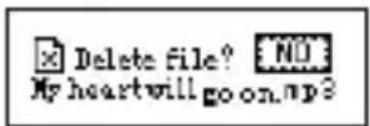
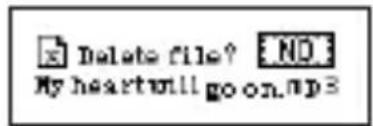
- Press the button Mode to confirm selection Delete file (delete file).
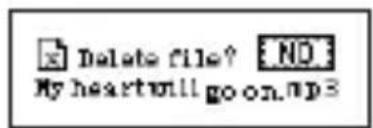
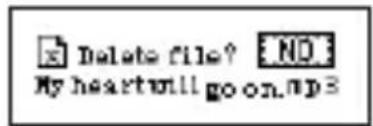
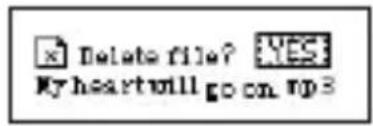
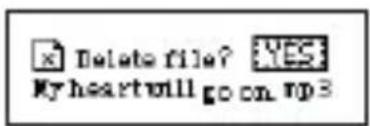
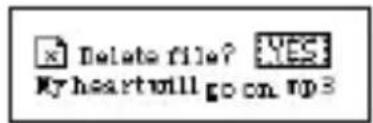
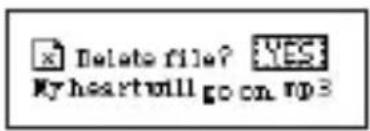
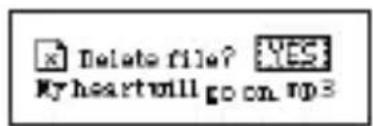
- Press the button ▶I to select YES (yes).
- Press the button Mode to confirm deletion.
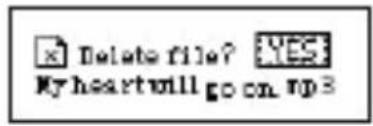
The Delete all option deletes all the current mode files in that folder, e.g. for example, in music play mode, deletes all music files in the folder, the recorded files remain unchanged.
Note: When disconnecting the player from your computer, always use the „Safely Remove Hardware“ feature, otherwise you may not be able to delete some files.
Playback options
In music or record playback modes, you can select different modes, such as repeat, random play, etc.
- Repeat
| Normal Plays the music files in the normal order until the last one in the folder. | |
| Repeat One Repeats the selected music file. | |
| Folder Plays the music files in the folder | |
| Repeat Folder Repeats the music files in the folder | |
| Repeat All Repeats all music files from all the folders. | |
| Random Plays music files in random order. | |
| Intro. Plays beginnings of the songs. |
- Repeat A-B modes
You can repeat from the beginning to the -B mark or select the initial mark A
-
In the music playback mode open the playback submenu by pressing the button Mode.
-
Press the button ▶I to select the item Repeat Mode (repeat mode) and confirm the selection by pressing Mode.
-
The symbol for point A flashes, press ▶I to select the point A.
-
The symbol for point B flashes, press ▶I to select the point B.
-
Symbol stops flashing and the playback between the A-B marks starts. When you press ◀ during playback, you reset the mark A.
TROUBLESHOOTING
| There is no sound Check if the volume is not set to 0 and the headphones are properly connected. Check if the headphones are not dirty. Damaged MP3 files may be noisy or cannot be played at all. | |
| Strange characters on the display | Check the language setting. |
| Cannot save music to the player. | Check the USB port, make sure that the player is properly connected to the computer.Make sure that the driver is properly installed (Windows 98).Check if there is enough space in the memory of the player. |
TECHNICAL SPECIFICATIONS
Display LCD display 128 × 64 dots
Internal memory 4 GB, memory card up to 32 GB
Connection to PC high speed USB 2.0
Playback time up to 11 hours
Recording format MIC recording, data flow 32 kHz, WAV format
Audio format MP3/WMA/WMV
Output max. 10 mW (L) + 10 mW (R), (32 Ohm)
Data flow MP3: 32–320 kbit/s
WMA, WMV: 32–384 kbit/s
Frequency range 20 Hz – 20 kHz
Signal/noise ratio 80 dB
Operating temperature 5-40 °C
Menu languages English, simplified Chinese, traditional Chinese, Japanese, etc.
Dimensions 89 × 28 × 11.5 mm
Weight 21 g
Charging DC adapter: 5 V, 500 mA
Charging time 2 hours
USE AND DISPOSAL OF WASTE
Wrapping paper and corrugated paperboard – deliver to scrapyard. Packing foil, PE bags, plastic elements – throw into plastic recycling containers.
DISPOSAL OF PRODUCTS AT THE END OF LIFETIME
Disposal of electric and electronic equipment (valid in EU member countries and other European countries with an implemented recycling system)
The represented symbol on the product or package means the product shall not be treated as domestic waste. Hand over the product to the specified location for recycling
natural_image
Symbol of a trash bin crossed with two diagonal lines, representing no waste or discharge (no text or labels)
08/05
GB
electric and electronic equipment. Prevent negative impacts on human health and the environment by properly recycling your product.
Recycling contributes to preserving natural resources. For more information on the recycling of this product, refer to your local authority, domestic waste processing organization or store, where you purchased the product.
This product complies with EU directive requirements on electromagnetic compatibility and electrical safety.

The instruction manual is available at website www.ecg-electro.eu.
Changes in text and technical parameters reserved.
SIGURNOSNE UPUTE
HR/BIHF
- Tipka REC (snimanje)
- Tipka MODE (način rada)
- Glasnoća +
- Glasnoća -
- Kretanje naprijed
-
Vraćanje
-
Reprodukcija/Pauza/ Uključivanje/Isključivanje (držati)
- USB priključak
- Utor za SD karticu
- Zaslon
- Utičnica za slušalice
Zaslon
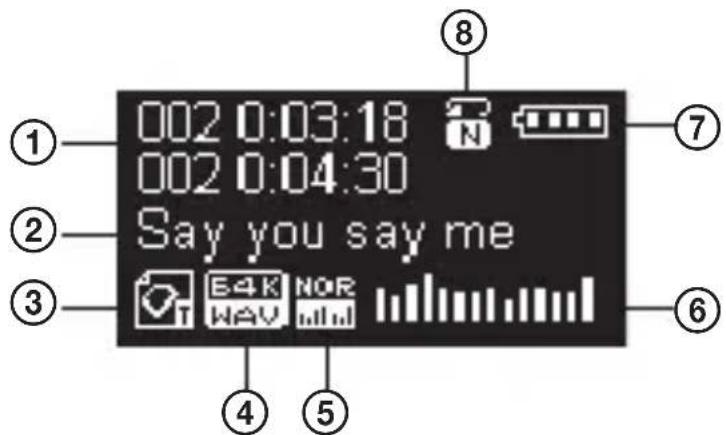
- Vrijeme reprodukcije
- Naziv skladbe/Izvođač
- Ikona načina rada
- Format datoteke
-
Ekvilajzer
-
Stanje reprodukcije
- Stanje baterije
- Način ponovljene reprodukcije
SADRŽAJ PAKIRANJA
- Player
-
Slušalice
-
Upute za uporabu
KORIŠTENJE UREĐAJA
Osnovne operacije
Razina napunjenosti baterije
Stavke unutar izbornika Setting
| System time Podešavanje vremena | |
| Backlight Postavke čuvara zaslona | |
| Language Izbornik postavki jezika | |
| Power off Podešavanje štednje energije i prelaska u stanje mirovanja | |
| Memory info Podaci o količini slobodnog prostora i načinu korištenja memorije | |
| Firmware Version Informacije o verziji firmvera | |
| Exit Izlazak iz postavki |
Napomena: Kad isključujete player iz računala uvijek koristite funkciju „sigurno uklanjanje hardwarea“ jer bi se u suprotnom moglo dogoditi da određene datoteke neće biti moguće izbrisati.
Opcije reprodukcije
WMA, WMV: 32–384 kbit/s
natural_image
Symbol of a trash bin crossed with no visible text or labels
08/05
električne i elektroničke opreme. Pravilnim recikliranjem ovog proizvoda spriječite štetne posljedice po ljudsko zdravlje i po okoliš.
Recikliranje doprinosi očuvanju prirodnih resursa. Želite li više informacija o recikliranju ovog proizvoda, molimo da se obratite lokalnim vlastima, organizaciji ovlaštenoj za preradu otpada ili trgovini u kojoj ste kupili uređaj.
Ovaj proizvod zadovoljava zahtjeve Direktive EU o elektromagnetskoj kompatibilnosti i sigurnosti električnih uređaja.

- Tipka REC (snemanje)
- Tipka Mode (način)
- Glasnost +
- Glasnost -
- Naprej
-
Nazaj
-
Predvajanje/Pavza/Vklop/Izklop (podržati)
- USB priključek
- Reža kartice SD
- Zaslon
- Konektor slušalk
Zaslon

- Čas predvajana
- Naslov pesmi/Izvajalec
- Ikona načina
- Format datoteke
-
Stabilizator
-
Stanje predvajanja
- Stanje baterije
- Način ponavljajočega predvajanja
VSEBINA EMBALAŽE
- S pritiskom na tipko Mode potrdite spremembo mape.
WMA, WMV: 32–384 kbit/s
Frekvenca 20 Hz – 20 kHz
Razmerje signal/šum 80 dB
Obratovalna temperatura 5–40 °C
natural_image
Symbol of a trash bin crossed with no visible text or labels
08/05
BEZBEDNOSNA UPUTSTVA
- Taster REC (snimanje)
- Taster Mode (način rada)
- Glasnoća +
- Glasnoća -
- Kretanje napred
-
Vraćanje
-
Reprodukcija/Pauza/ Uključivanje/Isključivanje (držati)
-
USB konektor
-
Otvor za SD karticu
-
Ekran
-
Utičnica za slušalice

Ekran

WMA, WMV: 32–384 kbit/s
natural_image
Symbol of a trash bin crossed with no visible text or labels08/05
- Delete fail (kustuta fail) valiku kinnitamiseks vajutage Mode nuppu.

- YES (jah) valimiseks vajutage ▶I nuppu.
Andmevoog MP3: 32–320 kbit/s
WMA, WMV: 32–384 kbit/s
natural_image
Symbol of a trash bin crossed with no text or labels, representing waste sorting or disposal (no text present)
08/05
Failų šalinimas
- Naudokite mygtukus I◄/►I, kad pasirinktumète „Delete File“ (šalinti failą) arba „Delete all“ (šalinti visus failus) parinktis.
WMA, WMV: 32–384 kbit/sek.
Dažnio diapazonas 20 Hz – 20 kHz
Signalo / triukšmo santykis 80 dB
natural_image
Symbol of a trash bin crossed with two diagonal lines, representing no waste or discharge (no text or labels)
08/05
WMA, WMV: 32–384 kbit/s
Frekvenču diapazons 20 Hz – 20 kHz
natural_image
Symbol of a trash bin crossed with no text or numbers, representing environmental restriction (no text present)08/05


- BEZPEČNOSTNÍ POKYNY
- Displej
- Please read carefully and keep for future reference.
- Read carefully and keep for future use!
- DESCRIPTION
- Display
- PACKAGE CONTENTS
- USING THE SYSTEM
- Basic operations
- Battery charge level
- Browsing menu items and tracks
- Enter the menu/List of menu items
- Main menu
- Volume control
- Turn on/off the player
- Play
- Recording
- Music Playing
- Equalizer
- Display lyrics (Lyric)
- Recording in the Record mode
- Data stream of the recording
- Playback of recordings
- Setting
- Items in the Setting menu
- Reading text files
- Using the player as USB drive
- Other settings and functions
- Change of folder
- Delete files
- Playback options
- - Repeat
- - Repeat A-B modes
- TROUBLESHOOTING
- TECHNICAL SPECIFICATIONS
- USE AND DISPOSAL OF WASTE
- DISPOSAL OF PRODUCTS AT THE END OF LIFETIME
- SIGURNOSNE UPUTE
- Zaslon
- SADRŽAJ PAKIRANJA
- KORIŠTENJE UREĐAJA
- Osnovne operacije
- Razina napunjenosti baterije
- Opcije reprodukcije
- VSEBINA EMBALAŽE
- BEZBEDNOSNA UPUTSTVA
- Ekran
- Failų šalinimas
Brand : ECG
Model : PMP 20
Category : Mp3 player