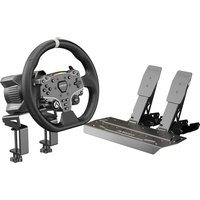
R3 - Video game accessory Moza - Free user manual and instructions
Find the device manual for free R3 Moza in PDF.


User questions about R3 Moza
0 question about this device. Answer the ones you know or ask your own.
Ask a new question about this device
Download the instructions for your Video game accessory in PDF format for free! Find your manual R3 - Moza and take your electronic device back in hand. On this page are published all the documents necessary for the use of your device. R3 by Moza.
USER MANUAL R3 Moza
R3 Racing Wheel and Pedals
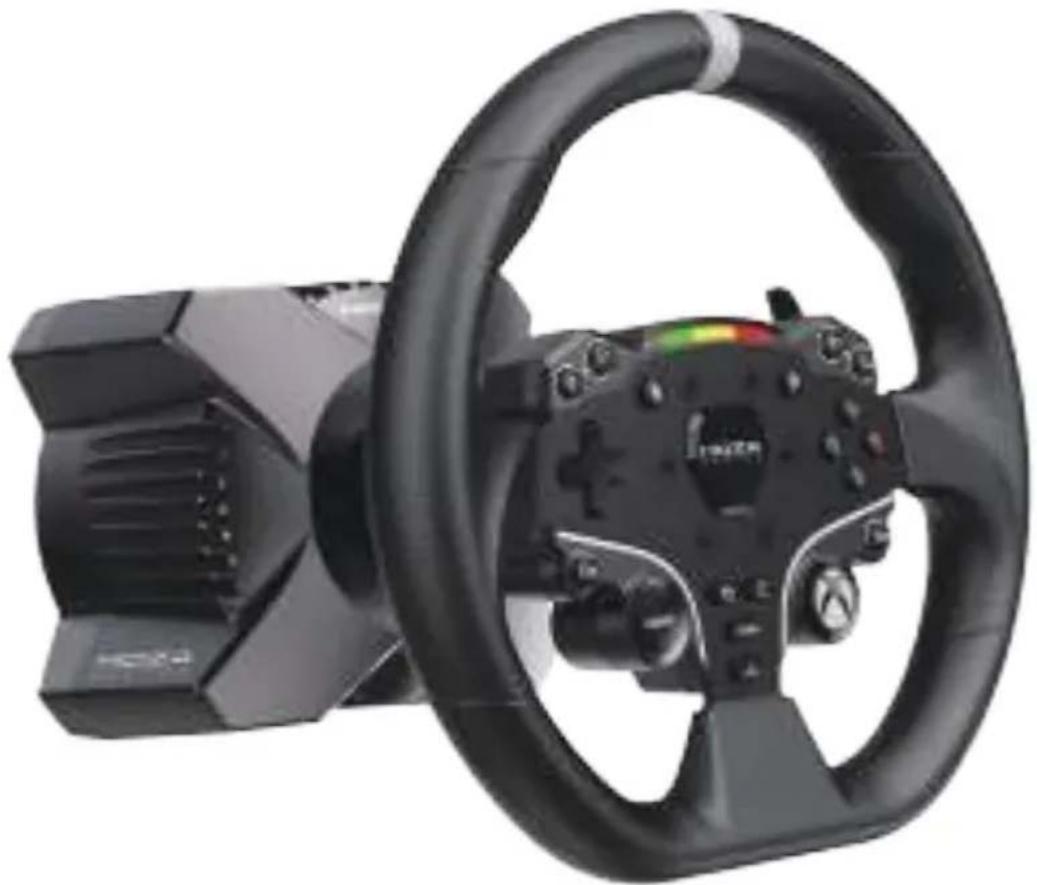
natural_image
Black and white photo of a car steering wheel with a digital controller, no visible text or symbolsFOR XBOX SERIES X|S, XBOX ONE, AND PC
CONTENTS
EN....1
FRA....13
DE....25
ESP....37
ITA....49
RUS....61
JAP....68
中文....80
繁體中文....92
01 R3 WHEEL BASE
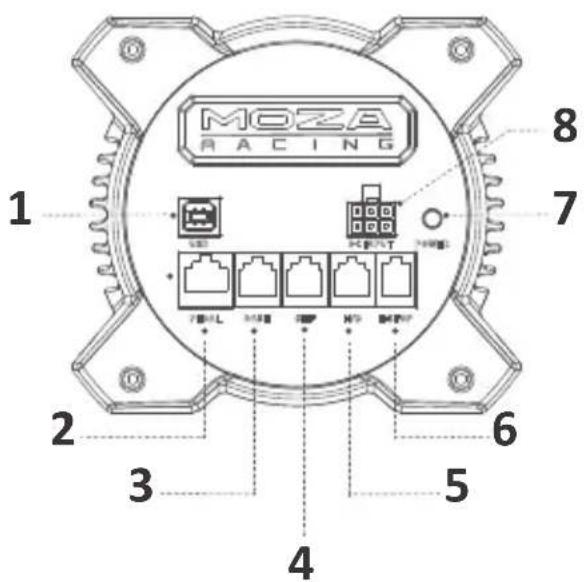
Connection Ports
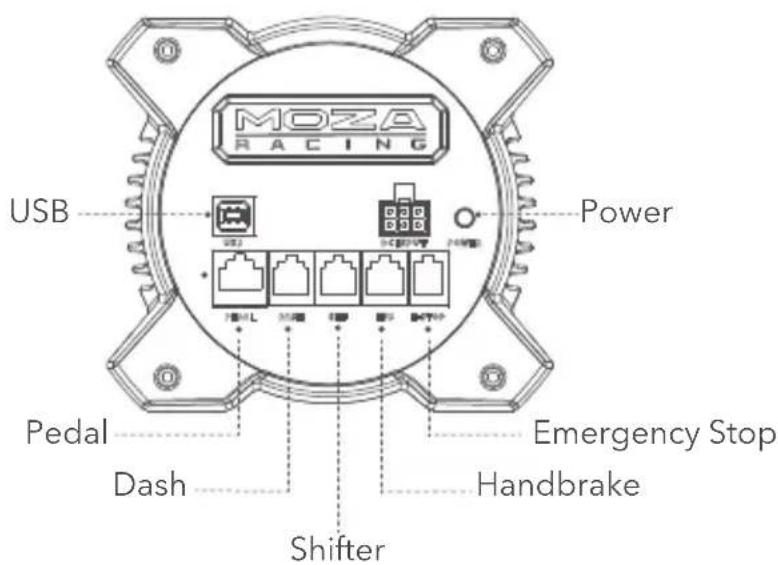
text_image
MOZA RACING USB Power 750W 750L 350 450 550 650 Pedal Dash Shifter Emergency Stop Handbrake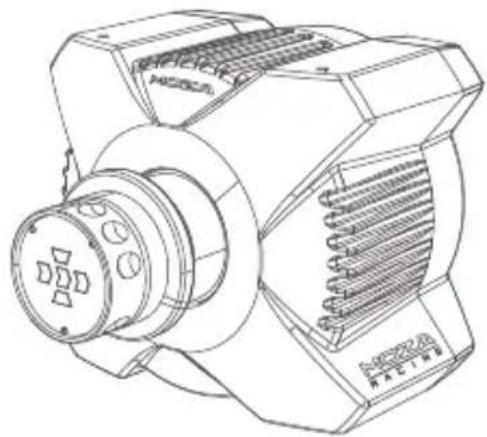
natural_image
Technical line drawing of a mechanical device with no visible text or symbolsDimension
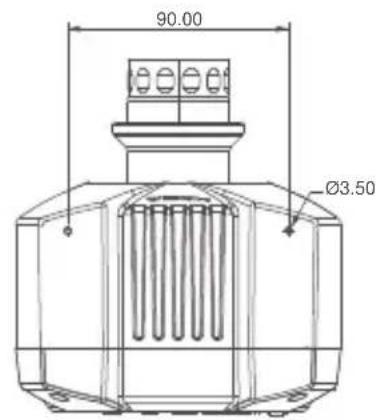
text_image
90.00 Ø3.50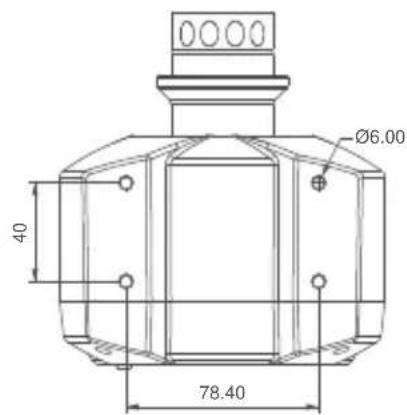
text_image
Ø6.00 40 78.40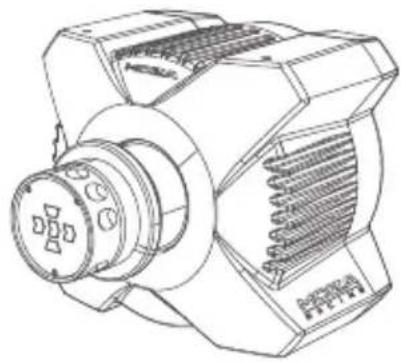
natural_image
Technical line drawing of a mechanical device with no visible text or symbolsXbox Console Connection Guide
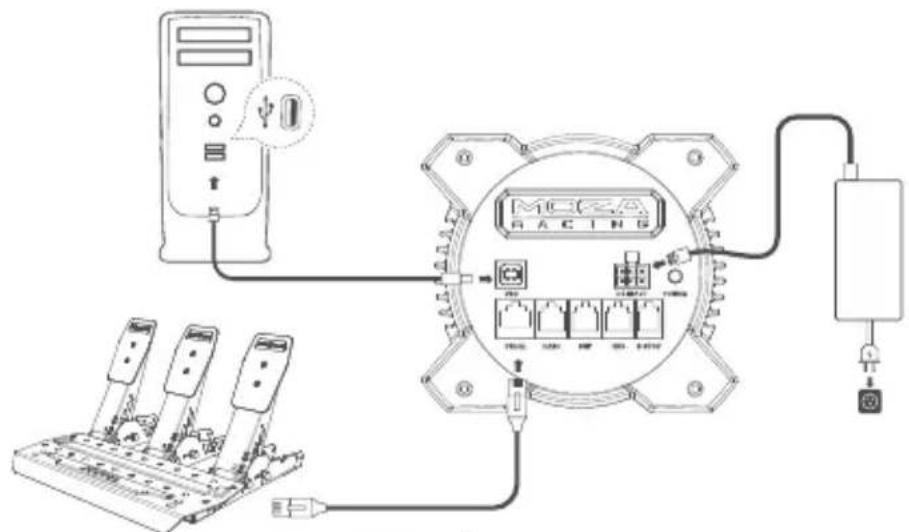
- Connect the SR-P Lite pedal set to the PEDAL port on the base.
- Plug the power cord into an electrical outlet.
- Plug the supplied usb cable into the corresponding ports on base and Xbox.
- Turn on the base by pressing the power button located at the rear and then turn on the Xbox console.
If the RPM light on the wheel flows from the side to the center, it indicates a successful connection to Xbox. However, if the RPM light is flashing, it means you are in PC mode. In this case, press and hold the S1 and S2 buttons on the steering wheel simultaneously for 3 seconds to switch to Xbox mode.
- If you encounter pedal travel issues during the initial use, there are two simple methods to recalibrate the pedal:
① Calibrating in PC Mode: Connect the device to a PC and enter PC mode. Calibrate the
pedal in MOZA Pit House until it functions normally and switch back to Xbox mode for regular usage.
② Calibrating with MOZA Racing Mobile App: Download and install the MOZA RACING mobile app from your app store. Access the pedal calibration feature within the app.

By default, the mode is set to Xbox. To use it on PC, you need to switch the mode.
If your steering wheel is not centered, or the maximum rotation angle doesn't match the in-game settings, please adjust it using the MOZA Pit House software on your mobile app or PC. For detailed instructions, please refer to the following section.

text_image
Diagram showing connections between a racing meter, circuit breakers, and power supply components with labeled ports and wiring.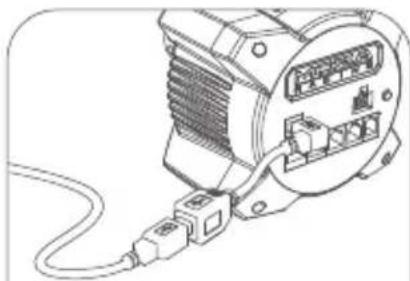
natural_image
Line drawing of an electrical connector with wiring and connectors (no text or symbols)USB Extension Cable User Guide:
Connect the Type-B male end of the extension cable securely to the wheelbase, and attach the Type-B female end to your USB data cable to ensure smooth detachment when being pulled or tripped over the cable and prevent accidental movement or damage to your Xbox console.
PC Connection Guide
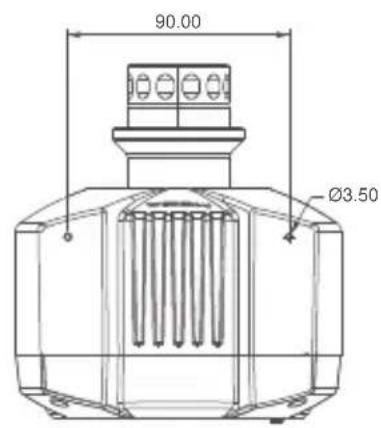
- Attach the base to the rig mount using either 2 or 4 screw holes on the bottom.
- Plug in both the power supply and USB cable into their corresponding ports located at the rear of R3 base. Then connect the USB cable to an available port on your PC.
- Briefly press down on the power button located at the back of R3 base to switch it on.
- Download the latest version of Moza Pit House from the help center on the Moza Racing website (www.mozaracing.com)
- For more information and instructional videos, please visit our official website at www.mozaracing.com
text_image
Diagram showing connections between a power supply unit, controller, and terminal devices with labeled components.Desk Clamp Installation Guide
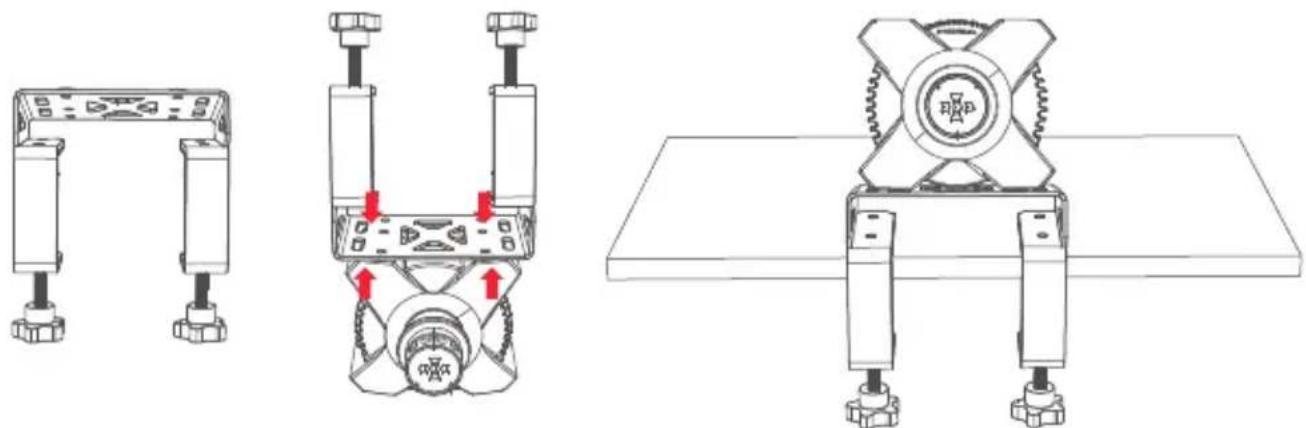
Attach the base to the clamp using the 4 mounting holes located on the underside of the base. Tighten the clamp to the desk securely to prevent any movement during use.
natural_image
Technical line drawings of mechanical components with red arrows indicating assembly or movement (no text or symbols)More information and tutorial videos are available on the official website (www.mozaracing.com)
Precautions
- Do not expose the equipment to liquids and moisture to avoid fire/electric shock.
- Avoid using the equipment in direct sunlight.
- For your safety and well-being, please monitor your gaming time and take breaks as needed.
- The device is not suitable for children under 6 years old, small accessories may cause a choking hazard!
· Children under 13 years old must be accompanied by their parents. - Do not dismantle the equipment without the manufacturer's permission, otherwise you will lose your warranty.
- The equipment must be connected using the factory-supplied power supply to prevent an electrical hazard.
- To ensure safety, repair or replacement of parts should only be carried out by an authorized repair centre.
- The use of non-standard power supplies is prohibited even if the relevant voltage and other data match.
- Only use AC power supplied by a standard wall outlet to avoid damage to the product.
- Exposure of the equipment to heat sources is prohibited.
- Unplug the unit from the power cord and disconnect it if it is not to be used for a long period of time.
- If you observe any abnormalities, please stop using it immediately and seek assistance from MOZA officials or the authorized center relevant to your concern.
- Stay tuned to the MOZA website and public platform for the latest product information.
This product is intended solely for use in simulated driving activities. It is important to distinguish between simulated games and real-life driving to ensure safety on the road.
Software Introduction
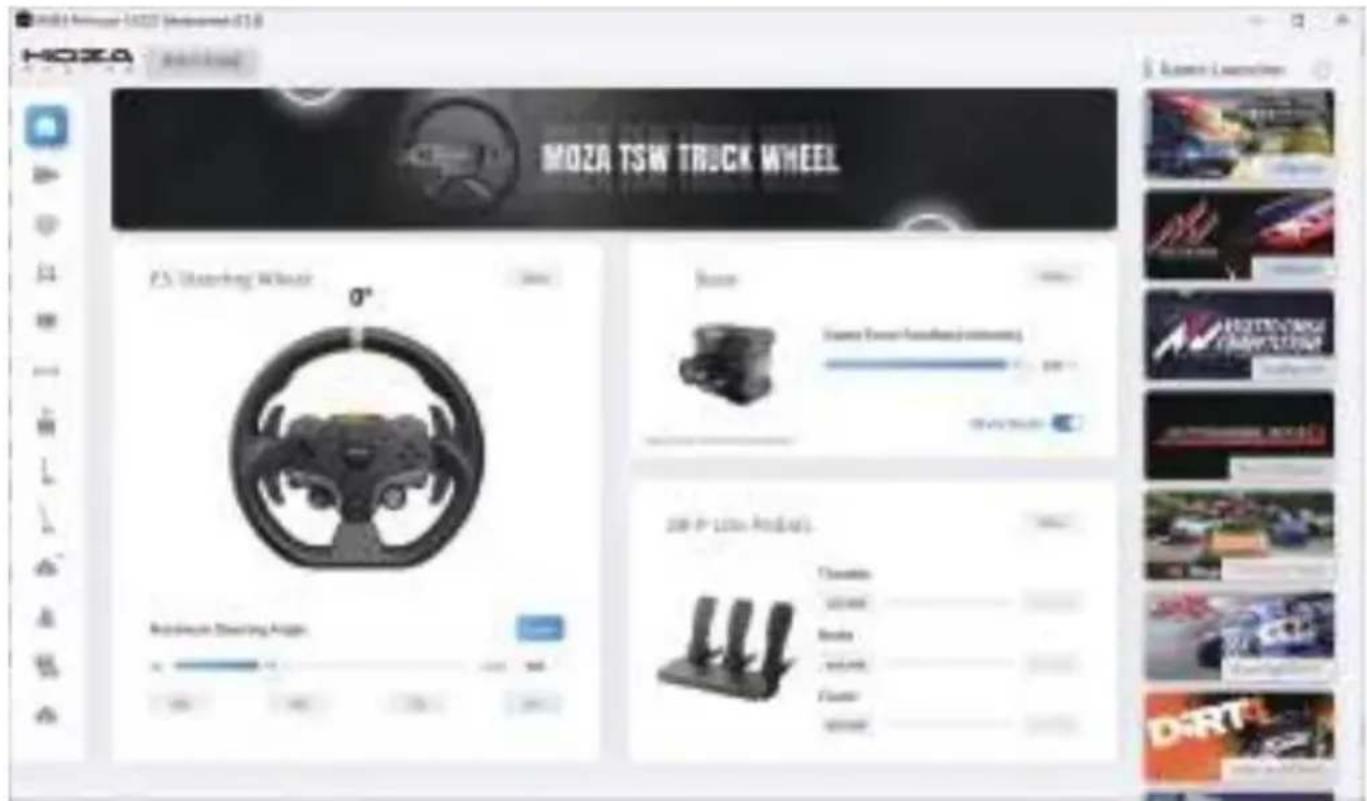
The main page allows you to check the working status of your connected devices and adjust settings. Additionally, you can quickly start games from this page. (The steering wheel needs to be centered at 0°.)
text_image
MOZA TSW TRUCK WHEEL P5 Stovering Wheel 0° Rearbase Stovering Angle 20 P 150x 40° Tonside Litter Brake SUV Cassier SunderWith both click and go presets to fully customizable advanced tuning, everyone from beginners to pro drivers can easily find that perfect setup.
text_image
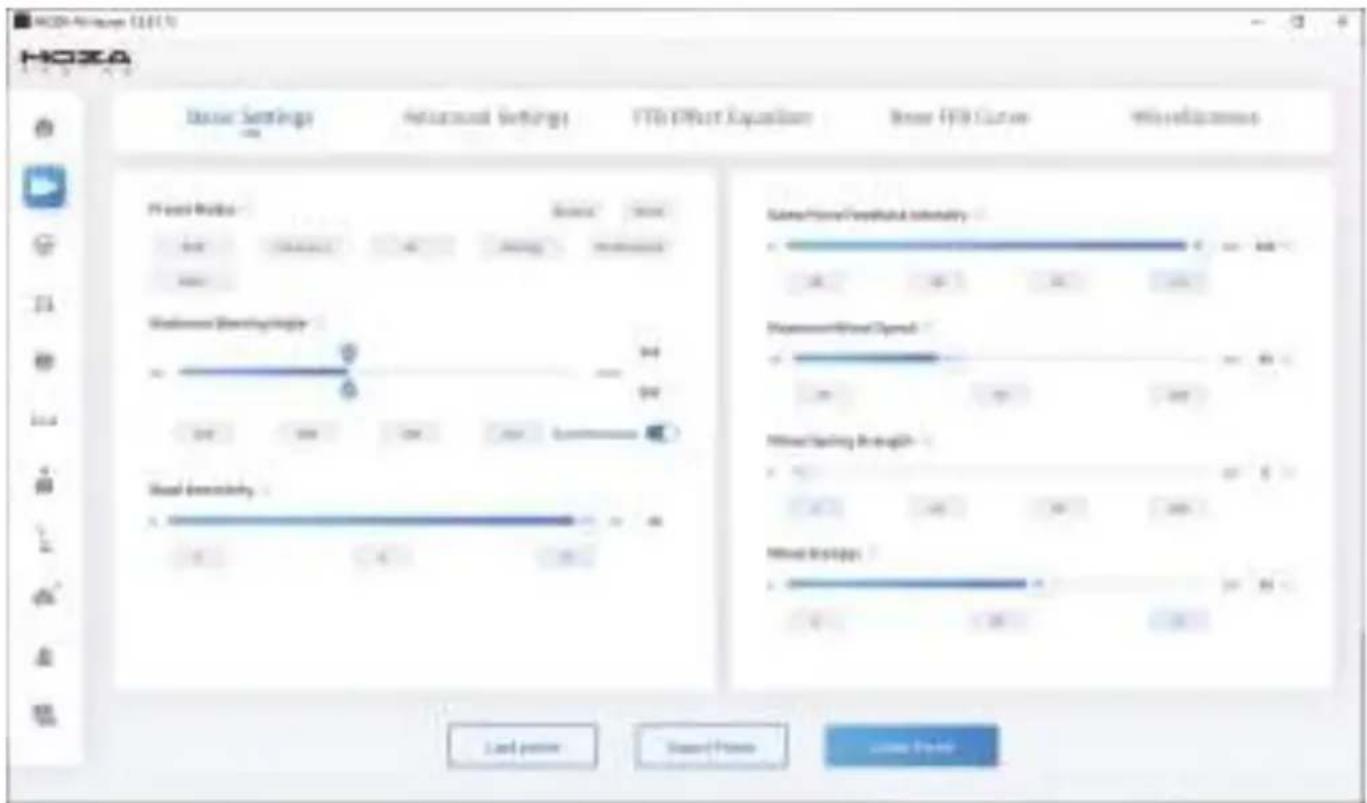
HOZA Dimension Settings Referral Settings FTB Effect Expansion Base FTB Curve Weightedness F1 Word Modics Source: None 0.00000000000000000000000000000000000000000000000000000000000000000000000000000000000000 Uniformer Shemaphagy 94 94 94 94 94 94 94 94 94 94 94 94 94 94 94 94 94 94 94 94 94 94 94 94 94 94 94 94 94 94 94 94 94 94Customize force feedback in our FFB Effect Equalizer section, to ensure you get exactly the right feel for every condition.
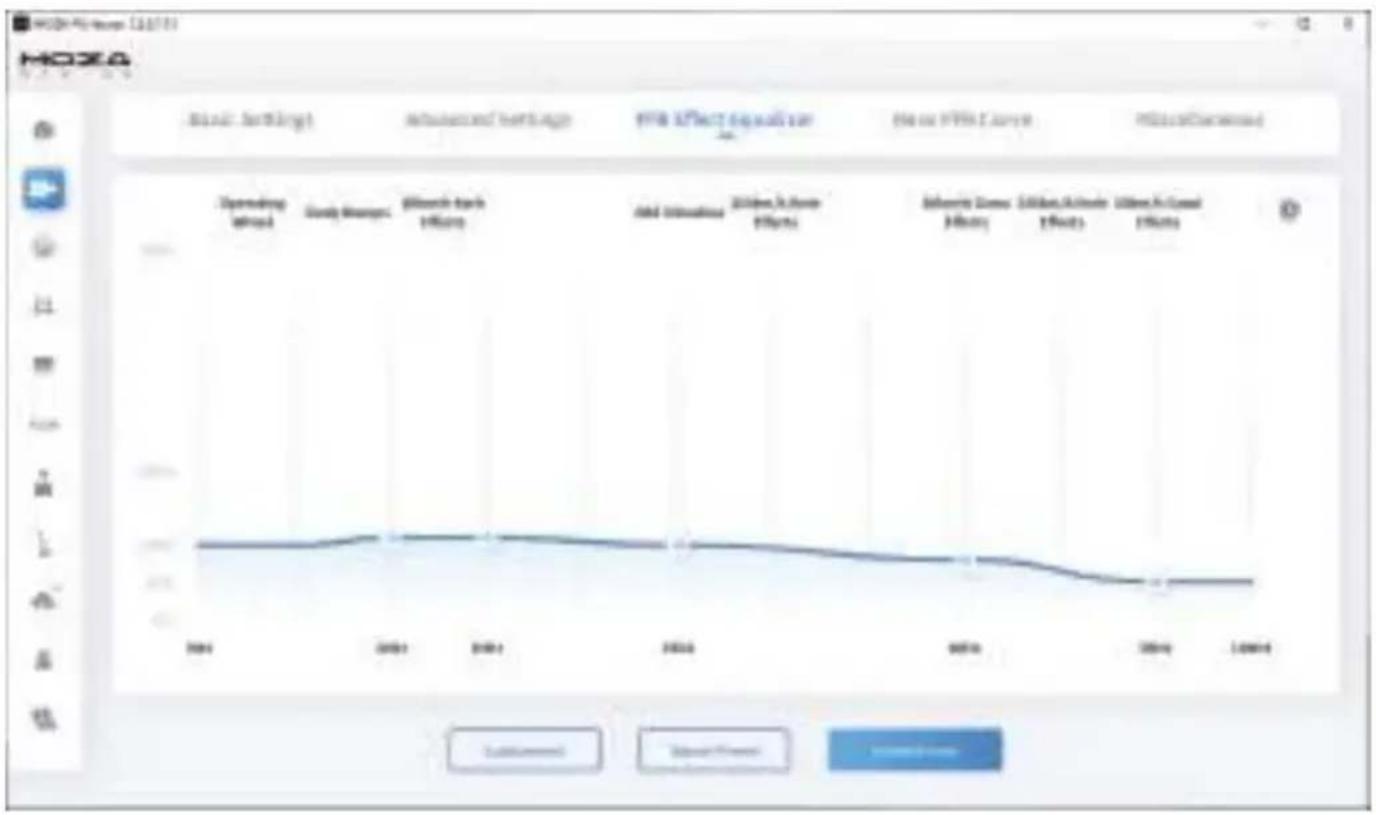
line
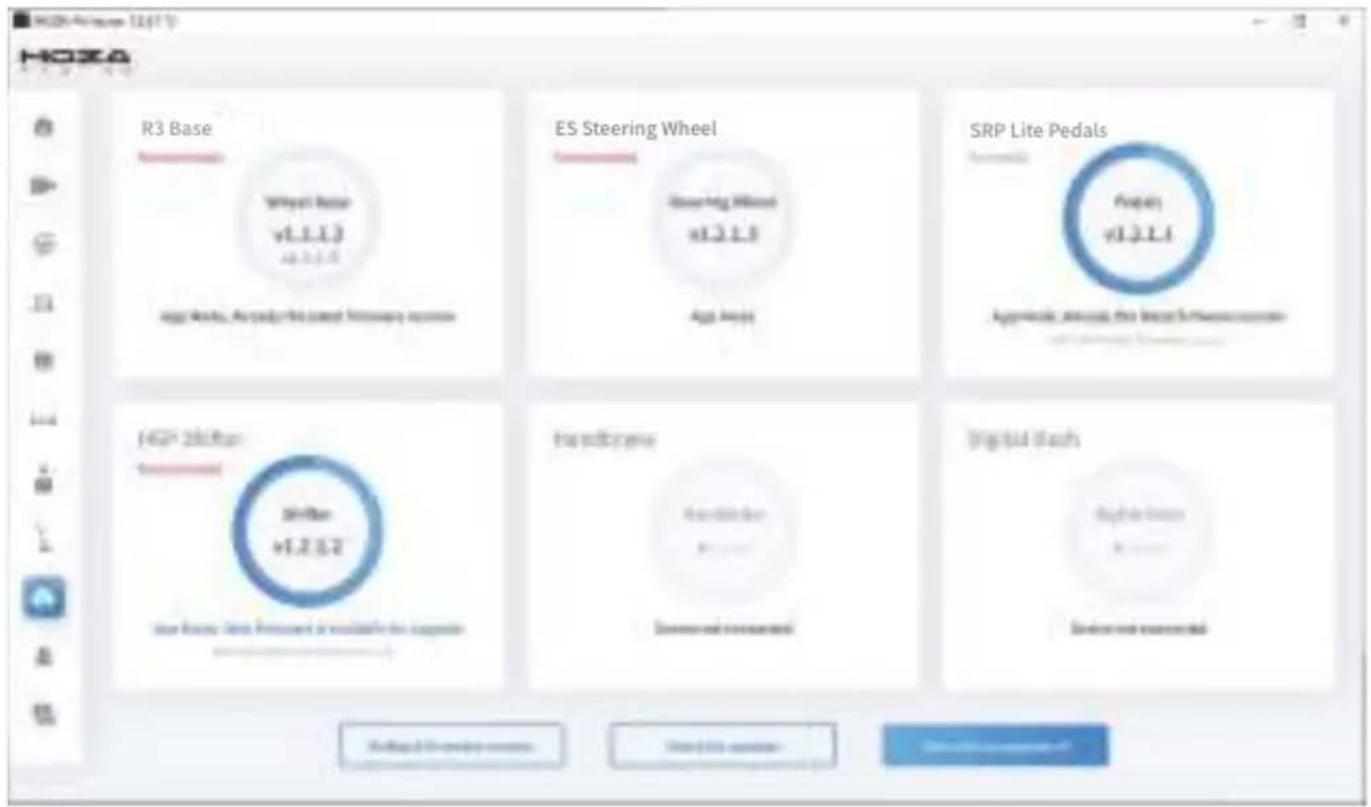
| Year | Operating Growth | Core Models | Research & Tech Efficiency | Total Solutions | Research & Home Effects | Research & Home Effects | Research & Home Effects | Research & Home Effects | |------|-------------------|-------------|----------------------------|-----------------|--------------------------|--------------------------|--------------------------|--------------------------| | 2004 | 100 | 100 | 100 | 100 | 100 | 100 | 100 | 100 | | 2005 | 100 | 100 | 100 | 100 | 100 | 100 | 100 | 100 | | 2006 | 100 | 100 | 100 | 100 | 100 | 100 | 100 | 100 | | 2007 | 100 | 100 | 100 | 100 | 100 | 100 | 100 | 100 | | 2008 | 100 | 100 | 100 | 100 | 100 | 100 | 100 | 100 | | Recent data (2008) - Periods: End of period: Total PPI: Current Periods: Total PPI: Current Periods: Research & Tech Efficiency: Research & Tech Efficiency: Research & Home Effects: Research & Home Effects: Research & Home Effects: Research & Home Effects: Research & Home Effects: Research & Home Effects: Research & Home Effects: Research & Home Effects: Research & Home Effects: Research & Home Effects: Research & Home Effects: Research & Home Effects: Research & Home Effects: Research & Home Effects: Research & Home Effects: Research & Home Effects: Research & Home Effects: Research & Home Effects: Research & Home Effects: Research & Home Effects: Research & HomeEffects: Research & HomeEffects: Research & HomeEffects: Research & HomeEffects: Research & HomeEffects: Research & HomeEffects: Research & HomeEffects: Research & HomeEffects: Research & HomeEffects: Research & HomeEffects: Research & HomeEffects: Research & HomeEffects: Research & HomeEffects: Research & HomeEffects: Research & HomeEffects: Research & HomeEffects: Research & HomeEffects: Research & HomeEffects: Research & HomeEffects: Research & HomeEffects: Research & Home Effects: Research & Home Effects: Research & Home Effects: Research & Home Effects: Research & Home Effects: Research & Home Effects: Research & Home Effects: Research & Home Effects: Research & Home Effects: Research & Home Effects: Research & Home Effects: Research & Home Effects: Research & Home Effects: Research & Home Effects: Research & Home Effects: Research & Home Effects: Research & Home Effects: Research & Home Effects: Research & Home Effects: Research & Home effects: Research & Home effects: Research & Home effects: Research & Home effects: Research & Home effects: Research & Home effects: Research & Home effects: Research & Home effects: Research & Home effects: Research & Home effects: Research & Home effects: Research & Home effects: Research & Home effects: Research & Home effects: Research & Home effects: Research & Home effects: Research & Home effects: Research & Home effects: Research & Home effects: Research & Home effects: Research & Home effectOne click updates the MOZA Racing ecosystem, enjoy the latest features with ease.
text_image
HOZA R3 Base ES Steering Wheel SRP Lite Pedals HGP 260ftr Handbase Digital FlashFor more detailed instructions, please visit the MOZA website (www.mozaracing.com) and download the user manual from our help center page.
Bluetooth connection
- Download the MOZA RACING App from the App Store and open it. Tap on "Connect to the device" to begin searching for your device SN code.
- Once you have found your device based on the SN code, click on "Connect."
- Click on "Enter the car" to access the settings page.
- On the setting page, you can configure and adjust the parameters for both the base and steering wheel.
text_image
Mobile app interface screenshot showing a car image with a speedometer and a red progress bar, plus a circular timer displaying '1234'.
text_image
Brazeet's Tanger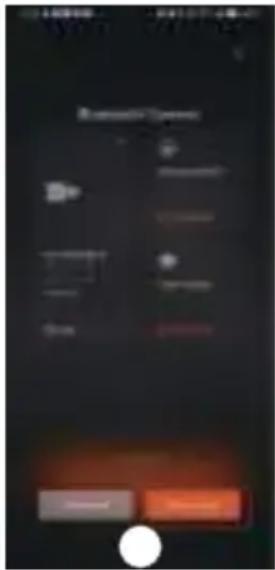
text_image
My Computer OK Cancel Finish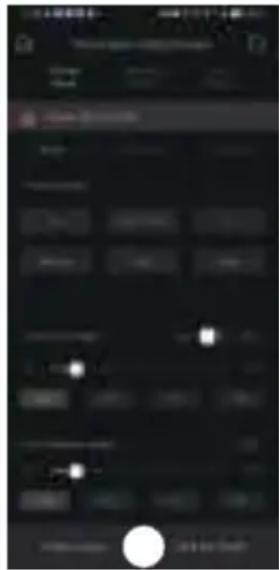
text_image
Mobile app interface screenshot showing a dark control panel with status bar, progress buttons, and a white circular button at the bottom.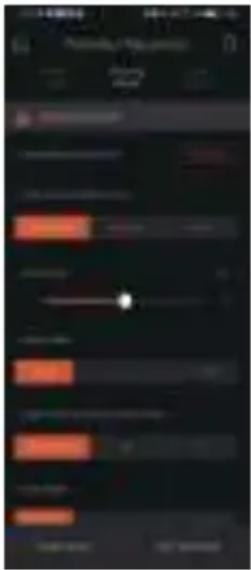
text_image
Mobile app interface screenshot showing a dark screen with orange and red progress bars, a white dot at center, and status bar at bottom.Specs
Supported Platforms: Xbox Series X|S, Xbox One, Windows 10/11
Drive Type: Direct Drive
Max Wheel Rotation: 2000°
Housing Material: Aviation-grade Aluminum Alloy
Housing Color: Black
Peak Torque: 3.9 N·m
Input Voltage: 100V\~240V AC ->12V DC
USB Refresh rate: 1000Hz
APP Function: Supported
Connection Ports: power, USB, dash, pedals, emergency stop, shifter and handbrake
Accessories: user manual and warranty card, power supply, data cable, and tool kit.
Fixing Method: bottom mount with 2/4 holes
Upgradable firmware: supported
FCC Warning
This device complies with part 15 of the FCC Rules. Operation is subject to the following two conditions:(1) This device may not cause harmful interference, and (2) this device must accept any interference received, including interference that may cause undesired operation. Any Changes or modifications not expressly approved by the party responsible for compliance could void the user's authority to operate the equipment.
This equipment has been tested and found to comply with the limits for a Class B digital device, pursuant to part 15 of the FCC Rules. These limits are designed to provide reasonable protection against harmful interference in a residential installation. This equipment generates uses and can radiate radio frequency energy and, if not installed and used in accordance with the instructions, may cause harmful interference to radio communications. However, there is no guarantee that interference will not occur in a particular installation. If this equipment does cause harmful interference to radio or television reception, which can be determined by turning the equipment off and on, the user is encouraged to try to correct the interference by one or more of the following measures:
- Reorient or relocate the receiving antenna.
- Increase the separation between the equipment and receiver.
- Connect the equipment into an outlet on a circuit different from that to which the receiver is connected.
- Consult the dealer or an experienced radio/TV technician for help.
FCC RF exposure statement:
The equipment complies with FCC radiation exposure limits set forth for an uncontrolled environment. This equipment should be installed and operated with minimum distance between 20cm the radiator your body.
IC Caution:
Radio Standards Specification RSS-Gen, issue 5
This device contains licence-exempt transmitter(s)/receiver(s) that comply with Innovation, Science and Economic Development Canada's licence-exempt RSS(s). Operation is subject to the following two conditions:
This device may not cause interference.
This device must accept any interference, including interference that may cause undesired operation of the device.
RF exposure statement:
The equipment complies with IC Radiation exposure limit set forth for uncontrolled environment. This equipment should be installed and operated with minimum distance 20cm between the radiator and your body.
02 ES Steering Wheel
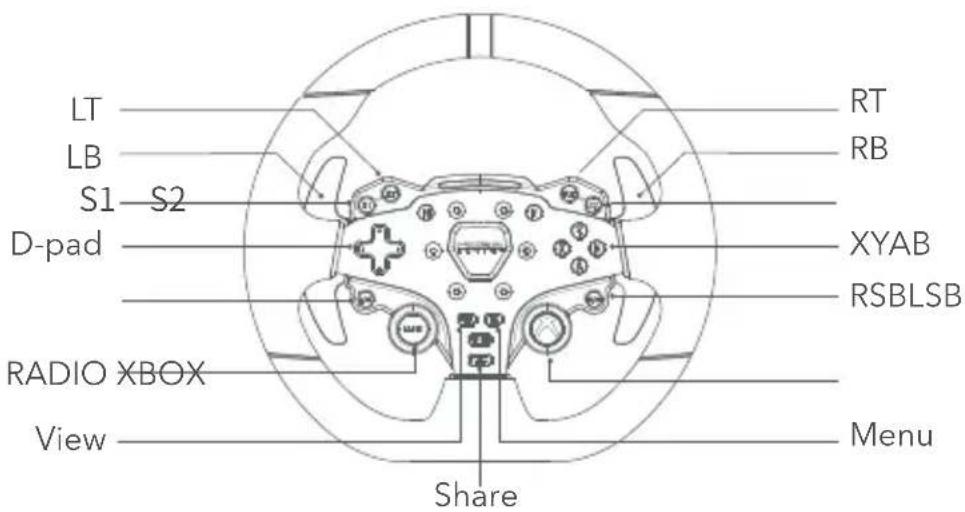
Xbox Console buttons
text_image
LT LB S1 S2 D-pad RADIO XBOX View RT RB XYAB RSBLSB Menu Share- Please note that the RPM LEDs are designed to work with games that support the R3 RACING WHEEL AND PEDALS. Please visit www.mozaracing.com/ to see a regularly updated list of compatible games at the bottom of the page.
- To switch between Xbox mode and PC mode, please follow these steps: Press and hold the S1 and S2 buttons simultaneously for more than 3 seconds to switch between Xbox and PC mode. When the rpm light flashes at high frequency, it means that you have successfully switch to the other mode. If the RPM light on the wheel flows from the side to the center, it indicates a successful connection to Xbox. However, if the RPM light is flashing, it means you are in PC mode.
- It's important to note that the LSB and RSB buttons on the Xbox console's steering wheel only function in specific games.
- The list of Xbox Series X|S and Xbox One games that are compatible with R3 is located at the bottom of the page: www.mozaracing.com
QR Use Guide
natural_image
Technical line drawing of a mechanical assembly with no visible text or symbols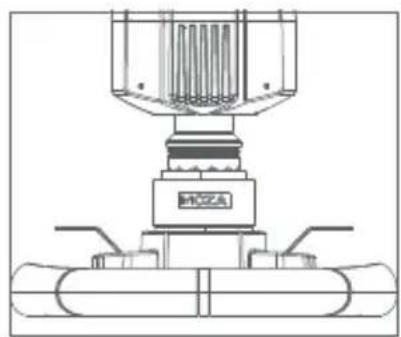
natural_image
Technical line drawing of a mechanical assembly with no visible text or symbols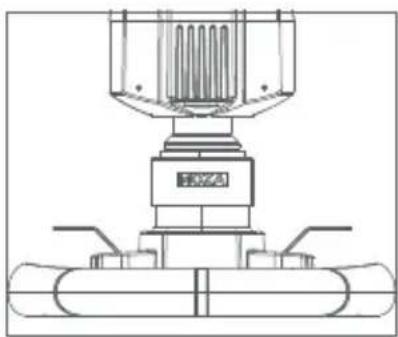
natural_image
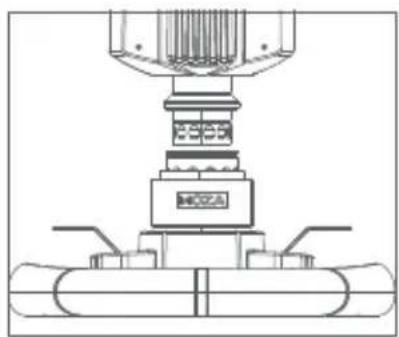
Technical line drawing of a mechanical assembly with no visible text or symbols- Align the 6 ball bearings on the wheel QR with the 6 notches on the base QR mount.
-
Press the quick release onto the base mount.k eeping the bearings and notches aligned.
-
The quick release will automatically lock into place, if it does not remove it, recheck the alignment and try again.
-
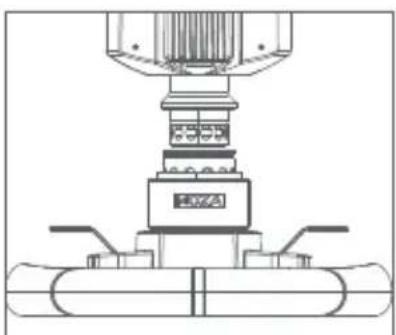
To remove the wheel, squeeze the black quick release part with the MOZA logo towards the wheel with both hands and pull out the wheel at the same time.
Steering Wheel Configuration
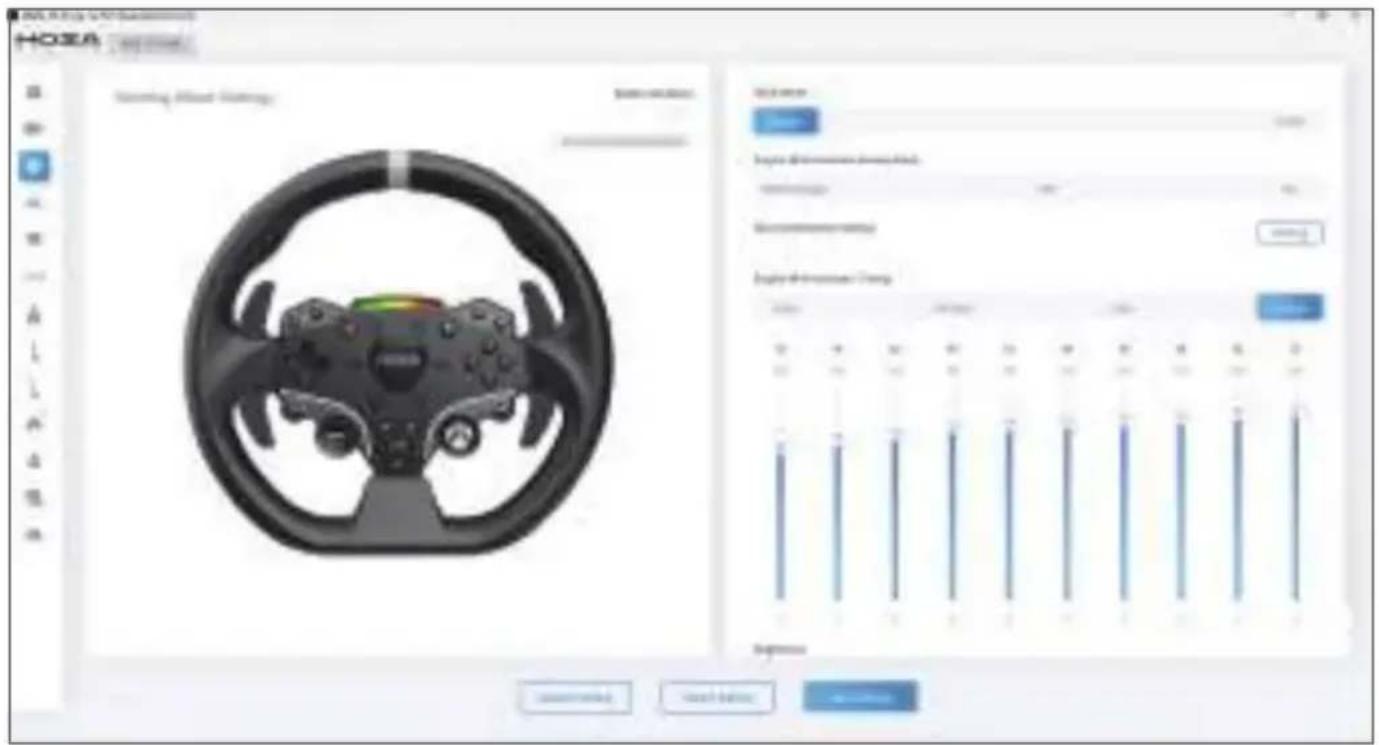
The ES steering wheel can be set up easily and quickly in the MOZA Pit House software.
- RPM indicator switch mode: choice of three modes; in-game rpm, off and constant
- Indicator modes: there are two modes, mode 1 and mode 2, which are explained in detail, when the mouse is moved over the option.
- RPM indicator timing: choose between early, normal, late or custom to fully match in-game RPM timing.
- Brightness: adjust the brightness of the RPM/shift LEDs
text_image
HOZA HUAOYA HUAOYA HUAOYA HUAOYA HUAOYA HUAOYA HUAOYA HUAOYA HUAOYA HUAOYA HUAOYA HUAOYA HUAOYA HUAOYA HUAOYA HUAOYA HUAOYA HUAOYA HUAOYA HUAOYA HUAOY HUAOY HUAOY HUAOY HUAOY HUAOY HUAOY HUAOY HUAOY HUAOY HUAOY HUAOY HUAOY HUAOY HUAOY HUAOY HUAOY HUAOY HUAOY HUAOY HUAOYT HUAOYT HUAOYT HUAOYT HUAOYT HUAOYT HUAOYT HUAOYT HUAOYT HUAOYT HUAOYT HUAOYT HUAOYT HUAOYT HUAOYT HUAOYT HUAOYT HUAOYT HUAOYT HUAOYT HUAOY HUAOYT HUAOYT HUAOYT HUAOYT HUAOYT HUAOYT HUAOYT HUAOYT HUAOYT HUAOYT HUAOYT HUAOYT HUAOYT HUAOYT HUAOYT HUAOYT HUAOYT HUAOYT HUAOY HUAOY HUAOY HUAOY HUAOY HUAOY HUAOY HUAOY HUAOY HUAOY HUAOY HUAOY HUAOY HUAOY HUAOY HUAOY HUAOY HUAOY HUAOY HUAO YI HUA O Y I I I I I I I I I I I I I I I I I I I I I I I I I I I I I I I I I I I I I I I I I I I I I I I I I I I I I I I I I I I I I I I I I I I I I I I I I I I I I I I I I I I I I I I I I I I I I I I I I I II(For detailed steering wheel settings and functions, please visit the Moza Racing official website)
Specs
Wheel Rim Material: Aluminum Alloy
Shifter Paddle Material: Aluminum Alloy
Size: 280mm
Buttons: 22
High Brightness LEDs: 10 Pcs
Intelligent Telemetry: Supported
RPM LEDs Fully Adjustable through MOZA Pit House: Supported
Release Method: Quick Release
03 SR-P Lite Racing Pedals
Pedal Installation Guide
- Mount the pedal on the footrest and adjust the mounting holes, fix the M4*10 screws to the footrest using a 2.5mm hexagonal spanner. To ensure stability in use, it is recommended that all 4 screws of each pedal are fitted in place.
- Plug the pedal cable into the corresponding connection port. You can use the cable clip under the pedal base to keep cabling tidy.
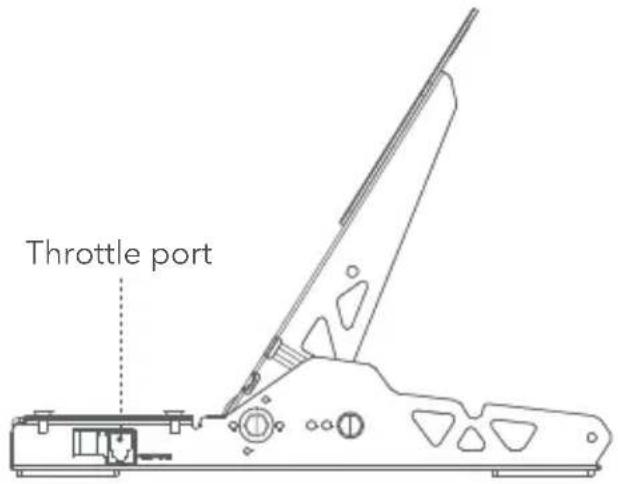
text_image
Throttle port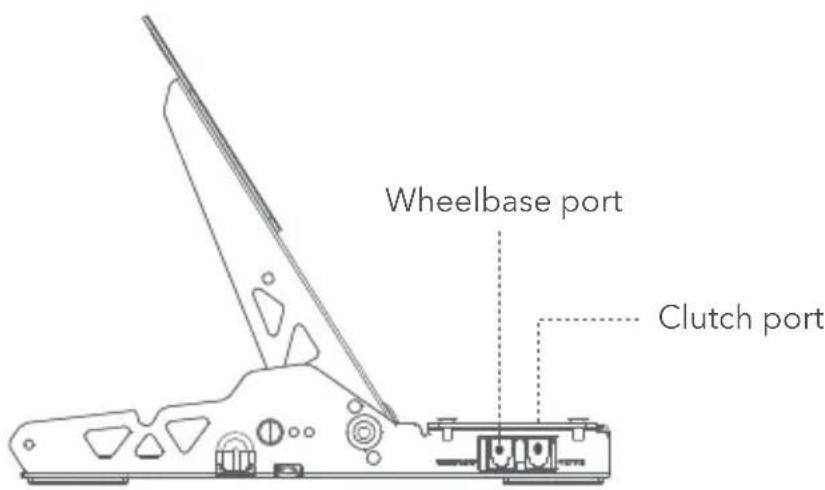
text_image
Wheelbase port Clutch port- Connect one end of the RJ45 cable to the Wheel Base port on the pedal and the other end to the Pedal port on the wheelbase.
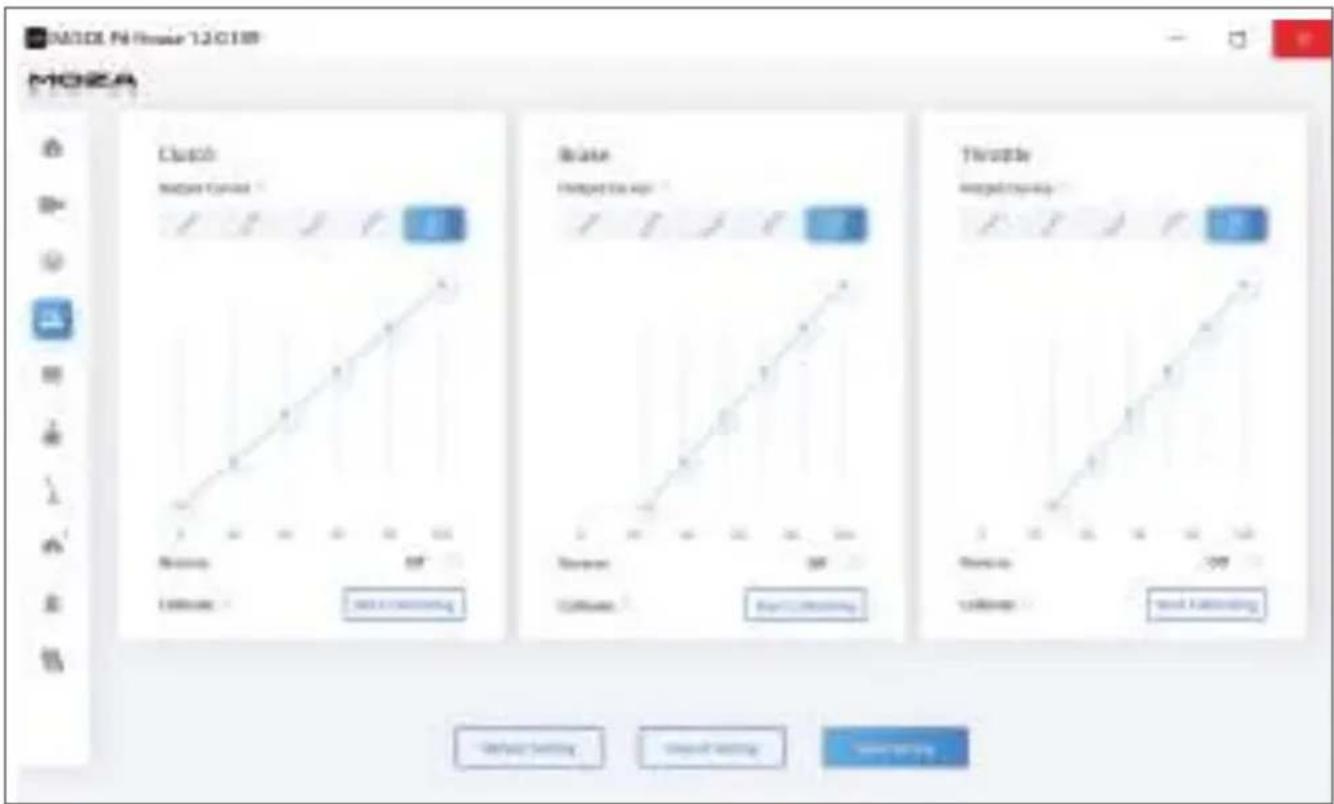
- The working status of the pedal can be seen in the MOZA Pit House. (If the unit is still grey or does not respond when pressed, unplug the base, close MOZA Pit House, reconnect the base and open Moza Pit House)
- In addition to recalibrating the pedal, you have the option to adjust the starting point, ending point, and travel distance of the pedal to suit your preferences in the MOZA Pit House.
line
| Category | Value | | ------------ | ----- | | Clutch | 0 | | Brake | 0 | | Throttle | 0 |Pedal Spacing Adjustment Instructions
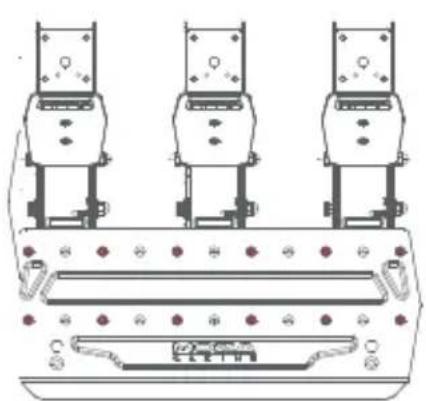
Move the pedal left and right to adjust the distance between the pedal and the base holes, align the holes and tighten the screws, (the same for the throttle, brake and clutch)
natural_image
Technical line drawing of a mechanical assembly with three identical components and mounting brackets (no text or symbols)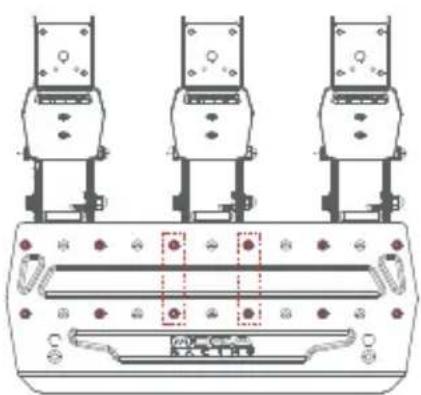
text_image
Technical diagram showing three identical mechanical components with labeled parts and a central control panel.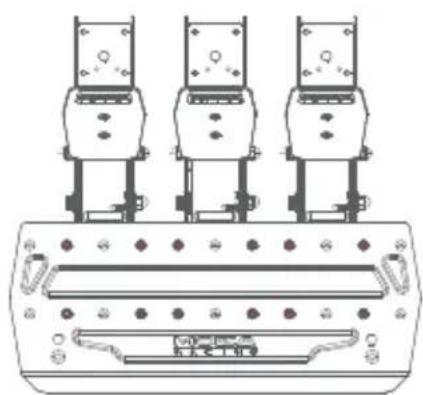
natural_image
Technical line drawing of three identical mechanical components mounted on a base plate (no text or symbols)Instructions for Adjusting the Height of the Pedal Plate
Use a 2.5mm hexagonal spanner to turn the screws on the face of the pedal plate counterclockwise and use a 7mm open-end spanner to remove the back nut from the the plate screws, move the plate up and down to adjust the plate height according to your needs, then tighten the nuts and screws until they fit the plate and fix it (the plate is adjusted in the same way for the throttle, brake and clutch)
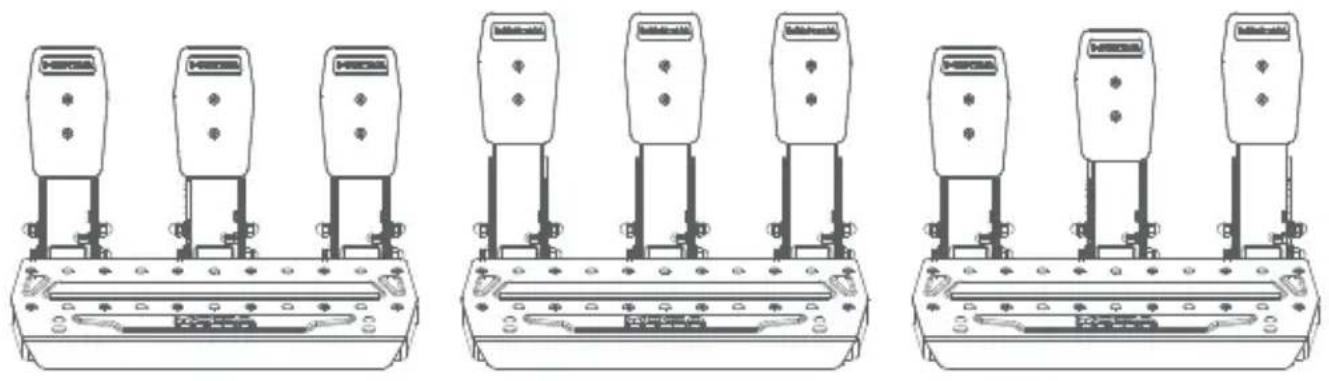
Specs
Pedal Material: High Strength Steel
Pedal Plate Material: High Strength Steel
Color: Black
Sensing Method: Hall Sensor
Pedal Spacing: Adjustable
Pedal Plate Height: Adjustable
Pedal Travel Software Adjustment: Supported
Pedal Travel Reversal Function: Supported
Pedal Output Curve: Supported
Anti-slip Pedal Pad: Supported
04 Packing List
· R3 DD Base
- ES Steering Wheel
- SR-P Lite Racing Pedals
· 15 Degree Desk Clamp
- Power Adapter
- Power Cord
- Wire Harness x2
- Screws (multiple sizes)
- Spanners (multiple sizes)
• Nuts
· Cable Clip
- Anti-slip Silicon Pad x2
· M6 Flat Pad x4
• Moza Logo Stickers
01 Direct Drive Racing Simulator
natural_image
Technical line drawing of a mechanical device with internal components and mounting holes (no text or symbols)Guide de connexion de la console Xbox
text_image
Diagram showing connections between a racing meter, switchgear box, and power supply components with labeled ports and wiring.natural_image
Line drawing of an electrical connector with attached cable (no text or symbols)text_image
Diagram of an electrical circuit setup showing connections between a power supply, controller, and terminal blocks with labeled components.natural_image
Technical line drawings of mechanical components with no visible text or symbolstext_image
MOZA TSW TRUCK WHEEL P3 Stovering Wheel 0° Rearshaw Steering Angle 20° P - 500+ Product 1.7mm 2.5mm 3.5mm 4.5mm 5.5mm 6.5mm 7.5mm 8.5mm 9.5mm 10.5mm 11.5mm 12.5mm 13.5mm 14.5mm 15.5mm 16.5mm 17.5mm 18.5mm 19.5mm 20.5mm 21.5mm 22.5mm 23.5mm 24.5mm 25.5mm 26.5mm 27.5mm 28.5mm 29.5mm 30.5mm 31.5mm 32.5mm 33.5mm 34.5mm 35.5mm 36.5mm 37.5mm 38.5mm 39.5mm 40.5mm 41.5mm 42.5mm 43.5mm 44.5mm 45.5mm 46.5mm 47.5mm 48.5mm 49.5mm 50.5mm 51.5mm 52.5mm 53.5mm 54.5mm 55.5mm 56.5mm 57.5mm 58.5mm 59.5mm 60.5mm 61.5mm 62.5mm 63.5mm 64.5mm 65.5mm 66.5mm 67.5mm 68.5mm 69.5mm 70.5mm 71.5mm 72.5mm 73.5mm 74.5mm 75.5mm 76.5mm 77.5mm 78.5mm 79.5mm 80.5mm 81.5mm 82.5mm 83.5mm 84.5mm 85.5mm 86.5mm 87.5mm 88.5mm 89.5mm 90.5mm 91.5mm 92.5mm 93.5mm 94.5mm 95.5mm 96.5mm 97.5mm 98.5mm 99.5mmbar
| Category | Value | | -------- | ----- | | Price Target | 467 | | Discount | 285 | | Adjusted Book Ratio | 344 | | Adjusted EPS | 299 | | Adjusted Net Income | 285 | | Adjusted Earnings | 285 | | Adjusted Shares | 285 | | Adjusted Shares (%) | 285 | | Adjusted Shares (Market Value) | 285 | | Adjusted Shares (Discount/Book Ratio) | 285 | | Adjusted Shares (Market Value/Book Ratio) | 285 | | Adjusted Shares (Market Value/Book Ratio) | 285 | | Adjusted Shares (Market Value/Book Ratio) | 285 | | Adjusted Shares (Market Value/Book Ratio) | 285 | | Adjusted Shares (Market Value/Book Ratio) | 285 | | Adjusted Shares (Market Value/Book Ratio) | 285 | | Adjusted Shares (%) | 285 | | Adjusted Shares (%) | 285 | | Adjusted Shares (%) | 285 | | Adjusted Shares (%) | 285 | | Adjusted Shares (%) | 285 | | Adjusted Shares (%) | 285 | | Adjusted Shares (%) | 285 | | Adjusted Shares (%) | 285 | | Adjusted Shares (%) | 285 | | Adjusted Shares (%) = 100% of Total Assets / Total Shareholders' Equity / Total Shareholders' EPS / Total Shareholders' Equity / Total Shareholders' EPS / Total Shareholders' Return on Invested Capital / Return on Invested Capital / Return on Invested Capital / Return on Invested Capital / Return on Invested Capital / Return on Invested Capital / Return on Invested Capital / Return on Invested Capital / Return on Invested Capital / Return on Invested Capital / Return on Invested Capital / Return on Invested Capital / Return on Invested Capital / Return on Invested Capital / Return on Invested Capital / Return on Invested Capital / Return on Invested Capital / Return on Investes Capital / Return on Investes Capital / Return on Investes Capital / Return on Investes Capital / Return on Investes Capital / Return on Investes Capital / Return on Investes Capital / Return on Investes Capital / Return on Investes Capital / Return on Investes Capital / Return on Investes Capital / Return on Investes Capital / Return on Investes Capital / Return on Investes Capital / Return on Investes Capital / Return on Investes Capital / Return on Investes Capital / Returnon Investes Capital / Return on Investes Capital / Return on Investes Capital / Return on Investes Capital / Return on Investes Capital / Return on Investes Capital / Return on Investes Capital / Return on Investes Capital / Return on Investes Capital / Return on Investes Capital / Return on Investes Capital / Return on Investes Capital / Return on Investes Capital / Return on Investes Capital / Return on Investes Capital / Return on Investes Capital / Return on Investes Capital |text_image
HOZA R3 Base ES Steering Wheel SRP Lite Pedals HGP 36th Base Pro-In Engine Digital Stuck Profile Drive System Show the system to Include a new system Show the system to Include a new systemtext_image
Mobile app interface screenshot showing a car image with a red progress bar and numbered step indicator
text_image
Automatic Context 2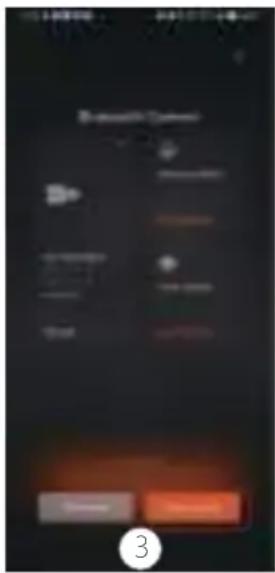
text_image
Mobile app interface screenshot showing a 'Smart Control' menu with options like 'Do', 'OK', and 'Cancel', alongside a numbered button labeled '3'.
text_image
Mobile app interface screenshot showing a dark control panel with status bar, progress bar, and control buttons, plus a numbered call at the bottom.
text_image
Scanned screenshot of a mobile app interface with orange and black status bars, showing navigation controls and a white dot indicator.Spécifications
Plateforme : Xbox Series X|S, Xbox One, Windows 10/11
Max Wheel Rotation: 2000°
natural_image
Technical line drawing of a mechanical assembly with no visible text or symbols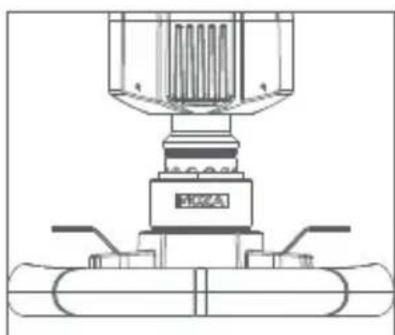
natural_image
Technical line drawing of a mechanical assembly with no visible text or symbols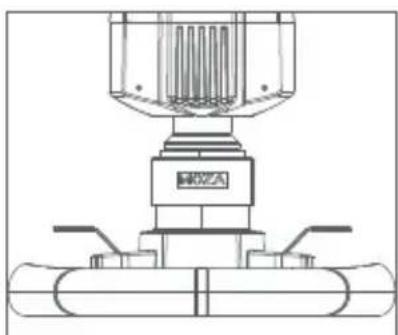
natural_image
Technical line drawing of a mechanical assembly with no visible text or symbolsline
| Category | Value | | -------------- | ----- | | Lock | 0 | | State | 10 | | Therapy | 20 |natural_image
Technical line drawings of four identical mechanical components with mounting holes and control buttons (no text or symbols)- Base R3 Direct Drive
· Volant ES Racing
- Pédales SR-P Lite
- Suport de bureau
- Vis (multi-taille)
- Clé (multi)
• Écrou
01 R3 Direct Drive Rennsimulator
natural_image
Technical line drawing of a mechanical device with internal components and mounting holes (no text or symbols)text_image
Diagram showing connections between a racing device, three dummies, and a power connector with grounding.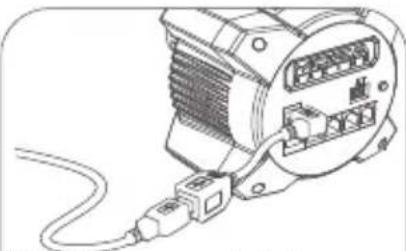
natural_image
Line drawing of an electrical connector with a cable and socket (no text or symbols)natural_image
Technical line drawings of mechanical components with no visible text or symbolsbar
| Category | Value | | -------- | ----- | | Price Target | 467 | | Discount | 285 | | Adjusted Book Ratio | 344 | | Adjusted EPS | 299 | | Adjusted Net Income | 285 | | Adjusted Earnings | 285 | | Adjusted Shares | 285 | | Adjusted Shares (%) | 285 | | Adjusted Shares (Market Value) | 285 | | Adjusted Shares (Discount/Book Ratio) | 285 | | Adjusted Shares (Market Value/Book Ratio) | 285 | | Adjusted Shares (Market Value/Book Ratio) | 285 | | Adjusted Shares (Market Value/Book Ratio) | 285 | | Adjusted Shares (Market Value/Book Ratio) | 285 | | Adjusted Shares (Market Value/Book Ratio) | 285 | | Adjusted Shares (Market Value/Book Ratio) | 285 | | Adjusted Shares (%) | 285 | | Adjusted Shares (%) | 285 | | Adjusted Shares (%) | 285 | | Adjusted Shares (%) | 285 | | Adjusted Shares (%) | 285 | | Adjusted Shares (%) | 285 | | Adjusted Shares (%) | 285 | | Adjusted Shares (%) | 285 | | Adjusted Shares (%) | 285 | | Adjusted Shares (%) = 100% of Total Assets / Total Shareholders' Equity / Total Shareholders' EPS / Total Shareholders' Equity / Total Shareholders' EPS / Total Shareholders' Return on Invested Capital / Return on Invested Capital / Return on Invested Capital / Return on Invested Capital / Return on Invested Capital / Return on Invested Capital / Return on Invested Capital / Return on Invested Capital / Return on Invested Capital / Return on Invested Capital / Return on Invested Capital / Return on Invested Capital / Return on Invested Capital / Return on Invested Capital / Return on Invested Capital / Return on Invested Capital / Return on Invested Capital / Return on Investes Capital / Return on Investes Capital / Return on Investes Capital / Return on Investes Capital / Return on Investes Capital / Return on Investes Capital / Return on Investes Capital / Return on Investes Capital / Return on Investes Capital / Return on Investes Capital / Return on Investes Capital / Return on Investes Capital / Return on Investes Capital / Return on Investes Capital / Return on Investes Capital / Return on Investes Capital / Return on Investes Capital / Returnon Investes Capital / Return on Investes Capital / Return on Investes Capital / Return on Investes Capital / Return on Investes Capital / Return on Investes Capital / Return on Investes Capital / Return on Investes Capital / Return on Investes Capital / Return on Investes Capital / Return on Investes Capital / Return on Investes Capital / Return on Investes Capital / Return on Investes Capital / Return on Investes Capital / Return on Investes Capital / Return on Investes Capital |line
| Year | Stock Price | | ---- | ----------- | | 2004 | $1.00 | | 2005 | $1.00 | | 2006 | $1.00 | | 2007 | $1.00 | | 2008 | $0.30 |text_image
Mobile app interface screenshot showing a car steering wheel logo and a red navigation bar with Chinese text.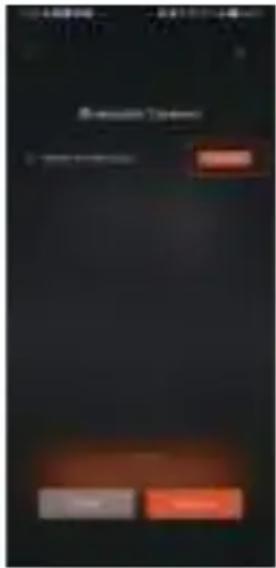
text_image
Scanned screenshot of a mobile app interface with Chinese text and UI elements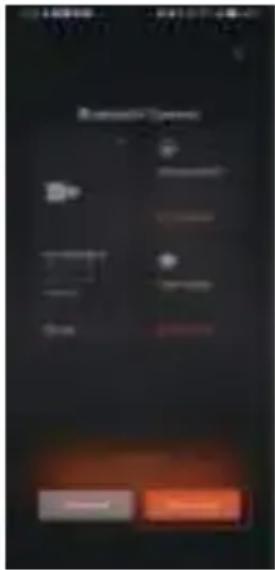
text_image
Mobile app interface screenshot showing 'Mobile Open' status with navigation buttons and a highlighted 'OK' button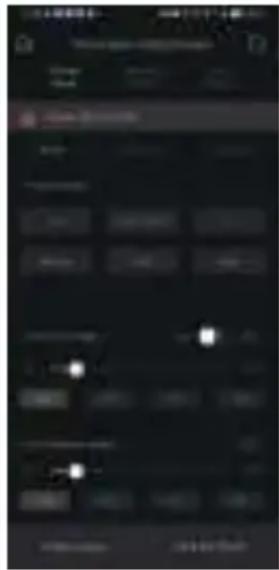
text_image
Mobile app interface screenshot showing status bar, navigation tabs, and a highlighted 'OK' button
text_image
Mobile app interface screenshot showing a dark progress bar with orange and black segments, likely for a mobile app or system.Technische Daten
Plattform: Xbox Serie X|S, Xbox One, Windows 10/11
natural_image
Technical line drawing of a mechanical assembly with no visible text or symbols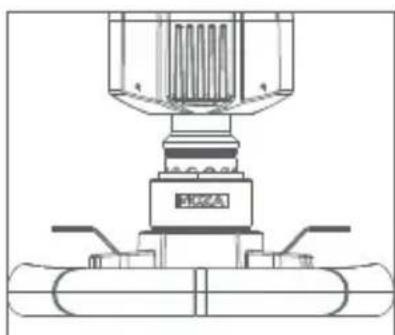
natural_image
Technical line drawing of a mechanical assembly with no visible text or symbols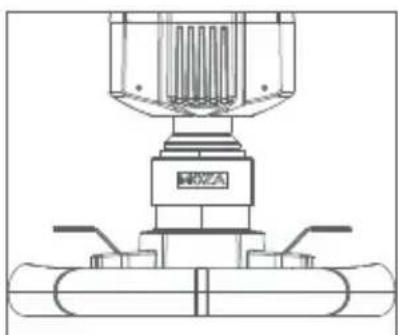
natural_image
Technical line drawing of a mechanical assembly with no visible text or symbolsline
| Category | Series 1 | Series 2 | Series 3 | | -------------- | -------- | -------- | -------- | | Clutch | 0 | 0 | 0 | | State | 0 | 0 | 0 | | Therapy | 0 | 0 | 0 |natural_image
Three identical line drawings of a mechanical device with multiple ports and control buttons, no text or symbols present.natural_image
Technical line drawing of a mechanical device with no visible text or symbolstext_image
Diagram showing connections between a circuit board, switch, and power supply with labeled components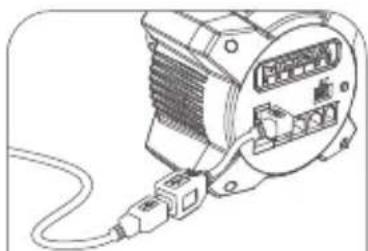
natural_image
Line drawing of an electric motor with attached cable and connector (no text or symbols)text_image
Diagram showing connections between a multimeter, a device labeled 'MOZA', and electronic devices with ports and wiring.natural_image
Technical line drawings of mechanical components with red arrows indicating assembly or movement (no text or symbols)text_image
HOZA TSW TRUCK WHEEL P5 Disastering Wheel 0° Rearbase Steering Angle 30° 30° 30° 30° 30° 30° 30° 30° 30° 30° 30° 30° 30° 30° 30° 30° 30° 30° 30° 30° 30° 30° 30° 30° 30° 30%line
| Month | Operating Profit | Equity Sources | Market Share Efficiency | Adjusted Investments | Adjusted Losses | Adjusted Earnings | Adjusted Cash Flow | |-------|-------------------|----------------|--------------------------|----------------------|-----------------|--------------------|--------------------| | May | 1.0 | 1.0 | 1.0 | 1.0 | 1.0 | 1.0 | 1.0 | | Oct | 1.0 | 1.0 | 1.0 | 1.0 | 1.0 | 1.0 | 1.0 | | Dec | 1.0 | 1.0 | 1.0 | 1.0 | 1.0 | 1.0 | 1.0 |text_image
HOZA R3 Base ES Steering Wheel SRP Lite Pedals HGP 260fup transverse Digital Bashtext_image
Mobile app interface screenshot showing a car wheel logo and a red progress bar with number 1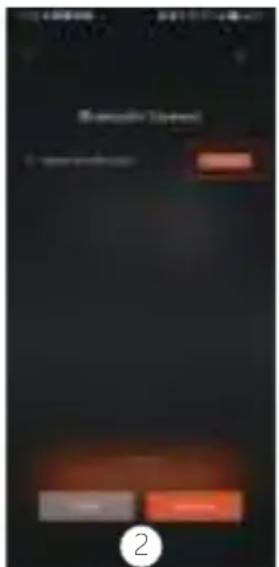
text_image
Microsoft Calendar 2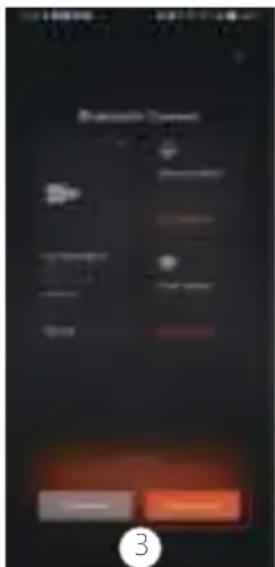
text_image
Mobile app interface screenshot showing a 'Smart Device' menu with options like 'OK', 'Cancel', and 'Finish', alongside a numbered button labeled '3'.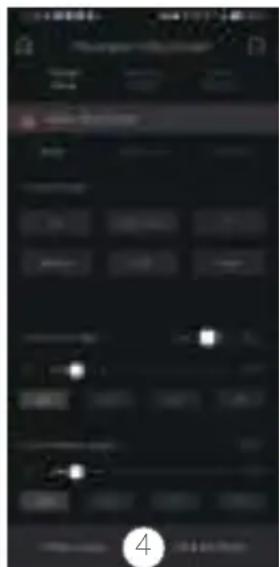
text_image
Mobile app interface screenshot showing a dark control panel with status bar, navigation buttons, and a highlighted '4' button.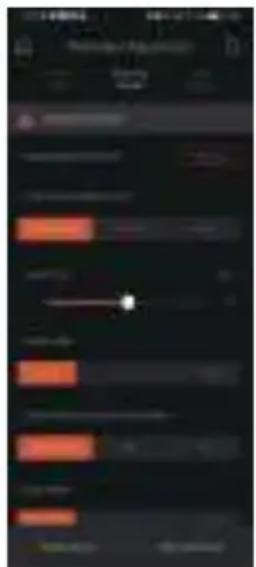
text_image
Screenshot of a mobile app interface with Chinese text, showing a dark background with orange and black UI elements and a white progress bar.Especificaciones
Plataformas compatibles: Xbox Series XS, Xbox One, Windows 10/11
natural_image
Technical line drawing of a mechanical assembly with no visible text or symbols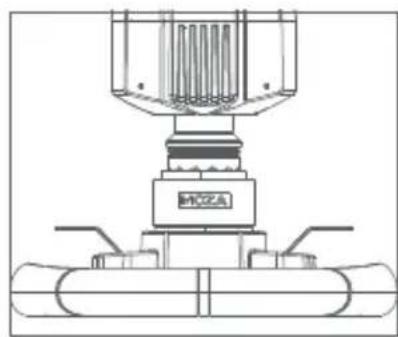
natural_image
Technical line drawing of a mechanical assembly with no visible text or symbols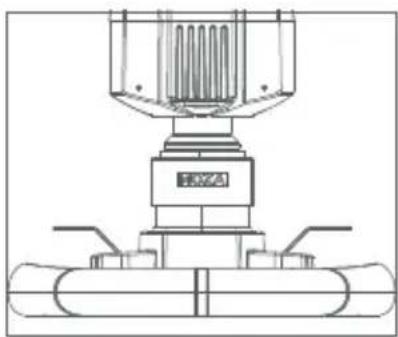
natural_image
Technical line drawing of a mechanical assembly with no visible text or symbolsline
| Category | Value | | ------------ | ----- | | Clutch | 0 | | Brake | 0 | | Throttle | 0 |natural_image
Technical line drawings of four identical mechanical components with mounting holes and control buttons (no text or symbols)- Base R3 Direct Drive
· Volante ES Racing
- Pedal SRP Lite
natural_image
Technical line drawing of a mechanical device with no visible text or symbolstext_image
Electrical wiring diagram showing connections between a device with switches, power lines, and a terminal block labeled A, B, C.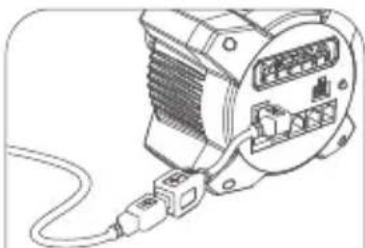
natural_image
Illustration of an electrical connector with a cable and socket (no text or symbols)text_image
Diagram showing connections between a multimeter, a device labeled 'MOZA', and electronic devices with ports and wiring.natural_image
Technical line drawings of mechanical components with red arrows indicating assembly or movement (no text or symbols)text_image
MOZA TSW TRUCK WHEEL P5 Steering Wheel 0° BMW Steering Wheel 05 Stool Sensory Power Breakdown (Intervention) 200% Sewer Market SOP P 100+ Product 70% 80% 90% 100%line
| Month | Operating Profit | Equity Sources | Market Share Efficiency | Adjusted Investments | Adjusted Losses | Adjusted Earnings | Adjusted Cash Flow | |-------|-------------------|----------------|--------------------------|----------------------|-----------------|--------------------|--------------------| | May | 1.0 | 1.0 | 1.0 | 1.0 | 1.0 | 1.0 | 1.0 | | Oct | 1.0 | 1.0 | 1.0 | 1.0 | 1.0 | 1.0 | 1.0 | | Dec | 1.0 | 1.0 | 1.0 | 1.0 | 1.0 | 1.0 | 1.0 |text_image
HOZA R3 Base ES Steering Wheel SRP Lite Pedals HGP 260fup transverse Digital Bashtext_image
Mobile app interface screenshot showing a car image with a red progress bar and numbered step indicator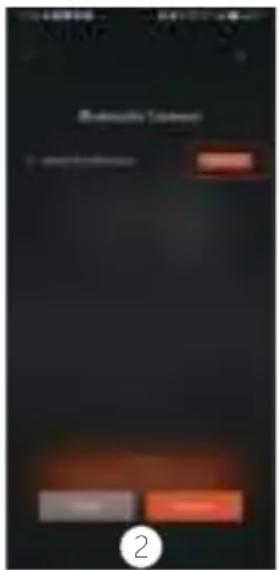
text_image
Automatic Context 2
text_image
Mobile app interface screenshot showing a 'Smart Control' menu with options like 'Do', 'OK', and 'Cancel', alongside a numbered button labeled '3'.
text_image
Mobile app interface screenshot showing a dark control panel with status bar, progress bar, and control buttons, plus a numbered call at the bottom.
text_image
Scanned screenshot of a mobile app interface with orange and gray progress bars and status bar iconsSpecifiche
Piattaforma: Xbox Series X|S, Xbox One, Windows 10/11
Trasmissione: Direct Drive
natural_image
Technical line drawing of a mechanical assembly with no visible text or symbols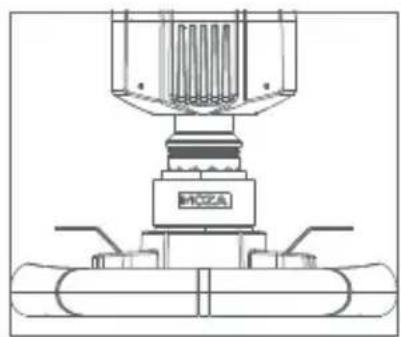
natural_image
Technical line drawing of a mechanical assembly with no visible text or symbols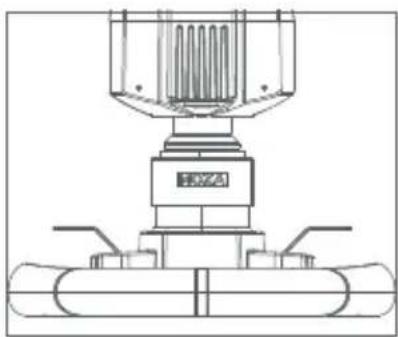
natural_image
Technical line drawing of a mechanical assembly with no visible text or symbolsline
| Category | Value | | ------------ | ----- | | Clutch | 0 | | Brake | 0 | | Throttle | 0 |natural_image
Technical line drawings of three identical mechanical components with mounting brackets and control buttons (no text or symbols)- Base Direct Drive R3
- Volante ES Racing
- Pedali SR-P Lite
natural_image
Technical line drawing of a mechanical device with internal components and mounting holes (no text or symbols)Схема устройства
text_image
MOZA RACING 1 2 3 4 5 6 7 8 9 10 11 12 13 14 15 16 17 18 19 20 21 22 23 24 25 26 27 28 29 30 31 32 33 34 35 36 37 38 39 40 41 42 43 44 45 46 47 48 49 50
natural_image
Technical line drawing of an electric motor with cooling fins and mounting flanges (no text or symbols)natural_image
Technical line drawing of a mechanical device with labeled part '1' (no text or symbols beyond label)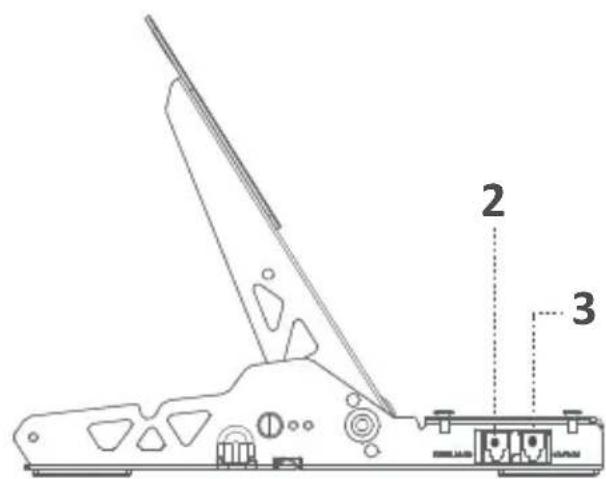
text_image
Technical diagram of a mechanical device with labeled parts 2 and 3natural_image
Technical line drawings of mechanical components with red arrows indicating assembly or movement (no text or symbols)natural_image
Technical line drawing of a mechanical assembly with no visible text or symbols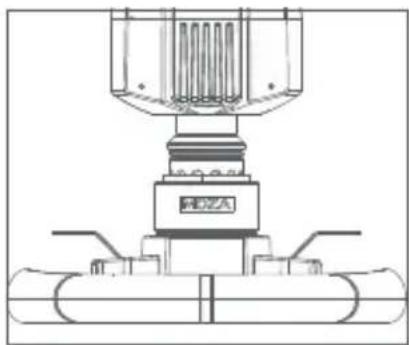
natural_image
Technical line drawing of a mechanical assembly with no visible text or symbols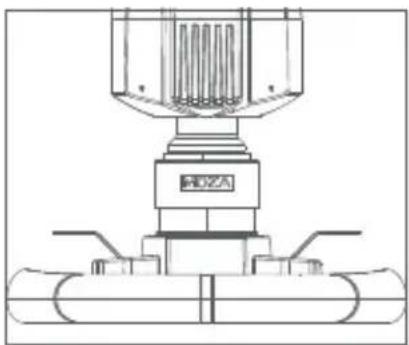
natural_image
Technical line drawing of a mechanical assembly with no visible text or symbolsУстановка педалей
natural_image
Technical line drawing of three identical mechanical components mounted on a base plate (no text or symbols)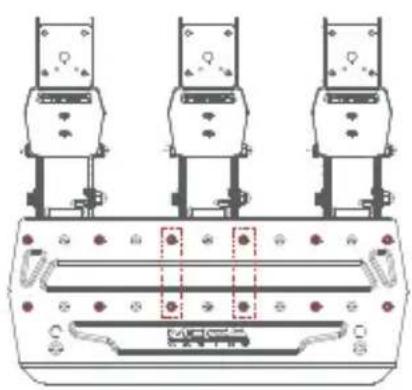
natural_image
Technical line drawing of three identical mechanical components with mounting brackets and a central control panel (no text or symbols)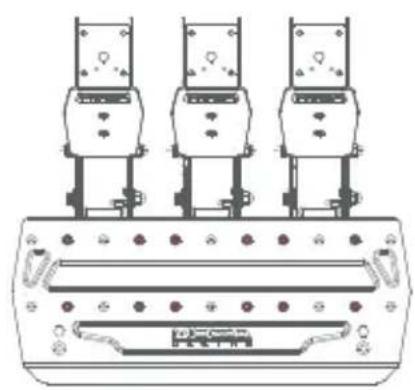
natural_image
Technical line drawing of three identical mechanical components mounted on a base plate (no text or symbols)natural_image
Technical line drawing of three identical mechanical components mounted on a base plate (no text or symbols)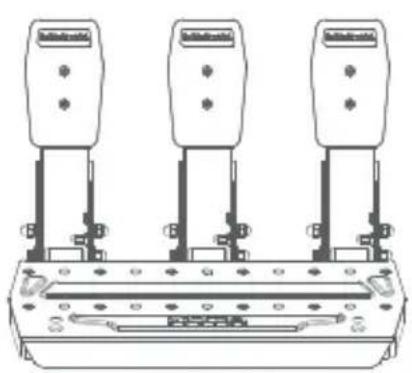
natural_image
Pure electrical circuit lines without any symbols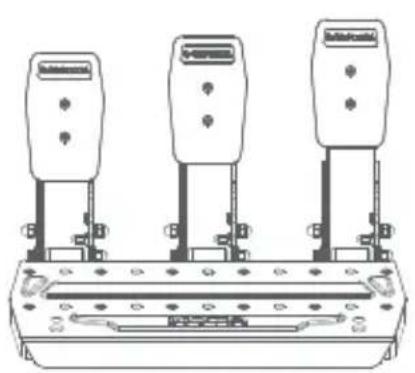
natural_image
Technical line drawing of three identical electrical components mounted on a base (no text or symbols)text_image
Electrical wiring diagram showing connections between three motors and a power supply unit with labeled components
natural_image
Line drawing of an electric motor with attached wiring (no text or symbols)natural_image
Technical line drawing of a mechanical device with internal components and mounting holes (no text or symbols)text_image
Electrical wiring diagram showing connections between a circuit breaker, motor, and power supply components with labeled terminals.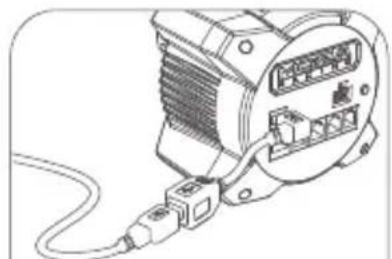
natural_image
Line drawing of an electric motor with attached cable (no text or symbols)USB アダプターケーブルの使用方法:
text_image
Diagram showing connections between a power meter, connected to an AC motor and a terminal block with labeled ports and connectors.natural_image
Technical line drawings of mechanical components with no visible text or symbolstext_image
MOZA TSW TRUCK WHEEL P3 Stovering Wheel 0° Rearshaw Steering Angle 20° R3 Shoe Saway Power Steering wheel 20° 20° P-Low Products 1.1mm 2.5mm 3.0mm 4.5mm 6.0mm 7.5mm 9.0mm 10.5mm 12.0mm 13.5mm 15.0mm 16.5mm 18.0mm 19.5mm 21.0mm 22.5mm 24.0mm 25.5mm 27.0mm 28.5mm 30.0mm 31.5mm 33.0mm 34.5mm 36.0mm 37.5mm 39.0mm 40.5mm 42.0mm 43.5mm 45.0mm 46.5mm 48.0mm 49.5mm 51.0mm 52.5mm 54.0mm 55.5mm 57.0mm 58.5mm 60.0mm 61.5mm 63.0mm 64.5mm 66.0mm 67.5mm 69.0mm 70.5mm 72.0mm 73.5mm 75.0mm 76.5mm 78.0mm 79.5mm 81.0mm 82.5mm 84.0mm 85.5mm 87.0mm 88.5mm 90.0mm 91.5mm 93.0mm 94.5mm 96.0mm 97.5mm 99.0mm 100.5mmtext_image
Mobile app interface screenshot showing a car steering wheel logo and a red button labeled 'OK' on the right.
text_image
Scanned screenshot of a mobile app interface with Chinese text and buttons, likely for a service or app.
text_image
Mobile app interface screenshot showing 'Mobile Browser' menu with options like 'Buy', 'Sell', and 'Hold', alongside a dark background screen with text and icons.
text_image
Mobile app interface screenshot showing a dark control panel with status bar, navigation buttons, and a highlighted light indicator.
text_image
Mobile app interface screenshot showing a dark progress bar with orange and black progress bars, likely for tracking or monitoring.仕様
https://www.mozaracing.com
クイックリリースの使用方法
natural_image
Technical line drawing of a mechanical assembly with no visible text or symbols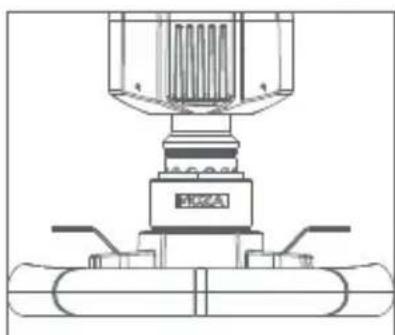
natural_image
Technical line drawing of a mechanical assembly with no visible text or symbols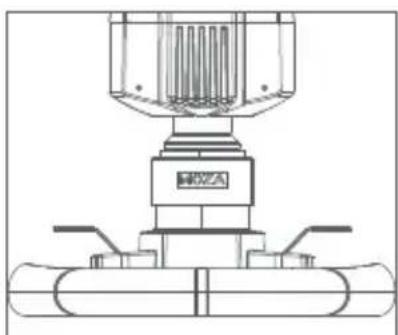
natural_image
Technical line drawing of a mechanical assembly with no visible text or symbolsnatural_image
Technical line drawing of three identical mechanical components mounted on a base plate (no text or symbols)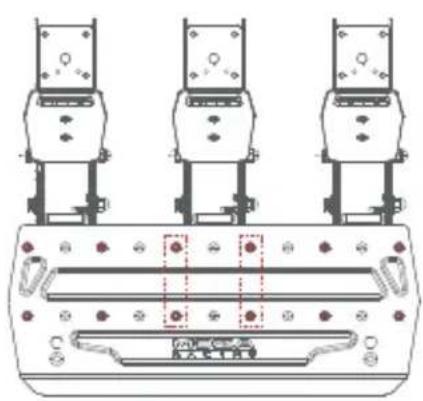
text_image
Technical diagram showing three identical mechanical components with labeled parts and a central control panel.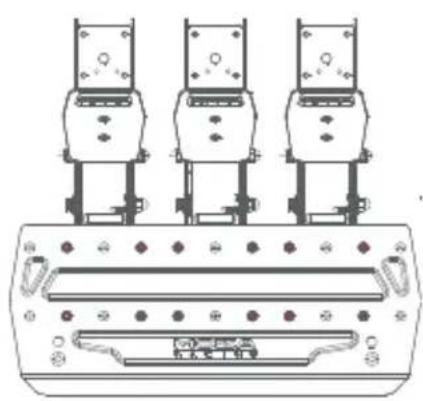
natural_image
Technical line drawing of three identical mechanical components mounted on a base plate (no text or symbols)ペダルボードの高さ調整方法
natural_image
Three identical line drawings of a mechanical device with four identical components, no text or symbols present.製品パラメーター
全体材質:高張力鋼板
パネル材質:高張力鋼板
カラー:ブラック
スロットル感知モード:ホールセンサー
ペダル間隔:調整可能
ペダルプレートの高さ:調整可能
ペダル走行ソフト調整:対応
ペダルトラベル反転機能:対応
ペダル出力カーブ調整機能:サポート
アンチスキッドペダル底面:サポート
04 パッキングリスト
・ R3 ダイレクトドライブベース
- ESレーシングステアリングホイール
・SR-Pライトペダル
・15度 デスククランプ
- 電源アダプター
- 電源コード
- ワイヤーハーネス×2
・ネジ(マルチサイズ)
・スパナ(マルチ)
・ナット
ペダル用滑り止めシリコン
パッド×2
・ケーブルマネージメントカード
・ M6 フ ラット パ ッッド ×4
・ ロゴステッカー
01 R3直驱赛车模拟器
基座接口介绍
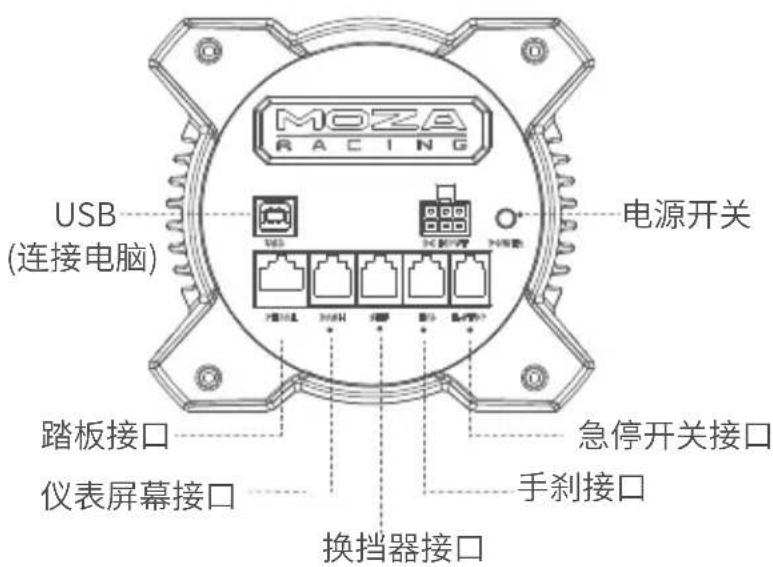
natural_image
Technical line drawing of a mechanical device with no visible text or symbols基本参数
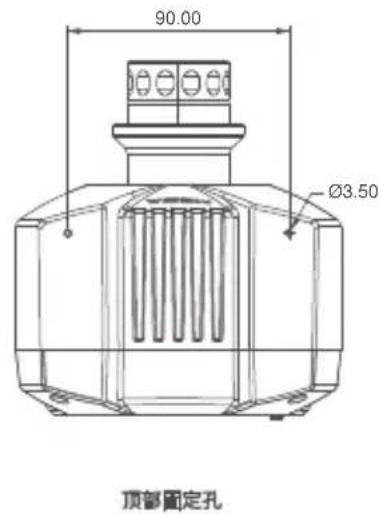
text_image
90.00 Ø3.50 顶部固定孔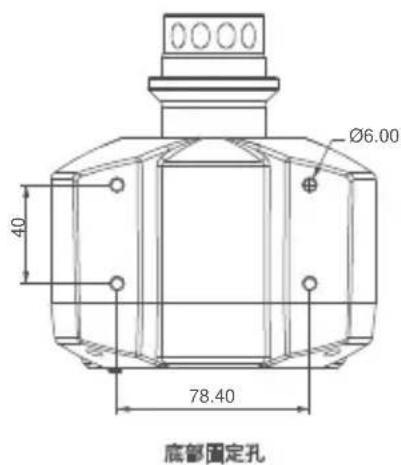
text_image
0000 Ø6.00 40 78.40 底部固定孔
natural_image
Technical line drawing of a mechanical device with no visible text or symbols安装XBOX主机教程
text_image
Diagram showing connections between a motor control panel and three electronic devices with labeled ports and wiring.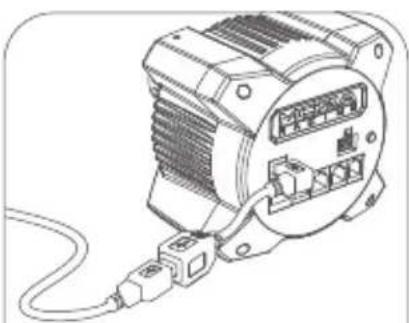
natural_image
Line drawing of an electric motor with attached cable (no text or symbols)USB转接线使用说明:
text_image
Diagram showing connections between a multimeter, connected to an electrical meter and a power outlet with labeled components.桌面夹安装教程
natural_image
Technical line drawings of mechanical components with red arrows indicating assembly or movement (no text or symbols)text_image
Mobile app interface screenshot showing a car image and a red progress bar with 'OK' button
text_image
Mobile app interface screenshot showing status bar, navigation buttons, and a red button labeled 'OK' with Chinese text.
text_image
Mobile app interface screenshot showing a menu with Chinese text and navigation buttons
text_image
Mobile app interface screenshot showing status bar, navigation controls, and a slider with white dots indicating selected states.
text_image
Mobile app interface screenshot showing a speed slider and navigation menu with Chinese text规格表
支持平台:Xbox Series X|S, Xbox One, Windows 10/11
驱动形式:直驱
APP功能:支持
natural_image
Technical line drawing of a mechanical assembly with no visible text or symbols
natural_image
Technical line drawing of a mechanical assembly with no visible text or symbols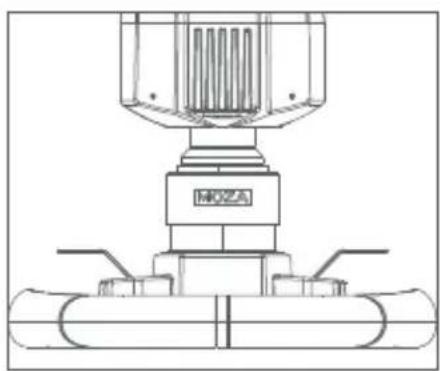
natural_image
Technical line drawing of a mechanical assembly with no visible text or symbolsnatural_image
Technical line drawing of three identical mechanical components mounted on a base panel (no text or symbols)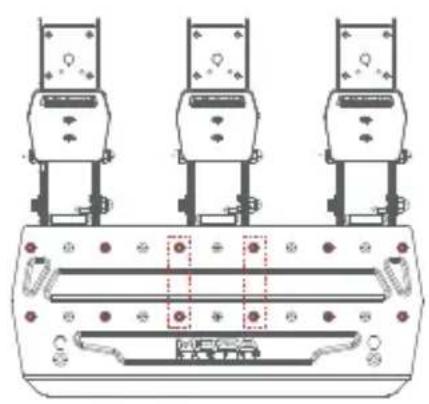
natural_image
Technical line drawing of three identical mechanical components mounted on a base panel (no text or symbols)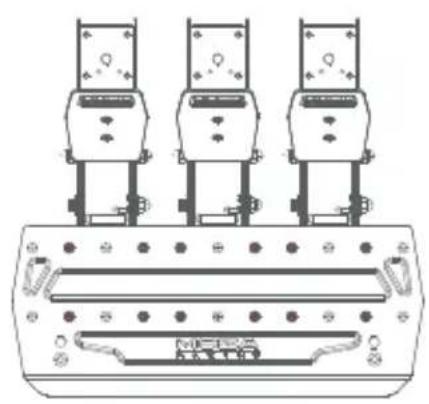
natural_image
Technical line drawing of three identical mechanical components mounted on a base plate (no text or symbols)踏板板面高度调节说明
natural_image
Technical line drawing of a mechanical device with no visible text or symbols基本參數
text_image
90.00 Ø3.50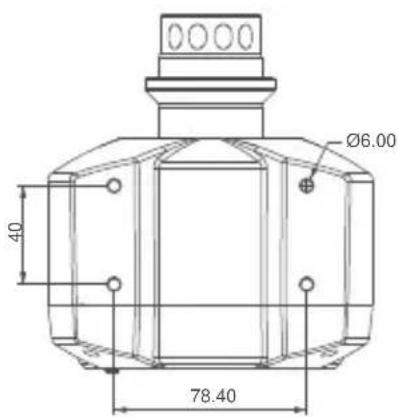
text_image
Ø6.00 40 78.40
natural_image
Technical line drawing of a mechanical device with no visible text or symbols頂部固定孔 底部固定孔
安裝XBOX主機教學
text_image
Diagram showing connections between a device labeled M102A and its internal components, with cable and wiring connections.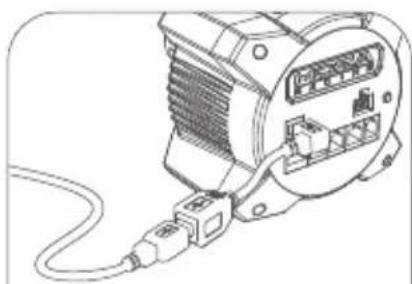
natural_image
Line drawing of an electric motor connected to a cable (no text or symbols)轉接線使用說明:
text_image
Diagram showing connections between a multimeter, a racing meter, and electronic devices with labeled ports and wiring.桌面夾安裝教學
natural_image
Technical line drawings of mechanical components with red arrows indicating assembly or movement (no text or symbols)text_image
Mobile app interface screenshot showing a car image and a red progress bar with '开始' (Start) text
text_image
Mobile app interface screenshot showing status bar, navigation buttons, and a red button labeled 'OK' with a white circular icon at the bottom.
text_image
Mobile app interface screenshot showing a menu with Chinese text and navigation buttons below
text_image
Mobile app interface screenshot showing status bar, navigation controls, and a slider set to 0.25
text_image
Mobile app interface screenshot showing a music player with track controls and playback controls規格表
支援平臺:Xbox Series X|S, Xbox One, Windows 10/11
驅動形式:直驅
APP功能:支援
最大轉角:2000°
介面:結構、電源、數據、儀錶板、踏板、急停開關、換檔和手剎
外殼材料:航太級鋁合金
natural_image
Technical line drawing of a mechanical assembly with no visible text or symbols
natural_image
Technical line drawing of a mechanical assembly with no visible text or symbols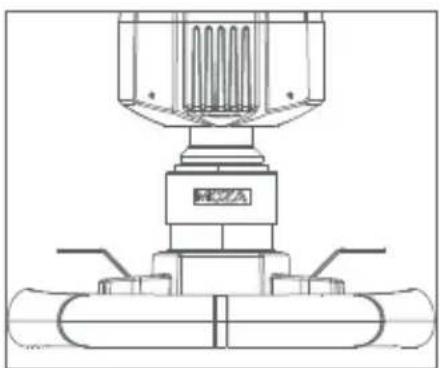
natural_image
Technical line drawing of a mechanical assembly with no visible text or symbolstext_image
HOXA HUA 12:00:00 12:00:00 12:00:00 12:00:00 12:00:00 12:00:00 12:00:00 12:00:00 12:00:00 12:00:00 12:00:00 12:00:00Manufacturer: Shenzhen Gudsen Technology Co., Ltd
Address: Room 1903-1904, Building 3, Nanshan
ZhiyuanChongwen Park, No. 3370 Liuxian Avenue,
Nanshan District, Shenzhen China
Web: www.mozaracing.com
E-mail: info@mozaracing.com
Made in China