
SS-21840 - Fan Sogo - Free user manual and instructions
Find the device manual for free SS-21840 Sogo in PDF.
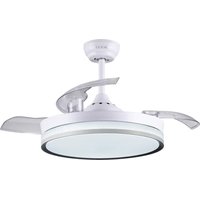


| Brand | Sogo |
| Model | SS-21840 |
| Product Type | Ceiling fan with LED lighting |
| Supply Voltage | 220-240 V ~ 50/60 Hz |
| Power | 32 W |
| Number of Speeds | 6 |
| Reversible Function | Yes (summer/winter) |
| Integrated Lighting | Yes, LED CCT (3 colors) |
| Color Temperatures | Cool white, Daylight, Warm white |
| Color Memory | Yes |
| Remote Control | Yes, wireless |
| Timer | Yes (1H, 3H, 6H) |
| Sleep Wind Mode | Yes |
| Minimum Mounting Height | 2.3 m |
| Minimum Distance to Walls | 76 cm |
| Anchor Point Load Capacity | Minimum 45 kg |
| Protection | Earthing mandatory |
| Use | Indoor only |
| Cleaning | Soft dry cloth, no water or detergent |
| Maintenance Frequency | At least once a year |
| Repairs | By certified electrician, original parts |
| Included Accessories | Balancing kit, remote control holder |
| Compliance | Low Voltage Directive 2014/35/EC, EMC, RoHS |
| After-Sales Service | www.sogosat.com / sogosat@sogosat.com |
Frequently Asked Questions - SS-21840 Sogo
User questions about SS-21840 Sogo
0 question about this device. Answer the ones you know or ask your own.
Ask a new question about this device
Download the instructions for your Fan in PDF format for free! Find your manual SS-21840 - Sogo and take your electronic device back in hand. On this page are published all the documents necessary for the use of your device. SS-21840 by Sogo.
USER MANUAL SS-21840 Sogo
ES Instructions for use
FR Mode d'emploi

Descarga tu manual
Download your manual
- Important Note P. 16
- Safety instructions for the user P. 16 I. General precautions P. 16 II. Installation Instructions P. 18
- Technical specifications P. 22
- Parts description P. 22
- Assembly instructions P. 23
- Instructions for use P. 26
- Cleaning and maintenance P. 28
INDEX
- Support
- Motor body
3. Awning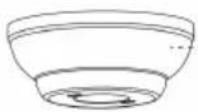
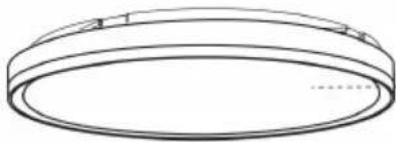
- Top cover
5. ASSEMBLY INSTRUCTIONS
A. Cement ceiling
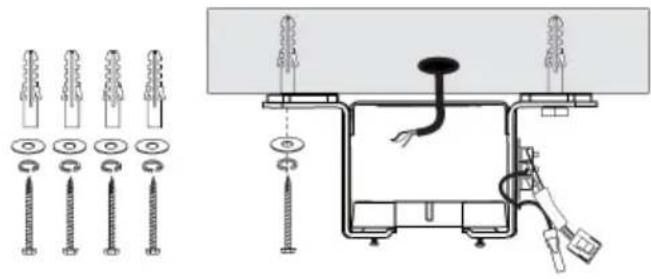

3. Wiring
IMPORTANT:
• Always read the instruction book carefully before using. - This manual can be downloaded from our webpage www.sogo.es - Keep these instructions for future reference.
SAFETY INSTRUCTIONS FOR THE USER General Precautions:
- Do not use the appliance for any other purpose than described in this manual.
- This product is intended for indoor, non-industrial, non-commercial and only for household use. Do not use the item outdoors or for any other purpose. Misuse or improper handling may cause problems in the appliance and cause injury to the user.
- Ensure that the voltage indicated on the nameplate matches the mains voltage before plugging in the appliance.
- Never use accessories that are not recommended by the manufacturer.
- The use of accessories not recommended or sold by the appliance manufacturer may result in fire, electric shock or injury to persons.
- Do not use the appliance if the cable or plug is damaged. In case of the cord be damaged, it must be replaced only by the manufacturer, its service agent or similarly qualified persons in order to avoid Hazard. • In case of appliance malfunction, or if it has
been damaged in any manner, return the appliance to the nearest authorized service facility for examination, repair or adjustment.
- In case of hardware problems, do not attempt to repair the product yourself. Repairs should only be carried out by qualified technicians.
- Turn the fan OFF when not in use and before disassembling or cleaning. Fully assemble the fan before switching it on again.
- WARNING: To reduce the risk of personal injury, do not bend the blade brackets (also referred to as "flanges") during assembly or after installation. Do not insert objects in the path of the blades.
- To avoid personal injury or damage to the fan and other items, be cautious when working around or cleaning the fan. Do not use water or detergent when cleaning the fan or fan blades. A dry dust cloth or lightly dampened cloth will be suitable for most cleaning.
- The appliance is not to be used by persons (including children) with reduced physical, sensory or mental capabilities, or lack of experience and knowledge, unless they have been given supervision or instruction.
- This appliance can be used by children aged from 8 years and above and persons with reduced physical, sensory or mental capabilities or lack of experience and knowledge if they have been given supervision or instruction concerning use of the appliance in a safe way and understand the hazards involved.
Children should be supervised to ensure that they do not play with the appliance. Cleaning and user maintenance shall not be made by children. Keep the appliance and its cord out of reach of children less than 8 years. Do not allow children to use the appliance without supervision.
Installation Instructions
Please remove the fuse or turn off the circuit breaker to cut off the power before installing the fan. Ensure all electrical connections are in compliance with local laws, regulations and national electrical codes. If you are not familiar with electrical installation and wiring, please hire a qualified electrician or consult the wiring manual.
- For your safety, all electrical connections and disconnections should be performed by a qualified electrician.
- Any action performed for the electrical connection of the device must be carried out after ensuring that the general power supply is disconnected, by removing the corresponding fuse or disarming the protective switch in order to ensure total isolation of the power supply.
- When deciding where to mount the fan, be sure that there is at least 30 inches (76 cm) of space between the fan and any wall or other obstruction that the fan blades could collide with. The greater this distance, the more effective the air flow produced. After the fan is mounted, be sure that the blades are no less than 7.8 ft (2.3 m) above the ground.
collide with. The greater this distance, the more effective the air flow produced. After the fan is mounted, be sure that the blades are no less than 7.8 ft (2.3 m) above the ground.
- The anchor point for the fan must be able to support a weight of at least 100 pounds (45 kg). If mounting on a ceiling junction box, be sure that the fan is adequately supported to prevent loosening or turning.
- The fan's electrical connection must be grounded (the fan's ground cable connected to the installation's grounding network) to avoid any branching that may be dangerous to people.
- Do not connect the fan's power supply to any dimmers, potentiometers, or light switches, as this will cause the fan to malfunction and/or damage the motor. The fan must be directly connected to a properly protected installation circuit (magneto-thermal differential switch with the adequate size for the fan's consumption and technical specifications). Only use the fan's control to turn it on or stop it.
- It is recommended not to use these types of fans simultaneously with gas installations in the same room.
- The fan must not be moving at all and must have come to a complete stop before changing its direction of rotation. This will prevent damage to its motor and to the control unit, when applicable.
- Do not insert anything that could hit the
fan's blades into its pathway while it is moving, as this could cause damage to people, can damage the blades, and can offset the balance of the unit, causing vibrations and wobbling.
- After installing the fan, ensure that all fastenings are secure and tightened in order to avoid any noise caused by loose elements.
- Due to the fan's movement, certain fastenings may become loose. Check all fastenings at least twice per year to ensure that they are sufficiently tight. If necessary, they must be retightened.
- The motor housing can be cleaned with a soft brush or a lint-free cloth to avoid scratching the surface. Clean the blades with a lint-free cloth. Important: Turn off the main power supply before starting any maintenance. Do not clean the fans with water or a damp cloth.
- WARNING: If unusual oscillating movement is observed, immediately stop using the ceiling fan and contact the manufacturer, its service agent, or suitably qualified persons.
- The replacement of parts of the safety suspension system device shall be performed by the manufacturer, its service agent, or suitably qualified persons.
- Stationary appliances not fitted with means for disconnection from the supply mains having a contact separation in all
poles that provide full disconnection under overvoltage category III, the instructions state that means for disconnection must be incorporated in the fixed wiring in accordance with the wiring rules.
- The fixing means for attachment to the ceiling such as hooks or other devices shall be fixed with a sufficient strength to withstand 4 times the weight of the ceiling fan.
- That the mounting of the suspension system shall be performed by the manufacturer, its service agent or suitably qualified persons;
Note: The important warnings and instructions indicated in this manual are not guaranteed to cover all possible conditions and situations that may occur. It must be understood that common sense, precaution, and care are factors that cannot be included in all products. These factors can and must only be provided by the user who maintains and enjoys this fan.
3. TECHNICAL SPECIFICATIONS
| Voltage Power Frequency | |
| 220-240V 32W 50-60Hz |
4. PARTS DESCRIPTION
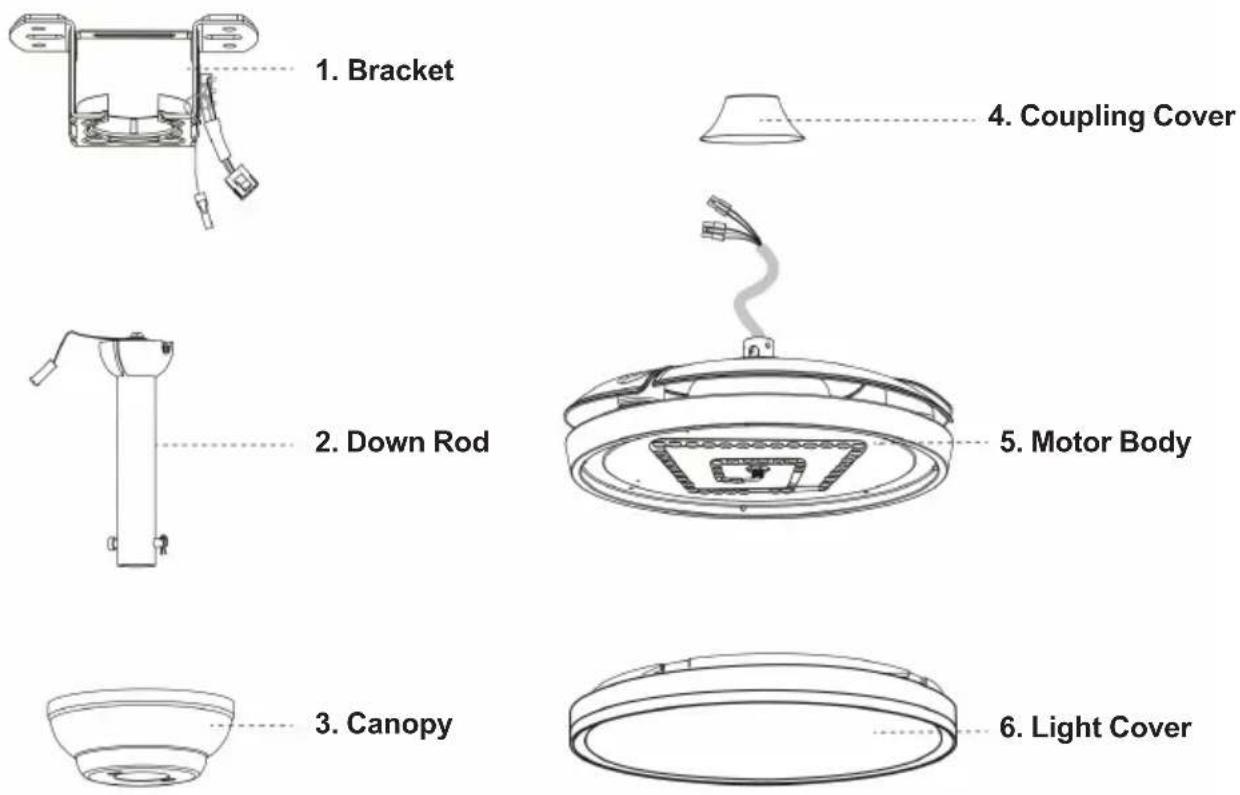
- Remote control unit (batteries not included)
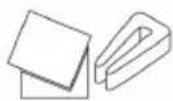
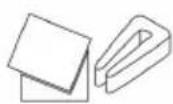
- Blade balancing kit
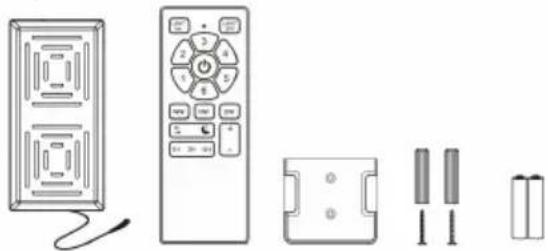
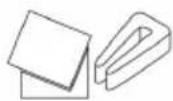
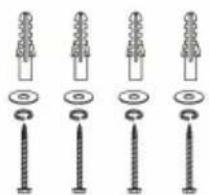
- Screw packaging 10. Installation Manual
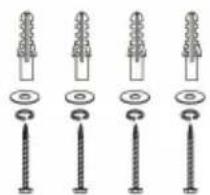
5. ASSEMBLY INSTRUCTIONS
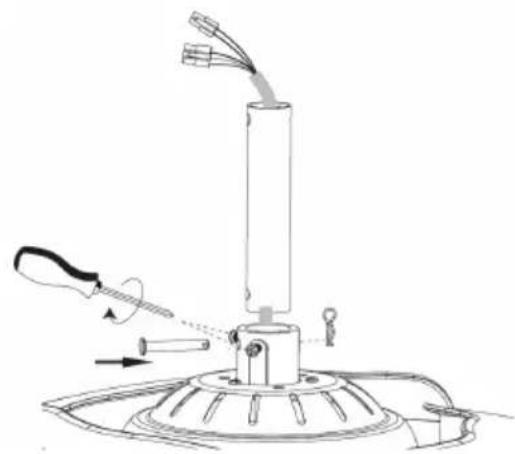
1. Basic Assembly of Fan
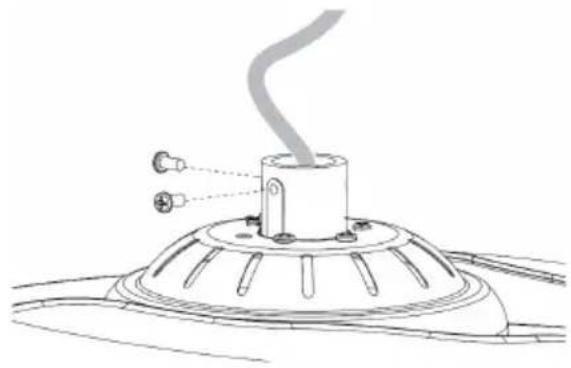
(1) Decompose Down rod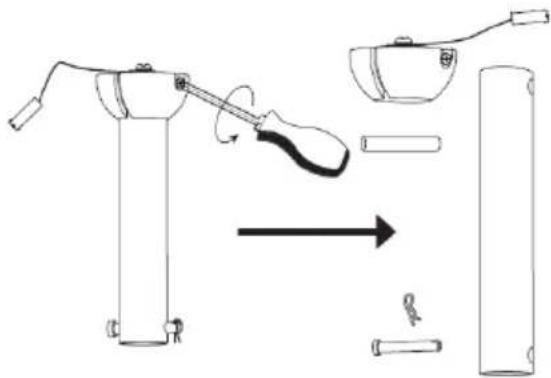
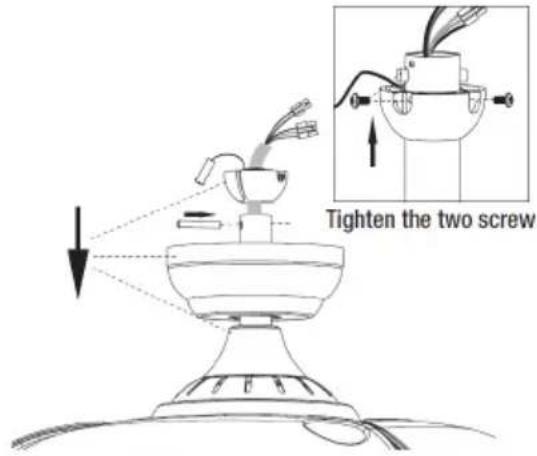
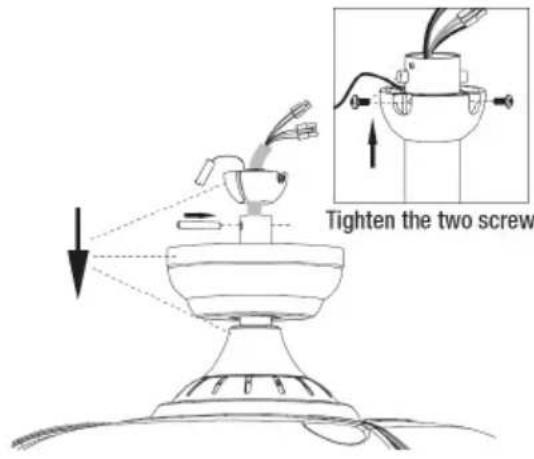
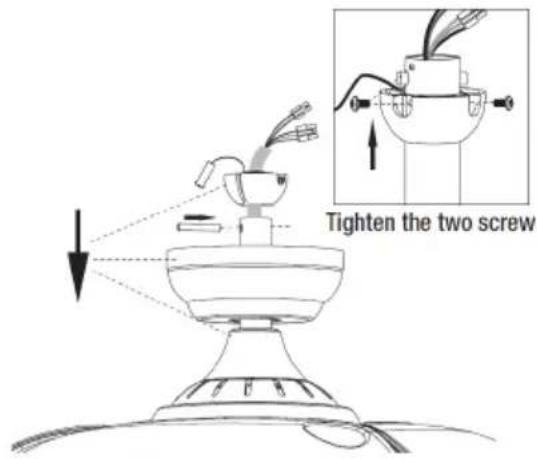
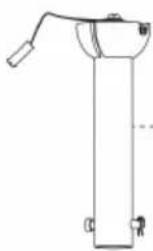
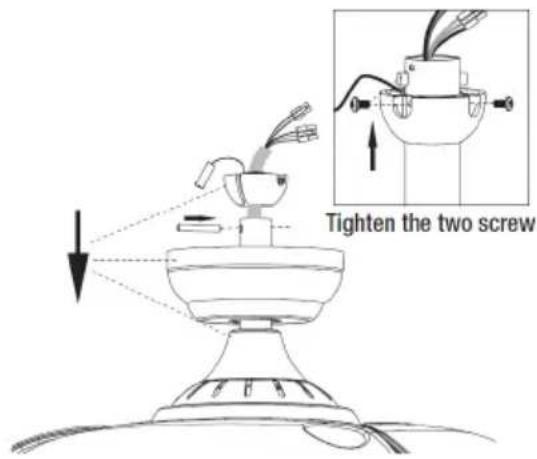
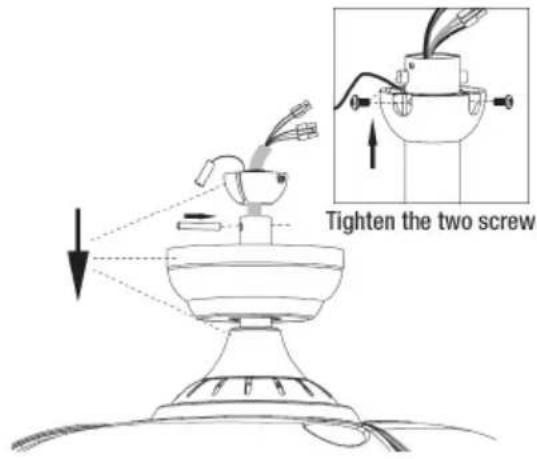
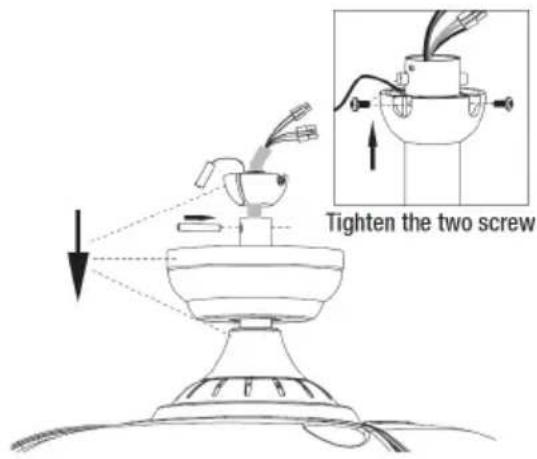
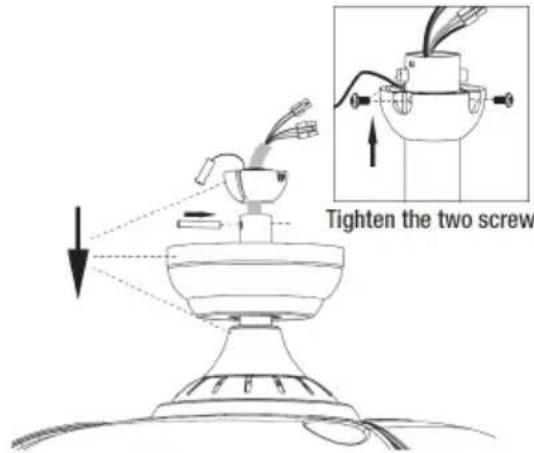
(3) Route all the wires through motor down rod. Fix the down rod to the coupling with the help of bolt and then insert the clevis pin. Tighten the 2 screws on coupling.
(2) Unscrew the 2 screws on the coupling.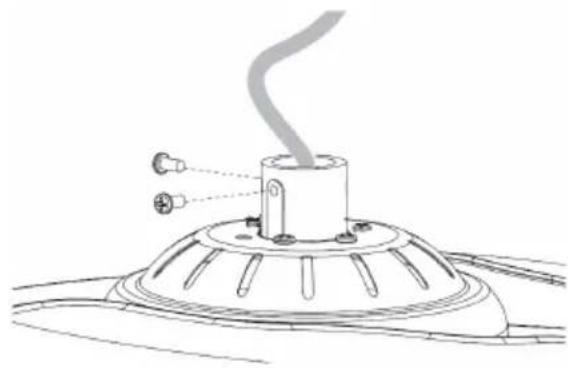
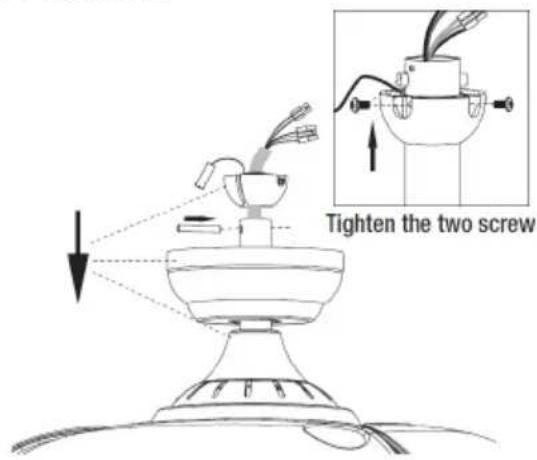
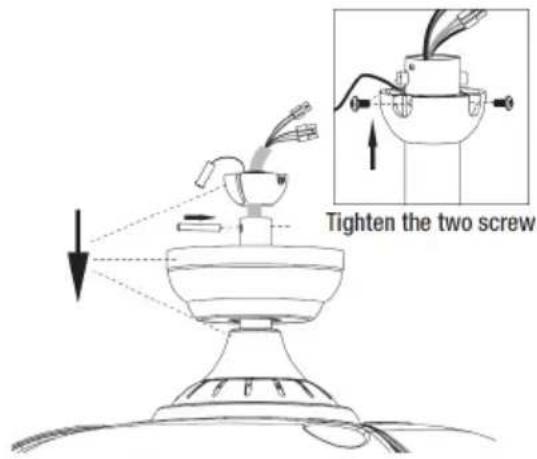
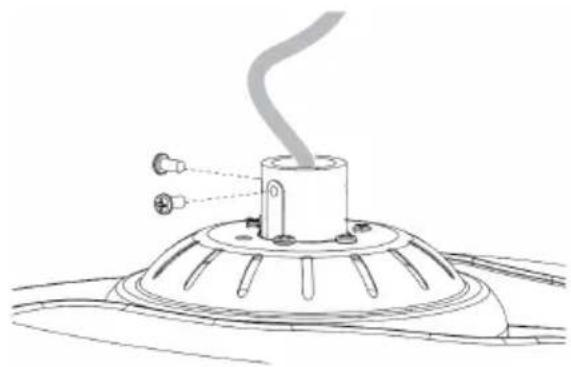
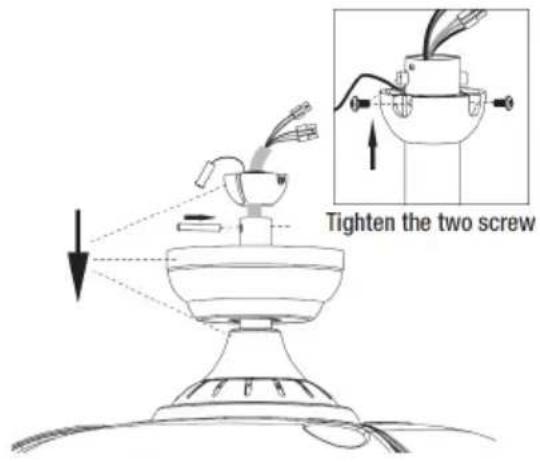
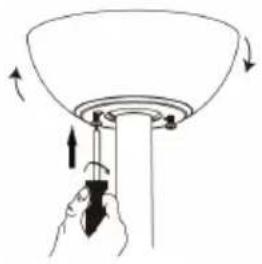
(4) Install the coupling cover and canopy, hanging ball. Insert the fixing pin, push the hanging ball up and fix it with screws.

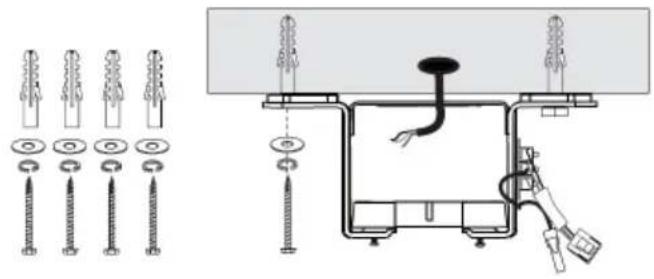
2. Bracket installation
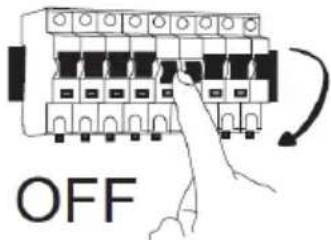
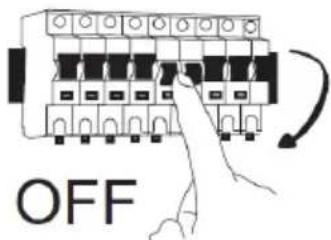
(1) Turn off the fan power supply at the circuit breaker box and wall switch.
Note: Failure to disconnect the power supply prior to installation might result in serious injury or death.
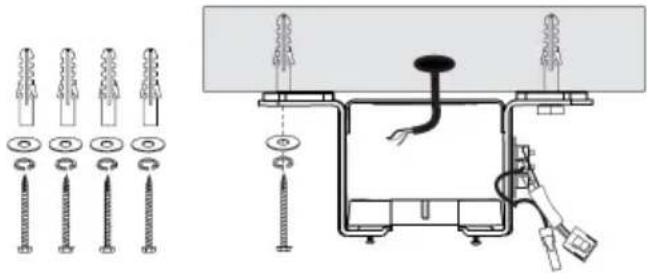
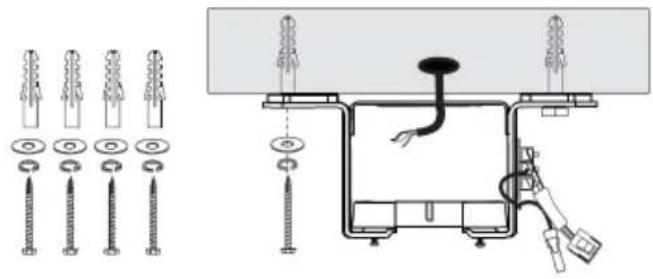
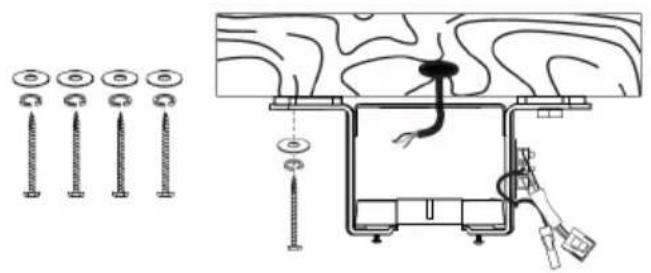
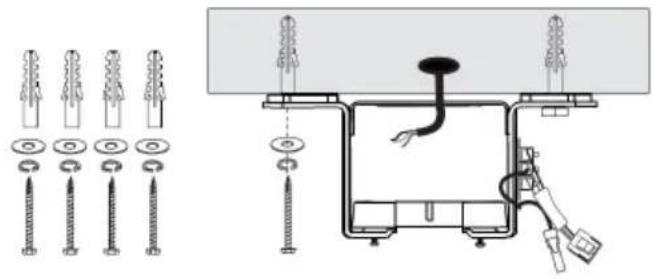
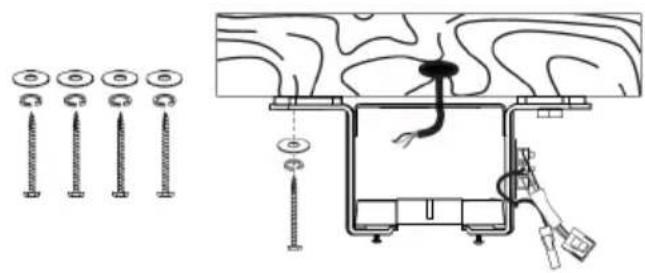
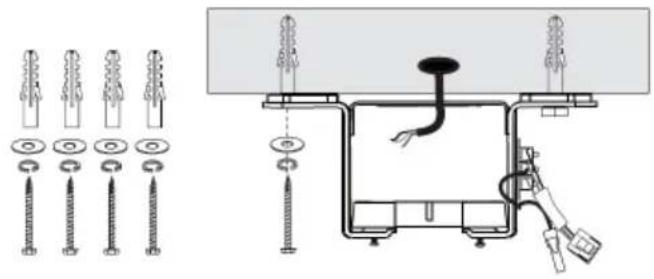
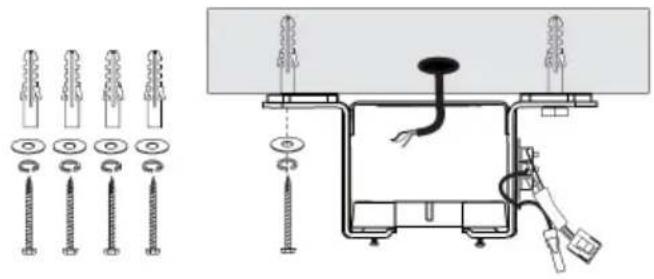
(2) If it is a cement ceiling, drill the installation hole at the installation location.
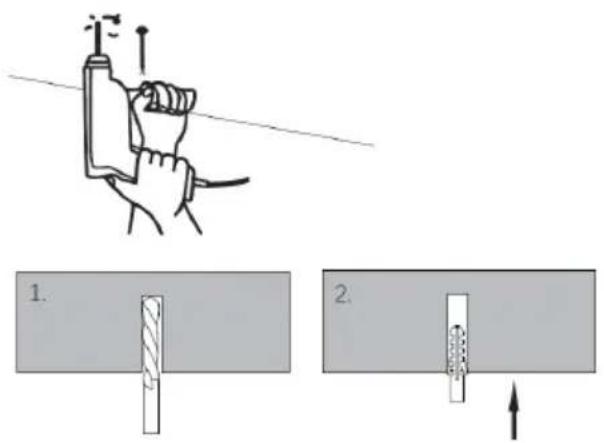
A. Cement ceiling
B. Solid wood ceiling
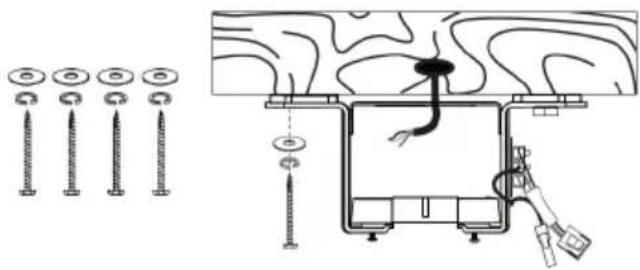
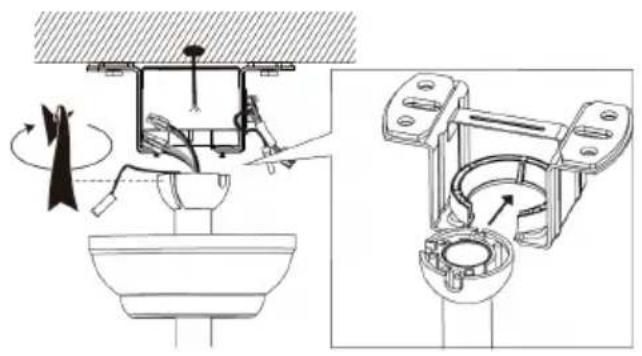
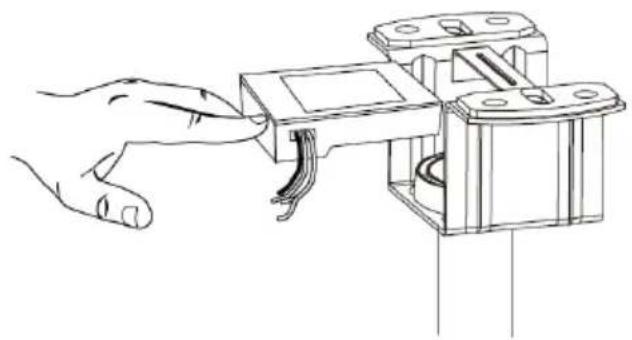
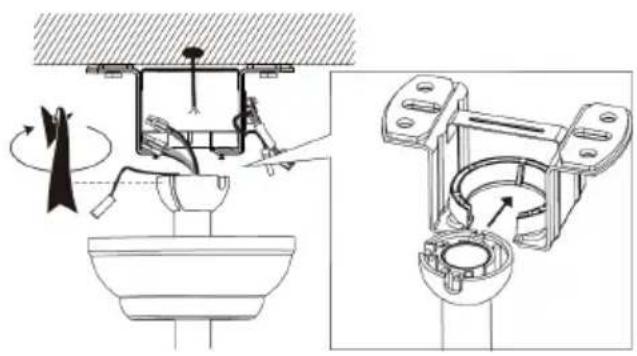
(3) Snap the assembled fan into the installed bracket.
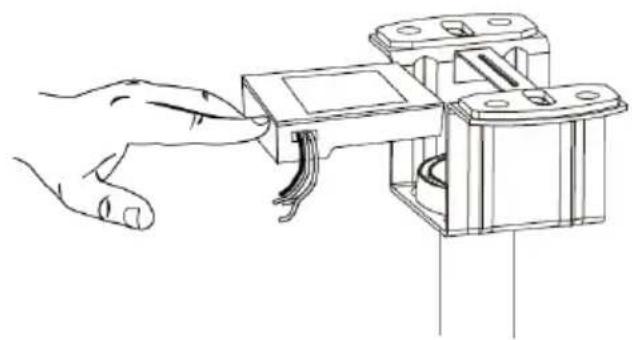
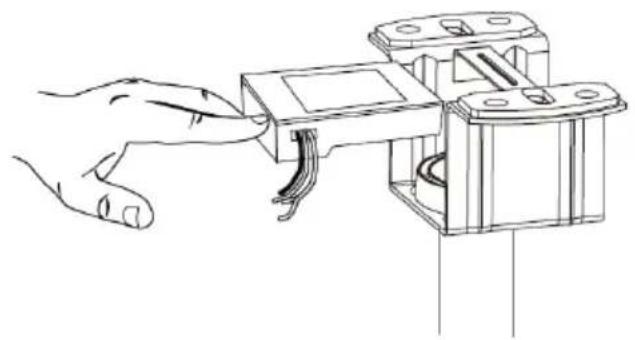
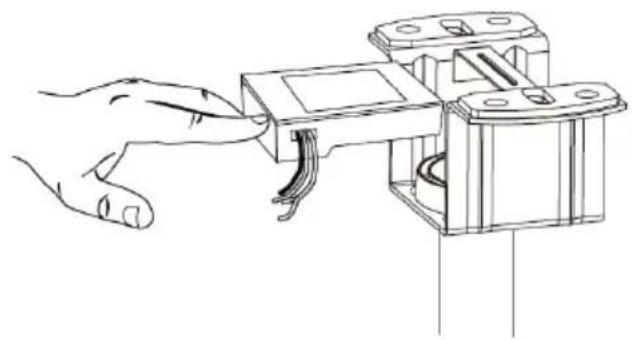
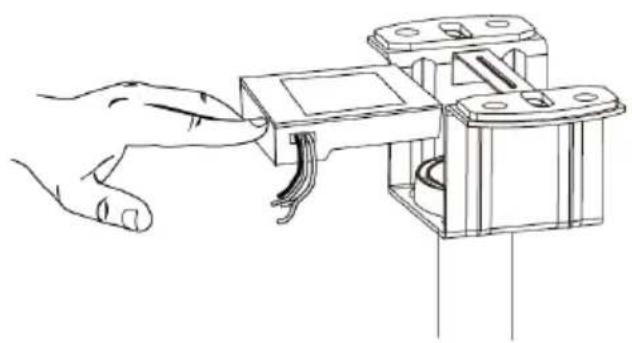
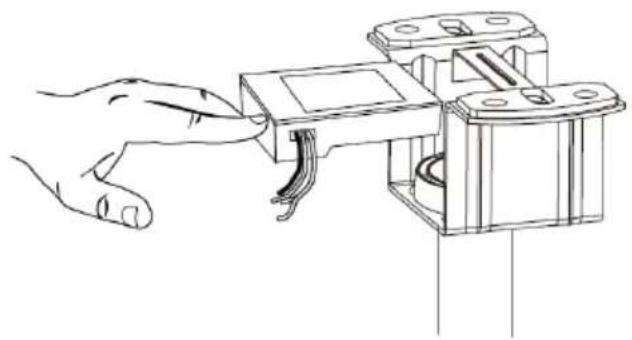
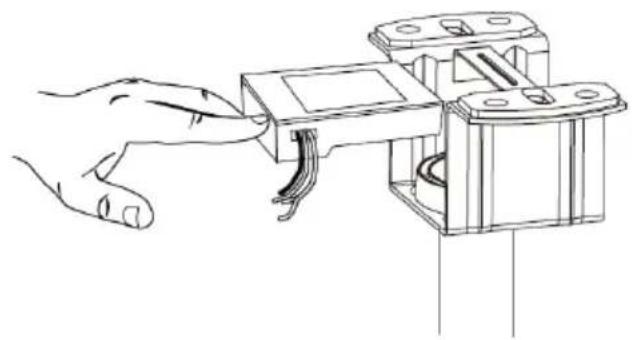
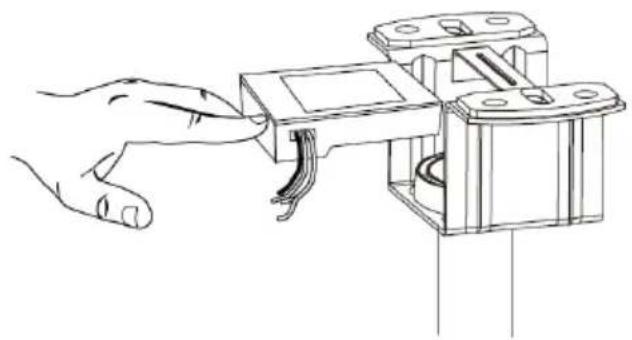
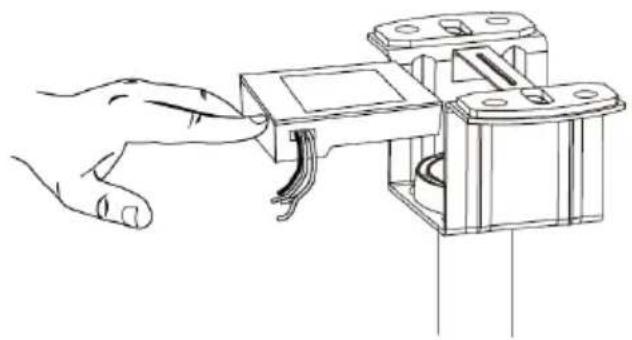
(4) Put the receiver into the bracket and arrange the wires.
3. Wiring
(1) Make the wire connections according to the wiring diagram provided.
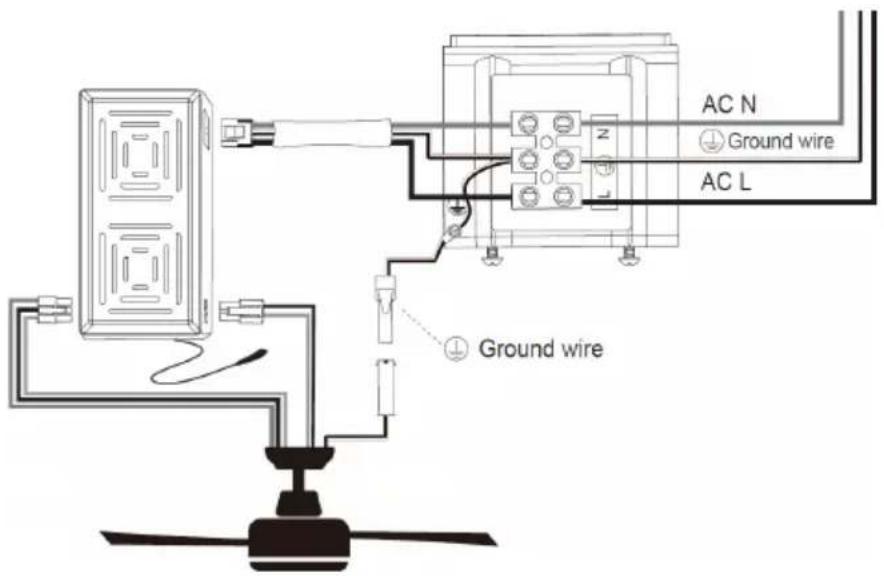
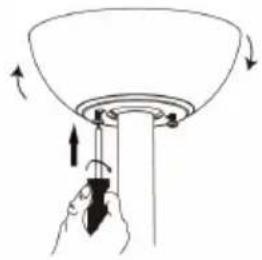
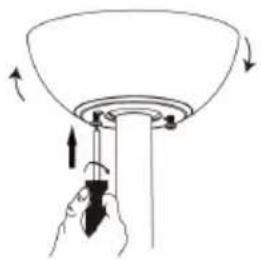
(2) Rotate the canopy clockwise until screw heads engage the key slots fully. Tighten the screws. Be careful not to damage or cut the wiring. Insert the decorative ring into the canopy.
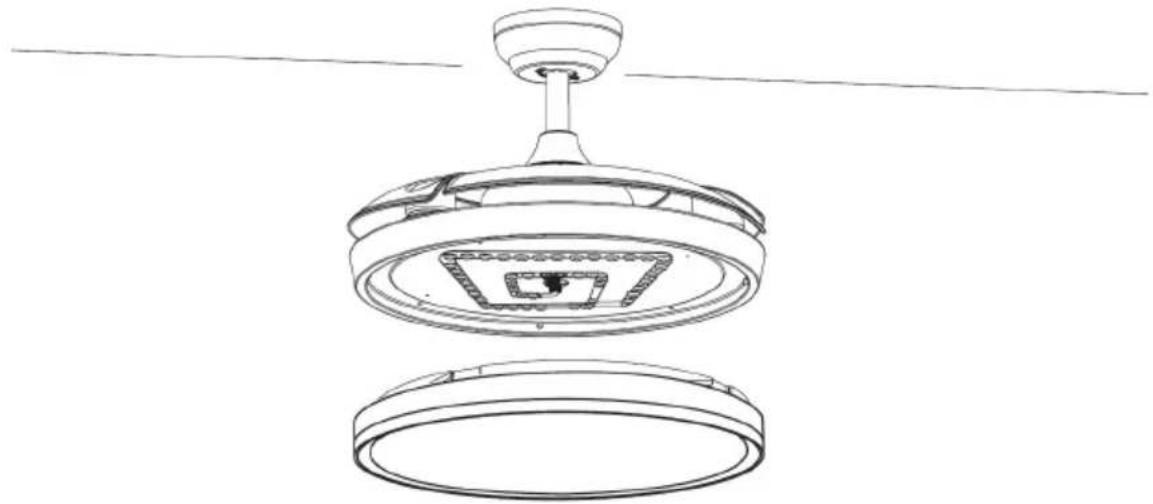
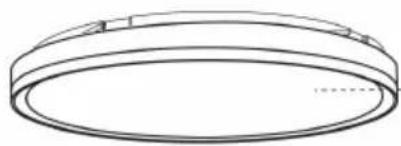
4. Installation of light kit
(1) Insert light cover.
- Test the fan switch and remote control functionality.
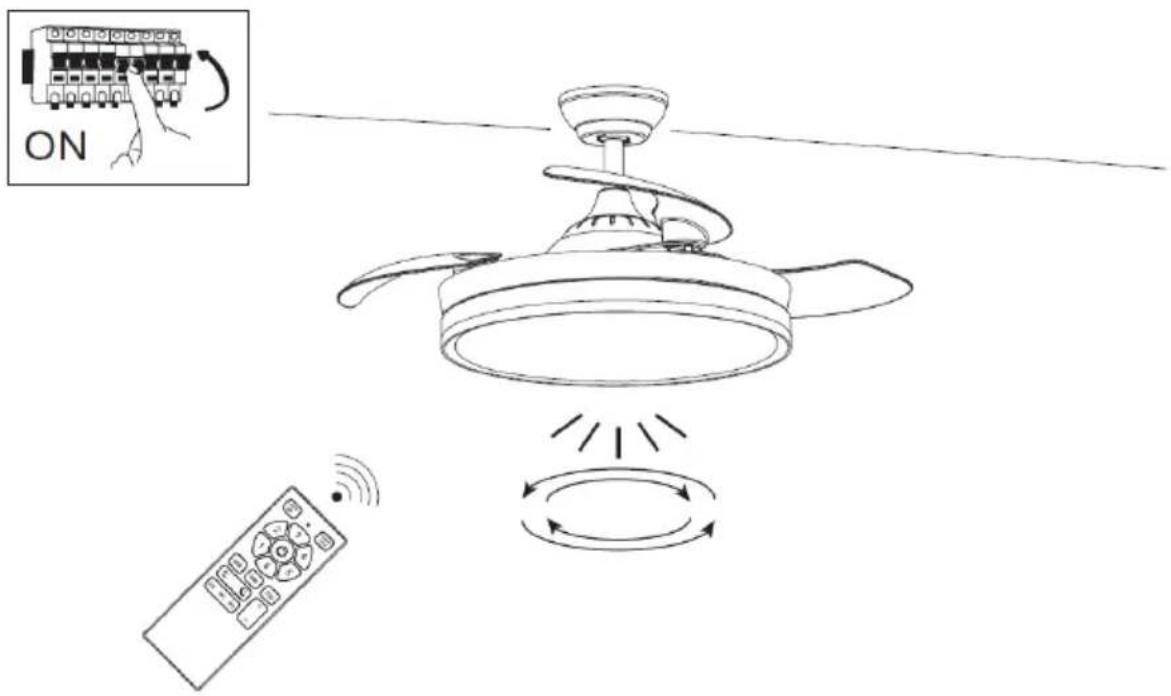
Note: This fan does not operate unless all blades are installed. If the fan is turned on without the blades, the receiver will detect that the fan speed is too high and will automatically stop the fan.
6. INSTRUCTIONS FOR USE
REMOTE CONTROL OPERATIONS
Remote control and receiver connection process:
- Insert the batteries into the remote control.
- Turn on the power supply to the fan. Within the next 10 seconds, press and hold the "1" and "2" buttons for about 3 seconds. Note: This process is necessary to complete the connection between the remote control and the receiver.
- Once the receiver detects the remote control frequency, it will beep twice, and the connection process is complete, making the fan ready for use. Note: The remote control has already been matched with the receiver at the time of production, but if you find that the fan is not responding to the remote control, repeat the connection process.
REMOTE CONTROL HOLDER INSTALLATION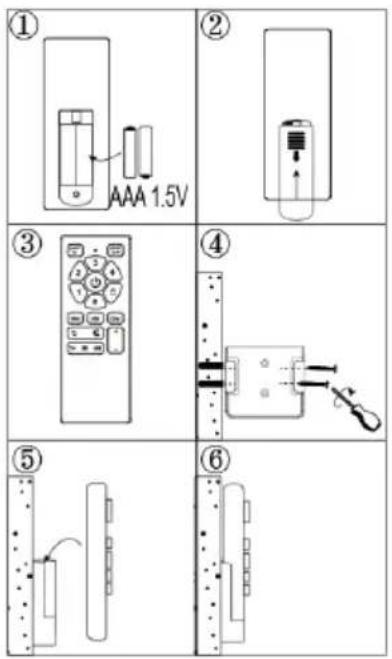
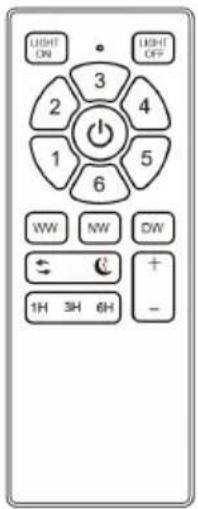
REMOTE CONTROL FUNCTION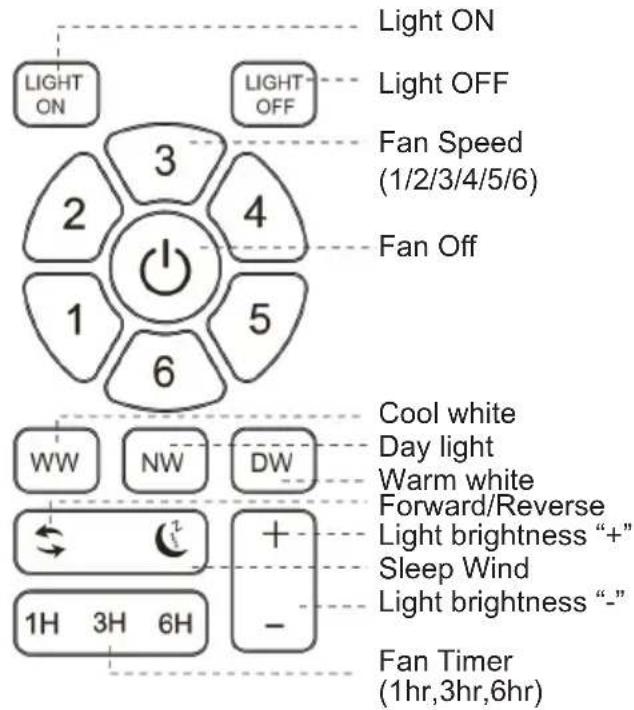
LIGHT FUNCTION
This unit works with the CCT light function system, which allows you to choose the light type according to your needs. There are 3 light color options in this function.
- WW: Cool white light
- NW: Daylight or normal light
- DW: Warm white light. To choose the light type, press the corresponding button and select the light as needed.
LIGHT MEMORY FUNCTION
This fan has a light color memory function. With this function, the fan will operate with the same light color after being turned on again. To memorize the light color, turn on the light and keep it on for 3-5 seconds, then turn off the fan and wait at least 10 seconds before turning it on again.
FAN WORKING MODES
This fan operates with 2 working modes:
Normal Wind mode: In this mode, the fan operates normally with 6 speeds.
Sleep wind mode: In this mode, the fan operates at a lower speed compared to its regular settings. This reduced speed generates less noise, making it suitable for use during sleep or quiet hours.
REVERSIBLE FUNCTION
A reversible fan is a type of fan that can change the direction of airflow. This means it can either push air forward or pull air backward, depending on the desired mode of operation. The mechanism of the reverse function is explained below.
- Forward mode: In this mode, the fan operates like a traditional fan, pushing air forward. This is the mode used during hot weather to circulate air and create a cooling effect. The blades rotate in a specific direction, usually anticlockwise, to push air forward.
- Reverse mode: In reverse mode, the fan reverses the direction of airflow, pulling air backward. This mode is often used during colder weather to help distribute warm air more evenly throughout a room. The blades rotate in the opposite direction, usually clockwise, to pull air backward.
The ability to switch between forward and reverse modes makes reversible fans versatile and suitable for use in various seasons and weather conditions. It allows for better control over airflow and temperature regulation within a space. These fans are commonly found in ceiling fans, window fans, and some portable fans, offering flexibility and convenience to users.
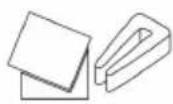
DYNAMIC BLADE BALANCING KIT
How to rectify such problems:
- Ensure that all blades are firmly secured to the blade brackets.
- Ensure that all blades are firmly secured to the fan body and that the pitch of the blades is all the same.
- From the bottom of the fan, inspect the blades visually and ensure none of them are bent or out of line. If you notice a blade is not in the right position or pitch, gently bend the blade holder to the correct position.
- If the fan is still unstable, the tracking of the blades must be checked using a measuring tape. Measure the distance from the leading edge of the blade to the ceiling. Ensure this is the same for all blades and, if necessary, make small adjustments by gently bending the blade.
If, after following all the above steps, your fan is still unstable, then the dynamic blade balancing kit must be used.
- Turn the fan on and adjust to the highest speed setting.
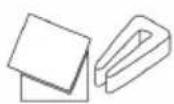
- Turn the fan off, select a blade, and place the balancing clip on it, halfway between the tip of the blade and the end of the blade.
- Turn the fan on and observe if the wobble has improved.
- Repeat this step on all of the blades and make a note of which blade boasted the greatest improvement.
- Place the clip back onto this blade and move it up and down along the length of the blade until you have found a spot that reduces the wobble. Install a balancing weight in this spot, ensuring you place the weight on the top face of the blade along the center line. You may need to use a sharp knife to separate the weights.
- Turn the fan on and check that it is now stable and operates fine.
CAUTION: Stay away from moving blades. If the clip is not fixed properly on the blade for any reason, turn the fan off immediately. This might result in injury.
7. CLEANING AND MAINTENANCE
Cleaning:
- Before cleaning, turn the unit off, cut off the power supply from the electrical outlet, and wait for the unit to cool down.
- To clean the unit, use a soft cloth to wipe off any dust.
- Do not try to open the unit without a licensed electrician. Improperly installed, the unit can be dangerous.
- Clean the unit at least once a year.
Maintenance:
- Have your product repaired by a licensed electrician.
- This electric product is in accordance with the relevant safety requirements. Repairs should only be carried out by licensed electricians using original spare parts, otherwise this may result in considerable danger to the user.
- Please contact the store where you bought the product for after-sales services if any.
TROUBLESHOOTING
| Fan does not work 1. Check all fuses or circuit breakers, if something disrupting the power supply to the fan.2. Turn off electrical power and check all wire connections to fan and in switch housing. It must be carried out by a electrician. | |
| Fan turns but airflow is inadequate | 1.The fan may be running in reverse, so air is going upward.2.The room may contain items that obstruct the air flow.3.The fan may be too small for size of the room. |
| Fan is noisy | 1. Make sure that the screws fastening blade arm to motor are tight and the lock washers provided for that purpose have been used.2. Lower the upper canopy to ensure a separation from the ceiling of no less than 3mm to reduce Noise.3. Check to see if any of the blades are cracked. If yes, replace all of the blades.4. If this is the first use, leave the fan on for at least 8 hours. If the mechanical noise continues after this period, contact certified electrician. |
Balancing – Wobbling problems during fan operation
If the fan body wobbles during its operation, this is not a sign of malfunctioning (even if it wobbles a few centimetres). To reduce wobbling, you can turn off the fan, and:
- Check that all blades are properly fastened by tightening their screws.
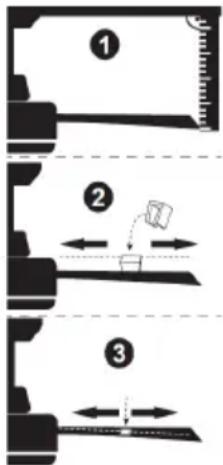
- Check the distance between each blade and the ceiling. Measurements to the ceiling can be carried out as shown in the following diagram. If variations exist and you have already correctly tightened the screws, check that all blades have the same shape. If any of them have a shape that is visibly different, this may be causing an imbalance during fan operation. If you have completed the previous steps and the wobbling has not resolved, you should apply dynamic balancing with the kit provided, as explained below:
- Turn the fan to the highest speed to generate the maximum amount of oscillation.
- Turn off the fan. Choose a random position of the leaf shelf plate (see picture) and put down the balance weight.
- Turn on the fan and check whether the swing has improved or worsened. Close it again, if the swing does not improve, please adjust the position of the balance weight. Repeat this process and determine the best position to reduce swing.
- Tear off the double-sided tape of the weighing block and stick it to the final position.
IMPORTANT:
- Support
- Motor body
3. Canopy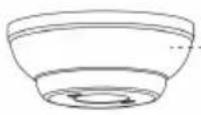
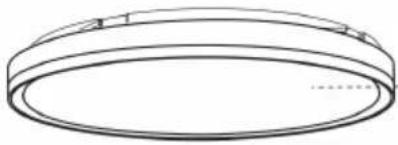
5. ASSEMBLY INSTRUCTIONS
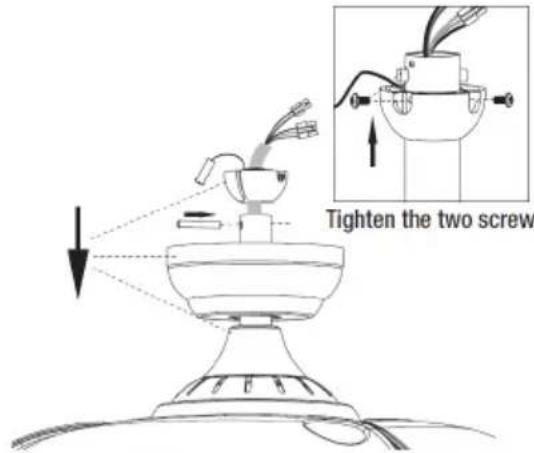
2. Support installation
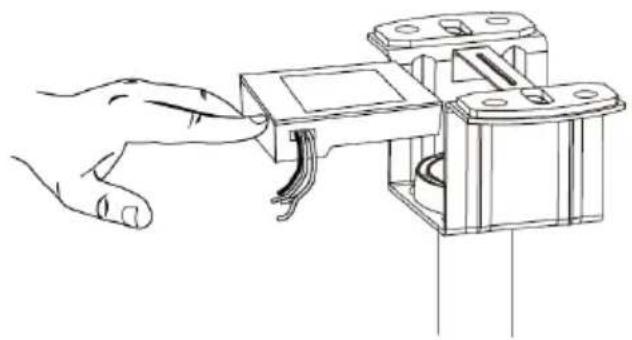
3. Wiring
REMOTE CONTROL FUNCTION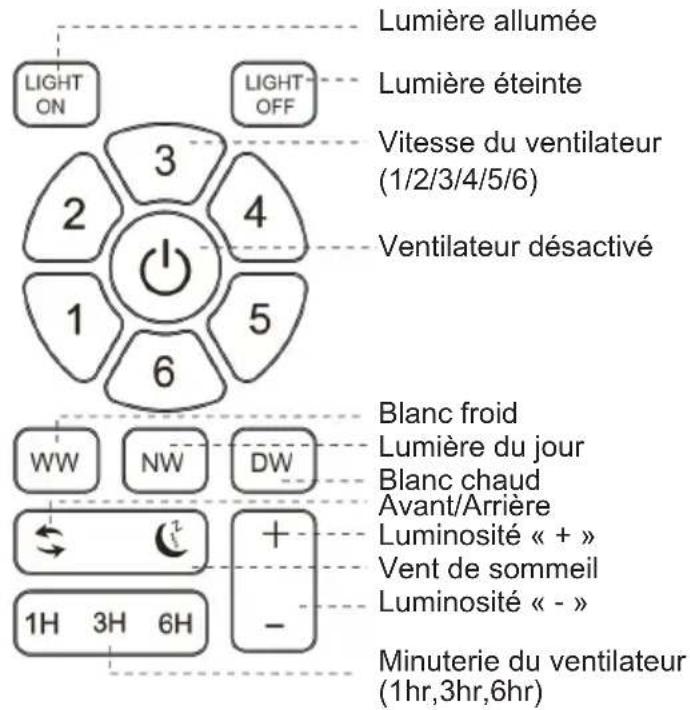
IMPORTANT:
- Support
- Motor body
3. Canopy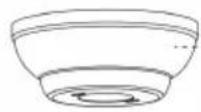
5. ASSEMBLY INSTRUCTIONS
A. Concrete ceiling
B. Solid wood ceiling
(3) Fit the fan mounted on the installed support
3. Wiring
IMPORTANT:
5. ASSEMBLY INSTRUCTIONS
A. Concrete ceiling
B. Solid wood ceiling
3. Wiring
IMPORTANT:
3. Wiring
IMPORTANT
- Holder
4. Coupling cover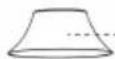
- Lower rod

- Motor housing
3. Canopy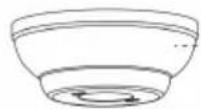
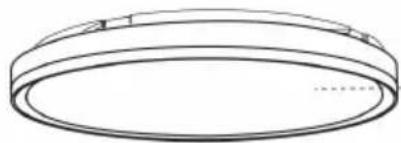
5. ASSEMBLY INSTRUCTIONS
2. Mounting the bracket
A. Concrete ceiling
3. Wiring
IMPORTANT:
5. INSTALLATION INSTRUCTIONS
(2) Unscrew the 2 screws on the coupling.
A. Concrete ceiling
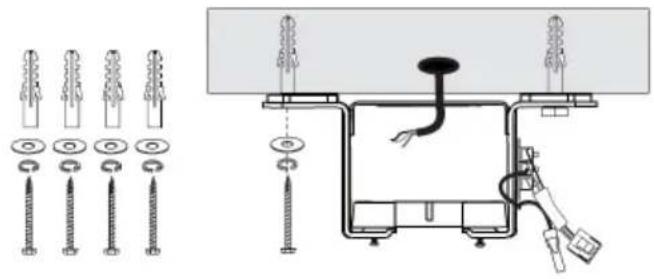
(3) Click the assembled fan into the installed bracket.
3. Wiring
4. Installing the light kit
IMPORTANT:
5. INSTALLATION INSTRUCTIONS
1. Basic assembly of the fan
(1) Disassemble the rod downward
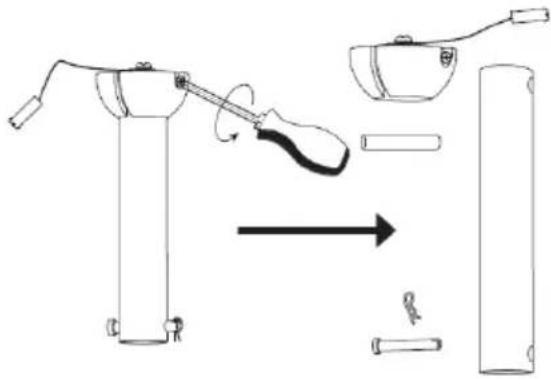
(3) Route all wires through the motor rod downward. Using the screw, attach the lower rod to the coupling and then insert the pin. Tighten the 2 screws on the coupling.
(2) Unscrew the 2 screws on the coupling
A. Concrete ceiling
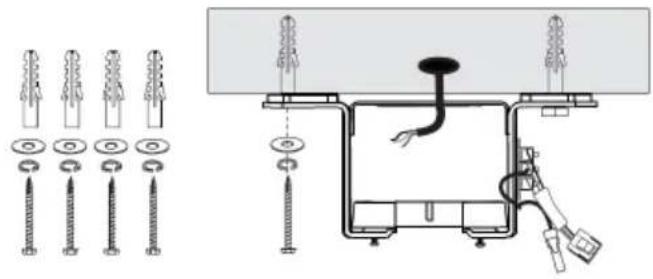
(3) Insert the assembled fan into the installed bracket
(4) Insert the receiver into the bracket and arrange the wires.
3. Wiring
(2) Rotate the canopy clockwise until the screw heads fully engage in the key slots. Tighten the screws. Be careful not to damage or cut the wiring. Insert the decorative ring into the canopy.
IMPORTANT:
- Always read the instruction booklet carefully before use.
- You can download this manual from our website www.sogo.es
- Keep these instructions for future use.
SAFETY INSTRUCTIONS FOR THE USER
General precautions:
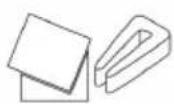
- Screw packaging 10. Installation manual
5. ASSEMBLY INSTRUCTIONS
1. Basic fan assembly
(1) Disassemble the lower rod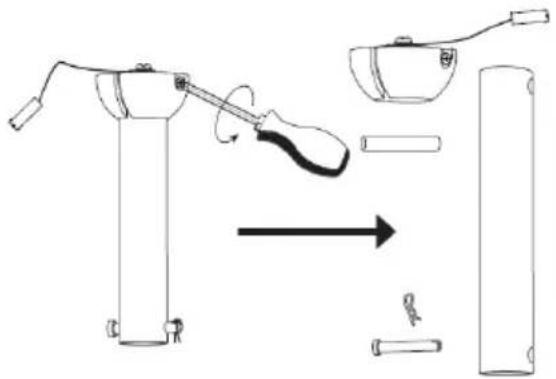
(2) Unscrew the 2 screws on the coupler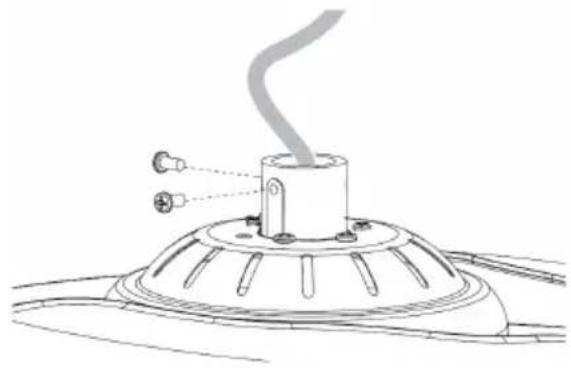
(4) Install the coupler cover and canopy, hanging ball. Insert the locking pin, push the hanging ball upward and secure it with screws.
(3) Thread all wires through the motor pole. Attach the lower rod to the coupler using the screw, then insert the pin. Tighten the 2 screws on the coupler.
2. Mounting the bracket
(1) Turn off the fan power at the breaker box and wall switch.
Note: Failure to disconnect power before installation may result in serious injury or death.
A. Concrete ceiling
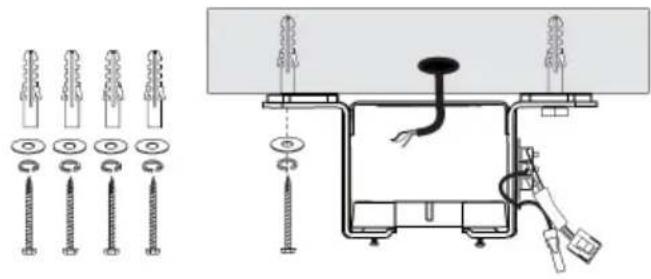
(3) Push the assembled fan into the installed bracket
(4) Place the receiver in the bracket and arrange the wires.
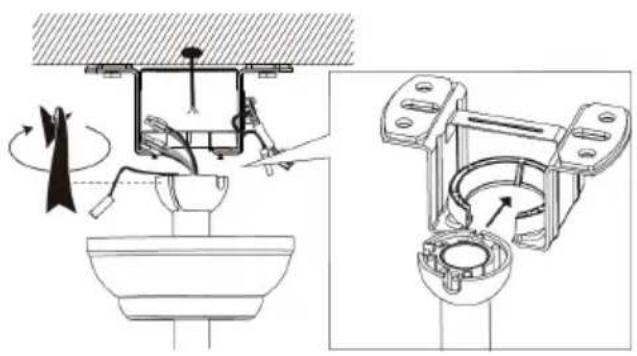
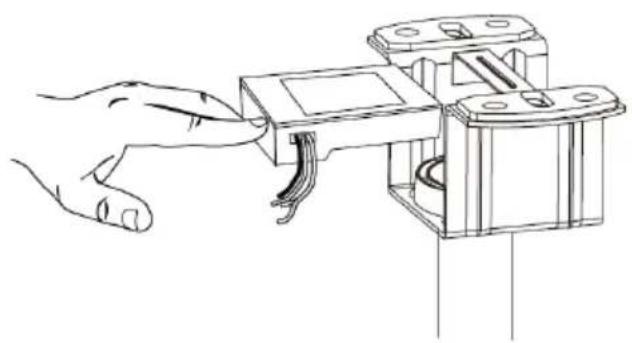
3. Wiring
(1) Connect the wire according to the provided wiring diagram.
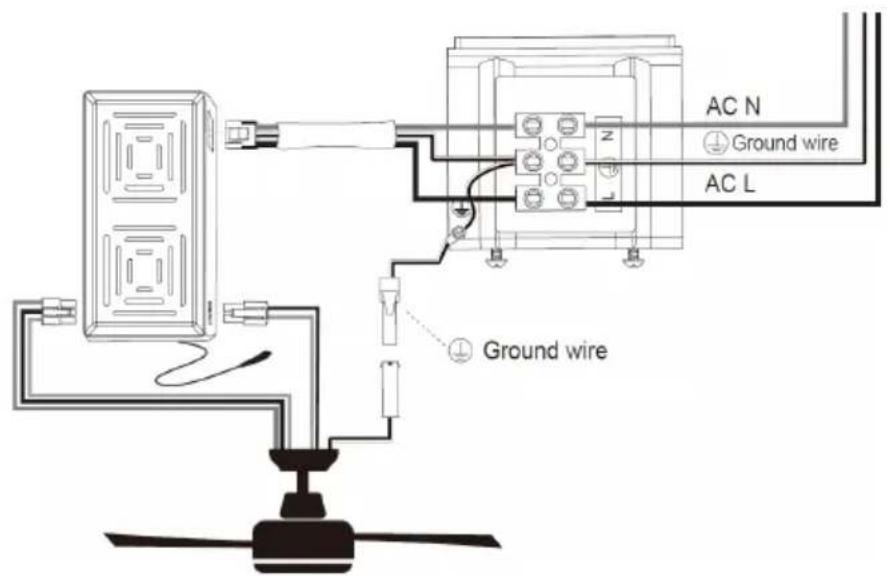
(2) Rotate the canopy clockwise until the screw heads fully enter the keyhole slots. Tighten the screws. Be careful not to damage or cut the wiring. Insert the decorative ring into the canopy.
- Test the fan switch operation and remote control operation.
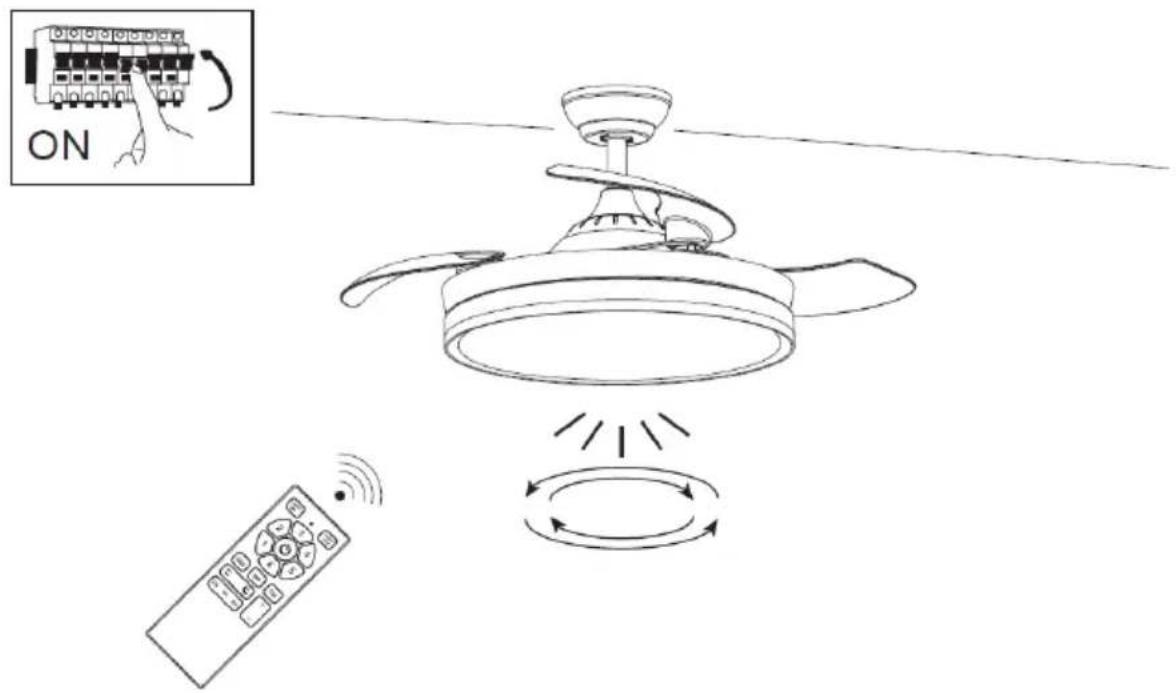
Note: This fan does not operate without all blades installed. If the fan is turned on without blades installed, the receiver will detect that the fan speed is too high and the fan will automatically stop.
6. INSTRUCTIONS FOR USE
REMOTE CONTROL OPERATIONS
IMPORTANT:
- Bracket
4. Clutch cover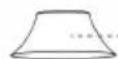
2. Rod down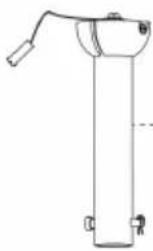
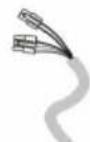
- Motor body
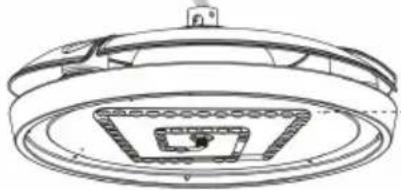
3. Canopy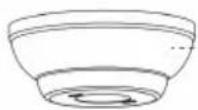
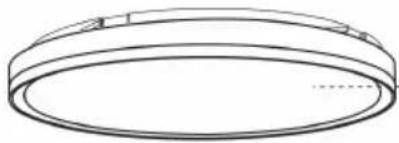
5. INSTALLATION INSTRUCTIONS
2. Bracket installation
A. Concrete ceiling
3. Wiring
FAN OPERATING MODES
IMPORTANT
- Support
4. Coupling cap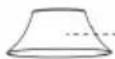
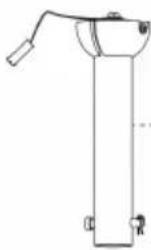
- Lowering rod
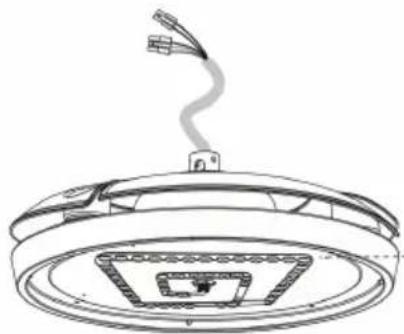
- Motor body
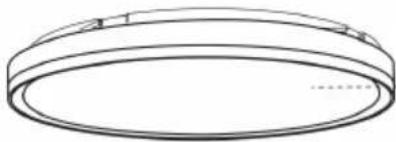
3. Canopy
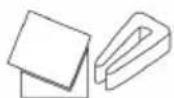
- Blade balancing kit
5. ASSEMBLY INSTRUCTIONS
A. Concrete ceiling
3. Wiring
EN/ES/FR
Directive 2009/125/EC
| Description Symbol Value Unit | |||
| Power Supply / Fuente de alimentacion / Alimentation 220-240V~ 50-60Hz | |||
| Power / Potencia / Puissance 32W | |||
| Class / Clase / Classe I | |||
| Maximum fan ow rate / Velocidad máxima de ujo del ventilador / Débit du ventilateur | F m3/min | ||
| Fan power input / Entrada de energía del ventilador / Puissance d'entrée du ventilateur | P | W | |
| Service value / Valor del servicio / Valeur du service SV (m3/min)*W | |||
| Standby power consumption / Consumo de energía en espera / Consommation électrique en veille | Pin | W | |
| O power consumption / Consumo de energía apagado / Hurs consommation d'énergie | Ps | W | |
| Fan sound power level / Nivel de potencia del sonido del ventilador / Niveau de puissance acoustique du ventilateur | L WA dB(A) | ||
| Maximum air velocity / Velocidad máxima del aire / Vitesse de l'air c meters/sec | |||
| Seasonal electricity consumption / Consumo de electricidad en uso / Consommation d'électricité utilisée | Q kWh/a | ||
| Measurement standard for service value / Estándar de medición para volar del servicio / Norme de mesure pour voler du service | IEC 60879:1986 /corr.1992) | ||
PT / IT / DE
Directive 2009/125/EC
| Description Symbol Value Unit | |||
| Fonte de energia / Alimentazioni / Stromversorgung | 220-240V~ 50-60Hz | ||
| Potência / Potere / Potenz | 32 W | ||
| Class / Clase / Klasse | I | ||
| Caudal do ventilador / Potenta del ventilatore / Lüfterlurch uss F | m3/min | ||
| Entrada de energia do ventilador / Potenza assorbita dal ventilatore / Lüfterleistungseingung | P | W | |
| Valor do service / Valore del service / Servicevert SV | (m3/min)W | ||
| Consumo de energia em espera / Consumo energetico in standby / Standby - Stromverbrauch | Pst | W | |
| Consumo de energia desligada / Consumo energetico spento / Stromverbrauch ausschalten | Ps | W | |
| Nivel de potência sonora do ventilador / Livello di potenza sonora | L WA dR(%) | ||
Directive 2009/125/EC
Directive 2009/125/EC
| Description | Symbol | Value Unit | |
| Napajanje / Zasilacz / Sursă de alimentare | 220-240V~ 50-60Hz | ||
| Vlast / Moc / Putere | 32W | ||
| Klasa / Klasa / Clasa | I | ||
| Maksimalni protok ventilatora / Maksymalne natężenie przepływu wentylatora / Debit maxim al ventilatorului | F m3/min | ||
| Ulazna snaga ventilat ora / Moc wejściowa wentylatora / Puterea de intrare a ventilatorului | P | W | |
| Vrijednost usluge / Wartość serwisowa / Valoarea de service | SV (m3/min)/W | ||
| Potrošnja energije u stanju mirovanja / Pobór mocy w trybie gotowości / Consumul de energie în standby | PSB | W | |
| Isključena potrošnja energije / Pobór mocy w trybie wyłączenia / Consumul de energie în stare de repaus | Poff | W | |
| Razina zvučne snage ventilatora / Poziom mocy akustycznej wentylatora / Nivelul de putere acustică a ventilatorului | L WA dB(A) | ||
| Maksimalna brzina zraka / Maksymalna prędkość powietrza / Viteza maximă a aerului | c meters/sec | ||
| Sezonska potrošnja električne energije / Sezonowe zużycie energii elektrycznej / Consumul sezonier de energie electrică | Q kWh/a | ||
| Mjerni standard za vrijednost usluge / Standard pomiaru wartości użytkowej / Standard de măsurare pentru valoarea de serviciu | IEC 60879:1986 /corr.1992) | ||
DECLARATION OF CONFORMITY
DECLARATION OF CONFORMITY
This device complies with EU Low Voltage Directive 2014/35/EC.
Electromagnetic Compatibility Directive 2014/30/EU. Directive 2015/863/EU on the restriction of the use of certain hazardous substances in electrical and electronic equipment.
Directive 2009/125/EC on the eco-design requirements applicable to energy-related products.

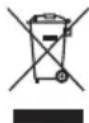
This symbol on the product or on the packaging indicates that this product cannot be disposed of as normal rubbish or household waste. All electrical and electronic equipment and battery-operated units must be recycled in a proper manner and according to local municipal laws. You can recycle them by taking them to government-authorized disposal centers or specialized bins which you can find in any nearby big supermarkets, electronics or electro-domestic products stores, or malls that have these types of facilities available.
Designed by: SOGO based on European quality standards
Imported by: Sanysan Appliances S.L, NIF: B98753056, C/ Barcas 2, 2, 46002 Valencia, Spain
Product manufactured in CHINA. After-sales service: www.sogosat.com sogosat@sogosat.com / 0034 902 222 161
- INDEX
- ASSEMBLY INSTRUCTIONS
- WIRING
- IMPORTANT
- SAFETY INSTRUCTIONS FOR THE USER GENERAL PRECAUTIONS
- INSTALLATION INSTRUCTIONS
- TECHNICAL SPECIFICATIONS
- PARTS DESCRIPTION
- BASIC ASSEMBLY OF FAN
- BRACKET INSTALLATION
- INSTALLATION OF LIGHT KIT
- INSTRUCTIONS FOR USE
- REMOTE CONTROL OPERATIONS
- REMOTE CONTROL AND RECEIVER CONNECTION PROCESS
- LIGHT FUNCTION
- LIGHT MEMORY FUNCTION
- FAN WORKING MODES
- REVERSIBLE FUNCTION
- DYNAMIC BLADE BALANCING KIT
- CLEANING AND MAINTENANCE
- CLEANING
- MAINTENANCE
- BALANCING – WOBBLING PROBLEMS DURING FAN OPERATION
- SUPPORT INSTALLATION
- MOUNTING THE BRACKET
- INSTALLING THE LIGHT KIT
- BASIC ASSEMBLY OF THE FAN
- SAFETY INSTRUCTIONS FOR THE USER
- GENERAL PRECAUTIONS
- BASIC FAN ASSEMBLY
- FAN OPERATING MODES
- EN/ES/FR
- PT / IT / DE
- DECLARATION OF CONFORMITY
Brand : Sogo
Model : SS-21840
Category : Fan