
ZD-888 - Heat press Vevor - Free user manual and instructions
Find the device manual for free ZD-888 Vevor in PDF.
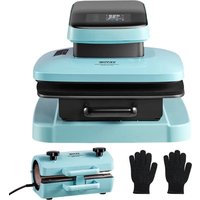


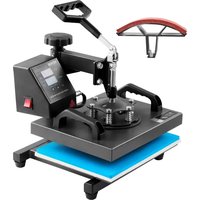
| Brand | Vevor |
| Model | ZD-888 |
| Product Type | Heat Press |
| Heating Plate Size | 15 × 15 inches (381 × 381 mm) |
| Power Supply (USA) | AC 120 V, 60 Hz, 1460 W |
| Power Supply (Europe) | AC 230 V, 50 Hz, 1330 W |
| Temperature Range | 0 °C to 250 °C (32 °F to 480 °F) |
| Timer Range | 0 to 999 seconds |
| Pressure Adjustment | 5 levels (P-1 to P-5) |
| Auto Shutdown | After 30 minutes of inactivity |
| Operating Modes | 3 preset modes (T-shirt, mouse pad, cotton bag) |
| Safety Functions | Mandatory grounding, auto shutdown, protection against accidental resets |
| Maintenance and Cleaning | Do not rinse with water; clean periodically with a suitable method |
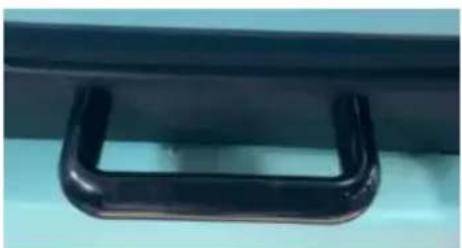
| Included Accessories | White protective cushion, removable handle base plate |
| Repairability | Repairs by a professional only; use original parts |
| Compliance | FCC Part 15, WEEE directive 2012/19/EC |
Frequently Asked Questions - ZD-888 Vevor
User questions about ZD-888 Vevor
0 question about this device. Answer the ones you know or ask your own.
Ask a new question about this device
Download the instructions for your Heat press in PDF format for free! Find your manual ZD-888 - Vevor and take your electronic device back in hand. On this page are published all the documents necessary for the use of your device. ZD-888 by Vevor.
USER MANUAL ZD-888 Vevor
Technical Support and E-Warranty Certificate www.vevor.com/support
HEAT PRESS MACHINE
We continue to be committed to provide you tools with competitive price. "Save Half", "Half Price" or any other similar expressions used by us only represent an estimate of savings you might benefit from buying certain tools with us compared to top brands and does not necessarily mean to cover all categories of tools offered. We kindly remind you to verify carefully when you are placing an order with us if you are actually saving half in comparison with the top major brands.
VEVOR®
TOUGH TOOLS, HALF PRICE
HEAT PRESS MACHINE
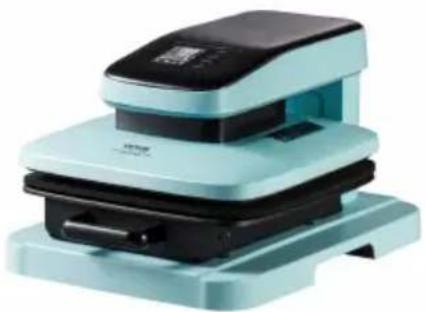
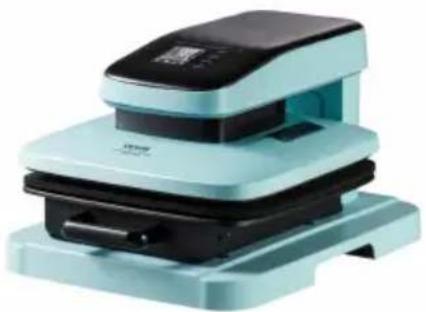
ZD-888
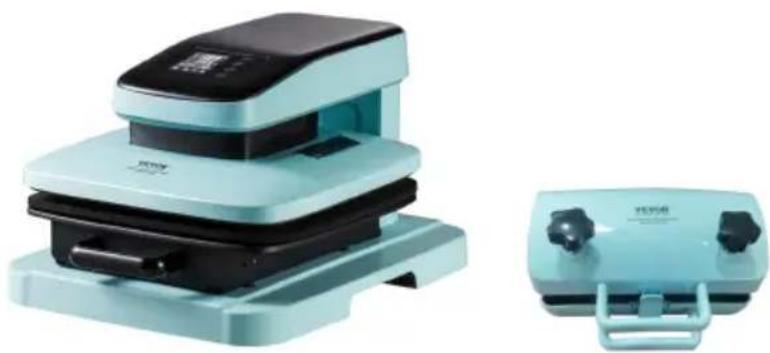
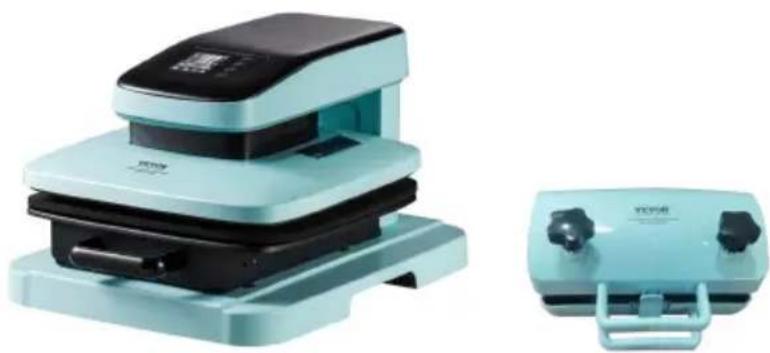
ZD-888/2
NEED HELP? CONTACT US!
Have product questions? Need technical support? Please feel free to contact us:
Technical Support and E-Warranty Certificate www.vevor.com/support
This is the original instruction. Please read all manual instructions carefully before operating. VEVOR reserves a clear interpretation of the user manual. The appearance of the product shall be subject to the product you received. Please forgive us that we won't inform you of any technology or software updates on our product.
1. Important safety instructions
This instruction manual is intended for your benefit. Please read and follow the safety, installation, maintenance and troubleshooting steps described within to ensure your safety and satisfaction.
The contents of this instruction manual are based on the latest product information available at the time of publication. The manufacturer reserves the right to make product changes at any time without notice.
Always use common sense and pay particular attention to all the DANGER, WARNING, CAUTION and NOTICE statements in this manual.
Maintain labels. These carry important information. The label on your tool may include the following symbols. The symbols and their definitions are as follows:
 | Warning - To reduce the risk of injury, user must read instruct manual carefully. |
 | Alternating current |
 | This symbol, placed before a safety comment, indicates a kind precaution, warning, or danger. Ignoring this warning may lead an accident. To reduce the risk of injury, fire, or electrocution, please always follow the recommendations shown below. |
 | Danger!Risk of personal injury or environmental damage! Risk of elec shock! Risk of personal injury by electric shock! |
 | Disposal information:This product is subject to the provision of European Directive 2012/19/EC. The symbol showing a wheelie bin crossed through indicates that the product requires separate refuse collection in European Union. This applies to the product and all accessories marked with this symbol. Products marked as such may not be discarded with normal domestic waste, but must be taken to a collection point for recycling electrical and electronic devices |
WARNING
Prior to using this product, please read and understand all instructions and safety warnings. Improper use may result in serious injury or property damage.
- Warnings must be followed carefully to avoid body injury. Improper use may result in electric shock, fire, personal injury and other damage:
1) Keep unplugging when moving the machine. 2) Keep unplugging when installing accessories. 3) Place on a flat and stable platform. 4) Do not use this machine in a hazardous-location. 5) Do not use when the machine is not working properly. 6) Do not disassemble and repair this machine.
7) Do not use an unsuitable AC Outlet.
8) Do not touch the heating plate when the machine is working.
9) Do not use it in a humid environment or contact with water. Do not infiltrate liquid in the machine to prevent fire or electric shock caused by short circuit.
10) Do not use the power supply that does not meet the rated voltage. The power supply that does not meet the specified voltage may cause fire or electric shock.
11) Ensure that the machine is grounded so as not to cause harm to the body.
12) Do not touch the moving part with your fingers during use in case of injuries.
13) If the machine is not in use for a long time, please unplug the power cord from the socket.
14) Please stop using it if the machine smokes, emits a peculiar smell, or becomes noisy and in other abnormal conditions.
15) If they have been given supervision or instruction concerning use of the appliance in a safe way and understand the hazards involved. Children shall not play with the appliance. Cleaning and user maintenance shall not be made by children without supervision
16) If the supply cord is damaged, it must be replaced by a special cord or assembly available from the manufacturer or its service agent.
17) In order to avoid a hazard due to inadvertent resetting of the thermal cutout, this appliance must not be supplied through an external switching device, such as a timer, or connected to a circuit that is regularly switched on and off by the
utility.
18) Operating and fixing of this product must be conducted by qualified person. 19) Please install this machine according to our instructions. 20) Once unpack the machine, check it throughout to make sure it is complete. 21) Once unpack the machine, check it throughout to make sure it is complete. 22) If anything is missing or damaged, please consult before operating. 23) The packing material should be placed beyond the reach of children. 24) Please turn off the machine when the operator is absent. If you need a repair, please ask for an expert and use the original spare part. 25) Do not rinse the machine with water directly. 26) Clean the surface periodically in appropriate method to prevent any damages brought by oxidization or chemical interference.
FCC INFORMATION
CAUTION: Changes or modifications not expressly approved by the party responsible for compliance could void the user's authority to operate the equipment!
This device complies with Part 15 of the FCC Rules. Operation is subject to the following two conditions:
1) This product may cause harmful interference. 2) This product must accept any interference received, including interference that may cause undesired operation.
WARNING: Changes or modifications to this product not expressly approved by the party responsible for compliance could void the user's authority to operate the product.
Note: This product has been tested and found to comply with the limits for a Class B digital device pursuant to Part 15 of the FCC Rules. These limits are designed to provide reasonable protection against harmful interference in a residential installation.
This product generates, uses and can radiate radio frequency energy, and if not installed and used in accordance with the instructions, may cause harmful interference to radio communications. However, there is no
guarantee that interference will not occur in a particular installation. If this product does cause harmful interference to radio or television reception, which can be determined by turning the product off and on, the user is encouraged to try to correct the interference by one or more of the following measures.
- Reorient or relocate the receiving antenna.
- Increase the distance between the product and receiver.
- Connect the product to an outlet on a circuit different from that to which the receiver is connected.
- Consult the dealer or an experienced radio/TV technician for assistance.
INTRODUCTION
A heat press machine uses temperature and pressure with a certain amount of time to transfer images onto items, and the transfer is permanently embedded into the product. Thank you for choosing our Heat Press Machine. Please read this user manual carefully and keep it for future reference. Please contact us if you need any assistance.
PARAMETER
| Item | Description | ZD-888 | ZD-888/2 | |
 |  |  + + | ||
| 1 | Rating(s): | AC120V 60Hz1460W( For US user) | AC120V 60Hz1460W( For US user) | AC120V 60Hz564W( For US user) |
| 2 | Rating(s): | AC230V 50Hz1330W( For Europe user) | AC230V 50Hz1330W( For Europe user) | AC230V 50Hz483W( For Europe user) |
| 3 | Heat Size | 15×15inch(381*381mm) | 15×15inch(381*381mm) | 30oz |
| 4 | PressureCompensation | 5 Levels (P-1 / P-2 /P-3 / P-4 / P-5) | 5 Levels (P-1 / P-2 // P-4 / P-5) | Manual |
| 5 | TemperatureRange | 32°F - 480°F (0-250°C) | ||
| 6 | Timer Range | 0-999S | ||
| 7 | Automaticshut-down | Shut down the machine if there is no action for 30 minutes | ||
MAIN STRUCTURE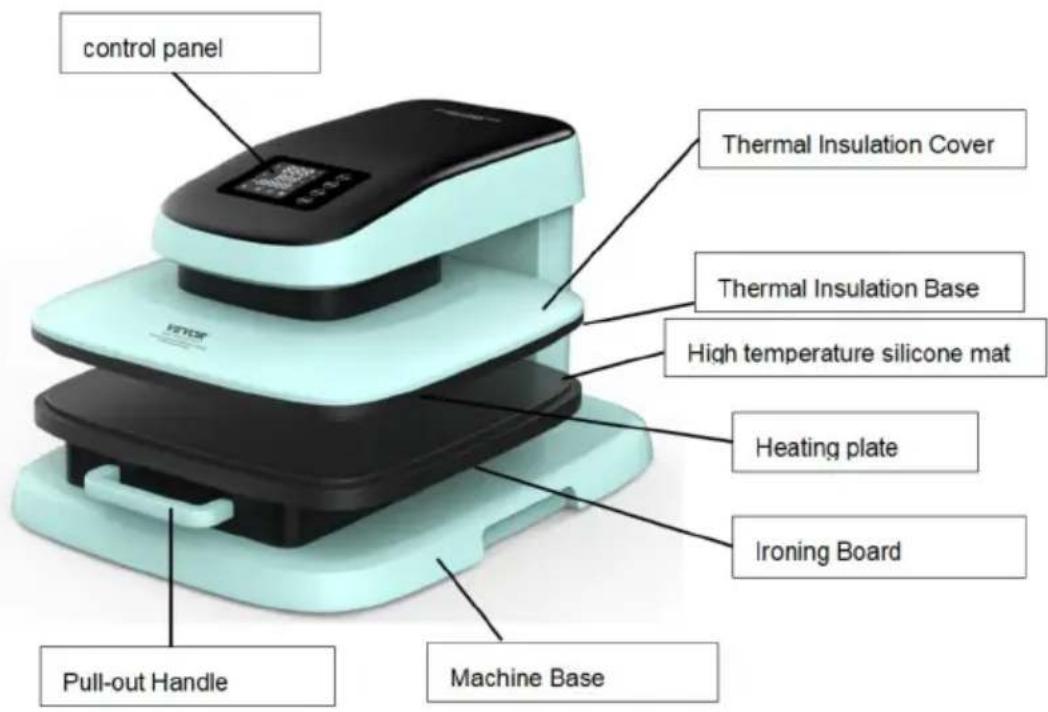
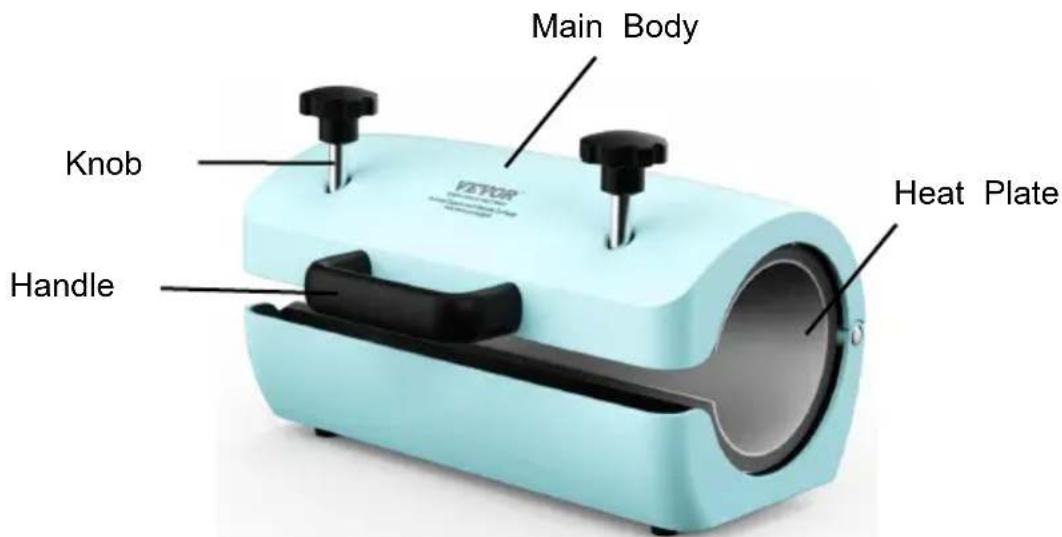
Do not touch the heating area while in use to avoid burns.
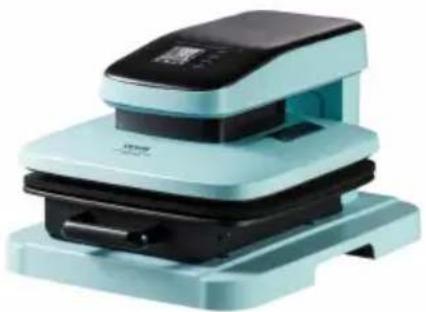
(Including: thermal insulation cover, thermal insulation base, and heating plate.)
OPERATION INTERFACE
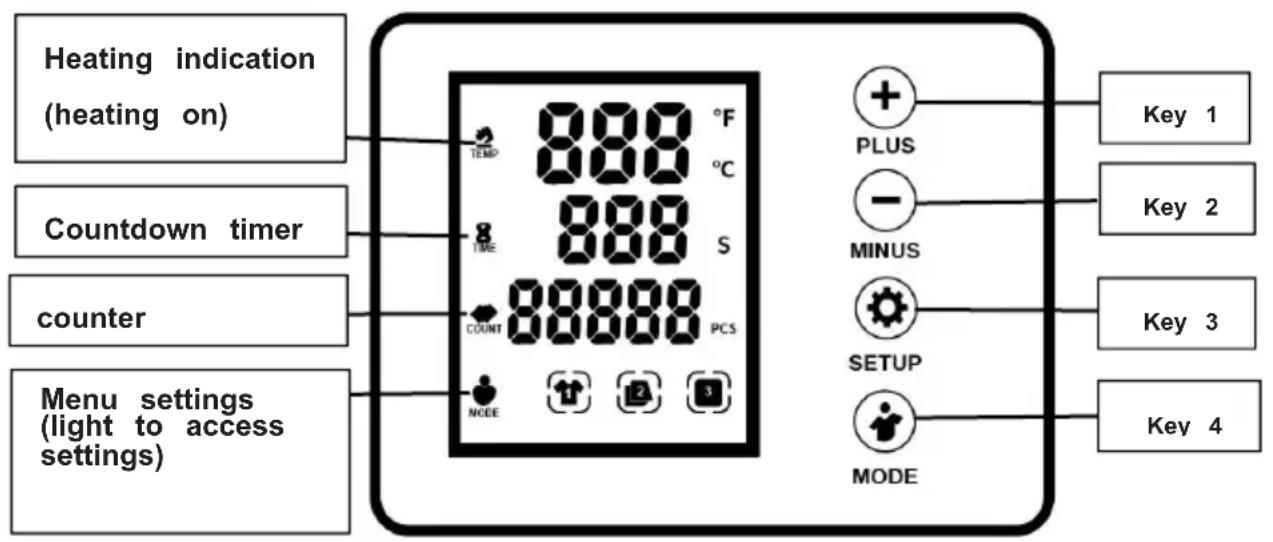
The interface includes 4 operation keys:
KEY1 (+ PLUS): Setup data; KEY3 (SETUP): Setup item switching; KEY2 (- MINUS): Setup data; KEY4 (MODE): Fast mode switching
Functional description of short and long key presses:
A: KEY1 (+ PLUS): Setup data;
1: Short press to start running, motor moves down to ensure countdown, hot stamping work, countdown ends with 6 beeps and then stops. 2: Long press for about 5 seconds to reset the production quantity (PCS) to zero.
B: KEY2 (- MINUS): Setup data;
1: Short press to reset and stop running, motor rises to the upper limit switch and stops in standby. 2: Mainly used for fast switching of temperature and time.
Mode 1: temperature 302 degrees Fahrenheit, time 60 seconds; for example, for heat pressing nylon T-shirts.
Mode 2: temperature 356 degrees Fahrenheit, time 60 seconds; for example, for heat pressing mouse pads.
Mode 3: temperature 392 degrees Fahrenheit for 60 seconds; for example, for heat pressing cotton bags.
C: KEY3 (SETUP): Setting item switching = SETUP
1: Short press for temperature setting -> time setting -> Fahrenheit and Celsius conversion -> exit. a. Display SH 302: Temperature setting (data change by + key - key) b. Display St 60: Time setting (data change by + key - key) c. Display C/F F: °C to °F conversion (data change by + key - key) d. Short press 4 times to exit setting.
D: KEY4 (MODE): Fast mode switching
1: Short press once for fast mode switching. There are three working modes, corresponding to the class has a prompt and flashing.
Mode 1: temperature 302 degrees Fahrenheit, time 60 seconds; for example, for heat pressing nylon T-shirts.
Mode 2: temperature 356 degrees Fahrenheit, time 60 seconds; for example, for heat pressing mouse pads.
Mode 3: temperature 392 degrees Fahrenheit for 40 seconds; for example, for heat pressing cotton bags.
Note A: Short press to switch modes and flash the setting value twice to achieve fast switching.
Note B: These mode setting values can be modified by short pressing the setting item switch = SETUP; the data will be saved in memory.
2: The Count line displays P-1. Press the + (plus) key to increase the pressure; there are five levels (P-1/P-2/P-3/P-4/P-5), and the Time line displays 60 seconds. Press to the required level and then release to press and stamp.
SWITCH BAKING MODE
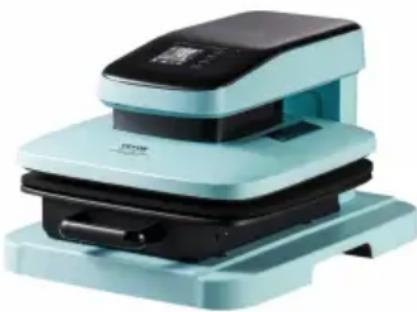
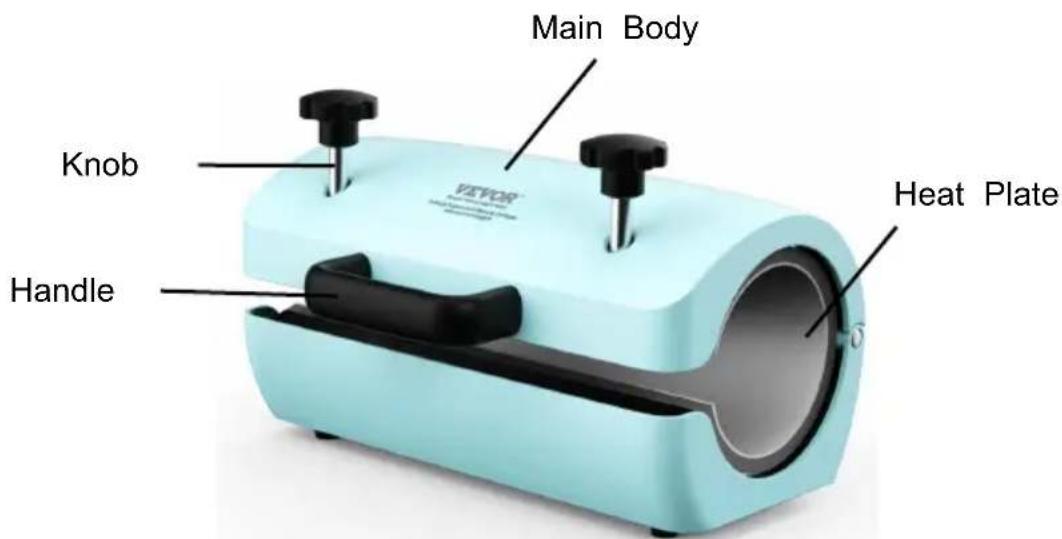
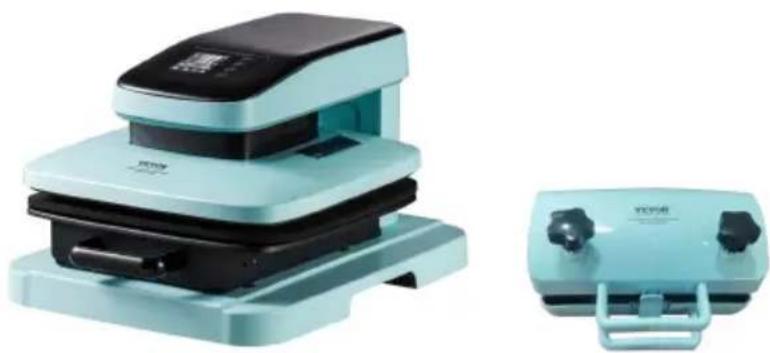
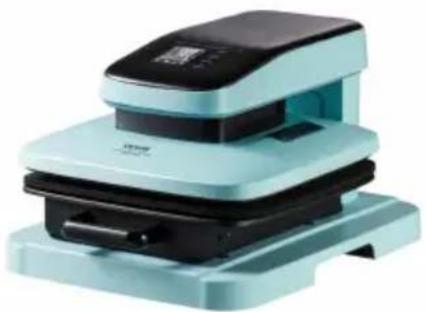
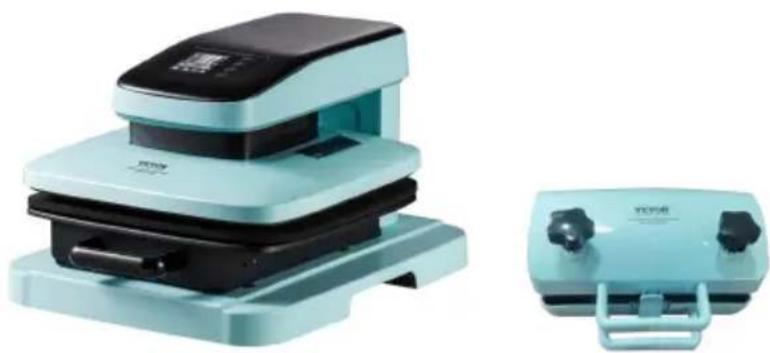
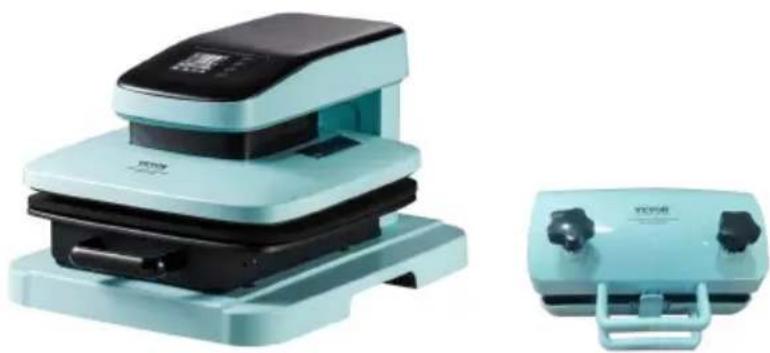
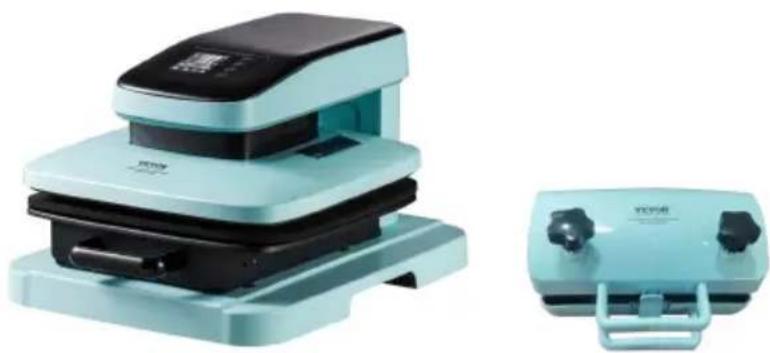
Main machine
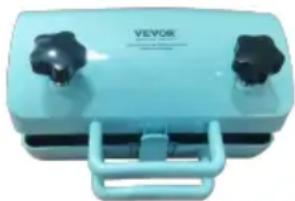
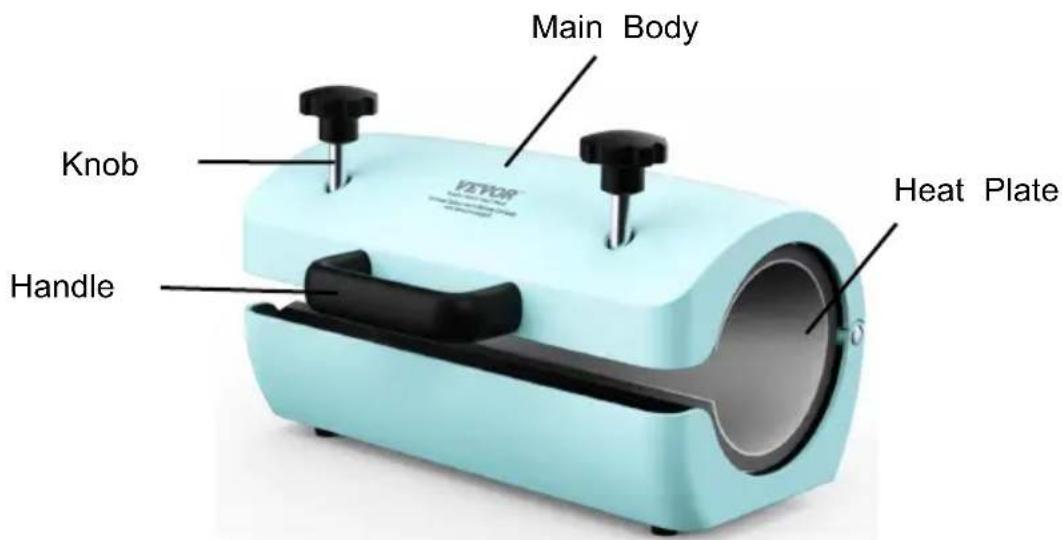
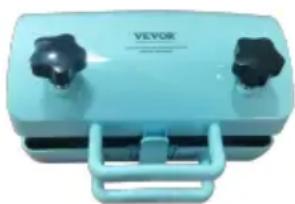
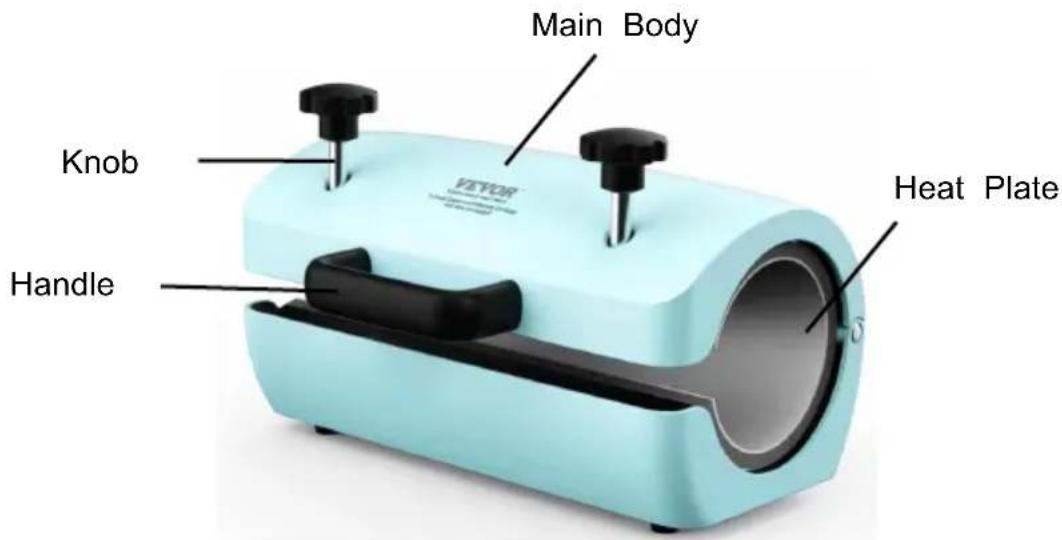
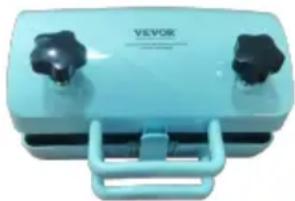
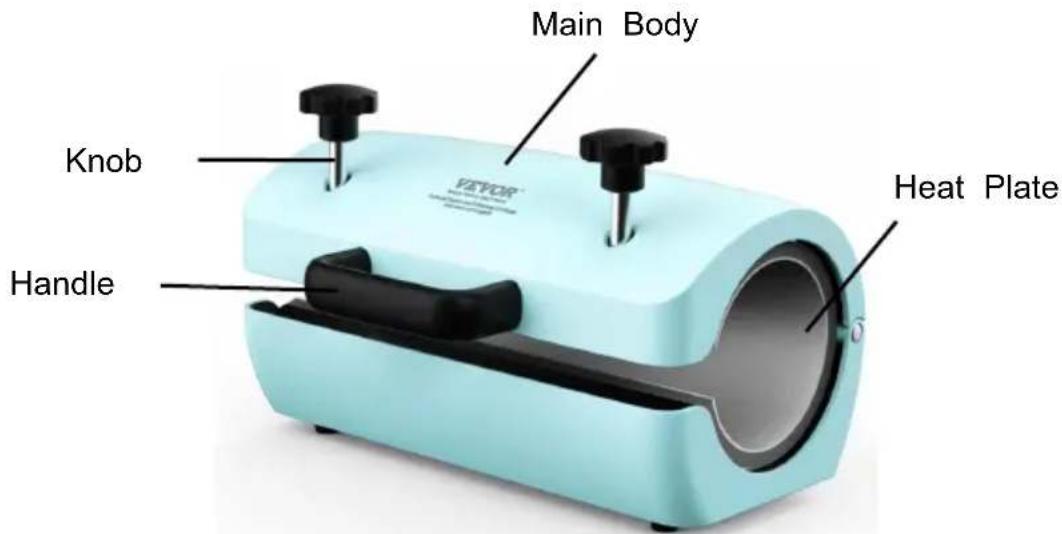
External heating machine - for cup baking
- Connect the external heating machine to the main machine, refer to the image below.
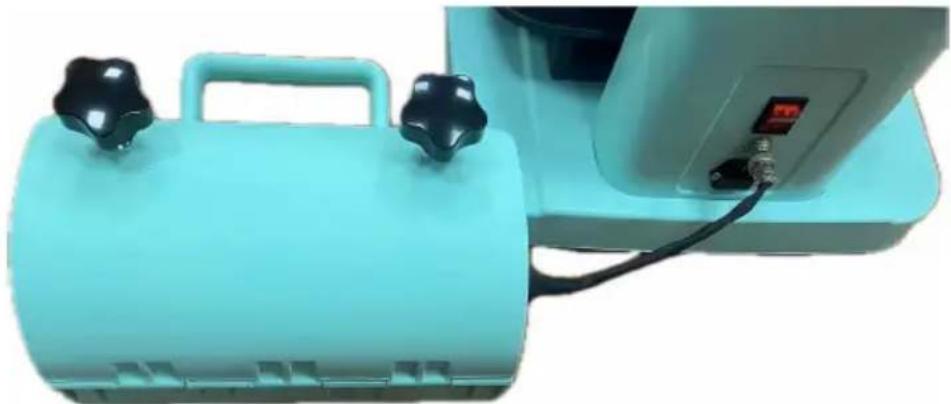
- Switching the baking mode after connecting.
A. In standby mode, the MODE light flashes at 1-second intervals, indicating the internal automatic working mode with external heating turned off. B. While in standby mode, press the MINUS key three times consecutively. The MODE light remains illuminated, indicating the use of external heating output. The internal automatic working mode is turned off, and this mode also disables the automatic downward pressure function for external hot stamping. C. In external heating output mode, press the MINUS key three times consecutively. The MODE light flashes at 1-second intervals, indicating the internal automatic working mode with external heating turned off.
ADDITIONAL TIPS
- Installation steps
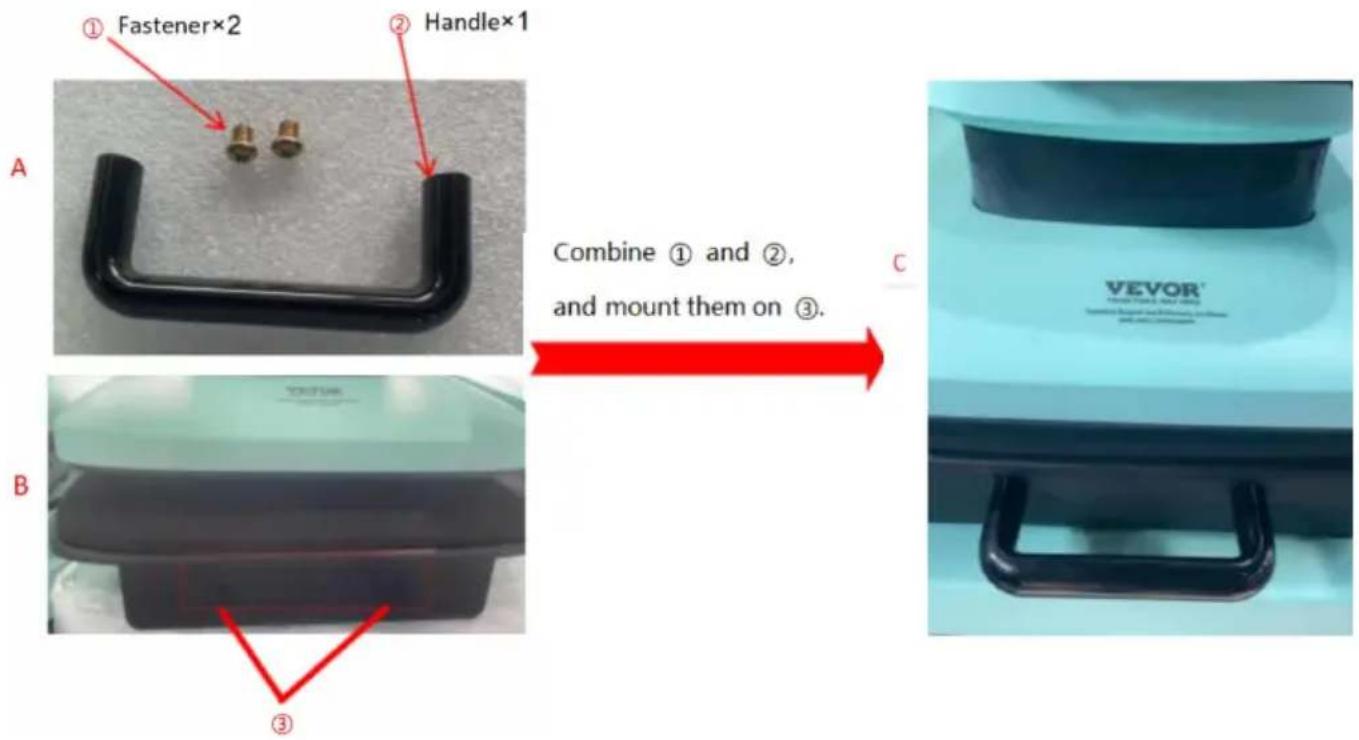
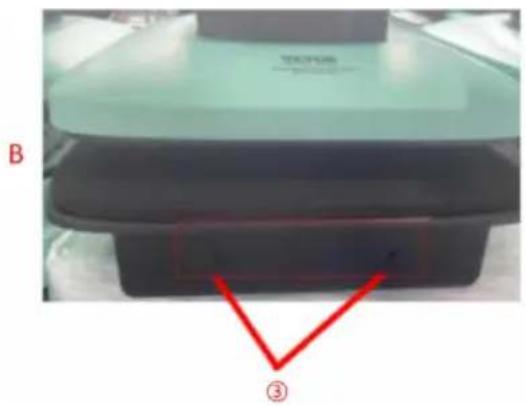
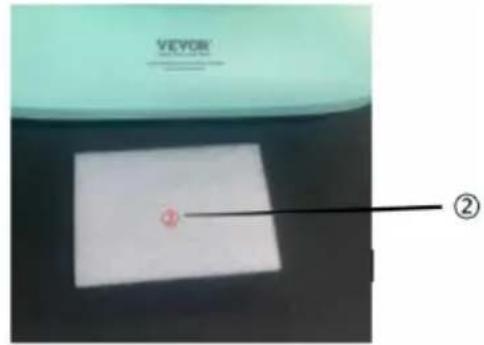
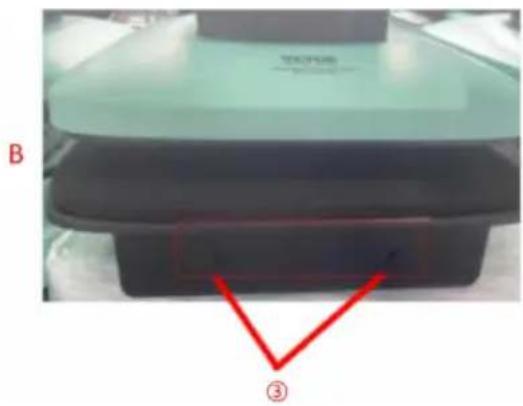
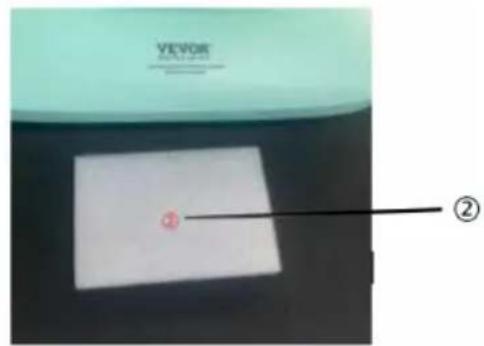
- Before use, press the button shown in Figure ①. After it rises, remove the white cushion shown in Figure ②. It can then be used normally.
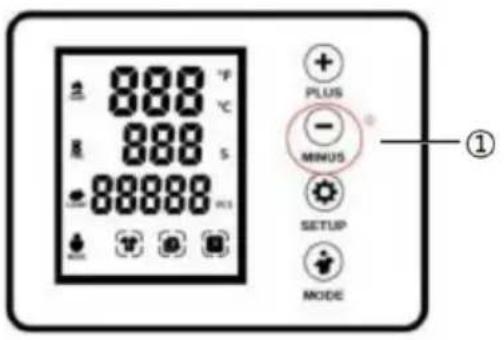
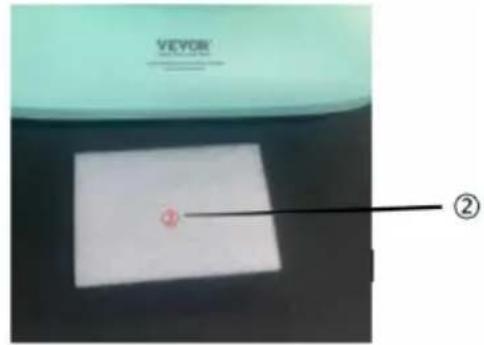
Figure ① Figure ②
- The handle base plate can be pulled out for use.
MAINTENANCE NOTE
MAINTENANCE NOTE
- Different items will require different temperature and time settings because the materials or thickness are different.
- This machine is not suitable for children to use or for food processing.
- Please turn off the machine and unplug the power cord when the machine is not in use.
- The heat plate will automatically cool down to room temperature if the heat press stays unused for more than 30 minutes.
- For better maintenance of the heat press, the maximum setting temperature is 210° C(410° F) .
- To avoid re-heating the first transfer when printing double-sided T-shirts, insert a sheet of cardboard between the shirt, adjust the height to less pressure, then press.
- The heat plate may pivot slightly back and forth rationally. This is due to the movement allowance within the clamp assembly, and it is normal.
TROUBLESHOOTING
- Temperature drops when the machine starts transferring
It is normal if the machine drops within 10° C, as the printed item is considerably cold; part of the heat is transferred from the machine to the printed item, especially when transferring patterns on mugs and plates.
- Printed effect: print color is a pale or faded image
The pressure is not high enough or the temperature is too low, pressing time is too short. Please adjust the pressure/temperature or increase the heating time.
- Printed effect: print color is too darkened, deep, or blurred
Reason 1: The temperature is too high / or pressing time is too long. Please adjust the temperature or reduce the heating time.
Reason 2: The pressing time is too short / using poor-quality transfer paper. Please increase the heating time or use high-quality transfer paper.
- The display screen does not turn on or the display screen is working but the temperature is not heating up.
Please kindly send us your problems. Our staff will give instructions according to your specific problems with patience.
Manufacturer: Shanghaimuxinmuyeyouxiangongsi
Address: Shuangchenglu 803nong11hao1602A-1609shi, baoshanqu, shanghai 200000 CN.
Imported to AUS: SIHAO PTY LTD. 1 ROKEVA STREETEASTWOOD NSW 2122 Australia
Imported to USA: Sanven Technology Ltd. Suite 250, 9166 Anaheim Place, Rancho Cucamonga, CA 91730
| UK | REP |
E-CrossStu GmbH
Mainzer Landstr.69, 60329 Frankfurt am Main.
| EC | REP |
YH CONSULTING LIMITED.
C/O YH Consulting Limited Office 147, Centurion House,
London Road, Staines-upon-Thames, Surrey, TW18 4AX
VEVOR®
TOUGH TOOLS, HALF PRICE
Technical Support and E-Warranty Certificate
www.vevor.com/support
VEVOR®
TOUGH TOOLS, HALF PRICE
We continue to be committed to providing you with tools at competitive prices. "Save Half", "Half Price" or any other similar expressions used by us only represent an estimate of savings you might benefit from buying certain tools with us compared to top brands and do not necessarily mean to cover all categories of tools offered. We kindly remind you to verify carefully when placing an order with us if you are actually saving half in comparison with the top major brands.
VEVOR®
TOUGH TOOLS, HALF PRICE
HEAT PRESS MACHINE
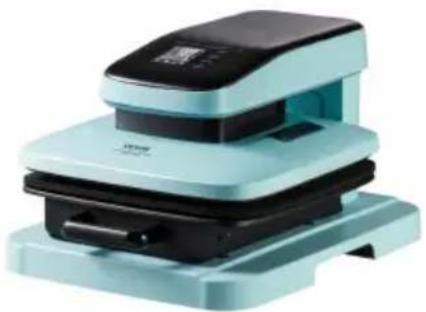
ZD-888
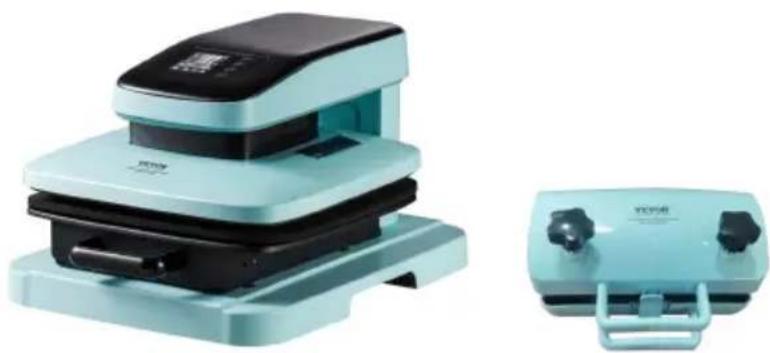
ZD-888/2
NEED HELP? CONTACT US!
Have product questions? Need technical support? Please feel free to contact us:
Technical Support and E-Warranty Certificate www.vevor.com/support
This is the original instruction. Please read all manual instructions carefully before operating. VEVOR reserves a clear interpretation of the user manual. The appearance of the product shall be subject to the product you received. Please forgive us that we won't inform you of any technology or software updates on our product.
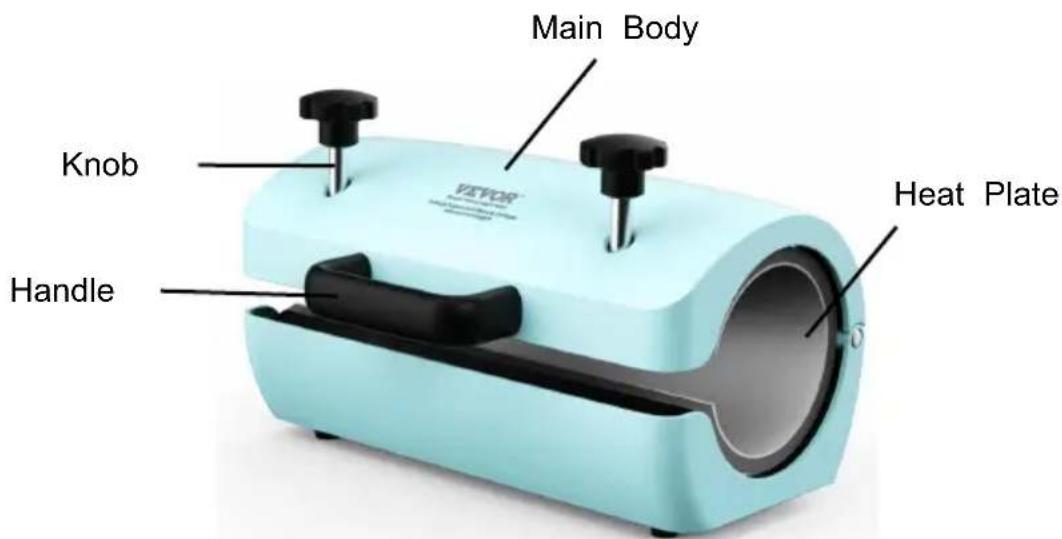
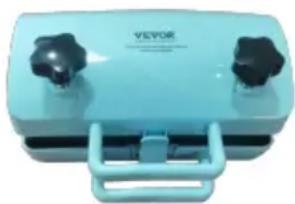
Main machine
External heating machine - for cup baking
MAINTAIN NOTE
MAINTENIR LA REMARQUE
Lieu, Rancho Cucamonga, CA 91730
| UK | REP |
E-CrossStu GmbH
Mainzer Landstr.69, 60329 Frankfurt am Main.
| EC | REP |
YH CONSULTING LIMITED.
C/O YH Consulting Limited Office 147, Centurion House,
London Road, Staines-upon-Thames, Surrey, TW18 4AX
VEVOR®
TOUGH TOOLS, HALF PRICE
We continue to be committed to provide you tools with competitive price. "Save Half", "Half Price" or any other similar expressions used by us only represent an estimate of savings you might benefit from buying certain tools with us compared to top brands and does not necessarily mean to cover all categories of tools offered by us. We kindly remind you to verify carefully when you are placing an order with us if you are actually saving half in comparison with the top major brands.
VEVOR®
TOUGH TOOLS, HALF PRICE
HEAT PRESS MACHINE
ZD-888
ZD-888/2
NEED HELP? CONTACT US!
Have product questions? Need technical support? Please feel free to contact us:
Technical Support and E-Warranty Certificate www.vevor.com/support
This is the original instruction. Please read all manual instructions carefully before operating. VEVOR reserves a clear interpretation of the user manual. The appearance of the product shall be subject to the product you received. Please forgive us that we won't inform you of any technology or software updates on our product.
Main machine
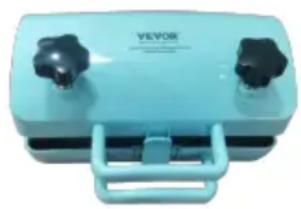
External heating machine - for cup baking
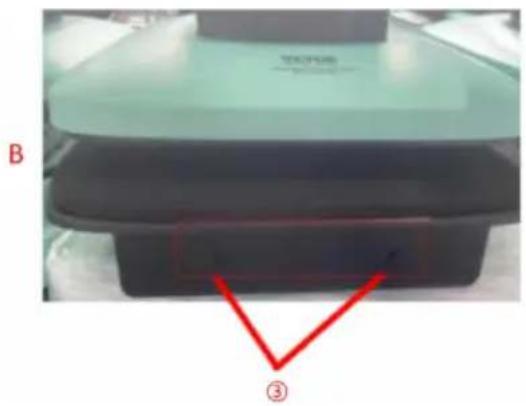
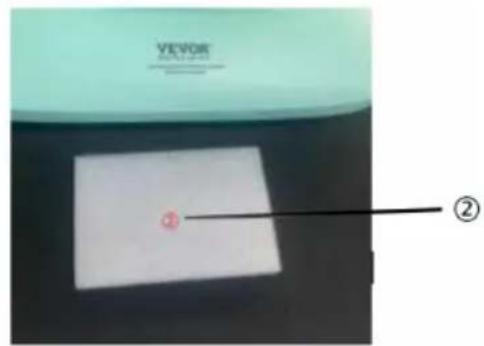
Figure ① Figure ②
MAINTENANCE NOTE
KEEP NOTE
C/O YH Consulting Limited Office 147, Centurion House,
London Road, Staines-upon-Thames, Surrey, TW18 4AX
VEVOR®
TOUGH TOOLS, HALF PRICE
www.vevor.com/support
VEVOR®
TOUGH TOOLS, HALF PRICE
We continue to be committed to providing you with tools at competitive prices. "Save Half", "Half Price" or any other similar expressions used by us only represent an estimate of savings you might benefit from buying certain tools with us compared to top brands and does not necessarily mean to cover all categories of tools offered by us. We kindly remind you to verify carefully when placing an order with us if you are actually saving half in comparison with the top major brands.
VEVOR®
TOUGH TOOLS, HALF PRICE
HEAT PRESS MACHINE
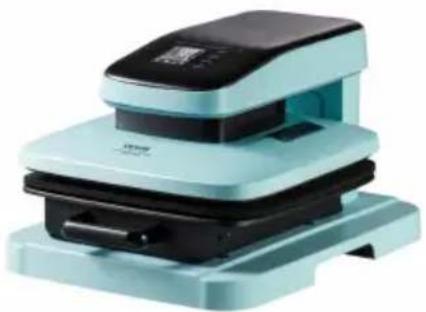
ZD-888
ZD-888/2
NEED HELP? CONTACT US!
Have product questions? Need technical support? Please feel free to contact us:
Technical Support and E-Warranty Certificate www.vevor.com/support
This is the original instruction. Please read all manual instructions carefully before operating. VEVOR reserves a clear interpretation of the user manual. The appearance of the product shall be subject to the product you received. Please forgive us that we won't inform you of any technology or software updates on our product.
Interface including 4 operation buttons:
Main machine
Figure ① Figure ②
MAINTAIN NOTE
MAINTENANCE NOTE
C/O YH Consulting Limited Office 147, Centurion House,
London Road, Staines-upon-Thames, Surrey, TW18 4AX
VEVOR®
TOUGH TOOLS, HALF PRICE
www.vevor.com/support
VEVOR®
TOUGH TOOLS, HALF PRICE
We continue to be committed to providing you with tools at competitive prices. "Save Half", "Half Price", or any other similar expressions used by us only represent an estimate of savings you might benefit from buying certain tools with us compared to top brands, and do not necessarily mean to cover all categories of tools offered by us. We kindly remind you to verify carefully when placing an order with us if you are actually saving half in comparison with the top major brands.
VEVOR®
TOUGH TOOLS, HALF PRICE
HEAT PRESS MACHINE
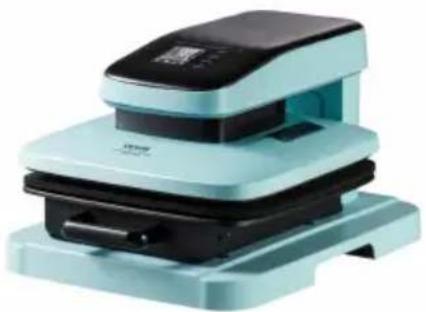
ZD-888
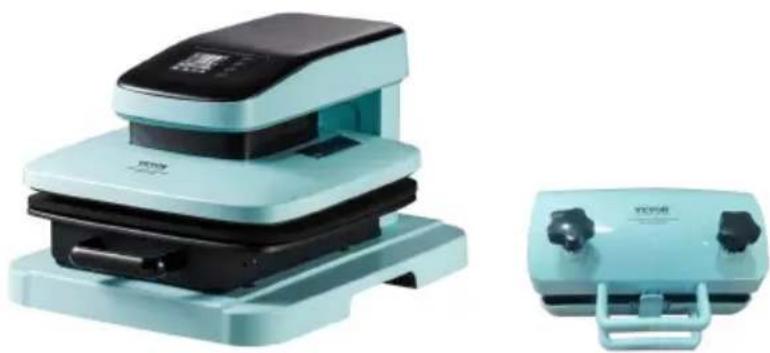
ZD-888/2
NEED HELP? CONTACT US!
Have product questions? Need technical support? Please feel free to contact us:
Technical Support and E-Warranty Certificate www.vevor.com/support
This is the original instruction, please read all manual instructions carefully before operating. VEVOR reserves a clear interpretation of user manual. The appearance of the product shall be subject to the product you received. Please forgive us that we won't inform you there are any technology or software updates on our product.
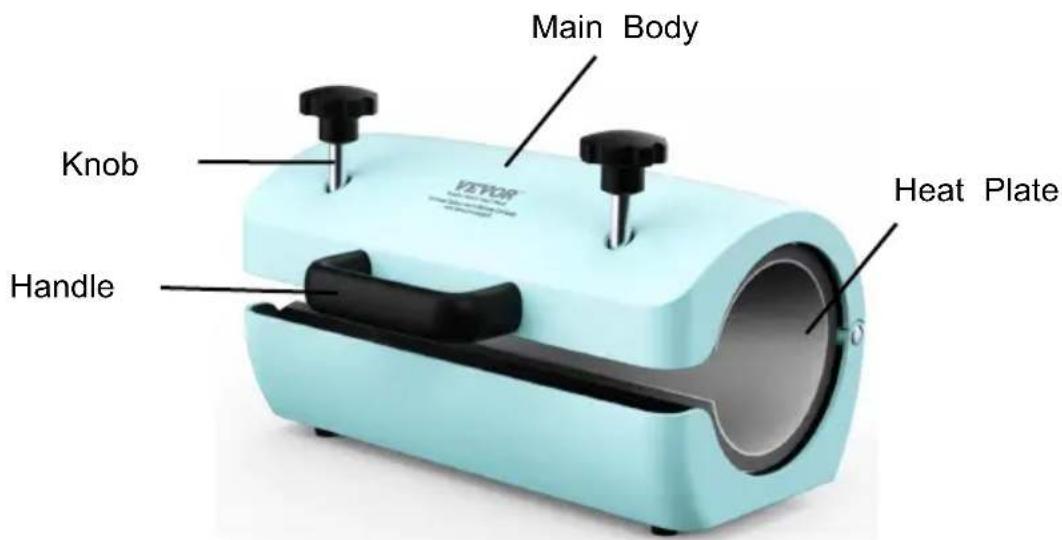
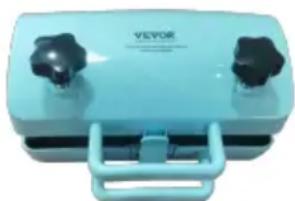
Main machine
External heating machine- for Cup baking
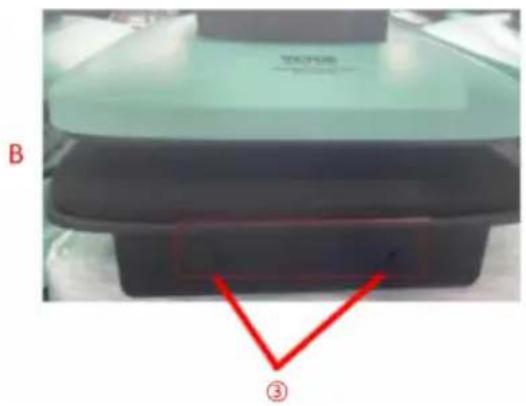
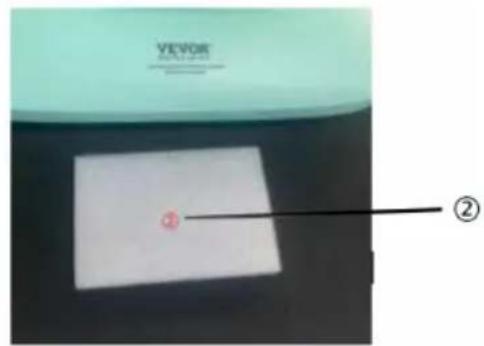
Figure ① Figure ②
MAINTENANCE NOTE
MAINTENANCE NOTE
C/O YH Consulting Limited Office 147, Centurion House,
London Road, Staines-upon-Thames, Surrey, TW18 4AX
VEVOR®
TOUGH TOOLS, HALF PRICE
We continue to be committed to provide you tools with competitive price. "Save Half", "Half Price" or any other similar expressions used by us only represent an estimate of savings you might benefit from buying certain tools with us compared to top brands and does not necessarily mean to cover all categories of tools offered by us. We kindly remind you to verify carefully when you are placing an order with us if you actually save half in comparison with the top major brands.
VEVOR®
TOUGH TOOLS, HALF PRICE
HEAT PRESS MACHINE
ZD-888
ZD-888/2
NEED HELP? CONTACT US!
Have product questions? Need technical support? Please feel free to contact us:
Technical Support and E-Warranty Certificate www.vevor.com/support
This is the original instruction. Please read all manual instructions carefully before operating. VEVOR reserves a clear interpretation of the user manual. The appearance of the product shall be subject to the product you received. Please forgive us that we won't inform you of any technology or software updates on our product.
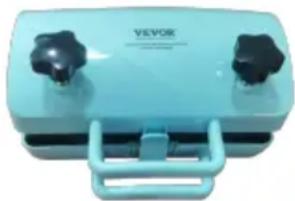
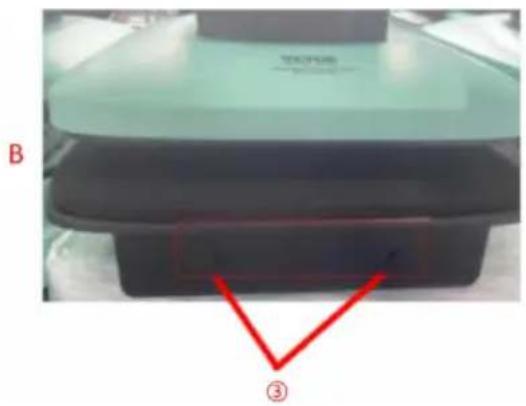
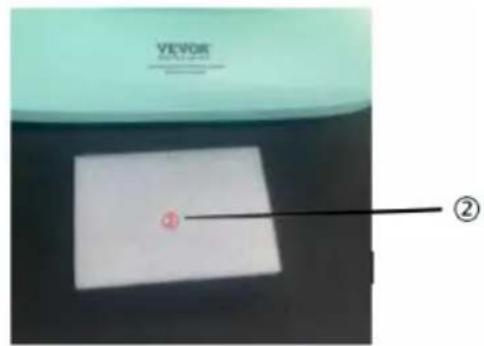
Figure ① Figure ②
MAINTENANCE NOTE
KEEP NOTE
Imported in AUS: SIHAO PTY LTD. 1 ROKEVA STREET EASTWOOD NSW 2122 Australia
C/O YH Consulting Limited Office 147, Centurion House,
London Road, Staines-upon-Thames, Surrey, TW18 4AX
VEVOR®
TOUGH TOOLS, HALF PRICE
We continue to be committed to providing you with tools at competitive prices. "Save Half", "Half Price" or any other similar expressions used by us only represent an estimate of savings you might benefit from buying certain tools with us compared to top brands and does not necessarily mean to cover all categories of tools offered. We kindly remind you to verify carefully when placing an order with us if you are actually saving half in comparison with the top major brands.
VEVOR®
TOUGH TOOLS, HALF PRICE
HEAT PRESS MACHINE
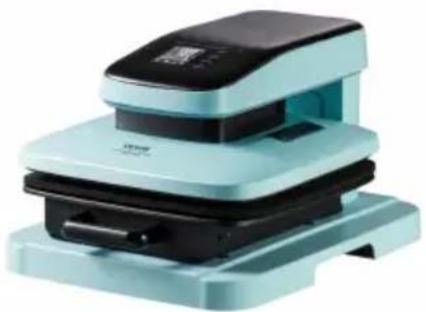
ZD-888
ZD-888/2
NEED HELP? CONTACT US!
Have product questions? Need technical support? Please feel free to contact us:
Technical Support and E-Warranty Certificate www.vevor.com/support
This is the original instruction. Please read all manual instructions carefully before operating. VEVOR reserves a clear interpretation of the user manual. The appearance of the product shall be subject to the product you received. Please forgive us that we won't inform you of any technology or software updates on our product.
MAINTENANCE NOTE
KEEP THIS NOTICE
C/O YH Consulting Limited Office 147, Centurion House,
London Road, Staines-upon-Thames, Surrey, TW18 4AX
VEVOR®
TOUGH TOOLS, HALF PRICE
www.vevor.com/support
VEVOR®
TOUGH TOOLS, HALF PRICE
We continue to be committed to providing you with tools at competitive prices. "Save Half", "Half Price", or any other similar expressions used by us only represent an estimate of the savings you might benefit from buying certain tools with us compared to top brands, and do not necessarily mean to cover all categories of tools offered. We kindly remind you to verify carefully when placing an order with us if you are actually saving half in comparison with the top major brands.
VEVOR®
TOUGH TOOLS, HALF PRICE
HEAT PRESS MACHINE
ZD-888
ZD-888/2
NEED HELP? CONTACT US!
Have product questions? Need technical support? Please feel free to contact us:
Technical Support and E-Warranty Certificate www.vevor.com/support
This is the original instruction. Please read all manual instructions carefully before operating. VEVOR reserves a clear interpretation of the user manual. The appearance of the product shall be subject to the product you received. Please forgive us that we won't inform you of any technology or software updates on our product.
Main machine
External heating machine - for cup baking
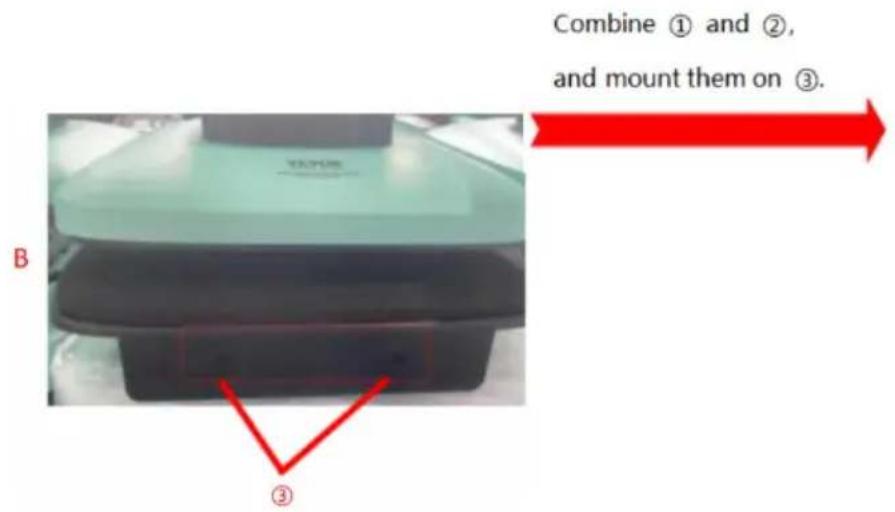
MAINTAIN NOTE
NOTE: PAY ATTENTION
C/O YH Consulting Limited Office 147, Centurion House,
London Road, Staines-upon-Thames, Surrey, TW18 4AX
VEVOR®
TOUGH TOOLS, HALF PRICE
www.vevor.com/support

- HEAT PRESS MACHINE
- VEVOR®
- NEED HELP? CONTACT US
- IMPORTANT SAFETY INSTRUCTIONS
- WARNING
- FCC INFORMATION
- INTRODUCTION
- OPERATION INTERFACE
- THE INTERFACE INCLUDES 4 OPERATION KEYS
- FUNCTIONAL DESCRIPTION OF SHORT AND LONG KEY PRESSES
- A: KEY1 (+ PLUS): SETUP DATA
- B: KEY2 (- MINUS): SETUP DATA
- C: KEY3 (SETUP): SETTING ITEM SWITCHING = SETUP
- D: KEY4 (MODE): FAST MODE SWITCHING
- SWITCH BAKING MODE
- ADDITIONAL TIPS
- MAINTENANCE NOTE
- TROUBLESHOOTING
- MAINTAIN NOTE
- MAINTENIR LA REMARQUE
- KEEP NOTE
- INTERFACE INCLUDING 4 OPERATION BUTTONS
- KEEP THIS NOTICE
- NOTE: PAY ATTENTION
Brand : Vevor
Model : ZD-888
Category : Heat press