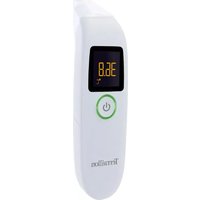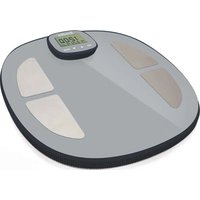
POP Easy View - Measuring equipment TERRAILLON - Free user manual and instructions
Find the device manual for free POP Easy View TERRAILLON in PDF.


User questions about POP Easy View TERRAILLON
0 question about this device. Answer the ones you know or ask your own.
Ask a new question about this device
Download the instructions for your Measuring equipment in PDF format for free! Find your manual POP Easy View - TERRAILLON and take your electronic device back in hand. On this page are published all the documents necessary for the use of your device. POP Easy View by TERRAILLON.
USER MANUAL POP Easy View TERRAILLON
text_image
PESAGE KG WEIGHINGMANUEL D'UTILISATION – INSTRUCTION MANUAL
POP EASY VIEW

text_image
ANS DE GARANTIE 2 YEARS GUARANTEE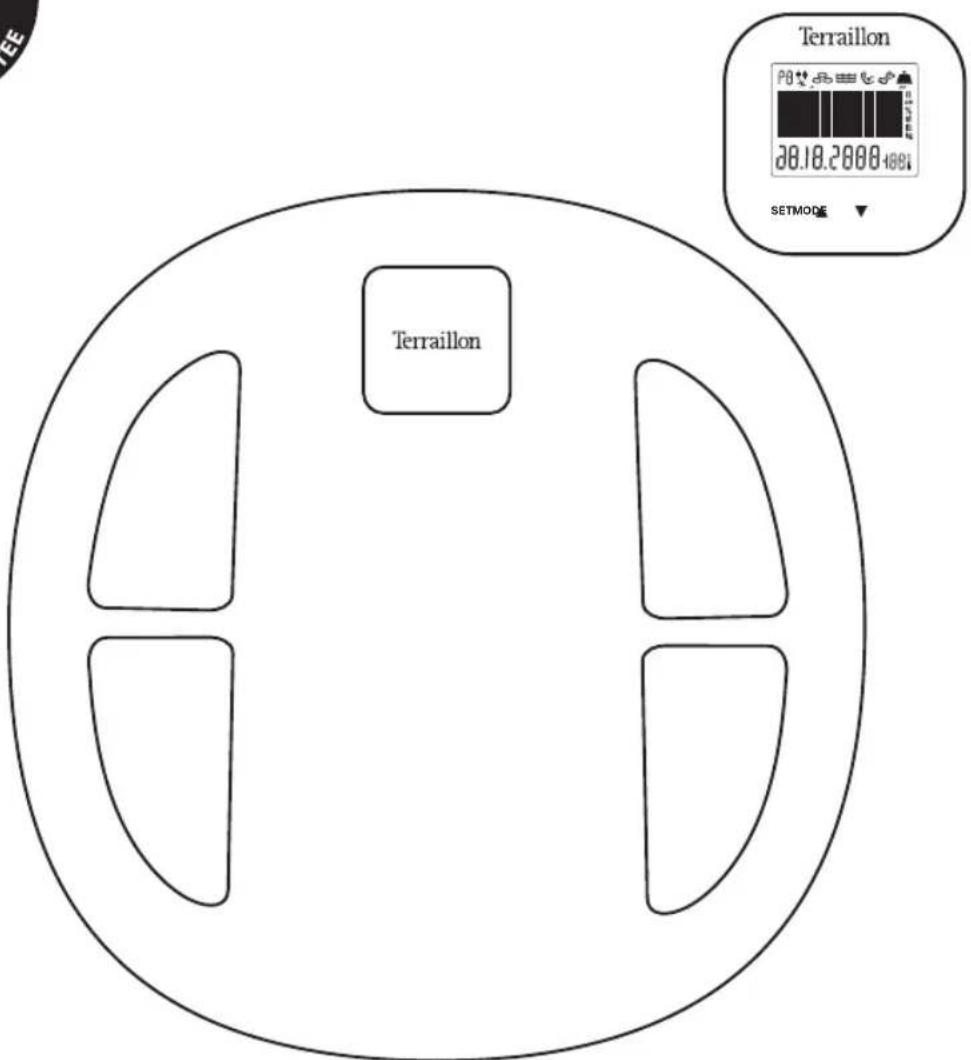
text_image
Terraillon P0 28.18.2000-100% SETMODE TErraillonTerraillon®
LE BIEN-ÊTRE PRÉCISÉMENT
CE


POP EASY VIEW
FR IMPEDANCEMETRE TERRAILLON – NOTICE D'UTILISATION 4
EN TERRAILLON BODY FAT SCALE – INSTRUCTION MANUAL 17
DE IMPEDANCEMETRE TERRAILLON – BEDIENUNGSANLEITUNG 29
NL TERRAILLON LICHAAMSVETWEEGSCHAAL – HANDLEIDING 41
IT BILANCIA MASSA GRASSA TERRAILLON - MANUALE DI ISTRUZIONI 53
ES MANUAL DE INSTRUCCIONES DE LA BÁSCULA DE MASA GRASA DE TERRAILLON . 65
PT BALANÇA DE MASSA GORDA TERRAILLON – MANUAL DE INSTRUÇÕES ..... 77
IMPEDANCEMETRE TERRAILLON – NOTICE D'UTILISATION
SÉCURITÉ
text_image
Transitiontext_image
P1 ↑ 20.5%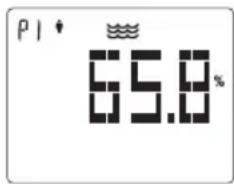
text_image
P1 65.8%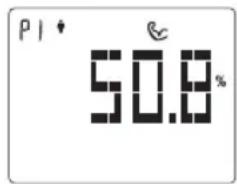
text_image
PI 50.8%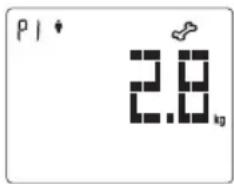
text_image
P1 2.8 kgnatural_image
Simple pixelated icon of a crown or crown shape (no text or symbols)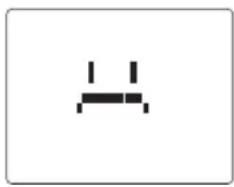
natural_image
Simple black icon of a computer monitor with two leads, no text or symbols presentnatural_image
Pixelated black crown icon on white background (no text or symbols)natural_image
Two pixelated abstract shapes resembling stylized faces or symbols, no text or symbols presentFR
IMPEDANCEMETRE TERRAILLON – NOTICE D'UTILISATION
Suivre son poids
natural_image
Simple diagram with a horizontal line of black squares and a small black icon on the top right (no text or symbols)CARACTÉRISTIQUES DU PRODUIT
Please read this section carefully to familiarize yourself with features and operations before using the unit.
- The warning signs and the sample icons shown here are listed in order for you to use this product safely and correctly as well as to prevent product damage, risk and injury to you or others.
| PRECAUTION WARNING | Indicate the right condition to use the product and prevent damage risk and injury. |
| IMPORTANT FOR USERS Indicate the important elements users should read before using the product. | |
| CARE AND MAINTENANCE | Indicate matters in which the possibility of damage may happen as a result of incorrect handling and improper maintenance. |

PRECAUTION WARNING
- Do not use the scale on subjects who have body implants such as pacemaker, artificial limbs, contraceptive devices, metal plates or screws. It may cause the devices to malfunction or produce an inaccurate result. When in doubt, please consult your physician.
- Do not disassemble the scale as incorrect handling may cause injury

IMPORTANT FOR USERS
- Make sure use only the type of battery stated (see "Section Insert the Battery").
- The «Athlete» mode is only applicable to those aged 18 or over.
- Body fat percentage estimates will vary with the amount of water in the body, and can be affected by dehydration or over-hydration due to such factors as alcohol consumption, menstruation, illness, intense exercise, etc.
- Do not use on pregnant women. The result is inaccurate.
- For body fat and body water estimates, subject must always be barefoot.

CARE AND MAINTENENCE
- Do not disassemble the scale other than replacing the battery; it contains no user serviceable parts. Damage to the scale may occur as a result of improper handling.
- Remove battery when the scale is not used for a prolonged period of time.
- Clean the scale after use with a dampened cloth. Do not use solvents or immerse the unit in water.
- Avoid excessive impact or vibration to the scale, such as dropping it onto the floor.
EN
TERRAILLON BODY FAT SCALE – INSTRUCTION MANUAL
PRODUCT DESCRIPTION
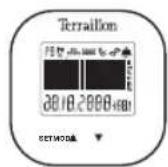
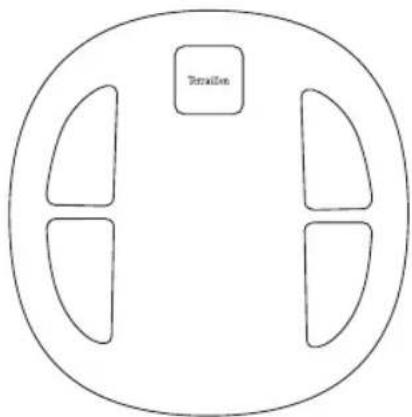
LCD CONTROL TERMINAL
WEIGHING PLATFORM
text_image
TransitionADHESIVE MAGNETIC BRACKET

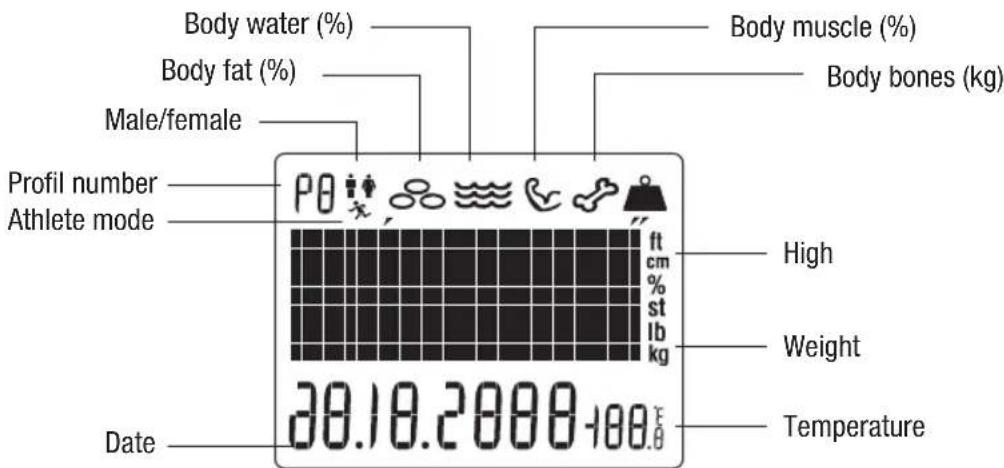
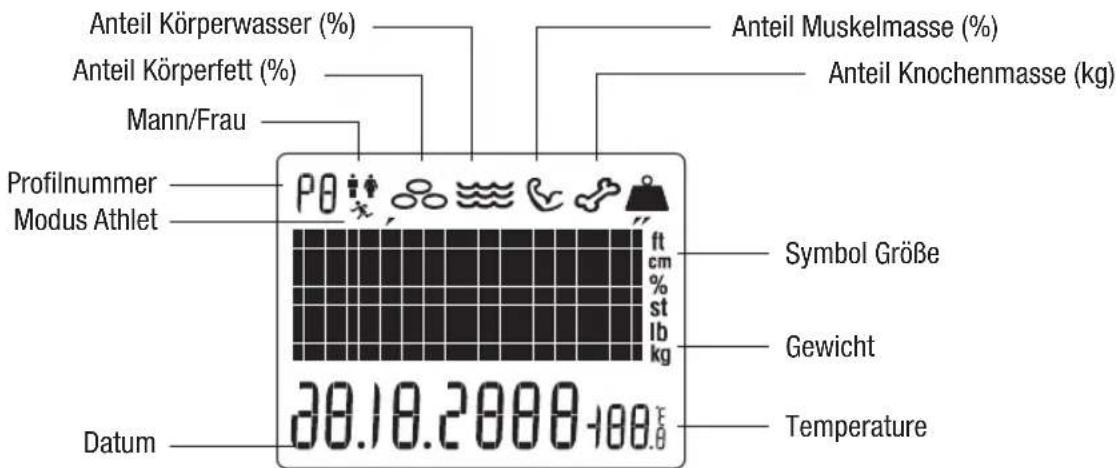
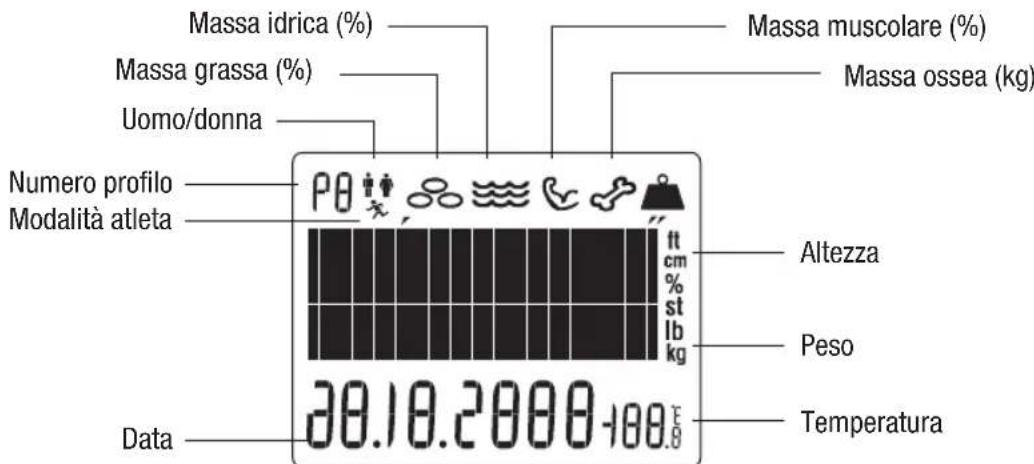
LCD DISPLAY
text_image
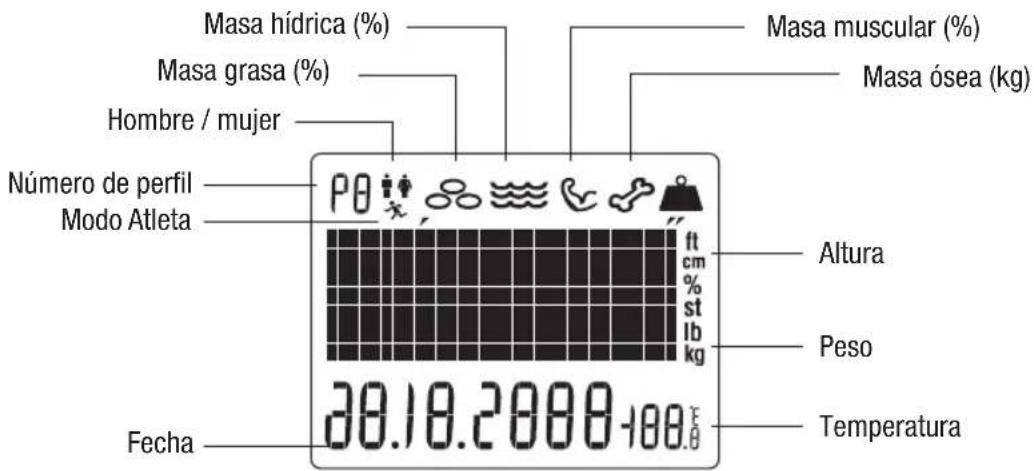
Body water (%) Body fat (%) Male/female Profil number Athlete mode Date 30.18.2000-100.0 Body muscle (%) Body bones (kg) ft cm % st lb kg High Weight Temperature
PREPARATION BEFORE USE
Insert the batteries
Open the battery cover on the back of the scale and the one on the back of the control terminal. Insert the batteries in both compartments. Be sure that the polarity of the battery is set properly for proper function (the polarity as indicated inside the battery compartment cover). If you do not intend to use this unit for a long period of time, it is advisable to remove the batteries before storage.
Installation
Place the scale on a hard, flat surface.
The control terminal can remain on the scale, be held in the hand, placed on a table, or it can be installed on a wall or on a bathroom cabinet thanks the adhesive magnetic bracket.
Choose a hard, smooth, dry and clean surface to place the adhesive magnetic bracket. Remove the adhesive strip, place the bracket on the selected area, and push strongly to fix it well. Now the bracket is ready to welcome the control terminal.
EN
TERRAILLON BODY FAT SCALE – INSTRUCTION MANUAL
INSTRUCTION MANUAL
Power Up Mode
Place the battery for the first time the product will enter the First setting mode.
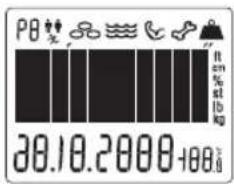
- The LCD is full displayed.
- The LCD then will display the date, and the year start to flash on and off every second, touch the down or up key to change the year from 2014-2055, Touch SET to confirm.
- The month starts to flash on and off every second, touch the down or up key to select the month number, Touch SET to confirm.
- The day starts to flash on and off every second, touch the down or up key to select the day number, Touch SET to confirm.
- The weight unit starts to flash on and off every second, touch the down or up key to change the unit between kg, lb, or lb st, Touch SET to confirm.
- The temperature unit starts to flash on and off every second, touch the down or up key to change the unit °C or °F. Touch SET to confirm.
-
The same to set the hours and minutes.
-
The LCD will then display the date, the time and the temperature.
text_image
PB 20.10.2000+00.00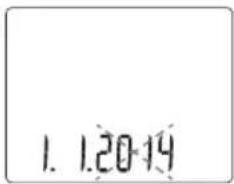
text_image
1. 1.20-14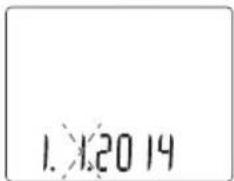
text_image
1.2014
text_image
1.20 14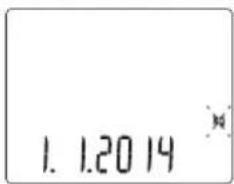
text_image
1. 1.2014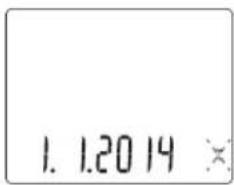
text_image
1. 1.20 14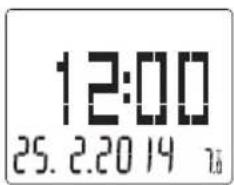
text_image
12:00 25. 2.20 19 76EN
TERRAILLON BODY FAT SCALE – INSTRUCTION MANUAL
Select the SET UP Mode
1. Set up Person Information
Hold MODE key more than 5 seconds to enter Set Up mode. Touch the down or up key to go to the following screen and touch SET key to enter the mode.
Touch the down or up key to select the Person number (Pn with n = 1 to 8), Touch the SET to confirm.
Touch the down or up key to select the gender. There are four kinds of gender: man, female, sports man, sports female. Touch the SET to confirm.
Touch the down or up key to select the height. Touch the SET to confirm.
Touch the down or up key to select the Age. Touch the SET to confirm.
Target weight setting : select target weight using the arrow keys and pressing SET. Target weight is saved to your profile. If you don't want to set a target weight press SET when the screen is displaying NO.
After set the person information, enter the user weighing mode.
2. Set up Date
Hold MODE key more than 5 seconds to enter Set Up mode. Touch the down or up key to go to the following screen and touch SET key to enter the mode. The operation is same to power up mode, set the year, month, day, hour, and minute. After that, change to the status of displaying the date, time and temperature.
3. Set up Unit
Hold MODE key more than 5 seconds to enter Set Up mode. Touch the down or up key to go to the following screen and touch SET key to enter the mode The operation is same to power up mode, set the weight unit and temperature unit.

text_image
P0** ? ? P1* 168** P1X 168** P0+ 168** P1* 30 P1* NO P1* 0.0 kg ?? 1.2014 ?? at 1kgEN
TERRAILLON BODY FAT SCALE – INSTRUCTION MANUAL
To weigh and measure
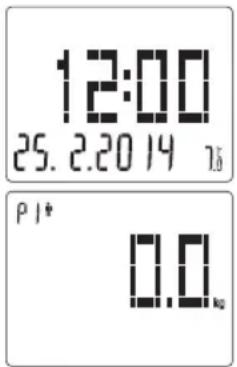
- User weighing mode.
When the product is displaying the date, time and temperature,
touch the SET Key, press up or down key to choose the profile Pn, and press SET to confirm.
If the user has set the information, the product will back to 0.0/Pn weighing mode directly.
text_image
12:00 25. 2.20 14 16 P1* 0.0 kgIf the user has not set the information, the product will enter information setting. After select the person number, sex and height, the product will back to 0.0/Pn weighing mode.
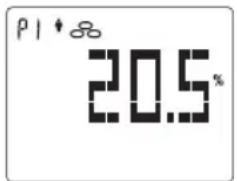
The user step on the scale, the product will display the weight. When the weight is steady, his/her weight value will blink twice and be locked.
Then start to measure the fat, the LCD displays animation to show that Body Impedance Analysis (BIA) is in process. If measurement is successful, the product will display the value of fat, water, muscle and bone in turn twice times and then back to the status for displaying the data, time and temperature.
text_image
P1 ↑ 20.5%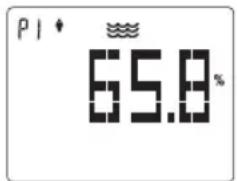
text_image
P1 65.8%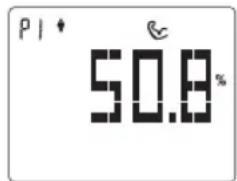
text_image
PI 50.8%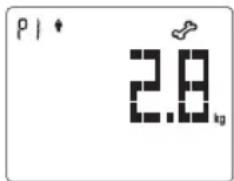
text_image
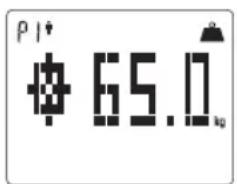
P1 2.8 kgThe mode then compares your most recent weighing to your target, in order to see your progress to or from your goal weight, showing you whether you are above or below it. A smiling face appears if you are getting closer to your goal. A sad face appears if you are getting further from your goal.
text_image
P1# $ 65.00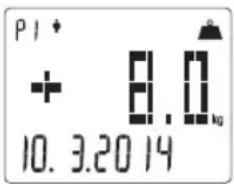
text_image
P1 + 8.0 kg 10. 3.20 14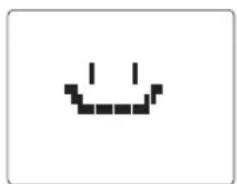
natural_image
Simple pixelated smiley face icon with no text or symbols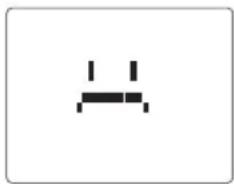
natural_image
Simple black pixelated icon resembling a stylized letter 'A' or connector, on white background (no text or symbols)- Plain weighing mode.
If user does not choose a profile (Pn) manually and step on the scale, the weight value will blink twice and be locked. After that, the product will auto-identify user. If it can identify user successfully it will enter 3. (Auto Recognition and select mode); if it fails to identify user, it will show weight only.
- Auto Recognition and select mode.
The product compares all users' last weighing measurement, when the D-value is within +-3kg, the product will identify user. If the product fails to identify then it will only show weight value. If product recognizes one user, it will directly enter Fat measurement. When it recognizes more than one user profile, it will show all it recognized.
EN
TERRAILLON BODY FAT SCALE – INSTRUCTION MANUAL
For example, the product recognizes 2 users, it will show the 2 user's number for 4 seconds, repeat 2 times. When the LCD blinks, user can press SET to confirm user no., and then the scale will enter in Fat measurement process. If user does not choose user profile during recognition, the product will repeat 2 times then back to the status of displaying the date, Time and temperature.
P1P2
Timer function
1. CountdownTimer.
Select the mode by pressing the MODE button until the time layout appears. Use the arrow keys to set your minute, and then press SET to choose seconds.
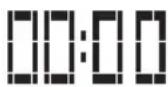
Once the time is selected press SET and the timer will start.
When the timer runs out, a buzzer will beep, and the digits will blink
Note: Last timer setting will be kept in memory so next time user will not have to reset it (except if he wants to set a new timer).
2. Toothbrush Timer.
Select the mode by pressing the MODE button until the tooth-brush appears. Click set to start the timer. Timer is at 2:00 by default.
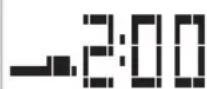
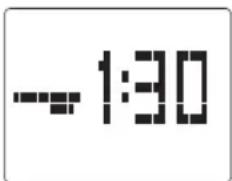
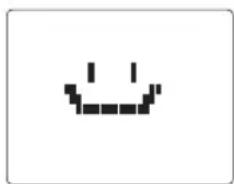
The timer counts down from 2 minutes, with the toothbrush moving every 30 seconds, to signify that a different area of the mouth should be brushed. When the timer runs out, a buzzer will beep and a smiley appears.
text_image
-1:30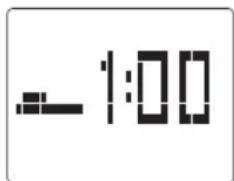
text_image
-1:00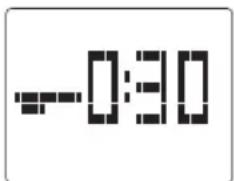
text_image
-0:30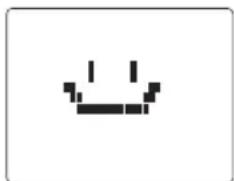
natural_image
Pixelated black crown icon on white background (no text or symbols)3. Shower Timer.
Select the mode by pressing the MODE button until the timer appears. Click set to start the timer. Timer is at 10:00 by default.
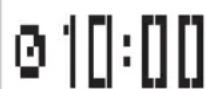
The timer counts down until the user finishes their shower and presses SET. It will count into negative numbers, so you know how much you exceeded your time.
When the user finishes and stops the timer before the 10 minutes, a smiley appears. Happy if you beat your time, and sad if you failed.
natural_image
Pixelated black-and-white smiley face on white background (no text or symbols)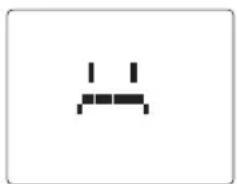
natural_image
Simple black pixelated icon resembling a stylized letter or symbol on white background (no text or numbers)EN
TERRAILLON BODY FAT SCALE – INSTRUCTION MANUAL
Weight tracking
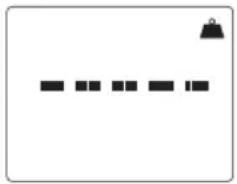
- Press mode until the graph appears.
If the user has not set the goal, the graph shows empty.
natural_image
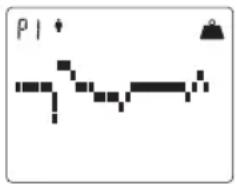
Simple diagram with a horizontal line of black rectangular blocks and a small black icon above it (no text or symbols)If the user has set a goal the graph will show you your weight fluctuation for the last 32 weight measurements.
The first weight starts left in the middle of the graph and each division above or below corresponds to the third of your goal (example: your goal is minus 6 kg. Each division above or below will represent + or - 2 kg versus your first weight). Once the weight increases sharp or decreases sharp and out of the graph (more than +/- 6 kg during a weigh) the graph will show higher three points or lower three points accordingly.
text_image
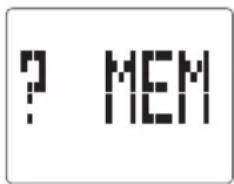
P1- Press mode until the MEM appears. Press up or down key to choose the profile Pn, and press SET key to check the memory weight. Using the data from your first weighing up to the most recent weigh, this setting generates a graph.
Note: The product will begin save the weight measurements after the user have set the goal. And will save recent 32 weight measurements for each person.
text_image
? MEM
text_image
PI * 78.0 kg 21.2.2014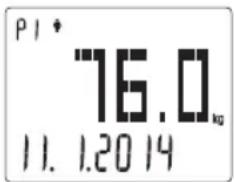
text_image
PI * 76.0 kg 11. 1.2014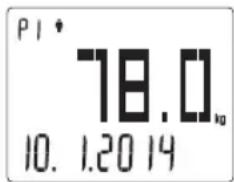
text_image
P1 * 78.0 10. 1.20 14EN
TERRAILLON BODY FAT SCALE – INSTRUCTION MANUAL
Delete the user information
1. Delete single user information.
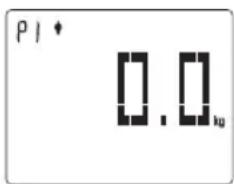
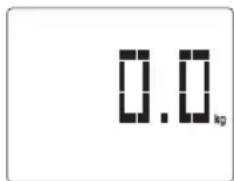
Touch SET key to enter the mode. Touch the down or up key to select the Person number (Pn with n = 1 to 8), touch the SET to confirm. When display the 0.0/ Pn (n is the profile number you want to delete), touch the up and down keys simultaneously more than 5 seconds. Then the product will delete person's information in the selected profile, and display "CLr" associated to the selected profile "Pn", and then back to the status of displaying the data, time and temperature.
text_image
P1 * 0.0_ku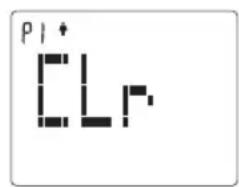
text_image
P1+ LL2. Delete All user information.
When display the 0.0, touch the up and down keys simultaneously more than 5 seconds. Then the product will delete all the person's information, and display "Clr A". Then back to the status of displaying the data, time and temperature.
text_image
0.0 kg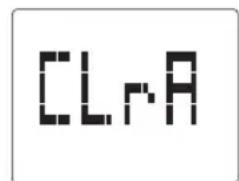
text_image
CLAEN
TERRAILLON BODY FAT SCALE – INSTRUCTION MANUAL
OTHER INSTRUCTION
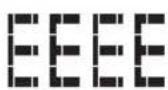
The product has Overload Instruction
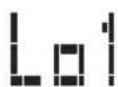
The weighing platform low batter instruction.
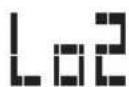
The LCD control terminal low batter instruction.
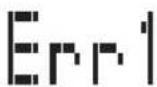
Fat measure error Instruction.
EN
TERRAILLON BODY FAT SCALE – INSTRUCTION MANUAL
PRODUCT SPECIFICATION
- Bioelectrical Impedance Analysis (BIA) technology for body fat and body water measurements
- 8-user memoriesr
- Low battery indicator
- Max capacity: 160 Kg
- Min capacity: 10 Kg
- Graduation: 100g
- Body fat and body water graduation: 0,1 %
- Age range from 10 to 99 years.
- Operates with 2 x 3 pcs AAA 1.5V battery (not included)
- Units: kg/lb/st
IMPORTANT INFORMATION TO KNOW BEFORE USING YOUR BODY FAT SCALE
1. What is bio-electrical body mass analysis?
Bio-electrical body mass analysis is the resistance created by the human body when an electric current passes through it.
All body fat analysis bathroom scales work fundamentally on the same principle, which consists of measuring the bio-electrical impedance of the human body, and combining it with the subject's morphometric parameters (height, weight, gender, age, etc.) so as to calculate his/her pre-supposed amount of body fat, based on clinical measurements.
2. Why is it important to monitor percentage body fat (%BF)?
Weight is a useful indicator but not sufficient to monitor your health. Weight change in itself does not indicate whether it was the weight of body fat or muscle that had changed. In weight management, it is desirable that muscle mass be maintained while body fat is lost. Thus, monitoring the percentage fat of the body is an important step toward successful weight management and body health.
The optimal %BF of an individual varies according to age and gender.
The table as follows may be used as a guide:
Standard for Men
| Rating Age | |||||
| 20-29 30-39 40-49 50-59 60+ | |||||
| Low < 13 % < 14 % < 16 % < 17 % < 18 % | |||||
| Optimal 14-20 % 15-21 % 17-23 % 18-24 % 19-25 % | |||||
| Moderate 21-23 % 22-24 % 24-26 % 25-27 % 26-28 % | |||||
| Élevé > 23 % > 24 % > 26 % > 27 % > 28 % | |||||
Standard for Women
| Rating Age | |||||
| 20-29 30-3 | 9 40-49 50-59 60+ | ||||
| Low < 19 % < 20 % < 2 | 1 % < 22 % < 23 % | ||||
| Optimal 20-28 % 21-29 | % 22-30 % 23-31 % 24-32 % | ||||
| Moderate 29-31 % 30-3 | 2 % 31-33 % 32-33 % 33-35 % | ||||
| High > 31 % > 32 % > | 33 % > 34 % > 35 % | ||||
EN
TERRAILLON BODY FAT SCALE – INSTRUCTION MANUAL
3. How is percentage body fat (%BF) estimated?
%BF is measured by a method called Bioelectrical Impedance Analysis (BIA). With the BIA technology, a low intensity electrical signal is sent through the body. The signal is very low and causes no bodily harm. Depending on the amount of body fat of the individual, the electrical signal will flow with a different degree of difficulty. The difficulty with which a signal flows through the body is called electrical impedance. Hence, by measuring the electrical impedance and applying to the data a proprietary algorithm, %BF can be estimated.
Please be reminded that the %BF estimated with the scale represents only a good approximation of your actual body fat. There exist clinical methods of estimating body fat that can be ordered by your physician.
4. Why is it important to monitor percentage Total Body Water (%TBW) in the body?
Water is an essential component of the body and its level is one of the health-indicators. Water makes up approximately between 50 - 70% of the body's weight. It is present proportionally more in lean tissue compared to fat tissue. Water is a medium for biochemical reactions that regulate body functions. Water provides form to cells; helps to maintain body temperature; provides moisture to skin and mucosa; cushions vital organs; lubricates joints and is a component of many body fluids. The amount of water in the body fluctuates with the hydration level of the body and state of health. Monitoring the level of body water can be a useful tool for one's health maintenance. Similar to body fat estimation, the % TBW function provided in this scale is based on BIA.
The estimated %TBW may vary according to your hydration level, that is, how much water you have drunk or how much you have sweated immediately prior to the measurement. For better accuracy, avoid fluctuation in hydration level prior to the measurement. The accuracy of the scale in estimating TBW will also decrease with individuals suffering from diseases that tend to accumulate water in the body.
The optimal %TBW of an individual varies according to age and gender.
The table as follows may be used as a guide:
Please be reminded that the \% TBW estimated with the scale represents only a good approximation of your TBW. There exist clinical methods of estimating body fat that can be ordered by your physician.
EN
TERRAILLON BODY FAT SCALE – INSTRUCTION MANUAL
5. When should I use the scale's body fat and total body water functions?
For maximum accuracy and repeatability, it is recommended that the scale's body fat and total body water functions be used at approximately the same time of the day, e.g. before breakfast in the morning. It is also a good practice to avoid swings in hydration level of the body prior to the measurement. Establishing your own baseline value of %BF and %TBW and track their changes is better than merely comparing your %BF and %TBW value to the population's normal value.
6. Why is the Athlete Mode necessary in a Body Fat Analyzer?
It has been found that body fat estimation using BIA could overestimate the percentage body fat of adult elite athletes. The physiological variation of athletes in bone density and level of hydration are two of the reasons said to account for the difference. The Athlete mode is selectable only for adults of 18 years of age or older.
7. Definition of an Athlete
The general consensus among researchers is that a quantitative dimension could be used in defining an athlete. For example, an athlete could be defined as a person who consistently trains a minimum of three times per week for two hours each time, in order to improve specific skills required in the performance of their specific sport and/or activity.
PROTECT THE ENVIRONMENT
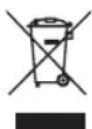
Dispose of used batteries in a designed container so that they can be collected and recycled. Do not mix different types of batteries. Do not mix new and used batteries. After life, dispose of this product at a designated waste recycling point.
WARRANTY
This impedance scale is guaranteed against defects in materials or manufacturing. During this period, any such defects will be repaired free of charge (proof of purchase must be shown in the case of a complaint under warranty). The warranty does not cover damage resulting from improper use or negligence. In the event of a claim, first contact the shop where you purchased your scale.
text_image
TerrationMAGNETHALTERUNG

LCD-ANZEIGE
natural_image
Pixelated black crown icon on white background (no text or symbols)3. Dusch-Countdown.
text_image
Two pixelated icons: one with a horizontal line and a bell, the other with a zigzag arrow and a 'P1' symbol.WAARSCHUWING VOOR GEBRUIK
BESCHRIJVING VAN HET PRODUCT
natural_image
Pixelated black-and-white icon resembling a crown or stylized letter (no text or symbols)3. Douchetimer.
natural_image
Pixelated black-and-white smiley face on white background (no text or symbols)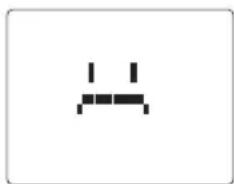
natural_image
Simple pixelated icon of a computer mouse (no text or symbols)NL
TERRAILLON LICHAAMSVETWEEGSCHAAL - HANDLEIDING
Wegingen opvolgen
text_image
Two pixelated diagrams showing a horizontal line and a zigzag path with a small triangle symbol above, labeled 'P1' in the bottom row.text_image
P I * LL PFoutmelding meting vetpercentage.
NL
TERRAILLON LICHAAMSVETWEEGSCHAAL - HANDLEIDING
PRODUCTKENMERKEN
text_image
IterationSTAFFA MAGNETICA ADESIVA

DISPLAY LCD
natural_image
Pixelated black-and-white smiley face icon on white background (no text or symbols)natural_image
Two pixelated icons: one resembling a stylized 'C' or wave, the other resembling a simple 'W' or crosshatch (no text or symbols)IT
BILANCIA MASSA GRASSA TERRAILLON - MANUALE DI ISTRUZIONI
natural_image
Simple diagram with a black bell icon and five horizontal black squares on white background (no text or symbols)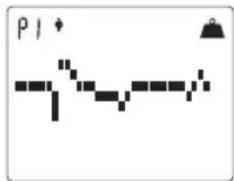
text_image
P1text_image
P I * I L Ptext_image
TransitionSOPORTE MAGNÉTICO ADHESIVO

PANTALLA LCD
natural_image
Pixelated black crown icon on white background (no text or symbols)natural_image
Pixelated black-and-white smiley face on white background (no text or symbols)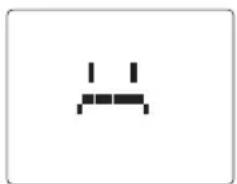
natural_image
Simple black pixelated icon resembling a stylized letter or symbol on white background (no text or numbers)ES
natural_image
Simple diagram with a black hanging bag and five horizontal black bars on white background (no text or symbols)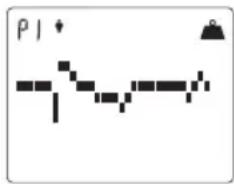
text_image
P I * - - - - - - - - - - - - - - - - - - - - - - - - - - - - - - - - - - - - - - - - - - - - -text_image
P I * CLFtext_image
TransitionSUPORTE ADESIVO MAGNÉTICO

VISOR LCD
text_image
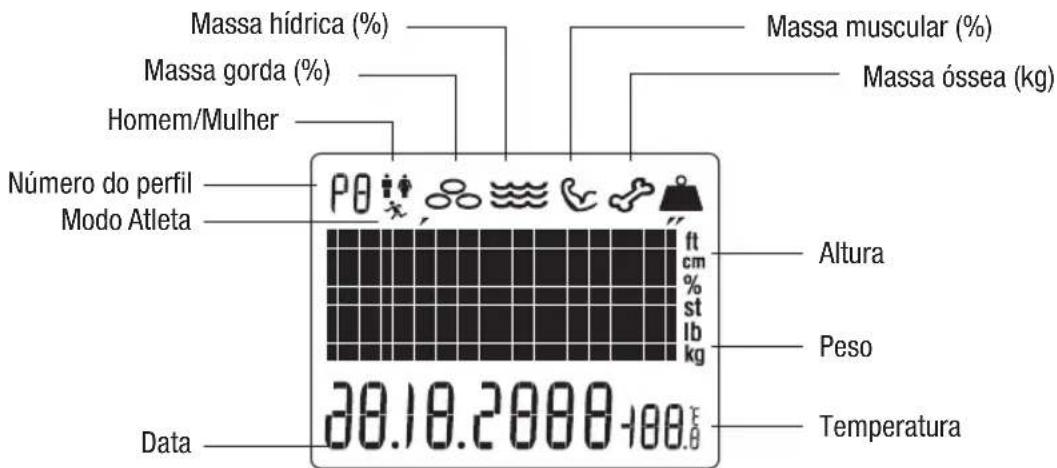
Massa hídrica (%) Massa gorda (%) Homem/Mulher Número do perfil Modo Atleta Data Massa muscular (%) Massa óssea (kg) 20.10.2000-100.0 ft cm % st lb kg Altura Peso Temperatura
MANUAL DE INSTRUÇÕES
Modo de início
natural_image
Pixelated black-and-white smiley face icon on white background (no text or symbols)natural_image
Simple diagram with a black bell icon and five horizontal black squares, no text or symbols present.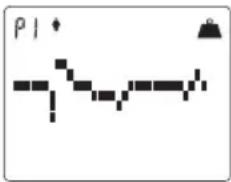
text_image
P1text_image
P I * I L PTerraillon SAS France & Headquarters
1, rue Ernest Gouin
78290 Croissy-sur-Seine - France
Quarry Bay - Hong Kong
Tel: + 852 (0)2960 7200
customerservice@terraillon-asia.com
Terraillon Corp USA