Simplify - Air Conditioning Dantherm - Free user manual and instructions
Find the device manual for free Simplify Dantherm in PDF.


| Product Type | Modular climate control system with radio sensors and relays |
| Brand | Dantherm |
| Model | Simplify |
| Control Unit Power Supply | Mains 184-265 V AC and lithium-ion battery 3.7 V (backup) |
| Sensor Box Power Supply | Metal-lithium battery 9 V, ≥ 1200 mAh |
| Relay Box Power Supply | Mains 184-265 V AC |
| Main Functions | Measurement of temperature, relative humidity, air quality (TVOC, eCO2), material moisture; control of dehumidifiers and other devices via relays; remote access via app and dashboard |
| Connectivity | Radio (GSM, Ethernet), Bluetooth for QR scan, iOS/Android app |
| Included Components | Control unit, sensor box with probe (depending on version), relay box |
| Maintenance | Charge the control unit (≥ 4 hours) before first use; replace the 9 V battery of the sensor box every 5 years; only replace the control unit battery by Dantherm |
| Safety | Observe battery polarity; do not open or throw into fire; in case of leakage, rinse with water and consult a doctor if eye contact |
| Spare Parts | Probes (IAQ, resistive, RH/TEMP), sensor box, relay box, integration box, control unit |
| Repairability | Control unit battery replaceable only by Dantherm; other batteries are user-replaceable |
| Warranty | Void if the control unit battery is replaced by a third party |
| Protection Rating | Not specified (likely indoor dry use) |
Frequently Asked Questions - Simplify Dantherm
User questions about Simplify Dantherm
0 question about this device. Answer the ones you know or ask your own.
Ask a new question about this device
Download the instructions for your Air Conditioning in PDF format for free! Find your manual Simplify - Dantherm and take your electronic device back in hand. On this page are published all the documents necessary for the use of your device. Simplify by Dantherm.
USER MANUAL Simplify Dantherm
Danger of injury and explosion!
Incorrect use can cause liquid to leak from the battery, which is harmful to the skin, eyes and mucous membranes. An incorrectly inserted battery may explode!
- When inserting the battery, ensure that the positive and negative terminals are inserted correctly.
- Never open the battery and never dispose of the battery in a fire.
- In case of contact with leaking liquid, rinse immediately with water. If the liquid gets into your eyes, seek additional medical attention.
System components
The Simplify system includes several hardware and software components:
| Simplify Control Unit A control unit for the control and radio connection of Simplify components. | |
| Simplify Sensor Box Unit for connecting a Simplify Sensor Probe and for radio connection with the Simplify Control Unit. | |
| Simplify Sensor Probe – IAQ | Cable with sensor head for air quality (TVOC [μg/m3], eCO2 [ppm]). Available in 24 cm length. |
| Simplify Sensor Probe – Resistive | Cable with sensor head for water content in materials [%]. Available in 24 cm length. |
| Simplify Sensor Probe – RH/TEMP | Cable with sensor head for temperature [°C] and relative humidity [%]. Available in 24 cm, 300 cm and 2000 cm length. |
| Simplify Relay Box Relay with 3 socket outlets. Available with different plug types for 184-265 V AC. | |
| Simplify Integration Box Unit for integration of a mobile Dantherm CDT MKII and MKIII condensing dehumidifier. | |
| Simplify App Smartphone application that is used for scanning Simplify components and registration of the system. Supports iOS and Android. | |
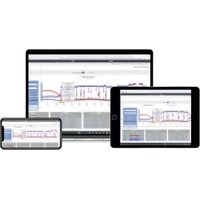
| Simplify Dashboard Online platform for presentation of data and generation of reports as well as remote control of some Simplify components. |
Unpacking system components
The main components of the Simplify system are depicted in figure 1. The contents of the case may vary. Check the case and Simplify components for proper condition before use.
Transport
The lithium batteries contained are subject to the requirements of the dangerous goods regulations (class 9 dangerous goods, lithium content >1.0g, < 5.0g ). When shipping via third parties (e.g. air transport or freight forwarding), special requirements for packaging and marking must be observed. In this case, a dangerous goods expert must be consulted when preparing the package for shipping.
Component Batteries contained
Control unit 1× 3.7V lithium-ion battery
1 × CR2032 lithium button cell battery.
Sensor box 1× 9V metal lithium battery.
≥ 1200mAh (for a service life of at least 5 years)
Installation
Fully charge the Simplify Control Unit for 4 hours when putting it into operation for the first time or after prolonged storage (≥ 6 months). If you notice that the Simplify Control Unit has a damaged battery, send the Simplify Control Unit to Dantherm A/S for battery replacement.
The battery provided with the Simplify Sensor Box is not rechargeable and must be replaced once discharged. To provide for a service life of 5 years, use a 9V metal lithium battery with at least 1200mAh . For replacement of the battery in the Simplify Sensor Box, please refer to the video under:
https://www.youtube.com/watch?v=3drKseAWyKs

NOTICE
The product warranty is voided if a battery in the Simplify Control Unit is replaced by anyone other than Dantherm A/S.
The start-up is carried out with the Simplify App „Simplify Climate Solutions" for smartphones and tablets. If you have not installed it yet, download it from the respective App Store and install the app (Fig. 2).
-
Open the Simplify App and have the Simplify components ready to scan the affixed QR codes (Fig. 3).
If the list is empty, you will be prompted to scan directly. For each additional component, press "ADD" or "+" -
Scan the QR code on the Simplify Control Unit and name the Simplify Control Unit so that the results can be clearly assigned to this project later.

INFORMATION
If a previous project has not been archived in the Simplify App, the previous name is displayed instead of "Archived".
-
To store the previous project, press "ARCHIVE".
-
Open the "SENSORS" tab. Scan and name each Simplify Relay Box, each Simplify Sensor Box and, if applicable, other Simplify components.
-
If you are using a Dantherm CDT MKII and MKIII condensing dehumidifier with Simplify Integration Box, scan the corresponding QR code on the unit.
-
Press "CONTROL UNIT" and then "REGISTER" to start the registration.
You have 12 hours to complete the registration. After that, the GSM connection will be disconnected. To attempt the registration once more, unplug and then plug in the Simplify Control Unit again.
-
Position the Simplify Control Unit, e.g. using the magnets on the back.
-
Connect the Simplify Control Unit to a socket outlet (figure 4 and wait until the LED flashes green.
LED flashing orange: Simplify Control Unit searching for Ethernet or GSM signal
LED lights up orange: Simplify Control Unit connected
LED flashing red: Backup battery defective
LED lights up red: No mains voltage, backup battery active
LED flashing green: Simplify Control Unit is ready for connecting the components
LED lights up green: All scanned components are connected
- Connect each Simplify Relay Box to a properly earthed socket outlet and monitor the connection to the Simplify Control Unit (Fig. 5).
1 beep: Simplify Relay Box switched on
3 beeps: Simplify Relay Box connected with Simplify Control Unit
-
Connect the equipment to each Simplify Relay Box (Fig. 6).
-
Position each Simplify Sensor Box one after another and connect each corresponding Simplify Sensor Probe. For this, pull back the handle part of the plug before plugging it in. This switches the Simplify Sensor Box on. (Fig. 7).
2 beeps: Simplify Sensor Box switched on and Simplify Sensor Probe is working
3 beeps: Simplify Sensor Box connected
1 beep: battery is working, but defective Simplify Sensor Probe
No beep: Battery empty or missing
-
Connect other accessories if given (e.g. a Dantherm CDT MKII and MKIII condensing dehumidifier with Simplify Integration Box) and connect them to the Simplify Control Unit.
-
Using the link below, check if all components are connected with the Simplify Control Unit and are active in the Simplify Dashboard (Fig. 8). If a component does not connect after 10 minutes, reposition the component or the Simplify Control Unit.
https://simplifyclimatesolutions.com
- For further information, you can find the current version of the detailed operating instructions under the link or the QR code on the back of these instructions.
Disassembly and Disposal
| Complete the project | When a project is completed, it must be archived using the app. Otherwise, when there is no power supply via the mains plug, the Simplify Control Unit will continue to operate with the backup battery. 1. Scan the QR code of the Simplify Control Unit and press "ARCHIVE" in the app (Fig. 9). ⇒ The Simplify Control Unit is switched off by the "Cloud" after a maximum of 10 minutes. ⇒ The successful archiving can be checked in the Simplify Dashboard under: https://simplifyclimatesolutions.com |
| Disassembly | The Simplify Sensor Box switches off when the Simplify Sensor Probe is unplugged. 1. Unplug the mains plugs of the Simplify Control Unit and the Relay Boxes from the socket outlets (Fig. 10). 2. Unplug and collect all other components. Remove the Simplify Sensor Probe from each Simplify Sensor Box (Fig. 11). 3. Stow all the components in the case (Fig. 12). |
| Disposal | The product does not belong in household waste and must be disposed of separately in accordance with the applicable statutory regulations. For more information, please refer to the operating instructions. |
Declaration of conformity (EU)
Dantherm A/S, Marienlystvej 65, DK - 7800 Skive hereby declares that the equipment listed below:
No.: 380000, 380010, 380003, 380005, 380011, 380006
Type Simplify Control Unit, Simplify Sensor Box, Simplify Relay Box, Simplify Integration Box
- complies with the provisions of the following guidelines:
2014/35/EU Low Voltage Directive
2014/30/EU EMC Directive
2014/53/EU Radio Equipment Directive
2011/65/EU RoHS Directive
1907/2006/EC REACH Regulation
- and is manufactured in accordance with the following standards:
EN 62368-1:2020 Audio/video, information and communication technology equipment - Part 1: Safety requirements
EN 301 489-1 V2.1.1:2017 Electromagnetic compatibility (EMC) standard for radio equipment and services; Part 1
EN 301 489-3 V2.1.1:2019 Electromagnetic compatibility (EMC) standard for radio equipment and services; Part 3
EN 301 511 V12.5.1:2017 Global System for Mobile communications (GSM)
EN 300 220-2 V3.2.1:2018 Short Range Devices (SRD) operating in the frequency range 25MHz to 1000 MHz; Part 2
EN 300 220-1 V3.1.1:2017 Short Range Devices (SRD) operating in the frequency range 25MHz to 1000 MHz; Part 1
Skive, 03.01.2023

Product development Henrik Sick Hansen

Jakob Bonde Jessen Managing Director
Sikkerhed

ADVARSEL
Risiko for tilskadekomst og eksplosionsfare!
https://www.youtube.com/watch?v=3drKseAWyKs

BEMAERK
Produktgarantien bortfaldo, hvis et batteri i Simplify Control Unit erstattes af andre end Dantherm A/S.
type: Simplify Control Unit, Simplify Sensor Box, Simplify Relay Box, Simplify Integration Box
EN 300 220-2 V3.2.1:2018 Short Range Devices (SRD) operating in the frequency range 25 MHz to 1000 MHz; Part 2:
EN 300 220-1 V3.1.1:2017 Short Range Devices (SRD) operating in the frequency range 25 MHz to 1000 MHz; Part 1:
Skive, 03.01.2023

Produktudvikling
Henrik Sick Hansen
Direktør
Jakob Bonde Jessen
Sicherheit

WARNING
https://www.youtube.com/watch?v=3drKseAWyKs

HINWEIS
Typ: Simplify Control Unit, Simplify Sensor Box, Simplify Relay Box, Simplify Integration Box
https://www.youtube.com/watch?v=3drKseAWyKs

Avis
https://simplifyclimatesolutions.com
Types : Simplify Control Unit, Simplify Sensor Box, Simplify Relay Box, Simplify Integration Box
2011/65/UE Directive RoHS
1907/2006/CE Reglement REACH
https://www.youtube.com/watch?v=3drKseAWyKs

AVISO
[:o: Simplify Control Unit, Simplify Sensor Box, Simplify Relay Box, Simplify Integration Box
https://www.youtube.com/watch?v=3drKseAWyKs

LET OP
https://simplifyclimatesolutions.com
Type: Simplify Control Unit, Simplify Sensor Box, Simplify Relay Box, Simplify Integration Box
NS-EN 62368-1:2020 Audio/video, information and communication technology equipment - Part 1: Safety requirements
https://simplifyclimatesolutions.com
Typ: Simplify Control Unit, Simplify Sensor Box, Simplify Relay Box, Simplify Integration Box
https://simplifyclimatesolutions.com
- Danger of injury and explosion!
- System components
- Unpacking system components
- Transport
- Component Batteries contained
- Installation
- NOTICE
- The product warranty is voided if a battery in the Simplify Control Unit is replaced by anyone other than Dantherm A/S.
- INFORMATION
- Disassembly and Disposal
- Declaration of conformity (EU)
- Sikkerhed
- ADVARSEL
- Risiko for tilskadekomst og eksplosionsfare!
- BEMAERK
- Produktgarantien bortfaldo, hvis et batteri i Simplify Control Unit erstattes af andre end Dantherm A/S.
- Sicherheit
- WARNING
- HINWEIS
- Avis
- AVISO
- LET OP
Brand : Dantherm
Model : Simplify
Category : Air Conditioning