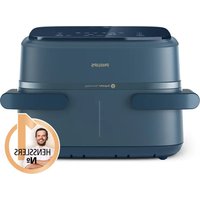
NA156 - Deep fryer PHILIPS - Free user manual and instructions
Find the device manual for free NA156 PHILIPS in PDF.

 FR
FR
 BG
BG
 CS
CS
 DA
DA
 DE
DE
 EL
EL
 EN
EN
 ES
ES
 ET
ET
 FI
FI
 HE
HE
 HU
HU
 IT
IT
 KK
KK
 LT
LT
 LV
LV
 MK
MK
 NL
NL
 NO
NO
 PL
PL
 PT
PT
 RO
RO
 RU
RU
 SK
SK
 SL
SL
 SQ
SQ
 SV
SV
 TR
TR
 UK
UK
| Product Type | Double-basket air fryer with removable divider |
| Brand | Philips |
| Model | NA156 |
| XXL basket capacity (without divider) | 7.1 L |
| Small basket capacity (with divider) | 3.55 L |
| Dimensions (L x W x H) | 43.3 x 32.1 x 34.8 cm |
| Weight | 8 kg |
| Power supply | 220-240 V, 50/60 Hz, 2100 W |
| Adjustable temperature | 80 °C – 200 °C |
| Timer | Up to 60 minutes |
| Basket material | Steel with non-stick coating |
| Cleaning | Basket and honeycomb bottoms are dishwasher safe |
| Functions | 6 presets (frozen fries, steak, chicken drumsticks, vegetables, cake, reheat), copy function, duration function, shake reminder |
| Included accessories | Removable divider, 2 honeycomb bottoms, cord holder |
| Mobile app | HomeID (available via QR code) |
| Warranty | 2 years |
| Recycling | Product and accessories are recyclable (collection points) |
Frequently Asked Questions - NA156 PHILIPS
User questions about NA156 PHILIPS
0 question about this device. Answer the ones you know or ask your own.
Ask a new question about this device
Download the instructions for your Deep fryer in PDF format for free! Find your manual NA156 - PHILIPS and take your electronic device back in hand. On this page are published all the documents necessary for the use of your device. NA156 by PHILIPS.
USER MANUAL NA156 PHILIPS
natural_image
Black Philips air fryer with 'RapidAir Technology' branding, no visible text beyond brand name and model numberEnglish 4
Čeština 32
Dansk 61
Deutsch 89
Eesti 121
Español 150
Français 180
Hrvatski 210
Italiano 239
Latviešu 270
Lietuviškai 299
Magyar 328
Nederlands 357
Norsk 386
Polski 414
Português 445
Română 475
Shqip 504
Slovenščina 533
Slovensky 562
Srpski 591
Suomi 620
Svenska 649
Türkçe 677
Ελληνικά 706
Български 737
Македонски 768
Русский 799
Українська 831
Қазақша 861
הכלה 891
Contents
Important 4
Danger 4
Warning 5
Caution 6
Electromagnetic fields (EMF) 7
Recycling 7
Warranty and support 7
Introduction 7
General description 8
Main parts 8
Control panel description 9
Description of functions 9
Before first use 10
Preparations before first use 10
Using the appliance 11
Cooking in the XXL pan 11
Cooking in dual pans 17
Cooking in small single pan ____ 21
Cleaning 27
Cleaning table 29
Storage 29
Troubleshooting 29
Important
Read this important information carefully before you use the appliance and save it for future reference.
Danger
- Do not place the appliance on or near a hot gas stove or all kinds of electric stove and electric cooking plates, or in a heated oven.
- Never immerse the appliance in water nor rinse it under the tap.
- Do not let any water or other liquid enter the appliance to prevent electric shock.
- Always put the ingredients to be fried in the pan, to prevent them from coming into contact with the heating elements.
- Do not cover the air inlet and the air outlet openings while the appliance is being operated.
- Do not fill the pan with oil as this may cause a fire hazard.
- Do not use the appliance, if the plug, the mains cord or the appliance itself is damaged.
- Never touch the inside of the appliance while it is being operated.
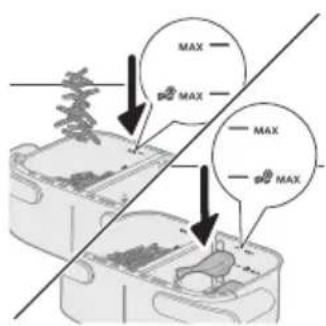
- Never put any amount of food that exceeds the maximum level indicated in the pan.
Warning
- Always make sure heater is free and no food stuck in heater.
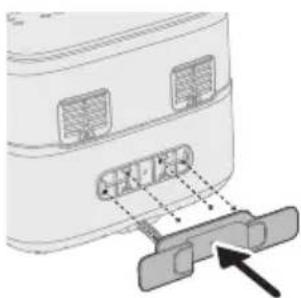
- Before first use, the cord holder must be assembled onto the device.
- Be careful when cleaning the upper area of the cooking chamber, Hot heating element, edge of metal parts.
-
Do not plug in before taking out the packaging material and cord holder in the drawer.
-
If the supply cord is damaged, it must be replaced by Philips, its service agent or similarly qualified persons in order to avoid a hazard.
- Only connect the appliance to an earthed wall socket, protected by an earth leakage circuit breaker.
- Always make sure that the plug is inserted into the wall socket properly.
- This appliance is not intended to be operated by means of an external timer or a separate remote control system.
- The accessible surfaces may become hot during use.
- This appliance can be used by children aged from 8 years and above and persons with reduced physical, sensory or mental capabilities or lack of experience and knowledge if they have been given supervision or instruction concerning use of the appliance in a safe way and understand the hazards involved.
- Children shall not play with the appliance. Cleaning and user maintenance shall not be made by children unless they are older than 8 and supervised.
- Keep the appliance and its cord out of the reach of children less than 8 years.
- Do not place the appliance against a wall or against other appliances. Leave at least 10 cm free space at the back, on both sides and above the appliance. Do not place anything on top of the appliance.
- During hot air frying, hot steam is released through the air outlet openings. Keep your hands and face at a safe distance from the steam and from the air outlet openings. Also, be careful of hot steam and air released at the handle position when you remove the pan from the appliance.
- Never use light ingredients or baking paper in the appliance.
- Storage of potatoes: The temperature shall be appropriate to the potato variety stored and it shall be above 6 °C to minimize the risk of acrylamide exposure in the prepared foodstuff.
- Never fill the pan with oil.
- Since this Airfryer has a big chamber, its electric power is large. Do not operate other powerful appliances on the same circuit at the same time (e.g., kettles, electric grills, and the like). Else, it can happen that the circuit breaker in your house installation responds and the power at this socket fails.
- Since this Airfryer has a big chamber, its weight is heavy when full of food. Never just use one hand to hold the handle.
- Do not use the appliance for any other purpose than described in this manual and use only original Philips accessories.
- Do not let the appliance operate unattended.
-
The pan, divider, and accessories placed inside the cooking chamber becomes hot during and after use of the appliance, always handle carefully.
-
Thoroughly clean the parts that come into contact with food before you use the appliance for the first time. Refer to the instructions of the on-line direction for use manual.
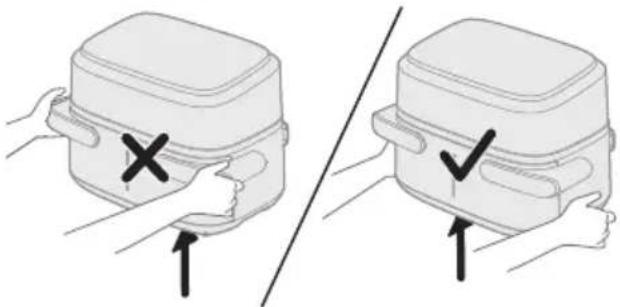
- Do not use pan handle to hold the device.
natural_image
Illustration of two hands holding a rectangular device with a cross mark and checkmark indicating a location or inspection (no text or symbols present)- The cord holder also serves as a spacer, by creating distance between the device and the wall to prevent heat accumulation. Never remove this spacer.
- Do not put the pan on UI panel as it might fall down and cause hurt.
Caution
- This appliance is intended for normal household use only. It is not intended for use in environments such as staff kitchens of shops, offices, farms or other work environments. Nor is it intended to be used by clients in hotels, motels, bed and breakfasts and other residential environments.
- Always disconnect the appliance from the supply if it is left unattended and before you assemble, disassemble, store or cleaning.
- Place the appliance on a horizontal, even and stable surface.
- If the appliance is used improperly or for professional or semi-professional purposes or if it is not used according to the instructions in the user manual, the guarantee becomes invalid and Philips refuses any liability for damage caused.
- Always return the appliance to a service center authorized by Philips for examination or repair. Do not attempt to repair the appliance yourself, otherwise the guarantee becomes invalid.
- Always unplug the appliance after use.
- Let the appliance cool down for approximately 30 minutes before you handle or clean it.
- Make sure the ingredients prepared in this appliance come out golden yellow instead of dark or brown.
- Remove burnt remnants. Do not fry fresh potatoes at a temperature above 180^ C (to minimize the production of acrylamide).
- Always make sure that the food is fully cooked in the Airfryer.
- Be careful when pouring out the cooked food and be careful not to let the accessories fall out.
- When using the XXL pan, make sure that the left and right programs are the same.
- This appliance is provided with a short power supply cord to reduce the risk of entanglement or tripping which can occur with a longer power-supply cord.
- Extension cords may be used if care is exercised in the use. If an extension cord is used:
- The marked electrical rating of the cord must be as great as the rating of the appliance.
- The cord should be arranged so that it will not drape over the edge of the counter or table top where it could be pulled by children or tripped over unintentionally.
- The extension cord should be a grounded type 3-wire cord.
- This appliance has a polarized plug (one blade is wider than the other). To reduce the risk of electric shock, this plug is intended to fit into a polarized outlet only one way. If the plug does not fit fully in the outlet, reverse the plug. If it still does not fit, contact a qualified electrician. Do not attempt to modify the plug in any way.
Electromagnetic fields (EMF)
This appliance complies with the applicable standards and regulations regarding exposure to electromagnetic fields.
Recycling
natural_image
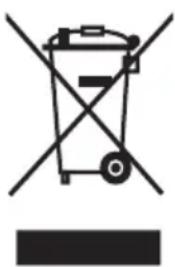
Symbol of a trash bin crossed with a diagonal line, no text or numbers present- This symbol means that electrical products shall not be disposed of with normal household waste.
- Follow your country's rules for the separate collection of electrical products.
Warranty and support
Versuni offers a two-year warranty after purchase on this product. This warranty is not valid if a defect is due to incorrect use or poor maintenance. Our warranty does not affect your rights under law as a consumer. For more information or for invoking the warranty, please visit our website www.philips.com/support.
Introduction
Congratulations and welcome to the Philips Family!
To fully benefit from the support that we offer, register your product at www.philips.com/welcome.
The dual baskets Airfryer with detachable divider provides you flexibility of selecting different capacity pan, you can cook 1-2 food portion in 3.55L small pan and large food portion for whole family in 7.1L XXL pan without divider. Additionally, you could prepare two different ingredient with various cooking temperature and cooking time, and have them finished at the same time.
It comes with the HomeID app, which gives you step-by-step guidance and hundreds of mouthwatering meals with specific settings for your dual basket airfryer. Download the app by using the QR code on the pack.
General description
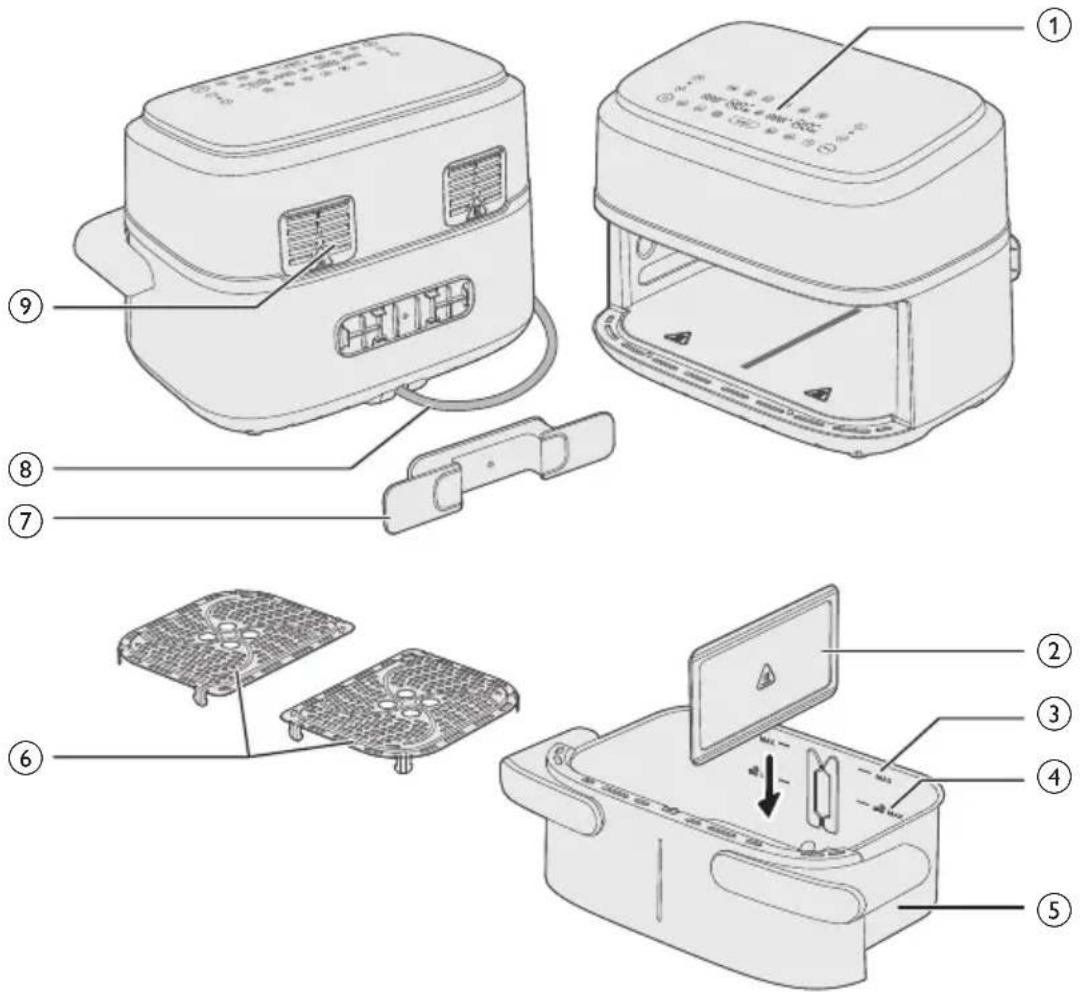
Main parts
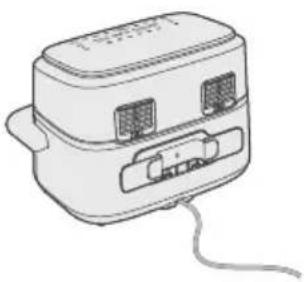
1 Control panel
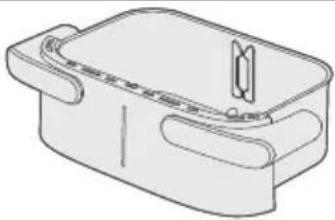
2 Detachable divider
3 MAX indication for ingredients
4 MAX indication for frozen potato based snacks
5 7.1L XXL pan
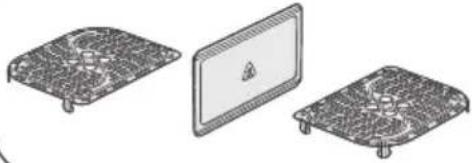
6 Bottom plates
7 Cord holder
8 Power cord
9 Air Outlets
Control panel description
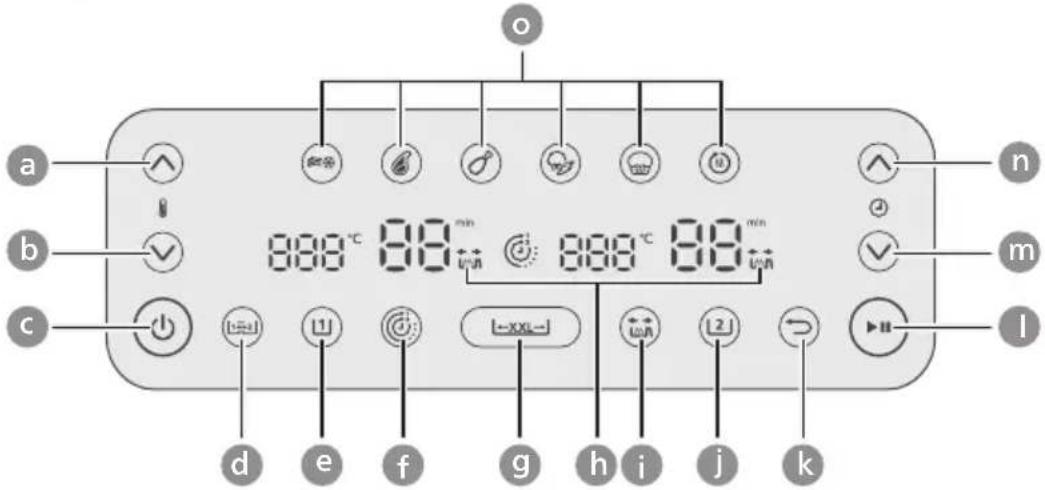
a Temperature up
b Temperature down
c On/off button
d Copy function button
e Left pan button
f Time function button
g XXL pan button
h Shaking reminder indication
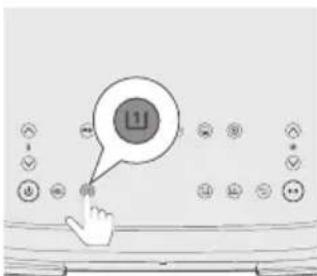
i Shaking reminder button
j Right pan button
k Back button
I Start/pause button
m Time down button
n Time up button
o Preset buttons
Description of functions
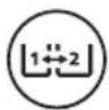
Copy function
You can set the time and temperature for one pan and copy the setting with the other pan by pressing the copy function button.
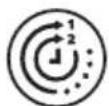
Time function
Automatically syncs the cook time to ensure both pans finish cooking at the same time, even if there are different cook times.
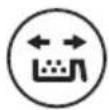
Shaking reminder
Press the shaking reminder button to enable or disable alerts that remind you to shake or turn your food twice during cooking for more even results. You will hear a "beep" and see a shaking icon flashing beside the time display.
Presets
You can choose from 6 presets. Presets are cooking programs that give recommendation for temperature and cooking time based on a certain amount of food. For further details see chapter "Cooking with Presets".
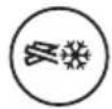
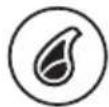
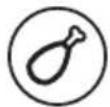


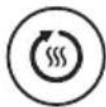
Frozen fries Steak
Chicken drumsticks
Mixed vegetables
Cake/Muffin Reheat
XXL pan button
You can cook in one 7.1L of XXL pan by removing the divider and pressing the XXL pan button.
Back Button
Use the back button if you mistakenly chose the wrong preset/function.
Sound notifications
Sometimes you hear a sound, for example when the appliance has finished cooking, or when there is an action required during cooking, e.g., shaking or turning food.
Before first use
natural_image
Diagram of a device rear panel with labeled ports and an arrow pointing to a connector (no text or symbols present)1 Remove all packing material.
2 Remove any stickers or labels (if applicable) from the appliance.
3 Thoroughly clean the appliance before first use (see chapter "cleaning").
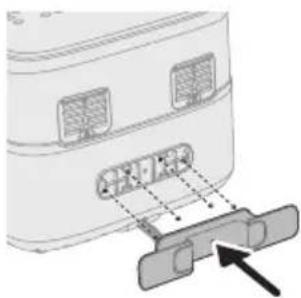
4 Take out the cord holder from pan and attach it to the designated area on the back of device by clicking it into place.
Caution
- The cord holder also serves as a spacer, by creating distance between the device and the wall to prevent heat accumulation.
Preparations before first use
Place the appliance on a stable, horizontal, level and heat-resistant surface.
Note
- Do not put anything on top or on the sides of the appliance. This could disrupt the airflow and affect the frying result.
- Do not place the operating appliance near or underneath objects that could be damaged by steam, such as walls and cupboard.
Using the appliance
Caution
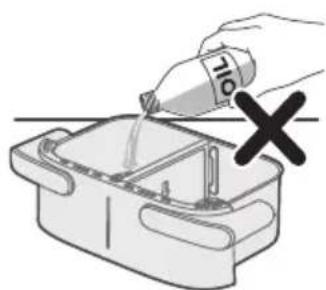
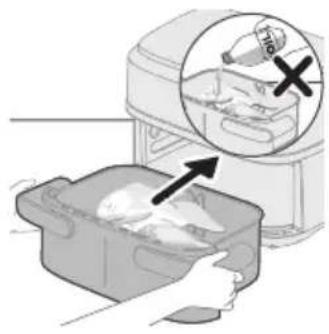
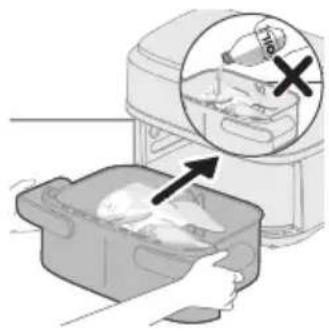
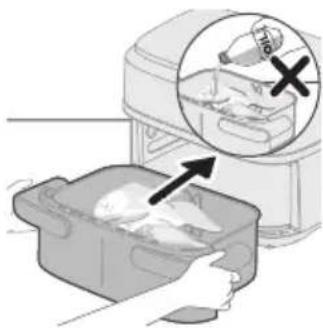
- This is an Airfryer that works on hot air. Do not fill the pan with oil, frying fat or any other liquid.
- Do not touch hot surfaces. Handle the hot pan with oven-safe gloves.
- This appliance is for household use only.
- This appliance may produce some smoke when you use it for the first time. This is normal.
- Preheating of the appliance is not necessary.
Note
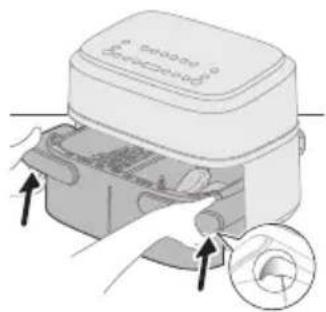
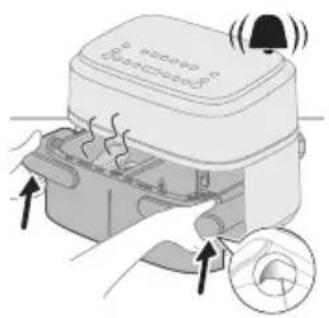
- During cooking or immediately after cooking, if you want to pull out the pan, please hold the groove position of side handles to take out pan, to avoid being scalded by the hot air flow coming out from appliance.
Cooking in the XXL pan
natural_image
Diagram of a device with an upward arrow and a screen, no text or symbols present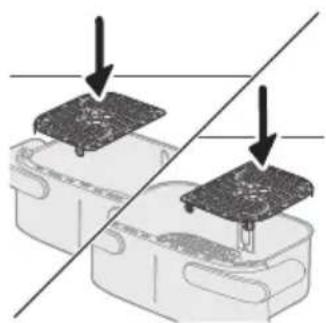
natural_image
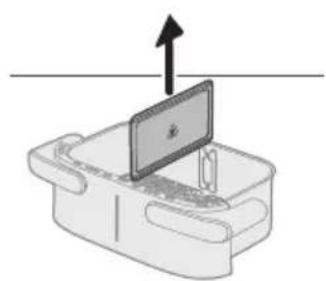
Diagram showing two electronic components with a diagonal line indicating alignment or connection (no text or symbols present)To cook a large portion of a single food, remove the divider and use the entire cooking space of 7.1L XXL pan.
Cooking with food table
1 Take out the divider.
2 Put the bottom plates into the pan accordingly.
Note
- It is normal to apply some force to place the bottom plates in the pan.
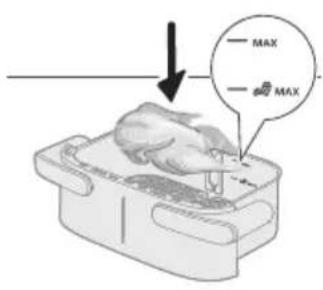
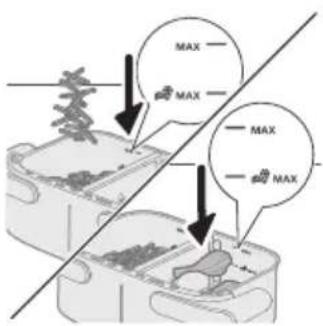
3 Put the ingredients in the pan.
Note
- The Airfryer can prepare a large range of ingredients. Consult the 'Food table' for the right quantities and approximate cooking times.
- Do not exceed the amount indicated in the 'Food table' section or overfill the pan beyond the 'MAX' indication as this could affect the quality of the end result.
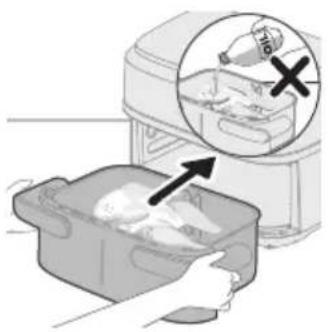
natural_image
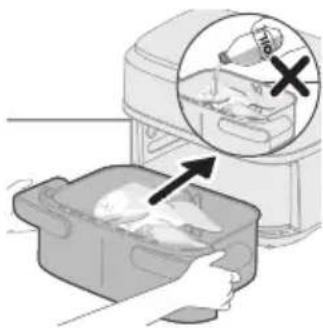
Illustration of a hand placing food into a baking pan with an inset showing a bottle and a cross mark (no text or symbols)4 Put the pan into the Airfryer.
Caution
- Do not touch the pan or the basket during and for some time after use, as they get very hot.
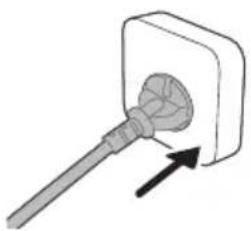
natural_image
Simple line drawing of a plug inserted into a socket (no text or symbols)5 Put the plug in the wall outlet.
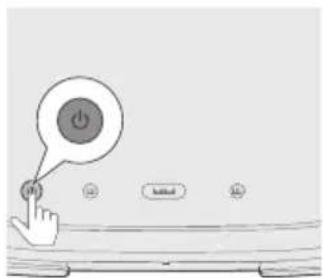
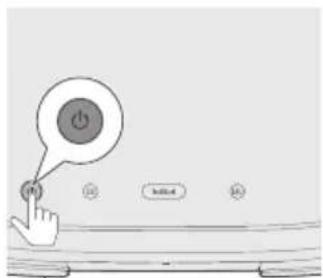
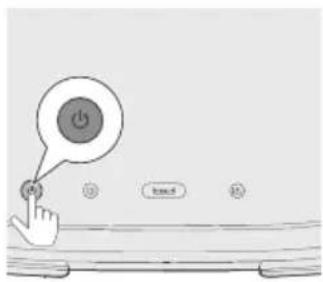
6 Press the power On/Off button to switch on the appliance.
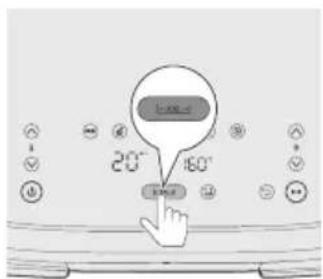
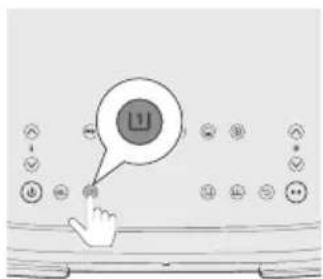
7 Press the XXL button.
Note
- Do not select the Left pan button or Right pan button for XXL pan cooking without divider. It might result in undercooked results.
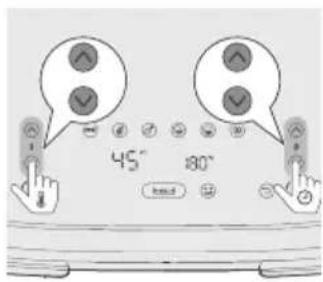
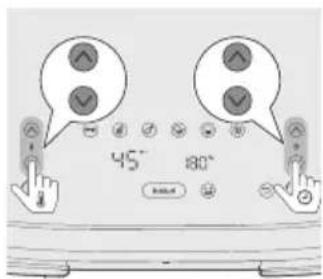
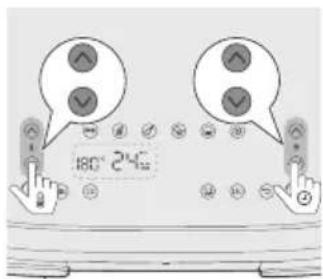
8 Press the temperature up/down button and time up/down button to choose the needed time and temperature (please see food table).
Tip
- Some ingredients require shaking or turning halfway through the cooking time (see 'Food table'). To remind you of shaking the ingredients, press the shaking reminder button "to enable this function.
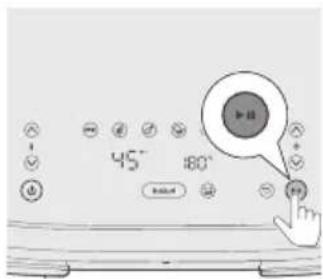
9 Press the Start/Pause button to start the cooking process.
Note
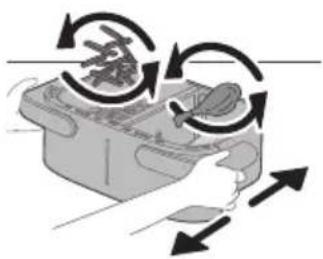
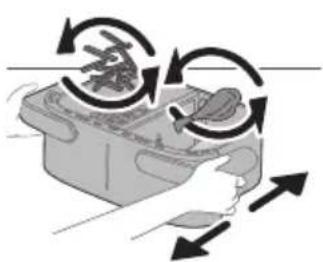
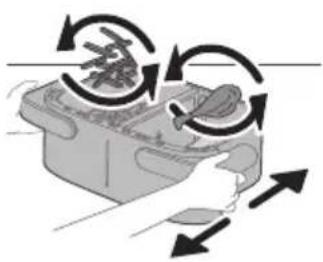
- If ingredient require shaking or turning halfway through the cooking time("beep" sound and shaking notification will flash if shaking reminder enabled), pull out the pan with the basket, and shake it over the sink. Then put the pan back into the appliance.
natural_image
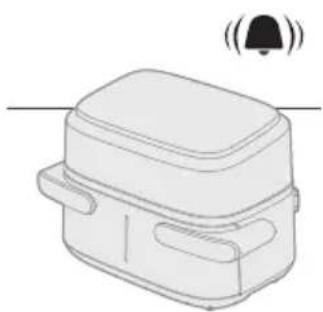
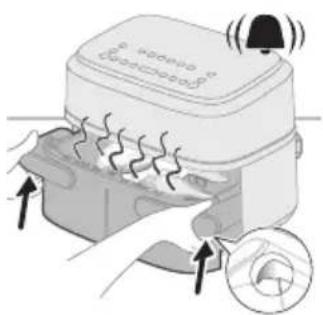
Simple line drawing of a rectangular device with a bell icon above it (no text or symbols)10 When you hear the timer bell, the cooking time has elapsed.
natural_image
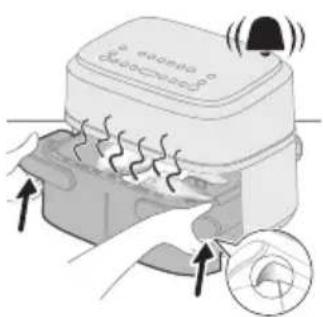
Illustration of a microwave oven with heat exchanger and cooling fan (no text or symbols)11 Hold the groove position of side handles to pull out the pan and check if the ingredients are ready.
Caution
- The Airfryer pan is hot after the cooking process. Always place it on a heat resistant work top (eg. trivet, etc.) when you remove the pan from the device. - During cooking or immediately after cooking, if you want to pull out the pan, please hold the groove position of side handles to take out pan, to avoid being scalded by the hot air flow coming out from appliance.
Note
- If the ingredients are not ready yet, simply slide the pan back into the Airfryer and add a few extra minutes.
natural_image
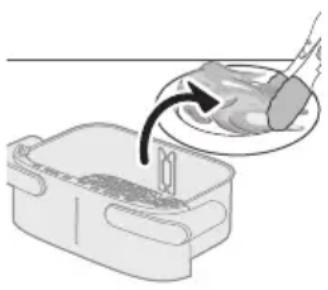
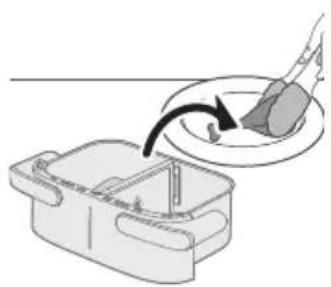
Illustration of a hand pouring liquid into a container with a spoon (no text or symbols)12 Carefully remove the ingredients from the pan with barbecue tongs.
Caution
- Do not tilt the pan when removing the ingredients, as the basket could fall out and oil may splash.
- After the cooking process, the pan, the basket, the interior housing and the ingredients are hot. Depending on the type of ingredients in the Airfryer, steam may escape from the pan.
- Do not touch the pan or the basket during and for some time after use, as they get very hot.
XXL pan food table
Food amount Temperature (°C) Time (min) Note
| Thin frozen fries (7x7mm/0.3x0.3in) | 800g 180 23-25 Shake, turn or stir 2-3 | times in between |
| Homemade fries (10x10mm/0.4x0.4 in thick) | 800g 180 28-33 Shake, turn or stir 2-3 | times in between |
| Frozen chicken nuggets 800g 200 17-22 shake, turn or stir | halfway | |
| Frozen spring rolls 800g 200 10-22 shake, turn or stir | halfway | |
| Meat loaf 1000g 150 50-55 Use the baking accessory | ||
| Meat chops without bone (around 190g/7oz) | 5 pieces 200 18-20 shake, turn or stir | halfway |
| Chicken drumsticks (around 125g/4.5oz) | 10 pieces 180 24-27 shake, turn or stir | halfway |
| Chicken breast (around 160g/6oz) | 6 pieces 180 18-21 Turn halfway | |
| Whole fish (around 300-400g/11-14oz) | 3-4 piece 200 16-20 Turn halfway | |
| Fish filet (around 200g/7oz) | 5 pieces 200 15-20 | |
| Mixed vegetables (roughly chopped) | 1200g 180 18-22 Set the cooking time | according to your own taste. Shake, turn or stir halfway |
| Muffins (around 40g/piece) | 12 pieces 160 20-22 | |
Cake 500g 140 40-45 Use the baking
| accessory. The shape should be as flat as possible to avoid that the bread touches the heating element when rising, check the doneness before you take out the cake. | ||
| Pre-baked bread/rolls (around 60g/1.2oz) | 7 pieces 200 6-10 | |
| Homemade bread 500g | 160 40-45 Use the baking | accessory. The shape should be as flat as possible to avoid that the bread touches the heating element when rising, check the doneness before you take out the cake. |
| Whole chicken (1.4kg) | 1 piece 180 40-50 Press the whole chicken | to keep its body in a relatively flat state before cooking. Try not to make it exceed the Max line to prevent the whole chicken from touching the heating element during cooking. |
| Chicken legs with root veggies | 2 kg 180 45 -60 Shake/Turn chicken legs | halfway through the cooking |
| Whole salmon filet 1.5 kg | 180 20-30 n/a | |
| 2 x fresh baguette | 1 kg 170 25 -40 n/a | |
| Chocolate chip cookies | 450 g 180 15 -25 n/a | |
| Lasagne 2 kg | 170 40-50 Add cheese on top | halfway through the cooking, you can use baking accessory or any form that fits the XXL pan |
| Apple strudel | 2 kg 170 30-45 n/a | |
| Fresh bread rolls | 600 g 170 20-35 n/a | |
| Meatballs with baked gnocch | 2 kg 170 20-30 Meatballs are placed in | pan and gnochi are placed together with sauce and cheese in the baking accessory; turn meatballs around halfway through the cooking |
| Turkey roulade with veggies | 2 kg 180 45 -60 Shake/Turn everything | halfway through the cooking |
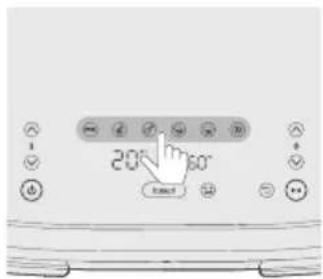
Cooking with a preset
1 Follow steps 1 to 7 in section "Cooking with food table" to complete the common steps firstly.
2 Choose the preset.
Tip
- To change to another preset, press the Back button or deselect preset button and select your needed preset.
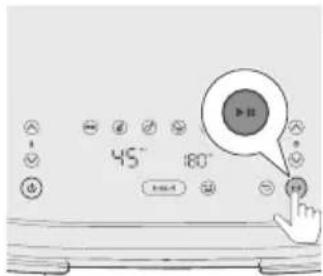
3 Start the cooking process by pressing the Start/pause button.
XXL pan preset table
| Icon Food amount | Temperature default°C | Time default-min | Note | |
| Frozen fries 800g 180 | 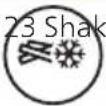 | e, turn or stir 2-3 times in | between | |
| Steak (150-200g/-5-7 oz) | 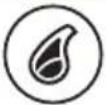 | 8 pieces 200 20 | ||
| Chicken drumpstick (around 125g/4.5oz) | 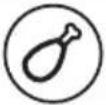 | 10 pieces 180 24 shake1 time, turn or stir | halfway |
Mixed Vegetables 1200g 180 20 Roughly chopped , Shake,
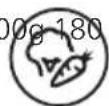
turn or stir halfway
Cake/Muffin 500g 140/40 Cake:Use the baking
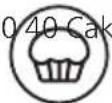
accessory, The shape should be as flat as possible to avoid that touches the heating element when rising, check the doneness before you take out the cake
Reheat 160 15 Adjust time according to your
food type and food amount
Cooking in dual pans
natural_image
Diagram showing two electronic components with a circuit board above, connected by a diagonal line (no text or symbols)Cooking with Time function
If cooking two foods with different temperatures, and time, use the Time function to finish both dishes at the same time.
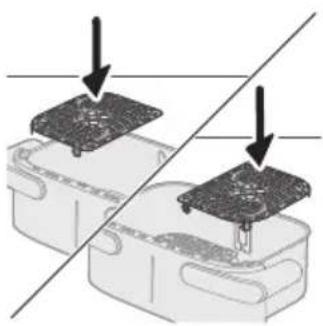
1 Put the bottom plates into the pan accordingly.
Note
- It is normal to apply some force to place the bottom plates in the pan.
natural_image
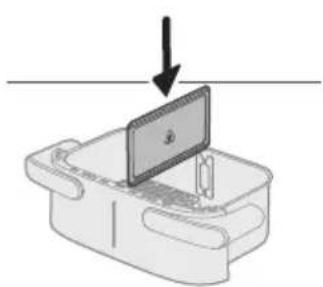
Diagram of a device with a screen and arrow indicating downward motion (no text or symbols)2 Put in the divider.
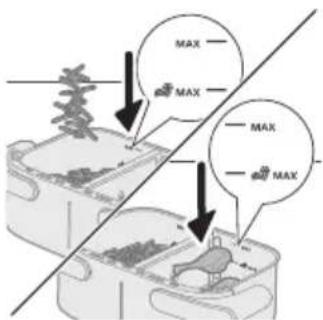
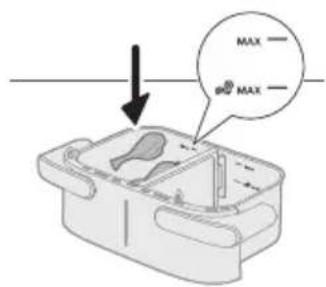
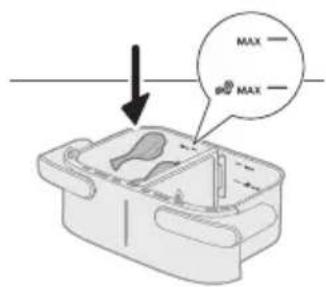
3 Place the two ingredients, for example, frozen fries and chicken drumstick, into different baskets.
Note
- The Airfryer can prepare a large range of ingredients. Consult the 'Food table' for the right quantities and approximate cooking times.
- Do not exceed the amount indicated in the 'Food table' section or overfill the pan beyond the 'MAX' indication as this could affect the quality of the end result.
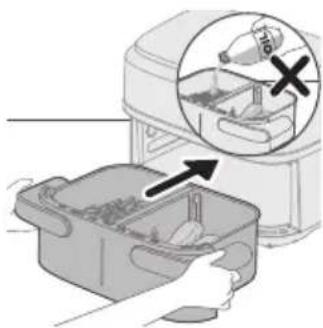
natural_image
Illustration of a hand placing food into a trash bin with an inset showing a plastic bottle and a cross mark (no text or symbols)4 Put the pan into the Airfryer.
5 Put the plug in the wall outlet.
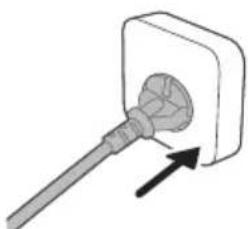
natural_image
Simple line drawing of a plug inserted into a socket (no text or symbols)6 Press the power On/Off button to switch on the appliance.
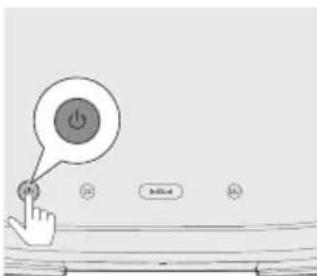
7 Select the left pan. The time and temperature indication on the left side starts blinking.
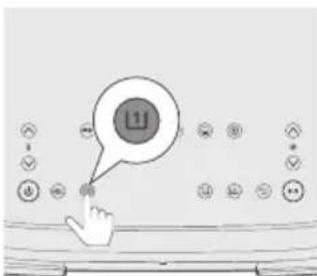
8 Press the temperature up/down button and time up/down button to choose the needed time and temperature.
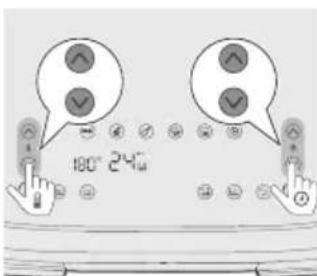
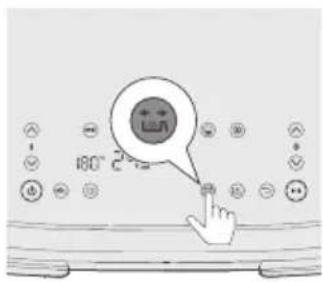
9 Press the shaking reminder button to be reminded to shake your food during cooking process if ingredients require shaking or turning during the cooking (For more information, see Note column in Food Table.).
![180~ 240 [2]](/content/2026/04/729173/images/3ee0a044256015b28fd178b654afd2b6c6a4a129eac27575c8d2741a6560fec7.jpg)
10 Select the right pan. The time and temperature indication on the right side starts blinking.

11 Press the temperature up/down button and time up/down button to choose the needed time and temperature.
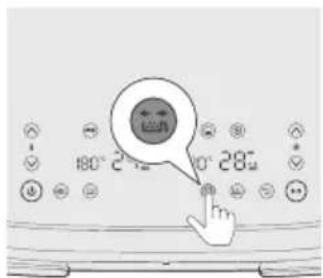
12 Press the shaking reminder button to be reminded to shake your food during cooking process if ingredients require shaking or turning during cooking. For more information, see Note column in Food Table.
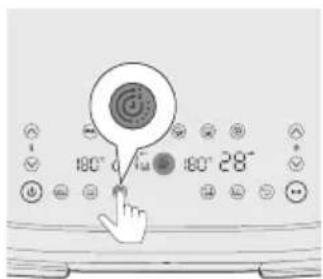
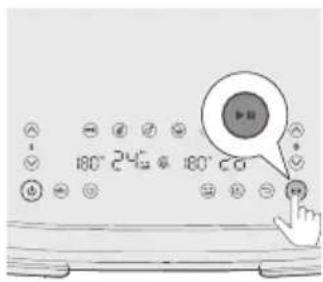
13 Press the Time function button to ensure both dishes finish cooking at the same time.
Note
- If you are cooking two types of foods with different functions, temperatures, and cooking times, and they do not need to finish at the same time, you can skip this step.
- While cooking, if you adjust the time for one pan, the Time function will be disabled, and both pans will operate separately. To reactivate the Time function, press the Start/Pause button, then press Time function button, and press Start/Pause button again to resume cooking.

natural_image
Illustration of a hand holding a device with circular arrows indicating rotation or cycle (no text or symbols)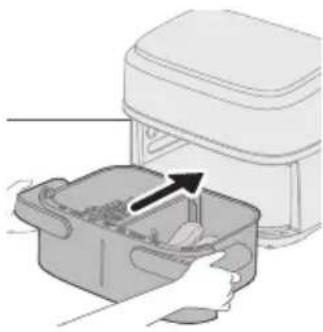
natural_image
Illustration of a kitchen appliance with a lid and drawer, showing a hand inserting contents (no text or symbols)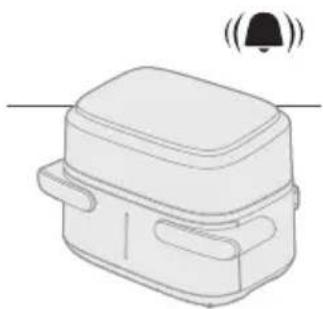
natural_image
Simple line drawing of a rectangular device with a bell icon above it (no text or symbols)14 Press the Start/Pause button to start the cooking process.
Tip
- To pause both pans, press the Start/Pause button. Press it again to continue cooking for both pans.
- To pause only one pan, select that pan first, then press the Start/Pause button. Press it again to continue cooking for that pan.
- You can use a preset in one pan and manual settings in the other.
- The device automatically pauses when you pull out a pan and resumes cooking when you put it back in.
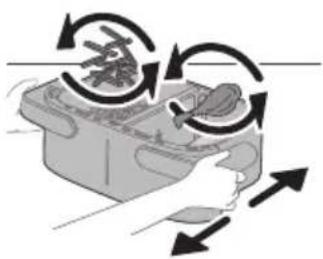
15 When you hear the sound signal of the shaking reminder, pull out the pan by holding side handle with both hands.
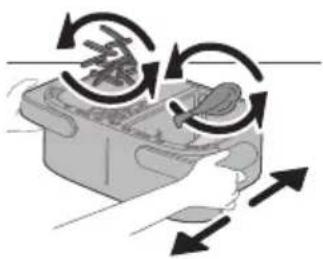
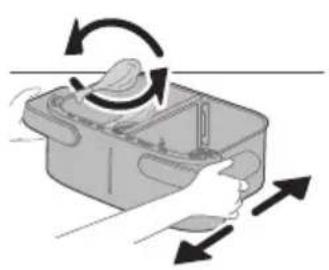
16 Shake the pan over the sink.
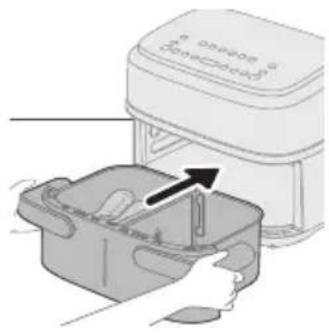
17 Put the pan back into the appliance.
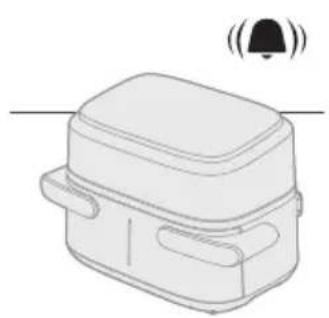
18 When you hear the timer bell, the cooking time has elapsed.
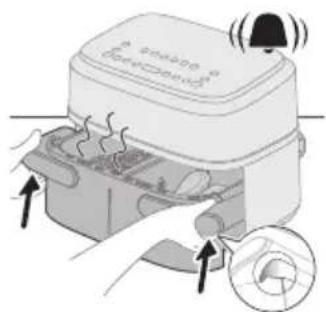
19 Hold the groove position of side handles to pull out the pan and check if the ingredients are ready, if not yet, simply slide the pan back into the Airfryer and add a few extra minutes.
natural_image
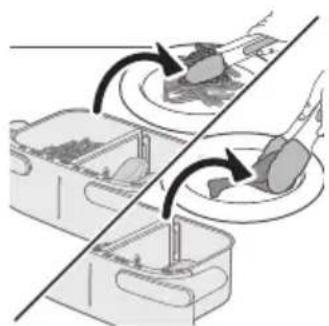
Diagram showing two containers with arrows indicating rotation or movement, no text or symbols present20 Carefully remove the ingredients from the pan with barbecue tongs.
Cooking with Copy function
Copy function is used to cook a large amount of the same food or different food using the same temperature and time.
1 Follow steps 1 to 9 in chapter "Cooking with Time function".
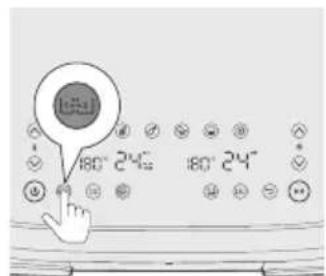
2 Press the Copy function button.
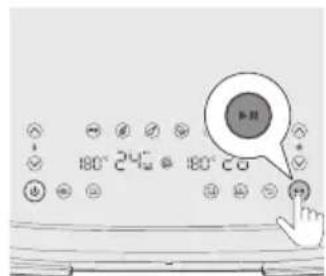
3 Press the Start/Pause button to start the cooking process.
Cooking in small single pan
To cook a small portion of a single food in a small single pan.
natural_image
Diagram showing a device with a black arrow pointing to a component on top, no text or symbols present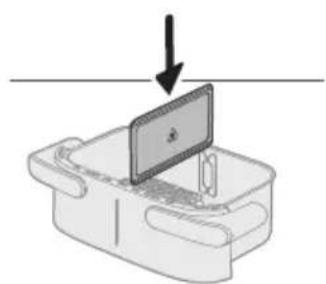
natural_image
Diagram of a device with a screen and arrow indicating downward motion (no text or symbols)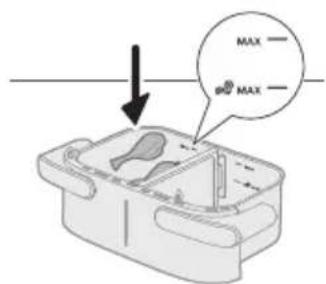
natural_image
Illustration of a hand placing a plastic bag into a drawer with an inset showing a device (no text or symbols present)
natural_image
Simple line drawing of a plug inserted into a socket (no text or symbols)Cooking with food table
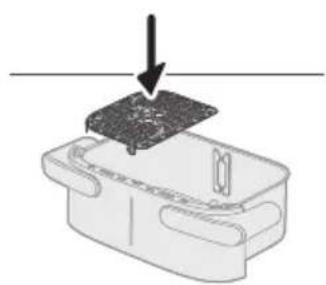
1 Put the bottom plates into the pan accordingly.
Note
- It is normal to apply some force to place the bottom plates in the pan.
2 Put in the divider.
3 Put the ingredients in the left pan.
Note
- Do not exceed the amount indicated in the 'Food table' section or overfill the pan beyond the 'MAX' indication as this could affect the quality of the end result.
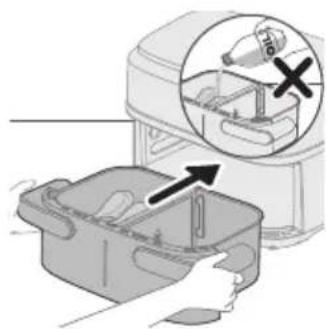
4 Put the pan into the Airfryer.
Caution
- Do not touch the pan or the basket during and for some time after use, as they get very hot.
5 Put the plug in the wall outlet.
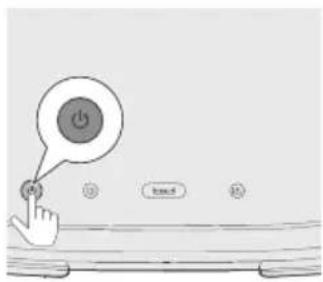
6 Press the power On/Off button to switch on the appliance.
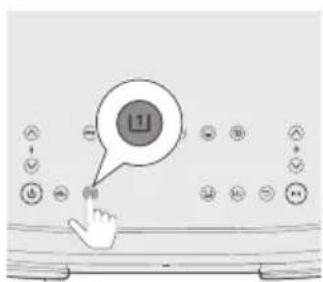
7 Select the left pan. The time and temperature indication on the left side starts blinking.
Note
- Do not select "XXL pan" button for small single pan cooking with divider. It might result in overcooked effect and more energy consumption.
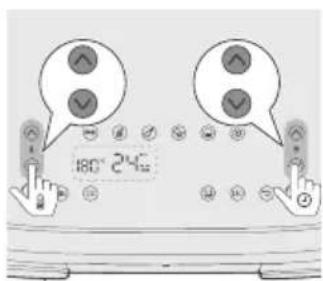
8 Press the temperature up/down button and time up/down button to choose the needed time and temperature (please see food table).
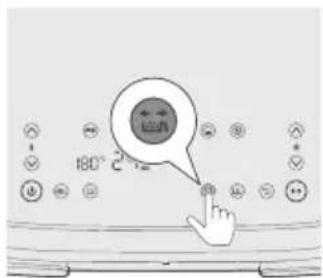
9 Press the shaking reminder button to be reminded to shake your food during cooking process if ingredients require shaking or turning during cooking. For more information, see Note column in Food Table.
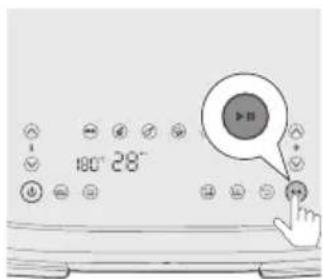
10 Press the Start/Pause button to start the cooking process.
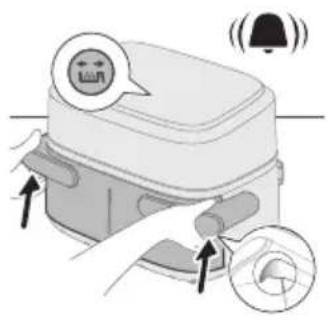
11 When you hear the sound signal of the shaking reminder, pull out the pan by holding side handle with both hands.
natural_image
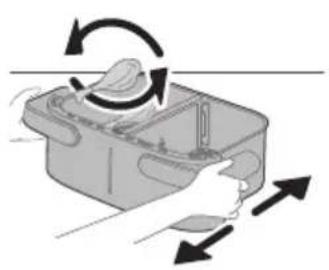
Illustration of a hand holding a container with arrows indicating rotation and movement (no text or symbols)12 Shake the pan over the sink.
natural_image
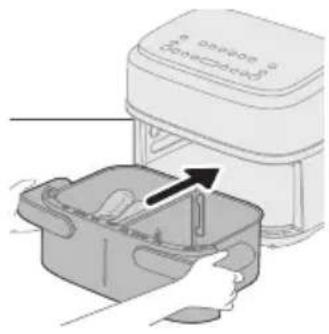
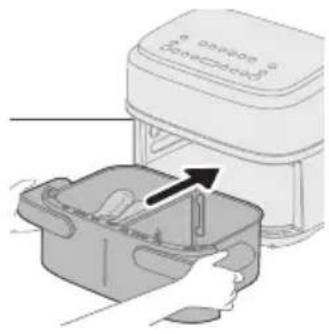
Illustration of a hand placing a small container with an arrow indicating the process (no text or symbols present)13 Put the pan back into the appliance.
natural_image
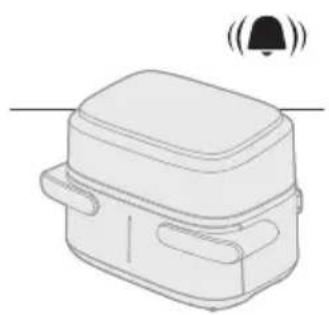
Line drawing of a rectangular device with a lid and two side pockets, emitting sound waves (no text or symbols)14 When you hear the timer bell, the cooking time has elapsed.
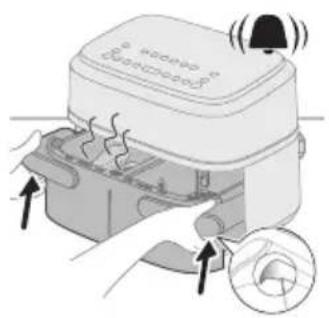
15 Hold the groove position of side handles to pull out the pan and check if the ingredients are ready.
Caution
- The Airfryer pan is hot after the cooking process. Always place it on a heat resistant work top (eg. trivet, etc.) when you remove the pan from the device.
Tip
- If the ingredients are not ready yet, simply slide the pan back into the Airfryer and add a few extra minutes.
natural_image
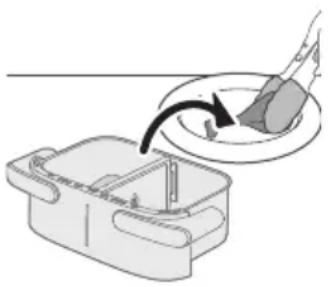
Illustration of a hand using a tool to interact with a bowl containing liquid, showing a curved arrow indicating interaction (no text or symbols present)16 Carefully remove the ingredients from the pan with barbecue tongs.
Caution
- Do not tilt the pan when removing the ingredients, as the basket could fall out and water may splash.
- After the cooking process, the pan, the basket, the interior housing and the ingredients are hot. Depending on the type of ingredients in the Airfryer, steam may escape from the pan.
- Do not touch the pan or the basket during and for some time after use, as they get very hot.
Single pan food table
Food amount Temperature (°C) Time (min) Note
| Thin frozen fries (7x7mm/0.3x0.3in) | 400g 180 24-27 Shake, turn or stir 2-3 | times in between |
| Homemade fries (10x10mm/0.4x0.4 in thick) | 400g 180 30-35 Shake, turn or stir 2-3 | times in between |
| Frozen chicken nuggets 400g 200 20-22 shake, turn or stir | halfway | |
| Frozen spring rolls 400g 200 15-20 shake, turn or stir | halfway | |
| Meat loaf 600g 150 42-47 Use the baking accessory | ||
| Meat chops without bone (around 190g/7oz) | 2 pieces 200 18-22 shake, turn or stir | halfway |
| Chicken drumsticks (around 125g/4.5oz) | 5 pieces 180 25-28 shake, turn or stir | halfway |
| Chicken breast (around 160g/6oz) | 3 pieces 180 21-23 Turn halfway | |
| Whole fish (around 300-400g/11-14oz) | 1 piece 200 23-25 Turn halfway | |
| Fish filet (around 200g/7oz) | 2 pieces 200 24-27 | |
| Mixed vegetables (roughly chopped) | 500g 180 18-20 Set the cooking time | according to your own taste. Shake, turn or stir halfway |
| Muffins (around 40g/piece) | 6 pieces 160 20-22 Using muffin cup | |
Cake 300g 160 40-45 Use the baking
accessory. The shape should be as flat as possible to avoid that the bread touches the heating element when rising, check the doneness before you take out the cake.
Pre-baked bread/rolls (around 60g/1.2oz)
4 pieces 200 10-12
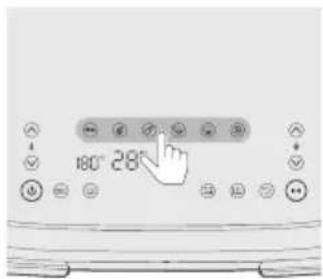
Cooking with presets
1 Follow steps 1 to 7 in chapter "Cooking with food table".
2 Choose the preset.
Tip
- To change to another preset, press the Back button or deselect preset button and select your needed preset.
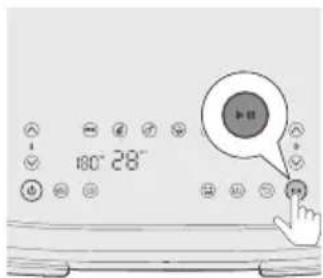
3 Start the cooking process by pressing the Start/pause button.
Single pan preset table
| Icon Food amount | Tempera-ture default°C | Time default-min | Note | |
| Frozen fries 400g 180 |  | e, turn or stir 2-3 times in | between | |
| Steak ( 150-200g/5-7 oz ) |  | 4 pieces 200 22 | ||
| Chicken drumpstick (around 125g/4.5oz) |  | 5 pieces 180 26 shake1 time, turn or stir | halfway | |
| Mixed Vegetables 500 |  | 3 Roughly chopped , Shake, | turn or stir halfway |
Reheat 160 16 Adjust time according to your
food type and food amount
Tip:Keep Warm
- You can keep your food warm in the Airfryer by setting the temperature to 80 degrees and adapt the time as long as you want to keep your food warm. We recommend not to keep your food warm for more than 30 minutes as the quality of the food can decrease. - If food like French fries loses too much crispness during the keep warm mode, either shorten the keep warm time by switching off the appliance earlier or crisp them up for 2-3 minutes at the temperature of 180°C.
Making home-made fries
To make great home-made fries in the Airfryer:
- For the XXL pan you need 800g /28 oz and for a single pan 400g /14 oz of peeled potatoes.
- Choose a potato variety suitable for making fries, e.g. fresh, (slightly) floury potatoes.
- It is best to air fry the fries in portions of up to 800 g / 28 oz for an even result. Larger quantities of fries tend to be less crispy than smaller portions.
1 Peel the potatoes and cut into fries (10x10 mm / 0.4x0.4 in thick).
2 Soak the potato sticks in a bowl of water for at least 30 minutes.
3 Empty the bowl and dry the potato sticks with a dish towel or paper towel.
4 Pour one tablespoon of cooking oil into the bowl, put the sticks in the bowl and mix until the sticks are coated with oil.
5 Remove the sticks from the bowl with your fingers or a slotted kitchen utensil so excess oil remains in the bowl.
Note
- Do not tilt the bowl to pour all the sticks in the basket at once to prevent excess oil from going into the pan.
6 Put the sticks into the basket.
Cleaning
Warning
- Let the basket, pan and the inside of the appliance cool down completely before you start cleaning.
- The pan and basket of the appliance have a non-stick coating. Do not use metal kitchen utensils or abrasive cleaning materials as this may damage the non-stick coating.
Clean the appliance after every use. Remove oil and fat from the bottom of the pan after every use.
natural_image
Illustration of a plug inserted into a wall socket with two circular holes, showing an arrow indicating direction (no text or symbols)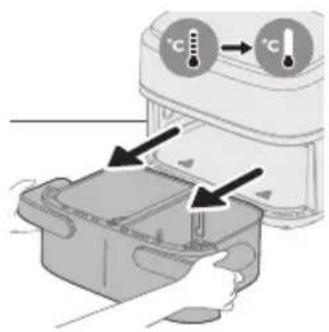
natural_image
Illustration of a hand holding a tool next to two labeled circular components (no text or symbols present)
natural_image
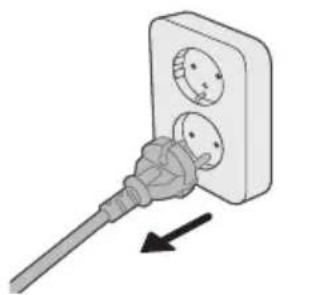
Illustration of a hand cleaning a kitchen appliance with a cloth (no text or symbols)1 Press the power On/Off button to switch off the appliance, remove the plug from the wall outlet and let the appliance cool down.
Tip
- Remove the pan and basket to let the Airfryer cool down faster.
2 Dispose of rendered fat or oil from the bottom of the pan.
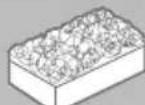
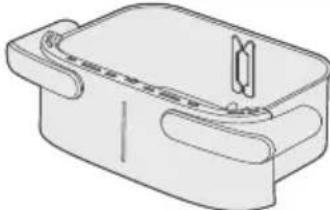
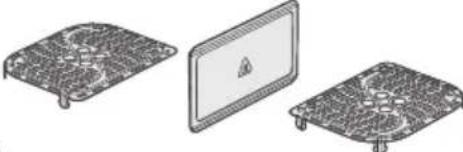
3 Clean the pan, bottom plates, and divider in a dishwasher. You can also clean them with hot water, dishwashing liquid and a non-abrasive sponge (see "cleaning table").
Tip
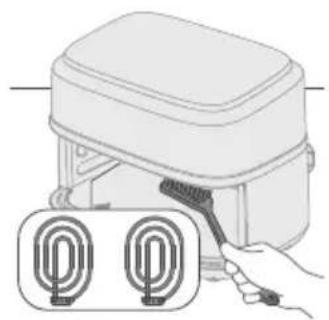
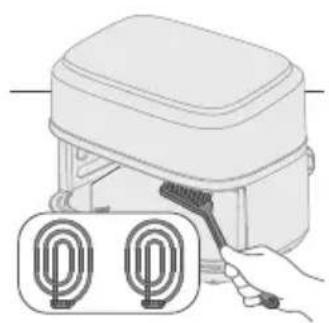
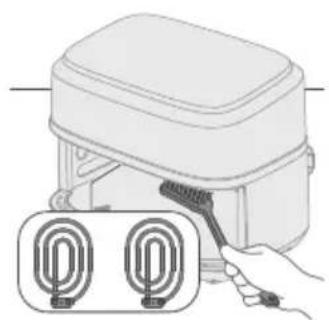
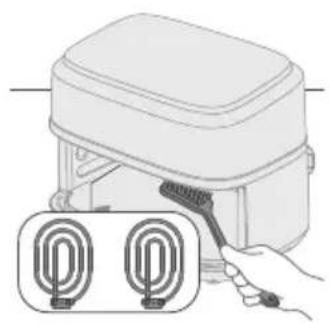
- If food residues stuck to the pan or basket, you can soak them in hot water and dishwashing liquid for 10–15 minutes. Soaking loosens the food residues and makes it easier to remove. Make sure you use a dishwashing liquid that can dissolve oil and grease. If there are grease stains on the pan or basket and you have not been able to remove them with hot water and dishwashing liquid, use a liquid degreaser. - If necessary, food residues stuck to the heating element can be removed with a soft to medium bristle brush. Do not use a steel wire brush or a hard bristle brush, as this might damage the coating on the heating element.
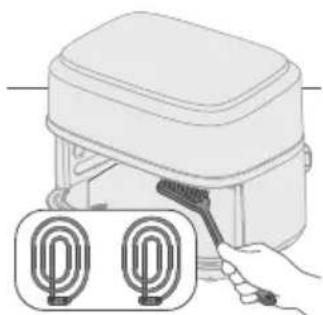
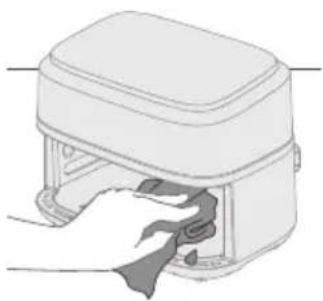
4 Clean the heating element with a cleaning brush to remove any food residues.
5 To prevent scratches, gently wipe the outside of the appliance with an unwrinkled, clean, and soft cloth. Begin with a slightly moistened cloth and follow up with a dry one, if necessary.
6 Clean the inside of the appliance with hot water and a non-abrasive sponge.
Cleaning table
Storage
1 Unplug the appliance and let it cool down.
2 Make sure all parts are clean and dry before storing.
3 Wrap the cord around the designated cord holder on the backside of the appliance.
Note
- When carrying the Airfryer, always hold it horizontally to prevent the pans from accidentally falling out, which could potentially damage them.
- Always make sure that the removable parts of the Airfryer e.g. removable mesh bottom, etc. are fixed before you carry and/or store it.
Troubleshooting
This chapter summarizes the most common problems you could encounter with the appliance. If you are unable to solve the problem with the information below, visit www.philips.com/support for a list of frequently asked questions or contact the Consumer Care Center in your country.
Problem Possible cause Solution
| The outside of the appliance becomes hot during use. | The heat inside radiates to the outside walls. | This is normal. All handles and knobs that you need to touch during use stay cool enough to touch. |
| The pan, the basket, and the inside of the appliance always become hot when the appliance is switched on to ensure the food is properly cooked. These parts are always too hot to touch. | ||
If you leave the appliance switched on for a longer time, some areas get too hot to touch. These areas are marked on the appliance with the following icon: 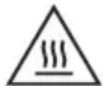 | ||
| As long as you are aware of the hot areas and avoid touching them, the appliance is completely safe to use. | ||
| My home-made fries do not turn out as I expected. | You did not use the right potato type. | To get the best results, use fresh floury potatoes. If you need to store the potatoes, do not store them in a cold environment like in a fridge. Choose potatoes whose package states that they are suitable for frying. |
| The amount of ingredients in the basket is too big. | Follow the instructions in this user manual to prepare home-made fries. | |
| Certain types of ingredients need to be shaken halfway through the cooking time. | Follow the instructions in this user manual to prepare home-made fries. | |
| The Airfryer does not switch on. The appliance is not plugged in. Check if the plug is inserted in the wall outlet properly. | ||
| Several appliances are connected to one outlet. | The Airfryer has a high wattage. Try a different outlet and check the fuses. | |
Problem Possible cause Solution
| I see some peeling off spots inside my Airfryer. | Some small spots can appear inside the pan of the Airfryer due to the incidental touching or scratching of the coating (e.g. during cleaning with harsh cleaning tools and/or while inserting the basket). | You can prevent damage by lowering the basket into the pan properly. If you insert the basket at an angle, its side may knock against the wall of the pan, causing small pieces of coating to chip off. If this occurs, please be informed that this is not harmful as all materials used are food-safe. |
| White smoke comes out of the appliance. | You are cooking fatty ingredients. | Carefully pour off any excess oil or fat from the pan and then continue cooking. |
| The pan still contains greasy residues from previous use. | White smoke is caused by greasy residues heating up in the pan. Always clean the pan and the basket thoroughly after every use. | |
| Breading or coating did not adhere properly to the food. | Tiny pieces of airborne breading can cause white smoke. Firmly press breading or coating to food to ensure it sticks. | |
| Marinade, liquid or meat juices are splattering in the rendered fat or grease. | Pat food dry before placing it in the basket. | |
| The screen on the Airfryer shows "E1". | The device is broken / has defects. | Call the Philips service hot line or contact the Consumer Care Center in your country. |
| Your Airfryer might be stored in a place where it is too cold. | The device is too cold. Leave it at room temperature for at least 60 minutes.If the issue remains, call the Philips service hot line or contact the Consumer Care Center in your country. | |
| The screen on the Airfryer shows "E2". | The divider is not assembled. Assemble the divider. | |
| "E2" alert will occur and stop cooking when one small pan just stop cooking and the other small pot start cooking immediately. | Pull out the pan to let device cool down for 2mins and put it back to prepare cooking for the other small pan. | |
| The screen on the Airfryer shows "E4-E12". | The device might have a malfunction. | Try to plug out and plug in the device. If this does not help please call the Philips service hot line or contact the Consumer Care Center in your country. |
Obsah
natural_image
Illustration of two hands holding a rectangular device with a cross mark and checkmark indicating a location or inspection (no text or symbols present)natural_image
Symbol of a waste bin with crossed lines indicating no waste, and a solid black rectangle below (no text or labels)Hlavní části
natural_image
Diagram of a device rear panel with ports and a connector, showing no text or symbolsUpozornění
natural_image
Diagram of a device with an upward arrow pointing to a screen, no text or symbols presentnatural_image
Diagram showing two electronic components with a diagonal line indicating alignment or connection (no text or symbols present)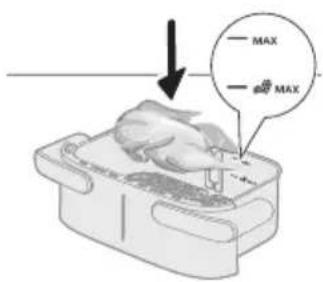
natural_image
Illustration of a hand placing a chicken into a food bag with an arrow, next to a magnified inset showing a tray with a bag labeled '1/2' and a cross mark (no text or symbols on the main image)
natural_image
Simple line drawing of a plug inserted into a socket (no text or symbols)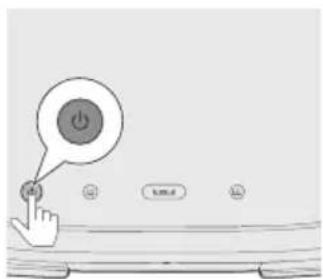
natural_image
Line drawing of a rectangular device with a bell icon above it (no text or symbols)natural_image
Illustration of a microwave oven with a bell and a circular button, showing heat transfer process (no text or symbols)natural_image
Illustration of a hand pouring liquid into a container with a curved arrow indicating flow (no text or symbols)Koláč/muffin (asi 50 g / 2 unce)

natural_image
Diagram showing two electronic components with downward arrows indicating process or alignment (no text or symbols)natural_image
Diagram of a device with a monitor and base, showing an arrow pointing downward (no text or symbols present)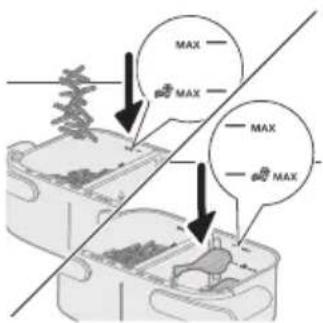
natural_image
Illustration of a hand placing food into a trash bin with an inset showing a plastic bottle and a cross mark (no text or symbols)4 Zasuňte nádobu do fritézy Airfryer.
natural_image
Simple line drawing of a plug inserted into a socket (no text or symbols)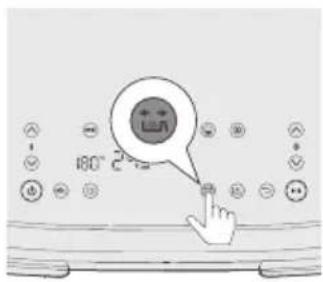
natural_image
Illustration of a hand pressing down on a device with curved arrows indicating motion (no text or symbols)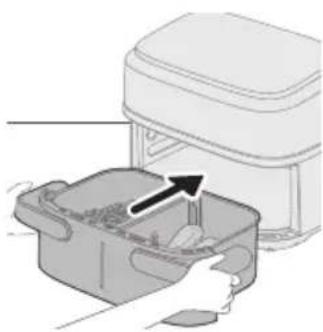
natural_image
Illustration of a hand placing a plastic bag into a microwave oven with an arrow indicating the process (no text or symbols present)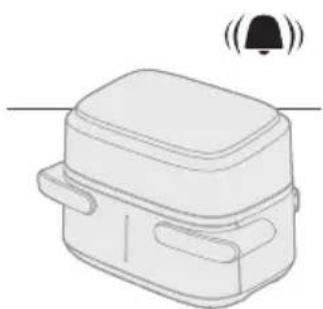
natural_image
Line drawing of a rectangular device with a bell icon above it, no text or symbols presentnatural_image
Diagram showing two containers with arrows indicating rotation or movement, no text or symbols presentnatural_image
Diagram showing a device with a black arrow pointing to a component on top, no text or symbols presentnatural_image
Diagram of a device with a screen and arrow indicating downward motion (no text or symbols)natural_image
Illustration of a hand placing a plastic bag into a drawer with an inset showing a device (no text or symbols present)4 Zasuňte nádobu do fritézy Airfryer.
Upozornění
natural_image
Simple line drawing of a plug inserted into a socket (no text or symbols)natural_image
Illustration of a hand holding a container with arrows indicating rotation and movement (no text or symbols)natural_image
Illustration of a hand placing a container into a microwave oven with an arrow indicating the process (no text or symbols present)natural_image
Line drawing of a rectangular device with a lid and two side pockets, emitting sound waves (no text or symbols)natural_image
Illustration of a hand using a tool to interact with a bowl containing liquid, showing a curved arrow indicating interaction (no text or symbols present)Koláč/muffin (asi 50 g / 2 unce)

natural_image
Illustration of a hand using a tool to clean or install a device with two circular components (no text or symbols)natural_image
Illustration of a hand cleaning a kitchen appliance with a cloth (no text or symbols)natural_image
Illustration of a hand cleaning a device into a container (no text or symbols)natural_image
Line drawing of a portable electric stove with vents and buttons (no text or symbols)natural_image
Illustration of two hands holding a rectangular device with a cross mark and checkmark indicating a location or inspection (no text or symbols present)natural_image
Symbol of a waste bin with crossed lines indicating no waste, and a solid black rectangle below (no text or labels)Hoveddele
natural_image
Diagram of a device rear panel with a close-up view showing internal components (no text or symbols)
natural_image
Illustration of a device with hands inserting a component into a housing, showing a magnified view of the interior (no text or symbols present)Forsigtig
natural_image
Diagram of a device with an upward arrow and a screen, no text or symbols presentnatural_image
Diagram showing two electronic components with a diagonal line indicating alignment or connection (no text or symbols present)2 Placer bundpladerne i beholderen.
Bemærk
natural_image
Illustration of a hand placing a white object into a plastic bag with an arrow, next to a magnified inset showing a food item (no text or symbols)natural_image
Simple line drawing of a plug inserted into a socket (no text or symbols)natural_image
Line drawing of a rectangular device with a bell icon above it (no text or symbols)natural_image
Illustration of a microwave oven with a bell and fan, showing heat transfer process (no text or symbols)natural_image
Illustration of a hand holding a plate with a curved arrow indicating motion (no text or symbols)natural_image
Diagram showing two electronic components with a diagonal line indicating alignment or connection (no text or symbols present)natural_image
Diagram of a device with a screen and arrow indicating downward motion (no text or symbols)2 Sæt opdeleren i.
3 Læg de to ingredienser, for eksempel frosne pommes frites og kyllingelår, i forskellige kurve.
Bemærk
natural_image
Illustration of a hand placing food into a trash bin with an inset showing a plastic bottle and a cross mark (no text or symbols)natural_image
Simple line drawing of a plug inserted into a socket (no text or symbols)
natural_image
Illustration of a hand holding a device with circular arrows indicating rotation or movement (no text or symbols)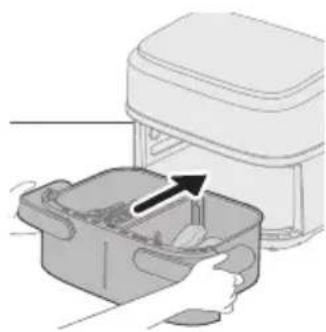
natural_image
Illustration of a hand placing a food item into a container with an arrow indicating the process (no text or symbols present)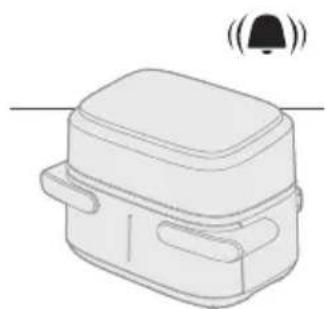
natural_image
Line drawing of a rectangular device with a bell icon above it (no text or symbols)14 Tryk på start/pause-knappen for at starte tilberedningsprocessen.
Tip
natural_image
Diagram showing two containers with arrows indicating rotation or movement, no text or symbols presentnatural_image
Diagram showing a device with a black arrow pointing to a component on top, no text or symbols presentnatural_image
Diagram of a device with a screen and arrow indicating downward motion (no text or symbols)2 Sæt opdeleren i.
natural_image
Illustration of a hand placing a plastic bag into a drawer with an inset showing a device (no text or symbols present)natural_image
Simple line drawing of a plug inserted into a socket (no text or symbols)natural_image
Illustration of a hand holding a container with arrows indicating rotation and movement (no text or symbols)12 Ryst beholderen over vasken.
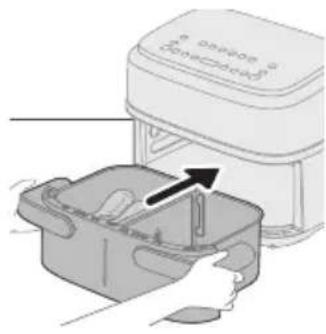
natural_image
Illustration of a hand placing a container into an electric stove with a paper airplane (no text or symbols)natural_image
Line drawing of a rectangular device with a bell icon above it (no text or symbols)natural_image
Illustration of a hand using a tool to interact with a bowl containing liquid, showing a curved arrow indicating interaction (no text or symbols present)natural_image
Illustration of a hand holding a brush applying material to a device with two circular components below (no text or symbols)natural_image
Illustration of a hand cleaning a rectangular appliance with a cloth (no text or symbols)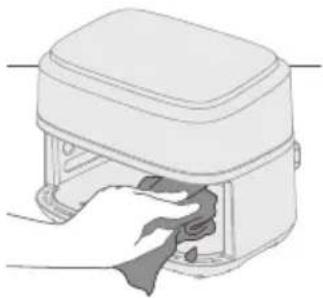
natural_image
Illustration of a hand cleaning a small appliance with a cloth (no text or symbols)natural_image
Line drawing of a portable electronic device with buttons and a cable (no text or symbols)natural_image
Illustration of two hand gestures inside a container, one with an X mark and the other with a checkmark (no text or symbols)natural_image
Symbol of a waste bin with crossed lines indicating no waste, and a solid black rectangle below (no text or labels)Hauptteile
natural_image
Diagram of a device rear panel with labeled ports and an arrow pointing to a component (no text or symbols present)natural_image
Illustration of a device with arrows indicating a process or operation, showing internal components and a magnified inset (no text or symbols)Vorsicht
natural_image
Simple line drawing of a device with an upward arrow and a screen, no text or symbols present.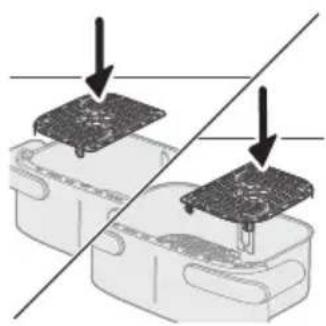
natural_image
Diagram showing two electronic components with a diagonal line indicating alignment or connection (no text or symbols present)natural_image
Illustration of a hand placing a white object into a plastic bag with an arrow, next to a magnified inset showing a food item (no text or symbols)natural_image
Simple line drawing of a plug inserted into a socket (no text or symbols)natural_image
Line drawing of a rectangular device with a bell icon above it (no text or symbols)natural_image
Illustration of a microwave oven with a bell and sensor array, showing airflow direction (no text or symbols)natural_image
Illustration of a hand pouring liquid into a container with a curved arrow indicating flow (no text or symbols)natural_image
Diagram showing two electronic components with downward arrows indicating alignment or disassembly (no text or symbols present)natural_image
Diagram of a device with a warning symbol and downward arrow, no text or labels presentnatural_image
Illustration of a hand placing a plastic bag into a drawer with an inset showing a bottle and a cross mark (no text or symbols)natural_image
Simple line drawing of a plug inserted into a socket (no text or symbols)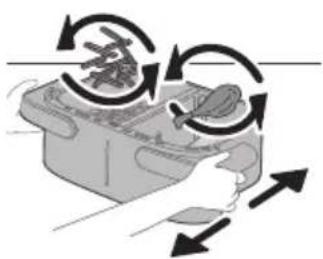
natural_image
Illustration of a hand pressing down on a device with circular arrows indicating motion (no text or symbols)natural_image
Illustration of a hand placing food into a rectangular container with an arrow indicating the process (no text or symbols present)natural_image
Line drawing of a rectangular device with a bell icon above it (no text or symbols)natural_image
Illustration of two containers with arrows indicating a process or movement, no text or symbols present.natural_image
Diagram showing a component being inserted into a housing, with an arrow indicating the process (no text or symbols present)natural_image
Diagram of a device with a screen and a downward arrow, no text or symbols present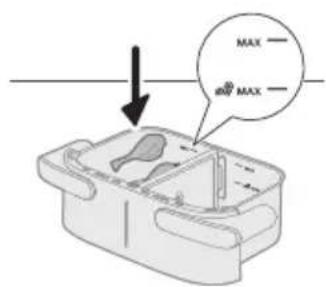
natural_image
Illustration of a hand placing a plastic bag into a plastic bin with an inset showing a bottle and a cross mark (no text or symbols)natural_image
Simple line drawing of a plug inserted into a socket (no text or symbols)natural_image
Illustration of a hand holding a container with arrows indicating rotation and movement (no text or symbols)natural_image
Illustration of a food processor with a hand inserting into a container (no text or symbols visible)natural_image
Line drawing of a rectangular device with a lid and two side handles, emitting sound waves (no text or symbols)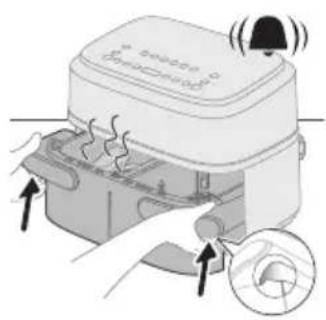
natural_image
Illustration of a hand using a tool to interact with a bowl containing food, showing a curved arrow indicating interaction (no text or symbols present)natural_image
Illustration of a plug inserted into a socket with two circular outlets, showing an arrow indicating direction (no text or symbols)Warnung
natural_image
Illustration of a hand holding a tool next to two labeled cylindrical objects (no text or symbols present)natural_image
Illustration of a hand cleaning a kitchen appliance with water droplets (no text or symbols)natural_image
Illustration of a hand cleaning a device with a cloth (no text or symbols)Reinigungstabelle
 |  |  | |
 | √ | √ | × |
 |  |  |  |
Aufbewahrung
natural_image
Line drawing of a portable electronic device with buttons and cables (no text or symbols)natural_image
Illustration of two hand-drawn containers with handles and a cross mark, showing different movement directions (no text or symbols)natural_image
Symbol of a waste bin with crossed lines indicating no waste, and a solid black rectangle below (no text or labels)Põhiosad
natural_image
Diagram of a device rear panel with labeled ports and an arrow pointing to a component (no text or symbols present)natural_image
Illustration of a device with arrows indicating process, showing internal components and a magnified inset (no text or symbols)Ettevaatust
natural_image
Diagram of a device with an upward arrow and a paperclip, no text or symbols present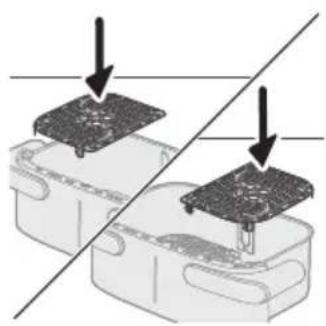
natural_image
Diagram showing two electronic components with a diagonal line indicating alignment or connection (no text or symbols present)natural_image
Illustration of a hand placing a white object into a plastic bag with an arrow, next to a magnified inset showing a food item (no text or symbols)4 Pange pann Airfryerisse.
Ettevaatust
natural_image
Simple line drawing of a plug inserted into a socket (no text or symbols)5 Sisestage pistik seinakontakti.
7 Vajutage nuppu XXL.
Märkus
natural_image
Line drawing of a rectangular device with a bell icon above it (no text or symbols)natural_image
Illustration of a microwave oven with a bell and a close-up of the lid (no text or symbols)natural_image
Illustration of a hand pouring liquid into a container with a spoon (no text or symbols)- Kui toiduained pole veel küpsed, libistage pott tagasi Airfryerisse ja lisage paar lisaminutit.
natural_image
Diagram showing two electronic components with a diagonal line indicating alignment or connection (no text or symbols present)natural_image
Diagram of a computer monitor with an arrow pointing downward, no text or symbols present2 Pange jagaja sisse.
natural_image
Illustration of a hand placing a plastic bag into a drawer with an inset showing a bottle and a cross mark (no text or symbols)4 Pange pann Airfryerisse.
natural_image
Simple line drawing of a plug inserted into a socket (no text or symbols)5 Sisestage pistik seinakontakti.
natural_image
Illustration of a hand holding a container with arrows indicating rotation and movement (no text or symbols)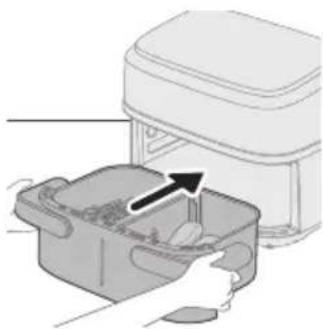
natural_image
Illustration of a hand placing food into a kitchen appliance with an arrow indicating the process (no text or symbols present)natural_image
Simple line drawing of a rectangular device with a bell icon above it (no text or symbols)natural_image
Diagram showing two steps of a food preparation or processing process, with arrows indicating rotation and movement (no text or symbols present)natural_image
Diagram showing a device with a black arrow pointing to a component on top, no text or symbols presentKüpsetamine toidutabeli abil
natural_image
Diagram of a device with a screen and arrow indicating downward motion (no text or symbols)2 Pange jagaja sisse.
3 Pange toiduained vasakpoolsele pannile.
Märkus
natural_image
Illustration of a hand placing a plastic bag into a drawer with an inset showing a device (no text or symbols present)4 Pange pann Airfryerisse.
Ettevaatust
natural_image
Simple line drawing of a plug inserted into a socket (no text or symbols)5 Sisestage pistik seinakontakti.
natural_image
Illustration of a hand holding a container with arrows indicating rotation and movement (no text or symbols)12 Raputage panni valamu kohal.
natural_image
Illustration of a hand placing a small container with an arrow pointing to it, next to a white appliance labeled 'onshore'.13 Pange pann tagasi seadmesse.
natural_image
Line drawing of a rectangular device with a lid and two side pockets, emitting sound waves (no text or symbols)natural_image
Diagram showing a hand using a tool to interact with a device inside a container (no text or symbols present)natural_image
Illustration of a plug inserted into an electrical socket with two circular wells, showing a black arrow indicating direction (no text or symbols)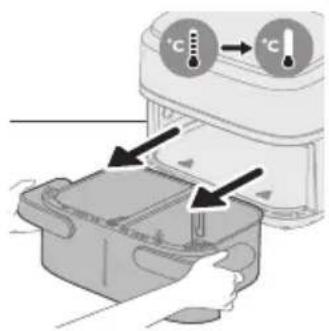
natural_image
Illustration of a hand holding a tool next to two circular components (no text or symbols)Hoiatus
natural_image
Illustration of a hand cleaning a rectangular appliance with a cloth (no text or symbols)natural_image
Illustration of a hand inserting a cable into a device housing (no text or symbols)natural_image
Line drawing of a portable electronic device with buttons and a cable (no text or symbols)natural_image
Illustration of two hand gestures inside a container, one with an X mark and the other with a checkmark (no text or symbols)natural_image
Symbol of a trash bin with crossed lines indicating no waste or restriction, accompanied by a solid black rectangle below (no text or symbols)- This symbol means that electrical products shall not be disposed of with normal household waste.
- Siga la normativa de su país con respecto a la recogida de productos eléctricos.
Piezas principales
natural_image
Diagram of a device rear panel with a close-up view showing internal components and an arrow pointing to a component (no text or symbols present)natural_image
Illustration of a device with arrows indicating process, showing a button and a magnified view of the next button (no text or symbols present)Precaución
natural_image
Diagram of a device with an upward arrow and a screen, no text or symbols present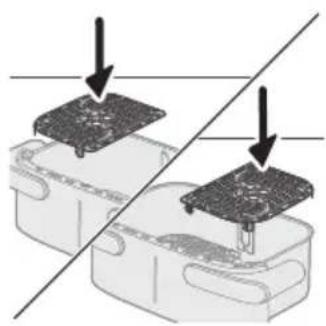
natural_image
Diagram showing two electronic components with a diagonal line indicating alignment or connection (no text or symbols present)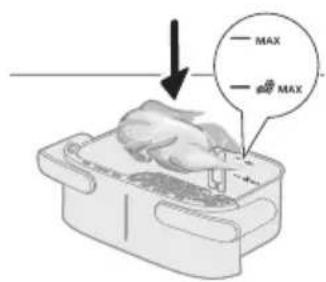
natural_image
Illustration of a hand placing food into a microwave oven with an inset showing a bag labeled '1/2' (no text or symbols on the main image)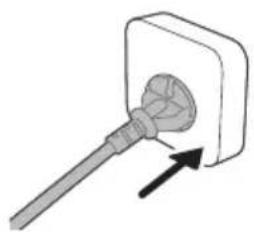
natural_image
Simple line drawing of a plug inserted into a socket (no text or symbols)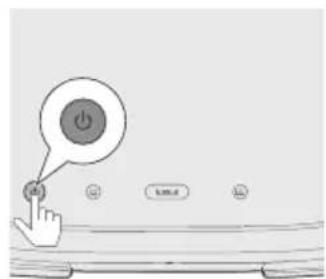
natural_image
Line drawing of a rectangular device with a bell icon above it (no text or symbols)natural_image
Illustration of a microwave oven with a bell and a circular button, showing heat transfer process (no text or symbols)natural_image
Illustration of a hand placing a food item into a container with a spoon (no text or symbols)natural_image
Diagram showing two electronic components with a diagonal line indicating alignment or connection (no text or symbols present)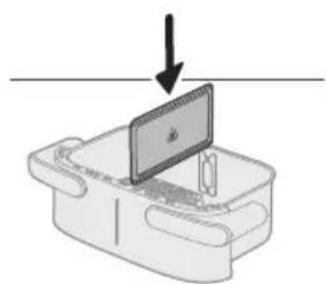
natural_image
Diagram of a device with a screen and a downward arrow, no text or symbols presentnatural_image
Illustration of a hand placing a plastic bag into a plastic bin with an arrow indicating the process (no text or symbols present)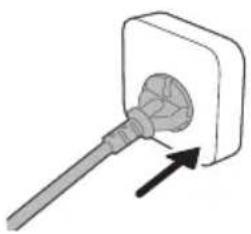
natural_image
Simple line drawing of a tool inserted into a socket (no text or symbols)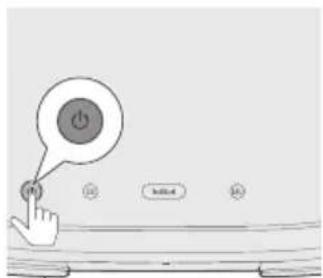
natural_image
Illustration of a hand holding a device with arrows indicating rotational motion (no text or symbols)natural_image
Illustration of a hand placing food into a rectangular container with an arrow indicating direction (no text or symbols)natural_image
Simple line drawing of a rectangular device with a bell icon above it (no text or symbols)natural_image
Diagram showing two containers with arrows indicating a process or movement, no text or symbols present.natural_image
Diagram showing a component being inserted into a plastic housing, with no visible text or symbols.natural_image
Diagram of a device with a screen and a downward arrow, no text or symbols present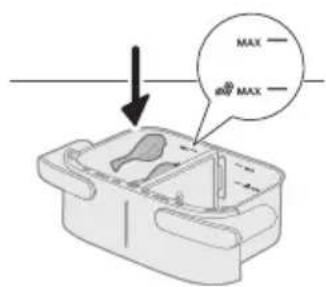
natural_image
Illustration of a hand placing a plastic bag into a plastic bin with an inset showing a bottle and a cross mark (no text or symbols)natural_image
Simple line drawing of a plug inserted into a socket (no text or symbols)natural_image
Illustration of a hand holding a container with arrows indicating rotation and movement (no text or symbols)natural_image
Illustration of a hand placing a small container with an arrow indicating motion (no text or symbols)natural_image
Line drawing of a rectangular device with a lid and two side handles, emitting sound waves (no text or symbols)natural_image
Illustration of a plug inserted into a wall socket with two circular holes, showing an arrow indicating direction (no text or symbols)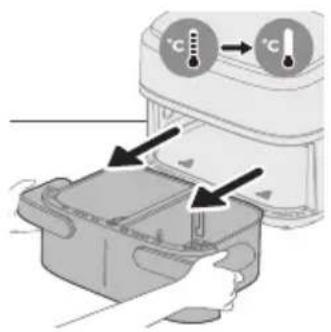
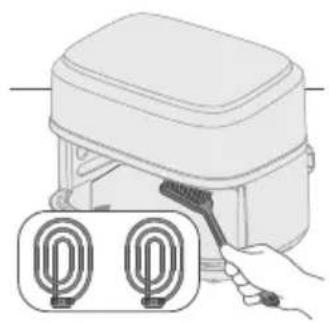
natural_image
Illustration of a hand holding a tool next to a device with two labeled U-shaped connectors (no text or symbols present)
natural_image
Illustration of a hand cleaning a rectangular kitchen appliance with a cloth (no text or symbols)natural_image
Illustration of a hand cleaning a small appliance with a cloth (no text or symbols)natural_image
Line drawing of a portable electronic device with buttons and a cable (no text or symbols)natural_image
Illustration of two hands holding a rectangular device with a cross mark and checkmark indicating a location or adjustment (no text or symbols present)natural_image
Symbol of a waste bin with crossed lines indicating no waste, and a solid black rectangle below (no text or labels)Pièces principales
natural_image
Diagram of a device rear panel with a close-up view showing internal components and an arrow pointing to a component (no text or symbols present)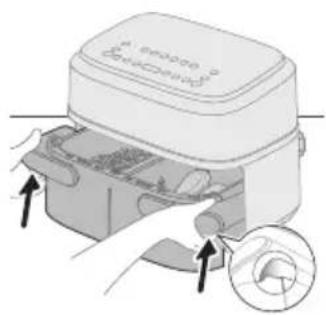
natural_image
Illustration of a medical device with hands inserting a component into a housing (no text or symbols visible)Attention
natural_image
Diagram of a device with an upward arrow and a screen, no text or symbols present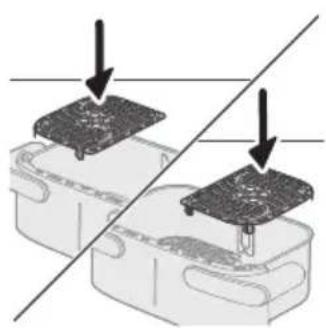
natural_image
Diagram showing two electronic components with a diagonal line indicating alignment or connection (no text or symbols present)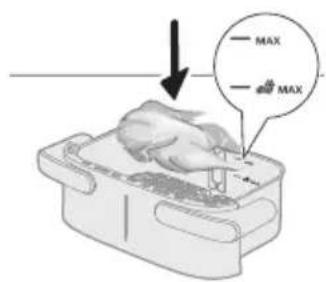

natural_image
Illustration of a hand placing food into a kitchen appliance with an inset showing a bottle and a cross symbol (no text or labels)
natural_image
Simple line drawing of a plug inserted into a socket (no text or symbols)natural_image
Line drawing of a rectangular device with a bell icon above it (no text or symbols)natural_image
Illustration of a microwave oven with heat transfer arrows and a close-up of the lid (no text or symbols)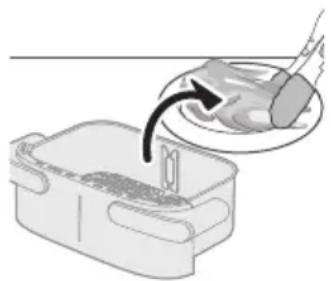
natural_image
Illustration of a hand pouring liquid into a container with a tool, no text or symbols presentnatural_image
Diagram showing two electronic components with downward arrows indicating process or alignment (no text or symbols)natural_image
Diagram of a device with a monitor and cable, showing an arrow pointing downward (no text or symbols present)natural_image
Illustration of a hand placing food into a container with an inset showing a bottle and a cross symbol (no text or labels)natural_image
Simple line drawing of a plug inserted into a socket (no text or symbols)natural_image
Illustration of a hand holding a device with circular arrows indicating rotation or cycle (no text or symbols)natural_image
Illustration of a hand placing a food item into a rectangular container with an arrow indicating the process (no text or symbols present)natural_image
Line drawing of a rectangular device with a bell icon above it, no text or symbols presentnatural_image
Diagram showing two steps of food preparation: slicing meat and adding sauce, with arrows indicating rotation (no text or symbols)natural_image
Diagram showing a component being inserted into a housing, with no visible text or symbols.Remarque
natural_image
Diagram of a device with a monitor and arrow indicating downward motion (no text or symbols)natural_image
Illustration of a hand placing a plastic bag into a small container with an arrow indicating motion (no text or symbols)natural_image
Simple line drawing of a tool inserted into a square socket with an arrow indicating direction (no text or symbols)natural_image
Illustration of a hand placing a container with arrows indicating rotation or movement (no text or symbols)natural_image
Illustration of a hand placing a small container with an arrow indicating motion (no text or symbols)natural_image
Line drawing of a rectangular device with a bell icon above it (no text or symbols)natural_image
Illustration of a hand using a tool to clean or adjust a surface, with no visible text or symbols.Attention
natural_image
Illustration of a plug inserted into an electrical socket with two circular outlets, showing a black arrow indicating direction (no text or symbols)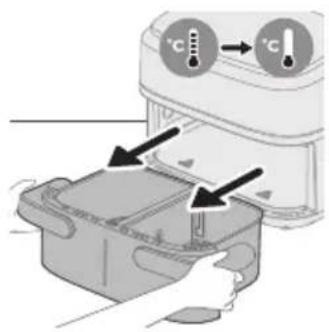
natural_image
Illustration of a hand holding a tool next to two labeled circular components (no text or symbols present)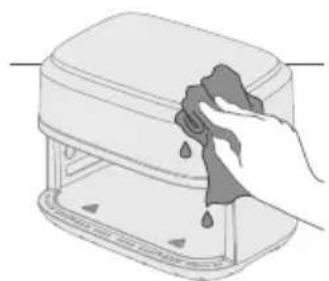
natural_image
Illustration of a hand cleaning a kitchen appliance with a cloth (no text or symbols)natural_image
Illustration of a hand cleaning a small device with a cloth (no text or symbols)natural_image
Line drawing of a portable electronic device with buttons and cables (no text or symbols)natural_image
Illustration of two hands holding a rectangular device with a cross mark and checkmark indicating a location or inspection (no text or symbols present)natural_image
Symbol of a waste bin with crossed lines indicating no waste, and a solid black rectangle below (no text or labels)- Ovaj simbol naznačuje da se električni proizvodi ne smiju odlagati su običajenim otpadom iz kućanstva.
- Poštujte propise svoje države o zasebnom prikupljanju električnih proizvoda.
Jamstvo i podrška
Glavni dijelovi
1 Upravljačka ploča
2 Odvojivi razdjelnik
3 Oznaka MAX za sastojke
4 Oznaka MAX za zamrznute grickalice na bazi krumpira
5 XXL posuda od 7,1 l
6 Donje ploče
7 Držač kabela
8 Kabel za napajanje
9 Izlazi zraka
Zamrznuti krumpirići
Odrezak Pileći bataci Miješano povrće Kolač/muffin Podgrijavanje
Gumb XXL posude
Možete kuhati u jednoj XXL posudi od 7,1 I tako da uklonite razdjelnik i pritisnete gumb XXL posude.
Gumb za povratak
Upotrijebite gumb za povratak ako ste nehotice odabrali pogrešnu prethodnu postavku / funkciju.
Zvučne obavijesti
Ponekad ćete začuti zvuk, npr. ako je aparat završio s kuhanjem ili u slučaju kad je tijekom pripreme hrane potrebno izvršiti radnju, npr. protresti namirnice ili ih okrenuti.
Prije prve uporabe
natural_image
Diagram of a device rear panel with a connector and arrow indicating direction (no text or symbols)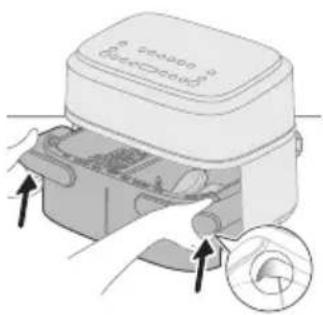
natural_image
Illustration of a device with arrows indicating process, showing a mechanical component and a circular inset detail (no text or symbols)Oprez
- Ovo je Airfryer koji prži vrućim zrakom. Posudu nemojte puniti uljem, mašću niti nekom drugom tekućinom.
Nemojte dodirivati vruće površine. Vruću tavu primajte s kuhinjskim rukavicama. - Aparat je namijenjen isključivo kućnoj uporabi.
- Prilikom prve uporabe možda ćete primijetiti malo dima. To je normalno.
- Aparat ne treba prethodno zagrijavati.
Napomena
natural_image
Illustration of a laptop with an upward arrow above it, placed on a desk (no text or symbols)Za kuhanje velike porcije istog obroka izvadite razdjelnik i iskoristite čitav prostor za kuhanje u XXL posudi od 7,1 l.
Kuhanje uz tablicu hrane
natural_image
Diagram showing two electronic components with a diagonal line indicating alignment or connection (no text or symbols present)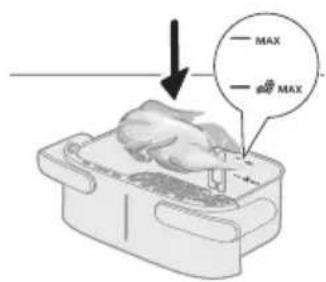
natural_image
Illustration of a hand placing food into a microwave oven with an inset showing a bag labeled '1/2' (no text or symbols on the main image)
natural_image
Simple line drawing of a plug inserted into a socket (no text or symbols)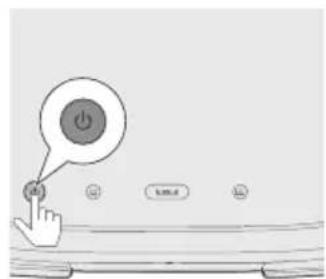
4 Stavite posudu u Airfryer.
Oprez
7 Pritisnite gumb za XXL posudu.
Napomena
- Nemojte odabrati gumb lijeve posude ①i gumb desne posude zav kuhanje u XXL posudi bez razdjelnika. Hrana se u tom slučaju možda neće pravilno skuhati.
natural_image
Simple line drawing of a rectangular device with a bell icon above it (no text or symbols)10 Kad se oglasi zvono mjerača vremena, vrijeme kuhanja je isteklo.
natural_image
Illustration of a microwave oven with a bell and fan, showing heat transfer process (no text or symbols)natural_image
Illustration of a hand pouring liquid into a container with a spoon (no text or symbols)natural_image
Diagram showing two electronic components with downward arrows indicating alignment or disassembly (no text or symbols present)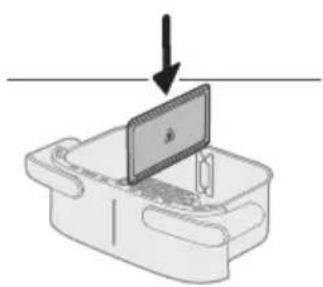
natural_image
Diagram of a device with a monitor and base, showing an arrow pointing downward (no text or symbols present)natural_image
Illustration of a hand placing food into a trash bin with an inset showing a plastic bottle and a cross mark (no text or symbols)4 Stavite posudu u Airfryer.
natural_image
Simple line drawing of a plug inserted into a socket (no text or symbols)7 Odaberite lijevu posudu. Indikator vremena i temperature na lijevoj strani počinje bljeskati.

natural_image
Illustration of a hand pressing down on a device with circular arrows indicating motion (no text or symbols)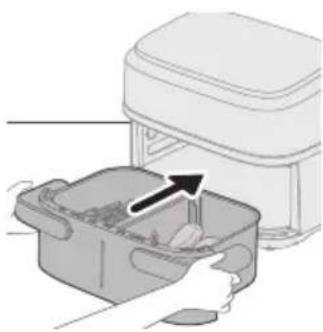
natural_image
Illustration of a hand placing food into a container with an arrow indicating direction (no text or symbols)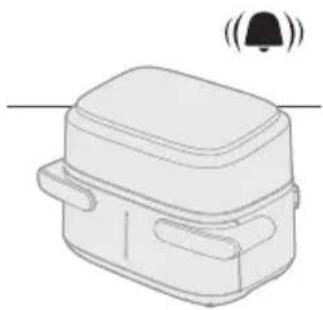
natural_image
Line drawing of a rectangular device with a bell icon above it, no text or symbols presentnatural_image
Diagram showing two containers with food items and curved arrows indicating rotation or movement (no text or symbols)natural_image
Diagram showing a device with a black arrow pointing to a component on top, no text or symbols present.Kuhanje uz tablicu hrane
natural_image
Diagram of a device with a screen and arrow indicating downward motion (no text or symbols)natural_image
Illustration of a hand placing a plastic bag into a drawer with an inset showing a device (no text or symbols present)4 Stavite posudu u Airfryer.
Oprez
natural_image
Simple line drawing of a plug inserted into a socket (no text or symbols)7 Odaberite lijevu posudu. Indikator vremena i temperature na lijevoj strani počinje bljeskati.
Napomena
- Nemojte odabrati gumb „XXL posuda“ za kuhanje u jednoj maloj posudi s razdjelnikom. Hrana se može prekuhati uz preveliku potrošnju energije.
11 Kad čujete zvučni signal podsjetnika na protresanje, izvadite posudu tako da je objema rukama primite za ručku.
natural_image
Illustration of a hand holding a container with arrows indicating rotation and movement (no text or symbols)12 Protresite posudu iznad sudopera.
natural_image
Illustration of a hand placing a small container with an arrow pointing to it, next to a white appliance labeled 'onshore'.13 Vratite posudu u aparat.
natural_image
Line drawing of a rectangular device with a lid and two side pockets, emitting sound waves (no text or symbols)14 Kad se oglasi zvono mjerača vremena, vrijeme kuhanja je isteklo.
natural_image
Illustration of a hand using a tool to interact with a bowl containing liquid, showing a curved arrow indicating interaction (no text or symbols present)Zamrznuti krumpirići
natural_image
Illustration of a plug inserted into a wall socket with a cable, showing an arrow indicating direction (no text or symbols present)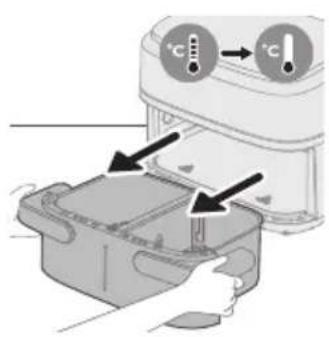
natural_image
Illustration of a hand using a tool to clean or install a device with two U-shaped connectors (no text or symbols present)Upozorenje
- Prije čišćenja ostavite košaru, posudu i unutrašnjost aparata da se potpuno ohlade.
- Posuda i košara aparata imaju sloj koji sprječava lijepljenje. Nemojte upotrebljavati metalne ili abrazivne materijale za čišćenje jer mogu oštetiti sloj koji sprječava lijepljenje.
Očistite aparat nakon svake uporabe. Nakon svake uporabe uklonite ulje i mast s dna posude.
natural_image
Illustration of a hand cleaning a rectangular kitchen appliance with a cloth (no text or symbols)5 Grijaće elemente očistite četkom za čišćenje kako biste uklonili ostatke hrane.
natural_image
Illustration of a hand cleaning a small appliance with a cloth (no text or symbols)6 Unutrašnjost aparata očistite vrućom vodom i neabrazivnom spužvom.
Tablica za čišćenje
 | |||
 |  |  | × |
 |  |  |  |
Pohrana
natural_image
Line drawing of a portable electric stove with buttons and a cord (no text or symbols)3 Omotajte kabel oko držača kabela na stražnjoj strani aparata.
Napomena
natural_image
Illustration of two hand gestures inside a container, one with an X mark and the other with a checkmark (no text or symbols)natural_image
Symbol of a trash bin with crossed lines indicating no waste or restriction, accompanied by a solid black rectangle below (no text or symbols)natural_image
Diagram of a device rear panel with a connector and arrow pointing to it (no text or symbols present)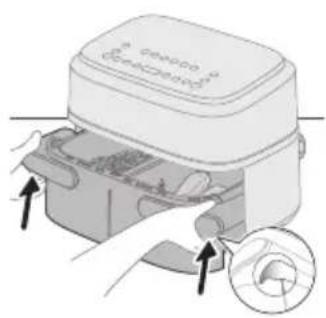
natural_image
Illustration of a device with arrows indicating process flow, no visible text or symbolsAttenzione
natural_image
Diagram of a device with an upward arrow and a screen, no text or symbols present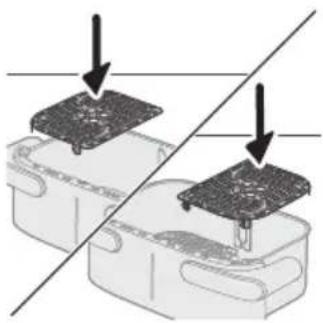
natural_image
Diagram showing two electronic components with arrows indicating assembly or connection, no text or symbols present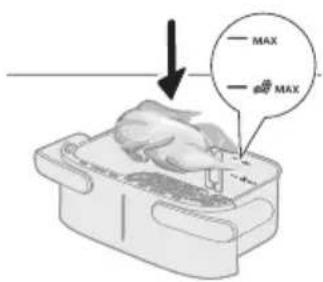
natural_image
Illustration of a hand placing a chicken into a food bag with an arrow, next to a magnified inset showing a tray with a bag labeled '1/2' and a cross mark (no text or symbols on the main image)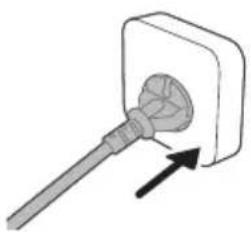
natural_image
Simple line drawing of a plug inserted into a socket (no text or symbols)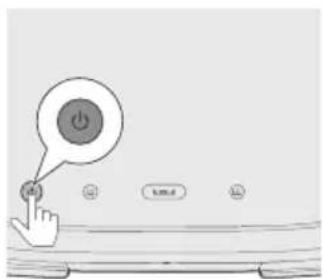
natural_image
Simple line drawing of a rectangular device with a bell icon above it (no text or symbols)natural_image
Illustration of a microwave oven with a bell and a circular button, showing heat transfer process (no text or symbols)natural_image
Illustration of a hand placing a food item into a container with a spoon (no text or symbols)natural_image
Diagram showing two components with arrows indicating movement or assembly, no text or symbols present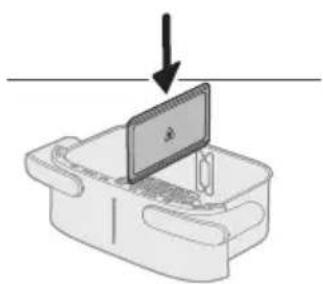
natural_image
Simple line drawing of a laptop on a desk with an arrow pointing downward (no text or symbols)natural_image
Illustration of a hand placing a plastic bag into a drawer with an inset showing a bottle and a cross mark (no text or symbols)natural_image
Simple line drawing of a plug inserted into a socket (no text or symbols)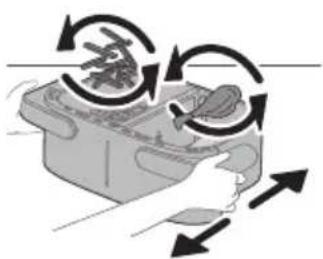
natural_image
Illustration of a hand pressing down on a device with circular arrows indicating rotation (no text or symbols)natural_image
Illustration of a hand placing food into a container with an upward arrow (no text or symbols)natural_image
Simple line drawing of a rectangular device with a bell icon above it (no text or symbols)natural_image
Illustration of two hands performing a food preparation or processing task, with no visible text or symbols.natural_image
Diagram showing a component being inserted into a plastic housing, with no visible text or symbols.natural_image
Diagram of a device with a screen and a downward arrow, no text or symbols present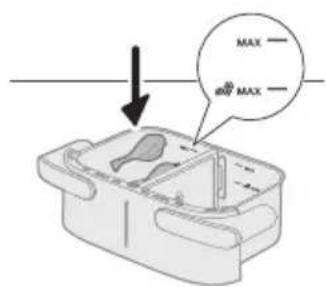
natural_image
Illustration of a hand placing a plastic bag into a smaller container with an arrow indicating motion (no text or symbols present)natural_image
Simple line drawing of a plug inserted into a socket (no text or symbols)natural_image
Illustration of a hand placing a container with arrows indicating rotation and movement (no text or symbols)natural_image
Illustration of a hand placing a small container with an arrow indicating motion (no text or symbols)natural_image
Line drawing of a rectangular device with a bell icon above it (no text or symbols)natural_image
Illustration of a hand using a tool to interact with a bowl containing food, showing a curved arrow indicating interaction (no text or symbols present)natural_image
Illustration of a plug inserted into a wall socket with two circular cutouts, showing an arrow indicating direction (no text or symbols)natural_image
Illustration of a hand holding a tool next to two labeled cylindrical objects (no text or symbols present)natural_image
Illustration of a hand cleaning a kitchen appliance with water droplets (no text or symbols)natural_image
Illustration of a hand cleaning a device with a cloth (no text or symbols)Tabella di pulizia
 | 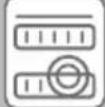 |  | |
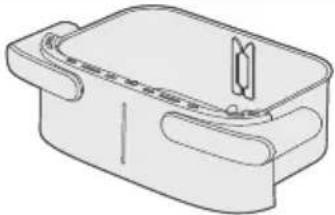 | √ | √ | × |
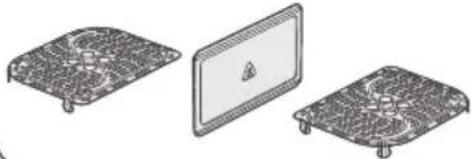 |  |  |  |
Conservazione
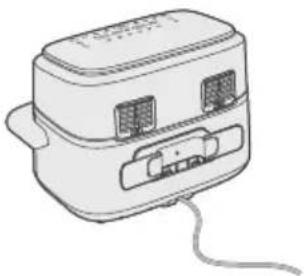
natural_image
Line drawing of a portable electronic device with buttons and cables (no text or symbols)natural_image
Illustration of two hands holding a rectangular device with a cross mark and checkmark indicating a process (no text or symbols present)natural_image
Symbol of a trash bin with crossed lines indicating no waste or discharge (no text or labels)Galvenás dalas
natural_image
Diagram of a device rear panel with a connector and arrow indicating direction (no text or symbols)natural_image
Illustration of a device with arrows indicating process, showing a mechanical component and a circular inset detail (no text or symbols)Uzmanibu!
natural_image
Illustration of a laptop with an upward arrow above it, placed on a rectangular base (no text or symbols)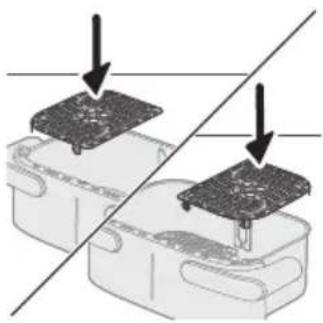
natural_image
Diagram showing two electronic components with arrows indicating assembly or connection, no text or symbols present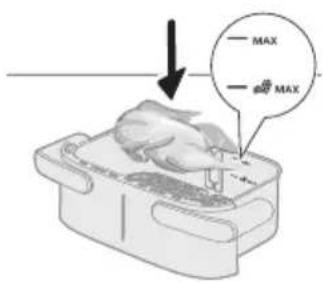
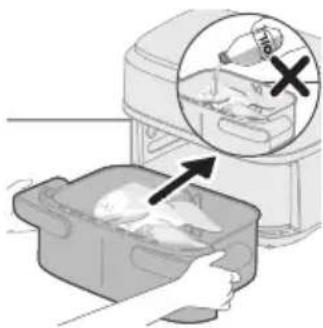
natural_image
Illustration of a hand placing a chicken into a food bag with an arrow, next to a magnified inset showing a tray with a bag labeled '1/2' and a cross mark (no text or symbols on the main image)
natural_image
Simple line drawing of a plug inserted into a socket (no text or symbols)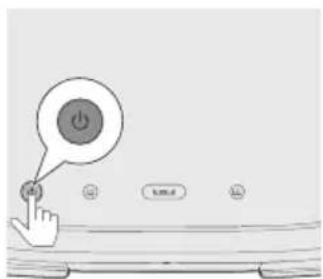
7 Nospiediet pogu XXL.
Piezime
natural_image
Line drawing of a rectangular device with a bell icon above it (no text or symbols)natural_image
Illustration of a microwave oven with a bell and a circular button, showing heat transfer process (no text or symbols)natural_image
Illustration of a hand pouring liquid into a container with a spoon (no text or symbols)natural_image
Diagram showing two electronic components with a diagonal line indicating alignment or connection (no text or symbols present)natural_image
Diagram of a device with a monitor and keyboard, showing an arrow pointing downward (no text or symbols present)natural_image
Illustration of a food storage machine with an arrow indicating a drop, showing internal components (no text or symbols)4 lelieciet pannu atpakal ierīcē Airfryer.
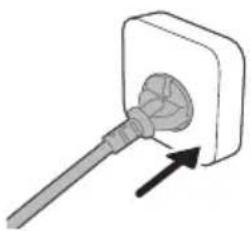
natural_image
Simple line drawing of a plug inserted into a socket (no text or symbols)5 lespraudiet kontaktdakšu sienas kontaktligzdā.
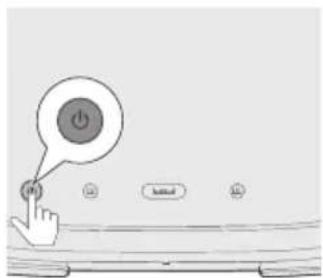
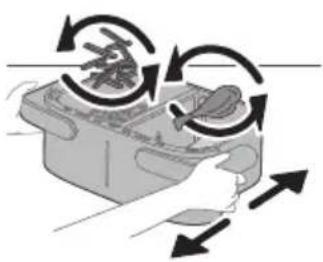
natural_image
Illustration of a hand using a tool to interact with a device, showing rotational arrows (no text or symbols)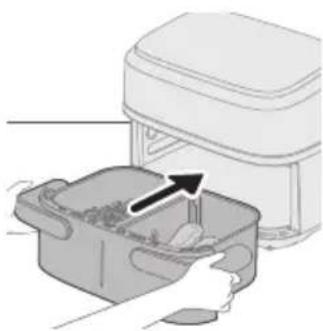
natural_image
Illustration of a hand placing food into a microwave oven with an arrow indicating the process (no text or symbols present)natural_image
Line drawing of a rectangular device with a bell icon above it, no text or symbols presentnatural_image
Diagram showing two steps of a food preparation or processing process, with arrows indicating rotation and movement (no text or symbols present)natural_image
Diagram showing a component being inserted into a housing, with a downward arrow indicating the process (no text or symbols present)natural_image
Diagram of a device with a monitor and base, showing an arrow pointing downward (no text or symbols present)natural_image
Illustration of a hand placing a plastic bag into a container with an inset showing a device (no text or symbols present)4 lelieciet pannu atpakal ierīcē Airfryer.
Uzmanību!
natural_image
Simple line drawing of a plug inserted into a socket (no text or symbols)5 lespraudiet kontaktdakšu sienas kontaktligzdā.
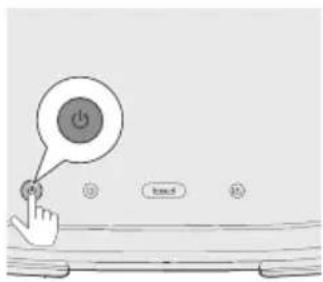
natural_image
Illustration of a hand holding a container with arrows indicating rotation and movement (no text or symbols)12 Turiet grozu virs izlietnes un sakratiet to.
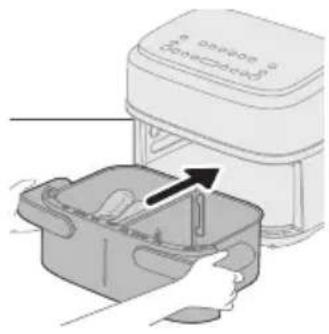
natural_image
Illustration of a hand placing a small container with an arrow pointing to it, next to a white appliance labeled 'onshore'.13 Ielieciet pannu atpakal iericē.
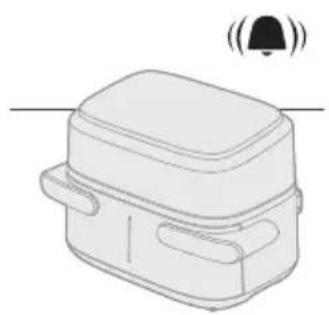
natural_image
Line drawing of a rectangular device with a lid and two side pockets, emitting sound waves (no text or symbols)natural_image
Illustration of a hand using a tool to interact with a bowl containing liquid, showing a curved arrow indicating interaction (no text or symbols present)natural_image
Illustration of a plug inserted into a wall socket with two circular outlets, showing an arrow indicating direction (no text or symbols present)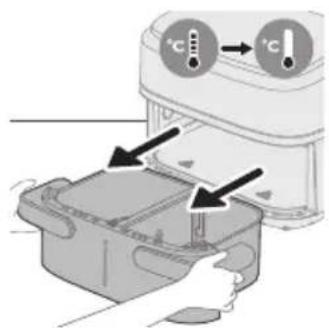
natural_image
Illustration of a hand holding a tool next to two labeled circular components (no text or symbols present)natural_image
Illustration of a hand cleaning a rectangular appliance with a cloth (no text or symbols)natural_image
Illustration of a hand cleaning a small electronic device with a cloth (no text or symbols)natural_image
Line drawing of a portable electronic device with two ports and a cable (no text or symbols)natural_image
Illustration of two hands holding a rectangular device with a cross mark and checkmark indicating a location or inspection (no text or symbols present)natural_image
Symbol of a trash bin crossed with a diagonal line and a horizontal bar below (no text or numbers present)Pagrindinès dalys
natural_image
Diagram of a device rear panel with a connector and arrow indicating direction (no text or symbols)natural_image
Illustration of a device with arrows indicating process, showing a button and a magnified view of the next button (no text or symbols present)Dèmesio
natural_image
Diagram of a device with an upward arrow and a screen, no text or symbols present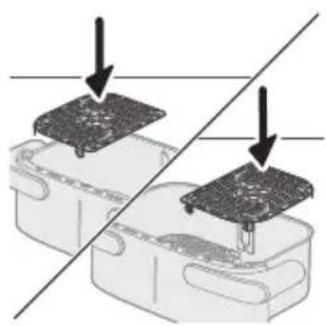
natural_image
Diagram showing two electronic components with a diagonal line indicating alignment or connection (no text or symbols present)natural_image
Illustration of a hand placing a white object into a plastic bag with an arrow, next to a magnified inset showing a food item (no text or symbols)natural_image
Simple line drawing of a plug inserted into a socket (no text or symbols)natural_image
Line drawing of a rectangular device with a bell icon above it, no text or symbols presentnatural_image
Illustration of a microwave oven with a bell and a circular button, showing heat transfer process (no text or symbols)natural_image
Illustration of a hand pouring liquid into a container with a tool, no text or symbols presentKepsnys (150–200 g / 5–7 unc.)
natural_image
Diagram showing two electronic components with arrows indicating assembly or connection, no text or symbols present2 ldékite pertvarą
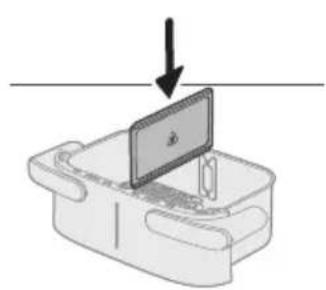
natural_image
Diagram of a device with a screen and arrow indicating downward motion (no text or symbols)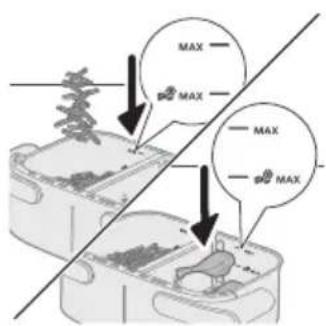
natural_image
Illustration of a hand placing food into a trash bin with an inset showing a plastic bottle and a cross mark (no text or symbols)natural_image
Simple line drawing of a plug inserted into a socket (no text or symbols)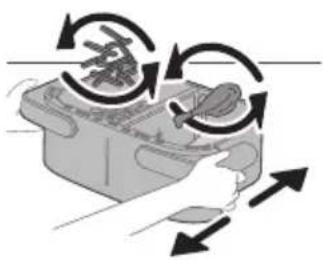
natural_image
Illustration of a hand holding a device with directional arrows indicating rotation or movement (no text or symbols)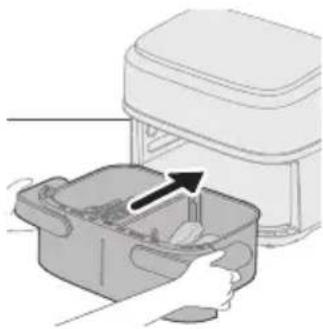
natural_image
Illustration of a kitchen appliance with a hand placing a container into a drawer (no text or symbols)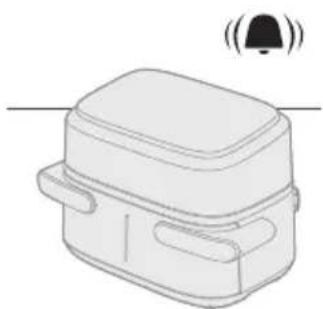
natural_image
Illustration of a rectangular electronic device with a bell icon above it (no text or symbols)natural_image
Diagram showing two containers with arrows indicating rotation or movement, no text or symbols presentnatural_image
Diagram showing a device with a black arrow pointing to a component on top, no text or symbols presentnatural_image
Diagram of a device with a screen and arrow indicating downward motion (no text or symbols)2 Idèkite pertvarà
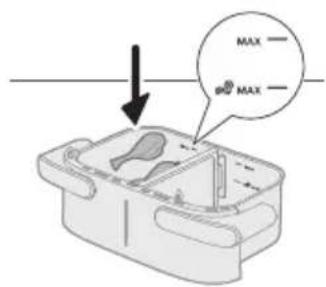
natural_image
Illustration of a hand placing a plastic bag into a drawer with an inset showing a device (no text or symbols present)natural_image
Simple line drawing of a plug inserted into a socket (no text or symbols)natural_image
Illustration of a hand holding a container with arrows indicating rotation and movement (no text or symbols)natural_image
Illustration of a hand placing a small container with an arrow pointing to it, next to a white appliance labeled 'onshore'.natural_image
Line drawing of a rectangular device with a lid and two side pockets, emitting sound waves (no text or symbols)natural_image
Diagram showing a hand using a tool to interact with a device inside a container (no text or symbols present)Kepsnys (150–200 g / 5–7 unc.)
200 22 4 vnt.
natural_image
Illustration of a plug inserted into a wall socket with two circular components, showing an arrow indicating direction (no text or symbols)natural_image
Illustration of a hand holding a tool next to two labeled U-shaped connectors (no text or symbols present)natural_image
Illustration of a hand cleaning a kitchen appliance with a cloth (no text or symbols)natural_image
Illustration of a hand cleaning a small device with a cloth (no text or symbols)natural_image
Line drawing of a portable electronic device with buttons and a cable (no text or symbols)natural_image
Illustration of two hands holding a rectangular device with a cross mark and checkmark indicating a location or inspection (no text or symbols present)natural_image
Symbol of a trash bin crossed with no text or numbers, representing waste sorting or disposal (no text present)Fő alkatrészek
natural_image
Diagram of a device rear panel with a close-up view showing internal components (no text or symbols)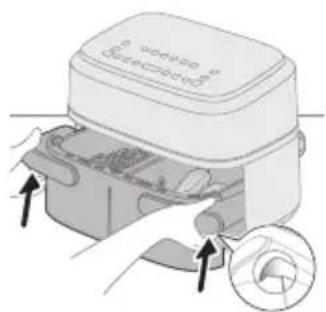
natural_image
Illustration of a device with hands inserting a component into a housing, showing a magnified view of the interior (no text or symbols present)Vigyázat!
natural_image
Diagram of a device with an upward arrow and a screen, no text or symbols presentnatural_image
Diagram showing two electronic components with a diagonal line indicating alignment or connection (no text or symbols present)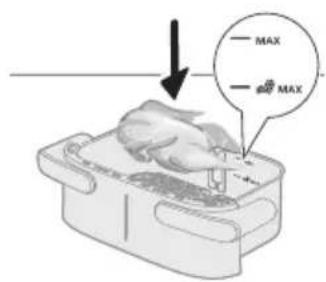
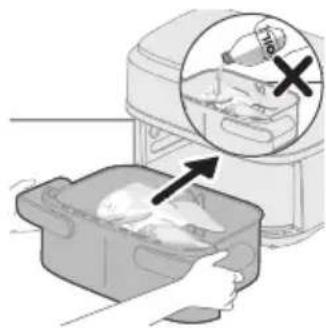
natural_image
Illustration of a hand placing a chicken into a bag with an arrow, next to a kitchen appliance (no text or symbols)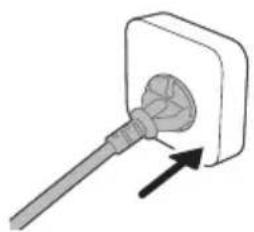
natural_image
Simple line drawing of a plug inserted into a socket (no text or symbols)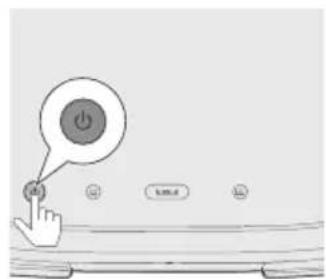
natural_image
Line drawing of a rectangular device with a bell icon above it (no text or symbols)natural_image
Illustration of a microwave oven with a bell and fan, showing heat transfer process (no text or symbols)natural_image
Illustration of a hand pouring liquid into a container with a tool, no text or symbols presentnatural_image
Diagram showing two electronic components with a diagonal line indicating alignment or connection (no text or symbols present)natural_image
Illustration of a laptop on a device with an arrow pointing downward (no text or symbols)natural_image
Illustration of a hand placing food into a trash bin with an inset showing a plastic bottle and a cross mark (no text or symbols)natural_image
Simple line drawing of a plug inserted into a socket (no text or symbols)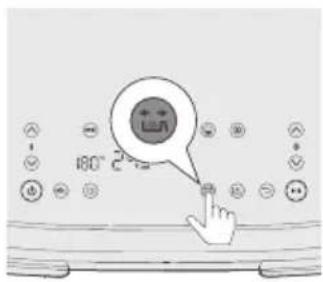
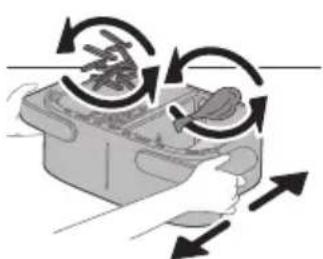
natural_image
Illustration of a hand holding a food container with arrows indicating rotation or movement (no text or symbols)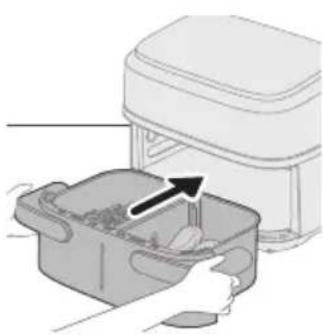
natural_image
Illustration of a hand placing food into a microwave oven with an arrow indicating the process (no text or symbols present)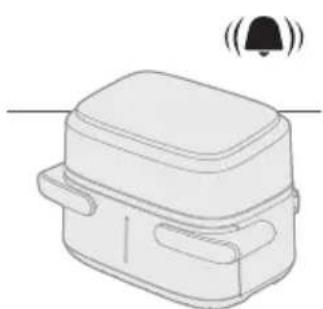
natural_image
Line drawing of a rectangular device with a bell icon above it (no text or symbols)natural_image
Diagram showing two containers with rotating objects, no text or symbols presentnatural_image
Diagram showing a device with a black arrow pointing to a component on top, no text or symbols presentnatural_image
Diagram of a device with a screen and arrow indicating downward motion (no text or symbols)natural_image
Illustration of a hand placing a plastic bag into a drawer with an inset showing a device (no text or symbols present)natural_image
Simple line drawing of a plug inserted into a socket (no text or symbols)natural_image
Illustration of a hand holding a container with arrows indicating rotation and movement (no text or symbols)natural_image
Illustration of a hand placing a small container with an arrow pointing to it, next to a white appliance labeled 'onshore'.natural_image
Line drawing of a rectangular device with a lid and two side pockets, emitting sound waves (no text or symbols)natural_image
Illustration of a hand using a tool to clean or adjust a component, with no visible text or symbols.natural_image
Illustration of a plug inserted into a wall socket with a cable, showing an arrow indicating direction (no text or symbols present)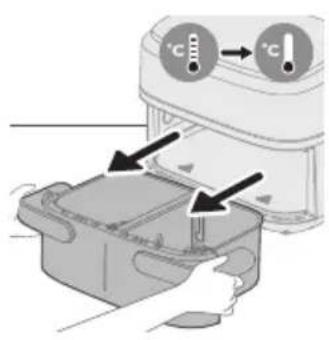
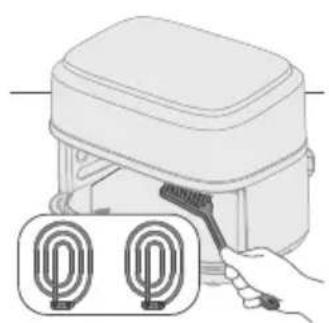
natural_image
Illustration of a hand using a tool to clean or install a device with two circular components (no text or symbols)natural_image
Illustration of a hand cleaning a rectangular appliance with a cloth (no text or symbols)natural_image
Illustration of a hand cleaning a small appliance with a cloth (no text or symbols)natural_image
Line drawing of a portable electronic device with buttons and a cable (no text or symbols)Note 6: Streaming can deliver to minimum broadband
natural_image
Illustration of two hand-drawn containers with arrows indicating movement, no text or symbols presentnatural_image
Symbol of a waste bin with crossed lines indicating no waste, and a solid rectangle below (no text or labels)Hoofdonderdelen
natural_image
Diagram of a device rear panel with labeled ports and an arrow pointing to a component (no text or symbols present)natural_image
Illustration of a device being processed with a magnified inset showing internal components (no text or symbols)Let op
natural_image
Diagram of a device with an upward arrow and a screen, no text or symbols present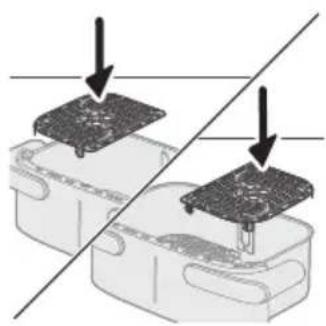
natural_image
Diagram showing two electronic components with a diagonal line indicating alignment or connection (no text or symbols present)natural_image
Illustration of a hand placing food into a plastic bag with an arrow indicating direction (no text or symbols)4 Zet de pan in de Airfryer.
Let op
natural_image
Simple line drawing of a plug inserted into a socket (no text or symbols)natural_image
Line drawing of a rectangular device with a bell icon above it, no text or symbols presentnatural_image
Illustration of a hand pressing down on a device with a bell icon and circular inset showing a magnified view (no text or symbols)natural_image
Illustration of a hand pouring liquid into a container with a spoon (no text or symbols)natural_image
Diagram showing two electronic components with a diagonal line indicating alignment or connection (no text or symbols present)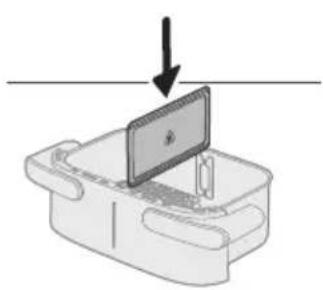
natural_image
Diagram of a device with a monitor and keyboard, showing a downward arrow (no text or symbols present)natural_image
Illustration of a hand placing food into a trash bin with an inset showing a plastic bottle and a cross mark (no text or symbols)4 Zet de pan in de Airfryer.
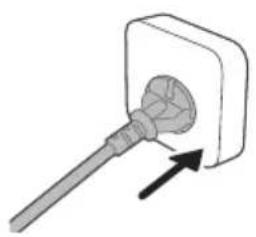
natural_image
Simple line drawing of a plug inserted into a socket (no text or symbols)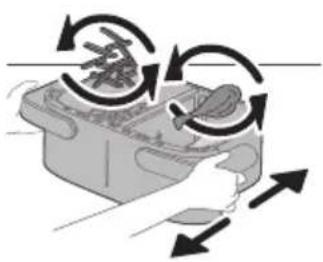
natural_image
Illustration of a hand pressing down on a device with circular arrows indicating motion (no text or symbols)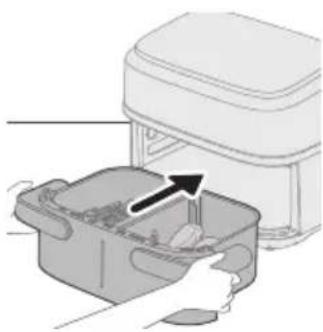
natural_image
Illustration of a hand placing a food item into a trash bin with an arrow indicating the process (no text or symbols present)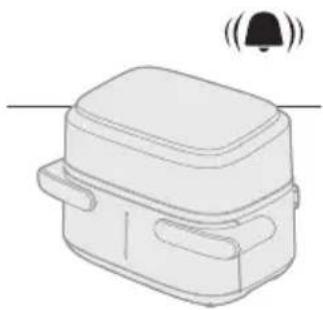
natural_image
Line drawing of a rectangular device with a lid and two side handles, emitting sound waves (no text or symbols)natural_image
Diagram showing two containers with arrows indicating rotation or movement, no text or symbols presentnatural_image
Diagram showing a component being inserted into a device, with an arrow indicating the process (no text or symbols present)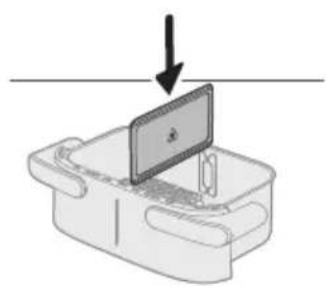
natural_image
Diagram of a device with a screen and arrow indicating downward motion (no text or symbols)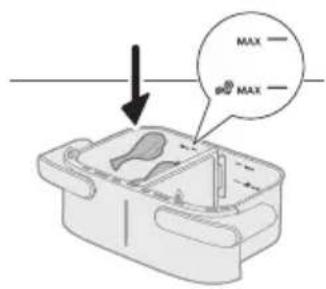
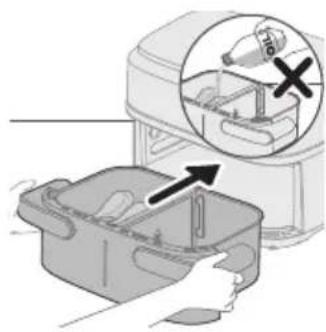
natural_image
Illustration of a hand placing a plastic bag into a container with an arrow indicating motion (no text or symbols present)
natural_image
Simple line drawing of a plug inserted into a socket (no text or symbols)natural_image
Illustration of a hand holding a container with arrows indicating rotation and movement (no text or symbols)12 Schud de pan boven de gootsteen.
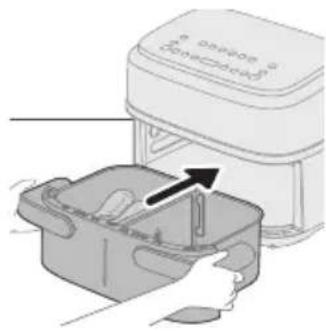
natural_image
Illustration of a hand placing a container into an electric stove with a paper airplane (no text or symbols)natural_image
Line drawing of a rectangular device with a bell icon above it (no text or symbols)natural_image
Illustration of a hand using a brush to lift a circular object into a container (no text or symbols)natural_image
Illustration of a plug inserted into a wall socket with two circular components, showing an arrow indicating direction (no text or symbols)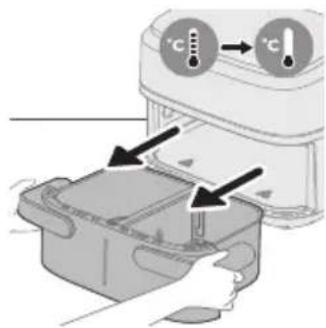
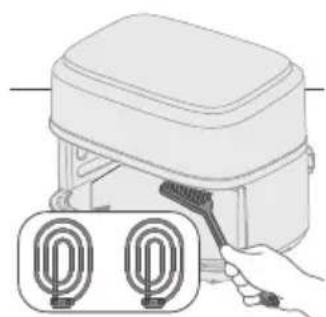
natural_image
Illustration of a hand using a tool to clean or install a device with two circular components (no text or symbols)Waarschuwing
natural_image
Illustration of a hand cleaning a kitchen appliance with a cloth (no text or symbols)natural_image
Illustration of a hand pressing down on a device with a cloth (no text or symbols)natural_image
Line drawing of a portable electronic device with buttons and a cable (no text or symbols)Matlaging i to panner 399
Matlaging i én liten panne 403
Rengjøring 409
natural_image
Illustration of two hands holding a rectangular device with a cross mark and checkmark indicating a location or inspection (no text or symbols present)natural_image
Symbol of a waste bin with crossed lines indicating no waste, and a solid black rectangle below (no text or labels)Hoveddeler
Kake/muffins Gjenoppvarm
Knapp for XXL-panne
natural_image
Diagram of a device rear panel with a close-up view showing internal components and an arrow pointing to a button (no text or symbols present)Forsiktig
natural_image
Diagram of a device with an upward arrow and a screen, no text or symbols present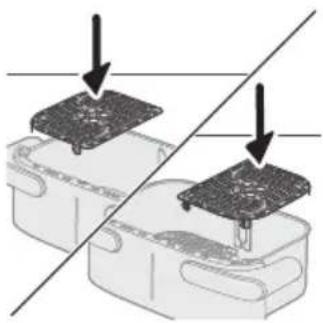
natural_image
Diagram showing two electronic components with a diagonal line indicating alignment or connection (no text or symbols present)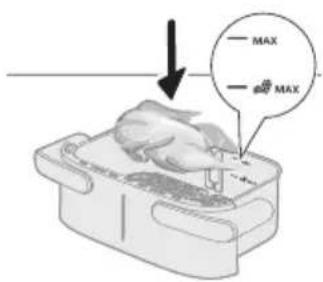
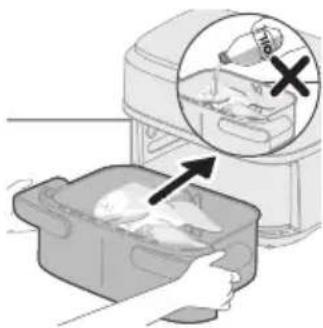
natural_image
Illustration of a hand placing a cooked chicken into a plastic bag with an inset showing a bag labeled '1/2' (no text or symbols on the main image)
natural_image
Simple line drawing of a plug inserted into a socket (no text or symbols)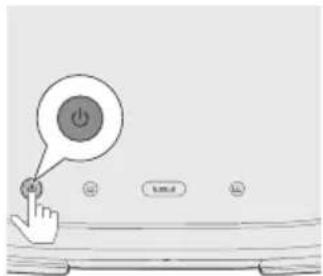
2 Legg bunnplaten i den lille pannen.
Merk
natural_image
Line drawing of a rectangular device with a bell icon above it (no text or symbols)natural_image
Illustration of a microwave oven with heat exchanger and fan (no text or symbols)natural_image
Illustration of a hand pouring liquid into a container with a spoon (no text or symbols)Matlaging i to panner
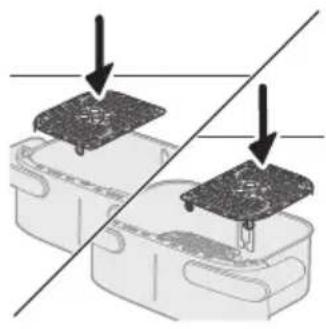
natural_image
Diagram showing two electronic components with a diagonal line indicating alignment or connection (no text or symbols present)natural_image
Illustration of a computer monitor on a tray with an arrow pointing downward (no text or symbols)2 Sett inn skilleveggen.
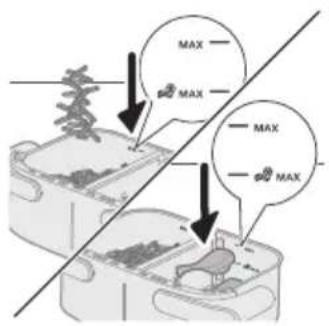
natural_image
Illustration of a food processor with an inset showing a plastic bottle and a hand placing it into a container (no text or symbols present)4 Sett pannen tilbake i Airfryer.

natural_image
Illustration of a hand pressing down on a device with circular arrows indicating motion (no text or symbols)16 Rist pannen over vasken.
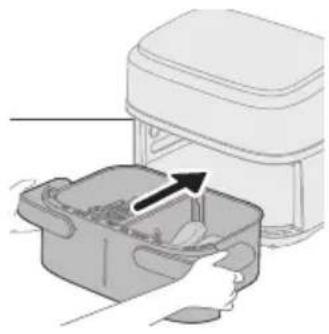
natural_image
Illustration of a hand placing a container with contents into a microwave oven (no text or symbols)17 Sett pannen tilbake i apparatet.
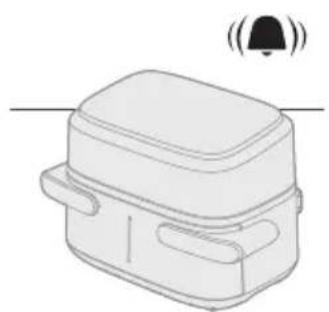
natural_image
Line drawing of a rectangular device with a lid and two side handles, emitting sound waves (no text or symbols)natural_image
Diagram showing two containers with rotating objects, no text or symbols presentnatural_image
Diagram showing a component being inserted into a plastic housing, with no visible text or symbols.Merk
natural_image
Diagram of a device with a monitor and cable, showing an arrow pointing downward (no text or symbols present)2 Sett inn skilleveggen.
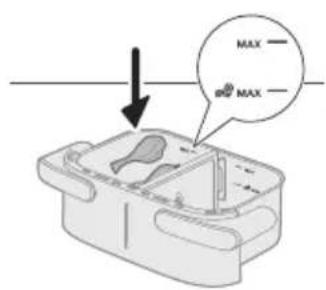
3 Legg ingrediensene i den venstre pannen.
Merk
- Ikke overstig mengden angitt i avsnittet Mattabell eller overfyll pannen over MAX-merket da det kan påvirke kvaliteten på sluttresultatet.
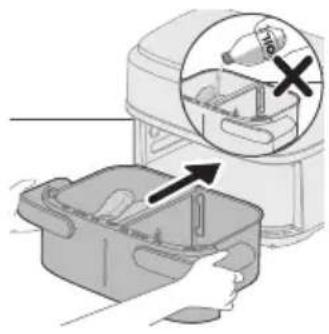
natural_image
Illustration of a kitchen appliance with a hand inserting a component into a container, showing a magnified view of the interior (no text or symbols present)4 Sett pannen tilbake i Airfryer.
Forsiktig
natural_image
Simple line drawing of a plug inserted into a socket (no text or symbols)7 Velg den venstre pannen. Indikatoren for tid og temperatur på venstre side begynner å blinke.
Merk
natural_image
Illustration of a hand holding a container with arrows indicating rotation and movement (no text or symbols)12 Rist pannen over vasken.
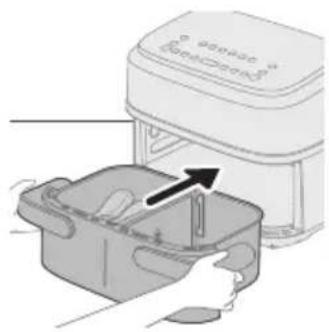
natural_image
Illustration of a hand placing a small container with an arrow indicating the process (no text or symbols present)13 Sett pannen tilbake i apparatet.
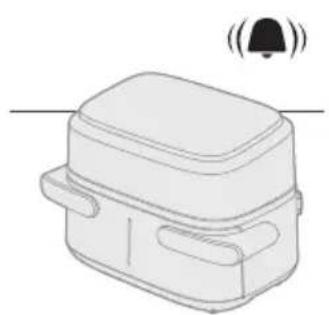
natural_image
Line drawing of a rectangular device with a lid and two side handles, emitting sound waves (no text or symbols)natural_image
Illustration of a hand using a tool to brush or mark a surface around a container (no text or symbols)Forsiktig
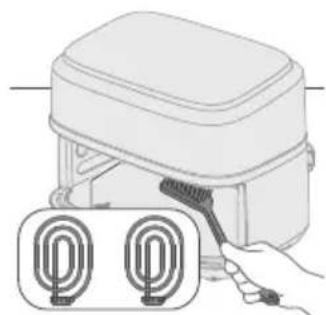
natural_image
Illustration of a hand holding a brush applying material to a device with two circular components (no text or symbols)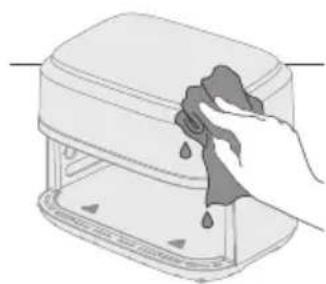
natural_image
Illustration of a hand cleaning a rectangular kitchen appliance with water droplets (no text or symbols)natural_image
Illustration of a hand cleaning a small appliance with a cloth (no text or symbols)natural_image
Line drawing of a portable electronic device with buttons and a cable (no text or symbols)natural_image
Illustration of two hands holding a rectangular device with a cross mark and a checkmark, no text or symbols presentGłówne części
natural_image
Diagram of a device rear panel with internal components and an arrow pointing to a component (no text or symbols present)natural_image
Illustration of a device with arrows indicating a process or operation, showing internal components and a magnified inset (no text or symbols)Przestroga
natural_image
Simple line drawing of a device with an upward arrow and a screen, no text or symbols present.natural_image
Diagram showing two electronic components with a diagonal line indicating alignment or connection (no text or symbols present)natural_image
Illustration of a hand placing a white object into a plastic bag with an arrow, next to a magnified inset showing a food item (no text or symbols)natural_image
Simple line drawing of a plug inserted into a socket (no text or symbols)natural_image
Simple line drawing of a rectangular device with a bell icon above it (no text or symbols)natural_image
Illustration of a hand pressing down on a device with a bell icon and circular button (no text or symbols)natural_image
Illustration of a hand pouring liquid into a container with a spoon (no text or symbols)natural_image
Diagram showing two electronic components with a diagonal line indicating alignment or connection (no text or symbols present)natural_image
Diagram of a device with a screen and arrow indicating downward motion (no text or symbols)2 Włóż separator.
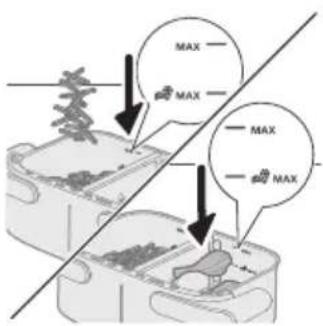
natural_image
Illustration of a hand placing a plastic bag into a drawer with an inset showing a bottle and a cross mark (no text or symbols)natural_image
Simple line drawing of a plug inserted into a socket (no text or symbols)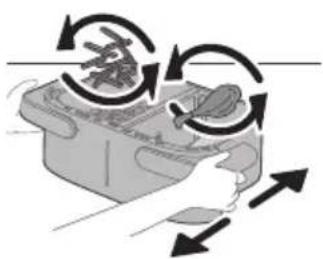
natural_image
Illustration of a hand holding a device with circular arrows indicating rotation or cycle (no text or symbols)natural_image
Illustration of a hand placing food into a trash bin with an upward arrow (no text or symbols)natural_image
Line drawing of a rectangular device with a lid and two side handles, emitting sound waves (no text or symbols)natural_image
Illustration of two hands performing a food preparation or processing task, with no visible text or symbols.natural_image
Diagram showing a component being inserted into a plastic housing, with no visible text or symbols.2 Włóż separator.
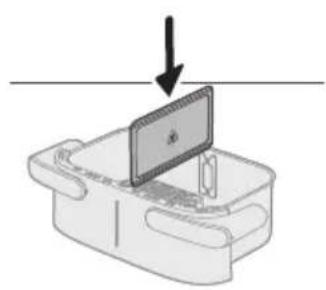
natural_image
Simple line drawing of a device with a monitor and cable, no text or symbols present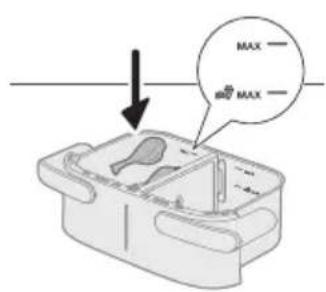
natural_image
Illustration of a hand placing a plastic bag into a plastic bin with an inset showing a bottle and a cross mark (no text or symbols)natural_image
Simple line drawing of a plug inserted into a socket (no text or symbols)natural_image
Illustration of a hand holding a container with arrows indicating rotation and movement (no text or symbols)natural_image
Illustration of a food processor with a hand inserting into a container (no text or symbols visible)natural_image
Line drawing of a rectangular device with a lid and two side handles, emitting sound waves (no text or symbols)
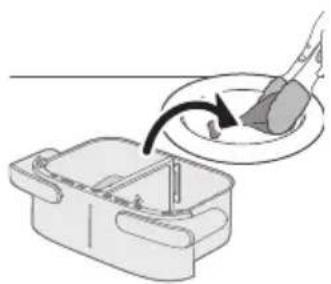
natural_image
Illustration of a hand using a tool to clean or prepare food from a plastic bowl (no text or symbols)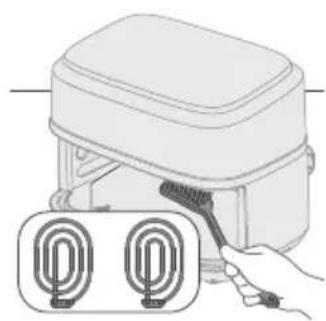
natural_image
Illustration of a hand using a brush to clean two identical U-shaped objects (no text or symbols present)natural_image
Illustration of a hand cleaning a rectangular appliance with a cloth (no text or symbols)natural_image
Illustration of a hand cleaning a small appliance with a cloth (no text or symbols)natural_image
Line drawing of a portable electronic device with ports and cables (no text or symbols)natural_image
Illustration of two hand-drawn containers with handles and a cross mark, showing a correct and incorrect states of change (no text or symbols)natural_image
Symbol of a trash bin with crossed lines indicating no waste or restriction, and a solid black rectangle below (no text or symbols)Peças principais
natural_image
Diagram of a device rear panel with a close-up view showing internal components (no text or symbols)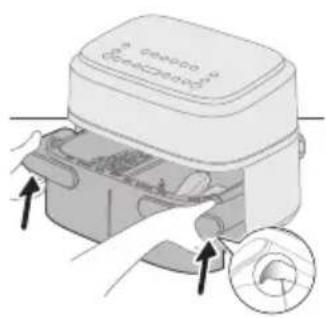
natural_image
Illustration of a device with arrows indicating process, showing internal components and a magnified view (no text or symbols)Atenção
natural_image
Diagram of a device with an upward arrow and a screen, no text or symbols present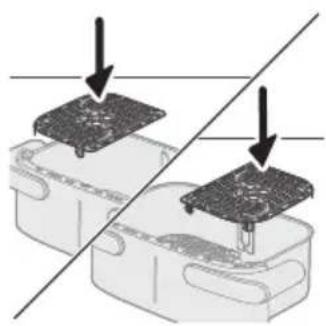
natural_image
Diagram showing two electronic components with a diagonal line indicating alignment or connection (no text or symbols present)natural_image
Illustration of a hand placing a white object into a plastic bag with an arrow, next to a magnified inset showing a food item (no text or symbols)4 Coloque o recipiente na Airfryer.
Atenção
natural_image
Simple line drawing of a plug inserted into a socket (no text or symbols)natural_image
Line drawing of a rectangular device with a bell icon above it (no text or symbols)natural_image
Illustration of a microwave oven with a bell and a circular button, showing heat transfer process (no text or symbols)natural_image
Illustration of a hand pouring liquid into a container with a spatula (no text or symbols)natural_image
Diagram showing two electronic components with a diagonal line indicating alignment or connection (no text or symbols present)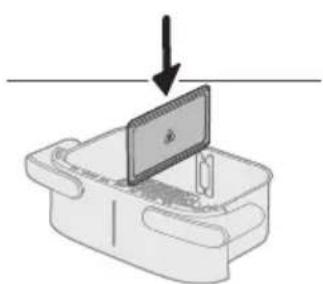
natural_image
Diagram of a device with a screen and arrow indicating downward motion (no text or symbols)2 Coloque o divisor.
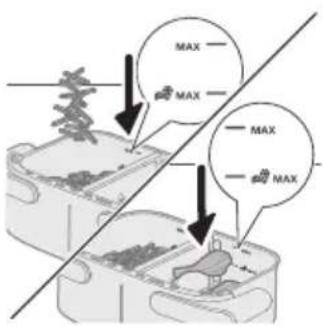
natural_image
Illustration of a hand placing a plastic bag into a container with an arrow indicating process (no text or symbols present)4 Coloque o recipiente na Airfryer.
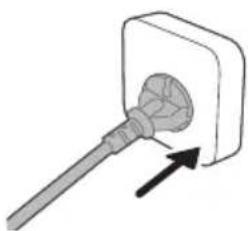
natural_image
Simple line drawing of a plug inserted into a socket (no text or symbols)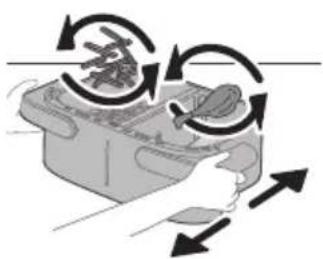
natural_image
Illustration of a hand pressing down on a device with circular arrows indicating motion (no text or symbols)natural_image
Illustration of a hand placing food into a rectangular container with an arrow indicating the process (no text or symbols present)natural_image
Line drawing of a rectangular device with a lid and two side handles, emitting sound waves (no text or symbols)natural_image
Illustration of two containers with arrows indicating a process or movement, no text or symbols present.natural_image
Diagram showing a component being inserted into a plastic housing, with no visible text or symbols.2 Coloque o divisor.
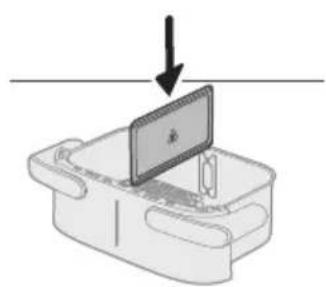
natural_image
Diagram of a device with a screen and a downward arrow, no text or symbols present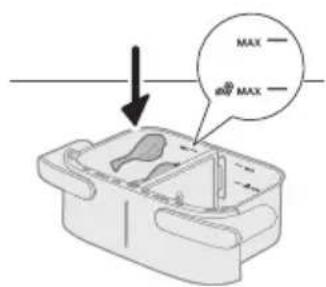
natural_image
Illustration of a hand placing a plastic bag into a plastic bin with an inset showing a bottle and a cross mark (no text or symbols)4 Coloque o recipiente na Airfryer.
Atenção
natural_image
Simple line drawing of a plug inserted into a socket (no text or symbols)natural_image
Illustration of a hand holding a container with arrows indicating rotation and movement (no text or symbols)natural_image
Illustration of a food processor with a hand inserting into a container (no text or symbols visible)natural_image
Line drawing of a rectangular device with a lid and two side pockets, emitting sound waves (no text or symbols)Bifes (150–200 g/5–7 oz)
Coxas de frango (aproximadamente 125 g/4,5 oz)
200 22 4 peças
meio da preparação
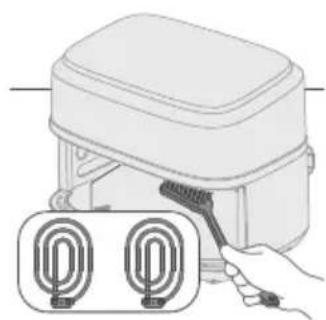
natural_image
Illustration of a hand holding a tool next to two labeled U-shaped connectors (no text or symbols present)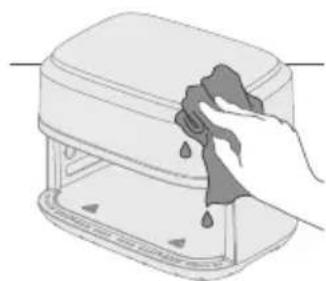
natural_image
Illustration of a hand cleaning a kitchen appliance with a cloth (no text or symbols)natural_image
Illustration of a hand cleaning a small appliance with a cloth (no text or symbols)natural_image
Line drawing of a portable toaster with buttons and a cord (no text or symbols)natural_image
Illustration of two hand gestures inside a container, one with an X mark and the other with a checkmark (no text or symbols)natural_image
Symbol of a trash bin with crossed lines indicating no waste or restriction, and a solid black rectangle below (no text or labels)Piese principale
natural_image
Diagram of a device with labeled ports and an arrow pointing to a component (no text or symbols present)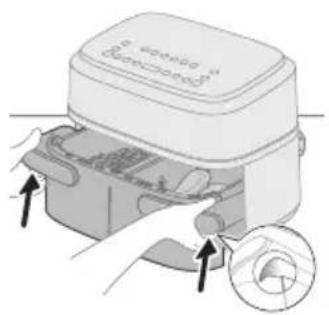
Atentie
natural_image
Illustration of a laptop on a desk with an upward arrow, no text or symbols present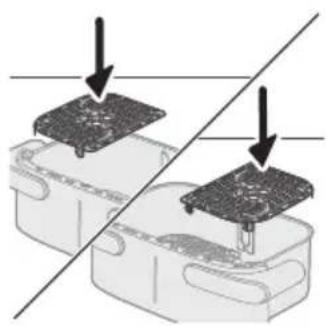
natural_image
Diagram showing two electronic components with a diagonal line indicating alignment or connection (no text or symbols present)natural_image
Illustration of a hand placing a white object into a plastic bag with an arrow, next to a magnified inset showing a food item (no text or symbols)natural_image
Simple line drawing of a plug inserted into a socket (no text or symbols)natural_image
Line drawing of a rectangular device with a bell icon above it (no text or symbols)natural_image
Illustration of a microwave oven with heat exchanger and circular button (no text or symbols)natural_image
Illustration of a hand pouring liquid into a container with a spoon (no text or symbols)natural_image
Diagram showing two electronic components with downward arrows indicating process or alignment (no text or symbols)natural_image
Diagram of a device with a screen and arrow indicating downward motion (no text or symbols)2 Introdu separatorul.
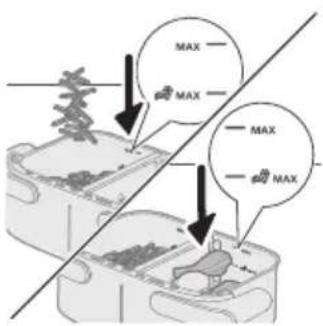
natural_image
Illustration of a hand placing a plastic bag into a container with an arrow indicating process (no text or symbols present)natural_image
Simple line drawing of a plug inserted into a socket (no text or symbols)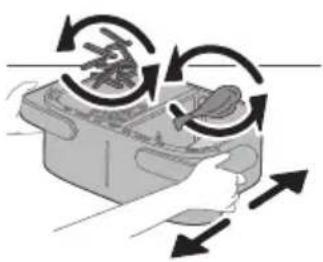
natural_image
Illustration of a hand using a tool to interact with a device, showing rotational arrows (no text or symbols)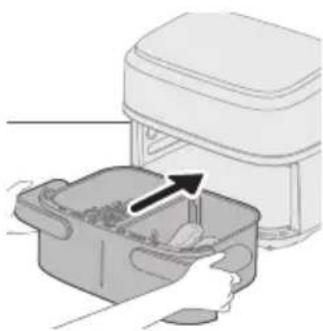
natural_image
Illustration of a hand placing food into a microwave oven with an arrow indicating the process (no text or symbols present)natural_image
Simple line drawing of a rectangular device with a bell icon above it (no text or symbols)natural_image
Diagram showing two steps of a food preparation or processing procedure, with arrows indicating rotation and movement (no text or symbols present)natural_image
Diagram showing a device with a black arrow pointing to a component on top, no text or symbols present.natural_image
Diagram of a device with a screen and arrow indicating downward motion (no text or symbols)2 Introdu separatorul.
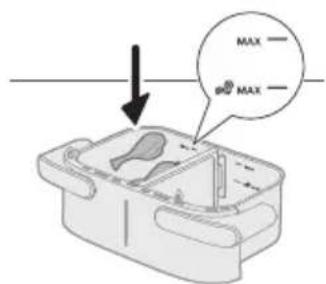
natural_image
Illustration of a hand placing a plastic bag into a drawer with an inset showing a device (no text or symbols present)natural_image
Simple line drawing of a plug inserted into a socket (no text or symbols)natural_image
Illustration of a hand holding a container with arrows indicating rotation and movement (no text or symbols)natural_image
Illustration of a hand placing a small container with an arrow indicating motion (no text or symbols)natural_image
Line drawing of a rectangular device with a lid and two side pockets, emitting sound waves (no text or symbols)natural_image
Illustration of a hand using a tool to interact with a bowl containing liquid, showing a curved arrow indicating interaction (no text or symbols present)natural_image
Illustration of a plug inserted into a wall socket with a directional arrow indicating insertion (no text or symbols)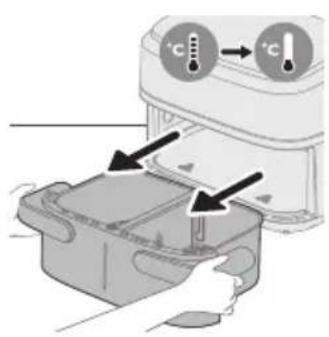
natural_image
Illustration of a hand holding a tool next to two labeled circular components (no text or symbols present)natural_image
Illustration of a hand cleaning a rectangular appliance with a cloth (no text or symbols)natural_image
Illustration of a hand cleaning a small electronic device with a cloth (no text or symbols)natural_image
Line drawing of a portable electronic device with ports and cables (no text or symbols)natural_image
Illustration of two hands holding a rectangular device with a cross mark and checkmark indicating a location or adjustment (no text or symbols present)natural_image
Symbol of a trash bin with no text or numbers presentPjesët kryesore
natural_image
Diagram of a device with labeled ports and an arrow pointing to a component (no text or symbols present)natural_image
Illustration of a device being processed with a circular inset showing internal components (no text or symbols)Kujdes
natural_image
Diagram of a device with an upward arrow and a screen, no text or symbols presentnatural_image
Diagram showing two electronic components with a diagonal line indicating alignment or connection (no text or symbols present)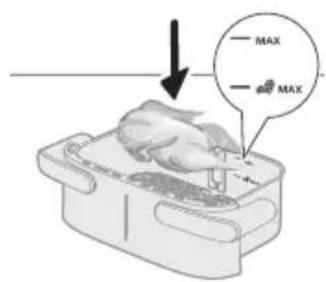
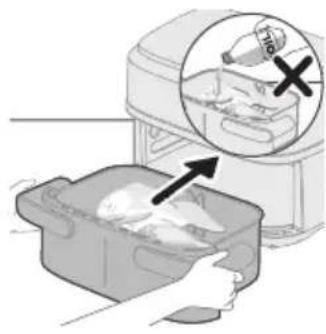
natural_image
Illustration of a hand placing food into a baking pan with an inset showing a bottle and a cross mark (no text or symbols)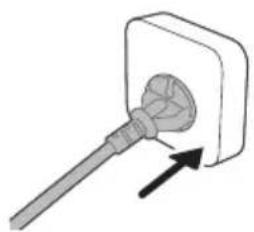
natural_image
Simple line drawing of a plug inserted into a socket (no text or symbols)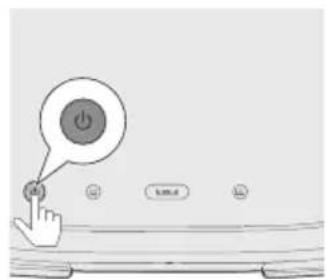
7 Shtypni butonin XXL.
Shënim
natural_image
Line drawing of a rectangular device with a bell icon above it, no text or symbols presentnatural_image
Illustration of a microwave oven with a bell and a circular button, showing heat transfer process (no text or symbols)natural_image
Illustration of a hand holding a plate with a curved arrow indicating motion (no text or symbols)Shtrudel me mollë 2 kg 170 30-45 n/a
natural_image
Diagram showing two electronic components with a diagonal line indicating alignment or connection (no text or symbols present)Gatim me funksionin Time
natural_image
Diagram of a device with a screen and arrow indicating downward motion (no text or symbols)natural_image
Illustration of a food storage machine with an arrow indicating a drop, showing internal components (no text or symbols)natural_image
Simple line drawing of a plug inserted into a socket (no text or symbols)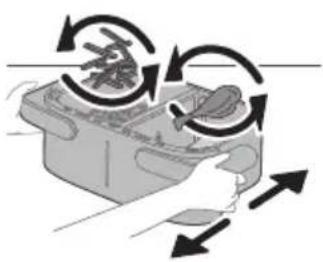
natural_image
Illustration of a hand using a tool to interact with a device, showing rotational arrows (no text or symbols)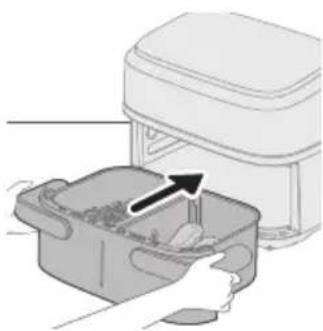
natural_image
Illustration of a hand placing food into a microwave oven with an arrow indicating the process (no text or symbols present)natural_image
Simple line drawing of a rectangular device with a bell icon above it (no text or symbols)natural_image
Diagram showing two steps of a food preparation or processing process, with arrows indicating rotation and movement (no text or symbols present)natural_image
Diagram showing a device with a component being inserted into a housing, indicated by an arrow (no text or symbols present)natural_image
Diagram of a device with a screen and arrow indicating downward motion (no text or symbols)natural_image
Illustration of a hand placing a plastic bag into a drawer with an inset showing a device (no text or symbols present)natural_image
Simple line drawing of a plug inserted into a socket (no text or symbols)natural_image
Illustration of a hand holding a container with arrows indicating rotation and movement (no text or symbols)12 Tundni tiganin mbi lavaman.
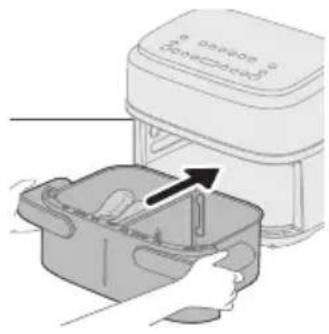
natural_image
Illustration of a hand placing a small container with an arrow indicating motion (no text or symbols)natural_image
Line drawing of a rectangular device with a lid and two side pockets, emitting sound waves (no text or symbols)natural_image
Illustration of a hand using a brush to lift a circular object into a tray (no text or symbols)natural_image
Illustration of a plug inserted into a wall socket with a cable, showing an arrow indicating direction (no text or symbols present)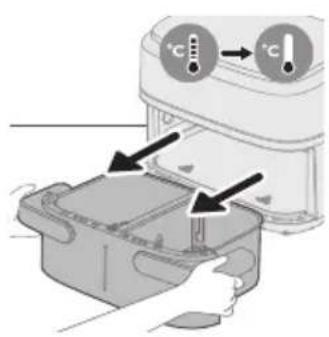
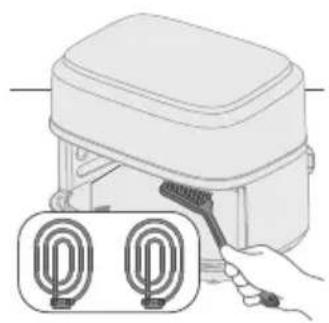
natural_image
Illustration of a hand using a tool to clean or install a device with two U-shaped connectors (no text or symbols present)Paralajmërim
natural_image
Illustration of a hand cleaning a rectangular appliance with a cloth (no text or symbols)natural_image
Illustration of a hand cleaning a small appliance with a cloth (no text or symbols)natural_image
Line drawing of a portable electric stove with buttons and a cord (no text or symbols)natural_image
Illustration of two hand-drawn containers with handles and a cross mark, showing different movement directions (no text or symbols)natural_image
Symbol of a waste bin with crossed lines indicating no waste, and a solid rectangle below (no text or labels)Glavni deli
natural_image
Diagram of a device rear panel with labeled ports and an arrow pointing to a button (no text or symbols present)natural_image
Illustration of a device with arrows indicating process, showing internal components and a magnified inset (no text or symbols)Previdno
natural_image
Diagram of a device with an upward arrow and a screen, no text or symbols present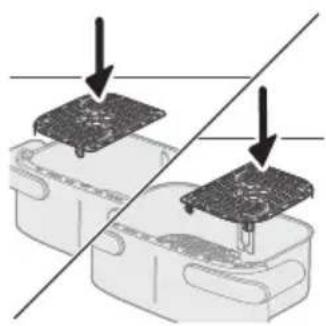
natural_image
Diagram showing two electronic components with a diagonal line indicating alignment or connection (no text or symbols present)natural_image
Illustration of a hand placing a white object into a plastic bag with an arrow, next to a magnified inset showing a food item (no text or symbols)4 Posodo namestite v Airfryer.
Previdno
natural_image
Simple line drawing of a plug inserted into a socket (no text or symbols)6 Za vklop aparata pritisnite gumb za vklop/izklop.
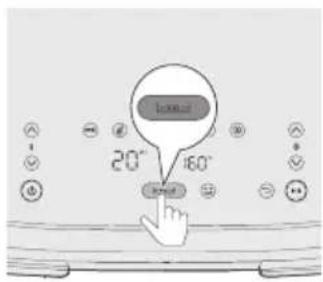
7 Pritisnite gumb XXL.
Opomba
natural_image
Line drawing of a rectangular device with a bell icon above it, no text or symbols presentnatural_image
Illustration of a microwave oven with heat exchanger and circular button (no text or symbols)11 Posodo primite za utor v ročajih ob strani, jo izvlecite in preverite, ali so sestavine pripravljene.
Previdno
natural_image
Illustration of a hand pouring liquid into a container with a curved arrow indicating flow (no text or symbols)12 Sestavine previdno vzemite iz posode s prijemalko za žar.
Previdno
natural_image
Diagram showing two electronic components with a diagonal line indicating alignment or connection (no text or symbols present)natural_image
Diagram of a device with a monitor and keyboard, showing a downward arrow (no text or symbols present)natural_image
Illustration of a hand placing food into a trash bin with an inset showing a plastic bottle and a cross mark (no text or symbols)4 Posodo namestite v Airfryer.
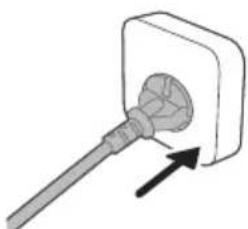
natural_image
Simple line drawing of a plug inserted into a socket (no text or symbols)6 Za vklop aparata pritisnite gumb za vklop/izklop.
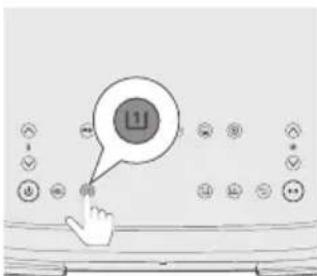
7 Izberite levo posodo. Utripati začne indikator časa in temperature na levi strani.
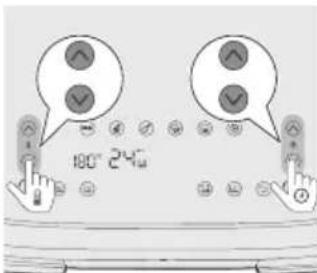
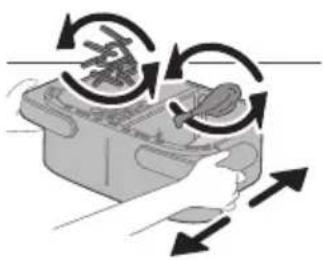
natural_image
Illustration of a hand holding a device with directional arrows indicating rotation or movement (no text or symbols)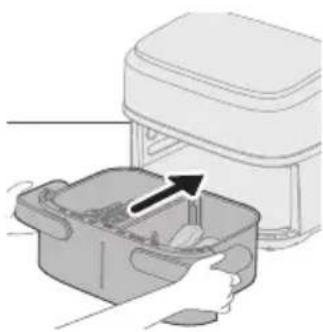
natural_image
Illustration of a kitchen appliance with a hand placing food into a container (no text or symbols visible)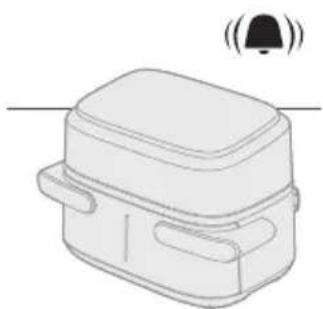
natural_image
Line drawing of a rectangular device with a bell icon above it (no text or symbols)14 Za začetek priprave jedi pritisnite gumb za zagon/premor.
Nasvet
- Za premor priprave jedi v obeh posodah pritisnite gumb za zagon/premor. Ko želite nadaljevati s pripravo jedi v obeh posodah, ga znova pritisnite.
- Za premor priprave jedi samo v eni posodi najprej izberite želeno posodo in nato pritisnite gumb za zagon/premor. Ko želite nadaljevati s pripravo jedi v tej posodi, ga znova pritisnite.
- Jed v eni posodi lahko pripravljate s prednastavitvijo, v drugi pa z ročnimi nastavitvami.
- Aparat samodejno prekine pripravo jedi, ko posodo izvlečete, in nadaljuje, ko jo znova vstavite.
natural_image
Diagram showing two steps of food preparation with arrows indicating rotation or movement (no text or symbols present)20 Sestavine previdno vzemite iz posode s prijemalko za žar.
natural_image
Diagram showing a component being inserted into a plastic housing, with an arrow indicating the process (no text or symbols present)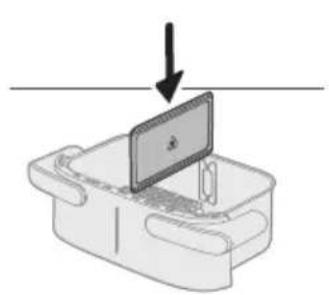
natural_image
Diagram of a device with a monitor and base, showing an arrow pointing downward (no text or symbols present)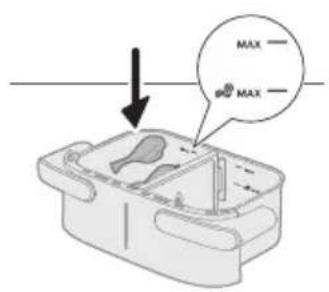
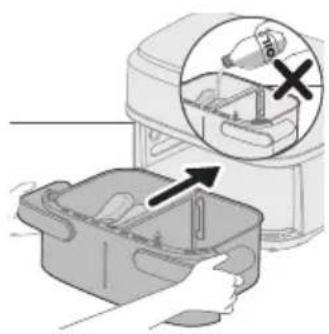
natural_image
Illustration of a hand placing a plastic bag into a container with an inset showing a bottle and a cross mark (no text or symbols)
natural_image
Simple line drawing of a plug inserted into a socket (no text or symbols)6 Za vklop aparata pritisnite gumb za vklop/izklop.
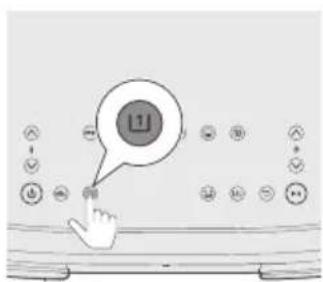
7 Izberite levo posodo. Utripati začne indikator časa in temperature na levi strani.
Opomba
natural_image
Illustration of a hand holding a container with arrows indicating rotation and movement (no text or symbols)12 Posodo pretresite nad lijakom.
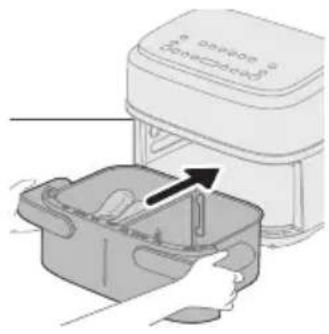
natural_image
Illustration of a hand placing a small container with an arrow indicating motion (no text or symbols)13 Nato vstavite posodo nazaj v aparat.
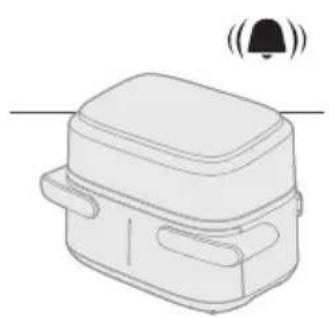
natural_image
Line drawing of a rectangular device with a lid and two side pockets, emitting sound waves (no text or symbols)15 Posodo primite za utor v ročajih ob strani, jo izvlecite in preverite, ali so sestavine pripravljene.
Previdno
natural_image
Illustration of a hand using a tool to interact with a bowl containing liquid, showing a curved arrow indicating interaction (no text or symbols present)16 Sestavine previdno vzemite iz posode s prijemalko za žar.
Previdno
3 Pritisnite gumb za zagon/premor, da se začne postopek priprave.
natural_image
Illustration of a plug inserted into an electrical socket with two circular wells, showing a black arrow indicating direction (no text or symbols)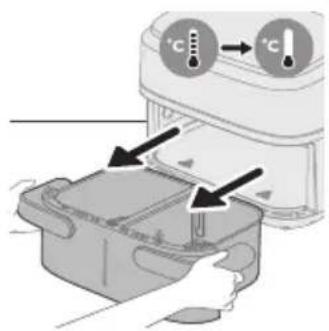
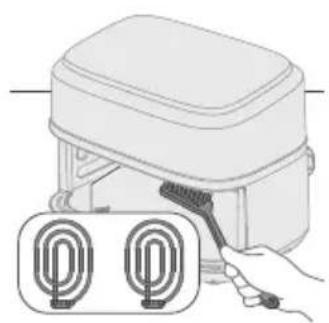
natural_image
Illustration of a hand holding a tool next to two circular components (no text or symbols)Opozorilo
natural_image
Illustration of a hand cleaning a kitchen appliance with a cloth (no text or symbols)natural_image
Illustration of a hand pressing down on a device with a cloth (no text or symbols)6 Notranjost aparata očistite z vročo vodo in gladko gobico.
natural_image
Line drawing of a portable electronic device with buttons and a cable (no text or symbols)3 Kabel ovijte okoli držala za kabel na hrbtni strani aparata.
Opomba
natural_image
Illustration of two hands holding a rectangular device with a cross mark and checkmark indicators (no text or symbols)natural_image
Symbol of a waste bin with crossed lines indicating no waste, and a blank rectangular block below (no text or labels)Hlavné časti
natural_image
Diagram of a device rear panel with ports and a connector, showing no text or symbolsnatural_image
Illustration of a device with hands inserting a component into a housing, showing a magnified view of the interior (no text or symbols present)Upozornenie
natural_image
Illustration of a computer monitor mounted on a baseplate with an upward arrow indicating motion (no text or symbols)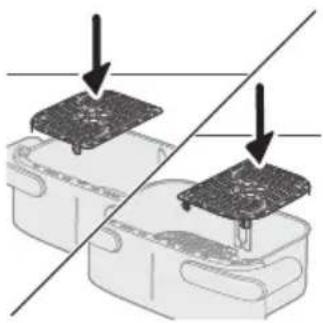
natural_image
Diagram showing two electronic components with a diagonal line indicating alignment or connection (no text or symbols present)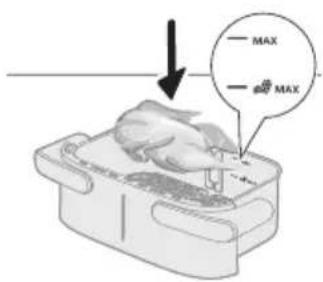
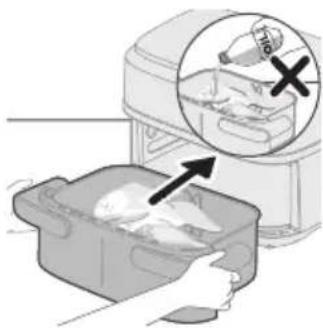
natural_image
Illustration of a hand placing a chicken into a plastic bag with an arrow, next to a magnified inset showing a bag labeled '1/2' (no text or symbols on the main image)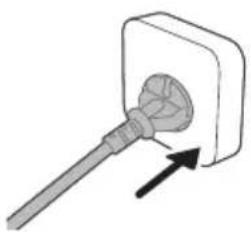
natural_image
Simple line drawing of a plug inserted into a socket (no text or symbols)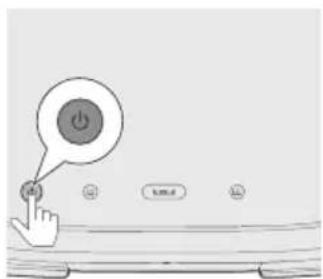
natural_image
Line drawing of a rectangular device with a bell icon above it (no text or symbols)natural_image
Illustration of a microwave oven with a bell and scroll, showing heat transfer process (no text or symbols)natural_image
Illustration of a hand placing a small object into a container with a tool, no text or symbols presentnatural_image
Diagram showing two components with arrows indicating direction of movement or assembly (no text or symbols present)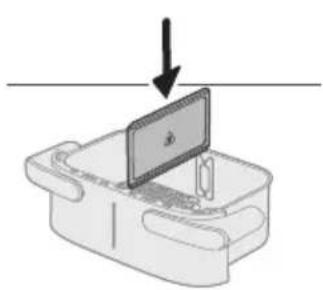
natural_image
Diagram of a device with a screen and arrow indicating downward motion (no text or symbols)natural_image
Illustration of a hand placing food into a trash bin with an inset showing a plastic bottle and a cross mark (no text or symbols)4 Nádobu zasuňte do teplovzdušnej fritézy.
natural_image
Simple line drawing of a plug inserted into a socket (no text or symbols)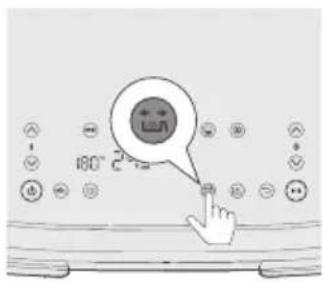
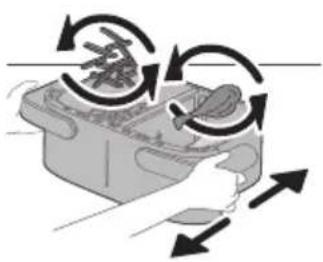
natural_image
Illustration of a hand pressing down on a mechanical component with curved arrows indicating motion (no text or symbols)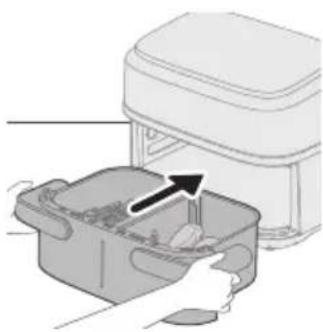
natural_image
Illustration of a hand placing a food item into a trash bin with an arrow indicating the process (no text or symbols present)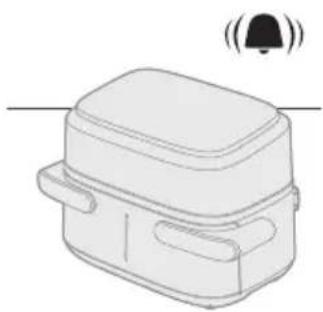
natural_image
Line drawing of a rectangular device with a bell icon above it, no text or symbols present14 Stlačením tlačidla spustenia/pozastavenia spustíte varenie.
Tip
19 Držte ju v polohe drážky na bočných rukovätiach, aby ste vytiahli nádobu a skontrolujte, či je jedlo hotové; ak ešte nie je, jednoducho zasuňte nádobu spät do fritézy a pridajte pár minút navyše.
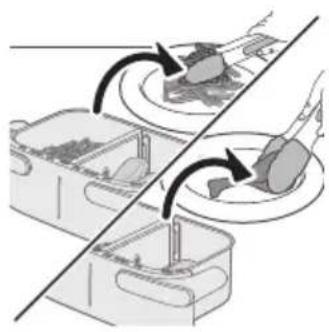
natural_image
Diagram showing two containers with food items and curved arrows indicating rotation or movement (no text or symbols)20 Pripravené suroviny opatrne vyberte z nádoby pomocou klieští na grilovanie.
Varenie s funkciou kopírovania
natural_image
Diagram showing a device with a component being inserted into a housing, indicated by an arrow (no text or symbols present)Varenie s tabulkou potravín
natural_image
Diagram of a device with a screen and arrow indicating downward motion (no text or symbols)natural_image
Illustration of a hand placing a plastic bag into a drawer with an inset showing a device (no text or symbols present)4 Nádobu zasuňte do teplovzdušnej fritézy.
Upozornenie
natural_image
Simple line drawing of a plug inserted into a socket (no text or symbols)natural_image
Illustration of a hand holding a container with arrows indicating rotation and movement (no text or symbols)12 Košíkom potraste nad dresom.
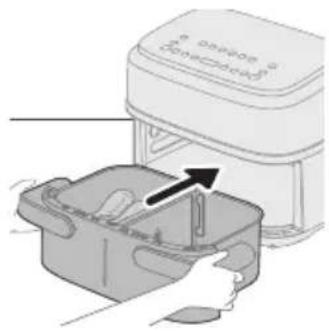
natural_image
Illustration of a hand placing a small container with an arrow indicating motion (no text or symbols)13 Nádobu zasuňte spät do zariadenia.

natural_image
Line drawing of a rectangular device with a lid and two side pockets, emitting sound waves (no text or symbols)natural_image
Illustration of a hand using a tool to interact with a bowl containing liquid, showing a curved arrow indicating interaction (no text or symbols present)16 Pripravené suroviny opatrne vyberte z nádoby pomocou klieští na grilovanie.
Upozornenie
natural_image
Illustration of a plug inserted into an electrical socket with two circular wells, showing a black arrow indicating direction (no text or symbols)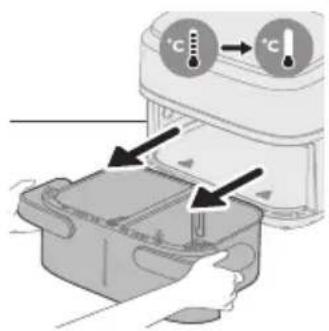
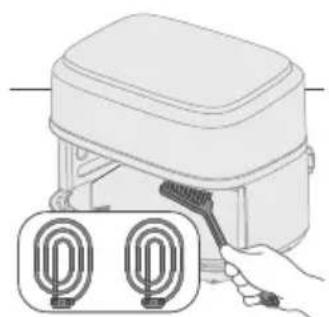
natural_image
Illustration of a hand holding a tool next to two labeled circular components (no text or symbols present)Varovanie
natural_image
Illustration of a hand cleaning a rectangular appliance with a cloth (no text or symbols)natural_image
Illustration of a hand cleaning a small appliance with a cloth (no text or symbols)natural_image
Line drawing of a portable electronic device with buttons and a cable (no text or symbols)natural_image
Illustration of two hands holding a rectangular device with a cross mark and checkmark indicators (no text or symbols)natural_image
Symbol of a waste bin with crossed lines indicating no waste, and a solid rectangle below (no text or labels)- Ovaj simbol ukazuje na to da električni proizvodi ne smeju da se odlažu sa običnim kućnim otpadom.
- Pratite propise svoje zemlje za zasebno prikupljanje otpadnih električnih proizvoda.
Garancija i podrška
Glavni delovi
1 Kontrolna tabla
2 Odvojivi graničnik
3 Indikator MAX za sastojke
4 Indikator MAX za smrznute grickalice na bazi krompira
5 XXL posuda od 7,1 l
6 Donje ploče
7 Držač kabla
8 Kabl za napajanje
9 Otvori za izlaz vazduha
Opis kontrolne table
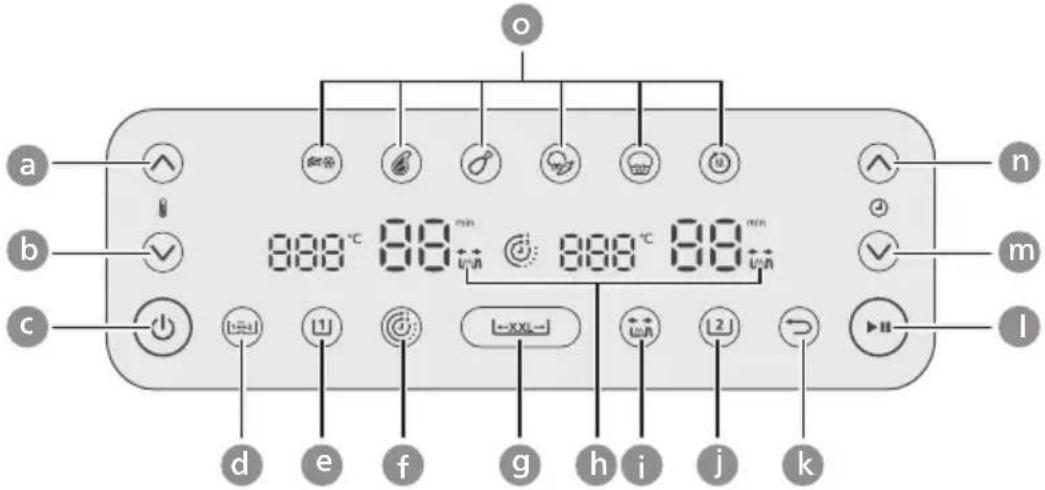
a Povećavanje temperature
b Smanjivanje temperature
c Dugme za uključivanje/isključivanje
d Dugme za funkciju kopiranja
e Dugme za levu posudu
f Dugme za funkciju vremena
g Dugme za XXL posudu
h Indikator podsetnika za protresanje
i Dugme podsetnika za protresanje
j Dugme za desnu posudu
k Dugme za povratak
I Dugme za pokretanje/pauziranje
m Dugme za smanjivanje vremena
n Dugme za povećavanje vremena
o Unapred podešena dugmad
Opisi funkcija
Funkcija kopiranja
Podesite vreme i temperaturu za jednu posudu, a zatim kopirajte postavku na drugu posudu pomoću dugmeta za funkciju kopiranja.
Funkcija vremena
Automatski sinhronizuje vreme pripreme kako bi se garantovalo da će se priprema u obe posude završiti u isto vreme, čak i ako su vremena pripreme različita.
Podsetnik za protresanje
Pritisnite dugme podsetnika za protresanje da biste omogućili ili onemogućili upozorenja koja vas podsećaju da protresete ili okrenete hranu dva puta tokom pripreme, za ravnomernije rezultate. Čućete zvučni signal i videti ikonu za protresanje koja treperi pored prikaza vremena.
Unapred podešene postavke
natural_image
Diagram of a device rear panel with a close-up view showing internal components and an arrow pointing to a button (no text or symbols present)1 Uklonite svu ambalažu.
2 Uklonite sve nalepnice ili oznake sa aparata (ako ih ima).
3 Temeljno očistite aparat pre prve upotrebe (pogledajte poglavlje „Čišćenje“).
4 Izvadite držač kabla iz posude i postavite ga na predviđeno mesto sa zadnje strane uređaja tako što će kliknuti na mesto.
Oprez
- Držač kabla služi i kao razmaknica jer pravi razmak između aparata i zida i tako sprečava pregrevanje.
Pripreme pre prve upotrebe
Aparat stavite na stabilnu, horizontalnu i ravnu površinu otpornu na toplotu.
Napomena
- Nemojte ništa da stavljate na aparat niti pored njega. To može da ometa protok vazduha i da utiče na rezultat prženja.
- Nemojte da stavljate uključen aparat pored ili ispod predmeta koje može da ošteti para, kao što su zidovi i ormari.
Upotreba aparata
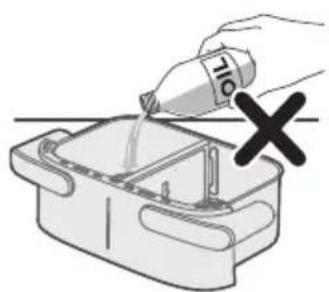
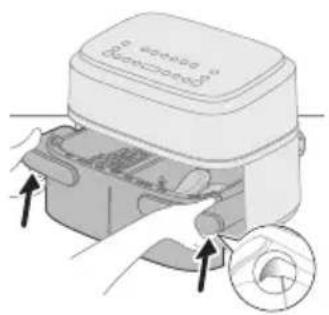
Oprez
natural_image
Illustration of a laptop on a desk with an upward arrow, no text or symbols presentDa biste pripremili veliku porciju jednog jela, uklonite graničnik i koristite celu površinu za pripremu XXL posude od 7,1 l.
natural_image
Diagram showing two electronic components with a diagonal line indicating alignment or connection (no text or symbols present)natural_image
Illustration of a hand placing a white object into a plastic bag with an arrow, next to a magnified inset showing a food item (no text or symbols)4 Stavite posudu u Airfryer.
Oprez
natural_image
Simple line drawing of a plug inserted into a socket (no text or symbols)natural_image
Line drawing of a rectangular device with lid and side ports, emitting sound waves (no text or symbols)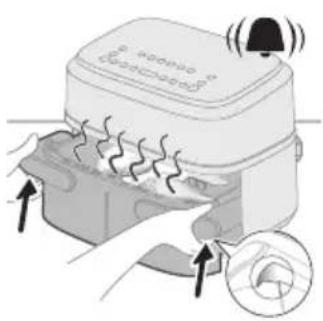
natural_image
Illustration of a hand pressing down on a device with a magnified inset showing the circular component (no text or symbols)7 Pritisnite dugme XXL.
Napomena
natural_image
Illustration of a hand pouring liquid into a container with a spoon (no text or symbols)Kuvanje pomoću unapred podešene postavke
1 Pratite korake 1 do 7 u odeljku „Kuvanje sa tabelom hrane“ da biste prvo obavili zajedničke korake.
2 Izaberite unapred podešenu postavku.
Savet
- Da biste prešli na drugu unapred podešenu postavku, pritisnite dugme za povratak ili ponovo pritisnite dugme za unapred podešenu postavku, pa izaberite željenu unapred podešenu postavku.
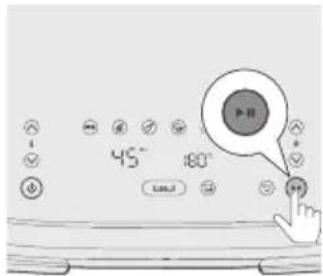
3 Pokrenite proces pripreme tako što ćete pritisnuti dugme za pokretanje/pauziranje.
Tabela sa unapred podešenim postavkama za XXL posudu
Ikona Podrazum- evana temperat- ura - °C
Podrazum- evano vreme – min
Količina hrane
Napomena
Zamrznuti pomfrit 180 23 800 g Protresite, okrenite ili
natural_image
Diagram showing two electronic components with downward arrows indicating alignment or disassembly (no text or symbols present)Priprema sa funkcijom vremena
Ako dva jela pripremate sa različitim temperaturama i vremenom, koristite Funkciju vremena kako bi se priprema oba jela završila u isto vreme.
natural_image
Diagram of a device with a monitor and cable attachment, showing a downward arrow (no text or symbols)natural_image
Illustration of a hand placing food into a trash bin with an inset showing a plastic bottle and a cross mark (no text or symbols)4 Stavite posudu u Airfryer.
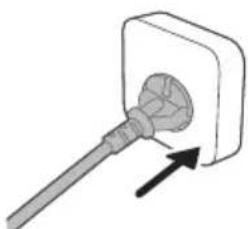
natural_image
Simple line drawing of a plug inserted into a socket (no text or symbols)7 Izaberite levu posudu. Indikator vremena i temperature na levoj strani će početi da treperi.
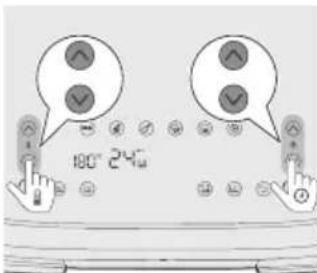
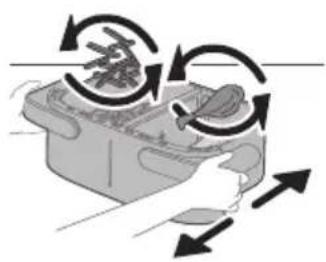
natural_image
Illustration of a hand pressing down on a device with circular arrows indicating motion (no text or symbols)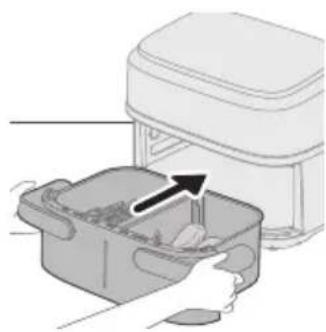
natural_image
Illustration of a hand placing food into a container with an arrow indicating direction (no text or symbols)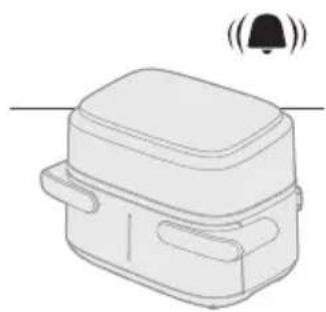
natural_image
Simple line drawing of a rectangular device with a bell icon above it (no text or symbols)14 Pritisnite dugme za pokretanje/pauziranje da biste pokrenuli proces pripreme.
Savet
- Da biste pauzirali obe posude, pritisnite dugme za pokretanje/pauziranje. Ponovo ga pritisnite da biste nastavili pripremu za obe posude.
- Da biste pauzirali samo jednu posudu, prvo izaberite tu posudu, pa pritisnite dugme za pokretanje/pauziranje. Ponovo ga pritisnite da biste nastavili pripremu za tu posudu.
- U jednoj posudi možete da koristite unapred podešenu postavku, a u drugoj posudi ručno podešene postavke.
- Uređaj automatski pauzira kada izvadite posudu i nastavlja pripremu kada je vratite.
15 Kada čujete zvučni signal podsetnika za protresanje, izvucite posudu držeći bočne drške sa obe ruke.
16 Protresite posudu nad sudoperom.
17 Vratite posudu u aparat.
18 Kada se oglasi zvuk tajmera, vreme pripreme je isteklo.
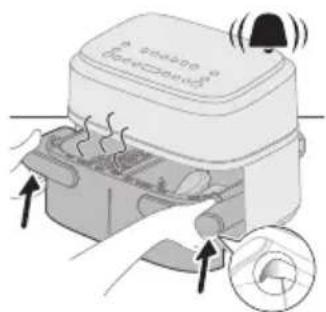
19 Držite bočne ručke u žlebovima da biste izvukli posudu i proverite li je hrana pripremljena; ako još uvek nije, samo ponovo ubacite posudu u Airfryer i dodajte još nekoliko minuta.
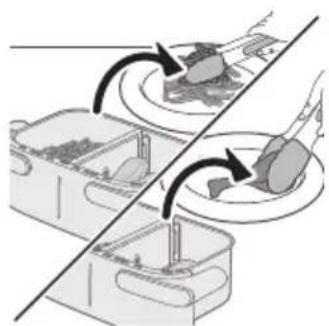
natural_image
Diagram showing two containers with arrows indicating rotation or movement, no text or symbols presentnatural_image
Diagram showing a device with a black arrow pointing to a component on top, no text or symbols presentnatural_image
Diagram of a device with a screen and arrow indicating downward motion (no text or symbols)natural_image
Illustration of a hand placing a plastic bag into a drawer with an inset showing a device (no text or symbols present)4 Stavite posudu u Airfryer.
Oprez
natural_image
Simple line drawing of a plug inserted into a socket (no text or symbols)7 Izaberite levu posudu. Indikator vremena i temperature na levoj strani će početi da treperi.
Napomena
11 Kada čujete zvučni signal podsetnika za protresanje, izvucite posudu držeći bočne drške sa obe ruke.
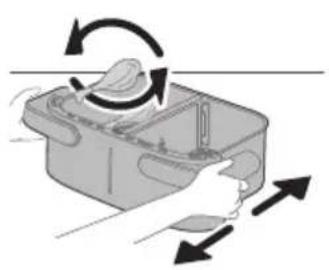
natural_image
Illustration of a hand holding a container with arrows indicating rotation and movement (no text or symbols)12 Protresite posudu nad sudoperom.
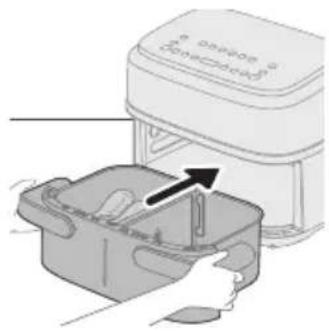
natural_image
Illustration of a hand placing a small container with an arrow indicating the process (no text or symbols present)13 Vratite posudu u aparat.
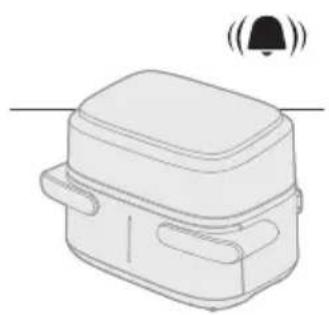
natural_image
Line drawing of a rectangular device with a lid and two side pockets, emitting sound waves (no text or symbols)14 Kada se oglasi zvuk tajmera, vreme pripreme je isteklo.
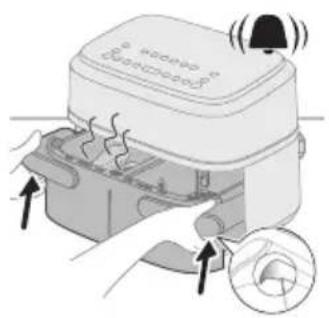
15 Držite bočne ručke u žlebovima da biste izvukli posudu i proverite li je hrana pripremljena.
Oprez
- Airfryer posuda je vruća nakon procesa pripreme. Uvek je stavite na radnu površinu otpornu na toplotu (npr. podmetač itd.) kada je izvadite iz aparata.
Savet
natural_image
Illustration of a hand using a tool to interact with a bowl containing liquid, showing a curved arrow indicating interaction (no text or symbols present)natural_image
Illustration of a plug inserted into a wall socket with two circular vent slots, showing an arrow indicating direction (no text or symbols present)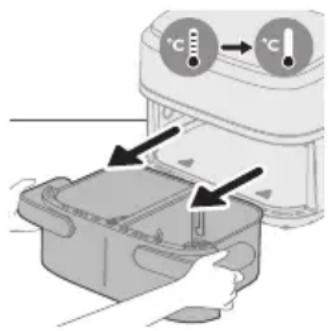
Upozorenje
- Ostavite korpu, posudu i unutrašnjost aparata da se potpuno ohlade pre nego što započnete čišćenje.
- Posuda i korpa aparata imaju premaz protiv lepljenja. Nemojte da koristite metalni kuhinjski pribor niti abrazivne materijale za čišćenje zato što mogu da oštete premaz protiv lepljenja.
Aparat očistite nakon svakog korišćenja. Uklonite ulje i mast sa dna posude nakon svake upotrebe.
1 Pritisnite dugme za uključivanje/isključivanje da biste isključili aparat, isključite utikač iz zidne utičnice i sačekajte da se aparat ohladi.
Savet
- Izvadite posudu i korpu da biste omogućili da se Airfryer brže ohladi.
2 Uklonite masnoću ili ulje sa dna posude.
3 Operite posudu i donje ploče u mašini za pranje sudova. Takođe možete da očistite vrućom vodom sa deterdžentom za sudove i neabrazivnim sunderom (pogledajte „Tabelu čišćenja“).
Savet
- Ako su se ostaci hrane zalepili za posudu ili korpu, možete da ih potopite u vruću vodu sa deterdžentom za sudove na 10–15 minuta. Potapanje oslobađa ostatke hrane i olakšava njihovo uklanjanje. Proverite da li koristite deterdžent za sudove koji može da rastvori ulje i masnoću. Ako na posudi ima fleka od masnoće na posudi ili korpi i ne možete da uh uklonite vrućom vodom i deterdžentom za sudove, upotrebite tečno sredstvo za uklanjanje masnoće.
- Po potrebi, ostatke hrane koji su zalepljeni za grejni element možete da uklonite pomoću četke sa mekanim ili srednje tvrdim vlaknima. Nemojte da koristite četku sa metalnim vlaknima niti četku sa tvrdim vlaknima pošto one mogu da oštete premaz na grejnom elementu.
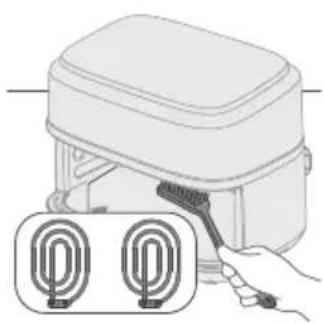
natural_image
Illustration of a hand holding a tool next to two labeled circular components (no text or symbols present)4 Nežno obrišite spoljašnjost aparata glatkom, čistom i mekom krpom da ne biste oštetili njegovu površinu. Očistite ga malo pokvašenom krpom, a zatim obrišite suvom krpom ako je potrebno.
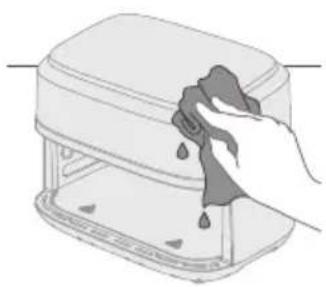
natural_image
Illustration of a hand cleaning a rectangular appliance with a cloth (no text or symbols)natural_image
Illustration of a hand cleaning a small electronic device with a cloth (no text or symbols)6 Očistite unutrašnjost aparata vrelom vodom i neabrazivnim sunderom.
Tabela za čišćenje
 |  | 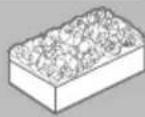 | |
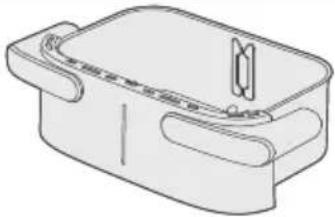 |  |  |  |
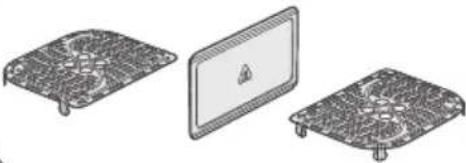 |  |  |  |
Odlaganje
1 Isključite aparat iz električne mreže i ostavite ga da se ohladi.
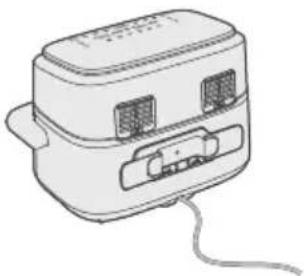
natural_image
Line drawing of a portable electronic device with two ports and a cable (no text or symbols)2 Uverite se da su svi delovi čisti i suvi pre odlaganja.
natural_image
Illustration of two hands holding a rectangular device with a cross mark and checkmark indicating a location or inspection (no text or symbols present)natural_image
Symbol of a waste bin with crossed lines indicating no waste, and a solid black rectangle below (no text or labels)Pääosat
XXL-kattilan painike
natural_image
Diagram of a device rear panel with labeled ports and an arrow pointing to a connector (no text or symbols present)natural_image
Illustration of a device with arrows indicating process, showing a close-up of a circular component (no text or symbols present)Huomio
natural_image
Simple line drawing of a device with an upward arrow and a screen, no text or symbols present.natural_image
Diagram showing two electronic components with a diagonal line indicating alignment or connection (no text or symbols present)natural_image
Illustration of a hand placing a white chicken into a plastic bag with an arrow, showing a magnified view of a bottle and a cross symbol (no text or symbols present)4 Aseta kattila Airfryeriin.
Huomio
natural_image
Simple line drawing of a plug inserted into a socket (no text or symbols)7 Paina XXL-painiketta.
Huomautus
natural_image
Line drawing of a rectangular device with a bell icon above it (no text or symbols)natural_image
Illustration of a microwave oven with heat exchanger and cooling fan (no text or symbols)natural_image
Illustration of a hand pouring liquid into a container with a curved arrow indicating flow (no text or symbols)natural_image
Diagram showing two components with arrows indicating direction of movement or assembly (no text or symbols present)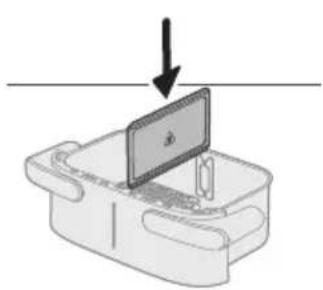
natural_image
Diagram of a device with a screen and arrow indicating downward motion (no text or symbols)2 Aseta jakaja.
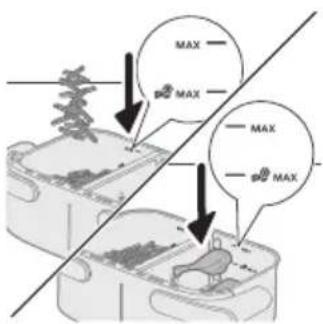
natural_image
Illustration of a hand placing food into a trash bin with an inset showing a plastic bottle and a cross mark (no text or symbols)4 Aseta kattila Airfryeriin.
natural_image
Simple line drawing of a plug inserted into a socket (no text or symbols)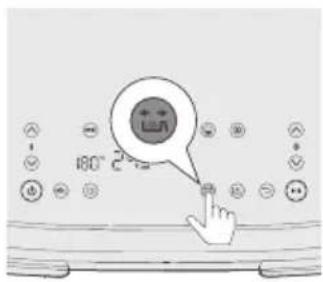
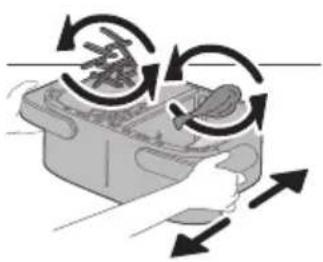
natural_image
Illustration of a hand pressing down on a mechanical component with curved arrows indicating motion (no text or symbols)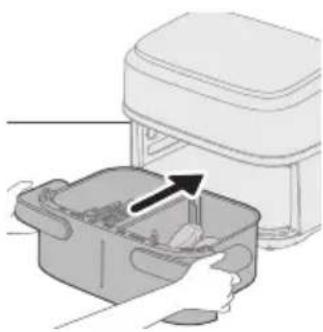
natural_image
Illustration of a hand placing a food item into a microwave oven with an arrow indicating the process (no text or symbols present)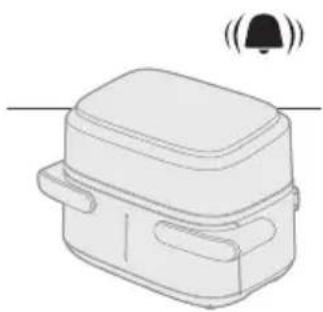
natural_image
Line drawing of a rectangular device with a bell icon above it, no text or symbols presentnatural_image
Diagram showing two steps of food preparation with arrows indicating rotation or movement (no text or symbols present)natural_image
Diagram showing a device with a component being inserted into a housing, indicated by an arrow (no text or symbols present)natural_image
Diagram of a device with a screen and arrow indicating downward motion (no text or symbols)2 Aseta jakaja.
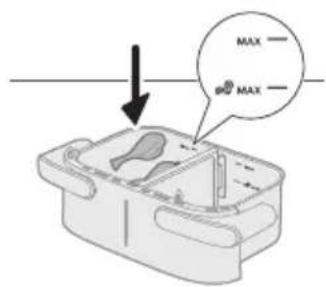
natural_image
Illustration of a hand placing a plastic bag into a drawer with an inset showing a device (no text or symbols present)4 Aseta kattila Airfryeriin.
Huomio
natural_image
Simple line drawing of a plug inserted into a socket (no text or symbols)natural_image
Illustration of a hand placing a container with arrows indicating rotation or movement (no text or symbols)natural_image
Illustration of a hand placing a plastic container into a washing machine (no text or symbols visible)natural_image
Line drawing of a rectangular device with a bell icon above it, no text or symbols presentnatural_image
Illustration of a hand using a tool to clean or brush inside a container (no text or symbols visible)natural_image
Illustration of a plug inserted into an electrical outlet with two circular components, showing a black arrow indicating direction (no text or symbols)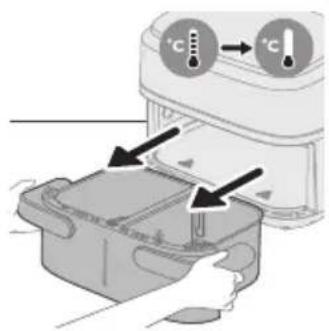
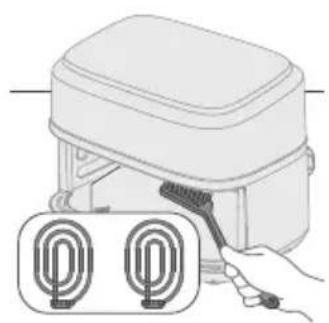
natural_image
Illustration of a hand holding a tool next to two circular components (no text or symbols)Varoitus
natural_image
Illustration of a hand cleaning a rectangular appliance with a cloth (no text or symbols)natural_image
Illustration of a hand cleaning a small appliance with a cloth (no text or symbols)natural_image
Line drawing of a portable electric stove with buttons and a cord (no text or symbols)natural_image
Illustration of two hands holding a compact container with a cross mark and checkmark indicating a location or inspection (no text or symbols present)natural_image
Symbol of a waste bin with crossed lines indicating no waste, and a solid black rectangle below (no text or labels)Huvuddelar
natural_image
Diagram of a device rear panel with ports and a connector, showing no text or symbolsVarning
natural_image
Diagram of a device with an upward arrow and a screen, no text or symbols presentnatural_image
Diagram showing two electronic components with a diagonal line indicating alignment or connection (no text or symbols present)natural_image
Illustration of a hand placing a white object into a plastic bag with an arrow, next to a magnified inset showing a food item (no text or symbols)4 Skjut in pannan i Airfryern.
Varning
natural_image
Simple line drawing of a plug inserted into a socket (no text or symbols)natural_image
Simple line drawing of a rectangular device with a bell icon above it (no text or symbols)natural_image
Illustration of a microwave oven with a bell and a circular button, showing heat transfer process (no text or symbols)natural_image
Illustration of a hand pouring liquid into a container with a curved arrow indicating flow (no text or symbols)natural_image
Diagram showing two electronic components with a diagonal line indicating alignment or connection (no text or symbols present)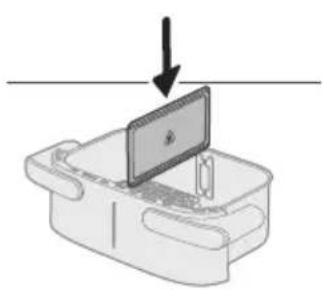
natural_image
Diagram of a device with a monitor and keyboard, showing a downward arrow (no text or symbols present)2 Lägg i avdelaren.
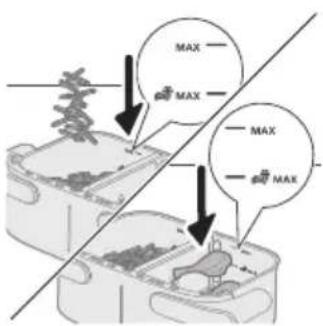
natural_image
Illustration of a hand placing food into a trash bin with an inset showing a plastic bottle and a cross mark (no text or symbols)4 Skjut in pannan i Airfryern.
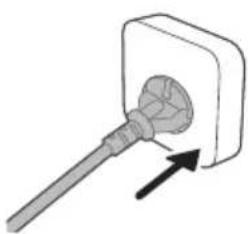
natural_image
Simple line drawing of a plug inserted into a socket (no text or symbols)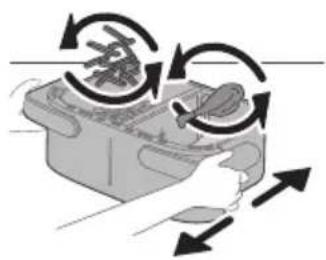
natural_image
Illustration of a hand holding a device with circular arrows indicating rotation or movement (no text or symbols)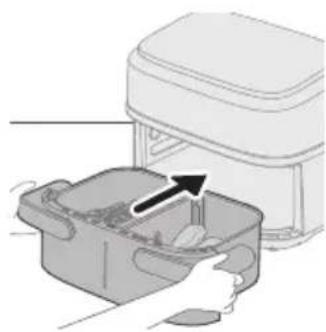
natural_image
Illustration of a kitchen appliance with a hand placing food into a container (no text or symbols)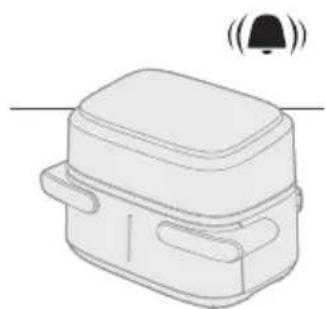
natural_image
Line drawing of a rectangular device with a bell icon above it (no text or symbols)natural_image
Diagram showing two containers with food items and a diagonal line indicating rotation or movement (no text or symbols)natural_image
Diagram showing a device with a component being inserted into a housing, indicated by an arrow (no text or symbols present)natural_image
Diagram of a device with a screen and arrow indicating downward motion (no text or symbols)2 Lägg i avdelaren.
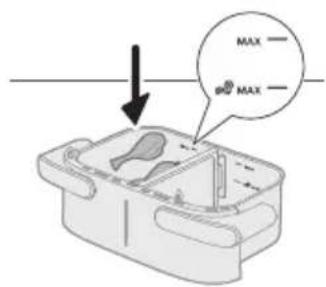
natural_image
Illustration of a hand placing a plastic bag into a drawer with an inset showing a device (no text or symbols present)4 Skjut in pannan i Airfryern.
Varning
natural_image
Simple line drawing of a plug inserted into a socket (no text or symbols)natural_image
Illustration of a hand holding a container with arrows indicating rotation and movement (no text or symbols)natural_image
Illustration of a hand placing a container into an electric stove with a paper airplane (no text or symbols)natural_image
Line drawing of a rectangular device with a bell icon above it, no text or symbols presentnatural_image
Illustration of a hand using a tool to clean or adjust a surface, with no text or symbols present.natural_image
Illustration of a hand holding a tool next to two labeled U-shaped devices (no text or symbols present)natural_image
Illustration of a hand cleaning a rectangular kitchen appliance with a cloth (no text or symbols)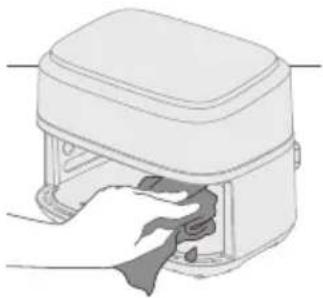
natural_image
Illustration of a hand cleaning a small device with a cloth (no text or symbols)natural_image
Line drawing of a portable electronic device with buttons and a cable (no text or symbols)natural_image
Illustration of two hands holding a rectangular device with a cross mark and checkmark indicating a location or inspection (no text or symbols present)natural_image
Symbol of a recycling bin with crossed lines indicating no waste or restriction, and a solid black rectangle below (no text or symbols)Ana parçalar
natural_image
Diagram of a device rear panel with labeled ports and an arrow pointing to a component (no text or symbols present)Dikkat
natural_image
Diagram of a device with an upward arrow and a screen, no text or symbols presentnatural_image
Diagram showing two electronic components with a diagonal line indicating alignment or connection (no text or symbols present)natural_image
Illustration of a hand placing a white object into a plastic bag with an arrow, next to a magnified inset showing a food item (no text or symbols)natural_image
Simple line drawing of a plug inserted into a socket (no text or symbols)5 Fişi prize takın.
natural_image
Line drawing of a rectangular device with a bell icon above it (no text or symbols)natural_image
Illustration of a hand pressing down on a device with a bell icon and circular button (no text or symbols)natural_image
Illustration of a hand pouring liquid into a container with a spoon (no text or symbols)natural_image
Diagram showing two electronic components with a diagonal line indicating alignment or connection (no text or symbols present)natural_image
Diagram of a device with a screen and a downward arrow, no text or symbols presentnatural_image
Illustration of a hand placing food into a trash bin with an inset showing a plastic bottle and a cross mark (no text or symbols)natural_image
Simple line drawing of a plug inserted into a socket (no text or symbols)5 Fişi prize takın.
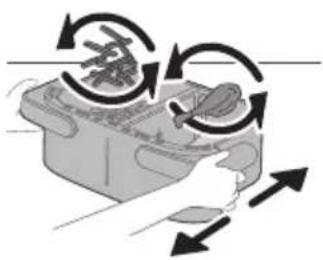
natural_image
Illustration of a hand holding a device with directional arrows indicating rotation or movement (no text or symbols)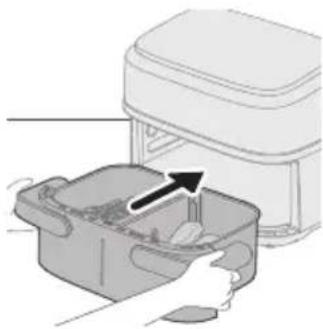
natural_image
Illustration of a hand placing a food item into a container with an arrow indicating the process (no text or symbols present)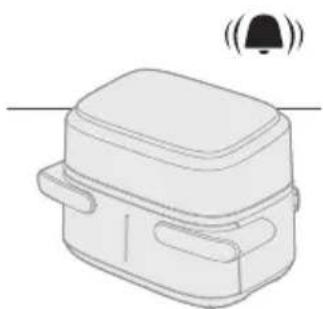
natural_image
Simple line drawing of a rectangular device with a bell icon above it (no text or symbols)natural_image
Diagram showing two steps of food preparation with arrows indicating rotation or movement (no text or symbols present)natural_image
Diagram showing a device with a component being inserted into a housing, indicated by an arrow (no text or symbols present)natural_image
Diagram of a device with a screen and arrow indicating downward motion (no text or symbols)natural_image
Illustration of a hand placing a plastic bag into a drawer with an inset showing a device (no text or symbols present)natural_image
Simple line drawing of a plug inserted into a socket (no text or symbols)5 Fisi prize takın.
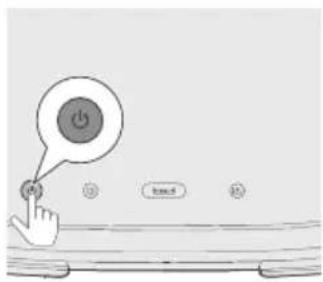
natural_image
Illustration of a hand holding a container with arrows indicating rotation and movement (no text or symbols)natural_image
Illustration of a hand placing a small container with an arrow indicating motion (no text or symbols)natural_image
Line drawing of a rectangular device with a lid and two side pockets, emitting sound waves (no text or symbols)natural_image
Illustration of a hand using a tool to interact with a bowl containing liquid, showing a curved arrow indicating interaction (no text or symbols present)natural_image
Illustration of a plug inserted into a wall socket with two circular outlets, showing an arrow indicating direction (no text or symbols present)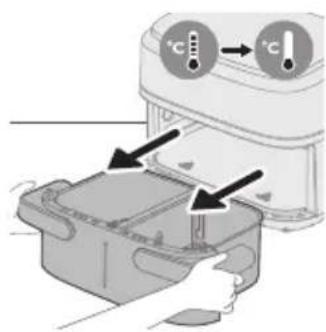
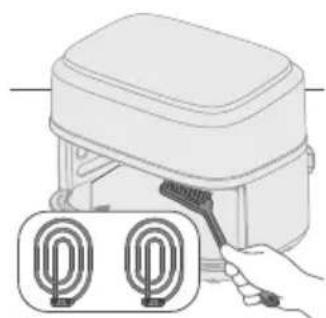
natural_image
Illustration of a hand using a tool to clean or install a device with two circular components (no text or symbols)Uyari
natural_image
Illustration of a hand cleaning a rectangular appliance with a cloth (no text or symbols)natural_image
Illustration of a hand inserting a cable into a device housing (no text or symbols)natural_image
Line drawing of a portable electronic device with buttons and a cable (no text or symbols)natural_image
Illustration of two hands holding a rectangular device with a cross mark and a checkmark, no text or symbols present.natural_image
Symbol of a waste bin with no text or labels, crossed by two crossed lines and a solid rectangle below (no text or symbols present)Κυρίως μέρη
natural_image
Diagram of a device rear panel with labeled ports and an arrow pointing to a component (no text or symbols present)natural_image
Illustration of a device being inserted into a container with arrows indicating process (no text or symbols)Προσοχή
natural_image
Diagram of a device with an upward arrow and a screen, no text or symbols present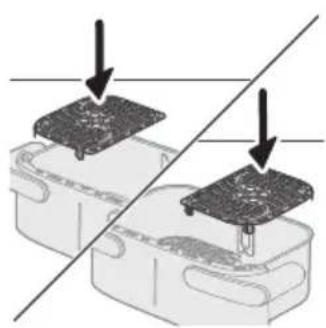
natural_image
Diagram showing two electronic components with a diagonal line indicating alignment or connection (no text or symbols present)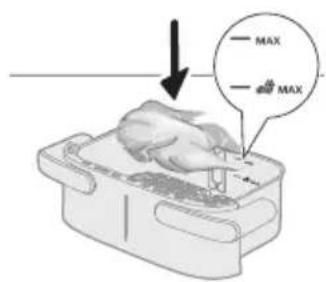
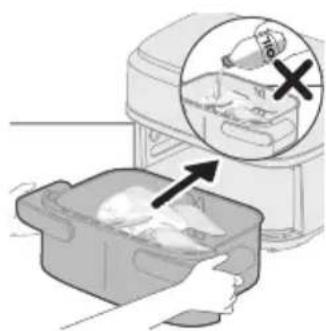
natural_image
Illustration of a hand placing food into a bag with an inset showing a bottle and a cross mark (no text or symbols)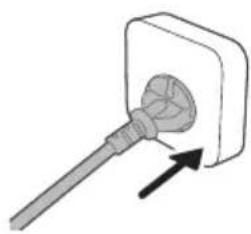
natural_image
Simple line drawing of a screwdriver inserted into a socket (no text or symbols)natural_image
Simple line drawing of a rectangular device with a bell icon above it (no text or symbols)natural_image
Illustration of a microwave oven with heat transfer arrows and a close-up inset showing the lid (no text or symbols)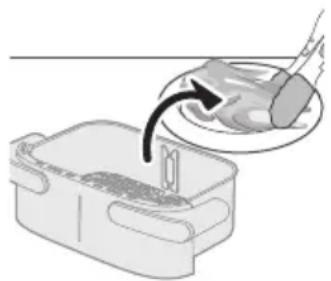
natural_image
Illustration of a hand pouring liquid into a container with a tool, no text or symbols presentnatural_image
Diagram showing two electronic components with a circuit board above, separated by a diagonal line (no text or symbols)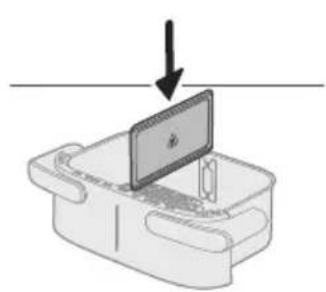
natural_image
Diagram of a device with a screen and arrow indicating downward motion (no text or symbols)natural_image
Illustration of a food delivery machine with an inset showing a plastic bottle and a hand placing it into a container (no text or symbols present)natural_image
Illustration of a hand holding a small appliance with circular arrows indicating rotation or movement (no text or symbols)natural_image
Illustration of a hand placing food into a rectangular container with an arrow indicating the process (no text or symbols present)natural_image
Line drawing of a rectangular device with a bell icon above it, no text or symbols presentnatural_image
Diagram showing two steps of food preparation with arrows indicating rotation or movement (no text or symbols)natural_image
Simple line drawing of a plug inserted into a socket (no text or symbols)natural_image
Illustration of a hand holding a container with arrows indicating rotation and movement (no text or symbols)natural_image
Illustration of a hand placing a container into an electric stove with a paper airplane (no text or symbols)natural_image
Line drawing of a rectangular device with a bell icon above it (no text or symbols)natural_image
Illustration of a hand using a tool to interact with a bowl containing liquid, showing a curved arrow indicating interaction (no text or symbols present)natural_image
Illustration of a plug inserted into a wall socket with two circular outlets, showing an arrow indicating direction (no text or symbols present)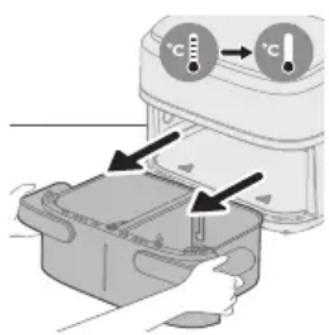
natural_image
Illustration of a hand using a tool to clean or install a device with two circular components (no text or symbols)natural_image
Illustration of a hand cleaning a rectangular kitchen appliance with water droplets (no text or symbols)natural_image
Illustration of a hand cleaning a small electronic device with a cloth (no text or symbols)natural_image
Line drawing of a portable electronic device with buttons and a cable (no text or symbols)natural_image
Illustration of two hands holding a rectangular device with a cross mark and checkmark indicating a location or inspection (no text or symbols present)natural_image
Symbol of a trash bin crossed with no text or numbers, representing waste sorting or disposal (no text present)Основни части
natural_image
Diagram of a device rear panel with a connector and arrow indicator (no text or symbols)natural_image
Illustration of a device being opened with a magnified inset showing the internal structure (no text or symbols)Внимание
natural_image
Diagram of a device with an upward arrow and a screen, no text or symbols present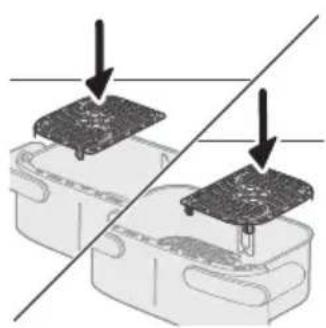
natural_image
Diagram showing two electronic components with a diagonal line indicating alignment or connection (no text or symbols present)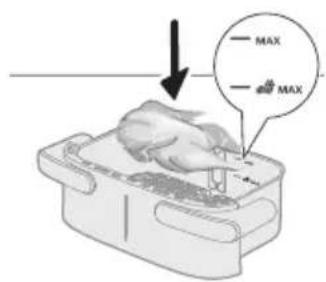

natural_image
Illustration of a hand placing food into a kitchen appliance with an inset showing a bottle and a cross symbol (no text or labels)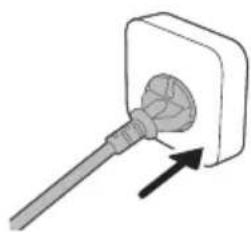
natural_image
Simple line drawing of a plug inserted into a socket (no text or symbols)natural_image
Line drawing of a rectangular device with a bell icon above it (no text or symbols)natural_image
Illustration of a microwave oven with heat exchanger and a close-up of the lid (no text or symbols)natural_image
Diagram showing two electronic components with downward arrows indicating process or alignment, no text or symbols present.natural_image
Illustration of a computer monitor with an arrow pointing downward, placed on a rectangular base (no text or symbols)natural_image
Illustration of a hand placing food into a plastic bag with an inset showing a container filled with plastic bottles (no text or symbols)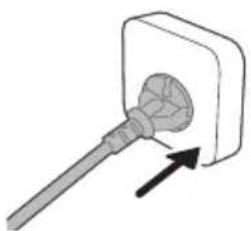
natural_image
Simple line drawing of a plug inserted into a socket (no text or symbols)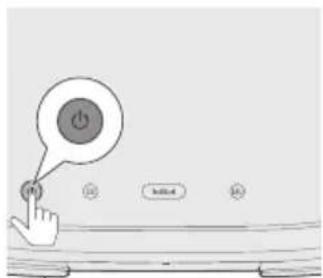
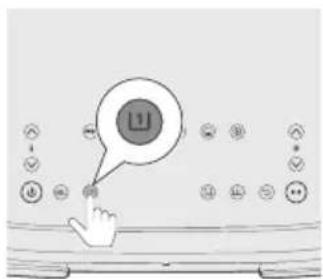
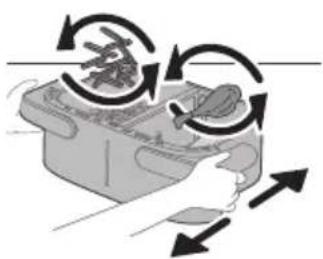
natural_image
Illustration of a hand pressing down on a device with circular arrows indicating motion (no text or symbols)natural_image
Illustration of a hand placing food into a trash bin with an upward arrow (no text or symbols)17 Поставете кофата обратно в уреда.
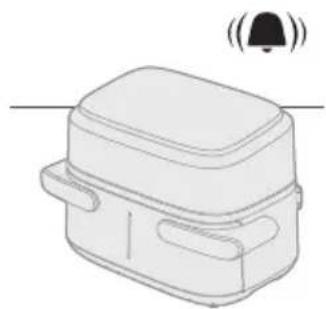
natural_image
Simple line drawing of a rectangular device with a bell icon above it (no text or symbols)natural_image
Diagram showing two steps of food preparation: slicing meat and adding a knife, with no text or symbols present.natural_image
Diagram showing a component being inserted into a plastic housing, with no visible text or symbols.natural_image
Simple line drawing of a device with a monitor and cable, no text or symbols present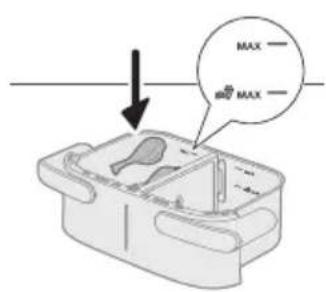
natural_image
Illustration of a hand placing a plastic bag into a container with an inset showing a bottle and a cross mark (no text or symbols)natural_image
Simple line drawing of a plug inserted into a socket (no text or symbols)natural_image
Illustration of a hand placing a container with arrows indicating rotation and movement (no text or symbols)natural_image
Illustration of a hand placing a small container with an arrow indicating motion (no text or symbols)13 Поставете кофата обратно в уреда.
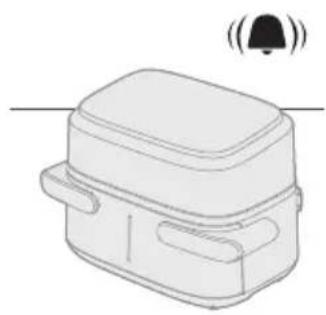
natural_image
Line drawing of a rectangular device with a lid and two side handles, emitting sound waves (no text or symbols)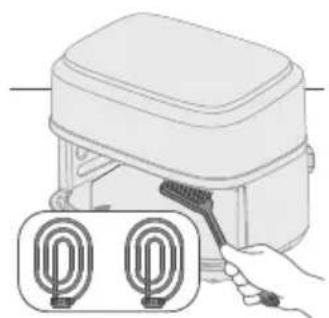
natural_image
Illustration of a hand holding a tool next to two labeled circular components (no text or symbols present)Предупреждение
natural_image
Illustration of a hand cleaning a kitchen appliance with a cloth (no text or symbols)natural_image
Illustration of a hand pressing down on a device with a cloth (no text or symbols)natural_image
Line drawing of a portable device with buttons and a cable (no text or symbols)natural_image
Illustration of two hands holding a rectangular device with a cross mark and a checkmark, no text or symbols present.Главни делови
natural_image
Diagram of a device rear panel with labeled ports and an arrow pointing to a button (no text or symbols present)natural_image
Illustration of a device with arrows indicating process flow, no visible text or symbolsВнимание
natural_image
Illustration of a computer monitor with an upward arrow, placed on a desk (no text or symbols)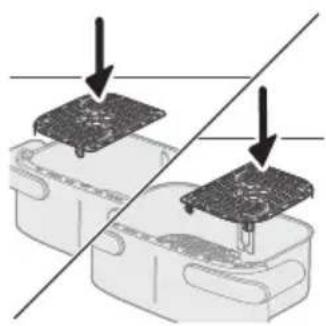
natural_image
Diagram showing two electronic components with a diagonal line indicating alignment or connection (no text or symbols present)natural_image
Illustration of a hand placing a white object into a plastic bag with an arrow, next to a magnified inset showing a food item (no text or symbols)natural_image
Simple line drawing of a plug inserted into a socket (no text or symbols)natural_image
Line drawing of a rectangular device with a bell icon above it, no text or symbols presentnatural_image
Illustration of a microwave oven with a bell and a circular button, showing heat transfer process (no text or symbols)natural_image
Illustration of a hand pouring liquid into a container with a spoon (no text or symbols)natural_image
Diagram showing two electronic components with a diagonal line indicating alignment or connection (no text or symbols present)natural_image
Diagram of a device with a monitor and keyboard, showing an arrow pointing downward (no text or symbols present)natural_image
Illustration of a hand placing food into a plastic bag with an inset showing a bottle and tray (no text or symbols)natural_image
Simple line drawing of a plug inserted into a socket (no text or symbols)
natural_image
Illustration of a hand holding a device with circular arrows indicating rotation or movement (no text or symbols)natural_image
Illustration of a hand placing a container with contents into a microwave oven (no text or symbols)natural_image
Line drawing of a rectangular device with a bell icon above it (no text or symbols)natural_image
Diagram showing two steps of food preparation with arrows indicating rotation or movement (no text or symbols present)natural_image
Diagram showing a component being inserted into a plastic housing, with no visible text or symbols.Забелешка
natural_image
Diagram of a device with a monitor and cable, showing an arrow pointing downward (no text or symbols present)natural_image
Illustration of a kitchen appliance with a hand placing a component into a container, showing a magnified view of the interior (no text or symbols present)natural_image
Simple line drawing of a plug inserted into a socket (no text or symbols)natural_image
Illustration of a hand pressing down on a container with arrows indicating motion (no text or symbols)natural_image
Illustration of a hand placing a small container with an arrow indicating the process (no text or symbols present)natural_image
Line drawing of a rectangular device with a bell icon above it, no text or symbols presentnatural_image
Illustration of a hand using a tool to brush or mark a surface around a container (no text or symbols)Внимание
natural_image
Illustration of a plug inserted into a wall socket with two circular cutouts, showing an arrow indicating direction (no text or symbols)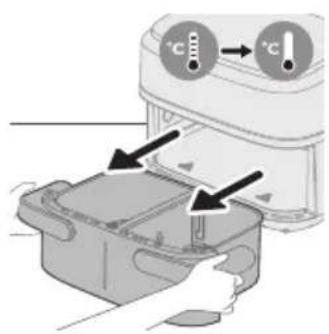
natural_image
Illustration of a hand holding a tool next to two labeled circular components (no text or symbols present)natural_image
Illustration of a hand cleaning a rectangular appliance with a cloth (no text or symbols)natural_image
Illustration of a hand cleaning a small electronic device with a cloth (no text or symbols)natural_image
Line drawing of a portable electronic device with buttons and a cable (no text or symbols)natural_image
Illustration of two hands holding a rectangular device with a cross mark and a checkmark, no text or symbols presentnatural_image
Symbol of a trash bin crossed with no text or numbers, representing waste sorting or disposal (no text present)Основные компоненты
natural_image
Diagram of a device rear panel with connector pins and a separate clip attachment (no text or symbols)Внимание!
natural_image
Diagram of a device with an upward arrow and a screen, no text or symbols present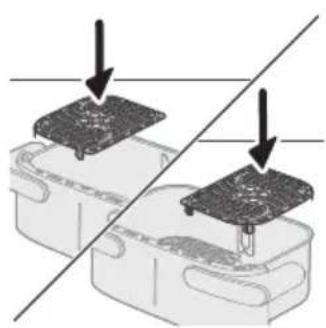
natural_image
Diagram showing two electronic components with a diagonal line indicating alignment or connection (no text or symbols present)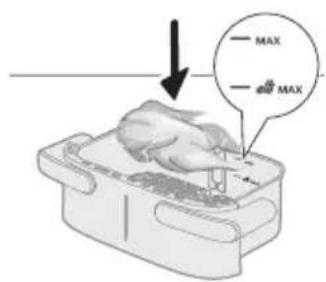
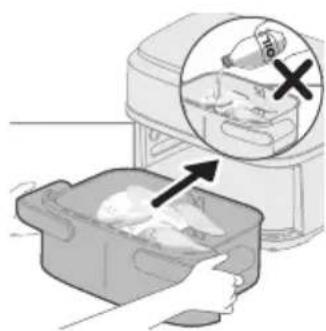
natural_image
Illustration of a hand placing food into a kitchen appliance with an inset showing a bottle and a cross symbol (no text or labels)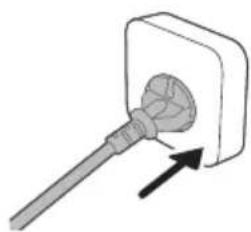
natural_image
Simple line drawing of a plug inserted into a socket (no text or symbols)natural_image
Line drawing of a rectangular device with a lid and two side handles, emitting sound waves (no text or symbols)natural_image
Illustration of a microwave oven with a bell and a circular button, showing heat transfer process (no text or symbols)natural_image
Diagram showing two electronic components with downward arrows indicating alignment or disassembly (no text or symbols present)natural_image
Diagram of a device with a monitor and arrow indicating downward motion (no text or symbols)natural_image
Illustration of a hand placing a plastic bag into a drawer with an inset showing a bottle and a cross mark (no text or symbols)natural_image
Simple line drawing of a plug inserted into a socket (no text or symbols)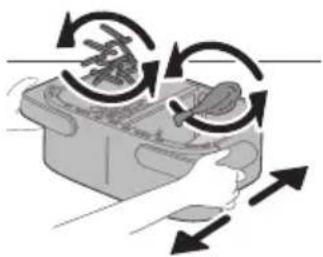
natural_image
Illustration of a hand holding a device with circular arrows indicating rotation or cycle (no text or symbols)natural_image
Illustration of a kitchen appliance with a hand placing food into a container (no text or symbols visible)natural_image
Line drawing of a rectangular device with a lid and two side handles, emitting sound waves above (no text or symbols)natural_image
Illustration of two containers with arrows indicating a process or movement, no text or symbols presentnatural_image
Diagram showing a component being inserted into a plastic housing, with no visible text or symbols.natural_image
Diagram of a device with a screen and a downward arrow, no text or symbols present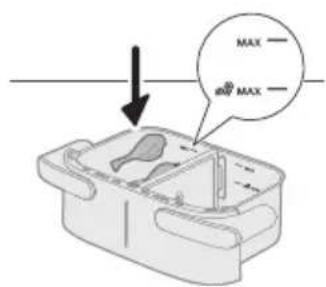
natural_image
Illustration of a hand placing a plastic bag into a plastic bin with an inset showing a bottle and a cross mark (no text or symbols)natural_image
Simple line drawing of a plug inserted into a socket (no text or symbols)natural_image
Illustration of a hand holding a container with arrows indicating rotation and movement (no text or symbols)natural_image
Illustration of a hand placing a small container into a plastic bag with an arrow indicating motion (no text or symbols)natural_image
Line drawing of a rectangular device with a lid and two side handles, emitting sound waves (no text or symbols)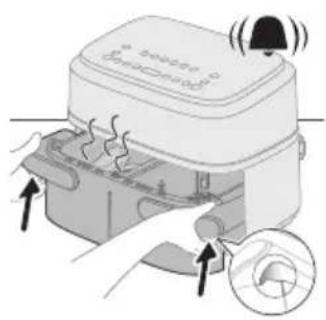
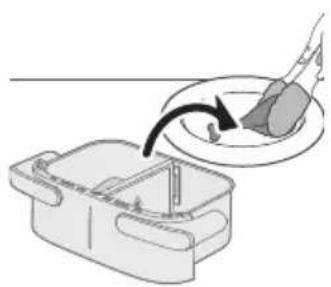
natural_image
Illustration of a hand using a tool to interact with a bowl containing food, showing a curved arrow indicating interaction (no text or symbols present)natural_image
Illustration of a plug inserted into a wall socket with a black arrow indicating direction (no text or symbols)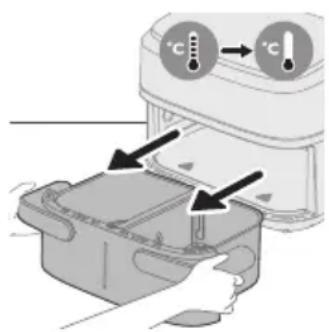
natural_image
Illustration of a hand using a tool to clean two identical U-shaped sensors (no text or symbols present)natural_image
Illustration of a hand cleaning a rectangular kitchen appliance with a cloth (no text or symbols)natural_image
Illustration of a hand pressing down on a device component (no text or symbols visible)natural_image
Line drawing of a portable electronic device with buttons and a cable (no text or symbols)natural_image
Illustration of two hands holding a rectangular device with a cross mark and checkmark indicating a location or inspection (no text or symbols present)natural_image
Symbol of a waste bin with crossed lines indicating no waste, and a solid black rectangle below (no text or labels)Основні частини
natural_image
Diagram of a device rear panel with labeled ports and an arrow pointing to a component (no text or symbols present)natural_image
Illustration of a device with hands operating a package and a magnified inset showing a circular component (no text or symbols)Увага!
natural_image
Diagram of a device with an upward arrow and a screen, no text or symbols presentnatural_image
Diagram showing two electronic components with a diagonal line indicating alignment or connection (no text or symbols present)natural_image
Illustration of a hand placing a white object into a plastic bag with an arrow, next to a magnified inset showing a food item (no text or symbols)natural_image
Simple line drawing of a plug inserted into a socket (no text or symbols)natural_image
Line drawing of a rectangular device with a bell icon above it, no text or symbols presentnatural_image
Illustration of a microwave oven with a bell and fan, showing heat transfer process (no text or symbols)natural_image
Illustration of a hand pouring liquid into a container with a curved arrow indicating flow (no text or symbols)natural_image
Diagram showing two electronic components with a diagonal line indicating alignment or connection (no text or symbols present)natural_image
Simple line drawing of a device with a monitor and cable, no text or symbols presentnatural_image
Illustration of a hand placing food into a container with an inset showing a bottle and a cross symbol (no text or labels)natural_image
Simple line drawing of a plug inserted into a socket (no text or symbols)natural_image
Illustration of a hand holding a device with circular arrows indicating rotation or cycle (no text or symbols)natural_image
Illustration of a hand placing a food item into a rectangular container with an arrow indicating the process (no text or symbols present)natural_image
Line drawing of a rectangular device with a bell icon above it, no text or symbols presentnatural_image
Diagram showing two steps of food preparation with arrows indicating rotation or movement (no text or symbols present)natural_image
Diagram showing a component being inserted into a housing, with no visible text or symbolsПримітка
natural_image
Simple line drawing of a laptop on a device with an arrow pointing downward (no text or symbols)natural_image
Illustration of a hand placing a plastic bag into a small container with an arrow indicating motion (no text or symbols)natural_image
Simple line drawing of a tool inserted into a square socket with an arrow indicating direction (no text or symbols)natural_image
Illustration of a hand placing a container with arrows indicating rotation or movement (no text or symbols)natural_image
Illustration of a hand placing a small container with an arrow indicating motion (no text or symbols)natural_image
Line drawing of a rectangular device with a lid and two side pockets, emitting sound waves (no text or symbols)natural_image
Illustration of a microwave oven with heat transfer arrows and a close-up inset showing the lid (no text or symbols)natural_image
Illustration of a plug inserted into a wall socket with two circular components, showing an arrow indicating direction (no text or symbols)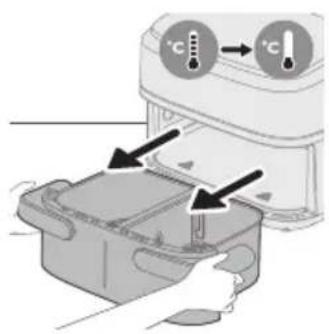
Попередження
natural_image
Illustration of a hand holding a tool next to two labeled circular components (no text or symbols present)natural_image
Illustration of a hand cleaning a rectangular appliance with a cloth (no text or symbols)natural_image
Illustration of a hand cleaning a small electronic device with a cloth (no text or symbols)natural_image
Line drawing of a portable electronic device with buttons and a cable (no text or symbols)natural_image
Illustration of two hands holding a rectangular device with a cross mark and checkmark indicating a location or inspection (no text or symbols present)natural_image
Symbol of a trash bin with no text or numbers presentНегізгі бөлшектер
natural_image
Diagram of a device rear panel with a close-up view showing internal components and an arrow pointing to a component (no text or symbols present)natural_image
Illustration of a device with arrows indicating process flow, no visible text or symbolsСак болыңыз
natural_image
Diagram of a device with an upward arrow and a screen, no text or symbols present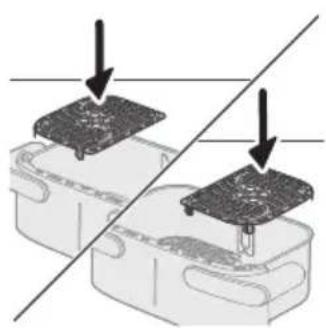
natural_image
Diagram showing two electronic components with a diagonal line indicating alignment or connection (no text or symbols present)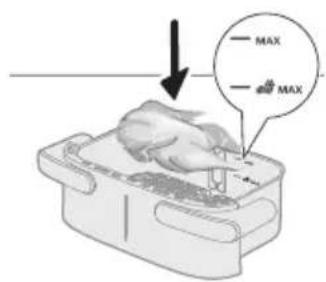
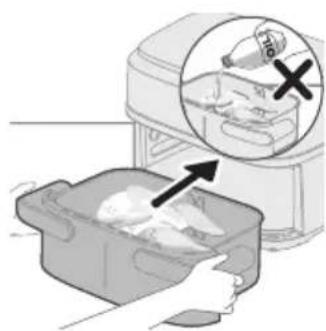
natural_image
Illustration of a hand placing food into a kitchen appliance with an inset showing a bottle and a cross mark (no text or symbols)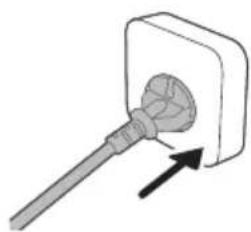
natural_image
Simple line drawing of a plug inserted into a socket (no text or symbols)natural_image
Line drawing of a rectangular device with a bell icon above it, no text or symbols presentnatural_image
Illustration of a microwave oven with heat exchanger and a close-up of the lid (no text or symbols)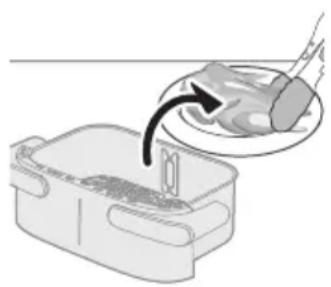
natural_image
Illustration of a hand pouring liquid into a container with a curved arrow indicating flow (no text or symbols)natural_image
Diagram showing two electronic components with a diagonal line indicating alignment or connection (no text or symbols present)natural_image
Diagram of a device with a monitor and keyboard, showing an arrow pointing downward (no text or symbols present)2 Бөлгішті салыңыз.
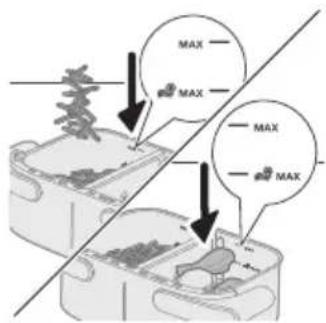
natural_image
Illustration of a hand placing food into a plastic bag with an inset showing a bottle and tray (no text or symbols)natural_image
Simple line drawing of a plug inserted into a socket (no text or symbols)
natural_image
Illustration of a hand holding a device with circular arrows indicating rotation or cycle (no text or symbols)natural_image
Illustration of a hand placing a food item into a rectangular container with an arrow indicating the process (no text or symbols present)natural_image
Line drawing of a rectangular device with a bell icon above it, no text or symbols presentnatural_image
Diagram showing two steps of food preparation: slicing meat and adding sauce, with arrows indicating rotation (no text or symbols)20 Ингредиенттерді барбекю кыскыштарымен табадан абайлап алыңыз.
natural_image
Diagram showing a component being inserted into a plastic housing, with no visible text or symbols.Ескертпе
natural_image
Simple line drawing of a laptop on a device with an arrow pointing downward (no text or symbols)2 Бөлгішті салыңыз.
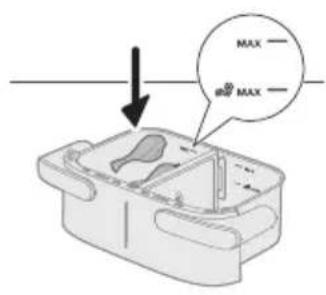
natural_image
Illustration of a hand placing a plastic bag into a small container with an arrow indicating motion (no text or symbols present)natural_image
Simple line drawing of a tool inserted into a square socket with an arrow indicating direction (no text or symbols)natural_image
Illustration of a hand placing a container with arrows indicating rotation or movement (no text or symbols)natural_image
Illustration of a hand placing a small container with a handle into a plastic bag, next to a device labeled 'Bened' (no text or symbols on the device itself)natural_image
Line drawing of a rectangular device with a bell icon above it (no text or symbols)natural_image
Illustration of a microwave oven with heat transfer arrows and a close-up inset showing the lid (no text or symbols)natural_image
Illustration of a hand using a spatula to clean or brush inside a plastic container (no text or symbols)Саç болыңыз
natural_image
Illustration of a plug inserted into a wall socket with two circular components, showing an arrow indicating direction (no text or symbols)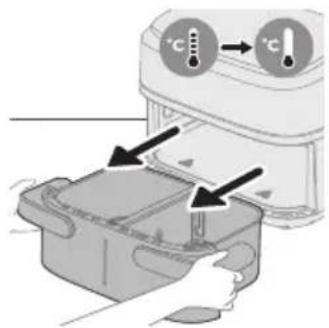
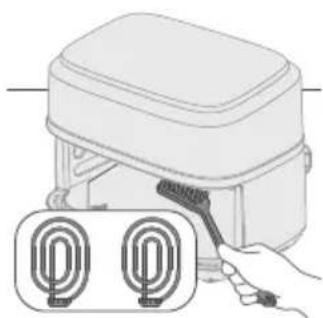
natural_image
Illustration of a hand holding a brush next to two labeled cylindrical objects (no text or symbols present)Ескерту
natural_image
Illustration of a hand cleaning a kitchen appliance with a cloth (no text or symbols)natural_image
Illustration of a hand cleaning a device with a cloth (no text or symbols)natural_image
Line drawing of a portable electronic device with buttons and a cable (no text or symbols).הַרְבָרִיֹתְרִיֹתְרִיֹתְרִיֹתְרִיֹתְרִיֹתְרִיֹתְרִיֹתְרִיֹתְרִיֹתְרִיֹתְרִיֹתְשׁו
natural_image
Illustration of two hand-drawn containers with handles and a cross mark, showing a correct vs. incorrect states (no text or symbols)natural_image
Symbol of a trash bin crossed with a diagonal line, no text or numbers present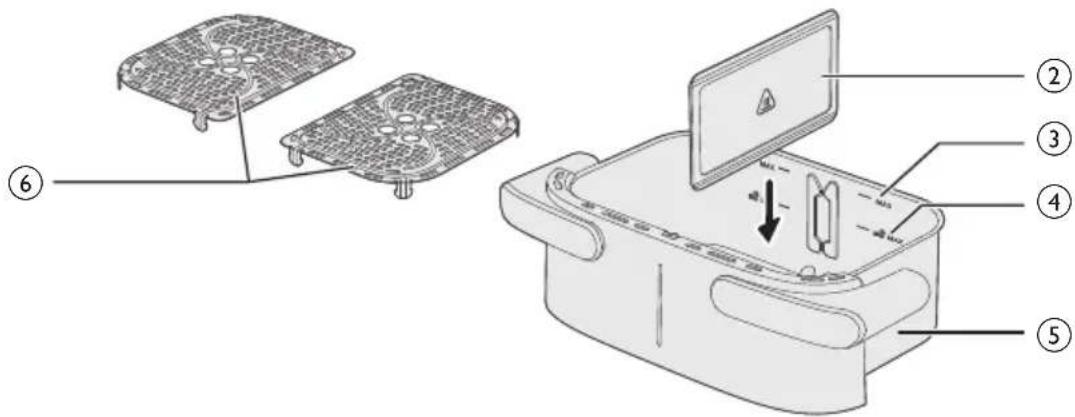
בְרַעָה אַלְאָה
17
21710
30'12'
40'X1
57.1L
6πιπ
70172
8nnn
9711X
תְקָרִי אַלְאָה
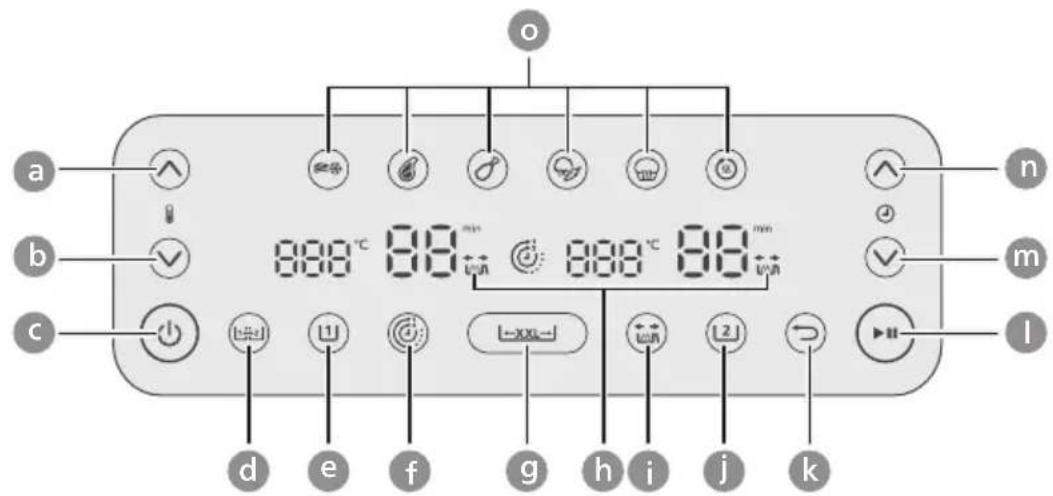
הכלה
Pennsylvania
c/ɪdʒ/ɪdʒ/ɪdʒ
dְּרַעָהִיָה
enj07 n2
f17:
gning 7
הכלה
תְרָה בְּרָה
jnu7 nwr
KNIN
הכלה/
m'jnt jin9
n'מְרָה
הכלה
תָרִי בְּרַעֹם
אַלְרָה אַלְרָה
natural_image
Diagram of a device rear panel with a close-up view showing internal components (no text or symbols)הכלהה
natural_image
Illustration of a food delivery box with hands inserting food into a container, showing a magnified view of the lid (no text or symbols)natural_image
Simple line drawing of a device with an upward arrow and a small object inside, no text or symbols present.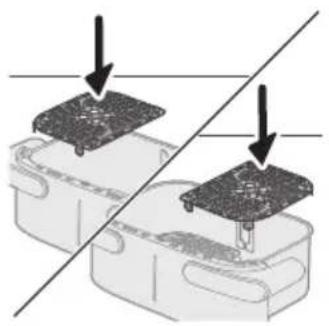
natural_image
Diagram showing two electronic components with downward arrows indicating alignment or disassembly (no text or symbols present)2.
תַרְשָׁ
natural_image
Illustration of a hand placing food into a washing machine with an inset showing a bottle and a cross mark (no text or symbols)4.Airf
תְרָה
natural_image
Simple line drawing of a plug inserted into a socket (no text or symbols)6.
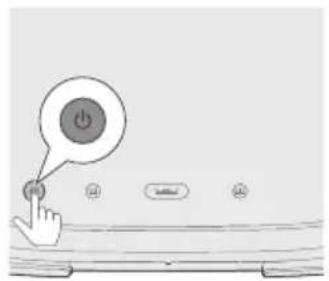
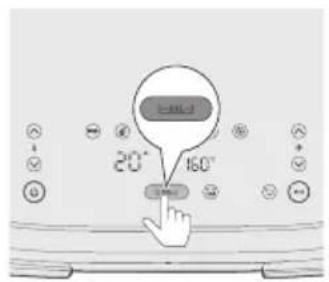
7.XXL
תַרְשָׁ
natural_image
Illustration of a closed box device with a bell icon above it (no text or symbols)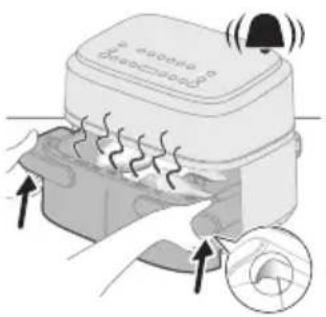
natural_image
Illustration of a microwave oven with heat exchanger and sensor icon (no text or symbols)11.0
תְרָה
natural_image
Illustration of a hand pouring liquid into a container with a spoon (no text or symbols)תְרָה
natural_image
Diagram showing two mechanical components with downward arrows indicating assembly or force direction (no text or symbols)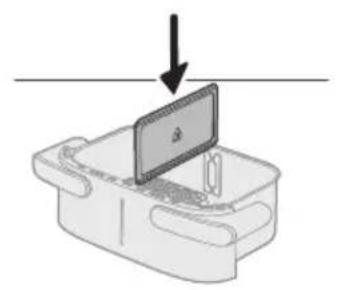
natural_image
Simple line drawing of a device with a monitor and base, no text or symbols present
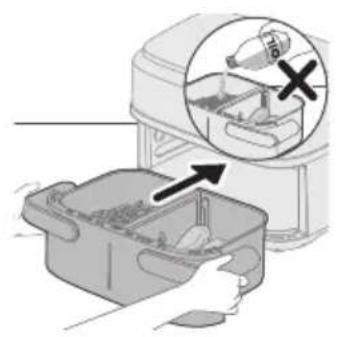
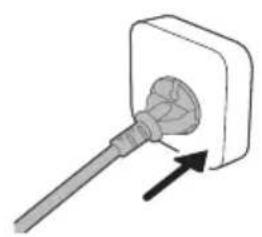
natural_image
Simple line drawing of a plug inserted into a socket (no text or symbols)1.
תַרְשָׁ
6.
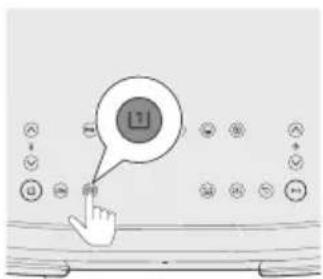
- נְרָה
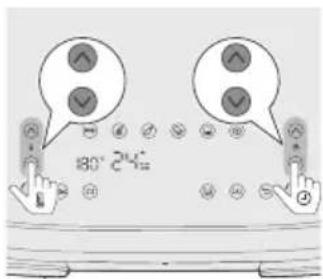
8710
10.
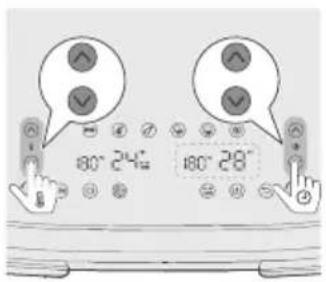
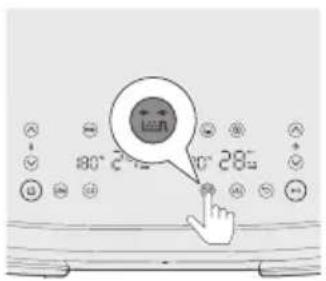
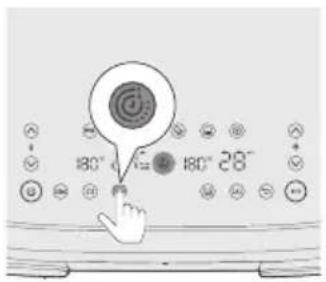
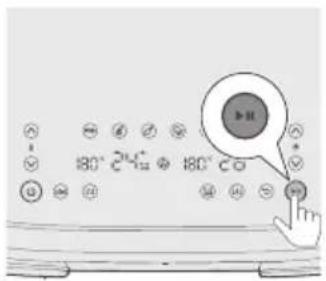
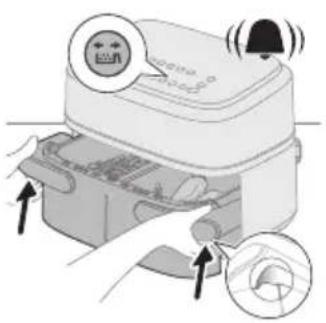
1170
natural_image
Illustration of a hand pressing down on a device with circular arrows indicating motion (no text or symbols)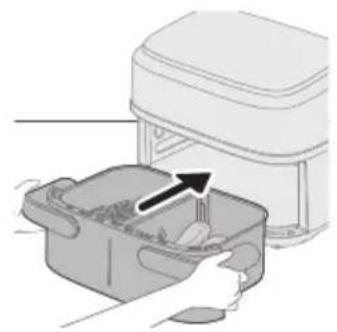
natural_image
Illustration of a hand placing a food item into a rectangular container with an arrow indicating the process (no text or symbols present)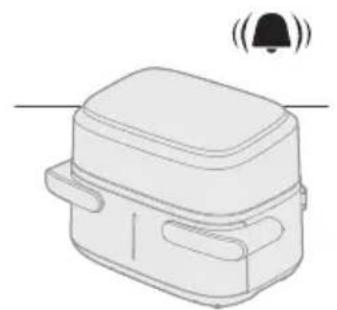
natural_image
Line drawing of a rectangular device with a bell icon above it, no text or symbols present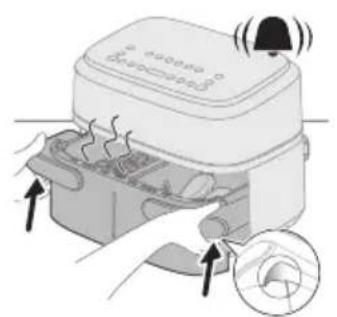
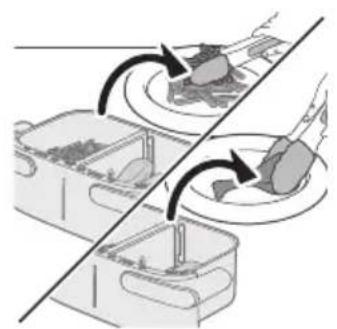
natural_image
Diagram showing two containers with arrows indicating process flow, no text or symbols present17.
18.תְבָר
19
natural_image
Diagram of a mechanical component with a downward arrow indicating force or direction (no text or symbols)תַרְשָׁ
natural_image
Diagram of a device with a monitor and cable, showing an arrow pointing downward (no text or symbols present)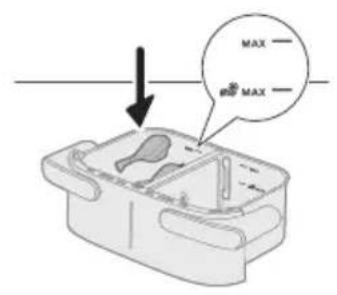
3.17×r
תַרְשָׁ
natural_image
Illustration of a hand placing a plastic bag into a small container with an arrow indicating the process (no text or symbols present)4.Airf
תָרְשָׁ
natural_image
Simple line drawing of a plug inserted into a socket (no text or symbols)5.717
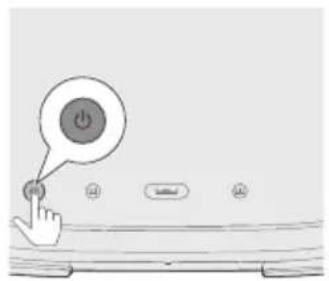
6.
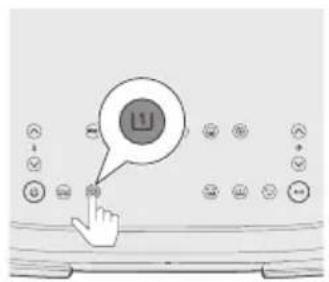
- בְּרָה
תַרְשָׁ
11π77
natural_image
Illustration of a hand pressing down on a rectangular basin with arrows indicating motion (no text or symbols)12.
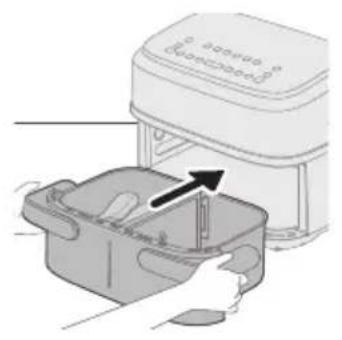
natural_image
Illustration of a hand placing a plastic bag into a container with an arrow indicating motion (no text or symbols)13.דִר
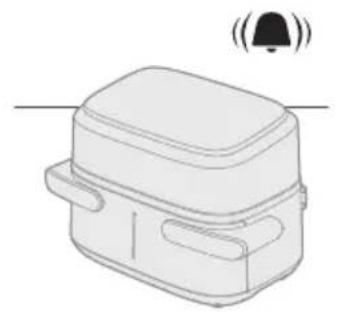
natural_image
Line drawing of a rectangular device with a bell icon above it, no text or symbols present14.
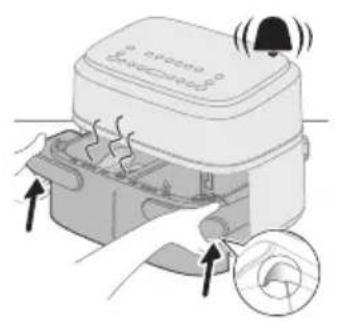
15.□□□
natural_image
Illustration of a hand using a spatula to interact with a bowl containing liquid, showing a curved arrow (no text or symbols)תְרָה
natural_image
Illustration of a hand holding a tool next to two U-shaped electronic components (no text or symbols visible)4.0n1
natural_image
Illustration of a hand cleaning a rectangular appliance with a cloth (no text or symbols)5.1170
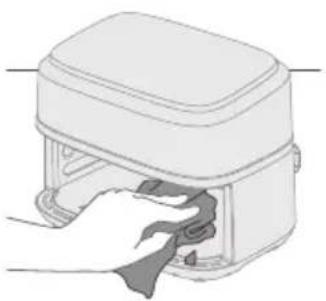
natural_image
Illustration of a hand cleaning a small appliance with a cloth (no text or symbols)6.771
הכלה
 |  | 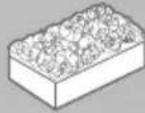 | |
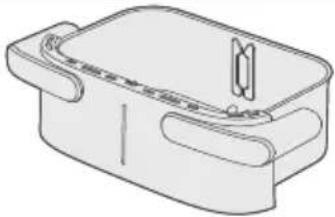 |  |  |  |
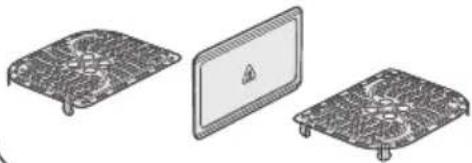 |  |  |  |
||DNX
- 77
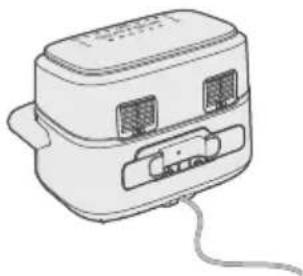
natural_image
Line drawing of a portable toaster with buttons and a cord (no text or symbols)2.□□□
3.
תַרְשָׁ
PHILIPS and the Philips Shield Emblem are registered trademarks of Koninklijke Philips N.V. and are used under license.
This product has been manufactured by and is sold under the responsibility of Versuni Holding B.V., and Versuni Holding B.V. is the warrantor in relation to this product.
(12/2024)