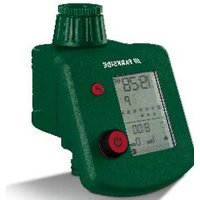
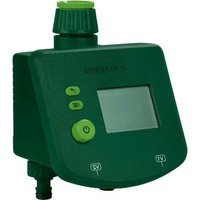
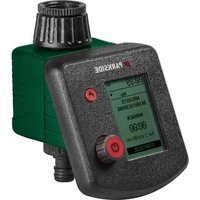
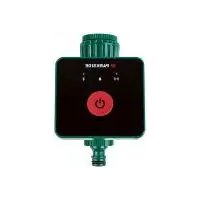
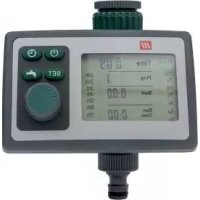
USER MANUAL PBCG B2 PARKSIDE
BEWÄSSERUNGSCOMPUTER/PROGRAMMABLE WATERING TIMER/PROGRAMMATEUR D'ARROSAGE PBCG B2
DE AT CH
Operation and safety notes
NL BE
BESPROEIINGSCOMPUTER
GB/IE Operation and safety notes Page 49
Scope of delivery ...... Page 56
Technical data......Page 56
Parts description......Page 57
Display indicators......Page 57
Safety Page 58
Safety instructions ...... Page 58
Safety instructions for batteries/rechargeable batteries ... Page 61
Inserting/replacing batteries ...... Page 66
Initial use ...... Page 66
Operation......Page 68
Putting the product into operation......Page 68
Setting current time and day of week......Page 69
Programming for automatic watering ...... Page 70
Manual operation for watering ...... Page 72
Reset......Page 73
Key lock Page 74
Battery status display ...... Page 74
Power off mode......Page 75
Troubleshooting......Page 76
Cleaning and Care......Page 78
Cleaning the filter....Page 78
Storage Page 79
Disposal Page 79
Warranty......Page 81
Warranty claim procedure......Page 83
Service Page 84
| List of pictograms used |
 | Direct current/voltage |
 | Volt |
 | Caution! Explosion hazard! |
 | Observe caution and safety notes! |
 | DANGER! This symbol in combination with the signal word “Danger” marks a high-risk hazard that if not prevented could result in death or serious injury. |
 | CAUTION! This symbol in combination with the signal word “Caution” marks a low-risk hazard that if not prevented could result in minor or moderate injury. |
 | WARNING! This symbol in combination with the signal word “Warning” marks a medium-risk hazard that if not prevented could result in death or serious injury. |
 | ATTENTION! This symbol with the signal word “Attention” indicates a possible property damage. |
 | Never leave children unattended with packaging materials or the product. |
 | Protects from splashing water |
 | Alkaline-batteries are included in product. |
 | Product meets the applicable European productspecific directives |
 | Before using for the first time, pls read the instruction carefully. |
 | Do not use the product for drinks! |
| [w6zt] | Dispose of the packaging and device in an environ-mentally-friendly manner! |
 |
 | Safety informationInstructions for use |
 | Keep out of reach of children |
 | Do not dispose of in fire |
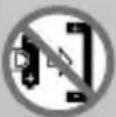 | Do not insert incorrectly |
 | Do not deform/damage |
 | Do not open/dismantle |
 | Do not mix different types or brands |
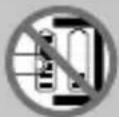 | Do not mix new and used |
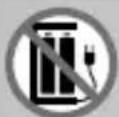 | Do not charge |
 | Keep away from water and excessive moisture |
 | Do not short circuit |
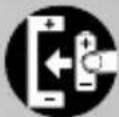 | Insert correctly |
Programmable watering timer
- Introduction
We congratulate you on the purchase of your new product. You have chosen a high quality product. The instructions for use are part of the product. They contain important information concerning safety, use and disposal. Before using the product, please familiarise yourself with all of the safety information and instructions for use. Only use the product as described and for the specified applications. If you pass the product on to anyone else, please ensure that you also pass on all the documentation with it.
Intended use
This product is designed to control sprinklers and sprinkler and irrigation systems. It facilitates the automatic irrigation of outdoor areas at a programmed time and for a programmed duration. The product may save up to 6 programmes for automatic irrigation. The product may only be used outdoors. Any other use or modification to the product constitutes improper use. The manufacturer assumes
no liability for damages due to improper use. This product is not intended for commercial use.
- Scope of delivery
1 Programmable watering timer 1 Filter
1 Tap connector 2 Batteries 1.5V Type AA
1 Adapter — 33.3mm to 26.5mm (G1" to G ^3/4 ) 1 Instructions for use
- Technical data
Model No.: HG09709
Max. working pressure: 4 bar
Max. water temperature: 40°C
Power supply: 2 x 1.5V === batteries type AA
Flow rate (at approx. 4 bar
water pressure): approx. 50l/min
Programmable irrigation time: max. 09:59 h
Manual irrigation time: max. 09:59 h
Water connection: 26.5 mm (G ^3/4 ) or 33.3 mm (G 1")
Protection class: IP X4 (splash-proof)
• Parts description (Fig. A)
1 Adapter - 33.3mm to 26.5mm (G1" to G ^3/4 ")
2 Filter
3 Union nut - 33.3mm (G1")
4 Button
5 Button
6 Rotary control
7 Battery compartment screw
8 Battery compartment
9 Adapter (for coupling the hose)
10 Display
• Display indicators (Fig. B)
11 Battery status
12 Current time
13 Current weekday
14 Program start time Ⓤ
15 Run time – watering duration
16 Irrigation start indicator
17 Programmed watering days
18 Current watering program (1-6)
19 ON ON
20 Irrigation IRRIGATION
21 Pause PAUSE
22 OFF OFF

Safety
- Safety instructions
Damage due to failure to comply with these operating instructions will void the warranty! We assume no liability for consequential damages! We assume no liability for property damage or personal injury due to improper handling or failure to observe the safety instructions!
KEEP ALL THE SAFETY ADVICE AND INST- RUCTIONS IN A SAFE PLACE FOR FUTURE REFERENCE!
WARNING! DANGER TO LIFE AND RISK OF ACCIDENT FOR IN-
FANTS AND CHILDREN! Never leave children unsupervised with the packaging materials. The packaging material poses a suffocation hazard. Keep this product well away from children. This product is not a toy.
This product may be used by children age 8 years and up, as well as by persons with reduced physical, sensory or mental capacities, or lacking experience and/or knowl edge, so long as they are supervised or instructed in the safe use of the product and understand the associated risks.
Children should not be allowed to play with the product. Cleaning and user maintenance should not be performed by children without supervision.
■ Any repairs during the warranty period must be performed by a manufacturer authorised service centre, or the warranty will be void if subsequent damages occur.
■ Always replace defective parts with genuine spare parts. Only by using these parts will you ensure that the safety requirements are met.
- Avoid direct sunlight.
■ Always shut off the tap if you no longer use the product.
- Do not operate the product near open flames.
- Check the product and its supply lines at regular intervals to ensure that they are impermeable and that they function perfectly.
RISK OF DEATH/ELECTRIC SHOCK! Do not aim the water jet at electrical equipment!
- Do not aim the water jet at persons or animals!
■ The product is not suitable for supplying drinking water.

Safety instructions for batteries/rechargeable batteries
■ DANGER TO LIFE! Keep batteries/recharge-able batteries out of reach of children. If
accidentally swallowed seek immediate medical attention.
■ Swallowing may lead to burns, perforation of soft tissue, and death. Severe burns can occur within 2 hours of ingestion.
DANGER OF EXPLOSION! Never recharge non-rechargeable batteries.
Do not short-circuit batteries/rechargeable batteries and/or open them. Overheating, fire or bursting can be the result.
■ Never throw batteries/rechargeable batteries into fire or water.
- Do not exert mechanical loads to batteries/rechargeable batteries.
Risk of leakage of batteries/rechargeable batteries
- Avoid extreme environmental conditions and temperatures, which could affect batteries/rechargeable batteries, e.g. radiators/direct sunlight.
■ Rechargeable batteries must be removed from the device before charging them.
If batteries/rechargeable batteries have leaked, avoid contact with skin, eyes and mucous membranes with the chemicals! Flush immediately the affected areas with fresh water and seek medical attention!

WEAR PROTECTIVE GLOVES!
Leaked or damaged batteries/recharge-able batteries can cause burns on contact with the skin. Wear suitable protective gloves at all times if such an event occurs.
In the event of a leakage of batteries/recharge-able batteries, immediately remove them from the product to prevent damage.
- Only use the same type of batteries/rechargeable batteries. Do not mix used and new batteries/rechargeable batteries.
■ Remove batteries/rechargeable batteries if the product will not be used for a longer period.
Risk of damage of the product
■ Only use the specified type of battery/rechargeable battery!
- Insert batteries/rechargeable batteries according to polarity marks (+) and (-) on the battery/rechargeable battery and the product.
Use a dry lint-free cloth or cotton swab to clean the contacts on the battery/recharge-able battery and in the battery compartment before inserting!
■ Remove exhausted batteries/rechargeable batteries from the product immediately.
- Inserting/replacing batteries (see Fig. C)
☐ Untighten the screw 7 of the battery compartment 8 cover, remove the cover.
☐ Insert 2 AA batteries (LR06/Mignon) into the battery compartment 8. Observe correct polarity.
Remark: The display show all LCD symbols for approx. 1 second and then switch to „Setting current time and day of week“ section.
☐ Close the cover and tighten the battery compartment screw 7.
- Initial use
The site where the product will be installed must meet the following requirements for safe and trouble-free operation:
The maximum temperature of the flowing water is 40^ C.
The minimum operating temperature is +5°C.
The maximum temperature of the environment is +50°C.
■ Only use clear freshwater.
Only connect the product vertically with the adapter pointed downwards to prevent water from entering the battery compartment 8.
ATTENTION! The irrigation controller may only be connected to a drinking water abstraction point with a safety device which corresponds to TYPE HD at the very least according to EN 1717 (backflow preventer with tube ventilation).
Note: Such mains adapters are available from speciality retailers.
☐ Check the water connection type available. The product is fitted with a union nut 3 for a tap with a 33.3mm thread (G 1"). For a tap with a 26.5mm thread (G 3/4") use the adapter 1 supplied.
☐ Insert the filter 2 into the union nut 3 as depicted in Figure A.
☐ For a 26.5 mm thread (G ^3/4 ): Screw the adapter ☐ onto the tap. Do not use any tools for this purpose.
☐ Screw the union nut 3 onto the thread of the tap or the adapter. Do not use any tools for this purpose.
☐ Screw the adapter 9 onto the hose connection. You can then connect a hose to the adapter 9.
Open the tap.
ATTENTION! If defects/leaks arise when using the adapter1, the thread of the tap must be wrapped using sealing tape.
Programme irrigation as described in the chapter "Operation".
Operation
Irrigation can be fully automated at any time of the day using the irrigation controller. A sprinkler, sprinkler system or drip irrigation system may be connected.
The irrigation controller automatically carries out irrigation at the respective programmed start time and for the programmed duration. Take the season and time of the day into consideration when programming. Evaporation and water consumption is lowest early in the morning or late in the evening.
- Putting the product into operation
-
Insert batteries to the item as described in the chapter "Inserting/ replacing batteries".
-
Connect the water timer to the water tap (see Fig. D).
68 GB/IE
- Setting current time and day of week
- In normal mode, press the button ⏻ 5 and button ⚡ 4 together to enter time setting mode or turn the rotary control 6 to select time setting (not necessary if you just insert batteries).
- The clock display in the current time 12 will flash on screen.
- Press the button ⏻ 5.
- The hour display in the current time 12 will flash on screen.
-
Set the time in hours with the rotary control 6 (for example 9 hours) and confirm with the button ⏻ 5. The minute display in the current time 12 will flash on screen.
-
Set the time in minutes with the rotary control 6 (for example 30 minutes) and confirm with the button ⏻ 5 (see Fig. E1).
-
“12Hr/24Hr” will flash on screen. Set with the rotary control 6 (for example 24Hr) and confirm with the button 5 (see Fig. E2).
-
The cursor in the current weekday 13 will flash on screen.
-
Set the day of the week with the rotary control 6 (for example Wednesday) and confirm with the button ⏻ 5 (see Fig. E3).
- Programming for automatic watering
- Turn the rotary control 6 to select program 1 to 6.
- The current watering program (1–6) 18 will flash on screen.
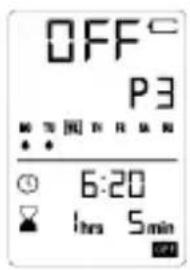
- Use the rotary control 6 to set the program number (e.g. program 3) and confirm by pressing the button ⏻ 5 (see Fig. E4).
- The waterdrop frame on the programmed watering days 17 flashes. Turn the rotary control 6 to turn the watering day on or off. The corresponding water drop symbol is displayed or turned off. Press the button ⏻ 5 to enter the next watering day setting (e.g. MO, TU) until the setting is completed (see Fig. E5). Press the button ⏻ 5 to confirm.
- Enter the watering start time setting. The program start time will be flashing. If you need to set the watering start time, just press the button ① ⑤ to enter.
-
The hour for starting the watering time will flash on screen. Set the hours for starting the watering time with the rotary control 6 and confirm with the button ⏻ 5. The minute for starting the watering time will flash on screen. Set the minutes with the rotary control 6 and confirm with the button ⏻ 5 (for example 6:20) (see Fig. E6).
-
Enter the watering duration setting. Run time - watering duration 15 will be flashing.
- If you need the watering duration setting, press the button ⏻ 5 to enter.
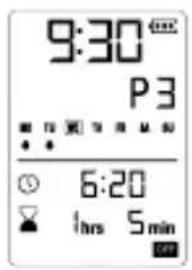
- The watering duration hours flashing, turn the rotary control 6 to set. Press the button ⏻ 5 to confirm. The watering duration minutes flashing, turn the rotary control 6 to set (for example 1 hrs 5 mins) (see Fig. E7). Press the button ⏻ 5 to confirm.
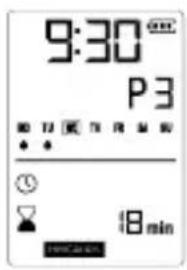
- Enter the IRRIGATION 20 time setting, the minute for the watering time will be flashing on the display 10. Turn the rotary control 6 to set minutes (max. 19 minutes) (for example 18 minutes) (see Fig. E8). Press the button ⏻ 5 to confirm.
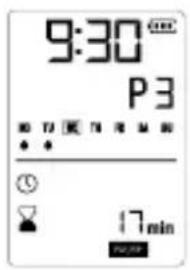
- Enter the PAUSE 21 time setting, the minute of the interval time will be flashing. Turn the rotary control 6 to set the pause interval (maximum 19 minutes) (for example 17 minutes) (see Fig. E9). Press the button ⏻ 5 to confirm.
Remark: For example, if the start time is 6:20, the total watering time is 1 hrs 5 mins, the watering interval is 18 mins, pause time is 17 mins. When time reaches 6:20, the product will start watering for 18 mins, then pause for 17 mins, then restart after 18 mins and
then pause for 12 mins. Normally the program should pause for 17 mins, but since adding pause for 12 mins makes the total time reach 1 hrs 5 mins., the program will be ended. If you do not want to set the interval time and pause time, just set both to 0 min.
- Enter the watering schedule ON/OFF setting. Turn the rotary control 6 to select ON 19 or OFF 22. Press the button ⏻ 5 to confirm and return to normal display mode.
Remark: When you use the rotary control 6 to select the program with the current watering program (1-6) 18 flashing, you can press the button 4 to turn the program on or off directly without setting the other parameters.
- Manual operation for watering
The valve can be opened or closed manually at any time. A program-controlled open valve can be closed early without changing the program data (watering start time, run time and frequency).
- Press and hold the button 4 for approx. 2 seconds. The irrigation start indicator 16 flashes.
- The product will start watering and the time displays in a count-down manner.
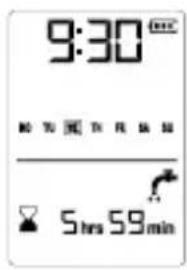
- Press the button ⏻ 5 to set the manual watering time. It can be set from 1 minute to 9 hours and 59 minutes. When it is set to 0:00, the default is 1 minute (for example set to 5 hours 59 minutes) (see Fig. E10).
- Press and hold the button 4 for 2 seconds to stop the manual watering, and the display returns to normal.
- The default of manual watering time is 59 minutes.
Remark: When the scheduled start time is being executed, there is a manual watering. The scheduled program is invalid this time and it will not be executed until the next scheduled cycle.
Reset
Press the button 4 and the button 5 for approx. 5 seconds at the same time. The LCD will show all symbols for approx. 1 second and the system will restart. All the programmed data will be erased
and restored to factory setting. The product will enter the time setting mode again (same as the first power-on).
Key lock
☐ Press and hold the button ⏻ 5 for approx. 5 seconds to lock the keys.
The LCD will only display “LOC” when any key is being pressed.
☐ Press and hold the button ⏻ 5 for approx. 5 seconds again to unlock. The LCD will display “OPEN” for 1 second and the product can operate normally.
Battery status display
Battery is full.
Battery is approx. half full.
Battery is low.
☐ : Batter is extremely low, cannot operate the valve in this condition! User should replace the batteries as soon as possible.
Remark: During replacing the batteries, the program data will be saved for approx. 15 seconds. If replacing the batteries takes
longer time, all program data will be saved and the time will remain at the time before the batteries were removed. If the water gate is open before removing batteries, it will automatically turn off the water gate when the batteries are inserted again.
The symbol will flash for approx. 5 seconds if the battery is too low. The valve will close automatically and the display ^10 will show “OFF” (see Fig. E11). The product will be switched off. Please replace the batteries.
Power off mode
When no key being pressed for 5 minutes, all displays will be turned off, all schedules and time will continue to run. Press any key to wake up the display and exit the power off mode.
- Troubleshooting
| Fault Possible Cause Solution | |
| No display appears Battery inserted incorrectly | Check if the polarity markings match | |
| Flat battery Insert new battery | |
| Temperature on the display is higher than 60°C | Display will appear after temperature has dropped |
| The product is in power off mode | Press any key to exit the power off mode |
Manual watering is not possible using the button  | Battery is flat (only I bar left) | Insert new battery |
| Tap turned off Turn tap on | |
| Watering program is not being undertaken (no watering) | Watering program has not been entered completely | Read the watering program data and modify if necessary |
| Programs deactivated (Prog OFF) | Activate program (Prog ON) |
| Valve was opened manually previously | Avoid possible program overlaps |
| Tap turned off Turn tap on |
| Program overlap (1st watering start time has priority) | Enter new watering program without overlaps |
| Battery flat (flashing) | Insert new (alkaline) battery |
- Cleaning and Care
ATTENTION! Potential damage to the product. Moisture entering the product may result in damage. Ensure no moisture enters the battery compartment 8 during cleaning to prevent damaging the product beyond repair.
☐ Only clean the housing with a slightly damp cloth and mild washing-up liquid.
■ Never use petrol, alcohol or other aggressive cleaning agents to clean the housing.
- Cleaning the filter
☐ The filter 2 must be regularly checked and cleaned if necessary.
Close the tap.
☐ Allow the product to run dry by manual irrigation.
☐ Unscrew the union nut 3 from the tap or adapter thread.
☐ Remove the conical filter 2 from the water inlet in the union nut.
□ Clean the filter.
□ Reinsert the filter.
☐ Screw the union nut 3 onto the thread of the tap or adapter.
Open the tap.
Storage
Close the tap.
☐ Loosen the hose from the adapter 9.
☐ Allow the product to run dry by manual irrigation.
☐ Loosen the union nut 3.
Remove the batteries.
Store the product in a dry and frost-free environment.
- Disposal
The packaging is made entirely of recyclable materials, which you may dispose of at local recycling facilities.
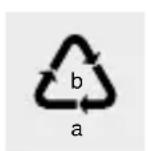
Observe the marking of the packaging materials for waste separation, which are marked with abbreviations (a) and numbers (b) with following meaning: 1–7: plastics/20–22: paper and fibreboard/80–98: composite materials.

Contact your local refuse disposal authority for more details of how to dispose of your worn-out product.
To help protect the environment, please dispose of the product properly when it has reached the end of its useful life and not in the household waste. Information on collection points and their opening hours can be obtained from your local authority.
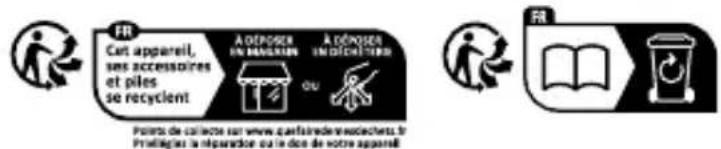
The product incl. accessories, manual and packaging materials are recyclable and are subject to extended producer responsibility. Dispose them separately, following the illustrated Info-tri (sorting information), for better waste treatment.
Faulty or used batteries/rechargeable batteries must be recycled. Return the batteries/rechargeable batteries and the product to the available collection points.
Environmental damage through incorrect disposal of the batteries/rechargeable batteries!
Batteries/rechargeable batteries may not be disposed of with the usual domestic waste. They may contain toxic heavy metals and are subject to hazardous waste treatment rules and regulations. The chemical symbols for heavy metals are as follows: Cd = cadmium, Hg = mercury, Pb = lead. That is why you should dispose of used batteries/rechargeable batteries at a local collection point.
- Warranty
The product has been manufactured to strict quality guidelines and meticulously examined before delivery. In the event of material or manufacturing defects you have legal rights against the retailer of this product. Your legal rights are not limited in any way by our warranty detailed below.
The warranty for this product is 3 years from the date of purchase. The warranty period begins on the date of purchase. Keep the
original sales receipt in a safe location as this document is required as proof of purchase.
Any damage or defects already present at the time of purchase must be reported without delay after unpacking the product.
Should the product show any fault in materials or manufacture within 3 years from the date of purchase, we will repair or replace it – at our choice – free of charge to you. The warranty period is not extended as a result of a claim being granted. This also applies to replaced and repaired parts.
This warranty becomes void if the product has been damaged, or used or maintained improperly.
The warranty covers material or manufacturing defects. This warranty does not cover product parts subject to normal wear and tear, thus considered consumables (e.g. batteries, rechargeable batteries, tubes, cartridges), nor damage to fragile parts, e.g. switches or glass parts.
- Warranty claim procedure
So that your request can be processed quickly, please observe the following instructions:
o For all inquiries, please have the receipt and item number (IAN 471864_2407) ready as proof of purchase.
o The article number can be taken from the identification label on the product, engraving on the product, the front cover of your manual (at the bottom left), or the sticker on the back or bottom of the product.
o If malfunctions or other defects arise, first contact the service department indicated below by phone or email.
o You can then send a product recorded as defective to the communicated service address postage-free, making sure to enclose proof of purchase (receipt) and information on the details of the defect and when it occurred.
0
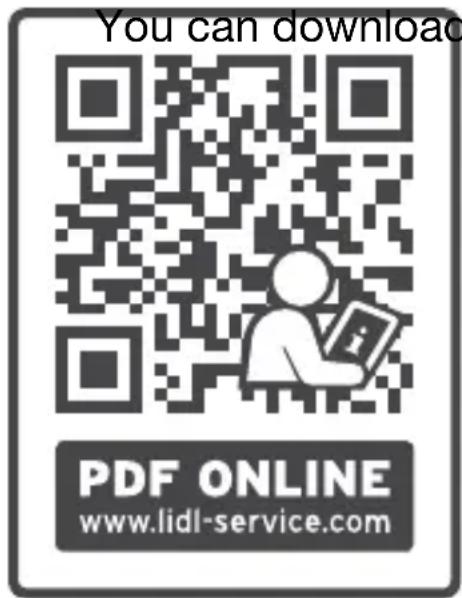
and view this and
numerous other manuals at parkside-diy.com. This QR code takes you directly to parkside-diy.com. Choose your country and use the search screen to search for the operating instructions. Entering the item number (IAN) 471864_2407 takes you to the operating instructions for your item.

Service

Service Great Britain
Tel.: 0800 0569216
E-Mail: owim@lidl.co.uk
84
GB/IE
IE Service Ireland
Tel.:1800200736
E-Mail: owim@lidl.ie
CE IPX4
NOSTE OCHRANNÉ RUKAVICE!
programmabile: max. 09:59h
programmabile: max. 09:59h
6 7 8 9 10 11
OWIM GmbH & Co. KG
Stiftsbergstraße 1
74167 Neckarsulm
GERMANY
Model-No.: HG09709
Version: 01/2025