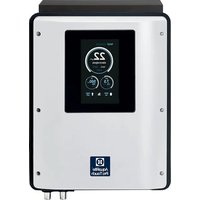
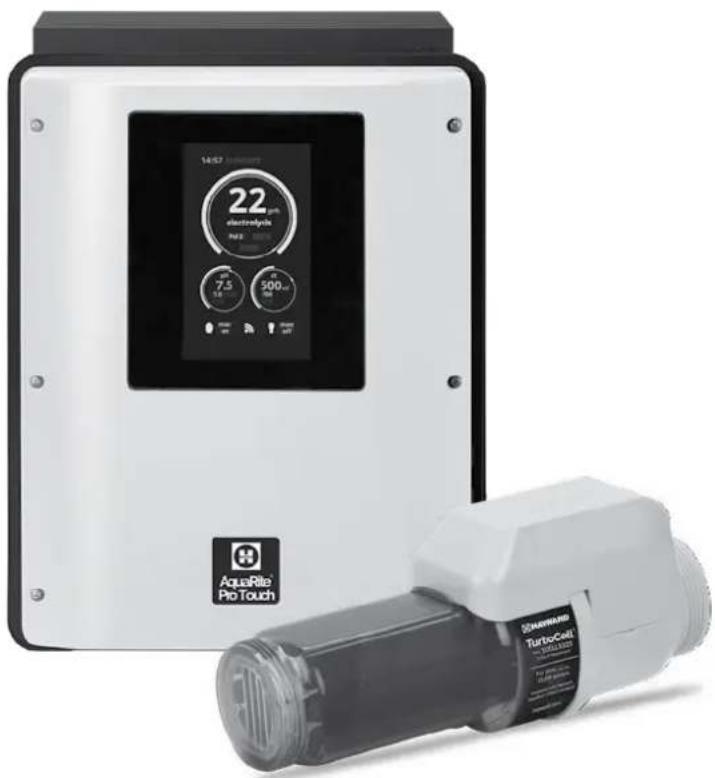
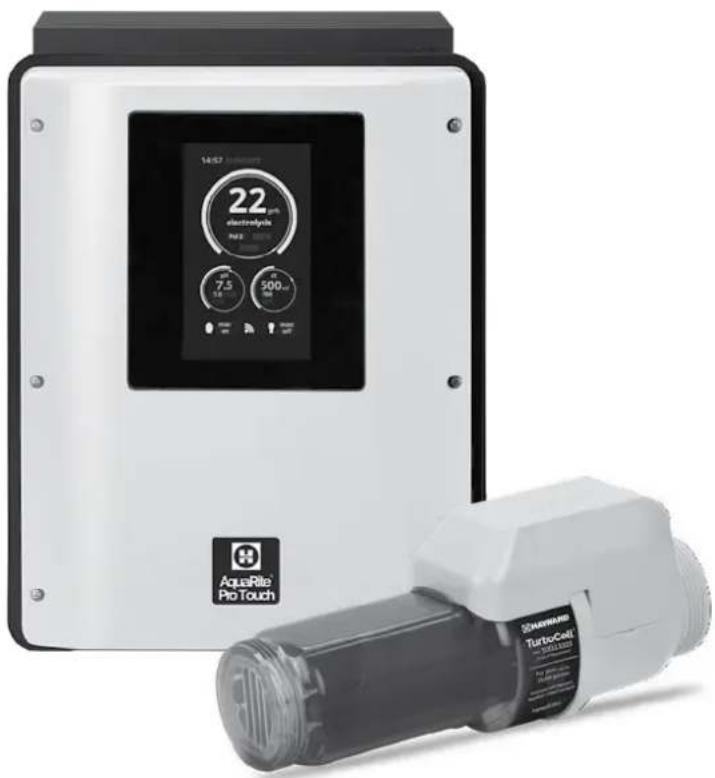
AquaRite Pro Touch - Water treatment device HAYWARD - Free user manual and instructions
Find the device manual for free AquaRite Pro Touch HAYWARD in PDF.


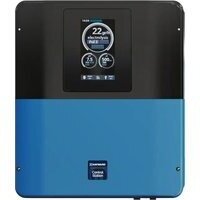
| Product type | Salt electrolysis water treatment device |
| Brand | Hayward |
| Model | AquaRite Pro Touch |
| Use | Automatic treatment of residential pools |
| Power supply | 210-230 V~ 50 Hz, RCD protection 30 mA max, 16A circuit breaker |
| Power consumption | Approximately 200 W (estimate) |
| Dimensions (housing) | Approximately 30 x 25 x 15 cm (estimate) |
| Weight | Approximately 2.5 kg (estimate) |
| Electrolysis cell | Tcell S3, lifespan 3 years under ideal conditions |
| Probes | pH, ORP (Rx), temperature (not included) |
| Recommended salt concentration | 2.7 to 3.4 g/l, optimal 3.2 g/l |
| Chlorine production | Variable, adjustable in g/h (not specified) |
| Touch screen | Yes, with adjustable backlight |
| Main functions | Electrolysis, pH regulation, ORP regulation, superchlorination, timer programming |
| Maintenance | Cleaning of cell as needed, cleaning of probes, winter drain |
| Safety | Flow detector, closed flap protection, temperature shut-off, password |
| Warranty | 2 years against manufacturing defects |
| Wear parts | Seals and coating of cell plates, probes (lifespan 1 year), Santoprene tube for peristaltic pump |
| Repairability | Spare parts available, intervention by qualified professional |
Frequently Asked Questions - AquaRite Pro Touch HAYWARD
User questions about AquaRite Pro Touch HAYWARD
0 question about this device. Answer the ones you know or ask your own.
Ask a new question about this device
Download the instructions for your Water treatment device in PDF format for free! Find your manual AquaRite Pro Touch - HAYWARD and take your electronic device back in hand. On this page are published all the documents necessary for the use of your device. AquaRite Pro Touch by HAYWARD.
USER MANUAL AquaRite Pro Touch HAYWARD
natural_image
Abstract geometric logo with stylized letter H inside a circular frame (no text or symbols)HAYWARD®
CE EAC UK CA

natural_image
Two simple line icons: one open with an information symbol, the other closed with an open book (no text or symbols present)GUIDE DE L'UTILISATEUR
OWNER'S MANUAL
MANUAL DEL USUARIO
MANUAL DO UTILIZADOR
ANWENDERHANDBUCH
GEBRUIKERSHANDLEIDING
MANUALE D'USO
natural_image
Abstract geometric logo with stylized letter H inside a circular frame (no text or symbols)HAYWARD®
CE EAC UK CA

natural_image
Two simple line icons: a folded map with an information symbol and an open book, both without any text or symbols.AquaRite® Pro Touch
GUIDE DE L'UTILISATEUR
CONSERVEZ CE MANUEL POUR UNE CONSULTATION ULTÉRIEURE
natural_image
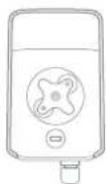
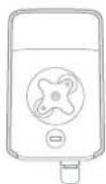
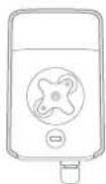
Line drawing of a rectangular electronic device with a central square and mounting holes (no text or symbols)Boîtier AQR Pro Touch
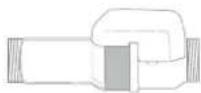
Cellule Turbo Cell S3

2 colliers de prise
en charge 50mm
2 Vannes
natural_image
Simple line drawing of a coiled cable or wire (no text or symbols)Tube
double vase
Détecteur
de débit
Pompe peristaltique
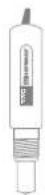
Sonde Rx
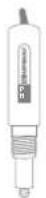
Sonde pHPorte-sonde
3. INSTALLATION DE L'APPAREIL
3b. Installation murale
natural_image
Four identical black plastic clip accessories with screws, arranged in a 2x2 grid (no text or symbols visible)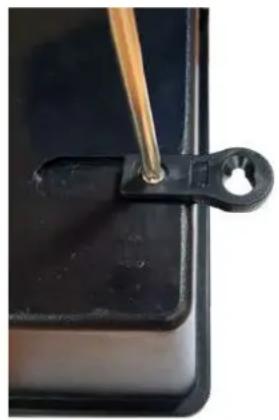
natural_image
Close-up of a black plastic clip holding a small hole, with a wooden stick inserted (no text or symbols visible)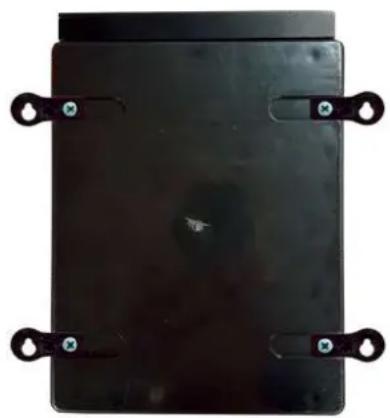
natural_image
Black rectangular electronic component with four metallic clips and mounting holes (no visible text or symbols)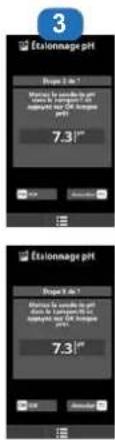
natural_image
Abstract geometric logo with stylized letter H inside a circular frame (no text or symbols)HAYWARD®
CE EHC UK CA

natural_image
Two simple line icons: an open map with an information symbol and an open book, both without any text or symbols.AquaRite® Pro Touch
OWNER'S MANUAL
PLEASE KEEP THIS MANUAL FOR FUTURE REFERENCE
⚠ WARNING – Carefully read the instructions that appear in this manual and on the device. Failure to comply with the instructions can cause injuries. This document must be given to every pool user, who should keep it in a safe place.
⚠ WARNING – Disconnect the equipment from the mains supply before any intervention.
⚠ WARNING – All electrical connections must be carried out by a qualified approved electrician in accordance with the standards currently in force in the country of installation.
| F NF C 15-100 GB BS7671:1992 | |||
| D DIN VDE 0100-702 EW SIST HD 384-7-702.S2 | |||
| A ÖVE 8001-4-702 H MSZ 2364-702:1994 / MSZ 10-533 1/1990 | |||
| E UNE 20460-7-702 1993, REBT ITC-BT-31 2002 M MSA HD 384-7-702.S2 | |||
| IRL IS HD 384-7-702 PL TS IEC 60364-7-702 | |||
| I | CEI 64-8/7 | CZ | CSN 33 2000 7-702 |
| LUX | 384-7.702 S2 | SK | STN 33 2000-7-702 |
| NL | NEN 1010-7-702 | SLO | SIST HD 384-7-702.S2 |
| P RSIUEE | TR TS IEC 60364-7-702 | ||
⚠ AVERTISSEMENT – Check that the device is plugged into a power outlet that is protected against short-circuits. The device must also be powered via an isolating transformer or a residual current device (RCD) with a nominal operating residual current not exceeding 30 mA.
⚠ WARNING – Ensure that children cannot play with the device. Keep your hands and any foreign object away from openings and moving parts.
⚠ WARNING – Check that the supply voltage required by the product corresponds to the voltage of the distribution network and that the power supply cables are suitable for the product power supply.
⚠ WARNING – Chemicals can cause internal and external burns. To avoid death, serious injury and/or damage to equipment, wear personal protective equipment (gloves, goggles, mask, etc.) when servicing or maintaining this device. This device must be installed in an adequately ventilated place.
⚠ WARNING – The unit shall not be operated when there is no water flow in the cell.
⚠ WARNING – The cell shall be located in a well ventilated environment so hazardous accumulation of hydrogen gas does not occur.
⚠ WARNING – To reduce the risk of electric shock, do not use an extension cable to connect the device to the mains. Use a wall socket.
⚠ WARNING – Use, cleaning or maintenance of the device by children over 8 years of age or by people with impaired physical, sensory or mental capacities, or a lack of experience or expertise, should only take place once they have received appropriate instruction and under adequate supervision of an adult who is responsible for them, to ensure the device is handled safely and avoid all risk of danger.
⚠ WARNING – Use only original Hayward® parts.
⚠ WARNING – If the power supply cable is damaged, it must be replaced by the manufacturer, the after-sales service or similarly qualified persons to avoid danger.
⚠ WARNING – The device must not be used if the power cord is damaged. An electric shock could occur. A damaged power cord must be replaced by the after-sales service or similarly qualified persons to avoid danger.
INDEX
- General
- Pack contents
- Installation
3a. View of overall installation
3b. Wall-mounted installation
3c. Installation of pH and ORP probes, and acid dosing pump
3d. Electrical installation and wiring
3e. Installation of the cell and the mechanical flow switch
- Prerequisites for starting up the salt chlorination
5.Operation
5a. View and description of the home screen
5b. Commissioning of the device
5c. Settings
5d. Electrolysis
5e. Measures
5f. pH probe calibration
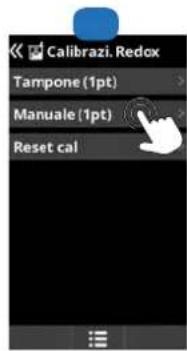
5g. Redox probe calibration
5h. Temperature probe calibration
-
Servicing
-
Troubleshooting Guide
1. GENERAL
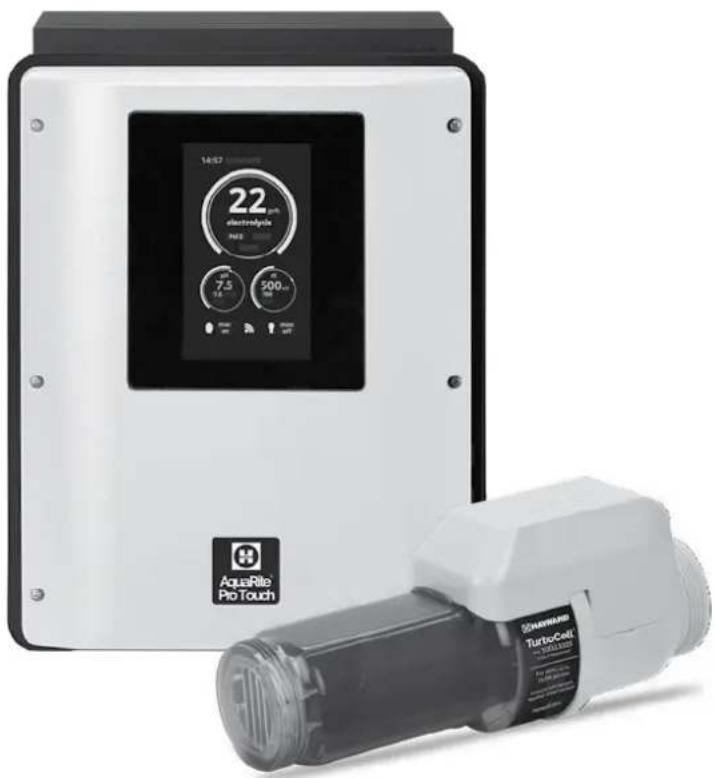
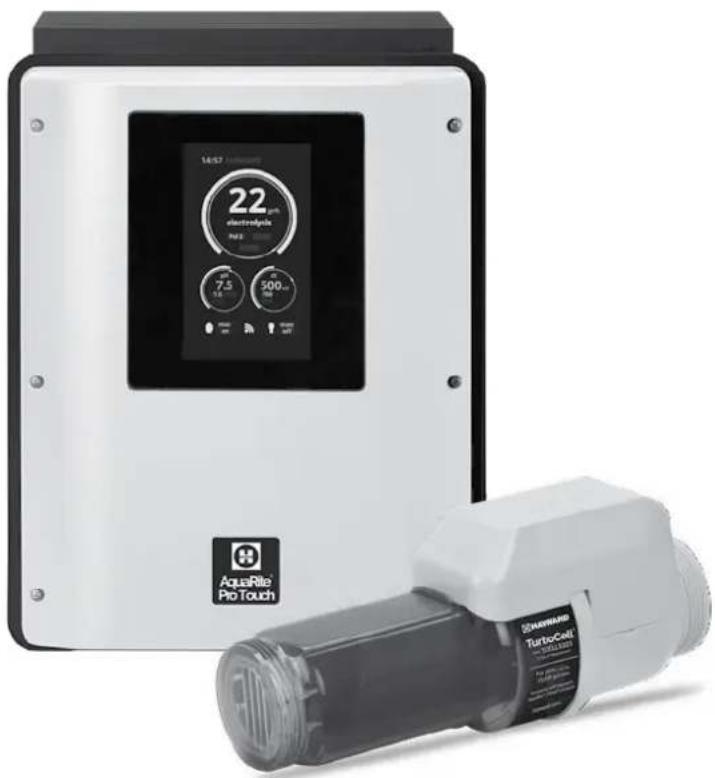
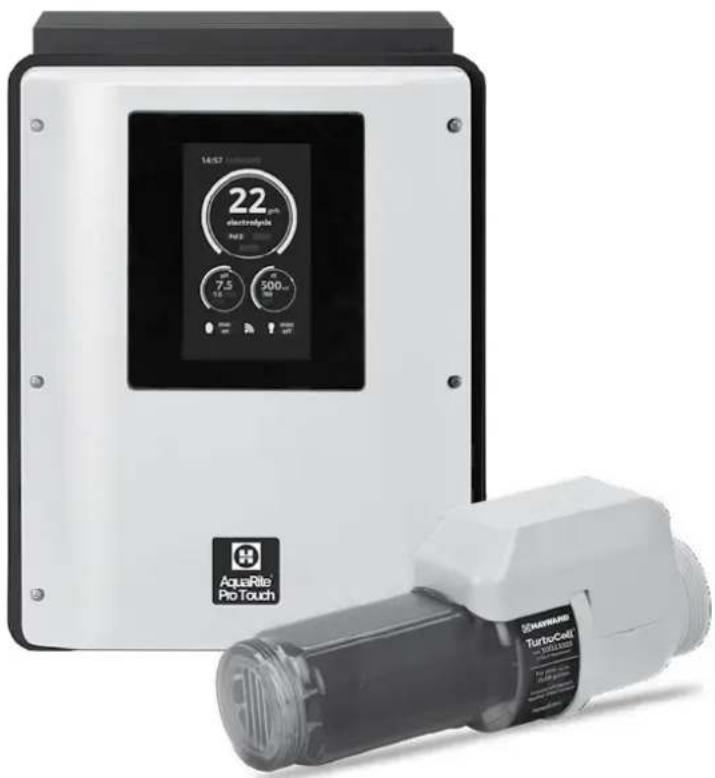
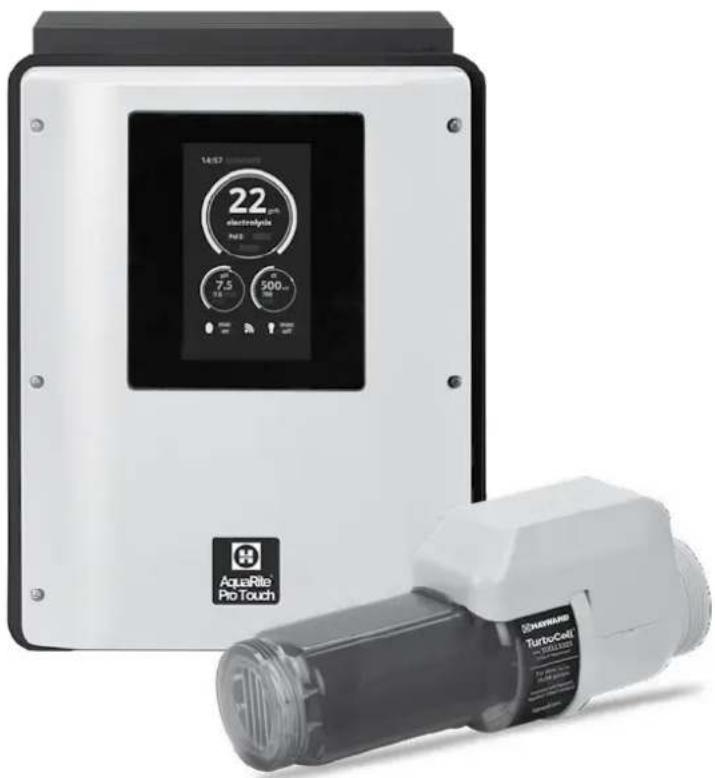
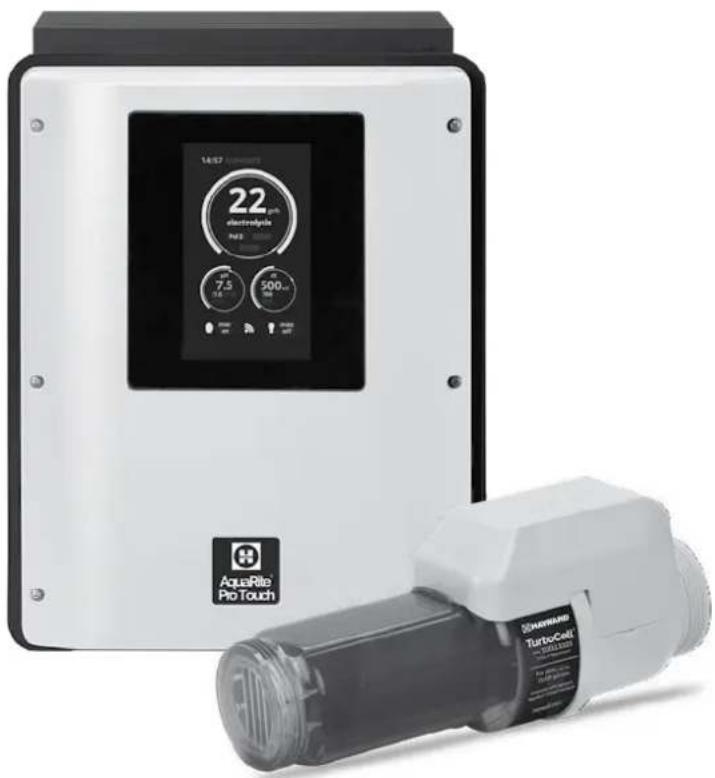
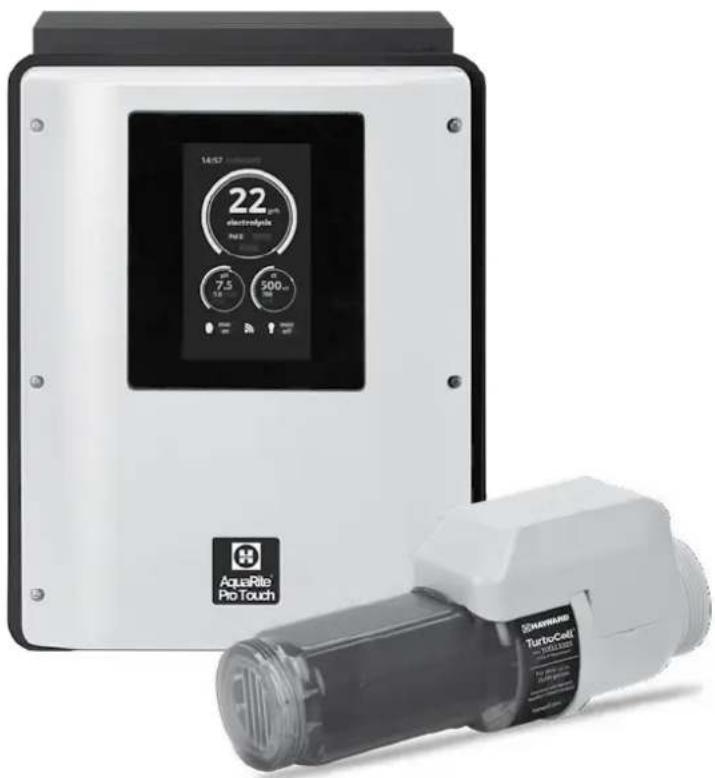
The AquaRite ® Pro Touch is a pool treatment system.
It can be used to treat your pool effectively by salt water electrolysis. For the chlorinator to function, it requires a low concentration of salt (sodium chloride) in the pool water. The AquaRite® Pro Touch automatically disinfects your pool by converting the salt into free chlorine which kills the bacteria and algae in the pool. The chlorine reverts back to sodium chloride. This continuous cycle means that there is no need to treat your pool manually.
The AquaRite ® Pro Touch is suitable for treating most residential swimming pools.
The quantity of chlorine required to treat a swimming pool correctly varies according to the number of bathers, the rainfall, water temperature and the cleanliness of the pool...
NOTE: Before installing this product on the filtration system of a pool or spa with an adjacent natural stone terrace or deck, consult a qualified installer who will advise you on the type, installation, sealant (if any) and maintenance of stone that can be laid around a saline pool.
NOTE: The use of dry acid such as sodium bisulfate to adjust the pH of the swimming pool is not recommended, especially in arid regions where pool water is subject to significant evaporation and is not commonly diluted with mains water. Dry acid can cause a build-up of by-products that can damage your chlorinator.
2. PACK CONTENTS
natural_image
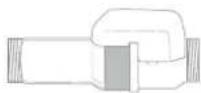
Simple line drawing of a rectangular electronic device with a central square and mounting holes (no text or symbols)AQR Pro Touch control box
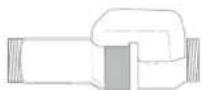
Turbo Cell S3
Cell

2 x 50mm
saddle clamps
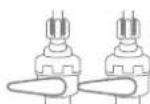
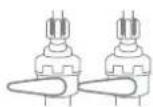
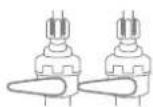
2 Valves
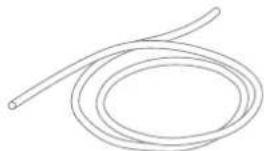
natural_image
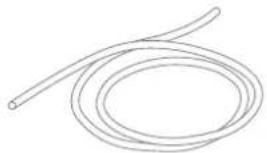
Simple line drawing of a coiled cable or wire with no text or symbolsTube
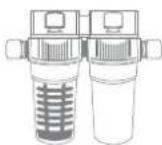
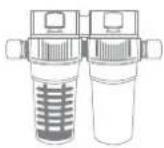
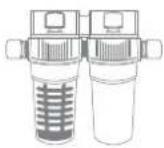
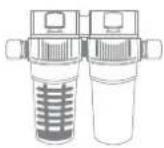
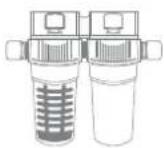
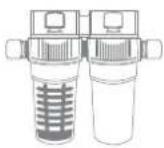
probe holder
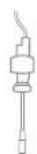
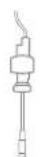
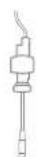
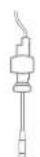
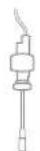
Flow switch
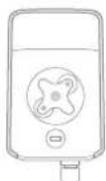
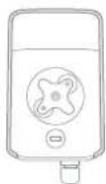
Peristaltic pump

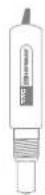
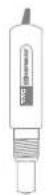
Rx probe
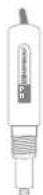
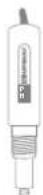
pH probeDouble
3. INSTALLATION
3a. View of overall installation
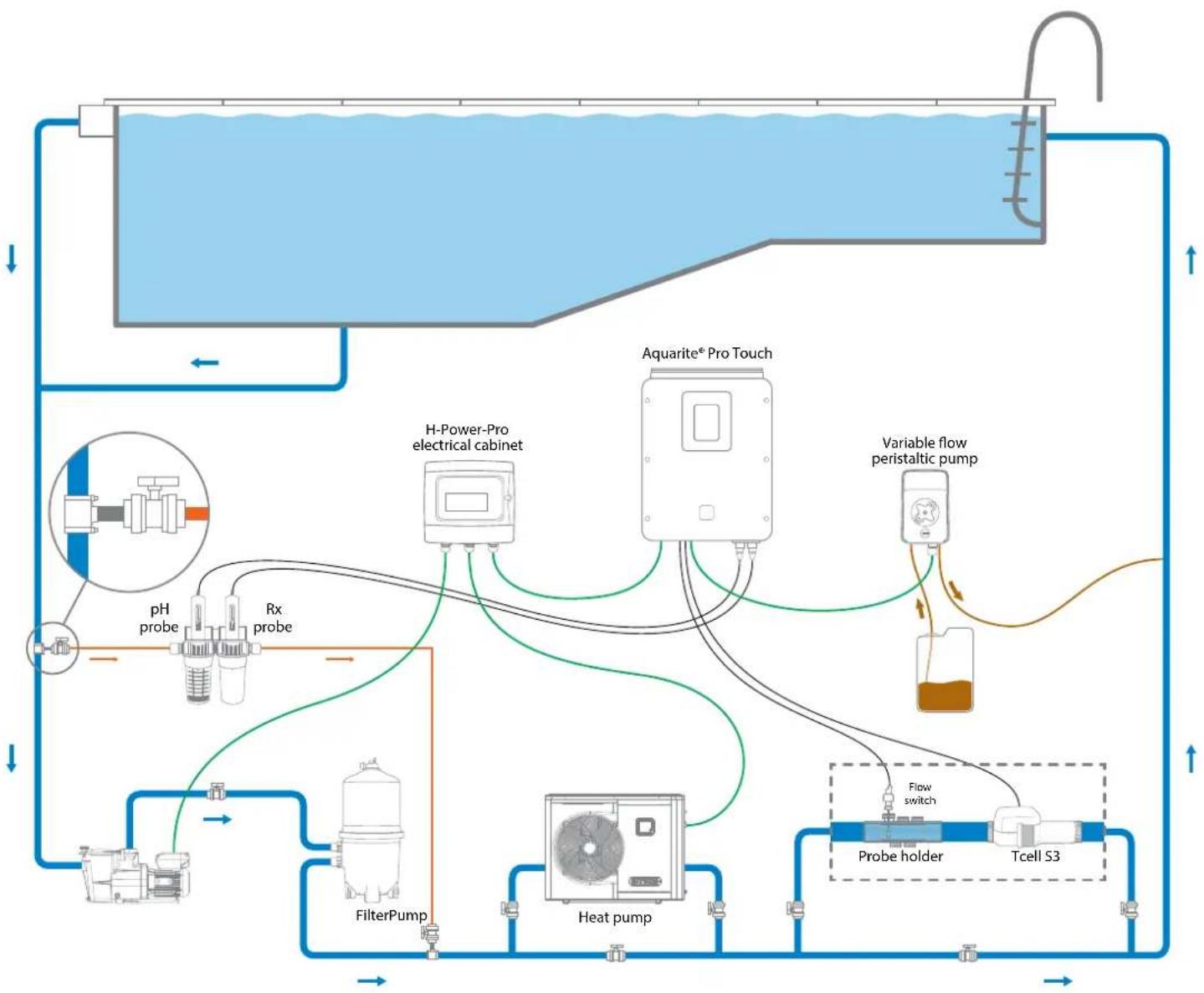
flowchart
graph TD
    A["Input"] --> B["Feed Inlet"]
    B --> C["H-Power-Pro electrical cabinet"]
    C --> D["Aquarite® Pro Touch"]
    D --> E["Variable flow peristaltic pump"]
    E --> F["Probe holder"]
    F --> G["Tcell S3"]
    G --> H["Heat pump"]
    H --> I["FilterPump"]
    I --> J["pH probe"]
    J --> K["Rx probe"]
    K --> C
    C --> L["Flow switch"]
    style A fill:#f9f,stroke:#333
    style B fill:#ccf,stroke:#333
    style C fill:#cfc,stroke:#333
    style D fill:#fcc,stroke:#333
    style E fill:#cff,stroke:#333
    style F fill:#ffc,stroke:#333
    style G fill:#cfc,stroke:#333
    style H fill:#fcc,stroke:#333
    style I fill:#ffc,stroke:#333
    style J fill:#cfc,stroke:#333
    style K fill:#fcc,stroke:#333
    style L fill:#ffc,stroke:#333
3b. Wall-mounted installation
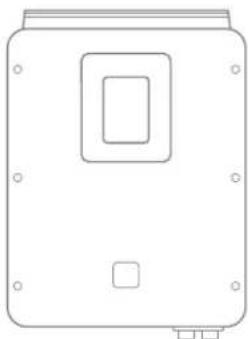
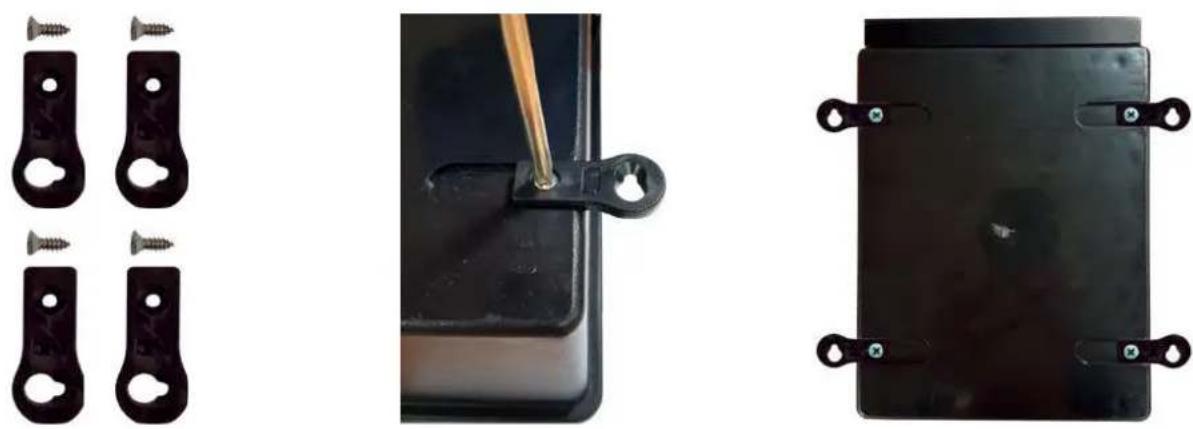
Mount the control box on the wall. The box must be installed in the equipment room (dry, temperate, ventilated). Caution, acid vapours can cause irreversible damage to your device. Position the treatment product tanks accordingly.
Unplug the pool filter pump before you begin the installation. The installation must be performed in compliance with the regulations in effect in the country of installation.
The AquaRite ® Pro Touch must be fitted a minimum horizontal distance of 3.5 m (or more, if required by local regulations) from the pool, within 1 m of a protected outlet and within 4.5 m of the planned cell location.
The box must be placed vertically on a flat surface, with the cables downwards. As this box is also used to evacuate heat (heat dissipation from internal components), it is important that the four sides of the box remain unobstructed. Do not install the AquaRite® Pro Touch behind a panel or in an enclosed space.
Before installing the control box in the intended location, check that the power cord can reach the protected outlet and that the cell cable can reach the intended cell location.
The flow switch must be installed on the return pipe directly in line with and upstream of the cell and the treatment product injection point. Allow a 25 cm straight section before the flow switch. A hole should previously have been drilled in the pipe to allow the flow switch to pass through. Screw the flow switch into the saddle clamp, taking care to seal with Teflon. Then install the clamp on the pipe. The flow switch must be installed in the direction of operation to ensure that it is tripped by the flow from the filtration pump.
All the metal components of the swimming pool can be connected to the same earth as per local regulations.

HAYWARD®
3c. Installation of pH and ORP probes, and acid dosing pump
The pH and ORP probes are «wet» packed and protected by a plastic cap. The probes must always remain wet. If the probes are allowed to dry, they will be permanently unusable (not covered by the warranty) and the pH-ORP test kit will be ineffective.
Remove the pH and ORP probes from their plastic protective caps and set the caps aside for later use (wintering). Insert the probes into the double probe holder and tighten to ensure they are watertight. Connect the probe holder to the valves screwed onto the saddle clamps and tighten by hand only. Check that the probes are watertight at startup. Seal with Teflon, if required.
After installation, check that the probes are constantly in contact with the water in the pool. When the filtration pump is not running (even for long periods), the water remaining in the chamber may be sufficient to protect the probes.
The product (acid, etc.) injection device must be installed last on the water return line, after any equipment (heater, cell, etc.). A hole should previously have been drilled in the pipe to allow the treatment product to pass through. Install the saddle clamp and screw the injection valve into the saddle clamp using the adapter provided. Seal with Teflon.
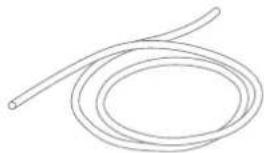
Use the transparent PVC hose for suction (between the acid tank and the peristaltic pump) and the semi-rigid white polyethylene tube for injection (between the peristaltic pump and the injection valve). For the ORP option, install the ORP card in the RX slot on the motherboard.

3d. Electrical installation and wiring
Connect the AquaRite ® Pro Touch to a permanent power outlet.
⚠️: This circuit must be protected by a residual current device (RCD) (residual current: 30 mA max.) and a 16A time-delay circuit-breaker.
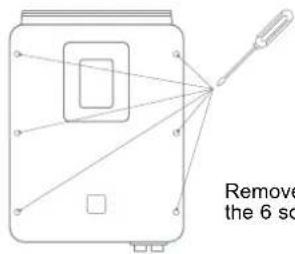
Remove the white lid by unscrewing the 6 screws using a screwdriver.
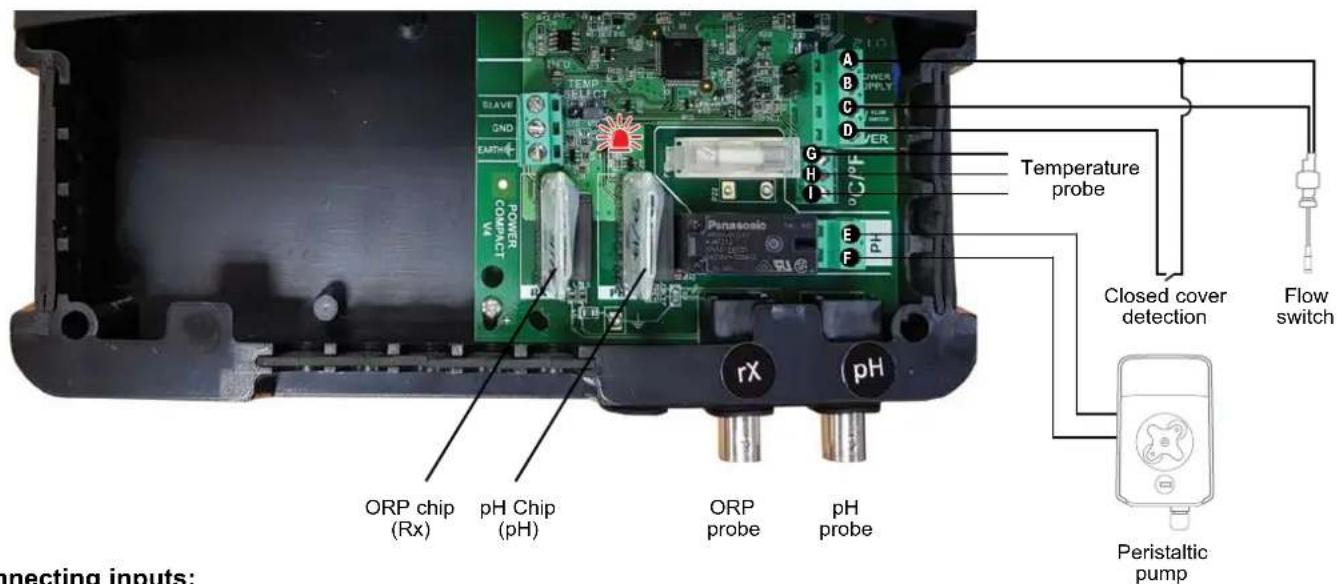
Connecting inputs:
| Name Description Terminals Type of input/output | |||
| FL1 Flow switch A - C Dry contact | |||
| Cover Closed cover detection A - D Dry contact | |||
| pH Peristaltic pump E - F | 230 V voltage output | ||
| °C/°F | Temperature probe (not supplied) | G - H - I | Red, Yellow, Black |
3e. Installation of the cell and the mechanical flow switch

Installation and connection of the cell (see diagram):
• Install the cell mount horizontally.
• Install the cell in a bypass.
- Connect the power cable to the underside of the control box.
Installation and connection of the mechanical flow switch:
• Install the flow switch mount (part A) before the cell and on the bypass.
- Unscrew the white protective cover of the mechanical flow switch.
- Screw the 34 " fitting onto the flow switch.
- Put the 34 " O-ring supplied with the kit in place.
- Screw the flow switch onto its mount.
- Connect the red and black cable to the electronic circuit board terminals A and C
4. PREREQUISITES FOR STARTING UP THE SALT CHLORINATION
Preparing the pool water
To prepare the pool water to enable the AquaRite ® Pro Touch to function, its chemical composition must be balanced and salt added. This must be done BEFORE turning on the AquaRite ® Pro Touch. Certain adjustments to the chemical balance of the pool can take several hours. The procedure must therefore be started well before the AquaRite ® Pro Touch is turned on.
Adding salt: Add the salt several hours or, if possible, a day before turning on the AquaRite® Pro Touch. Ensure that the recommended amount of salt is used. Measure the salt content 6 to 8 hours after adding the salt to the swimming pool.
NOTE: f the water in the pool is not fresh and/or if it is liable to contain dissolved metals, use a metal remover, according to the manufacturer's instructions.
If your water has previously been treated with a product other than chlorine (bromine, hydrogen peroxide, PHMB, etc.), neutralize this product or replace all the water in the pool.
Salt concentration
Use the following table to determine the quantity of salt (in kg) needed to reach the recommended concentrations. Use the formulae below if you do not know the volume of your swimming pool.
| m3(pool dimensions, in m) | |
| Rectangular | Length x width xAverage depth |
| Round | Diameter x Diameter xAverage depth x 0.785 |
| Oval | Length x width xAverage depth x 0.893 |
The ideal salt concentration is between 2.7 and 3.4g / l , with 3.2g / l being the optimum value. If the level is low, determine the volume (m3) of the pool and add salt in accordance with the following table. A low salt level reduces the efficiency of the AquaRite® Pro Touch and reduces chlorine production. A high salt concentration can cause the AquaRite® Pro Touch to fail and make your pool water taste salty. As the salt in your pool is constantly being recycled, the loss of salt during the season is minimal. Salt is mainly lost when water has to be added due to splashing, backwashing or draining (because of rain). Salt is not lost through evaporation.
Type of salt to use
Use only salt intended for chlorinators in conformance with EN 16401. Use only sodium chloride (NaCl) that is more than 99% pure. Do not use food-grade salt, iodized salt, salt containing yellow prussiate of soda or salt containing anti-caking additives.
How to add or remove salt
For new pools, let the plaster dry for ten to fourteen days before adding salt. Start up the filtration pump, then add salt directly into the intake side of the pool. Make the water circulate to speed up the dissolution process. Do not allow salt to accumulate at the bottom of the pool. Run the filtration pump for 24 hours, opening the main drain valve fully to allow the salt to dissolve evenly throughout the pool.
The only way to lower the salt concentration is to partially empty the pool and refill it with fresh water.
Always check the stabilizer (cyanuric acid) when checking the salt concentration. The corresponding concentrations tend to decrease together. Refer to the following table to determine the quantity of stabilizer to be added to bring the concentration to 25 ppm. Add stabilizer only if necessary.
Do not add stabilizer to indoor pools.
Quantity of salt (kg) required for 3.2 g/l
| Current salt concentration In g/l | Volume of water in the pool in m3 | |||||||||||||||||
| 30 37.5 45 52.5 60 67.5 75 82.5 90 97.5 105 112.5 120 127.5 135 142.5 150 | ||||||||||||||||||
| 0 97 121 145 170 194 218 242 267 291 315 339 364 388 412 436 460 484 | ||||||||||||||||||
| 0.2 | 91 | 114 | 136 | 159 | 182 | 205 | 227 | 250 | 273 | 295 | 318 | 341 | 363 | 385 | 408 | 430 | 453 | |
| 0.4 85 | 06 127 148 170 191 212 233 255 276 | 297 318 339 360 362 403 424 | ||||||||||||||||
| 0.6 | 79 | 98 | 118 | 138 | 158 | 177 | 197 | 217 | 236 | 256 | 276 | 297 | 317 | 337 | 358 | 378 | 398 | |
| 0.8 73 | 91 109 127 145 164 | 182 200 218 236 255 273 291 310 328 346 364 | ||||||||||||||||
| 1 | 67 | 83 | 100 | 117 | 133 | 150 | 167 | 183 | 200 | 217 | 233 | 250 | 267 | 283 | 300 | 317 | 333 | |
| 1.2 61 | 76 91 106 121 136 | 52 167 182 197 212 227 243 | 258 274 289 304 | |||||||||||||||
| 1.4 55 | 68 82 95 109 123 136 150 164 | 177 191 205 218 232 246 259 263 | ||||||||||||||||
| 1.6 48 | 61 73 85 97 109 12 | 133 145 158 170 182 195 207 219 231 243 | ||||||||||||||||
| 1.8 | 42 | 53 | 64 | 74 | 85 | 95 | 106 | 117 | 127 | 138 | 148 | 159 | 169 | 180 | 190 | 201 | 211 | |
| 2 36 45 | 55 64 73 82 91 100 109 118 | 127 136 45 154 163 172 181 | ||||||||||||||||
| 2.2 30 | 88 45 53 61 68 76 83 91 98 106 114 121 | 129 137 144 152 | ||||||||||||||||
| 2.4 24 | 80 36 42 48 55 61 67 73 79 85 91 98 104 | 110 117 123 | ||||||||||||||||
| 2.6 18 | 23 27 32 36 41 45 50 55 59 64 | 68 73 77 81 86 90 | ||||||||||||||||
| 2.8 12 | 5 18 21 24 27 30 33 36 39 42 | 45 48 51 54 57 60 | ||||||||||||||||
| 3 | 6 | 8 | 9 | 11 | 12 | 14 | 15 | 17 | 18 | 20 | 21 | 23 | 24 | 26 | 27 | 29 | 30 | |
| 3.2 | Ideal | Ideal | Ideal | Ideal | Ideal | Ideal | Ideal | Ideal | Ideal | Ideal | Ideal | Ideal | Ideal | Ideal | Ideal | Ideal | Ideal | |
| 3.4 | OK | OK | OK | OK | OK | OK | OK | OK | OK | OK | OK | OK | OK | OK | OK | OK | OK | |
| 3.6 & + | Diluted | Diluted | Diluted | Diluted | Diluted | Diluted | Diluted | Diluted | Diluted | Diluted | Diluted | Diluted | Diluted | Diluted | Diluted | Diluted | Diluted | |
Quantity of stabilizer (CYANURIC ACID in kg) required for 25 ppm
| Current salt concentration (ppm) | Volume of water in the pool in m3 | ||||||||||||||||
| 30 37.5 | 45 52.5 | 60 67.5 | 75 82.5 | 90 97.5 | 105 112.5 | 120 127.5 | 135 142.5 | 150 | |||||||||
| 0 ppm | 0.75 | 0.94 | 1.13 | 1.34 | 1.53 | 1.69 | 1.91 | 2.09 | 2.28 | 2.47 | 2.66 | 2.84 | 3.03 | 3.22 | 3.41 | 3.59 | 3.75 |
| 10 ppm | 0.45 | 0.56 | 0.68 | 0.81 | 0.92 | 1.01 | 1.14 | 1.26 | 1.37 | 1.48 | 1.59 | 1.71 | 1.82 | 1.93 | 2.04 | 2.16 | 2.25 |
| 20 ppm | 0.15 | 0.19 | 0.23 | 0.27 | 0.31 | 0.34 | 0.38 | 0.42 | 0.46 | 0.49 | 0.53 | 0.57 | 0.61 | 0.64 | 0.68 | 0.72 | 0.75 |
| 25 ppm | 0 | 0 | 0 | 0 | 0 | 0 | 0 | 0 | 0 | 0 | 0 | 0 | 0 | 0 | 0 | 0 | 0 |
Chemical water balance
The water must be balanced manually BEFORE the device is started up.
The following table summarizes the concentrations recommended by Hayward. Your water should be checked regularly to maintain these concentrations and minimize surface corrosion or deterioration.
CHEMISTRY
RECOMMENDED CONCENTRATIONS
| Salt | 3.2 g/l |
| Free chlorine | 1.0 to 3.0 ppm |
| pH | 7.2 to 7.6 (7.2 recommended). |
| Cyanuric acid (Stabilizer) | 20 to 30 ppm max.(Add stabilizer only if necessary)0 ppm in indoor pool |
| Total alkalinity | 80 to 120 ppm |
| Water hardness | 200 to 300 ppm |
| Metals | 0 ppm |
| Saturation index | -0.2 to 0.2 (preferably 0) |
5. OPERATION
The device is designed to be connected to a protected outlet at all times. The AquaRite® Pro Touch must not be disconnected unless the pool equipment is undergoing maintenance or the pool is to be closed (wintering).
Assuming that the chemical balance of the water is within the recommended ranges, the device can be started up.
5a. View and description of the home screen
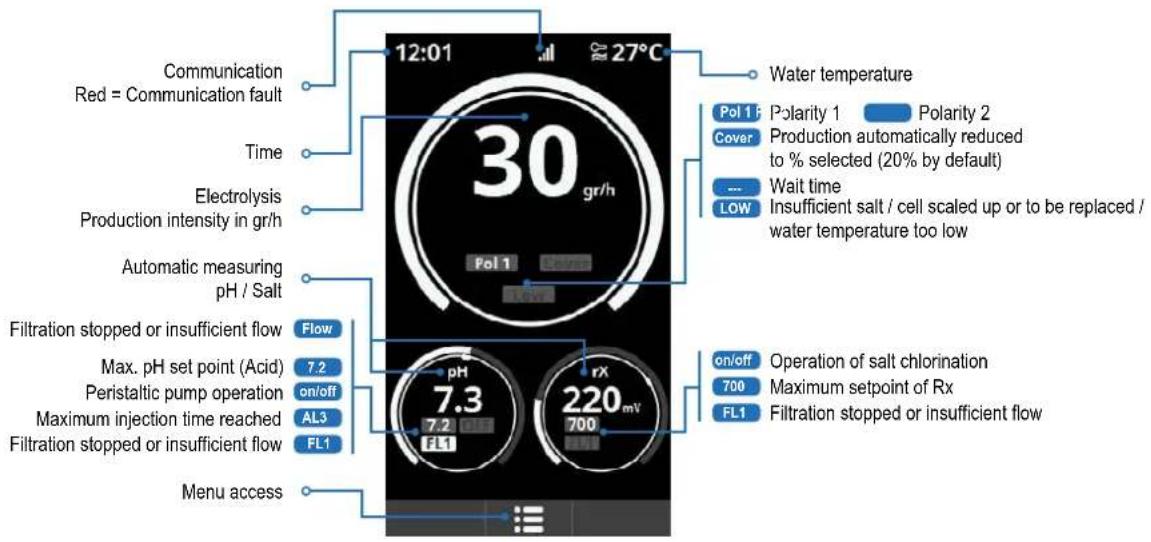
5b. Commissioning of the device
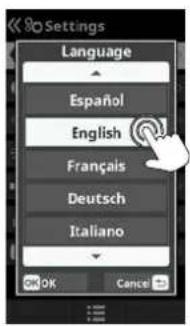
Choose your preferred language and confirm using the OK button.
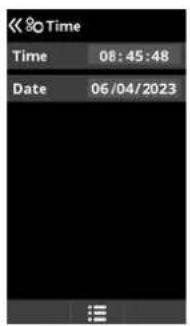
Confirm the current time and date.
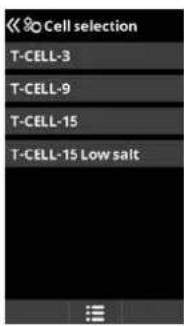
Choose the cell to connect. Selection table: T-CELL-3 = AQR-PROT-T3 T-CELL-9 = AQR-PROT-T9 T-CELL-15 = AQR-PROT-T15 T-CELL-15 Low salt = AQR-PROT-T3LS To access the cell selection menu, go to System settings > Service menu (Password = 1 1 2 2 6)
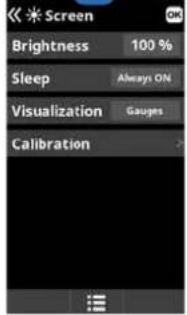
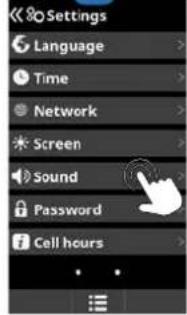
5c. Settings
12
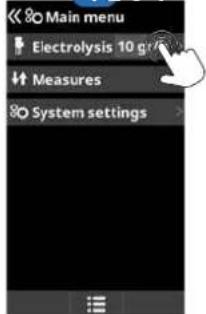
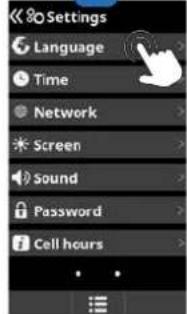
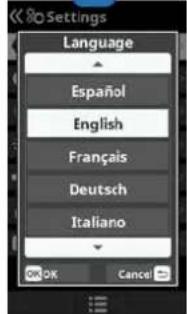
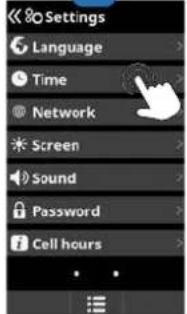
5
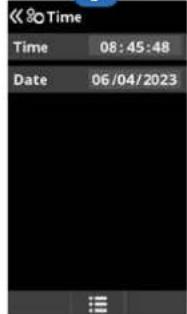
6

78
13
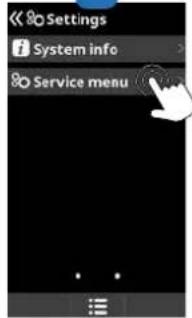
3 Settings: preferred language.
5 Settings: date and time.
7 Settings: screen brightness (0-100%), home screen data display, and calibration of the touchscreen. Screen timed On/Off programming.
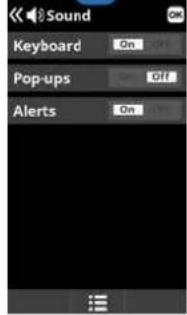
9 Sound: Programming the sound transmission system for the following functions: Keyboard (press a key), Pop-ups (urgent messages), Alerts (operational alarm).
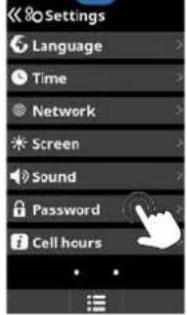
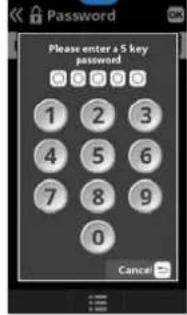
11 Password: Protects access to the user menu by activating a password. To indicate your password, type in a combination of 5 numbers and the
system will memorise them.
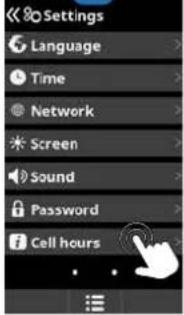
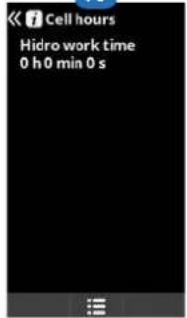
13 Time Info: Information about the hours of operation of the cell and the number of resets.
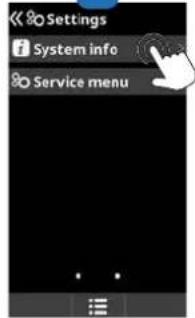
14 System info: Information about the software version available on the screen and the Power module.
15 Maintenance menu: Menu accessible by password. Ask your reseller for more information.
5d. Electrolysis
12
[Non-Text]
6
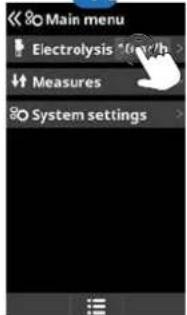
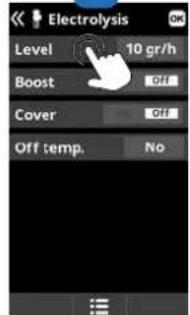
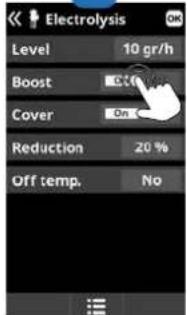
1 Electrolysis: Electrolysis function programming.
2 Level: Chlorine production (gr/h) required.
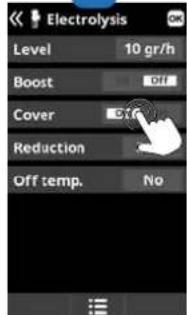
3 Cover: Closed cover safety activation.
Reduction: % of chlorine production when the cover is closed (20% by default).
4 Boost (Super Chlorination): Press On.
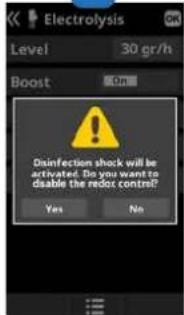
5 Shock validation: Continuous chlorine production for 24 hours (the production
level must be configured to the maximum). Request for activation with or without redox control.
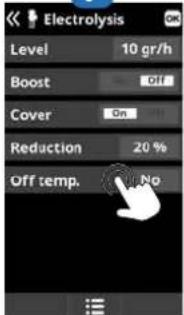
6 Off Temp: Sets the temperature beyond which the salt chlorinator will cut off. This temperature must be between 15°C and 10°C.
5e. Measures
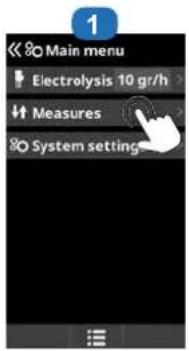
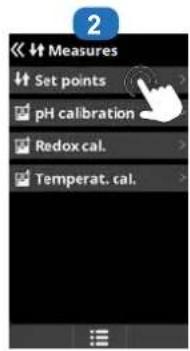
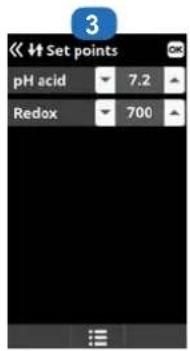
1 Measures: Adjustment of set points and measuring probes.
2 Set points for each measurement.
3 Setting the set points using the Up/Down arrows.
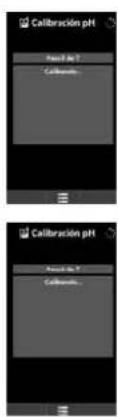
5f. pH probe calibration
Always begin the calibration procedure with a calibration reset.
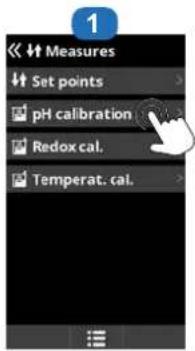
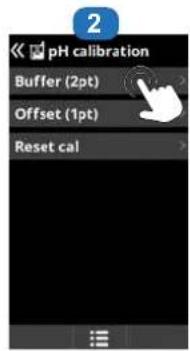
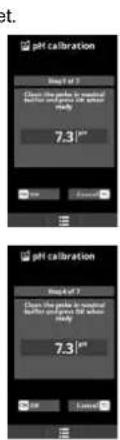
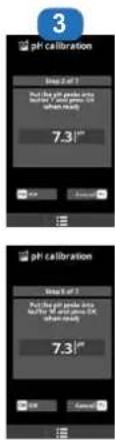
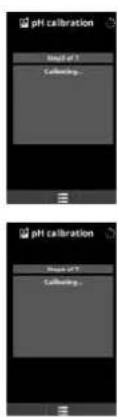
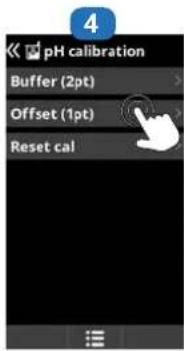
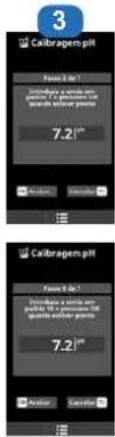
1 pH probe calibration: Recommended once a month during the pool season.
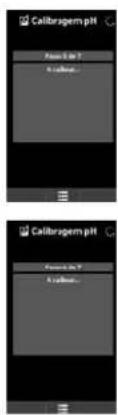
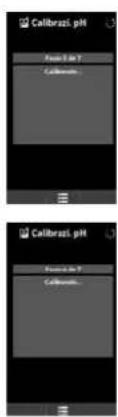
2 Calibration using buffer solutions (liquids models pH7 / pH10 / neutral). Follow the instructions that appear on screen 3.
3 Calibration procedure involving 7 steps.
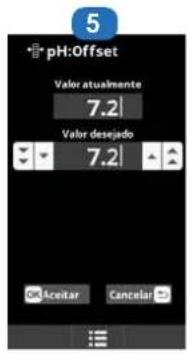
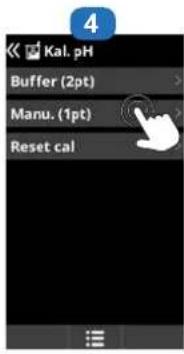
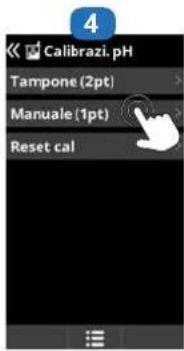
4 Manual calibration: Allows you to set the probes to 1 point (without buffer solution) – recommended only for adjusting small deviations in readings.
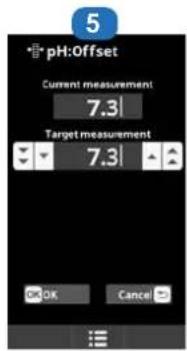
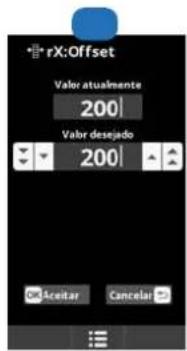
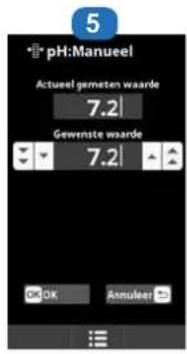
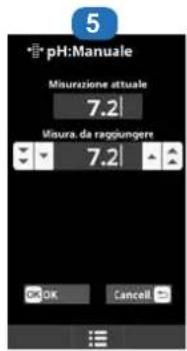
5 Without removing the probe from the water, use the Up/Down arrows to adjust the reading to your reference value (photometer or other measuring instrument).
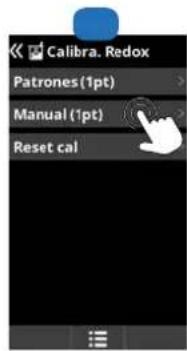
5g. Rx probe calibration
Always begin the calibration procedure with a calibration reset.
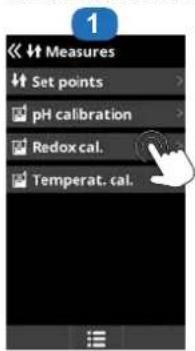
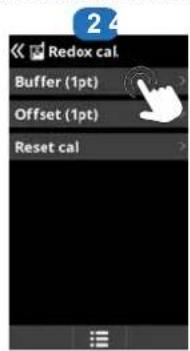
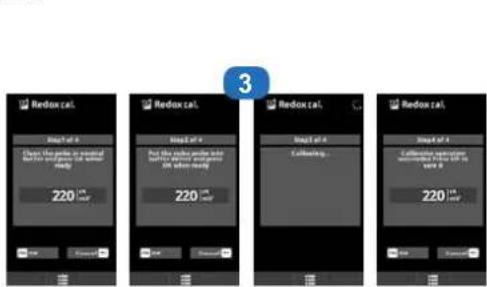
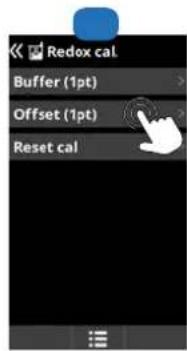
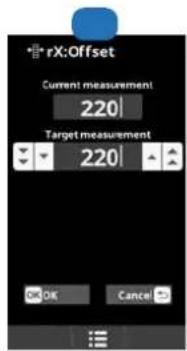
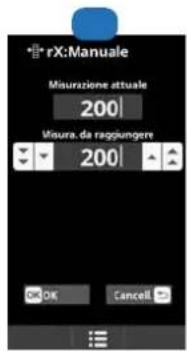
1 Redox probe calibration: Recommended every two months during the pool season.
2 Calibration with buffer solutions. With reference solution 465 mV. Follow the instructions that appear on screen 3.
3 Calibration procedure involving 4 steps.
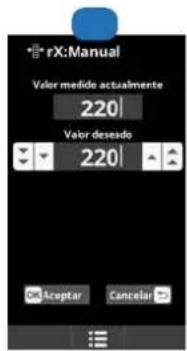
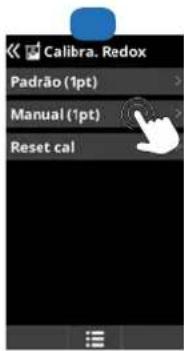
4 Manual calibration: Allows you to set the probes to 1 point (without solution) – recommended only for adjusting small deviations in readings.
5 Without removing the probe from the water, use the Up/Down arrows to adjust the reading to your reference value (photometer or other measuring instrument).
5h. Temperature probe calibration
Always begin the calibration procedure with a calibration reset.
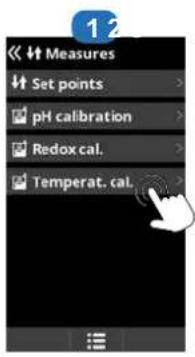
1 Temperature probe calibration: Allows you to set the probes to 1 point.
2 Manual calibration.
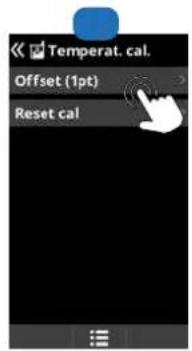
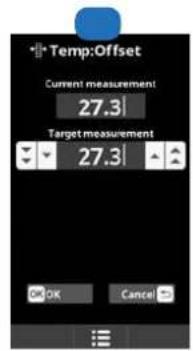
3 Without removing the probe from the water, use the Up/Down arrows to adjust the reading to your reference value.
Setting the redox level
The redox level tells you the oxidation potential, i.e. the disinfectant capacity of the water.
Setting the redox set point is the last step in setting the AquaRite® Pro Touch.
To find the optimum redox level for your pool, follow the steps below:
1) Start up the pool filtration system (the salt in the pool must be evenly dissolved).
2) Add chlorine to the swimming pool until it reaches 1 to 1.5 ppm . This level is achieved with approximately 1 to 1.5 g / m3 of water.
The pH level must vary between 7.2 and 7.5.
3) After 30 min. check whether the level of free chlorine in the pool (manual DPD1 test kit) is between 0.8 and 1.0 ppm.
4) Look at the redox value on the screen and enter it as the redox set point.
5) The next day, check the free chlorine levels (manual DPD1 test kit) and the redox level. Increase / reduce the setting, if required.
Remember to check all your water parameters at regular intervals (2-3 months) (see table) and adjust the redox set point according to the steps listed above.
6. SERVICING
During the first 10-15 days, your system will require more attention:
- Check that the pH remains at the ideal level (7.2 to 7.4).
- If the pH is exceptionally unstable and uses a lot of acid, check the alkalinity (see table).
If the balance is highly unstable, contact your pool installer/builder.
REMEMBER that the system needs a certain amount of time to adapt to your pool and will require additional chemicals during the first 3-5 days.
The pool must be regularly maintained and the skimmer baskets emptied whenever necessary.
Also check that your filter is not clogged.
ADD WATER: It is preferable to add water via the skimmers so that it passes through the cell before entering the pool. Remember to check the salt percentage after adding water.
DOSING PUMPS: Regularly check the acid level to ensure that the pump does not run dry. The dosing pump must be checked and serviced at regular intervals. The Santoprene tube of the peristaltic pump has a lifetime of 2 years. We recommend that you change it once a year.
Servicing the probe
The probe must be clean and free from oil, chemical deposits and contamination to function properly. As it is in continuous contact with the water in the pool, the probe may need to be cleaned weekly or monthly, depending on the number of bathers and other specific pool characteristics. A slow response, more frequent pH calibration and inconsistent readings indicate that the probe needs to be cleaned.
To clean the probe, turn off the power to the AquaRite® Pro Touch.
Unplug the probe connector from the control box, unscrew the probe and carefully remove it from the chamber. Clean the probe bulb with a soft toothbrush and regular toothpaste.
A household washing-up liquid detergent may also be used to remove any oil.
Rinse with fresh water, replace the Teflon tape on the threads, and reinstall the probe.
If the probe continues to give inconsistent readings or requires excessive calibration after it has been cleaned, it should be replaced. The lifetime of the probes is 1 year. We recommend that you calibrate them every month during the season the pool is in use.
Servicing and cleaning the AquaRite® Pro Touch cell
Turn off the main power supply to the AquaRite® Pro Touch before removing the cell. Once it has been removed, examine the inside of the cell for any traces of scale (whitish brittle or flaky deposits) and debris stuck to the plates. If no deposits are visible, reinstall the cell. If deposits are visible, try to remove them with a garden hose. If this method is unsuccessful, use a plastic or wooden tool to remove deposits stuck to plates (do not use a metal tool as this will damage their coating). A build-up of deposits on the cell indicates an exceptionally high concentration of calcium in the pool water. If you cannot find a solution to this situation, you will have to clean the cell at regular intervals. The best way to avoid this problem is to maintain the chemical composition of the water at the recommended concentrations.
Acid washing: This should only be done in severe cases where flushing will not remove most of the deposits. To acid wash, turn off the main power supply to the AquaRite® Pro Touch. Remove the cell from the piping. In a clean plastic container, make up a solution of water and acetic or phosphoric acid (such as that used to remove scale from a coffee machine). ALWAYS ADD
ACID TO WATER – NEVER ADD WATER TO ACID. Be sure to wear rubber gloves and protective goggles for this operation.
The level of the solution in the container should just reach the top of the cell, so that the wire harness compartment IS NOT under water. It may be helpful to coil up the wire before submerging the cell. Allow the cell to soak for a few minutes, then rinse it with a garden hose. If the deposits are still visible, soak and rinse again. Put the cell back and examine it from time to time.
The lifetime of the cell is 3 years under ideal conditions. See the chapter on chemical water balance.
Wintering
The AquaRite ® Pro Touch cell, the flow switch, probe and pool piping run the risk of being damaged if the water freezes. In regions that experience long periods of cold weather, be sure to drain all the water from the pump and filter and from the supply and return pipes before winter. Do not remove the control box.
Probe storage
The end of the probe must always be in contact with water or a solution of KCl. If it is removed from the measuring chamber, it should be stored in the plastic cap provided (filled with water). If the storage cap has been mislaid, the probe should be stored separately in a small glass or plastic container with its end immersed in water.
The probe must always be in a frost-free environment.
7. TROUBLESHOOTING GUIDE
No display
Check that the On / Off switch is on.
Check the connection cable between the display and the control box.
Check that the external 4A fuse (7) is not defective.
Check the power supply: 210-230 V\~ 50 Hz.
If the problem persists, contact your pool installer/builder.
Excessive chlorine
Check and/or adjust the chlorine production setting.
If your pool has an automatic redox control system, check the redox setting.
Check the redox probe and calibrate, if necessary.
Salt chlorination does not reach the required production rate
Check the concentration of salt in the water (3.2 g/l recommended).
Check the condition of the cell (it may be dirty or covered in scale).
Clean the cell according to instructions.
Check the flow switch and clean if necessary.
Check that the cell is not worn (contact your pool installer/builder).
Cell scaled up in under a month
Very hard water with high pH and total alkalinity (balance and adjust the pH and total alkalinity of the water).
Check that the system automatically changes polarity (see display).
Impossible to attain a free chlorine level of 1 ppm
Increase the filtration time.
Increase the chlorination production rate.
Check the concentration of salt in the water (recommandé 3.2 g/l).
Check the level of isocyanuric acid in the pool (see table).
Check that the reactive agents in your test kit are not out of date.
Adjust the chlorine production according to the temperature and the number of pool users.
Adjust the pH to ensure that it is always below 7.8 (7.2 recommended).
Alarm AL3: pH dosing pump stopped
The maximum time allowed to attain the pH set point has been reached. The pH acid dosing pump is stopped to avoid overdosing and acidifying the water.
Please carry out the following checks to avoid equipment failure:
Check that the can of liquid pH is not empty.
Check whether the pH read on the machine corresponds to the pH in the pool (use a pH analysis kit). Otherwise, please calibrate the pH probe or replace it, if necessary.
Check that the pH pump is running normally.
Check the correction time setting.
To make this message disappear and reset the dosing, press on the pH reading circle for 3 seconds.
The screen indicates LOW
Check the water balance and salinity.
Check that the cell is free of scale and clean it if necessary.
See "Salt chlorination does not reach the required production rate".
Water temperature too low.
White flakes in the pool
This occurs when the water is unbalanced and very hard.
Balance the water, check the cell and clean it, if necessary.
The screen indicates FLOW
Check the flow switch.
Check that the filter pump is working.
Check that the pipes are not obstructed (valve closed, basket or strainer full, etc.).
Check that the external 4A fuse is not defective.

natural_image
Abstract geometric logo with stylized letter H inside a circular frame (no text or symbols)HAYWARD®
CE EAC UK CA

natural_image
Two simple line icons: an open map with an information symbol and an open book, both without any text or symbols.AquaRite® Pro Touch
MANUAL DEL USUARIO
CONSERVE ESTE MANUAL PARA CONSULTAS ULTERIORES
natural_image
Line drawing of a rectangular electronic device with a central square and mounting holes (no text or symbols)natural_image
Simple line drawing of a coiled cable or wire (no text or symbols)Tubo
doble vaso
Detector de caudal
Bomba
peristáltica
Sonda Rx
Sonda pHPortasonda de
3. INSTALACIÓN
natural_image
Four identical black metal bracket clips with screws, arranged in a 2x2 grid (no text or symbols)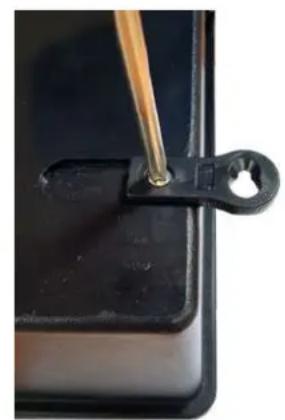
natural_image
Close-up of a black plastic clip with a metal rod inserted, no visible text or symbols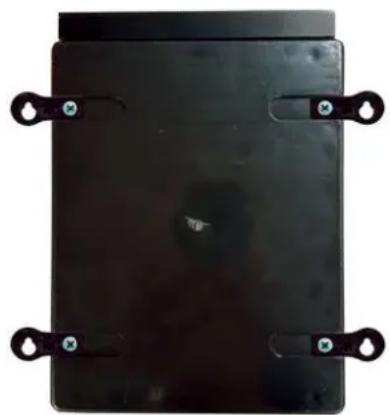
natural_image
Black rectangular object with four black metal clips attached, no visible text or symbolsT-CELL-15 Low salt = AQR-PROT-T3LS
natural_image
Abstract geometric logo with stylized letter H inside a dark circular frame (no text or symbols)HAYWARD®
CE EAC UK CA

natural_image
Two simple line icons: a folded map with an information symbol and an open book, both without any text or symbols.AquaRite® Pro Touch
MANUAL DO UTILIZADOR
GUARDE ESTE MANUAL PARA REFERÊNCIA FUTURA
natural_image
Line drawing of a rectangular electronic device with a square button and mounting holes (no text or symbols)Caixa AQR Pro Touch
Cellula Turbo Cell S3

2 braçadeiras de tomada
de carga de 50 mm
2 válvulas
natural_image
Simple line drawing of a coiled cable or wire with a looped end (no text or symbols)Tubo
de dois vasos
Detetor de caudal
Bomba
peristáltica
Sonda rX
Sonda pHPorta-sonda
3. INSTALAÇÃO
natural_image
Four identical black metal bracket clips with screws, arranged in a 2x2 grid (no text or symbols)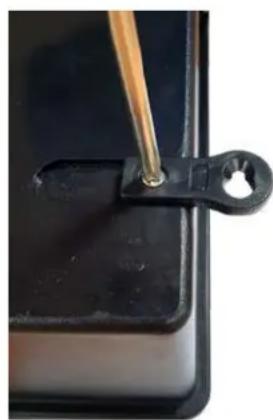
natural_image
Close-up of a black plastic clip with a wooden tool inserted, no visible text or symbols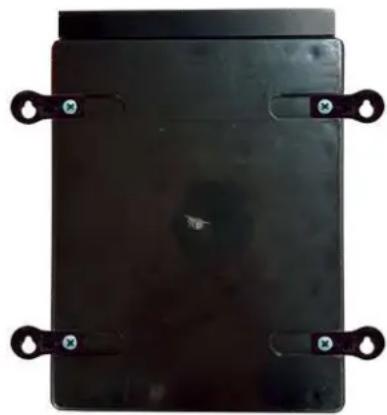
natural_image
Black rectangular electronic component with four metallic clips and mounting holes (no visible text or symbols)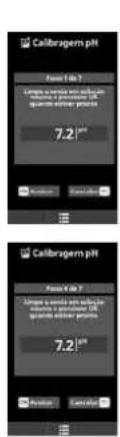
natural_image
Abstract geometric logo with stylized letter H inside a dark circular frame (no text or symbols)HAYWARD®
CE EAC UK CA

natural_image
Two simple line icons: a folded map with an information symbol and an open book, both without any text or symbols.AquaRite® Pro Touch ANWENDERHANDBUCH
BEWAHREN SIE DIESES HANDBUCH ZUM SPÄTEREN NACHSCHLAGEN AUF
natural_image
Line drawing of a rectangular electronic device with a central square and mounting holes (no text or symbols)natural_image
Simple line drawing of a coiled cable or wire (no text or symbols)Rohr
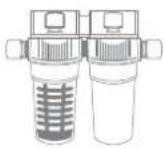
Doppelzylinder
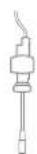
Strömungswächter
Schlauchpumpe
ORP-Sonde
natural_image
Four identical black metal bracket components with screws attached, arranged in a 2x2 grid (no text or symbols visible)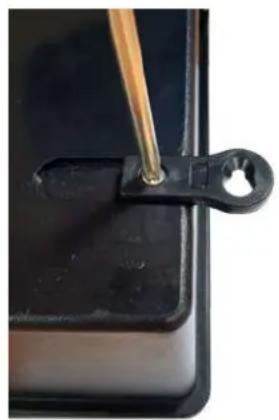
natural_image
Close-up of a black metal clip holding a small hole, with a wooden tool inserted (no text or symbols visible)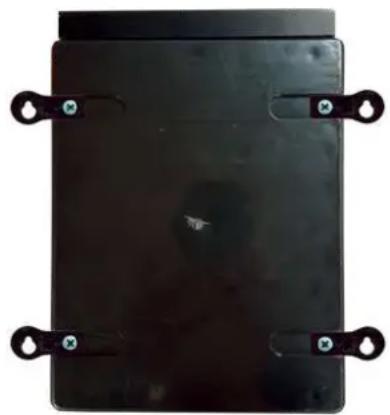
natural_image
Black rectangular electronic component with four metallic clips and mounting holes (no visible text or symbols)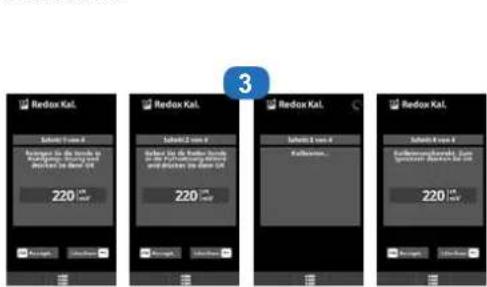
natural_image
Abstract geometric logo with stylized letter H inside a circular frame (no text or symbols)HAYWARD®
natural_image
Exterior view of a AquaRite Pro Touch industrial control unit and TurboCell Turbo Cell device (no visible text or symbols on main components)CE EAC UK CA

natural_image
Two simple line icons: a folded map with an information symbol and an open book, both without any text or symbols.AquaRite® Pro Touch
GĚBRUIKERSHANDLEIDING
BEWAAR DEZE HANDLEIDING VOOR TOEKOMSTIG GEBRUIK
natural_image
Line drawing of a rectangular electronic device with a square button and mounting base (no text or symbols)natural_image
Simple line drawing of a coiled cable or wire (no text or symbols)Buis
sondehouder
Flow-detector
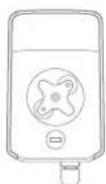
Peristaltische
pomp
Rx-sonde
pH-sondeDubbele
3. INSTALLATIE VAN HET APPARAAT
natural_image
Four identical black metal bracket components with screws, arranged in a 2x2 grid (no text or symbols visible)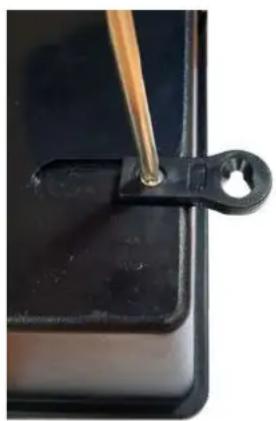
natural_image
Close-up of a black mechanical clamp or clip with a wooden tool inserted, mounted on a dark surface (no text or symbols visible)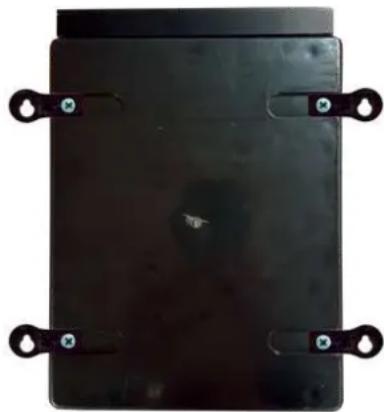
natural_image
Top-down view of a black rectangular electronic component with four metal clips attached (no visible text or symbols)T-CELL-15 Low salt = AQR-PROT-T3LS
7. PROBLEEMOPLOSSING
Geen beeld
natural_image
Abstract geometric logo with stylized letter H inside a circular frame (no text or symbols)HAYWARD®
CE EAC UK CA

natural_image
Two simple line icons: a folded map with an information symbol and an open book, both without any text or symbols.AquaRite® Pro Touch
MANUALE D'USO
CONSERVARE IL PRESENTE MANUALE PER FUTURA CONSULTAZIONE
natural_image
Line drawing of a rectangular electronic device with a central square and mounting holes (no text or symbols)Pannello AQR Pro Touch
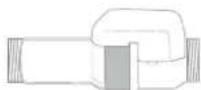
Cellula Turbo Cell S3
natural_image
Simple line drawing of a coiled cable or wire (no text or symbols)Tubo
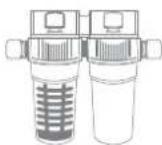
doppio vaso
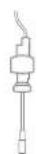
Flussostato
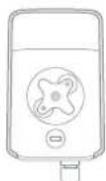
Pompa peristaltica
Sonda Rx
Sonda pHPorta-sonda
3. INSTALLAZIONE
natural_image
Four identical black metal bracket clips with screws, arranged in a 2x2 grid (no text or symbols)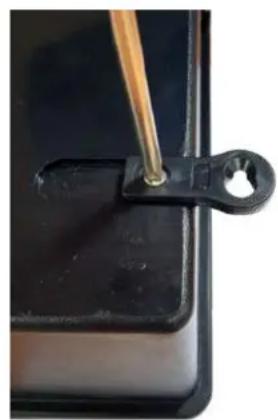
natural_image
Close-up of a black plastic clip holding a small hole, with a wooden tool inserted (no text or symbols visible)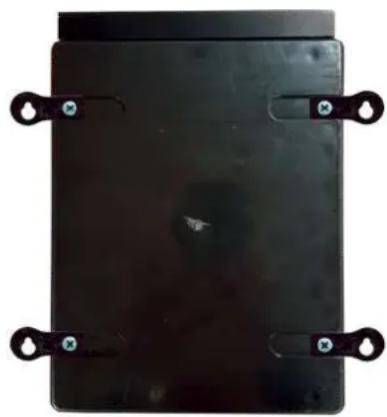
natural_image
Black rectangular electronic component with four metal clips and mounting holes (no visible text or symbols)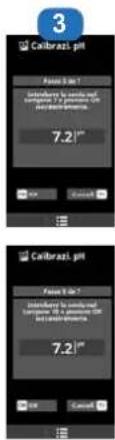
natural_image
Abstract geometric logo with stylized letter H inside a dark circular frame (no text or symbols)HAYWARD®
natural_image
Exterior view of a modern office building (no signage)CE EAC UK CA

natural_image
Two simple line icons: an open map with an information symbol and an open book, both without any text or symbols.AquaRite® Pro Touch
natural_image
Line drawing of a rectangular electronic device with a central square and mounting holes (no text or symbols)Блок AQR Pro Touch
natural_image
Simple line drawing of a coiled cable or wire with a looped end (no text or symbols)Труба
для 2 емкостей
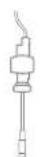
Датчик
расхода
natural_image
Four identical black metal bracket clips with screws, arranged in a 2x2 grid (no text or symbols)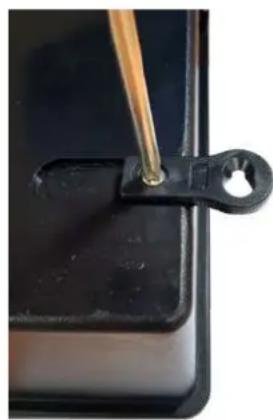
natural_image
Close-up of a black metal clip holding a small metallic object with a wooden tool inserted (no text or symbols visible)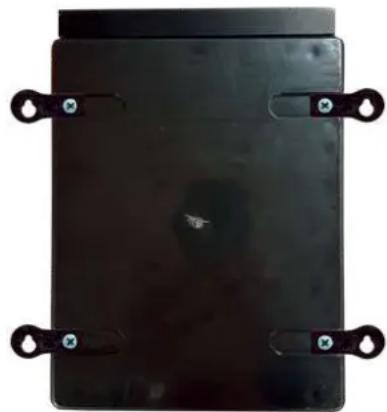
natural_image
Black rectangular electronic device with four black metal clips attached (no visible text or symbols)All HAYWARD products are covered for manufacturing defects or material defects for a warranty period of 2 years as of date of purchases. Any warranty claim should be accompanied by evidence of purchase, indicating date of purchase. We would therefore advise you to keep your invoice.
The HAYWARD warranty is limited to repair or replacement, as chosen by HAYWARD, of the faulty products, provided that they have been subjected to normal use, in compliance with the guidelines given in their user guides, provided that the products have not been altered in any way, and provided that they have been used exclusively with HAYWARD parts and components. The warranty does not cover damage due to frost and to chemicals. Any other costs (transport, labour, etc.) are excluded from the warranty.
HAYWARD may not be held liable for any direct or indirect damage resulting from incorrect installation, incorrect connection, or incorrect operation of a product.
In order to claim on a warranty and in order to request repair or replacement of an article, please ask your dealer.
No equipment returned to our factory will be accepted without our prior written approval.
Wearing parts are not covered by the warranty.
Wear parts: gasket and cell plate coating.
GARANTÍA LIMITADA
BESCHRÄNKTE GARANTIE
- HAYWARD®
- INSTALLATION DE L'APPAREIL
- 3b. Installation murale
- INDEX
- GENERAL
- PACK CONTENTS
- INSTALLATION
- 3b. Wall-mounted installation
- 3c. Installation of pH and ORP probes, and acid dosing pump
- 3d. Electrical installation and wiring
- 3e. Installation of the cell and the mechanical flow switch
- Installation and connection of the cell (see diagram):
- Installation and connection of the mechanical flow switch:
- PREREQUISITES FOR STARTING UP THE SALT CHLORINATION
- Preparing the pool water
- Salt concentration
- Type of salt to use
- How to add or remove salt
- Chemical water balance
- OPERATION
- 5a. View and description of the home screen
- 5b. Commissioning of the device
- 5c. Settings
- 5d. Electrolysis
- 5e. Measures
- 5f. pH probe calibration
- 5g. Rx probe calibration
- 5h. Temperature probe calibration
- Setting the redox level
- SERVICING
- Servicing the probe
- Servicing and cleaning the AquaRite® Pro Touch cell
- Wintering
- Probe storage
- TROUBLESHOOTING GUIDE
- No display
- Excessive chlorine
- Salt chlorination does not reach the required production rate
- Cell scaled up in under a month
- Impossible to attain a free chlorine level of 1 ppm
- Alarm AL3: pH dosing pump stopped
- The screen indicates LOW
- White flakes in the pool
- The screen indicates FLOW
- INSTALACIÓN
- INSTALAÇÃO
- INSTALLATIE VAN HET APPARAAT
- PROBLEEMOPLOSSING
- Geen beeld
- INSTALLAZIONE
- GARANTÍA LIMITADA
- BESCHRÄNKTE GARANTIE
Brand : HAYWARD
Model : AquaRite Pro Touch
Category : Water treatment device