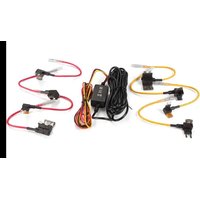
CA-DR1130 - Other camera accessories KENWOOD - Free user manual and instructions
Find the device manual for free CA-DR1130 KENWOOD in PDF.


| Product Type | Dashboard camera wiring kit |
| Brand | Kenwood |
| Model | CA-DR1130 |
| Input power | 12V DC / 24V DC |
| Output power | 5V DC, 2A |
| Connector type | USB Type C |
| Cable length | 4 meters (13 feet) |
| Weight | 190 g (6.7 oz) |
| Main function | Continuous camera power for parking monitoring up to 24 hours |
| Included fuse types | ATO/C, ATM, LP-mini, Micro 2 (2A and 5A) |
| Protection | Built-in 2A fuse in the fuse holder |
| Installation | Requires connection to the vehicle's fuse box |
| Maintenance and cleaning | Regularly check connections and fuse condition |
| Safety | Risk of battery discharge if the engine is not run regularly |
| Spare parts and repairability | Replacement fuses available; cables not repairable |
| General information | Manufactured by JVCKENWOOD Corporation; compliant with EMC and RoHS directives |
Frequently Asked Questions - CA-DR1130 KENWOOD
User questions about CA-DR1130 KENWOOD
0 question about this device. Answer the ones you know or ask your own.
Ask a new question about this device
Download the instructions for your Other camera accessories in PDF format for free! Find your manual CA-DR1130 - KENWOOD and take your electronic device back in hand. On this page are published all the documents necessary for the use of your device. CA-DR1130 by KENWOOD.
USER MANUAL CA-DR1130 KENWOOD
- Updated information (the latest Instruction Manual, etc.) is available from https://www.kenwood.com/cs/ce/.
For your records
Record the serial number, found on the back of the unit in the spaces designated on the warranty card, and in the space provided below. Refer to the model and serial numbers whenever you can upon your KENWOOD dealer for information or service on the product.
Model CA-DR1130
Serial Number
US Residents Only
Register Online
Register your KENWOOD product at www.kenwood.com/usa
Precautions for Use
- This product imposes a load on your vehicle's battery due to continuously using your vehicle's power supply. The battery is charged while you are driving. If you do not drive your vehicle for a long period of time, or if you repeatedly drive short distances, the voltage of its battery will gradually decrease due to the energy consumption of on-board devices. To prevent the battery from dying, be sure to turn on your vehicle's engine frequently so that the voltage does not drop.
- If you do not use the product for more than 2 days, turn off your dashboard camera.
- Do not use this product with any devices other than those intended for it.
- Our company bears no responsibility if your vehicle's battery dies, so make sure that you understand these precautions before use.
Precautions for Installation
- Refer to "Installation" on this manual to install correctly.
- Fix the cord in place with tape or the like so that it does not interfere with driving.
About the Product
By connecting this product to a compatible dashboard camera, you can supply power to it, even when the engine is off, and extend the parked monitoring time up to a maximum of 24 hours (depending on the condition of your vehicle's battery and the operating environment, the parked monitoring time may change).
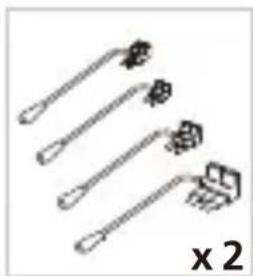
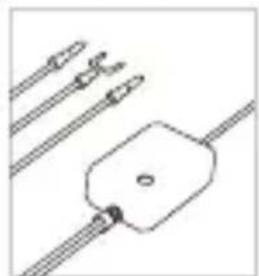
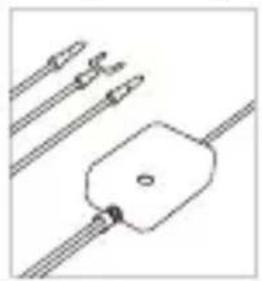
Before you get started, check you have everything below.
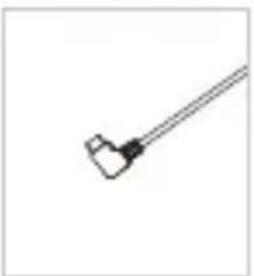
natural_image
Simple line drawing of a tool or connector with a handle and connector (no text or symbols)Type C USB Power Cable
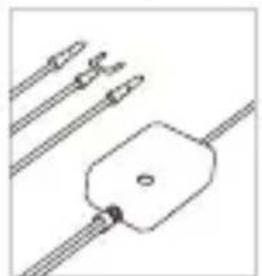
natural_image
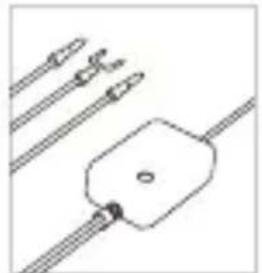
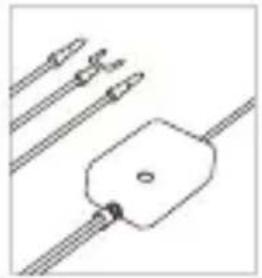
Pure electrical circuit lines without any symbolsUSB Adaptor
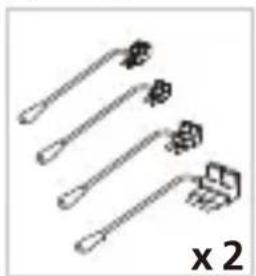
natural_image
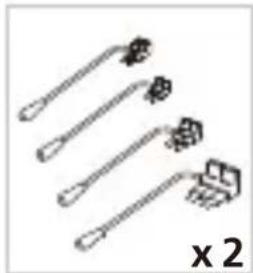
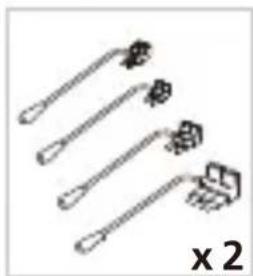
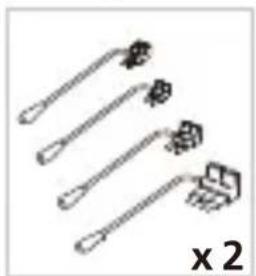
Four different types of hairpins or tools arranged diagonally, no text or symbols visible2 Amp fuses for ATO/C, ATM, and LP-mini. 5 Amp fuse for Micro 2 x 2
* Product appearance may differ slightly from that shown above.
Parts Name
Power Cable
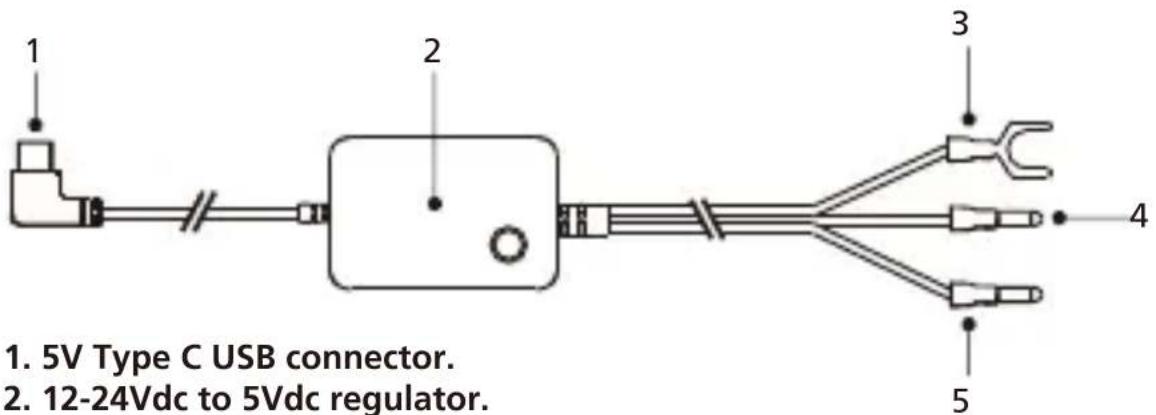
- 5V Type C USB connector.
- 12-24Vdc to 5Vdc regulator.
- Negative (-) spade connector.
- Positive (+) car power cable bullet connector. Red(ACC+) color connects to ACC.
- Positive (+) car power cable bullet connector. Yellow(BATT+) color connects to constant power.
Fuse Tap Cables
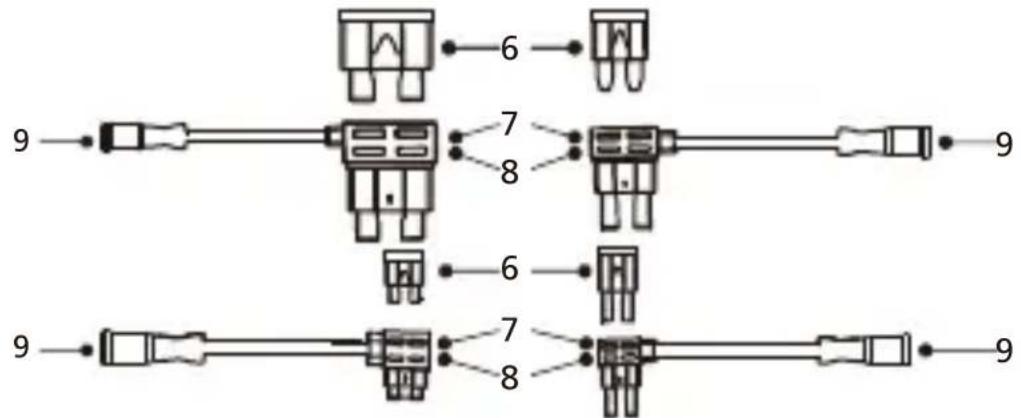
- ATO/C, ATM, LP-mini & Micro2 fuses.
- The socket for fuse tap cable.
- The socket for the original fuse.
- Positive (+) fuse tap cable bullet connector. (Red to Red and Yellow to Yellow)
Step 1: Connect the Fuse Tap Cable to the fuse box.
1.1 Find your vehicle's fuse box. Typically it locates under the driver steering wheel or underneath your engine hood. Please refer your vehicle manual.
1.2 Remove original fuses associated with your vehicle's ignition ACC / Switched and Permanent power supply. We recommend that the maximum rating of the fuse is no more than 20 Amps. Please refer your vehicle manual.
1.3 There is a fuse (Item 6) built in the socket for fuse tap cable (Item 7) which protects the dash cam. Please do not remove or change it.
1.4 Choose the correct fuse tap cable from the four supplied types. Plug in the original fuse to the socket for the original fuse (Item 8). Plug in the Red Fuse Tap Cable to the ACC socket and Yellow Fuse Tap Cable to the Permanent socket where the original fuse was removed from the fuse box on Step1.2.
Step 2: Car Power Cable Installation
2.1 Mount the dash cam behind the rearview mirror and connect the 5V Type C USB connector (Item 1) to the dash cam.
2.2 Beginning with the dash cam end, tuck the car power cable into the headliner and hide the power cable along the A-pillar to the rubber trim by using a pry/trim removal tool to loosen any trim. Make sure there is still enough cable for dash cam connections.
2.3 Keep lining the cable to the fuse box. Once you have the cable to the fuse box, look for the ground around the area of the fuse box. We recommend you ground the negative(-) spade connector (Item 3) to a bolt on unpainted bare metal. Next, plug in the positive(+) car power bullet connector (Item 4, 5) to the positive(+) fuse tap cable bullet connector (Item 9), red to red and yellow to yellow, and it will enable the dash cam to receive power. Organize any excess cable by using a cable clip to a convenient position.
Specifications
| Cable Length | 4m, 13ft |
| Connector Type | Type C USB |
| Input | DC12V/24V |
| Output | 5V = 2A |
| Weight | 6.7oz / 190g |
natural_image
Simple line drawing of a tool or connector (no text or symbols)Type C-USB- Stromversorgungskabel
natural_image
Pure diagram of a mechanical component with three parallel rods and a central housing (no text or symbols)USB-Adapter
natural_image
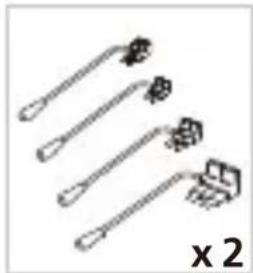
Four different types of hairpin-like tools arranged diagonally (no text or symbols visible)natural_image
Simple line drawing of a tool or tool with a handle and base (no text or symbols)natural_image
Pure electrical circuit lines without any symbolsAdaptateur USB
natural_image
Five different types of hairpins or tools arranged diagonally, no text or symbols visiblenatural_image
Simple line drawing of a tool or probe with a handle and connector (no text or symbols)Type C-USB- voedingskabel
natural_image
Pure electrical circuit lines without any symbolsUSB-adaptor
natural_image
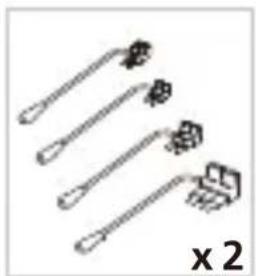
Four identical tool tips arranged diagonally, no text or symbols visiblenatural_image
Simple line drawing of a tool or tool with a handle and base (no text or symbols)natural_image
Pure electrical circuit lines without any symbolsAdattatore USB
natural_image
Four different types of hairpins or clips arranged diagonally, no text or symbols presentnatural_image
Simple line drawing of a tool or connector with a handle and connector (no text or symbols)natural_image
Pure electrical circuit lines without any symbolsAdaptador USB
natural_image
Four different types of hairpins or clips arranged diagonally, no text or symbols presentnatural_image
Simple line drawing of a tool or connector with a handle and connector (no text or symbols)natural_image
Pure electrical circuit lines without any symbolsAdapter USB

natural_image
Four different types of hairpins or clips arranged diagonally, no text or symbols presentnatural_image
Simple line drawing of a tool or connector (no text or symbols)Type C USB
natural_image
Pure electrical circuit lines without any symbols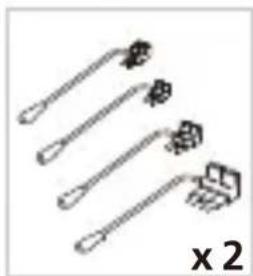
natural_image
Five different types of hairpins arranged diagonally, no text or symbols presentUSB adaptérNapájerí kabel Zampelové pojistky pro ATO/C, ATM a LP-mini.
natural_image
Simple line drawing of a tool or probe with a handle and connector (no text or symbols)Cablu de alimentare Type C USB
natural_image
Pure electrical circuit lines without any symbolsAdaptor USB
natural_image
Four different types of hairpins arranged diagonally, no text or symbols presentInformation on Disposal of Old Electrical and Electronic Equipment (applicable for countries that have adopted separate waste collection systems)
Products with the symbol (crossed-out wheeled bin) cannot be disposed of as household waste.
Old electrical and electronic equipment should be recycled at a facility capable of handling these items and their waste by products.
Contact your local authority for details in locating a recycle facility nearest to you.
Proper recycling and waste disposal will help conserve resources while preventing detrimental effects on our health and the environment.
Declaration of Conformity with regard to the EMC Directive 2014/30/EU
Declaration of Conformity with regard to the RoHS Directive 2011/65/EU
Manufacturer:
JVCKENWOOD Corporation
3-12, Moriyacho, Kanagawa-ku,
Yokohama-shi, Kanagawa 221-0022, JAPAN
EU Representative:
JVCKENWOOD Europe B.V.
Rendementsweg 20 B-9, 3641 SL Mijdrecht, THE NETHERLANDS
3-12, Moriyacho, Kanagawa-ku,
Yokohama-shi, Kanagawa 221-0022, JAPON
3-12, Moriyacho, Kanagawa-ku,
Yokohama-shi, Kanagawa 221-0022, JAPAN
EU-Vertreter:
JVCKENWOOD Europe B.V.
Rendementsweg 20 B-9, 3641 SL Mijdrecht, NIEDERLANDE
3-12, Moriyacho, Kanagawa-ku,
Yokohama-shi, Kanagawa 221-0022, JAPAN
3-12, Moriyacho, Kanagawa-ku,
Yokohama-shi, Kanagawa 221-0022, JAPAN
Rappresentante UE:
JVCKENWOOD Europe B.V.
Rendementsweg 20 B-9, 3641 SL Mijdrecht, PAESI BASSI
3-12, Moriyacho, Kanagawa-ku,
Yokohama-shi, Kanagawa 221-0022, JAPAN
3-12, Moriyacho, Kanagawa-ku,
Yokohama-shi, Kanagawa 221-0022, JAPONYA
AB Temsilcisi:
JVCKENWOOD Europe B.V.
Rendementsweg 20 B-9, 3641 SL Mijdrecht, HOLLANDA

Declaration of Conformity with regard to the Electromagnetic Compatibility Regulations 2016 (S.I. 2016/1091)
Declaration of Conformity with regard to the Restriction of the Use of Certain Hazardous Substances in Electrical and Electronic Equipment Regulations 2012 (S.I. 2012/3032)
Manufacturer:
JVCKENWOOD Corporation
3-12, Moriya-cho, Kanagawa-ku, Yokohama-shi, Kanagawa, 221-0022, JAPAN
UK Importer:
JVCKENWOOD U.K. Limited
First Floor, Gleneagles, the Belfry, Colonial Way, Watford, Hertfordshire WD24 4WH, UNITED KINGDOM

FCC CAUTION
Changes or modifications not expressly approved by the party responsible for compliance could void the user's authority to operate the equipment.
FCC NOTE
- This equipment has been tested and found to comply with the limits for a Class B digital device, pursuant to Part 15 of the FCC Rules. These limits are designed to provide reasonable protection against harmful interference in a residential installation.
- This equipment may cause harmful interference to radio communications, if it is not installed and used in accordance with the instructions. However, there is no guarantee that interference will not occur in a particular installation. If this equipment does cause harmful interference to radio or television reception, which can be determined by turning the equipment off and on, the user is encouraged to try to correct the interference by one or more of the following measures:
- Reorient or relocate the receiving antenna.
- Increase the separation between the equipment and receiver.
- Connect the equipment into an outlet on a circuit different from that to which the receiver is connected.
- Consult the dealer or an experienced radio/TV technician for help.
Supplier's Declaration of Conformity
Trade Name: KENWOOD
Products: Hardware Kit
Model Name: CA-DR1130
Responsible Party:
JVCKENWOOD USA CORPORATION
4001 Worsham Avenue, Long Beach,
CA 90808, U.S.A.
PHONE : 1-800-252-5722
THIS DEVICE COMPLIES WITH PART 15 OF THE FCC RULES. OPERATION IS SUBJECT TO THE FOLLOWING TWO CONDITIONS:
(1) THIS DEVICE MAY NOT CAUSE HARMFUL INTERFERENCE, AND
(2) THIS DEVICE MUST ACCEPT ANY INTERFERENCE RECEIVED, INCLUDING
INTERFERENCE THAT MAY CAUSE UNDESIRED OPERATION.
CAN ICES-3(B)/ NMB-3(B)
Trademarks
USB Type-C® and USB-C® are registered trademarks of USB Implementers Forum.