Zero Smog Shield Pro - Welding machine Weller - Free user manual and instructions
Find the device manual for free Zero Smog Shield Pro Weller in PDF.


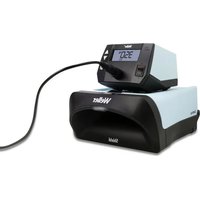
| Product Type | Soldering machine with fume extraction |
| Brand | Weller |
| Model | Zero Smog Shield Pro |
| Dimensions (L x W x H) | 150 x 125 x 100 mm |
| Weight | Approx. 1.9 kg |
| Power Supply Voltage | 230 V / 50-60 Hz (120 V / 60 Hz, 100 V / 50-60 Hz depending on version) |
| Power Consumption | 85 W |
| Protection Class | I (antistatic housing), III (soldering tool) |
| Temperature Range | 100 - 450 °C (depending on tool) |
| Temperature Accuracy | ± 5 °C in pre-activation without load |
| Temperature Stability | ± 6 °C |
| Main Functions | Soldering, desoldering, fume extraction, automatic shutdown (stand-by), temperature reduction during inactivity, lock function, factory reset |
| Compatible Tip | Type ET, original Weller tips |
| Power Supply Unit | WE 1 |
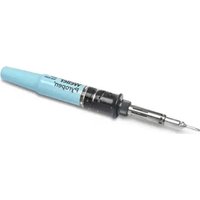
| Supplied Soldering Iron | WEP 70 (70 W, 23 V AC, heat-up time 28 s from 50 to 350 °C) |
| Maintenance and Cleaning | Unplug before intervention, allow to cool, clean heat transfer surfaces, change filters regularly |
| Safety Instructions | Connect to grounded outlet, do not use in humid environment, avoid contact with live parts, wear safety glasses, use only Weller tools |
| Spare Parts and Repairability | Original Weller spare parts, repairs only by personnel trained by Weller |
| Warranty | 12 months after delivery (manufacturing defects) |
| Recycling | Dispose separately as electrical equipment waste, clogged filters as special waste |
| Manual Languages | FR, EN, DE, more than 20 languages available |
Frequently Asked Questions - Zero Smog Shield Pro Weller
User questions about Zero Smog Shield Pro Weller
0 question about this device. Answer the ones you know or ask your own.
Ask a new question about this device
Download the instructions for your Welding machine in PDF format for free! Find your manual Zero Smog Shield Pro - Weller and take your electronic device back in hand. On this page are published all the documents necessary for the use of your device. Zero Smog Shield Pro by Weller.
USER MANUAL Zero Smog Shield Pro Weller
natural_image
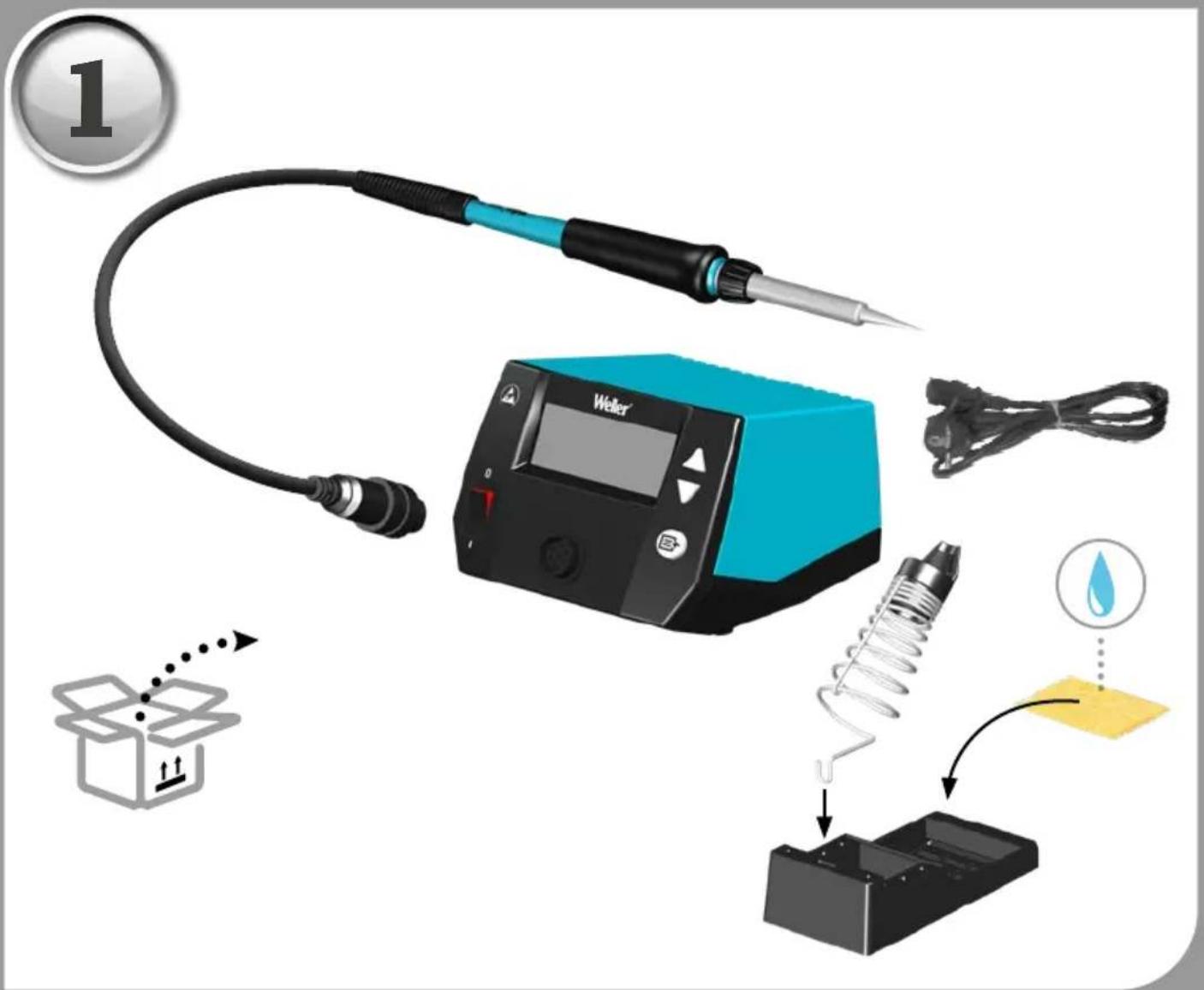
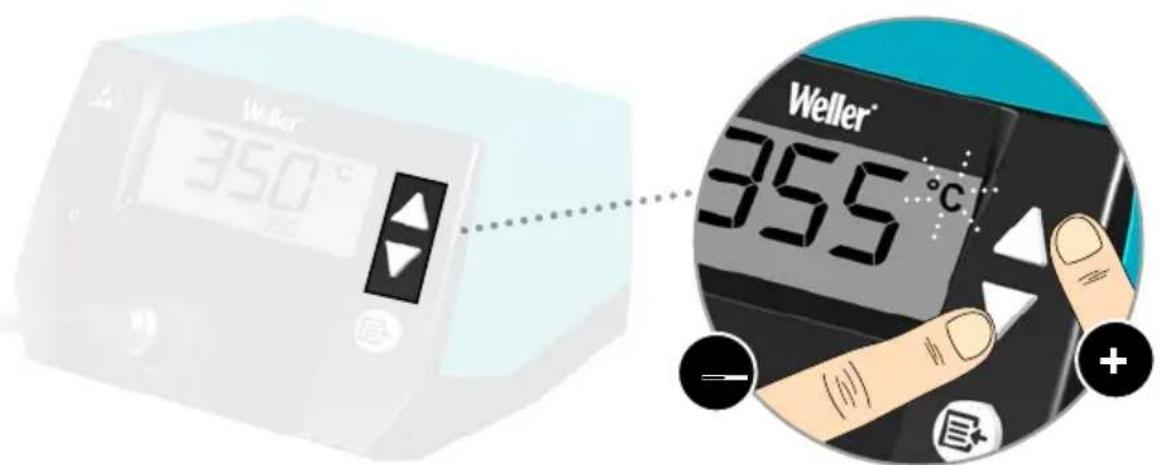
Digital soldering machine with digital display showing temperature reading of 350°C, connected to a wire and base (no text or symbols on main device)EN Translation of the original instructions
natural_image
Circular icon with a lowercase 'i' in the center, commonly used to denote information (no additional text or symbols)
www.weller-tools.com
MANUAL FAQ

VIDEO


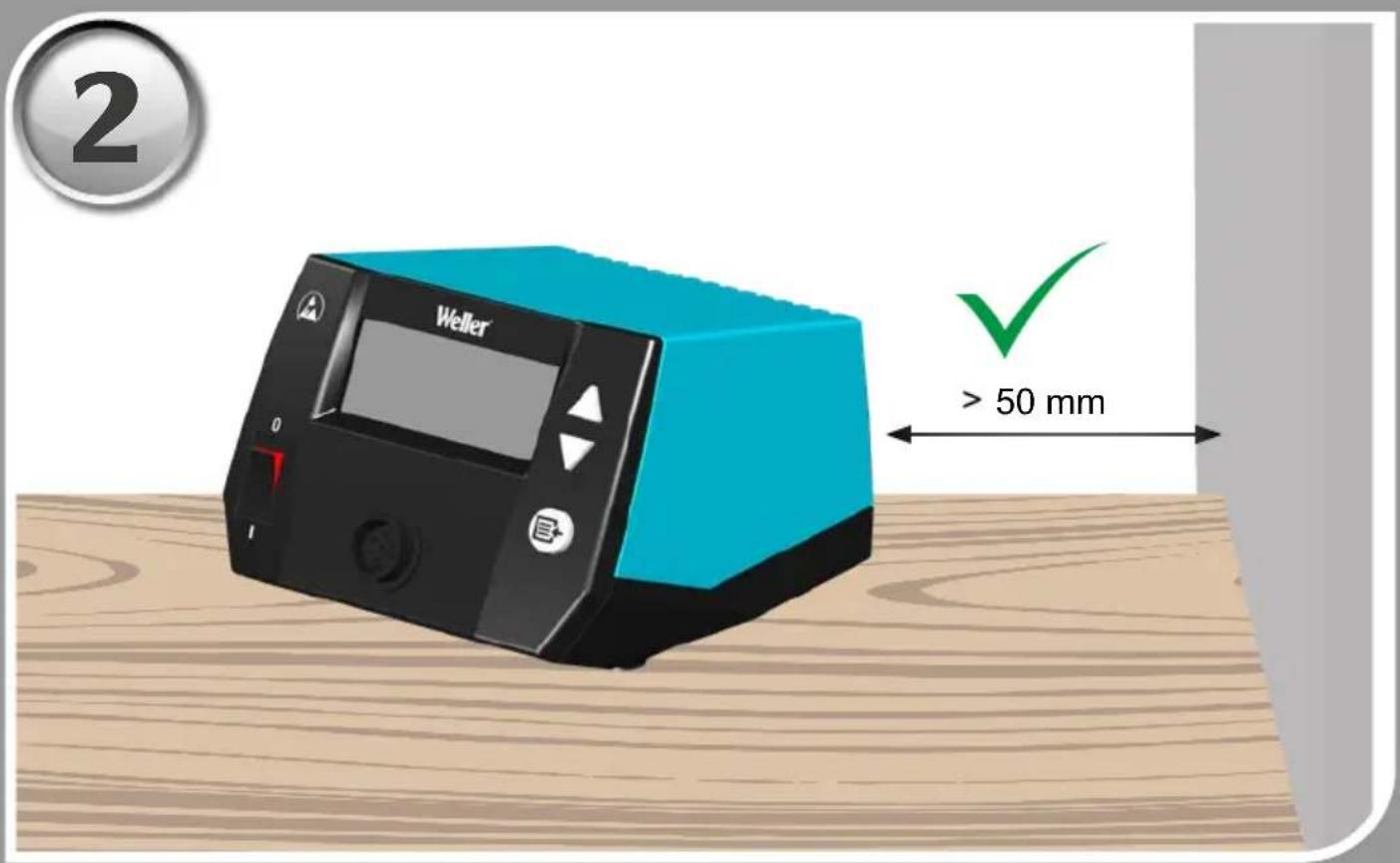
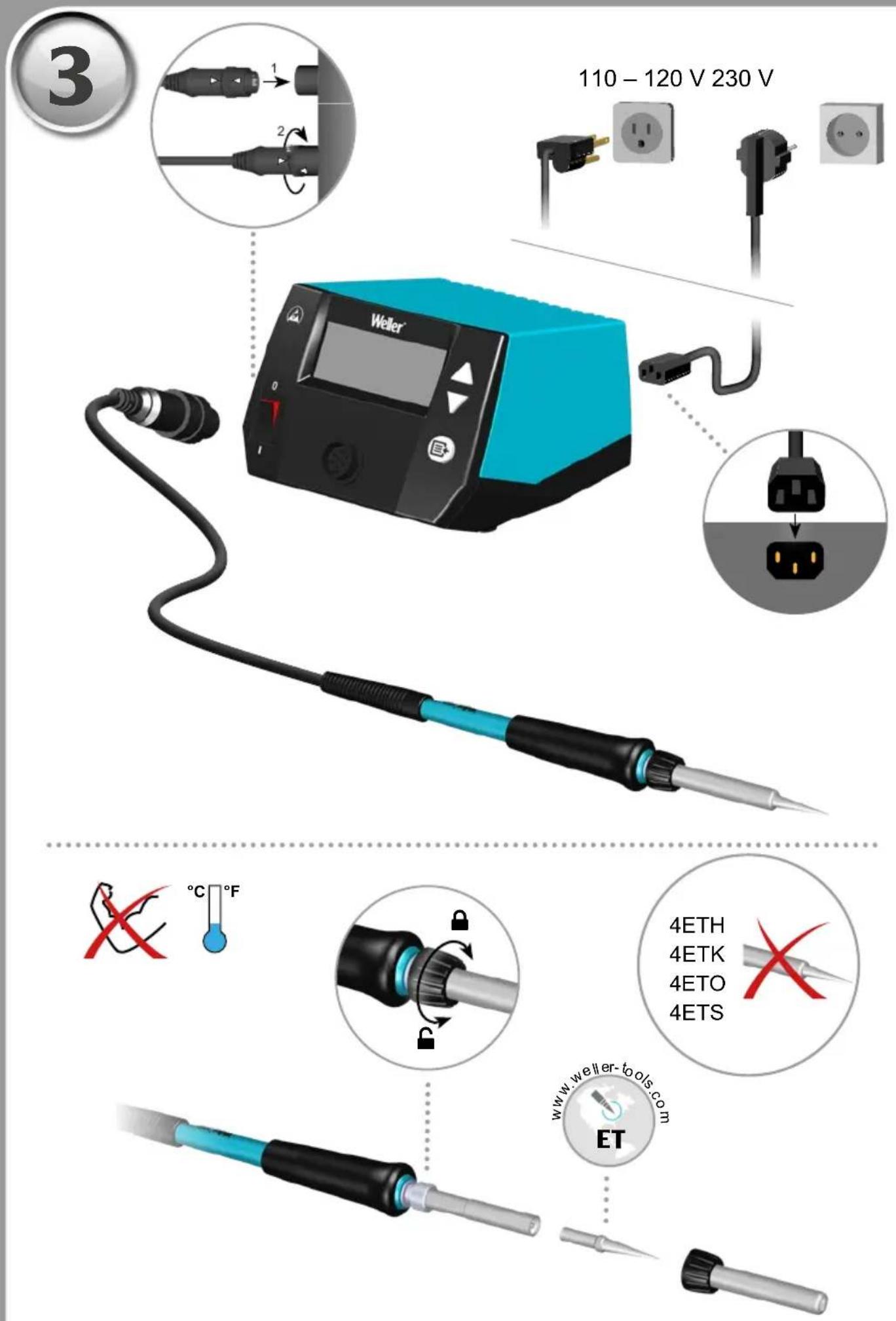
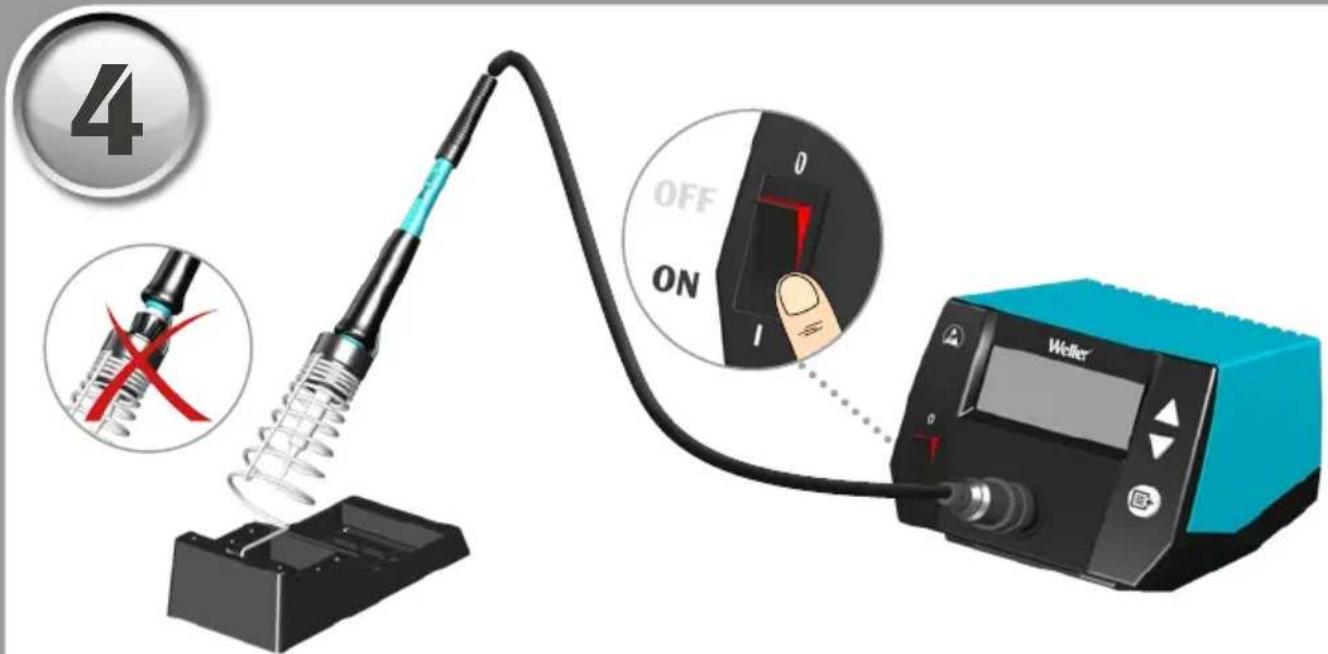
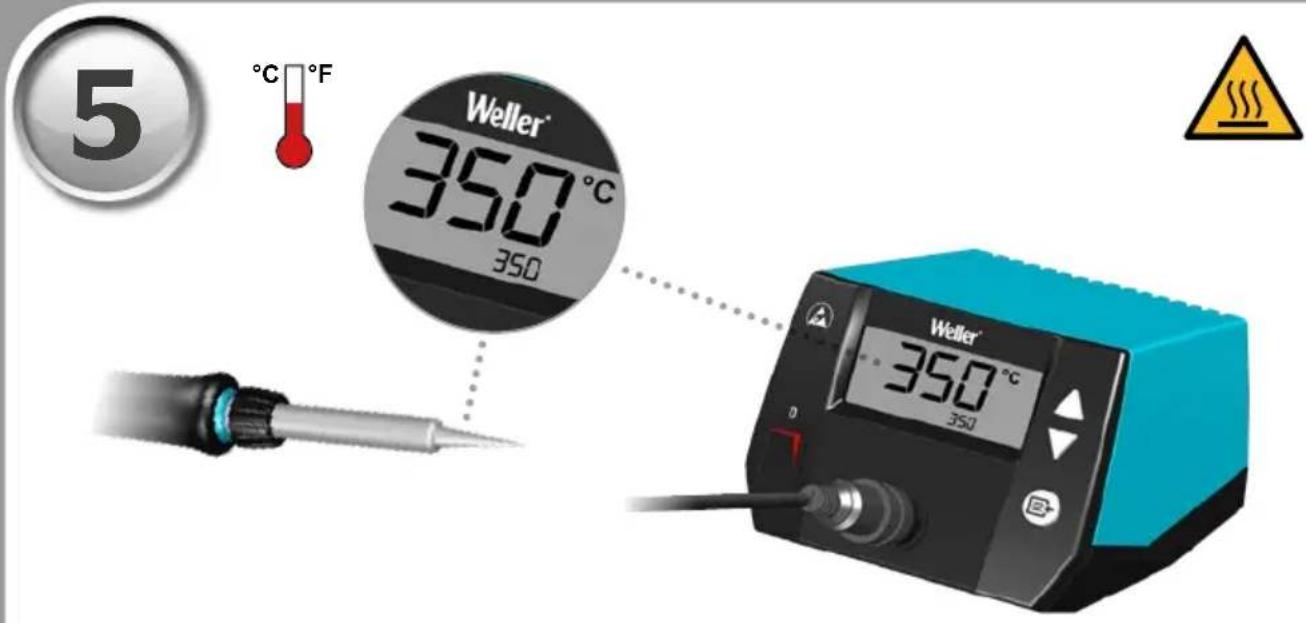
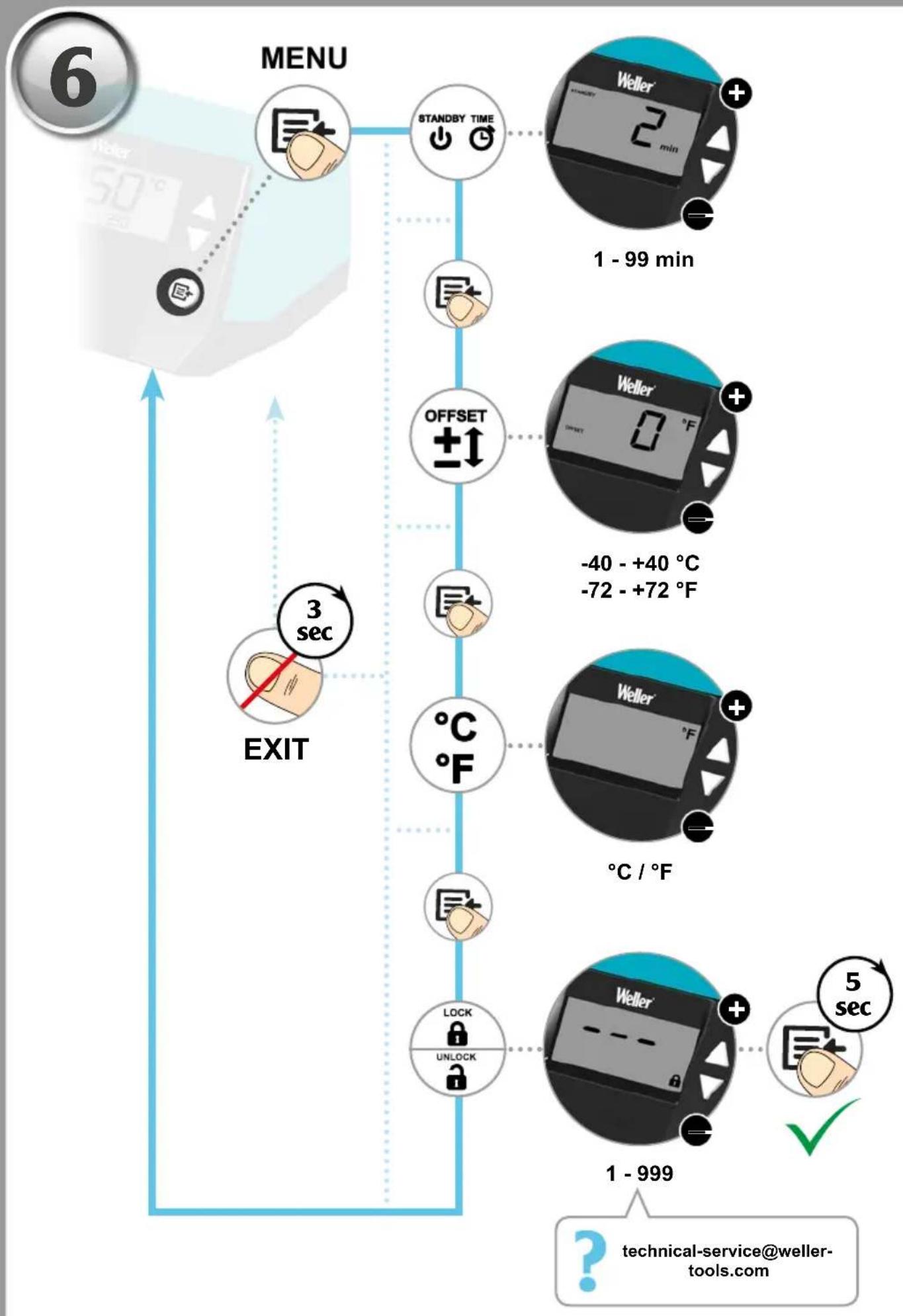
flowchart
graph TD
    A["MENU"] --> B["STANDBY TIME"]
    B --> C["OFFSET ±↑"]
    C --> D["3 sec EXIT"]
    D --> E["LOCK UNLOCK"]
    E --> F["Weller 2 min +"]
    F --> G["1 - 99 min"]
    G --> H["-40 - +40 °C -72 - +72 °F"]
    H --> I["5 sec ✓"]
    I --> J["1 - 999"]
    J --> K["? technical-service@weller-tools.com"]
1 - 99 min
DE Standby Zeit
EN Standby Time
ES Tiempo standby
FR Temps Standby
IT Ritardo standby
PT Tempo de Standby
NL Standby-tijd
SVVilotempTid
DK Standby tid
FI Valmiusaika
EN temperature units
SL Enote temperature
FSE
EN Resetting to factory settings When switching on: Press UP and DOWN
Read these instructions and the safety guidelines carefully before starting up the unit and starting work.
Failure to observe the safety regulations results in a risk to life and limb.
Keep these instructions in a place that is accessible to all users. Please adhere to the operating instructions of the connected devices.
Safety information
This appliance can be used by children aged from 16 years and above and persons with reduced physical, sensory or mental capabilities or lack of experience and knowledge if they have been given supervision or instruction concerning use of the appliance in a safe way and understand the hazards involved. Children shall not play with the appliance.
Cleaning and user maintenance shall not be made by children without supervision.
Keep other persons well away from your workplace.
The work area is out of bounds for children and unauthorised persons. Never allow other persons to touch the soldering tool or cable.

WARNING
Electrical shock
Connecting the control unit incorrectly poses a risk of injury due to electric shock and can damage the device.
- Carefully read the attached safety information, the safety information accompanying these operating instructions as well as the operating instructions for your control unit before putting the control unit into operation and observe the safety precautions specified therein.
- Only connect WELLER tools.
If the device is faulty, active electrical conductors may be bare or the PE conductor may not be functional.
• Repairs must always be referred to a Weller-trained specialist.
- If the electrical tool's power supply cord is damaged, it must be replaced with a specially prefabricated power supply cord available through the customer service organisation.
Protect yourself against electric shocks. The handles on soldering tools with an antistatic design are conductive.
- Avoid touching earthed objects such as pipes, heaters, cookers and refrigerators.
- Do not use the soldering tool in a damp or wet environment.
- Never work on voltage-carrying parts.
- Caution! To provide continued protection against risk of electric shock, connect to properly grounded outlets only.

WARNING
Risk of burns
Risk of burns from the soldering tool while the control unit is operating. Tools may still be hot long after they have been switched off.
The soldering tip becomes very hot during soldering work. There is a risk of burns from touching the tips. After the soldering process, the soldering tool and the workpiece holder are still hot.
• Always place the soldering tool in the safety rest while not in use. Make sure the safety holder is stable.
- Do not touch the hot soldering tips and keep them away from inflammable objects..
• Only replace solder tips when cold
Risk of burning through liquid solder. Protect yourself against solder splashes.
- Wear appropriate protective clothing to protect yourself against burns. Protect your eyes by wearing eye protection.
- When working with adhesives, special attention must be paid to the warning information provided by the adhesive manufacturer.

WARNING | Fire hazard
Covering the soldering iron or the safety holder poses a fire hazard. Always keep objects well away from the soldering iron and safety holder.
• Always keep objects well away from the soldering iron and safety holder.
- Keep all combustible objects, liquids or gases well away from the hot soldering tool.
Store your soldering tool in a safe place. When not in use, units and tools should be stored in a dry, high or locked area out of the reach of children. Make sure that unused soldering tools are free of voltage and de-pressurised.
The power cable must only be plugged into the power socket or adapter approved for this purpose. Check to see if the mains voltage matches the ratings on the nameplate. Make sure the machine is switched off before plugging in.
Do not use the cable for purposes other than those for which it is intended. Never carry the unit by the cable. Do not use the cable to pull the plug out of the socket. Protect the cable against heat, oil and sharp edges..
Be alert. Pay attention to what you are doing. Be smart when using the unit. Do not use the soldering tool if you are having difficulty concentrating.
Avoid abnormal posture. Arrange your work station in an ergonomically correct way. Avoid bad posture when using the unit, as this can lead to postural problems.
The soldering tool must be operated only in perfect technical working order. Safety devices must not be deactivated.
Faults and defects must be repaired immediately.
Before using the unit / tool, safety devices must be carefully checked to make sure that they are functioning properly and in the manner intended. Check that moving parts are functioning properly and are not sticking, and whether parts are damaged. All parts must be correctly fitted and must satisfy all the requirements necessary to guarantee troublefree operation of the unit.
Use the correct tool. Use only accessories or auxiliary devices which are included in the list of accessories or approved for use by the manufacturer. Use WELLER accessories or auxiliary devices on original WELLER equipment only. The use of other tools and other accessories can cause injury.
Secure the tool. Use clamping fixtures to hold the workpiece.
Use a solder fume extraction unit. If appliances for connecting solder fume extraction units are available, ensure that they are connected and used properly.
Soldering
Please be sure to read and follow the operating instructions for your Weller Supply Unit.

Use only original Weller soldering tips!
Handling the soldering tips
- Coat the selective and tinnable soldering tip with solder when heating it up for the first time. This removes oxide coatings which have formed during storage and impurities from the soldering tip.
- Make sure that the soldering tip is well coated with solder during breaks between soldering work and prior to storage of the device.
- Do not use aggressive fluxing agents.
- Always make sure that the soldering tips are fitted properly.
- Select as low a working temperature as possible.
- Select the largest possible soldering tip shape for the application. Rule of thumb: the soldering tip should be roughly as large as the soldering pad.
- Coat the soldering tip well with solder to ensure that there is efficient heat transfer between the soldering tip and the soldering area.
- Prior to extended breaks between soldering work, switch off the soldering system or use the Weller function to reduce the temperature when the soldering equipment is not in use.
- Coat the tip with solder prior to storage if you do not intend to use the soldering iron for an extended period of time.
- Apply solder directly to the soldering area, not to the soldering tip.
• Do not apply mechanical force to the soldering tip.
Specified Conditions Of Use
Supply unit for WELLER soldering tools. Use the soldering station only for the purpose of soldering, as specified in the Operating Instructions.
Use the soldering iron exclusively for the purpose indicated in the Operating Instructions of soldering and desoldering under the conditions specified here.
The soldering iron may only be used in combination with Weller Supply Units.
This device may only be used at room temperature and indoors. Protect against moisture and direct sunlight.
User groups
Due to differing degrees of risk and potential hazards, several work steps may only be performed by trained experts.
| Work step | User groups |
| Default soldering parameters | Specialist personnel with technical training |
| Replacing electrical replacement parts | Electricians |
| Default maintenance intervals | Safety expert |
| Operation Filter change | Non-specialists |
| Operation Filter change Replacing electrical replacement parts | Technical trainees under the guidance and supervision of a trained expert |
Care and maintenance

WARNING

Before doing any work on the machine, pull the plug out of the socket. Leave the unit to cool down.
Check all connected cables and hoses on a regular basis. If power tools are damaged, they must be immediately removed from use.
Only replace the soldering tips when they are cold.
The soldering tool must be left switched off in the safety rest for at least 3 minutes until the soldering tip has cooled down. The LED status indicator must be at "OFF".
Keep the heat transfer surfaces of the soldering tip and heating element clean. The heating element must not come into contact with soldering tin.
Repairs must always be referred to a Weller-trained specialist.

Use original replacement parts only.
Warranty
Claims by the buyer for physical defects are time-barred after a period of one year from delivery to the buyer. This does not apply to claims by the buyer for indemnification in accordance with §§ 478, 479 BGB (German Federal Law Gazette).
We shall only be liable for claims arising from a warranty furnished by us if the quality or durability warranty has been furnished by use in writing and using the term „Warranty“.
The warranty shall be void if damage is due to improper use and if the device has been tampered with by unauthorised persons.
For more information please visit www.weller-tools.com.
Technical Data
| Soldering station WE 1 | ||
| Dimensions L x W x H (mm) (Inch) | 150 x 125 x 100 5,91 x 4,92 x 3,94 | |
| Weight (kg) 1,9 | ||
| Mains supply voltage (V / Hz) 230 / | 50/60 120 / 60 100 / 50/60 | |
| Power consumption (W) 85 | ||
| Safety class I, antistatic housing | III, Soldering tool | |
| Temperature range (°C) Tool dependent (°F) | 100 - 450 200 - 850 | |
| Temperature accuracy (°C/°F) Average | tip temperature can be „offset“ to +/- 5°C (+/-°9F) at idle with no load | |
| Temperature stability (°C/°F) ± 6 / ± 10 | ||
| Soldering iron WEP 70 | ||
| Temperature range (°C/°F) 50-450 | ||
| Power consumption | (W) | 70 |
| Mains supply voltage | (V AC) | 23 |
| Heat-up time (s) (50°C to 350°C) (120°F to 660°F) | 28 | |
| Tip top condition | ET | |
| Supply unit | WE 1 | |
Subject to technical alterations and amendments.
Temperature performance
The soldering tool has an internal usage sensor which can be used to set an automatic switch-off function (Stand-by). The settings can be found in the station's operating instructions.
Symbols

Caution!

Warning! Risk of burns!

Read the operating instructions!

ESD-compatible design and ESD-compatible workstation

Before performing work of any kind on the unit, always disconnect the power plug from the socket.

Safety transformer

CE mark of conformity

British Conformity Mark
Disposal
Waste light sources have to be removed from equipment. Check with your local authority or retailer for recycling advice and collection point. According to local regulations retailers may have an obligation to take back waste electrical and electronic equipment free of charge. Your contribution to re-use and recycling of waste electrical and electronic equipment helps to reduce the demand of raw materials. Waste electrical and electronic equipment contain valuable, recyclable materials, which can adversely impact the environment and the human health, if not disposed of in an environmentally compatible manner. Delete personal data from waste equipment, if any.
Contaminated filters must be treated as special waste. Dispose of replaced equipment parts, filters or old devices in accordance with the rules and regulations applicable in your country.

Station de soudage WE 1
EN EC declaration of conformity
We hereby declare that the products described herein comply with the following guidelines:
Authorised to compile technical documentation.
UK declaration of conformity
We hereby declare that the products described herein comply with the following guidelines:
SI 2016 No.1101, SI 2016 No.1091, SI 2012 No.3032
Besigheim, 2023-08-24
Philippe Buidin
Managing director
Authorised to compile technical documentation.
Apex tool Group (UK Operations) Limited
Piccadilly, Tamworth
Staffordshire B78 2ER
Product Registration
www.weller-tools.com/registration
GERMANY
Weller Tools GmbH
Carl-Benz-Straße 2
74354 Besigheim
Tel: +49 (0) 7143 580-0
CHINA
Apex Tool Group
Room 302A,
NO 177 Bibo Road
Shanghai, 201202
Tel: +86 (21) 60880288
info@weller-tools.com
www.weller-tools.com
THE NETHERLANDS
Apex Tool Group B. V.
Apex Tool Group UK Ltd
Registered in England,
Company Number 14127816
Registered Office:
C/O TMF Group 13th Floor,
One Angel Court, London,
EC2R 7HJ, United Kingdom
Tel: +44 740 8836 404
USA
Apex Tool Group, LLC.
Weller Professional Tools Division
1000 Lufkin Road
Apex, NC 27539
Tel: +866-498-0484
Weller