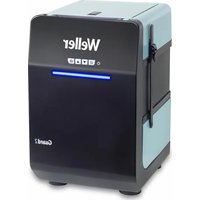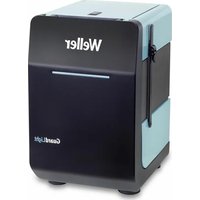
ZeroSmog Guard Light - Welding machine Weller - Free user manual and instructions
Find the device manual for free ZeroSmog Guard Light Weller in PDF.


User questions about ZeroSmog Guard Light Weller
0 question about this device. Answer the ones you know or ask your own.
Ask a new question about this device
Download the instructions for your Welding machine in PDF format for free! Find your manual ZeroSmog Guard Light - Weller and take your electronic device back in hand. On this page are published all the documents necessary for the use of your device. ZeroSmog Guard Light by Weller.
USER MANUAL ZeroSmog Guard Light Weller
natural_image
Exterior view of a modern office building (no signage)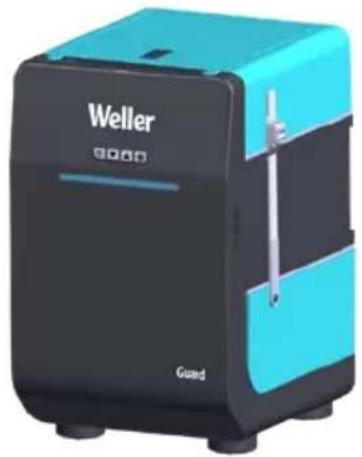
natural_image
Exterior view of a Weller brand portable device with black and cyan casing (no visible text or symbols on body)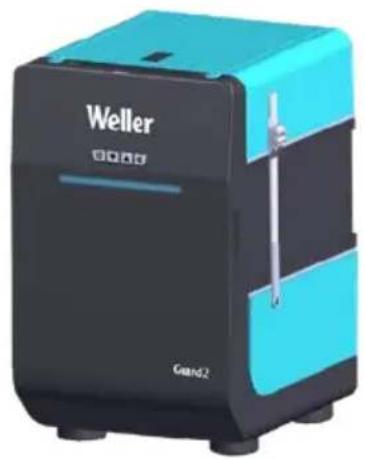
natural_image
Exterior view of a Weller brand device (no signage or text beyond branding)GB Translation of the original instructions
natural_image
Circular icon with a lowercase 'i' in the center, commonly used to denote information (no additional text or symbols)
text_image
Weller www.weller-tools.comwww.weller-tools.com
natural_image
3D illustration of a dark gray box with a flat top, no text or symbols present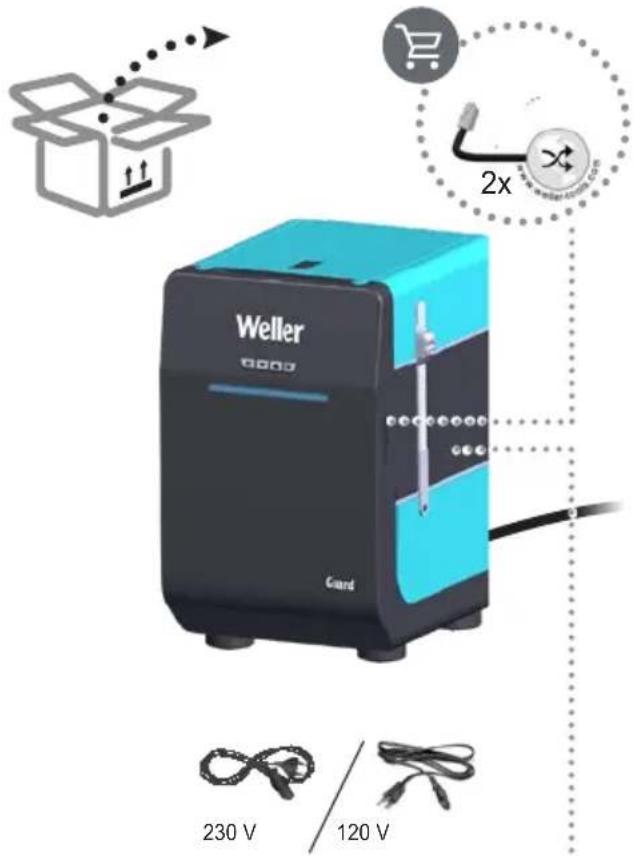
text_image
Weller 230 V 120 V 2x
natural_image
3D illustration of a dark gray box with a light purple top panel above it (no text or symbols)
DE Zubehör
GB Accessory
ES Accessorio
FR Accessoires
IT Accessorio
PT Acessório
NL Toebehoren
SV Tillbehör
DK Tilbehør
FI Lisälaite
GR Εξαρτήματα
TR Aksesuar
CZ Příslušenství
PL Wyposażenie
HU Tartozékok
SK Príslušenstvo
SL Oprema
EE Tarvikud
LV Piederumi
LT Priedas
BG Принадлежности
RO Accesorii
HR Pribor
RU Оснастка
CN 配件
KO 액세서리
JP アクセサリー

text_image
1ZeroSmog
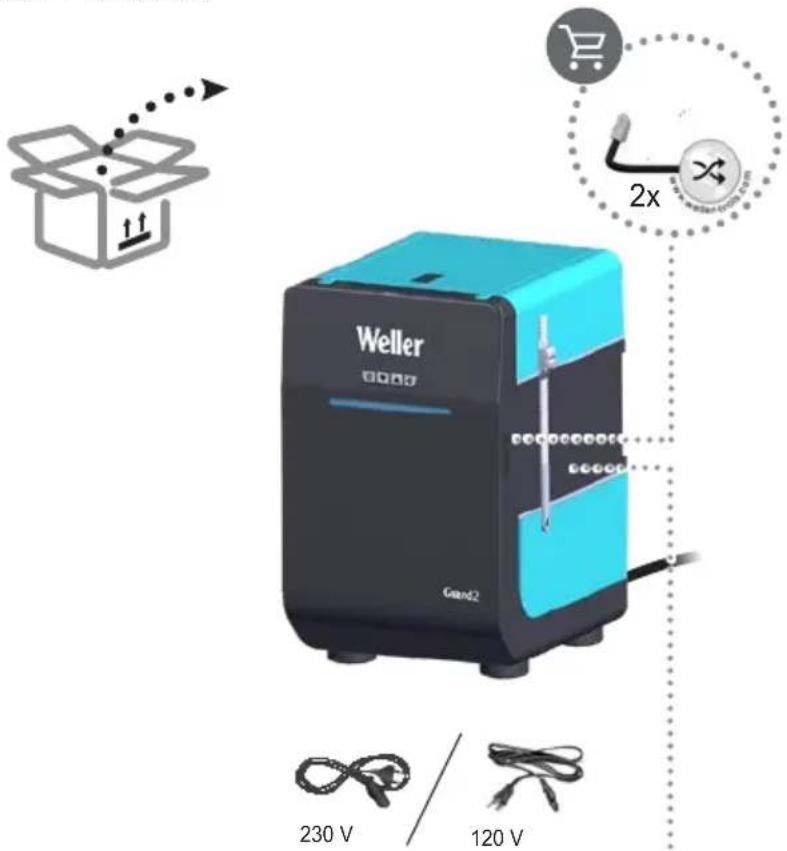
Guard2
120V FT91022299
230V FT91022699
text_image
Weller 230 V 120 V 2xFT91000049
natural_image
3D illustration of a dark gray box with a light purple top panel above it (no text or symbols)
DE Zubehör
GB Accessory
ES Accessorio
FR Accessoires
IT Accessorio
PT Acessório
NL Toebehoren
SV Tillbehör
DK Tilbehør
FI Lisälaite
GR Εξαρτήματα
TR Aksesuar
CZ Příslušenství
PL Wyposażenie
HU Tartozékok
SK Príslušenstvo
SL Oprema
EE Tarvikud
LV Piederumi
LT Priedas
BG Принадлежности
RO Accesorii
HR Pribor
RU Оснастка
CN 配件
KO 액세서리
JP アクセサリー

text_image
2ZeroSmog GuardLight
ZeroSmog Guard
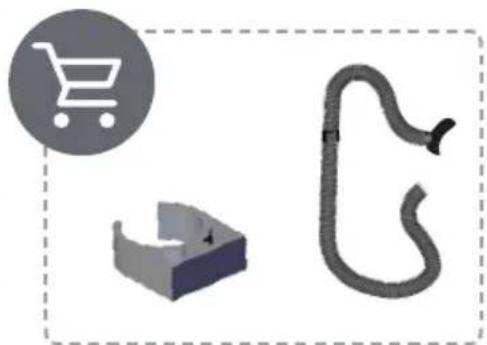
natural_image
Three 3D icons: a shopping cart, a mechanical bracket, and a curved pipe (no text or symbols)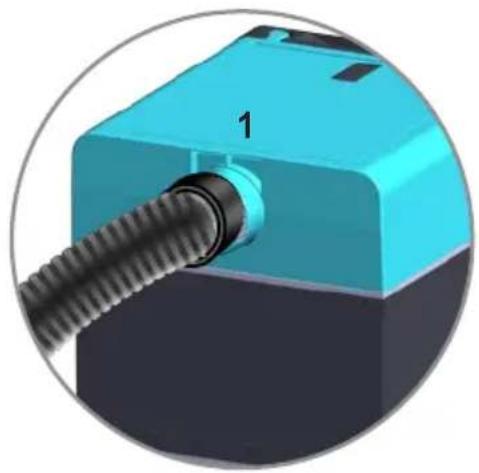
natural_image
3D rendering of a mechanical component with a threaded shaft and blue housing (no text or symbols visible)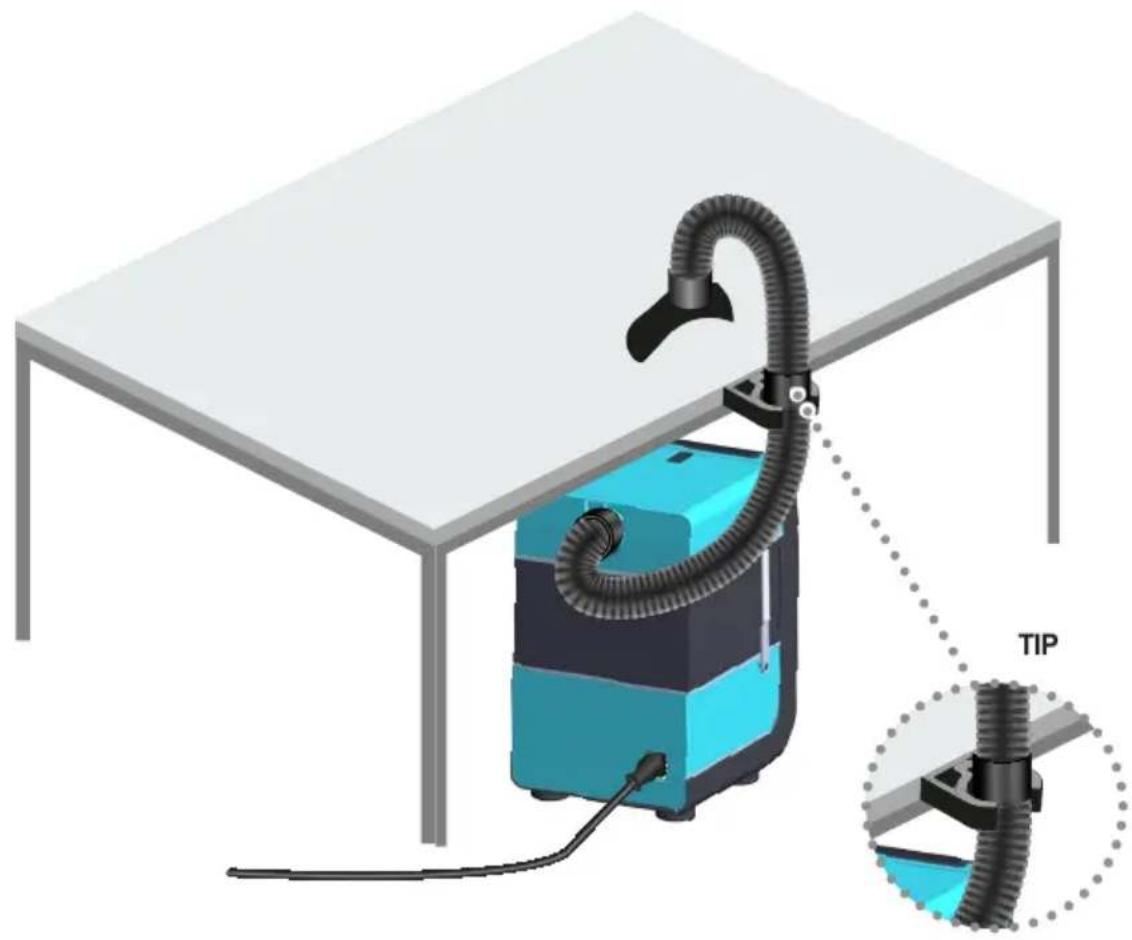
natural_image
3D illustration of a vacuum cleaner with coiled tubing mounted on a table, connected to a component labeled 'TIP' (no text or symbols on the device itself)ZeroSmog Guard2
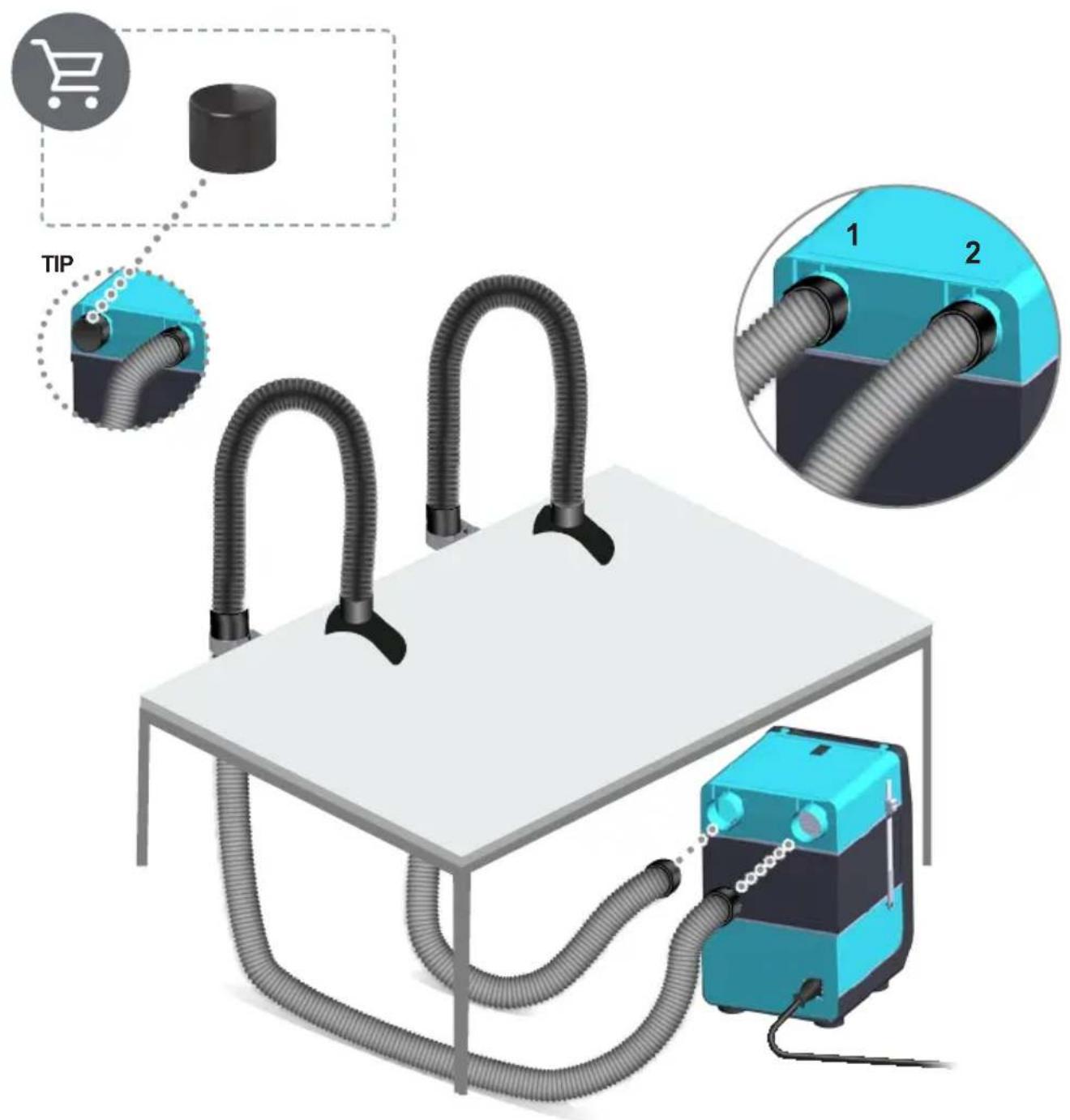
text_image
TIP 1 2
text_image
3ZeroSmog GuardLight ZeroSmog Guard ZeroSmog Guard2
text_image
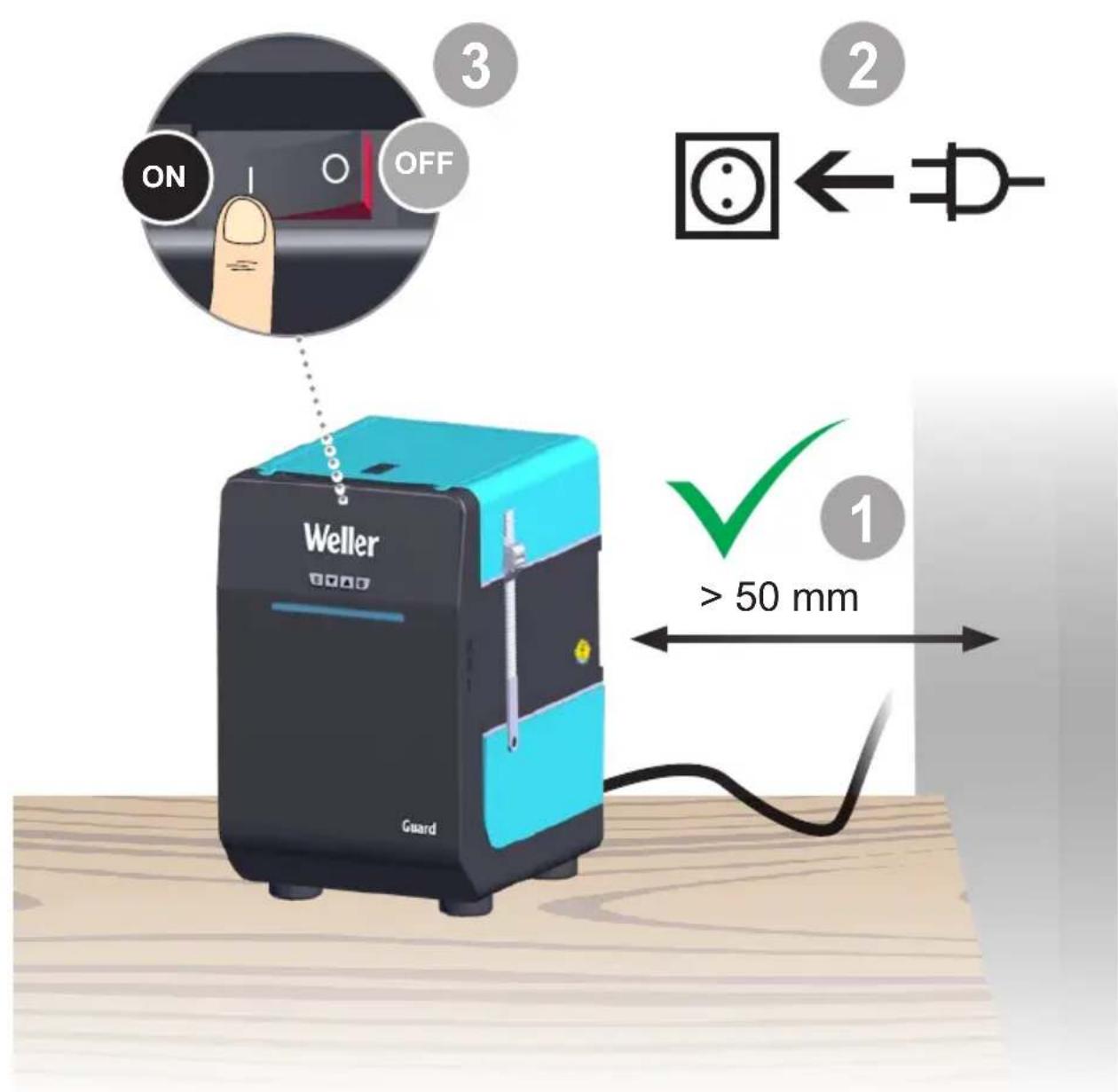
ON OFF 3 2 ← Weller Guard ✓ 1 > 50 mm4
ZeroSmog Guard ZeroSmog Guard2
flowchart
graph TD
    A["Start"] --> B["Weller"]
    B --> C["Standby"]
    C --> D["+ m³/h"]
    D --> E["- m³/h"]
    E --> F["+"]
    F --> G["+"]
    G --> H["-"]
    H --> I["Preset 1"]
    H --> J["Preset 2"]
    H --> K["Preset 3"]
    style A fill:#f9f,stroke:#333
    style B fill:#ccf,stroke:#333
    style C fill:#cfc,stroke:#333
    style D fill:#fcc,stroke:#333
    style E fill:#cff,stroke:#333
    style F fill:#ffc,stroke:#333
    style G fill:#cfc,stroke:#333
    style H fill:#fcc,stroke:#333
    style I fill:#cfc,stroke:#333
    style J fill:#cfc,stroke:#333
    style K fill:#cfc,stroke:#333
5
ZeroSmog GuardLight
ZeroSmog Guard
ZeroSmog Guard2
flowchart
graph TD
    A["Input: m³/h with eye"] --> B["Paper with fabric"]
    B --> C["1st Paper Plate"]
    C --> D["2 Screen with scroll arrow"]
    D --> E["3 Screen with handwheel"]
    E --> F["4 Screen with solar panel"]
    F --> G["5 Screen with solar panel"]
    G --> H["6 Screen with disc-shaped part"]
    H --> I["7 Screen with plastic bag"]
    I --> J["ON/OFF On/Off controls"]
ZeroSmog GuardLight
ZeroSmog Guard ZeroSmog Guard2
text_image
Diagram showing two steps of a mechanical locking mechanism: step 1 with a screw and arrow, step 2 with a lock and curved arrow.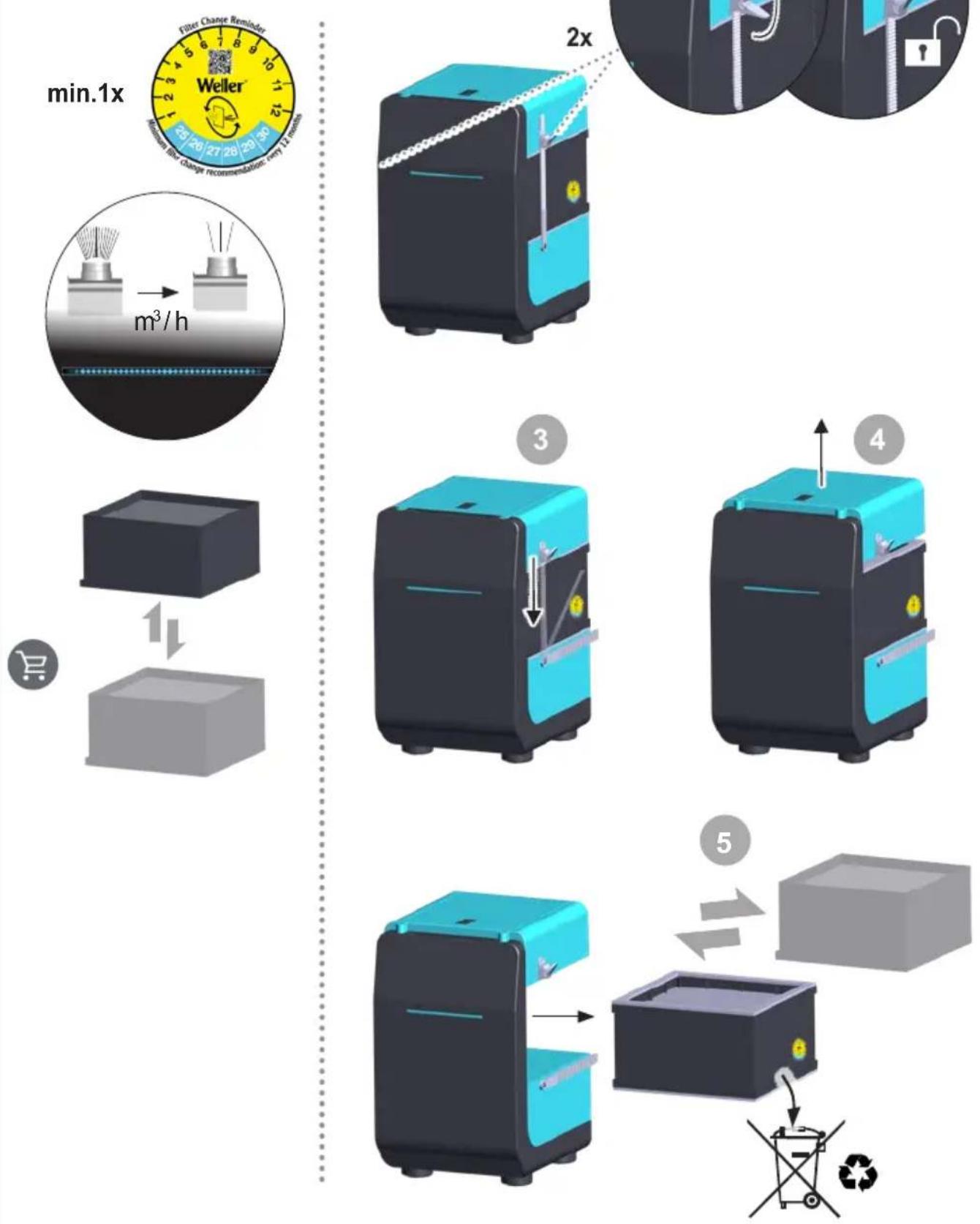
flowchart
graph TD
    A["Eye"] --> B{Decision}
    B -->|Yes| C["Process Step 1"]
    B -->|No| D["Process Step 2"]
    C --> E["Check ✓"]
    D --> F["Output Dot Pattern"]
text_image
5 x ≈ 1 x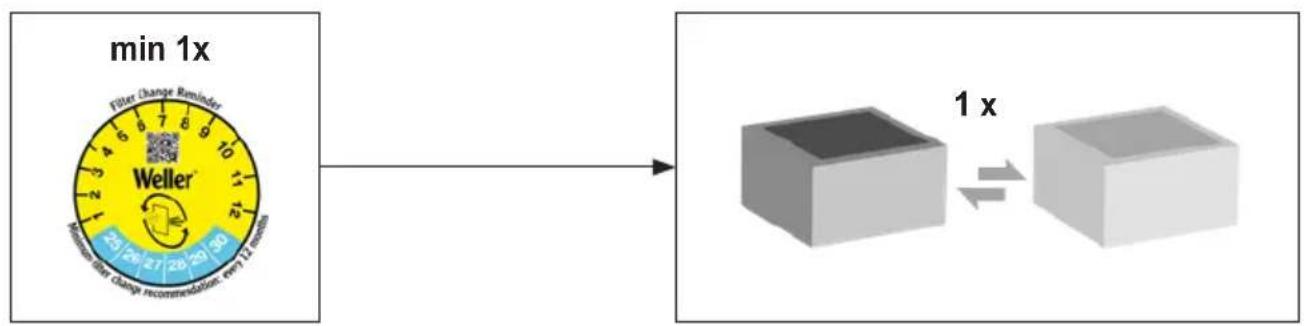
flowchart
graph LR
    A["min 1x"] --> B["Filter Change Reminder\nWeller\nReliability filter change recommendation, set up 12 seconds"]
    B --> C["1x"]
    C --> D["3D Cube"]
| DE Deutsch | Sicherheitshinweise | Bestimmungsgemäße Verwendung | Benutzergruppen | Betrieb | Pflege und Wartung | Reinigung | Wirksamkeitsprüfung | Fehlermeldungen und Fehlerbehebung | Technische Daten | Symbole | Garantie | 14 |
| EN English | Safety information | Specified Conditions Of Use | User groups | Operation | Care and maintenance | Cleaning | Efficiency test | Error messages and error clearance | Technical Data | Symbols | Warranty | 18 |
| ES Español | Advertencias de seguridad | Aplicación De Acuerdo A La Finalidad | Grupo de usuarios | Operação | Cuidado y mantenimiento | Limpieza | Comprobación del funcionamiento | Mensajes de error y su reparación | Datos Técnicos | Símbolos | Garantía | 22 |
| FR Français | Consignes de sécurité | Utilisation Conforme Aux Prescriptions | Groupes d'utilisateurs | Fonctionnement | Entretien et maintenance | Contrôle d'efficacité | Nettoyage | Messages d'erreur et élimination des défauts | Caractéristiques Techniques | Symboles | Garantie | 26 |
| IT Italiano | Avvertenze per la sicurezza | Utilizzo Conforme | Gruppi utenti | Esercizio | Cura e manutenzione | Pulizia | Controllo di validità | Messaggi d'errore e problemi | Dati Tecnici | Simboli | Garanzia | 30 |
| PT Portugues | Indicações de segurança | Utilização Autorizada | Grupos de utilizadores | Operação | Conservação e manutenção | Limpeza | Verificação de eficácia | Avisos de erro e eliminação de falhas | Características Técnicas | Simbolos | Garantia | 34 |
| NL Nederlands | Veiligheidsinstructies | Voorgeschreven Gebruik Van Het Systeem | Gebruikersgroepen | Gebruik | Onderhouden | Reiniging | Doeltreffendheidscontrole | Foutmeldingen en verhelpen van fouten | Technische Gegevens | Symbolen | Garantie | 38 |
| SV Svenska | Säkerhetsanvisningar | Använd Maskinen Enligt Anvisningarna | Användarkategorier | Drift | skötsel och underhåll | Rengöring | Effektivitetsprovning | Felmeddelanden och åtgärder | Tekniska Data | Symboler | Garanti | 42 |
| DK Dansk | Sikkerhedsanvisninger | Tiltænkt Formål | Brugergrupper | Funktion | Pleje og vedligeholdelse | Rengöring | Effektivitetskontrol | Fejlmeldinger og fejlafhjælpning | Tekniske Data | Symboler | Garanti | 46 |
| FI Suomi | Turvallisuusohjeet | Tarkoituksenmukainen Käyttö | Käyttäjäryhmät | Käyttö | Aseman hoito ja huollo | Puhdistus | Tehokkuustarkastus | Vikailmoitukset ja vikojen korjaaminen | Tekniset Arvot | Symbolit | Takuu | 50 |
| GR Ελληνικα | Υποδείξεις ασφαλείας | Xρήση σύμφωνα με το σκοπό προορισμού | Ομάδες χρηστών | Λειτουργία | Καθαρισμός | Ιληνύματα και άρση σφαλμάτων | Έλενχος δραστικότητας | Φροντίδα και συντήρηση της συσκευής | Τεχνικά στοιχεία | Σύμβολα | Εγγύηση | 54 |
| TR Türkçe | Güvenlik uyarlan | Kullanim | Kullanici gruplari | temizliği ve bakımı | Temizlik | Etkinlik testi | Hata mesajlari ve hata giderme | Teknik Veriler | Semboller | Garanti | 58 |
| CZ Český | Bezpečnostní pokyny | Použití v souladu s určením | Uživatelské skupiny | Provoz | Údržba a servisní práce ohledně | Zkouška účinnosti | Čistění | Chybová hlásení a odstraňování chyb | Technické údaje | Symboly | Záruka | 62 |
| PL Polski | Bezpieczeństwo | Użytkowanie | Grupy użytkowników | Operacja | Pielegnacja i konserwacja urządzenia | Dane Techniczne | Kontrola wydajności | Czyszczenie | Komunikaty o błędach i usuwanie błędów | Symbole | Gwarancja | 66 |
| HU Magyar | Biztonsági utasítások | Rendeltetésszerű használat | Felhasználói csoportok | Üzemeltetés | Ápolás és karbantartás | Tisztitás | Hatásossági vizsgálat | Hibauženetek és hibaelháritás | Múszaki Adatok | Szimbólumok | Garancia | 70 |
| SK Slovensky | Bezpečnostné pokyny | Používanie v súlade s určeným účelom použitia | Skupiny používatelov | Pre-vázda | Ošetrovanie a údržba | Čistenie | Skúška účinnosti | Chybové hlásenia a odstraňovanie chyb | Technické údaje | Symboly | Záruka | 74 |
| SL Slovenščina | Varnostna navodila | Uporaba v skladu s predpisi | Skupine uporabnikov | Delovanje | Nega in vzdrževanje | Čiščenje | Preverjanje učinkovitosti | Sporočila o napakah in odpravljanje napak | Tehnični Podatki | Simboli | Garancija | 78 |
| EE Eesti | Ohutusjuhised | Kasutusotstarbele vastav käitamine | Kasutajarühmad | Operatsioon | Hooldamine ja teenindamine | Efektiivsuse kontroll | Puhashamine | Veateated ja vigade kõrvaldamine | Tehnilised Andmed | Sümbol | Garantii | 82 |
| LV Latviski | Drošības norādes | Atbilstoša lietošana | Lietotāju grupas | Darbība | Apkope un kopšana | Tīrīšana | Efektivitātes pārbaude | Pazinojumi par traucējumiem un traucējumu novērsana | Tehniskie dati | Simboli | Garantija | 86 |
| LT Lietuviškai | Saugos taisyklés | Naudojimas pagal paskirtį | Naudotoju grupės | Operacija | Iprastinė ir techninė priežiūra | Efektyvumo patikrinimas | Valymas | Pranešimai apie gedimus ir jų šalinimas | Techniniai duomenys | Simboliai | Garantija | 90 |
| BG български | Инструкции за безопасна работа | Използване по предназначение | Потребеленски групи | почистване | Обслужване и поддържане | Съобщения за неизправности и отстраняване | Проверка на ефективността | почистване | Технически данни | Символи | Гаранция | 94 |
| RO România | Indicații de securitate | Utilizarea conformă cu destinația | Grupe de utilizatori | Funcționarea | Îngri-jirea și întreținerea curentă | curatenie | Verificarea eficacități | Mesaje de defecțiune și remedierea defectiunilor | Date tehnice | Simboluri | Garantia pentru produs | 98 |
| HR Hrvatski | Sigurnosna upozorenja | Namjenska uporaba | Skupine korisnika | Operativni rad | Njega i servisiranje | Ispitivanje učinkovitosti | čiščenje | Dojava o nepravilnostima i uklanjanje nepravilnosti | Tehnički podaci | Simboli | Jamstvo | 102 |
| RU Русский | Инструкции по технике безопасности | Использование по назначению | Группы пользователей | Эксплуатация | Уход и техническое обслуживание | уборка | Проверка эффективности | Сообщения о неисправностях и устранение неисправностей | Dojava o nepravilnostima i uklanjanje nepravilnosti | Технические характеристики | Символы | Гарантия | 106 |
| CN 中文 | 安全注意事项 | 规定的使用条件 | 用户群体 | 运行 | 打扫 | 错误信息和错误清楚 | 效能测试 | 维护和保养 || 技术数据 | 图标 | 保修 | 110 |
| KO 한국어 | 안전 지침 | 규정된 사용조건 | 사용자 그룹 | 작동 | 관리 및 유지 보수 | 청소 | 효율성 점검 | 오류 메시지 | 기술 데이터 | 기호 | 보증 | 113 |
| JP 日本語 | 安全に関する注意事項 | 指定の使用条件 | ユーザーグループ | 運転 | クリーニング | エラーメッセージとエラー履歴クリア | 効率テスト | お手入れおよびメンテナンス | テクニカルデータ | シンボルマーク | 保証規定証 | 117 |


Read these instructions and the accompanying safety information carefully before starting up the
device and starting work with the device.
Keep these instructions in a place that is accessible to all users. Thank you for the confidence you have shown in buying this device.
The device has been manufactured in accordance with the most rigorous quality standards which ensure that it operates perfectly.
These instructions contain important information which will help you to start up, operate and service the device safely and correctly as well as to eliminate simple faults and malfunctions yourselves.
Always pass on the device to third parties together with these operating instructions.
The device has been manufactured in accordance with state-of-the-art technology and acknowledged regulations concerning safety.
There is nevertheless the risk of personal injury and damage to property if you fail to observe the safety information set out in the accompanying booklet and the warnings given in these instructions.
Safety information
This appliance can be used by children aged from 8 years and above and persons with reduced physical, sensory or mental capabilities or lack of experience and knowledge if they have been given supervision or instruction concerning use of the appliance in a safe way and understand the hazards involved. Children shall not play with the appliance.
Cleaning and user maintenance shall not be made by children without supervision.

WARNING!
Electrical shock
If the device is faulty, active electrical conductors may be bare or the PE conductor may not be functional.
• Repairs must always be referred to a Weller-trained specialist.
- If the electrical tool's power supply cord is damaged, it must be replaced with a specially prefabricated power supply cord available through the customer service organization.

WARNING!
Danger of injury.
The device or parts of the device may fall off during transportation.
- Hold the device by the intended handles only.

WARNING!
Danger of asphyxiation. Danger of injury.
Improper installation can result in above-normal workplace concentrations.
• Measure the workplace concentration upon completion of installation work
- Inappropriate maintenance cycles for gas media may result in above-normal workplace concentrations
- Specify maintenance cycle
Above-normal contamination levels in the ambient air during cleaning work on the pipe system/extraction area.
- If suction capacity is impaired by build-up within the pipe system, replace the contaminated parts
Specified Conditions Of Use
This filtration system is suitable for the extraction and filtration of particles and gases, depending on the filter medium used.
The manufacturer will not be liable for unauthorized modifications to the device.
This device may only be used at room temperature and indoors.

WARNING!
Fire and explosion hazard!
It is not permitted to use the unit for the extraction of inflammable gases. The unit must not be exposed to temperatures above 50°C, naked flame or condensed solvents.
The organisation operating the unit is responsible for the observance of the legal limits of noxious substances at the place of work.
The filtration system may only be put into operation if it is in perfect working order.
The unit is designed for use as a surface extraction unit and is not suitable for extracting fumes directly from the soldering gun.
The Intended use of the soldering station/ desoldering station also includes the requirement that you:
- adhere to these instructions,
- observe all other accompanying documents,
- comply with national accident prevention guidelines applicable at the place of use.
Soldering enamelled wire:
- For soldering enamelled wire, use the standard prefilter.
- Use a wideband gas filter (without a HEPA particle filter) for the extraction of adhesive vapours.
The manufacturer will not be liable for unauthorized modifications to the device.
User groups
Due to differing degrees of risk and potential hazards, several work steps may only be performed by trained experts.
| Work step User groups | |
| Installation of complex pipe systems with multiple extractor arms connected | Specialist personnel with technical training |
| Specification of maintenance intervals Safety expert | |
| Filter change | Non-specialists |
| Replacing electrical replacement parts Technical trainees under the guidance and supervision of a trained expert | |
Operation
Notice
The unit may emit dust from the main filter after transportation. Make sure that the unit is put into service in a suitable room.
Care and maintenance
Warning!
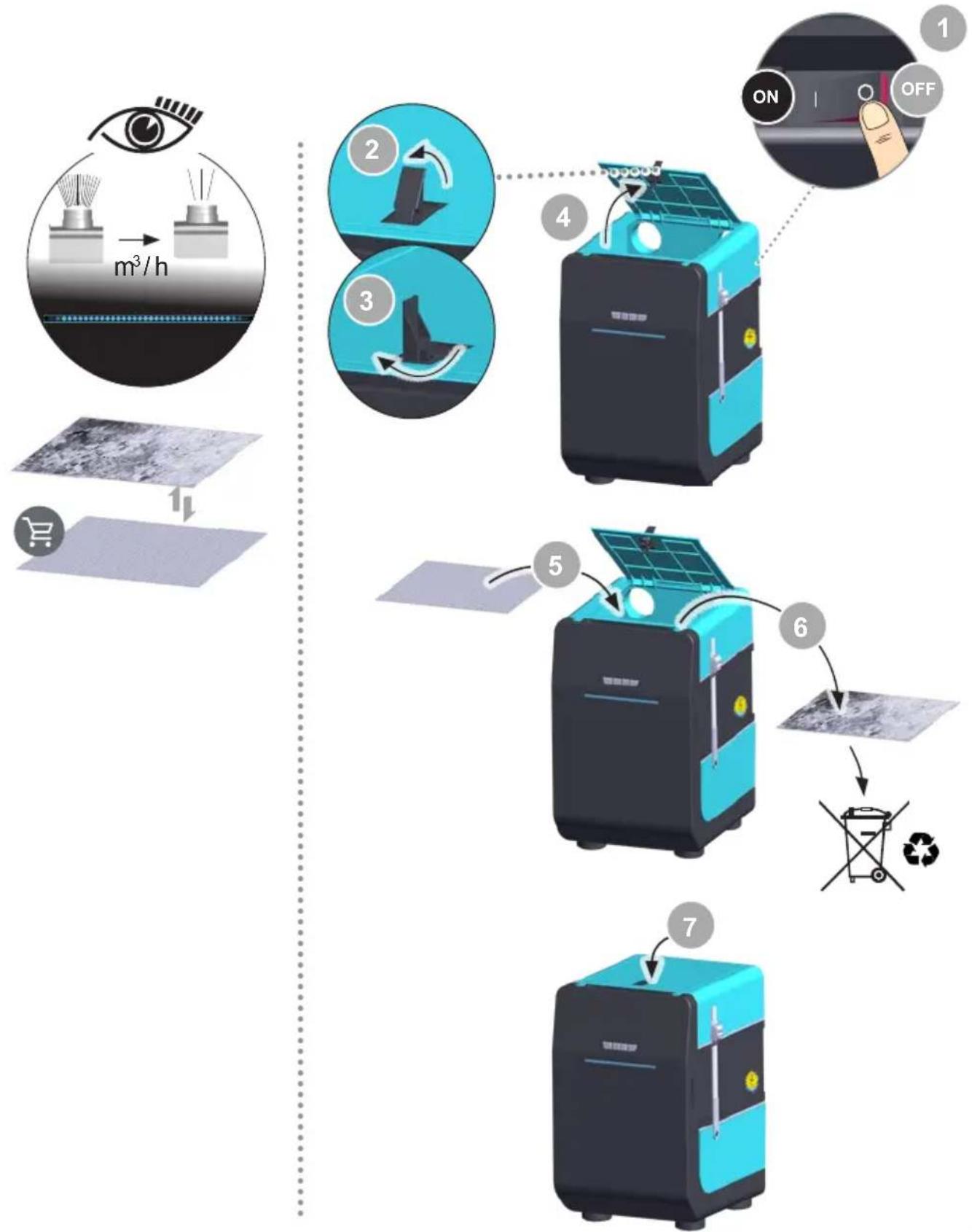
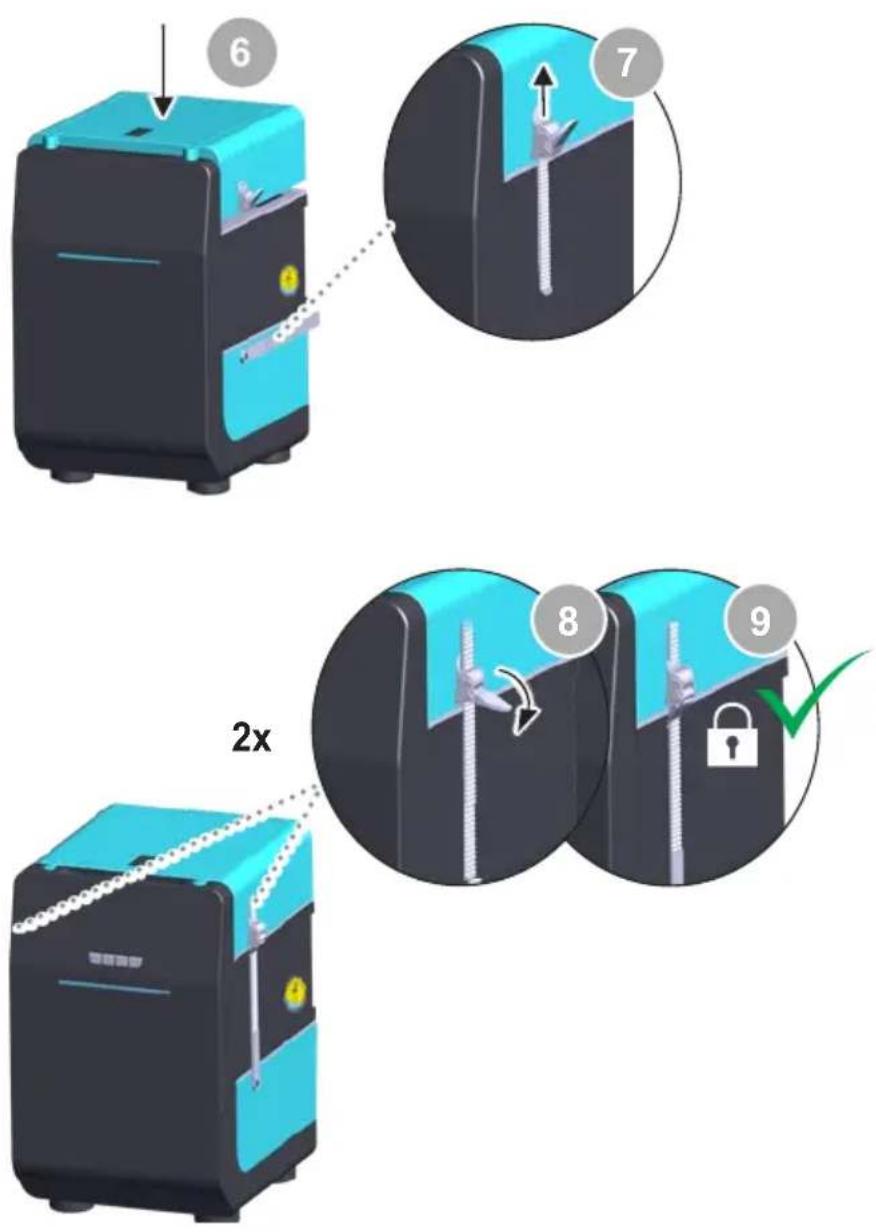
Before doing any work on the machine, pull the plug out of the socket. The unit must not be altered or modified in any way! Use original replacement parts only. To ensure that the filtration system functions properly, the compact filter must be replaced as follows:
- at least once a year or if the maximum allowable workplace concentration is exceeded or
• as per maintenance schedule
Dispose of replaced equipment parts, filters or old devices in accordance with the rules and regulations applicable in your country.
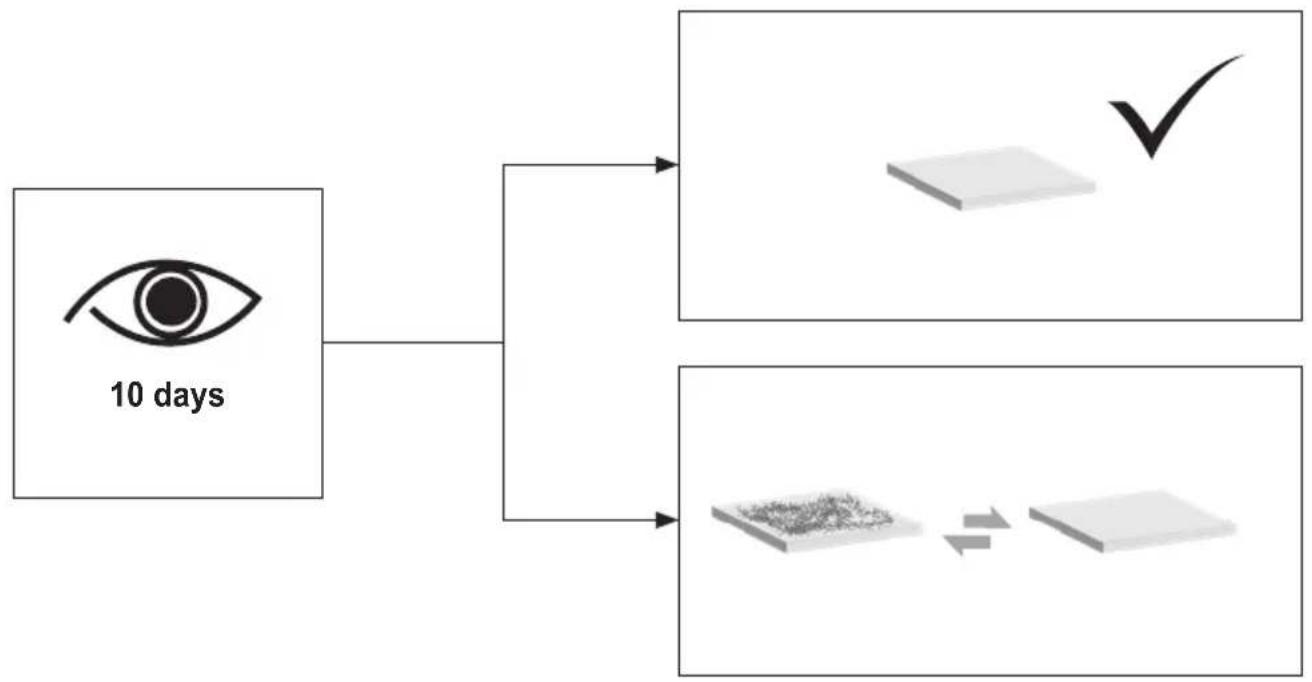
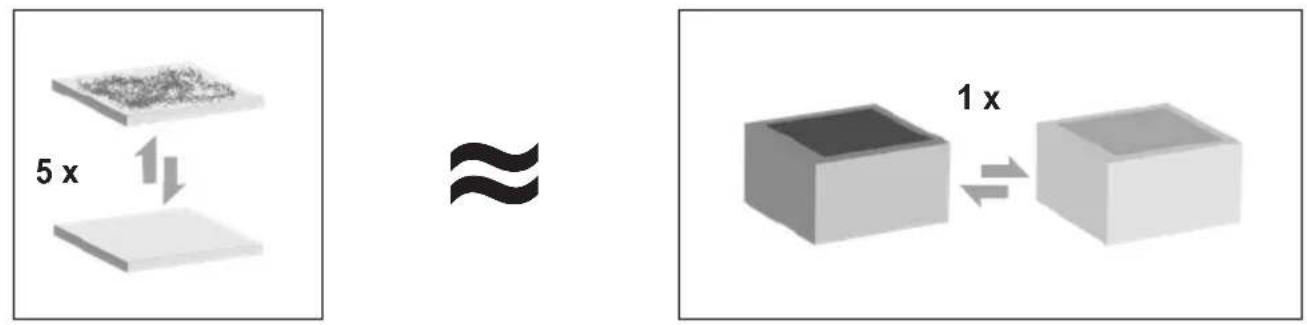
The suspended matter filter and the broadband gas filter are complementary to one another and can be replaced together as a compact filter. The compact filter must be changed once a year in order to ensure it is fully functional. The fine dust filter (filter mat) is the preliminary stage of the compact filter and therefore must be replaced more frequently.
At the latest, every 5th replacement of the pre-filter makes changing the compact filter highly recommended.
Notice
Different fluxes and flux constituents and the amount of and size of dust particles in the extracted air will signifi cantly affect the filters working life. Submicron particles in the extracted air increase when soldering or welding to varnish insulated wire.
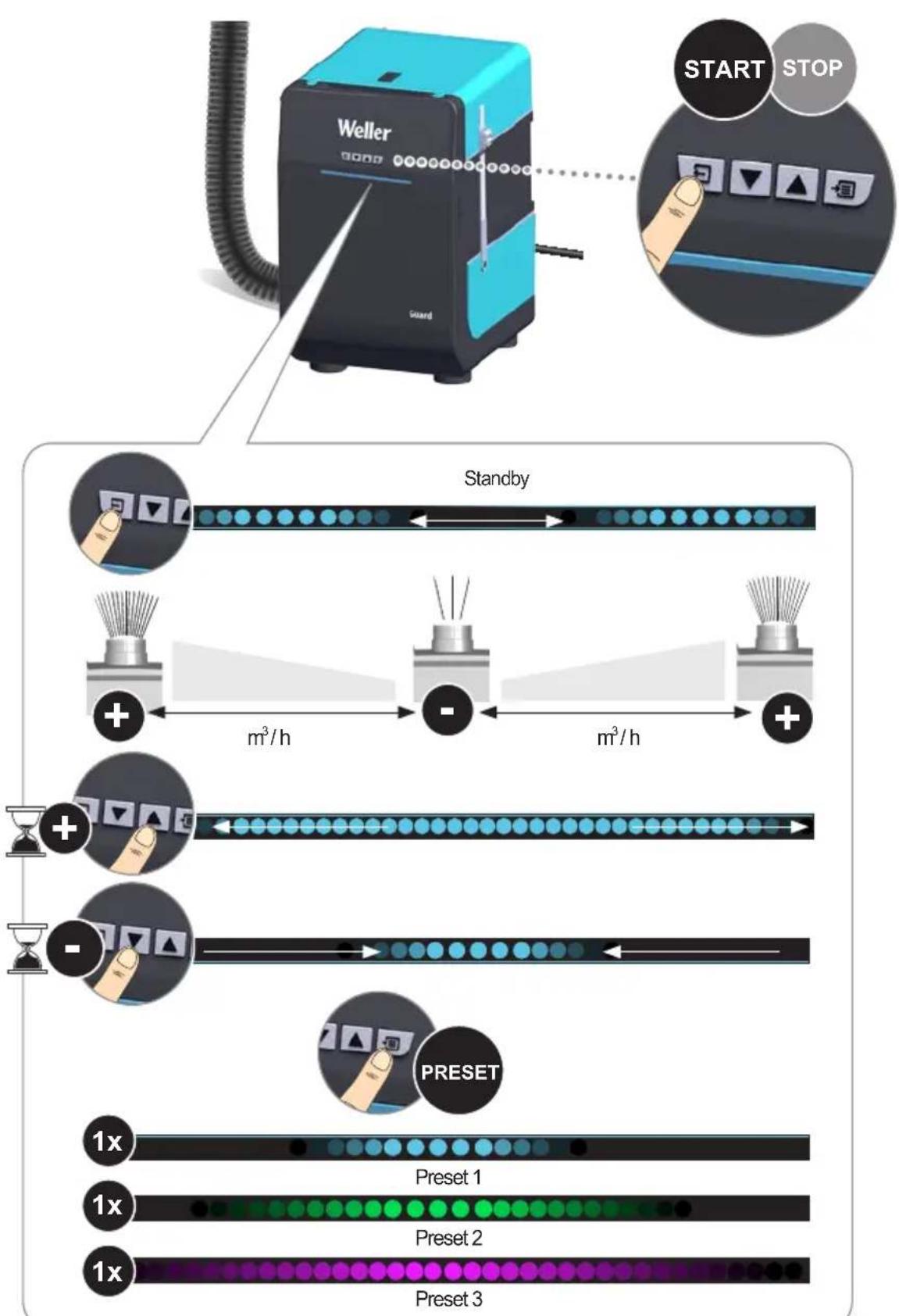
The LED strip lights up red:
Extraction capacity is too low. Switch off the filter unit. Check the nozzles and tubes, and clean them if necessary. If the red warning light comes on again the next time the unit is turned on, the filter must be changed.
CAUTION! A high noxious gas concentration will cause the activated charcoal to heat up. To avoid overheating, the unit should be run without noxious gases for several minutes before switching off.
Put the tool into operation as described in the chapter "Placing into operation". Please adhere to the operating instructions of the connected devices. Check to see if the mains voltage matches the ratings on the nameplate. Make sure the machine is switched off before plugging in.
Optimal gas filtration is achieved as follows: Temperature of process air in gas filter < 38 °C
Relative humidity < 60 %
Recommended service life of filter has expired. (see Operating time filter display/Extraction capacity filter display)
An alarm sounds and the LED strip lights up red:
Extraction capacity is too low. Switch off the filter unit. Check the nozzles and tubes, and clean them if necessary.
If the alarm sounds again the next time the unit is turned on, the filter must be changed.
Cleaning
To ensure that the unit functions properly, the nozzle, extractor arm and connecting hose must be cleaned on a regular basis.
Efficiency test
Ventilation appliances /systems might be affected by technical regulations, please consider regulations of your country.
Error messages and error clearance
| Message/symptom Possible cause | Remedial measures | |
| • Extraction power missing | • Pipe system leaking • Reseal the pipe system | |
| • Filter is dirty • change the filter | ||
| • Unit is not running • Thermally switched off | • Leave the ZeroSmog to cool down Switch on again afterapprox. 3 hours | |
| • HEPA filter gets dirty too quickly | • No pre-filter was used or an incorrect one was installed | • Use prefilter• Use a pre-separator for high solid content |
| • Device does not work | • Fuse is blown | • Please contact our Customer Service: technical-service@weller-tools.com |
| • Unit is not properly connected | • Check the electrical connections | |
| • Red LED running light. • Fan is blocked | • Please contact our Customer Service: technical-service@weller-tools.com | |
| • The color of the LED bar changes to red. | • Pipe system sealed. • Open pipe system. | |
| • Filter is dirty • change the filter | ||
Technical Data
| Solder fume extraction ZeroSmog GuardLight ZeroSmog Guard ZeroSmog Guard2 | ||||
| Dimensions L x W x H (mm) | 270 x 336 x 435 | 270 x 336 x 435 | 270 x 336 x 435 | |
| Dimensions L x W x H (inch) | 10.63 x 13.23 x 17.13 | 10.63 x 13.23 x 17.13 | 10.63 x 13.23 x 17.13 | |
| Weight approx. (kg) | 9,5 | 9,5 | 9,5 | |
| Mains supply voltage (V/Hz) | FT91020699: (220-240 V~) 50/60 Hz | FT91021699: (220-240 V~) 50/60 Hz | FT91022699: (220-240 V~) 50/60 Hz | |
| FT91020299: (100-120 V~) 50/60 Hz | FT91021299: (100-120 V~) 50/60 Hz | FT91022299: (100-120 V~) 50/60 Hz | ||
| Operating sound level from 1 m distance db(A) | < 70 dB (A) | < 70 dB (A) | < 70 dB (A) | |
| Power consumption (W/V) 74 W | (220-240 V~) 60 W (100-120 V~) | 74 W (220-240 V~) 60 W (100-120 V~) | 142 W (220-240 V~) 146 W (100-120 V~) | |
| Maximum vacuum (Pa/V) | 2700 | 2700 | 2250 | |
| Maximum quantity supplied (m3/h) | 100 | 100 | 200 | |
| Pre filter | Glass fiber pre-filter ePM1-75% according to ISO16890 captures 40-60% of fine dust >1 mm | |||
| Combined filter | Standard Filter Set ZeroSmog Guard Kit (FT91000048) Wideband Gas Filter Set ZeroSmog Guard (FT91000049) Cleanroom Filter Set ZeroSmog Guard (FT91000050) Adhesives Filter Set ZeroSmog Guard (FT91000051) | |||
Symbols

Caution!

Read the operating instructions!

Before performing work of any kind on the unit, always disconnect the power plug from the socket.

ESD-compatible design and ESD-compatible workstation

CE mark of conformity

British Conformity Mark

Disposal
Do not dispose of electric tools together with household waste material! In observance of European Directive 2012/19/EU on waste electrical and electronic equipment and its implementation in accordance with national law, electric tools that have reached the end of their life must be collected separately and returned to an environmentally compatible recycling facility. Dispose of replaced equipment parts, filters or old devices in accordance with the rules and regulations applicable in your country.
Warranty
Claims by the buyer for physical defects are time-barred after a period of one year from delivery to the buyer. This does not apply to claims by the buyer for indemnification in accordance with §§ 478, 479 BGB (German Federal Law Gazette).
We shall only be liable for claims arising from a warranty furnished by us if the quality or durability warranty has been furnished by use in writing and using the term „Warranty“. The warranty shall be void if damage is due to improper use and if the device has been tampered with by unauthorized persons.
Subject to technical alterations and amendments. For more information please visit www.weller-tools.com