BF250 - Massage device Prixton - Free user manual and instructions
Find the device manual for free BF250 Prixton in PDF.


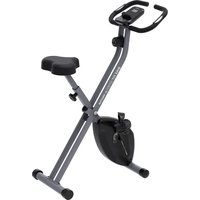
| Product Type | Folding Exercise Bike |
| Brand | Prixton |
| Model | Bike Fit Comfort BF250 |
| Category | Fitness |
| Console Power Supply | 2 AA batteries (not included) |
| Resistance | Magnetic adjustable 1 to 8 |
| Display | LCD with functions SCAN, RPM, SPEED, TIME, DISTANCE, BODY FAT, CALORIES, PULSE |
| Heart Rate Measurement | Hand grip sensors |
| Body Fat Measurement | Yes, via sensors with personal data input |
| Connectivity | Bluetooth for compatibility with Kinomap and Fit&Home apps |
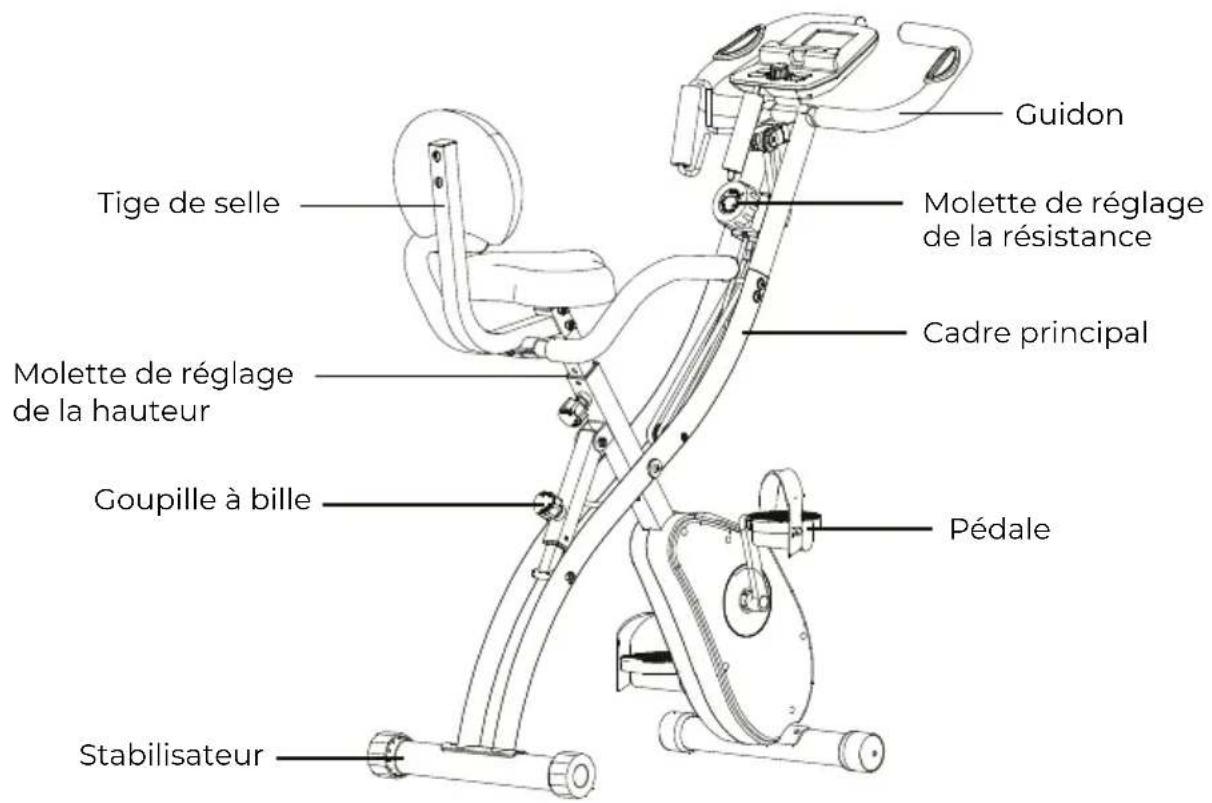
| Seat Adjustment | Height adjustable with knob, do not exceed STOP mark |
| Pedals | Left and right, with axles |
| Handlebar | With pulse sensors |
| Folding | Yes, with ball pin and main axle screw |
| Maximum User Weight | Approximately 100 kg (estimate) |
| Maintenance and Cleaning | Clean with a damp cloth, store in a dry place |
| Safety | Do not set seat above STOP mark, keep out of reach of children |
| Spare Parts / Repairability | Contact via www.prixton.com, warranty according to the legislation of the country of purchase |
| Included Accessories | Allen key, wrench, screws, washers, pin |
Frequently Asked Questions - BF250 Prixton
User questions about BF250 Prixton
0 question about this device. Answer the ones you know or ask your own.
Ask a new question about this device
Download the instructions for your Massage device in PDF format for free! Find your manual BF250 - Prixton and take your electronic device back in hand. On this page are published all the documents necessary for the use of your device. BF250 by Prixton.
USER MANUAL BF250 Prixton
Basic precautions should always be followed, including the following safety instructions when using this equipment: Read all instructions before using this equipment.
- Read all the instructions in this manual and do warm up exercises before using this equipment.
- Before exercise, in order to avoid injuring the muscle, warm-up exercise of every position of the body is necessary. Refer to Warm Up and Cool Down Routine page. After exercise, relaxation of the body is suggested for cool-down.
- Please make sure all parts are not damaged and fixed well before use. This equipment should be placed on a flat surface when using. Using a mat or other covering material on the ground is recommended.
- Please wear proper clothes and shoes when using this equipment; do not wear clothes that might catch any part of the equipment.
- Do not attempt any maintenance or adjustments other than those described in this manual. Should any problems arise, discontinue use and consult an Authorized Service Representative.
- Do not use the equipment outdoors.
- This equipment is for household use only.
- Only one person should be on the equipment while in use.
- Keep children and pets away from the equipment while in use. This machine is designed for adults only. The minimum free space required for safe operation is not less than two meters.
- If you feel any chest pains, nausea, dizziness, or short of breath, you should stop exercising immediately and consult your physician before continuing.
- The maximum weight capacity for this product is 110kgs.
WARNING: Before beginning any exercise program
This is especially important for the persons who are over 35 years old or who have pre-existing health problems. Read all instructions before using any fitness equipment.
CAUTION: Read all instructions carefully before operating this product.
Retain this Owner's Manual for future reference.
PIEZAS PRINCIPALES
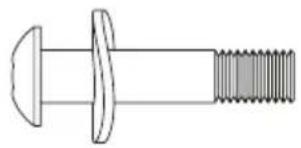
A.
1.Socket Head Cap Screw x 2
2.Curved Gasket x 2
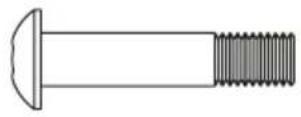
B.
Socket Head Cap Screw x 2
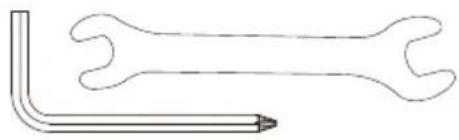
C.
Allen Wrench and Spanner Knob
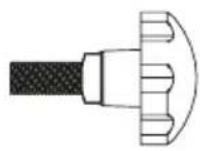
D.
ASSEMBLY INSTRUCTIONS
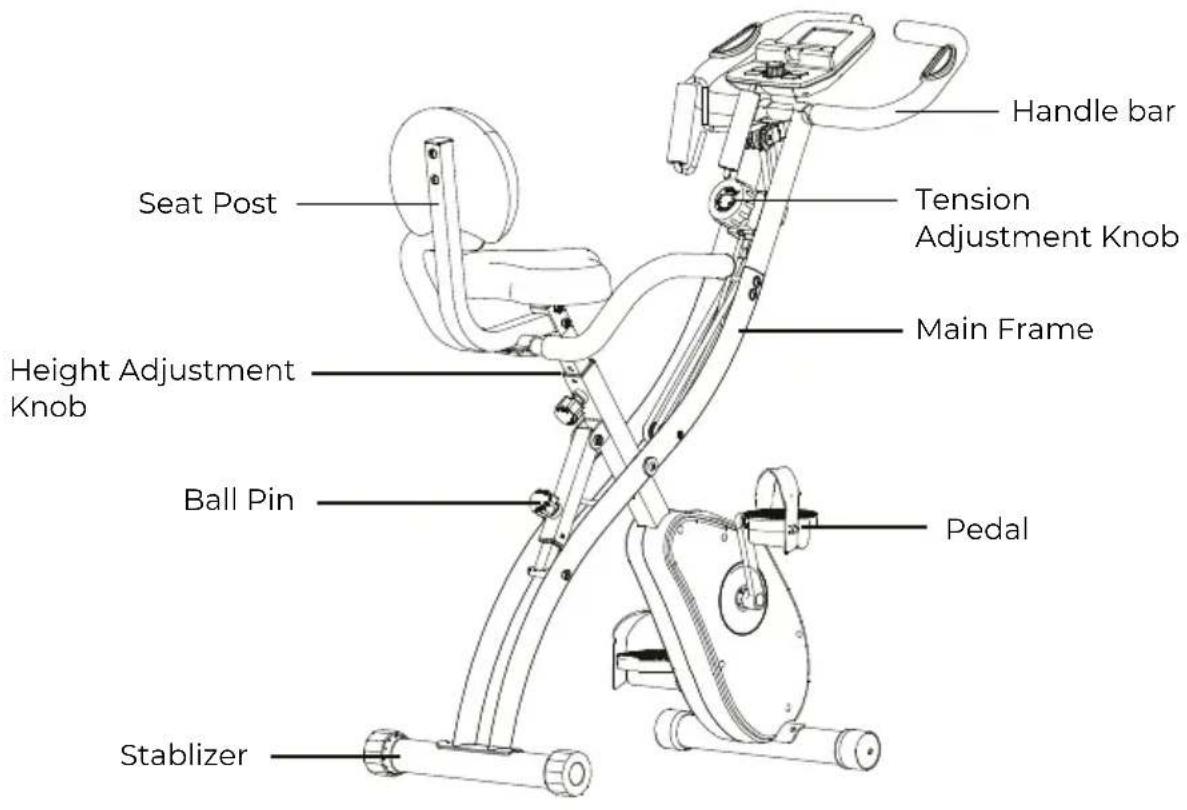
1. Install the Ball Pin
Pull the ball pin out to expand the main frame, and then insert the ball pin back.
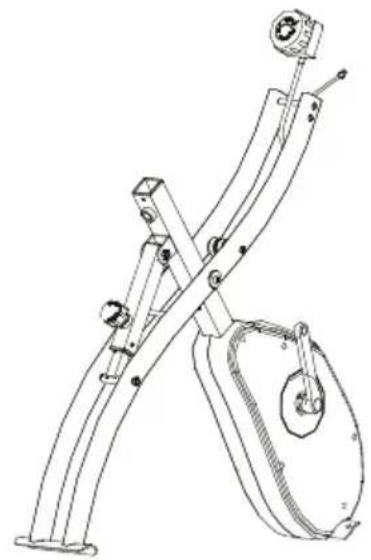
2. Install the Front and Rear Stabilizers
Loosen the screws in the stabilizer, and insert them into the corresponding grooves and tighten in each stabilizer. The stabilizer with wheels attaches to the front frame.
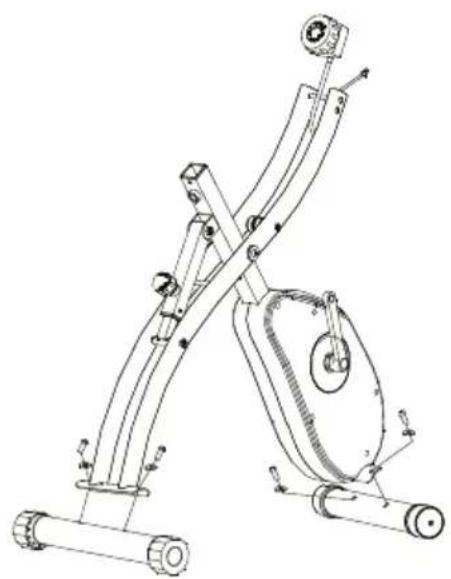
3. Install the Frame and Resistance Adjuster
Place the upper frame onto the main frame, tigthen it with the bolts.
Place the resistance adjuster onto the corresponding groove, tighten it with the bolts.
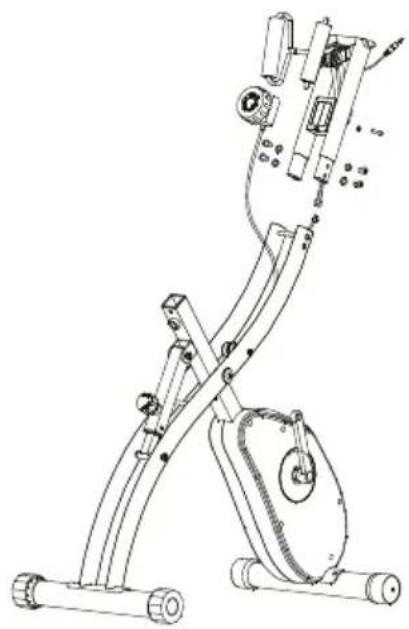
4. Install the Left & Right Pedals
Attach the left & right pedals on to their corresponding axles.
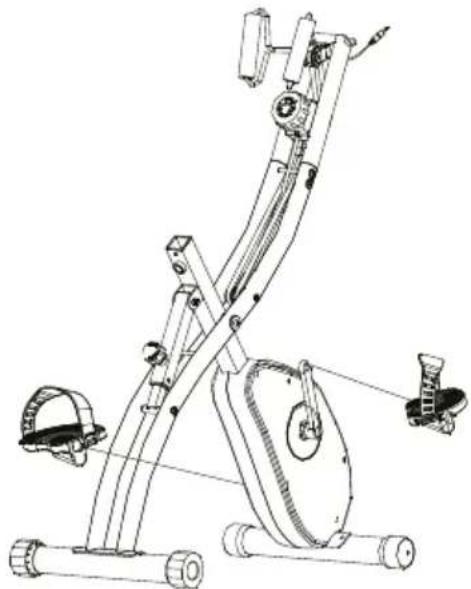
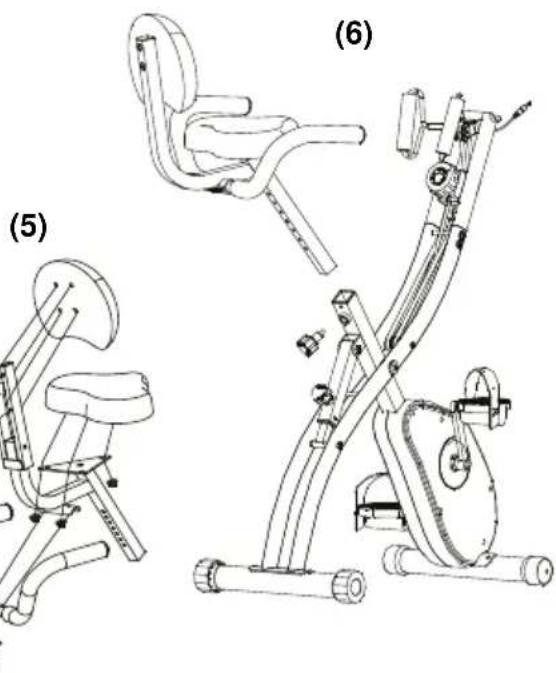
5. Install the Back Handlebar and Seat Cushion
a)Loosen the nylon nuts & washers, place the Seat Handlebar back on to the triangle plate & tighten securely.
b) Place the Seat Cushion on to the triangle plate & tighten securely.
6. Install the seat cushion to the
Install the seat cushion to the bicycle Install the seat cushion onto the bike and fix it with the height adjustment knob.
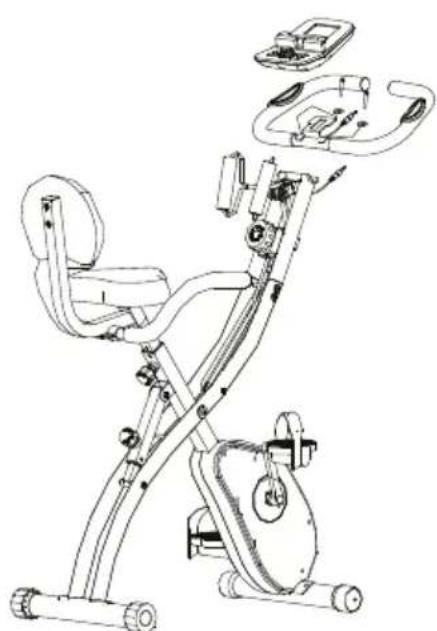
7. Install the Handlebar & Control Panel
Place the handlebar onto the corresponding grooves in the main frame, tighten it with bolts and gaskets. Slide the control panel onto the main frame and tighten. Connect the cords into the corresponding slots.
TENSION ADJUSTMENT
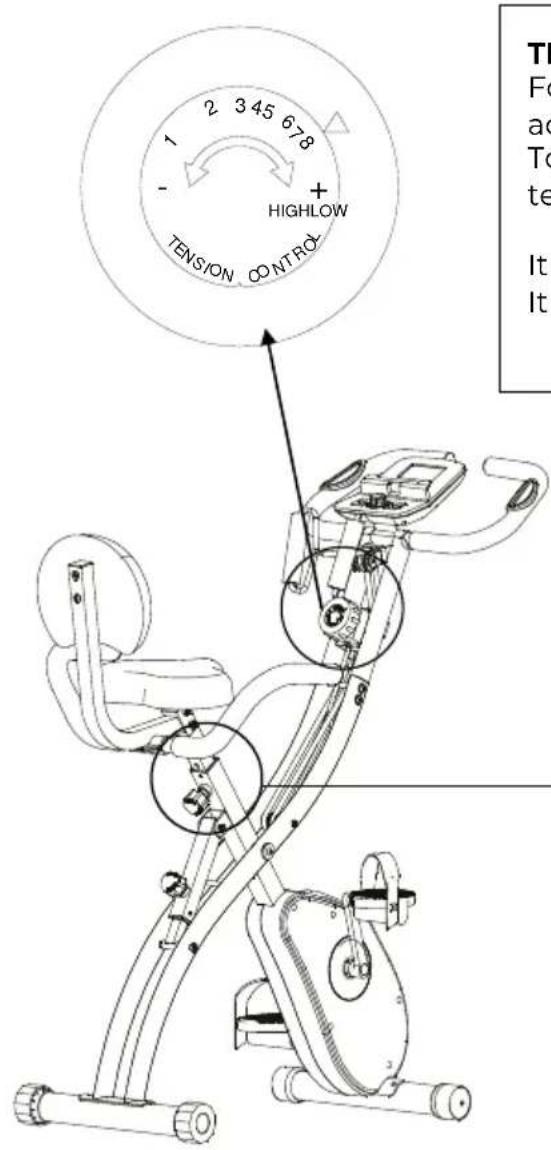
For tension adjustment, simply use the tension adjustment knob (18) found beneath the Computer. To increase tension, turn clockwise (+), to decrease tension, turn anti-clockwise (-).
It sets the lowest magnetic force on the level 1
It sets the highest magnetic force on the level 8
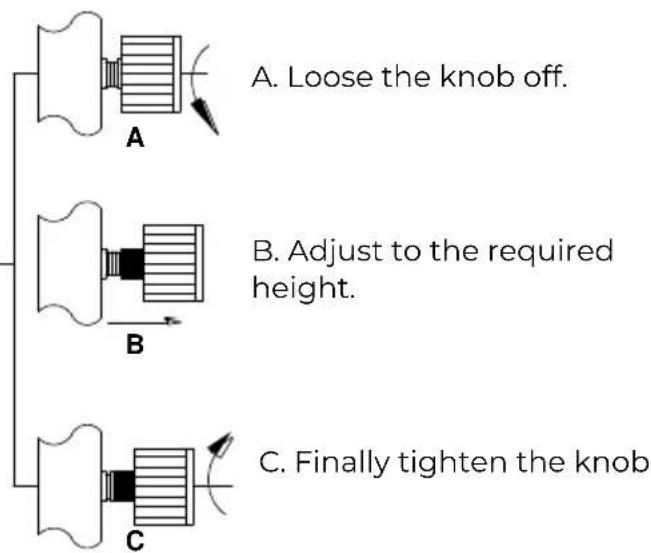
HOW TO ADJUST THE SEAT'S HEIGHT
SAFE Storage Instructions
Instructions Store your Bike Fit in a dry area away from children and high traffic areas. be sure it is secure and cannot fall forward onto small animals or children.
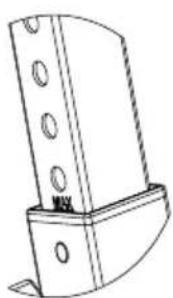
CAUTION
Don't adjust the height of the seat post over the "STOP" marking shown on the seat post. Or it is dangerous.
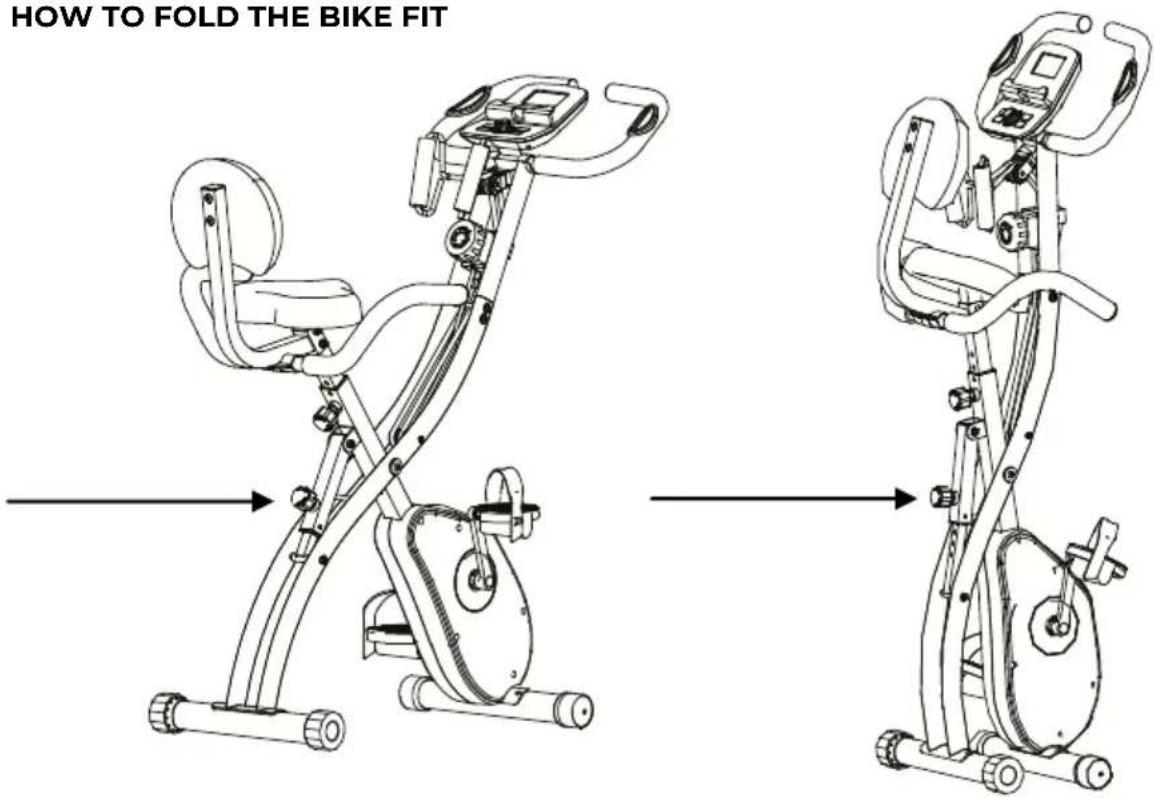
1.Pull out the ball pin into the position.
Folding for Storage
Carefully remove the Ball Pin, and slide the
Stabilizer Bars together to fold the
bike up. Re-insert the Ball Pin and secure in place.
OPERATION
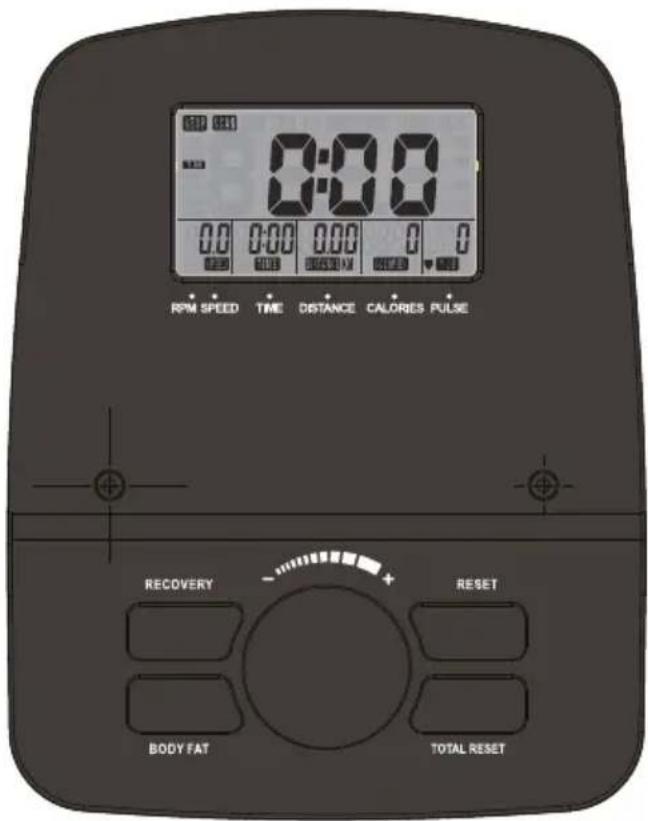
FUNCTIONS
| SCAN | Displays all function TIME→DISTANCE →CALORIES →PULSE→ RPM/SPEED in sequence |
| RPM | Displays the pedaling Rotation Per Minute. The RPM and SPEED will switch to another display in every 6 seconds after exercise starts |
| SPEED | Displays the user's exercise speed |
| TIME | 1.You can use juggle wheel to set target time between 0:00 to 99:00 for count down function. 2.It can be set up by the user or accumulated automatically for count up function. |
| DISTANCE | 1.Your can use juggle wheel to set target distance between 0.00 to 99.00 for count down function. 2.It can be set up by the user or accumulated automatically for count up function. |
| BODY FAT | In STOP mode, press the BODY FAT button to start body fat measurement. During measuring, user has to hold both hands on the handgrip. And the LCD will display “-” “---” “---” “----” for 8 seconds until computer finish measuring. LCD will display BMI, FAT% by turn every 3 seconds. |
BUTTONS
| MODE To confirm all settings | |
| JOGGLE WHEEL -UP | Rotate right (or press it) to select training mode and adjust function value up. Rapidly rotate to increase the value fast |
| JOGGLE WHEEL -DOWN | Rotate left (or press it) to select training mode and adjust function value down. Rapidly rotate to decrease the value fast |
| RESET | To clear the set-up value. Press RESET key and hold for 2 seconds to reset all function figures |
| TOTAL RESET | To power on the console again |
| RECOVERY | To test heart rate recovery status |
| BODY FAT | To start or stop body fat testing |
BMI/BODY FAT
When start the exercise, the monitor will require the personal data setting (GENDER, AGE, HEIGHT AND WEIGHT) to press "MODE" button for confirmation. The personal data will be stored in the monitor and used for the BODY FAT mea-surement.
In STOP mode, press the BODY FAT button to start body fat measurement.
During measuring, user has to hold the both hands on the pulse sensor of the handle bar. And the LCD will display "---" "----" for 8 seconds until computer finish measuring. LCD will display BMI, FAT% by turn every 3 seconds.
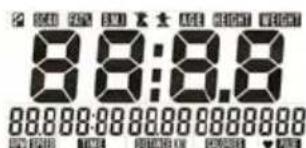
RECOVERY :
(1) When the user presses "RECOVERY" button, the RECOVERY function is active. At this time only PULSE and TIME is working, other functions will not be displayed, and the Sensor Input is not available. TIME starts to count down from "0:60", Pulse signal will be blinking according user's heart rate BPM. When Time counts down to "0", it will show F1~F6 (F1 is the best, F6 is the worst).
(2)LCD display as follows: (RECOVERY start condition & end condition).
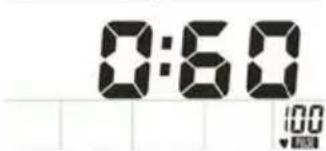
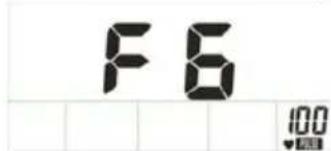
(3) If you press the RECOVERY button prior to count down to 0:00, it will be end and return to the main menu.
BATTERY REPLACEMENT
The Monitor uses two AA batteries. Replace the batteries when the display begins to fade or the values become very inaccurate.
To replace the batteries: Remove the battery cover on the back of the Monitor, install new battery-ies, ensuring the polarity is in the correct direction, and replace battery cover. When the batteries are removed, all data will be cleared to zero.
Application Software (APP)
Check if your mobile device confirms the requirements for the application. The requirements of each application are shown in the Google PlayStore or AppStore.
Check out Kinomap for 7 days now for free or choose the FREE FIT&HOME app!
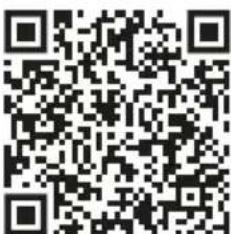
Android iOS

Kinomap
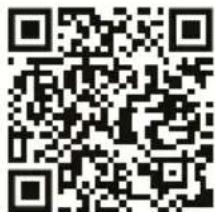
Please remember to turn on the Bluetooth feature on your device.

Android iOS

FIT&HOME
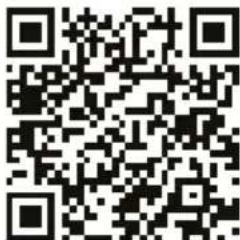
Check if your mobile device confirms the requirements for the application. The requirements of each application are shown in the Google PlayStore or AppStore.
Warm Up Exercises
A successful exercise program consists of a warm-up, aerobic exercise, and a cool-down. Do the entire program at least two and preferably three times a week, resting for a day between workouts. After several months, you can increase your workouts to four or five times per week.
Warming up is an important part of your workout, and should begin every session. It prepares your body for more strenuous exercise by heating up and stretching out your muscles, increasing your circulation and pulse rate, and delivering more oxygen to your muscles. At the end of your workout, repeat these exercises to reduce sore muscle problems. We suggest the following warm-up and cool-down exercises:
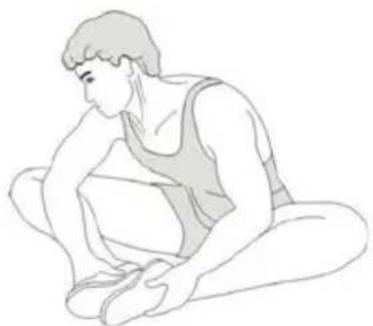
Inner Thigh Stretch
Sit with the soles of your feet together with your knees pointing outward. Pull your feet as close into your groin as possible. Gently push your knees towards the floor. Hold for 15 counts.
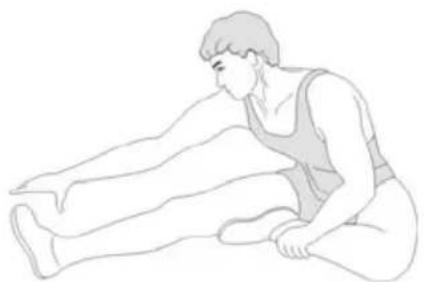
Hamstring Stretch
Sit with your right leg extended. Rest the sole of your left foot against your right inner thigh. Stretch toward your toe as far as possible. Hold for 15 counts. Relax and then repeat with left leg extended.
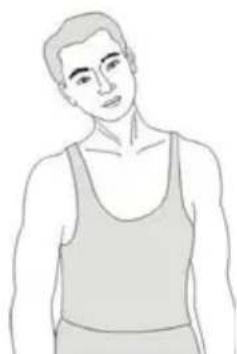
Head Roll
Rotate your head to the right for one count, feeling the stretch up the left side of your neck. Next, rotate your head back for one count, stretching your chin to the ceiling and letting your mouth open. Rotate your head to the left for one count, and finally, drop your head to your chest for one count.
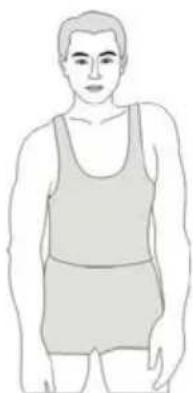
Shoulder Lift
Lift your right shoulder up toward your ear for one count. Then lift your left shoulder up for one count as you lower your right shoulder.
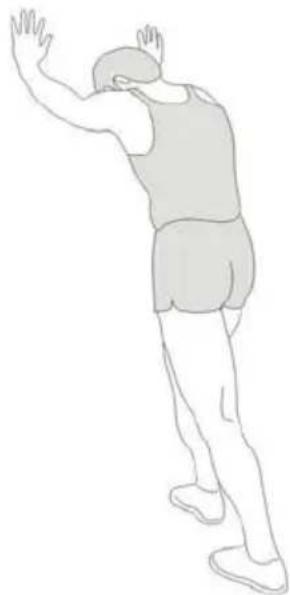
Calf-Achilles Stretch
Lean against a wall with your left leg in front of the right and your arms forward. Keep your right leg straight and the left foot on the floor; then bend the left leg and lean forward by moving your hips toward the wall. Hold, then repeat on the other side for 15 counts.
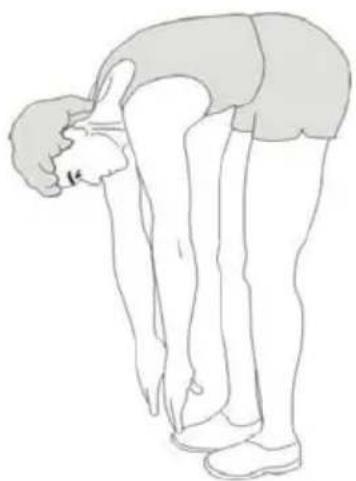
Toe Touch
Slowly bend forward from your waist, letting your back and shoulders relax as you stretch toward your toes. Reach down as far as you can and hold for 15 counts.
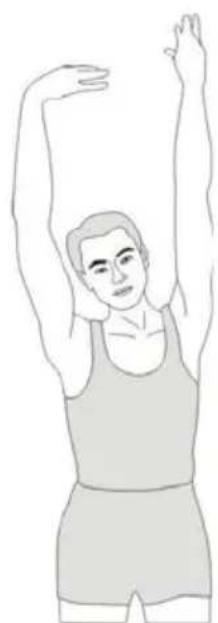
Side Stretch
Open your arms to the side and continue lifting them until they are over your head. Reach your right arm as far upward toward the ceiling as you can for one count. Feel the stretch up your right side. Repeat this action with your left arm.
TROUBLE SHOOTING GUIDE
- Verify that all the bolts and nuts are locked properly and the turning parts should be turned freely without damaged parts.
- Clean the equipment with soap and slightly damp cloth only. Please do not use any solvent to clean the equipment.
| Problem | Potential Cause | Corrections |
| Base is unstable. | 1. Floor is not flat or there is small object under the front or rear stabilizer. 2. The rear stabilizer end caps have not been leveled when adjusting. | 1. Remove the object. 2. Adjust the rear stabilizer end caps. |
| Handlebar is shaking. | The Bolts are loose. | Tighten the Bolts. |
| Loud noise from the moving parts. | The interval of the parts is improper tighten. | Open the covers to adjust. |
| No resistance when riding the bike. | 1. The interval of the magnetic resistance increases. 2. Tension control knob is damaged. 3. Belt slips. 4. The bearing set is damaged. | 1. Open the covers to adjust. 2. Change the tension control knob. 3. Open the covers to adjust. 4. Change the bearing set. |
PRODUCT SPECIFICATION
N.W/GW:17/19.5KG
Max User Weight: 110KGS

This exe
EXERCISE DEVICES CLASS HC ARE NOT SUITABLE FOR
THERAPEUTIC PURPOSES! Your physician should perform a general
health examination prior to starting your exercise program and discuss any
possible hurt, circulatory or orthopedic issues.
Warranty Policy
This product complies with the warranty law in force in the country of purchase. When you have a problem that you can not solve, you must access the web www.prixton.com and click on the contact option to send us your assistance form.
These technical and electrical specifications are those of typical units and may be changed without prior notice in order to provide improved equipment.
Simplified EU Declaration of Conformity
We, La Trastienda Digital located in Avenida Cervantes 49, modulo 25, Basauri 48970, Bizkaia hereby declare that the following goods, imported and selling at European market:
| BRAND | MODEL DESCRIPTION | CATEGORY | |
| PRIXTON | BIKE FIT COMFORT BF250 | EXERCISE BIKE | FITNESS |
Are in compliance with the EC Council Directive of 2014/53/EU (EM DIRECTIVE) and harmonized standards and with the board of the 16th of April 2014.
The complete text of the UE Declaration of conformity is available anytime at this website address: www.prixton.com
LA TRASTIENDA DIGITAL
PIÉCES PRINCIPALES