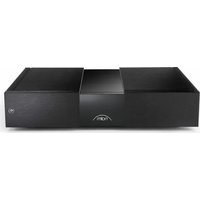
NAP 350 - Receiver NAIM - Free user manual and instructions
Find the device manual for free NAP 350 NAIM in PDF.


| Product type | Power amplifier |
| Brand | Naim |
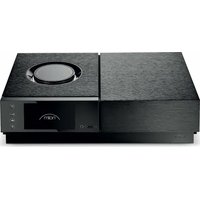
| Model | NAP 350 |
| Output power | 175 Watts into 8 Ω |
| Voltage gain | +29 dB |
| Input impedance | 47 kΩ balanced / 34 kΩ unbalanced |
| Frequency response | -3 dB at 1.4 Hz and 100 kHz |
| Standby power consumption | 26 W |
| Mains voltage | 115 V or 230 V, 50/60 Hz |
| Dimensions (H x W x D) | 91.5 × 432 × 317.5 mm (feet included) |
| Weight | 16.5 kg |
| Audio inputs | XLR balanced |
| Speaker outputs | Special Naim Audio connectors |
| System connectivity | Optical automation port (Remote In/Out) |
| Auto standby | Yes (after 19 minutes of inactivity, < 0.5 W) |
| Instant on mode | Yes (adjustable) |
| Logo brightness | Adjustable (rear switch) |
| Burn-in | Recommended (first few weeks) |
| Cleaning | Soft cloth provided, no cleaning products |
| Reset | Hold brightness button for 3 seconds |
| Country of manufacture | United Kingdom (handmade) |
| Warranty | 2 years in France (legal warranty) |
| Recycling | Do not dispose of with household waste, return to retailer |
Frequently Asked Questions - NAP 350 NAIM
User questions about NAP 350 NAIM
0 question about this device. Answer the ones you know or ask your own.
Ask a new question about this device
Download the instructions for your Receiver in PDF format for free! Find your manual NAP 350 - NAIM and take your electronic device back in hand. On this page are published all the documents necessary for the use of your device. NAP 350 by NAIM.
USER MANUAL NAP 350 NAIM
FIRST STEPS
WITH NAP 350


English 2
Français 12
Deutsch 22
Nederlands 32
Español 42
Italiano 52
Polski 62
Русский 72
中文 82
繁體中文 92
한국어 102
ภาษาไทย 112
22 عربية
Introduction
Please Note: Full safety warnings can be found in the Statutory Safety Manual.
Welcome to your new Naim power amplifier. Like all Naim Audio products, the NAP 350 puts musical performance first. To help realise its full potential, it is important to follow the simple installation and usage guidelines covered in this manual. We start with some product and set-up essentials, before moving onto more detailed information in section 4 starting on page 6.
1. What's in the Box
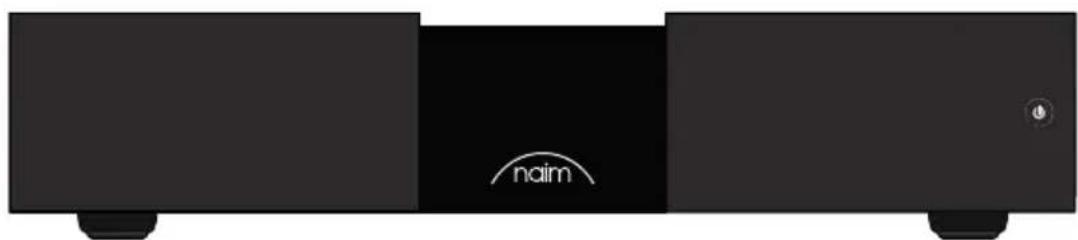
natural_image
Black electronic device with 'naim' branding and control knob (no readable text beyond branding)1x NAP 350

1x Document Pack

natural_image
Solid dark gray rectangle with a thin white border (no text or symbols)1x Cleaning Cloth
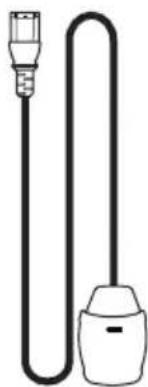
natural_image
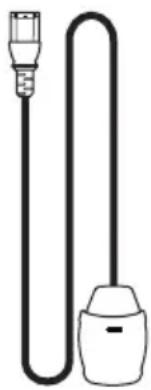
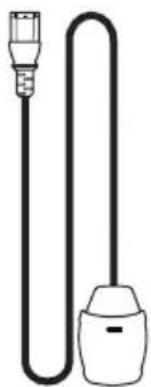
Simple line drawing of a plug and bulb (no text or symbols)1x Power-Line Lite
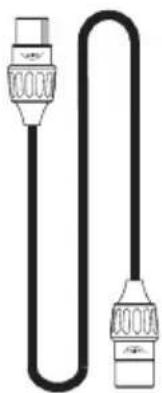
natural_image
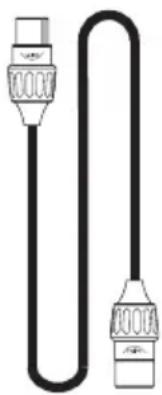
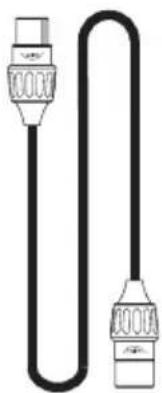
Pure electrical circuit lines without any symbols1x XLR – XLR Balanced Audio Interconnect
natural_image
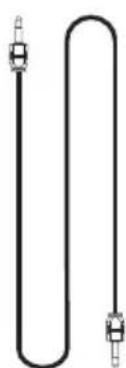
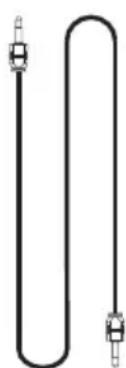
Pure electrical circuit lines without any symbols1x Optical System Automation Cable

1x Speaker Connectors (pre-installed to unit)
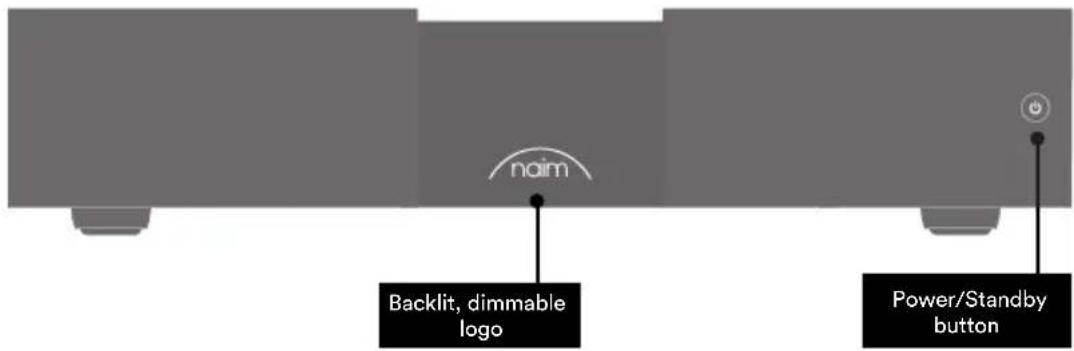
2. NAP 350 Features and Connections

3. NAP 350 Set Up
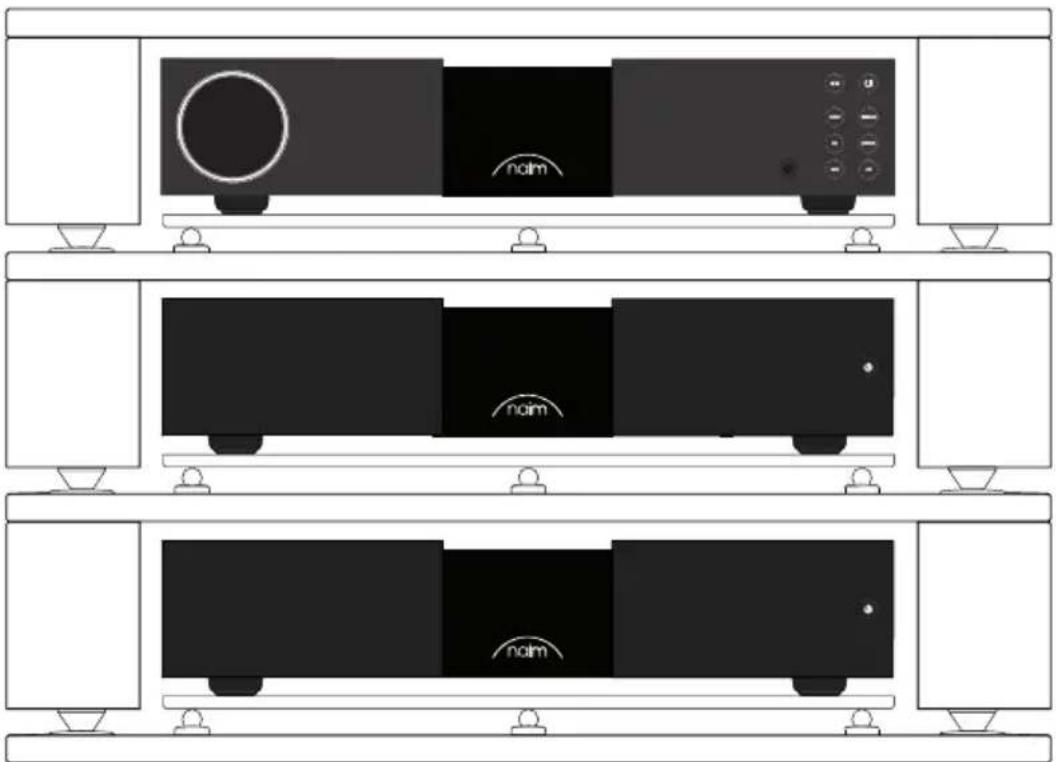
Your pair of NAP 350 amplifiers needs to be connected to a preamplifier (such as the matching NAC 332), but before you do, please ensure all components are in their final positions and disconnected from mains power.
For optimum performance, use a dedicated hi-fi support – ideally Naim Fraim – with the preamplifier sited above the power amplifier, as shown.
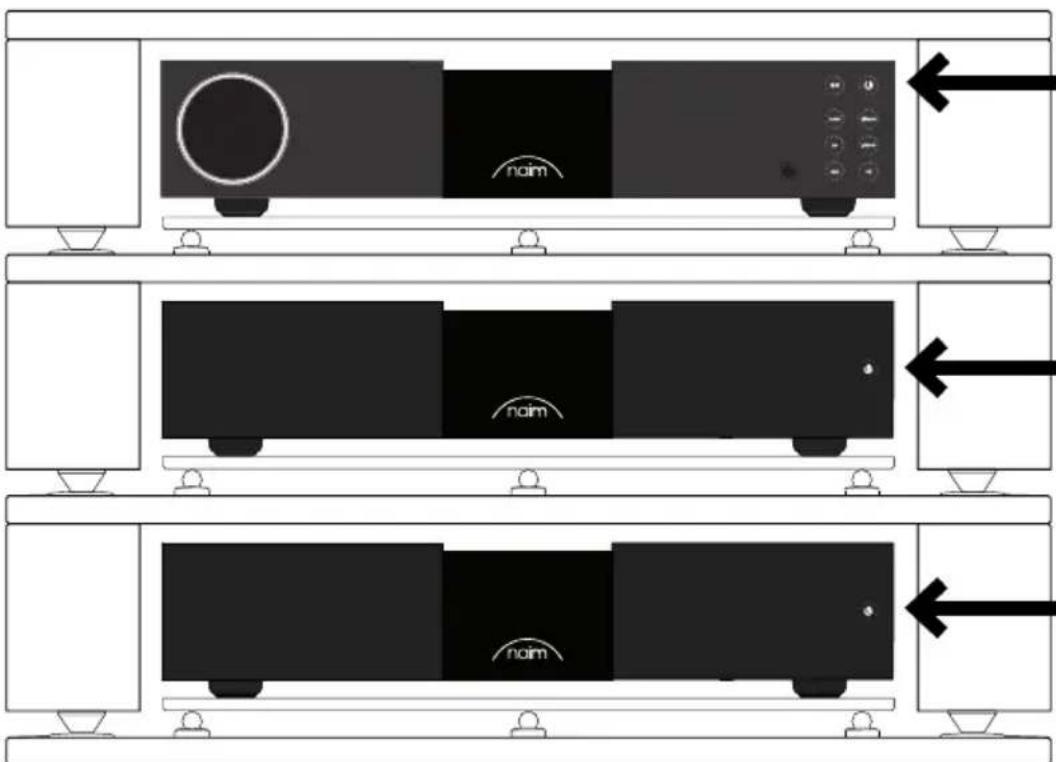
Ensure all equipment is off before connecting.
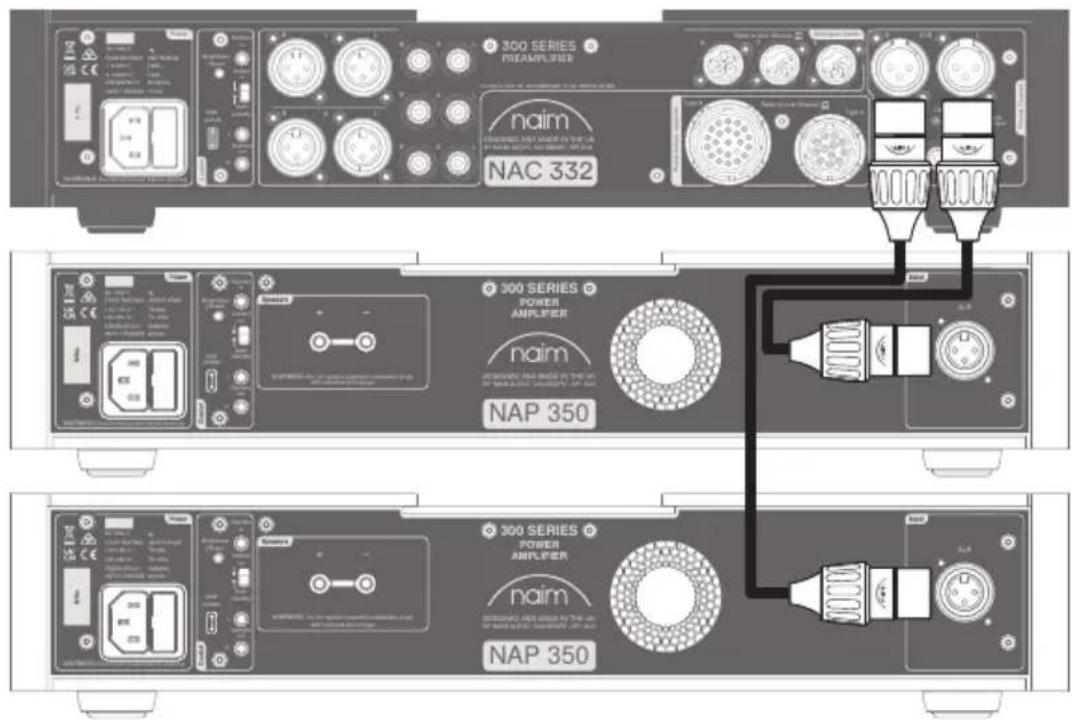
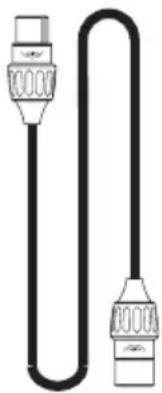
Connect the supplied XLR cable from the balanced XLR outputs of your preamplifier to the balanced input of the NAP 350. Repeat with your other NAP 350 and ensure the cables are channel-matched: the pre-amplifier left output connected to the power amplifier used for the left speaker etc. More in section 4.2. Please ensure that the XLR plugs are inserted correctly, which is achieve with the Naim logo on the plug facing upwards.
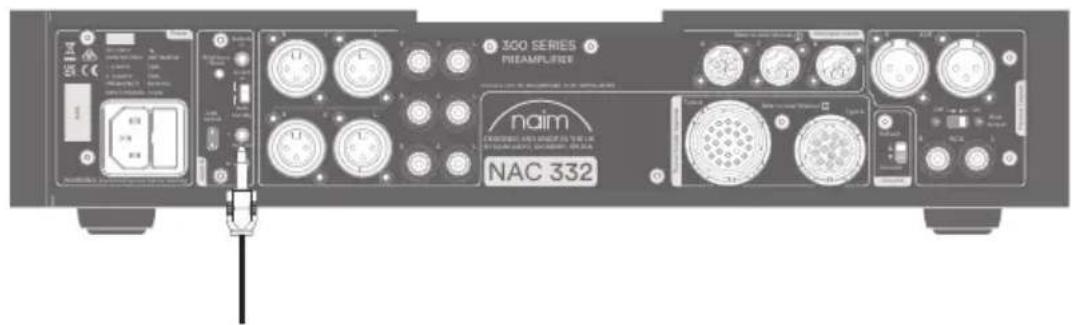
If you are using the NAP 350 with matching Naim preamplifier (see section 4.4), connect the supplied system automation cable to the preamplifier's Remote Out terminal.
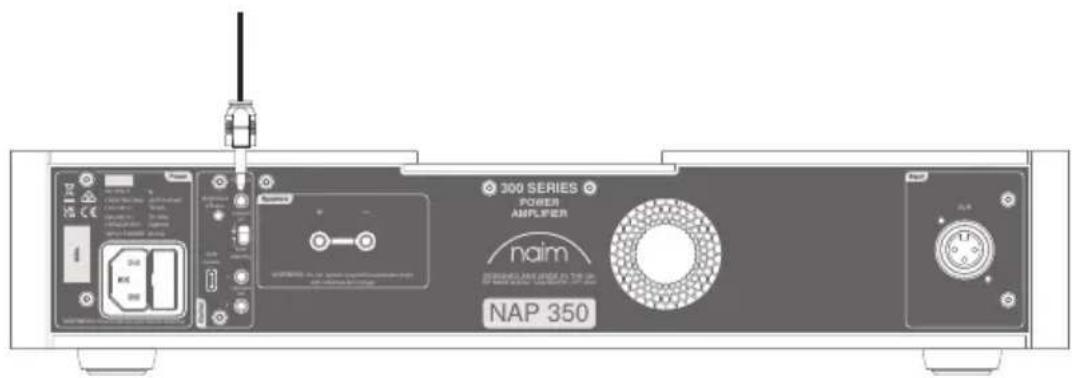
Connect the other end of the system automation cable to the Remote In terminal on each NAP 350.
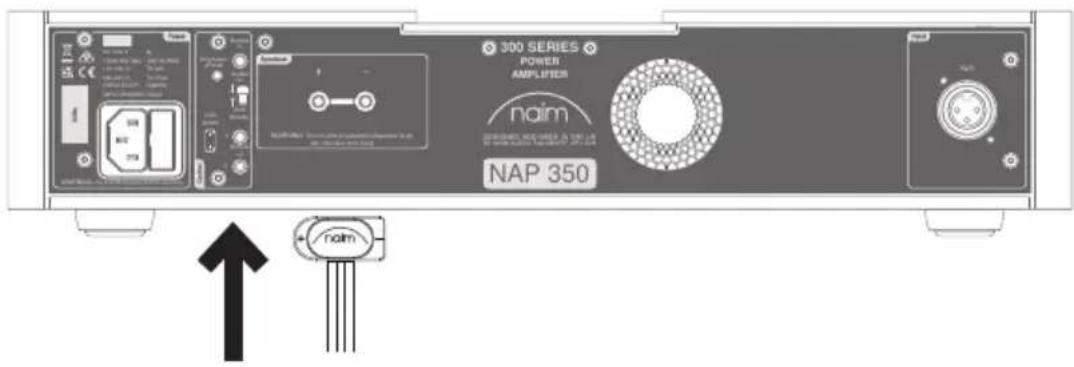
Connect speaker cables to both NAP 350 amplifiers, ensuring each is connected to the correct speaker and both are in phase.
For more detailed guidance, see section 4.3.
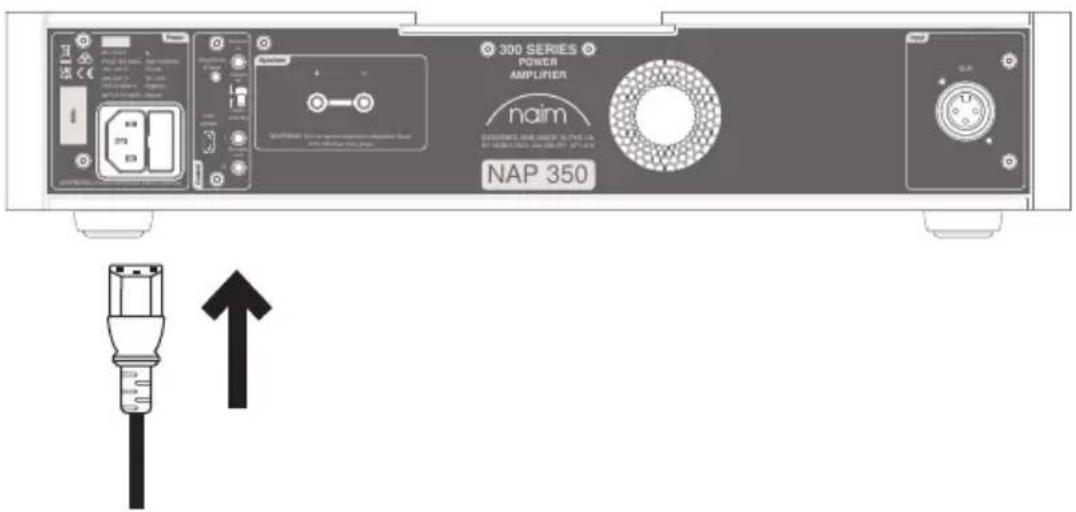
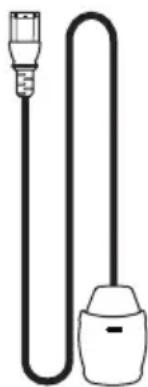
Finally, connect the mains leads to both NAP 350 amplifiers. See section 5 for more on mains power.
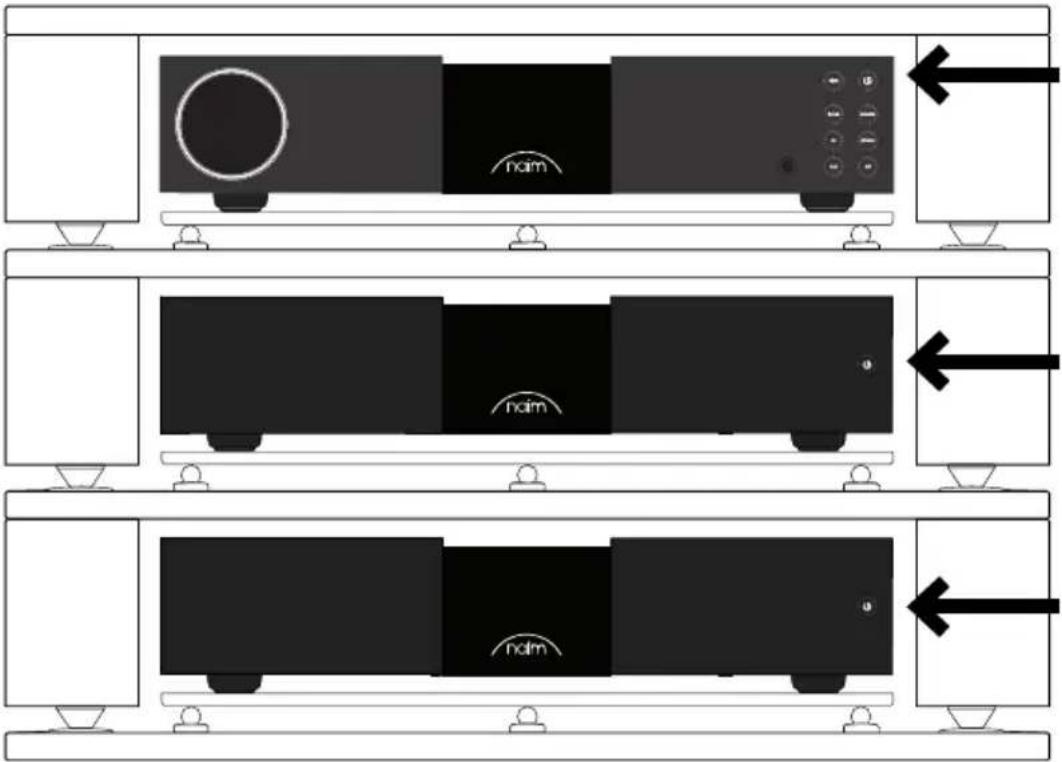
Ensure the volume is turned down on the preamplifier before switching on the NAP 350 amplifiers. If you are using the system automation connection to a Naim preamplifier, the power amplifiers will switch on automatically when any of the standby buttons is pressed. If you are using a different preamplifier, press the Standby button on the front panel of both NAP 350 amplifiers.
4. Tips on Installing and Using Your NAP 350
We know you are eager to enjoy your new NAP 350, but we promise it will sound even better once you have followed these guidelines, all designed to help you experience your power amplifiers without compromise.
4.1 Unboxing and positioning
Your NAP 350 uses high-quality components, including a substantial power transformer and durable aluminium casing. That means the NAP 350 weighs in at 16.5kg, so please take care when lifting or moving it, and ensure the surface you plan to place it on is stable and can support its weight.
For optimum performance, use your Naim products on a dedicated hi-fi equipment rack – ideally the Naim Fraim or Fraim Lite – to minimise vibrations that can affect sound. No room for a rack? Consider placing your NAP 350 on a Fraim glass shelf on a suitable piece of furniture, to provide solid but discreet support.
Your NAP 350 features fan-assisted cooling, designed to activate when your amplifier runs at high volumes for a sustained time. Please ensure the heat outlet is not covered; we would not recommend using the NAP 350 in a closed, non-vented cabinet.
Never stack Naim products on top of each other, and if you are placing them side-by-side, please leave some distance between the units. Equally, connected products should not sit too far apart: the maximum separation distance is that allowed by the supplied interconnect lead.
To reduce the risk of audible hum from the loudspeakers do not place power supplies or power amplifiers close to source components.
4.2 Input Connection Details
The NAP 350 features industry standard XLR balanced inputs for audio. Balanced connections are a low-noise solution and are able to run over long distances – enabling more flexible placement of the NAP 350.
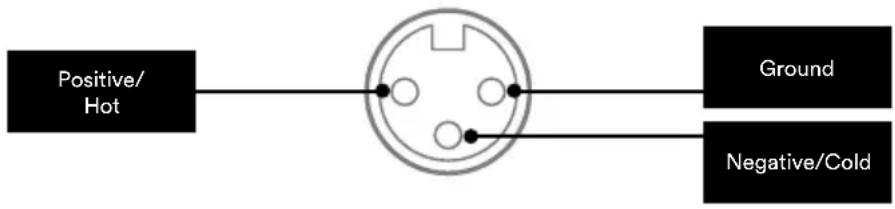
flowchart
graph LR
    A["Positive/Hot"] --> B((Central Connector))
    B --> C["Ground"]
    B --> D["Negative/Cold"]
Adapter cables are available to allow you to connect the NAP 350 to preamplifiers with RCA or DIN outputs.
4.3 Loudspeaker Cable and Connectors
For optimum performance, use Naim NAC A5 or Super Lumina speaker cable, connected in the correct direction (for example, NAC A5 printed arrows pointing toward the loudspeaker).
It is important your pair of speaker cables are both the same length, up to a recommended maximum of 20m. Unlike some earlier Naim designs, we do not mandate a minimum speaker cable length, but would still suggest you avoid sub-2m lengths.
Your NAP 350 comes with custom Naim Audio loudspeaker connectors – these provide the best, impedance-matched electrical connection, and ensure your amplifier complies with current safety regulations.
Ensure when connecting speakers that they are ‘in phase’ – meaning the amplifier’s positive loudspeaker output is connected to the positive loudspeaker input – and that the left and right amplifiers go to the correct speaker.
4.4 System Automation
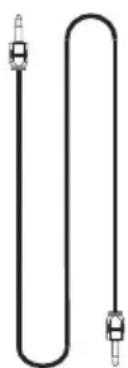
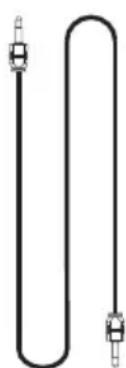
When using the NAP 350 with a compatible preamplifier – such as the NAC 332 – you can synchronise power on/off and logo brightness across your system by connecting them with the supplied Optical System Automation Cables. Simply plug the cables from the 'Remote Out' terminals of the preamplifier to the 'Remote In' terminals on the NAP 350 amplifiers. It is possible to link further power amplifiers using the 'Remote Out' terminals of the NAP 350.
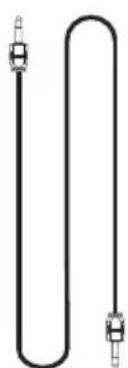
If you require a longer distance between your preamplifier and the NAP 350 than the supplied cable allows for, you can use a replacement 3.5mm to 3.5mm optical cable to the required length. It is also possible to use standard analogue cables with 3.5mm connectors, but an optical cable offers the best performance.
4.5 Powering Up/Down
Once all your input and output connections are made, connect the supplied mains leads to your NAP 350 amplifiers and to mains power. Please note: your source - such as a streamer or CD player – and any associated external power supplies should be switched on before you switch on your NAP 350 amplifiers.
You can now power up the NAP 350 amplifiers either by turning on your Naim preamplifier – connected via System Automation – or by simply pressing the power button on the front panel of the power amplifiers.
It is the same procedure to switch off your NAP 350 amplifiers: turn off your Naim preamplifier – connected via System Automation – or simply press the power button on the front panel of the power amplifiers, which will put them into standby. Avoid using a mains outlet switch to turn your amplifiers off.
4.6 Standby Power Settings
By default, the NAP 350 is set to 'Auto Standby' - it automatically enters Standby mode (where it consumes less than 0.5W of power) after 19 minutes of inactivity. Music Sensing will wake the amp from Standby when it detects an input signal.
For the optimum sound quality, switch the Standby setting on the rear panel to 'Instant on', which keeps all sensitive audio circuits permanently powered up.
Please note Music Sensing is disabled when it receives a system automation command; if the NAP 350 is manually put into Standby via the Standby button, or when 'Instant On' is enabled.
4.7 Naim Logo Brightness Settings
You can choose the brightness level of the Naim logo on your NAP 350. If you are using a Naim preamplifier connected via System Automation, you can synchronise the brightness of all the logos from the preamp. Alternatively, you can set the NAP 350 via the brightness toggle switch on the rear panel.
PLEASE NOTE: the brightness button also functions as a full NAP 350 reset button when it is pressed for 3 seconds, so it is best to make your logo brightness choices quick and decisive!
4.8 USB Update
Your NAP 350 has a micro USB terminal, but this is for service use only.
5. Mains power, Earthing and More
Use only the main leads and plugs supplied with your NAP 350, or the upgrade Naim Power-Line mains cable. Where fused plugs are used, 13 amp fuses should be fitted. Do not wire voltage dependent resistors or noise suppressors into mains plugs; they degrade the mains supply and the sound.
5.1 Earthing
In order to avoid hum loops, the signal ground of the whole system should be connected to the mains earth in one place. Typically, this is at the primary source. For example, a Naim streamer has a ground lift switch. Set this to “default” if no other source connects mains earth to signal ground. This setting will give best sound quality.
5.2 Non-rewirable Mains Plugs
If a non-rewirable plug is cut from a mains lead (for whatever purpose) the plug MUST be disposed of in a way to render it totally useless. Considerable shock hazard exists if the cut-off plug is inserted into a mains outlet.
5.3 Mains Circuits and Interference
A hi-fi system usually shares a mains power circuit with other household equipment, some of which can cause distortion that may manifest as mechanical hum from mains transformers, including the large transformer in your NAP 350.
Transformer hum is not transmitted through the speakers and has no effect on the performance of the system; however, careful positioning of your Naim system may reduce it, as may a separate, dedicated mains circuit. Such a circuit (ideally with a 30 or 45 Amp rating) will also generally improve system performance. Only seek advice on the installation of a separate mains circuit from a qualified electrician.
5.4 Lightning Precautions
Your Naim system should be turned off and fully disconnected from mains power when there is a risk of a lightning strike, to protect from potential damage.
6. Further Tips and Advice
Now you have all the essentials sorted, let us move onto a few more things that you can do to optimise the performance of your new NAP 350.
6.1 Running In
Naim products are handcrafted from a carefully selected range of high-quality components. Your NAP 350 will sound superb out of the box, but its performance may improve further still as all these various components power up and interact in their first few weeks of use. Keeping your system powered up will assist this process.
6.2 Cleaning Your Product and Connections
Naim recommends using only the supplied cleaning cloth to lightly dust any product surfaces. Cleaning products may contain ingredients that can adversely affect cosmetic surface treatments and coatings.
Keep interconnect plugs and sockets clean and free from corrosion. The easiest way to achieve this is to fully power off your Naim product (and any connected equipment), unplug all connections from their sockets and firmly push them in again. Contact cleaners and so-called ‘enhancers’ should not be used, as they can leave deposits that can degrade the sound of your system.
6.3 Resetting your NAP 350
To reset your NAP 350 to default settings, press the 'Brightness' button on the rear panel for 3 seconds.
7. Support
In the event of any non-compliant equipment, it must be sent to the dealer, in its original packaging, who will analyse it and determine where the breakdown comes from. If the equipment is under warranty and conditions are met, the equipment will be repaired or replaced according to the conditions applicable to the legal warranty on the date of purchase of the device. Otherwise, a repair estimate will be submitted. The legal guarantee does not cover damage from a misuse or a wrong connection (burnt mobile coils for instance). Naim equipment is covered by a warranty whose conditions are locally set or carried out by the official Naim dealer of each country, in compliance with the laws of the concerned territory. In France, every Naim equipment is covered by a two-year legal guarantee from the date of purchase.
A defect can be caused by a failure of the system or by the installation, contact your dealer.
Online support resources are also available on our website, please visit www.naimaudio.com If you are still unable to resolve your issue, or have any questions, please contact support@naimaudio.com
8. Service and Updates
Any repairs or hardware updates should only be made by an authorised Naim service centre or at the Naim HQ itself. Many components are custom made, tested or matched and appropriate replacements are often unobtainable from other sources. Please contact your local Naim retailer with any service or repair queries.
9. Specifications
| 300 Series Power Amplifier - NAP 350 | |
| Power output | 175 Watts, 8 Ω |
| Idle consumption | 26 W |
| Voltage gain +29 dB | |
| Input impedance 47 kΩ balanced / 34 kΩ singled ended via adaptor lead | |
| Frequency response -3 dB @ 1.4 Hz and 100 kHz | |
| Power supply output None | |
| Dimensions (HxWxD) 91.5 × 432 × 317.5 mm (Including feet) | |
| Weight 16.5 kg | |
| Mains supply 115 V or 230 V, 50/60 Hz | |
10. Product Recycling
This marking indicates that within the EU this product should not be disposed of with other household wastes. To prevent any risk to the environment or human health, please recycle them responsibly to encourage the reuse of material

resources. To return your used device, please use the return and collection systems available, or contact the retailer where you purchased the product. They can recycle this product safely.
Introduction
natural_image
Black rectangular electronic device with 'naim' branding and a circular icon on the front panel (no other text or symbols)1x NAP 350

1x Documentation

natural_image
Solid dark rectangle with a thin white border, no text or symbols present.1x Chiffon de nettoyage
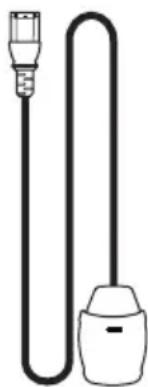
natural_image
Simple line drawing of a plug and bulb connected by a coiled cable (no text or symbols)natural_image
Pure electrical circuit lines without any symbols1x Interconnexion audio symétrique XLR – XLR
natural_image
Pure electrical circuit lines without any symbolsnatural_image
Black electronic device with 'naim' branding and control buttons (no readable text beyond branding)1x NAP 350

natural_image
Solid dark rectangle with a scalloped border (no text or symbols)1x Reinigungstuch
natural_image
Simple line drawing of a plug and bulb connected by a coiled cable (no text or symbols)1x Anschlusskabel
natural_image
Pure electrical circuit lines without any symbolsnatural_image
Pure electrical circuit lines without any symbolsnatural_image
Black rectangular electronic device with 'naim' branding and a power button, no visible text or symbols beyond the brand name.1x NAP 350

1x documentenpakket

natural_image
Solid dark rectangle with a scalloped border, no text or symbols present.1x Reinigingsdoek
natural_image
Simple line drawing of a plug and bulb connected in a U-shaped tube (no text or symbols)1x Netvoedingskabel
natural_image
Pure electrical circuit lines without any symbols1x Audio
natural_image
Pure electrical circuit lines without any symbolsnatural_image
Exterior view of a modern office building (no signage)1x NAP 350

natural_image
Solid dark rectangle with a thin white border, no text or symbols present.1x Paño de limpieza
natural_image
Simple line drawing of a plug and bulb connected by a coiled cable (no text or symbols)natural_image
Pure electrical circuit lines without any symbols1x Interconexión audio XLR – XLR balanceada
natural_image
Pure electrical circuit lines without any symbolsnatural_image
Black rectangular electronic device with 'naim' branding and a circular icon on the front panel (no other text or symbols)1x NAP 350

natural_image
Solid dark rectangle with a thin white border, no text or symbols present.natural_image
Simple line drawing of a plug and bulb connected by a coiled cable (no text or symbols)natural_image
Pure electrical circuit lines without any symbolsnatural_image
Pure electrical circuit lines without any symbolsnatural_image
Exterior view of a modern office building (no signage)1x NAP 350

natural_image
Solid dark rectangle with a thin white border, no text or symbols present.natural_image
Simple line drawing of a plug and bulb connected by a coiled cable (no text or symbols)natural_image
Pure electrical circuit lines without any symbolsnatural_image
Pure electrical circuit lines without any symbolsnatural_image
Black rectangular electronic device with 'naim' branding and a circular symbol on the front panel (no readable text beyond branding)NAP 350, 1 шт.

natural_image
Solid dark rectangle with a scalloped border (no text or symbols)natural_image
Simple line drawing of a plug and bulb connected in a U-shaped tube (no text or symbols)natural_image
Pure electrical circuit lines without any symbolsnatural_image
Pure electrical circuit lines without any symbolsnatural_image
Black rectangular electronic device with 'naim' branding and a power button (no readable text beyond branding)1x NAP 350

1x 文件包

natural_image
Solid dark rectangle with a scalloped border, no visible text or symbols.1x 清洁布 1x 电源线
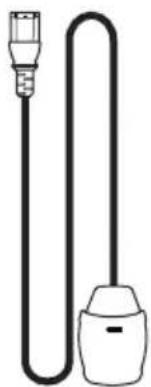
natural_image
Simple line drawing of a plug and bulb connected in a U-shaped tube (no text or symbols)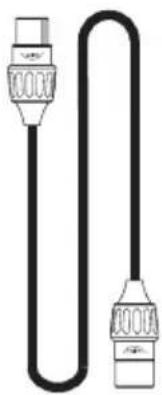
natural_image
Pure electrical circuit lines without any symbols1x XLR - XLR 平衡音频互联插头
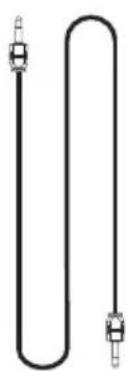
natural_image
Pure electrical circuit lines without any symbolsnatural_image
Black rectangular electronic device with 'naim' branding and a power button (no readable text beyond branding)1 臺 NAP 350

1 個文件包

natural_image
Solid dark rectangle with a scalloped border (no text or symbols)1 塊清潔布 1 供電器纜線
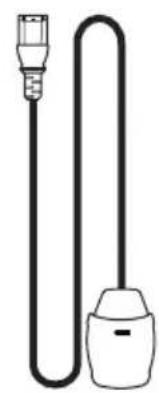
natural_image
Simple line drawing of a plug and bulb (no text or symbols)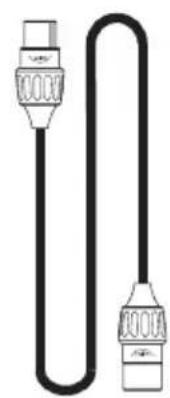
natural_image
Pure electrical circuit lines without any symbolsnatural_image
Pure electrical circuit lines without any symbolsnatural_image
Black electronic device with 'naim' branding and power button (no readable text beyond branding)NAC 350 1개

문서 팩 1개

natural_image
Solid dark rectangle with a scalloped border (no text or symbols)청소용 천 1개
natural_image
Simple line drawing of a plug and bulb connected by a coiled cable (no text or symbols)전원 공급 케이블 1개
natural_image
Pure electrical circuit lines without any symbolsnatural_image
Pure electrical circuit lines without any symbols시스템 자동화 광케이블 1개
natural_image
Black rectangular electronic device with a curved 'naim' label on its side, no additional text or symbols visible.1x NAP 350

1x ขุดเอกสาร

natural_image
Solid dark rectangle with a thin white border (no text or symbols)natural_image
Simple line drawing of a plug and bulb connected to a connector (no text or symbols)
natural_image
Pure electrical circuit lines without any symbolsnatural_image
Pure diagram of a U-shaped pipe with two side connectors (no text or symbols)natural_image
Black rectangular electronic device with a curved 'naim' label on its side, no additional text or symbols visible.NAP 350 1x

1x حزمة الكتاب

natural_image
Solid dark rectangle with a scalloped border (no text or symbols)natural_image
Simple line drawing of a plug and bulb connected by a coiled cable (no text or symbols)natural_image
Pure electrical circuit lines without any symbols1x XLR - XLR
natural_image
Pure electrical circuit lines without any symbolsDesigned in the UK by Naim Audio

- Introduction
- What's in the Box
- NAP 350 Features and Connections
- NAP 350 Set Up
- Tips on Installing and Using Your NAP 350
- Unboxing and positioning
- Input Connection Details
- Loudspeaker Cable and Connectors
- System Automation
- Powering Up/Down
- Standby Power Settings
- Naim Logo Brightness Settings
- USB Update
- Mains power, Earthing and More
- Earthing
- Non-rewirable Mains Plugs
- Mains Circuits and Interference
- Lightning Precautions
- Further Tips and Advice
- Running In
- Cleaning Your Product and Connections
- Resetting your NAP 350
- Support
- Service and Updates
- Specifications
- Product Recycling
Brand : NAIM
Model : NAP 350
Category : Receiver