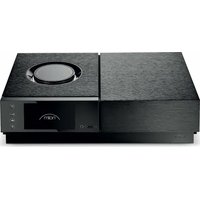
Uniti Nova PE - Receiver NAIM - Free user manual and instructions
Find the device manual for free Uniti Nova PE NAIM in PDF.


| Product type | All-in-one audio receiver / network player |
| Brand | Naim |
| Model | Uniti Nova PE |
| Dimensions (W x H x D) | 432 x 95 x 315 mm |
| Weight | 8.5 kg |
| Power supply | Mains, 100-240V, 50/60Hz |
| Maximum power consumption | 250 W |
| Network connectivity | WiFi 802.11a/b/g/n/ac, Ethernet |
| Bluetooth | Version 4.2, power class <10 dBm |
| Streaming services | Online services, UPnP server, AirPlay, Bluetooth |
| Digital inputs | HDMI, USB, optical, coaxial |
| Analog inputs | RCA line |
| Speaker outputs | Binding posts with Naim plugs (provided) |
| Multiroom | Yes, via Focal & Naim app |
| Control app | Focal & Naim for iOS and Android |
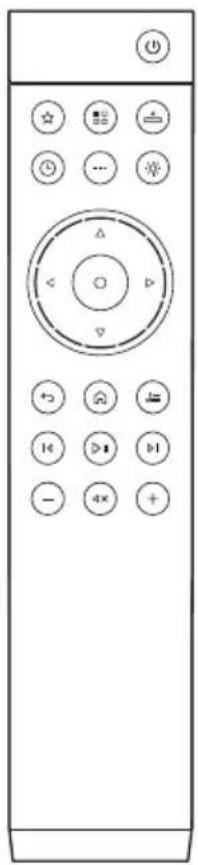
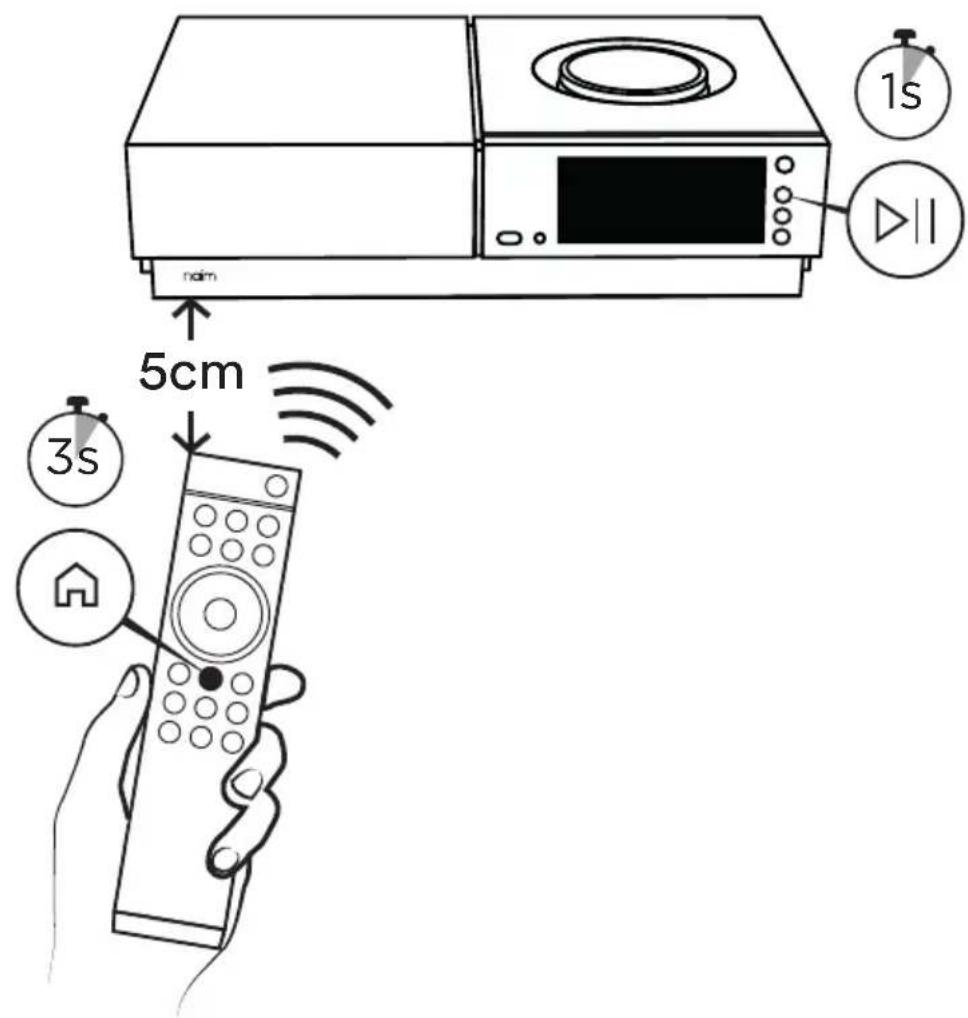
| Remote control | Infrared, pairing via Home button (3 seconds) |
| Display | Front, color |
| Operating temperature | 0 to 35 °C |
| Included accessories | Remote control, 4 AAA batteries, 2 speaker plugs, mains cable, documentation, cleaning cloth |
| Maintenance | Clean with a dry cloth |
| Safety | Detailed instructions in the manual |
| Warranty | 2 years (France) |
| Design | United Kingdom |
Frequently Asked Questions - Uniti Nova PE NAIM
User questions about Uniti Nova PE NAIM
0 question about this device. Answer the ones you know or ask your own.
Ask a new question about this device
Download the instructions for your Receiver in PDF format for free! Find your manual Uniti Nova PE - NAIM and take your electronic device back in hand. On this page are published all the documents necessary for the use of your device. Uniti Nova PE by NAIM.
USER MANUAL Uniti Nova PE NAIM
FIRST STEPS
WITH UNITI NOVA PE

natural_image
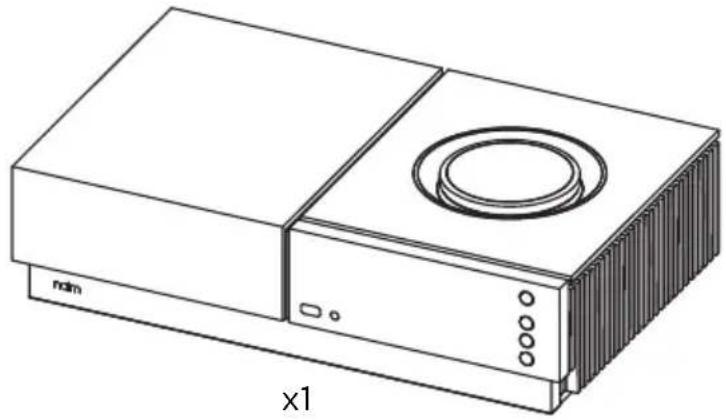
Line drawing of a rectangular electronic device with a circular vent and ventilation slots (no text or symbols)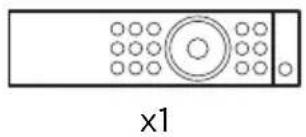
natural_image
Simple line drawing of a rectangular device with circular elements and a central circular element, labeled 'x1' below (no text or symbols on the device itself)0 x4 x2

natural_image
Simple line drawing of a U-shaped pipe with two ports and a lightning bolt symbol, labeled 'x1' (no text or symbols on the diagram itself)
natural_image
Solid dark gray rectangle with a thin white border (no text or symbols)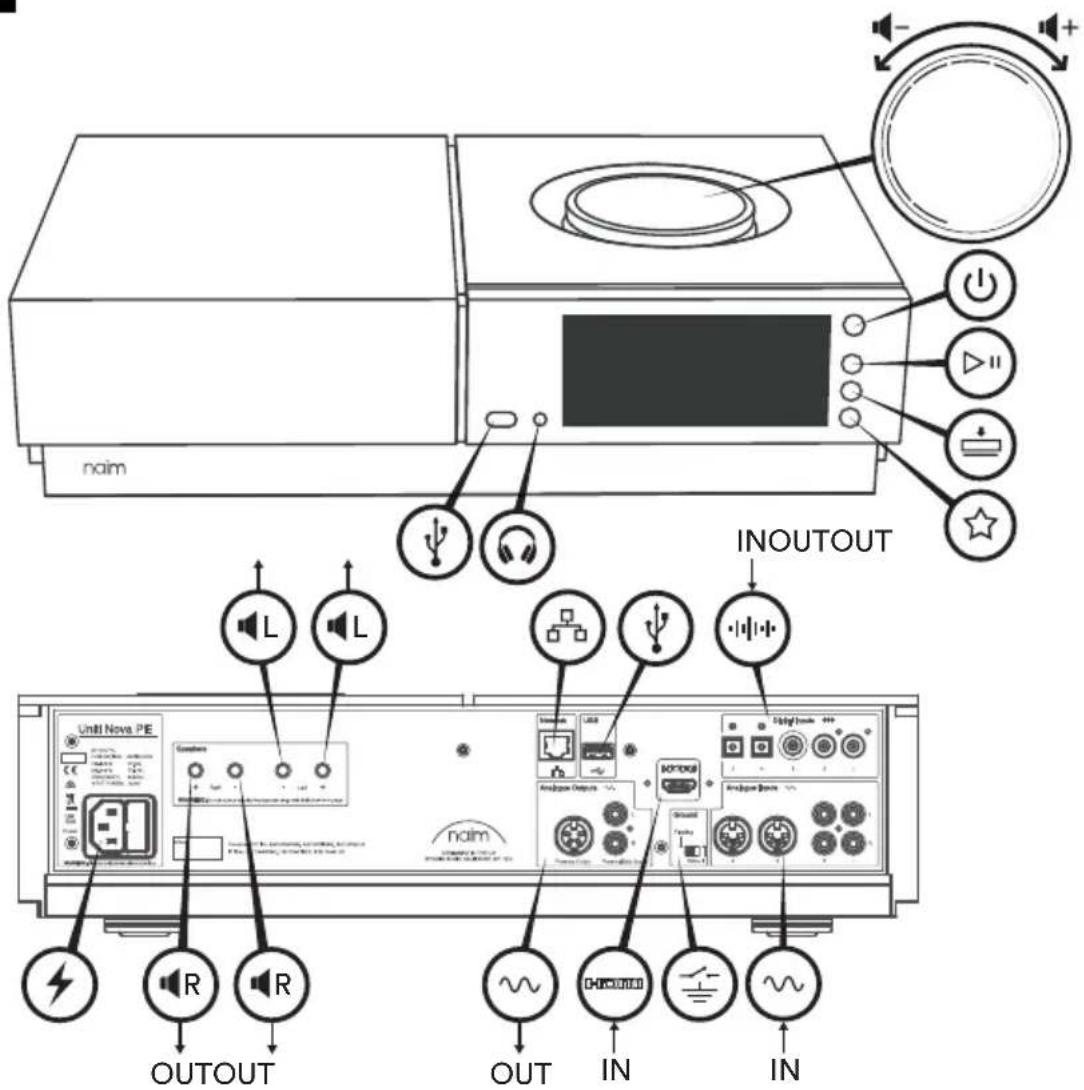
natural_image
Front view of a remote control with various function buttons (no text or symbols visible)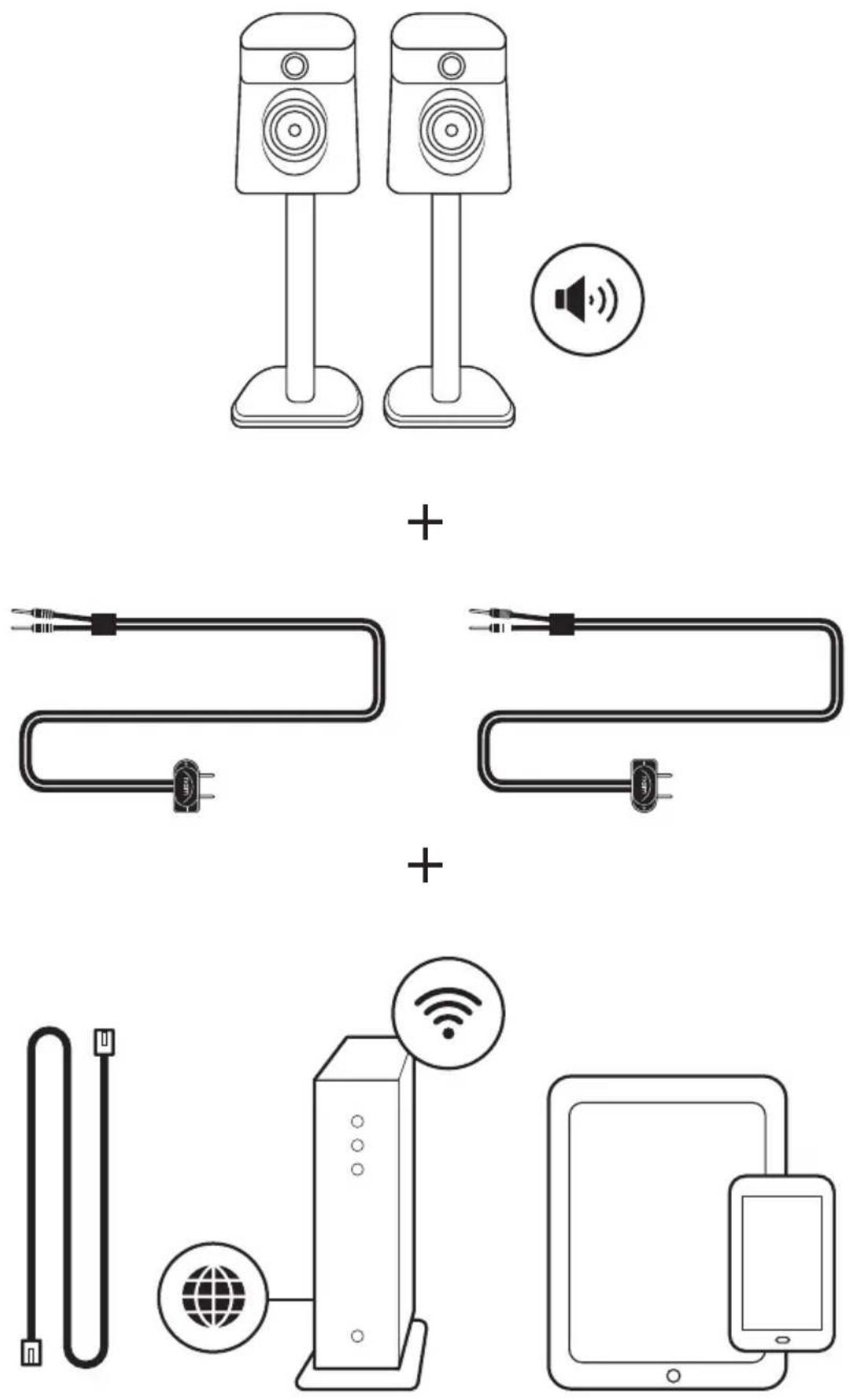
flowchart
graph TD
    R["Speaker"] -->|A| Server["Server"]
    L["Speaker"] -->|B| Server
    Server -->|C| E["Radio System"]
    Server -->|D| R
    Server -->|E| E
    Server -->|F| B["Server"]
    Server -->|G| B
    Server -->|H| B
    Server -->|I| B
    Server -->|J| B
    Server -->|K| B
    Server -->|L| B
    Server -->|M| B
    Server -->|N| B
    Server -->|O| B
    Server -->|P| B
    Server -->|Q| B
    Server -->|R| B
    Server -->|S| B
    Server -->|T| B
    Server -->|U| B
    Server -->|V| B
    Server -->|W| B
    Server -->|X| B
    Server -->|Y| B
    Server -->|Z| B
    Server -->|A1| NING["NG: Do not replace supplied loudspeaker plugs with individual lines"]
    NING --> Peak1["Peak 1"]
    NING --> Peak2["Peak 2"]
    Peak1 --> Right["Right"]
    Peak2 --> Left["Left"]
5
6

flowchart
graph TD
    A["Data Flow"] --> B["Focal/AT&T"]
    B --> C["Server"]
    B --> D["AT&T"]
    B --> E["Mobile Device"]
    B --> F["Outdoor Display"]
    B --> G["Smart Speaker"]
    B --> H["Bluetooth"]
    B --> I["Desktop Interface"]
    B --> J["Wireless WiFi"]
    B --> K["Wi-Fi System"]
    B --> L["Mobile Device Interface"]
flowchart
graph TD
    A["UPnP™"] --> B["Wireless Device"]
    A --> C["Radio Station"]
    A --> D["Outdoor Display"]
    A --> E["Speaker with TV"]
    style A fill:#f9f,stroke:#333
    style B fill:#ccf,stroke:#333
    style C fill:#cfc,stroke:#333
    style D fill:#fcc,stroke:#333
    style E fill:#cff,stroke:#333
flowchart
graph TD
    A["Server"] --> B["Cloud Icon"]
    C["Microwave Device"] --> D["Home Unit"]
    E["Cloud Icon"] --> F["Home Unit"]
    G["Cloud Icon"] --> H["Home Unit"]
    I["Cloud Icon"] --> J["Home Unit"]
    K["Cloud Icon"] --> L["Home Unit"]
    M["Cloud Icon"] --> N["Home Unit"]
    O["Cloud Icon"] --> P["Home Unit"]
    Q["Cloud Icon"] --> R["Home Unit"]
    S["Cloud Icon"] --> T["Home Unit"]
    U["Cloud Icon"] --> V["Home Unit"]
    W["Cloud Icon"] --> X["Home Unit"]
    Y["Cloud Icon"] --> Z["Home Unit"]
D
8

www.naimaudio.com/naim-support
support@naimaudio.com
Support helpline:
+44 (0)1722 443405 (UK)
+1 866 271 5689 (CAN)
Uniti Nova' is a registered trademark of Naim Audio Ltd. Registered in the United Kingdom and other countries.

Works with Apple AirPlay
Use of the Works with Apple badge means that an accessory has been designed to work specifically with the technology identified in the badge certified by the developer to meet Apple performance standards.
Apple, App Store, AirPlay, iPad and iPhone are trademarks of Apple Inc., registered in the U.S. and other countries and regions. The trademark "iPhone" is used in Japan with a license from Aiphone K.K.
Chromecast built-in
Stream the entertainment you love from your phone, tablet or laptop to your TV. Chromecast is a trademark of Google Inc.

Spotify

The Spotify software is subject to third party licenses found here: www.spotify.com/connect/third-party-licenses. The Spotify® word mark and logo are registered trademarks owned by Spotify AB.

TIDAL
The Tidal word mark and logo are registered trademarks owned by Tidal Music AS.
roon READY
The music player for music lovers. Roon is a registered trademarks owned by Roon Labs, LLC.

Bluetooth®
The Bluetooth* word mark and logos are registered trademarks owned by Bluetooth SIG, Inc. and any use of such marks by Naim Audio Ltd. is under licence. Other trademarks and trade names are those of their respective owners.
Qualcomm aptX ^TM

Qualcomm is a trademark of Qualcomm Incorporated, registered in the United States and other countries, used with permission. aptX is a trademark of Qualcomm Technologies International, Ltd., registered in the United States and other countries, used with permission. Qualcomm aptX is a product of Qualcomm Technologies International, Ltd.
HDMI® HIGH-DEFINED MULTIMEDIA INTERFACE
The terms HDMI® and HDMI High-Definition Multimedia Interface, and the HDMI Logo are trademarks or registered trademarks of HDMI Licensing LLC in the United States and other countries.
UPnP
The OCF Logo, UPnP Word Mark and UPnP Logo are trademarks of Open Connectivity Foundation, Inc. in the United States or other countries. *Other names and brands may be claimed as the property of others.
WiFi CERTIFIED
Wi-Fi ^* logo is a registered trademark of Wi-Fi Alliance.
qobuz
Qobuz is a trademark of Xandrie SA.
GET IT ON Google Play
Google Play and the Google Play logo are trademarks of Google LLC.
English
-
What's in the box
1 x Uniti Nova PE
1 x Remote handset
4 x AAA batteries
2 x Speaker plugs
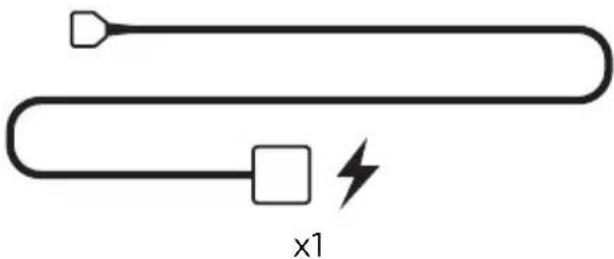
1 x Power lead
1 x Document pack
1 x Cleaning cloth -
Get to know your system Uniti Nova PE is a complete music centre, you'll be listening to more music than ever before. These front and back diagrams show the operational features and sockets.
-
Simple setup You will also need speakers with cables, a router with Wi-Fi which is connected to the internet and a smart phone or tablet. Alternatively, a network cable can be used for a wired connection.
-
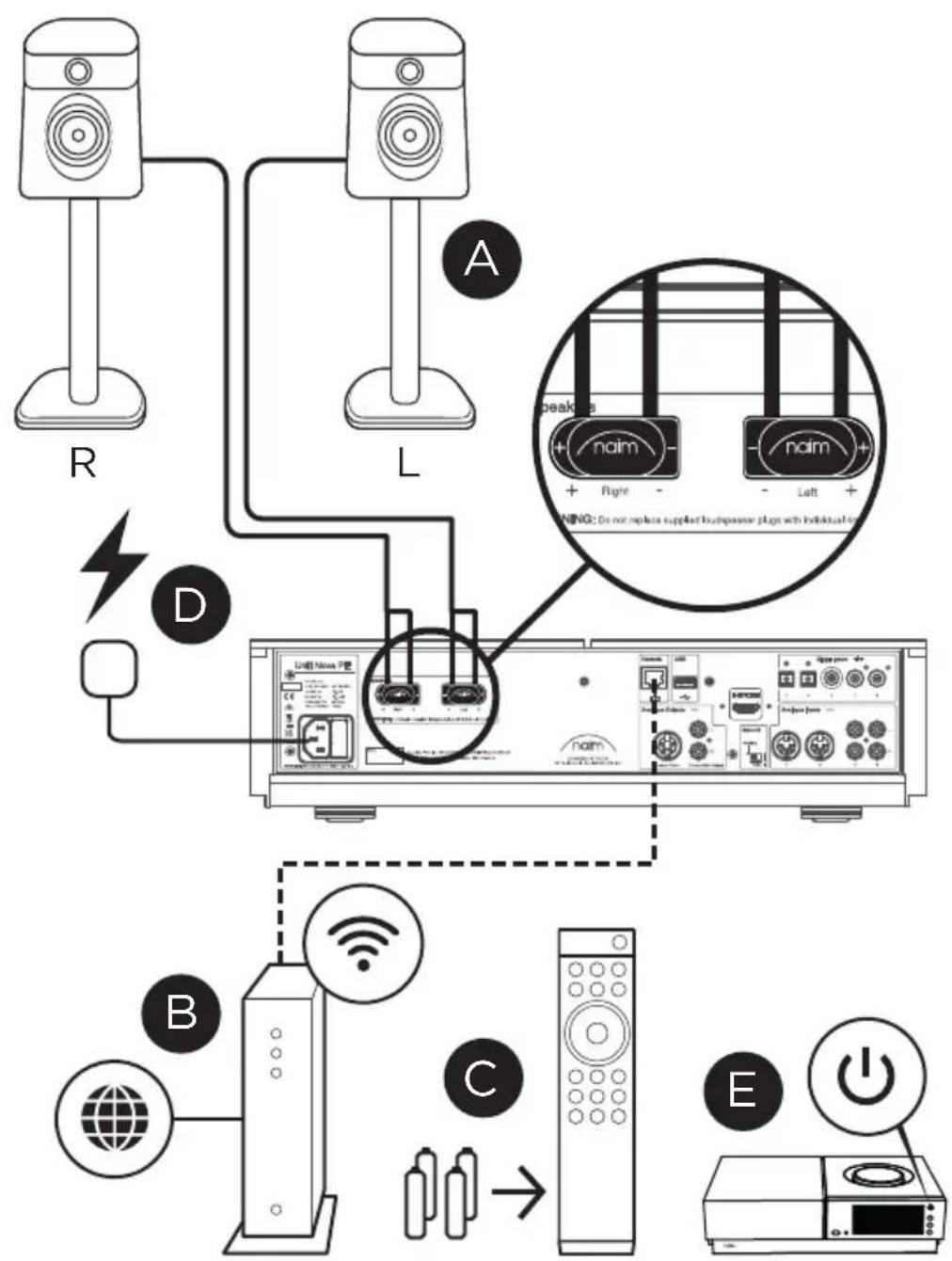
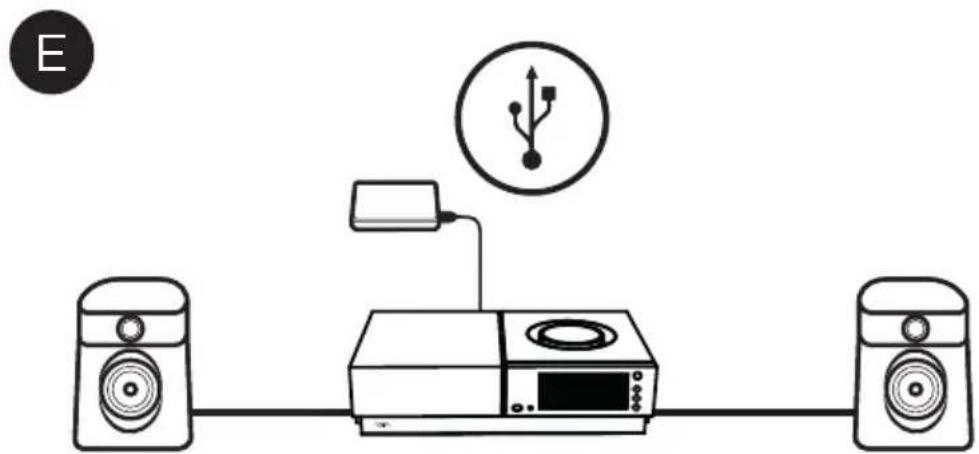
Connection and power • (A) Connect the speakers to the rear of the unit. • (B) Ensure you have a powered and connected Wi-Fi router within range. • (C) Insert batteries into the remote • and (D) connect the power lead to the unit's power socket and to the mains. • (E) Then switch the unit on by pressing the power button to the right of the unit's display.
-
Pairing the remote Once your unit is powered and on, you will need to pair the remote. To do this hold the remote close to the unit's display screen. Press the Play/Pause button on the Nova PE for one second before pressing the home button on the remote for three seconds. The remote is now paired to the unit and ready to use.
-
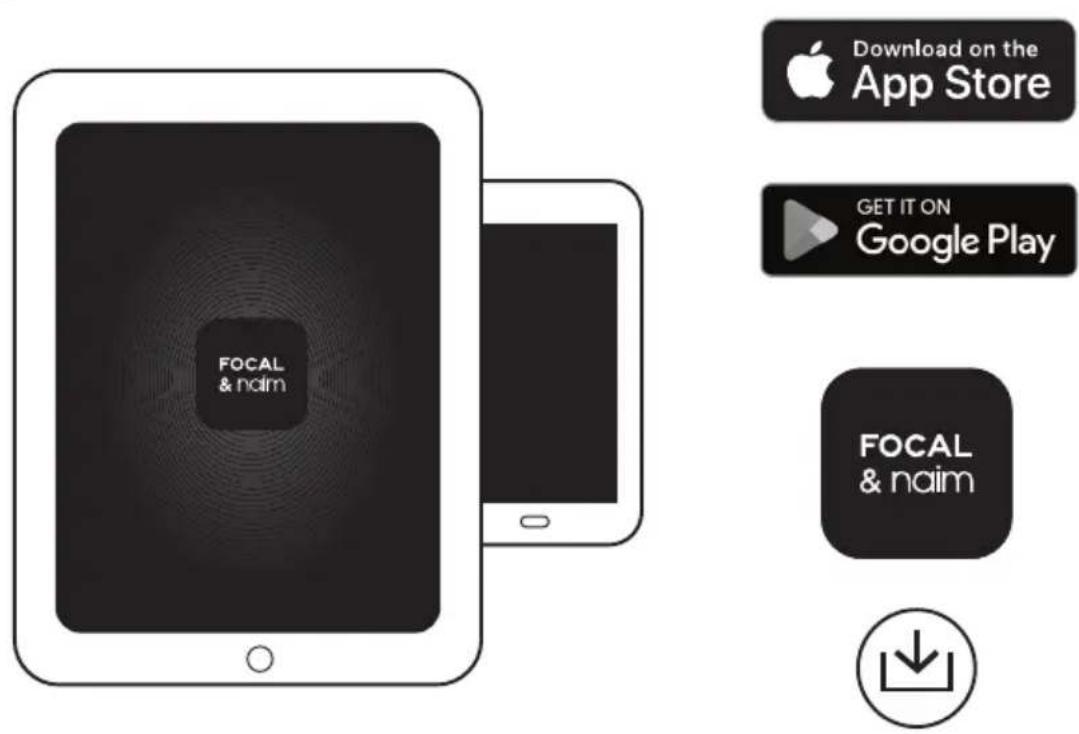
Download Focal & Naim app Download and install the Focal & Naim app for your iOS or Android device. Launch the Focal & Naim app and follow the setup instructions to configure the product.
-
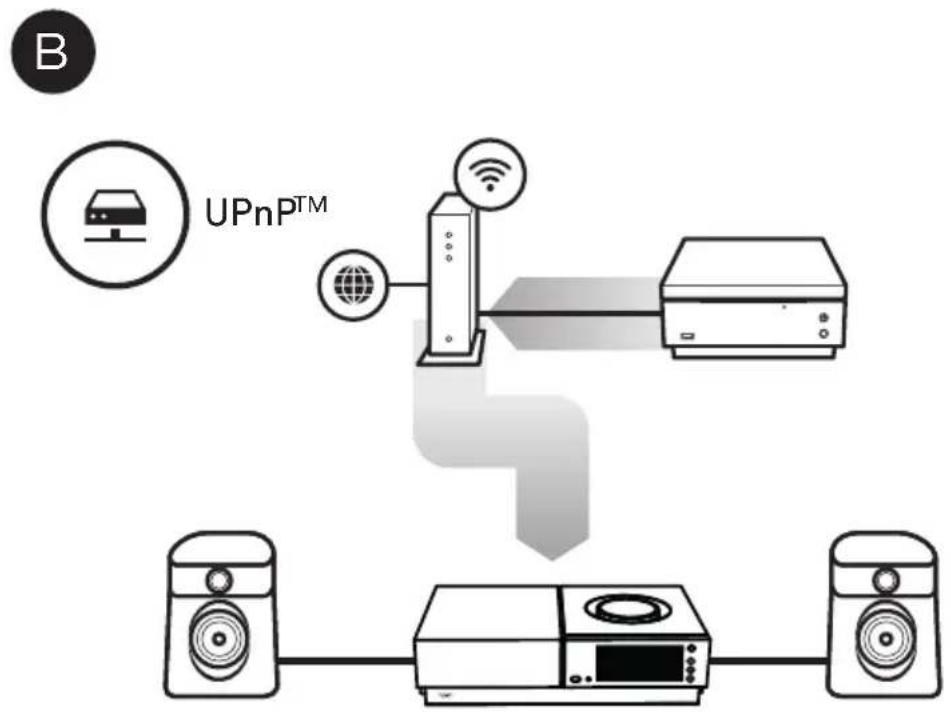
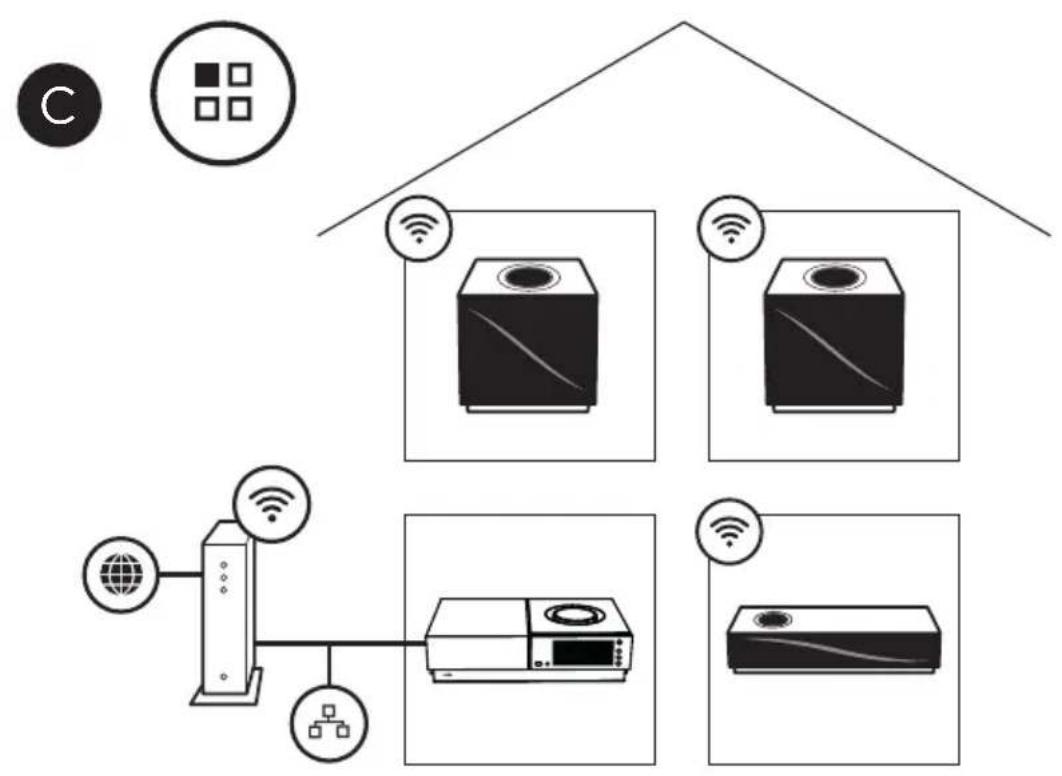
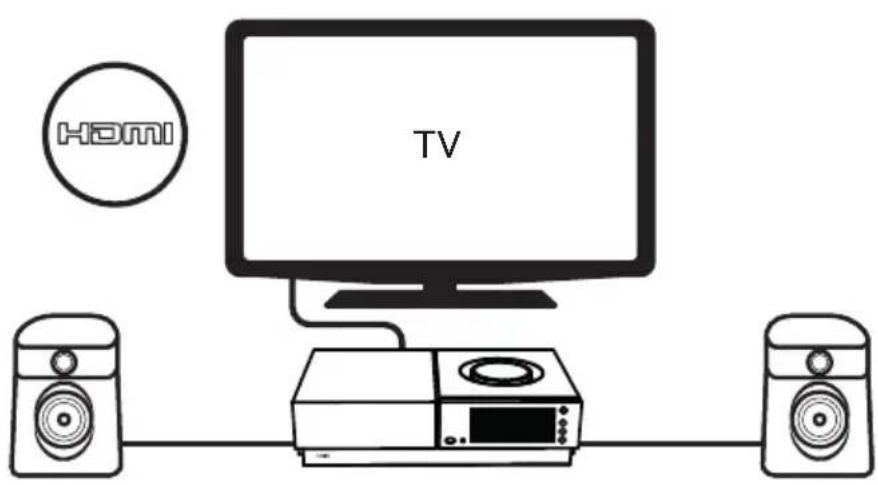
Playing music Access all of your music including your favourite streaming services and Internet radio stations, play your stored music from a Naim server (such as a Uniti Core) and be the source for your multiroom system. Uniti Nova PE also includes digital, analogue, HDMI and local storage connections so you can connect your external sources. (A) Online streaming services (B) Streaming from a music server (C) Music server for multiroom streaming (D) Playing from HDMI source (E) Playing from USB source
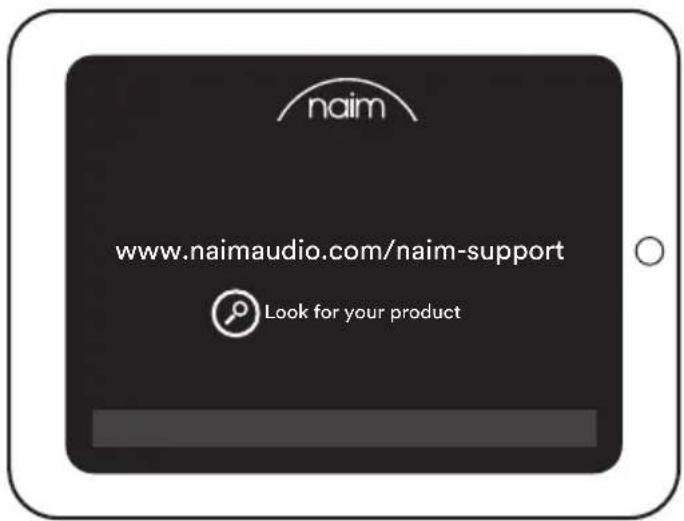
- Further help and FAQs Visit the Naim website for further support. www.naimaudio.com/naim-support
Français
www.naimaudio.com/naim-support
Nederlands
- Wat is meegeleverd?
1 x Uniti Nova PE
1 x afstandsbediening
4 x AAA batterijen
www.naimaudio.com/naim-support
Español
www.naimaudio.com/naim-support
Italiano
www.naimaudio.com/naim-support
Русский
www.naimaudio.com/naim-support
繁體中文
- 包装内的物品
1 部 Uniti Nova PE
1 個遙控器
4枚AAA電池
2 個揚聲器插頭
1 條電源線
1 個文件包
1 塊清潔布
- 了解本系統
www.naimaudio.com/naim-support
한국어
- 제품 구성
Uniti Nova PE 1개
리모컨 1개
AAA배터리4개
스피커 플러그 2개
전원 케이블 1개
문서 팩 1개
청소용 천 1개
- 제품 알아보기
www.naimaudio.com/naim-support
ภาษาอังกฤษ
www.naimaudio.com/naim-support
 | Electrical hazard symbol. This symbol is intended to alert the user to the presence of high voltage within the apparatus that may be of sufficient magnitude to constitute a risk of electric shock. |
 | WARNING: To prevent any risk of electric shock, do not remove the cover (or the back) from the device. There are no user-serviceable parts in this device. For maintenance or repairs, contact a qualified professional. |
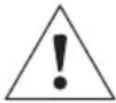 | Warning symbol. This symbol is designed to warn the user of the presence of important instructions mentioned in the user manual and relating to the handling, operation and maintenance of the device. |
-
Read these instructions.
-
Keep these instructions.
-
Heed all warnings.
-
Follow all instructions.
-
Do not use this device near water.
-
Only clean with dry cloth.
-
Do not block any ventilation openings. Install the device following the manufacturer's instructions.
-
Do not install the device near a heat source such as a radiator, cooker, heating vent or any other device that produces heat (including amplifiers).
-
Do not defeat the safety purpose of the polarized plug (common). A polarized plug has two blades with one wider than the other. The wide bladed is provided for your safety. If the provided plug does not fit into your outlet, consult an electrician for replacement of the obsolete outlet.
-
Ensure the power cable cannot be walked on, crushed or trapped, particularly where it enters plugs and sockets.
-
Only use accessories recommended by the manufacturer.

-
Only use trolleys, stands, tripods, brackets, or tables recommended by the manufacturer, or those sold with the device. When a trolley is being used to move the device, take extra care to avoid injury from tipping.
-
Unplug the device during lightning storms or if it will not be used for long periods of time.
-
Refer all servicing to qualified service personnel. Servicing is required when the device does not operate normally or has been damaged in any way, for example: the power cable or plug has been damaged, liquid has been spilled onto the device, objects have fallen into the device, the device has been exposed to rain or moisture or has been dropped.
-
Only connect this device to the mains voltage indicated near the mains inlet. If you are unsure what the local mains voltage is ask your installer or your electricity supplier. For devices intended for use with a battery or another power source, see the user manual.
-
This device has Class 1 construction. It must be plugged into an earthed mains socket. Only connect the device using the mains cable provided, which incorporates an earth connection.
-
If the mains plug or a connector is used as the mains disconnection for the device, it must be easily accessible. To disconnect the device from the mains, remove the mains plug from the socket.
-
Do not overload wall sockets, extension leads or multiple socket outlets. This could cause a fire or an electric shock. Make sure that the maximum permissible power of each component of the installation is not exceeded.
-
In some territories a mains plug may need to be fitted to the supplied mains lead. As the colours of the wires in the mains lead may not correspond with the coloured markings identifying the terminals in the plug proceed as follows:
- The wire coloured GREEN-AND-YELLOW must be connected to the terminal in the plug marked by the letter E or by the safety earth symbol or coloured GREEN or GREEN-AND-YELLOW.
- The wire coloured BLUE must be connected to the terminal in the plug marked with the letter N or coloured BLACK.
- The wire coloured BROWN must be connected to the terminal in the plug marked with the letter L or coloured RED.
-
In order to comply with current European safety regulations it is essential that the Naim loudspeaker connectors supplied with amplifiers and loudspeakers are used, where applicable.
-
WARNING: To reduce the risk of fire or electric shock, do not expose this device to water, rain or moisture. In addition, the device must not be exposed to dripping or splashing liquid and no objects filled with liquids, such as vases, should be placed on the device.
-
Do not insert any objects into the device's ventilation openings. They could come into contact with one of the high-voltage components or short-circuit them and cause a fire or an electric shock.
-
When using the device, the ambient temperature should not exceed 35 °C ( 95 °F ).
-
Do not use this device in tropical climates.
-
Do not use this device at altitudes of more than 2,000 m (6,500 ft).
-
If the device has been transported from a cold environment to a warm environment, ensure no condensation has accumulated before connecting the power cable.
-
Always leave at least 5 cm (2") around the product to ensure good ventilation.
- Do not prevent the fan blades from turning freely. This could result in a fire, burns and damage to the device.
- Warning: installed batteries should not be exposed to excessive heat such as sunlight, fire or the like.
- Do not place naked flame sources, such as lit candles, near the device.
- The device should only be mounted on a wall or ceiling if the manufacturer allows for this.
- This device has sharp corners. Handle it with care.
- For your own safety do not under any circumstances open Naim equipment without first disconnecting it from the mains power supply. Opening the device exposes you to lethal voltages or other risks, if the mains remains connected.
- Do not attempt to repair this device yourself. Opening the device may be dangerous. Contact a qualified professional to work on the device.
- When replacement components are needed, only use the components specified by the manufacturer or components with identical specifications to the original. Using non-compliant components could cause fires, electric shocks or other risks.
- After any maintenance or repair work on the device, test it to check that it is working safely.
- Turn the volume to minimum before connecting the device. Once the products are in place, gradually increase the volume to a reasonable and comfortable level.

- To avoid damaging your hearing, do not listen to loudspeakers at high volumes for long periods of time. Listening to loudspeakers at an excessive volume can cause damage to the user's ears and may lead to hearing problems (temporary or permanent deafness, buzzing in the ears, tinnitus, hyperacusis). Exposing your ears to a volume higher than
85dB SPL-LAeq for several hours can irreversibly damage your hearing.
39. Keep all batteries away from children. If the battery compartment does not close securely, stop using the device and keep it away from children.
40. If you think batteries might have been swallowed or placed inside any part of the body, seek immediate medical attention.
41. After removing the product from its packaging, keep the packaging out of children's reach. It could present a suffocation risk.
42. Some users do not have sufficient mental capacity to use the product alone without danger. In particular, children under the age of 14 and people with certain disabilities must be supervised when using the device.
In the event of any non-compliant equipment, it must be sent to the dealer, in its original packaging, who will analyse it and determine where the breakdown comes from. If the equipment is under warranty and conditions are met, the equipment will be repaired or replaced according to the conditions applicable to the legal warranty on the date of purchase of the device. Otherwise, a repair estimate will be submitted. The legal guarantee does not cover damage from a misuse or a wrong connection. Naim equipment is covered by a warranty whose conditions are locally set or carried out by the official Naim dealer of each country, in compliance with the laws of the concerned territory. In France, every Naim equipment is covered by a two-year legal guarantee from the date of purchase.
A defect can be caused by a failure of the system or by the installation, contact your dealer.
Online support resources are also available on our website, please visit www.naimaudio.com. If you are still unable to resolve your issue, or have any questions, please contact support@naimaudio.com
This equipment has been tested and found to comply with the limits for a Class B digital device, pursuant to part 15 of the FCC Rules. These limits are designed to provide reasonable protection against harmful interference in a residential installation. This equipment generates, uses and can radiate radio frequency energy and, if not installed and used in accordance with the instructions, may cause harmful interference to radio communications. However, there is no guarantee that interference will not occur in a particular installation. If this equipment does cause harmful interference to radio or television reception, which can be determined by turning the equipment off and on, the user is encouraged to try to correct the interference by one or more of the following measures:
- Reorient or relocate the receiving antenna.
- Increase the separation between the equipment and receiver.
- Connect the equipment into an outlet on a circuit different from that to which the receiver is connected.
- Consult the dealer or an experienced radio/TV technician for help.
Industry Canada Statement
This marking indicates that within the EU this product should not be disposed of with other household wastes. To prevent any risk to the environment or human health, please recycle them responsibly to encourage the reuse of material resources. To return your used device, please use the return and collection systems available, or contact the retailer where you purchased the product. They can recycle this product safely.
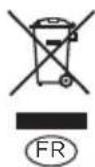
Scan QR code for information on packaging disposal
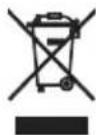

flowchart
graph LR
    A["EMBALLAGE EXTÉRIEUR ET CALES BAC DE TRI"] --> B["Cet appareil se recycle"]
    B --> C["REPRISE À LA LIVRAISON OU"]
    B --> D["À DÉPOSER EN MAGASIN OU"]
    B --> E["À DÉPOSER EN DÉCRÊTERIE"]

Brand : NAIM
Model : Uniti Nova PE
Category : Receiver