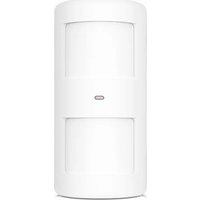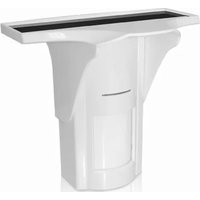
PIR-926 - Motion detector Chuango - Free user manual and instructions
Find the device manual for free PIR-926 Chuango in PDF.



| Product type | Motion detector |
| Brand | Chuango |
| Model | PIR-926 |
| Detection technologies | Passive infrared and microwave |
| Detection range | 8 m |
| Detection angle | 110° |
| Radio frequency | 433 MHz |
| Wireless transmission distance | < 80 m (in open area) |
| Power supply | Rechargeable lithium battery 18650 3.7 V 1800 mAh + solar panel |
| Standby current | < 0.16 mA |
| Solar panel output current | ≥ 4 mA at 2000 lux |
| Standby duration | < 150 days |
| Operating modes | Test (10 s) and Power saving (5 min) |
| Microwave sensitivity adjustment | High, Medium, Low |
| Zones | Normal, Home, 24 h |
| Protection rating | IP65 |
| Housing material | PC + ABS + Anti-UV |
| Detector dimensions | 186 x 200 x 125 mm |
| Bracket dimensions | 58 x 58 x 120 mm |
| Operating temperature | -20°C to 55°C |
| Relative humidity | < 90% (non-condensing) |
| Tamper contact | Yes |
| Self-diagnosis | Yes (1 minute after power-on) |
Frequently Asked Questions - PIR-926 Chuango
User questions about PIR-926 Chuango
0 question about this device. Answer the ones you know or ask your own.
Ask a new question about this device
Download the instructions for your Motion detector in PDF format for free! Find your manual PIR-926 - Chuango and take your electronic device back in hand. On this page are published all the documents necessary for the use of your device. PIR-926 by Chuango.
USER MANUAL PIR-926 Chuango
© Chuango. All Rights Reserved.
Printed in China Ver: FIR-926-UM-ML-V1.0
natural_image
Technical line drawing of a door with handle and vent, no text or symbols presentPIR-926
Solar-Powered Dual-Tech Motion Detector
ENEN
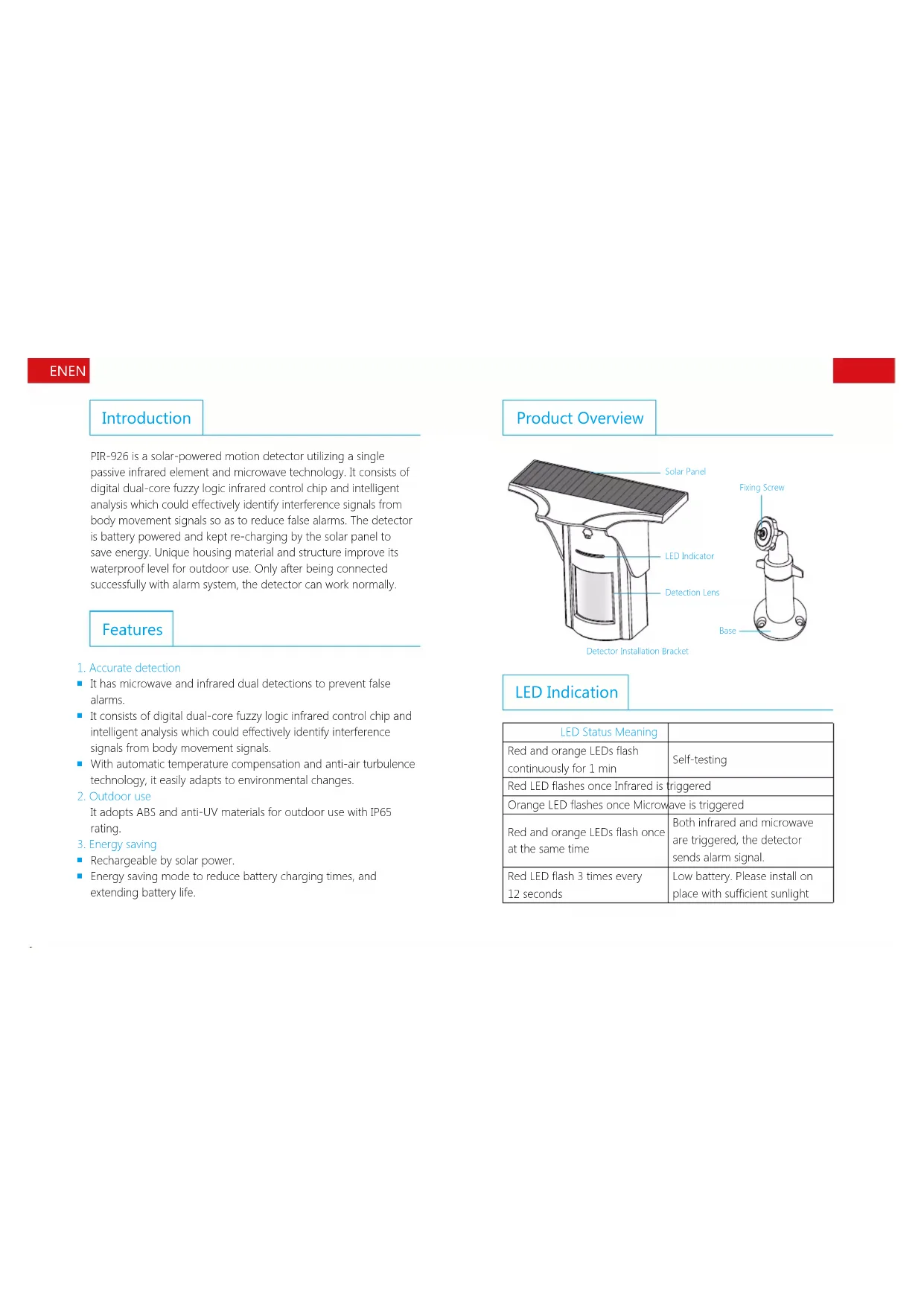
Introduction
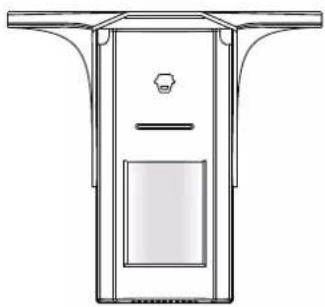
PIR-926 is a solar-powered motion detector utilizing a single passive infrared element and microwave technology. It consists of digital dual-core fuzzy logic infrared control chip and intelligent analysis which could effectively identify interference signals from body movement signals so as to reduce false alarms. The detector is battery powered and kept re-charging by the solar panel to save energy. Unique housing material and structure improve its waterproof level for outdoor use. Only after being connected successfully with alarm system, the detector can work normally.
Features
- Accurate detection
It has microwave and infrared dual detections to prevent false alarms.
It consists of digital dual-core fuzzy logic infrared control chip and intelligent analysis which could effectively identify interference signals from body movement signals.
- With automatic temperature compensation and anti-air turbulence technology, it easily adapts to environmental changes.
2. Outdoor use
It adopts ABS and anti-UV materials for outdoor use with IP65 rating.
- Energy saving
■ Rechargeable by solar power.
■ Energy saving mode to reduce battery charging times, and extending battery life.
Product Overview
text_image
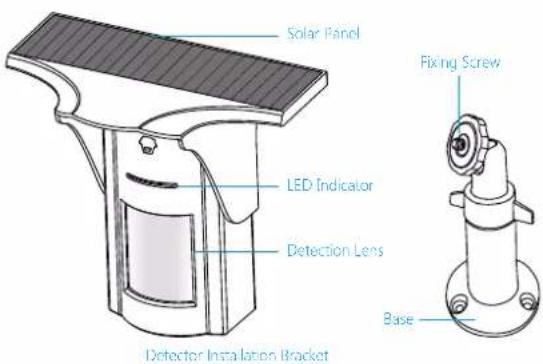
Solar Panel LED Indicator Detection Lens Detector Installation Bracket Fixing Screw BaseLED Indication
| LED Status Meaning | |
| Red and orange LEDs flash continuously for 1 min | Self-testing |
| Red LED flashes once Infrared is triggered | |
| Orange LED flashes once Microwave is triggered | |
| Red and orange LEDs flash once at the same time | Both infrared and microwave are triggered, the detector sends alarm signal. |
| Red LED flash 3 times every 12 seconds | Low battery. Please install on place with sufficient sunlight |
ENEN
PCB Layout
text_image
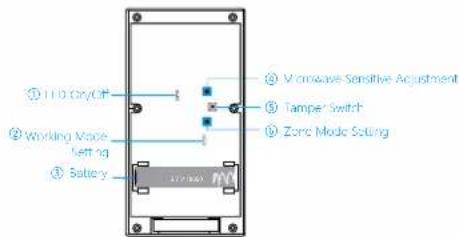
① I/O Dry/Off ② Working Mode Left 10 ③ Battery ④ Microwave Sensitive Adjustment ⑤ Tampa Switch ⑥ Zona Mode Setting- LED options: ON/OFF (default setting is ON).
- Working mode options: 10S=Test mode, 5MIN=Power saving mode (default setting is test mode).
- Battery: One piece of 18650 rechargeable lithium battery.
- Microwave sensitivity adjustment options: HIGH, MEDIUM, LOW. (default setting is medium).
- Tamper switch: In working state, if the housing is opened, detector will send alarm signal.
- Zone mode options: Normal zone (Arm Zone), home zone, 24-H zone (default setting is normal zone).
You can change the zone mode of this detector as follows: Open the rear cover of the detector, change the array of jumpers to the corresponding position as below:
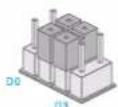
Home Mode Zone
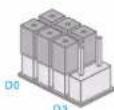
Normal Zone (Arm Zone)
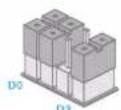
24-H Zone
Normal zone (Arm Zone): In arm or home arm state, the detector set at normal zone will trigger an alarm once intrusion is detected. Home zone: In home arm state, the detector set at home zone is disarmed.
24-H zone: The detector set at 24-H zone will trigger an alarm once intrusion is detected, no matter the system is armed or disarmed.
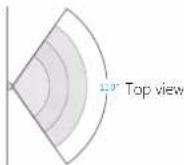
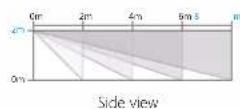
Detection Scope
Working Mode Selection
After the battery is loaded, the detector enters into 1 min self-testing with the red and orange LEDs flashing continuously, and then it starts to work according to the pre-set working mode.
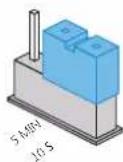
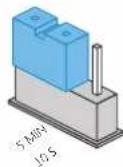
Testing Mode Power Saving Mode
ENEN
Testing mode (default setting): The detector detects once every 10 seconds.
Power saving mode: The detector enters a 5-minute testing mode firstly, and then switches to power saving mode. If the detector detects movements twice in 5 minutes, it automatically goes into asleep state. If there is no movement detected in next 5 minutes, it will switch from asleep state to arm. As long as there is a movement detected within 5 minutes, the duration of power saving mode will be extended.
Note: It is suggested to set the detector in power saving mode for daily use to save power.
Test
Remove the battery activation strip. After red and orange LED flash continuously for 1 min, it enters working state. By then, put the detector on a shelf, walks from the left to right (or right to left) within the detection scope to trigger it, red and orange LEDs will flash once. This indicates the detector is working properly.
Installation & Notices
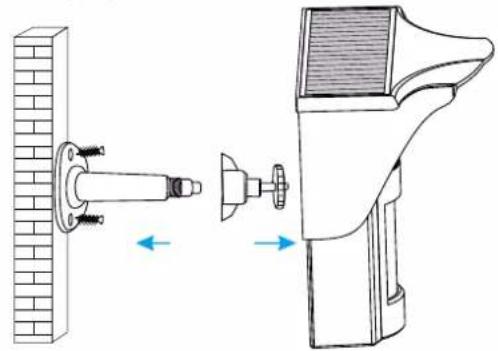
Installation steps:
- Make the attachment bracket and base apart.
- Fix the base on the right place (see notices).
- Tighten the attachment bracket with the detector.
- Tighten the attachment bracket with the base and adjust to proper
detecting angle.
natural_image
Diagram showing a wall-mounted device connected to a fan, with directional arrows indicating movement (no text or symbols present)Notices:
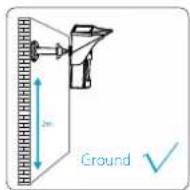
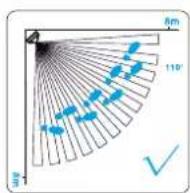
- It is recommended to mount the detector at height of 2 m from the ground.
- The detector is more sensitive to cross movement than vertical movement, so it is suggested to mount it facing vertical to the walking direction of people.
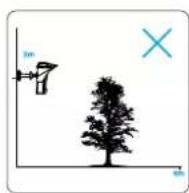
- Please avoid putting big objects in front of the detector which will influence the detection.
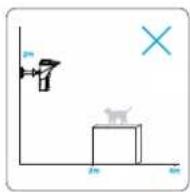
- Please avoid any cases that pets can climb over to avoid false alarms.
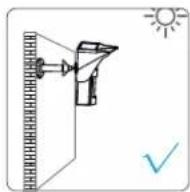
- As it is a solar-powered detector, please install it where adequate sunlight is ensured.
Connect to Control Panel
Make sure the control panel is in pairing state, trigger the detector to alarm until the panel gives out a beep, which indicates the connection succeeded. Arm the system, trigger the detector again, and the siren of control panel will hoot to confirm that the connection is successful.
Specifications
Power supply:
18650 3.7 V 1800 mAh rechargeable lithium battery
Standby current: < 0.16 mA
Solar panel output current: 2000LX illumination ≥ 4 mA
Battery standby time: <150 days
Detection scope: 8 m/110°
Wireless transmitting distance: < 80 m (in open area)
Radio frequency: 433 MHz
ERP (dBm) : -2.94
Operating condition:
Temperature: -20°C \~ + 55°C
Relative humidity: < 90% (non-condensing)
Housing material: PC+ABS+ANTI-UV
Detector dimensions (L x W x H): 186 x 200 x 125 mm
Bracket dimensions (L x W x H): 58 x 58 x 120 mm