90463 - Model making LGB - Free user manual and instructions
Find the device manual for free 90463 LGB in PDF.



| Product type | Converter (transformer) and control console for model train |
| Brand | LGB (Gebr. Märklin & Cie. GmbH) |
| Model | 90463 |
| Category | Model making – electric train layout |
| Input voltage | 230 V mains (according to converter rating plate) |
| Output voltage | Direct current for track and locomotives (exact value on the plate) |
| Main functions | Speed regulation, overload and short-circuit protection, accessory switching |
| Connections | Track terminals (red and blue), converter-console connection via cable (5) |
| Safety | Indoor use only, weekly visual inspection of cable and housing, disconnect before inspection |
| Overload protection | Integrated device; automatic shutdown in case of short circuit or overload, reset after approximately 1 minute |
| Cleaning and maintenance | Clean the track and axles with a dry cloth; use tweezers to remove dirt from axles |
| Disposal | Do not dispose of in household waste; recycle at a collection center for electrical appliances |
| Warranty | Legal and contractual warranty according to the provided certificate |
| After-sales service | Contact the Märklin specialist dealer or LGB repair service (Germany) |
| Compatibility | Designed exclusively for LGB model train layouts |
Frequently Asked Questions - 90463 LGB
User questions about 90463 LGB
0 question about this device. Answer the ones you know or ask your own.
Ask a new question about this device
Download the instructions for your Model making in PDF format for free! Find your manual 90463 - LGB and take your electronic device back in hand. On this page are published all the documents necessary for the use of your device. 90463 by LGB.
USER MANUAL 90463 LGB
Table of Contents Page
- Safety Notes 7
- Connections for the Locomotive Controller and the Track 7
- Short Circuit or Overload 10
- Trouble Running the Train 10
- Cleaning and Maintenance 10
- Disposing 10
- Warranty 10
Sommaire Page
text_image
Diagram showing electrical connection and multimeter dial with labeled components2.5 Aufbau
text_image
Electrical wiring diagram showing connections between a multimeter, 51090 component, and power plug with switch7 Fahren
text_image
Diagram showing two identical electrical setups with steam locomotive, connected to a multimeter displaying a dial and meter reading.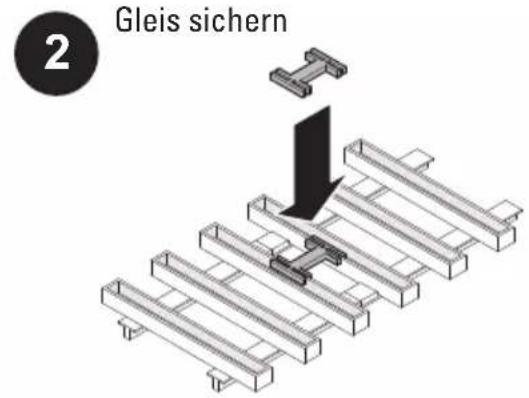
natural_image
Isometric technical diagram of a railway track with two connected components (no text or symbols)text_image
Electrical circuit diagram showing connections between a multimeter, switch, and power outlet with labeled components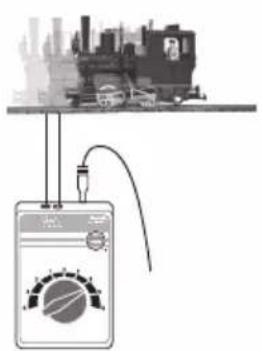
text_image
Diagram showing a device connected to a city skyline with a meter displaying a waveform, likely illustrating an electrical or signal measurement setup.Power packs for toys are not suitable to be used as toys. The use of power packs must always be done under the supervision of adults.
Make sure you teach your children to use the power pack only in the manner described in the instructions.
Make sure that you teach your children about the dangers of the household current system.
Make sure you inspect the condition of the power pack and its connections to the wall outlet for damage at regular intervals (depending on how often the power pack is used to play with the train), at least once a week. This must be done with the power pack unplugged from the wall outlet. If you have the slightest suspicion that there is damage, the power pack may not be used again until it has been checked and repaired by the LGB Repair Department.
1. Safety Notes
Make sure you read the following safety notes before using a LGB power pack for the first time:
- The power pack may only be connected to a wall outlet with voltage that is the same as indicated on the specifications plate on the power pack.
- The power pack is designed for use in a dry area only.
- The power pack is not a toy. It is used to supply current to a model railroad layout.
- Never hold the power pack by its power cord when transporting it.
- Check the condition of the power cord regularly and also check the housing for damage. This visual check may be carried out only when the power pack is unplugged from the wall outlet. If you have the slightest suspicion that there is damage, the power pack may not be used again until it has been checked and repaired by an authorized service organization with the appropriate skills (example: LGB Repair Department). In this situation make sure that you dispose of the power pack in the proper manner or send it to the LGB Repair Department for exchange.
- The permanently attached power cord for the power pack may not be changed in any way.
2. Connections for the Locomotive Controller and the Track
2.1 Connecting the Locomotive Controller to the Track
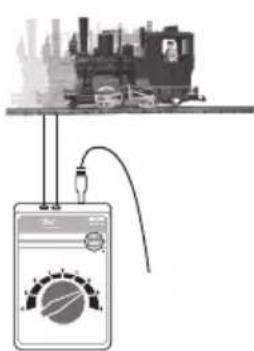
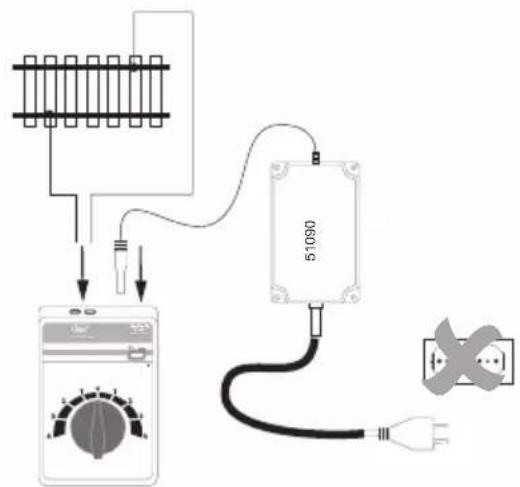
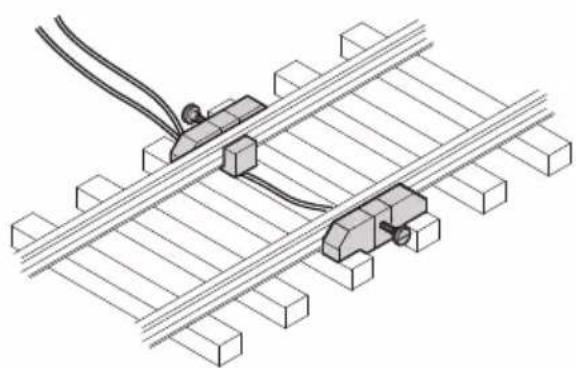
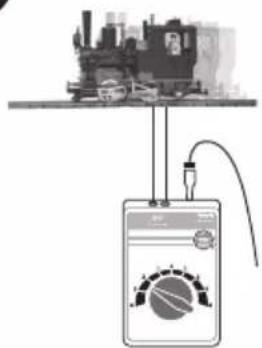
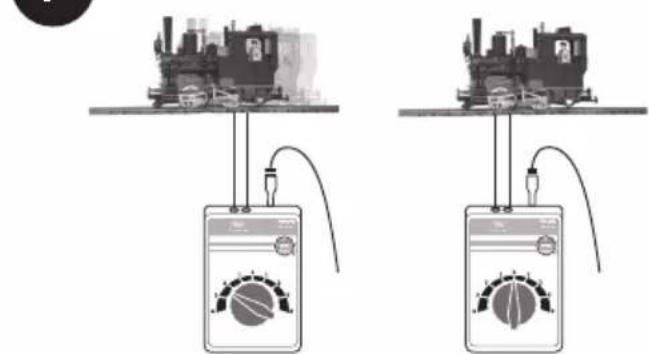
Screw the terminal clips to the track. Connect the red wire and the blue wire to the locomotive controller. (See Figures 1-7, Page 9)

Important Note:
The train controller may only be connected to the power pack included with the set. The use of other power packs or transformers is not authorized!
2.2 Connecting the Train Controller to the Power Pack
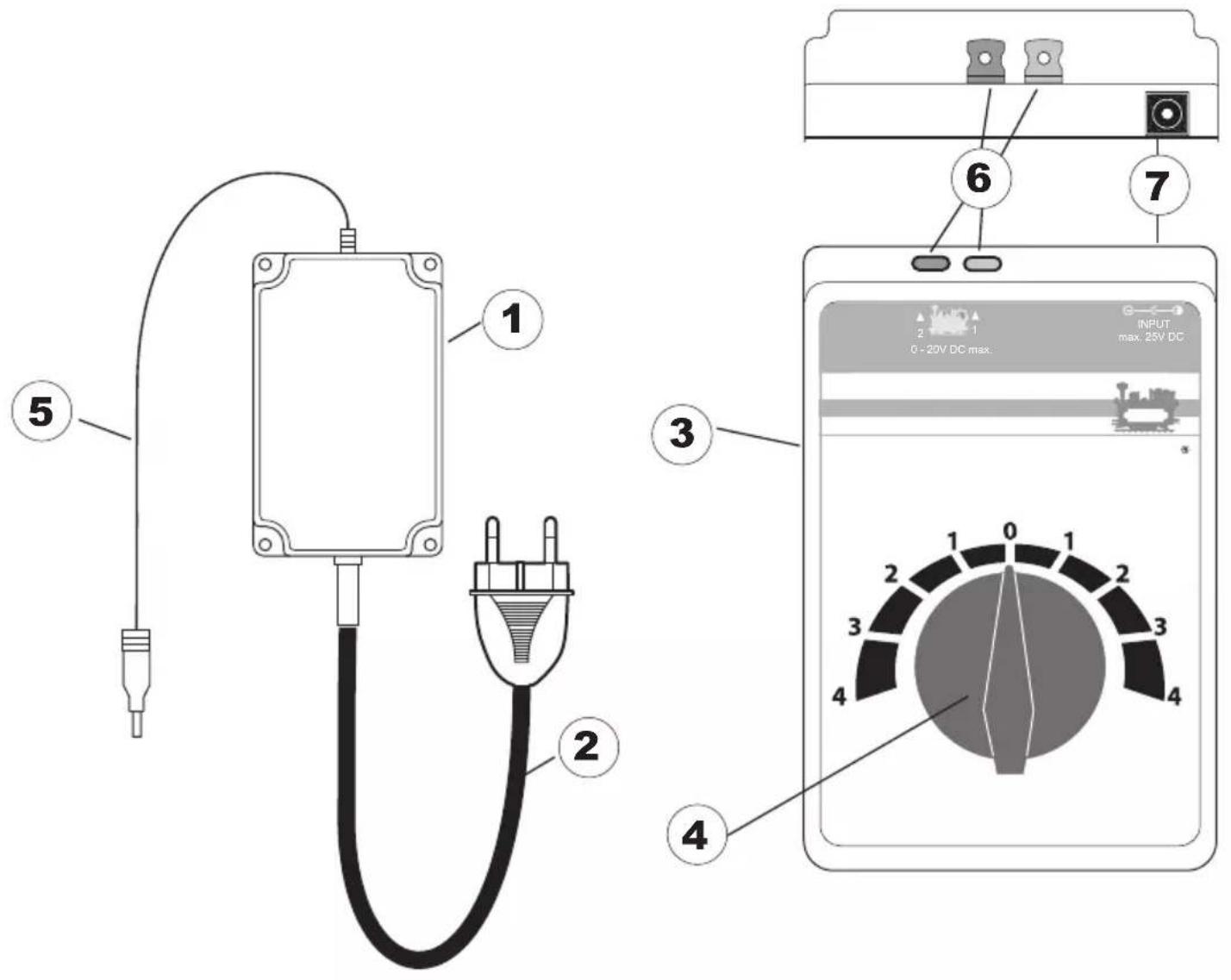
The locomotive controller needs the switched mode power pack for power. Therefore only the switched mode power pack (1) may be plugged with the cable (5) into the socket of locomotive controller (7) – see illustrations on Page 8, Figure 5 on Page 9.
Caution! You must never have two power packs and train controllers connected to the same power circuit (track circuit) at the same time.
2.3 Connections for the Power Pack
The power pack may not be plugged into the wall outlet until the wiring for the layout is finished.
2.4 Technical Data
See the specifications plate on the power pack.
Power Pack • Train Controller
1 - Power Pack
2 - Connection plug
3 - Train controller
4 - Speed controller
5 - Connection: Control Boxes
6 - Connection: Track
7 - Connection: Power Pack
text_image
Diagram showing electrical connection and multimeter dial with labeled components2.5 Setup
text_image
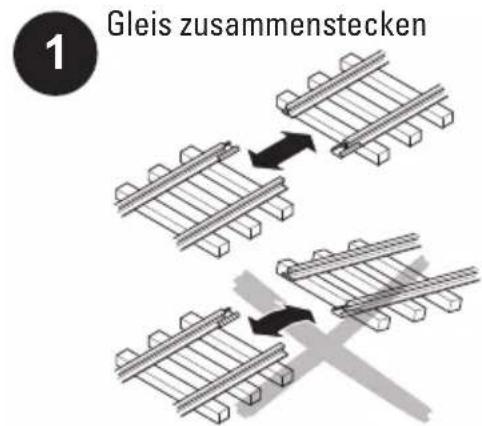
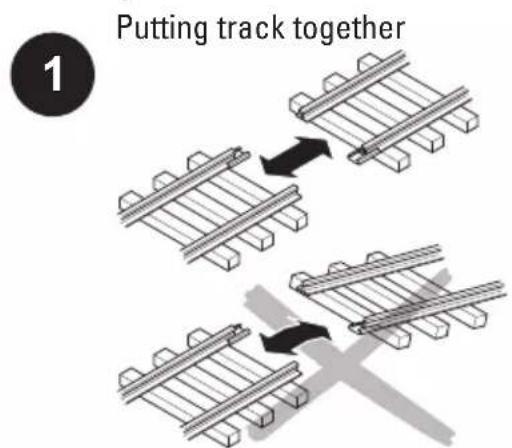
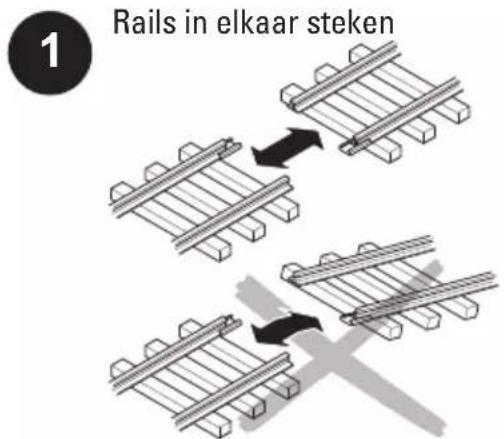
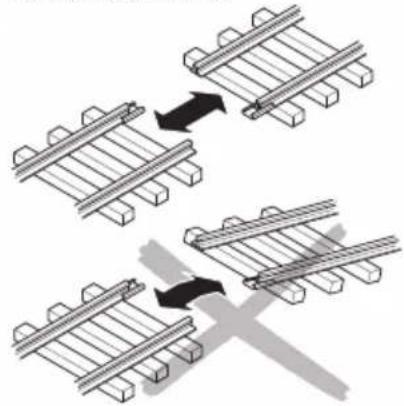
Putting track together 13 Setting up track
text_image
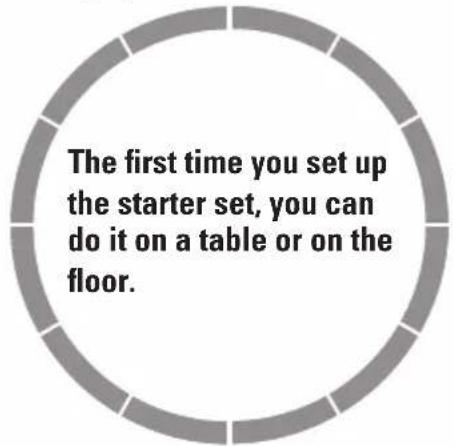
The first time you set up the starter set, you can do it on a table or on the floor.5 Connecting track to the locomotive controller and the switched mode power pack
text_image
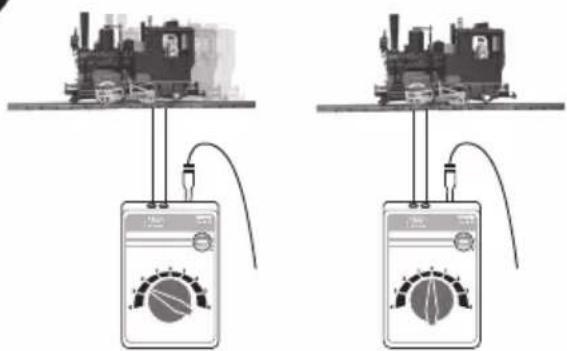
Electrical wiring diagram showing connections between a multimeter, 51090 microcontroller, and power outlet with switch.7 Running the train
text_image
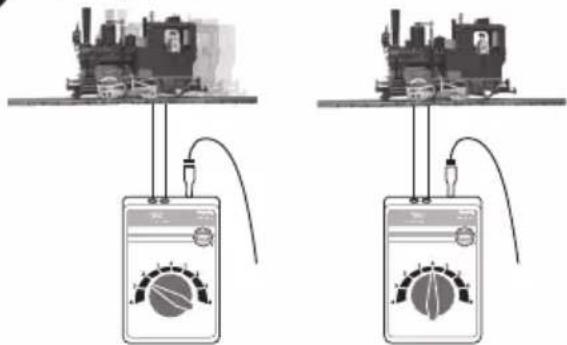
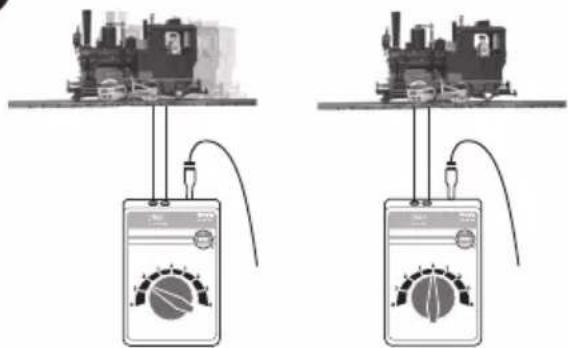
Diagram showing two electrical setups with steam locomotive, connected to a multimeter displaying a reading dial.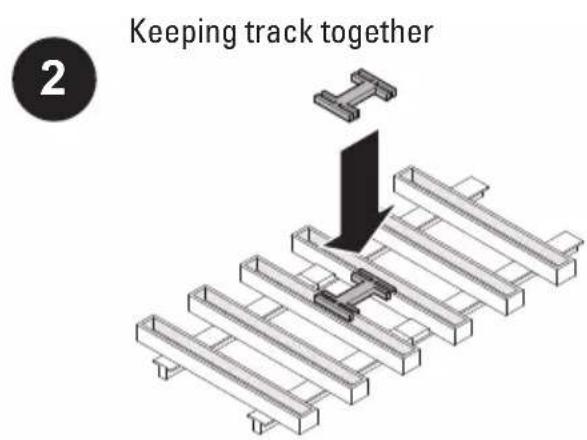
text_image
Keeping track together 24 Wire connections for track
natural_image
Isometric technical diagram of a mechanical assembly with two connected components mounted on parallel beams (no text or symbols)6 Connecting the switched mode power pack to the wall outlet
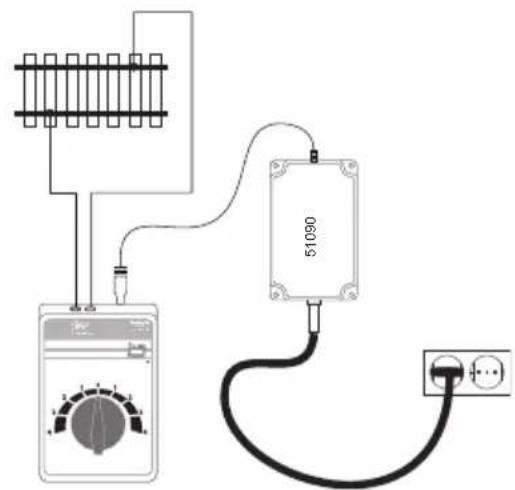
text_image
Electrical circuit diagram showing connections between a multimeter, a 51090 component, and an electrical outlet with power lines.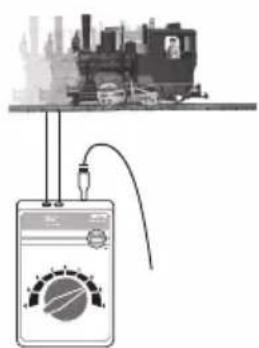
text_image
Diagram showing a device connected to a train station with a meter reading, likely illustrating a physics experiment setup.3. Short Circuit or Overload
Overload Protection
A built-in overload protection protects the power pack in the event of an overload or a short circuit. The locomotives will come to a stop, solenoid accessories cannot be controlled, and all lamps/lights connected to the layout will go out.
The following procedure is recommended:
- Unplug the power pack from the wall outlet.
- Look on the layout for the cause of the short circuit and correct it.
- After about 1 minute the overload protection will go back to regular operation. After this period of time has passed, the power pack can be used again.
If the power pack shuts off again without a short circuit being found, then the power pack is overloaded. In this situation the number of users on the layout (locomotives, solenoid accessories, and lamps/lights) must be reduced.
4. Trouble Running the Train
- If the locomotive does not run, check to make sure that the connections (see setup) are correct or that the wire insulation was pushed into the terminal or that the switched mode power pack is plugged into the power outlet.
- If the locomotive becomes damaged, do not use the locomotive anymore. If car becomes damaged, remove this car from the train and do not use it anymore.
5. Cleaning and Maintenance
- Check to see if hair or dirt gets on the axles on the train and remove this hair or dirt from the axles with the help of a pair or tweezers so that the train runs correctly.
- Der Zug kann mit einem trockenen, fusselfreien Tuch oder einem weichen Pinsel gereinigt werden.
• Additional information about servicing your locomotive can be found in the instructions for it.
6. Disposing
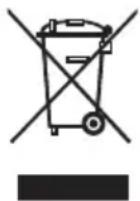
Products marked with a trash container with a line through it may not be disposed of at the end of their useful life in the normal household trash. They must be taken to a collection point for the recycling of electrical and electronic devices. There is a symbol on the product, the operating instructions, or the packaging to this effect. The materials in these items can be used again according to this marking. By reusing old devices, materially recycling, or recycling in some other form of old devices such as these you make an important contribution to the protection of our environment. Please ask your city, town, community, or county authorities for the location of the appropriate disposal site.
7. Warranty
The warranty card included with this product specifies the warranty conditions.
- Please contact your authorized Märklin dealer for repairs or contact:
text_image
Diagram showing electrical connection and multimeter dial with labeled components2.5 Montage
text_image
Electrical wiring diagram showing connections between a multimeter, switch, and power outlet with labeled component 510907 Rouler
text_image
Diagram showing two electrical setups with steam locomotive, connected to analog meters displaying a dial and meter reading.natural_image
Isometric technical diagram of a railway track with two connected components (no text or symbols)text_image
Electrical circuit diagram showing connections between a multimeter, 51090 microcontroller, and power outlet with wiring.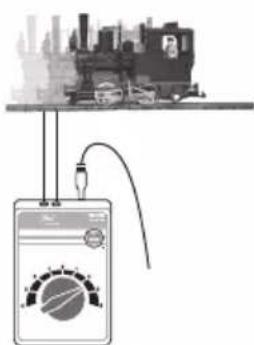
text_image
Diagram showing a device connected to a train station with a dial and signal waveform, likely illustrating a physics experiment setup.3. Court-circuit ou surcharge
text_image
Diagram showing electrical connection setup with labeled components including power supply, meter, and terminal connections2.5 Opbouw
text_image
Diagram showing a circuit setup with a meter and connected to a train station, featuring a digital display with a gauge.3. Kortsluiting of overbelasting
Overbelastingbeveiliging
text_image
Diagram showing electrical connection setup with labeled components including a power plug, switch, and digital multimeter display.2.5 Montaje
1
Ensamblar la vía
natural_image
Diagram showing three sequential steps of a railway track system with directional arrows indicating movement (no text or symbols present)3
Montar la vía
text_image
Electrical wiring diagram showing connections between a multimeter, 51090 sensor, and power plug with switch.7
Conducir
text_image
Diagram showing a circuit setup with a train, a switch, and a multimeter displaying a reading dial.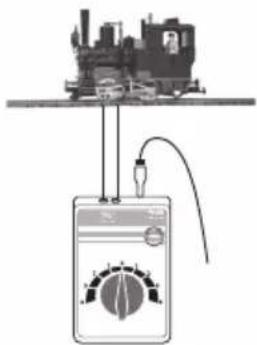
text_image
Diagram showing a steam locomotive connected to a digital multimeter with a dial and probe, illustrating electrical measurement setup.natural_image
Isometric diagram of a mechanical assembly with a bracket and force arrow (no text or symbols)natural_image
Isometric technical diagram of a railway track system with two connected components (no text or symbols)text_image
Electrical circuit diagram showing connections between a multimeter, 51090 microcontroller, and power outlet with wiring.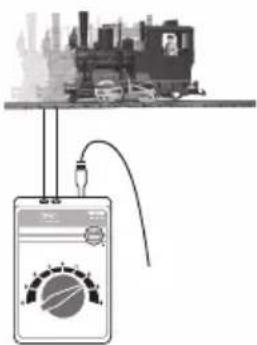
text_image
Diagram showing a circuit setup with a meter and connected to a city skyline, likely illustrating an electrical or measurement system.3. Cortocircuito o sobrecarga
natural_image
Diagram showing three steps of a railway track system with directional arrows indicating movement (no text or symbols)text_image
Electrical circuit diagram showing connections between a multimeter, switch, and power outlet with labeled component 510907 Far marciare
text_image
Diagram showing two electrical setups with steam locomotives connected to a multimeter displaying analogs and measurement scales.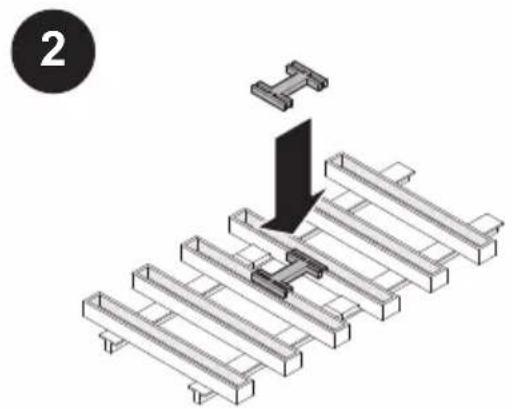
natural_image
Isometric diagram of a mechanical assembly with a T-shaped component inserted into a grid-like structure (no text or symbols)natural_image
Isometric technical diagram of a railway track system with two connected components (no text or symbols)text_image
Circuit diagram showing connections between a multimeter, 51090 microcontroller, and power outlet with wiring labels