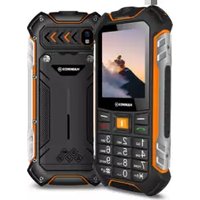
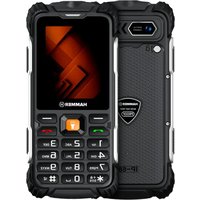
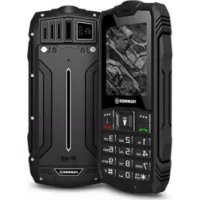
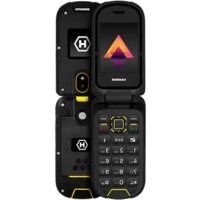
USER MANUAL Boost LTE Hammer
-WODA I INNE PŁ YNY-
Wymiary: 137.2 x 64.9 x 22.5 mm
Waga: 204 g
Obstuga kart pamięci: do 64 GB
natural_image
Symbol of a trash bin with crossed lines indicating no waste or discharge, and a solid black rectangle below (no text or labels)
natural_image
Simple line drawing of a trash bin with crossed lines indicating no waste or restriction (no text or symbols)
This manual includes the different colour versions of the device.
SAFETY
Read these guidelines carefully. Not following them may be dangerous or illegal. Depending on the installed version of the software, service provider, SIM card or country, some of the descriptions in this manual may not match your phone, and the phone itself and its accessories might differ from the one included in the illustrations in this manual.
-DO NOT RISK-
All wireless devices may cause interferences, which could affect the quality of other connections. Do not switch the device on in places which are prohibited from using cell phones, or when it may cause interferences or other dangers. Always abide by any kinds of prohibitions, regulations and warnings conveyed by the staff.
-ROAD SAFETY-
Do not use this device while driving any kind of vehicle.
—RESTRICTED AREAS—
Switch OFF your telephone in an airplane since it may disturb the operation of other equipment located therein.
The phone may interfere with operation of the medical equipment in hospitals and health protection entities. Abide by any kinds of prohibitions, regulations and warnings conveyed by the medical staff or warning sings.
-QUALIFIED SERVICE-
Only qualified personnel or an authorized service center may
install or repair this product. Repairing by an unauthorized or unqualified service may cause phone damage and warranty loss.
-BATTERY AND ACCESSORIES-
Avoid exposing the battery to very high/low temperatures (below 0^ C/ 32^ F and over 40^ C/ 104^ F). Extreme temperatures may influence capacity and battery life. Also, protect the battery from contact with liquids and metal objects. It may cause partial or complete battery damage.
Use the battery only according to its intended purpose. Do not destroy, impair or throw the battery into flames - it is dangerous and may cause fire. Worn-out or impaired battery should be placed in a dedicated container. Never open the battery. Excessive charging the battery can cause damage and fire. Therefore a single battery charge should not last longer than 12 hours. Disconnect an unused charger from power grid. In case of the charger wire damage, it should not be repaired but replaced with a new one. Use only the original producer's accessories that are included in your device set. Installing an incorrect battery type can cause an explosion Please dispose of the battery according to the instructions.
-WATER RESISTANCE-
The device is IP68 certified, which means it is resistant to water and dust when all gaskets are intact and properly installed. Do not intentionally expose the device to water or other liquids, if possible. Water and other liquids do not have a positive effect on the operation of electronic components. After soaking, wipe and dry the device as soon as possible.
Make sure the USB cable is dry before connecting it to the phone's
charging socket. Plugging the cable into a wet or damp outlet exposes it to slow corrosion and may cause problems with charging your phone.
-ALARM CALLS-
Making alarm calls may not be possible in some areas or circumstances. It is recommended to find an alternative way to notify emergency services if you are going to this type of remote areas.
-CHILDREN-
This phone is not a toy. Keep the device and its accessories out of reach of children.
-SOUNDS-
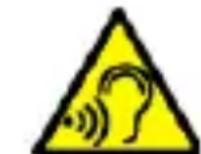
To avoid hearing damage, do not use the device at high volume levels for a long period of time, do not put device directly to the ear.
Manufacturer:
mPTech Ltd.
www.myphone-mobile.com
Produced in China
Table of Contents
Table of Contents 24
Package content 25
Technical Specification 26
Additional technical information....26
The phone, its functions and buttons.... 26
© mPTech 2024. All rights reserved. HF2403_HF2403e EN
Turning the phone on/off 29
Inserting a SIM card, memory card, and the battery 29
Charging the phone 29
Sounds and user profiles....30
Lock the phone ....30
Calling....30
Answering....30
Text messages....30
Creating and sending text messages....30
Messages display....31
Phonebook 31
Adding a new contact....31
Search for a contact....31
Deleting contacts.... 31
Accidental change of language 31
Factory settings 32
Torch....32
Troubleshooting 32
Proper use of the battery 33
Proper phone maintenance ....34
Correct disposal of used equipment 35
Correct disposal of used batteries 35
Package content
Before you start using your phone, make sure all of the following items are included in the box:
- HAMMER phone
- battery
- charger
- screw removal tool
- user manual
If any of the above items is missing or damaged, please contact your dealer. We advise to keep the container in case of any complaints. Keep the container out of reach of children.
Technical Specification
Two SIM card slots; hands-free mode; flashlight; 2 Mpx camera;
FM radio
Display: 2.4", 240x320 pixel
Battery capacity: 3500 mAh
Dimensions: 137.2 x 64.9 x 22.5 mm
Weight: 204 g
Memory card support: up to 64 GB
Input/output parameters Chargers: 100-240V\~ 0.2A, 50/60Hz
Output parameters Chargers: 5.0V -1.0A, 5.0W
Average efficiency during operation (for 230V, 50hz): 75.33%
Energy consumption in no-load condition: less than 0.3W
The phone will store up to 2000 contacts in the phonebook, and its internal memory stores up to 200 text messages. To use the camera and enter your own ringtones, it is recommended to mount the SD memory card in your phone.
The phone, its functions and buttons
| 1 | Speaker | A speaker used in phone conversations. |
| 2 | LED | Diode is used as a torch. |
| 3 | Camera | Camera lens. |
| 4 | LED | Diode used as a camera flashlight. |
| 5 | External speaker | Loudspeaker for system sounds, ringtones, music. |
| 6 | Display | LCD display. |
| 7 | OK button (Torch) | While in the main screen – allows to enter the Menu, and confirms choices made in the menu. Pressing it for 2 seconds allows you to turn the torch on or off. |
| 8 | button | While in the main screen enables entering the Menu, and confirms choice while in the Menu. Allows to lock/unlock the phone's keyboard. |
| 9 | button | On the Main screen, launch the Phonebook. While in the menu you can exit or opt out. |
| 10 | button | Allows you to receive an incoming call or look through the list of all calls. |
| 11 | button | Allows you to reject an incoming call. While in the menu allows you to return to the main screen. While on the main screen it allows to turn off the display or, turn the phone off or on again. |
| 12 | Navigation button Up / Down / Left/ Right | While in menu enables navigating around the menu. On the Home screen, Up, opens the Message menu, and Down Camera,Right -alarm clock, Left - the calendar. |
| 13 | Phone keypad | Keys enabling dialling the phone number in the home screen, and entering the letters and numbers of the message body in the SMS writing mode. |
| 14 | Headphone port (minijack 3.5 mm) (under a rubber flap) | It allows you to connect headphones to your phone, so you can listen to the radio (improve the quality of reception - act as an additional antenna), music, and also make calls (when headphones are equipped with a microphone). |
| 15 | USB-C port (under a rubber flap) | Allows to charge the phone, When connected to the computer allows to send data (videos, music, photos). |
| 16 | <*> button | Used to volume down in multimedia. While writing text messages shows insertable symbols. |
| 17 | <#> button | Used to volume up in multimedia. Enables switching sound modes and modes of signs inserting while creating test messages. |
| 18 | Screws | Protect the battery bay cover. |
| 19 | Battery bay cover | Protects the battery from falling out and from water. |
| 20 | Microphone | Do not cover it with your hand while on the phone. |
Turning the phone on/off
To turn the phone on/off press and hold the Red handset button. If directly after turning the phone on you will see the code request, (in form of “*****”) type the code and press Menu button.
Inserting a SIM card, memory card, and the battery
If the phone is switched on - switch it off. Unscrew the screws securing the battery compartment cover and remove it. Insert the SIM card/s - Card/s is/are supposed to be placed with its gold contacts facing down, the way in which the slot is embossed. Insert the memory card. To open the flip of the card reader slide it delicately aside. Insert the microSD memory card with its gold contacts facing down, the way in which the slot is embossed. Close the flap by sliding it slightly in the opposite direction than when opening. Insert the battery so that its gold contacts touch the tripple connector in the phone bay. Make sure the flap and the rubber are intact and not damaged. Replace and gently press the flap and tighten the retaining screws.
Charging the phone
Connect the USB-C charger to the charger connector on your phone, then connect the charger plug into the power grid.
*Attention: Improper connection of the charger can cause serious damage to the phone. Damages caused by an improper use of the
phone are not covered by the warranty. The icon (or similar) will appear during charging and when the battery is fully charged. When charging is complete unplug the charger from the power outlet. Unplug the cable from the socket on the phone.
Sounds and user profiles
To change sound profile select: [Menu] > [Settings] > [Profiles]. Select the desired profile and press [OK] to activate the selected profile, or press the [Options] > [Settings] button to edit the profile according to your preferences. To save the changes press [Finish].
Lock the phone
To lock the keyboard press [Menu] > <*> To unlock the keyboard press [Unlock] > <*>
Calling
Enter the number to the main screen using the numeric keypad. We recommend that you enter the area code prior to the telephone number. When the phone is closed, unlock the phone without sliding it and select a contact from the phonebook - [Contacts]. Press Green handset to start the call. Press Red handset, to finish the call.
Answering
Press or [Answer] to answer an incoming call.
Press , to finish/ reject the call.
Text messages
Creating and sending text messages
Enter: [Menu] > [Messages] > [OK] > [Options] > [New message]. The phone is not equipped with a dictionary. <#> button is used to change the writing mode. You can choose from, among others Abc - the first letter will be capital, the rest lower case, abc - only
lowercase, ABC - only uppercase, 123 - digits only. To enter a special character i.e. period, comma, dash, etc., press * and choose from the list, or press the 1 a number of times. To enter a space between the words press <0> button. After entering the number/choosing a contact enter: [Send], to send the message.
Messages display
Enter: [Menu] > [Messages] > [Inbox], choose a message from the list and select [View] to see the message itself.
Phonebook
Enter [Menu] > [Phonebook] > [Options] > [New]. Select the location of your contact: on the SIM card or on the phone. Enter the contact details: name, phone number. Press [Save] to save the contact.
Enter [Menu] > [Phonebook]. Enter the first letter of the contact. Phone numbers beginning with that letter will appear in the list. To find another contact use navigation buttons or .
To delete a single contact enter search for the contact you wish to erase and enter [Options] > [Delete]. Confirm or cancel chosen action.
Accidental change of language
To set the language of the user, if someone accidentally chooses an unknown language, press the [Menu] > Up > OK > Down >
OK > Down > OK > OK and then select the desired menu language.
Factory settings
To get back to factory settings enter [Settings] > [Restore factory settings]. Password required to restore the factory settings is 1122.
Torch
To turn the flashlight on or off, activate the keypad and press the "OK" (flashlight) key on the home screen for 2 seconds.
Troubleshooting
| Message | Possible solution |
| Insert SIM card | Make sure SIM card has been correctly installed. |
| Input PIN | If the SIM card is secured with the PIN code you have to enter the PIN when turning the phone on and press <OK>. |
| Network fail | In areas where signal or reception is weak, calls may not be possible. Also receiving calls may not be possible. Move to another location and try again. |
| Poor sound quality while on the phone | Make sure that the speaker and mic. are not covered. |
| No one can call me | The phone has to be on and within GSM network reach. |
| I cannot hear the caller / The caller cannot hear me | The mic. should be close to mouth.Check if the built-in mic. is not covered.When a headset is un use, check if it ho been connected correctly.Check if the built in speaker isn't covered. |
| The connection cannot be established | Check if the typed-in phone number is correct.Check if the phone number entered to the [Phonebook] is correct.Enter the correct phone number if necessary. |
Proper use of the battery
Battery in this device can be charged with a charger. If the level of energy in the battery is low, recharge it. To prolong battery life, let it discharge beneath 20% of the battery capacity before connecting the phone charger and charge it up to 100%. If not used, unplug the charger from the phone.
Excessive charging causes shortened battery life. The battery temperature affects the quality of charging. Before the charging process starts, lower or raise the temperature to be close to room temperature (approx. 20°C). If the battery temperature exceeds 40°C the battery must not be charged! If the battery overheats, the device will display an appropriate message. The battery lifespan can be shortened, if it has been exposed to very low or very high temperatures - this causes interference to the phone, even when the battery has been properly charged. Use the battery only according to its intended purpose. Avoid leaving the battery within a magnetic field range, because it shortens its life.
Do not use a damaged battery. Do not throw the battery into flames! Do not throw away a worn-out battery - send it or return it to an authorized recycling point.
Proper phone maintenance
To extend the life of your phone, follow the guidelines. Keep the phone and its accessories out of reach of children. Avoid using the phone in high and low temperatures; it can shorten the life of phone electronic components, melt the plastic parts and destroy the battery. Do not try to disassemble the phone. Tampering with its structure in an unprofessional manner may cause serious damage to the phone or destroy it completely. For cleaning use only a dry cloth. Never use any agent with a high concentration of acids or alkalis. Use only original accessories because violation of this rule may result in invalidation of the warranty. Exposing the phone to extreme temperatures can reduce the level of protection. It is recommended that the phone is not used at temperatures below 0°C/32°F or higher than 40°C/104°F.
| Attention | Statement |
| The manufacturer is not responsible for any consequences caused by improper usage of the phone and not obeying the above instructions. | The software version can be upgraded without earlier notice.The representative retains the right to determine the correct interpretation of the above instructions. |
Correct disposal of used equipment
natural_image
Symbol of a trash bin with crossed lines indicating no waste, and a solid black rectangle below (no text or labels)
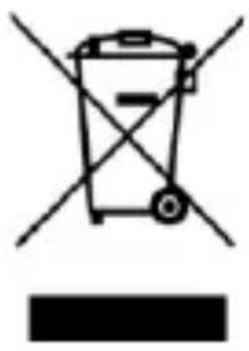
The device is marked with a crossed-out garbage bin, in accordance with the European Directive 2012/19/EU on used electrical and electronic Equipment (Waste Electrical and Electronic equipment - WEEE). Products marked with this symbol should not be disposed of or dumped with
other household waste after a period of use. The user is obliged to get rid of used electrical and electronic equipment by delivering it to designated recycling point in which dangerous waste are being recycled. Collecting this type of waste in designated locations, and the actual process of their recovery contribute to the protection of natural resources. Proper disposal of used electrical and electronic equipment is beneficial to human health and environment.
To obtain information on where and how to dispose of used electrical and electronic equipment in an environmentally friendly manner user should contact their local government office, the waste collection point, or point of sale, where the equipment was purchased.
Correct disposal of used batteries
natural_image
Simple line drawing of a trash bin with crossed lines indicating no waste or discharge (no text or symbols)
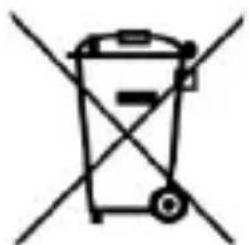
According to the EU directive 2006/66/EC with changes contained in EU directive 2013/56/UE on the disposal of batteries, this product is marked with crossed-out garbage bin symbol. The symbol
indicates that the batteries used in this product should not be disposed with regular household waste, but treated according to the legal directives and local regulations. It is not allowed to
dispose of batteries and accumulators with unsorted municipal waste. Users of battery and accumulators must use the available collection points of these items, which allows them to return, recycle and disposal.
Használati útmutató
HAMMER HF2403\_HF2403e
natural_image
Simple line drawing of a trash bin with crossed lines indicating no waste or discharge (no text or symbols)
natural_image
Simple line drawing of a trash bin with crossed lines indicating no waste or restriction (no text or symbols)
natural_image
Simple line drawing of a trash bin with crossed lines indicating no waste or discharge (no text or symbols)
natural_image
Simple line drawing of a trash bin with crossed lines indicating no waste or restriction (no text or symbols)
natural_image
Simple line drawing of a trash bin with crossed lines indicating no waste or discharge (no text or symbols)
natural_image
Simple line drawing of a trash bin with crossed diagonals (no text or symbols)
-SUONI-
2 Megapixel, radio FM
Schermo: 2,4", 240x320 px
natural_image
Simple line drawing of a trash bin with crossed lines indicating no waste or discharge (no text or symbols)
natural_image
Simple line drawing of a trash bin with two crossed lines indicating no waste or discharge (no text or symbols)
www.myphone-mobile.com
natural_image
Simple line drawing of a trash bin with crossed lines indicating no waste or discharge (no text or symbols)
natural_image
Simple line drawing of a trash bin with no text or symbols
Dimensions: 137.2 x 64.9 x 22.5 mm
Poids: 204 g
natural_image
Symbol of a trash bin with crossed lines indicating no waste or discharge, and a solid black rectangle below (no text or labels)
natural_image
Simple line drawing of a trash bin with no text or symbols
natural_image
Symbol of a trash bin with crossed lines indicating no waste or discharge, and a solid black rectangle below (no text or labels)
natural_image
Simple line drawing of a trash bin with crossed lines indicating no waste or restriction (no text or symbols)
-SONIDOS-
natural_image
Simple line drawing of a trash bin with no text or symbols

natural_image
Simple line drawing of a trash bin with two crossed lines indicating no waste or restriction (no text or symbols)
natural_image
Simple line drawing of a trash bin with no text or symbols
natural_image
Symbol of a trash bin with crossed-out lanes and a blank rectangular base (no text or labels)
Site web: www.myphone-mobile.com
Produs în China
Cuprins
Cuprins ....193
natural_image
Simple line drawing of a trash bin with crossed lines indicating no waste or restriction (no text or symbols)
natural_image
Simple line drawing of a trash bin with two crossed lines indicating no text or symbols (no text or labels)
natural_image
Simple line drawing of a trash bin with crossed lines indicating no waste or discharge (no text or symbols)
00-511 Warsaw, Poland
Website: www.myphone-mobile.com
Produced in China
Turinys
Turinys 218
Komplektacija 219
Techniniai parametrai....219
natural_image
Symbol of a trash bin with crossed lines indicating no waste or discharge, and a solid black rectangle below (no text or labels)
natural_image
Symbol of a trash bin with crossed lines indicating no waste or restriction (no text or labels)
www.myphone-mobile.com
Произведено в Китай
Съдържание
Съдържание....4
natural_image
Simple line drawing of a trash bin with crossed lines indicating no waste or discharge (no text or symbols)
natural_image
Simple line drawing of a trash bin with crossed lines indicating no waste or restriction (no text or symbols)
natural_image
Simple line drawing of a trash bin with crossed lines indicating no waste or discharge (no text or symbols)

natural_image
Simple line drawing of a trash bin with two crossed lines indicating no waste or restriction (no text or symbols)