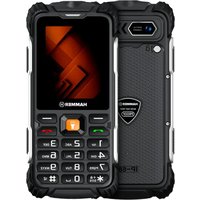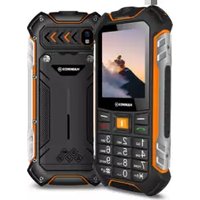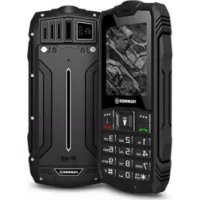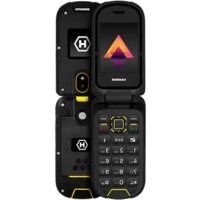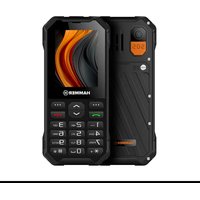
6 LTE - Phone Hammer - Free user manual and instructions
Find the device manual for free 6 LTE Hammer in PDF.


User questions about 6 LTE Hammer
0 question about this device. Answer the ones you know or ask your own.
Ask a new question about this device
Download the instructions for your Phone in PDF format for free! Find your manual 6 LTE - Hammer and take your electronic device back in hand. On this page are published all the documents necessary for the use of your device. 6 LTE by Hammer.
USER MANUAL 6 LTE Hammer
—POŁĄCZENIA ALARMOWE—
natural_image
Yellow triangular warning sign with an eye and sun symbol (no text)—WZROK—
—DŹWIĘKI—
4G/LTE: 800/900/1700/1800/2100/2500/2600 MHz
GPRS/Edge/HSPA/LTE, WLAN, Radio FM, Bluetooth 5.0, SOS
natural_image
Simple line drawing of a trash bin with no text or symbolsnatural_image
Simple line drawing of a trash bin with two crossed lines indicating no waste or prohibition (no text or symbols)https://www.hammerphones.com/support-warranty
Read these guidelines carefully. Not following them may be dangerous or illegal. Depending on the installed version of the software, service provider, SIM card or country, some of the descriptions in this manual may not match your phone, and the phone itself and its accessories might differ from the one included in the illustrations in this manual.
—DO NOT RISK—
All wireless devices may cause interferences, which could affect the quality of other connections. Do not switch the device on in places which are prohibited from using cell phones, or when it may cause interferences or other dangers. Always abide by any kinds of prohibitions, regulations and warnings conveyed by the staff.
—ALARM CALLS—
Making alarm calls may not be possible in some areas or circumstances. It is recommended to find an alternative way to notify emergency services if you are going to this type of areas.
—RESTRICTED AREAS—
Switch OFF your telephone in an airplane since it may disturb the operation of other equipment located therein. The phone may interfere with operation of the medical equipment in hospitals and health protection entities. Abide by any kinds of prohibitions, regulations and warnings conveyed by the medical staff or warning sings.
—ROAD SAFETY—
Do not use this device while driving any kind of vehicle.
—PETROL STATIONS—
Always turn off the phone while refueling your car on petrol station. Do not use your device close to chemicals.
—QUALIFIED SERVICE—
Only qualified personnel or an authorized service center may install or repair this product. Repairing by an unauthorized or unqualified service may cause device damage and warranty loss.
—CHILDREN AND PHYSICALLY OR MENTALLY DISABLED PEOPLE— This device should not be operated by people (including children) with limited physical or mental abilities, as well as by people with no earlier experience in operation of electronic equipment. They may use the device only under supervision of people responsible for their safety. This device is not a toy. Memory card and SIM card are small enough to be swallowed by a child and cause choking. Keep the device and its accessories out of reach of children.
—WATER AND OTHER LIQUIDS—
The device has resistance certificate IP68. It means that the device is dust-proof and waterproof when all of the rubber seals are intact and properly put in place, as well as when the cover is properly tightened with screws and the speakers membranes are intact (not contaminated with i.e. metal dust). We also advice not to expose the phone to water or other fluids for no good reason. Water and other fluids do not have a positive effect on phone electronic components. If wet, wipe and dry the device as soon as possible. Make sure the USB cable is dry before connecting it to the phone's charging socket. Plugging the cable into a wet or damp outlet exposes it to slow corrosion and may cause problems with charging your phone. If the following rules are not obeyed and a case of improper use is observed all the complaints concerning the device not being water- or dustproof will not be taken into consideration.
—BATTERY AND ACCESSORIES—
Avoid exposing the battery to very high/low temperatures (below 0^ C/ 32^ F and over 40^ C/ 104^ F). Extreme temperatures may influence capacity and battery life. Avoid contact with liquids and metal objects as it may cause partial or complete battery damage. The battery should be used only according to its purpose. Do not destroy, impair or throw the battery into flames - it is dangerous and may cause fire. Worn-out or impaired battery should be placed in a dedicated
container. Excessive charging the battery can cause damage. Therefore a single battery charge should not last longer than 1 day. Installing an incorrect battery USB-Can cause an explosion. Never open the battery. Please dispose of battery according to the instructions. Disconnect an unused charger from power grid. In case of the charger wire damage, it should not be repaired but replaced with a new one. Use the original manufacturer's accessories only.

natural_image
Yellow triangular warning sign with a stylized eye and sun symbol (no text)—EYESIGHT—
To avoid eyesight damage do not look closely onto the torch diode during its work. A strong bean of light may cause permanent eye damage!
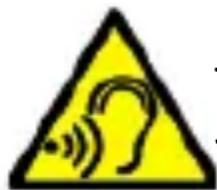
—SOUNDS—
To avoid hearing damage, do not use the device at high volume levels for a long period of time, do not put operating device directly to the ear.
Manufacturer:
mPTech Ltd.
00-511 Warsaw, Poland
Website: www.myphone-mobile.com
Table of Contents
Table of Contents ......24
Package content 25
Technical specification ....26
The phone, its functions and buttons....26
Turning the phone on/off....29
Inserting a SIM card, memory card, and the battery....29
Charging the battery....29
Sounds and user profiles ....30
Lock the phone ....30
Calling....30
EN © 2025 mPTech. All rights reserved.
HAMMER 6 LTE
Answering....30
Creating and sending messages....31
SMS 31
MMS....31
Messages display....32
Phonebook 32
Adding a new contact....32
Search for a contact....32
Deleting contacts....32
Accidental change of language 32
Factory settings 32
Torch 32
Troubleshooting ....33
Proper use of the battery ....33
Proper phone maintenance....34
Safety information ....34
Road safety....34
Surroundings security....35
Correct disposal of used equipment....36
Correct disposal of used batteries....36
Package content
We advise to keep the container in case of any complaints. Keep the container out of reach of children.
Technical specification
2G: 900/1800 MHz
3G: 900/2100 MHz
4G/LTE: 800/900/1700/1800/2100/2500/2600 MHz
Easy-to-read color main display 2.4" 240x320
GPRS/Edge/HSPA/LTE, WLAN, Radio FM, Bluetooth 5.0, SOS
Camera: 2 Mpx + LED
EN © 2025 mPTech. All rights reserved.
HAMMER 6 LTE
Memory: 48 MB+128 MB
Connectors: USB-C, Jack 3.5 mm
Battery:
HF2401: Li-ion 2500 mAh, 3.7 V
HF2401e: Li-ion 2300 mAh, 3.7 V
Dimensions: 132 x 60 x 18 mm
Weight: 163 g
Power supply technical specifications:
The power delivered by the charger must be between min 0,04 Watts required by the radio equipment, and max 3,5 Watts in order to achieve the maximum charging speed
The phone, its functions and buttons

| 1 | Speaker | A speaker used in phone conversations. |
| 2 | Camera | Camera lens. |
| 3 | Headphone port minijack 3.5 mm (under a rubber plug) | It allows you to connect headphones to your phone, so you can listen to the radio (improve the quality of reception - act as an additional antenna), music, and also make calls (when headphones are equipped with a microphone). |
| 4 | LEDs | Torch. |
| 5 | Torch On / Off | Turning the torch ( LED diode) on / off. |
| 6 | Volume buttons | Enables adjusting volume of phone tones, audio player and FM radio. |
| 7 | Display | LCD display. |
| 8 | button, | Thebutton on the home screen allows you to enter the Menu, where it confirms your selection.The direction keys in the menu allow you to navigate through it. On the home screen it activates:- audio player,- camera. |
| 9 | Screws | Attach the cover under which the battery, SIM cards and memory card are all placed. |
| 10 | button | While on the main screen enables entering the Menu, and confirms choice while in the Menu. Locks and unlocks the phone keypad. |
| 11 | button | On the Mainscreen, launch the Phonebook. While in the menu you can exit or opt out. |
| 12 | button | Allows you to receive an incoming call or look through the list of all calls. |
| 13 | <Red handset> button | Allows you to reject an incoming call. While in the menu allows you to return to the main screen. While on the mainscreen it allows to turn off the display or, turn it off or on again. |
| 14 | Phone keypad | Keys enabling dialling the phone number in the home screen, and entering the letters and numbers of the message body in the SMS writing mode. |
| 15 | External speaker | Loudspeaker for system sounds, ringtones, music. |
| 16 | Microphone | Do not cover it with your hand while on the phone. |
| 17 | USB-C port (under a rubber plug) | When connected, the charger enables recharging the battery. You can transfer data (photos, videos, music) when you connect it to your computer. |
| 18 | <*> button | Use this option to decrease the volume in multimedia applications. When writing an SMS, it displays symbols for insertion into the content. |
| 19 | <#> button | Use this option to increase the volume in multimedia applications. Allows you to switch between sound modes and character input modes when writing text messages. |
| 20 | Flash | Serves as a flash during photography. |
| 21 | SOS button | Triggers a loud alarm and a system to send an SMS with information (entered by the user) to pre-designated people and calls them. The factory-entered emergency number is 112. |
| 22 | Lanyard attachment | Allows you to attach a lanyard to your phone. |
| 23 | Safety valve | Safety valve (Do not insert anything) |
Turning the phone on/off
To turn the phone on/off press and hold the
Inserting a SIM card, memory card, and the battery
If the phone is switched on - switch it off. Take off the back lid of the cover – unscrew the screws fixing the lid by using a flat screwdriver or the tool attached.
Insert one or two nanoSIM cards with its gold contacts facing down, the way in which the slot is embossed. Insert the memory card with its gold contacts facing down, the way in which the slot is embossed. The maximum supported capacity of the memory card is 32 GB. Insert the battery - the battery should be placed in such a way that the gold contacts touch the connector placed to the right from micro SD card. Replace the battery cover: put it back in place - pay attention to rubber gasket – and tighten the screws. To remove the batteries, perform these actions in reverse order.
Charging the battery
To expose the telephone connectors on the side, pry the rubber plug on the phone with your nail. Plug in the USB-C cable to USB-C connector in the phone then connect USB connector to the adapter and to low voltage grid.
*Attention: Improper connection of the charger cable can cause serious damage to the phone and/or the charger. Damage caused by improper use of the phone and its accessories is not covered by the warranty.
While charging, a static icon of battery state located in upper right corner of the screen will become animated. When charging is complete unplug the charger from the power outlet. Unplug the cable from the socket on the phone.
Sounds and user profiles
To change sound profile select: [Menu] > [Settings] > [Sound profiles]. Select the desired profile and press [Options] > [Activate], to activate the selected profile, or press the [Options] > [Activate] button to edit the profile according to your preferences.
Lock the phone
To lock the keyboard press [Menu] > <*> To unlock the keyboard press [Unlock] > <*>.
Calling
Method 1:
Unlock your phone and enter the number to the main screen using the numeric keypad.
Press
Press
We recommend that you enter the area code prior to the telephone number.
Method 2:
Unlock your phone and select a contact from the phonebook - [Phonebook].
Press
Press
Answering
Press
Creating and sending messages
SMS
Enter: [Menu] > [Messages] > [New message] > [SMS]. Type in the message using the keypad. Sings are typed in letter by letter. The phone is not equipped with a dictionary. <#> button is used to change the writing mode. You can choose between the following modes: Abc - the first capital letter and the rest lowercase, abc - only lowercase letters, ABC- only uppercase letters, 123 - digits only. To enter a diacritical character i.e. period, comma, dash, etc., press <*> and choose from the list, or press the 1 a correct number of times. To enter a space between the words press 0 button.
When you have entered the message, press [Options] > [Send to] and enter the number using the keypad or add it from the phone list, to do so select [Options] > [Add contact information]. After entering the number/choosing a contact enter: [Options] > [Send], to send the message.
MMS
Please select [Menu], then [Messages], and then [New Message]. Select [MMS]. In the first step, add a receiver, select [Options], then [Add Receiver], and confirm by clicking [OK]. Enter the number using the numeric keypad or add from the contact list by selecting [Up arrow]. Press [OK] to confirm the receiver selection.
You can then add text content to the message. Use [Down Arrow] to move to the "Text" field, then press [5] or start typing the message to open the text field. After typing the text, confirm the message by clicking [OK].
The next tabs will allow you to add media files, such as photos or MP3 files. To add a file, scroll down with the arrows to the desired field, then choose [Options] > [Add] > Select the file you want to add. When everything is completed, press [Options] > [Send] to send the message.
Messages display
Enter: [Menu] > [Messages] > [Inbox] > [OK], choose a message from the list and select [Options] > [View], to see the message itself.
Phonebook
Adding a new contact
Enter [Menu] > [Phonebook] > [Option] > [Add new contact]. Fill in the selected contact details from the available fields: Photo, Name, Phone number, Home number, Default ringtone. Select [Edit] to complete the field, then confirm [OK]. Press [Save] to save the contact.
Search for a contact
Enter [Menu] > [Phonebook]. Enter the first letter of the contact. Phone numbers beginning with that letter will appear in the list. To find another contact use navigation buttons
Deleting contacts
To delete a single contact, go to [Menu] > [Contacts], search for the contact you wish to erase and enter [Options] > [Delete]. Confirm or cancel your choice.
Accidental change of language
To set the language of the user, if someone accidentally chooses an unknown language, press the [Menu] > 5x Down > OK > Down > OK > Down> OK > OK, and then select the desired menu language with the Up/Down arrows and confirm with [OK].
Factory settings
To get back to factory settings enter [Settings] > [Phone] > [Factory settings] and confirm with [OK].
Torch
To turn the torch on or off, press and hold the torch button on the left side of the phone.
Troubleshooting
| Message | Possible solution |
| Insert SIM card | Make sure SIM card has been correctly installed. |
| Input PIN | If the SIM card is secured with the PIN code you have to enter the PIN when turning the phone on and press. |
| Network fail | In areas where signal or reception is weak, calls may not be possible. Also receiving calls may not be possible. Move to another location and try again. |
| Poor sound quality while on the phone | Make sure that the speaker and mic. are not covered. |
| No one can call me | The phone has to be on and within GSM network reach. |
| I cannot hear the caller / The caller cannot hear me | The mic. should be close to mouth. Check if the built-in mic. is not covered. When a headset is un use, check if it has been connected correctly. Check if the built-in speaker isn't covered. |
| The connection cannot be established | Check if the typed-in phone number is correct. Check if the phone number entered to the [Phonebook] is correct. Enter the correct phone number if necessary. |
Proper use of the battery
Battery in this device can be charged with a charger. If the level of energy in the battery is low, recharge it. To prolong battery life, let it discharge beneath 20% of the battery capacity before connecting the phone charger and charge it up to 100%. If not used, unplug the charger from the phone. Excessive charging causes shortened battery life. The battery temperature affects the quality of charging. Before the charging process starts, lower or raise the temperature to be close to room temperature (approx. 20^ C/68°F). If the battery
temperature exceeds 40^ C/104°F the battery must not be charged! If the battery overheats, the device will display an appropriate message. The battery lifespan can be shortened, if it has been exposed to very low or very high temperatures - this causes interference to the phone, even when the battery has been properly charged. Use the battery only according to its intended purpose. Avoid leaving the battery within a magnetic field range, because it shortens its lifespan. Do not use a damaged battery. Do not throw the battery into flames! Do not throw away a worn-out battery – send it or return it to an authorized recycling point.
Proper phone maintenance
To extend the life of your phone, follow the guidelines. Keep the phone and its accessories out of reach of children. Avoid using the phone in high and low temperatures; it can shorten the life of phone electronic components, melt the plastic parts and destroy the battery. Do not try to disassemble the phone. Tampering with its structure in an unprofessional manner may cause serious damage to the phone or destroy it completely. For cleaning use only a dry cloth. Never use any agent with a high concentration of acids or alkalis. Use only original accessories because violation of this rule may result in invalidation of the warranty. Exposing the phone to extreme temperatures can reduce the level of protection. It is recommended that the phone is not used at temperatures below 0^ C/ 32^ F or higher than 40^ C/ 104^ F.
Safety information
While using the phone, take into account the legal regulations concerning safety and the safety of its surroundings.
Road safety
Apart from emergency situations, using the phone while driving should be carried out only with use of a headset or a speakerphone, which ensures safety and does not limit motor abilities of the user. If one does not own a headset and still wants to use the phone, one
should pull over and stop the car. Pay attention to the legal regulations concerning the use of mobile phone while driving. Some electronic components of the car without adequate protection can be affected by waves emitted by the phone. It is advisable to use the phone in the car only if the external antenna of the vehicle is protected. Use the services of a professional when installing the phone in the car.
Surroundings security
Familiarize yourself with legal regulations concerning the use of mobile phones. Turn off the phone in areas where its use is forbidden or when it may cause interference or danger. The use of any devices that use radio waves causes interference with medical devices (i.e. cardiac pacemaker), if they are not properly secured (if in doubt, consult a doctor or medical device manufacturer).
Attention: In places where there is a risk of explosion (i.e. Petrol stations, chemical factories etc.), it is advisable to turn off the phone. Please refer to regulations governing the use of GSM equipment in these places.
| Attention | Statement |
| The manufacturer is not responsible for any consequences caused by improper usage of the phone and not obeying the above instructions. | The software version can be upgraded without earlier notice. The representative retains the right to determine the correct interpretation of the above instructions. |
Correct disposal of used equipment
natural_image
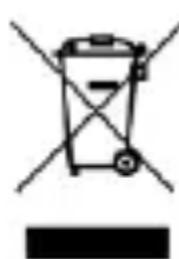
Simple line drawing of a trash bin with two crossed lines and a solid black bar below (no text or symbols)The device is marked with a crossed-out garbage bin, in accordance with the European Directive 2012/19/EU on used electrical and electronic Equipment (Waste Electrical and Electronic equipment - WEEE). Products marked with this symbol should not be disposed of or dumped with other household waste after a period of use. The user is obliged to get rid of used electrical and electronic equipment by delivering it to designated recycling point in which dangerous waste are being recycled. Collecting this type of waste in designated locations, and the actual process of their recovery contribute to the protection of natural resources. Proper disposal of used electrical and electronic equipment is beneficial to human health and environment. To obtain information on where and how to dispose of used electrical and electronic equipment in an environmentally friendly manner user should contact their local government office, the waste collection point, or point of sale, where the equipment was purchased.
Correct disposal of used batteries
natural_image
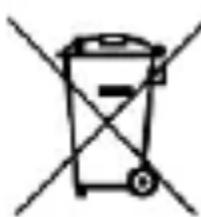
Simple line drawing of a trash bin with two crossed lines indicating no waste or prohibition (no text or symbols)According to the EU directive 2006/66/EC with changes contained in EU directive 2013/56/UE on the disposal of batteries, this product is marked with crossed-out garbage bin symbol. The symbol indicates that the batteries used in this product should not be disposed with regular
household waste, but treated according to the legal directives and local regulations. It is not allowed to dispose of batteries and accumulators with unsorted municipal waste. Users of batteries and accumulators must use the available collection points of these items, which allows them to return, recycle and disposal. Within the EU, the collection and recycling of batteries and accumulators is a subject to separate procedures. To learn more about existing procedures of recycling of batteries and accumulators please contact your local office or an institution for waste disposal or landfill.
natural_image
Yellow triangular warning sign with an eye and sun symbol (no text)—ZRAK—
—SLUCH—
4G/LTE: 800/900/1700/1800/2100/2500/2600 MHz
GPRS/Edge/HSPA/LTE, WLAN, Rádio FM, Bluetooth 5.0, SOS