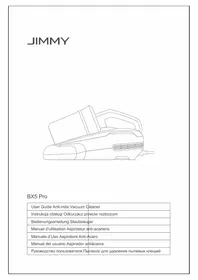
BX5 Pro - Vacuum Cleaner JIMMY - Free user manual and instructions

Find the device manual for free BX5 Pro JIMMY in PDF.

📄 52 pages English EN 💬 AI Question
Notice JIMMY BX5 Pro - page 5

Download the instructions for your Vacuum Cleaner in PDF format for free! Find your manual BX5 Pro - JIMMY and take your electronic device back in hand. On this page are published all the documents necessary for the use of your device. BX5 Pro by JIMMY.

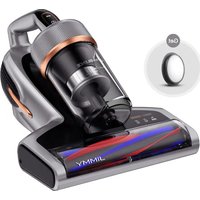
USER MANUAL BX5 Pro JIMMY

Use of the product Function description Insert the plug into the socket, press on/off button, the machine is in strong mode and strong indicator lights up.Press the mode button to switch the soft mode and soft indicator lights up.Press on/off button again, the machine stop working. Note: 1.When the dust over the Max line,please clean the dust cup and MIF filter in time. 2.For safety reasons, the UV light only works when two micro switches are pressed simultaneously. Otherwise, the UV light will automatically turn off. 3.The product is equipped with UV light.Do not view the bottom of the machine , shine on plants when the power is turned on to prevent UV rays from causing harm to human body or other objects. Cleaning and maintenance Note:

1. MIF filter is available for sale at JIMMY distributor.

2.It is recommended to clean the dust cup in time after each use. When there is too much dust to cause MIF blockage, it needs to be cleaned in time or replaced if necessary. Dust cup cleaning 1.Turn off the machine and unplug the power cord. Then press the release button and lift upward. (Figure 1) 2.Hold the dust cup and dust cup cover separately , twist dust cup lid anticlockwise (Figure 2),lift up and remove it from dust cup to clean .(Figure 3) MIF lter and Cyclone Cleaning Hold the cyclone in one hand, pinch the "UP" logo with the other hand, and take out filter (Figure 4),Do Not tap the filter in reverse side in case of filter clog.(Figure5) Clean the cyclone metal filter with the attached mini brush.(Figure 6) After cleaning dust cup ,MIF filter and cyclone, assemble in reverse order. Rotate the dust cup cover assembly into the dust cup.After hearing a "click" and the dot mark is aligned with the lock position that is assembled in place.(Figure 7) Release button Cyclone

MIF lter Downward tap Filter

Mini-brush Rotate dust cup lid Dust cup lid assembly Up ribbon Cyclone metal lter4 Note: 1.Do Not miss the filter! 2.If too much dust is accumulated in the dust cup, clean the dust cup and filter assembly with water, and wipe them with dry cloth. Pay attention that MIF filter need to be washed as less as possible. Clean the dust and foreign matters on MIF filter by tapping, and ensure that the dust cup and filter assembly are completely dry before installation. Brushroll cleaning and installation Turn off the machine and unplug the power cord, rotate the right lock knob anticlockwise with hand from locked position to unlock position (Figure 8) to remove the brushroll to clean up.(Figure 9) After cleaning the brushroll, install the brushroll and brushroll cover back to mainbody in turn, and lock the brushroll latch. Note:for safety reasons, please turn off the machine and unplug power cord before cleaning brushroll. Maintenance and storage Please clean dust cup and filter after each use for further use. It is recommended to replace a filter after 30-50 hours of working time(depending on specific situation) for better use. Any paper, lead glass, plastic will greatly affect the effect of UV light. Dust or stain on UV light cover will affect the effect of UV light. Please wipe and clean the UV light cover regularly for better use. Do not touch the UV light cover as dirt will affect UV light effect. Put the machine in cool and dry place if the machine is to be idled. Do Not leave it in direct sunlight or humid environment. Safety Notes

1. Please read this instruction manual carefully before use and keep it properly for future.

2. The product design and spec in the manual may slightly vary from the actual product.Please

take physical product shall prevail. 3.Never leave the machine working without supervision.

4. Please turn off the power switch and unplug the power cord if the machine is to be idled.

Do Not unplug the power cord with humid hand in case of electric shock.

Take out Brushroll cover Brushroll5

5. Cut off power when machine is under cleaning, repairing or is not used.

6. Keep the power cord away from sharp objects and do not drag the cord to move the

machine in case of cord damage. 7.For safety reasons, please do not use the product to clean hot objects such as carbon, cigarette butts, sharp objects such as broken glass, corrosive liquids, flammable and explosive materials such as gasoline and alcohol. Otherwise it may cause product damage or fire. 8.Do not use this machine to pick up water or wet dust, and avoid the machine from being exposed to rain, water or being used in wet places (such as bathrooms, washrooms, laundry rooms, etc.) to avoid failure.

9. Avoid the product approaching heating appliances or being exposed to the sun to avoid fire.

10. Do not lezt children play with or operate the product to avoid accidents.

11. Avoid product running for a long time when the suction port is blocked to avoid damage.

12.The product is equipped with UV light.Do not view the bottom of the machine when the power is turned on to prevent UV rays from causing harm to human body. 13.Please do not let UV light shine on plants to avoid damaging them. Do not concentrate UV light in one place for continuous use, which may cause damage to the cleaned objects.

14. Do not sit on the product to avoid damage.

15. Do not remove brushroll when machine is powered on or running to avoid damage.

16. This product can only use for cleaning of textiles such as mattresses, blankets, pillows,

17. If there is damage on power cord, to avoid danger, it should be replaced or repaired by

manufacturer,repairing agency or professional person. Trouble Shooting Please check the following trouble points before go to the maintenance department. Problems Possible Reasons Solution Product does not turn on Power cord is not rmly inserted Insert the power cord rmly No power on socket Check the socket On/off switch is not pressed down Press the On/Off button Weak suction Air inlet blocked Clean up suction port MIF lter blocked Clean up the dust cup and lter Cyclone blocked Clean cyclone UV light does not work Machine tilt and micro switch left cleaning surface Machine tilting degree cannot ex- ceed 30 degree UV light defect Contact after service to replace UV light Micros witch damaged Contact after-sale service to replace micro switch6 Product Specication Technical parameter Model No BX5 Pro Rated voltage 220-240V~ Rated frequency 50-60Hz Rated power 500W Circuit Diagram Problems Possible Reasons Solution Machine stop working suddenly Suction port clogged Stop using the product and clean blockage and use the machine after 2 hours Dust cup full Filter blocked Brushroll stop working suddenly Brushroll entangled Take out brushroll, clean it and reassemble Belt loose or broken Contact after service to replace belt If fault remains after adopting the following solutions, contact after sale service or local distributor immediately.

Manual assistant
Powered by ChatGPT
Waiting for your message
Product information

Brand : JIMMY

Model : BX5 Pro

Category : Vacuum Cleaner