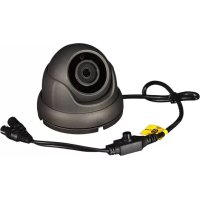
CAMTVI7N2 - Surveillance Camera VELLEMAN - Free user manual and instructions
Find the device manual for free CAMTVI7N2 VELLEMAN in PDF.

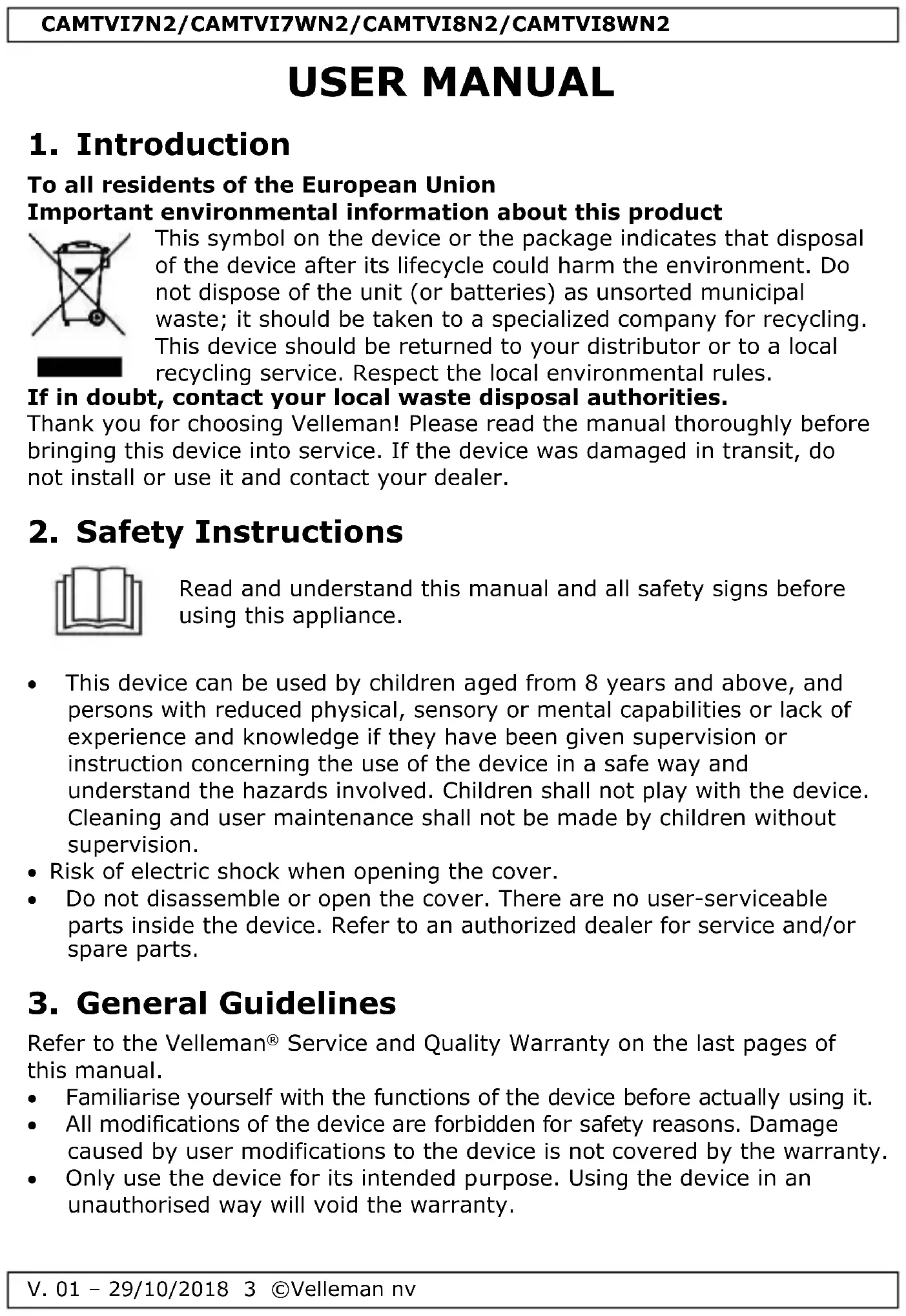


| Product Type | HDCCTV Surveillance Camera |
| Brand | Velleman |
| Model | CAMTVI7N2 |
| Video Resolution | 1080P (1920 x 1080 pixels) |
| Image Sensor | Sony CMOS 1/2.9" |
| Protection Rating | IP66 (Weatherproof) |
| Night Vision | Yes, 18 high-power SMD IR LEDs, range 20 m |
| Lens | Fixed, f3.6 / F2.0 |
| Viewing Angle | Horizontal 83°, vertical 47°, diagonal 96° |
| Power Supply | 12 VDC (adapter not included) |
| Power Consumption | 550 mA max |
| Video Output | BNC (compatible TVI, CVI, AHD, PAL 960H) |
| Advanced Functions | WDR, AGC, auto white balance, digital noise reduction (DNR), motion detection |
| OSD Settings | Yes, via control joystick integrated in cable |
| Housing | Vandal-proof, weatherproof |
| Operating Temperature | -10 °C to 40 °C (max RH 95 %) |
| Dimensions | ∅93 x 74 mm |
| Weight | 400 g |
| Warranty | 24 months (Velleman general conditions) |
Frequently Asked Questions - CAMTVI7N2 VELLEMAN
User questions about CAMTVI7N2 VELLEMAN
0 question about this device. Answer the ones you know or ask your own.
Ask a new question about this device
Download the instructions for your Surveillance Camera in PDF format for free! Find your manual CAMTVI7N2 - VELLEMAN and take your electronic device back in hand. On this page are published all the documents necessary for the use of your device. CAMTVI7N2 by VELLEMAN.
USER MANUAL CAMTVI7N2 VELLEMAN
CAMTVI7N2/CAMTVI7WN2/ CAMTVI8N2/CAMTVI8WN2

natural_image
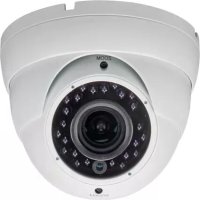
White surveillance camera with dual cables and a yellow tag (no text or symbols visible)CAMTVI7N2/CAMTVI7WN2

natural_image
Close-up of a black surveillance camera with attached cables (no visible text or symbols)CAMTVI8N2/CAMTVI8WN2
HD-TVI / CVI / AHD / ANALOGUE - DOME - 1080P
USER MANUAL 3
HANDLEIDING 9
MODE D'EMPLOI 15
MANUAL DEL USUARIO 21
CAMTVI7N2/CAMTVI7WN2


natural_image
Two black audio/video cables labeled A and B with a small symbol on the right (no text or numbers present)CAMTVI8N2/CAMTVI8WN2

A
video
vidéo
vídeo
Video
B
power
voeding
alimentation
alimentación
Stromversorgung
zasilanie
alimentação
USER MANUAL
1. Introduction
To all residents of the European Union
Important environmental information about this product
natural_image
Symbol of a trash bin with crossed lines and a solid black rectangle below (no text or labels)This symbol on the device or the package indicates that disposal of the device after its lifecycle could harm the environment. Do not dispose of the unit (or batteries) as unsorted municipal waste; it should be taken to a specialized company for recycling. This device should be returned to your distributor or to a local recycling service. Respect the local environmental rules.
If in doubt, contact your local waste disposal authorities.
Thank you for choosing Velleman! Please read the manual thoroughly before bringing this device into service. If the device was damaged in transit, do not install or use it and contact your dealer.
2. Safety Instructions

Read and understand this manual and all safety signs before using this appliance.
- This device can be used by children aged from 8 years and above, and persons with reduced physical, sensory or mental capabilities or lack of experience and knowledge if they have been given supervision or instruction concerning the use of the device in a safe way and understand the hazards involved. Children shall not play with the device. Cleaning and user maintenance shall not be made by children without supervision.
- Risk of electric shock when opening the cover.
- Do not disassemble or open the cover. There are no user-serviceable parts inside the device. Refer to an authorized dealer for service and/or spare parts.
3. General Guidelines
Refer to the Velleman® Service and Quality Warranty on the last pages of this manual.
- Familiarise yourself with the functions of the device before actually using it.
- All modifications of the device are forbidden for safety reasons. Damage caused by user modifications to the device is not covered by the warranty.
- Only use the device for its intended purpose. Using the device in an unauthorised way will void the warranty.
CAMTVI7N2/CAMTVI7WN2/CAMTVI8N2/CAMTVI8WN2
- Damage caused by disregard of certain guidelines in this manual is not covered by the warranty and the dealer will not accept responsibility for any ensuing defects or problems.
- Keep this device away from extreme heat.
- Protect this device from shocks and abuse. Avoid brute force when operating the device.
- Do not use this product to violate privacy laws or perform other illegal activities.
4. Features
This HDCCTV camera is equipped with a CMOS image sensor. The video image quality is 1080P. The video signals can be set to HD-TVI, HD-CVI, AHD and analogue video signals. The IR-cut filter will filter the IR light, so it cannot distort the colour image. When it gets dark, the camera automatically switches to night mode. In night mode, the camera enables the IR LEDs and disables the IR-cut filter.
- weatherproof
• with B/W night vision (IR LEDs)
• 1080P video signal
• vandal-proof housing
• varifocal lens (CAMTVI8N2/CAMTVI8WN2 only)
5. Overview
Refer to the illustrations on page 2 of this manual.
| 1 | mounting plate |
| 2 | fixation ring |
| 3 | positioning ring |
| 4 | lens enclosure (sphere) |
| 5 | light sensor |
| 6 | lens |
| 7 | cable slot |
| 8 | cable |
6. Hardware installation
Refer to the illustrations on page 2 of this manual.
- Choose a location for the camera, keeping following guidelines in mind:
- do not install the camera in locations where extremely high or low temperatures or excessive vibrations may occur.
- avoid mounting the camera near high electro-magnetic fields.
- do not aim the camera at the sun or other extremely bright objects or reflections (e.g. metal doors).
- Hold the mounting plate and unscrew the fixation ring by turning it counter-clockwise. Note that the lens enclosure and positioning ring are also released.
CAMTVI7N2/CAMTVI7WN2/CAMTVI8N2/CAMTVI8WN2
- Use the mounting plate to determine the position of the mounting holes. Drill the holes.
- Guide the power and video cable through one of the cable slots and fix the mounting plate on the ceiling or wall with the four screws.
- Position the positioning ring over the lens enclosure onto the mounting plate and then fix the ensemble by screwing the fixation ring onto the mounting plate. Make sure the fixation ring is not screwed too tight to leave the option open to position the lens into the direction of the desired field of operation.
- Connect the two wires for an analogue PAL signal; leave them unconnected for a HD 1080P TVI signal.
- Connect the video connector to a monitor (not incl.) or a sequential switcher/quad splitter (not incl.) in case of multiple domes.
- Connect the power connector to a 12 VDC power supply (not incl.).
- Set up the desired field of observation by adjusting the position of the lens enclosure in the positioning ring.
- For the CAMTVI8WN2, manually adjust the zoom and focus with their screws. The location of the screws can be determined by looking at the position of the light sensor.
- Tighten the fixation ring to secure the camera's position.
7. OSD Settings
There is a small joystick in the camera cable that allows you to adjust the settings of the camera using an on-screen display (OSD).

natural_image
Abstract geometric symbol with four black triangles radiating from a central circle (no text or labels)- Press the middle button to access the menu, or to select an option.
- Press the up and down buttons to move up and down in the menu.
- Press the left and right buttons to modify the menu parameters.
In the OSD menu:
- NEXT/BACK: select this option and press the middle button to go to the next/previous page of options in the menu.
- RETURN: select this option and press the middle button to return to the previous level in the menu.
- EXIT: select this option and press the middle button to leave the OSD menu without saving the settings.
- SAVE ALL: select this option and press the middle button to save all settings.
- CAMERA RESET: select this option and press the middle button to reset the camera to the factory defaults.
The OSD menu settings are described in detail below.
Refer to the table on the final pages of this manual.
7.1 Selecting the Video Signal
Hold the joystick button pressed for 5 seconds to select your video signal (default signal: TVI).

7.2 IRIS
Use this menu to adjust the iris settings.
7.3 FOCUS ADJ
Use this menu to adjust the focus level.
7.4 EXPOSURE
Use this menu to set the common adjustments for video images.
7.5 BACKLIGHT
Use this menu to set the different image light settings.
7.6 DAY&NIGHT
The camera can switch automatically between colour images in day conditions and black-and-white images in night conditions. Use this function to control the day/night behaviour of the camera.
Note: black-and-white images are much clearer and contain less noise at low light levels.
7.7 COLOR
Use this menu to set the different colour adjustments.
7.8 DNR
Use this menu to set the digital noise reduction level.
7.9 IMAGE
Use this menu to adjust the image settings.
7.10 MOTION
Use this menu to adjust the motion detection settings.
7.11 SYSTEM
Use this menu to adjust the general system settings.
7.12 EXIT
Use this option to exit the menu without saving.
8. Technical specifications
IP rating.... IP66 pick-up element....1/2.9" CMOS image sensor pixels .... 1920 (H) x 1080 (V) resolution....1080P video DSP....Eyenix EN-771 C
min. illumination .... 0.001 lux/F2.0 IR-cut filter.... yes S/N ratio.... > 50 dB (AGC off) WDR.... yes
AGC .... yes white balance .... automatic video output .... BNC connection TVI signal.... 1080P PAL video.... 960H CVI signal.... 1080P
AHD signal 1080P audio no power supply 12 VDC
operating temperature ...... -10 °C to 40 °C - RH max. 95 %
CAMTVI7N2/CAMTVI7WN2/CAMTVI8N2/CAMTVI8WN2
CAMTVI7N2/CAMTVI7WN2
IR LEDs.... 18x high-power SMD LEDs max. IR projection distance.... 20 m lens.... f3.6 / F2.0
lens angle horizontal ....83° vertical ....47° diagonal ....96° current consumption ....max. 550 mA dimensions ....Ø 93 x 74 mm weight ....400 g
CAMTVI8N2/CAMTVI8WN2
IR LEDs.... 24x high-power SMD LEDs max. IR projection distance.... 30 m lens.... f2.8 \~ 12 mm lens angle.... 104° \~ 33° current consumption.... max. 440 mA dimensions.... ∅ 119 x 105 mm weight.... 570 g
Use this device with original accessories only. Velleman nv cannot be held responsible in the event of damage or injury resulted from (incorrect) use of this device. For more info concerning this product and the latest version of this user manual, please visit our website www.velleman.eu. The information in this manual is subject to change without prior notice.
© COPYRIGHT NOTICE
This manual is copyrighted. The copyright to this manual is owned by Velleman nv.
All worldwide rights reserved. No part of this manual may be copied, reproduced, translated or reduced to any electronic medium or otherwise without the prior written consent of the copyright holder.
HANDLEIDING
1. Inleiding
natural_image
Symbol of a trash bin with crossed lines and a solid black rectangle below (no text or labels)CAMTVI7N2/CAMTVI7WN2/CAMTVI8N2/CAMTVI8WN2
CAMTVI7N2/CAMTVI7WN2/CAMTVI8N2/CAMTVI8WN2
natural_image
Abstract geometric symbol with four black arrows pointing outward toward a central circle (no text or labels)CAMTVI7N2/CAMTVI7WN2/CAMTVI8N2/CAMTVI8WN2
Het OSD-menu:
7.2 IRIS
CAMTVI7N2/CAMTVI7WN2/CAMTVI8N2/CAMTVI8WN2
witbalans .... automatisch
CAMTVI7N2/CAMTVI7WN2
IR-leds.... 18 hoogvermogen SMD-leds
max. IR-bereik.... 20 m
lens....f3.6 / F2.0
lenshoek
horizontaal 83°
verticaal....47°
diagonaal 96°
CAMTVI8N2/CAMTVI8WN2
IR-leds.... 24 hoogvermogen SMD-leds
max. IR-bereik.... 30 m
lens....f2.8 \~ 12 mm
lenshoek 104° \~ 33°
natural_image
Symbol of a trash bin with crossed lines indicating no waste or restriction, and a solid black rectangle below (no text or labels)CAMTVI7N2/CAMTVI7WN2/CAMTVI8N2/CAMTVI8WN2
natural_image
Abstract geometric symbol with four black arrows pointing outward from a central circle (no text or labels)CAMTVI7N2/CAMTVI7WN2/CAMTVI8N2/CAMTVI8WN2
7.2 IRIS
CAMTVI7N2/CAMTVI7WN2/CAMTVI8N2/CAMTVI8WN2
CAMTVI7N2/CAMTVI7WN2
CAMTVI8N2/CAMTVI8WN2
CAMTVI7N2/CAMTVI7WN2/CAMTVI8N2/CAMTVI8WN2
CAMTVI7N2/CAMTVI7WN2/CAMTVI8N2/CAMTVI8WN2
natural_image
Abstract geometric symbol with four black arrows pointing outward from a central circle (no text or labels)CAMTVI7N2/CAMTVI7WN2/CAMTVI8N2/CAMTVI8WN2
7.2 IRIS
CAMTVI7N2/CAMTVI7WN2/CAMTVI8N2/CAMTVI8WN2
CAMTVI7N2/CAMTVI7WN2
LEDs IR.... 18 LEDs SMD de alta potencia máx. alcance IR .... 20 m óptica .... f3.6 / F2.0
ángulo de visión horizontal....83° vertical....47° diagonal....96° consumo de corriente....máx. 550 mA dimensiones....Ø 93 x 74 mm peso....400 g
CAMTVI8N2/CAMTVI8WN2
LEDs IR.... 24 LEDs SMD de alta potencia máx. alcance IR .... 30 m óptica .... f2.8 \~ 12 mm ángulo de visión .... 104° \~ 33° consumo de corriente .... máx. 440 mA dimensiones .... ∅ 119 x 105 mm peso .... 570 g
natural_image
Symbol of a trash bin with crossed lines and a blank rectangular base (no text or labels)CAMTVI7N2/CAMTVI7WN2/CAMTVI8N2/CAMTVI8WN2
CAMTVI7N2/CAMTVI7WN2/CAMTVI8N2/CAMTVI8WN2
natural_image
Abstract geometric symbol with four black triangles radiating from a central circle (no text or labels)CAMTVI7N2/CAMTVI7WN2/CAMTVI8N2/CAMTVI8WN2
7.2 IRIS
CAMTVI7N2/CAMTVI7WN2/CAMTVI8N2/CAMTVI8WN2
CAMTVI7N2/CAMTVI7WN2
CAMTVI8N2/CAMTVI8WN2
natural_image
Symbol of a trash bin with crossed lines and a solid black rectangle below (no text or labels)CAMTVI7N2/CAMTVI7WN2/CAMTVI8N2/CAMTVI8WN2
CAMTVI7N2/CAMTVI7WN2/CAMTVI8N2/CAMTVI8WN2
natural_image
Abstract geometric symbol with four black arrows pointing outward toward a central circle (no text or labels)CAMTVI7N2/CAMTVI7WN2/CAMTVI8N2/CAMTVI8WN2
7.2 IRIS
CAMTVI7N2/CAMTVI7WN2/CAMTVI8N2/CAMTVI8WN2
CAMTVI7N2/CAMTVI7WN2
CAMTVI8N2/CAMTVI8WN2
natural_image
Symbol of a trash bin with crossed lines indicating no waste, and a solid black rectangle below (no text or labels)CAMTVI7N2/CAMTVI7WN2/CAMTVI8N2/CAMTVI8WN2
natural_image
Abstract geometric symbol with four black arrows pointing outward toward a central circle (no text or labels)CAMTVI7N2/CAMTVI7WN2/CAMTVI8N2/CAMTVI8WN2
7.2 IRIS
CAMTVI7N2/CAMTVI7WN2/CAMTVI8N2/CAMTVI8WN2
CAMTVI7N2/CAMTVI7WN2
CAMTVI8N2/CAMTVI8WN2
Velleman® Service and Quality Warranty
Since its foundation in 1972, Velleman® acquired extensive experience in the electronics world and currently distributes its products in over 85 countries.
All our products fulfil strict quality requirements and legal stipulations in the EU. In order to ensure the quality, our products regularly go through an extra quality check, both by an internal quality department and by specialized external organisations. If, all precautionary measures notwithstanding, problems should occur, please make appeal to our warranty (see guarantee conditions).
General Warranty Conditions Concerning Consumer Products (for EU):
- All consumer products are subject to a 24-month warranty on production flaws and defective material as from the original date of purchase.
- Velleman® can decide to replace an article with an equivalent article, or to refund the retail value totally or partially when the complaint is valid and a free repair or replacement of the article is impossible, or if the expenses are out of proportion.
You will be delivered a replacing article or a refund at the value of 100% of the purchase price in case of a flaw occurred in the first year after the date of purchase and delivery, or a replacing article at 50% of the purchase price or a refund at the value of 50% of the retail value in case of a flaw occurred in the second year after the date of purchase and delivery.
- Not covered by warranty:
- all direct or indirect damage caused after delivery to the article (e.g. by oxidation, shocks, falls, dust, dirt, humidity...), and by the article, as well as its contents (e.g. data loss), compensation for loss of profits;
- consumable goods, parts or accessories that are subject to an aging process during normal use, such as batteries (rechargeable, non-rechargeable, built-in or replaceable), lamps, rubber parts, drive belts... (unlimited list);
- flaws resulting from fire, water damage, lightning, accident, natural disaster, etc....;
- flaws caused deliberately, negligently or resulting from improper handling, negligent maintenance, abusive use or use contrary to the manufacturer's instructions;
- damage caused by a commercial, professional or collective use of the article (the warranty validity will be reduced to six (6) months when the article is used professionally);
- damage resulting from an inappropriate packing and shipping of the article;
- all damage caused by modification, repair or alteration performed by a third party without written permission by Velleman®.
- Articles to be repaired must be delivered to your Velleman® dealer, solidly packed (preferably in the original packaging), and be completed with the original receipt of purchase and a clear flaw description.
- Hint: In order to save on cost and time, please reread the manual and check if the flaw is caused by obvious causes prior to presenting the article for repair. Note that returning a non-defective article can also involve handling costs.
- Repairs occurring after warranty expiration are subject to shipping costs.
- The above conditions are without prejudice to all commercial warranties.
The above enumeration is subject to modification according to the article (see article's manual).
NL

- CAMTVI7N2/CAMTVI7WN2/ CAMTVI8N2/CAMTVI8WN2
- A
- B
- USER MANUAL
- Introduction
- To all residents of the European Union
- Important environmental information about this product
- If in doubt, contact your local waste disposal authorities.
- Safety Instructions
- General Guidelines
- CAMTVI7N2/CAMTVI7WN2/CAMTVI8N2/CAMTVI8WN2
- Features
- Overview
- Hardware installation
- OSD Settings
- In the OSD menu:
- Selecting the Video Signal
- IRIS
- FOCUS ADJ
- EXPOSURE
- BACKLIGHT
- DAY&NIGHT
- COLOR
- DNR
- IMAGE
- MOTION
- SYSTEM
- EXIT
- Technical specifications
- CAMTVI7N2/CAMTVI7WN2
- CAMTVI8N2/CAMTVI8WN2
- © COPYRIGHT NOTICE
- HANDLEIDING
- Inleiding
- Het OSD-menu:
- Velleman® Service and Quality Warranty
- General Warranty Conditions Concerning Consumer Products (for EU):
- - Not covered by warranty:
- The above enumeration is subject to modification according to the article (see article's manual).
- NL
Brand : VELLEMAN
Model : CAMTVI7N2
Category : Surveillance Camera