304302 - Laser level Brandson - Free user manual and instructions
Find the device manual for free 304302 Brandson in PDF.



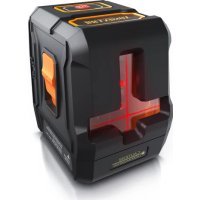
| Brand | Brandson |
| Model | 304302 |
| Category | Laser level |
| Laser type | 635 ± 5 nm, red, class 2 (IEC/EN60825-1/2014) |
| Power supply | 2 AA batteries 1.5 V DC |
| Leveling accuracy | ±4.5 mm / 15 m |
| Horizontal / vertical accuracy | ±4.5 mm / 15 m |
| Working range (line) | 15 m |
| Self-leveling range | 4° ± 1° |
| Output power | < 1 mW |
| Operating temperature | -10 °C to +50 °C |
| Protection rating | IP54 |
| Laser color | Red |
| Operating modes | Self-leveling (unlocked) and manual (locked) |
| Display modes | Horizontal line, vertical line, or cross |
| Outdoor mode (increased brightness) | Yes, switchable (flashes 5 times) |
| Mounting | 1/4 inch (20 threads) for tripod |
| Delivery contents | Cross-line laser, instruction manual |
| Maintenance | Clean with a dry, soft cloth, no harsh chemicals |
| Safety | Do not look into the beam, do not point at people or animals, class 2 laser |
| Recycling | Do not dispose of with household waste, follow WEEE directive (registration number DE 67896761) |
Frequently Asked Questions - 304302 Brandson
User questions about 304302 Brandson
0 question about this device. Answer the ones you know or ask your own.
Ask a new question about this device
Download the instructions for your Laser level in PDF format for free! Find your manual 304302 - Brandson and take your electronic device back in hand. On this page are published all the documents necessary for the use of your device. 304302 by Brandson.
USER MANUAL 304302 Brandson
text_image
Warning sign with black starburst symbol inside yellow triangle, indicating explosion hazard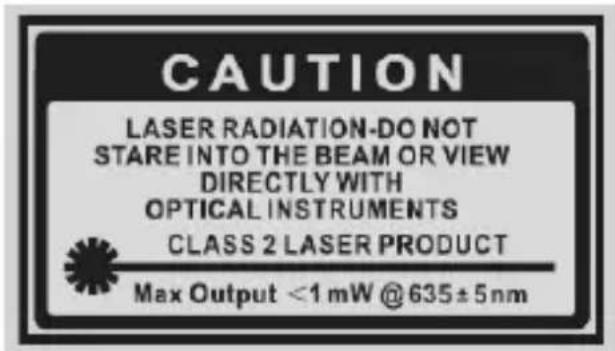
text_image
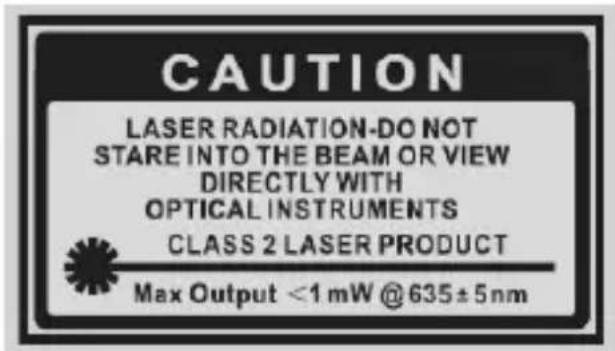
CAUTION LASER RADIATION-DO NOT STARE INTO THE BEAM OR VIEW DIRECTLY WITH OPTICAL INSTRUMENTS CLASS 2 LASER PRODUCT Max Output <1 mW @ 635±5nm1. Lieferumfang
text_image
Technical diagram of a vehicle's internal components with numbered labels pointing to specific parts.Thank you for choosing a Brandon product. Please read the following user manual carefully so that you can enjoy the purchased product for a long time. Before using the product, first check that the delivered item is complete, accurate and undamaged.
Use this product only if you have completely read and understood the user manual!

Important laser safety guidelines for this product
- When using laser equipment, it should be ensured that people are not present in the projection range of the laser beam of the device. Ensure that the beam is not reflected to areas where people are present.
- Before using this device, inform yourself about the legal requirements and preventive measures for operating such a laser device.
- Never look into the laser beam and never point it at people or animals. Such laser radiation can cause eye injuries!
- As soon as laser radiation impinges on the eye, the eyes must be closed immediately and the head must be moved away from the laser beam immediately.
- Never point the laser beam at a mirror or other reflective surfaces. The uncontrolled beam may hit persons or animals!
- Manipulations (modifications) to the laser equipment are not permitted.
- This user manual should be kept carefully, and if you give the laser equipment away, it should be handed over along with it.
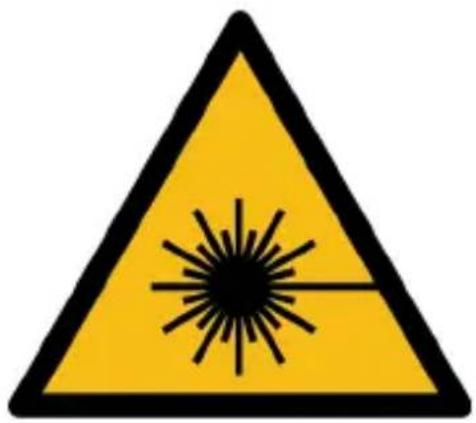
• This product is equipped with a laser of Class 2.
text_image
Warning sign with black-and-white triangular warning triangle and central explosion symbol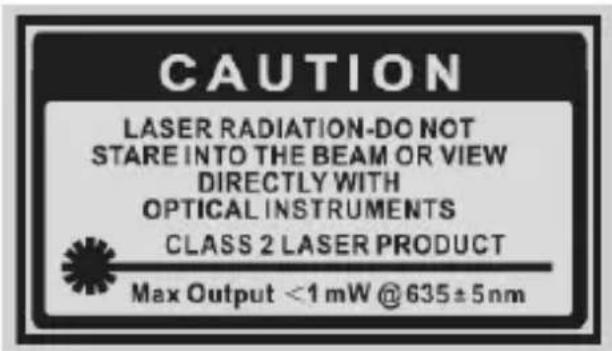
text_image
CAUTION LASER RADIATION-DO NOT STARE INTO THE BEAM OR VIEW DIRECTLY WITH OPTICAL INSTRUMENTS CLASS 2 LASER PRODUCT Max Output <1 mW @ 635±5nm1. Scope of delivery
- Cross-line laser
-
User manual
-
Technical data
| Operating voltage 2x 1.5V DC AA batteries | |
| Levelling accuracy ±4.5 mm / 15 m | |
| Horizontal / Vertical accuracy ±4.5 mm / 15 m | |
| Levelling / compensation range 4°±1° | |
| Working distance (Line) 15 m | |
| Light output / Output power <1mW @635±5nm | |
| Operating temperature -10°C - +50°C | |
| Laser colour Red | |
| Laser class Class 2 (IEC / EN60825-1 / 2014) | |
| Laser type 635 ± 5 nm | |
| Protection category IP54 | |
| Features | Can be locked using slide switchFreely oscillating laser unitCross lineAxes stabilizers |
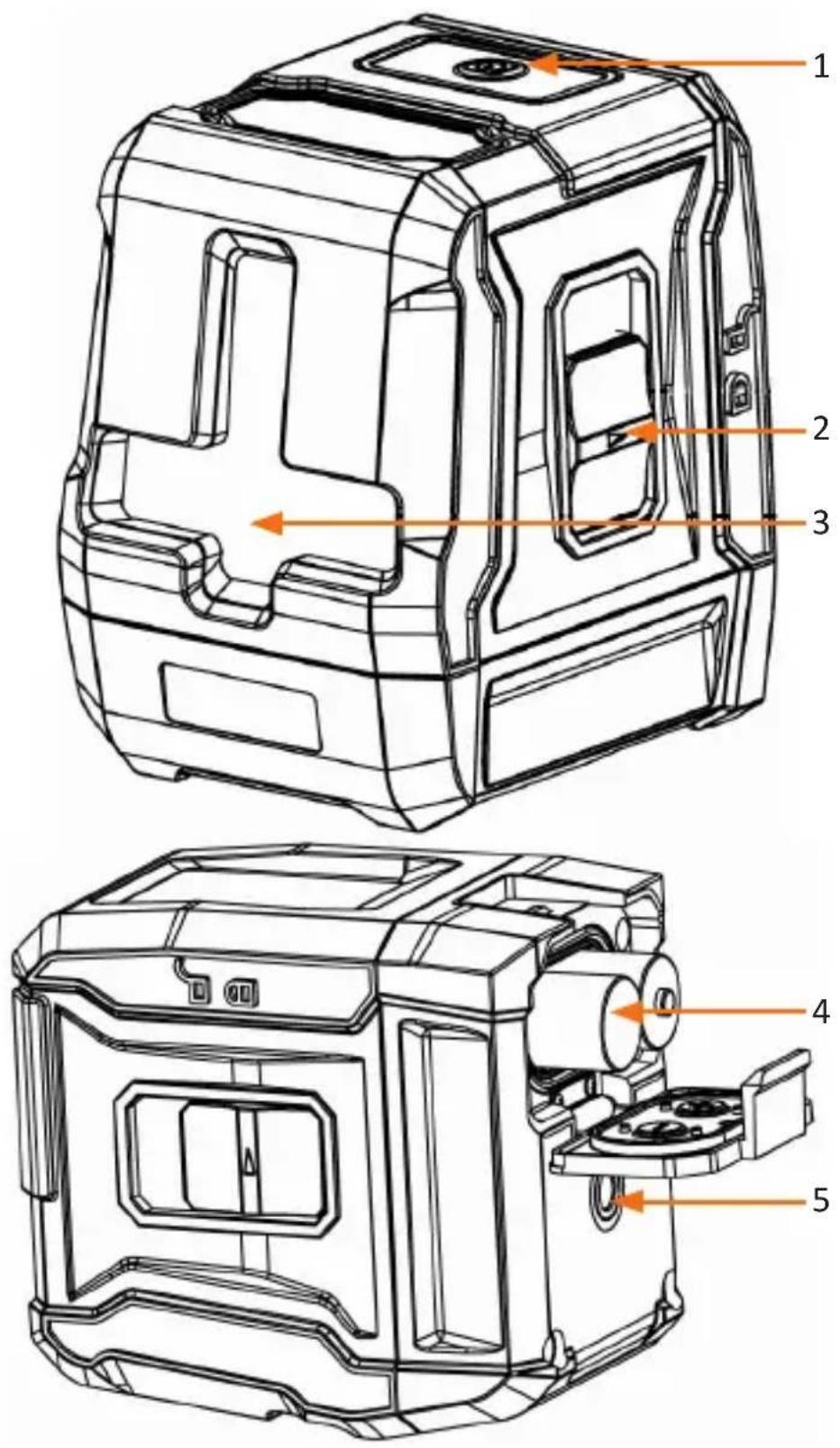
- Product details
text_image
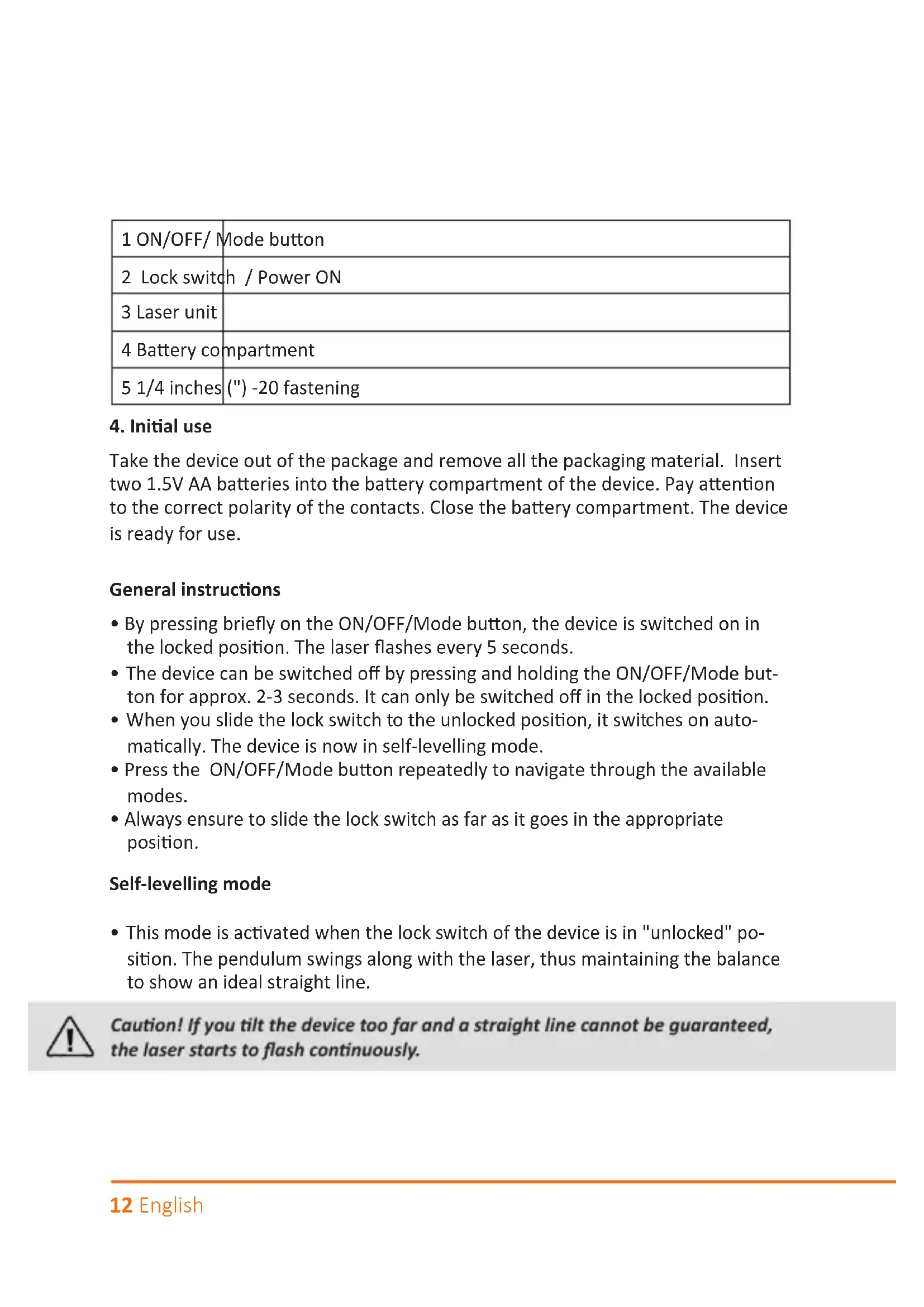
Technical diagram of a vehicle's internal components with numbered labels pointing to specific parts.| 1 ON/OFF/ Mode button |
| 2 Lock switch / Power ON |
| 3 Laser unit |
| 4 Battery compartment |
| 5 1/4 inches (") -20 fastening |
4. Initial use
Take the device out of the package and remove all the packaging material. Insert two 1.5V AA batteries into the battery compartment of the device. Pay attention to the correct polarity of the contacts. Close the battery compartment. The device is ready for use.
General instructions
- By pressing briefly on the ON/OFF/Mode button, the device is switched on in the locked position. The laser flashes every 5 seconds.
- The device can be switched off by pressing and holding the ON/OFF/Mode button for approx. 2-3 seconds. It can only be switched off in the locked position.
- When you slide the lock switch to the unlocked position, it switches on automatically. The device is now in self-levelling mode.
- Press the ON/OFF/Mode button repeatedly to navigate through the available modes.
- Always ensure to slide the lock switch as far as it goes in the appropriate position.
Self-levelling mode
- This mode is activated when the lock switch of the device is in "unlocked" position. The pendulum swings along with the laser, thus maintaining the balance to show an ideal straight line.

Caution! If you tilt the device too far and a straight line cannot be guaranteed, the laser starts to flash continuously.
Manual mode
- The manual mode is activated when the lock switch is in the "locked" position, to position the device at various angles and project straight lines. The laser beam flashes every 5 seconds.
Brightness mode
Standard
Is activated as soon as the device is switched on.
Outdoor
The device has to be in "unlocked" position to increase the brightness of the laser. The brightness of the laser can be changed by pressing and holding the ON/OFF/ Mode button for 2 seconds. All the laser beams displayed flash 5 times quickly to warn the user.
Pressing and holding the ON/OFF/Mode button once again for 2 seconds deactivates the outdoor mode. The user is warned again by five flashes.
The brightness of the laser remains the same if the position of the lock switch is changed.
Note: The outdoor mode enables the laser detector to be used in bright surroundings or if the working distances are large.
Laser display modes
You can navigate through the different display modes by pressing the ON/OFF/ Mode button. You have the option to display the horizontal line, vertical line, or both the lines.
5. Safety instructions and disclaimer
Never try to repair or modify the device by yourself. Avoid contact with the mains supply. The device does not carry current only when disconnected. The device is not approved for outdoor use. Therefore, please use it only in dry surroundings. Protect it from high humidity, water and snow. Do not expose the device to high temperatures.
Do not expose the device to sudden changes in temperature or strong vibrations, as this could damage the electronic components. Check the device for any damage before using it. The device should not be used if it has been subject to impact or has been damaged in any other way.
Please follow the national regulations and restrictions. Do not use the device for purposes other than those described in this manual. This product is not a toy.
Keep it out of the reach of children or mentally disabled persons. Any repair or modifications to the device, which is not carried out by the original supplier will void any warranty and guarantee claims. The specifications of the device may be changed without special prior notice.
Never aim this device at the sun. Never use this device on a ladder. Always ensure that you are standing on firm ground. Do not immerse the device in water. Use only a soft dry cloth for cleaning. Never use aggressive cleaning agents.
6. Disposal instructions
In line with the European WEEE directive, electrical and electronic devices should not be disposed of along with domestic waste. Their components must be sent separately for recycling or disposal, as improper disposal of toxic and dangerous components may permanently damage the environment.
According to the electrical and electronic equipment act (ElektroG), you are obliged (as a consumer) to return (free of charge) all electrical and electronic devices to the manufacturer, the point of sale or public collection points at the end of their service life. The relevant local laws regulate the details in this regard. The symbol displayed on the product, in the user manual or/and on the packaging refers to these regulations. With this manner of sorting, recycling and disposal of used devices, you make an important contribution towards protecting our environment.

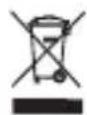
WEEE directive: 2012/19/EU
WEEE Register no.: DE 67896761
The company WD Plus GmbH hereby certifies that the device 304302/20200113NB102 complies with the fundamental requirements and all other relevant stipulations. A complete conformity statement can be obtained from: WD Plus GmbH, Wohlenbergstraße 16, 30179 Hanover
text_image
Warning sign with black laser symbol inside yellow triangle, indicating explosion hazard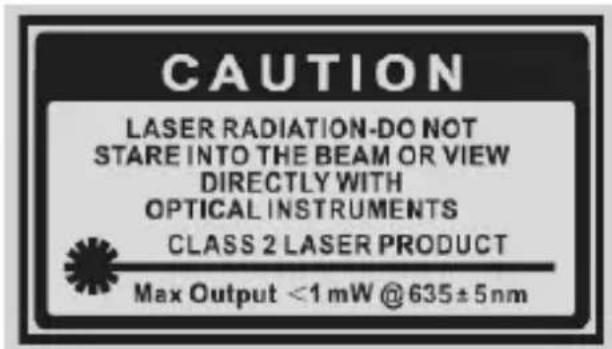
text_image
CAUTION LASER RADIATION-DO NOT STARE INTO THE BEAM OR VIEW DIRECTLY WITH OPTICAL INSTRUMENTS CLASS 2 LASER PRODUCT Max Output <1 mW @635±5nmtext_image
Technical diagram of a vehicle's internal components with numbered labels pointing to specific parts.text_image
Warning sign with black-and-white triangular warning triangle and central explosion symbol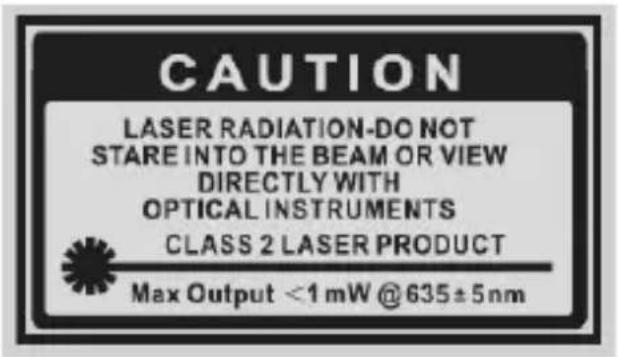
text_image
CAUTION LASER RADIATION-DO NOT STARE INTO THE BEAM OR VIEW DIRECTLY WITH OPTICAL INSTRUMENTS CLASS 2 LASER PRODUCT Max Output <1 mW @635±5nmtext_image
Technical diagram of a vehicle's internal components with numbered labels pointing to specific parts.text_image
Warning sign with black starburst symbol inside yellow triangle, indicating explosion hazard