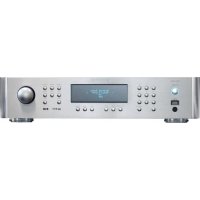
RDG1520 - Audio Receiver ROTEL - Free user manual and instructions
Find the device manual for free RDG1520 ROTEL in PDF.



| Product Type | Network Audio Receiver (DAB+/FM Tuner, Internet Radio, Media Player) |
| Brand | Rotel |
| Model | RDG1520 |
| Dimensions (W x D x H) | 430 x 350 x 100 mm (estimate) |
| Weight | 6.5 kg |
| Power Supply | 120 V/60 Hz (USA) or 230 V/50 Hz (Europe) depending on configuration |
| Power Consumption | 12 W |
| Main Functions | Internet Radio, DAB+, FM, Media Player via UPnP, USB/iPod/iPhone playback, auxiliary digital input (coaxial/optical) |
| Network Connectivity | Wi-Fi 802.11b/g (USB dongle included) and wired Ethernet (USB adapter) |
| Network Security | WEP, WPA1 (TKIP), WPA2 (TKIP) |
| Supported Audio Formats | MP3, WMA, AAC, WAV, AIFF, FLAC, AU (depending on source) |
| Inputs | DAB/FM antenna (75 ohms), USB (front panel), Ethernet (dongle), coaxial/optical auxiliary digital input, RS-232 (Computer I/O), Trigger 12V |
| Outputs | Analog stereo (RCA), Trigger 12V |
| FM Tuner Section | Sensitivity 22.2 dBf, S/N ratio 63 dB (mono), distortion 0.2% (mono), response 10 Hz - 15 kHz |
| DAB Tuner Section | Band III (174-240 MHz), max bitrate 224 kbps, sensitivity -80 dBm |
| Maintenance and Cleaning | Clean with a dry cloth or vacuum cleaner. Do not use liquids. |
| Safety | Double electrical insulation. Do not expose to moisture. Disconnect during storms. Have any repairs carried out by an authorized technician. |
| Spare Parts and Repairability | No user-serviceable parts. Contact an authorized Rotel dealer for any service. |
| General Information | Complies with FCC Class B and Canadian NMB-003 standards. Low consumption, eco-friendly design (RoHS, WEEE). |
Frequently Asked Questions - RDG1520 ROTEL
User questions about RDG1520 ROTEL
0 question about this device. Answer the ones you know or ask your own.
Ask a new question about this device
Download the instructions for your Audio Receiver in PDF format for free! Find your manual RDG1520 - ROTEL and take your electronic device back in hand. On this page are published all the documents necessary for the use of your device. RDG1520 by ROTEL.
USER MANUAL RDG1520 ROTEL
This symbol is to alert the user to the presence of uninsulated dangerous voltages inside the product's enclosure that may constitute a risk of electric shock.

This symbol is to alert the user to important operating and maintenance (service) instructions in this manual and literature accompanying the product.
APPLICABLE FOR USA, CANADA OR WHERE APPROVED FOR THE USAGE
CAUTION: TO PREVENT ELECTRIC SHOCK, MATCH WIDE BLADE OF PLUG TO WIDE SLOT. INSERT FULLY.
ATTENTION: POUR EVITER LES CHOCSE ELECTRIQUES, INTRODUIRE LA LAME LA PLUS LARGE DE LA FICHE DANS LA BORNE CORRESPONDANTE DE LA PRESE ET POUSSER JUSQU AU FOND.
This Class B digital apparatus complies with Canadian ICES-003.
Rotel products are designed to comply with international directives on the Restriction of Hazardous Substances (RoHS) in electrical and electronic equipment and the disposal of Waste Electrical and Electronic Equipment (WEEE). The crossed wheelie bin symbol indicates compliance and that the products must be appropriately recycled or processed in accordance with these directives.

This symbol means that this unit is double insulated. An earth connection is not required.
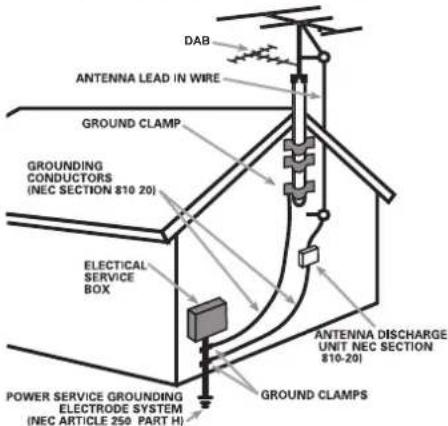
ANTENNA GROUNDING ACCORDING TIONAL ELECTRICAL CODE INSTRUCTIONS ON 810: "RADIO AND TELEVISION EQUIPMENT"
The COMPUTER I/O connection should be handled by authorized persons only.
FCC Information
This equipment has been tested and found to comply with the limits for a Class B digital device, pursuant to Part 15 of the FCC Rules. These limits are designed to provide reasonable protection against harmful interference in a residential installation. This equipment generates, uses and can radiate radio frequency energy and, if not installed and used in accordance with the instruction, may cause harmful interference to radio communications.
However, there is no guarantee that interference will not occur in a particular installation. If this equipment does cause harmful interference to radio or television reception, which can be determined by turning the equipment off and on, the user is encouraged to try to correct the interference by one or more of the following measures:
- Reorient or relocate the receiving antenna.(TV, radio, etc.)
- Increase the separation between the equipment and receiver
- Connect the equipment to an outlet on circuit different from that to which the receiver is connected.
- Consult the dealer or an experienced radio/TV technician for additional help.
Caution
This device complies with part 15 of the FCC Rules. Operation is subject to the following to conditions: (1) This device may not cause harmful interference, and (2) this device must accept any interference received, including interference that may cause undesired operation.
NOTE TO CATV SYSTEM INSTALLER: Call the CATV system or antenna installer's attention to Article 820-40 of the NEC. This provides guidelines for proper grounding and, in particular, specifies that the cable ground shall be connected to the grounding system of the building, as close to the point of cable entry as practical. See installation diagram.
NOTE: This equipment has been tested and found to comply with the limits for a Class B digital device, pursuant to Part 15 of the FCC Rules. These limits are designed to provide reasonable protection against interference in a residential installation. This equipment generates and can radiate radio frequency energy and, if not installed and used in accordance with the instructions, may cause interference to radio or TV communications. There is no guarantee that interference will not occur in a particular installation. If this equipment does cause interference to radio or television reception, which can be determined by turning the equipment off and on, try to correct the interference by one or more of the following measures:
Reorient or relocate the receiving antenna.
- Increase the separation between the unit and the television tuner.
- Connect the unit to an AC power outlet on a different electrical circuit.
- Consult your authorized Rotel retailer for assistance.
Important Safety Instructions Notice
WARNING: There are no user serviceable parts inside. Refer all servicing to qualified service personnel.
WARNING: To reduce the risk of fire or electric shock, do not expose the unit to moisture or water. Do not expose the unit to dripping or splashing. Do not place objects filled with liquids, such as vases, on the unit. Do not allow foreign objects to get into the enclosure. If the unit is exposed to moisture, or a foreign object gets into the enclosure, immediately disconnect the power cord from the wall. Take the unit to a qualified service person for inspection and necessary repairs.
Read all the instructions before connecting or operating the component.
Keep this manual so you can refer to these safety instructions.
Heed all warnings and safety information in these instructions and on the product itself. Follow all operating instructions.
Clean the enclosure only with a dry cloth or a vacuum cleaner.
Do not use this unit near water.
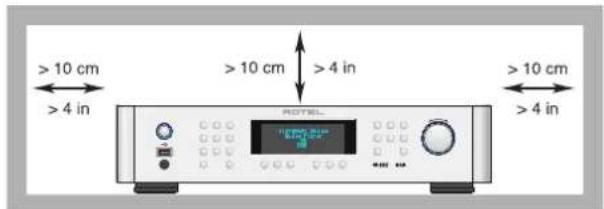
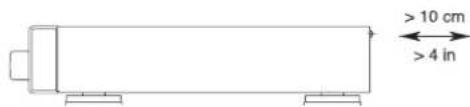
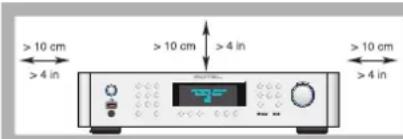
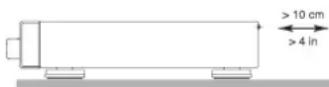
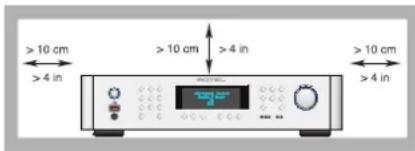
You must allow a minimum 10 cm or 4 inches of unobstructed clearance around the unit.
Do not place the unit on a bed, sofa, rug, or similar surface that could block the ventilation openings. If the unit is placed in a bookcase or cabinet, there must be ventilation of the cabinet to allow proper cooling.
Keep the component away from radiators, heat registers, stoves, or any other appliance that
produces heat.
WARNING: The rear panel power cord connector is the mains power disconnect device. The apparatus must be located in an open area that allows access to the cord connector.
The unit must be connected to a power supply only of the type and voltage specified on the rear panel. (USA: 120 V/60Hz, EC: 230V/50Hz)
Connect the component to the power
outlet only with the supplied power supply cable or an exact equivalent. Do not modify the supplied cable. A polarized plug has two blades, with one wider than the other. A grounding plug has two blades plus a third grounding prong. These are provided for your safety. Do not defeat grounding and/or polarization safety provisions. If the supplied plug does not fit your outlet, please consult an electrician for replacement of the obsolete outlet. Do not use extension cords.
The main plug of the power cord set is a disconnect device of the apparatus. In order to completely disconnect the apparatus from the supply mains, the main plug of the power cord set should be unplugged from the mains (AC) outlet. The stand-by LED indicator will not be lit up to show the power cord is unplugged. The disconnect device shall remain readily operable.
Do not route the power cord where it will be crushed, pinched, bent, exposed to heat, or damaged in any way. Pay particular attention to the power cord at the plug and where the cord exits the back of the unit.
The power cord should be unplugged from the wall outlet during a lightning storm or if the unit is to be left unused for a long period of time.
Use only accessories specified by the manufacturer.
Use only with a cart, stand, rack, bracket or shelf system recommended by Rotel. Use caution when moving the unit in a stand or rack to avoid injury from a tip-over.

Immediately stop using the component and have it inspected and/or serviced by a qualified service agency if:
- The power supply cord or plug has been damaged
- Objects have fallen or liquid has been spilled into the unit
The unit has been exposed to rain
The unit shows signs of improper operation
The unit has been dropped or damaged in any way
The batteries in remote control shall not be exposed to excessive heat such as sunshine, fire or the like.
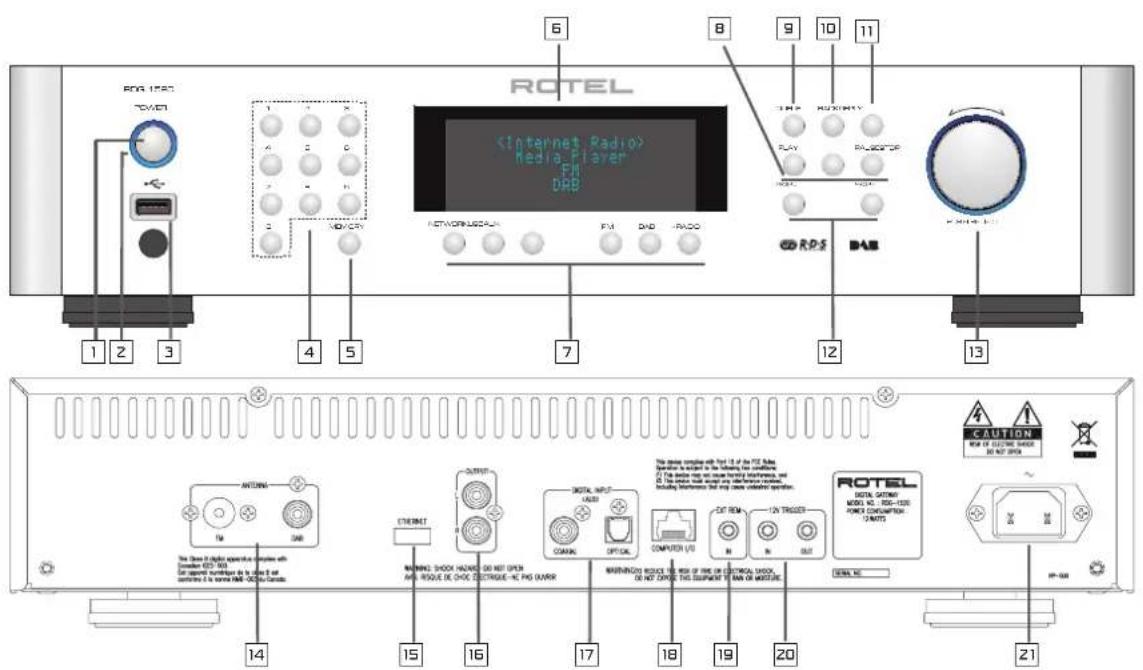
Figure 1: Controls and Connections
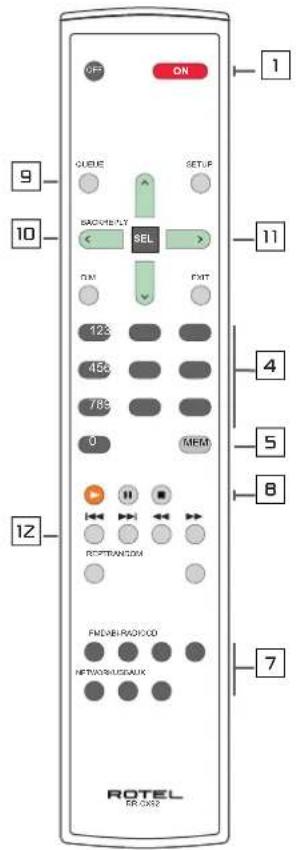
| Front and Remote common function buttons | |
| 1,2 | : Power on/off buttons |
| 3 | : iPod/mp3 USB slot |
| 4,5 | : Set and call out preset |
| 6 | : Display |
| 7 | : Music source select |
| 8 | : Playback button |
| 9 | : Queue ( Radio preset list ) |
| 10 | : Back to upper level menu |
| 11 | : iRadio menu |
| 12 | : Previous /Next track |
| 13^SEL v | : Navigate and Select |
Rear Slots
| 14 | : FM/DAB Antenna |
| 15 | : Wi-Fi/Ethernet dongle slot |
| 16 | : Analogue output |
| 17 | : Digital Input |
| 18 | : Computer I/O |
| 19 | : Ext remote In |
| 20 | : 12v Trigger signal |
| 21 | : Power mains connection |
Remote Unit advanced buttons
SETUP & EXIT : Enter and Exit Factory menu & : Auto search FM stations.
RANDOM/SHUFFLE: Playback mode
Note: 1. Most remote control keys duplicate front panel button functions. Some controls can only be accessed through the remote, which will be explained separately. 2. Front panel keys are used to explain most operations of the unit. You can also use corresponding remote control keys. For example, the alternative operation of turning and pressing the push select knob is pressing ^ and v then SEL button of the remote to select the desired function.
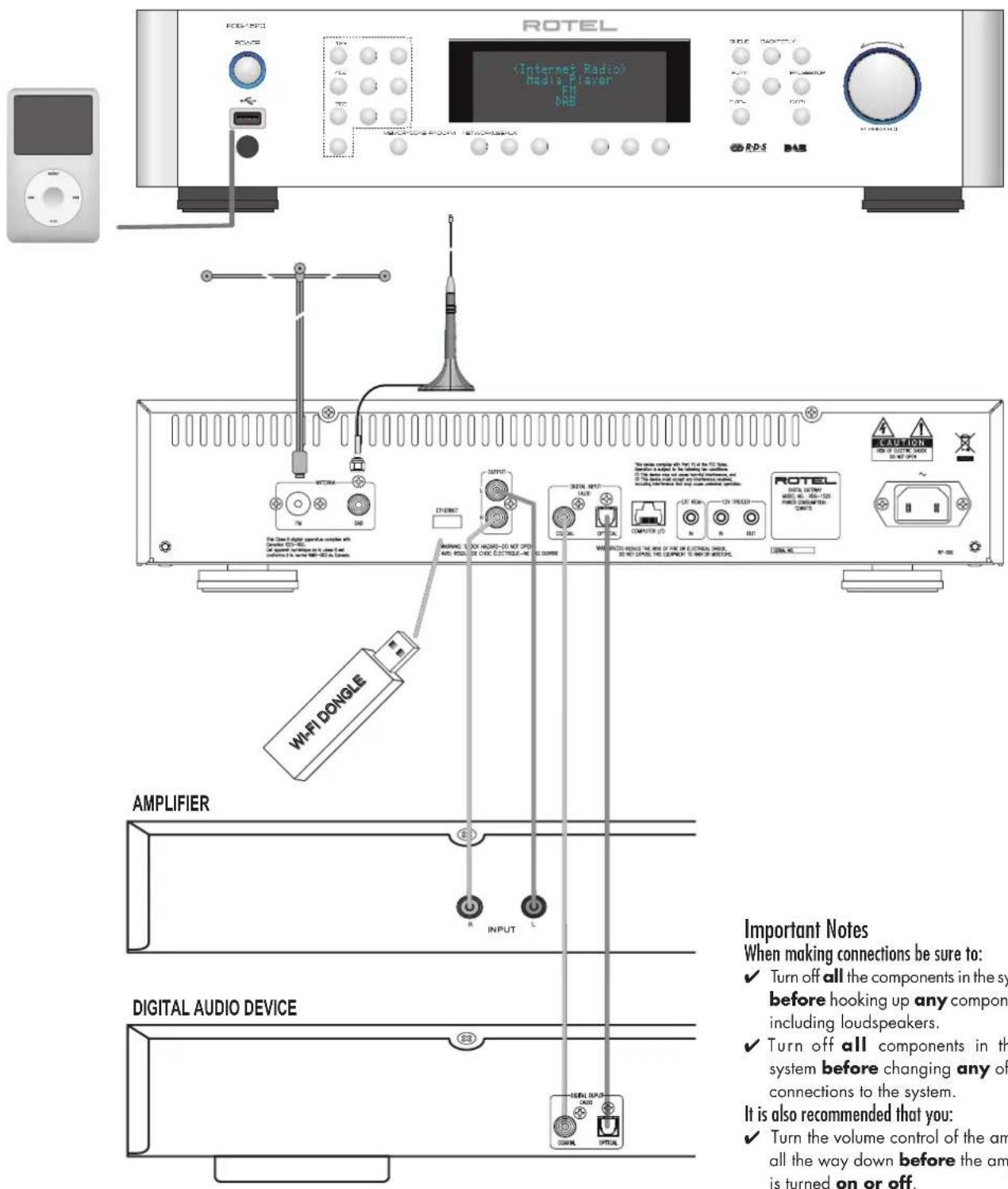
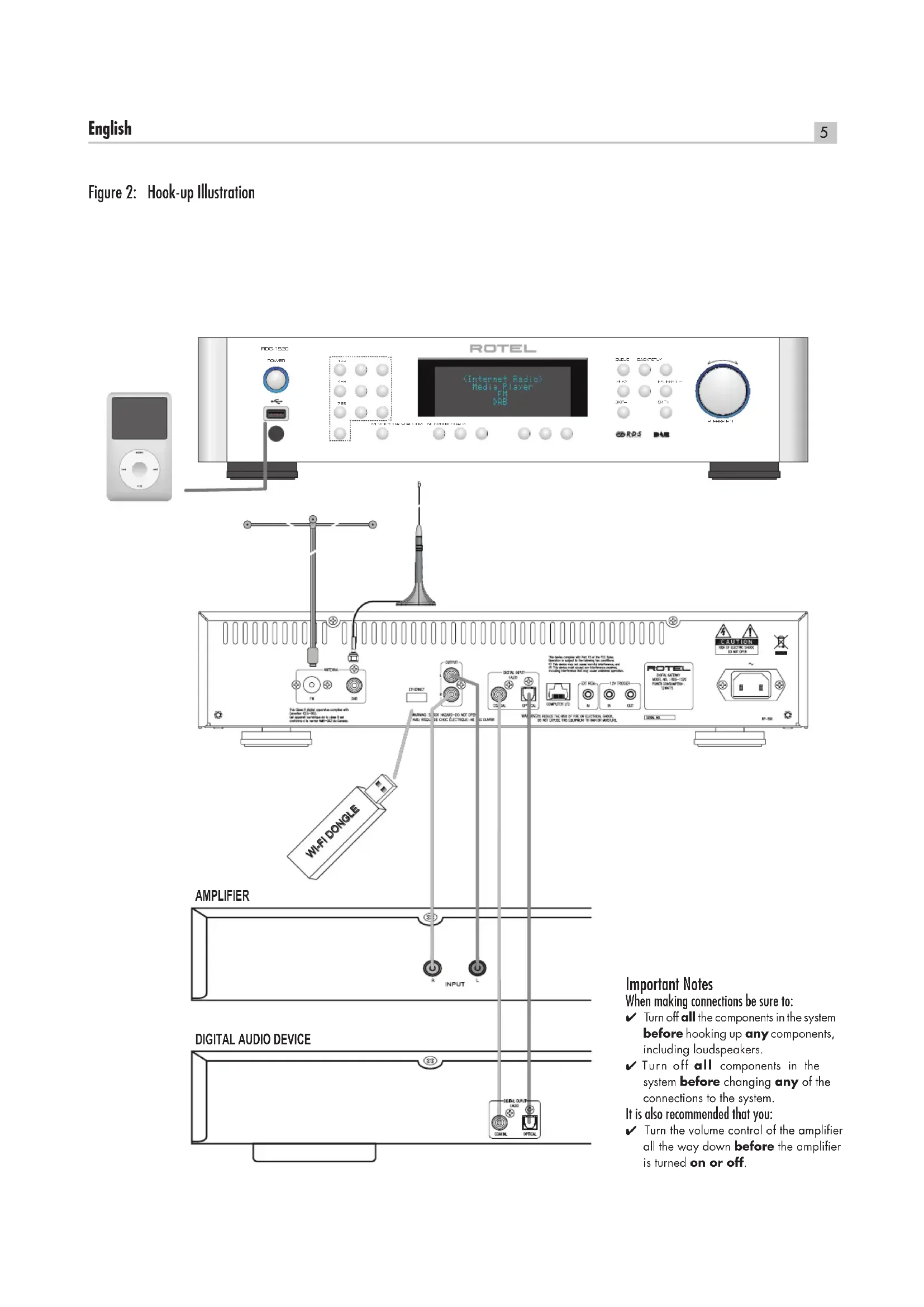
Figure 2: Hook-up Illustration
Contents
Important Safety Instructions 3
Figure 1: Controls and Connections 4
Figure 2: Hook-up Illustration 5
Important Notes 5
About Rotel 6
Overview - the Rotel internet radio tuners/digital gateway products. 7
DAB and FM radio 7
Internet radio 7
Network access 7
The Rotelradio website - managing your stations 7
Playback from iPods, mp3 players and flash drives 7
Playback from network servers 7
Getting Started 8
Features
A Few Precautions 8
Placement
AC Power and Control 8
AC Power Input 8
Power Switch and Indicator Light 2
12V Trigger Input 8
12V Trigger Output 8
Connection Overview 8
DAB/FM Broadcasting 14 8
DIGITAL INPUT-AUX 17 9
Network Connection 9
Computer 1/0 18 9
USB Connection 9
OUTPUT 16 9
Internet Radio Quick Start 9
What you need before starting 9
First Time Connection To The Network 9
Choosing A Radio Station 10
Internet Radio Station Playing 10
Storing a radio station in a preset 10
Playing a preset radio station 10
Media Player Quick Start 11
UPnP Servers 11
Setting up UPnP Server in PC 11
Play media files using UPnP Server. 11
Clear Queue 12
Playback Mode 12
iPod/USB Connection Quick Start 12
USB Storage Device Connection 12
iPod/Phone Connection 12
FM RADIO Quick Start 13
FM Radio Station Playing 13
Storing a radio station in a preset 13
Playing a preset radio station 13
DAB RADIO Quick Start 13
DAB Radio Station Playing 13
Storing a DAB station in a preset 13
SETTINGSSVERVIEW. 14
Configure "My Stuff" 15
Configure "My Stations" 15
Configure "My Streams" 15
Remote Unit Advanced Buttons 15
Troubleshooting 16
Specifications 18
About Rotel
Our story began nearly 50 years ago. Over the decades, we have received hundreds of awards for our products and satisfied hundreds of thousands of people who take their entertainment seriously- like you!
Rotel was founded by a family whose passionate interest in music led them to manufacture high-fidelity components of uncompromising quality. Through the years, that passion has remained undiminished and the family goal of providing exceptional value for audiophiles and music lovers, regardless of their budget, is shared by all Rotel employees.
Rotel's engineers work as a close team, listening to, and fine tuning, each new product until it reaches their exacting musical standards. They are free to choose components from around the world in order to make that product the best they can. You are likely to find capacitors from the United Kingdom and Germany, semiconductors from Japan or the United States, while toroidal power transformers are manufactured in Rotel's own factory.
We all have concerns about our environment. And, as more and more electronics are produced and later discarded, it is especially important for a manufacturer to do all it can to engineer products that have a minimum negative impact on landfill sites and water tables.
At Rotel, we are proud to do our part. We have reduced the lead content in our electronics by using special RoHS solder, while our new Class D (not digital) amplifiers are up to five times more efficient than our legacy designs and still deliver power and performance. These products run cool, give minimum wasted energy, are good for the environment and give better sound too.
Finally, we have printed this brochure on recycled paper stock.
While we understand that these are small first steps, they are still important ones. And we continue to pursue new methods and materials for a cleaner and greener manufacturing process.
All of us at Rotel thank you for buying this product. We are sure it will bring you many years of enjoyment.
Overview - the Rotel internet radio tuners/ digital gateway products.
This product does not operate without the Wi-Fi or Wired dongle being connected. We recommend that you read this introduction first. FAQs will be found on the Rotel website www.rotel.com/NA/support/FAQ.htm
This Rotel product brings together conventional radio reception facilities for FM and DAB, plus from the world of computers the ability to access literally thousands of radio stations available on the internet. In addition to this, this new range of Rotel tuners/digital gateways offers the facility to interface with personal audio players (iPods and mp3 players) and your music files stored on a network server.
These notes expand on the 'quick start' notes later in this manual.
Firstly, it does not matter if a wired or Wi-Fi network is not available to use – however it is essential that the Wi-Fi or wired dongle is inserted into its'socket on the rear panel of the product for it to work. Use an extension cable to relocate the dongle if space is limited at the rear of the tuner.
Each time that the product is turned on, it will be locked into search mode for about 15/20 seconds. Once this has been accomplished other radio modes can be used.
The USB input is active from turn on.
DAB and FM radio
This is the most conventional part of the product and if you have previous experience of tuning, memorizing and selecting radio stations from the present DAB and FM radio services you will be familiar with the way the tuner is operated to receive these services. All of this is explained under relevant quick start sections. Keep in mind to select the antenna (aerial) input socket to use, find this option in the setup menu. This does not obviate the need to install correctly designed antenna (aerials) to maximise reception on FM and DAB services.
Internet radio
Using internet radio requires the use of two additional services - access to the internet via a computer network and once this works a feed via one of the internet-based services which allows access to internet radio stations. This latter requirement is built into the tuner; we will deal with access to your network first.
Network access
The installation of computer networks are beyond the scope of these notes, so we assume that you have a working Wi-Fi network in your home. If you are using a wired network please refer to Network Config. under "Settings Overview" section. (Wired networks will provide the most reliable Ethernet streaming. Ethernet over powerline adaptors are available from 3rd parties if running an Ethernet cable is otherwise impractical)
At start-up, the unit looks for Wi-Fi networks, and once the search has been completed you will find one or more listed networks listed in the display to choose from. You need to select the network name which applies to your installation. This will have been assigned when your network was installed and is often pre-allocated by the router central to your network.
The next requirement is to enable your tuner to 'log-on' to your network and you allow this by entering the wireless 'WEP key' (or WPA, WPA2
key) appropriate to your network. It is likely that you will have used the key code when setting up a computer to log onto your network and it is often contained in the instructions for your router. This is a first-time only setting, so just carefully scroll though the alpha-numeric characters
selecting the correct upper or lower case characters to create your WEP key. When completed, scroll through to and select END or simply press the REPLY key on the front panel.
You can use the Previous and Next keys of the handset to help you enter this information. Do not confuse the letter 'O' with the numeral 'O'.
When successfully logged on to your network, the tuner will automatically log in to the website where you to be able to select the area of the world that interests you and choose radio stations by country, genre and name.
Registering the radio at www.rotelradio.com will allow you to search for and save internet radio stations, as well as set up other music services when available for your region.
The Rotelradio website - managing your stations
Managing the thousands of radio stations available via the internet would be impossible without being able to organise and manage stations to suit your particular needs. Rotel have provided an easy way to accomplish this by means of a dedicated website where you can pre-select stations.
The URL for this site is http://rotelradio.com.
Like many websites you will need to register a user name and password in order to create an account on the site. Before you can do so, you will need to register the product on the site and there is a special registration key in the Rotel which you will need to copy to the website registration form. This registration key will be found under the settings>register menu. You need to be connected to the internet to access this one time only key.
After registration, the website will show the radio serial number of your Rotel unit. This is different from the serial number of your Rotel unit. The radio serial number can be found in the menu of the Rotel unit under Settings -> Version.
Note that to update the display of the Rotel to indicate your choices, you will need to power-cycle and re-select 'internet radio'. Your new list of 'My Stuff' will be updated automatically.
Playback from iPods, mp3 players and flash drives
Most iPod and mp3 players can be plugged into the USB socket on the front panel to replay the music files stored within. The display will update to show the file structure and will list the files which can be played. Files copied to a standard flash drive will also behave in the same way.
Playback from network servers
Music playback from computers configured as music servers provides another opportunity to link replay via the Rotel unit and thus make use of the audiophile decoding stages designed into these products.
As with internet radio, a prerequisite is a working network, plus the music server connected to it. A server will have been configured to share files and methods of achieving this with appropriate software are shown under 'Media Player Quick Start' later in this manual.
Getting Started
Thank you for purchasing the Rotel Digital Gateway. When used in a high-quality music or home theater system, your Rotel Digital Gateway will provide years of musical enjoyment.
Features
Wireless or wired connection to access internet radio.
Access LAN PCs and music with 'Media Player' Mode
Connect with iPod/MP3/media music player for home •enjoyment.
Listen to DAB, FM broadcasting station
A Few Precautions
Please read this manual carefully. In addition to basic installation and operating instructions, it provides valuable information on various system configurations as well as general information that will help you get the optimum performance from your system. Please contact your authorized Rotel dealer for answers to any questions you might have. In addition, all of us at Rotel welcome your questions and comments
Save the shipping carton and all enclosed packing material for future use. Shipping or moving the unit in anything other than the original packing material may result in severe damage to your unit and void the warranty.
Fill out and send in the owner's registration card packed with the unit. Also be sure to keep the original sales receipt. It is your best record of the date of purchase, which you will need in the event warranty service is ever required.
Placement
Place the unit on a solid, level surface away from sunlight, heat, moisture, or vibration.
Don't stack other components or objects on top of the unit. Don't let any liquid fall into the unit.
Note the weight and size of the unit. If placing the unit on a shelf, cabinet or rack, make sure the full weight of the unit can be supported.
The unit generates heat during normal operation. Do not block ventilation openings. Allow a minimum of 10cm or 4 inches of unobstructed space around the unit. If installed in a cabinet, make sure that there is adequate ventilation.
AC Power and Control
AC Power Input
Your unit is configured at the factory for the proper AC line voltage in the country where you purchased it (USA: 120 volts/60 Hz, Europe: 230 volts/50 Hz). The AC line configuration is noted on a label on the back panel.
The unit is supplied with the proper AC power cord. Use only this cord or an exact equivalent. Do not modify the supplied cord. Do not use an extension cord.
Be sure the power switch on the front panel is turned off. Then, plug one end of the cord into the AC power connector on the back panel of the amplifier. Plug the other end into an appropriate AC outlet.
If you are going to be away from home for an extended period of time, it is a sensible precaution to unplug your digital gateway.
Power Switch and Indicator Light 12
The power switch is located on the left side of the front panel. To turn the unit ON (or to activate the automatic power-on modes), push the switch in.
The indicator light around the switch will light, indicating that the unit is turned on. To turn the unit off, push the button again and return it to the out position.
12V Trigger Input
An input jack for connecting the wires carrying a +12 volt trigger signal from a Rotel preamp or surround sound processor to turn the unit on and off.
The TRIGGER INPUT accepts any control signal (AC or DC) ranging from 3 volts to 30 volts. Use a cable with mono 3.5mm mini-plugs on both ends. The +12V DC signal appears at the "tip" connector.
12V Trigger Output
The 12V TRIG jack labeled OUT is used to pass the remote turn-on signal to another Rotel unit. Any 12V Trigger signal at the INPUT jack will be passed through to the OUT jack.
Connection Overview
Before continuing further to other sections in the manual, please make sure all the cable connections are made properly. Refer to figure 2.
NOTE: You must insert the Wi-Fi dongle (or wire adaptor) to the ETHERNET port on the rear panel. The unit will first search for available networks before allowing access to DAB and FM functions. If networks are not available, the unit will display "Network Error". FM and DAB functions will operate normally after the initial network search.
DAB/FM Broadcasting
Please use the supplied indoor antenna to connect the DAB and FM connector on the rear panel. To receive the best FM signal, make sure there is enough room for the T-shaped indoor antenna to fully extend. Eyelets at both ends of the T allow tacking the antenna to a wall if desired. Experiment with different positions to maximize reception.
DIGITAL INPUT-AUX
The unit can receive digital music signal from other sources and convert them to analog signals then output to a pre-amplifier or processor conn through OUTPUT [6] jacks. There are two connector on the AUX Digital Input area on the rear panel, labeled with coaxial and optical. Connect the coaxial or optical output of your source to the coaxial or optical input of the unit.
Network Connection
Use the Rotel supplied a USB Wi-Fi (Wired) dongle. Connect it to the USB socket on the rear panel labeled ETHERNET. The unit has been configured to work with the supplied USB dongle. No additional software/setup is required. The unit is now ready to connect to your wireless network or LAN. Refer to Internet Radio section for detailed setup.
NOTE: This Rotel model is design to work only with the supplied dongles. Please use the ones that come with the Rotel unit.
Computer I/O
This unit can be operated from a computer with audio system control software from third-party developers. This control is accomplished by sending operating codes from the computer via a hard-wired RS-232 serial connection. This model can be updated using special software from Rotel.
For additional information on the connections, cabling, software, and operating codes for computer control or updating of the unit, contact your authorized Rotel dealer.
USB Connection
The socket on the front panel below the POWER Switch is for USB connection. Music storage devices can be accessed through this input. Music storage devices such as MP3 players, iPod, USB memory sticks or any other form of memory devices with USB interface can be connected through the front USB socket and the unit will automatically search music files from the connected storage device.
NOTE: This model uses USB class 2.0 memory storage to access music files. The unit can playback music files stored on storage devices that are compliant with USB 2.0 standard. However, it will not operate with devices that require additional drivers.
OUTPUT
The unit outputs a stereo analog signal. Use the supplied audio cable to connect it with input jacks of your pre-amplifier or processor. Be careful and make sure that connections correspond to each other. Right channel output must be connected to right channel of pre-amplifier's or processor's right channel and vice versa.
Internet Radio Quick Start
What you need before starting
Before you can use your Internet radio, you need the following:
A broadband Internet connection.
Access point to internet through wireless LAN. (wired LAN connection is also possible with a Rotel supplied USB Ethernet adaptor)
With wireless LAN connection, internet radio should work within 100 metres of the wireless access point, subject to the router/Wi-Fi gateway being placed in the optimum area for your location. The user can confirm the WiFi Strength under the settings menu. (Network->Settings->WiFi Strength)
Make sure that your LAN is connected properly and is able to access the internet. To access internet radio stations an internet connection is required.
First Time Connection To The Network
Plug in the USB Wi-Fi dongle to the rear USB port and push the POWER button to power up this unit. The display on the front will light up and display:
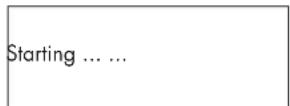
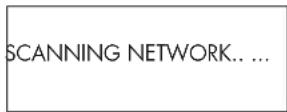
After a few seconds, it start to scan network.
If it can not find one the display will say:
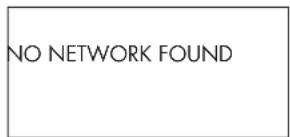
When the radio finds your network, it displays the ESSID for the access point on the screen - this is a name that is allocated to the access point by the person who set up the network - for example:
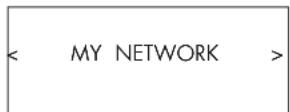
It is possible, and in some locations highly likely, that your unit will find more than one wireless access point if using wireless connection, in which case you can choose which one you want to connect to. Turn the knob on the panel to see the ESSID for each access point the radio has found.
If the screen displays "Enter WEP key" or "Enter WPA key" then the network is using one of the encryption systems, Wired Equivalent Privacy (WEP) or Wi-Fi Protected Access (WPA). Please obtain the access code from the person who set up your wireless network, or check the user manual of your router for this information. Input the code into the unit to gain access to the wireless LAN.
Note: If you would like to use a static IP address, or if the unit can not automatically get an IP address, then please see the 'Network config' section under the 'Settings' section at the end of the manual.
Choosing A Radio Station
Once a network is found and the network connections made, The top-level menu will be displayed, please select "Internet Radio", the display will show as
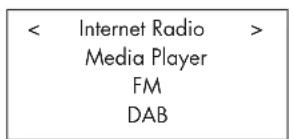
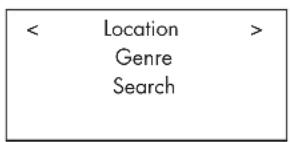
Now you can select internet radio stations to listen to by turning and pushing the knob through one of the options below.
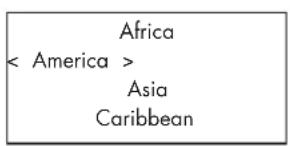
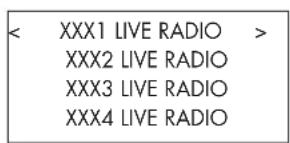
- Turn the push select knob until the display shows the area and country you want, then press on the knob.
- Turn the knob until the display highlights the desired station. Push knob to select.
- Wait until the unit connects to that station.
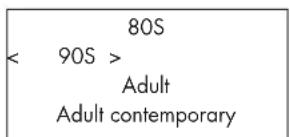
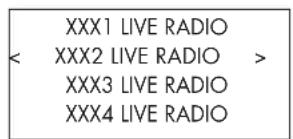
- Turn the knob until the display highlights the type of content desired, then press the "push select" knob to select.
- Turn the knob to highlight the station desired, then press knob to select.
- Wait until the radio connects to that station.
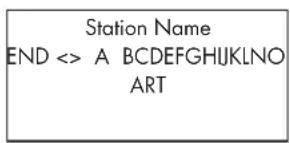
- Turn the knob until the display moves to the character to input, then press the knob to select.
- Repeat step 1 to input the complete keyword. Select "END" to confirm the keyword or press the REPLY key.
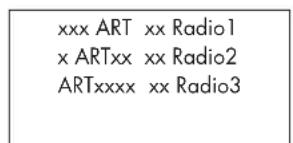
- Press the knob to enable searching. The display will show stations which match the keyword.
- Turn the knob to highlight the desired station, press knob to select and connect to that station.
Note: Internet Radio stations and other music services can be easily set up at www.rotelradio.com
Internet Radio Station Playing
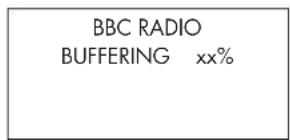
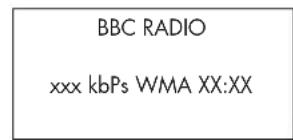
After connecting to a station, the display will display station name, type of audio file and bit rate.
Storing a radio station in a preset
While a radio station is playing, hold down the memory button 5, then press the number preset to assign from numeric pad 4, the display will show
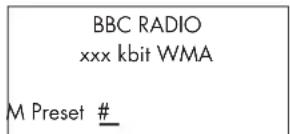
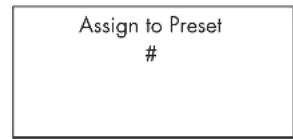
Store this current radio station into the preset number, and you can store up to 30 preset radio stations for FM/DAB/Internet Radio.
Playing a preset radio station
While a radio station is playing, you can switch to other preset stations as below:
- From the numeric pad 4 , press number button of the preset number for desired station. Or.
- Press Queue button to call out preset number and corresponding station, turn the knob to choose the station, then press the knob to select it. The display will show as
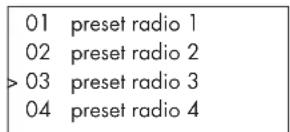
Press Queue button again to exit the queue menu and back to playing status.
Note: You can review stored radio stations by using the Queue feature. This will help you avoid accidentally overwriting a preset.
Media Player Quick Start
The Media Player feature allows you to play audio files (AAC, AIFF, AU, FLAC (CD quality 16 bit), MP3,WAV and WMA (except lossless)) and playlists (M3U) created by your computer's Media Player, such as Window Media Player 11. It has been verified to work on Windows 2000, Windows XP and Windows Vista.
Note: File sharing may need to be enabled on your computer, and not all Media Players will allow sharing of music files. Please refer to your computer's manual for instructions.
UPnP Servers
Setting up UPnP Server in PC
- Use Windows Media Player 11 (or 12 if you use Windows 7) to setup the PC as an UPnP Sever, click the 'Library' tab from Windows Media Player 11 and select 'Media Sharing' to open the 'Media Sharing' window to set the option.
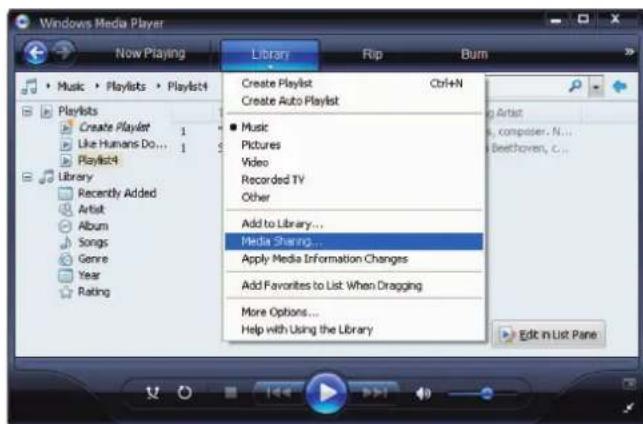
- Your PC will now prompt you that a device has attempted to connect to your UPnP server. Please click Allow button.
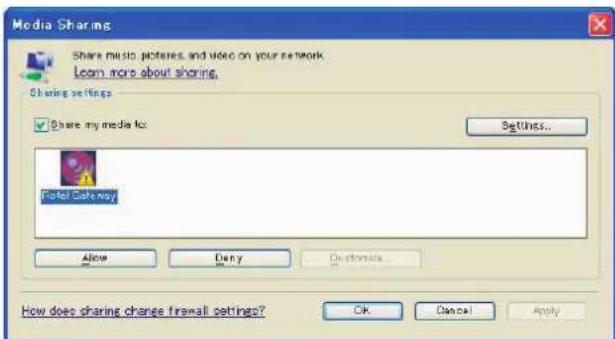
Note: As of this writing, Windows Media Player 11 does not support AAC decoding used by Apple as the default selection in iTunes. We recommend that you change the default import setting to WAV, AIFF, or MP3 formats for maximum compatibility across many devices. You can set Windows Media Player to mirror your iTunes folders. Windows Media Player 12 (for Windows 7) does support AAC.
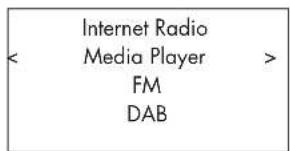
- Go into 'Media Player' menu, and select 'UPnP Servers' sub menu by turning and pressing the knob, The unit will scan for all available UPnP servers. It will display '[Empty]' if no UPnP servers are found.
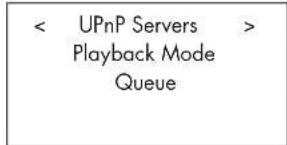
Play media files using UPnP Server.
- After a successful scan, select your UPnP server by rotating the knob if there is more than one UPnP server, highlight, then press the knob to select the desired server.
- RDG-1520 will list the options or folders available. This varies depending on the setup of your music server, and version of software you are using. It will typically show the following menus.
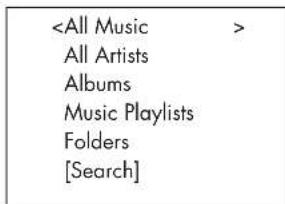
You can search for songs by scrolling through the All Music option or search for specific artists using All Artists or specific albums using Albums. In each case, you can drill down to the song level.
Enter [Search] function and the following menu will be displayed.
Then enter either Artists, Album or Music sub menus. You can enter a
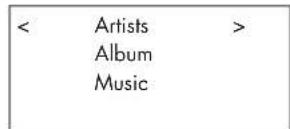
letter or letters the Artist/Album/Music starts with. Example, enter "M" in Artists, then press REPLY key to start searching. All artists in your library starting with the letter "M" will be returned.
- Once the desired track is found, push the knob to select. The selected track will be displayed on the menu as the unit attempts to connect to the music server. The information displayed on the Rotel unit depends on the information contained in the track, it will typically show the following.
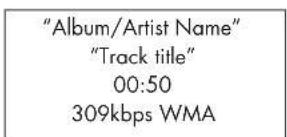
Note: Using the Queue feature, A short press on SELECT for any song or album will start that selection playing. You can also create a custom Queue to create a song mix by holding the SELECT button for 5 seconds. The selected track(s) will be added to the Queue and will be played in the order selected. Push Queue button to call up tracks waiting to be played. A 5 second push on the STOP button will remove specific songs from the Queue. You can clear Queue by pressing the Queue button and selecting CLEAR Queue.
Clear Queue
You can clear Queue by pressing the Queue button and selecting [Clear Queue] or by going into Queue menu from the Media Player submenu.
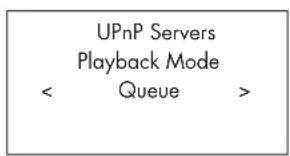
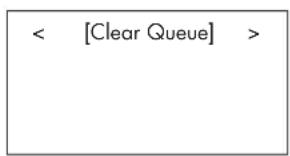
You can clear individual tracks in Queue by selecting the track and press STOP key for 5 seconds.
Playback Mode
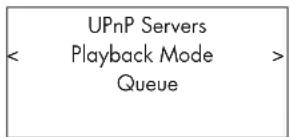
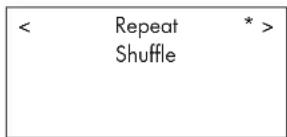
Turn the knob to select sub-meuno 'Media Player' -> 'Playback Mode', there are 2 sub-menu, "Repeat" and "Shuffle". Select either Repeat, Shuffle or both. A mark will indicate the selection made.
REPEAT: Tracks are played one after another and will start from the first track again when the last track is finished.
SHUFFLE: Plays tracks in random.
Note: If both REPEAT and SHUFFLE are on, The unit will first play the list in random, after all tracks are played one time, it will continue to play the list in random until STOP is pressed
Note: Using shuffle feature with large music libraries may not be possible or may take an excessively long time. We recommend that you create shorter playlists in Windows Media Player and then shuffle these.
iPod/USB Connection Quick Start
USB Storage Device Connection
- Plug your USB storage device containing music files, or through a USB adaptor into the front panel's USB interface.
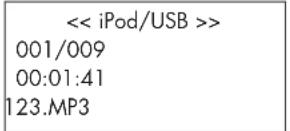
- Press USB button on the front panel to enter iPod/USB mode. And the unit will automatically search music files from the root directory. Once the directory is found, the unit will start playing. The display shows song's information, such as name, time, tracks.:
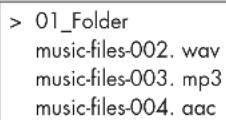
- If your music files are in sub directories, turn the knob to display all directories. Turn and press the knob to enter the desired directory. Then look for the desired music files turning and pressing the knob.
- Press BACK button to return previous menu and select another directory.
iPod/iPhone Connection
- Apple's iPod/iPhone can be connected via the iPod's USB cable to the USB front socket.
- The iPod/iPhone will send a digital music signal to the unit. All operations can be made from the iPod/iPhone. Only simple commands can be made through the Rotel unit as explained below.
- The iPod/iPhone screen will remain active while connected to the unit. If no operations are made from the iPod/iPhone for an extended period, the screen will turn to "charging".
Playback Control Buttons
- Use the STOP button to stop playback.
- Use the PAUSE button to either pause a currently playing track or to restart a currently paused track or to restart a stopped track.
- Use the SKIP- button to start playback of the previous track in the queue.
- Use the SKIP+ button to start playback of the next track in the queue.
- Push and hold the STOP button for 5 seconds to safely remove the USB device from the unit.
Note: The Rotel unit will operate with iPhone 3GS, iPhone 3G, iPod Classic, iPod touch 2G, iPod Nano 2G, iPod Nano 3G, iPod Nano 4G, and iPod Nano 5G.
FM RADIO Quick Start
Before listening to FM radio, make sure that the FM antenna have been properly connected, and the correct FM format has been selected. Go into 'Settings' menu and select FM tuner region.
FM Radio Station Playing
- Select FM Button from the front panel. Or keep pressing BACK button to return to top-level menu. Turn and press the knob to select FM menu. The display will show as
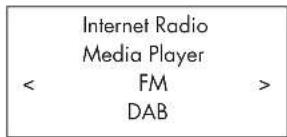
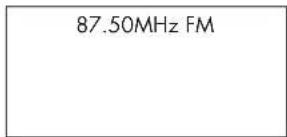
- Turn the knob to change the frequency of radio station.
- Use the scan buttons and on the remote unit to auto search for FM stations.
- Use track buttons on the remote and to manually search for FM stations.
Storing a radio station in a preset
While a radio station is playing, hold down the memory button 5 , then press the number of preset assigned from numeric pad 4 , the display will show, (also it can be done by the remote unit with buttons MEM, numeric pad)
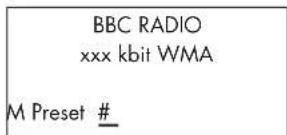
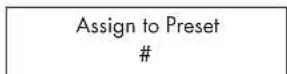
Store this FM radio station into the preset number. Up to 30 preset FM radio stations may be stored.
Playing a preset radio station
When a radio station is playing, you can switch to other preset stations in one of the following two ways.
- From the numeric pad 4 , press preset number of the desired station.
- Press Queue button to call out preset numbers and corresponding station. Turn the knob to choose the desired station, then press the knob to select it. The display will show as
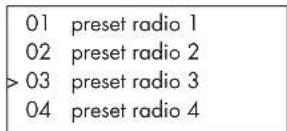
Press Queue button again to exit the queue menu and back to playing status.
DAB RADIO Quick Start
Make sure that your local area can receive Digital Audio Broadcast (DAB) broadcasting signal. Before using this feature, please go to the Settings Quickstart section for DAB setting to select your DAB REGION and scan available DAB stations.
After setting up, press the DAB button on the front of the panel, or select DAB menu from the top-level menu to enter this feature. Select stations to listen to by turning and pressing the knob.
DAB channels are categorized into ensembles, which are also known as multiplexes. Each multiplex provides a number of stations and each service contains a primary service that can contain secondary services. DAB technology allows broadcasters to transmit additional data along with the audio, which can include other audio channels, text and even images and computer data in the future.
DAB Radio Station Playing
- Select DAB Button from the front panel. Or keep pressing BACK button to return to the top-level menu, turn and press the knob to select DAB menu. The display will show as
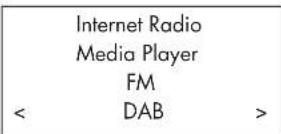
The unit will scan for available DAB stations. Select the desired station with the knob.
Storing a DAB station in a preset
While a DAB station is playing, hold down the memory button 5 , then press the number of preset assigned from numeric pad 4 , the display will show. (also it can be done by the remote unit with buttons MEM, numeric pad) Stores this DAB radio station into the preset number. Up to 30 preset DAB radio stations may be stored.
Radio Station Presets
FM, DAB and the Internet have 30 Pre-set Stations a total of 90 stations can be logged in the unit. Many more stations can be stored on line at your My Stuff account.
Note: For easier sorting, only the stations that are log in as Pre-sets will be visible. Each station will be marked with an F for FM, D for DAB and I for Internet Radio presets.
SETTINGS OVERVIEW
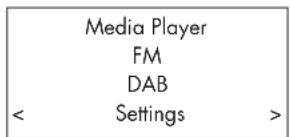
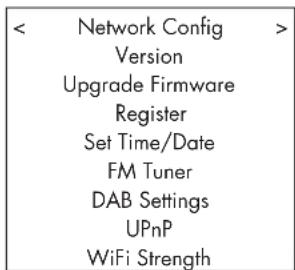
Keep pressing the BACK button to back to the top-level menu. Select the Setting menu to enter its sub-menu by turning and pressing the knob, it has 9 setting sub-menus. Turn the knob to find hidden menus.
Network Config
- Scan for networks (only for wireless connection)
Turn and push the knob to select this menu. The display will show "Scanning", which will take a few seconds. Once the network is found, the display will show the network ID. Turn the knob to select, push to confirm.
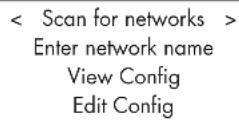
- Enter network name (only for wireless connection)
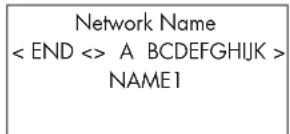
If the unit can not find any networks, the network ESSID can be entered manually.
Use the knob to keep selecting letters of the device name by turning and pressing, and select "END" or hit REPLY on front panel or remote to confirm the name.
- View Config
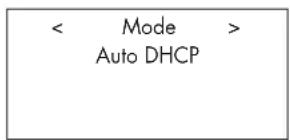
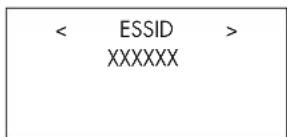
Show current network configuration details. Turn the knob to see next/ previous page of "Mode"->"ESSID"->"MAC Address"->"IP Address" ->"Netmask"->"Gateway"->"DNS Servers". Display as below:
- Edit Config
This menu can be used to edit the current network configuration. This menu is useful for entering a static IP address. Select this function with the knob and enter the static IP address, MAC address, DNS of the selected network.
To enter the value, press knob, then rotate the knob to adjust the value up or down. Press again to enter the value and move on to the next field. Continue until all information has been entered.
- Signal Warning (only for wireless connection)
Select YES or NO to enable or disable warning of low Wi-Fi signal.
Version
This menu displays software and hardware information of the unit.
Upgrade Firmware
Use this option to download new firmware for the internet radio. If new firmware is available, there will be a prompt to download.
Note: At this stage, you can press the BACK button to cancel the firmware upgrade. A firmware upgrade may take several minutes, do not switch off the power to the unit or put it into standby until the operation is complete, otherwise, the unit may become permanently damaged. Upgrading can take 15 to 60 mins, depending on the speed of your internet connection.
Register
This will display a key that can be used to register the unit on the Rotel Radio Customer portal: www.rotelradio.com
Set Time/Date
Set you local time and date. Push knob to start entering value, rotate knob to change value. Press again to confirm value entered and move on to the next field.
FM Tuner
Select the FM Tuner region with this function.
DAB Setting
There are 3 sub menus: Scan, Clear List, DAB Region. Please select the menu by turning and pressing the knob.
"Scan" will scan for all available DAB service, it will display list of service name when successful, or say "no services found" if DAB broadcasting is not available.
"Clear List" will clear available service list found by "Scan".
"DAB Region" will show regions that provide DAB service, you can select the desired region by turning and press the knob.
UPnP
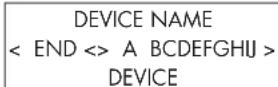
Use this setting to set any UPnP device name. This is the name that your music server will pickup in Media Player mode. Default name is Rotel Gateway. Use the knob to keep selecting letters of the device name by turning and pressing, and select "END" word to confirm the name.
WiFi Strength
Shows a percentage to indicate the WiFi strength.
Configure "My Stuff"
Register an account on http://rotelradio.com website
A personalized menu "My Stuff" can be setup in the top level menu.
Open the website, http://rotelradio.com, from your internet browser. Please enter the registration key, this can be found in 'Settings > Register' menu. Enter this registration key into the website and follow the instructions to setup an user name and password. Remember the user name and password, you will need this to access the site.
After logging into your account, you will be able to edit your information for 'My Stations', 'My Streams', 'My Podcast' and 'My Radios'.
Follow the instructions on the website to personalize your menu.
Configure "My Stations"
There are an enormous choice of stations that are available in the database from the website. Please follow instructions on the website to search for stations. When search results are displayed, there will be a link to 'Add to my stations', Click on this and the station selected will be added to My Stations. A new top level menu 'My Stuff' will appear on the display, with a sub-menu 'My Stations'.
After the initial registration, you can add to 'My stations' while connected to a radio station by pressing the REPLY key. The display will ask if you want to add selection to 'My stations' press the push select knob to add selection.
Note: You may further organize your stations into FOLDER (for instance JAZZ, ROCK, OPERA etc.) These FOLDERS will be displayed on your Rotel unit.
Configure "My Streams"
While logged into your website account, you can add your own internet radio streams to the 'My Streams' section which will be listed under 'My Account'.
Click on 'My Streams', a prompt will appear to enter the station's name and its media stream URL. The media stream URL should be a link to the website's actual audio stream.
Note: 'My Stuff' menu and stations under 'My Stations', 'My Streams' will appear after the unit has updated the stations list. Please power OFF then ON and enter 'Internet Radio' from the top level menu for the unit to update the stations list.
Remote Unit Advanced Buttons
Setup menu
To enter the setup menu, press the SETUP button on the remote control and you will see the following display:
| <1 DIMMER > |
| 2 FACTORY DEFAULT |
| 3 VERSION |
| 4 ANTENNA SELECT |
| 5 EXIT |
- DIMMER controls the brightness of the front panel display, it can be dimmed with seven steps. You can access this control directly with the DIM button on the remote control.
- FACTORY DEFAULT sets the unit into the original state as when it left the factory. Presets and network configurations will be lost, and sets the remote code 1 (see below).
- VERSION shows this unit's version.
- ANTENNA SELECT choose AUTO(default), FM or DAB antenna.
- EXIT returns to previous menu.
Second Remote Code
The factory setting is remote code 1. If you find that the remote is conflicting with other Rotel products, you can change to remote code 2 with the following steps:
- While pointing the remote at the unit, press on the remote control 'FM' and '2' keys at the same time. Release the 'FM' key and continue to press the '2' key for 5 seconds. The unit will show 'Audio Custom Code 1 2' .
- Repeat the above procedure and press '1' key instead of '2' to change the unit back to Code 1.
- The unit remote keys, such as PLAY, STOP, PAUSE, use Rotel's standard codes for CD players. If you find that this is conflicting with your Rotel CD player, press 'CD' and '2' keys at the same time. Release 'CD' key and continue to press '2' key for 5 seconds. The display will show 'CD Custom Code 1 2' .
- Repeat step 3 above and press '1' key instead of '2' to change the unit back to Code 1.
Troubleshooting
Most difficulties in audio systems are the result of incorrect connections, or improper control settings. If you encounter problems, isolate the area of the difficulty, check the control settings, determine the cause of the fault and make the necessary changes. If you are unable to get sound, refer to the suggestions for the following conditions:
Power Indicator Is Not Lit
The power Indicator should be lit whenever the unit is plugged into the wall power outlet and is pushed in. If it does not light, test the power outlet with another electrical device, such as a lamp. Be sure the power outlet being used is not controlled by a switch that has been turned off.
Network Does Not Work
If you have trouble connecting to your wireless network, check your network setting carefully, these steps may help to resolve the problem.
- Confirm that a Wi-Fi network works, ie, PC can access the Internet using the same network.
- Check that a DHCP server is available, or that you have configured a static IP address on the unit. Please refer to Network Config section.
- Check that your network's firewall is not blocking any outgoing ports.
- Do a hard power off (unplug the AC mains) and let the unit restart the network scanning cycle.
- Use an USB extension cord to move the WiFi dongle up higher or to a different location to maximize reception.
No Sound
- Check the cables between the output and the pre-amplifier inputs, be sure they are connected properly. Refer to Fig. 2.
- Music played from Internet Radio stations are affected by the speed of your internet connection. If you find that music is cutting out regularly, contact your internet service provider.
- Make sure the station you selected is operating at the current hour. The station can be broadcasting from a different time zone.
- Please insert the Wi-Fi dongle (or wired adaptor) to the ethernet port on the rear panel even if no networks are available. After power ON, the unit will look for available networks before allowing the user to access FM and DAB features.
Glossary
Bit rate - Speed of data transfer - how many bits of information are sent each second.
Buffering - data downloading and being assembled before playback.
Code - [Coder/Decoder] software capable of encoding and/or decoding RSS feed - [Really Simply Syndication feed] used to publish content on a digital data stream or signal.
Data Encryption - the encryption of data for security purposes. For wireless networks this is normally WEP and WPA.
DHCP [Dynamic Host Control Protocol] - A protocol for assigning IP addresses to devices on a network.
DNS Server - A remote server that provides the translation of web addresses into the corresponding numeric IP addresses.
ESSID - [Extended Service Set Identifier] The ESSID is a unique identifier for your wireless network.
Ethernet - Network technology for local area networks. Cat5 cable carries information between computers at a rate of 10/100/1000 megabits per second.
File format - The type of file e.g. a music file in the format of .mp3.
File Server - A computer or device that provides workstations on a network with controlled access to shared files.
Firmware - embedded software in a device that provides the devices with operational instructions.
Gateway -The access point from LAN to WAN.
Internet - a computer network consisting of a worldwide network of computer networks.
IP Address - is a numerical label that is assigned to devices in a computer network.
ISP - Internet service provide.
Kbps - Short for kilobits per second, a measure of data transfer speed.
LAN - [Local Area Network] a local computer network for communication between computers.
MAC - [Media Access Control] is a unique identifier assigned to network adapters or network interface cards by the manufacturer for identification.
Modem - [Modulator/Demodulator] device used to connect computers by a telephone line.
Network - A system of interconnected electronic components or computers.
Network adapter - A hardware device, installed inside computers that connect computer devices together to create a network.
Podcast - An audio file delivered via an RSS feed over the Internet to a subscriber.
Router-A device that joins multiple networks or computers together.
RSS feed - [Really Simply Syndication feed] used to publish content on the web which people can then subscribe to and receive updates.
Server - A computer that provides client computers with access to files and printers as shared resources on a computer network.
Subnet mask - A method of splitting IP networks into subgroups.
UPnP - [Universal Plug and Play] a method of auto configuration used in devices such as PCs, peripherals, wireless devices and intelligent appliances.
URL - [Uniform Resource Locator] the format of the address for a particular page of a website.
USB - [Universal Serial Bus] Connection commonly used with computer peripherals.
WAN - [Wide Area Network] computer network that spans a wider area than a local area network e.g. the Internet.
WEP - [Wired Equivalent Privacy] a wireless security protocol to prevent access to the network by "intruders" using similar wireless LAN equipment and capture of wireless LAN traffic through eavesdropping.
WPA - [WiFi Protected Access] a wireless security protocol that replaced the weaker WEP.
WiFi - [Wireless Fidelity] - a radio frequency standard that is used to connect devices, such as computers and iPods, together using a wireless connection.
Specifications
FM Tuner
Usable Sensitivity 22.2dBf
50dB Quieting Sensitivity 27.2dBf(mono)
Signal to Noise Ration (at 65 dBf) 63 dBf (mono) 60 dBf (stereo)
Harmonic Distortion (at 65 dBf) 0.2% (mono) 0.3% (stereo)
Frequency Response 10 Hz-15kHz, ±3dB
Stereo Separation
(100Hz/1kHz/10kHz) 40dB/45dB/35dB
Output level 1.1V
Antenna Input 75 ohms unbalanced
DAB Tuner
Sensitivity -80dBm
Tuning Range Band III (174-240MHz)
Audio Data Rate 224Kbps (Max)
Frequency Response 20 - 20KHz +/- 1.0dB
Analog Output
Antenna Input 75 ohms F connector
General
Network connection
Security WEP, WPA1 (TKIP) WPA2 (TKIP)
File formats (UPnP Music Server)
WMA (except lossless)
OGG vorbis, WAV, AIFF, and AU.
Power consumption
Power Requirements (AC) 230V, 50Hz(Europe)
Weight 6.5 kgs (14.33 lbs)
Dimensions (W× H× D)
Front panel height
2.1V at 0dBFS
802.11b/g
AAC, MP3
12 watts
120V, 60Hz(USA)
431× 99× 312mm
(17× 3 / 8× 12%) in
2U (3%) in
All specifications are accurate at the time of printing.
Rotel reserves the right to make improvements without notice
Rotel and the Rotel Hifi logo are registered trademarks of The Rotel Co., Ltd. Tokyo, Japan.

iPhone 3GS

iPhone 3G

iPod touch and generation

iPod classic

iPod nano
5th generation (Video camera)

iPod nano
th generation.
(video)

iPod nano
3rd generation
video)

iPod nano
2nd generation
(aluminum)
"Made for iPod" means that an electronic accessory has been designed to connect specifically to iPod and has been certified by the developer to meet Apple performance standards.
"Made for iPhone" means that an electronic accessory has been designed to connect specifically to iPhone and has been certified by the developer to meet Apple performance standards.
Apple is not responsible for the operation of this device or its compliance with safety and regulatory standards.
iPod is a trademark of Apple Inc., registered in the U.S. and other countries.
iPhone is a trademark of Apple Inc.
Windows, Windows XP, Windows 2000, Windows Vista, Windows 7, Windows Media are either registered trademarks or trademarks of Microsoft Corporation in the United States and/or other countries.
"This product includes technology owned by Microsoft Corporation and under a licence from Microsoft Licensing GP. Use or distribution of such technology outside of this product is prohibited without a license from Microsoft Corporation and/or Microsoft Licensing, GP as applicable."
PRECAUCION
This Class B digital apparatus complies with Canadian ICES-003.
Internet Radio Media Player FM DAB
87.50MHz FM
This Class B digital apparatus complies with Canadian ICES-003.
Configurer "My Streams" 54
< Location > Genre Search
Africa
< America> Asia Caribbean
80S 90S> Adult Adult contemporary
| Station Name END <> A BCDEFGHJKLMNO ART |
| xxx ART xx Radio1 |
| x ARTxx xx Radio2 |
| ARTxxxx xx Radio3 |
| Internet Radio Media Player FM < DAB > |
| Media Player FM DAB |
| < Settings > |
| <Network Config>Version Upgrade FirmwareRegister Set Time/Date FM Tuner DAB SettingsUPnP WiFi Strength |
| < Scan for networks > |
| Enter network name |
| View Config |
| Edit Config |
Configurer "My Streams"
pertes (lossless), OGG Vorbis,
Alimentation
230 volts, 50 Hz (Europe)
Hauteur face avant
2U (3 / 2in)

iPod touch 2nd generation

iPod classic

iPod nano (with generation video camera)

iPod nano 4th generation (video)

iPod nano 3rd generation (video)

iPod nano 2nd generation (aluminum)
This Class B digital apparatus complies with Canadian ICES-003.

iPod touch 2nd generation

iPod classic

iPod nano 5th generation (video camera)

iPod nanotech generation (video)

iPod nano iPod nano 3rd generation 2nd generation (video) (aluminum)
This Class B digital apparatus complies with Canadian ICES-003.
| Internet Radio Media Player | |
| < FM | > |
| DAB | |
| 87.50MHz FM |
| Internet Radio Media Player FM < DAB > |
ISP - Internet Service Provider.

iPod touch 2nd generation

iPod classic

iPod nano (with generation video camera)

iPod nano
th generation
(video)

iPod nano 3rd generation (video)

iPod nano 2nd generation (aluminum)
This Class B digital apparatus complies with Canadian ICES-003.
Internet Radio Media Player FM DAB
| Internet Radio Media Player FM < DAB > |
| Media Player FM DAB |
| < Settings > |
| <Network Config> |
| Version |
| Upgrade Firmware |
| Register |
| Set Time/Date |
| FM Tuner |
| DAB Settings |
| UPnP |
| WiFi Strength |
| < Scan for networks > |
| Enter network name |
| View Config |
| Edit Config |
Formato file (UPnP music server)

iPod touch 2nd generation

iPod classic

iPod nano 5th generation (video camera)

iPod nano
th generation
(video)

iPod nano 3rd generation (video)

iPod nano 2nd generation (aluminum)
BaxKbIe HNCTpyKcUN no 6e3oNaCHOCTn3aMeaHne
PepynpeKHeHMe: BHTPNOTCYTCTBYOT dAANI, 06cnyKBAeMbIe NOnb3OBaTeENM. 06paauTeCb 3a 06cnyKBAHHeM TOnbKO K KBaIMHmUPOBaHHOMy PemOHTHOMy nepcohany.
PpeynpekneHHe: Ia CHKHeHn OAnCHOTB3OpaHn HmUyapa 3JIeKTPueckm TOKOM, He noDBepraIte DaHnoe H3dene Wb3eCTBNO B0bI Hnn BnAgn. He noDBepraIte H3dene Wb3eCTBNO KaneIb Hn6bIg. He pa3MeuaiIte HnKaKIN PpeMToB, 3aONHeHNbIX XmKoCTAMn, TaKHX KAK Ba3bl, HaYcpoIcTbe. He no3BOnJIte NoctOpOHnMI peDmetam NonaIaTb BHytbp Kopnyca. EcnPiN6Op noDBepaTeCBA3eCTBNO BnAgn, HnN NOCTOpOHnMI peDmetNonaIb BYTpbp Kopnyca, HemeJEnHO oTOeOeHHo tceTeBOH bHypOr CTENHn PO3eTKM. OTheCtme Pnp6pK KbANHmPPOBaHOMy CneuaHnCTy dN OCMOTPA n Heo6xoDMoro pEmoHTA.
IpoHHTaIE BCE HCTpyKmnepeNIOOeINHeHmE N KcNpyataaNei KOMnHOHeHa.
CoxpaHnte 3to pykoBOCTBO,TO6bblbMOrrn 6oPaaTbcaK3TNIM HHTpykMmIO 6e3oNaCHOCTN.
06paaiTe BHMaHMe Ha BCE npDpynpKdEHN HmOpMaHIO 6e3oNaCHOCTn B 3TmX HaCTaBHeMx HA CaMOM hENm. CneyTe BCm HNCTpykMn NO kCmnyatauMn
OuMaIaTe KOpNc TOnbKo PnP NmOoum CyXoT PTrAnKn Nm PbNeCocom.
BbdoJXbI o6eueHTb MMHmym 10cm CBO6oHOrO npoctpaHCTBa BOKpyr np6opa.
He CTabTe PnB6Op HA KPOBaTb, DuaHbAN, KObeP INa HAnOARUHYIO NOBePxHOCTb, KOtOpA MoKET nepeKpbIb BHTeINaONHOIIbTEOBcTe. Ecn pINp6pa3MeueHN B KInuXHOM INI cTeHNOM IkaFy, TAM JOnJbA bHTb BENTnuaJIINr dI ANJOnKHO rOxAkDeHNI.
JnKtHTe KOMNoHEHT BOTdAnEHNI OT 6BaTapei, KaonpHepoB, Neuei NmNIObOgDpyrO annapatypb, KOtOpaI npO3H2oHDTenNO.
PpdpynpeKdHne:Pa3beM
UHpya NHTA HnHa 3aDHei
NanHeH YBnETC yTPOCTOBm
DnO TKNIOUeHHc CETn NtAHn.
PiNbOp DnJKeH 6bTb pa3MeueH a
OTKpbTOM pOcTpaHCTBe, KOTopoE
06cEneWBAeT DoCTyn Kpa3bMy
CetEBOro UHypa.
JaHHb npH6op DnKHeH 6blTb NIOCoEINHEK K IKTOUYHKY PNTAHN
Tolbko TaKoro Tnna HapnKaKeHn, KOtOpBie yKa3aHbHa 3aHne nHaen. (CUSA: 120 B/60 Tc, EC: 230 B/50 Tc)
NooCoeMHHTe KOMHOENTKnHtAIOUePo3EKeTcToNbKpNpNOMOuCteBTOUHpyN3KOMNNEKTa NOCTABKN, INr EOR TOYHOR3KKBNAENTHa. TepeNenBbAte NoCTABNaEMbI uHyp. NOnpN3OBAHbI WTEKEK HMeET DBA HOXeBbIX KOHTAKa, OINH3 KOTOPBX UWPe DpyrOg. 3a3EmNOIOuN WTEKEK MeET DBA HOXeBbIX KOHTAKa IN TpeTNI 3a3EmIOuM WTIbPb. OHn ObecNeuBAOT Bauy 630aNACObctb. HEOTkBaIBaTeCBxOT MeP Bo3oNacOChTN, pneOCTABNaEMbX 3a3EmIOuM IN NOnpN3OBAHbIM WTEKEKpOM. ECIn ONTAbNaeMbI WTEKEK He NOxDnT K BAwB Po3EKeTc, 6paTNUcB K 3NeKTPKny DnA MEnHbY CTapBeWuePo3EKn. HEONOB3yIte YdINNHHTeNB nTAMHAn.
OCHOBHoi wTekep cTeBOro hUpya IyIeTcra OTKIOuAeMbIM oIannapata yCTpoIbOM. JnlaONHOro OTKIOHHeH N3dEINr ONTIAIOeI CETn, OCHOBHoi wTekep cTeBOro KaEbeN CnDEyET OTOeDINrBo TOT cTeBoi PO3eTKN NepEmEHORO TOKA. CBeToNDHbI HmNkATOp KJNyUero pKMMa He bYet RopEB, NOKa3bIaB, YTO cTeBoi WHyP OTKIOUeH. CTeBoi wTekep DOnJIeH OCTabBa B NERKOI DOCTYNHOt.
He npoknlaDbBaIe ceteBOnUHpyTam,Re OH MoKet6bItpa3dabBHeN,nepeKAT,KCPyUH,NDBePHTHyB03aenCTBNO Tenni HIN nobpeKeJDen KAKIM-Nmbo Cnpoc6oM.ObopaaiTe OcO6oe BHHMaHne Ha ceteBOnUHpyBmNt Wtekepa N tam,Re OH BxOJNTB 3aHIOHO NaHEny U cyTOpCTBa.
CetEBO uHyp cneuyet OcoeHNrTb Tn HAcTeHHo Po3eTK BO BpMa rpo3bl mN eMn npH6Op octabHe HcNcIb3yEmbIM dIITeBHO BpMa.
3T0 np6opdoJIKEN 6bIbNoaCoEINHnK CETeBOPO3eKTE,OBOpDobAHHO 3aUHTbIM 3a3EmHeHMe.
McnoB3yIeToJIbKO npHnAdNExKHOCTM, yKa3aHHbIe npOvI3BOuHTeMe.

NcnoB3yIe TOnkBoTeJekKy, NoCTaBky, CToIky, KpOHTeHm NnI NnKy CNCTeMb, peKOMeHIOBaHHo KOMNaHMe RoTeL. ByIe OCTOpoxKnI pI nppeMeueHm pn60pa Ha nOCTaBKe Mn CToe Bo 36EkaHne paehnaOT onPOKKdbBaHna.
HemeNHe npekpTaIe MCIObn3OBaHMe KOMIOHEnHa I nepeJaTe Ha 06CneOBAHMe W/NNn 06cnykmbaHHe KBaIMnPouBaHOHm peMOTHoI OPAH3aMnE cIn:
CetbeoHnHyp mH nTeKep 6bI NOBpeJdeH.
BHytpb npH6opa yponHHn ppeMdtb Hnn nponHHKkoctb.
Pnp60 np6bBn noJdoKdM.
Pnp60p demOHCTpnpyET npn3Hakn HHeOpMaNbHo p60tbl.
PpH6Op yponHHn HnnoBpeHHn HIObIM dpyHM CNOcOBm.
Batape Bnybte IMCTaHIOHO rnpabneHn (JY) He doJIKNbI NOBeprTaCBA 03dEHTBIO Hmshero TenaT, TAKORO KAK COJIHEuHb CEBT, OOrh bT.I.
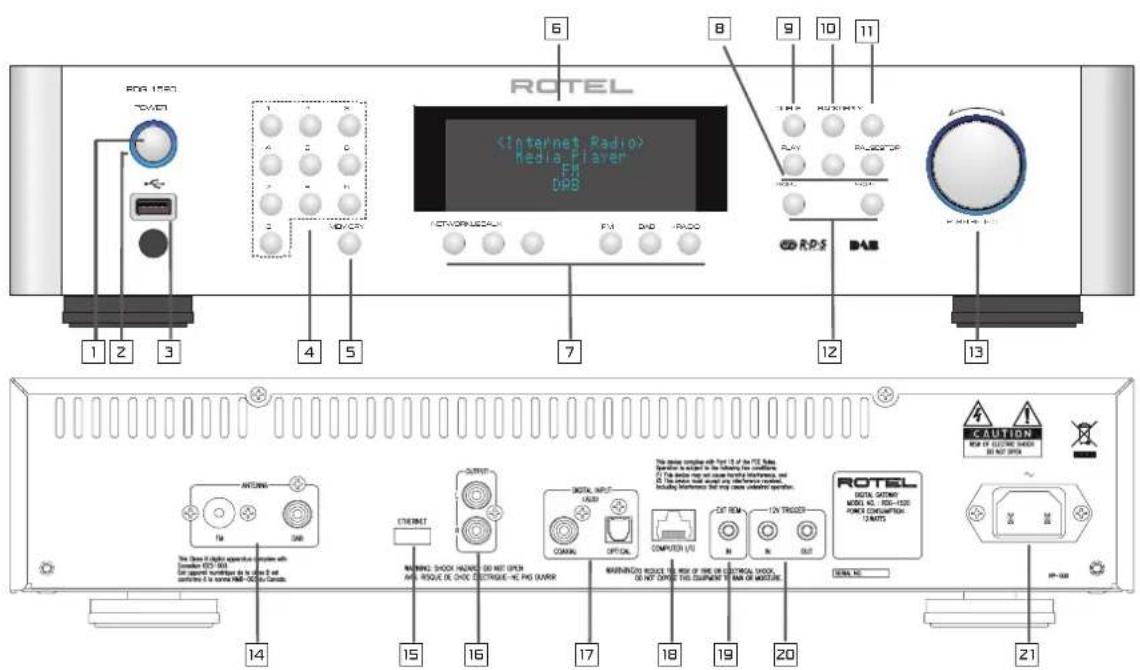
Figure 1: OpraHbI ynpaBHeHn np3BeMbI
| 1 | 1,2 | : Khońki BKLIOUHENIA/BblKIIIOUHENIA NITAHNA | SETUP & EXIT : Bxod u Bvxod B meHO 3aBODCKNX |
| 3 | : Pa3bem USB對於 iPod/mp3 | ABTOMATUeCKN NOINCK paIIOCTAUNCIM FM | |
| 4,5 | : UCTAHOBKA N BblIOB | RANDOM/ | PexMM BOCpON3BVEHNI |
| : PpeDbapNTelbHNO HACTPOIKN | SHUFFLE | ||
| 6 | : DnscPiNeI | ||
| 7 | : Bbl6op INTOUYHKA MUsBkN | ||
| 8 | : Khońka ynpabIneHNA | ||
| BocPOn3BeDeHMe | |||
| 9 | : OuepeB (cIncOK ppeDbapNTelbHbIX HACTPOEK) | ||
| 10 | : Ha3ad B MeHO BepXHeRo UPOBHA | ||
| 11 | : MeHO iRadio | ||
| 12 | : PpeDbduZaJy/CneDyUOZa JDOPOXKa | ||
| 13 ∧ SEL √ : HabIRaUH N Bbl6op | |||
| PpIMMeUHNE: | |||
| Pa3bEmbl Ha 3aADHei NaHeLI | 1. BoJIbShINCTBO KhoIbOK nYbTa DY du6bIPuyET φyH | ||
| 14 | : AnteHNa FM/DAB | KhoIbOK nepeDHei NaHeLI. HeKOtOpBie opR | |
| 15 | : Pa3bem DnA aDAItepa Wi-Fi / Ethernet | ynpabIneHna DOCTyHbI ToIbKO C nYbTa DY, KOTo | |
| 16 | : AnanorobBbY BblXoD | 6yDet OINsCAH OTdEINHO. | |
| 17 | : LcnΦroBoW BxOД | 2.HnKe DnA NOAChEHH OpeaCIuN IcNoJIb3yIOTcK H | |
| 18 | : BxOJ/BblXoD DnA IODKnIOUeHINRA | pepeHneI NaHeLI. Bbl TAKKe MoJTe NcNoJIb3O | |
| KOMNbIbTePA | COOTBcETCTBvUOJIne KhoIbKN NpIbTA DY. HanpRI | ||
| 19 | : BxOJ BHEHrero DY | aIbItePhATINBHO OpeaCIeH NAcTPOIKN HaxATM PA | |
| 20 | : 12-BolbTOBbl 3aYcSAKUOuS CnIHAN | BbIbOpa [3], AIBIeTCa HaxaTIe A n.V 3aTEM KhoIbKN | |
| 21 | : Pa3bem cTeBOrO nITaHIN | nybTa DY DnA Bbl6op JExaEMOH φyHKUH. |
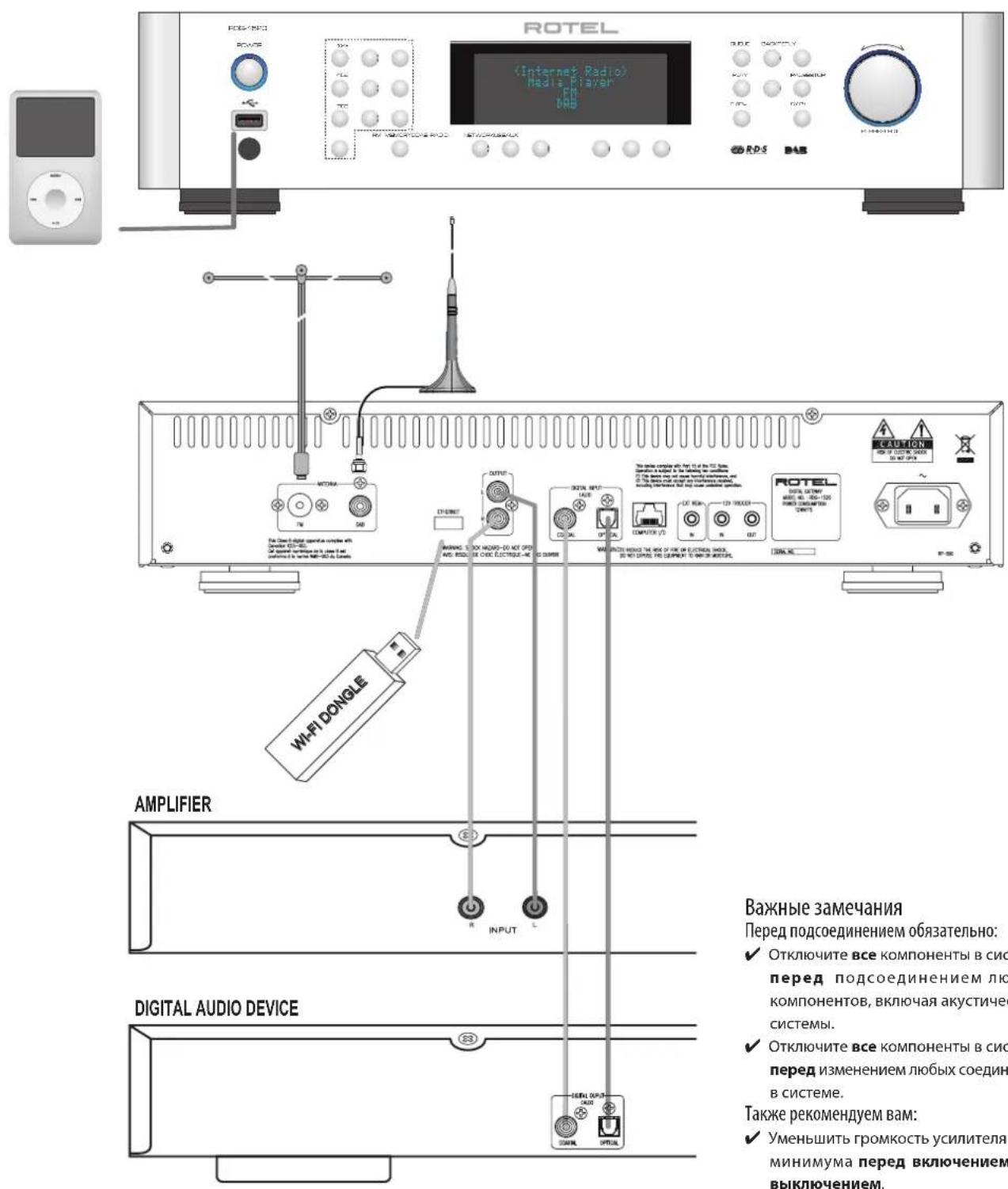
Figure 2: Cxema nodklouhenia
Copepkanhe
Baxkhhe Hnctpykunno 6e0naochtn. 112
Figure 1: OprAhbl ynpabneHn np3bEmbl 113
Figure 2: Cxema nodknloueHm 114
BaKbIe 3aMeaHnHa 114
Bocpon3BeHene c iPods, mp3 npeepo hne- hakonutene 117
Bocnpn3BeDHeHm CcTeBbIX cepBepoB 117
IIpIcTyna KeknnyatauH 117
OCHOBHbIe xapakTeepnK 117
HeKOTOpbIe MePb IpeOcToPOXHOCTN 117
Pazmeichen 117
Unpablenne nHTaHnem 118
BxOIIITAHINIpeMeHHOrToKa 21 118
IpeeklouateIb nTahmHnnoCBeTaKHaNdkaTopa 12 118
3aynckaoonTprnrrpehBbXoD12B 20 118
3anyckaoum triyreepnbBbXo12B 118
063op coeHNHeHn 118
PapnoBeeHne DAB/FM 14 118
LmfoboBxOaAUX 118
IopKJIouHneK cetn 118
KoMnIbIoTePHeB BxO/D/BbxO/D 118
USB coedHHHe 118
BbIXoJ OUTPUT 119
bIcIpbI 3anyck INTepeHET-paNo 119
TTO BAM notpe6yetye nped 3anyckom 119
IepBoe noKnoucheHne K cetn 119
BbI6op padnoctanu 120
Bocpo3BedeHne HntepHeT-paHocTaHn 120
CoxpaHHepe paIIOCTaHmB JueKe IpeBaPtebHOH HAcTpoKn (npceTe) 120
Bocpn3BeHeHne npBaHnHO HcTpoEHnO paMoCTaHm 120
BbIcTpy33nyck npOurpbyBaTey MeHaΦaIIob 121
CepBepbl UPnP 121
HaTpoKa cepBepa UPnP B nepcoHahbHom KocMnbTepe 121
Bocpoon3beHne MeMaafaiNoB npn moOnu cepBaP UPnP. 121
OuHcTka cNkKa Queue 122
Pekim Bocnpom3BeJeHn 122
BbIcIpyK npKnIOueHn iPod/USB 122
PdKnHueHHe 3aOpMHaOeTo yctpoCTBa USB 122
IopcoeHHeHne iPod/iPhone 122
KhoNkynpabnHnBocnpo3BeHeMe 122
bIctpb3aynckpaio FM 123
Bocpo3BeDHepepaHocTanmFM 123
CoxpaHHe paHocTaHmB aHcKe npEdBaHrTebHoHaCTpoKn 123
Bocpoa3BeHne npedbapntbno hactpoehnopaiaocTau 123
bIcIpbI 3aIpyck paIIO DAB 123
Bocnpon3BeDHepe padnoctanm DAB 123
CoxpaHHepe paHIOCTaHmDAB B yaeKe NpeBaHrtenbHn HacTpoKn (npceTe) 123
063op hacptoek 124
KoHpypOBAHne My Stuff 125
KoHpypOBAHne My Stations 125
KoHnpynpobAHne My Streams 125
KhoNN paacmppeHHbIX fynkui npIbTa 126
Bo3MOxHbIe HcNpabHoCTH 126
CnoBapb TepMHOB 127
TexHHueckne xapaKTepeHCTnKn 128
OKompanRotel
Ha7a nCTopnHa7anacb noTn 50 let Ha3ad. Ha npToJxehn DecaTIneTn, Mbl NOLyHIN COTHn HArpaD 3a Ha7n IN3deNn yUdoBNeTbOpNn COTHn TbICrH IIODe, KOToPbIe TAK Jx cepBe3HO OTHOCrTc K CBOm pa3BLeueHnM, KaK n Bbl!
KOMnHnRA ROTEL 6bila OCHOBa HcBbe, KOtOpAra N3-3a CtpACTHOIIO6Bn K My3bke 3aHnaIb npOn3BOcTBOM hi-fi KOMnHOENTOB BECKOMnPOMNCCHORO KaecTBA.C roaAMn 3Ta CtpActb He yTxNla, IN cerOJHr CTPeMHeHne CeBn K o6ecNeEHIO ayINOΦHIOB IN MeIOMaHOB, HE3ABNCMO OT INx FInHaHCBOrO nIoJKeHnA, annapatypo BbcOaHWeRo KaeeCTBa, pa3dEJIOT BCE cotpydnKn ROTEL.
Дужнaja komанда Инжсеров посочишьет И тцателно HabctpanBaet Kaждoe HOBoE n3dJIe, NOKa OHO He 6yIe COOTBeTCTBOBaTb IN Tpe6oBaTeHbHIM My3bIkaJIbHbIM CTaHApTAM. IM npedocabHeA CBO6Oda Bbl6pa KOMNKeTKUOnNX NO BCEMy MUPY, YTO6bl cEnaTb annapaT KaK MoXHO lyuhe. BepoTHo, Bbl CMoxTe HauTN KOHcHcATOpbI n3 BeMnKo6pTuHm n IepMaHN, NOJypnoBODHKn n3ЯNoHm n CUSA, a TAKke TopoJaNbHbIe CInOBbIe TpaHcΦopMaTopbI, n3rTOBnEHhIbe Ha co6CTBeHHom 3aBoDE ROTEL.
Mbl BCE 3a60tncmca O haewe okpykaohoe cpee. H, nockoIbky Bce 60nbue n 60nbue 3neKTPoHnKn ppon3BOaHT n 103dHee Bb6paCbIBaHOT, IINpON3BOuNTeNaOC6eHHO BaxHO CdeNaBCE BO3MOxHoe, QTobbl pa3pa6oTaTb N3dEInr, KOToPbIE IMeHOT MNHMmaJbHO HeaTbHObE BO3dEChBVe Ha MycOpHbIe CBaIKN uypOBHn rpyHTOBbIX BOID.
B KOMnAHIN Rotel mbl ropdbI BHeCTn Hau WklaIa. Mbl cHNIIN coepKaHne CBNua B hawe 3NeKtpOnHKpe npn nOmoi CneuaNBHO npnnoR RoHS, TOrda kak hauin HOBbI yCunNTeIN BKnace D (He uDpObIe) noTuB I pA3 BoOEe 3FKeTbHbI, Yem Haan CTapbIe pa3pa6OTkn, IN TEM He MeHee o6ecneuBAOT MOUHcTB N KaueCTBO. 3TN n3dJIeN He HarpBaIoTc npn pa6oTe, paCCeBaiOT MmHMMaJIbHyIO 3HeprNIO, xopoNN dN OkpykaIoSe i CpeBIn, KCTaTI, LyUWe 3ByuAT.
HaKoHeu, Mbl HaneuataaN 3Ty 6poUkpy Ha 6yMaRe, CdaNaHHou n3 BToPnUHoro cbipba.
XOTM MblnoHIMaem,HTO 3TO He6oJIbWne nepBbIe WArN,HO TEM MeMeHee OHN ABJIOCTBAxHHbIM.NMbIpOdoJXaem NcKaTb HOBIE MeToDbI MaTePnAbI bIg60oe YIcTOrO IN 3eNEHOrO ppoecca npOn3BOIDCTBa.
BceMb BVOMnHaHn Rotel 6narOpam BAC3 npno6peHne 3TO rannapata. Mb ybepehbl, tO OH noapnt Bam donrme robl HaclaxdHn.
063op - Rotel ИntepHeT-paДno TIOHepbI/ цфpoBbie шлIO3bl
3T0 npodykt he pa6oTaet 6e3 Wi-Fi nnn npobOHOro aadnTepa, noKnouenHoro K hemy. PekomeHyem cchana npouHTaB 3Tu NcIpyKuio do KOHa. Pa3dEn "Yacto 3aadaBaembte Bonpocbl - FQs" MoKHO hAIh Na caite Rotel: www.rotel.com/NA/support/FAQ.htm
3TOT npOdyKT Rotel coBmeaet yOo6c7Ba npHema oobuHoro paNo B dIana30hax FM n DAB c mIpom kOMMbTePOB, rJe IMeETcB 03MOxHocTb DOCTyNA K TbcIcYam paNIOCTaHm, BeuaHOUsX B INTEPHeT. B donONHeHne K 3TOMy, HOBAR NIIHeKa TIOHEPOB/ uΦpOBbIX uJO3OB Rotel npednaraet BO3MOxHOCt b INTEPpeCa c nepcoHaJIbHbIMn aydno pIeepaM (iPod n mp3 pIeepaM), a TaKke C BaUIMM My3bIkaJIbHbIMn faJlAmn, xpaHraUMmc Ha ceTeBOM cepBepe.
3Tn noIooJHn daJe 6oJe nOIOPO6HO OINcBIAOTcB pa3dene «6bICTpbi CTapT» -quick start'ToI INCTpyKm.
Bo-NepBbIX, He BaxHNO, npOBoHn nn Wi-Fi CeTb DoctynHa dnn nCnoNb3ObaHn - Ondako BaxHo, YTObI Wi-Fi nn npOBoHn aanTep 6bn BCTaBneH B pa3bem Ha 3aDnei naHenn npodykta, YTObI BCE 3apa6oTano. NcNoIb3yIte Ka6eIb-ydInHntel, npn Bb6ope MeTa dn aanTepa, ecnn MeTa c3aDn TIOhepa He Xbataet.
Kakdbpaa npn BkIoueHm npOykTA OH 6ydt HaxoITbcB peXIMne noncka oko1o 15/20 cekyn. Iocne 3aBepweHn noncKa 6ydyT doCTynbI n dpyre peXIMbl paiaio.
BxOJ USB cTahOBITcA kTINHBIM C MOMENTa BKNIOHnA.
DAB u FM paanio
3To Han60eep npBbUHnA qacTbpOpykTa, n ecIn y Bac eCt bOnIt HAcTPOKn 3aONMHNHn Bb6opa paNocTAnu CByueux DAB u FM paNIO dnaPAnoHax,BbHaBepNka 3NaKOMbI C TeM, KaK pa6Otae TIOHe pNolYuae 3Tu cepBncs.Bce 3To pa3bChnTe Bpa3dene «5bCTpb CTAP»-quick start.He 3abDte Bb6pTa HxHbI BWoHoi PA3bem IINr AHTENHb,3TO ONcBIAeTCB MeHIO HACPoIKn.3To He OTMeHReT Heo6XoDMOCTN B ycTAHOke npaBnBnO cnpoekTnpoBaHNo aHTENHbI IyUyWeHn npiema B FM n DAB dnuana3oHax.
InTepHepaia
Дя пиема ИТЕРНET-раимо Heo6xOДМО ИСПОьЗОВАне ДByx ДОПОПНТЕЛБИХ СЕРВICOB - ДОСТУNA В ИТЕРНET УЕЗ KOMПьОТЕPHуO CETb И, ecn OHa pa6OtaeT, NOДКИQUECHENKOДHOMY ИЗ INТЕРНET-бAZИРОВAHыX сЕРВICOB, KOTOPB的大ОБСЕЧИBAET ДОCTУК ИТЕPHT-раимо CTaHцЯM. Посnéдпг ТрБОВАне BСТЮЕНВ TIOHEP; hab пexд经 BCero ИТЕPECуET ДОСТУК BAшЕСЕТN.
Ceteboudoctyn
HCTaJIaIyIaKOMMbTOpehBbIX CeTe BbXoDHTa paKM 3ToN HcTpyKuIN,
noTOMy Mbl npednonaraem, YTO doma y Bac yke ectb pa6otauca cetb Wi-Fi.
EcIn Bbl nCnOlb3yeTe npOBDoHyIO cetb, o6paauaiTeCB b pa3dE NNetwork Config"ceKU "O63Op ycTaHOBOK". (npobOHBle ceTI o6ecneuBAiOT
hanbolee naexkhyu nepeaduy Ethernet noTOKOB. IMeKoTc TaKaKe aanTpbei
Ethernet dna 3JeKTPnueecknx po3eTK OT cTOpOHNX npOn3BOUnten, ecnn
npoknaJa Ethernet ka6eIe Heuelecooo6pa3Ha.)
Iocne 3anycka yctpoictBO haunhaeT noNCK Wi-Fi cTei, n KaK TOnbKO noNCK 3aBepweH, BblnoLyaeTe HaDCnlee Cnncok cTei dRy Bb6opa. Bam Heo6xOIMO bbl6paTb HAmMeHOBaHHe cTei, KOTOpoe COOTBeTCTByET BaWe IHCTaJIaUzM.3To DOJXHo 6blb Ha3HaueHo pRn INCTaJIaUzM BaWe cTei uacto 3apahee OnpeJeTcPoyTePOM, KOtOpB iYBJIeTcR ceHTpOM BaWe cTei.
Cneyuooee Tpe6oBaHne -3TO Bo3MOXHOCTb dA Baaero TIOhepa BOITN ('log-on')B cTeB, n 3TO o6ceueuBAeTcB BDOm 6ecnpoBOHOrO KIOUa WEP key' (nIN WPA, WPA2 KIOUa) NOxOJaIero dA BAaew cTeN.Bo3MOXHO, Bbl DOJKNb6yDeTe NcONb3OBaTb 3OT kOD npi HAcTPOKe KOMNbIOTePa Ha BXOD B BAwy CeTb IN OH CACTo COePJKTcB INHCTpyKUHX HA BAaI poyTeP. 3Ta yCTaHOBka Tpe6yETc TOJbKO BhauaJIe, TAK YTO TuaTeJbHO BBJeNTe aIΦaBHTHO-UNΦpOBeBc CMBOJIb, O6paJIaB NHMaHHe Na IpOINCHbIe n CTPOHbE 6yKBbl, YTO6b Co3dAtpnPaBnHbHbI WEP KIOU. Pocne 3aBepSeHHN, IpocMOTpTE erO n Bb6epITE END nII npocTo haxMnte KhoNky REPLY dIg 3aBepSeHHN npoucca.
Bb MoKeTe Ncnonb3oBaTb KhoNKn Previous N Next Ha nyIbTe nna BBOda HnΦopMaun. He cyTuaiTe ToJIbKO ByKBy 'O' c uHΦpOi '0'.
Iocne ycneuHoro BxOda B Cetb, TIOhep ATOmatueckn 3aONHHTCaHa Be6-caITrE Bbl CMoxKeT Bbl6paTb perHOH Mnpa, KOToBb Bac INHTepecyET n 3aTeM BbluPaTb paAnOCTaHmN NO CTpaHE, JkAhpY HsBaHnIO.
3apernctpnpobav paioho caai Te www.rotelradio.com Bby cmojete nckaTb 3aONMHaTb INTEpHET-paIOcTaHcUN, a TaKKe HaCTpaNBaTbCra H npYrne My3bKaJIbHbIe CepBcbl, eCN OHN DOCTyINb I BaWem perNoHE.
Be6-caT Rotel paIIO -yppaJIeHne BaIIMN CTaIINM
UnpaBHeHne TbcHcAam paNocTaHcHn, DocTyHbXepe3 INHTepHET, 6bI0 6bl HeBO3MOxHO 6e3 IX opraHn3aunn U npOdoJeHH B COOTBeCTBm C BaIMM KOHNpTHBM 3anPocAMn. Rotel obecneuBaet Nerkyo BO3MOxHoCTb ,ynopaoHbAHn C nOMoubco cneuaHn3npoBaHnHO Be6-caTnHa KOTOpom Bbl MoKeTe PpeBaPntBnHO Bb6nPaTb CTaHUN.
URL aDPEC 3Toro caHa http://rotelradio.com.
Kak n Ha MHorix nprynx Be6-caTax, Bam Heo6xOJIMO 3aperncTpnpoBaTcB CImHeHm NnapoIe, YTO6b1 Co3DaTc Bc0N aKKayHT Ha 3OM caTe. Npep E TtMM Bam NoHaO6nTc3 aperncTpnpoBaTb PNOyKT Ha caTe n Tam Bbl NOyUHTe CneuNaIbHbI perncTaPauNoHHbIKIOu Rotel, KOTOpBI HEO6xOJIMO CKONnPoBaTb B perncTpauNoHHyO fOpMy Be6-caTa. 3ToT PERNCpaOnHHbIKIOU MOKHO 6yEd HaHTB MEHIO settings>register. Bam HxKHO 6bITb NODKNIOueHHbIM K INTEpHET dIra TORO, YTO6bI NOyUHT b DOCTyn K 3TOMY ODHopa3OBOMY KIOUy.
Iocne pernctpaun, Be6-caNT NOKaKeT Bam cepnHbH HOMep BaWero paanO yCTpoNcTBa Rotel. OH OTnnaeTcN O T cepnHoro Homepa BaWero kcmnoHentA Rotel. CepnHbH HOMep BaWero paAno yCTpoNcTBa moKHO haHTB MeHIO Rotel B paZdene Settings Version.
O6paTIne BHNMaHHe Ha To, YTO IINI O6HOBnEHHaDcNpEn RoteI c HnHnKaUneB aWbero BbIbopa, Bam HyXHb BbIKLIOuHTb N OITb BKIIQUHTb yCTPOiCTBO,a 3aTeM BHOBb BbIbpaTb 'internet radio'.Baw cncock My Stuff'6ydt O6HOBNeabTOMaTHueCKn.
Bocnpoun3BedeHne ciPods,mp3 npeepOB u fneu-HakonnteJe
BoIbIINHCTBO nIeepOB iPod nmp3 nIIeepOB MoKHO NOIcOeHNHTB K pa3bemy USB ha nepeIneH naHenn Ira BocnpOn3BeHEnr XpaHnXCS B HIX My3bKaIbIbHbIX faAIIOB. CoepKIMoe DmCPIe O6HOBITc, YTO6bl NOKa3aTb CTpykTypy faAIIOB, n 3aTeM nepeuCNIATc faJIbI, KOToPbIE MOrY 6bITb IponIrpaHbI. FaJIbI, cKONIpOBaHHbIe Ha CTAHApTHbI fNeu-HaKoNITenb, 6dyT NOKa3aHbI TOH0 TaK Xe.
Bocnpoun3BeDene C cTeBbix cepBepOB
Bocnpo3BeHne My3bIKc KOMtbIOTePOB,CKOHnIypnPoBAHHbIX KaK My3bIKaJIbHbIe cepBepbl,JaTeEe ONDy BO3MOXHOCTCB83aTb BOCnpo3BeHne C cytpoNCTBOM Rotel n,TAkIM o6pa3OM,NCONlb3OBA Tb cENI DeKOINPOBaHNA ayINOΦnIbCKoro Knacca, CNEuNaIbHO CKOHCTpynPoBAHHble dIra 3TNx npOyKTOB.
Kak IB cyuae cInItepeHepT-paHIO, pIeBapntelbHoe ycNoBne -3To pa6oTaioaa ceTB, pIKOC My3bKaJIbHbI cepBep, noCoEOHNHeHbI K He. PoxanyiNCTa, cIeMyTe HnCTpyKzUIM, npVBeHbIM B pa3dene 'Media Player Quick Start' -bbictpbI 3anyck Medna-npeepa'daanee B tOM pykoBOODCTBE.
PpncTynaKeknnyataaun
BnroDapm Bac 3a npno6peTHeNe uNpOporo 7HIO3 RoTeI. Pn INCnONb3OBaHN B BVICOKOKaYeCTBeHHo My3bKaJIbHOI CNTEme NIN DOMaunHE TeATpe, BaW uNpOpoBoi 7HIO3 Rotel oecneuT rObl My3bKaJIbHOrO HacnaJdeHn.
OchOBhble xapaKTepcntnKn
BecnpoBHOe Hn npOBHOoe NOKIOueHne Dn IOCTyNa K- INTepeHET-paio.
OcTyK CTeBbIM NepcoHaJIbHbIM KOMNbIePam My3bIke CpeKIMOM Media Player
IpoedoeHHeHneK My3bkaIbHbIM npOnIrpbIbATEnAm iPod/MP3/media -dna Domawhero pa3BneHn.
PpocnyuwbAHne BeaHnpaDnOCTaHcN DAB n FM
HekoToPbIe MepbI npedocToPoXHoCTn
IoxaIyIcTa, BnIMATEbHO npOHTaIte 3TO pyKOBoCTBO. B DOONHeHne K OCHOBHbIM INHCTpyKcIINM NO yCTaHOBKe uYPabNEHIO, OHO daet BaXHyIO INHOFOpMaCIO O pa3NNUHbIX KOHNrpyaCnX CnCTeMbI RDG-1520,a TAKKe 6ouyIO INHOFOpMaCIO,KOTOPAR NOMOeT Bam NOLYHTb ONTMAbHoe KaueCTBO OT BaSeI CNCTeMbI. IoxaIyIcTA, OpaNTIEcB K BaWemy ABTOPIN3OBaHHOMy DInepy Rotel 3a OTBeAMN Ha IIObBiE BO3MOxHbIe BONPOcBi. KpOME TORO, BCE cotpydNHKn KOMNaHN ROrl npNBETCTBYOT BaUN BONPOcBi N KOMMeHTapnn.
CoxpaHnTe TpAChnOpThyIO KapToHHyIO Kopo6Ky RDG-1520 N Bce BNoJxHeHbIe yNaKOBuHbIe MaTePnAbI bI IIN CNOJIb3OBAHnB 6dyUeM. PepeCbIka nnI nepeBo3Ka RDG-1520 B ueM-To npyROM, KpOme opRnHaJIbHorO yNaKOBuHOro MaTePnAna, MoXeT npVBecTI K cepbe3HOMy NOBpeJdeHIO BaWero np6opa.
3aonHnTe N BblnIte KapTy perncTaPauN BlaJeNbca, coPpOBoXdaIoUy0 RDG-1520. O6raTeNbHO coxpaHnTe opunHaHbHbTOpRbYueK. OH HBNETcnyuIM NcBMeHHbIM NOtTBepXJDeHnEM DaTb I npNo6peTeHn, KOtopoe NoHaDo6nTCBa Bam B Cnyae, ecn KOrDa-NiNoo NOTpe6yeTcRAPaHTnHoe 06CnykubHne.
PazmeuHne
UcTaHOBtE UcTpoCTBO Ha TBePdoI, Trop3oHTaJIbHOJ NOBepxHocTN BdAITOT COJIHeuHOrO CBeta, TeNla, BlaIg NIIIN Bn6paun.
He ctabte pyrme KOMnoHentb nnnpemetb CBepxHa yctpoctBO.He donyckaTe nonadnna HIO60nnKIOKCTN BHTpb np6opa.
POMHNTe O Bce n rabaHTbIX pa3Mepax yCTpoNCTBa. Pn pa3Meuen H np6opa Ha nonke, B wkafo nn B ctoKe, y6eNTecb, YTO OH MOrT Bbldepjxab Nnblb Bc yCTpoNCTBa.
Bo Bpem HopMaIbHoi paOToB, yCTpoIcTBO bIeIenIe TEnIO. He 3aKpbBaIe BeHTNIAIOHOHbIX OTBepCtNI. OctABe TE MINHMYM 10 cm CBO6oHoro npocTaPcHbTA BOKpyr pnp6opa. Pnpy UcTaHOBKe B WkaFy, y6eINTeCb, YTO B HEM CyUeCTByET Heo6XoDMAR BEHTNIAIIN.
ynpabneHne nHTaHnem
BxOД nITaHnI nepeMeHHOro ToKa [2]
Bau yctpoictBO cKOHfpynpoBaHO Ha 3aBoDE In npabInbHorO HanpJxHe H CTeN nepemehHoro TOKa B Toi CTpaHE, rDe Bblero npno6peu (CUSA: 120 B/60 Tg,Ebponeckm coio3:230 B/50T). KoHfpypaue CTeN nepemehHoro ToKa Yka3aHa Ha KaKeIKe, Ha 3aDHe NaEe N BaWero np6opa.
UcpoCTBO NOCTABJIETC HADJIeKAsIM UHypOM NITAHINNEpeMeHHORToKa. IcNoJIb3yIte TOnbKO 3TOT UHyp INN TOHbIKBUNAEHT. He nepeJeIbIaIe NoCTABJIeMbl UHyp.He IcNoJIb3yIte yDInNHITeBNIITAHIN.
Y6eHNTecb, YTO nepeKJIouaTeIb NITaHnHa NapeDHeN naHEn yCTpoCTBO HaxoITcB B NOIOKeHn «BbIKNoHeHO. NocIe 3TOrO BCTaBbTe OINH KOHeU WHypa B pa3bEm NITaHn NEpeMeHHoro OKa Ha 3aDHeN naHEn npu6opa. BCTaBbTe DpyroI KOHeU cTeBtO WHypa B COOTBeTCTByUOyU PO3ETky nepemehHoro TOka.
EcnnBbCobupaeTcB yexaTb 13 Doma Ha dInTeNbHoe BpeMpa3yMHo npedoctopoxKHOCTbO6ydtOTcoeHNHTBaWuNfpoBoWnIO3OTceTN.
IpeeknHouateIb IITaHmN IOcBETKa HINdkaTopa 12
IpeeknouateBn nataHn paononoJen cneBa ha nepeDne naneHn. Yto6bI BkInouHT npin6Op (nnn AKTINBPOBaTb peKIMbl aBTOMaTNueCKOTo BKIOUeHnN INTAHn), HAKMITE Ha nepeKInouateBn.
3aropntc nHnKAtop BOKpyr nepeKnIOuateTey, yKa3bBaJ, YTO np6Op BKIOUeH. YTo6bl BbIKIOuHTb np6Op, HaxMnte KHOKNy eue pa3 N BO3BpaNTte ee B OTKaTe NOLOXeHne.
3aynckaiuon TprnrrpehBb BXoD 12 B
BxodHoe rHe3do Ha nooCoeINHeHn npOBoB, nepeaIOxN 12-BoIbTOBbI 3anycKaIOuOm ciRHaN OT npEdbapntbHorO ycInTeTRe RoTe Inn npoceccop OkpykaioUero 3Byka dJa BkIoueHn N BkIoueHn np6opa.
Tne3do TRIGGER INPUT npHnHaemet IIObOy uynpaBJIouoI cyHan (IepemeHHorpoMe TOrO, yCTpoJcTO MOKeT 6bTb o6HOBJe NpN nOMOaIcuaJIbHorO mnnnoctoHHoro ToKa) B dana3oHe O T 3B do 30 B. IcNoJIb3yIte Ka6eIb nporpaMMHoro oBecepeHnAOT Rotel. cMOHOOHueCKMm MmHJkeKAMn 3,5 MM Ha o6oX KOuax. CtrHai +12 B noCToHHoro ToKa no8BaIeTcH a KOHnke pa3bema. 3a donONHtbeHOn HhOpMaIe O coeINHeHNx, pa3BOdKe, nporpaMMHO
3anyskaoumTreprrepbHbBbXoD12B
Tne3do 12VTRIGcMapKnopBkOu OUT nCnoNb3yeTcIy npepaun
nictaHnOHHO 3anyckAIOUero CnHaHa Na pyro np6Op Rotel. IIO6o
12-BonToBbM CNrHaHa Tne3de INPUT 6ydtpepaHa Tne3do OUT.
0630p coeHHeHn
IpeTeM, KaK nepeTn K npyTm pa3dEaam pykoBocCTBa, noXaLynta, y6eNTecb, YTO BCE Ka6eNbHbIe CoeINHeHbI BblONHeHbI dOnxHbIM o6pa30M. O6paTteCb K pucNy2.
Ipumeyane: Bbl dojknb o63amelno ecmabum Wi-Fi adanmp (uIu aadanmp npobodno coedunehn) ETHERNET nopH na3aheu naenu. Ucmpoucmeo chayana npoeem nouck exce docymnbx cemeu, npexde qemnpdocmabum docmyn K fynkcuam DAB u FM paduo. Ecnu cemu hedocmynb, hau dcnnlee noBumc coo6uenue "Network Error". BCE fynkcuu FM u DAB 6ydyum paobommb hopmaIbHo nocle zabepeuhenu nepboohayabhozo noucka cemeu.
PaIIOBeaHne DAB/FM
Iopkaanycta,ncnolb3yte KOMHaTHyO aHTeHHy IndnoCoedHHeHnpa3bema DAB u FM ha 3a3nei naHenn.ДЯ npnaema HauynuWero ciHana FM,y6eNTecb, HTO eCTb DOCTaTOUHO MeCTa IINoNHO rpackpbBaT O-6p3HOKOMHaTHOH aHTeHHbMoHTaxHbIe nTlHa O60nx KOHcAx «T" N03BOJANOT pNkPENITb aHTeHHy K CTHe,ecnI Heo6XoDmO. Po3KcpemuHentpyTe c pa3NJHbIMn PNOJOKeHNM dIg MaKcMUN3aUNn pNInHMaEMOrO ciHana.
UΦpOBoB BxOД AUX
UcpoCTBO MOKET npHIMaTb cIpOBoM My3bKaIbHb CnHaJI O pRyHX nTOUYIKOB IN ppe6pa30BbIaTb ERO B aHaIORoBle CnHaJI, KOTOpBIE 3aTEM BbIOJrTcH Na PpeDbapntbHbYcNITeB NIN IPOeCCOP, NOcEOHNHeHb Ycepe3 rHe3da OUTPUT B. B o6NaCTu AUX Digital Input Ha 3aDne NaHeN pacNoOnKeHb IBa pa3BeMa, MapKnpoBaHHbe KaK KOAKCnAIBHb N ONtueckn. NocOeHNHTe KoAKCnAIBHb NIN ONTueckn BixoD BaIeRo NCTOuyHKa K KOAKCnAIBHOMy NIN ONTueckOMy BXOy BaIeO yCTpoCTBa.
Поdkл�чени К сети
IopcoHInHe nocTabnembKomnaHne Rotel aadTep USB Wi-Fi (npobHO) K npTy USB, MapKnpoBaHHomy ETHERNET,Ha 3aJNei naHeRr RDG-1520. IINIO3 RDG-1520 6bIn cKOHpynpoBAnI pya6Otbl c noCTabnEmbIM pno6paObaTeen EM USB Wi-Fi.DonOnnHtEnbHoro nporpamMnHO oecneHEnn HnHacPoKn He Tpe6yETc. Tenepb yctpoCTBO rOtOBnI NaOKNIOeHNK BaWe HcnpoBDoH NokAusbHcn CETn. POpboHyIO hAcTpoKy CM.B pa3dJe «VHTepHET-paioNo
IpumueaHue:3mo ycmpoUcmeo cnpoekmuopobao dna paobmb moIbko c adanmepom, nocmaBnembIM kOmnaHueu Rotel. Noxanyucma, uonolbyume monko adanmpei npuna2aembie Kcmpoucmeam Rotel.
KOMNbIOpTeHbI BXoD/BbxOa
UcTpoIcbTbOM MoKHO ynpaBnTb OT KOMNbIOTepe pI npI NOMOu IpOpaMMHOro
Aoo6ceNeueHMy aynIO cncTembl, pa3pa6oTaHHoro dpyrmmN PnPmAMN.3To
ynpaBLeHHe ocUeCTBnAEcTc npTEM nepeDaun ynpaBnHOuix KOB O T
KOMNbIOTepea Cheep3 npoBOHDn NocJeDoBaTeJIbHbI INHTepFeic RS-232.
POMTO, yCTPOINCTBO MOKET 6bITb O6HOBnE H pN NMOOu CNEuaNBHO nporpamMHoro o6ceueenr or Rotel.
3a dononHntelbHoi nHfopMaueNe o coeDHeHnx, pa3BODKe, nporpaMMHom oecneehn iynpabIauoixx Kodax IynpaBHeN O T KOMnbIOtepa nnobOBHeN pOrpaMMHoro oecneueHn o6paAaTeb K BaWeMy abTopu3OBAHHomy dInepy Rotel.
USB coeDInHeHne
Ihe3do ha nepeDnei naHEni noi peeknOuTeem POWER aBnEeTc npOTom USB. Upe3 30T BxOJ MOKHO NOUYHTb DOCTyn K yCTpoiCTBAM IIN XpaHeHHa My3bIK, YCTPOICTBA DnI XpaHeHHa MY3bIK, TaKNe KaN pOnrPbIBaTEEN MP3, iPod, USB KapTb NamATn (memory sticks) nIN dpYrne pa3HOBuHOCtN 3anOMHaUxN xCTPOICTCB INTEPphiEcm USB MOrTy 6bITb NOKJIIOUeHbIK 11IO3y Upe3 fPoNTaHbHbI pa3bEm USB. UCTPOICTBO 6yDet ATOMaTHueckn NCKaTb My3bKaJIbHbIe faJIbHa NoDKJIIOUeHHOM HAKONITe.
Ipumeyaue:JnIdoocmyaKMybikabHbIM faunamucnobnyeemc
cmahdapm USB 2.0.YcmpoCMBO Mojem Bocnpo3Bodmb MybikabHbIe
faibl,coxpanenHHbe Ha zanomuHaouux ycmpoCMBax,komopbie
coBmecmMbCo cmahdapmOM USB 2.0.OdHako OHO He 6ydem pa6omambc
ycmpoCMBAM,KomopbIM Heo6xoDumbl DononHumenbHbIe ynpaBnIOuue npo2pAmMbI.
BbIXoD OUTPUT
YcTpoNCTBO BbIaET CTePOΦOHNueCKn aHaIOnrOBbl cMnH.An. NcNoNb3yIe
nocTabnembnyayno Ka6enb nra erno noKnIOueHnK BxOJNbI rHe3dAm
BaWero IpeBapntbHoro ycnHnTeTnI nn npouecoppa. BybTe BnHMaTeBnHipeed Tem, KaK BbIOBcNOJb3yeTeCb BaAM INHTepHeT-paIIO, Bam noHaO6uTc
n y6eintecb, cyo pa3bembl cootBETCTbyIOT dpyr dpyry. BbIXoJ npaBOrO kaHaHa cnedyuooee:
IIO3a DOnJKeH 6bITb CoeINHe H C npAAbbIM KaHaJOM npeBapuTeNbHorO
ycnntenI npnoceccopa n hao6oPOT.
Toka doctyna K INHTepHET uepe 6ecnpoBDHyIOkAlbHyO ceTb.
( npOboHoe noKJIouHe N K JokalbHOcTe TaKke BO3MOxHO
nocpeCTBOM aadTepa USB/Ethernet, noctabnE moKoMaHnei
Rotel)
Pn nmoos 6ecnpobodHoro noKIOUeHn K loKaIbHO cTeN, INHTepHeT
paio doJxHpo 60TaB Be3e B npedax 100 metpoB ot 6ecnpoBoHOH
TOUKNIOCTyna. NOB3OBeTb MOKeT NOJTBepnITb cNHy ciHana WiFi,
HaxoJcB MeHIO HacTpoiKn. (Settings-->WiFi Strength)
Y6eNTecb,TOBaAaNOKaNbHaaCetb NODKnIOUeHa DOnKHBm O6pa3OM
n CnocO6Ha BbIXoNDtB VHTepHET. YTo6bI NMeTb DoCTyn K IVHTepHET
paAnocTaHcIaM, Tpe6yeTcN noKnIOueHne K INHTepHeT.
IpeBoe noKJIIOUeHMe K cTeN
BCTaBte aanTep USB Wi-Fi B nopT USB Ha 3aHne naneHn yctpoNCTBa n
HakmTe KhoNkY POWER, YTo6bI BkJIOUHTb np6Op. Dicnnne Ha nepeDnei
nahei RDG-1520 3aropntc n oTo6pa3nT:
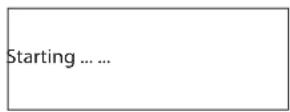
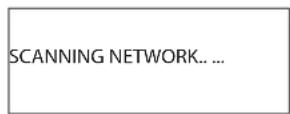
CnyctHeckoKcEkyH,OHHaHHTcKaHIpOaTb CeTb.
ECIN OH He CMOKET HaHTN CETb, OTO6pa3NTc COO6eHHe:
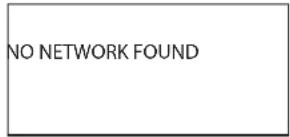
Korda npocxodnt nonck INItepeHet-paio, dinne oTo6paKaet
IeHTnΦikatop ESSID nTouKn doCTyna-Ha3BaHme, KOtOpoe Ha3HaueHo
TOUKe DoCTyNa aDMNHnCTpaTOPOM NOKaJIbHOI CETN -HApnpMep:
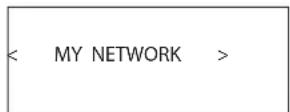
BnONHe BO3MOXHO IN B HeKOTOpbIX MeCTax BeCbMa BepoTHO,TOBaWe
yctpoCTBOHaHdET60oneOHOHToCKIOCTynpnICNOB3OBAHN
6ecnpoBODHOro nodknIOeHn, B TakOM cIyue Bbl MoKeTe Bbl6paTb, KoTopyo
H NIX Bbl XOTIte IcNpIb3OBAbT DnI NOKIIoueHn. NOBopaINBaTIpe pyky
Ha nepeHne nane, yTo6bI yBnTe b nHeTnФkaTOp ESSID nKaKdo
HaiDeHHoT OouKn DoCTyna K INHTepHET-paIIO.
Ecn3kpan oTo6paKaert "Enter WEP key" nnn "Enter WPA key", 3nauHt,
dHaHnI NOKaJIbHbI cTe bNcNoJIb3yET OHy I3 CnCTem WnΦpOBAHH, -WEP
(ceKePteHOCTb,3KMBaJIeHTHyIO npoBOJHOMy NOkJIIOueHInO)IIN WPA
(3aunuHnBIO DocTy K Wi-Fi).IoxanyIcta,nonyUHTe KoDocTyNaOT
adminHCTpatora 3ToI 6ecnpoBDOHO cTe. BBeJeTKe BD yctpoiCTBO,
TObI NOpUyHb DocTyN K6ecnpoBDoHn loKaIbHOcETM.
IpumueaHue: Ecnu bby xomeu 6b ucnnoh3obamcb cmamuuecku aDpec IP, nu6o ycmpoucmbo He moxem abmomamueceku nonyumb IP aDpec, mo2da, nojanyucma, obpamumebc K npodpa3demy (KonfuzypupoaHue cemu> bpa3dene Hacmpouku B konue pyko0o3mea.
Bb60papnoctanhnn
Korda cetb haindeHa n ceTeBbe NpokKnIOueHn BblONHeHb, oTo6pa3NTcma MeHIO bepxHero yPOBn, noKaanyIcTa, BbIepuTe "Internet Radio", dncnnne OTo6pa3NT cIeNyUoee:
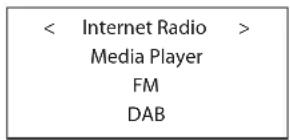
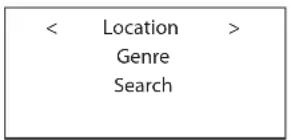
Tenepb Bbl Moxke Te Bbl6nPaTb NITepHeT-paHocTaHcun I nI npocnyuBaHn npi NOMOUIBpaSeHnI HaxKaTINpyKINOCpeDCTBOM ODHOro n3 napametPOB, pnpBeDeHHbx HnHex.
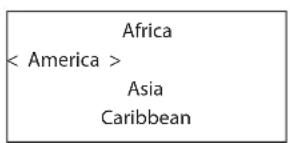
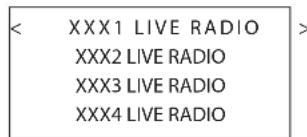
1.ПовораиваitepykyБыбopaДоТexnop,nokaДиспileнеутбякетхлелЯемуO6bactbИIITpaHy,3aTeMaHxMnTeHa pyky.
2.Повораиьerte pyky nka dinneNe He bIeHIT Jekaemyio paNocTaHIOCoXpaHNTe Kcyuio paNocTaHIO BryeKe C daHHbIM HOMepom. YcTpoiCTBO Haxmnte Ha pyky dnaB6opa. MoKet coxpaHrT do 30 npedapHTenbHO hAcTpoEHbIX paNocTaHNI.
3.NoDoxnTe, noka 1nO3 He noKnOHTcK daHHO paNocTaHm.
OCoXpaHnTe TeKyUIO paNIOCTaHcIIO B AueKe C daHHbIM HOMePOM. YcTPOiCTBO MoKet coXpAHrB Do 30 npEaBapNTeHbHO HaCTpoEHbIX paNIOCTaHcIIN.
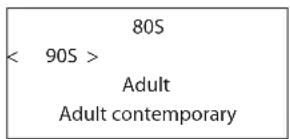
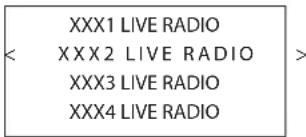
1.Повораивайт puуку,пoka дсплел He blydent TIN xenaemoro coapedxmuRo,3aTe mHaKMITE Ha puykdy nBbIbopa.
2.ПовораиваitepykyдЯВыдениняжелаemon padnoctanu,3aTeMaHakmteHa pykydЯBb6opa.
3. Ndojnte, noka shn03 He nodknouhTcK daHHo paNocTaHm.
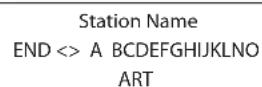
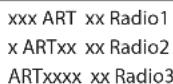
1.Повораиваitepyky,пoka dinрел He OTO6pa3NT 3нakДЯ BBOda, 3aTeMaHKMITEHa pykydЯBb6opa.
2.Повторашаг1дявбаязakончehногocnoBa.Bb6epnte“END"пяпоггжденcaNoBa.
- Haxmte Ha pyuKy dA BkIoueHn noncKa. Dncnne OTObpa3nt paAnOCTaHn, KOTOpBie COOTBETCTBYOT KIOUeBOmy CNOby.
4.Повора捜иBaItepyknyIЯьБдeнгИжЕаМорадиocTahm,HakMTeHa pykyIЯьБbOpa.YcToPcTBONoKIIIOuHTcKTOIpaDIOCTAHm.
IpumeyaHue:Ha unHmephem-paduocmaHuu u dpye Mu3bikabHbIe cepucbi MoxHo ne2ko Hacmpoumbcra, 3auo Ha be6-caim www.rotelradio. com
Bocnpoun3BeJeHne IVHTepHet-paIOCTaHcnn
Iocne nooCoeHHeHH K paNIOCTaHcHn, dncJIe NOKaKeT Ha3BaHne paNIOCTaHcHn, TIN ayDnO aHaJNA n CKOpOCTb NOTOKa daHHbIX.
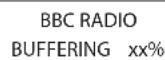
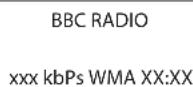
CoxpaHHepe paIIOCTaHcIMN B IyueKe npEiBapntbHOH NaTPOKNI (npceTe)
PnBocpon3BeHeHn paNocTaHcHn, ydePKBaIte KhoNky 3aONHaHn5 ,3aTeM HaxmTe Homep npedHa3aHueHHo JyeyKn Ha cHpOboKnaBnaType4, dncneI oTo6pa3nt:
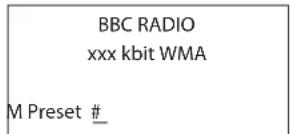
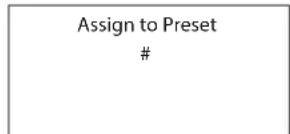
Bocnpoun3BeDeHne npedBarupTeNbHo NaCtpoeHNo paNIOCTaHcN
Korda Bocnpon3BodntcpaanocTaHnue, Bbl MoKeTe nepeKnouThb Ha npyne npeDbapntbHo Hactpoehhble paanocTaHm, KaN oKa3aHO Hnke:
1.HaxoIaB B uΦpOBoK KlaBaNaType 4, HaxMITE uΦpOByIO KHONKy C HOMePOM RueKn DnJ JeJaEmo PaNocTaHcN. Jn6o.
2.HaxmTeKHOkyQUEEgBbIbObaHomepaHeyKnNCOOTBeCTByIOue paAnocTaHn,noBopauBaItepykdyBbIeHnPaAnocTaHn,3aTeMaHXmTeHa pykydJe ee BbIbOpaDncNneOTo6pa3NTcLeyIOoe:
01 preset radio 1
02 preset radio 2
03 preset radio 3
04 preset radio 4
Haxmte KhoKy QUEUE epe pa3 nBbIXoJa n3 MeHIO Ouepeu N Bo3BaTa B coToHHe Bocnpoun3BeDHeHn.
IPIMUEAHHE: Bb moxeme npocmmpuabmb 3anomhehbte padoucmahu c nomoubu foynkuu Queue. 3mo nomoxem bam u36examb cnayauho 3muapun npecemob.
BbICTpbI 3aynck npoirpbyBaTeJMaednaΦaJIOB
Функци npoɪrрьBaTeTЯmediaфайNoB no3BoJIoT Bam BocPon3BODnTb ayIIO qaIbI (AAC, AIFF, AU, FLAC (c 16-6nt KaueCTbOM CD), MP3, WAV n W (KpOme faIIOB co cKaTneM 6e3 NoTeB) n Pnei-NtcbI (M3U) co3dAnHbIe Media Player BaIero KomNbIeTpAp, TAKIM kak Window Media Player 11. OH npOBepeH ha pa6Oty c Windows 2000, Windows XP n Windows Vista.
PIMMEAHVE: ha bauem Komnbomepe 8o3mOxho 6ydem Heo6xdumopapreewumbb'pacwapueauehe? faunoe, Ho he 8ce Media nneepbno30bnjom 3mo denamb. Obpauaumebc k pykoobodcmy Ha bawkomnbomep 3a unhopmauee.
CepBepbl UPnP
Hactpoika cepBepa UPnP B nepcohaJIbHOM KcMnIbItepe
1.нсплььугпоррамMy Windows Media Player 11 дянастойп necpohalbHoro komblotepa в каuctbe cepbera UPnP,knknHte zaklanky Library,нхадь в порамme Windows Media Player 11,и Вьберite 'Media Sharing...',чобы otkpbytв okho 'Media Sharing'дянастой КТOTO napametpa.
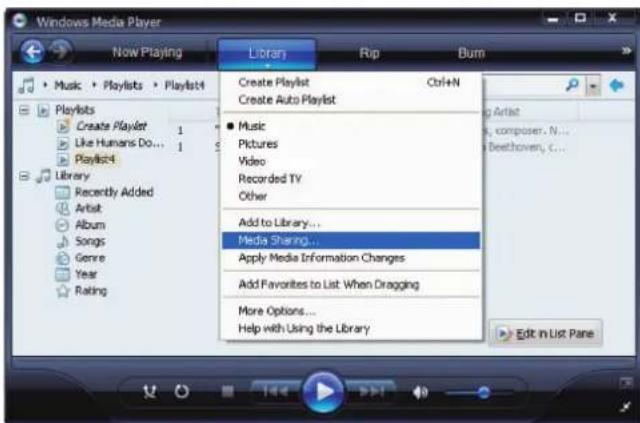
- Tenepb Baa nepcoHaBbHb KOMNbIeTp 3aIpcnT BAC, KaKoe yctpoiCTBO bTaIocb noKnIOuHTbcra K BaWemy cepBepy UPnP. IoxaanyIcTa, KInkHnte KhoNky Allow (pa3peuNTb).
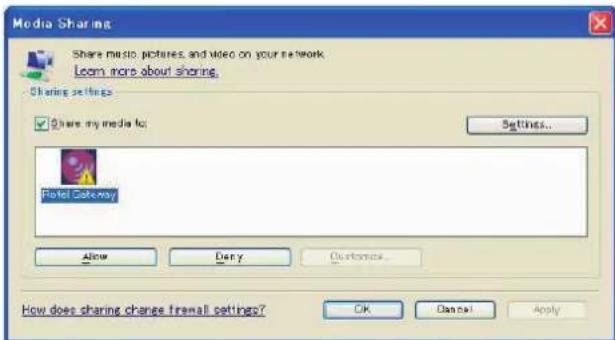
PIMMEAHHE:Ha MOMemHanucanua3mozo pykoobcma,Windows Media Player 11 He nodepkuean dekodupoaue AAC uonb3yemoe Apple no ymonuauo dnaiTunes.Mb pekomehdyem cmenhumbycmanobku umnpma no ymonuauo Ha WAV,AIFF,unu MP3 opmambln maKumamboHou coBmecmumocmu co ecemu ycmpoicmbamu.Bbi moxeme Hacmpoumb Windows Media Player Ha zpkalhoe konupoaue bawux nanokiTunes. Windows Media Player 12 (dna Windows 7) nodepkuaebAAC.
- BoinTe B MeHIO 'Media Player' n Bb6epTe noMeHIO 'UPnP Servers' npn NOMOUI BpaueHn HauKaTn pyKn.RDG-1520 npocKaHnpyET BCE doCTynIbce cepBepb UPnP.EcIN HNKaKnx cepBepob UPnP He hainDeHo, OH oTo6paNT coo6eHne ['Empty'].
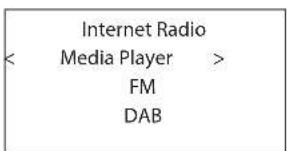
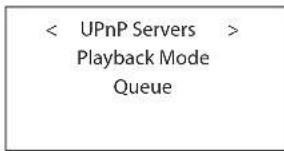
Bocnpo3BeDHeMeiHaФaHIOB npnIIOMOUc cepbepa UPnP.
1.Поссе усесного саимровая, ВьберпгБаш сервр UPnP,Врашая ручк, ecn сервор UPnP 6oile oJHoro, BbДeЛTe, 3aTeM HaxmTe Ha ручкдЯ Вьбopa кетаemoro сервр.
2.Tenepb RDG-1520 npedctabnt cncok Bexc onu nn Docynbix KaTaNOROB. OHn pa3nauHcTB 3aBNCIMOCTN OT HAcTPOKn BaWero My3bKaIbHOrO cepBepa, IN BepCm NIO, KOtOpoe BblcNoIb3yTe. O6bUHO OH NOKa3bBAeT CneDyUoiNe MeHIO
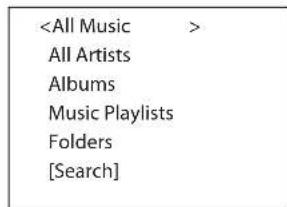
Bb mokeTe nckaTb neChn, npolntbIbaI cncoc AlI Music, nnJx He haxoITb KOHKpeTHOrO nCnonHHTe - Artists C nCnoJIb3ObaHneM All Artists, nnJx He haxoITb KOHKpeTHbI aIb6om C nOMOuIy Alumbs. B kaxdOm cIyueae Bbl MokeTe yrIy6bUTbc DO yPOBHa neceH.
BoiDnte BfynKuHn [Search] nnoBntcneDuiooe MeH
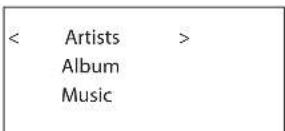
3aTeM BOJNTe B NOJMeHIO Artists, Album nnn Music. Bbl MoKeTe TaKke BBecTn 6kyBv nn HeckoJIbKO 6yKB, C KOTOpBX HauHaHaETc H3BaHHe Artist/ Album/Music.HanpImep,BBeIte "M" B Artists, 3aTeM HauKMITE KHOkY REPLY dna Haana noncKa. Bce nCnonHnteIN, IMeHa KOTOpBX HauHaHOTc Ha 6kyBv "M" BO3HMKnHT Ha 3KpaHe.
- KaK ToIbKO Jxenaembl TpeK HaJnDeH, Haxmnte Ha KhoNkY SELECT nIy BbIbopa. BbIbpaHHbI TpeK 6yEt NODcBeeH B MeHIO, KaK ToIbKO yCTpoiCTBO nonpO6yeT coeINHbC r C My3bIaKbHbIM cepBepOM. INHfOpMaIg, BbIEBeHNHa Ha DnCIIe, 6yEt 3aBnCeTb OT cOpEJaHr TpeKa, n O6bUHO Na 3KpaHe NoRbIeTc ScldyuOue.
"Album/Artist Name"
"Track title"
00:50
309kbps WMA
IINMUEAHHE: CucnoB3oBaHEm yhKuUQ QUEE: kramKoe haxamue Ha Khonky SELECT dna IIO6ou nechu unu aIb6oma 3anycmum ee bocnpou3beHneue. Bby moXe meakxe co3dAm 3aka3Hou cncoc Ke neeh QUEUE, ydepkaa Khonky SELECT Ha 8pem 6Oone 5 cekyhd. Bb6paHHbu mpek(u) 6dyem do6abenn K cnucky QUEE u 6dyem bocnpou3beH e ykaahHom nopAke. Haxmume Ha Khonky QUEE dna Bb3Oba cex mpkeob, okuadauux xocnpou3beHnua. 5-cekyHOe haxamue Ha Khonky STOP ydanum daHNyu nechio u3 cnucka QUEE. Bby moXe meakxe oucmmub oopepbQUE, haxaHa Khonky QUEE u b6paB CLEAR QUEE.
OuNTKa CnCKa Queue
BbMoKeTe OuNCtNb CnncOK QUEU, HaxKaB Ha KhoNky QUEU N Bbl6paB [Clear Queue] nIa3aIy B MeHIO QUEU nI NOmEHO Media Player.
UPnP Servers
Playback Mode
< Queue
< [Clear Queue] >
BbMoKeTe TaKke ydaIaTb HnDnBnDyIaNbHbIe TpeKn n3 cnNcKa QUEUE, Bb6npaTpeK nHaXmMaKNhONKy STOP Ha 5 cekyHd.
Pexim Bocpon3BedeHn
UPnP Servers
Queue
Поверн'te ручкд Вьбора поMuMeHIO 'Media Player'->'Playback Mode',Там ec'tb 2 поMuHIO, "Repeat"и"Shuffle".ВьбepNTe n6o Repeat,Shuffle nIи oba.Metka nokajET b6paHnBn BapnaHT.
REPEAT:Дорожкв BOCPON3BODTcR OHa 3a DpyroN 6byr NaHnHaTbCCHOB c nepBoJ dopOxK, KOrDa 3aKaHnBaTeC TocneHnDopOxKa.
SHUFFLE: Bocnpoun3BedeHne TpeKOB CnuyaHOM nopAJeKe.
ПИМЕЧАНО:ЕСпУВКLOЧЕБУ OДНОБЕРЕМENHо U REPEAT U SHUFFLE,усmpоюсьо счача ворсрουзбемpeku 8 счuaйом поядкoe,nocneворсpoьсебеня ecex mpekoNo odHom pa3y,оно npodolжumворсpoьсьdumb cnucokв Новом счuaйhom поядкoe, noka He 6byemнжama Khonka STOP.
IPIMUEAHHE: Icnobn3oBaHue fyHKuuu shuffle dna 60bnux My3bikabhix 6ubnomeK moxem okazamcbc heo3MoXhBm Uu 3aMem cnuiukom MHOZO epemHu. Mbl pekomehdyem co3dabamb Kopomkue nneu-lucmb dnry Windows Media Player u samem nepemuwabmb ux pexumom shuffle.
Bocnpon3BeJeHne padnoctaHnn DAB
- Bb6epnte KhONky DAB c nepdneH naHEn. JI6o npOJnKaIte HaKIMatb KhONky BACK dny Bo3BaPaTa B MeHIO BepxHero ypOBHa, NOBepHnTe N HaxMnTe pyuKy dny Bb6op aMeHIO DAB. Dncnne OTO6pa3NT cJeDyIoUee:
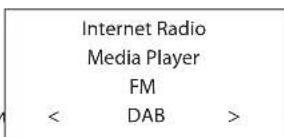
IIIO3 6yIET cKaHINPOBAtb IOCTyHbIe paAnOCTaHcN DAB. BbIbepTe XeJaEMyIO paAnOCTaHcNIO npn NOMOu pyKn.
CoxpaHHe npaoctanu DAB B ayeKe npedBapntbno Hacptpou (npceTe)
Noka Bocnpn3BODITcra pAnocTahun DAB,yedeKmbaTe haxaToHKnOky
namr s,3atEm Haxmnte Homep yueKei,Ha3HaeeHHbI c uΦpOBo
knabnAtpyb 4, dncne nokkct Cndyooue (onepaun TaKke moKet
6bItb BInonHeHa c npbTa Ny npu NOMOn K Honok MEM uΦpOBbx
KHONOK).IIIO3 coxpaHNT 3Ty paNoCTaHUN DAB bJeKe c daHHbIM
Homepom. OH MOKeT COXpaHtB do 30 npdBaPntbHO HaCTpoEHbIX
paNoCTaHUn DAB.
PpeceTbpaIIOCTaHcN
FM, DAB u INHTepHET-paIIO nIeIOI no 30 IueEe NAMTn IIN pIpeTeOB CTAHU, YTO B CUMME COCTABIIeT 90 cTAHUN, KOTOPbIE MOXHO XpAHNTB VyCTPOIcTB. TOpA3do BoJIbIe cTAHUN MOXHO COxPAHNTB BOHJaN PEXIMBE, BOCNoB3OBAWbICCB CBOIM aKKayHTOM n yHKJIeN «My Stuff'.
PIMMEUHVE: dno oBneuehen copmupobku, monko me cmauuu, komopbte xpanamc8 npecemax, 6dyum uDhny. ykaxdou cmauuu dyem Memka F dna FM, D dna DAB u I dna Nmhepm-paduo npecemos.
0630p hactpoek
Media Player
FM
DAB
<
Settings
,
< Network Config
Version
Upgrade Firmware
Register
Set Time/Date
FM Tuner
DAB Settings
UPnP
WiFi Strength
< Scan for networks >
Enter network name
View Config
Edit Config
- BvOJ Ha3BaHnA ceTn - Enter network name (ToIbKO dIg 6ecnpoBODHO noIKNIOUeHH)
Ecyn yctpoCTBO He MoXeT HauTN HnKaNX cTei, NdeHTnΦnKaTOp cTeI ESSID MoXeT 6bITb BBeDeH BPyHyIO.
IcnoIb3yIte pyky dI npOIoJKeHnB bIbOpa 6yKB dI Ha3BaHnY yctpoCTBa, BpaIaI n Haxmam, n Bbl6epnte cNoBO "END" uNn HaxmTe REPLAY dI noTBePckdHnHa3BaHn.
Network Name
<END<>ABCDEFGHJK>
NAME1
3.View Config - npocmToP KOHOnIpyaun
OTo6pa3nte Tekyuune napaMeTpbl KOHpyrpaunn cetn. BpaaIte pykny
Tn npocMoTa pCneyuioSei/npebIduyuei cTpaHnUbi "Mode"->"ESSID"
->"MAC Address"->IP Address"->Netmask"->Gateway"->DNS Servers"
OTo6pa3nte, kak noka3aHO Hnke:
< Mode >
Auto DHCP
< ESSID >
XXXXXX
4. Edit Config - peDAkTnOBAHne KOHpyaCmN
3To MeHIO MoKet 6bITb NcNOb3OBaHO dIpeJaKTnPoBaHNr TeKUSei KOHfrypaun CTe.3To MeHIO POne3HO dIra BBOda CTaTnueckOro aDpeCa IP dIra WIO3a.BbIbePte 3Ty fHyHKuIO npri nOmoUs pyKn I BBeJeTe cTaTnueckm aDpec IP, aDpec MAC n aDpec DNS bblpaHHo CETn.
Для Ввoda 3начени,надмITE Ha pyky,Зatem nobepHnTe pyky дя побстюки 3начени Bверх ИИВиЗ.НадмITEе за дя Ввoda 3начени и пecheroxа Ha cnedyioоше none.Прдогжайт, noka He BBeDeTe ВсIO INHфОрmaциLO.
5. Signal Warning (Tolbko严禁6ecnpobodnoro noKluuhena)
Bb6epTe YES nnn NO nna BknoeHn nn oTknOeHn npdynpexdne Hn3KoM ypoBHe cnHaJ Ni-Fi.
PoiMeHIO Version
3To MeHIO OTo6paKaaET INΦopMaIIO O npoRpaMMHom n annapaTHOM oecneuehen npi6opa.
Повмени Upgrade Firmware
IcnoIb3yIte 3Ty FyHKUIO dIJI 3aRpy3Kn HOBO rpoIpaMMHoro o6ecneueHn IJr INTepeHET-paIIO. Ecln HOoe pnporpaMMHoe o6ecneueHne DocTyynHO, IONBITc3 aInpoc Ha 3aRpy3Ky.
Функцу "Scan" 6byet ckaHnpoBaTb BCE doctynhble cnyk6bl DAB, OHa OTo6pa3NT cnncok Ha3baHn Cnyk6 npn ycneuHOM ckaHnpobAHn, NINO COO6uHT no services found (cnyk6bl He haindeHb), ecnn BeuaHme DAB He doCTytnHO.
"Clear List" ounctnt cnncok doctynbix cnyk6, haindeHHb npn nomou n fynkun "Scan".
"DAB Region" oTo6pa3nT peHNohbl, KOtOpbIe o6ecneuBaHT cnyK6y DAB, BmOxKeTe Bb6paTb KeHaembl perHOH, BpaaA n HaxMma pyky.
UPnP
IcnoIb3yIte 3Ty HacToPky,ecn Bbl XoTIne 3aadTb IMr UPnP yctpoCTBa. 3To IIMRAKOTOpoe BAu My3bikalnbHcpeBep nonuynt B pexIme Media Player.IMn noymoluaHIO-ROTEL GATEWAY.IcnoIb3yIte pyky dna npodOnjKeHHN Bb6Opa 6yKBd nHa3BaHNy UcTPOiCTBA PyTeB BpaJeHHN IN HaKaTHN,Nb6EpiTE CNOBO "END"DnA NOITBepKJDeHHN Ha3BaHN.
DEVICE NAME
<END<> A BCDEFGHIJ>
DEVICE
Пов demenю WiFi Strength
Toka3bIbae Tcny CnHana WiFi B npoenceX.
He pa6oTaET IokaJbHa cTe b
EcnBbHe MoKTe NoKIOHOTcKa BaWee 6ecnpoBDHO NOkAhoB CetN, npOBepe TBHMaTeBHO HAcTpoKy cETN, 3TN Mepbl MOyT NOMOBy B pa3peweHHn PpO6nembl.
1.Y6eIntecb,TOIokalhBaCetbWi-Fi pa6oTaET,HanpImep,nepcoHaIbHbI KOMMbTepeBixOHTB INHTepHET npi NMOUToJKe camOeTNI.
2.Поберы,чTo СервснDHСРВКИОУЕн,пьб ВссКонФИгурповаи CTaTnueckn aDpec IP Ha npu6ope. Пожалуuctа,образТecь К разду «КонФИгурповаиме сeTu».
3.Поберп,ЧToBaMМeЖсTeВоЗКран He 6ЛokИpyET HnKaKnx NcXoДуNx npTOB.
4.BbInonHnTe "KecTKoe"OTKIOUeHHe NITaHnB (BbTaIuNTe CeTeBOI SHyP) n daTne pnp60pe np3aNCTMb cKnCKaHNPoBaHnCeTn.
5.y6eHntecb,yTOyCTPOIcTBMOKTe npINHMaTb CnHAn WiFi B TOM MeCe, rDe OHO paCNOJoxHeo. NcNoJIb3yIte yDnHInTeIbHbI Ka6eNb USB, YTo6bl nepemecNTb npeo6pa3ObaTeIb WiFi Bbl IeB pyroE MeTo dnn MAkCImaJIbHorO yUyuWeHHn PnEma.
OTcYrTByeT3BYK
- Поберпсы кабени мени Вьховом устюства вхаяни релдаритблого усilпгеля, убадитесь, уTO OHH NOДСоЕДИНБИ ДОЛЖыIM образим.Образимпесь к рсуну 2.
- Ha My3bIky, Bocpoun3BODmmy INThePHT-paHIOCTaHnei, BnIeT cKOpOcTb BaWero NOkKnOueHnK INThePHT. EcnB bHaxoNTE, YTO My3bIka peyIapHO «Nope3aETcR, O6paTntEcB K BaWemy NoCTabuNky ycny INThePHT.
3.Y6eNTecb,TOBbIbpaHHa BAMn paNocTaHcua Beaet B TeKyuM MOMENT. PaNocTaHcua MoKeT BeaAtb N3 dpyrO Yoacoboro noRa ca.
4.Пожалупста,Всtabte пeoобразовать Wi-Fi (илnpobodнйп扼хоаннк)В пот Ethernet наднел панени,еслиниракne сети НDocTyны.Поссе ВКLOЧЕНИ рNTANHЯ рпбор npocmOTpIT Bce DoCTynhbie cETNпeped Tem,KakпpeOCTaBtB BO3MOxHOCtB DocTyna NOLb3OBaTeTЯ Kфункцiam FMиDAB.
CnoBapb TepMnHOB
Bitrate-6ntpeT-CKopocTBpepaHdaHHbIX-cKolbKO 6NT INΦopMaHINpepaETCAKaJyIO cekHyIy.
Buffering - 6yepn3aun - 3arpy3ka n noBtopna c6opka daHHbIX nepeB BOCPON3BeDeHnEM.
```c Codek - kodek [Coder/Decoder] nporpamma, cnoc6hna KODnpoBaTb n deKoDnpoBaTb uΦρobou NOTOK daHHbIX INI CNHAnOB.
Data Encryption -шфроване данньх в сижбспог�ocht.Дя 6ecnpobodhix ceteуообчho npotokonby WEP u WPA.
DHCP [Dynamic Host Control Protocol] - npotoKoN Ha3HaueHnIP aDpecoB yctpoiCTBaM B cTeN.
DNS CepBep - ydaenHbI cepBpe, ocyeCTbnIOuI npeo6paObaHne web aDecOB B COOTBeTCTByOuIue uCNOBbI IP aDpeca.
ESSID - [Extended Service Set Identifier] ESSID - ΘTO yHnKaIbHbIyndeHTNΦKAtOp BaweB 6ecnpoBDoHcTn.
Ethernet - cTeBaT TexHONOTnI JI loKaNbHbIX cTeI. Ka6JIb Cat5 cable nepedaet INHΦopMaZIO MEXy KOMNbIoTePamN co ckopoCTbIO 10/100/1000 Mra6Ur/ceKyHdy.
File format -Φopmat Φaɪla -Tnπ Φaɪna, Hapπmερ, My3bɪkʌbHbɪ Φaɪn Φopmata .mp3.
File CepBep -фаил-сервep -КOMьIoTeP ИИУСТpoIcTBo,ОБсeпeчИBAIOUepe paoboune ctaHmB cetn ynpaBIAЯMbIM DOCTyONM K pa3ДeJIЯЯMbIM faiNam.
Firmware - BCPTpoeHHoe B yCTpOoiCTBO nporpamMHOe oecneueHHe, daiouee yCTpOoiCTBy INCHPTyKUIN NO pa60Te.
Gateway - Wn03 - TOn4a DocTyna n3 cTeN LAN B cTeB WAN.
MHTepHET-KOMNbIOTePHaCetb,COCTOaIaN3 MIpOBoCetN KOMNbIOTePOB.
IP AApec - YnCNoOBe 06o3HaueHHe, npncBaINBaEMoe yCTpoiCTBaM B KOMIbIyTePHO Cetn.
ISP- npoBaanepnHTepHcepBncob.
Kbps - cokpaeeHne nna KIno6nt/cekyHny, Mepa ckopocTn nepeaun DaHHbIX.
LAN - [Local Area Network] nokabha KOMnbOpepha cTb dna CBA3Mekdy KOMnbOpepaM.
MAC-[Media Access Control] yHnKaIbHbI INHdENTnΦKATOp, npCBABaEMbI ceTeBOMy aadTepy nn CeTEBOINHTepeichChOn nAte pOn3BOITenEM.
Modem - [Modulator/Demodulator] - MoEm - MoDyIaTOp- MoDyIaTOp - yCtpoIcTBO INcNoB3yEmoe Ira NocOeHHeHn KOMNbIbTePoB K TeIefoHHbIM JINHIAm.
Network - Cetb - CNTema CoeHHeHHbIX MExdy Co60y c60n3neKtpOHbIX KOMNOHEHTOB NIN KOMNbIOTepOB.
Network adapter -ceTeBOn aadTep - annapaTHoe yCTpoNCTBO, yCTaHaBnBAEMOE B KOMNbIOtePbI YTO6bI COEINHTb IN B Cetb.
Podcast - noKact - ayDno fai, DocTabnemb no KaHanaM RSS uepe3 INTEpHET K NOINCHNY.
Router - poytp - yctpoCTBO, coeINHIOOee HeckoJIbKO CeTeI KOMNbIOTepOB Mekdy c60i.
RSS feed - [Really Simply Syndication feed] - KaHaJI, nCnONb3yEmbI dnnny6nkaun KOHTeTA B CeTN, Ha KOTOpBI NIOuMOrY T NOINCaTcBcN INoIyuaTb 06HOBLeHHa.
Cepbep - KOMNbIOTeP, KOtOpBIO o6ecneuBAeT KIneHTCKne KOMNbIOTePbI DOCTyNOM K aaiam n npHTEpam, KaK pa3dienembIM pecypcam B KOMNbIOTePHO H CETN.
Subnet mask -Macka noocn -MeoP pacuennne Hn IP cetn Ha noDpynnbl.
UPnP-[Universal Plug n Play]-MeTOD abTomatecko KoHpyaun, cnnonb3yembl BycptpOCTBax, TaKx Kac PCs, nepnepnHbIX, 6ecnpoBoDhix, yctpoCTBAX INHTenIeKtyaIbHbIX annapaTax.
URL - [Uniform Resource Locator] φopMaT aIpeCa KOHKpeTHoI cTpaHnCbI Be6-caIra.
USB-[Universal Serial Bus] mHa, nCnoB3yEma JnKOMnbTePHO npuepnn.
WAN - [Wide Area Network] komlbopetpna cetb kotopaa pacnpocpaHneTcno 6olee wipokoi meCTHOCTn, yem JokalbaH cetb, HApmp, INHTepHET.
WEP - [Wired Equivalent Privacy] - 6ecnpoBOnHbI npToKoN 3aunTbI - npedOTBpaAaET DocTyN K Cetn "B3nOMuKOB" C mCnOJb3OBAHmE 6ecnpoBOnHoro LAN o6opUdoBaHn I nepeXbaTa 6ecnpoBOnHoro LAN TpaFka nTyEm nOcclnyuHaBn.
WPA - [WiFi Protected Access] - 6ecnpobOndh npoTOKon 3aunTB, kOtbpH nIeT ha cmeHy 6onee cna6omy WEP npoTOKony.
WiFi - [Wireless Fidelity] - a paiaouactoTHb CTaHapT, KOtOpbIMCnONb3yETcIgAoEINHeHryCTPOIcTB, TAKNX KAK KOMNbIOTePbI i POD, CnONb3OBAHNEM 6ecnpoBOHoi CB3H.
TexHnueckneXapaKTepeNtIKn
Tpakm FM
PeaBnaYyBCTBnBHOCTb 22,2D6
50-16noporobaaycbtBntbHoctb7,2DΦ (MOHO)
OTHOWeHHe CnHrAn/Whm (npu 65DΦ) 63DΦ(MoHo), 60DΦ(CTepeo)
TapmoHueckneKckaeHn(pnp65d0)0,2%(MOHO)0,3%(CTpeo)
Mnana30h qacto1 10T-15Kf,±3b
Pa3deneHneKaHaNoB (100 rU/1 KfU/10 KfU) 40 d/45 d/35 d
BbIXoHnIyOboHe b1,1B
ANTehhBbBXoH NecMMMeTpNHyb,750M
Tpakm DAB
YyBCTBUNbHOCTb-80dM
ДманазонНасторки III (174-240 MФ)
Ckopoctb noToKa ayDno daHhBx
Mnana30HacTOT 20Tg-20Kf,±1,0db
AHaIroBbIy BbIXoD
AHTeHHB BxOa 750M,pazbemF
067ne

iPod touch 2nd generation

iPod classic

iPod nanotech generation video camera

od nano

iPod nano 3rd generation (video)

iPod nano and generation (aluminum)
"Made for iPod" - «Cedanohdian iPod» - 03hauema, ymo 3eKmpoHnBu Akcccyap bbl cnpoekmuobAH cneuahbno dny noocduhen HnK iPou bbl cepmuuupoabn pa3paobomukn Ho coomeemcme bcmhdopam kayecmaa Apple.
"Made for iPhone" - «CedenaHO dans iPhone» - 03hauaem, Руо Злесьгонь akceccayap b6b сроекмюан cneuaibnoдносоедиеняк iPhone u 6b6n cepmufuipoaan pa3paobumukom ha coomoecmuecmehanopam kayecmeaApple.
Apple He Hecem ombemcmbenu 3a paobmy tux ycmpouc m u ux coombemcbue HopMaM beonacnoemu cmandapmam.
ipD-3mo mop2o8a Mapka Apple Inc., 3apezucmpuropobann a CwU u dpyzux cmpaahx.
iPhone -3mo mop2084 mapka Apple Inc.
Windows, Windows XP, Windows 2000, Windows Vista, Windows 7, Windows Media - NTOPROBIE MAPK INIIN ZAPERNCTPPPOBAHNBIE TOPROBIE MAPK IN Microsoft Corporation B CUSA INIIN Dpyrnx CTpaHax.
"3TOT npOdyKT BKNIOaET TexHONOrnIO, KOtOpoi BnaJeet Microsoft Corporation n IuIeHN3IpOBaHHyIO Microsoft Licensing GP. NcNoJIb3OBAHne INI pAcnpocTaPahEnHe TAKoI TexHOnOrnIN BHe paMOK 3ToIPOdyKta 3anpeJaaeTc8 6eIuIeHN3NIO t Microsoft Corporation n/nn Microsoft Licensing, GP, yTO npImeHMIO."

WARNING
RISK FÜR ELEKTRISKA STÖTAR ÖPPNA EJ

VARNING: SKRUVA ALDRIG ISAR APPARATEN. DET FINNS INGA DELAR INUTI SOM KAN LAGAS AV ANVANDAREN. ANLITA ALLTID EN BEHORIG SERVICETEKNIKER FOR ALL SERVICE.
Denna symbol anvands for att varna for farlig elektrisk strom inuti apparaten som kan orsaka elektriska stotar.

This Class B digital apparatus complies with Canadian ICES-003.
Information for installer
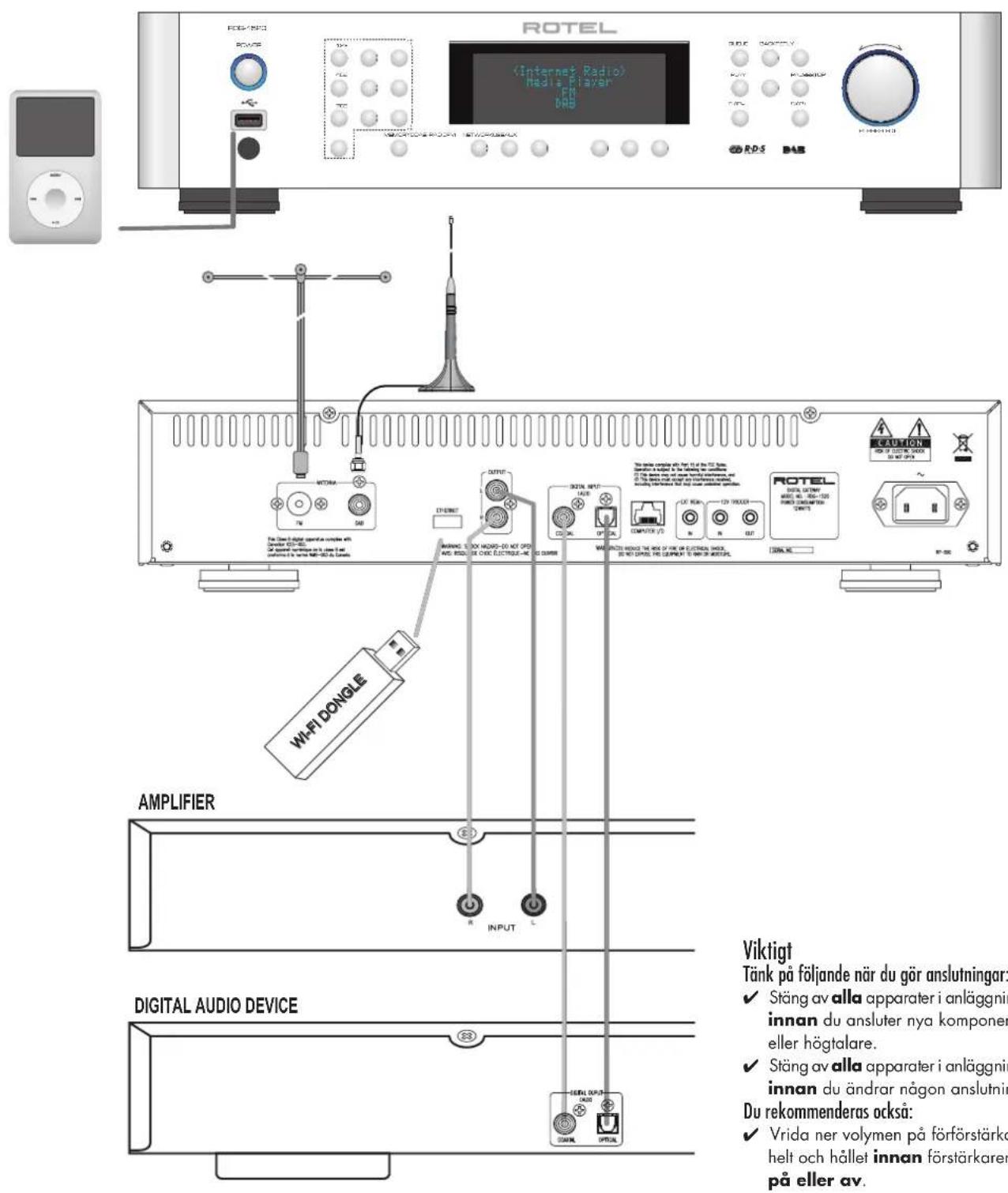
Figure 2: Inkoppling
Innehåll
Viktig sakerhetsinformation 130
Figure 2: Inkoppling 132
Viktigt 132
Om Rotel 133
Signal to Noise Ratio (at 65 dBf): 63 dBf (mono) 60 dBf (stereo)
Harmonic Distortion (at 65 dBf): 0,2% (mono) 0,3% (stereo)
Frequency Response: 10Hz - 15kHz, + / - 3dB
Stereo Separation (100Hz / 1kHz / 10kHz) :40 dB/45 dB/35 dB
Output level: 1,1 V
Antenna Input: 75-ohms obalanserad
DAB-mottagning
Sensitivity: -80 dBm
Tuning Range: Band III (174-240 MHz)
Audio Data Rate: 224 kbit/s (max)
Frequency Response: 20Hz - 20kHz, + / - 1,0 dB
Analog Output: 2,1 V vid 0 dBFS
Antenna Input: 75-ohms F-kontakt
Allmänt

iPod touch 2nd generation

iPod classic

iPod nano (with generation video camera)

iPod nano iPod nano 4th generation 3rd generation (video) (video)

iPod nano 2nd generation (aluminum)
Endo TN Building 2F.
6-12-21, Meguro-Honcho,
Meguro-Ku, Tokyo 152-0002
Japan
Rotel of America
54 Concord Street
North Reading, MA 01864-2699
USA
Phone: +1 978-664-3820
Fax:+1978-664-4109
Rotel Europe
Dale Road
Worthing, West Sussex BN1 2BH
England
Phone: +44 (0)1903 221 761
Fax:+44(0)1903221525
Rotel Deutschland

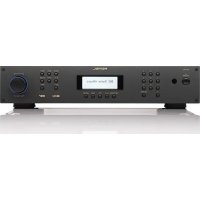
- APPLICABLE FOR USA, CANADA OR WHERE APPROVED FOR THE USAGE
- FCC Information
- Caution
- Important Safety Instructions Notice
- Rear Slots
- Contents
- About Rotel
- Overview - the Rotel internet radio tuners/ digital gateway products.
- DAB and FM radio
- Internet radio
- Network access
- The Rotelradio website - managing your stations
- Playback from iPods, mp3 players and flash drives
- Playback from network servers
- Getting Started
- Features
- A Few Precautions
- Placement
- AC Power and Control
- AC Power Input
- Power Switch and Indicator Light 12
- 12V Trigger Input
- 12V Trigger Output
- Connection Overview
- DAB/FM Broadcasting
- DIGITAL INPUT-AUX
- Network Connection
- Computer I/O
- USB Connection
- OUTPUT
- Internet Radio Quick Start
- What you need before starting
- First Time Connection To The Network
- Choosing A Radio Station
- Internet Radio Station Playing
- Storing a radio station in a preset
- Playing a preset radio station
- Media Player Quick Start
- UPnP Servers
- Setting up UPnP Server in PC
- Play media files using UPnP Server.
- Clear Queue
- Playback Mode
- iPod/USB Connection Quick Start
- USB Storage Device Connection
- iPod/iPhone Connection
- Playback Control Buttons
- FM RADIO Quick Start
- FM Radio Station Playing
- DAB RADIO Quick Start
- DAB Radio Station Playing
- Storing a DAB station in a preset
- Radio Station Presets
- SETTINGS OVERVIEW
- Network Config
- Configure "My Stuff"
- Register an account on http://rotelradio.com website
- Configure "My Stations"
- Configure "My Streams"
- Remote Unit Advanced Buttons
- Setup menu
- Second Remote Code
- Troubleshooting
- Power Indicator Is Not Lit
- Network Does Not Work
- No Sound
- Glossary
- Specifications
- FM Tuner
- DAB Tuner
- General
- PRECAUCION
- Configurer "My Streams"
- BaxKbIe HNCTpyKcUN no 6e3oNaCHOCTn3aMeaHne
- BbdoJXbI o6eueHTb MMHmym 10cm CBO6oHOrO npoctpaHCTBa BOKpyr np6opa.
- Copepkanhe
- OKompanRotel
- 063op - Rotel ИntepHeT-paДno TIOHepbI/ цфpoBbie шлIO3bl
- DAB u FM paanio
- InTepHepaia
- Ceteboudoctyn
- Be6-caT Rotel paIIO -yppaJIeHne BaIIMN CTaIINM
- Bocnpoun3BedeHne ciPods,mp3 npeepOB u fneu-HakonnteJe
- Bocnpoun3BeDene C cTeBbix cepBepOB
- PpncTynaKeknnyataaun
- OchOBhble xapaKTepcntnKn
- HekoToPbIe MepbI npedocToPoXHoCTn
- PazmeuHne
- ynpabneHne nHTaHnem
- BxOД nITaHnI nepeMeHHOro ToKa [2]
- IpeeknHouateIb IITaHmN IOcBETKa HINdkaTopa 12
- 3aynckaiuon TprnrrpehBb BXoD 12 B
- 3anyskaoumTreprrepbHbBbXoD12B
- 0630p coeHHeHn
- PaIIOBeaHne DAB/FM
- UΦpOBoB BxOД AUX
- Поdkл�чени К сети
- KOMNbIOpTeHbI BXoD/BbxOa
- USB coeDInHeHne
- BbIXoD OUTPUT
- IpeBoe noKJIIOUeHMe K cTeN
- Bb60papnoctanhnn
- Bocnpoun3BeJeHne IVHTepHet-paIOCTaHcnn
- CoxpaHHepe paIIOCTaHcIMN B IyueKe npEiBapntbHOH NaTPOKNI (npceTe)
- Bocnpoun3BeDeHne npedBarupTeNbHo NaCtpoeHNo paNIOCTaHcN
- BbICTpbI 3aynck npoirpbyBaTeJMaednaΦaJIOB
- CepBepbl UPnP
- Hactpoika cepBepa UPnP B nepcohaJIbHOM KcMnIbItepe
- Bocnpo3BeDHeMeiHaФaHIOB npnIIOMOUc cepbepa UPnP.
- OuNTKa CnCKa Queue
- Pexim Bocpon3BedeHn
- Bocnpon3BeJeHne padnoctaHnn DAB
- CoxpaHHe npaoctanu DAB B ayeKe npedBapntbno Hacptpou (npceTe)
- PpeceTbpaIIOCTaHcN
- 0630p hactpoek
- 3.View Config - npocmToP KOHOnIpyaun
- Edit Config - peDAkTnOBAHne KOHpyaCmN
- Signal Warning (Tolbko严禁6ecnpobodnoro noKluuhena)
- PoiMeHIO Version
- Повмени Upgrade Firmware
- UPnP
- Пов demenю WiFi Strength
- He pa6oTaET IokaJbHa cTe b
- OTcYrTByeT3BYK
- CnoBapb TepMnHOB
- TexHnueckneXapaKTepeNtIKn
- Tpakm FM
- Tpakm DAB
- 067ne
- WARNING
- Information for installer
- Innehåll
- Rotel of America
- Rotel Europe
- Rotel Deutschland
Brand : ROTEL
Model : RDG1520
Category : Audio Receiver