UMS4 - Battery charger Nitecore - Free user manual and instructions
Find the device manual for free UMS4 Nitecore in PDF.

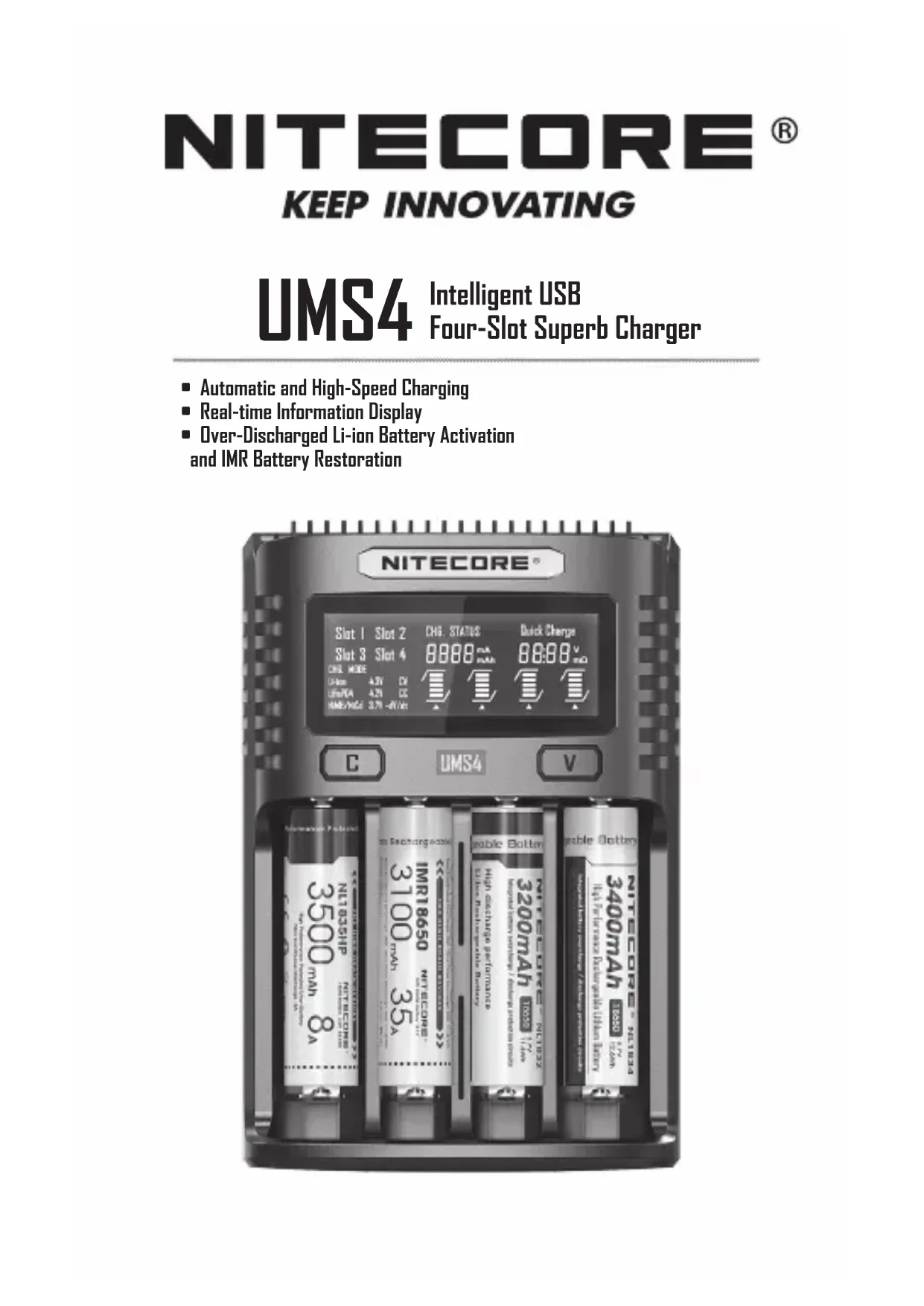


| Product type | Battery charger |
| Brand | Nitecore |
| Model | UMS4 |
| Number of slots | 4, independently controlled |
| Compatible battery types | Li-ion 3.6/3.7V, Li-ion 3.8V (4.35V), Ni-MH/Ni-Cd 1.2V, LiFePO4 3.2V |
| Default charge current | Up to 2000 mA (standard mode), up to 3000 mA (QC mode) |
| Selectable current range | 300 mA – 3000 mA depending on configuration |
| QC 2.0 input | Yes, for fast charging |
| Display | LCD screen with status, internal resistance, current, voltage, charged capacity, time |
| Protection | Reverse polarity, short circuit, time-out (20h), low battery activation |
| IMR restoration mode | Yes, via long press of V button |
| Power saving function | Automatic screen off after 3 minutes of inactivity |
| Power supply | USB adapter or USB port (cable included) |
| Operating temperature | -10°C to 40°C |
| Storage temperature | -20°C to 60°C |
| Warranty | 12 months (exchange within 15 days), limited thereafter |
| Maintenance | Clean with a dry cloth; do not use water or solvent |
| Safety | Never charge primary batteries; do not disassemble; use only official cables |
Frequently Asked Questions - UMS4 Nitecore
User questions about UMS4 Nitecore
0 question about this device. Answer the ones you know or ask your own.
Ask a new question about this device
Download the instructions for your Battery charger in PDF format for free! Find your manual UMS4 - Nitecore and take your electronic device back in hand. On this page are published all the documents necessary for the use of your device. UMS4 by Nitecore.
USER MANUAL UMS4 Nitecore
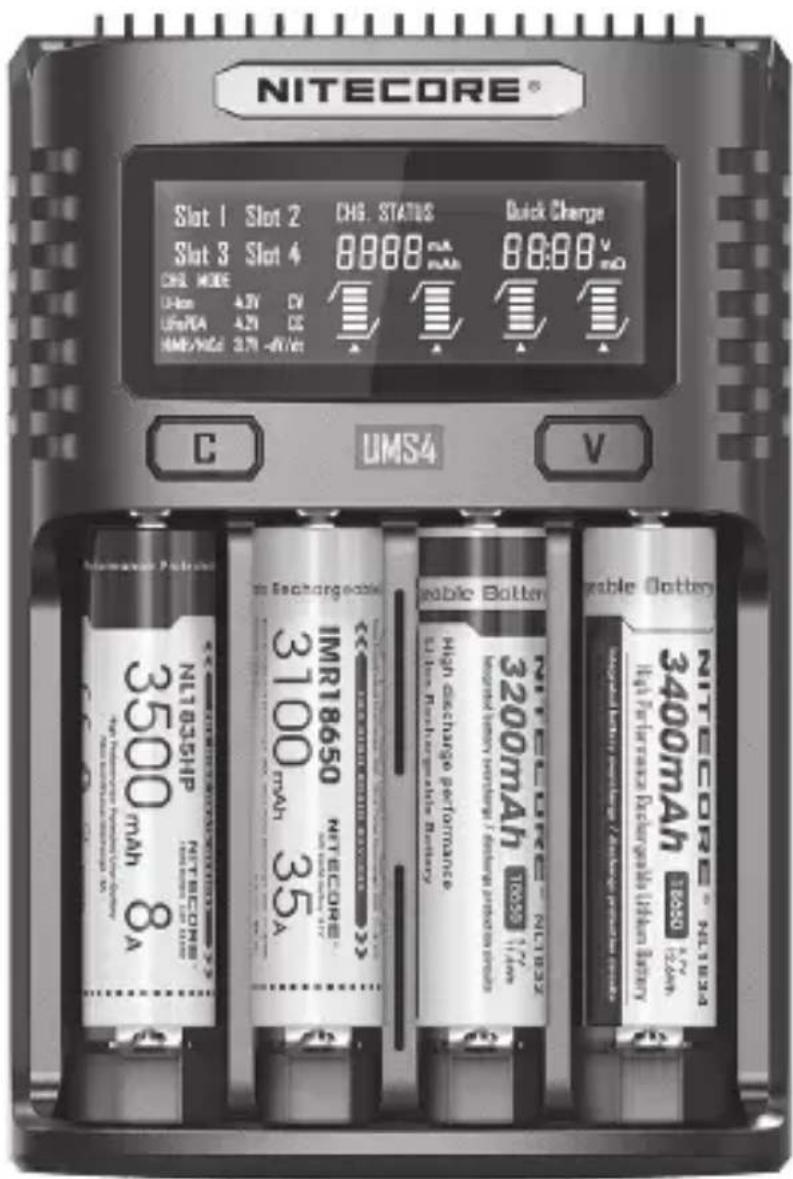
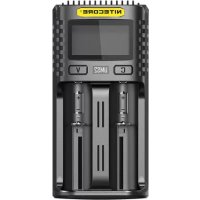
UMS4 Intelligent USB Four-Slot Superb Charger
■ Automatic and High-Speed Charging
■ Real-time Information Display
■ Over-Discharged Li-ion Battery Activation and IMR Battery Restoration
Contents
English 2
Español 6
Deutsch 10
Francais 14
Русский 18
日本語 22
한국어 26
Italiano 30
Română 34
简体中文 38

IMPORTANT NOTICE CONCERNING WARRANTY SERVICE
Thank you for purchasing! Before using this charger, please find your verification code on the package box, and go to http://charger.nitecore.com/validation (or scan the QR code beside the verification code to visit on your mobile phone). Type in your verification code and personal information as required, and submit the page. After verification, Nitecore will send you a warranty service email. This email and your registration email address are essential to your possible warranty application. Before you complete the warranty service registration, you cannot enjoy our warranty service for your purchase.
Features
• Intelligent USB Four-Slot Superb Charger
• QC 2.0 input available
- Capable of charging 4 batteries simultaneously and controlling each slot independently
- Up to 3,000mA charging speed in a single slot
- Compatible with Li-ion and Ni-MH/Ni-Cd batteries with automatic detection
- Automatic detection of battery power level and automatic selection of the appropriate voltage and charging mode (LiFePO4 and 3.8V Li-ion batteries excluded)
• Automatic selection between 3 charging modes (CC, CV and -dV/dt)
• Energy-efficient LCD display for real-time charging information
- Capable of manually selecting the charging cut-off voltage and the charging current
- Automatic detection of large/small capacity batteries and automatic selection of appropriate charging current
• Automatic termination upon charging completion
- Reverse polarity protection and short circuit protection
• Over-discharged battery activation
• Li-ion battery restoration
- Overtime charging protection
• Automatic detection of battery internal resistance and display of battery health
- Made from durable and fire-retardant PC materials
- Optimal heat dissipation design
• Certified by RoHS, CE, FCC and CEC
• Insured worldwide by Ping An Insurance (Group) Company of China, Ltd.
Accessories
USB Charging Cable
Specifications
Input: DC 5V/2A 12V/1.5A 18W (MAX)
Output: 4.35V±1% / 4.2V±1% / 3.7V±1% / 1.48V±1% QC Mode: 3,000mA*1 (MAX), 2,000mA*2 (MAX), 1,000mA*4 (MAX)
Standard Mode: 2,000mA*1 (MAX), 1,000mA*2 (MAX), 500mA*4 (MAX)
Compatible with:
IMR/Li-ion/LiFePO4: 10440, 14500, 14650, 16500, 16340(RCR123), 16650, 17350, 17500, 17650, 17670, 17700, 18350, 18490, 18500, 18650, 18700, 20700, 21700, 22500, 22650, 25500, 26500, 26650, 26700
Ni-MH/Ni-Cd: AA, AAA, AAAAA, C, D
Dimensions: 159mm×107mm×41mm (6.26"×4.21"×1.61")
Weight: 255.4g (9.01oz) (Charging cable not included)
(English) UMS4 User Manual
Operating Instructions
Connect to power source: connect the UMS4 to an external power source (a USB adapter, a computer or other USB charging devices) via the USB charging cable.
Insert batteries: The UMS4 features 4 independently controlled charging slots. Insert batteries of supported types into each slot according to the polarity marks on the slot. After battery installation, the UMS4 begins charging and presents Battery Health by "Good" or "Poor", Internal Resistance, Charging Current, Battery Voltage, Charged Volume and Charging Time on the LCD screen.
Battery Inspection and Error Report: The UMS4 has reverse polarity protection and anti-short circuit function. If there are batteries inserted with polar reversed or short-circuited, the LCD screen of relevant slot will indicate "EE EE" and the power level display will flash to notify the user of an error.
Smart charging: The UMS4 can choose appropriate charging currents based on intelligent detection about battery types and capacities. Manual charging current selection is also available. The UMS4 is compatible with:
1) 3.6V/3.7V Li-ion rechargeable batteries
2) 3.8V Li-ion rechargeable batteries (4.35V±1% when fully charged)
3) 1.2V Ni-MH/Ni-Cd rechargeable batteries
4) 3.2V LiFePO4 batteries
Default Settings
The default settings (not manually configured) for the UMS4 are:
| Battery Type and Capacity | Standard Mode QC Mode | ||||
| Default Charging Current | Selectable Range of Charging Current | Default Charging Current | Selectable Range of Charging Current | ||
| Li-ion batteries(4.2V±1% when fully charged) | >1,200 mAh 2 | ,000mA* 300mA | -2,000mA 2,000mA | 300mA-3 | 000mA** |
| <1,200 mAh 1 | ,000mA 300mA | -2,000mA 1,000mA | 300mA-2,000mA | ||
| Ni-MH/Ni-Cd batteries(1.48V±1% when fully charged) | AA/AAA/C 1, | 000mA 300mA | -2,000mA 1,000mA | 300mA-2,000mA | |
| D 1,000mA | 300mA-2,000mA | 1,000mA 300mA | -2,000mA | ||
* When charging 1 or 2 batteries, it is recommended to put them into Slot 1 and Slot 3, or into Slot 2 and Slot 4, to achieve a higher default charging current of 2,000mA. Otherwise the default charging current is 1,000mA.
** When charging 1 or 2 batteries, it is recommended to put them into Slot 1 and Slot 3, or into Slot 2 and Slot 4, to achieve a wider selectable range of charging current of 300mA-3,000mA. Otherwise the selectable range of charging current is 300mA-2,000mA.
Note: The UMS4 can automatically select charging modes for Ni-MH/Ni-Cd batteries and 3.7V Li-ion batteries. LiFePO4 batteries and 3.8V Li-ion batteries require manual settings on charging cut-off voltages. For the battery whose length is >60mm (2.4"), the UMS4 automatically identifies its capacity as >1,200mAh.
Button Operations
During the charging process:
Short press the C button to cycle through the charging status of the 4 slots.
Short press the V button to cycle through Battery Health, Internal Resistance, Charging Current, Battery Voltage, Charged Volume and Charging time on the LCD screen.
Long press the C button to enter the Charging Setting Mode.
Long press the V button to enter Restoration Mode. (Only effective to over-discharged IMR batteries)
After entering the Charging Setting Mode:
Short press the C button to switch to different setting parameters (Charging Current and Cut-Off Voltage).
Short press the V button to increase with a 100mA increment each time when setting the Charging Current; or to switch to different battery types and voltage readings when setting the Cut-Off Voltage.
Long press the V button to directly access the maximum setting when setting the Charging Current.
Long press the C button to save and exit the Charging Setting Mode.
Note: Perform no action in 10 seconds to exit the Charging Setting Mode without saving and return to the previous settings.
Charging Voltage Settings
The UMS4 is compatible with 3.6V/3.7V Li-ion and Ni-MH/Ni-Cd batteries with automatic detection and adoption of the suitable charging voltage. For LiFePO4 batteries and 3.8V Li-ion batteries, please follow the steps below for charging voltage settings:
-
After the battery is inserted and the charging process begins, short press the C button to select the correct slot and long press the C button to enter Charging Setting Mode.
-
After entering Charging Setting Mode, short press the C button. When the screen shows the flashing text "CHG.MODE", short press the V button to select the correct charging voltage (3.7V/4.2V/4.3V).
- For LiFePO4 batteries, the voltage needs to be set to 3.7V. For 3.8V Li-ion batteries, the voltage needs to be set to 4.3V.
- When the setting is finalized, long press the C button to save and exit the Charging Setting Mode.
Charging Current Settings
Please follow the steps below for charging current settings:
- After the battery is inserted and the charging process begins, short press the C button to select the correct slot and long press the C button to enter Charging Setting Mode.
- After entering Charging Setting Mode, the screen will show the flashing text "CHG. STATUS". Short press the V button to increase the charging current with a 100mA increment each time. Long press the V button to directly access the maximum setting.
- When the setting is finalized, long press the C button to save and exit the Charging Setting Mode.
Note: When the input power is insufficient and a large charging current is set, the charger will automatically adopt the intelligent current distribution according to the input power.
QC Charging Mode
The UMS4 is QC 2.0 input available. When the charger is powered by a QC supportive device or connected to a QC adapter, the screen will show "Quick Charge" and the single slot max output will achieve 3,000mA.
Automatic Battery Internal Resistance Detection
When the UMS4 is on and the battery is installed, it will automatically detect and display the Internal Resistance below the "CHG. STATUS". When the Internal Resistance is below 250mΩ, it will show "Good" on the screen. When it is above 250mΩ, it will show "Poor" on the screen to indicate that the battery should be replaced.
Charged Volume Calculation
During the charging process, the system will automatically calculate and display the Charged Volume below the "CHG. STATUS".
Anti-short Circuitsing and Reverse Polarity Protection
If there are batteries inserted with polar reversed or short-circuited, the screen will flash to show "EE EE".
Energy Saving Function
If there is no action to the buttons or batteries in 3 minutes, the screen will automatically go dim to save energy. Perform any action to light up the screen.
Over-Discharged Li-ion Battery Activation
The UMS4 is capable of activating over-discharged Li-ion batteries with a protective circuit. After battery installation, UMS4 will test and activate the battery before charging. When a battery is detected as damaged, the screen will show "EE EE".
Over-Discharged IMR Battery Restoration
When an over-discharged IMR battery is inserted, the screen will show "EE EE". In this case, long press the V button to enter Restoration Mode. After that, the charging process will continue. The battery should be replaced if it fails to be restored after several attempts.
NOTE: When attempting to restore an IMR battery, reverse polarity protection is temporarily disabled. Please ensure batteries are correctly inserted. Failing to do so may result in fire or explosion.
Overtime Charging Protection
The UMS4 will separately calculate the charging time of each battery. When the charging time exceeds 20 hours in one slot, it will automatically cease the charging process of this slot and display "END" below the "CHG. STATUS". This is to prevent possible overheat or even explosion due to battery quality issue.
Precautions
- The charger is restricted to charging Li-ion, IMR, LiFePO4, Ni-MH/Ni-Cd rechargeable batteries only. DO NOT use the charger with other types of batteries as this could result in battery explosion, cracking or leaking, causing property damage and/or personal injury.
- Moderate heat from this product is to be expected during the charging process, which is normal.
- Ambient Temperature of Usage: -10\~40°C (14\~104°F); Temperature of Storage: -20\~60°C (-4\~140°F)
(English) UMS4 User Manual
- Carefully read all labels on the device to ensure batteries are installed correctly.
- Please connect this charger to power supplies with the input voltage stated in the specifications of the user manual. If the input voltage is too low or too high, it may lead to malfunctions, or even a fire.
- DO NOT charge batteries if there is any sign of faulty or short circuit.
- The charger is designed for adults. Use of the charger by kids under age must be under supervision. Operation, using or cleaning of the charger may NOT be done by kids aged 8 years or younger.
- DO NOT leave the product unattended while it is connected to a power supply. Unplug the product at any sign of malfunction.
- Please make sure the correct program and settings are chosen and set. Incorrect program or setting may damage the charger, or cause fire and explosion.
- DO NOT attempt to charge primary cells such as Zinc-Carbon, Lithium, CR123A, CR2, or any other unsupported chemistry due to risk of explosion and fire.
- DO NOT charge a damaged IMR battery as doing so may lead to charger short-circuit or even explosion.
- DO NOT charge or discharge any battery having evidence of leakage, expansion/swelling, damaged outer wrapper or case, color-change or distortion.
- Use the original adapter and cord for power supply. To reduce the risk of damage to the power cord, ALWAYS pull by the connector rather than the cord. DO NOT operate the charger if it appears damaged in any way.
- DO NOT store or use the product in an environment where the temperature is extremely high / low or changes rapidly, or in a confined area with a high temperature.
- Store the device in ventilated areas. DO NOT use the device in moist environment and keep away from any combustible materials.
- Avoid any shock or impact to the device.
- DO NOT place any conductive or metal object in the device to avoid short circuiting and explosions.
- DO NOT overcharge or over-discharge the batteries. Please recharge the battery as soon as the power runs out.
- Unplug the device and remove all batteries when it is not in use.
- DO NOT disassemble or modify the device as doing so will render the product warranty invalid. Please refer to the warranty section in the manual for complete warranty information.
- DO NOT misuse in any way! Use for intended purpose and function only.
Disclaimer
This product is globally insured by Ping An Insurance (Group) Company of China, Ltd. NITECORE shall not be held responsible or liable for any loss, damage or claim of any kind incurred as a result of the failure to obey the instructions provided in this user manual.
Warranty Details
Our authorized dealers and distributors are responsible for warranty service. Should any problem covered under warranty occurs, customers can contact their dealers or distributors in regards to their warranty claims, as long as the product was purchased from an authorized dealer or distributor. NITECORE's Warranty is provided only for products purchased from an authorized source. This applies to all NITECORE products. To be qualified for warranty, please refer to the "IMPORTANT WARRANTY NOTICE" section on top to validate your product.
Any DOA / defective product can be exchanged for a replacement through a local distributor/dealer within the 15 days of purchase. After 15 days, all defective / malfunctioning NITECORE® products can be repaired free of charge for a period of 12 months (1 year) from the date of purchase. Beyond 12 months (1 year), a limited warranty applies, covering the cost of labor and maintenance, but not the cost of accessories or replacement parts.
The warranty is nullified if the product(s) is/are:
- broken down, reconstructed and/or modified by unauthorized parties
- damaged from wrong operations (i.e. reverse polarity installation, installation of non-rechargeable batteries or failure to obey the warnings)
- damaged by batteries leakage.
For the latest information on NITECORE ^® products and services, please contact a local NITECORE ^® distributor or send an email to service@nitecore.com.
※ All images, text and statements specified herein this user manual are for reference purpose only. Should any discrepancy occur between this manual and information specified on www.nitecore.com, information on our official website shall prevail. SYSMAX Innovations Co., Ltd. reserves the rights to interpret and amend the content of this document at any time without prior notice.
Safety Instruction for Lithium-ion Batteries
1. Charging Voltage
Lithium-ion (Li-ion) batteries have strict requirement on voltage control. Charging Li-ion batteries with electric voltage beyond safety standard can lead to battery damage and explosion.
(1) 3.7V Li-ion Batteries / IMR Batteries
3.7V Li-ion batteries are the most common rechargeable Lithium batteries. The skins of these batteries are often marked with 3.6V/3.7V signs. If our chargers judge that an inserted battery is a Li-ion battery, the battery will be automatically charged in 4.2V standard charging mode. You do not need extra voltage settings for these types of batteries.
(2) 3.8V Li-ion Batteries
3.8V Li-ion batteries are comparatively rare. It usually has a 3.7V mark on its skin. Normally its seller will inform its buyer that it needs to be charged with 4.35V power. When charging this type of battery, please manually set the charging voltage to 4.3V, otherwise the charger will charge at 4.2V by default, and cannot provide adequate charging voltage.
(3) 3.2V LiFePO4 Batteries
3.2V LiFePO4 batteries have LiFePO4 and/or 3.2V marks on the skin. Be careful with this type of batteries. Without manual setting, our chargers will charge this type of batteries with 4.2V, and will damage or even explode the battery with excessive charging voltage. You need to manually set the charging voltage to 3.7V for safe charging.
2. Charging Current
For all rechargeable Lithium batteries (including Li-ion, IMR and LiFePO4 batteries), we suggest not using current larger than 1C* for charging. For small capacity batteries, the charging current must be smaller than 1C.
* C=Capacity of a battery. For example, 1C in a 2600mAh rechargeable Lithium battery is 2.6A. 1C in a 3400mAh rechargeable Lithium battery is 3.4A.
Excessively large charging current will lead to great amount of heat, and consequently battery damage and explosion.

Warning: Our chargers automatically judge and select charging current by the batteries' length. For some long but small capacity batteries (i.e. 12650, 13650, 14650, 16650), please manually set appropriate charging current (smaller than 1C).
3. Precautions
(1) DO NOT short circuit the battery in any way.
(2) DO NOT use a 3.7V/3.8V Lithium battery when its voltage is lower than 2.8V, otherwise it can be over-discharged, and/or prone to explosion at next charging.
(3) We strongly recommend batteries with protective circuit. For batteries without protective circuit (such as IMR batteries), please stay alert for over-discharge and short circuit.
(4) DO NOT discharge a battery with a discharging current larger than its maximum rated current.
4. Long-term Storage
The best storage voltage for 3.7V/3.8V rechargeable Lithium batteries is 3.7V. Voltage too low or too high can damage your battery during storage. You can discharge a battery to 3.7V, or charge it to 3.7V in a charger before you keep it in long-term storage.
Validation code and QR code on package can be verified on NITECORE website.

The charger must be used with NITECORE's official cords. Official cords are identified with clearly printed NITECORE on the plug. During charging, third party cords can cause malfunction, overheat and even fire on the charger. Damages from using unofficial cords cannot be covered by official warranty.
The charger is restricted to charging Li-ion, IMR, 3.2V LiFePO4, Ni-MH/Ni-Cd rechargeable batteries only. DO NOT use the charger with other types of batteries as this could result in battery explosion, cracking or leaking, causing property damage and/or personal injury.
Validation code and QR code on package can be verified on NITECORE website.

Thanks for purchasing NITECORE!
SYSMAX Innovations Co., Ltd.
TEL: +86-20-83862000 FAX: +86-20-83882723
E-mail: info@nitecore.com Web: www.nitecore.com
Address: Unit 6355, 5/F, No. 1021 Gaopu Road,
Tianhe District, Guangzhou, 510653, Guangdong, China
Manufacturer: SYSMAX Power Technology, LLC

Made in China
- UMS4 Intelligent USB Four-Slot Superb Charger
- Contents
- IMPORTANT NOTICE CONCERNING WARRANTY SERVICE
- Features
- Accessories
- Specifications
- (English) UMS4 User Manual
- Operating Instructions
- Default Settings
- Button Operations
- During the charging process:
- After entering the Charging Setting Mode:
- Charging Voltage Settings
- Charging Current Settings
- QC Charging Mode
- Automatic Battery Internal Resistance Detection
- Charged Volume Calculation
- Anti-short Circuitsing and Reverse Polarity Protection
- Energy Saving Function
- Over-Discharged Li-ion Battery Activation
- Over-Discharged IMR Battery Restoration
- Overtime Charging Protection
- Precautions
- Disclaimer
- Warranty Details
- Safety Instruction for Lithium-ion Batteries
- Charging Voltage
- 3.7V Li-ion Batteries / IMR Batteries
- 3.8V Li-ion Batteries
- 3.2V LiFePO4 Batteries
- Charging Current
- Precautions
- Long-term Storage
- Thanks for purchasing NITECORE!
Brand : Nitecore
Model : UMS4
Category : Battery charger